 Скачать презентацию Zynq Book Tutorials II ECE 3622 Embedded
6da10e221399666bb8fce21def982fc9.ppt
- Количество слайдов: 115



Zynq Book Tutorials II

ECE 3622 Embedded Systems Design Zynq Book Tutorials II Zynq Processor System - GPIO. The xgpiops. h header file is shown on the Outline pane. All #define statements (Macro definitions) are listed with a # icon. All type definitions are shown with a yellow circular T icon. All structs are shown with a circular blue S icon. All function prototypes are shown with circular icons with a green hatch pattern.

ECE 3622 Embedded Systems Design Zynq Book Tutorials Zynq processor System - GPIO. In order to use these functions in our application, we first need to include them in our C code. The #include “xparameters. h” gives access to the predefined #define macros which are provided in the Xilinx Board Support Package (BSP) for the Digilent Zybo Board.
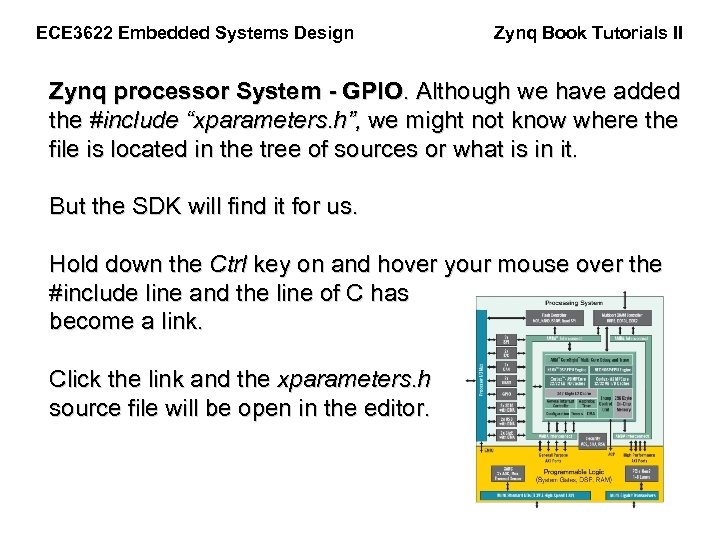
ECE 3622 Embedded Systems Design Zynq Book Tutorials II Zynq processor System - GPIO. Although we have added the #include “xparameters. h”, we might not know where the file is located in the tree of sources or what is in it. But the SDK will find it for us. Hold down the Ctrl key on and hover your mouse over the #include line and the line of C has become a link. Click the link and the xparameters. h source file will be open in the editor.
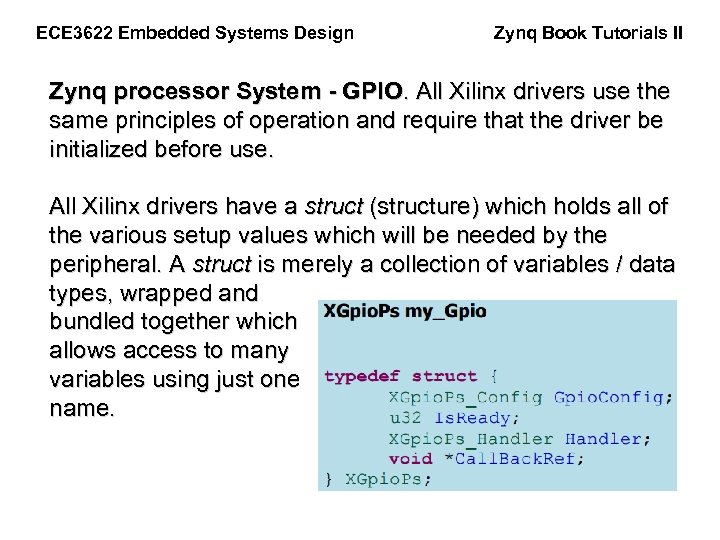
ECE 3622 Embedded Systems Design Zynq Book Tutorials II Zynq processor System - GPIO. All Xilinx drivers use the same principles of operation and require that the driver be initialized before use. All Xilinx drivers have a struct (structure) which holds all of the various setup values which will be needed by the peripheral. A struct is merely a collection of variables / data types, wrapped and bundled together which allows access to many variables using just one name.
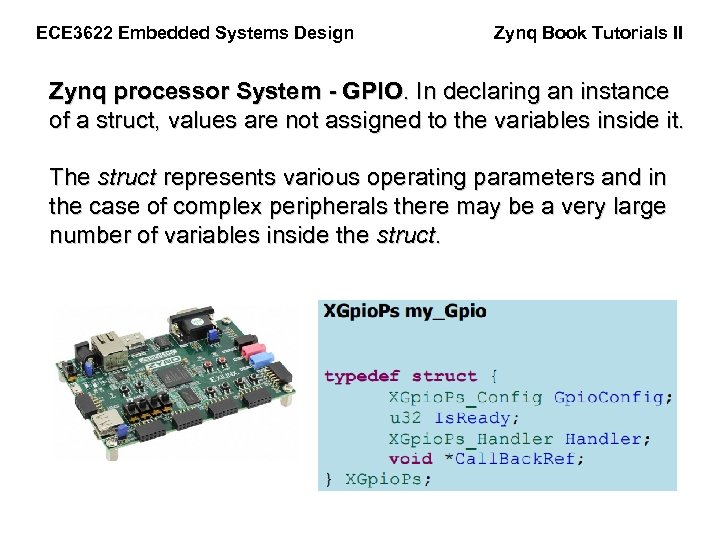
ECE 3622 Embedded Systems Design Zynq Book Tutorials II Zynq processor System - GPIO. In declaring an instance of a struct, values are not assigned to the variables inside it. The struct represents various operating parameters and in the case of complex peripherals there may be a very large number of variables inside the struct.
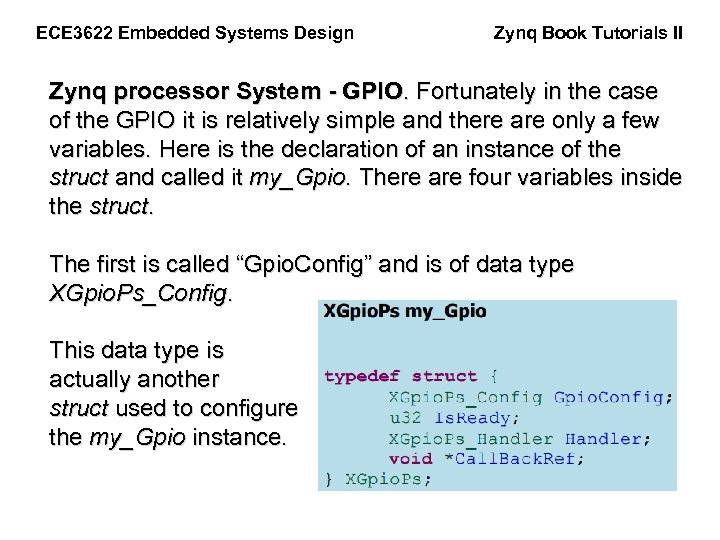
ECE 3622 Embedded Systems Design Zynq Book Tutorials II Zynq processor System - GPIO. Fortunately in the case of the GPIO it is relatively simple and there are only a few variables. Here is the declaration of an instance of the struct and called it my_Gpio. There are four variables inside the struct. The first is called “Gpio. Config” and is of data type XGpio. Ps_Config. This data type is actually another struct used to configure the my_Gpio instance.
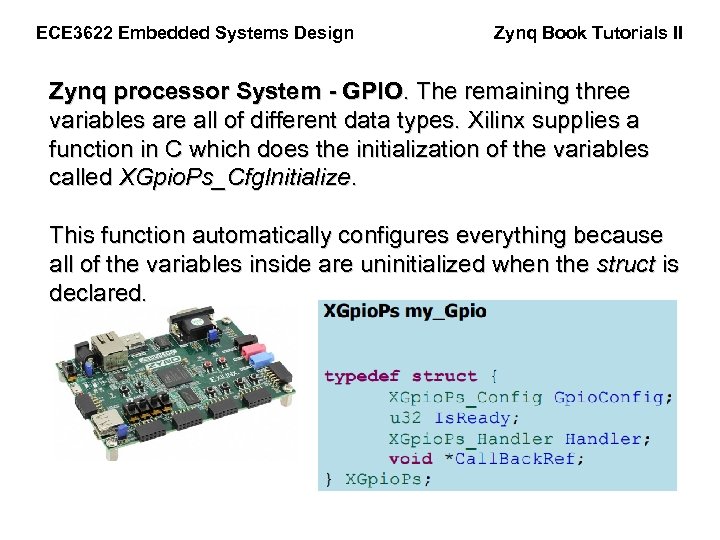
ECE 3622 Embedded Systems Design Zynq Book Tutorials II Zynq processor System - GPIO. The remaining three variables are all of different data types. Xilinx supplies a function in C which does the initialization of the variables called XGpio. Ps_Cfg. Initialize. This function automatically configures everything because all of the variables inside are uninitialized when the struct is declared.
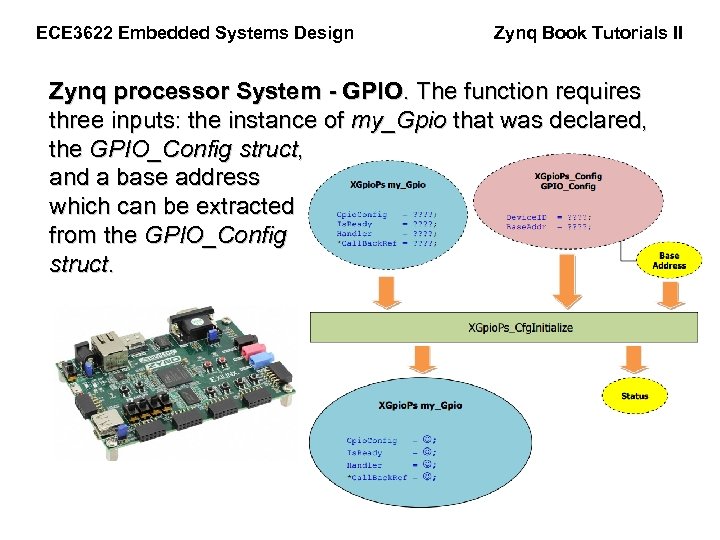
ECE 3622 Embedded Systems Design Zynq Book Tutorials II Zynq processor System - GPIO. The function requires three inputs: the instance of my_Gpio that was declared, the GPIO_Config struct, and a base address which can be extracted from the GPIO_Config struct.
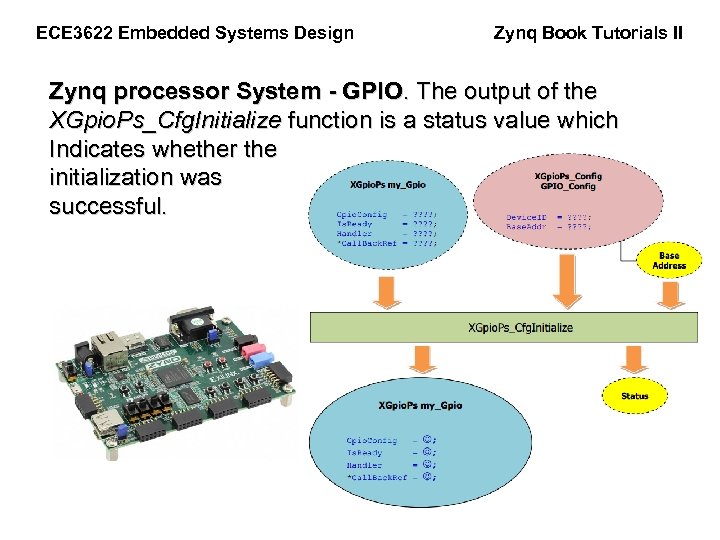
ECE 3622 Embedded Systems Design Zynq Book Tutorials II Zynq processor System - GPIO. The output of the XGpio. Ps_Cfg. Initialize function is a status value which Indicates whether the initialization was successful.
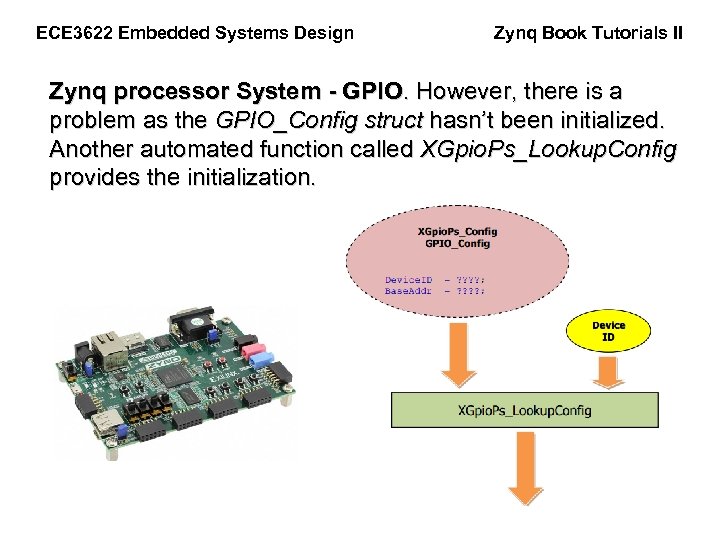
ECE 3622 Embedded Systems Design Zynq Book Tutorials II Zynq processor System - GPIO. However, there is a problem as the GPIO_Config struct hasn’t been initialized. Another automated function called XGpio. Ps_Lookup. Config provides the initialization.
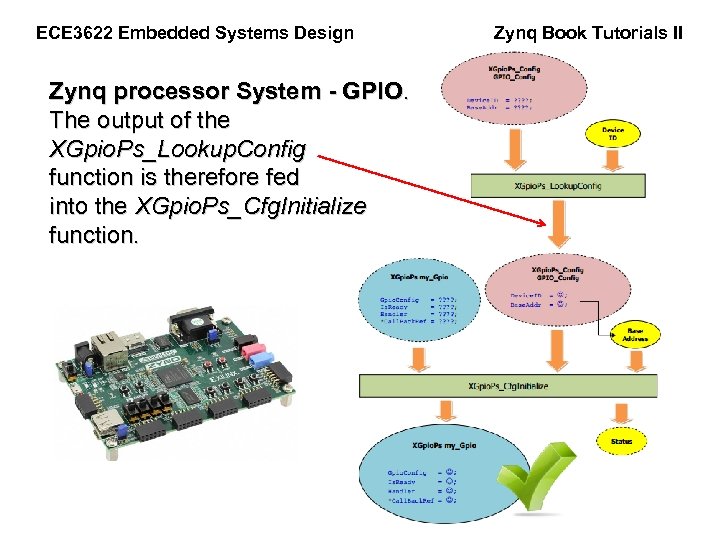
ECE 3622 Embedded Systems Design Zynq processor System - GPIO. The output of the XGpio. Ps_Lookup. Config function is therefore fed into the XGpio. Ps_Cfg. Initialize function. Zynq Book Tutorials II
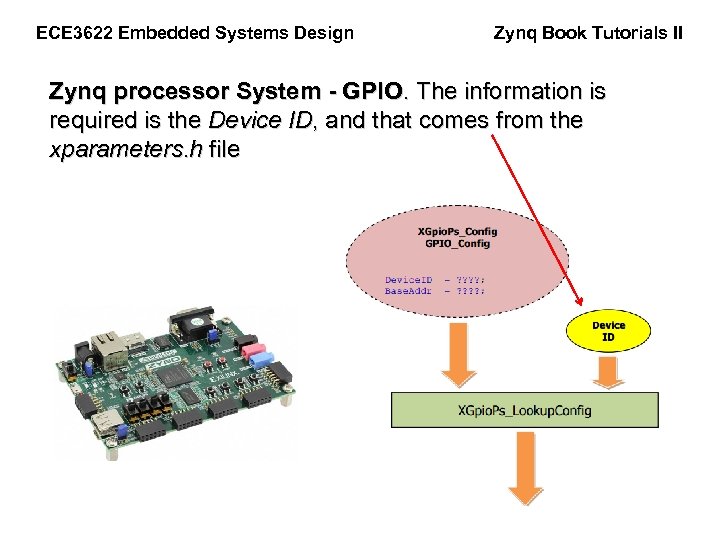
ECE 3622 Embedded Systems Design Zynq Book Tutorials II Zynq processor System - GPIO. The information is required is the Device ID, and that comes from the xparameters. h file
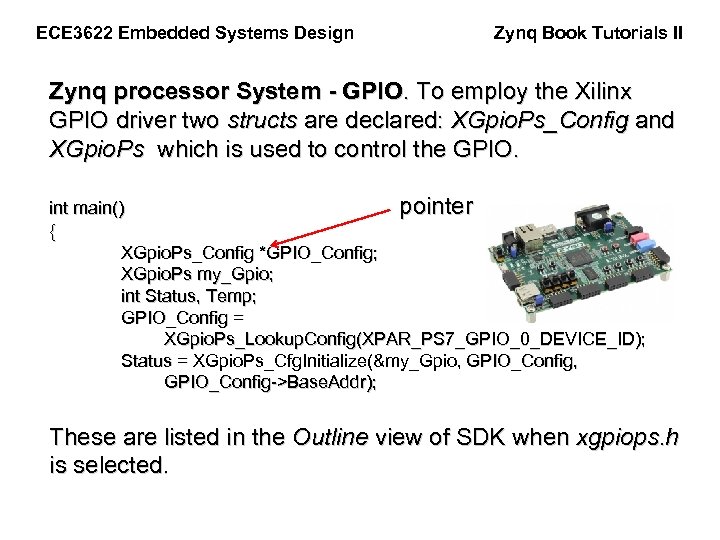
ECE 3622 Embedded Systems Design Zynq Book Tutorials II Zynq processor System - GPIO. To employ the Xilinx GPIO driver two structs are declared: XGpio. Ps_Config and XGpio. Ps which is used to control the GPIO. int main() pointer { XGpio. Ps_Config *GPIO_Config; XGpio. Ps my_Gpio; int Status, Temp; GPIO_Config = XGpio. Ps_Lookup. Config(XPAR_PS 7_GPIO_0_DEVICE_ID); Status = XGpio. Ps_Cfg. Initialize(&my_Gpio, GPIO_Config, GPIO_Config->Base. Addr); These are listed in the Outline view of SDK when xgpiops. h is selected.
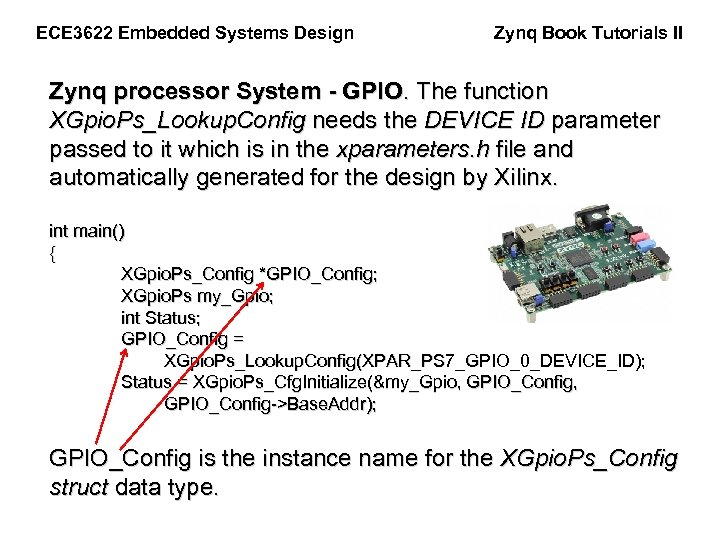
ECE 3622 Embedded Systems Design Zynq Book Tutorials II Zynq processor System - GPIO. The function XGpio. Ps_Lookup. Config needs the DEVICE ID parameter passed to it which is in the xparameters. h file and automatically generated for the design by Xilinx. int main() { XGpio. Ps_Config *GPIO_Config; XGpio. Ps my_Gpio; int Status; GPIO_Config = XGpio. Ps_Lookup. Config(XPAR_PS 7_GPIO_0_DEVICE_ID); Status = XGpio. Ps_Cfg. Initialize(&my_Gpio, GPIO_Config, GPIO_Config->Base. Addr); GPIO_Config is the instance name for the XGpio. Ps_Config struct data type.
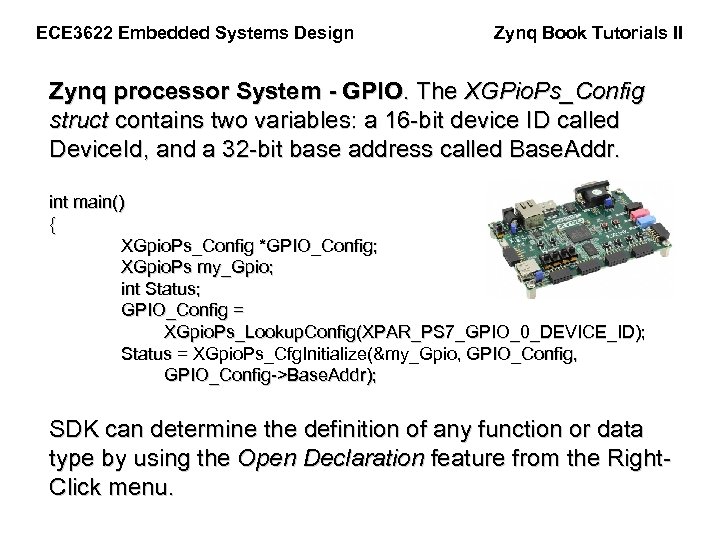
ECE 3622 Embedded Systems Design Zynq Book Tutorials II Zynq processor System - GPIO. The XGPio. Ps_Config struct contains two variables: a 16 -bit device ID called Device. Id, and a 32 -bit base address called Base. Addr. int main() { XGpio. Ps_Config *GPIO_Config; XGpio. Ps my_Gpio; int Status; GPIO_Config = XGpio. Ps_Lookup. Config(XPAR_PS 7_GPIO_0_DEVICE_ID); Status = XGpio. Ps_Cfg. Initialize(&my_Gpio, GPIO_Config, GPIO_Config->Base. Addr); SDK can determine the definition of any function or data type by using the Open Declaration feature from the Right. Click menu.

ECE 3622 Embedded Systems Design Zynq Book Tutorials II Zynq processor System - GPIO. Discovering the base address for the GPIO is by using the GPIO_Config>Base. Addr notation. The compiler to looks inside the GPIO_Config struct for a variable called Base. Addr by using the -> syntax. int main() { XGpio. Ps_Config *GPIO_Config; XGpio. Ps my_Gpio; int Status; GPIO_Config = XGpio. Ps_Lookup. Config(XPAR_PS 7_GPIO_0_DEVICE_ID); Status = XGpio. Ps_Cfg. Initialize(&my_Gpio, GPIO_Config, GPIO_Config->Base. Addr);
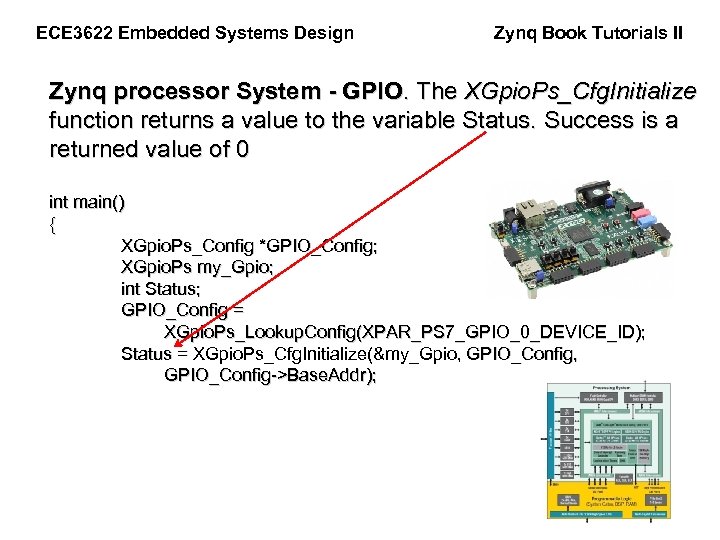
ECE 3622 Embedded Systems Design Zynq Book Tutorials II Zynq processor System - GPIO. The XGpio. Ps_Cfg. Initialize function returns a value to the variable Status. Success is a returned value of 0 int main() { XGpio. Ps_Config *GPIO_Config; XGpio. Ps my_Gpio; int Status; GPIO_Config = XGpio. Ps_Lookup. Config(XPAR_PS 7_GPIO_0_DEVICE_ID); Status = XGpio. Ps_Cfg. Initialize(&my_Gpio, GPIO_Config, GPIO_Config->Base. Addr);
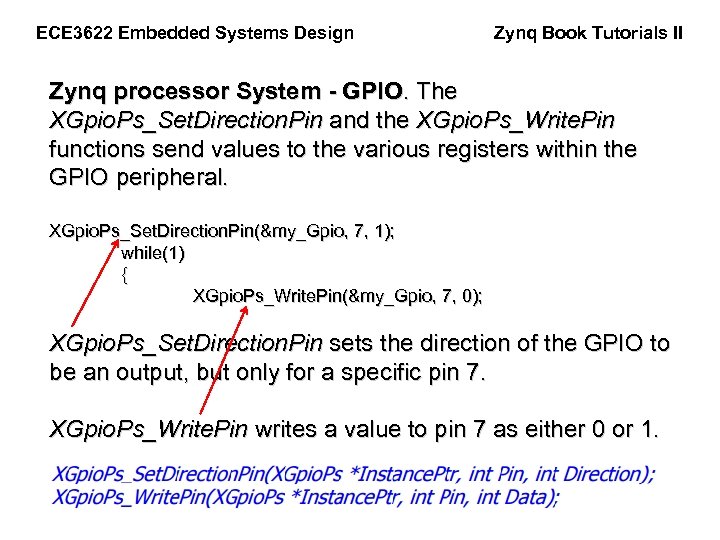
ECE 3622 Embedded Systems Design Zynq Book Tutorials II Zynq processor System - GPIO. The XGpio. Ps_Set. Direction. Pin and the XGpio. Ps_Write. Pin functions send values to the various registers within the GPIO peripheral. XGpio. Ps_Set. Direction. Pin(&my_Gpio, 7, 1); while(1) { XGpio. Ps_Write. Pin(&my_Gpio, 7, 0); XGpio. Ps_Set. Direction. Pin sets the direction of the GPIO to be an output, but only for a specific pin 7. XGpio. Ps_Write. Pin writes a value to pin 7 as either 0 or 1.
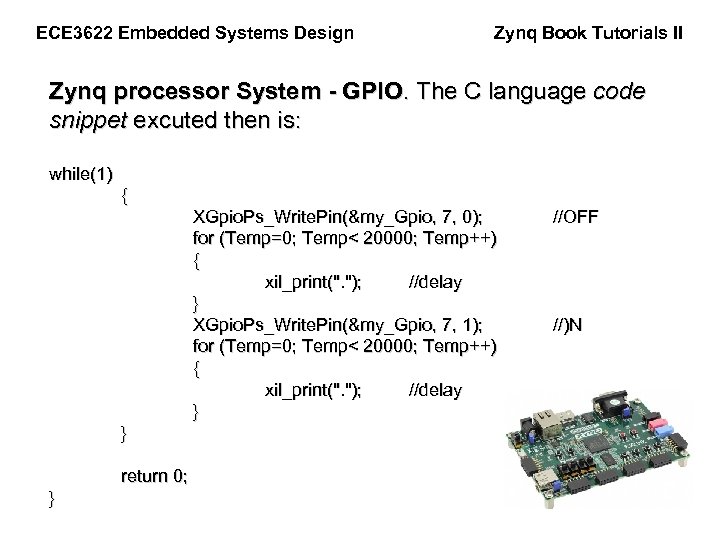
ECE 3622 Embedded Systems Design Zynq Book Tutorials II Zynq processor System - GPIO. The C language code snippet excuted then is: while(1) { XGpio. Ps_Write. Pin(&my_Gpio, 7, 0); for (Temp=0; Temp< 20000; Temp++) { xil_print(". "); //delay } XGpio. Ps_Write. Pin(&my_Gpio, 7, 1); for (Temp=0; Temp< 20000; Temp++) { xil_print(". "); //delay } } return 0; } //OFF //)N
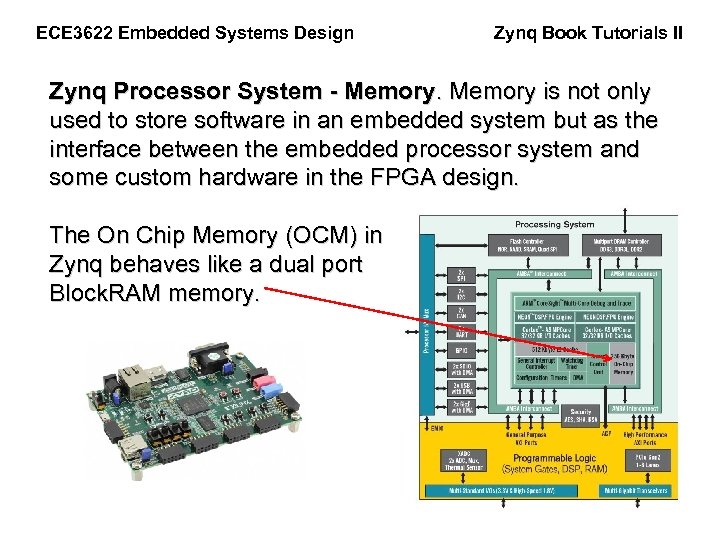
ECE 3622 Embedded Systems Design Zynq Book Tutorials II Zynq Processor System - Memory is not only used to store software in an embedded system but as the interface between the embedded processor system and some custom hardware in the FPGA design. The On Chip Memory (OCM) in Zynq behaves like a dual port Block. RAM memory.
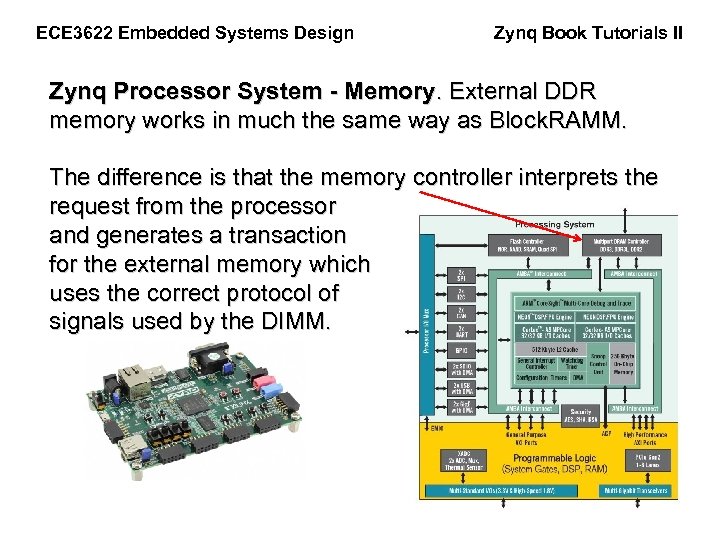
ECE 3622 Embedded Systems Design Zynq Book Tutorials II Zynq Processor System - Memory. External DDR memory works in much the same way as Block. RAMM. The difference is that the memory controller interprets the request from the processor and generates a transaction for the external memory which uses the correct protocol of signals used by the DIMM.
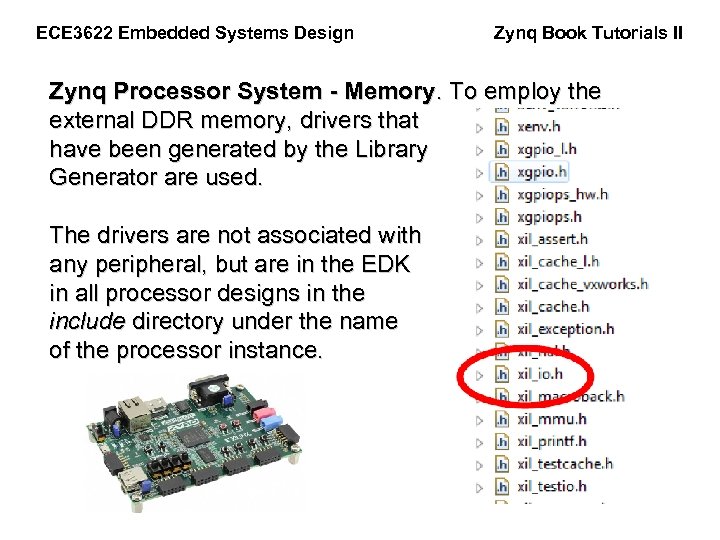
ECE 3622 Embedded Systems Design Zynq Book Tutorials II Zynq Processor System - Memory. To employ the external DDR memory, drivers that have been generated by the Library Generator are used. The drivers are not associated with any peripheral, but are in the EDK in all processor designs in the include directory under the name of the processor instance.
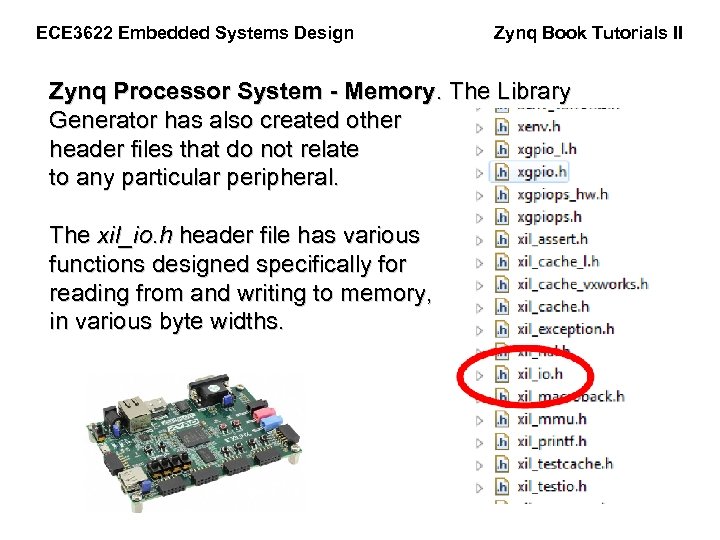
ECE 3622 Embedded Systems Design Zynq Book Tutorials II Zynq Processor System - Memory. The Library Generator has also created other header files that do not relate to any particular peripheral. The xil_io. h header file has various functions designed specifically for reading from and writing to memory, in various byte widths.
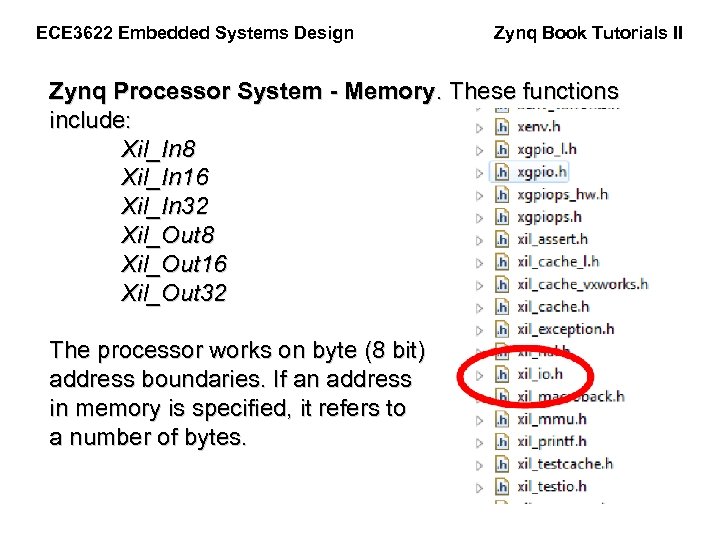
ECE 3622 Embedded Systems Design Zynq Book Tutorials II Zynq Processor System - Memory. These functions include: Xil_In 8 Xil_In 16 Xil_In 32 Xil_Out 8 Xil_Out 16 Xil_Out 32 The processor works on byte (8 bit) address boundaries. If an address in memory is specified, it refers to a number of bytes.
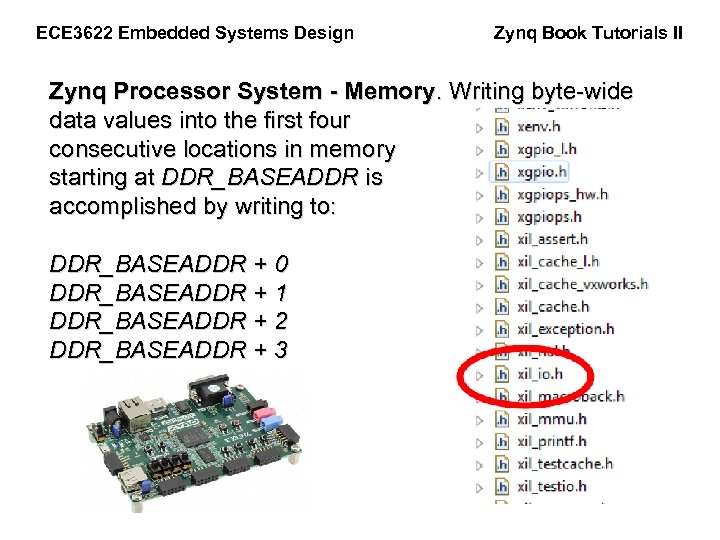
ECE 3622 Embedded Systems Design Zynq Book Tutorials II Zynq Processor System - Memory. Writing byte-wide data values into the first four consecutive locations in memory starting at DDR_BASEADDR is accomplished by writing to: DDR_BASEADDR + 0 DDR_BASEADDR + 1 DDR_BASEADDR + 2 DDR_BASEADDR + 3
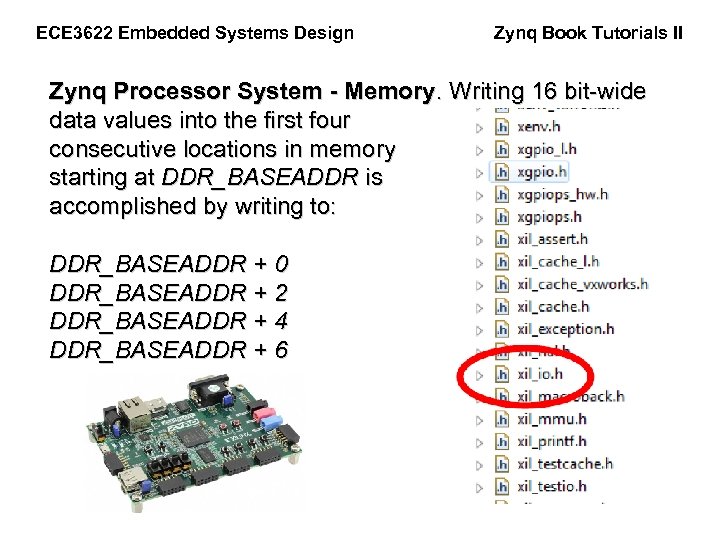
ECE 3622 Embedded Systems Design Zynq Book Tutorials II Zynq Processor System - Memory. Writing 16 bit-wide data values into the first four consecutive locations in memory starting at DDR_BASEADDR is accomplished by writing to: DDR_BASEADDR + 0 DDR_BASEADDR + 2 DDR_BASEADDR + 4 DDR_BASEADDR + 6
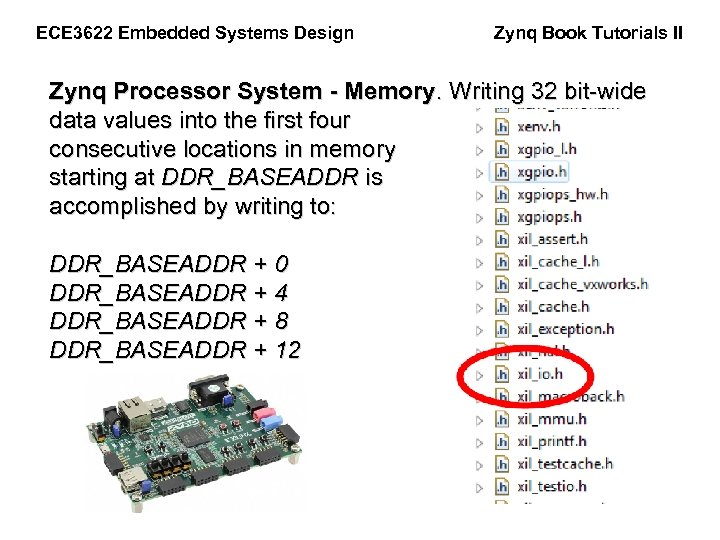
ECE 3622 Embedded Systems Design Zynq Book Tutorials II Zynq Processor System - Memory. Writing 32 bit-wide data values into the first four consecutive locations in memory starting at DDR_BASEADDR is accomplished by writing to: DDR_BASEADDR + 0 DDR_BASEADDR + 4 DDR_BASEADDR + 8 DDR_BASEADDR + 12
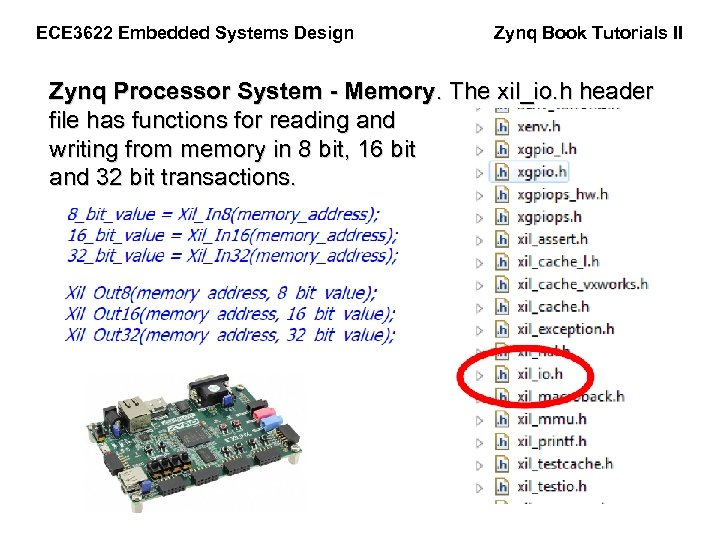
ECE 3622 Embedded Systems Design Zynq Book Tutorials II Zynq Processor System - Memory. The xil_io. h header file has functions for reading and writing from memory in 8 bit, 16 bit and 32 bit transactions.
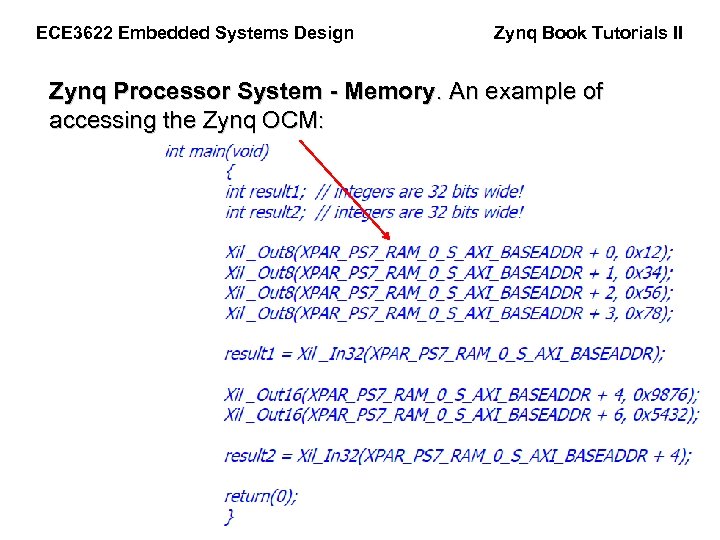
ECE 3622 Embedded Systems Design Zynq Book Tutorials II Zynq Processor System - Memory. An example of accessing the Zynq OCM:
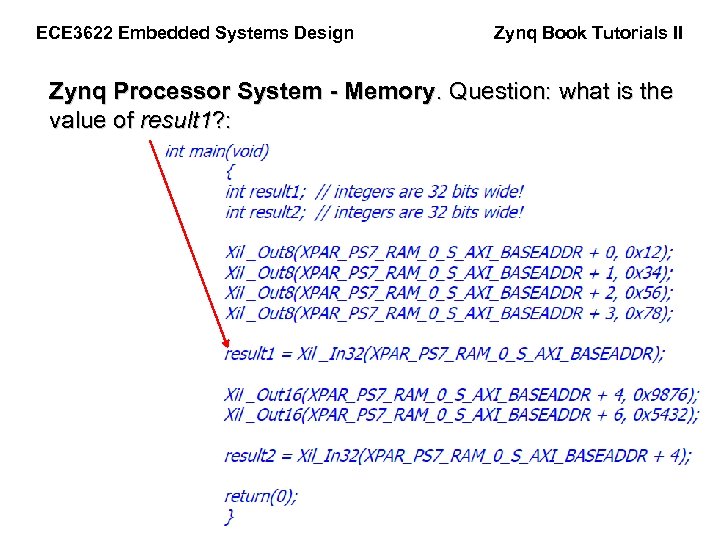
ECE 3622 Embedded Systems Design Zynq Book Tutorials II Zynq Processor System - Memory. Question: what is the value of result 1? :
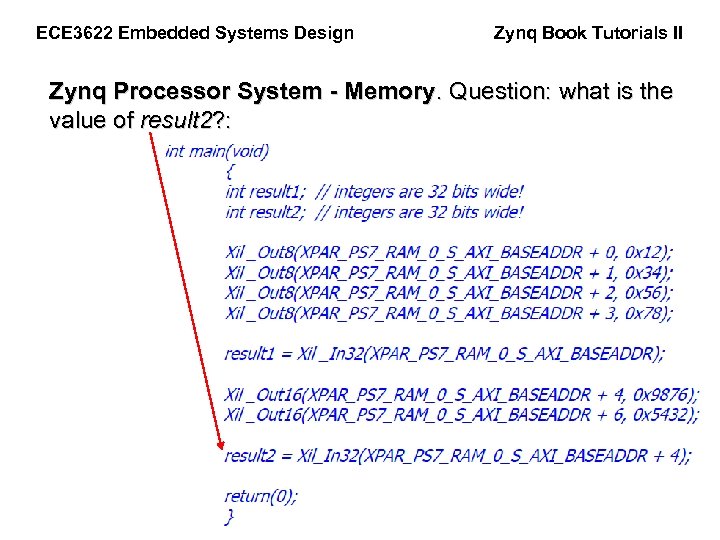
ECE 3622 Embedded Systems Design Zynq Book Tutorials II Zynq Processor System - Memory. Question: what is the value of result 2? :
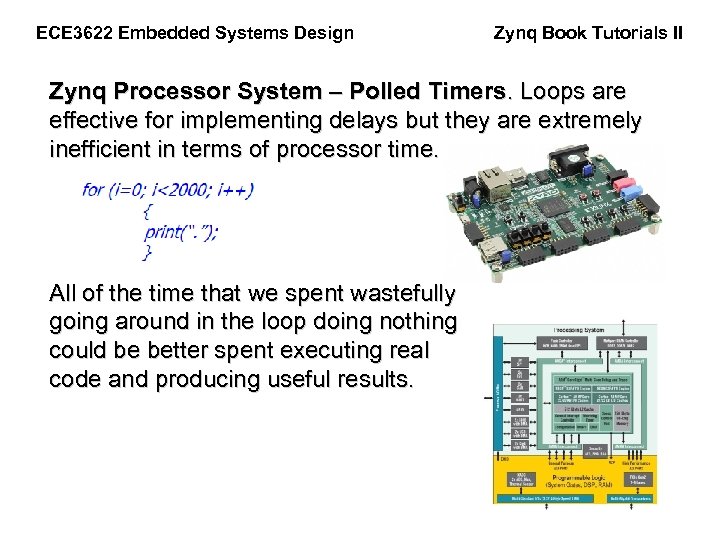
ECE 3622 Embedded Systems Design Zynq Book Tutorials II Zynq Processor System – Polled Timers. Loops are effective for implementing delays but they are extremely inefficient in terms of processor time. All of the time that we spent wastefully going around in the loop doing nothing could be better spent executing real code and producing useful results.

ECE 3622 Embedded Systems Design Zynq Book Tutorials II Zynq Processor System – Polled Timers. Rudimentary loops have no real control over the amount of delay time that would be produced by the delay. The size of the loop can be adjusted, but this is a trial and error process and has no precise correlation to predictable and measurable units of time.
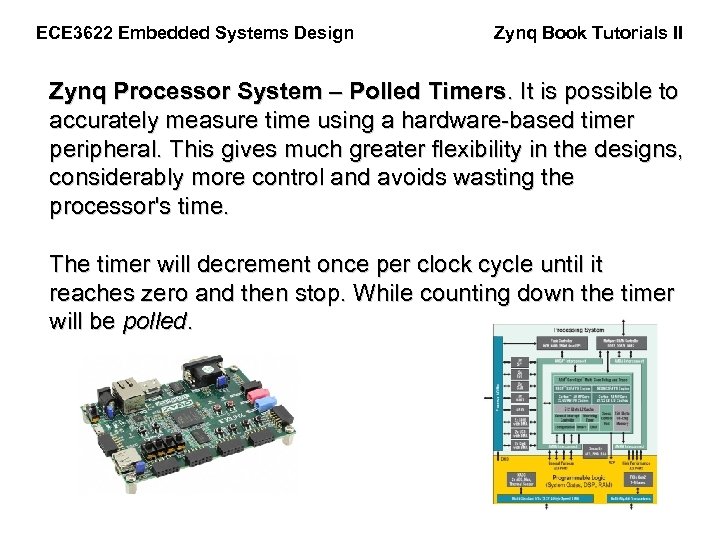
ECE 3622 Embedded Systems Design Zynq Book Tutorials II Zynq Processor System – Polled Timers. It is possible to accurately measure time using a hardware-based timer peripheral. This gives much greater flexibility in the designs, considerably more control and avoids wasting the processor's time. The timer will decrement once per clock cycle until it reaches zero and then stop. While counting down the timer will be polled.

ECE 3622 Embedded Systems Design Zynq Book Tutorials II Zynq Processor System – Polled Timers. #include <stdio. h> #include "xscutimer. h" #include "xparameters. h" int main() { // Declare variables int Status; int timer_value; int counter = 0; // Declare two structs for the timer instance and timer config XScu. Timer my_Timer; XScu. Timer_Config *Timer_Config;
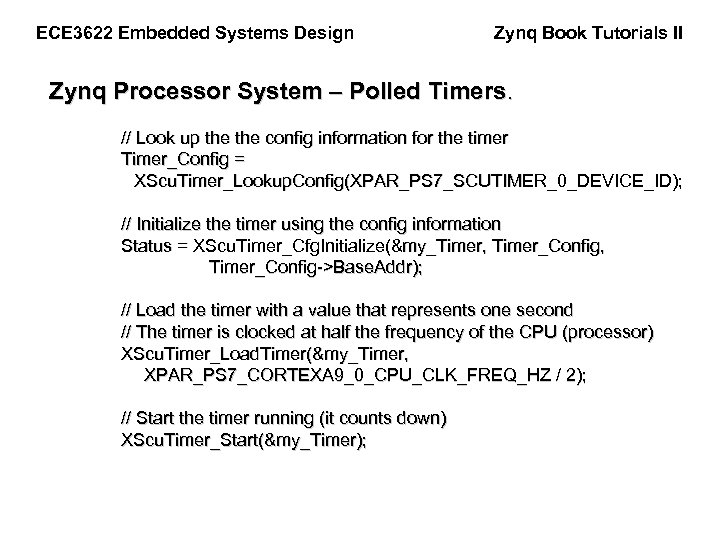
ECE 3622 Embedded Systems Design Zynq Book Tutorials II Zynq Processor System – Polled Timers. // Look up the config information for the timer Timer_Config = XScu. Timer_Lookup. Config(XPAR_PS 7_SCUTIMER_0_DEVICE_ID); // Initialize the timer using the config information Status = XScu. Timer_Cfg. Initialize(&my_Timer, Timer_Config, Timer_Config->Base. Addr); // Load the timer with a value that represents one second // The timer is clocked at half the frequency of the CPU (processor) XScu. Timer_Load. Timer(&my_Timer, XPAR_PS 7_CORTEXA 9_0_CPU_CLK_FREQ_HZ / 2); // Start the timer running (it counts down) XScu. Timer_Start(&my_Timer);

ECE 3622 Embedded Systems Design Zynq Book Tutorials II Zynq Processor System – Polled Timers. while(1) // An infinite loop { // Read the value of the timer_value = XScu. Timer_Get. Counter. Value(&my_Timer); // If the timer has reached zero if (timer_value == 0) { // Re-load the original value into the timer and re-start it XScu. Timer_Restart. Timer(&my_Timer); // Write something to the UART (and count the seconds) printf("Timer has reached zero %d timesnr", counter++); }
ECE 3622 Embedded Systems Design Zynq Book Tutorials II Zynq Processor System – Polled Timers. else { // Show the value of the timer's counter value, for debugging purposes //xil. print("Timer is still running (Timer value = %d)nr", timer_value); } } return 0; }
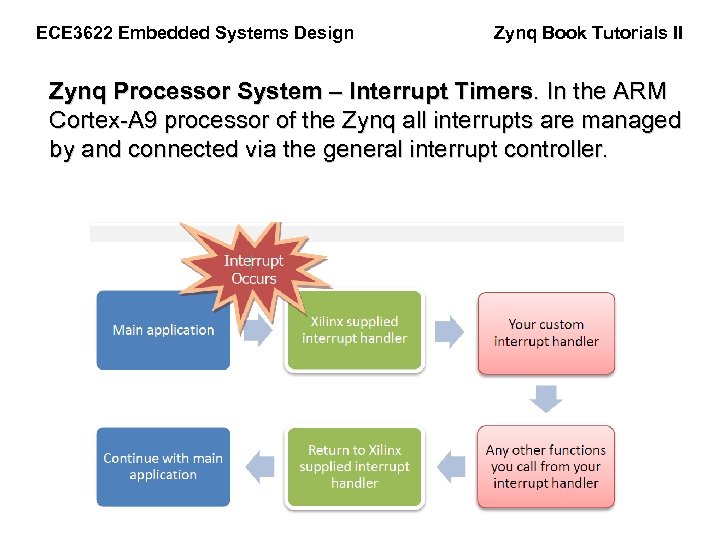
ECE 3622 Embedded Systems Design Zynq Book Tutorials II Zynq Processor System – Interrupt Timers. In the ARM Cortex-A 9 processor of the Zynq all interrupts are managed by and connected via the general interrupt controller.
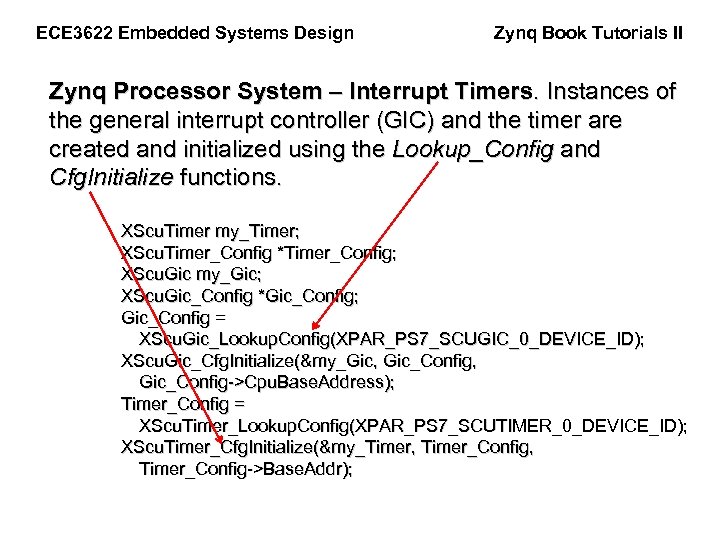
ECE 3622 Embedded Systems Design Zynq Book Tutorials II Zynq Processor System – Interrupt Timers. Instances of the general interrupt controller (GIC) and the timer are created and initialized using the Lookup_Config and Cfg. Initialize functions. XScu. Timer my_Timer; XScu. Timer_Config *Timer_Config; XScu. Gic my_Gic; XScu. Gic_Config *Gic_Config; Gic_Config = XScu. Gic_Lookup. Config(XPAR_PS 7_SCUGIC_0_DEVICE_ID); XScu. Gic_Cfg. Initialize(&my_Gic, Gic_Config, Gic_Config->Cpu. Base. Address); Timer_Config = XScu. Timer_Lookup. Config(XPAR_PS 7_SCUTIMER_0_DEVICE_ID); XScu. Timer_Cfg. Initialize(&my_Timer, Timer_Config, Timer_Config->Base. Addr);
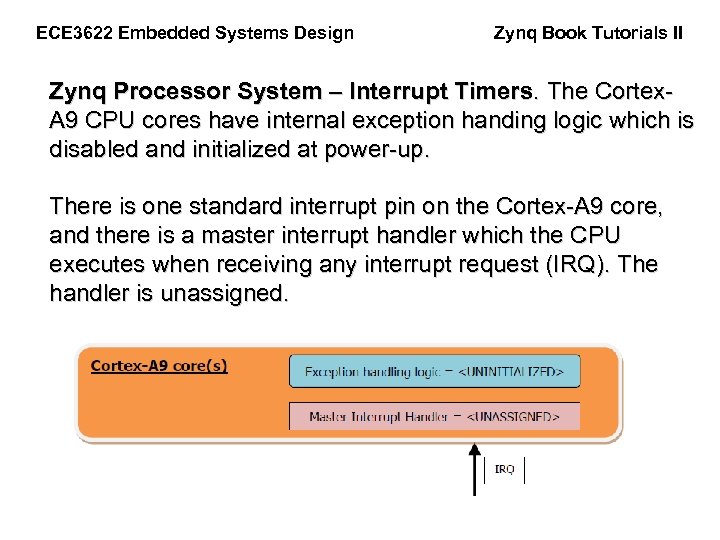
ECE 3622 Embedded Systems Design Zynq Book Tutorials II Zynq Processor System – Interrupt Timers. The Cortex. A 9 CPU cores have internal exception handing logic which is disabled and initialized at power-up. There is one standard interrupt pin on the Cortex-A 9 core, and there is a master interrupt handler which the CPU executes when receiving any interrupt request (IRQ). The handler is unassigned.

ECE 3622 Embedded Systems Design Zynq Book Tutorials II Zynq Processor System – Interrupt Timers. The General Interrupt Controller (GIC) has the ability to manage many interrupt inputs and has a table which allows interrupt handlers to be assigned to each incoming interrupt.
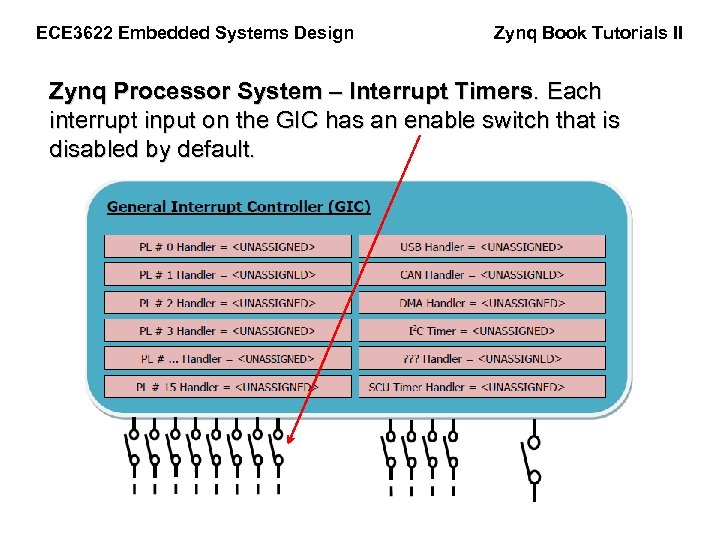
ECE 3622 Embedded Systems Design Zynq Book Tutorials II Zynq Processor System – Interrupt Timers. Each interrupt input on the GIC has an enable switch that is disabled by default.
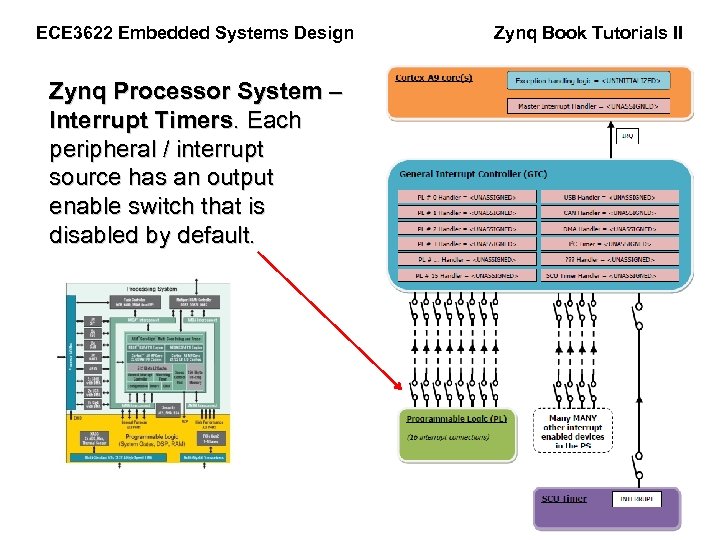
ECE 3622 Embedded Systems Design Zynq Processor System – Interrupt Timers. Each peripheral / interrupt source has an output enable switch that is disabled by default. Zynq Book Tutorials II
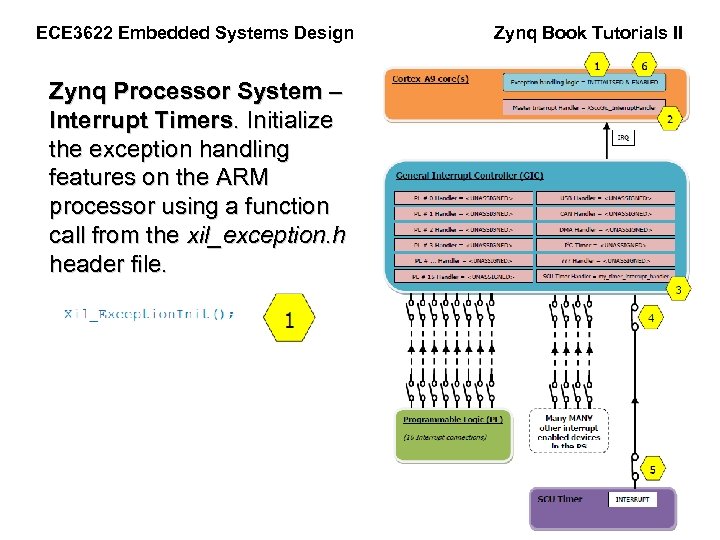
ECE 3622 Embedded Systems Design Zynq Processor System – Interrupt Timers. Initialize the exception handling features on the ARM processor using a function call from the xil_exception. h header file. Zynq Book Tutorials II
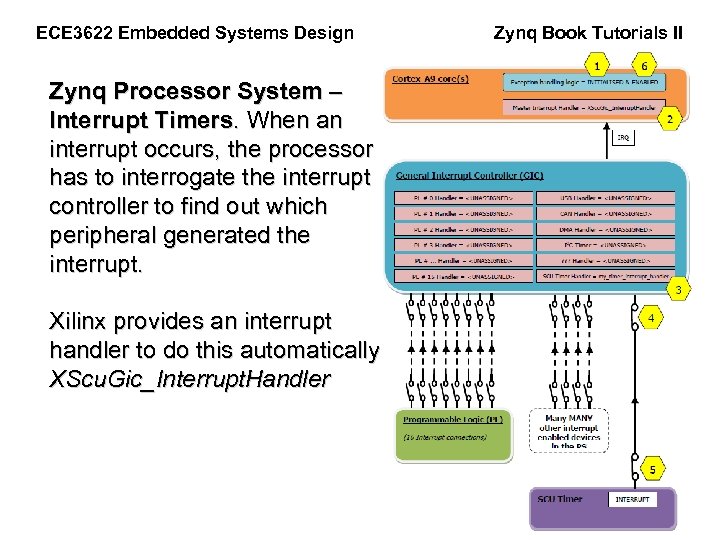
ECE 3622 Embedded Systems Design Zynq Book Tutorials II Zynq Processor System – Interrupt Timers. When an interrupt occurs, the processor has to interrogate the interrupt controller to find out which peripheral generated the interrupt. Xilinx provides an interrupt handler to do this automatically: and it is called XScu. Gic_Interrupt. Handler
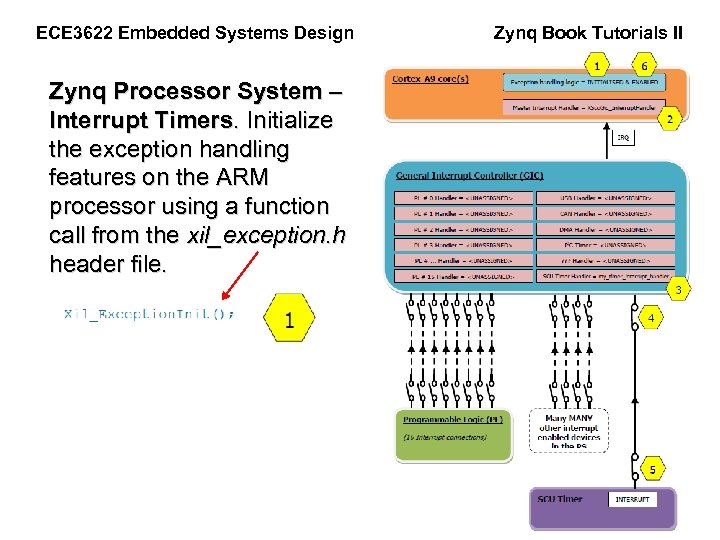
ECE 3622 Embedded Systems Design Zynq Processor System – Interrupt Timers. Initialize the exception handling features on the ARM processor using a function call from the xil_exception. h header file. Zynq Book Tutorials II
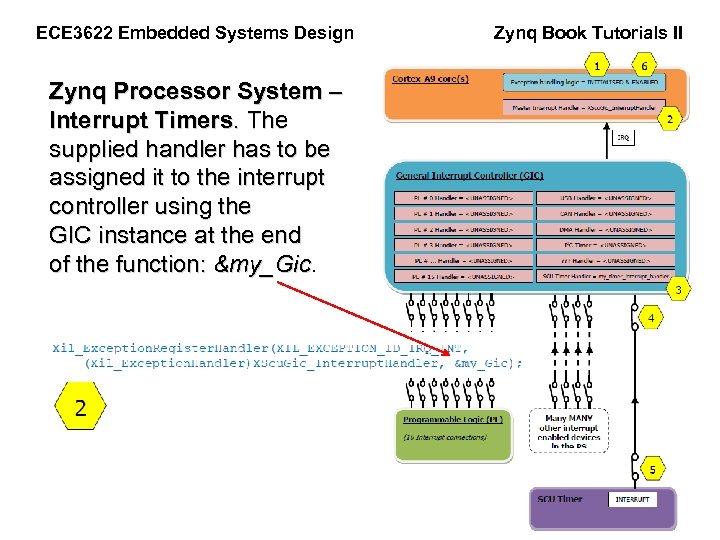
ECE 3622 Embedded Systems Design Zynq Processor System – Interrupt Timers. The supplied handler has to be assigned it to the interrupt controller using the GIC instance at the end of the function: &my_Gic Zynq Book Tutorials II
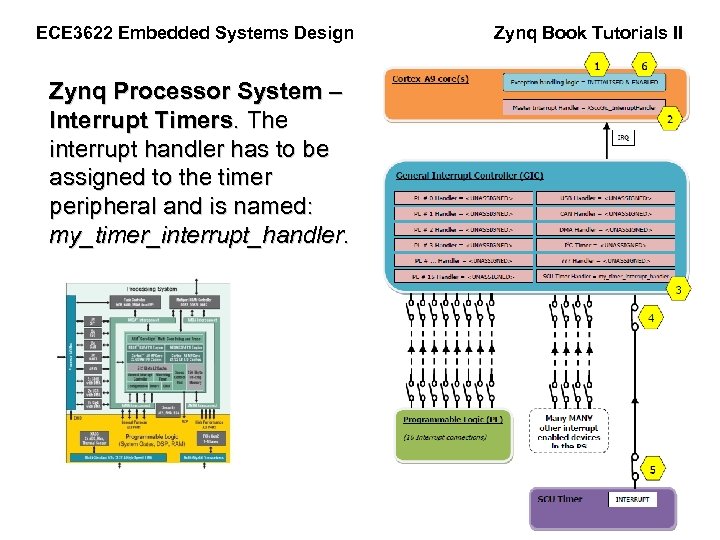
ECE 3622 Embedded Systems Design Zynq Processor System – Interrupt Timers. The interrupt handler has to be assigned to the timer peripheral and is named: my_timer_interrupt_handler. Zynq Book Tutorials II
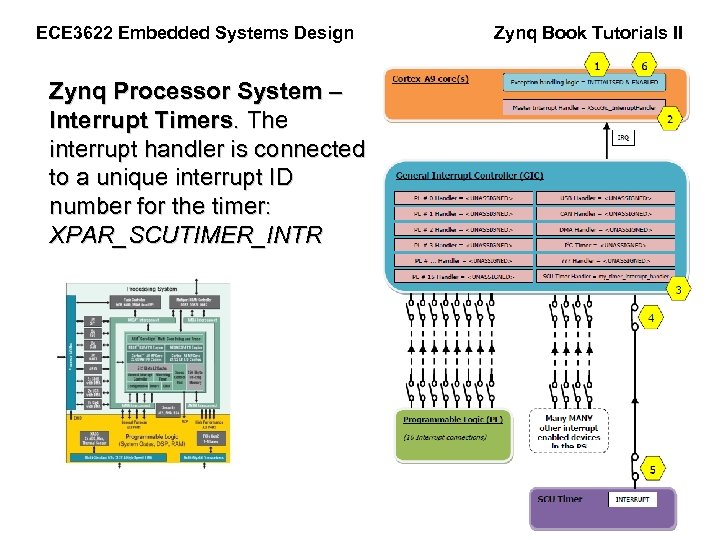
ECE 3622 Embedded Systems Design Zynq Processor System – Interrupt Timers. The interrupt handler is connected to a unique interrupt ID number for the timer: XPAR_SCUTIMER_INTR Zynq Book Tutorials II
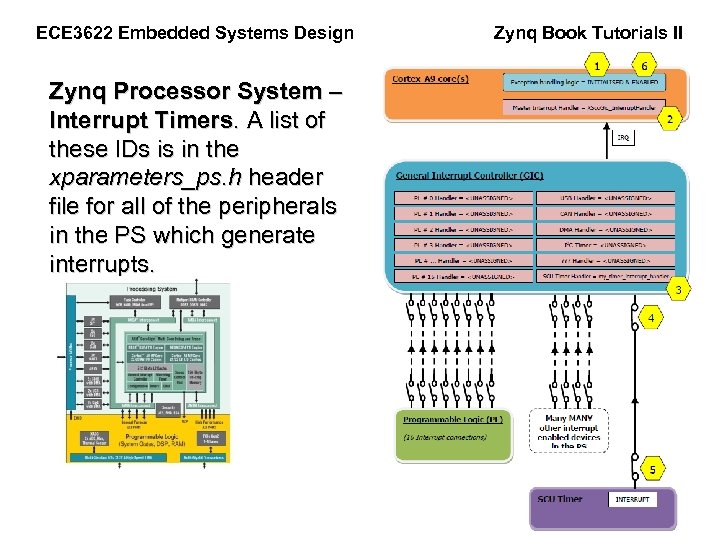
ECE 3622 Embedded Systems Design Zynq Processor System – Interrupt Timers. A list of these IDs is in the xparameters_ps. h header file for all of the peripherals in the PS which generate interrupts. Zynq Book Tutorials II
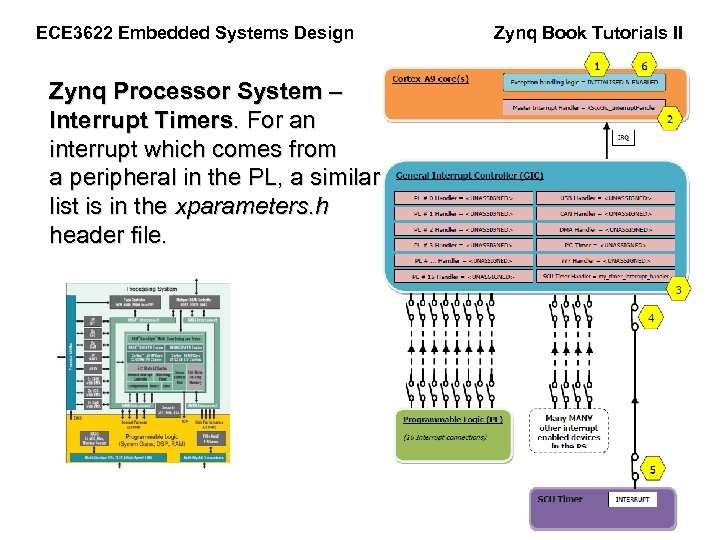
ECE 3622 Embedded Systems Design Zynq Processor System – Interrupt Timers. For an interrupt which comes from a peripheral in the PL, a similar list is in the xparameters. h header file. Zynq Book Tutorials II
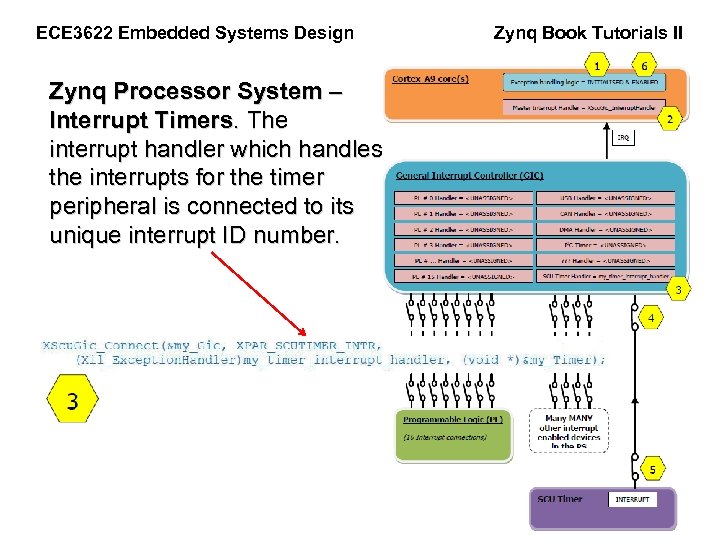
ECE 3622 Embedded Systems Design Zynq Processor System – Interrupt Timers. The interrupt handler which handles the interrupts for the timer peripheral is connected to its unique interrupt ID number. Zynq Book Tutorials II
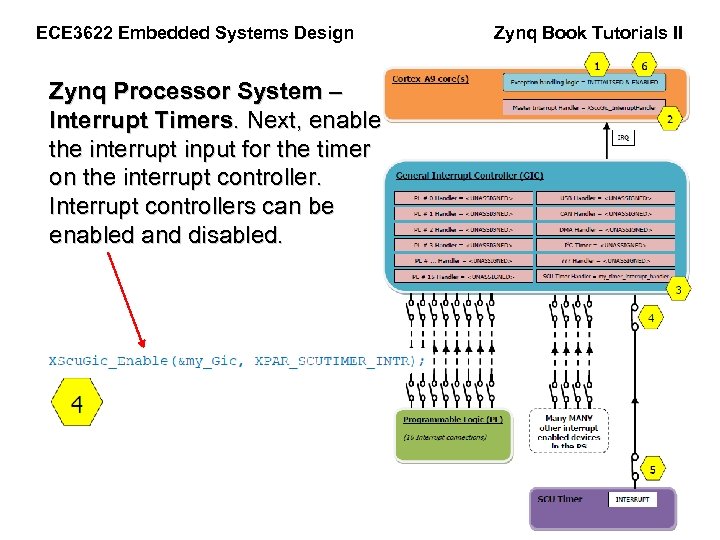
ECE 3622 Embedded Systems Design Zynq Processor System – Interrupt Timers. Next, enable the interrupt input for the timer on the interrupt controller. Interrupt controllers can be enabled and disabled. Zynq Book Tutorials II
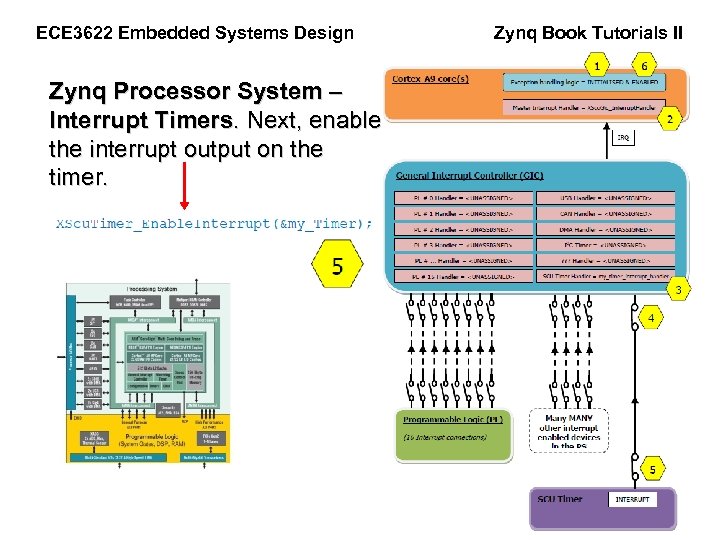
ECE 3622 Embedded Systems Design Zynq Processor System – Interrupt Timers. Next, enable the interrupt output on the timer. Zynq Book Tutorials II
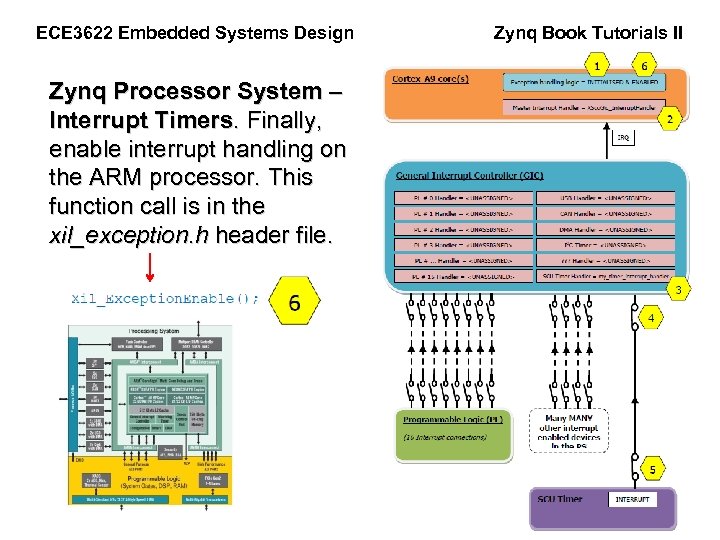
ECE 3622 Embedded Systems Design Zynq Processor System – Interrupt Timers. Finally, enable interrupt handling on the ARM processor. This function call is in the xil_exception. h header file. Zynq Book Tutorials II
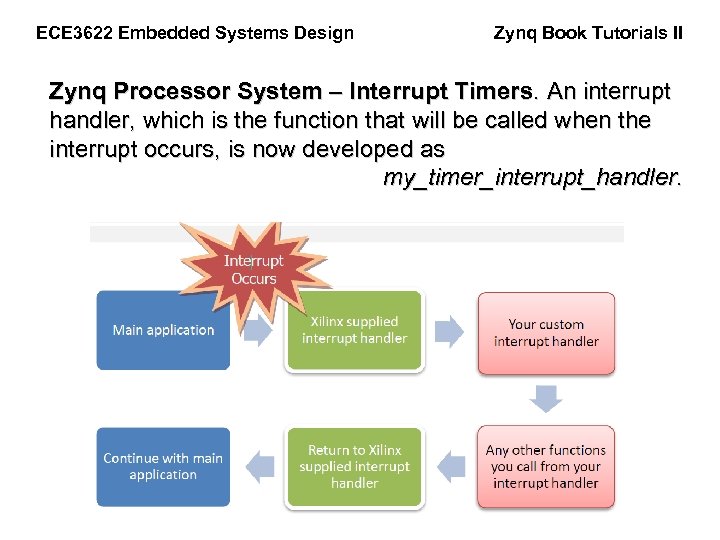
ECE 3622 Embedded Systems Design Zynq Book Tutorials II Zynq Processor System – Interrupt Timers. An interrupt handler, which is the function that will be called when the interrupt occurs, is now developed as my_timer_interrupt_handler.
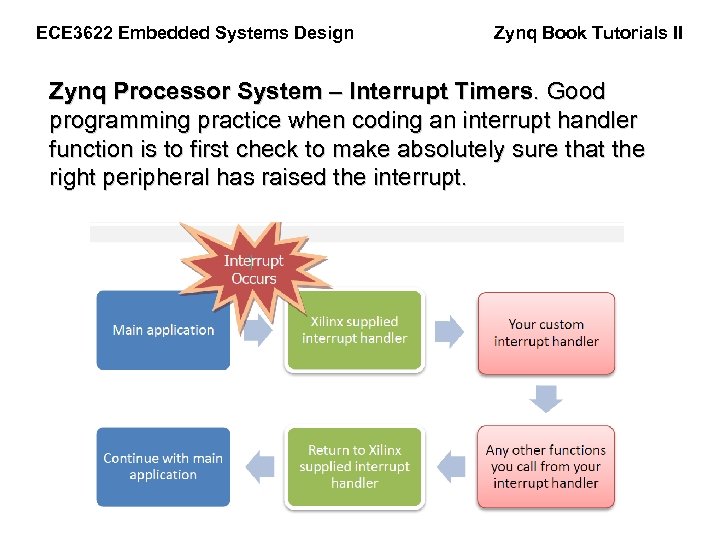
ECE 3622 Embedded Systems Design Zynq Book Tutorials II Zynq Processor System – Interrupt Timers. Good programming practice when coding an interrupt handler function is to first check to make absolutely sure that the right peripheral has raised the interrupt.
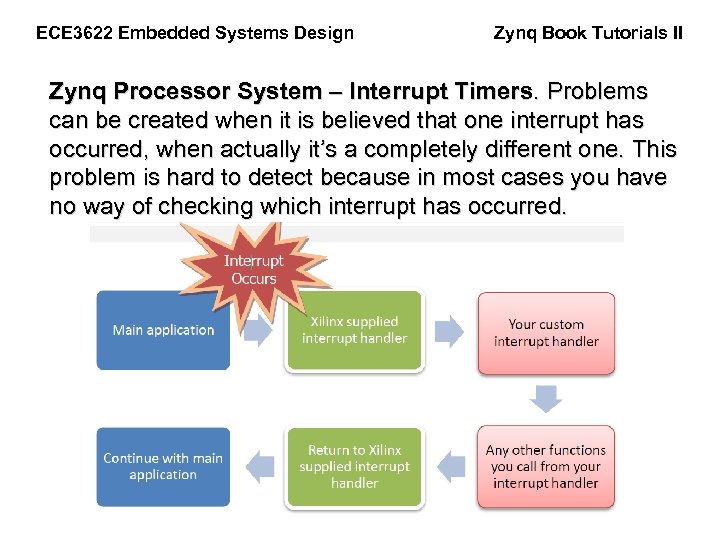
ECE 3622 Embedded Systems Design Zynq Book Tutorials II Zynq Processor System – Interrupt Timers. Problems can be created when it is believed that one interrupt has occurred, when actually it’s a completely different one. This problem is hard to detect because in most cases you have no way of checking which interrupt has occurred.
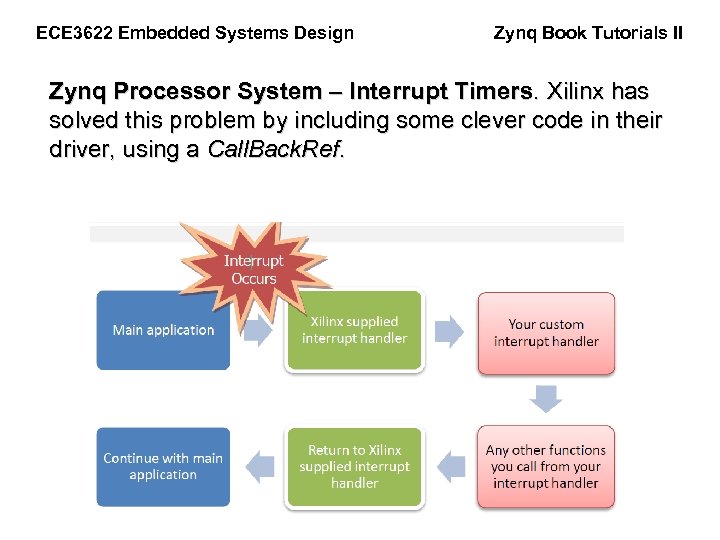
ECE 3622 Embedded Systems Design Zynq Book Tutorials II Zynq Processor System – Interrupt Timers. Xilinx has solved this problem by including some clever code in their driver, using a Call. Back. Ref.
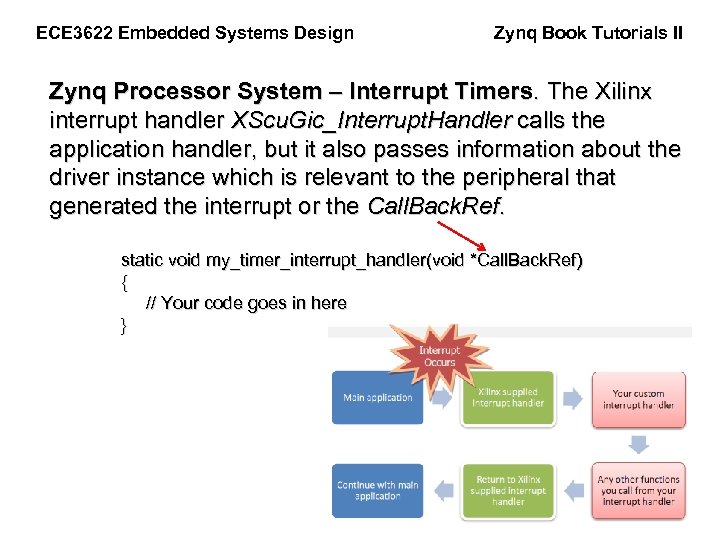
ECE 3622 Embedded Systems Design Zynq Book Tutorials II Zynq Processor System – Interrupt Timers. The Xilinx interrupt handler XScu. Gic_Interrupt. Handler calls the application handler, but it also passes information about the driver instance which is relevant to the peripheral that generated the interrupt or the Call. Back. Ref. static void my_timer_interrupt_handler(void *Call. Back. Ref) { // Your code goes in here }
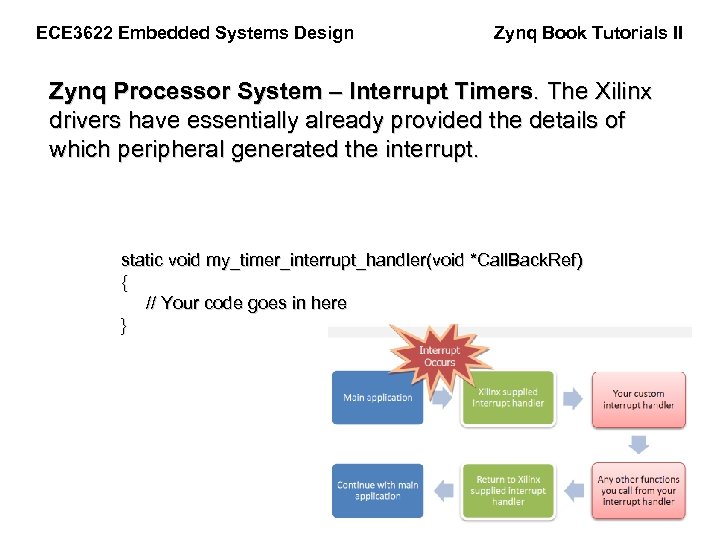
ECE 3622 Embedded Systems Design Zynq Book Tutorials II Zynq Processor System – Interrupt Timers. The Xilinx drivers have essentially already provided the details of which peripheral generated the interrupt. static void my_timer_interrupt_handler(void *Call. Back. Ref) { // Your code goes in here }
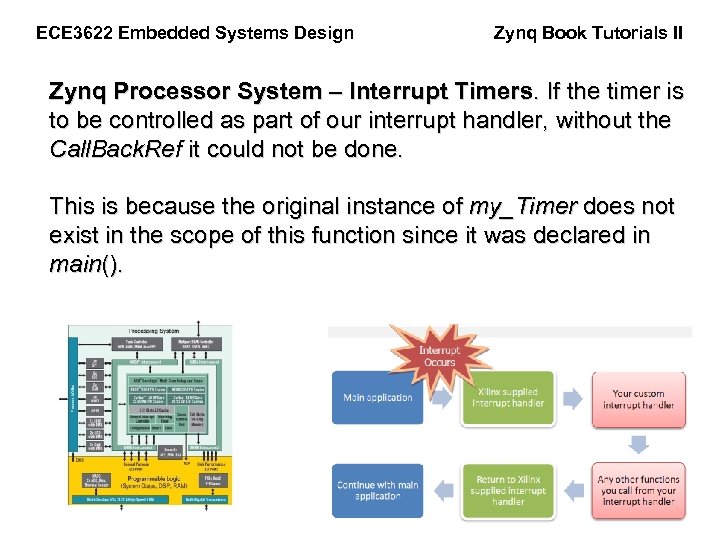
ECE 3622 Embedded Systems Design Zynq Book Tutorials II Zynq Processor System – Interrupt Timers. If the timer is to be controlled as part of our interrupt handler, without the Call. Back. Ref it could not be done. This is because the original instance of my_Timer does not exist in the scope of this function since it was declared in main().
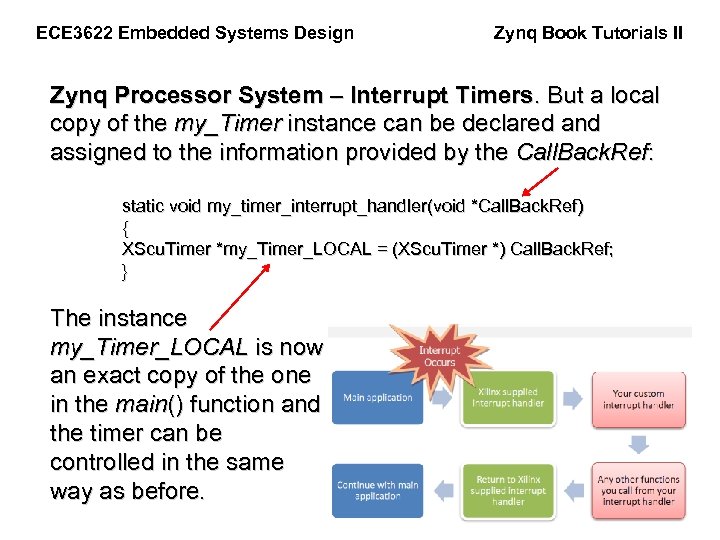
ECE 3622 Embedded Systems Design Zynq Book Tutorials II Zynq Processor System – Interrupt Timers. But a local copy of the my_Timer instance can be declared and assigned to the information provided by the Call. Back. Ref: static void my_timer_interrupt_handler(void *Call. Back. Ref) { XScu. Timer *my_Timer_LOCAL = (XScu. Timer *) Call. Back. Ref; } The instance my_Timer_LOCAL is now an exact copy of the one in the main() function and the timer can be controlled in the same way as before.
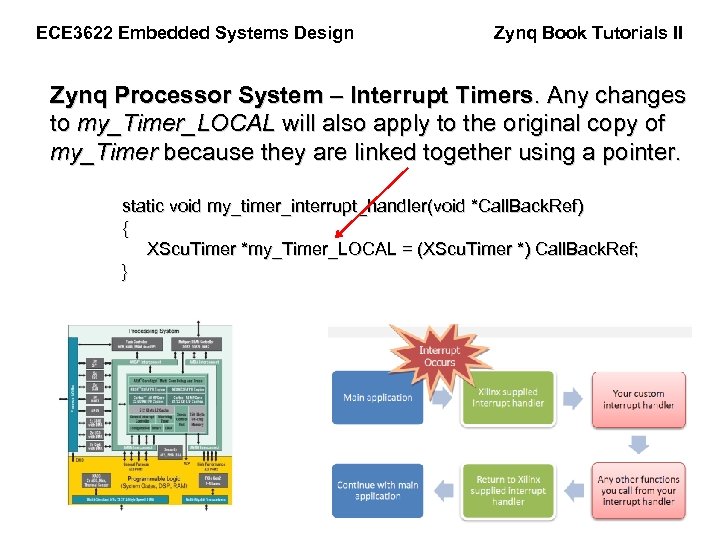
ECE 3622 Embedded Systems Design Zynq Book Tutorials II Zynq Processor System – Interrupt Timers. Any changes to my_Timer_LOCAL will also apply to the original copy of my_Timer because they are linked together using a pointer. static void my_timer_interrupt_handler(void *Call. Back. Ref) { XScu. Timer *my_Timer_LOCAL = (XScu. Timer *) Call. Back. Ref; }
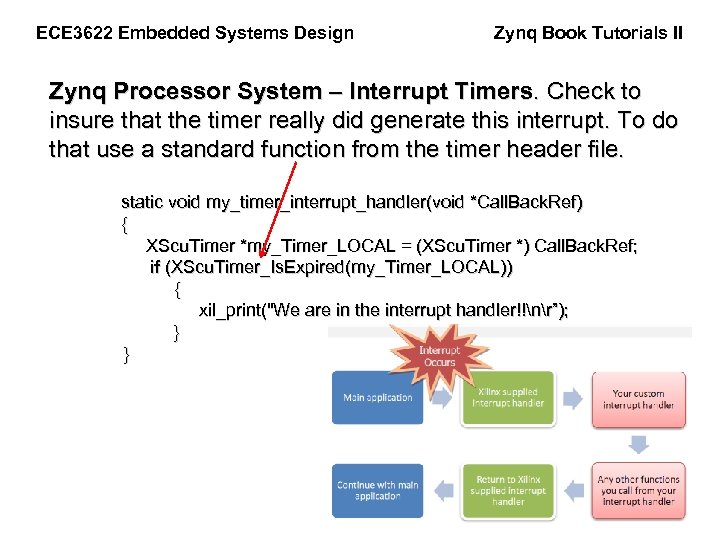
ECE 3622 Embedded Systems Design Zynq Book Tutorials II Zynq Processor System – Interrupt Timers. Check to insure that the timer really did generate this interrupt. To do that use a standard function from the timer header file. static void my_timer_interrupt_handler(void *Call. Back. Ref) { XScu. Timer *my_Timer_LOCAL = (XScu. Timer *) Call. Back. Ref; if (XScu. Timer_Is. Expired(my_Timer_LOCAL)) { xil_print("We are in the interrupt handler!!nr”); }
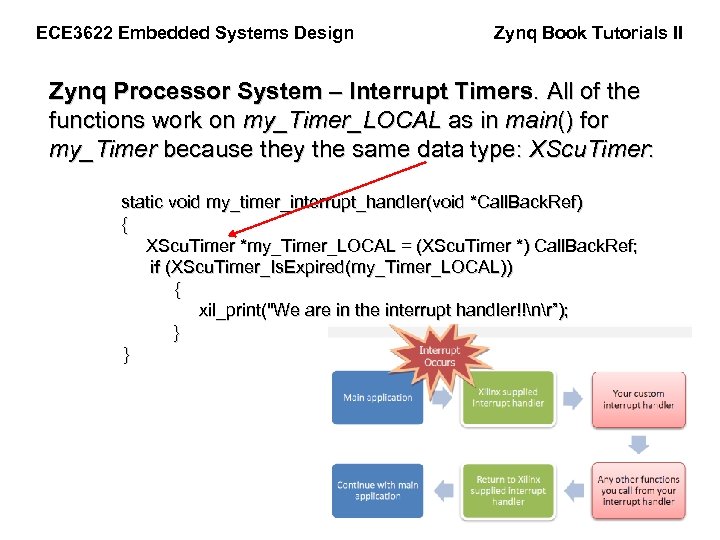
ECE 3622 Embedded Systems Design Zynq Book Tutorials II Zynq Processor System – Interrupt Timers. All of the functions work on my_Timer_LOCAL as in main() for my_Timer because they the same data type: XScu. Timer: static void my_timer_interrupt_handler(void *Call. Back. Ref) { XScu. Timer *my_Timer_LOCAL = (XScu. Timer *) Call. Back. Ref; if (XScu. Timer_Is. Expired(my_Timer_LOCAL)) { xil_print("We are in the interrupt handler!!nr”); }
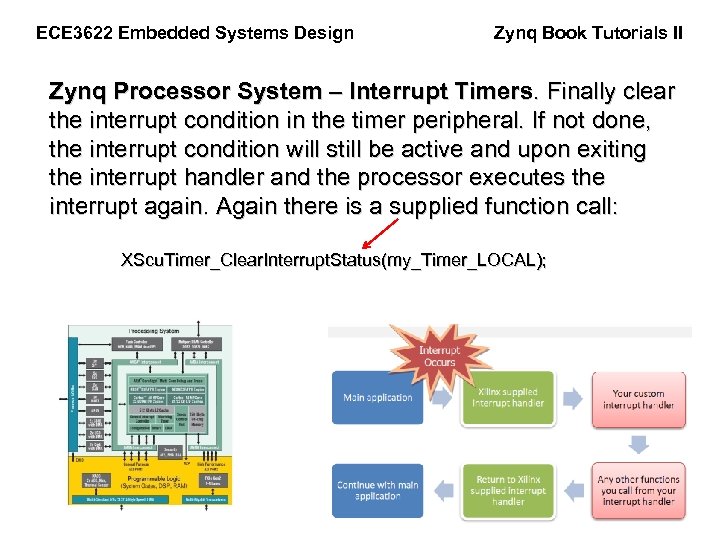
ECE 3622 Embedded Systems Design Zynq Book Tutorials II Zynq Processor System – Interrupt Timers. Finally clear the interrupt condition in the timer peripheral. If not done, the interrupt condition will still be active and upon exiting the interrupt handler and the processor executes the interrupt again. Again there is a supplied function call: XScu. Timer_Clear. Interrupt. Status(my_Timer_LOCAL);
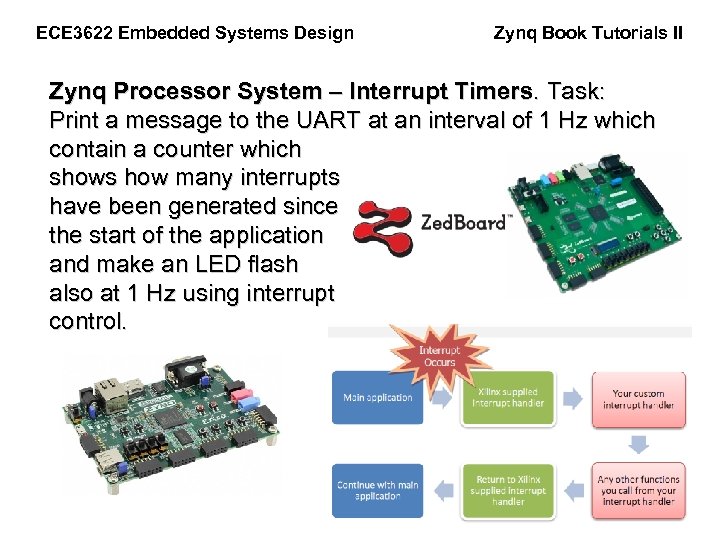
ECE 3622 Embedded Systems Design Zynq Book Tutorials II Zynq Processor System – Interrupt Timers. Task: Print a message to the UART at an interval of 1 Hz which contain a counter which shows how many interrupts have been generated since the start of the application and make an LED flash also at 1 Hz using interrupt control.
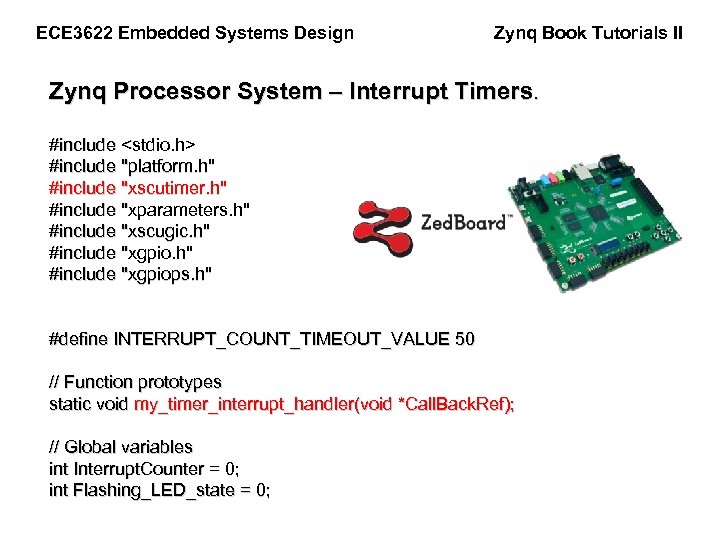
ECE 3622 Embedded Systems Design Zynq Book Tutorials II Zynq Processor System – Interrupt Timers. #include <stdio. h> #include "platform. h" #include "xscutimer. h" #include "xparameters. h" #include "xscugic. h" #include "xgpiops. h" #define INTERRUPT_COUNT_TIMEOUT_VALUE 50 // Function prototypes static void my_timer_interrupt_handler(void *Call. Back. Ref); // Global variables int Interrupt. Counter = 0; int Flashing_LED_state = 0;
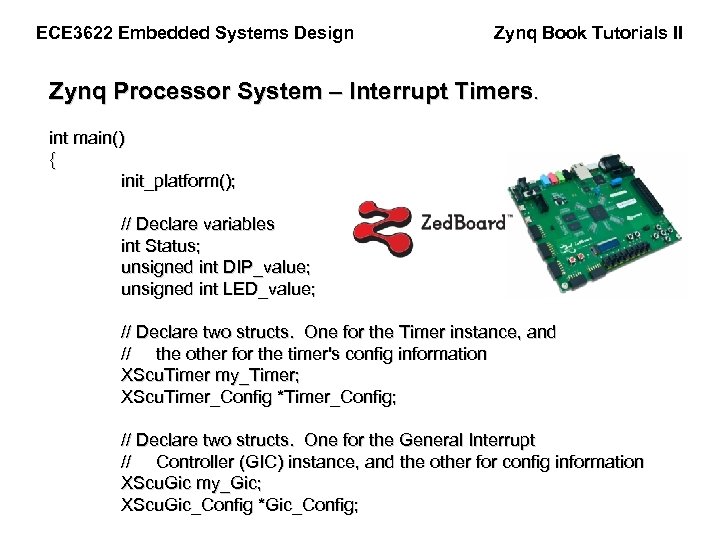
ECE 3622 Embedded Systems Design Zynq Book Tutorials II Zynq Processor System – Interrupt Timers. int main() { init_platform(); // Declare variables int Status; unsigned int DIP_value; unsigned int LED_value; // Declare two structs. One for the Timer instance, and // the other for the timer's config information XScu. Timer my_Timer; XScu. Timer_Config *Timer_Config; // Declare two structs. One for the General Interrupt // Controller (GIC) instance, and the other for config information XScu. Gic my_Gic; XScu. Gic_Config *Gic_Config;
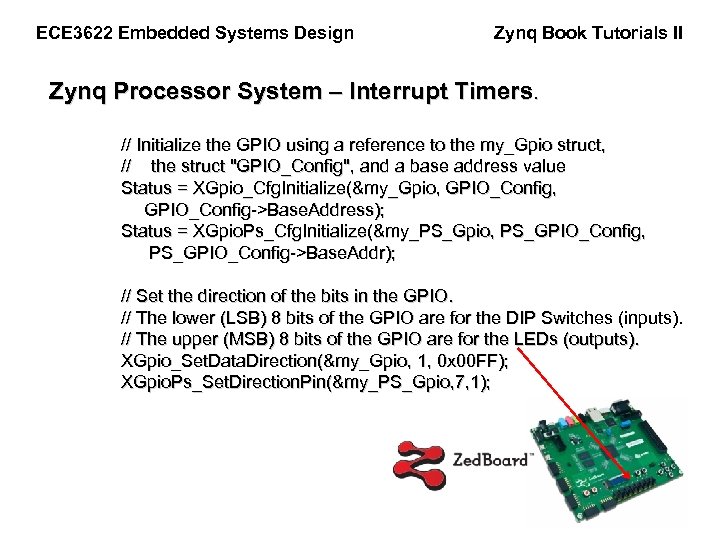
ECE 3622 Embedded Systems Design Zynq Book Tutorials II Zynq Processor System – Interrupt Timers. // Initialize the GPIO using a reference to the my_Gpio struct, // the struct "GPIO_Config", and a base address value Status = XGpio_Cfg. Initialize(&my_Gpio, GPIO_Config, GPIO_Config->Base. Address); Status = XGpio. Ps_Cfg. Initialize(&my_PS_Gpio, PS_GPIO_Config, PS_GPIO_Config->Base. Addr); // Set the direction of the bits in the GPIO. // The lower (LSB) 8 bits of the GPIO are for the DIP Switches (inputs). // The upper (MSB) 8 bits of the GPIO are for the LEDs (outputs). XGpio_Set. Data. Direction(&my_Gpio, 1, 0 x 00 FF); XGpio. Ps_Set. Direction. Pin(&my_PS_Gpio, 7, 1);
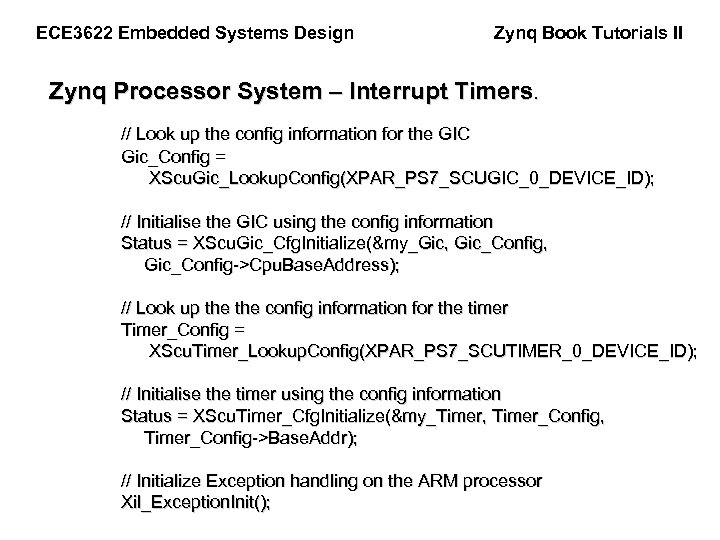
ECE 3622 Embedded Systems Design Zynq Book Tutorials II Zynq Processor System – Interrupt Timers. // Look up the config information for the GIC Gic_Config = XScu. Gic_Lookup. Config(XPAR_PS 7_SCUGIC_0_DEVICE_ID); // Initialise the GIC using the config information Status = XScu. Gic_Cfg. Initialize(&my_Gic, Gic_Config, Gic_Config->Cpu. Base. Address); // Look up the config information for the timer Timer_Config = XScu. Timer_Lookup. Config(XPAR_PS 7_SCUTIMER_0_DEVICE_ID); // Initialise the timer using the config information Status = XScu. Timer_Cfg. Initialize(&my_Timer, Timer_Config, Timer_Config->Base. Addr); // Initialize Exception handling on the ARM processor Xil_Exception. Init();
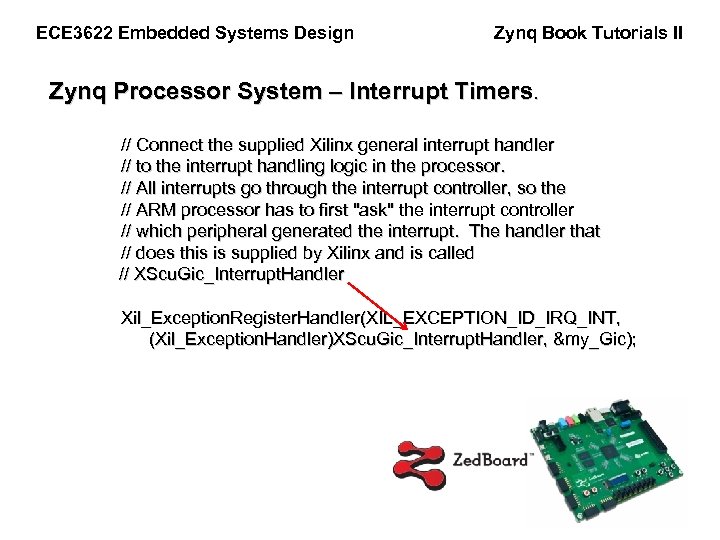
ECE 3622 Embedded Systems Design Zynq Book Tutorials II Zynq Processor System – Interrupt Timers. // Connect the supplied Xilinx general interrupt handler // to the interrupt handling logic in the processor. // All interrupts go through the interrupt controller, so the // ARM processor has to first "ask" the interrupt controller // which peripheral generated the interrupt. The handler that // does this is supplied by Xilinx and is called // XScu. Gic_Interrupt. Handler Xil_Exception. Register. Handler(XIL_EXCEPTION_ID_IRQ_INT, (Xil_Exception. Handler)XScu. Gic_Interrupt. Handler, &my_Gic);
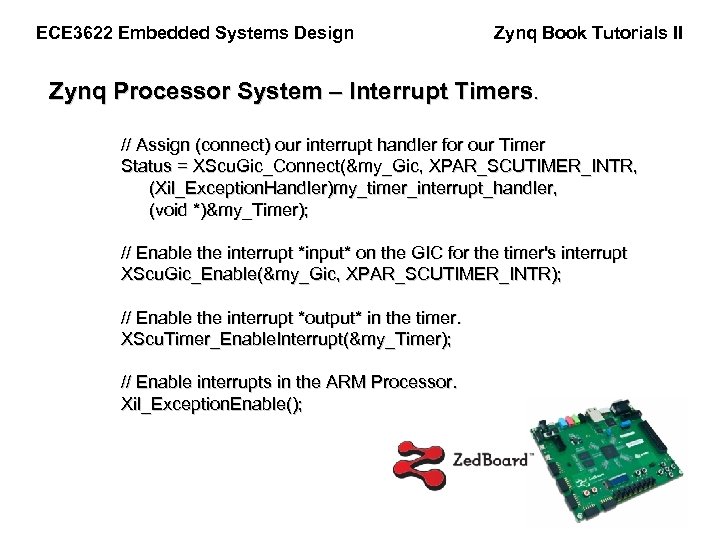
ECE 3622 Embedded Systems Design Zynq Book Tutorials II Zynq Processor System – Interrupt Timers. // Assign (connect) our interrupt handler for our Timer Status = XScu. Gic_Connect(&my_Gic, XPAR_SCUTIMER_INTR, (Xil_Exception. Handler)my_timer_interrupt_handler, (void *)&my_Timer); // Enable the interrupt *input* on the GIC for the timer's interrupt XScu. Gic_Enable(&my_Gic, XPAR_SCUTIMER_INTR); // Enable the interrupt *output* in the timer. XScu. Timer_Enable. Interrupt(&my_Timer); // Enable interrupts in the ARM Processor. Xil_Exception. Enable();
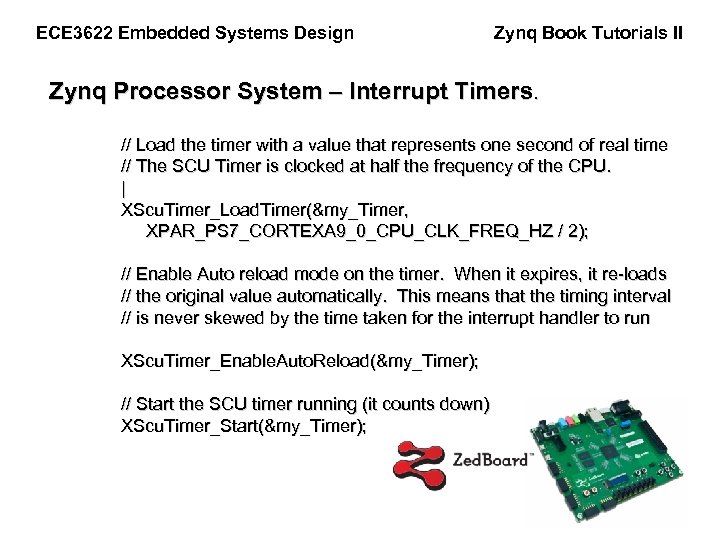
ECE 3622 Embedded Systems Design Zynq Book Tutorials II Zynq Processor System – Interrupt Timers. // Load the timer with a value that represents one second of real time // The SCU Timer is clocked at half the frequency of the CPU. | XScu. Timer_Load. Timer(&my_Timer, XPAR_PS 7_CORTEXA 9_0_CPU_CLK_FREQ_HZ / 2); // Enable Auto reload mode on the timer. When it expires, it re-loads // the original value automatically. This means that the timing interval // is never skewed by the time taken for the interrupt handler to run XScu. Timer_Enable. Auto. Reload(&my_Timer); // Start the SCU timer running (it counts down) XScu. Timer_Start(&my_Timer);

ECE 3622 Embedded Systems Design Zynq Book Tutorials II Zynq Processor System – Interrupt Timers. // Create an infinite loop while(1) { // Read from the GPIO for the DIP switches DIP_value = XGpio_Discrete. Read(&my_Gpio, 1); // Mask the upper 8 bits DIP_value = DIP_value & 0 x 00 FF; // Assign a value to LED_Value variable LED_value = DIP_value << 8;
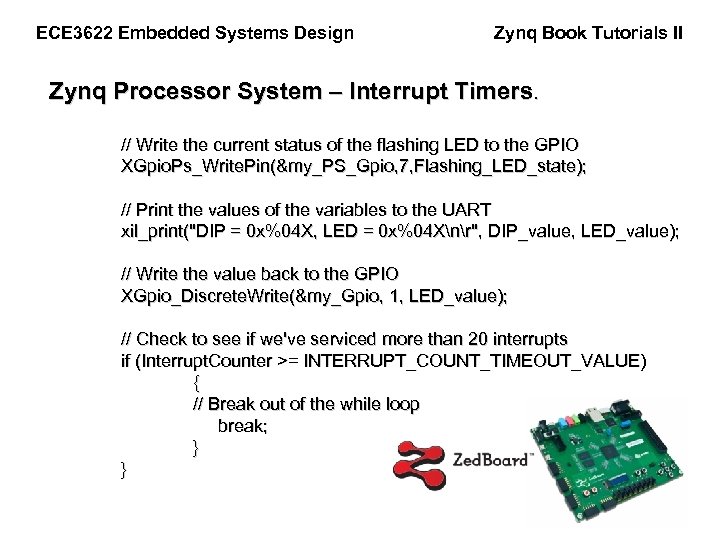
ECE 3622 Embedded Systems Design Zynq Book Tutorials II Zynq Processor System – Interrupt Timers. // Write the current status of the flashing LED to the GPIO XGpio. Ps_Write. Pin(&my_PS_Gpio, 7, Flashing_LED_state); // Print the values of the variables to the UART xil_print("DIP = 0 x%04 X, LED = 0 x%04 Xnr", DIP_value, LED_value); // Write the value back to the GPIO XGpio_Discrete. Write(&my_Gpio, 1, LED_value); // Check to see if we've serviced more than 20 interrupts if (Interrupt. Counter >= INTERRUPT_COUNT_TIMEOUT_VALUE) { // Break out of the while loop break; } }
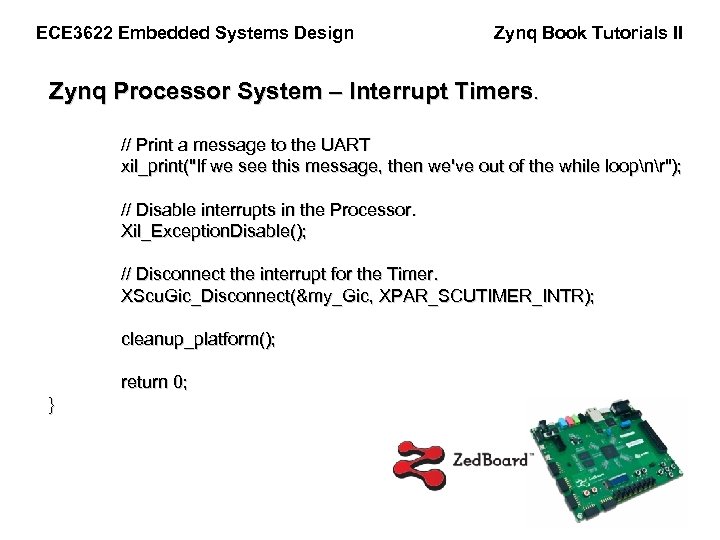
ECE 3622 Embedded Systems Design Zynq Book Tutorials II Zynq Processor System – Interrupt Timers. // Print a message to the UART xil_print("If we see this message, then we've out of the while loopnr"); // Disable interrupts in the Processor. Xil_Exception. Disable(); // Disconnect the interrupt for the Timer. XScu. Gic_Disconnect(&my_Gic, XPAR_SCUTIMER_INTR); cleanup_platform(); return 0; }
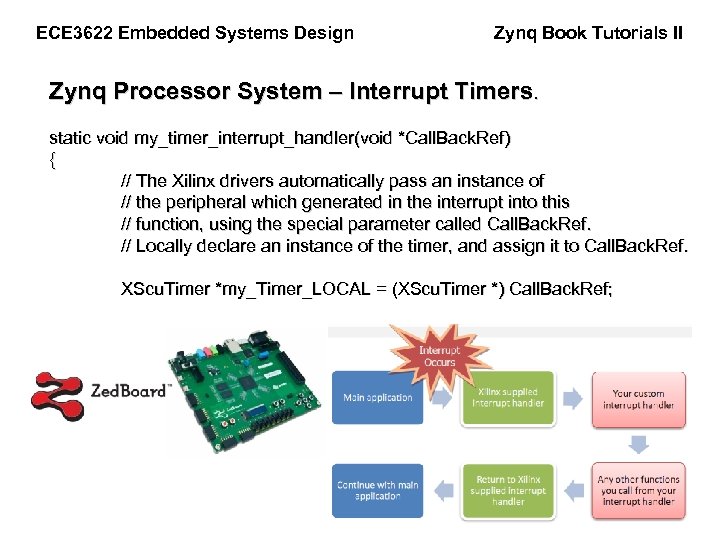
ECE 3622 Embedded Systems Design Zynq Book Tutorials II Zynq Processor System – Interrupt Timers. static void my_timer_interrupt_handler(void *Call. Back. Ref) { // The Xilinx drivers automatically pass an instance of // the peripheral which generated in the interrupt into this // function, using the special parameter called Call. Back. Ref. // Locally declare an instance of the timer, and assign it to Call. Back. Ref. XScu. Timer *my_Timer_LOCAL = (XScu. Timer *) Call. Back. Ref;
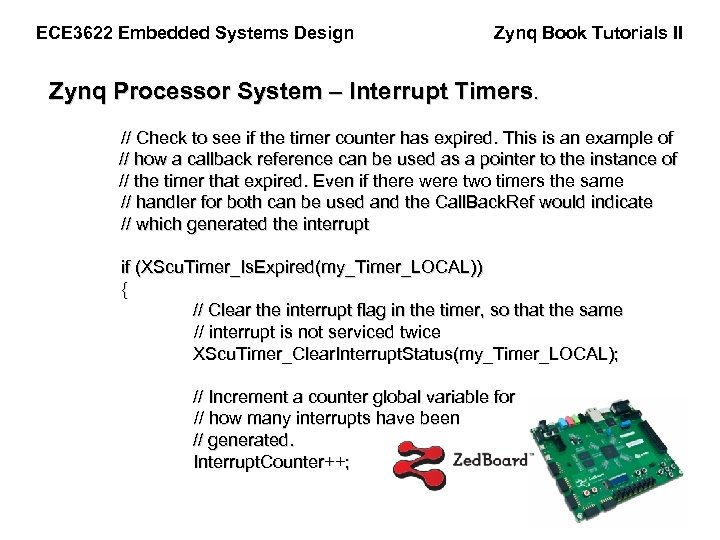
ECE 3622 Embedded Systems Design Zynq Book Tutorials II Zynq Processor System – Interrupt Timers. // Check to see if the timer counter has expired. This is an example of // how a callback reference can be used as a pointer to the instance of // the timer that expired. Even if there were two timers the same // handler for both can be used and the Call. Back. Ref would indicate // which generated the interrupt if (XScu. Timer_Is. Expired(my_Timer_LOCAL)) { // Clear the interrupt flag in the timer, so that the same // interrupt is not serviced twice XScu. Timer_Clear. Interrupt. Status(my_Timer_LOCAL); // Increment a counter global variable for // how many interrupts have been // generated. Interrupt. Counter++;
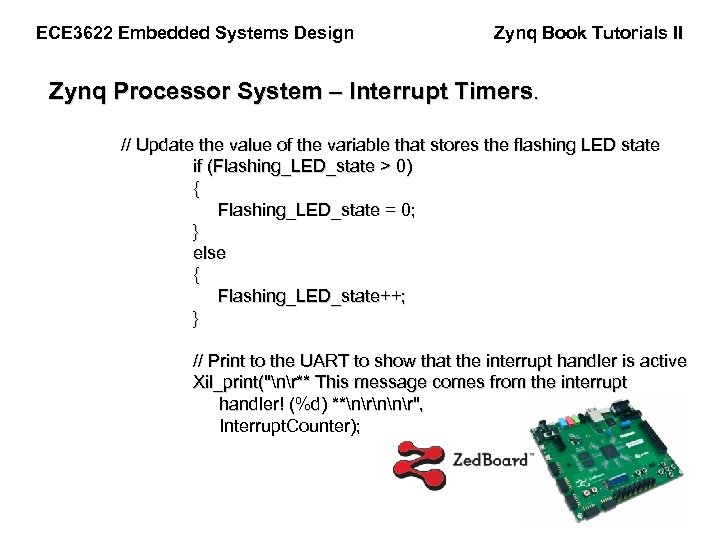
ECE 3622 Embedded Systems Design Zynq Book Tutorials II Zynq Processor System – Interrupt Timers. // Update the value of the variable that stores the flashing LED state if (Flashing_LED_state > 0) { Flashing_LED_state = 0; } else { Flashing_LED_state++; } // Print to the UART to show that the interrupt handler is active Xil_print("nr** This message comes from the interrupt handler! (%d) **nrnnr", Interrupt. Counter);
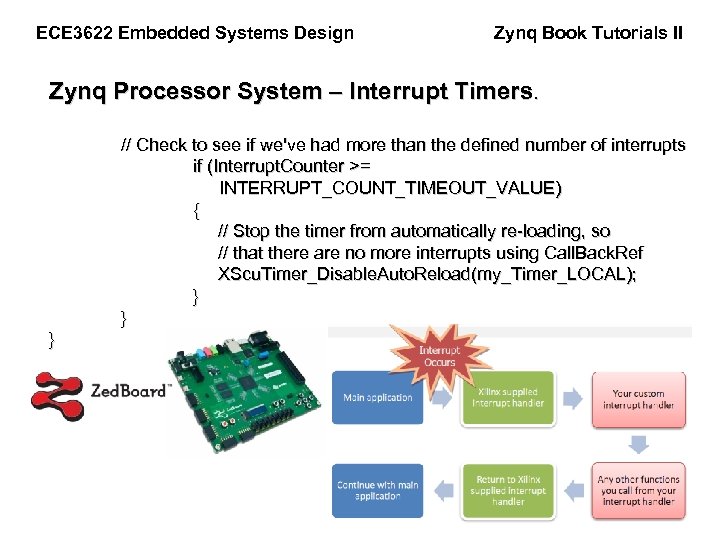
ECE 3622 Embedded Systems Design Zynq Book Tutorials II Zynq Processor System – Interrupt Timers. // Check to see if we've had more than the defined number of interrupts if (Interrupt. Counter >= INTERRUPT_COUNT_TIMEOUT_VALUE) { // Stop the timer from automatically re-loading, so // that there are no more interrupts using Call. Back. Ref XScu. Timer_Disable. Auto. Reload(my_Timer_LOCAL); } } }
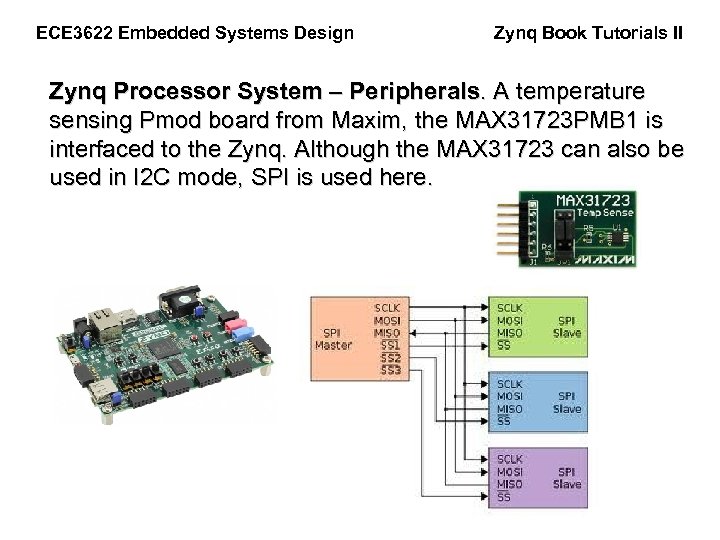
ECE 3622 Embedded Systems Design Zynq Book Tutorials II Zynq Processor System – Peripherals. A temperature sensing Pmod board from Maxim, the MAX 31723 PMB 1 is interfaced to the Zynq. Although the MAX 31723 can also be used in I 2 C mode, SPI is used here.
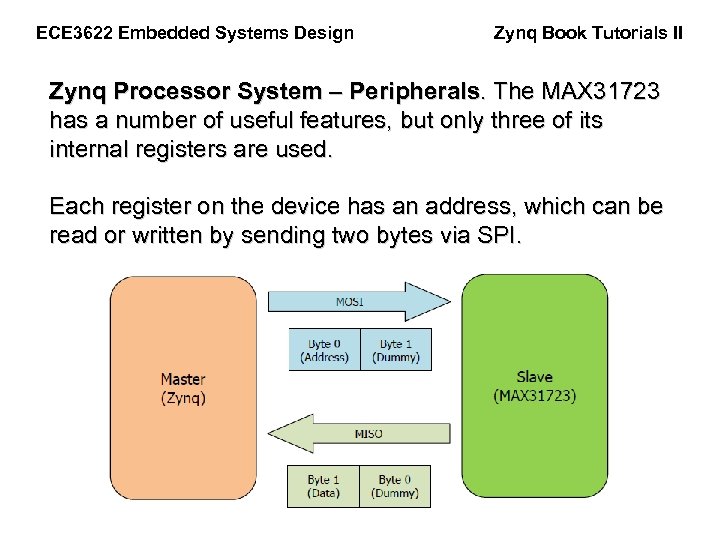
ECE 3622 Embedded Systems Design Zynq Book Tutorials II Zynq Processor System – Peripherals. The MAX 31723 has a number of useful features, but only three of its internal registers are used. Each register on the device has an address, which can be read or written by sending two bytes via SPI.
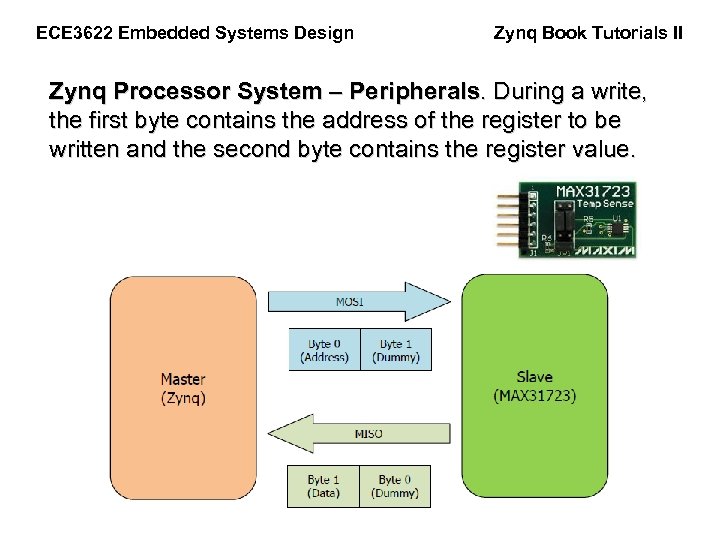
ECE 3622 Embedded Systems Design Zynq Book Tutorials II Zynq Processor System – Peripherals. During a write, the first byte contains the address of the register to be written and the second byte contains the register value.
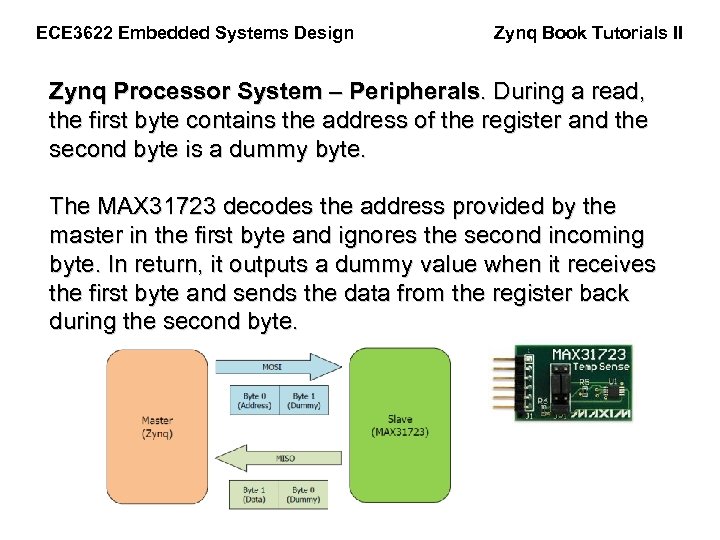
ECE 3622 Embedded Systems Design Zynq Book Tutorials II Zynq Processor System – Peripherals. During a read, the first byte contains the address of the register and the second byte is a dummy byte. The MAX 31723 decodes the address provided by the master in the first byte and ignores the second incoming byte. In return, it outputs a dummy value when it receives the first byte and sends the data from the register back during the second byte.
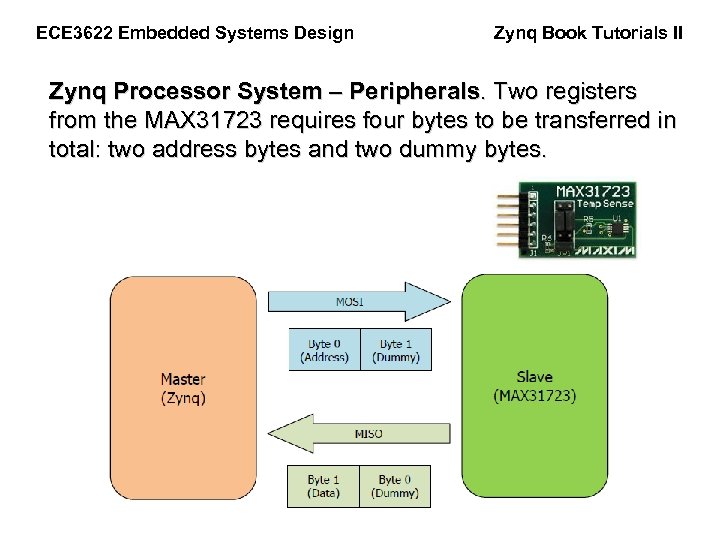
ECE 3622 Embedded Systems Design Zynq Book Tutorials II Zynq Processor System – Peripherals. Two registers from the MAX 31723 requires four bytes to be transferred in total: two address bytes and two dummy bytes.
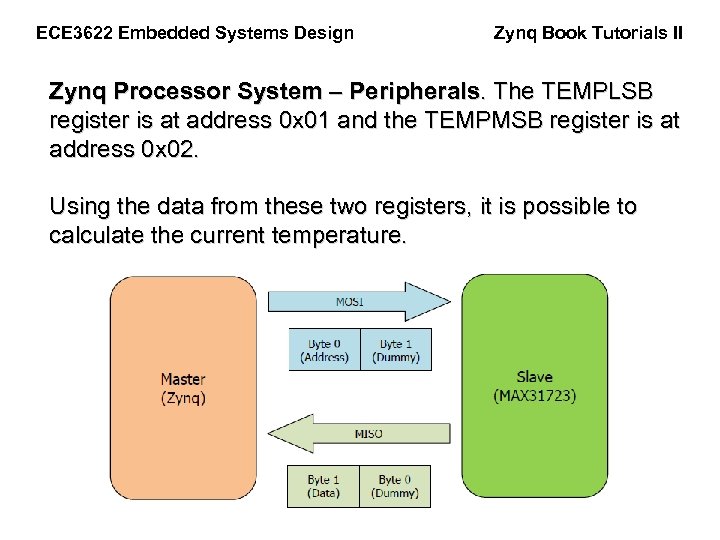
ECE 3622 Embedded Systems Design Zynq Book Tutorials II Zynq Processor System – Peripherals. The TEMPLSB register is at address 0 x 01 and the TEMPMSB register is at address 0 x 02. Using the data from these two registers, it is possible to calculate the current temperature.
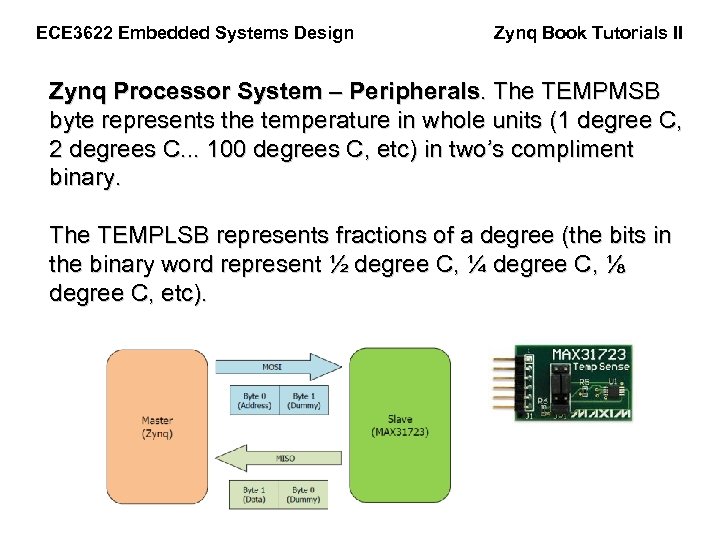
ECE 3622 Embedded Systems Design Zynq Book Tutorials II Zynq Processor System – Peripherals. The TEMPMSB byte represents the temperature in whole units (1 degree C, 2 degrees C. . . 100 degrees C, etc) in two’s compliment binary. The TEMPLSB represents fractions of a degree (the bits in the binary word represent ½ degree C, ¼ degree C, ⅛ degree C, etc).
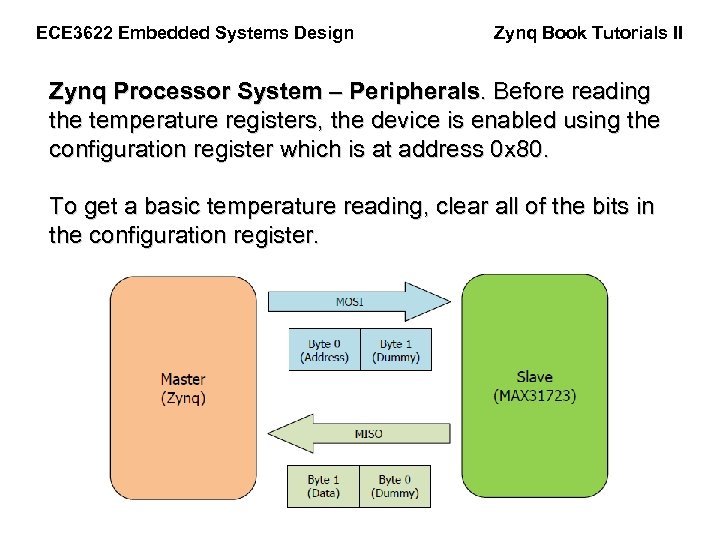
ECE 3622 Embedded Systems Design Zynq Book Tutorials II Zynq Processor System – Peripherals. Before reading the temperature registers, the device is enabled using the configuration register which is at address 0 x 80. To get a basic temperature reading, clear all of the bits in the configuration register.
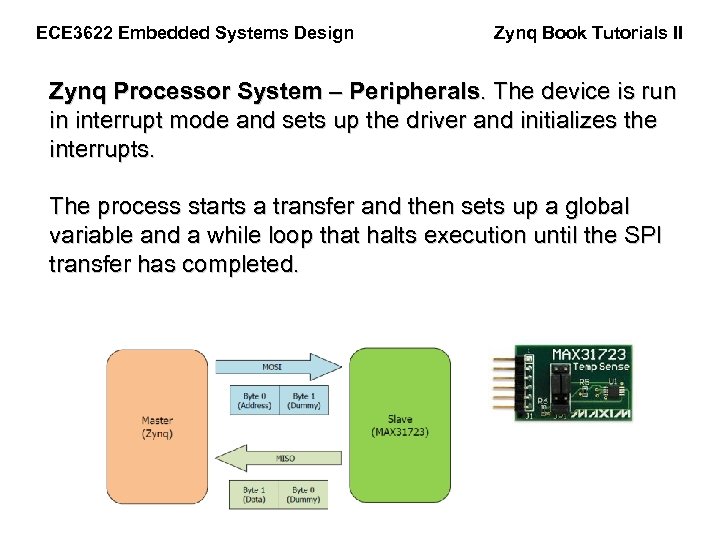
ECE 3622 Embedded Systems Design Zynq Book Tutorials II Zynq Processor System – Peripherals. The device is run in interrupt mode and sets up the driver and initializes the interrupts. The process starts a transfer and then sets up a global variable and a while loop that halts execution until the SPI transfer has completed.
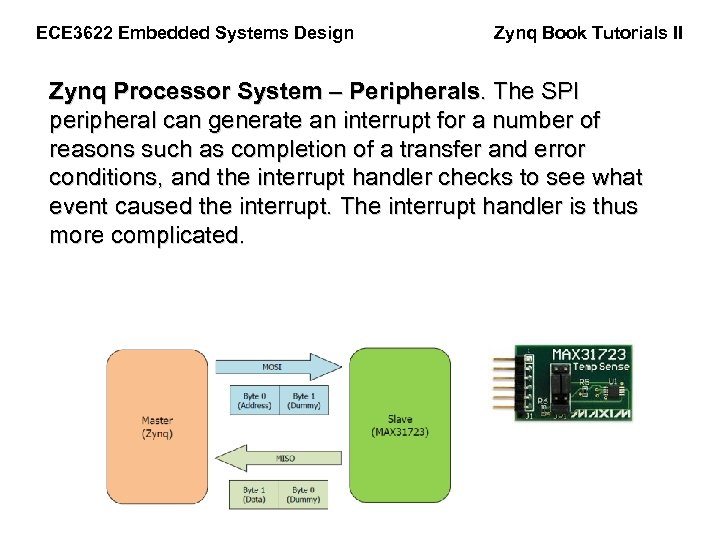
ECE 3622 Embedded Systems Design Zynq Book Tutorials II Zynq Processor System – Peripherals. The SPI peripheral can generate an interrupt for a number of reasons such as completion of a transfer and error conditions, and the interrupt handler checks to see what event caused the interrupt. The interrupt handler is thus more complicated.
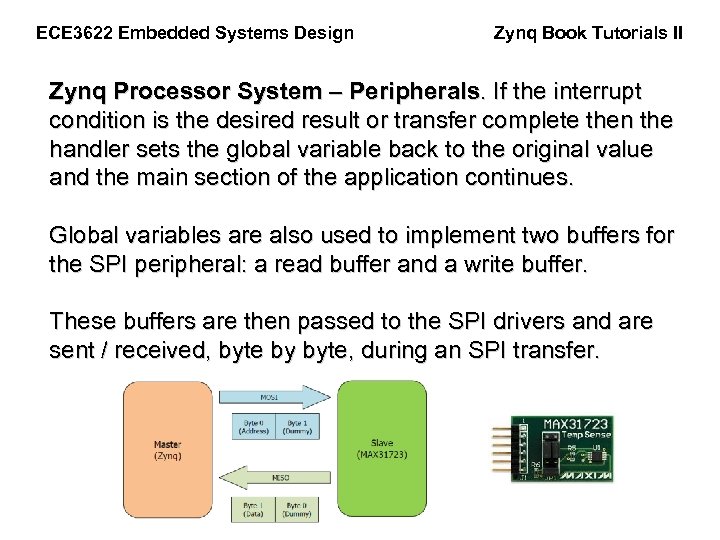
ECE 3622 Embedded Systems Design Zynq Book Tutorials II Zynq Processor System – Peripherals. If the interrupt condition is the desired result or transfer complete then the handler sets the global variable back to the original value and the main section of the application continues. Global variables are also used to implement two buffers for the SPI peripheral: a read buffer and a write buffer. These buffers are then passed to the SPI drivers and are sent / received, byte by byte, during an SPI transfer.
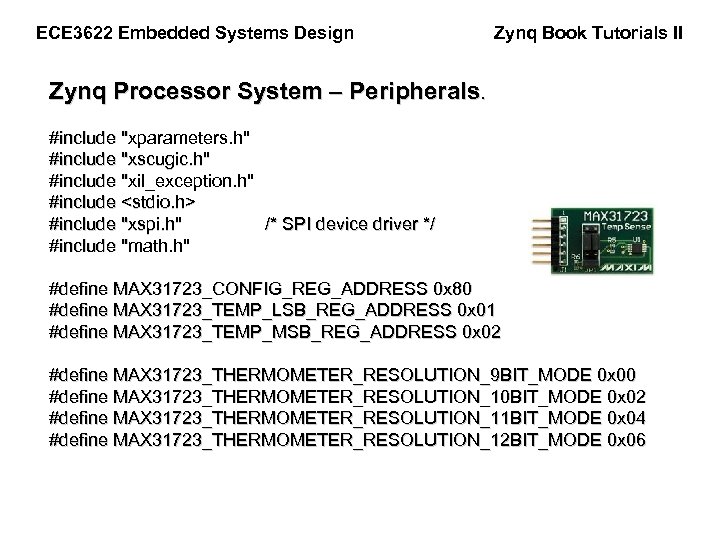
ECE 3622 Embedded Systems Design Zynq Book Tutorials II Zynq Processor System – Peripherals. #include "xparameters. h" #include "xscugic. h" #include "xil_exception. h" #include <stdio. h> #include "xspi. h" /* SPI device driver */ #include "math. h" #define MAX 31723_CONFIG_REG_ADDRESS 0 x 80 #define MAX 31723_TEMP_LSB_REG_ADDRESS 0 x 01 #define MAX 31723_TEMP_MSB_REG_ADDRESS 0 x 02 #define MAX 31723_THERMOMETER_RESOLUTION_9 BIT_MODE 0 x 00 #define MAX 31723_THERMOMETER_RESOLUTION_10 BIT_MODE 0 x 02 #define MAX 31723_THERMOMETER_RESOLUTION_11 BIT_MODE 0 x 04 #define MAX 31723_THERMOMETER_RESOLUTION_12 BIT_MODE 0 x 06
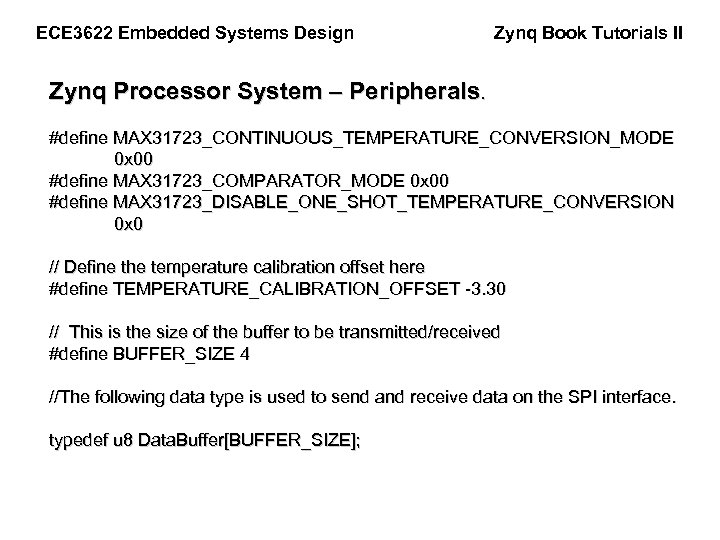
ECE 3622 Embedded Systems Design Zynq Book Tutorials II Zynq Processor System – Peripherals. #define MAX 31723_CONTINUOUS_TEMPERATURE_CONVERSION_MODE 0 x 00 #define MAX 31723_COMPARATOR_MODE 0 x 00 #define MAX 31723_DISABLE_ONE_SHOT_TEMPERATURE_CONVERSION 0 x 0 // Define the temperature calibration offset here #define TEMPERATURE_CALIBRATION_OFFSET -3. 30 // This is the size of the buffer to be transmitted/received #define BUFFER_SIZE 4 //The following data type is used to send and receive data on the SPI interface. typedef u 8 Data. Buffer[BUFFER_SIZE];
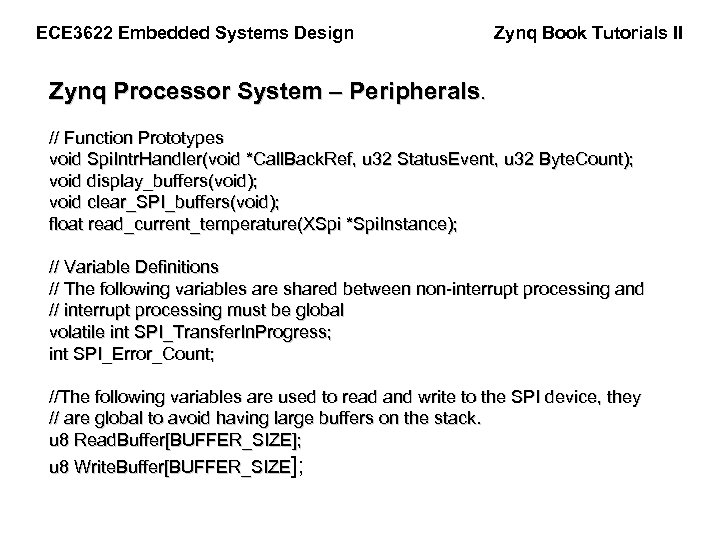
ECE 3622 Embedded Systems Design Zynq Book Tutorials II Zynq Processor System – Peripherals. // Function Prototypes void Spi. Intr. Handler(void *Call. Back. Ref, u 32 Status. Event, u 32 Byte. Count); void display_buffers(void); void clear_SPI_buffers(void); float read_current_temperature(XSpi *Spi. Instance); // Variable Definitions // The following variables are shared between non-interrupt processing and // interrupt processing must be global volatile int SPI_Transfer. In. Progress; int SPI_Error_Count; //The following variables are used to read and write to the SPI device, they // are global to avoid having large buffers on the stack. u 8 Read. Buffer[BUFFER_SIZE]; u 8 Write. Buffer[BUFFER_SIZE];
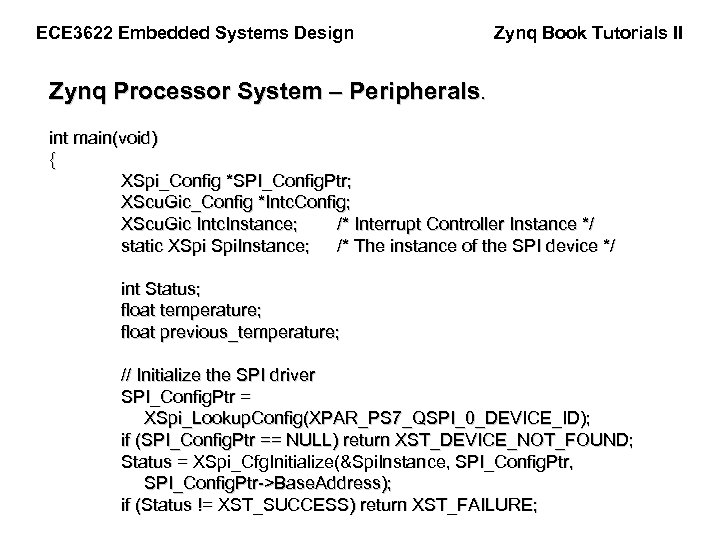
ECE 3622 Embedded Systems Design Zynq Book Tutorials II Zynq Processor System – Peripherals. int main(void) { XSpi_Config *SPI_Config. Ptr; XScu. Gic_Config *Intc. Config; XScu. Gic Intc. Instance; /* Interrupt Controller Instance */ static XSpi Spi. Instance; /* The instance of the SPI device */ int Status; float temperature; float previous_temperature; // Initialize the SPI driver SPI_Config. Ptr = XSpi_Lookup. Config(XPAR_PS 7_QSPI_0_DEVICE_ID); if (SPI_Config. Ptr == NULL) return XST_DEVICE_NOT_FOUND; Status = XSpi_Cfg. Initialize(&Spi. Instance, SPI_Config. Ptr, SPI_Config. Ptr->Base. Address); if (Status != XST_SUCCESS) return XST_FAILURE;
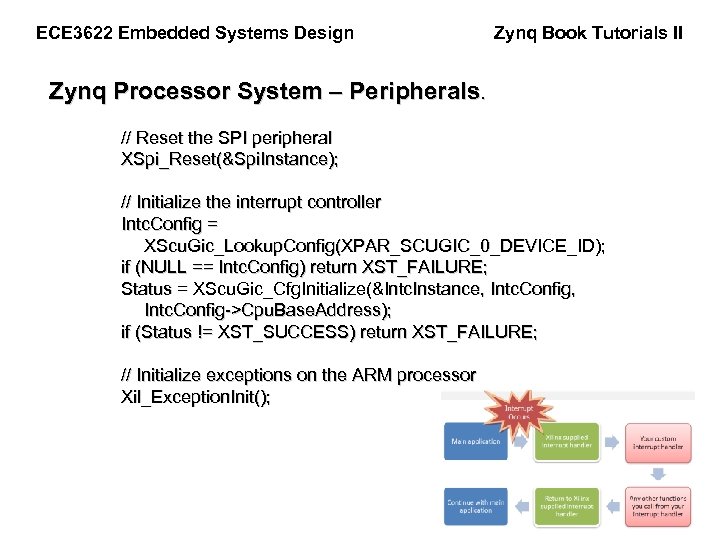
ECE 3622 Embedded Systems Design Zynq Book Tutorials II Zynq Processor System – Peripherals. // Reset the SPI peripheral XSpi_Reset(&Spi. Instance); // Initialize the interrupt controller Intc. Config = XScu. Gic_Lookup. Config(XPAR_SCUGIC_0_DEVICE_ID); if (NULL == Intc. Config) return XST_FAILURE; Status = XScu. Gic_Cfg. Initialize(&Intc. Instance, Intc. Config, Intc. Config->Cpu. Base. Address); if (Status != XST_SUCCESS) return XST_FAILURE; // Initialize exceptions on the ARM processor Xil_Exception. Init();
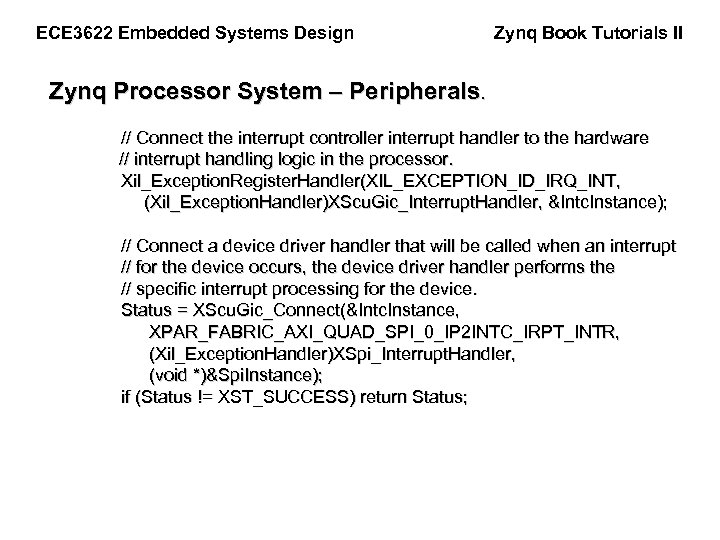
ECE 3622 Embedded Systems Design Zynq Book Tutorials II Zynq Processor System – Peripherals. // Connect the interrupt controller interrupt handler to the hardware // interrupt handling logic in the processor. Xil_Exception. Register. Handler(XIL_EXCEPTION_ID_IRQ_INT, (Xil_Exception. Handler)XScu. Gic_Interrupt. Handler, &Intc. Instance); // Connect a device driver handler that will be called when an interrupt // for the device occurs, the device driver handler performs the // specific interrupt processing for the device. Status = XScu. Gic_Connect(&Intc. Instance, XPAR_FABRIC_AXI_QUAD_SPI_0_IP 2 INTC_IRPT_INTR, (Xil_Exception. Handler)XSpi_Interrupt. Handler, (void *)&Spi. Instance); if (Status != XST_SUCCESS) return Status;
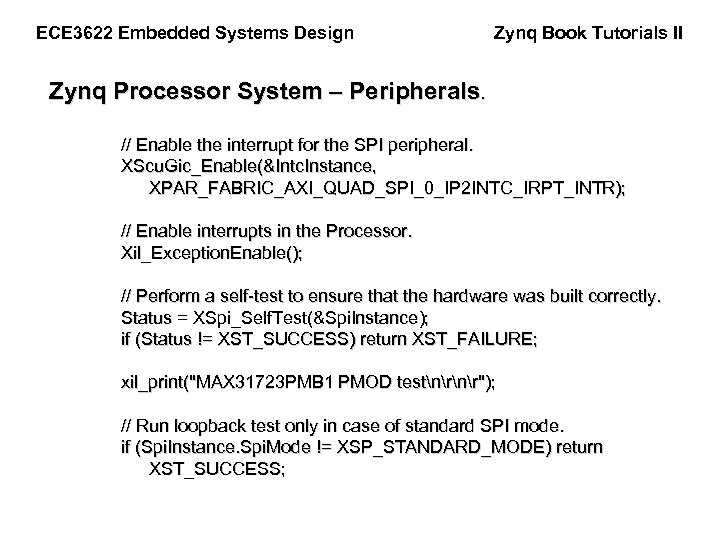
ECE 3622 Embedded Systems Design Zynq Book Tutorials II Zynq Processor System – Peripherals. // Enable the interrupt for the SPI peripheral. XScu. Gic_Enable(&Intc. Instance, XPAR_FABRIC_AXI_QUAD_SPI_0_IP 2 INTC_IRPT_INTR); // Enable interrupts in the Processor. Xil_Exception. Enable(); // Perform a self-test to ensure that the hardware was built correctly. Status = XSpi_Self. Test(&Spi. Instance); if (Status != XST_SUCCESS) return XST_FAILURE; xil_print("MAX 31723 PMB 1 PMOD testnr"); // Run loopback test only in case of standard SPI mode. if (Spi. Instance. Spi. Mode != XSP_STANDARD_MODE) return XST_SUCCESS;
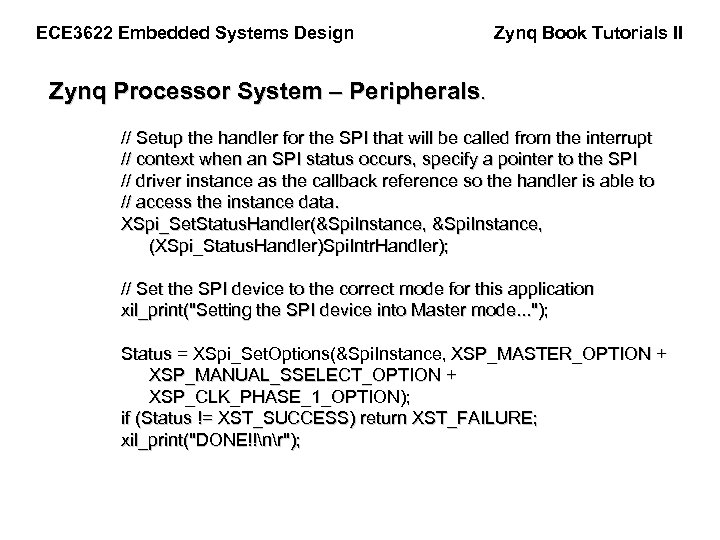
ECE 3622 Embedded Systems Design Zynq Book Tutorials II Zynq Processor System – Peripherals. // Setup the handler for the SPI that will be called from the interrupt // context when an SPI status occurs, specify a pointer to the SPI // driver instance as the callback reference so the handler is able to // access the instance data. XSpi_Set. Status. Handler(&Spi. Instance, (XSpi_Status. Handler)Spi. Intr. Handler); // Set the SPI device to the correct mode for this application xil_print("Setting the SPI device into Master mode. . . "); Status = XSpi_Set. Options(&Spi. Instance, XSP_MASTER_OPTION + XSP_MANUAL_SSELECT_OPTION + XSP_CLK_PHASE_1_OPTION); if (Status != XST_SUCCESS) return XST_FAILURE; xil_print("DONE!!nr");
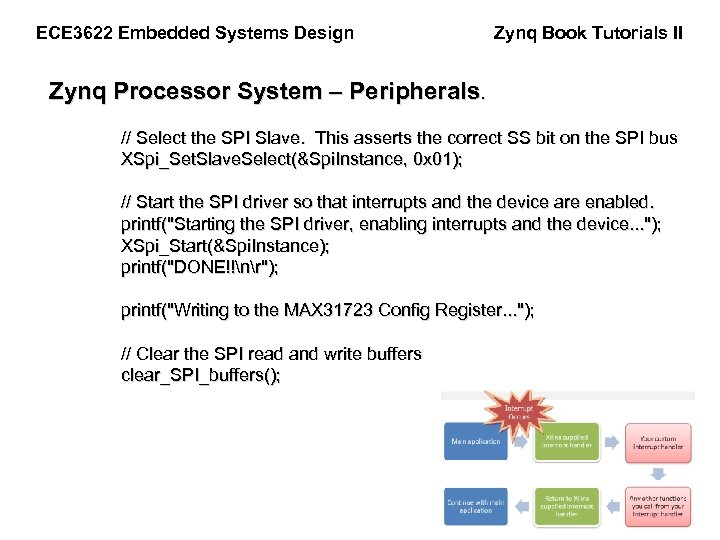
ECE 3622 Embedded Systems Design Zynq Book Tutorials II Zynq Processor System – Peripherals. // Select the SPI Slave. This asserts the correct SS bit on the SPI bus XSpi_Set. Slave. Select(&Spi. Instance, 0 x 01); // Start the SPI driver so that interrupts and the device are enabled. printf("Starting the SPI driver, enabling interrupts and the device. . . "); XSpi_Start(&Spi. Instance); printf("DONE!!nr"); printf("Writing to the MAX 31723 Config Register. . . "); // Clear the SPI read and write buffers clear_SPI_buffers();
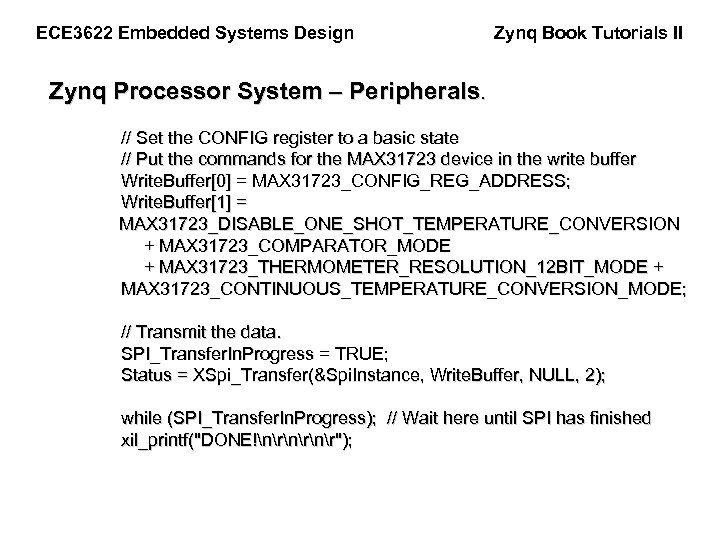
ECE 3622 Embedded Systems Design Zynq Book Tutorials II Zynq Processor System – Peripherals. // Set the CONFIG register to a basic state // Put the commands for the MAX 31723 device in the write buffer Write. Buffer[0] = MAX 31723_CONFIG_REG_ADDRESS; Write. Buffer[1] = MAX 31723_DISABLE_ONE_SHOT_TEMPERATURE_CONVERSION + MAX 31723_COMPARATOR_MODE + MAX 31723_THERMOMETER_RESOLUTION_12 BIT_MODE + MAX 31723_CONTINUOUS_TEMPERATURE_CONVERSION_MODE; // Transmit the data. SPI_Transfer. In. Progress = TRUE; Status = XSpi_Transfer(&Spi. Instance, Write. Buffer, NULL, 2); while (SPI_Transfer. In. Progress); // Wait here until SPI has finished xil_printf("DONE!nrnr");
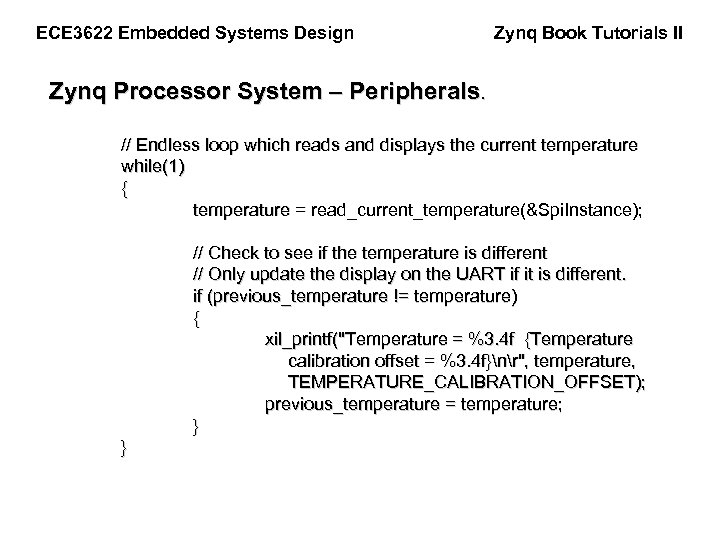
ECE 3622 Embedded Systems Design Zynq Book Tutorials II Zynq Processor System – Peripherals. // Endless loop which reads and displays the current temperature while(1) { temperature = read_current_temperature(&Spi. Instance); // Check to see if the temperature is different // Only update the display on the UART if it is different. if (previous_temperature != temperature) { xil_printf("Temperature = %3. 4 f {Temperature calibration offset = %3. 4 f}nr", temperature, TEMPERATURE_CALIBRATION_OFFSET); previous_temperature = temperature; } }
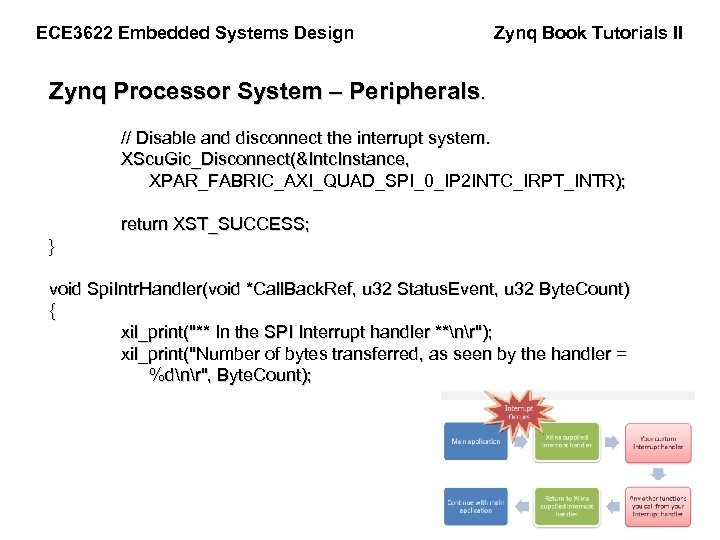
ECE 3622 Embedded Systems Design Zynq Book Tutorials II Zynq Processor System – Peripherals. // Disable and disconnect the interrupt system. XScu. Gic_Disconnect(&Intc. Instance, XPAR_FABRIC_AXI_QUAD_SPI_0_IP 2 INTC_IRPT_INTR); return XST_SUCCESS; } void Spi. Intr. Handler(void *Call. Back. Ref, u 32 Status. Event, u 32 Byte. Count) { xil_print("** In the SPI Interrupt handler **nr"); xil_print("Number of bytes transferred, as seen by the handler = %dnr", Byte. Count);
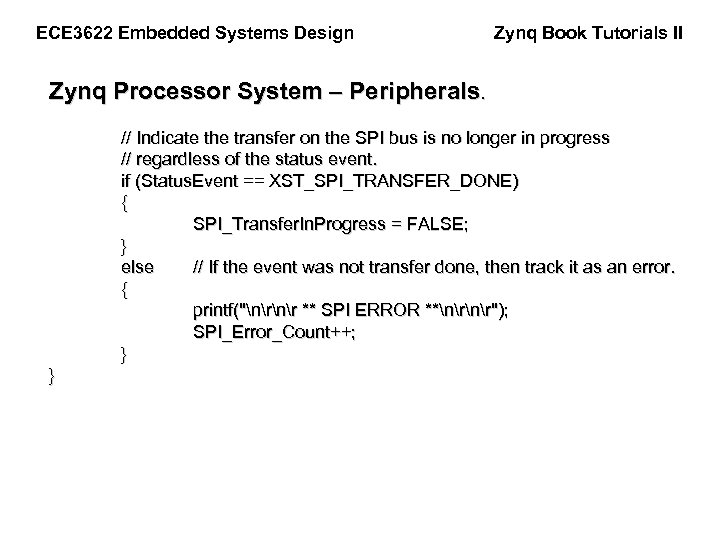
ECE 3622 Embedded Systems Design Zynq Book Tutorials II Zynq Processor System – Peripherals. // Indicate the transfer on the SPI bus is no longer in progress // regardless of the status event. if (Status. Event == XST_SPI_TRANSFER_DONE) { SPI_Transfer. In. Progress = FALSE; } else // If the event was not transfer done, then track it as an error. { printf("nr ** SPI ERROR **nr"); SPI_Error_Count++; } }
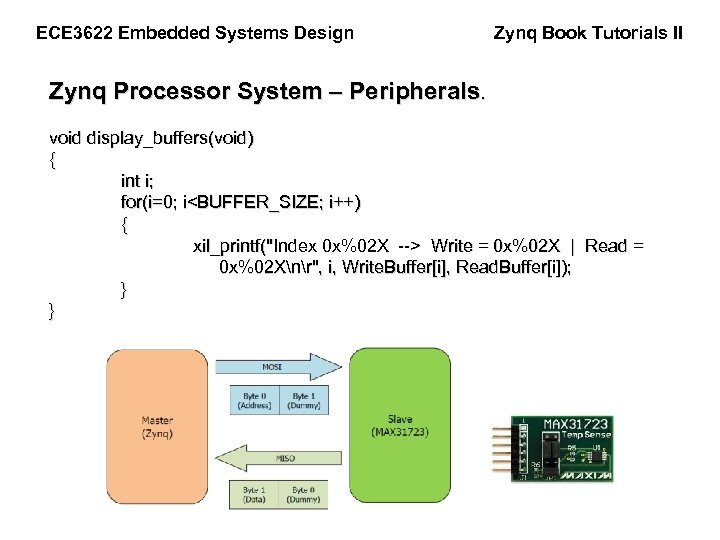
ECE 3622 Embedded Systems Design Zynq Book Tutorials II Zynq Processor System – Peripherals. void display_buffers(void) { int i; for(i=0; i<BUFFER_SIZE; i++) { xil_printf("Index 0 x%02 X --> Write = 0 x%02 X | Read = 0 x%02 Xnr", i, Write. Buffer[i], Read. Buffer[i]); } }
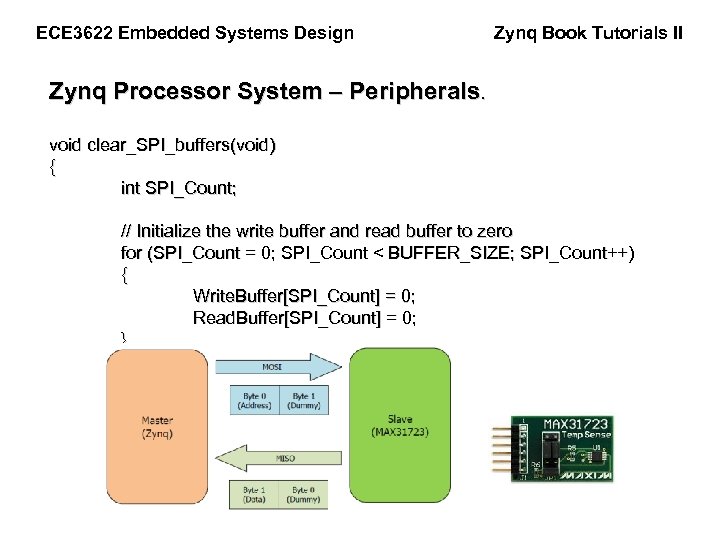
ECE 3622 Embedded Systems Design Zynq Book Tutorials II Zynq Processor System – Peripherals. void clear_SPI_buffers(void) { int SPI_Count; // Initialize the write buffer and read buffer to zero for (SPI_Count = 0; SPI_Count < BUFFER_SIZE; SPI_Count++) { Write. Buffer[SPI_Count] = 0; Read. Buffer[SPI_Count] = 0; }
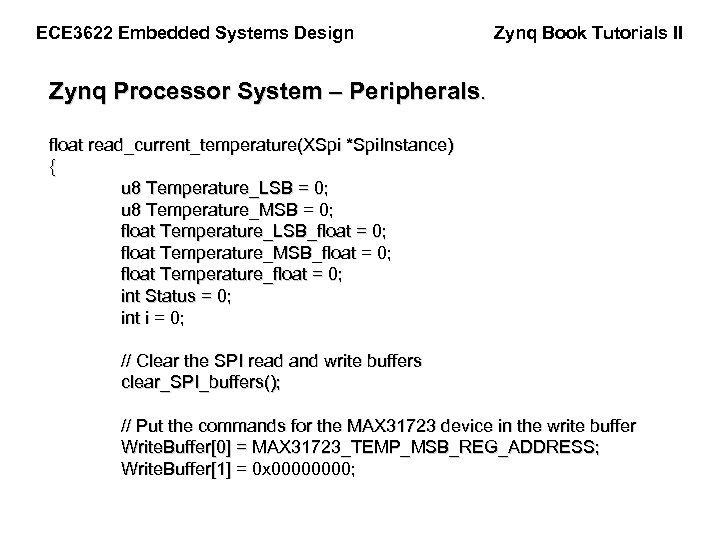
ECE 3622 Embedded Systems Design Zynq Book Tutorials II Zynq Processor System – Peripherals. float read_current_temperature(XSpi *Spi. Instance) { u 8 Temperature_LSB = 0; u 8 Temperature_MSB = 0; float Temperature_LSB_float = 0; float Temperature_MSB_float = 0; float Temperature_float = 0; int Status = 0; int i = 0; // Clear the SPI read and write buffers clear_SPI_buffers(); // Put the commands for the MAX 31723 device in the write buffer Write. Buffer[0] = MAX 31723_TEMP_MSB_REG_ADDRESS; Write. Buffer[1] = 0 x 0000;
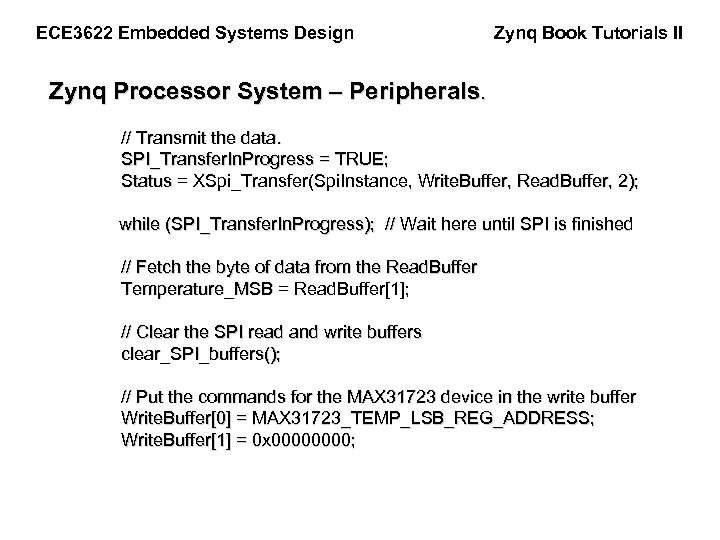
ECE 3622 Embedded Systems Design Zynq Book Tutorials II Zynq Processor System – Peripherals. // Transmit the data. SPI_Transfer. In. Progress = TRUE; Status = XSpi_Transfer(Spi. Instance, Write. Buffer, Read. Buffer, 2); while (SPI_Transfer. In. Progress); // Wait here until SPI is finished // Fetch the byte of data from the Read. Buffer Temperature_MSB = Read. Buffer[1]; // Clear the SPI read and write buffers clear_SPI_buffers(); // Put the commands for the MAX 31723 device in the write buffer Write. Buffer[0] = MAX 31723_TEMP_LSB_REG_ADDRESS; Write. Buffer[1] = 0 x 0000;
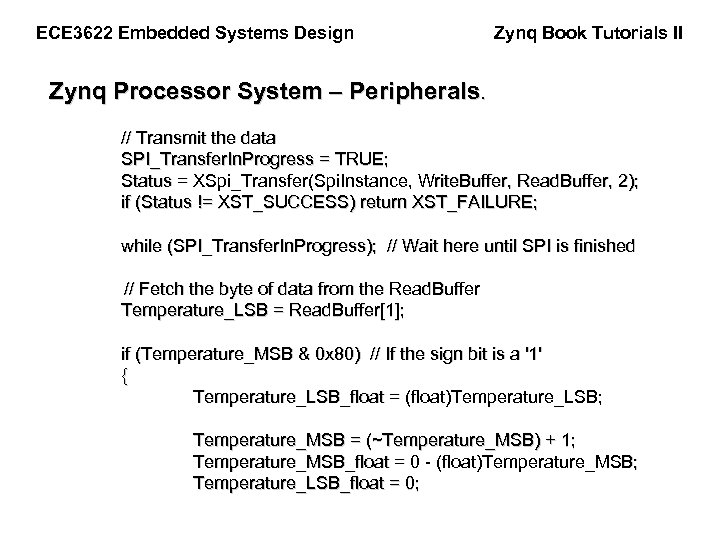
ECE 3622 Embedded Systems Design Zynq Book Tutorials II Zynq Processor System – Peripherals. // Transmit the data SPI_Transfer. In. Progress = TRUE; Status = XSpi_Transfer(Spi. Instance, Write. Buffer, Read. Buffer, 2); if (Status != XST_SUCCESS) return XST_FAILURE; while (SPI_Transfer. In. Progress); // Wait here until SPI is finished // Fetch the byte of data from the Read. Buffer Temperature_LSB = Read. Buffer[1]; if (Temperature_MSB & 0 x 80) // If the sign bit is a '1' { Temperature_LSB_float = (float)Temperature_LSB; Temperature_MSB = (~Temperature_MSB) + 1; Temperature_MSB_float = 0 - (float)Temperature_MSB; Temperature_LSB_float = 0;
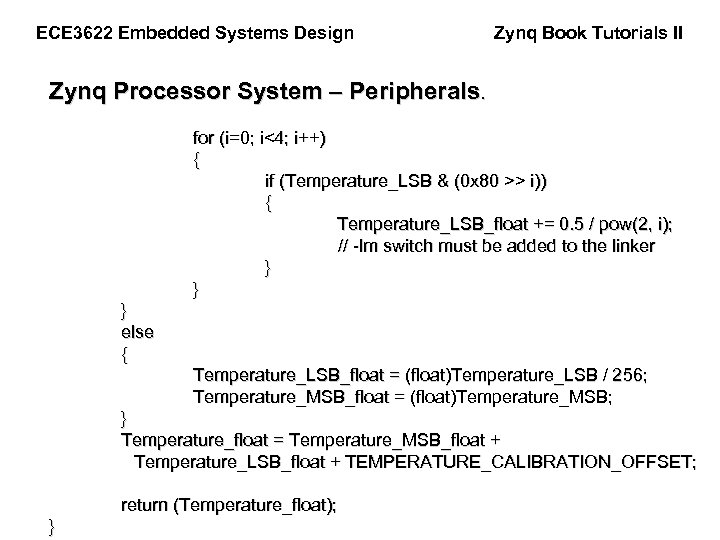
ECE 3622 Embedded Systems Design Zynq Book Tutorials II Zynq Processor System – Peripherals. for (i=0; i<4; i++) { if (Temperature_LSB & (0 x 80 >> i)) { Temperature_LSB_float += 0. 5 / pow(2, i); // -lm switch must be added to the linker } } } else { Temperature_LSB_float = (float)Temperature_LSB / 256; Temperature_MSB_float = (float)Temperature_MSB; } Temperature_float = Temperature_MSB_float + Temperature_LSB_float + TEMPERATURE_CALIBRATION_OFFSET; return (Temperature_float); }
End of Zynq Book Tutorials II
Скачать презентацию Zynq Book Tutorials II ECE 3622 Embedded
6da10e221399666bb8fce21def982fc9.ppt