 Скачать презентацию ZENworks Secrets of Imaging and Preboot Services
be9dc518e47e8c5c603260625cc7d423.ppt
- Количество слайдов: 68



® ZENworks Secrets of Imaging and Preboot Services – TUT 214 Drake Backman Senior Development Engineer Tim Harris Senior Systems Engineer Michelle Escalante System Engineer
Agenda – TUT 214 • Introduction • Imaging Components 4 e. Directory and Console. One 4 PXE Maintaining Current Versions Multi-cast • Initiating Imaging 4 4 • Under the Hood 4 4 Scripted Images Hardware Independent Images Build scripts Customizing Bootable CD’s • Resources • Q&A
Vision…one Net A world where networks of all types—corporate and public, intranets, extranets, and the Internet—work together as one Net and securely connect employees, customers, suppliers, and partners across organizational boundaries. Mission To solve complex business and technical challenges with Net business solutions that enable people, processes, and systems to work together and our customers to profit from the opportunities of a networked world.
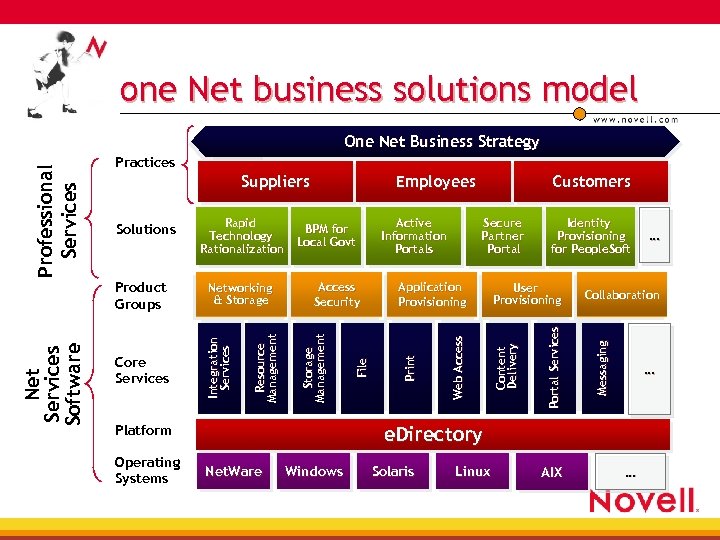
one Net business solutions model Practices Platform Operating Systems User Provisioning Portal Services Application Provisioning Identity Provisioning for People. Soft … e. Directory Net. Ware Windows Solaris Linux AIX … Collaboration Messaging Secure Partner Portal Content Delivery Core Services Access Security File Networking & Storage Resource Management Net Services Software Product Groups Active Information Portals Web Access Rapid BPM for Technology Local Govt Rationalization Storage Management Solutions Customers Employees Print Suppliers Integration Services Professional Services One Net Business Strategy …
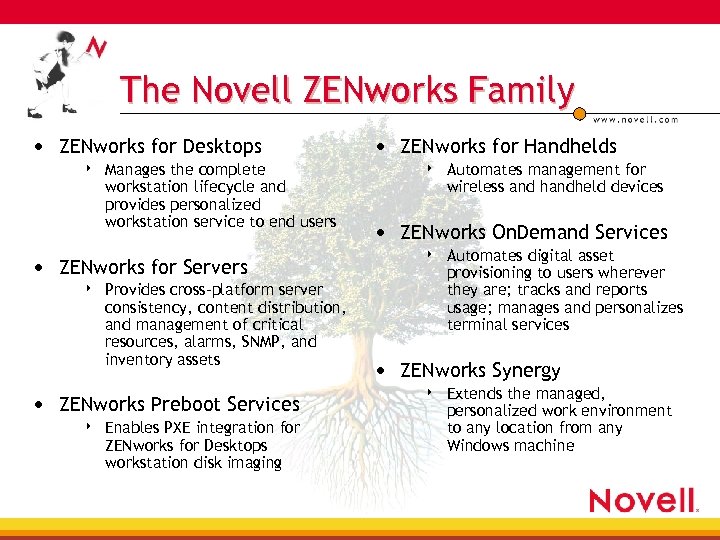
The Novell ZENworks Family • ZENworks for Desktops 4 Manages the complete workstation lifecycle and provides personalized workstation service to end users • ZENworks for Servers 4 Provides cross-platform server consistency, content distribution, and management of critical resources, alarms, SNMP, and inventory assets • ZENworks Preboot Services 4 Enables PXE integration for ZENworks for Desktops workstation disk imaging • ZENworks for Handhelds 4 Automates management for wireless and handheld devices • ZENworks On. Demand Services 4 Automates digital asset provisioning to users wherever they are; tracks and reports usage; manages and personalizes terminal services • ZENworks Synergy 4 Extends the managed, personalized work environment to any location from any Windows machine
Why ZEN Imaging Rocks • Provides flexible, NDS based imaging • Reduced image management 4 Customizable Base images 4 Add-on application imaging • Workstation identity management • Scripted image deployment • Intelligent deployment of new OS
Imaging Components
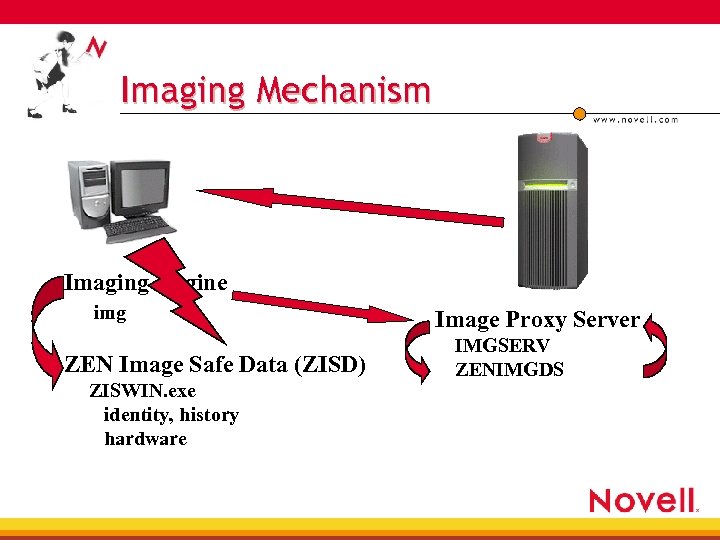
Imaging Mechanism Imaging Engine img ZEN Image Safe Data (ZISD) ZISWIN. exe identity, history hardware Image Proxy Server IMGSERV ZENIMGDS
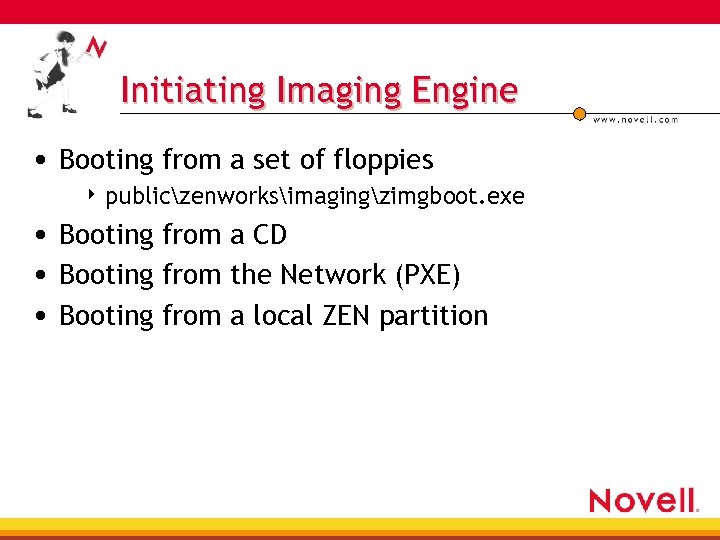
Initiating Imaging Engine • Booting from a set of floppies 4 publiczenworksimagingzimgboot. exe • Booting from a CD • Booting from the Network (PXE) • Booting from a local ZEN partition
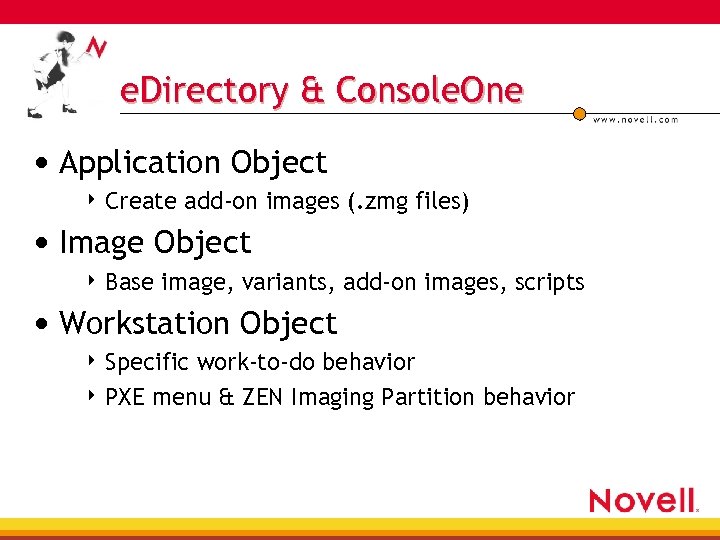
e. Directory & Console. One • Application Object 4 Create add-on images (. zmg files) • Image Object 4 Base image, variants, add-on images, scripts • Workstation Object 4 Specific work-to-do behavior 4 PXE menu & ZEN Imaging Partition behavior
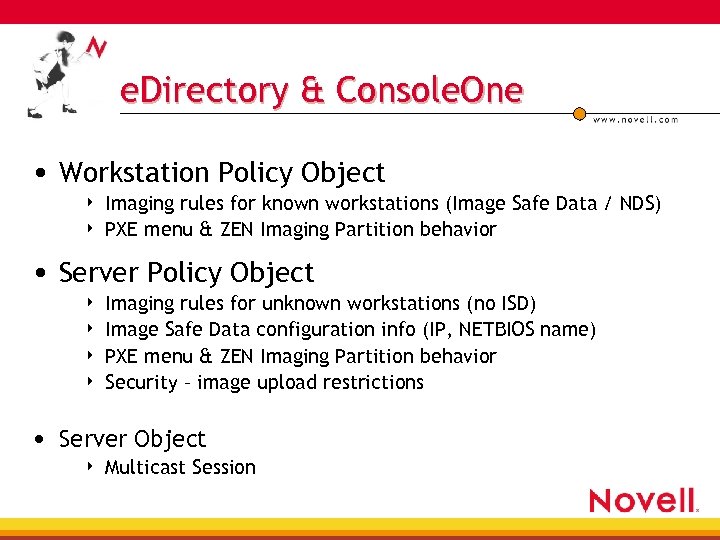
e. Directory & Console. One • Workstation Policy Object 4 4 Imaging rules for known workstations (Image Safe Data / NDS) PXE menu & ZEN Imaging Partition behavior • Server Policy Object 4 4 Imaging rules for unknown workstations (no ISD) Image Safe Data configuration info (IP, NETBIOS name) PXE menu & ZEN Imaging Partition behavior Security – image upload restrictions • Server Object 4 Multicast Session
PXE: Pre e. Xecutable Environment Boot From Network
10, 000 foot view, what is…PXE • What is it… 4 Spec developed by Intel Support of Wired for Management 2. 0 4 Uniform protocol for a client to… 4 Set of APIs in the machine’s pre-boot firmware environment 4 • ftp: //download. intel. com/labs/manage/wfm/download/pxespec. pdf • Request the allocation of a network address • Then request the download of a network boot program from a network boot server • that constitutes a consistent set of services that can be employed by the Network Boot Program or the BIOS.
10, 000 foot view, why…PXE • Why do you want it… 4 Automatic remote configuration of workstation hardware 4 Boot to a diagnostics/reporting system 4 “Diskless” workstations to be able to boot* • within a heterogeneous network environment. • in the event of a hard disk subsystem failure* • These are generic attributes of PXE, but not necessarily uses of Novell’s Preboot Services Product
5, 000 ft view, what is Novell’s Preboot Services Product? • Customized implementation of PXE software from Pre. Worx • PXE integrated with e. Directory 4 Directory policies determine what work there is to do • PXE integrated with ZENWorks Imaging 4 4 4 Boot images are “hard coded” around ZENWorks imaging Customization of boot programs requires purchase of additional software from Pre. Worx Processes are optimized for hard disk imaging
Preboot Services Requirements • DHCP environment • PXE compliant client hardware 4 NIC support 4 Motherboard BIOS 4 PXE on disk (if NIC is supported) • Servers to act as image proxies and PBS servers
On the deck - PBS Components • Di-NIC Proxy DHCP Server 4 4 Responds to modified DHCP requests Provides addresses of other PXE services • Di-NIC Trivial FTP (TFTP) / Multicast TFTP Server 4 4 Provides file services to PXE client Sends Linux boot images down to PXE client • Di-NIC Transaction Server (DTS. NLM/VSP. EXE) 4 4 Provides PXE client with tasks to be performed Requires ZENPXE. NLM on same server
On the deck - PBS Components • ZENworks PXE Module ZENPXE. NLM 4 4 4 Acts as image client on behalf of DTS server Requires Image Proxy on same server Queries e. Directory policies • Di-NIC Client 4 4 Provides interface to Transaction Server Checks for PXE tasks to be performed • Linux Boot Image & DOS Executable
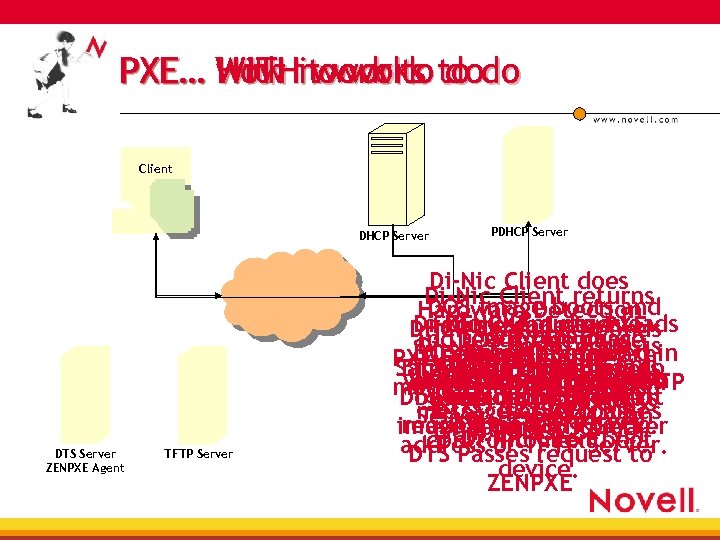
PXE… WITHit works to do How work to with no work do Client DHCP Server DTS Server ZENPXE Agent TFTP Server PDHCP Server Di-Nic Client does Di-Nic Client returns DOS image boots and Hardware Detection ZENPXE queries Di-Nic downloads PXE Client downloads failure code to DHCP Server Responds and DOS image Image reads ZEN runs Di-Nic Client requests DOSe. Directory IP image Firmware firmware. contained PXElinux. 1(ZISD). for andin issues with Client gets (kernel) Safe. Firmware Powers On BIOSData Firmware to Boot Transaction PXE Order Sends loadlin. exe. BIOS Post Di-Nic and informs Workstation Request Workstation to boot work to do status/error bootzen 2. bin from TFTP generates(filesystem) modified DHCP DTS information. PDHCP linux. 2 to address results “boot from network” Downloads Di-Nic client Linux into ZENworks Server DTS informs (DTS) DTS. responds with message. BIOS passes Server server. to do. from TFTP Server requesting TFTP image from Work Server Imaging system. from PDHCP server Di-Nic next control to. Clientboot address of TFTP Server. DTS Passes request to device. ZENPXE
PXE Design and Optimization • Deploy only 1 Proxy DHCP server per subnet 4 Discovered via broadcast so multiples will result in intermittent behavior • TFTP server(s) local to client for performance • Deploy at least 1 image proxy at each site 4 4 4 Image proxies can refer clients to other image proxies Multiple proxies can be used to distribute load If using PXE this MUST be your DTS server • Use DNS names for image proxies 4 No need to touch workstations if you change the IP address or move to a new server • Case Study: ZENworks Development Team
Maintaining Current Versions
How to Keep Up-To-Date • PXE 4 linux. 1, linux. 2 in TFTP • Diskette • CD • ZEN Partition
Automated ZEN Partitions Updates • Deploy changes to existing ZEN partitions without having to • • • visit each workstation Version stored on the ZEN partition & Imaging proxy service Server loads the version information at load time Client queries version information at “Get. Work. To. Do” If needed, updates downloaded and deployed (lilo. s) Update requires reboot Update process only occurs if booted from an installed ZEN partition
Multicasting Deliver single stream of information from the source to multiple clients
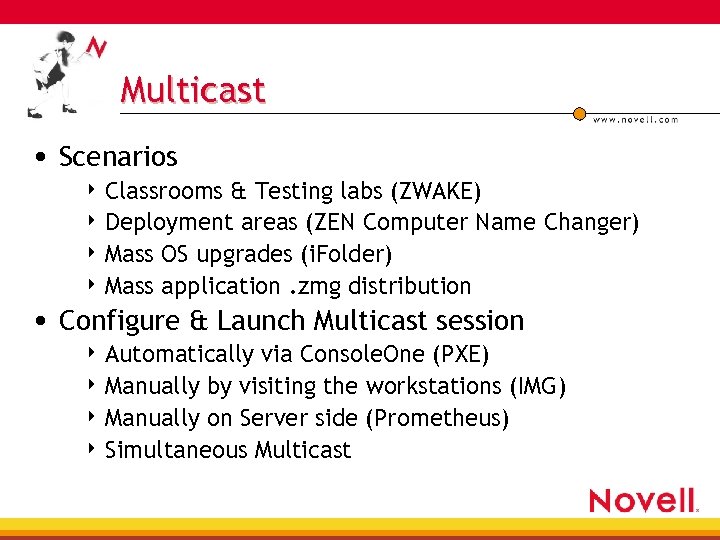
Multicast • Scenarios 4 Classrooms & Testing labs (ZWAKE) 4 Deployment areas (ZEN Computer Name Changer) 4 Mass OS upgrades (i. Folder) 4 Mass application. zmg distribution • Configure & Launch Multicast session 4 Automatically via Console. One (PXE) 4 Manually by visiting the workstations (IMG) 4 Manually on Server side (Prometheus) 4 Simultaneous Multicast
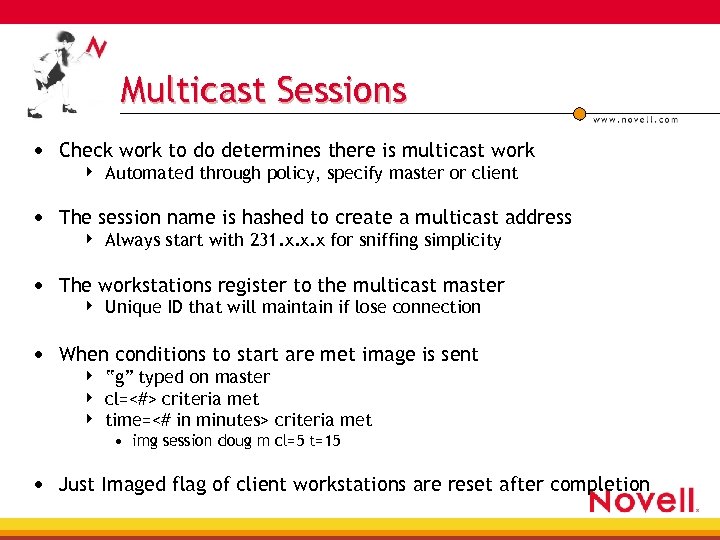
Multicast Sessions • Check work to do determines there is multicast work 4 Automated through policy, specify master or client • The session name is hashed to create a multicast address 4 Always start with 231. x. x. x for sniffing simplicity • The workstations register to the multicast master 4 Unique ID that will maintain if lose connection • When conditions to start are met image is sent 4 4 4 “g” typed on master cl=<#> criteria met time=<# in minutes> criteria met • img session doug m cl=5 t=15 • Just Imaged flag of client workstations are reset after completion
Server Based Manual Multicast
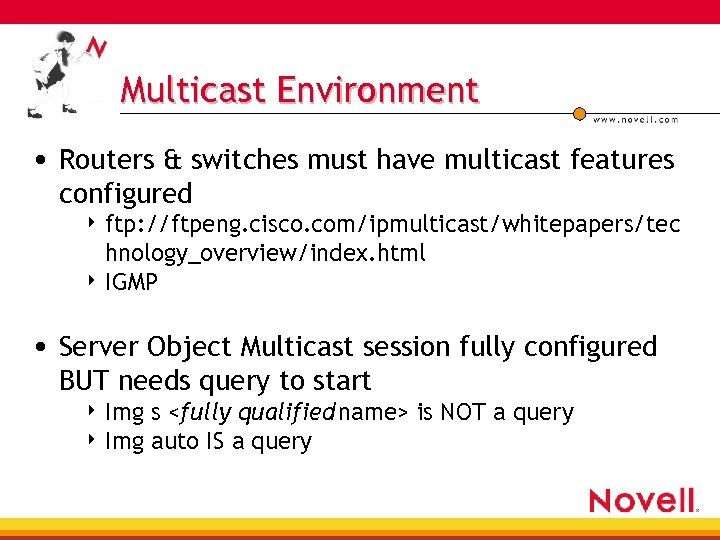
Multicast Environment • Routers & switches must have multicast features configured 4 ftp: //ftpeng. cisco. com/ipmulticast/whitepapers/tec hnology_overview/index. html 4 IGMP • Server Object Multicast session fully configured BUT needs query to start 4 Img s <fully qualified name> is NOT a query 4 Img auto IS a query
break

Looking under the hood…. .
Advanced Scripted Images
Scripting: Beyond Cloning • All imaging products have certain functionality 4 Create/delete 4 Insert partitions files… • What do you need? 4 Low level control to automate your imaging 4 Freedom to customize / design your imaging solution • What ZENworks provides 4 Full bash scripting capabilities from the directory 4 Granular control of the imaging engine from scripts
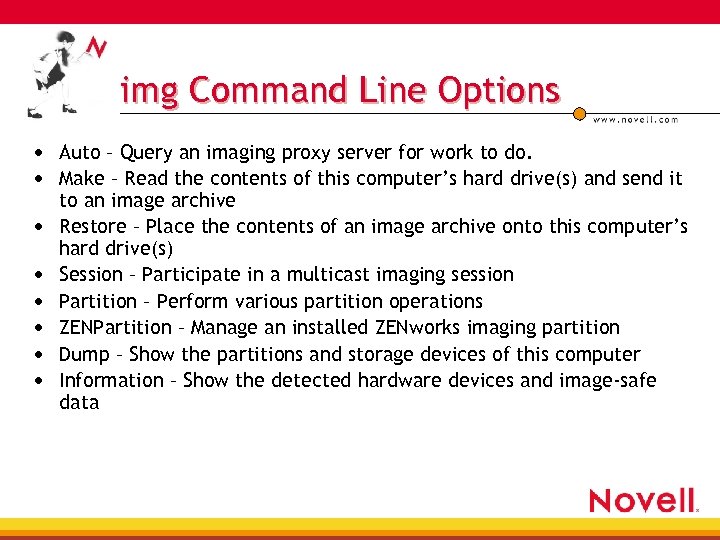
img Command Line Options • Auto – Query an imaging proxy server for work to do. • Make – Read the contents of this computer’s hard drive(s) and send it • • • to an image archive Restore – Place the contents of an image archive onto this computer’s hard drive(s) Session – Participate in a multicast imaging session Partition – Perform various partition operations ZENPartition – Manage an installed ZENworks imaging partition Dump – Show the partitions and storage devices of this computer Information – Show the detected hardware devices and image-safe data
IMG Auto • Command Lines – None • Contacts the proxy server indicated by the environment variable PROXYADDR and asks if there is any imaging work to be done. Any tasks assigned through the current policy packages are then executed • PROXYADDR is set in the settings. txt file of setup disk 3 and can be changed using the config option of the boot disks • PROXYADDR may be an IP address, DNS name, or a name from the local hosts file
![IMG Make • Command Lines • img makel [<p. Number>] <filepath> <xp. Number> img](https://present5.com/presentation/be9dc518e47e8c5c603260625cc7d423/image-35.jpg "IMG Make • Command Lines • img makel [<p. Number>] <filepath> <xp. Number> img")
IMG Make • Command Lines • img makel [<p. Number>] <filepath> <xp. Number> img makep <address> <filepath> <xp. Number> • Makel – Stores the image archive locally either on the ZENworks partition or othe • • partition indicated by <p. Number>. Makep – Stores the image archive on the proxy server indicated by <address> p. Number – Local partition where the image archive will be stored. Must be a PRIMARY partition of type FAT 16 or FAT 32. Filepath – file name and path where the image archive will be created xp. Number – Local parition(s) you want to exclude from the image you are making
![IMG Restore • Command Lines img restorel [<p. Number>] <filepath> <sfileset> <ap. Number: pp.](https://present5.com/presentation/be9dc518e47e8c5c603260625cc7d423/image-36.jpg "IMG Restore • Command Lines img restorel [<p. Number>] <filepath> <sfileset> <ap. Number: pp.")
IMG Restore • Command Lines img restorel [<p. Number>] <filepath> <sfileset> <ap. Number: pp. Number> img restorep <address> <filepath> <sfileset> <ap. Number: pp. Number> • Restorel – Restores a local image archive from either the ZENworks partition or the • • • partition indicated by <p. Number> Restorep – Restores the image archive from the proxy server indicated by <address> p. Number – Local partition where the image archive is stored. Must be a PRIMARY partition of type FAT 16 or FAT 32. Filepath – file name and path where the image archive is stored. Sfileset - The number of the image fileset (variant) to lay down. Valid values are 1 through 10. If you omit this parameter, fileset 1 is used. ap. Number: pp. Number - A mapping between a partition in the image archive (ap. Number) and a target physical partition on the local machine (pp. Number). Use this parameter to selectively restore a specific part of the image to a specific local partition. If you use this parameter, none of the existing local partitions are removed, and only the target local partition is updated. The update process does not remove any existing files or overwrite any existing files of the same names if they are newer. For ap. Number, use the partition number displayed for the source partition in the Image Explorer utility. For pp. Number, use the partition number displayed by img dump for the target partition.
![IMG Session • Command Lines img session <name> [master|client] [clients=<count> time=<minutes>] • Name –](https://present5.com/presentation/be9dc518e47e8c5c603260625cc7d423/image-37.jpg "IMG Session • Command Lines img session <name> [master|client] [clients=<count> time=<minutes>] • Name –")
IMG Session • Command Lines img session <name> [master|client] [clients=<count> time=<minutes>] • Name – Unique name of the multicast session • Master|client – Indicates that this computer will be session master, or a session client • Count – Number of clients the master will register before starting the session. Default • action is to wait for the user to start the session manually Minutes – The number of minutes the master will wait for a new client to register before starting the session with less than <count> registered clients
![IMG Partition • Command Lines img pa<p. Number> img pc[<p. Number>] <type> [<size>] [cluster=<clustersize>]](https://present5.com/presentation/be9dc518e47e8c5c603260625cc7d423/image-38.jpg "IMG Partition • Command Lines img pa<p. Number> img pc[<p. Number>] <type> [<size>] [cluster=<clustersize>]")
IMG Partition • Command Lines img pa<p. Number> img pc[<p. Number>] <type> [<size>] [cluster=<clustersize>] Img pd<p. Number> • p. Number – Local partition to be modified. • Pa - Makes <p. Number> the active partition. • Pc – Creates a new partition of <type> and <size> at p. Number. Valid types are FAT 12, • FAT 16, FAT 32, NTFS and Extended. Valid sizes depend on the chosen type. Choose an appropriate <clustersize> for the <type> and <size> of parition being created. If this parameter is omitted, the imaging engine uses a reasonable cluster size for the parition size. <size> should be expressed in megabytes. Pd – Deletes the partition at <p. Number>
IMG Zen. Partition • Command Lines img zen. Part enable|disable|remove • Disable – Disables an installed ZENWorks partition so that the computer will no longer • • boot inmto Linux by default. You must run ‘lilo. s’ after disabling an installed ZENworks partition. Enable – Enables a disabled ZENWorks partition so that the computer will boot into Linux by default. You must run ‘lilo. s’ after enabling the ZENworks boot partition. Remove – Removes an installed ZENworks partition from the hard disk. If you remove the ZENworks partition from a Windows NT, Windows 2000, or Windows XP machine windows will no longer boot. You should only remove the ZENworks partition if you are restoring a new base image to the workstation.
![IMG Dump • Command Lines img dump [geo] • Displays all partitions on all](https://present5.com/presentation/be9dc518e47e8c5c603260625cc7d423/image-40.jpg "IMG Dump • Command Lines img dump [geo] • Displays all partitions on all")
IMG Dump • Command Lines img dump [geo] • Displays all partitions on all supported drives on the computer. Some partitions, such • as the ZENworks partitions and COMPAQ configuration partitions, are protected and will not be displayed. Geo – Optionally displays the geometry and capacity of all supported storage devices on the computer.
IMG Information • Command Lines img info hardware img info zisd • Hardware – Displays all detected hardware on the computer. This information is sent • to the proxy server during automated operation and is used to determine which (if any) server package policy will be applied to this computer. Zisd – Displays the image-safe data stored on the computer. This information is assigned by the proxy server according to the active policies. It is restored to the Windows registry by the Image-Safe Data Agent the next time the computer boots to its operating system.
Scripted Images 1 • OS Upgrade with Data partition (98 -XP) 4 Re-Image OS Partition 4 Data Partition remains intact 4 Custom file from audience
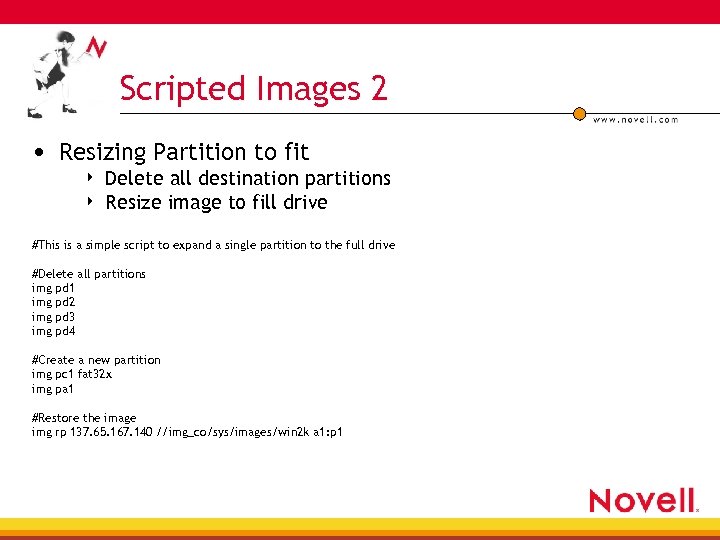
Scripted Images 2 • Resizing Partition to fit 4 4 Delete all destination partitions Resize image to fill drive #This is a simple script to expand a single partition to the full drive #Delete all partitions img pd 1 img pd 2 img pd 3 img pd 4 #Create a new partition img pc 1 fat 32 x img pa 1 #Restore the image img rp 137. 65. 167. 140 //img_co/sys/images/win 2 k a 1: p 1
Scripted Images 3 • Bash shell scripting • Menu to select which image to deploy 4 Define action based on user selection
Scripted Images 4 • New possibilities with TFTP 4 Augment Linux environment • Color Menu using pdmenu 4 www. freshmeat. net - pdmenu
Hardware Independent Images
Hardware Independent Images • Verify the HAL: Q 237556 and Q 216551 • Install Operating System, Patches, Novell Client for Windows, and NAL • Run SYSPREP /PNP /NOSIDGEN to prepare the image 4 1. 1 allows for different drive types • Create a SYSPREP. INF • Create a CMDLINES. TXT 4 4 4 Includes SYSPREP. EXE –clean to disable disk drivers not used Includes ZISWIN. EXE to restore image safe data Includes ZCNC. EXE /SN /F to pull serial number for name • Create the image
Build Scripts lewing@isc. tamu. edu
ZENworks Linux Build Scripts • Made available due to user requests to modify environment 4 Not supported by technical support 4 However, they are extremely useful 4 Available only from Cool. Solutions • Build scripts allow you to build modified resource files 4 http: //www. novell. com/coolsolutions/zenworks/feat ures/a_linux_scripts_zw. html 4 Must be used on a full installation of Linux
Build Script Components • Build area 4 Staging area that mirrors ZEN imaging environment • Build scripts 4 uses the build area to create resource files • Bootcd. iso • linux. 1 and linux. 2 • root. tgz… • Boot scripts 4 Controls the Linux boot process
Build Script Documentation • Examples of things you’ll find documented 4 Boot process for ZENworks Linux 4 How boot scripts determines which Lan driver to load • Where look • Order searched 4 How Self-Updating mechanism works 4 Detailed description of boot scripts 4 Changing the boot menu contents
Common Modifications • Change bash prompt • Change boot menu • Force LAN driver to load…. . 4 In 10 MB half-duplex (driver. conf) 4 In specific order (nw. Driver. List) • Add a utility / driver • Set user environment variables • Limited only by your imagination
Changing the boot menu….
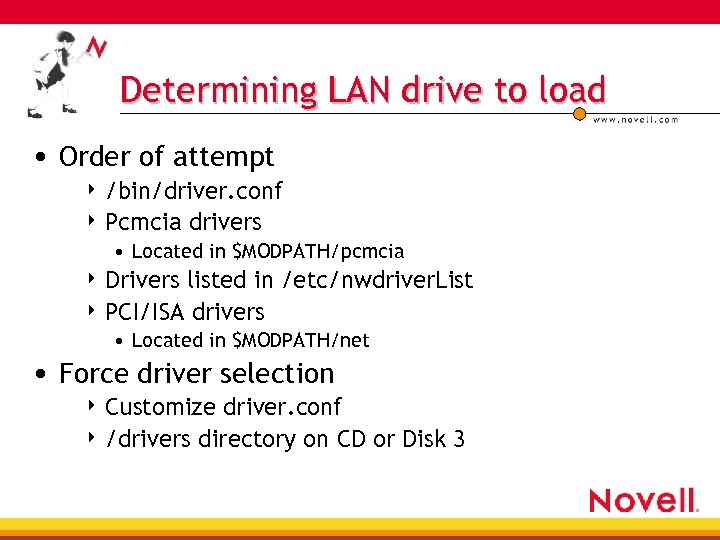
Determining LAN drive to load • Order of attempt 4 /bin/driver. conf 4 Pcmcia drivers • Located in $MODPATH/pcmcia 4 Drivers listed in /etc/nwdriver. List 4 PCI/ISA drivers • Located in $MODPATH/net • Force driver selection 4 Customize driver. conf 4 /drivers directory on CD or Disk 3
Customizing environment variables…
Customizing Boot CDs
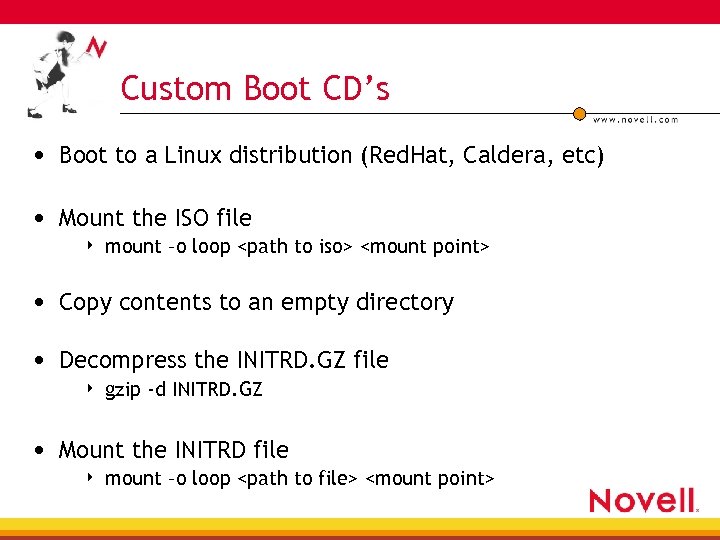
Custom Boot CD’s • Boot to a Linux distribution (Red. Hat, Caldera, etc) • Mount the ISO file 4 mount –o loop <path to iso> <mount point> • Copy contents to an empty directory • Decompress the INITRD. GZ file 4 gzip -d INITRD. GZ • Mount the INITRD file 4 mount –o loop <path to file> <mount point>
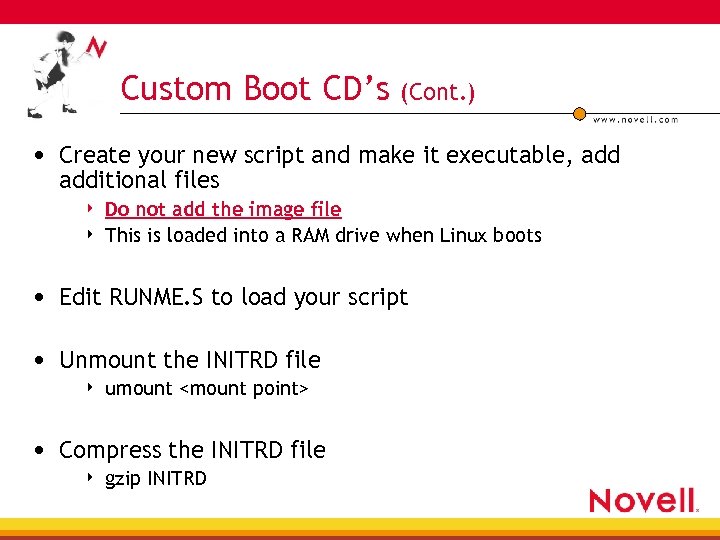
Custom Boot CD’s (Cont. ) • Create your new script and make it executable, additional files 4 4 Do not add the image file This is loaded into a RAM drive when Linux boots • Edit RUNME. S to load your script • Unmount the INITRD file 4 umount <mount point> • Compress the INITRD file 4 gzip INITRD
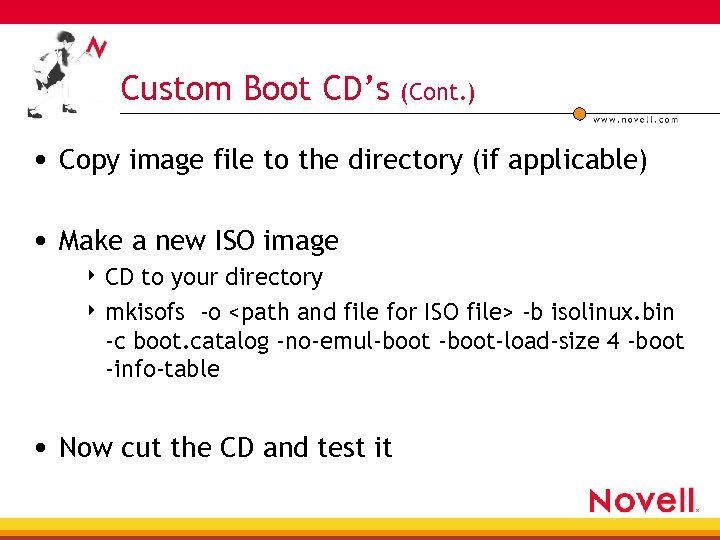
Custom Boot CD’s (Cont. ) • Copy image file to the directory (if applicable) • Make a new ISO image 4 CD to your directory 4 mkisofs -o <path and file for ISO file> -b isolinux. bin -c boot. catalog -no-emul-boot-load-size 4 -boot -info-table • Now cut the CD and test it
Imaging Resources
ZENworks Prometheus… • Multicast enhancements 4 Simultaneous Server multicast 4 Manually start Multicasting from server • Speed enhancements • XP support
More Information • www. novell. com/coolsolutions/zenworks 4 Imaging Vault 4 Lab Guide • www. novell. com/documentation/ • Troubleshooting imaging 10055585 • ZFD 3 Image Engine Command-line Parameters and Troubleshooting Tips 10053996 • Enable Debug Logging for Imaging 10066140 • “Drakes Rack in Lab”
Advanced Technical Training ZENworks for Desktops 3. 2 + i. Folder & On. Demand http: //www. novell. com/education/train_product/zw 32. html • • in-depth architectural reviews support issues advanced enterprise solutions highly technical training: lecture & hands-on labs
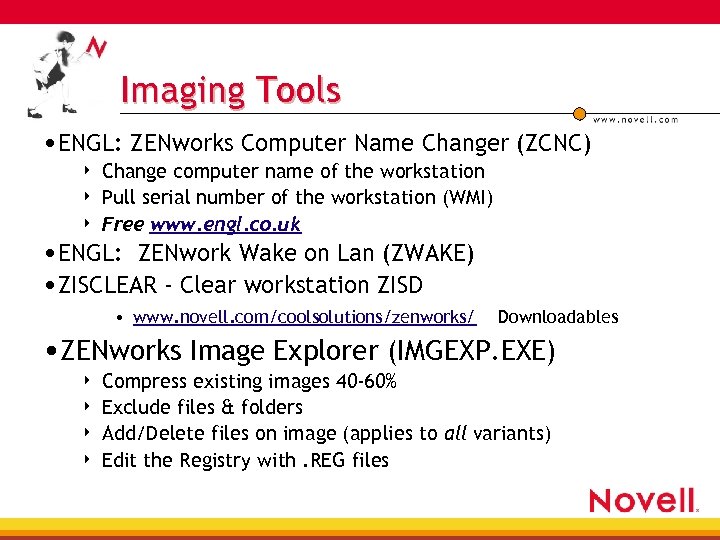
Imaging Tools • ENGL: ZENworks Computer Name Changer (ZCNC) 4 4 4 Change computer name of the workstation Pull serial number of the workstation (WMI) Free www. engl. co. uk • ENGL: ZENwork Wake on Lan (ZWAKE) • ZISCLEAR - Clear workstation ZISD • www. novell. com/coolsolutions/zenworks/ Downloadables • ZENworks Image Explorer (IMGEXP. EXE) 4 4 Compress existing images 40 -60% Exclude files & folders Add/Delete files on image (applies to all variants) Edit the Registry with. REG files
 Скачать презентацию ZENworks Secrets of Imaging and Preboot Services
be9dc518e47e8c5c603260625cc7d423.ppt