Скачать презентацию ZENworks for Servers Overview www novell com Mike
34c52efb9ede643a966101e338047f5b.ppt
- Количество слайдов: 62
 ZENworks® for Servers Overview www. novell. com Mike Ellerbe Senior Technical Account Manager Novell, Inc. mellerbe@novell. com Doc Hodges Corporate Technology Strategist Novell, Inc. dhodges@novell. com
 Vision…one Net A world where networks of all types—corporate and public, intranets, extranets, and the Internet—work together as one Net and securely connect employees, customers, suppliers, and partners across organizational boundaries Mission To solve complex business and technical challenges with Net business solutions that enable people, processes, and systems to work together and our customers to profit from the opportunities of a networked world
 What Is Novell ZENworks®? • The Novell ZENworks family of products… • Automates and personalizes content and applications to increase productivity for end users and network managers alike • Allows you to minimize costs by reducing redundancies, effectively leveraging your resources and precisely tracking their use
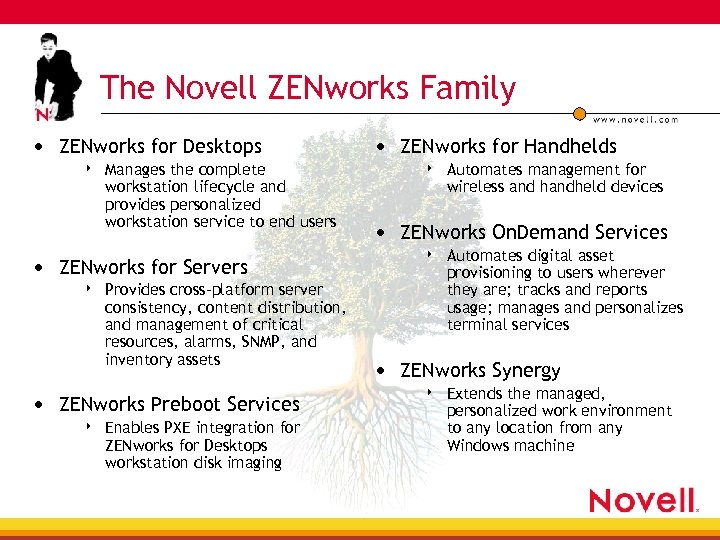 The Novell ZENworks Family • ZENworks for Desktops 4 Manages the complete workstation lifecycle and provides personalized workstation service to end users • ZENworks for Servers 4 Provides cross-platform server consistency, content distribution, and management of critical resources, alarms, SNMP, and inventory assets • ZENworks Preboot Services 4 Enables PXE integration for ZENworks for Desktops workstation disk imaging • ZENworks for Handhelds 4 Automates management for wireless and handheld devices • ZENworks On. Demand Services 4 Automates digital asset provisioning to users wherever they are; tracks and reports usage; manages and personalizes terminal services • ZENworks Synergy 4 Extends the managed, personalized work environment to any location from any Windows machine
 ZENworks for Servers 3 • ZENworks for Servers 3 4 Provides cross-platform server consistency, content distribution, and management of critical resources, alarms, SNMP, and inventory assets • Three major service categories 4 Server and Infrastructure Management 4 Server Policies 4 Server Content Distribution (TED) • (the biggest changes in version 3 are here)
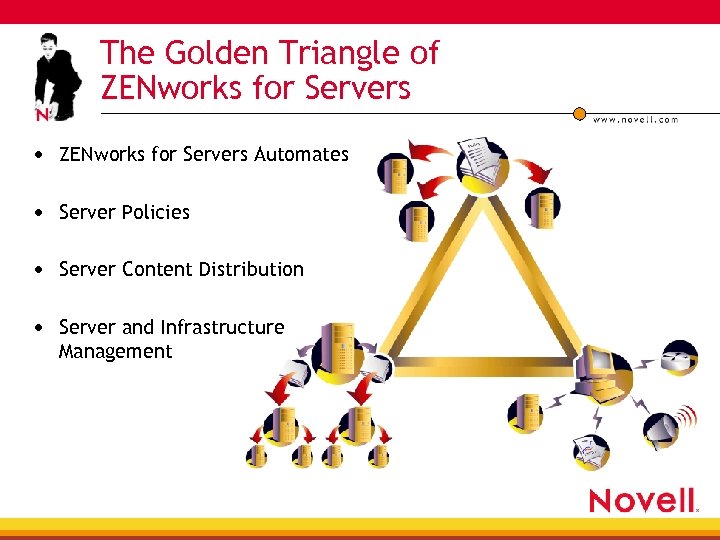 The Golden Triangle of ZENworks for Servers • ZENworks for Servers Automates • Server Policies • Server Content Distribution • Server and Infrastructure Management
 Server Infrastructure Management Monitoring and Management
 What Are the Two Methods of Server and Infrastructure Management? • Reactive management 4 Wait to fix a problem until the phone system goes down due to an overload of calls to the help-desk • Proactive management 4 Find the problem and fix it before anyone else knows about it
 Three Ways to Shift From Reactive to Proactive Management 1. Baseline 2. Baseline 3. Baseline
 Okay, The Real Ways • Baseline 4 Get the working trends from your network so that as the trend changes, you can react before it dies • Set alarms 4 Get warnings when problems occur so that corrective action can be taken quickly 4 And the corrective actions can be better targeted to the real problem • Prediction and Trending 4 Use the baselines to help predict the effects of changes before you make them
 The Problem with Reactive Management • When you wait for a disaster to strike, the damage is always greater • When you do not know the history, it is harder to find the source 4 When the house is a pile of ashes, it is hard to find the hotpot that was left on
 Advantage of Proactive Management • Head off problems before they ever become a problem • When problems do occur, minimize the impact to the system 4 Have the information that you need to help diagnose and fix the problem 4 Have the necessary data to tell if your solution is actually working • Be able to intelligently plan for network changes and growth
 So How Can ZEN for Servers Help You Manage Your Network? • Baselines? 4 It keeps it for you • Alarms? 4 They come to you • Trends? 4 Health reports • Include health statistics based on your criteria • And show the trends from report to report
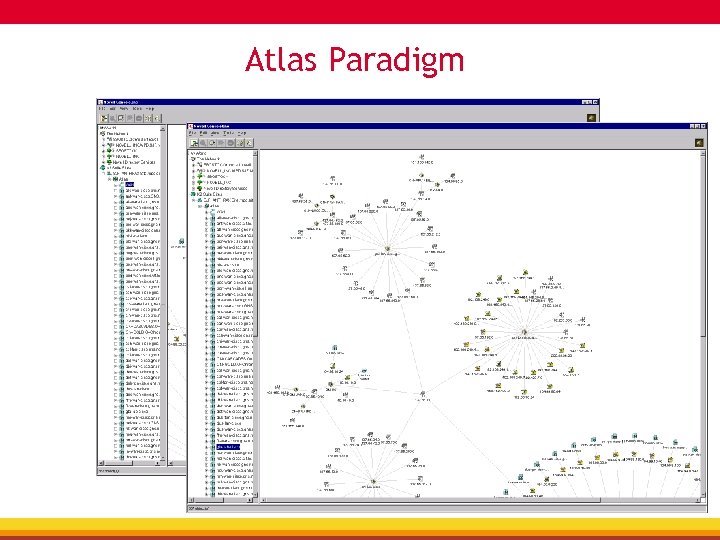
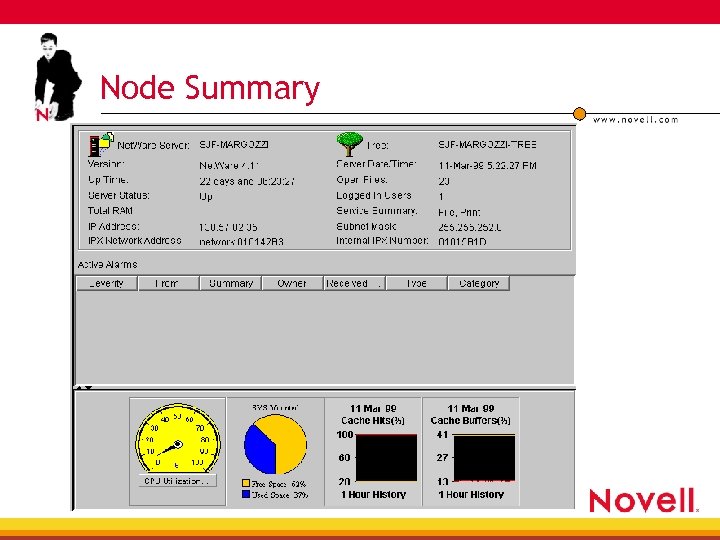
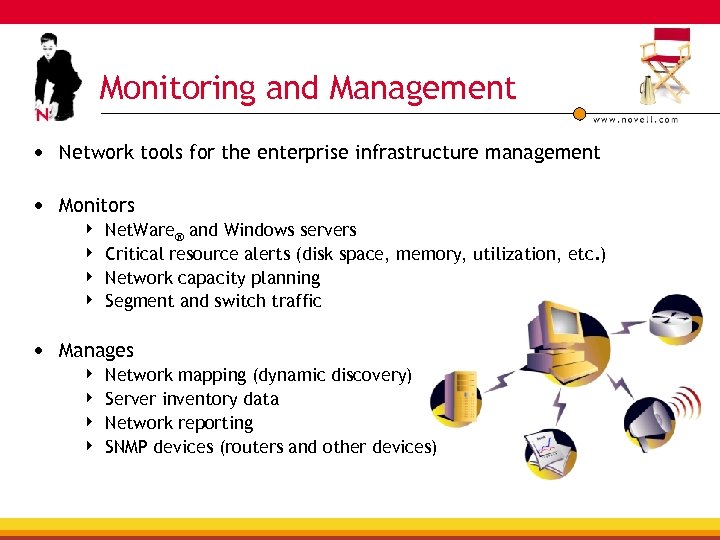 Monitoring and Management • Network tools for the enterprise infrastructure management • Monitors 4 4 Net. Ware® and Windows servers Critical resource alerts (disk space, memory, utilization, etc. ) Network capacity planning Segment and switch traffic • Manages 4 4 Network mapping (dynamic discovery) Server inventory data Network reporting SNMP devices (routers and other devices)
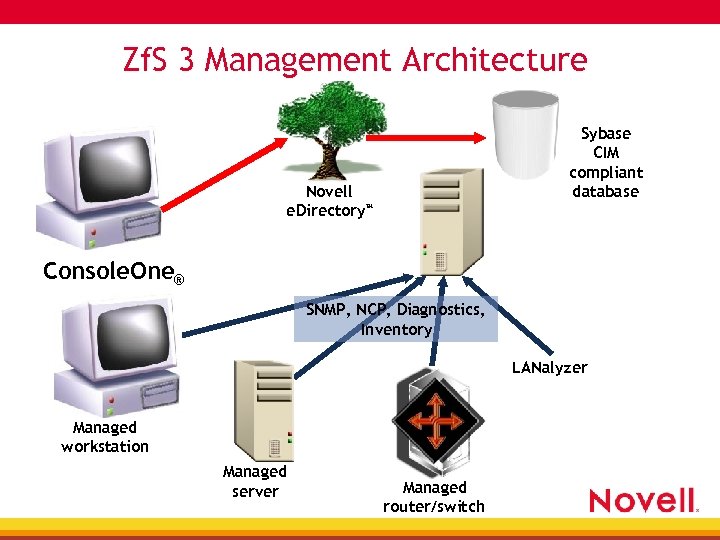 Zf. S 3 Management Architecture Sybase CIM compliant database Novell e. Directory™ Console. One® SNMP, NCP, Diagnostics, Inventory LANalyzer Managed workstation Managed server Managed router/switch
 Atlas Paradigm
 Net. Ware Management Agent • Deploy on each managed server • Open standard SNMP interface • Net. Ware server MIB 4 System, File System 4 Connections, User Accounts 4 Queues, ODI, SFT-III, NCP, Watchdog 4 NLMs, Set Parameters • Net. Ware server and e. Directory trap MIBs 4 400+ Net. Ware alarms and events 4 128+ e. Directory alarms and events
 Windows NT Server Management Agent • DLL on NT/2000 • Deploy on each managed server • Open standard SNMP interface • NT Server MIB 4 System 4 File system • NT Server Trap MIB 4 Traps for system, security and application events in different severity levels
 Node Summary
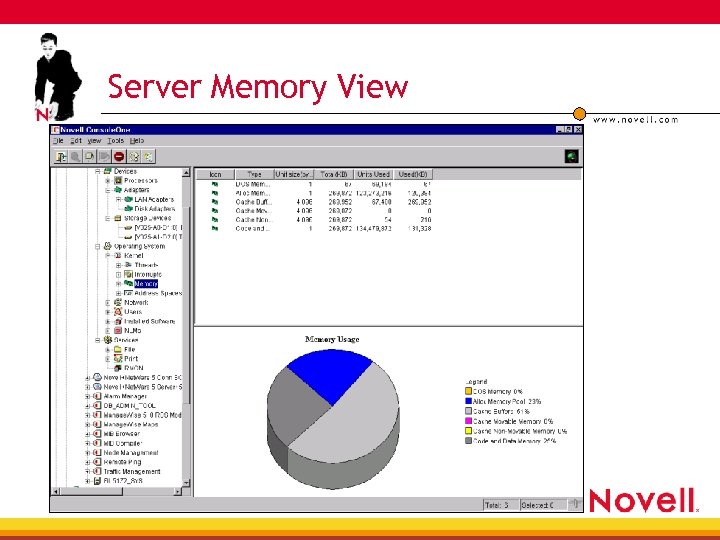 Server Memory View
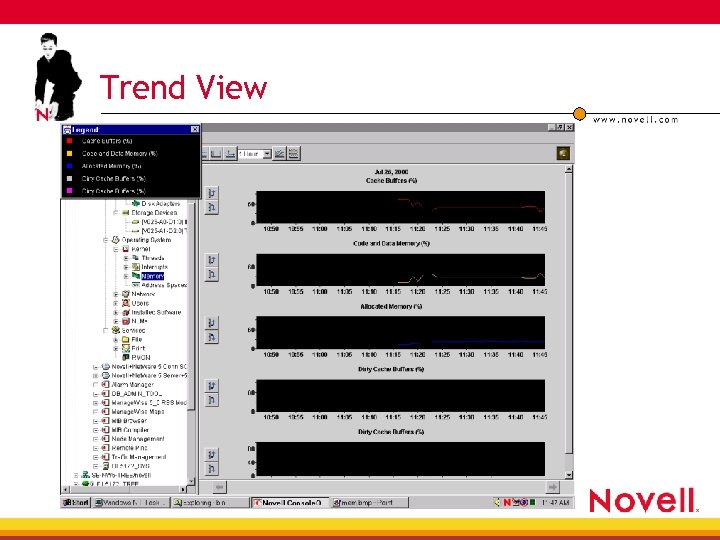 Trend View
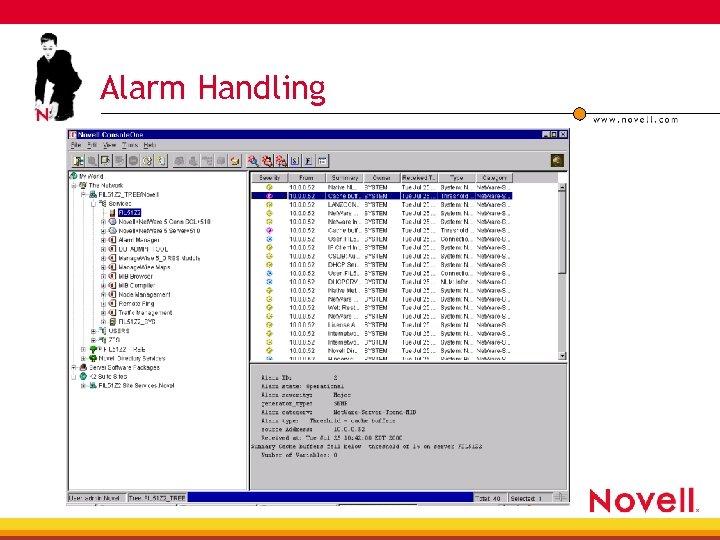 Alarm Handling
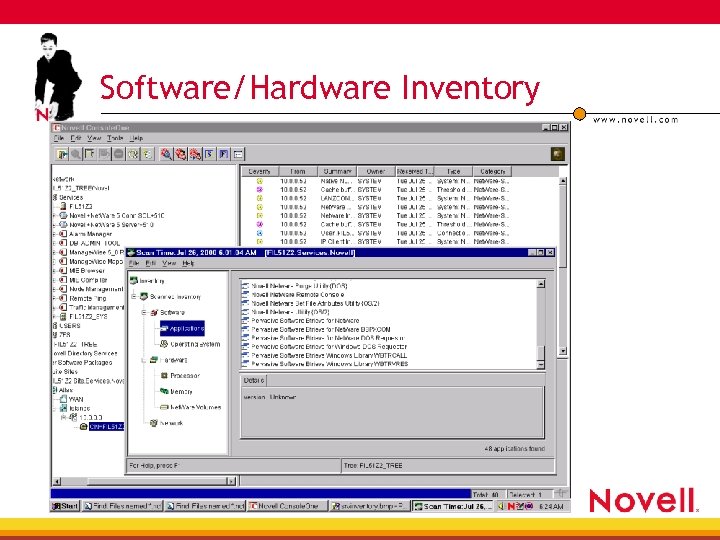 Software/Hardware Inventory
 LANalyzer Agent • Runs on either Net. Ware or Win 32 • Deploy on each managed segment 4 Supports both Ethernet and Token Ring 4 supports single or multiple interfaces • Open Standard SNMP interface • FDDI RMON MIB—Novell proprietary (no standard exists)
 Why Run a Network Analyzer on My Server? • Network traffic analysis is difficult in switched environments 4 As most traffic is workstation-to-server, doing the analysis on the server may give you the best view possible • It is sometimes important to match network load with other performance characteristics 4 Not having a trend from the servers point of view makes it harder to find bottleneck patterns
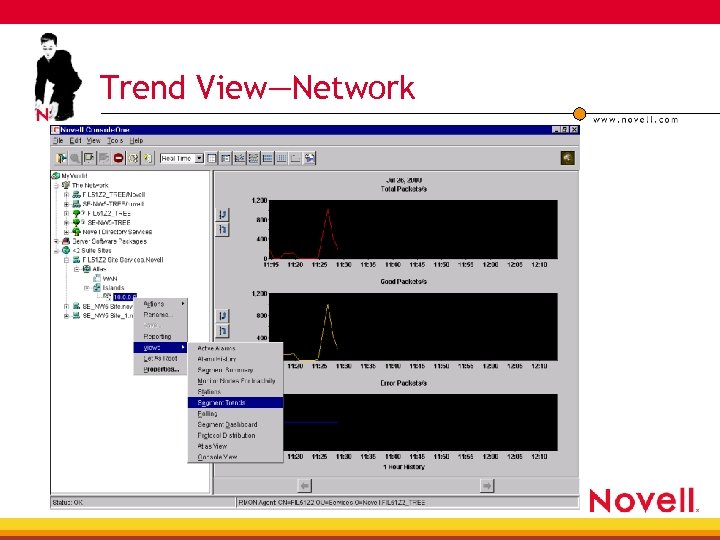 Trend View—Network
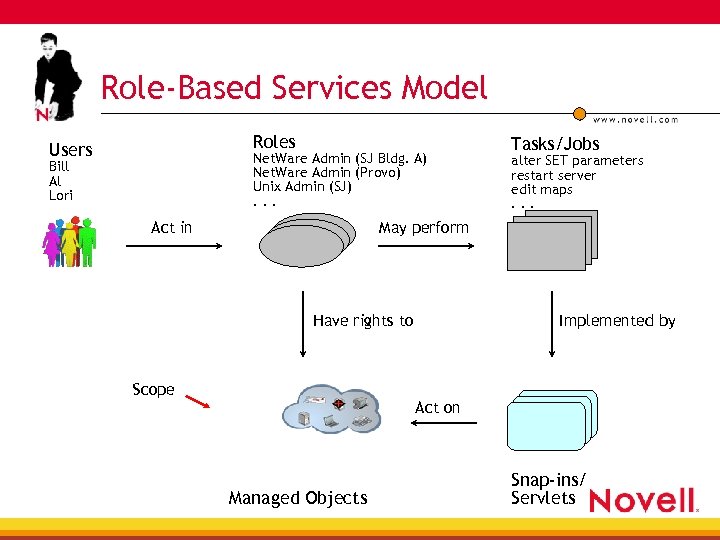 Role-Based Services Model Roles Users Net. Ware Admin (SJ Bldg. A) Net. Ware Admin (Provo) Unix Admin (SJ). . . Bill Al Lori Act in Tasks/Jobs alter SET parameters restart server edit maps. . . May perform Have rights to Scope Implemented by Act on Managed Objects Snap-ins/ Servlets
 RBS at Runtime • RBS knows the user identity • Snap-ins know the tasks they implement 4 Call RBS with module. task and ask “can I do this” 4 Are good guys and abide by response • In Zf. S 3 Domain, all access is through Atlas which provides the scoping 4 Calls RBS to ask if UCS is in scope 4 Does not display UCS if not in scope 4 Hence user can’t access
 Reporting • Built-in reports • Multiserver capabilities • Health reports • Scheduling • Multiple file formats
 Management and Monitoring Enhancements • Highest focus on stability of current product— Atlas problems are being addressed, bug fixes are the highest priority • Other M&M enhancements—IP Discovery 4 On the Management and Monitoring side, administrators will have the ability to manually add IP addresses into discovered devices—this prevents running discovery every time one device has been added, or IP addresses change
 Management and Monitoring Enhancements (cont. ) • Inventory 4 Inventory utilizes the policy engine to allow scheduling of inventory scans from one interface to many servers (configurable like a server policy) • Remote Control 4 Rights to Remote Control are be e. Directory-based, allowing the directory to specify who manages which server(s)
 Remember. . . It only takes one small change to go from Networking to Notworking!
 Server Policies Policy-Based Management
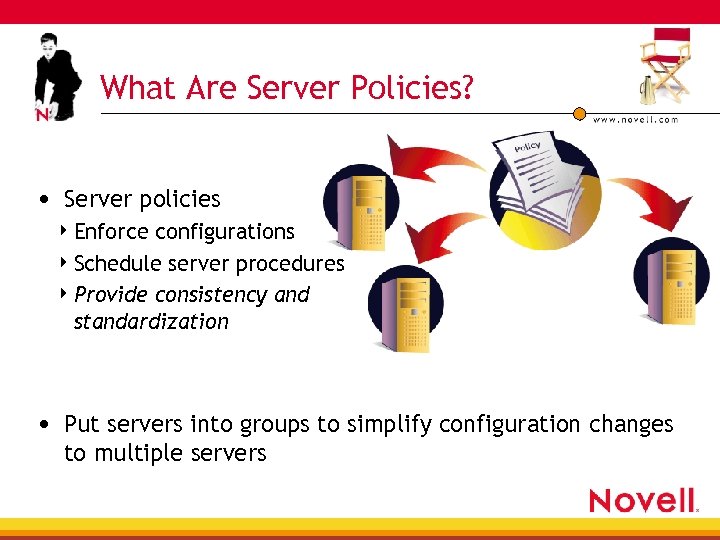 What Are Server Policies? • Server policies 4 Enforce configurations 4 Schedule server procedures 4 Provide consistency and standardization • Put servers into groups to simplify configuration changes to multiple servers
 Why Use Server Policies? • Ever down the wrong server? • Ever down a server at a bad time? 4 4 During a important project? During a backup operation? • Ever have a server not go down? • Ever need to plan and enforce a server downtime? Ever need to change a setting on most (or all) of your servers? • Do you always run the server GUI? • Ever need to start and stop a service on a schedule?
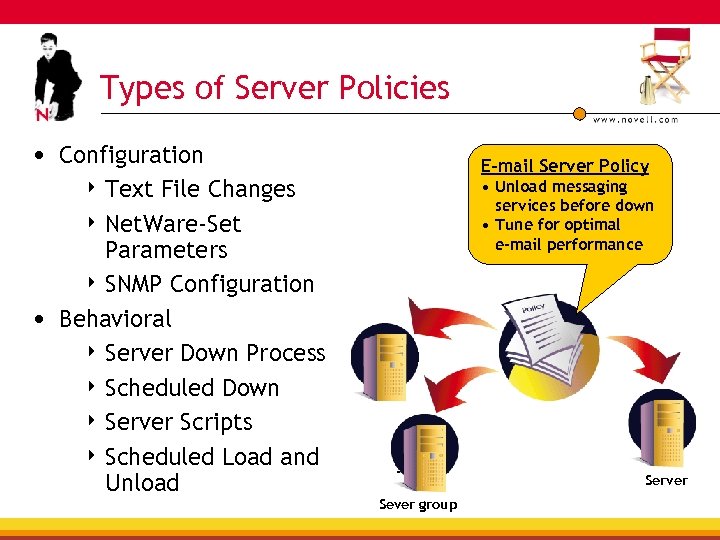 Types of Server Policies • Configuration File Changes 4 Net. Ware-Set Parameters 4 SNMP Configuration • Behavioral 4 Server Down Process 4 Scheduled Down 4 Server Scripts 4 Scheduled Load and Unload E-mail Server Policy 4 Text • Unload messaging services before down • Tune for optimal e-mail performance Server Sever group Server
 Server Policy Enhancements • Cross-platform support 4 4 Net. Ware Windows NT and 2000 Servers Solaris Linux • Policies may start and stop NT Services and Linux/Solaris Processes • Copy File Policy 4 Copy files from one location to another on the subscriber for all supported platforms
 Server Policy Enhancements (cont. ) • Policies are associated with the Subscriber, not the Server 4 4 Policies are now distributed from Distributors to affected Subscribers—Subscribers now can be across trees or not in any tree Because Policies are now applicable to NT/W 2 K/Solaris/Linux, the Server that Policies are applied to do not need to have Novell e. Directory™ installed on them • Policies are distributed via TED • Web-based management
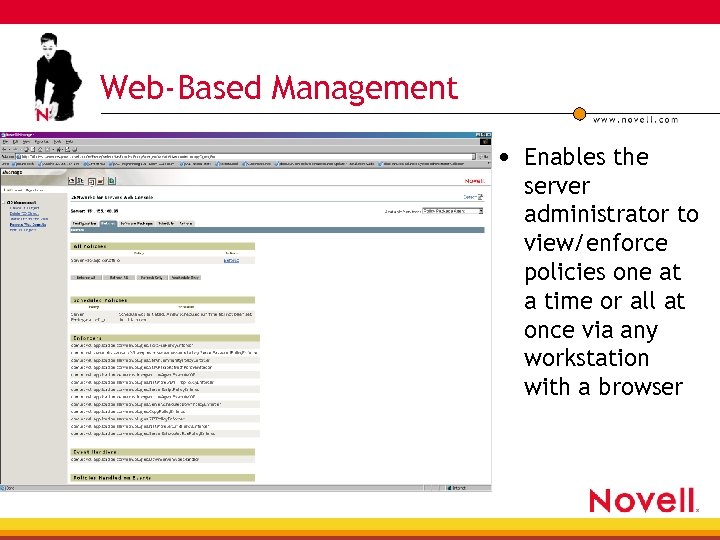 Web-Based Management • Enables the server administrator to view/enforce policies one at a time or all at once via any workstation with a browser
 Server Content Distribution Tiered Electronic Distribution
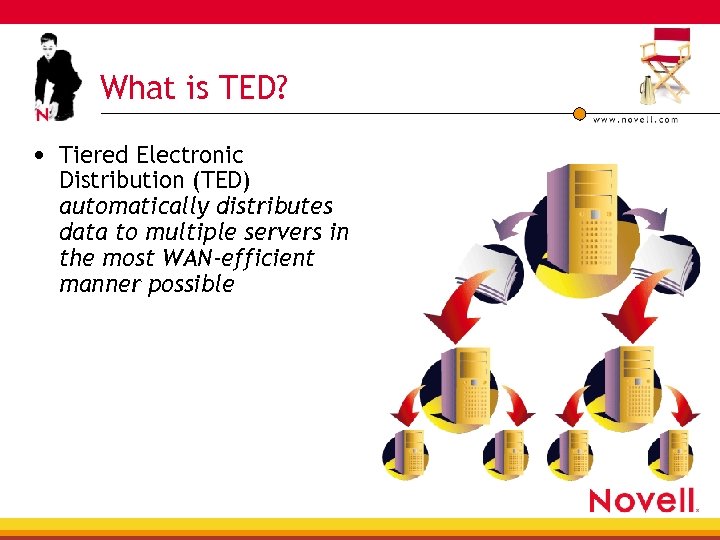 What is TED? • Tiered Electronic Distribution (TED) automatically distributes data to multiple servers in the most WAN-efficient manner possible
 Do I Really Need TED’s Help? Do you like to visit every server just to apply a service pack? How long will hackers/crackers give you to load the latest security patch? When you have to send a large software package across the WAN, do you want to come in at 1 am when traffic is low? Is your idea of an exciting weekend include watching status bars going by? Do you like comparing date and time stamps to keep key files on your servers standardized?
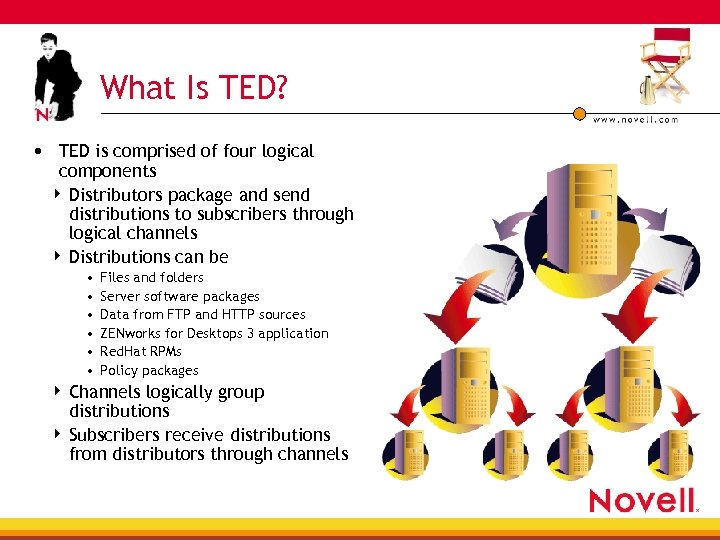 What Is TED? • TED is comprised of four logical components 4 Distributors package and send distributions to subscribers through logical channels 4 Distributions can be • • • Files and folders Server software packages Data from FTP and HTTP sources ZENworks for Desktops 3 application Red. Hat RPMs Policy packages Channels logically group distributions 4 Subscribers receive distributions from distributors through channels 4
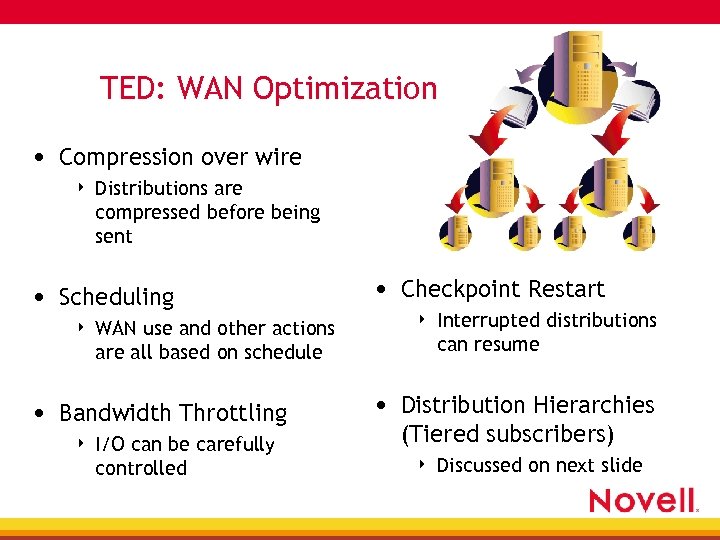 TED: WAN Optimization • Compression over wire 4 Distributions are compressed before being sent • Scheduling 4 WAN use and other actions are all based on schedule • Bandwidth Throttling 4 I/O can be carefully controlled • Checkpoint Restart 4 Interrupted distributions can resume • Distribution Hierarchies (Tiered subscribers) 4 Discussed on next slide
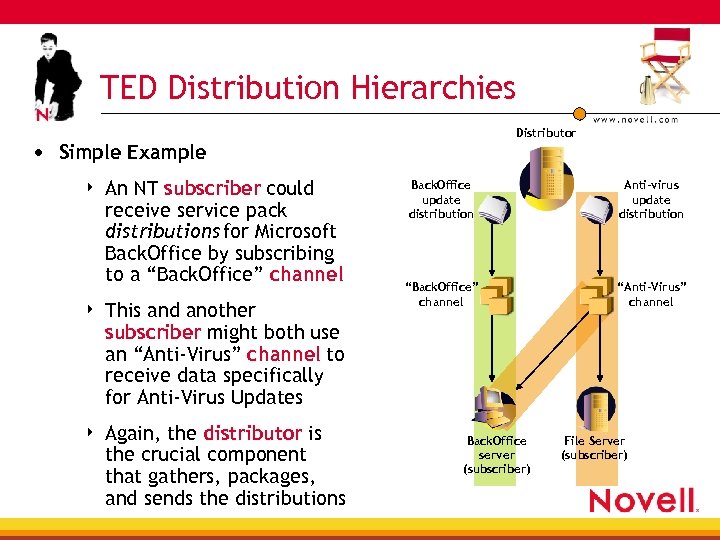 TED Distribution Hierarchies Distributor • Simple Example 4 An NT subscriber could receive service pack distributions for Microsoft Back. Office by subscribing to a “Back. Office” channel 4 This and another subscriber might both use an “Anti-Virus” channel to receive data specifically for Anti-Virus Updates 4 Again, the distributor is the crucial component that gathers, packages, and sends the distributions Back. Office update distribution Anti-virus update distribution “Back. Office” channel “Anti-Virus” channel Back. Office server (subscriber) File Server (subscriber)
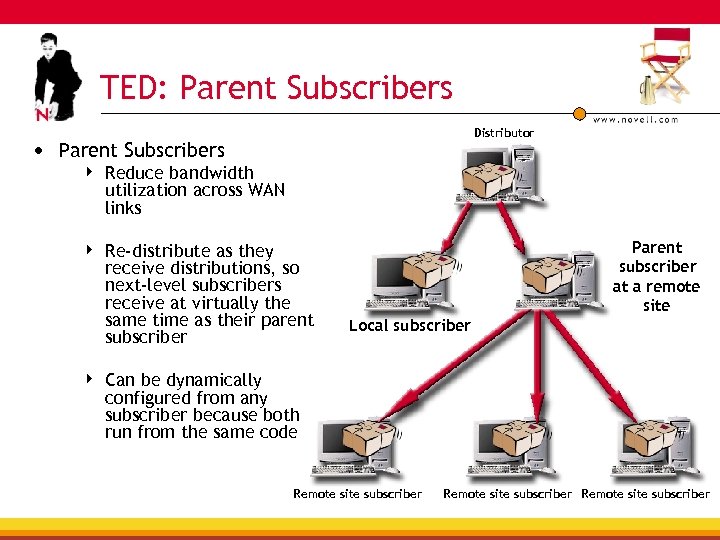 TED: Parent Subscribers Distributor • Parent Subscribers 4 Reduce bandwidth utilization across WAN links 4 Re-distribute as they receive distributions, so next-level subscribers receive at virtually the same time as their parent subscriber 4 Parent subscriber at a remote site Local subscriber Can be dynamically configured from any subscriber because both run from the same code Remote site subscriber
 Platform Support TED and Policies (Distributors, Subscribers and Policies) 4 4 Net. Ware 5. 1 and 6 NT 4 and W 2 K (Servers) Linux—Red Hat 7. 1 Solaris 8 Inventory and Remote control on Net. Ware/NT/W 2 K platforms only TED and Policies will now be referred to as PDS (Policy and Distribution Services)
 Architecture Changes ZFS 2 Subscribers may receive distributions from ZFS 3 Distributors (if configured on Distributor) Distributors and Subscribers are the same code base—a Subscriber can be a distributor with no additional code The number of files that TED could distribute were limited by memory on the server, now Unlimited
 TED Enhancements Distributions now have priorities • Each distribution can be assigned a priority (high, medium, or low) priority can have a separate throttle speed, and all higher levels preempt lower priority distributions 4 Example—all high priority must fully complete prior to medium priority distributions starting—If a low priority distribution is being serviced, and a medium priority kicks off, the low priority distribution is put on hold until the medium priority distribution has completely finished Data Encryption • Data may now, optionally, be encrypted—This requires setup of keys and certificates on the distributor and each receiving subscriber, encryption is not enabled by default Simplified Scheduling • Gather and Distribute may now be linked, a distribution is automatically kicked of when the gather is complete (if selected)
 TED Enhancements (cont. ) Directory Synchronization 4 Source and Target Directories can be synchronized on every scheduled distribution, even if no new data is sent out 4 If a file is added on a target, it will be deleted from the target on the next scheduled distribution 4 If a file that exists is modified, it will be copied over on the next scheduled distribution to be the same as the source 4 If a file does not exist, or is deleted, on a target—it will be copied to the subscriber on the next scheduled distribution
 TED Enhancements (cont. ) File-based Rights will be distributed on NW volumes within the same tree File ownership is supported on all platforms DNS naming will be supported, names instead of IP addresses can be used to define Subscribers NAT is fully supported, for Subscribers and/or Distributors
 TED Enhancements (cont. ) Downstream Schedule Control 4 If a distribution is scheduled to terminate at a given time, it will terminate throughout the chain at that time—previously, parent subscribers (proxies) would continue distributions indefinitely (or at least until all data that they have received is distributed) 4 Now an administrator has full control and the schedule is not ambiguous
 TED Enhancements (cont. ) Subscriber Disk Space Requirements 4 Distributions may require that Subscribers have at least X amount of disk space available 4 Previously, if a Subscriber had enough space to receive the distribution it would be sent, regardless of if the distribution could be unpacked onto the destination or not
 Server Software Package Enhancements • Server Software Packages are Supported on NT/W 2 K, Linux, and Solaris platforms • Packages may start and stop NT Services and Linux/Solaris Processes
 TED Enhancements— Application Distribution • Simplified Desktop Application Distribution 4 4 • (rewritten TED/NAL type) The Application Distribution type can distribute to new Subscribers by just associating the Subscriber to the Distribution No Site Distribution Objects (SDO) All objects (OUs and Groups) that are associated to the source app object may be associated to the newly created app object (target) This is distribution specific—if the distribution has been defined to associate the OUs and groups to the app object, then the applications distributed by the distribution will be associated to the newly created app object on the target location
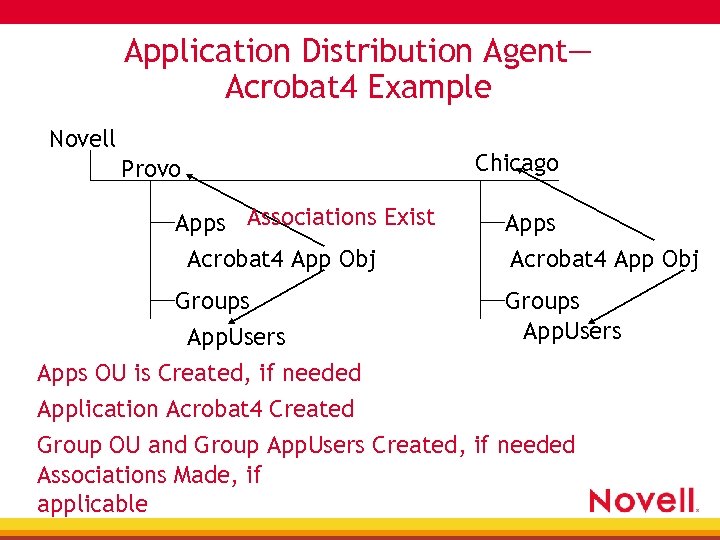 Application Distribution Agent— Acrobat 4 Example Novell Chicago Provo Apps Associations Exist Acrobat 4 App Obj Groups App. Users Apps OU is Created, if needed Application Acrobat 4 Created Apps Acrobat 4 App Obj Groups App. Users Group OU and Group App. Users Created, if needed Associations Made, if applicable
 Web-Based Management • ZENworks for Server 3 adds web management via Novell i. Manager to manage 4 Distributors 4 Subscribers 4 Distributions 4 Policies • Requires IE 5. 5 or above (does not fully support Netscape or other browsers)
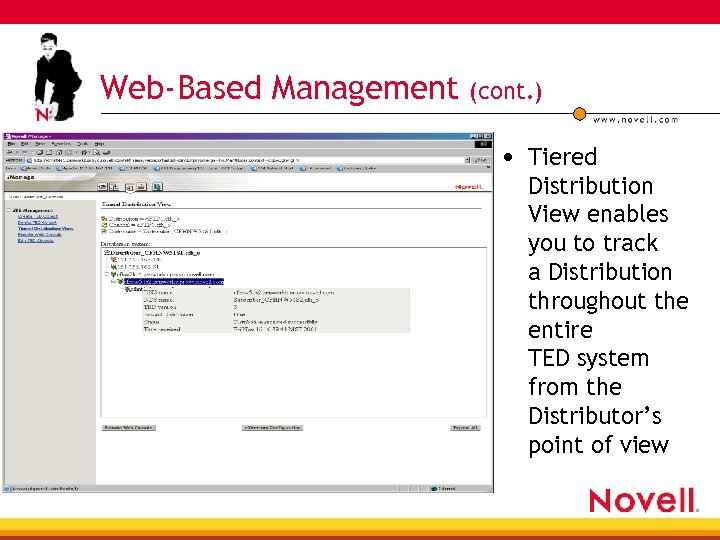 Web-Based Management (cont. ) • Tiered Distribution View enables you to track a Distribution throughout the entire TED system from the Distributor’s point of view
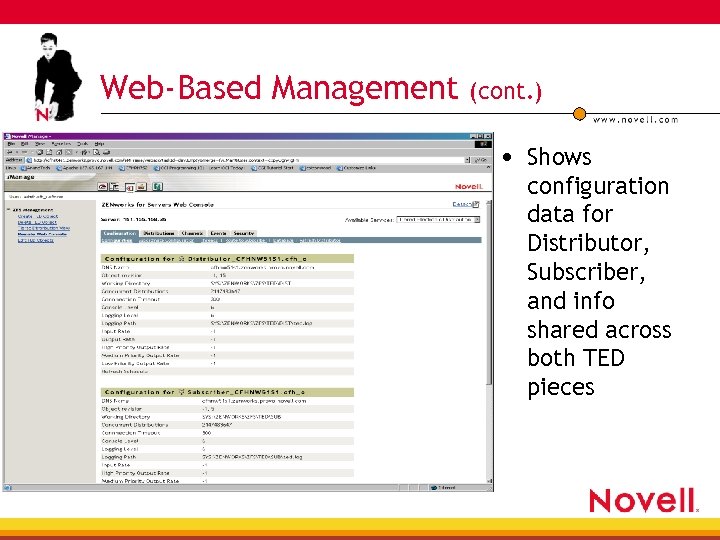 Web-Based Management (cont. ) • Shows configuration data for Distributor, Subscriber, and info shared across both TED pieces
 27 Related Brain. Share Sessions See ZENworks for Servers sessions • TUT 211—Deploying ZENworks Inventory • TUT 212—Novell ZENworks for Servers 3: Distributing Novell Application Launcher Applications through Tiered Electronic Distribution • TUT 215—Network Management and Monitoring Using the Components of ZENworks for Servers • TUT 216—Implementing ZENworks for Servers Policies and Distribution Services • TUT 309—Deploying Net. Ware Support Packs Automatically with ZENworks for Servers