“You’ve got to be very careful if you don’t know where you’re going, because you might not get there. ” Yogi Berra
Software Development Life Cycle (SDLC) “You’ve got to be very careful if you don’t know where you’re going, because you might not get there. ” Yogi Berra
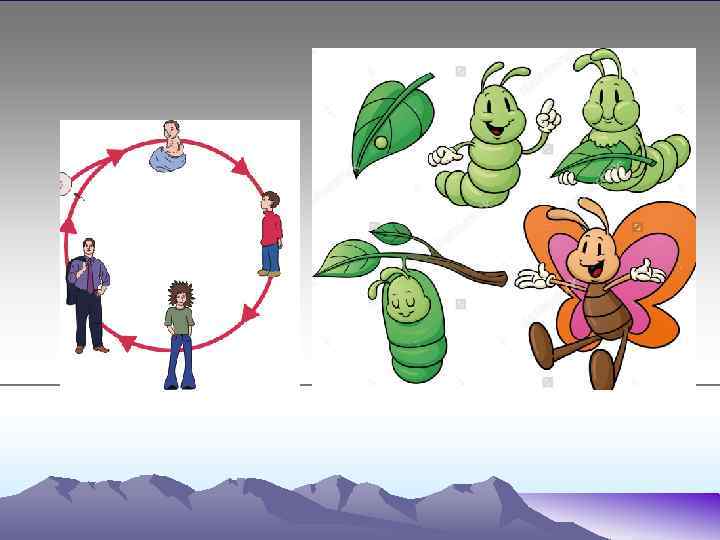
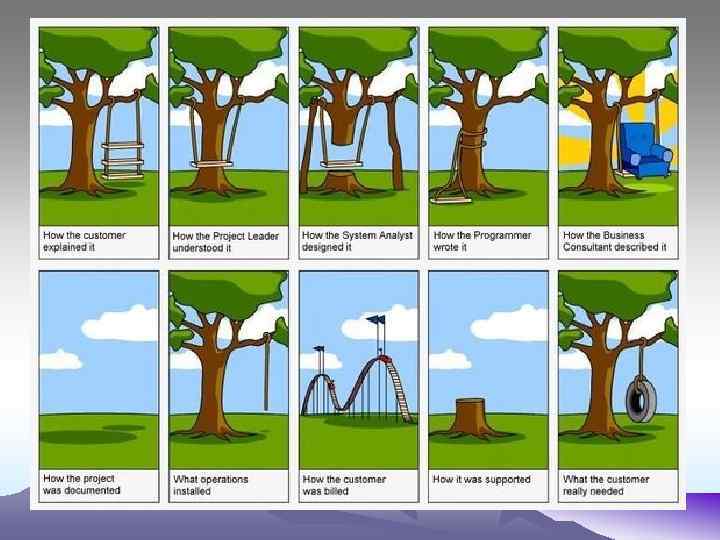
How do you understand it?
• The SYSTEM LIFE CYCLE is a process of stages which occur during the development of a new ICT system.
What do you think? Steps of SLC?
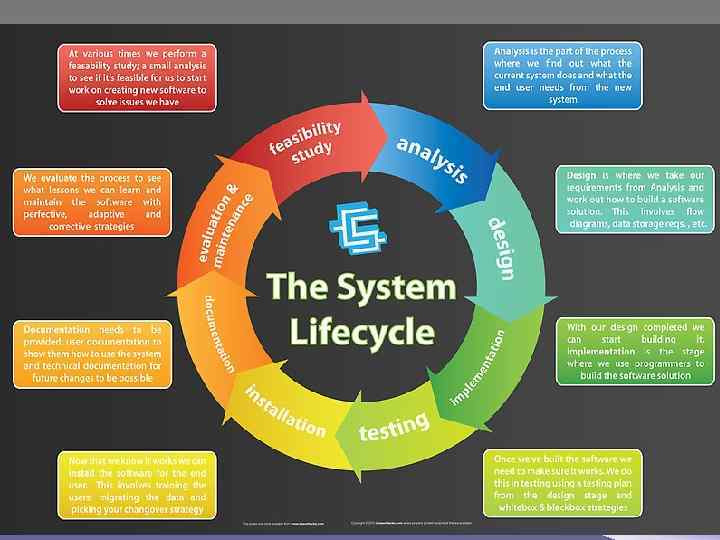
• • Definition Investigation and analysis Design Implementation Testing Installation Documentation Evaluation
Definition • The very first part of the SLC is to define the problem. • In the definition stage the role of the analyst is to scope out the problem. • The analyst has a number of methods available to do this : • Interviews with management to get their viewpoint • Interviews with staff to understand the limitations of the current system • Other methods that will be discussed later in this mini-web
Investigation and Analysis: investigating the system • In order to reach this stage in the SLC, management would have listened to the alternative solutions presented by the system analyst and have decided to either commission a brand new IT system or have changes made to their current system.
• The current system • how staff / customers interact with the current system i. e. how tasks are carried out • how other systems interact with the current system • what is good about the current system • what causes problems with the current system • which parts of the system are critical to the business
• The proposed new system • what the new system is expected to be able to do • how the new system is expected to do this • what people want from the new system • which working methods from the old system should be incorporated into the new system
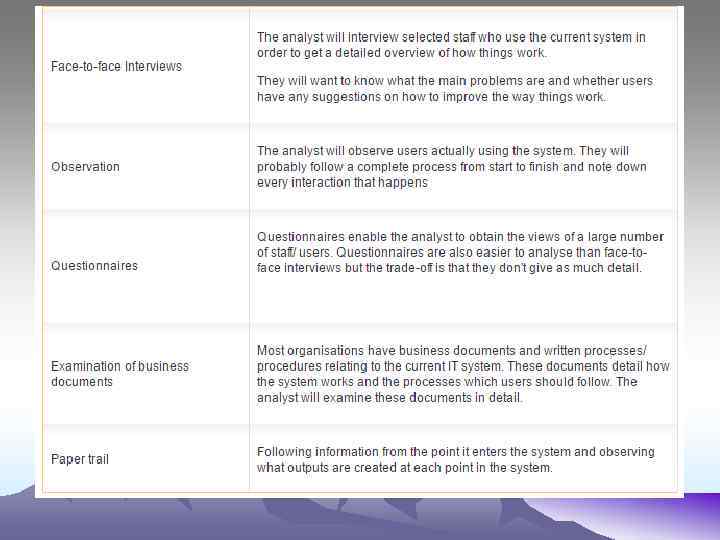
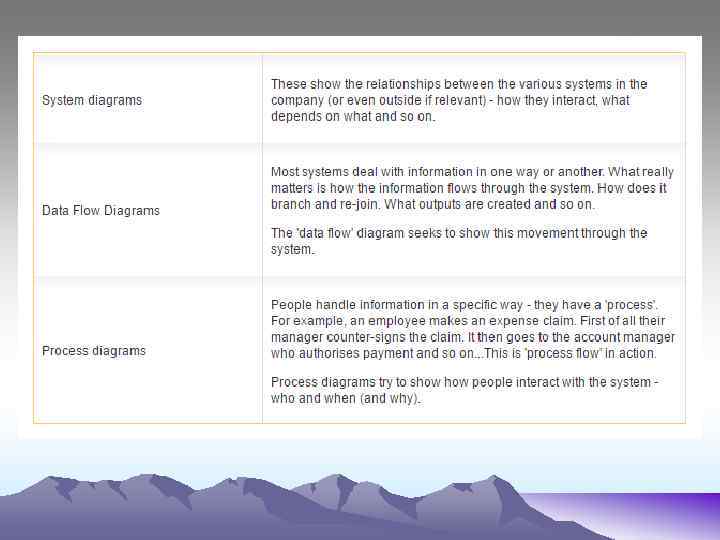
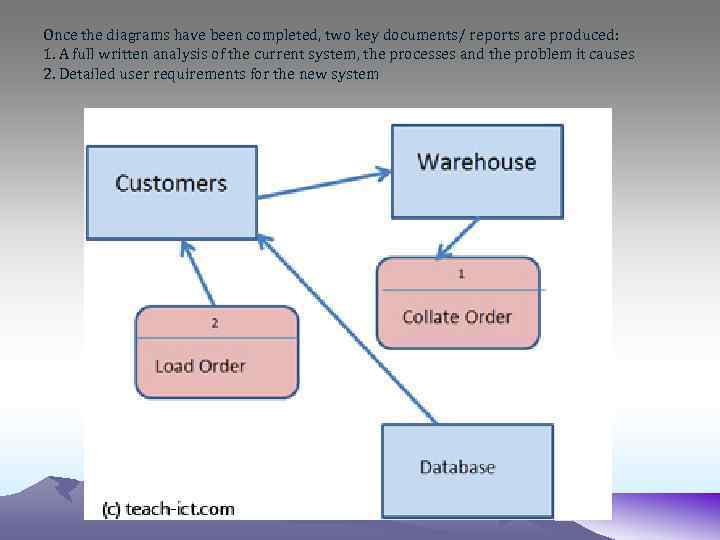
Once the diagrams have been completed, two key documents/ reports are produced: 1. A full written analysis of the current system, the processes and the problem it causes 2. Detailed user requirements for the new system
Design phase System requirements specification This document will include the following information: Data capture methods for the system Data inputs to the system Data outputs from the system Data processing within the system The file structure for data storage The user interface i. e. screen layouts, buttons, error messages How information is accessed and indexed or sorted. The operating system to be used The hardware to be used to run the new system
Data Dictionary tables, fields, records and relationships constants, variables and data structures validation that is required in the system query structures
Implementation (development) • • the tables and data structures validation routines data capture forms data input forms automated processing routines i. e. macros queries the user interface i. e. screen, buttons, help messages • printing outputs
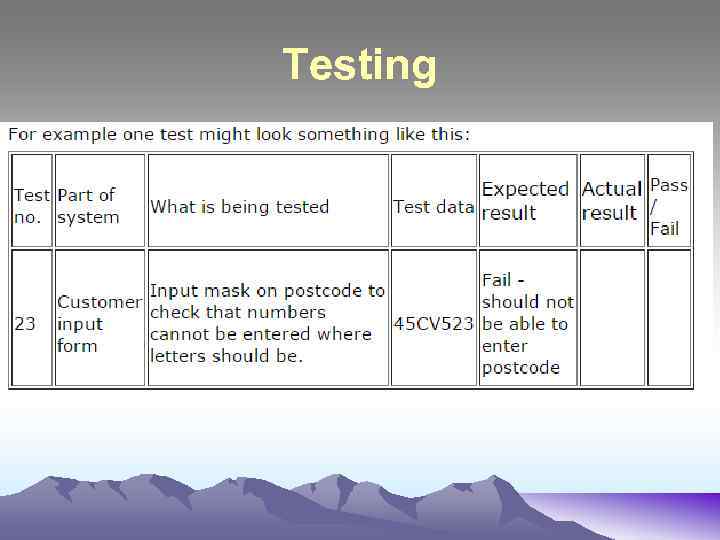
Testing
Installation • The system has been developed and tested. It is working correctly and doing everything that was agreed during the design stage. The business is waiting in eager anticipation for the new system to be handed over to them.
User Documentation • Table of contents • Short introduction or overview of the system • Brief technical details such as the hardware and software requirements to run the system • User Guide : this is the bulk of the document • Glossary of technical terms • Troubleshooting: usually a simple list of things to check before calling for further help • Index
Evaluation • Does the finished solution meet its requirements? • Does it solve the problem?
• http: //www. teachict. com/as_a 2_ict_new/ocr/A 2_G 063/331_ systems_cycle/slc_stages/miniweb/pg 23. h tm
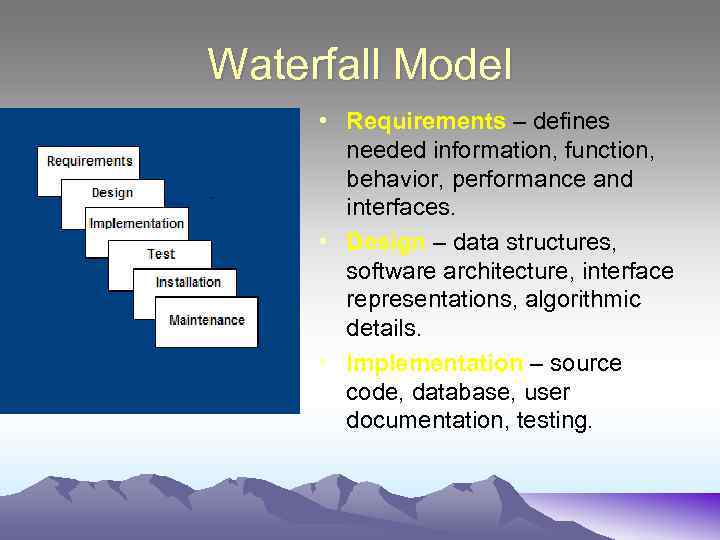
Waterfall Model • Requirements – defines needed information, function, behavior, performance and interfaces. • Design – data structures, software architecture, interface representations, algorithmic details. • Implementation – source code, database, user documentation, testing.
Waterfall Strengths • • • Easy to understand, easy to use Provides structure to inexperienced staff Milestones are well understood Sets requirements stability Good for management control (plan, staff, track) Works well when quality is more important than cost or schedule
Waterfall Deficiencies • All requirements must be known upfront • Deliverables created for each phase are considered frozen – inhibits flexibility • Can give a false impression of progress • Does not reflect problem-solving nature of software development – iterations of phases • Integration is one big bang at the end • Little opportunity for customer to preview the system (until it may be too late)
When to use the Waterfall Model • • • Requirements are very well known Product definition is stable Technology is understood New version of an existing product Porting an existing product to a new platform.
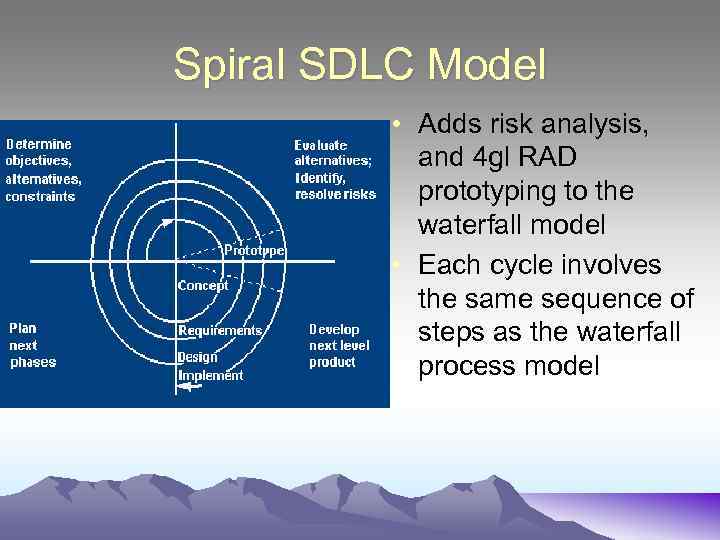
Spiral SDLC Model • Adds risk analysis, and 4 gl RAD prototyping to the waterfall model • Each cycle involves the same sequence of steps as the waterfall process model
Spiral Quadrant Determine objectives, alternatives and constraints • Objectives: functionality, performance, hardware/software interface, critical success factors, etc. • Alternatives: build, reuse, buy, sub-contract, etc. • Constraints: cost, schedule, interface, etc.
Spiral Quadrant Evaluate alternatives, identify and resolve risks • Study alternatives relative to objectives and constraints • Identify risks (lack of experience, new technology, tight schedules, poor process, etc. • Resolve risks (evaluate if money could be lost by continuing system development
Spiral Quadrant Develop next-level product • Typical activites: – Create a design – Review design – Develop code – Inspect code – Test product
Spiral Quadrant Plan next phase • Typical activities – Develop project plan – Develop configuration management plan – Develop a test plan – Develop an installation plan
Spiral Model Strengths • Provides early indication of insurmountable risks, without much cost • Users see the system early because of rapid prototyping tools • Critical high-risk functions are developed first • The design does not have to be perfect • Users can be closely tied to all lifecycle steps • Early and frequent feedback from users • Cumulative costs assessed frequently
Spiral Model Weaknesses • Time spent for evaluating risks too large for small or lowrisk projects • Time spent planning, resetting objectives, doing risk analysis and prototyping may be excessive • The model is complex • Risk assessment expertise is required • Spiral may continue indefinitely • Developers must be reassigned during non-development phase activities • May be hard to define objective, verifiable milestones that indicate readiness to proceed through the next iteration
When to use Spiral Model • • When creation of a prototype is appropriate When costs and risk evaluation is important For medium to high-risk projects Long-term project commitment unwise because of potential changes to economic priorities Users are unsure of their needs Requirements are complex New product line Significant changes are expected (research and exploration)
Agile SDLC’s • Speed up or bypass one or more life cycle phases • Usually less formal and reduced scope • Used for time-critical applications • Used in organizations that employ disciplined methods
Some Agile Methods • • Adaptive Software Development (ASD) Feature Driven Development (FDD) Crystal Clear Dynamic Software Development Method (DSDM) Rapid Application Development (RAD) Scrum Extreme Programming (XP) Rational Unify Process (RUP)
Extreme Programming - XP For small-to-medium-sized teams developing software with vague or rapidly changing requirements Coding is the key activity throughout a software project • Communication among teammates is done with code • Life cycle and behavior of complex objects defined in test cases – again in code
DSDM Principles 1. 2. 3. 4. 5. 6. 7. 8. 9. Active user involvement imperative (Ambassador users) DSDM teams empowered to make decisions Focus on frequent product delivery Product acceptance is fitness for business purpose Iterative and incremental development - to converge on a solution Requirements initially agreed at a high level All changes made during development are reversible Testing is integrated throughout the life cycle Collaborative and co-operative approach among all stakeholders essential
DSDM Lifecycle • Feasibility study • Business study – prioritized requirements • Functional model iteration – risk analysis – Time-box plan • Design and build iteration • Implementation
Adaptive SDLC Combines RAD with software engineering best practices • Project initiation • Adaptive cycle planning • Concurrent component engineering • Quality review • Final QA and release
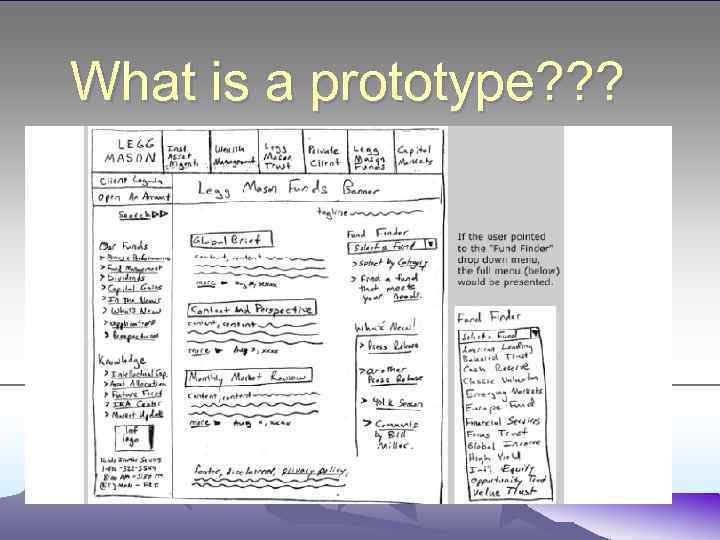
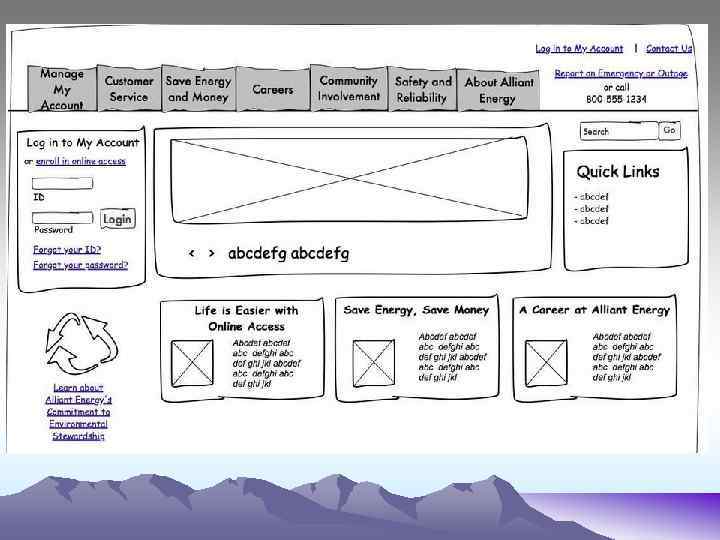
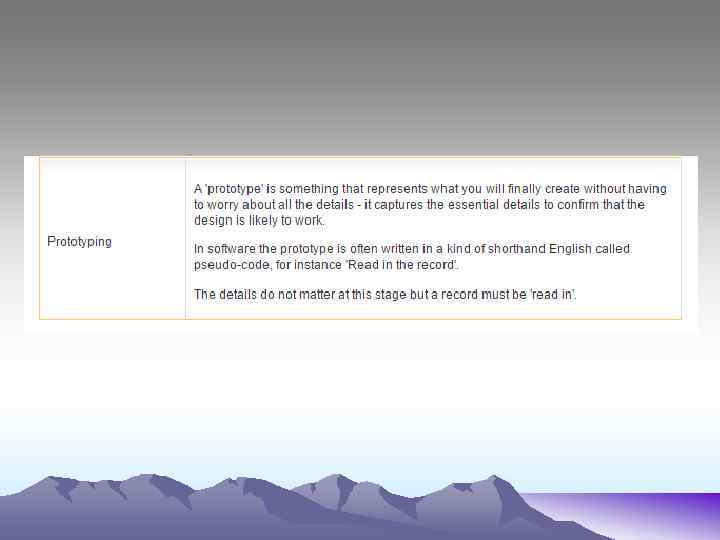
What is a prototype? ? ?