


 Скачать презентацию XML Major Sources http www cis upenn
73a643822b967cbd7a70439280a9cfd1.ppt
- Количество слайдов: 73
 XML Major Sources: • http: //www. cis. upenn. edu/~cis 550/slides/xml. ppt CIS 550 Course Notes, U. Penn, source for many slides • Yaron Kanza’s slides, source for many slides • Brian Travis, XML Day At Microsoft Tech·Ed 99 • XML Black Book • Other sources …. 1
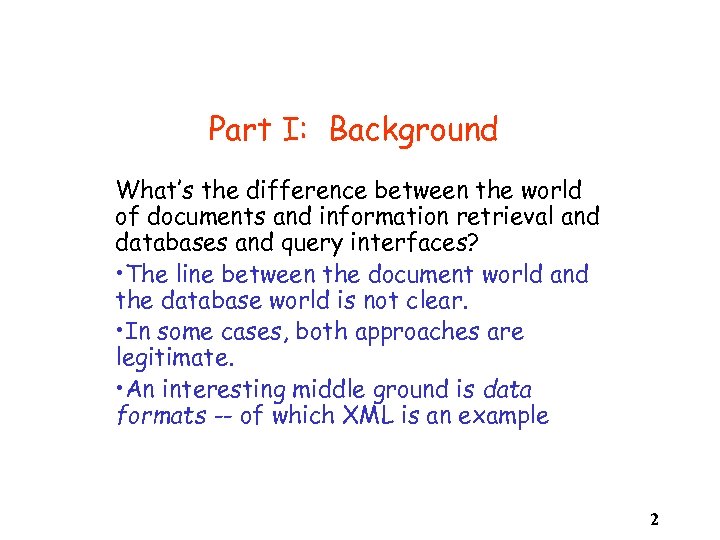 Part I: Background What’s the difference between the world of documents and information retrieval and databases and query interfaces? • The line between the document world and the database world is not clear. • In some cases, both approaches are legitimate. • An interesting middle ground is data formats -- of which XML is an example 2
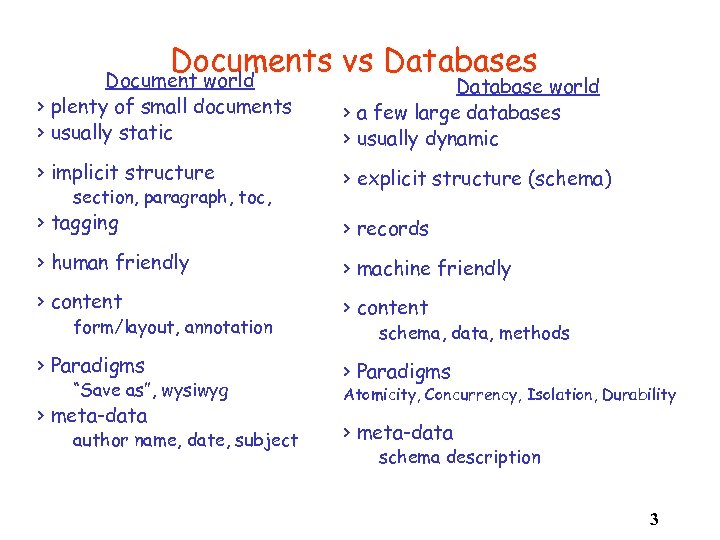 Documents vs Databases Document world > plenty of small documents > usually static Database world > a few large databases > usually dynamic > implicit structure > explicit structure (schema) > tagging > records > human friendly > machine friendly > content section, paragraph, toc, form/layout, annotation > Paradigms “Save as”, wysiwyg > meta-data author name, date, subject schema, data, methods > Paradigms Atomicity, Concurrency, Isolation, Durability > meta-data schema description 3
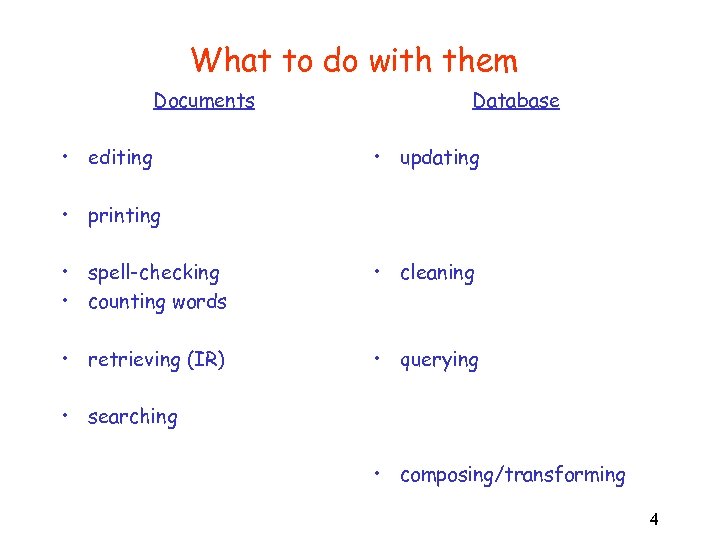 What to do with them Documents • editing Database • updating • printing • spell-checking • counting words • cleaning • retrieving (IR) • querying • searching • composing/transforming 4
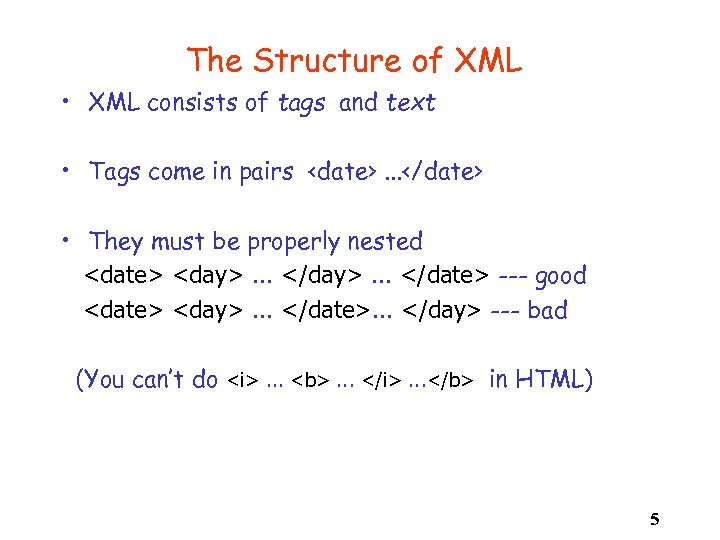 The Structure of XML • XML consists of tags and text • Tags come in pairs
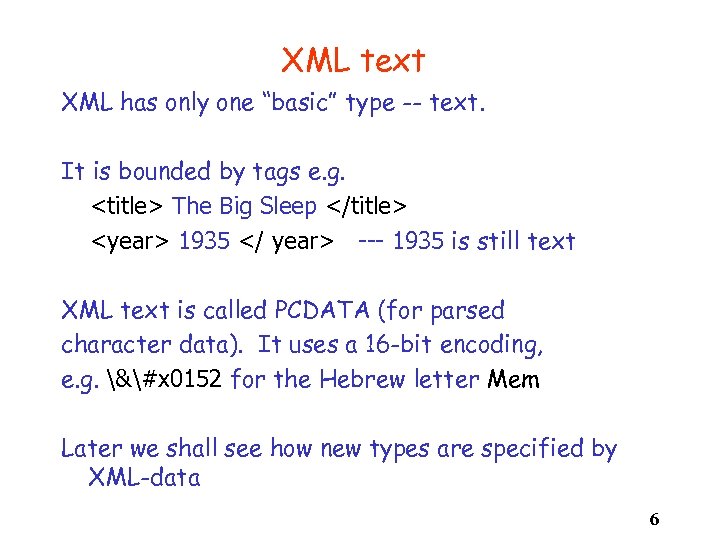 XML text XML has only one “basic” type -- text. It is bounded by tags e. g.
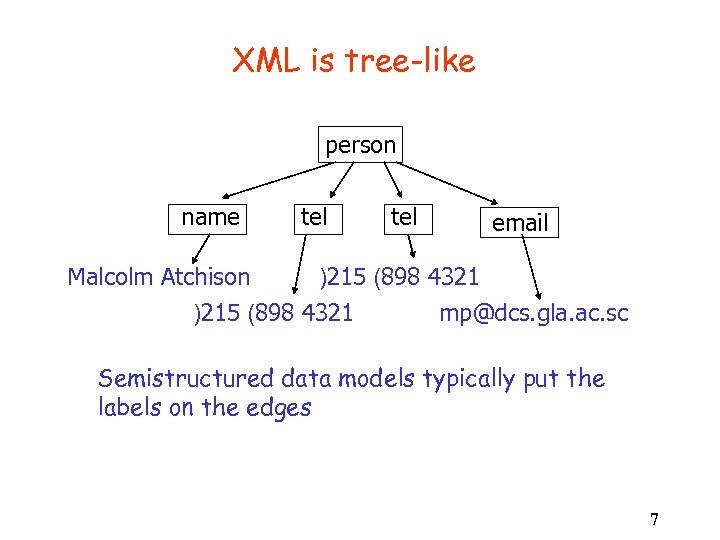 XML is tree-like person name tel email Malcolm Atchison )215 (898 4321 mp@dcs. gla. ac. sc Semistructured data models typically put the labels on the edges 7
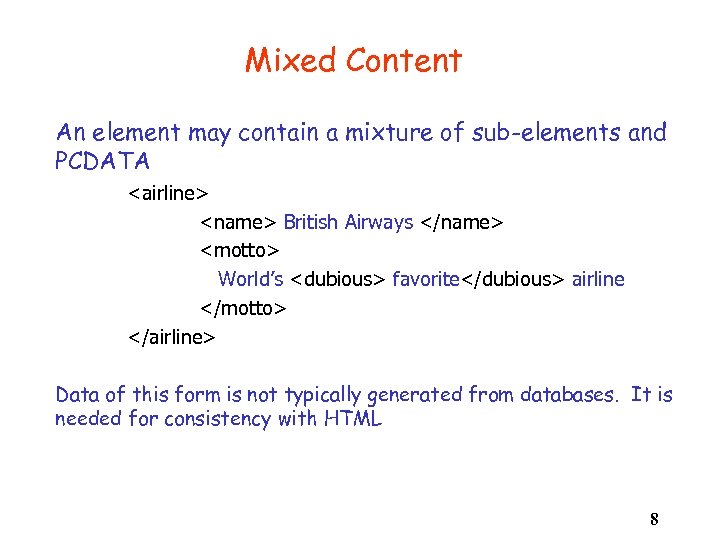 Mixed Content An element may contain a mixture of sub-elements and PCDATA
A Complete XML Document
• You can" src="https://present5.com/presentation/73a643822b967cbd7a70439280a9cfd1/image-10.jpg" alt="The Header Tag • • You can" />
The Header Tag • • You can leave out the encoding attribute and the processor will use the UTF-8 default. 10
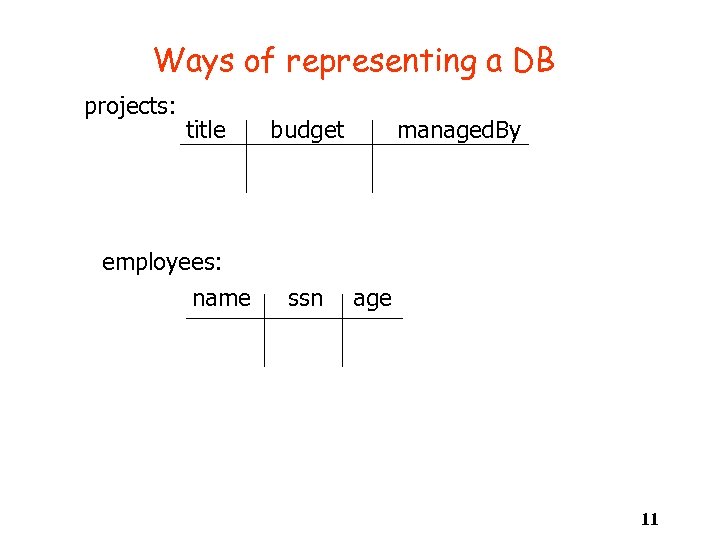 Ways of representing a DB projects: title employees: name budget ssn managed. By age 11
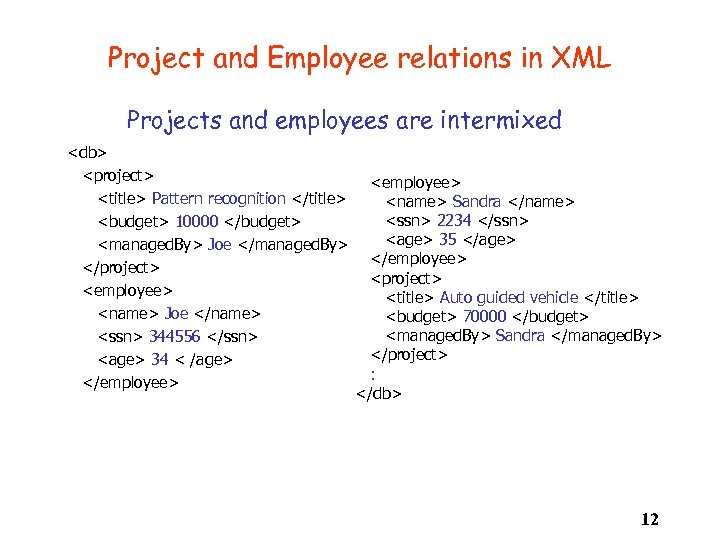 Project and Employee relations in XML Projects and employees are intermixed
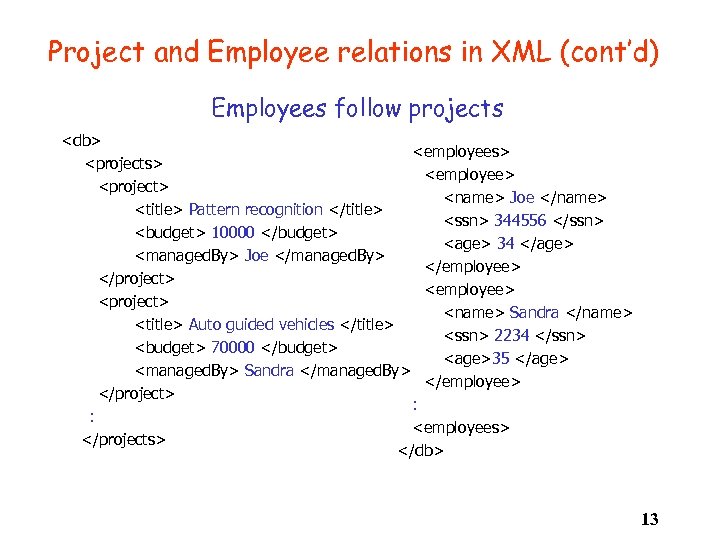 Project and Employee relations in XML (cont’d) Employees follow projects
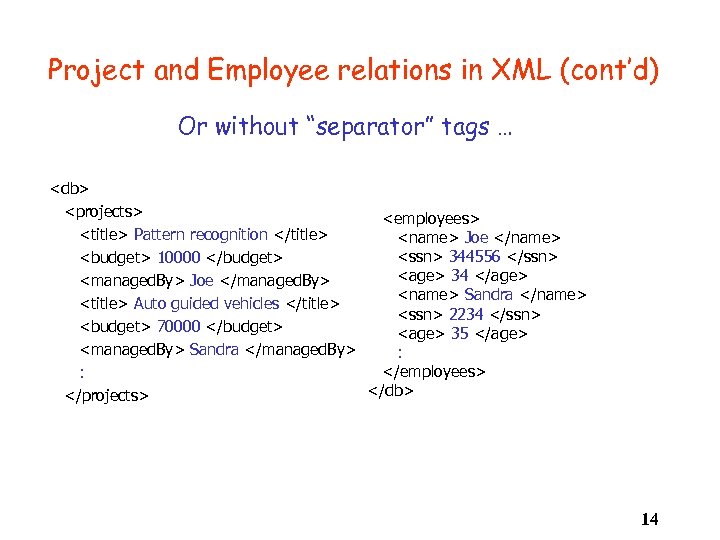 Project and Employee relations in XML (cont’d) Or without “separator” tags …
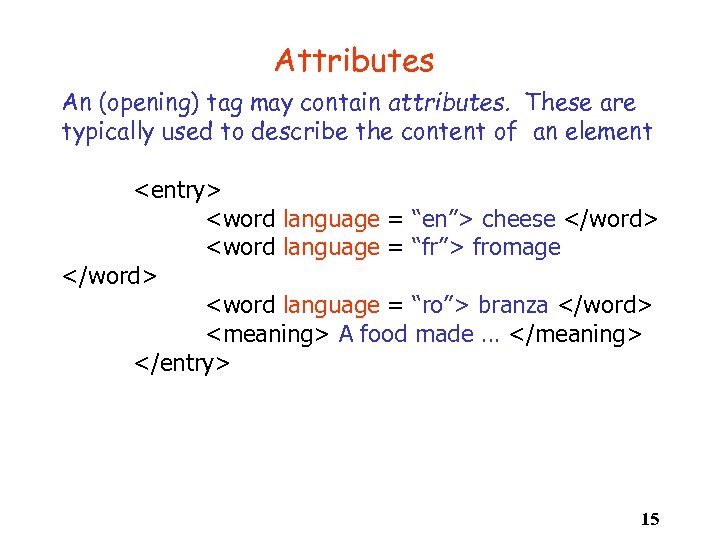 Attributes An (opening) tag may contain attributes. These are typically used to describe the content of an element
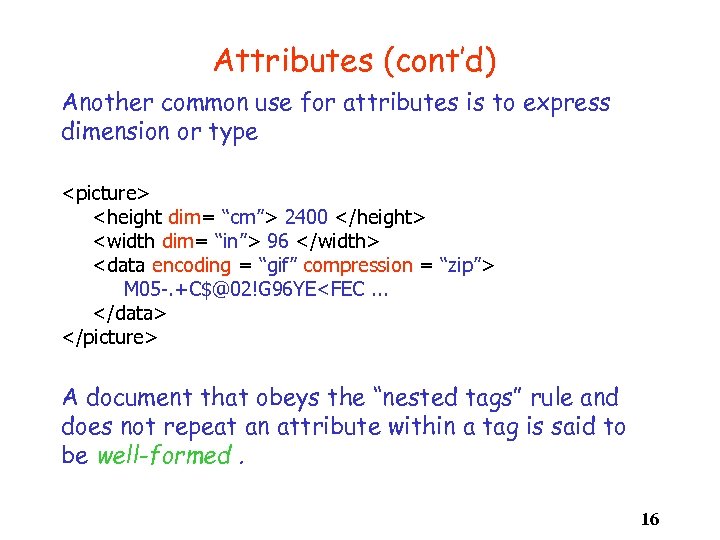 Attributes (cont’d) Another common use for attributes is to express dimension or type
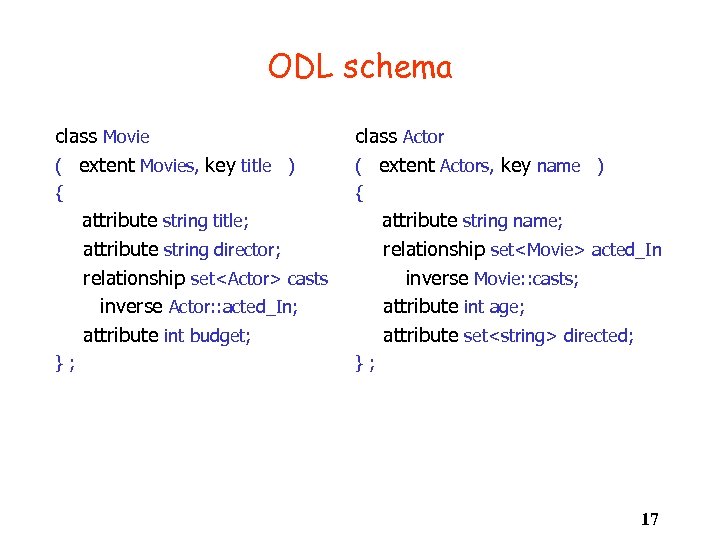 ODL schema class Movie ( extent Movies, key title ) class Actor ( extent Actors, key name ) { { attribute string name; relationship set
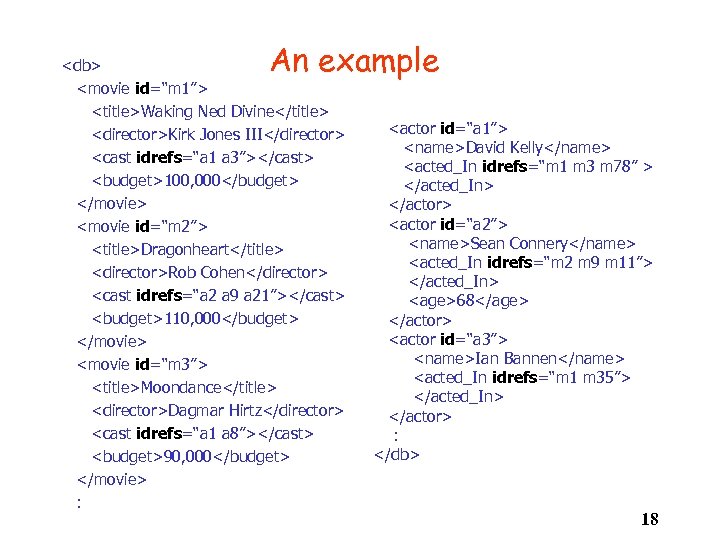 An example
 Part II: Document Type Descriptors Imposing structure on XML documents 19
20
 Document Type Descriptors • Document Type Descriptors (DTDs) impose structure on an XML document. • There is some relationship between a DTD and a schema, but it is not close -- hence the need for additional “typing” systems. • XML Schema and RELAX NG are two such formalisms. • The DTD is a syntactic specification. 21
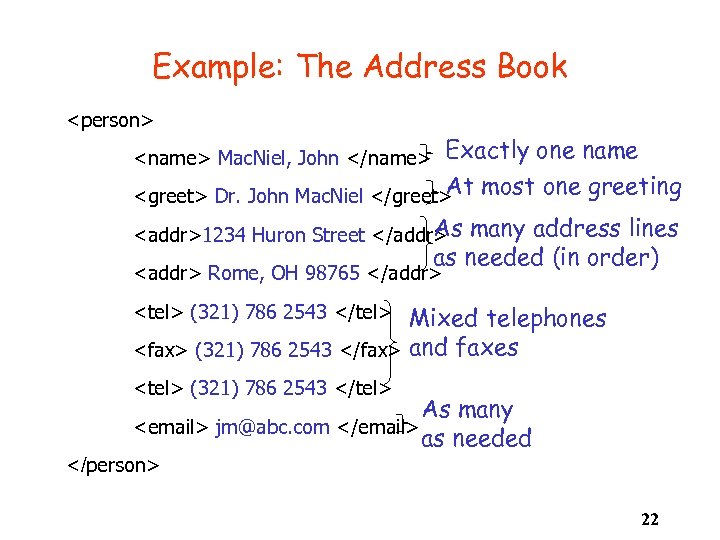 Example: The Address Book
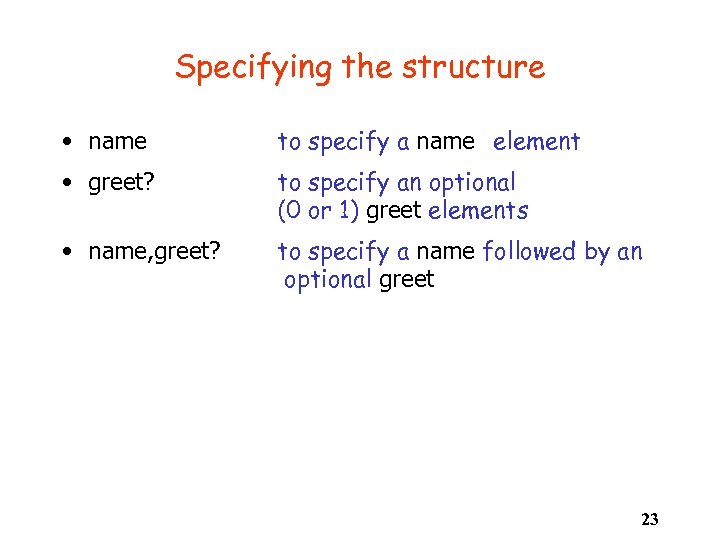 Specifying the structure • name to specify a name element • greet? to specify an optional (0 or 1) greet elements • name, greet? to specify a name followed by an optional greet 23
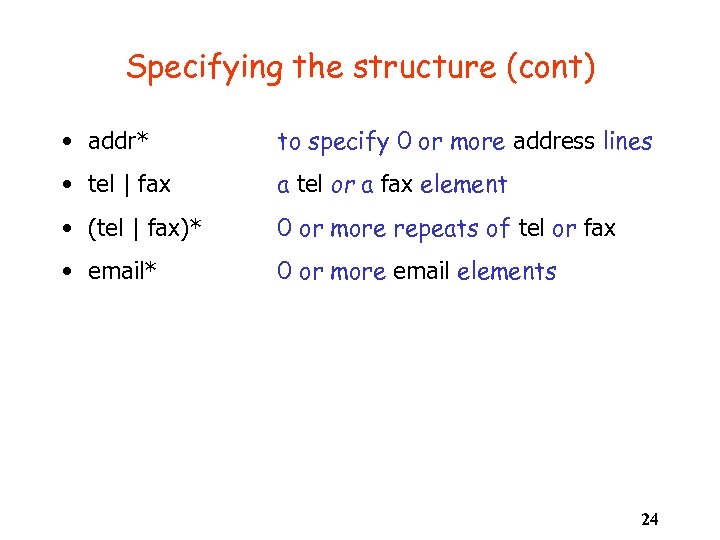 Specifying the structure (cont) • addr* to specify 0 or more address lines • tel | fax a tel or a fax element • (tel | fax)* 0 or more repeats of tel or fax • email* 0 or more email elements 24
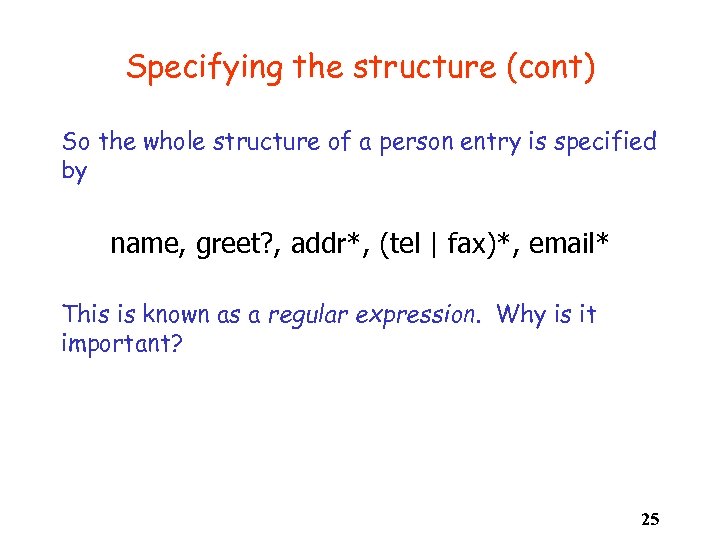 Specifying the structure (cont) So the whole structure of a person entry is specified by name, greet? , addr*, (tel | fax)*, email* This is known as a regular expression. Why is it important? 25
Internal DTD for the address book ]> 26
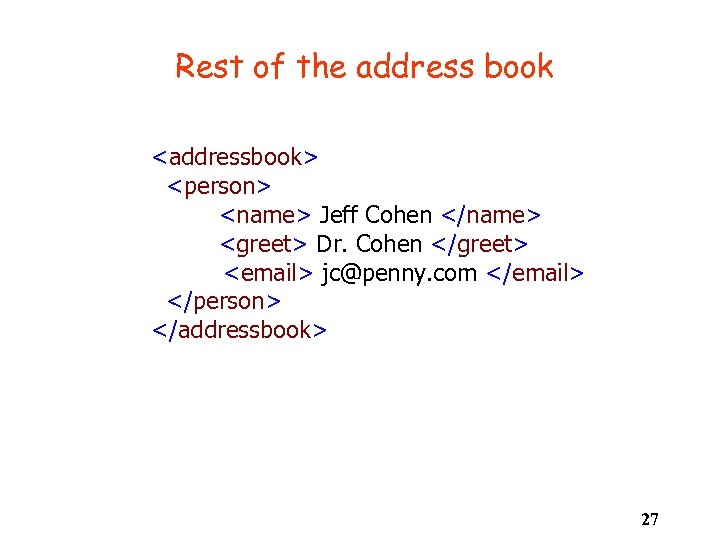 Rest of the address book
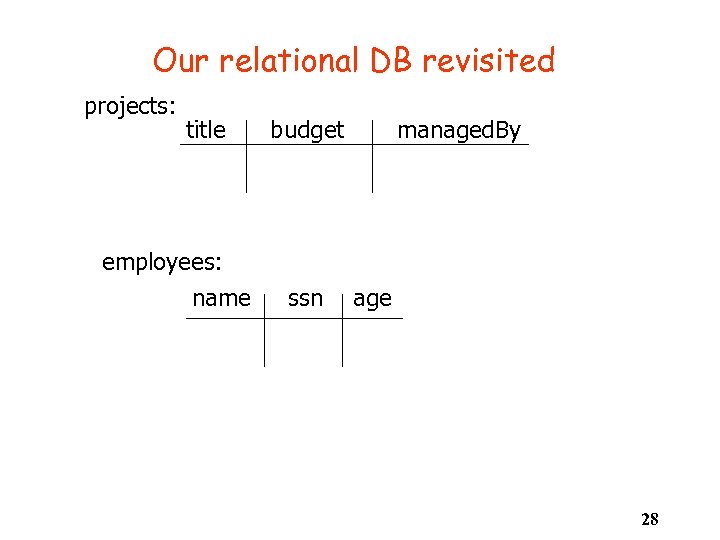 Our relational DB revisited projects: title employees: name budget ssn managed. By age 28
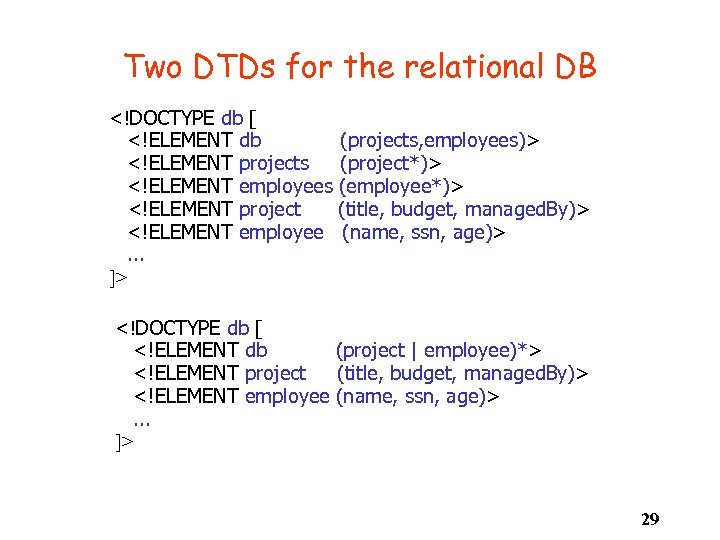 Two DTDs for the relational DB . . . ]> . . . ]> 29
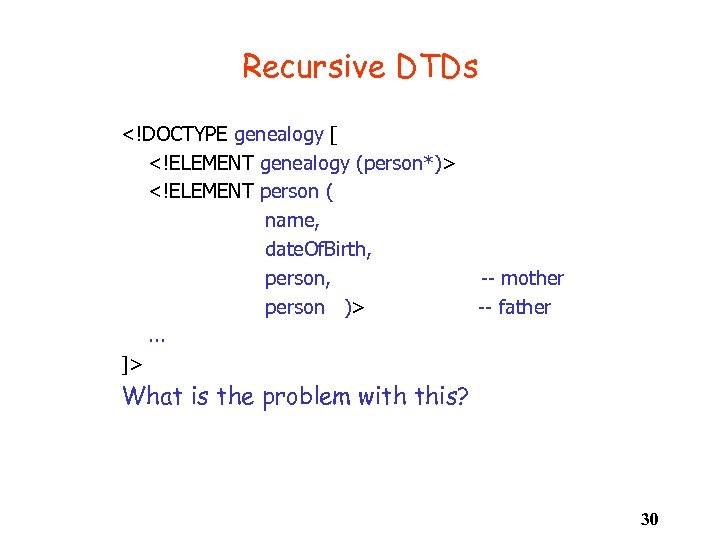 Recursive DTDs . . . ]> -- mother -- father What is the problem with this? 30
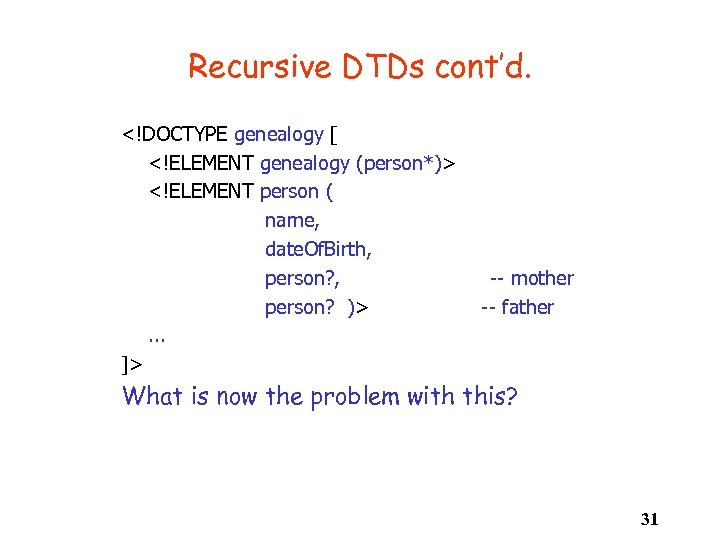 Recursive DTDs cont’d. . . . ]> -- mother -- father What is now the problem with this? 31
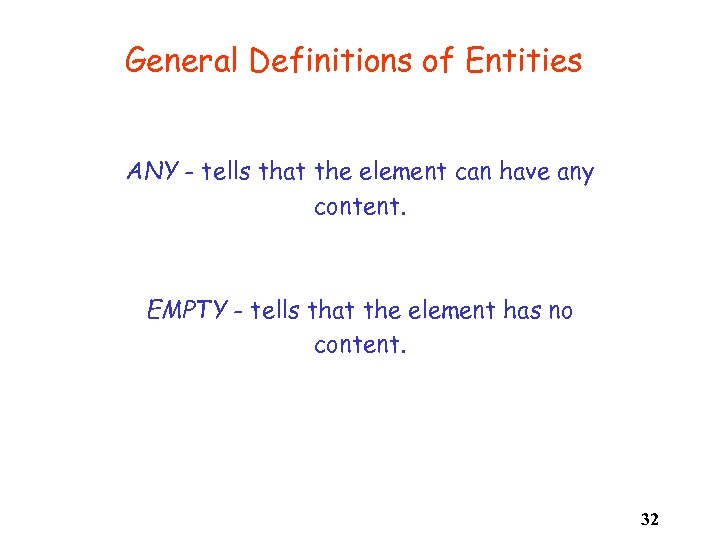 General Definitions of Entities ANY - tells that the element can have any content. EMPTY - tells that the element has no content. 32
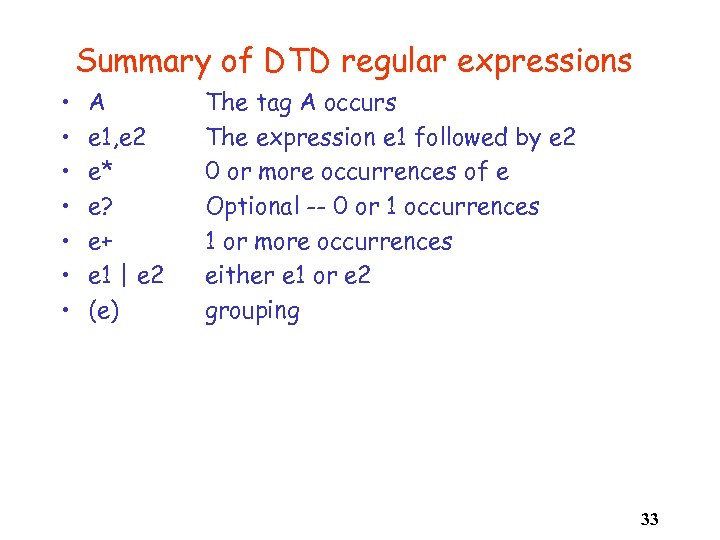 Summary of DTD regular expressions • • A e 1, e 2 e* e? e+ e 1 | e 2 (e) The tag A occurs The expression e 1 followed by e 2 0 or more occurrences of e Optional -- 0 or 1 occurrences 1 or more occurrences either e 1 or e 2 grouping 33
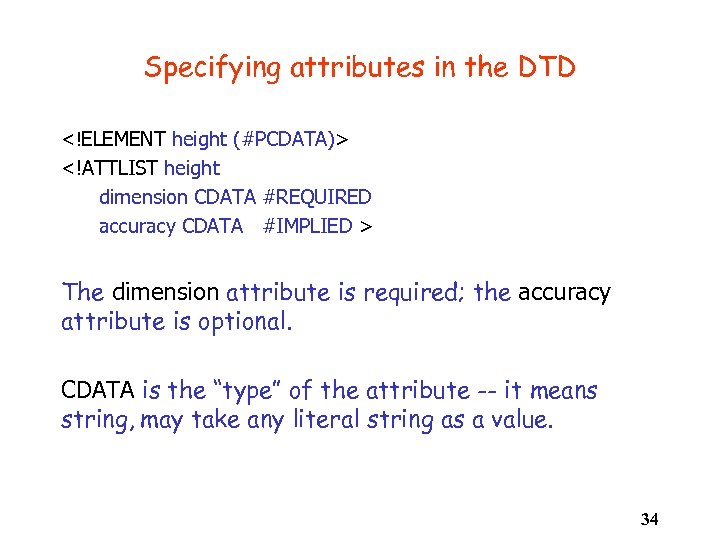 Specifying attributes in the DTD The dimension attribute is required; the accuracy attribute is optional. CDATA is the “type” of the attribute -- it means string, may take any literal string as a value. 34
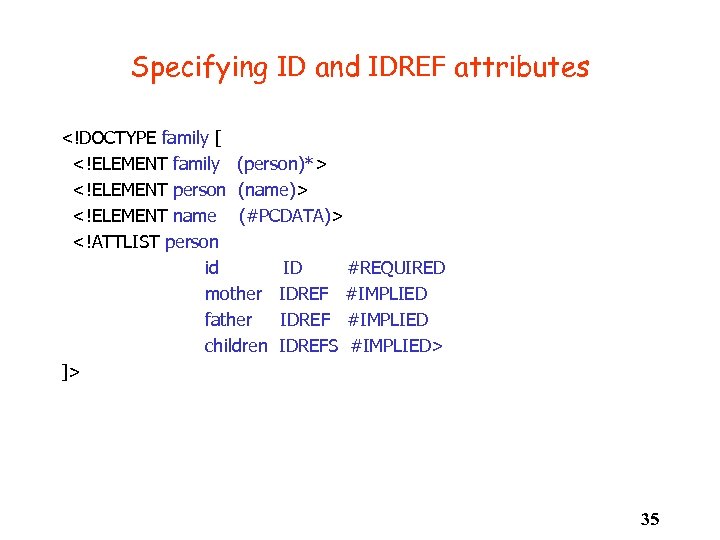 Specifying ID and IDREF attributes ]> 35
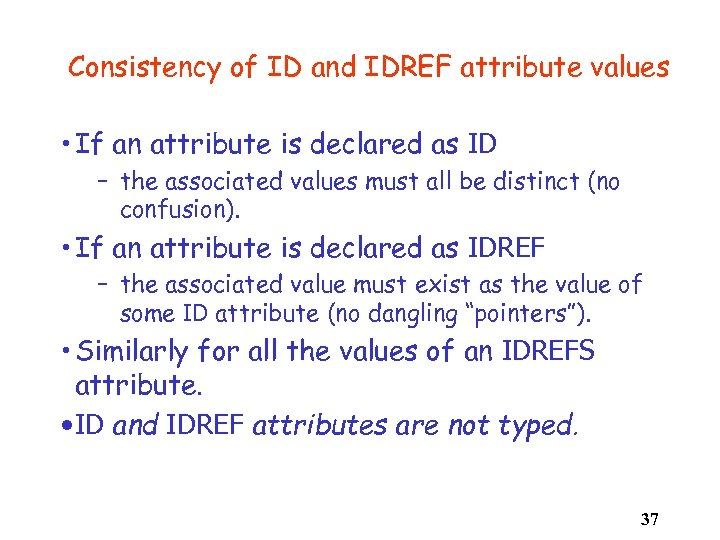 Consistency of ID and IDREF attribute values • If an attribute is declared as ID – the associated values must all be distinct (no confusion). • If an attribute is declared as IDREF – the associated value must exist as the value of some ID attribute (no dangling “pointers”). • Similarly for all the values of an IDREFS attribute. • ID and IDREF attributes are not typed. 37
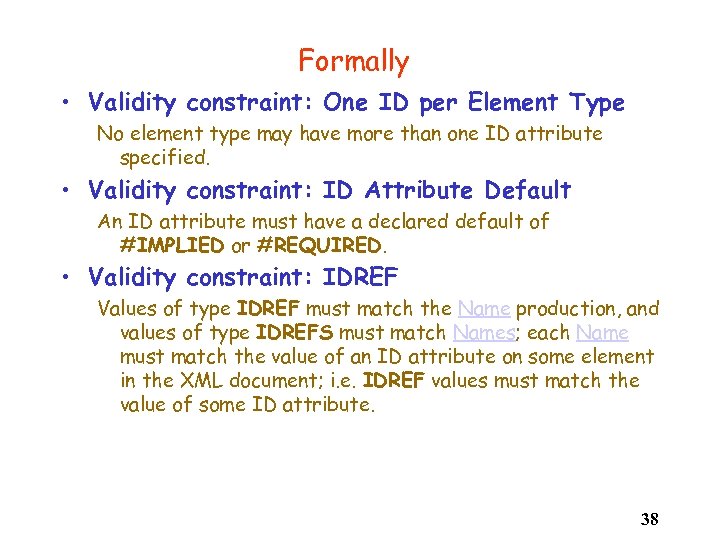 Formally • Validity constraint: One ID per Element Type No element type may have more than one ID attribute specified. • Validity constraint: ID Attribute Default An ID attribute must have a declared default of #IMPLIED or #REQUIRED. • Validity constraint: IDREF Values of type IDREF must match the Name production, and values of type IDREFS must match Names; each Name must match the value of an ID attribute on some element in the XML document; i. e. IDREF values must match the value of some ID attribute. 38
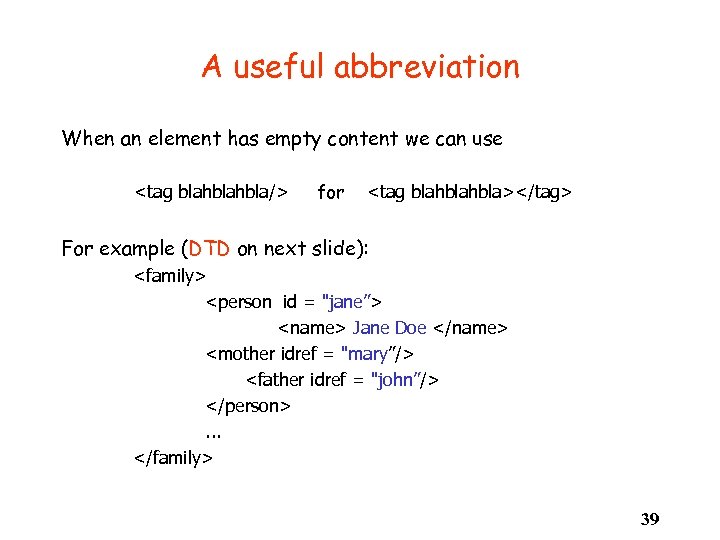 A useful abbreviation When an element has empty content we can use
An alternative specification ]> 40
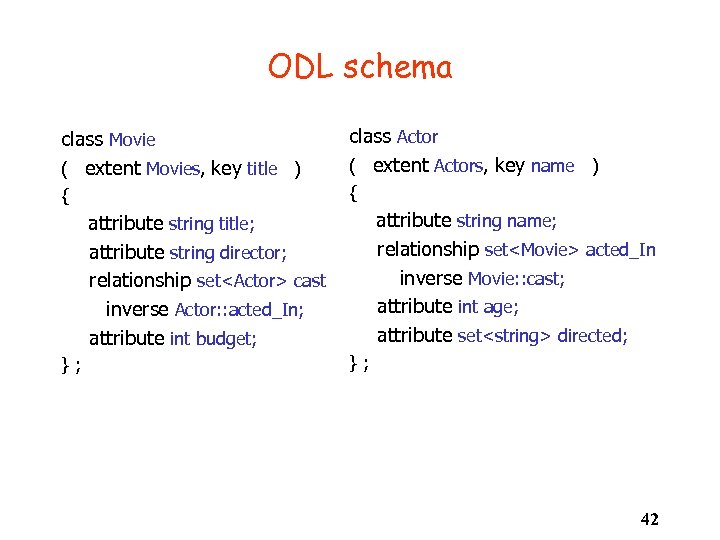 ODL schema class Movie ( extent Movies, key title ) class Actor ( extent Actors, key name ) { { attribute string name; relationship set
Schema. dtd movie (title, director, cast, budget)> movie id ID #REQUIRED> title (#PCDATA)> director (#PCDATA)> cast EMPTY> cast idrefs IDREFS #REQUIRED> budget (#PCDATA)> 43
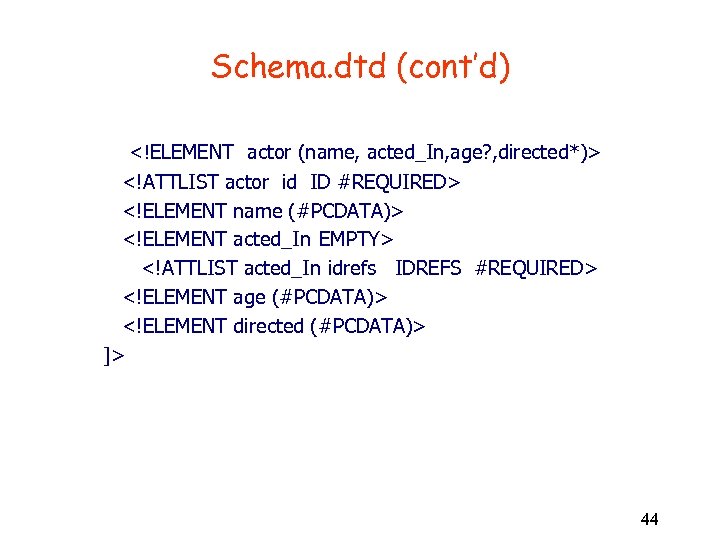 Schema. dtd (cont’d) ]> 44
Connecting the document with its DTD In line: … ]>
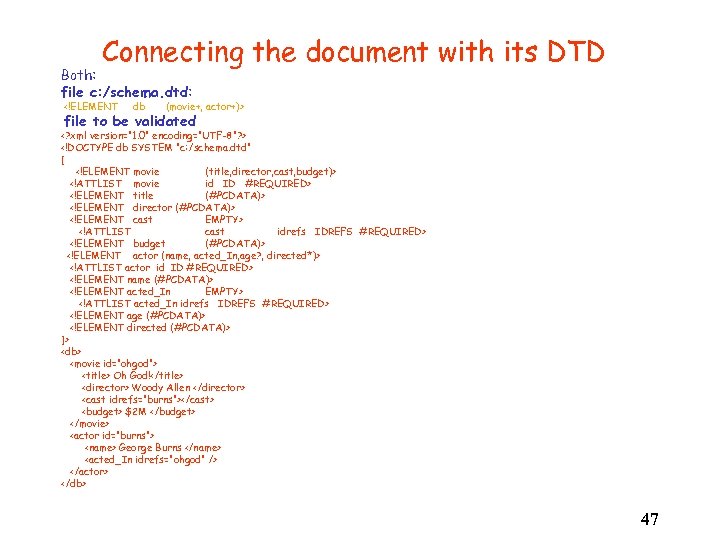 Connecting the document with its DTD Both: file c: /schema. dtd: file to be validated ]>
 Well-formed and Valid Documents • Well-formed applies to any document (with or without a DTD): proper nesting of tags and unique attributes. • Valid specifies that the document conforms to the DTD: conforms to regular expression grammar, types of attributes correct, and constraints on references satisfied. 48
 DTDs vs. Schemas (or Types) • By database (or programming language) standards DTDs are rather weak specifications. – Only one base type -- PCDATA – No useful “abstractions” e. g. , sets – IDREFs are untyped. You point to something, but you don’t know what! – No constraints e. g. , child is inverse of parent – No methods – Tag definitions are global • XML Schema and other standards are similar to DB schemas. 49
 Part III: Entities To take storage into account 50
 What are Entities An entity is a shortcut to a set of information items. You might think of an entity as being a bit like a macro. Entities allow dividing a document between some different storage devices. 51
 Why to use entities: • Entities save typing. • Entities can reduce errors. • Entities are easy to update. • Entities can act as placeholders for TBD information. 52
 Defining Entities • You can define entities in your local document as part of the DOCTYPE definition. • You can also link to external files that contain the entity data. This, too, is done through the DOCTYPE definition. • A third option is to define the entities in your external DTD. • Use a local definition when the entity is being used only in this one particulars file. • Use a linked, external file when the entity being used in many document sets. 53
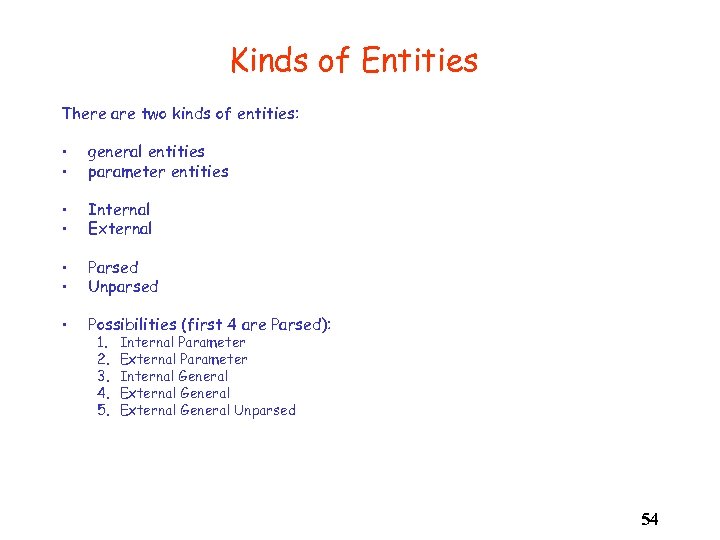 Kinds of Entities There are two kinds of entities: • • general entities parameter entities • • Internal External • • Parsed Unparsed • Possibilities (first 4 are Parsed): 1. 2. 3. 4. 5. Internal Parameter External Parameter Internal General External General Unparsed 54
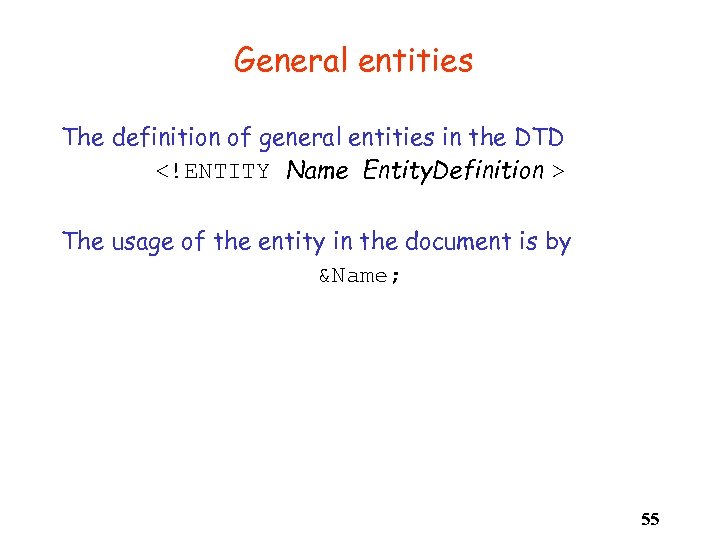 General entities The definition of general entities in the DTD The usage of the entity in the document is by &Name; 55
Example (partial) <[
Example - in full ]>
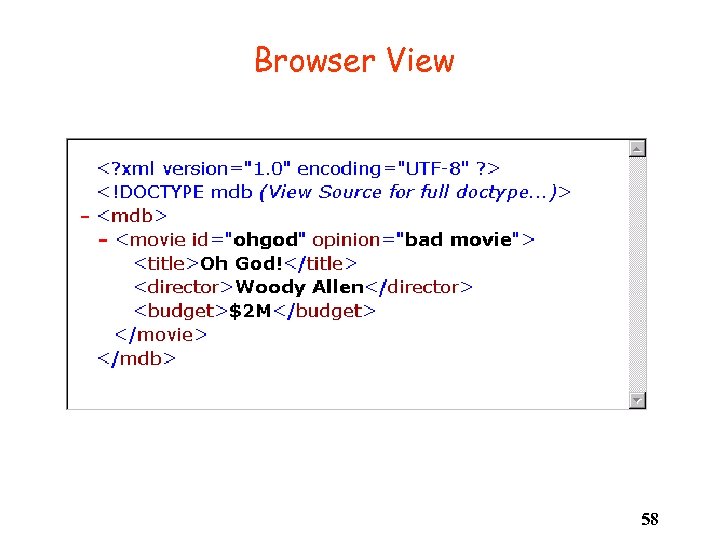 Browser View 58
Non-parsed Entities ]> 59
-- note: no ampersand
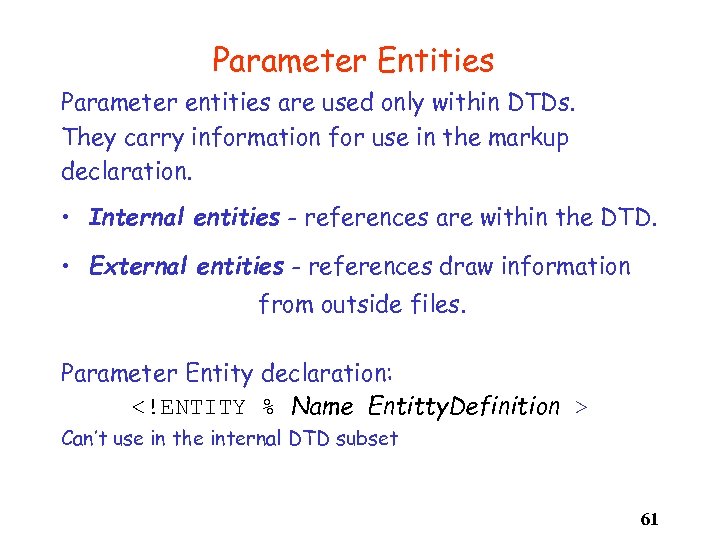 Parameter Entities Parameter entities are used only within DTDs. They carry information for use in the markup declaration. • Internal entities - references are within the DTD. • External entities - references draw information from outside files. Parameter Entity declaration: Can’t use in the internal DTD subset 61
" src="https://present5.com/presentation/73a643822b967cbd7a70439280a9cfd1/image-62.jpg" alt="Parameter Entity Example " />
Parameter Entity Example 62
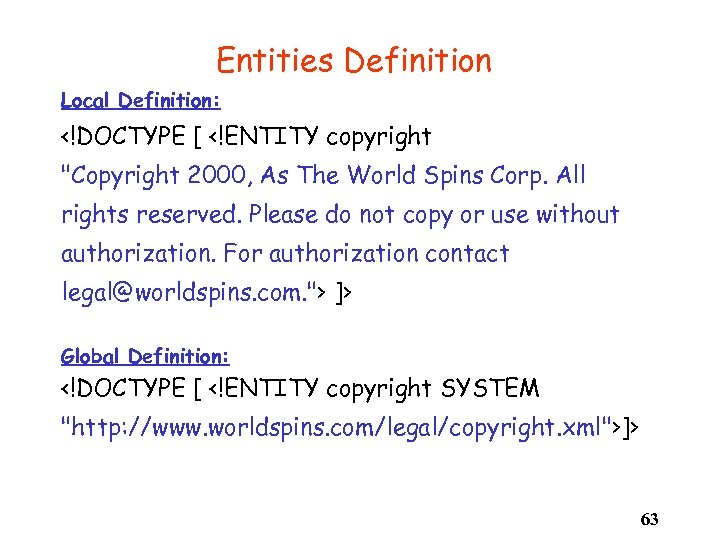 Entities Definition Local Definition: ]> Global Definition: ]> 63
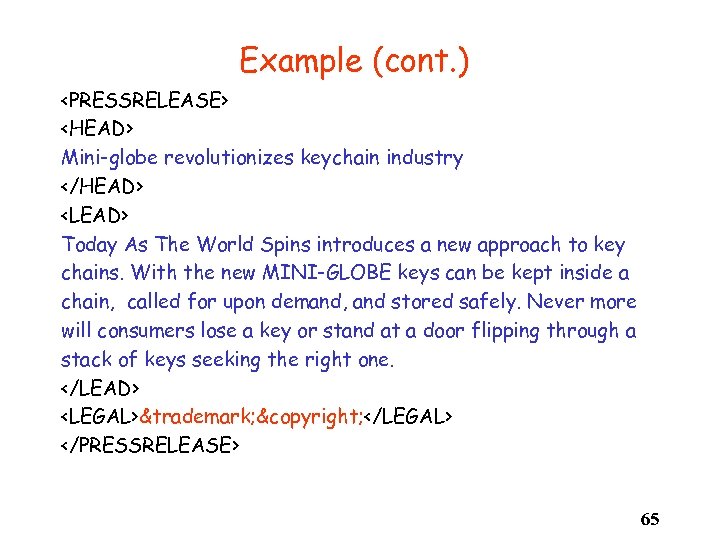
Example ]> 64
 Example (cont. )
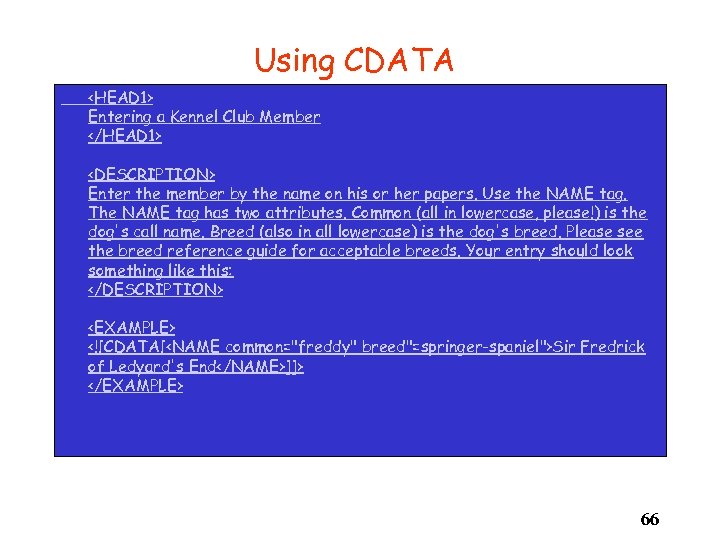 Using CDATA
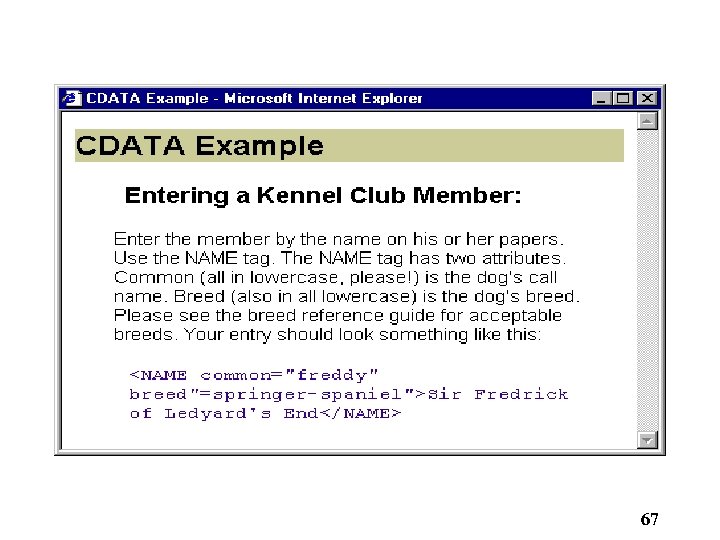 67
67
 Namespaces • Namespaces are a way of preventing name clashes among elements from more than one source within the same XML document. • They are also useful in identifying elements that are meaningful for a particular XML application. • See http: //www. w 3. org/TR/REC-xml-names/ 68
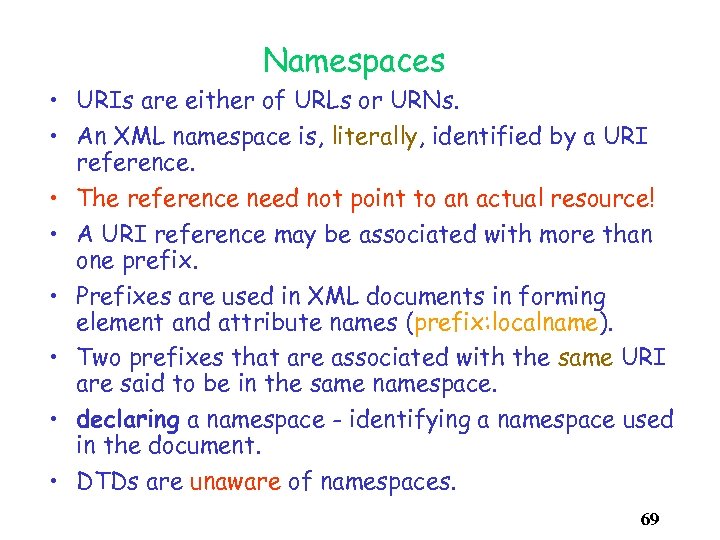 Namespaces • URIs are either of URLs or URNs. • An XML namespace is, literally, identified by a URI reference. • The reference need not point to an actual resource! • A URI reference may be associated with more than one prefix. • Prefixes are used in XML documents in forming element and attribute names (prefix: localname). • Two prefixes that are associated with the same URI are said to be in the same namespace. • declaring a namespace - identifying a namespace used in the document. • DTDs are unaware of namespaces. 69
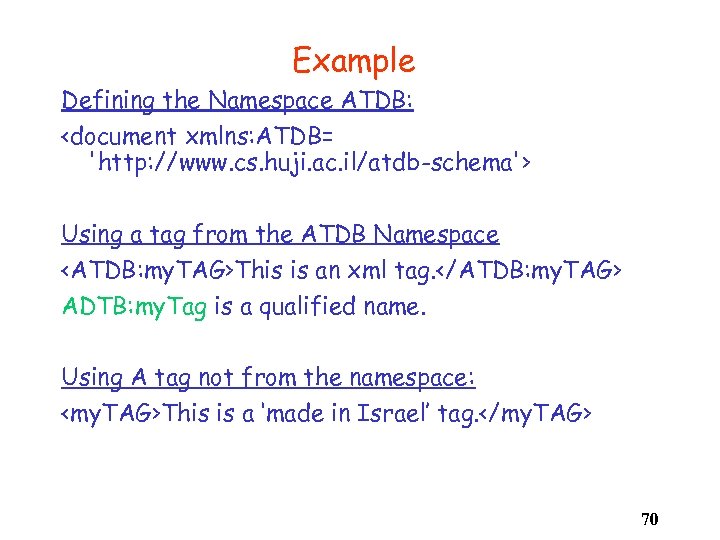 Example Defining the Namespace ATDB:
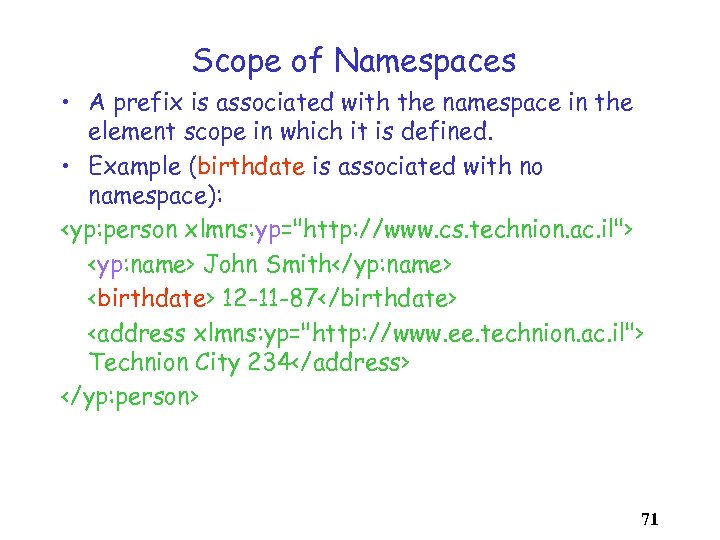 Scope of Namespaces • A prefix is associated with the namespace in the element scope in which it is defined. • Example (birthdate is associated with no namespace):
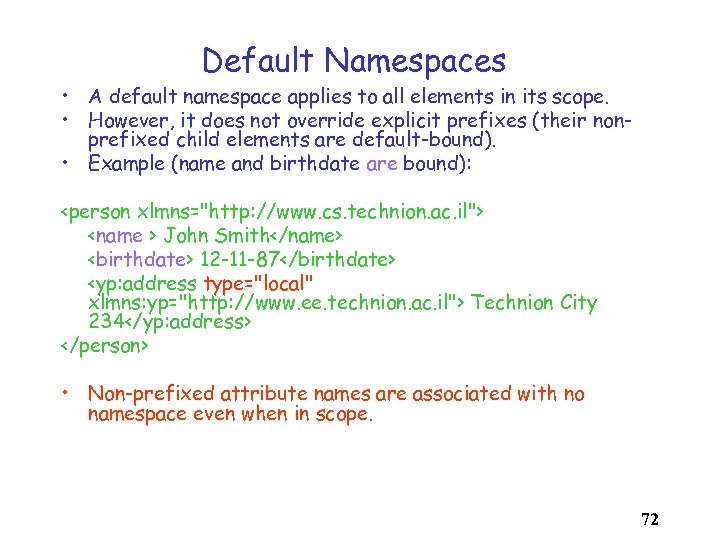 Default Namespaces • A default namespace applies to all elements in its scope. • However, it does not override explicit prefixes (their nonprefixed child elements are default-bound). • Example (name and birthdate are bound):
 Summary • XML is a useful data format. Its main virtues are widespread acceptance and the (important) ability to handle semi-structured data (data without schema) • DTDs provide some useful syntactic constraints on documents. As schemas they are weak. – How to store large XML documents? – How to query them? – How to map between XML and other representations? 73