 Скачать презентацию www myaiesec net New members registration allocation
Instrustion_New_members_registration_for_memb.ppt
- Количество слайдов: 18



www. myaiesec. net: New members registration & allocation by projects Created by AIESEC NSTU, Russia
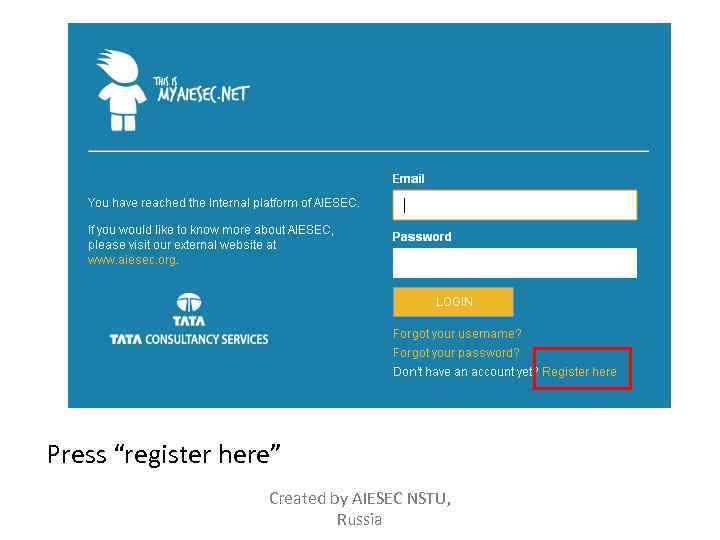
Press “register here” Created by AIESEC NSTU, Russia
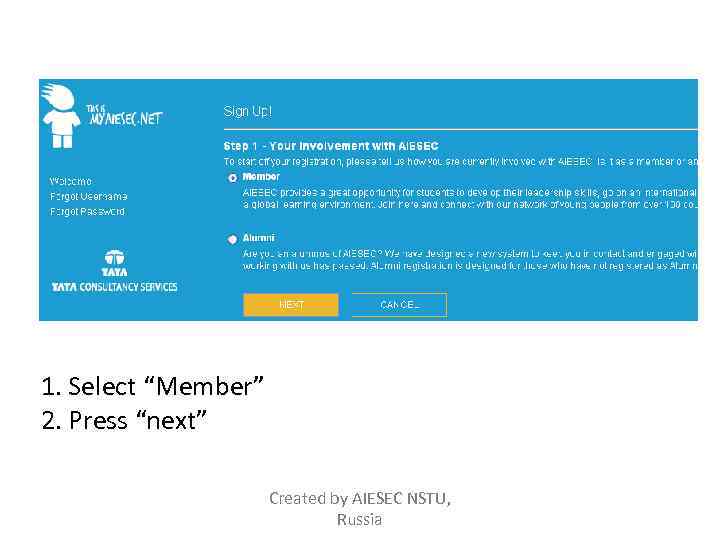
1. Select “Member” 2. Press “next” Created by AIESEC NSTU, Russia
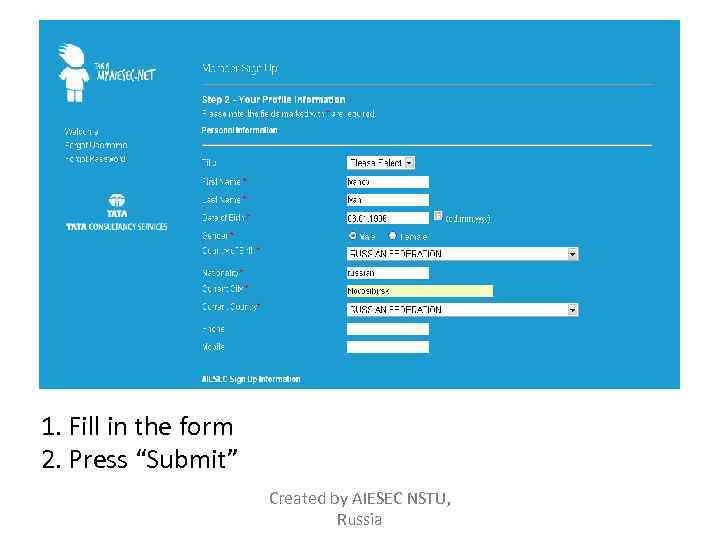
1. Fill in the form 2. Press “Submit” Created by AIESEC NSTU, Russia
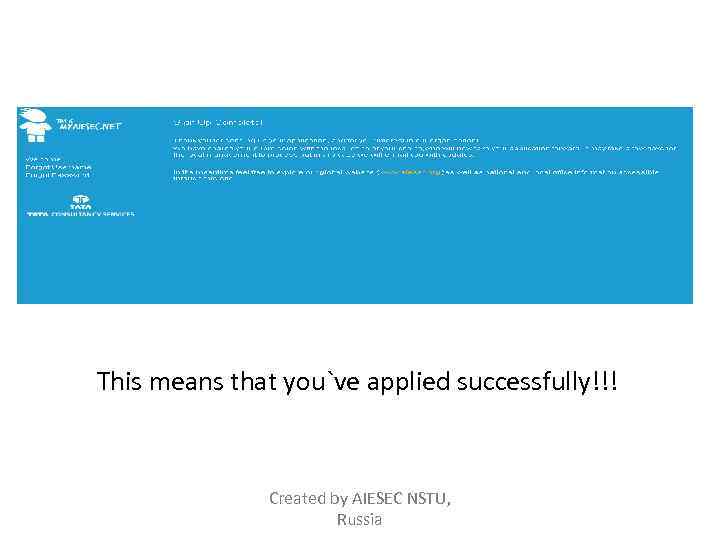
This means that you`ve applied successfully!!! Created by AIESEC NSTU, Russia
Something that member should do by himself/herself Created by AIESEC NSTU, Russia
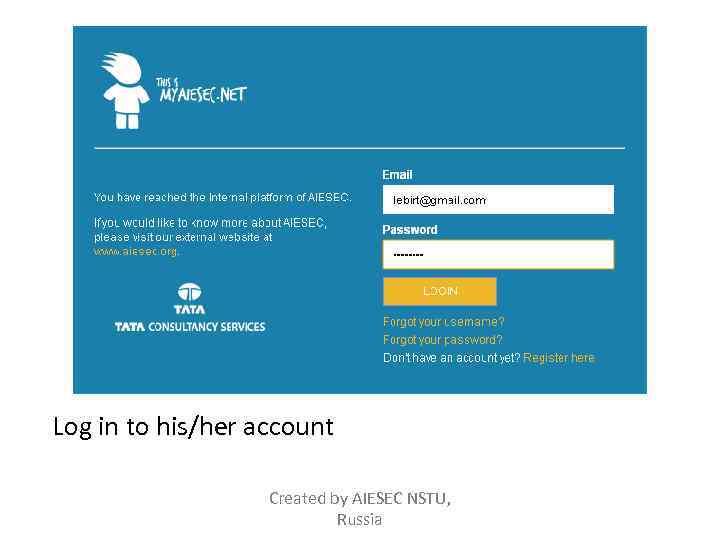
Log in to his/her account Created by AIESEC NSTU, Russia
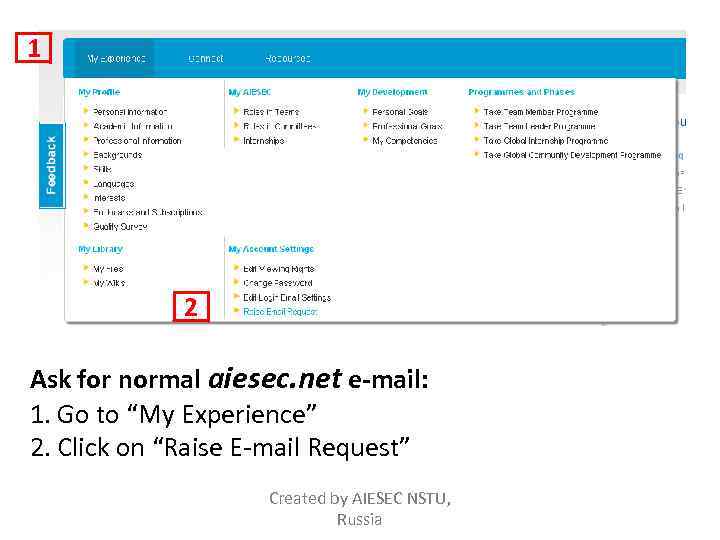
1 2 Ask for normal aiesec. net e-mail: 1. Go to “My Experience” 2. Click on “Raise E-mail Request” Created by AIESEC NSTU, Russia
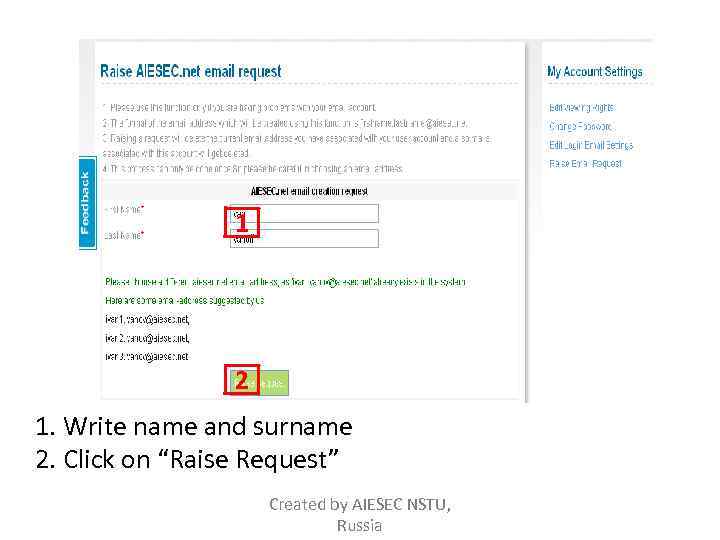
1 2 1. Write name and surname 2. Click on “Raise Request” Created by AIESEC NSTU, Russia
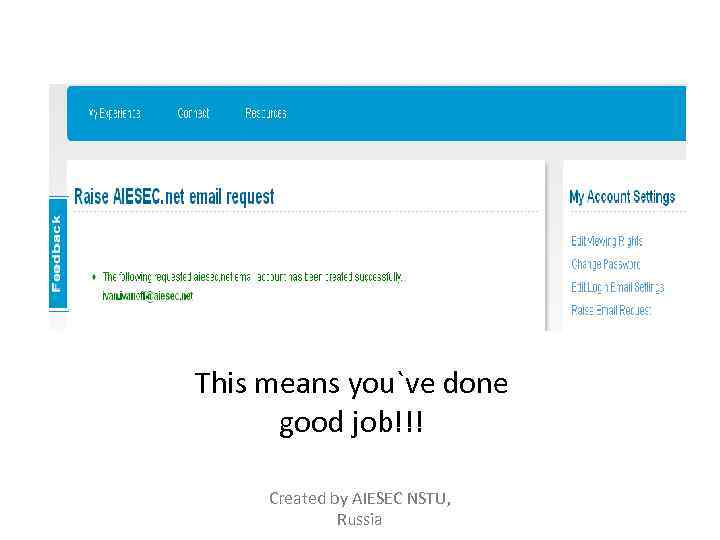
This means you`ve done good job!!! Created by AIESEC NSTU, Russia
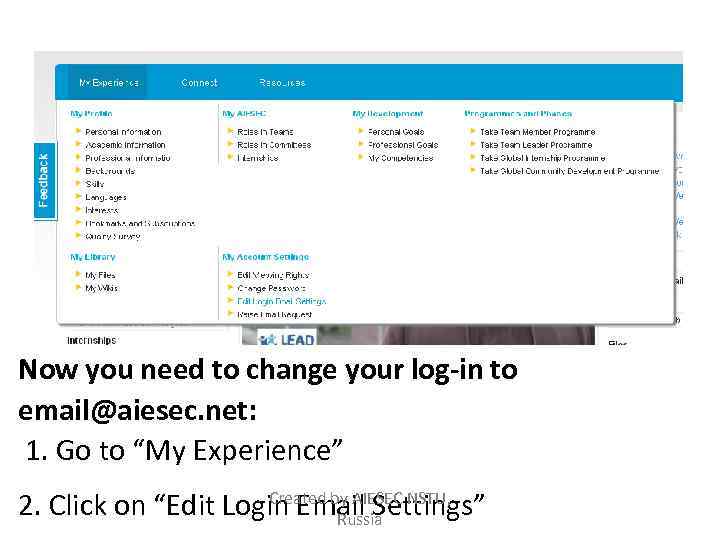
Now you need to change your log-in to email@aiesec. net: 1. Go to “My Experience” Created by AIESEC NSTU, 2. Click on “Edit Login Email Settings” Russia
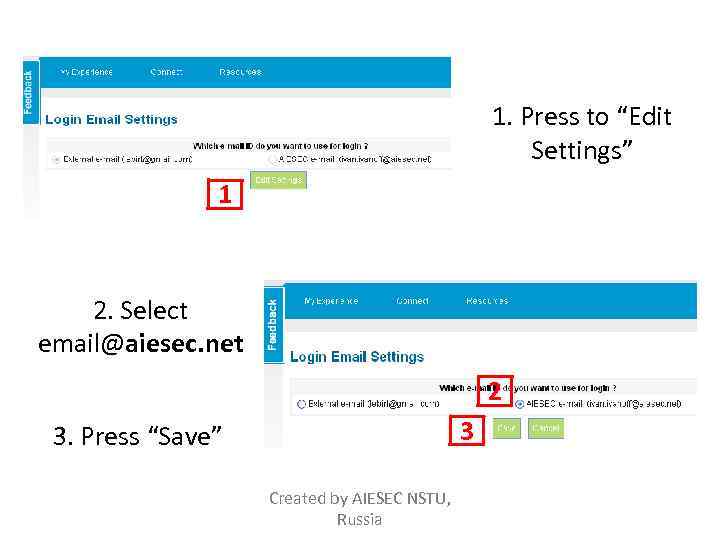
1. Press to “Edit Settings” 1 2. Select email@aiesec. net 2 3 3. Press “Save” Created by AIESEC NSTU, Russia
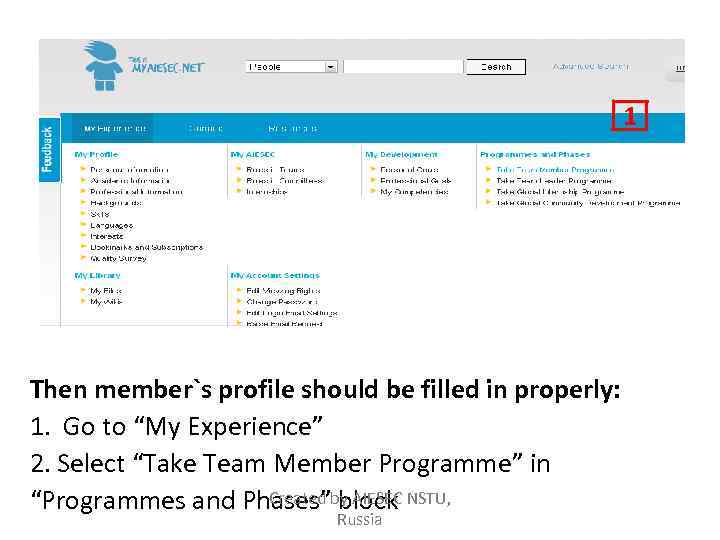
1 Then member`s profile should be filled in properly: 1. Go to “My Experience” 2. Select “Take Team Member Programme” in Created block “Programmes and Phases”by AIESEC NSTU, Russia
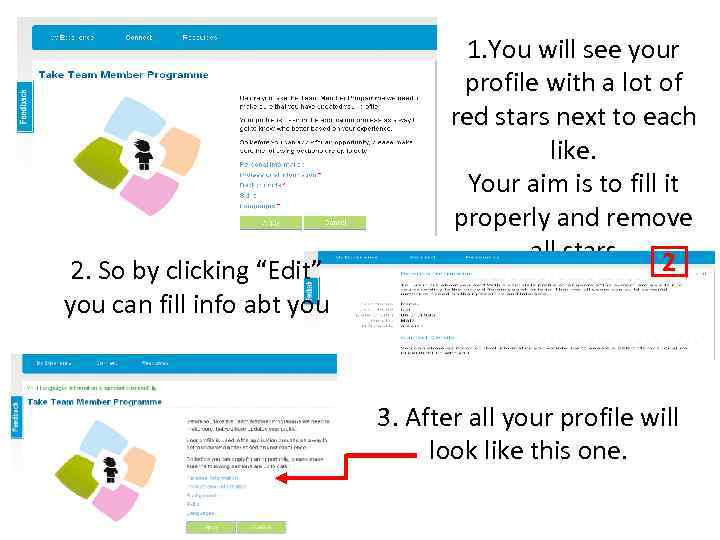
2. So by clicking “Edit” you can fill info abt you 1. You will see your profile with a lot of red stars next to each like. Your aim is to fill it properly and remove all stars 2 3. After all your profile will look like this one.
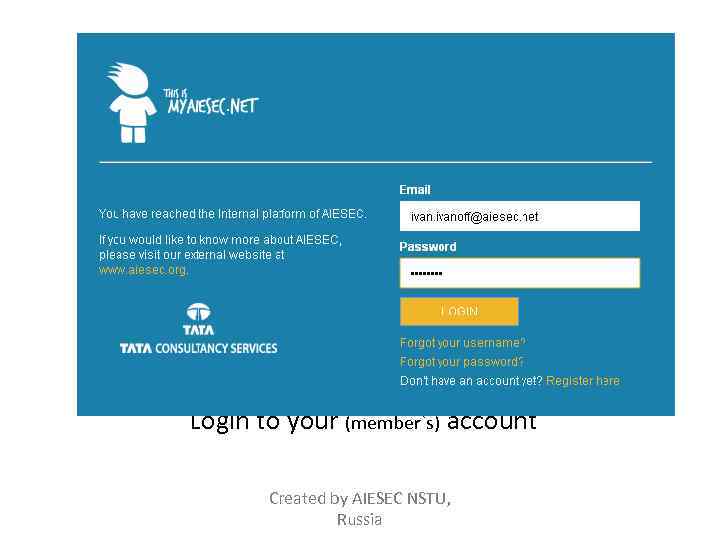
Login to your (member`s) account Created by AIESEC NSTU, Russia
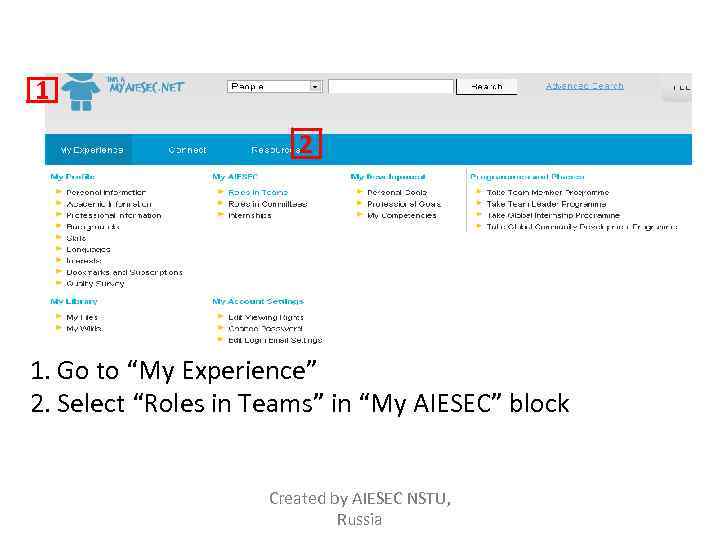
1 2 1. Go to “My Experience” 2. Select “Roles in Teams” in “My AIESEC” block Created by AIESEC NSTU, Russia
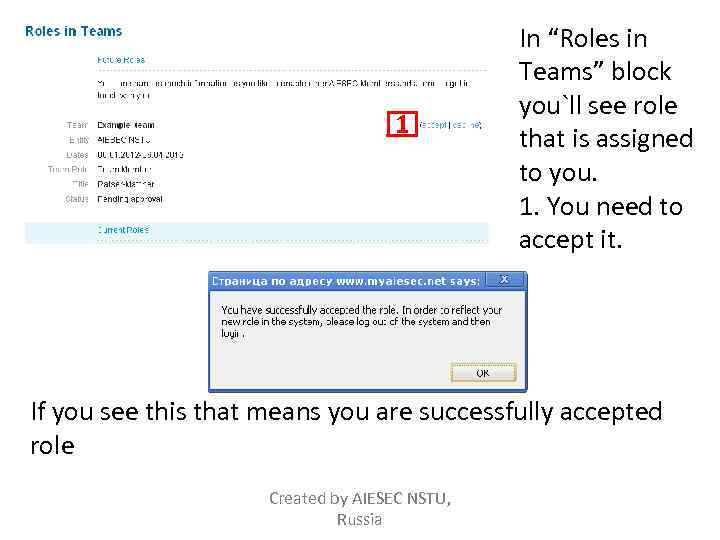
1 In “Roles in Teams” block you`ll see role that is assigned to you. 1. You need to accept it. If you see this that means you are successfully accepted role Created by AIESEC NSTU, Russia
Congratulations!!! Created by AIESEC NSTU, Russia
Скачать презентацию www myaiesec net New members registration allocation
Instrustion_New_members_registration_for_memb.ppt