


 Скачать презентацию WWW E-Commerce A Gentle Introduction Sadiq M
b41a98bd294f6b42c7cacee3cdc59234.ppt
- Количество слайдов: 157
 WWW & E-Commerce: A Gentle Introduction Sadiq M. Sait, Ph. D sadiq@ccse. kfupm. edu. sa Department of Computer Engineering King Fahd University of Petroleum and Minerals Dhahran, Saudi Arabia 1
 Topics Covered in this Session A brief overview of relevant Internet Services l Web and HTML l Client/Server Software and HTTP l Images, Frames, Forms & Web-DB l E-Commerce l Several other related topics l 2
 Lingo Hyper. Text: Enables linking to places l Link(s) l Hyperlinks: Hot spots on which a user can click to access other: l » topics (in the same document) » documents, (other HTML files, for e. g. ), or » Web sites l URL: Addresses on Internet to which hot spots connect 3
 Lingo GIF, JPEG, XBM, XPM (picture formats) l Netscape, Mosaic, Iexplorer (browsers) l Web. Edit, Ho. TMeta. L, Front. Page (editors/tools) l FTP, TCP/IP, HTTP (protocols) l Applets, J++, javac, Java Engine (Java programming) l xv, clipart, adobe-photoshop etc. , (graphics xv editors) l 4
 Tutorial Outline l Two main components l Internet Services & WWW Web & Related Multimedia l E-Commerce l l Demo of selected concepts 5
 What Is The Internet? l l l Worldwide network of computer networks No central authority Quick communication & data transfer Size more than doubles annually Traffic increases more than 15%/month Offers an enormous array of information 6
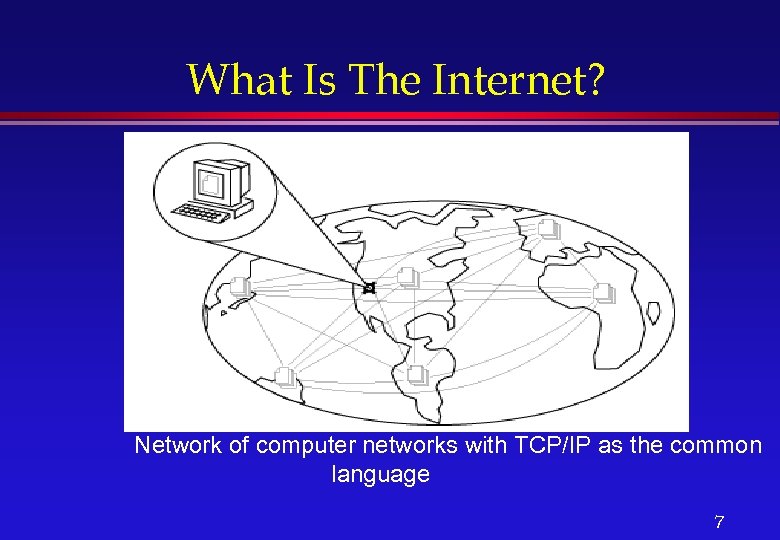 What Is The Internet? Network of computer networks with TCP/IP as the common language 7
 Who Runs The Internet? l l No one owns or runs the Internet. Every computer connected to the Internet is responsible for its own part. The National Science Foundation is responsible for maintaining only the backbone. http: //www. isoc. org If something doesn’t work, you do not complain to the ‘management’ of the Internet. Instead you talk to the system administrators of the computer you are connected to. 8
 Virtual Library (Initially) l l Databases » Individual Library Catalogs » MEDLINE Publications » English, Arabic and other Newspapers » Electronic journals Software » “Freeware” or “Shareware” Audiovisuals » Graphics, sound, motion pictures 9
 What Do You Do On The Internet? l l l Search and Retrieve Documents Exchange e-mail (100 M email addresses) Download programs, demos and graphics Search databases of Companies and Government Read and Response to USENET groups (30, 000 different topics) Real-time chat, Web-phone and video conference 10
 What Do You Do On The Internet? (Examples) l l l Book an air ticket (best itinerary) Choose and order a book from a bookstore Order Pizza Buy Stocks (invest in companies) Visit e-malls, do e-shopping Display info about yourself See a movie Make friends Watch what others are doing Display info about yourself Gossip etc. 11
 What really is a Service? l l l On internet (network of networks), computers communicate with one another. Users of one computer can access services from another. You can use many methods to communicate with a computer somewhere else on the Internet. These methods used to communicate are called services because they service your requests. There a wide variety of services, and each can give you many kinds of information. In summary the internet is a: > way to move data (audio, video, etc) > a bunch of protocols (or rules for machines to communicate with each other) 12
 Clients and Servers l All that we speak of internet fall into three categories: » » l l Clients Servers Content (Interaction and Transactions) Software/Hardware that we use to browse the Web, send mail, download files, etc are called clients. Servers respond to clients requests. 13
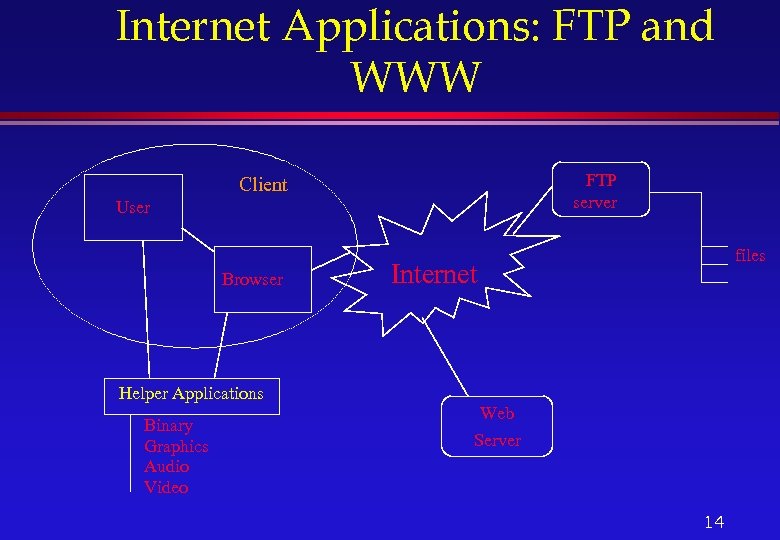 Internet Applications: FTP and WWW FTP server Client User Browser Helper Applications Binary Graphics Audio Video files Internet Web Server 14
 Available Services » » » Email: Electronic mail Telnet: Remote login into computer networks FTP: File Transfer Protocol for transferring computer files WWW: World Wide Web Gopher: Searchable index, selectable index of documents USENET: Newsgroups with different subjects enable people with common interest to share information » Chat: Real-time communications between people on the Internet » Others (Archie, Wais, Gopher, News and News Groups, Internet Relay Chat, Internet Phone, Net 2 phone, Video Conferencing, & Internet Collaborative Tools) 15
 E-mail l Most popular, de-facto standard of communication, works between disparate systems, let users attach files (audio, video, animation, etc), and volume of data transferred is billions of bytes/day. l easy to send, read, reply to, and manage, global, economical and very fast, recipients are more likely to reply to an e-mail message, and can be read or written at any time, independent of time zones and business hours 16
 E-mail l Advantages: » » » l Standard way of communication for corporations Less interference or interrupts between work Reply with a number of options No cost within the environment Less chance of miscommunication Can save messages for future retrieval and records Disadvantages » You need to have a computer and a network connection » Less personal than voice (although now we can also have voice mail, with some extra cost) 17
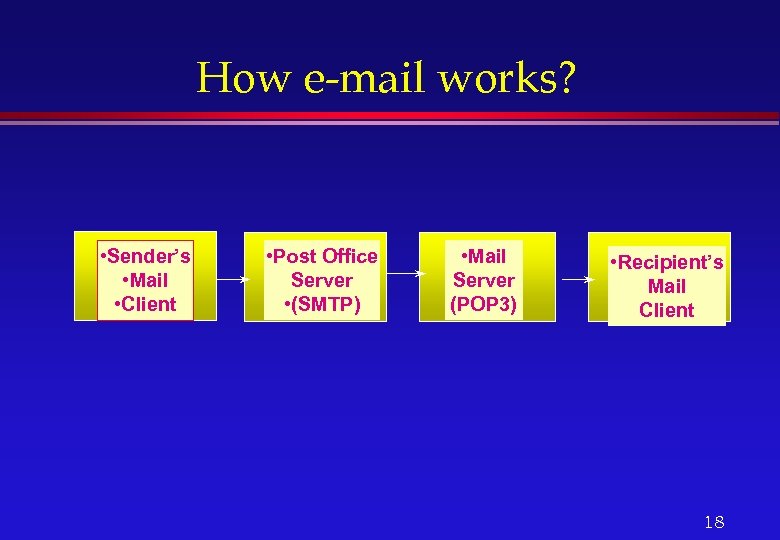 How e-mail works? • Sender’s • Mail • Client • Post Office Server • (SMTP) • Mail Server (POP 3) • Recipient’s Mail Client 18
 Calendar and its Features l l Calendar reminders can come by e-mail, beeps (. wav files are played), or pop-up windows. Calendars can be used to make schedule for next 20 years (or more): you can schedule your 25 th wedding anniversary and your retirement party now. Recurring meetings such as weekly/daily/monthly, etc. , can be set simply (your dear-one’s birthdays, anniversary, etc). Can open and view other users calendars, and hide private meetings and appointments. 19
 E-mail addresses/Mailing lists l Finding an e-mail Address l Finger l Whois l Mailing list/Groups of e-mail addresses 20
 Telnet l l l l Telnet is a program that lets you log into to a remote computer. Why Use Telnet? (Least used part of the Web). Technically telnet is a protocol. . Connection can be established by using SLIP, PPP or dedicated lines. Usually available in the universities and Internet Service Providers. Weakness (a) Only console applications can run. No GUI support unless X terminals are used. (b) Security risk because hackers can trap the IP address of the network. All ports numbered 80 will have Web sites; likewise all port 23 s will be used for telnet, and multi-user games will be found on 4201, etc. 21
 FTP l l l File Transfer Protocol » Allows transfer of any type of file from the remote server to a local computer and vice versa File types could be ASCII or Binary All types of files from text to multimedia can be transferred. Two types of FTP: Secure and Anonymous can download or upload files without having an account on the machine. 22
 Archie l l The archie service is a collection of resource discovery tools that together provide an electronic directory service for locating information in an Internet environment. Archie creates a central index of files available on anonymous FTP sites around the Internet. The Archie servers connect to anonymous FTP sites that agree to participate and download lists of all the files on these sites. These lists of files are merged into a database, which users can then search 23
 WAIS l WAIS stands for Wide Area Information Server and is pronounced “ways”. l WAIS searches for words in documents. l The core of the software is an indexer, used to create full-text indexes of files fed to it, and a server that can use those indexes to search for keywords or whole English expressions among the files indexed. 24
 Gopher l l The term Gopher refers to: - A network protocol - A server type - One of the many Gopher client applications. Gopher protocol and software allow for browsing information systems so that one doesn’t need to know exactly where the needed information is before looking for it. You do need to know the address of a Gopher server to get started. Veronica is a service that provides a (very large) index of titles of Gopher items from most servers throughout the Internet. 25
 Veronica l Veronica is a service that provides a (very large) index of titles of Gopher items from most servers throughout the Internet. l The result of a Veronica search is a set of Gopher items whose titles contain the keyword that the user was searching for. l The Veronica index is accessed via a normal Gopher search item. 26
 Jughead l Another Gopher directory search is Jughead. l Jughead, like Veronica runs as a server on the Gopher site, and provides a pre-built table of directory information that can be searched. l Unlike Veronica, Jughead is usually implemented for a particular Gopher site. 27
 Discussion on the Network news is another way to take part in a lot of discussions over the internet (News, News groups) l Talk l Internet relay chat, voice chat (IRC servers and nicknames l Internet phone l Net 2 Phone l Video Conferencing l 28
 Hotmail, Yahoo Mail, Rocket Mail …. l Hotmail and it’s cousins are all getting to be very popular because » they offer free e-mail accounts, » basically use Web-technology l The disadvantage is that you have to » wait longer; frustrating experience if the mail is plenty and the lines are slow--which they are anyway, most of the time! l The major advantage, however, » is access to mail from virtually anywhere they can access the WWW on the Internet » there is privacy, since mail is left on the server 29
 Free Resources l In addition to free-e-mail addresses and space, companies also give you » Free domain name hosting, free disk space, free virtual stores and software In brief, generally, you do not have to pay to do business on the net. 30
 Why Design Web pages & for Who? l l Personal Pages Companies, Organizations » (schools, universities, research centers, etc) l l News Networks Journals Events (conferences, international games, etc) Internet/Intranet 31
 What is HTML? l HTML is a structured language » rules of nesting All WWW documents are written in HTML l WWW l » World Wide Web » Most popular Internet information service 32
 What is Internet? l What is Internet? » Worlds largest network » Collection of interconnected networks built on the Internet protocol TCP/IP » Growing at an amazing rate » Open system with decentralized management l Estimated: 28. 8 million people over 16 in the US have access, 16. 4 million use the Internet and 11. 5 million use the Web. 33
 World Wide Web Client/Server Architecture l Designed to make it easy for people to share information l » Hides complexities of location of documents » Easy to distribute information » Fun to look at 34
 World Wide Web l Hyperlinks » Highlighted words or pictures » Item pointed to may be another document image, movie, sound clip etc 35
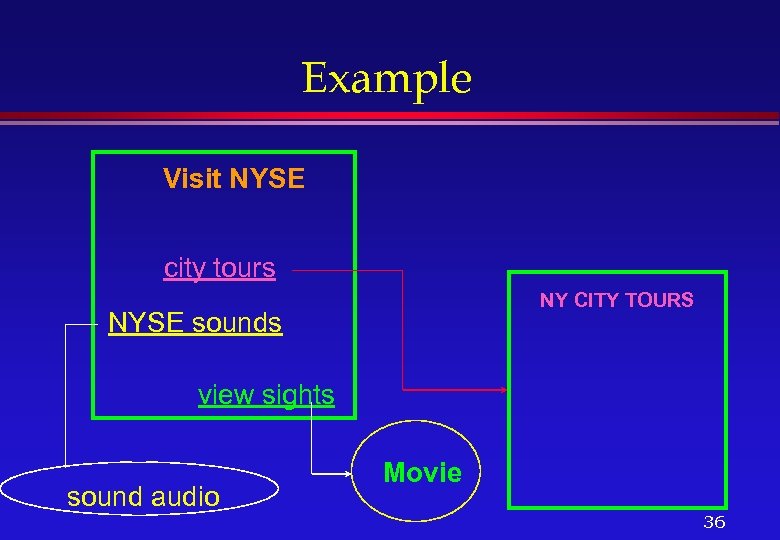 Example Visit NYSE city tours NY CITY TOURS NYSE sounds view sights sound audio Movie 36
 WWW Browsers Interpret HTTP as well as other protocols » ftp, mailto, telnet, gopher, etc. l Display physical formatted HTML text » in-line images » hyperlinks l 37
 WWW browsers (contd. . ) l Helper Applications » Programs on the user’s computer that can be used to display images, movies, sound, etc. that cannot be displayed on the browser itself – Sound files – Movies (MPEG) – Mail – Other file formats 38
 Why learn HTML? l Everyone is a publisher » The architecture of the Internet allows almost anyone to become an information provider for a world wide audience l WWW documents must be in HTML » To create your own home page you need to know some HTML 39
 Why learn HTML? (contd. . ) l Not a must » Can use tools to create HTML » Conversion tools can be used to convert existing HTML documents – Example: La. Te. X 2 HTML – Word documents can be saved in HTML – Frame. Maker documents too l It is very easy to learn 40
 Creating an HTML Page l Requirements » Text or HTML Editor to enter TAGS » Graphics editors » Browser (Netscape, Internet Explorer, Lynx, etc. ) l Focus » Usable and Eye-catching documents » Images in Web pages » Animation 41
 HTML Basics l HTML documents contain 3 things » Text +TAGS » External Multimedia such as graphics, sound, movies, etc. l Example »
 What are Tags? l Mark text as » headings, paragraphs » formatting (physical, logical) » list » quotations, etc. l Also for » creating hyperlinks » including images, making tables » fill-in forms, frames 43
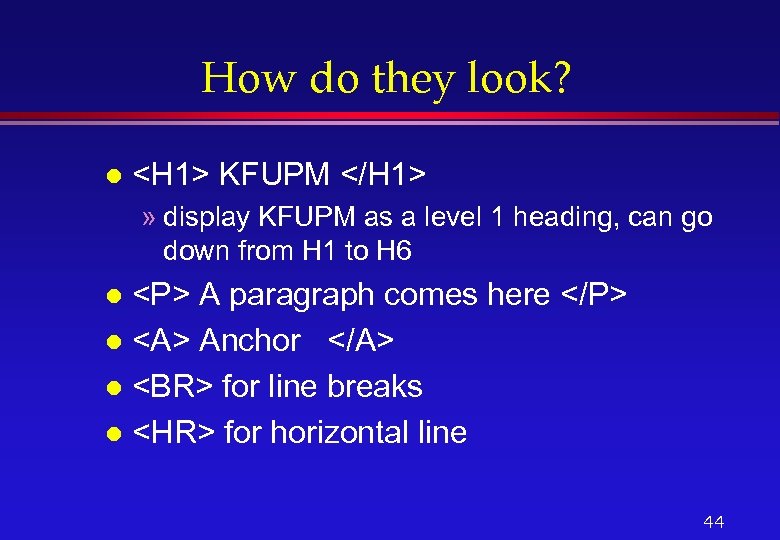 How do they look? l
A paragraph comes here
l Anchor lfor line breaks l
for horizontal line l 44
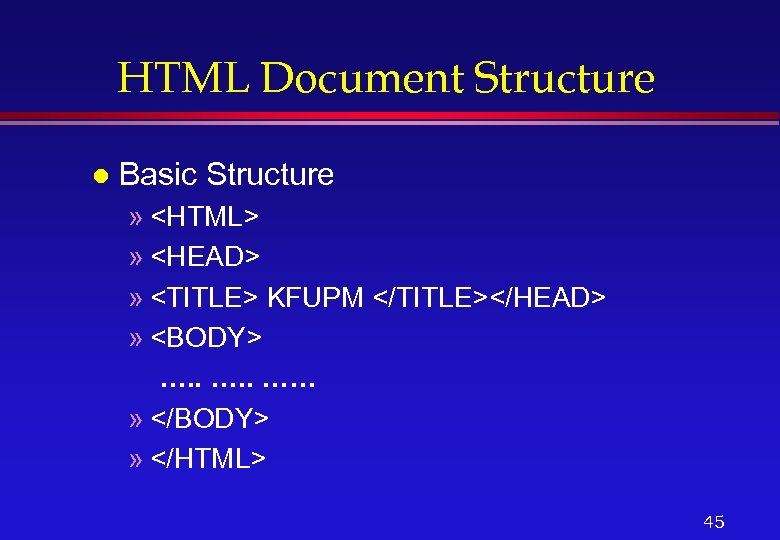 HTML Document Structure l Basic Structure » »
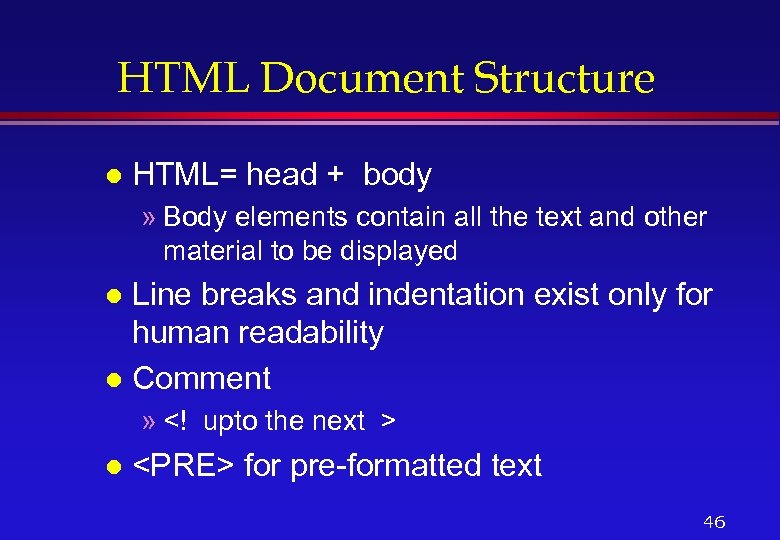 HTML Document Structure l HTML= head + body » Body elements contain all the text and other material to be displayed Line breaks and indentation exist only for human readability l Comment l » l
for pre-formatted text 46
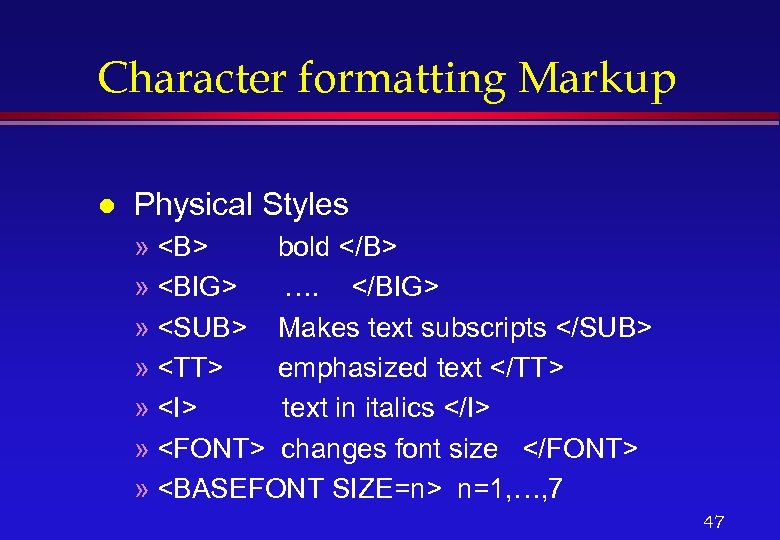 Character formatting Markup l Physical Styles » bold » …. » Makes text subscripts » emphasized text » text in italics » changes font size »
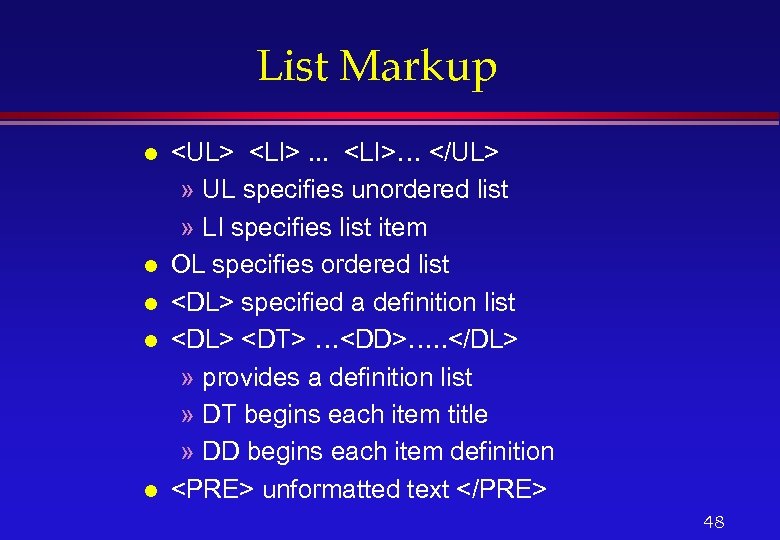 List Markup l l l
- . . .
- …
- specified a definition list
- …
- …. .
unformatted text48
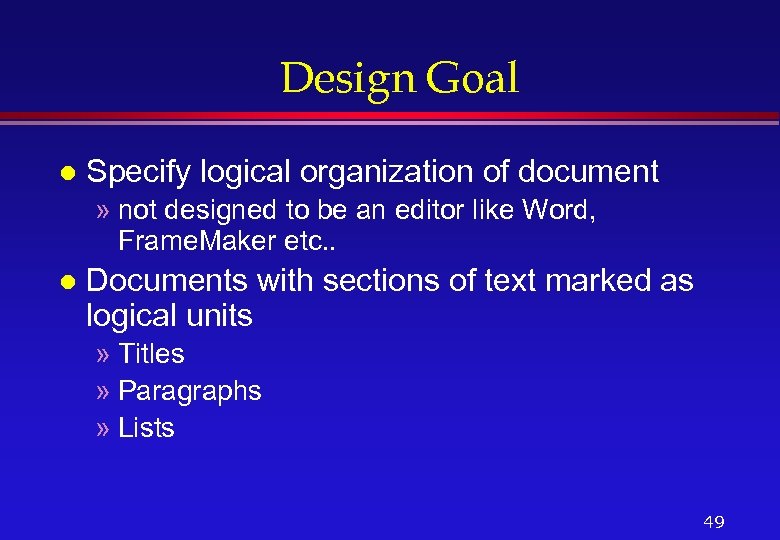 Design Goal l Specify logical organization of document » not designed to be an editor like Word, Frame. Maker etc. . l Documents with sections of text marked as logical units » Titles » Paragraphs » Lists 49
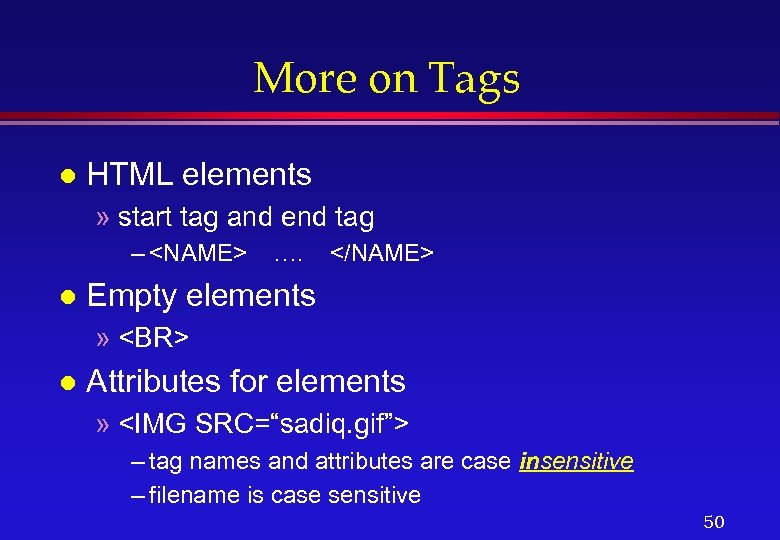 More on Tags l HTML elements » start tag and end tag –
l Attributes for elements » – tag names and attributes are case insensitive – filename is case sensitive 50
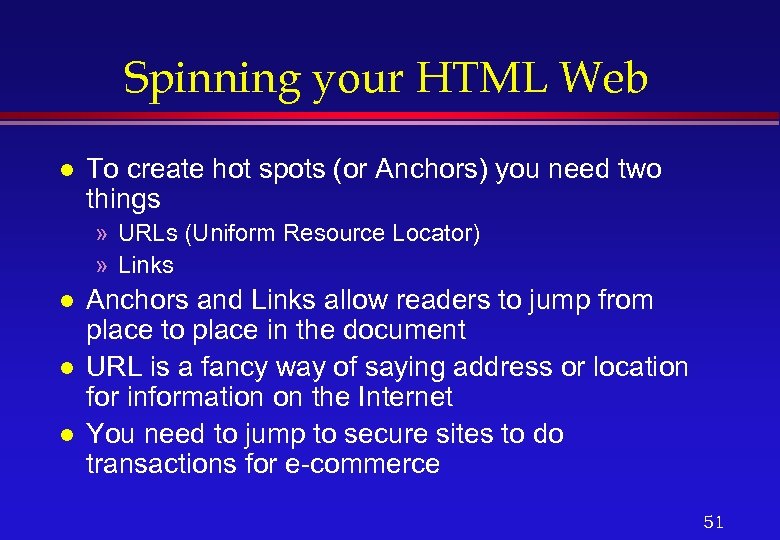 Spinning your HTML Web l To create hot spots (or Anchors) you need two things » URLs (Uniform Resource Locator) » Links l l l Anchors and Links allow readers to jump from place to place in the document URL is a fancy way of saying address or location for information on the Internet You need to jump to secure sites to do transactions for e-commerce 51
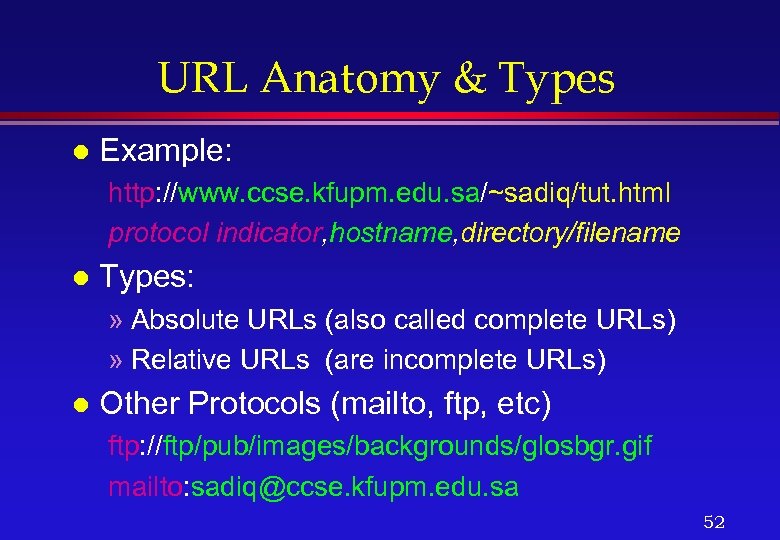 URL Anatomy & Types l Example: http: //www. ccse. kfupm. edu. sa/~sadiq/tut. html protocol indicator, hostname, directory/filename l Types: » Absolute URLs (also called complete URLs) » Relative URLs (are incomplete URLs) l Other Protocols (mailto, ftp, etc) ftp: //ftp/pub/images/backgrounds/glosbgr. gif mailto: sadiq@ccse. kfupm. edu. sa 52
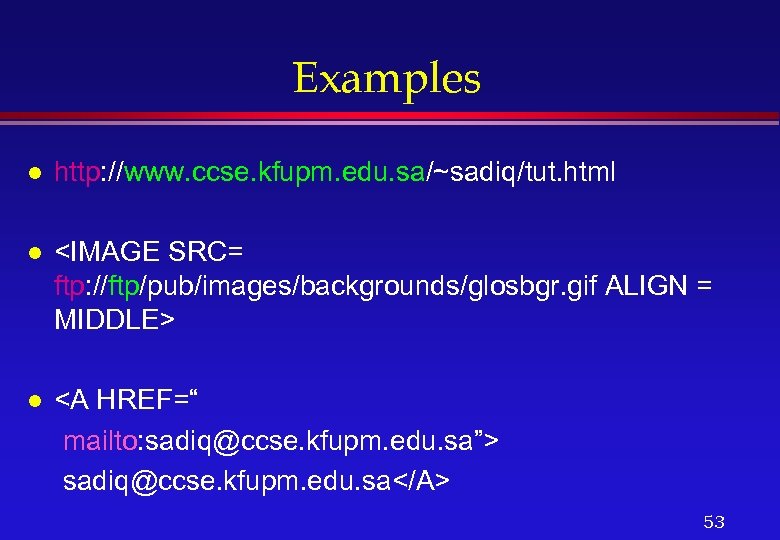 Examples l http: //www. ccse. kfupm. edu. sa/~sadiq/tut. html l
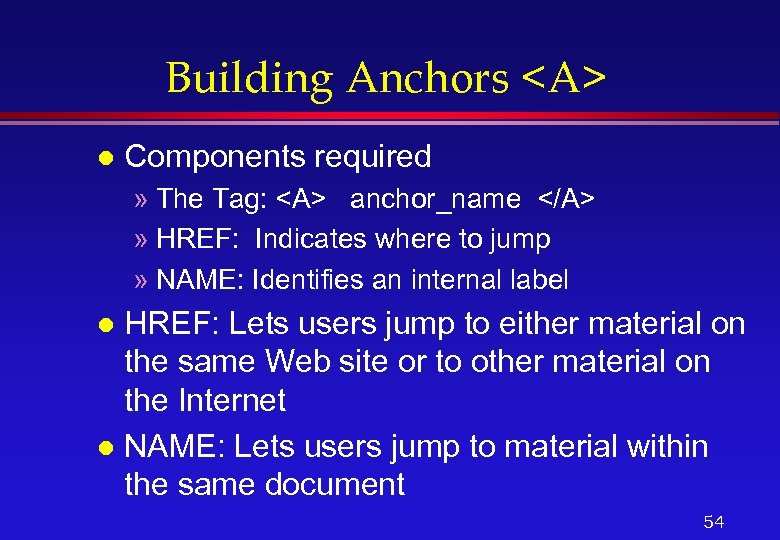 Building Anchors l Components required » The Tag: anchor_name » HREF: Indicates where to jump » NAME: Identifies an internal label HREF: Lets users jump to either material on the same Web site or to other material on the Internet l NAME: Lets users jump to material within the same document l 54
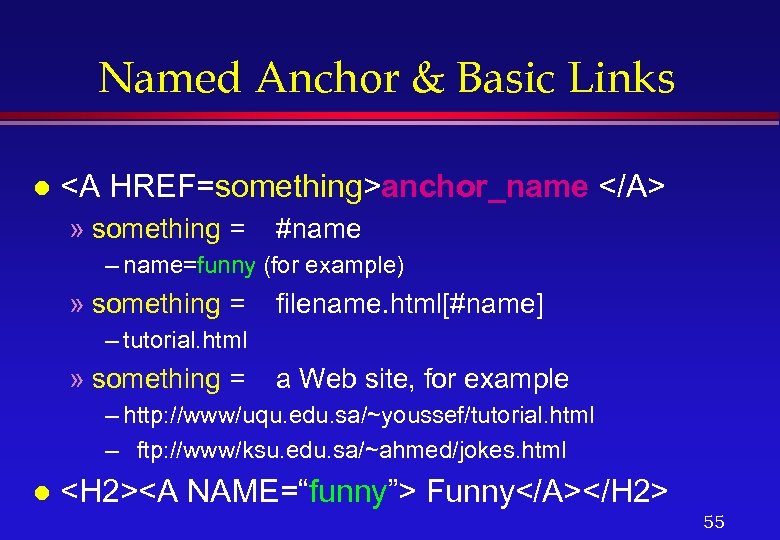 Named Anchor & Basic Links l anchor_name » something = #name – name=funny (for example) » something = filename. html[#name] – tutorial. html » something = a Web site, for example – http: //www/uqu. edu. sa/~youssef/tutorial. html – ftp: //www/ksu. edu. sa/~ahmed/jokes. html l
 Using Images in Web Pages Including l Aligning l Using them as links l Making images load more quickly l Using thumbnail images l 56
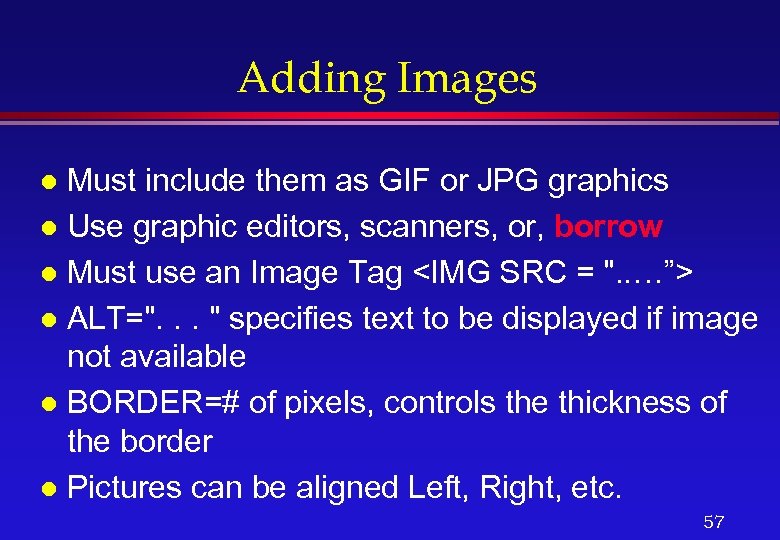 Adding Images Must include them as GIF or JPG graphics l Use graphic editors, scanners, or, borrow l Must use an Image Tag
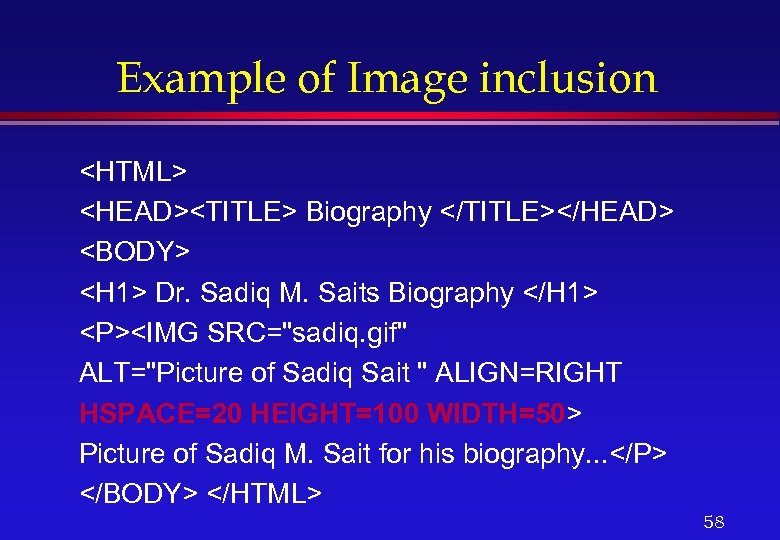 Example of Image inclusion
Picture of Sadiq M. Sait for his biography. . .
 Some notes on Images l l l Loading of images is made faster by telling the browser the size of the image Size is specified in pixels You can link by using images » Can have pictures with no borders You can use thumbnail images to link to larger images Making clickable images (image maps) 59
Pictures as Links
Sadiq M. Sait was born in. . .
" src="https://present5.com/presentation/b41a98bd294f6b42c7cacee3cdc59234/image-61.jpg" alt="Using Thumbnails
" />
Using Thumbnails
Thumbnail of Sait’s picture…. 61
 Clickable Images l l Enable readers to click on parts of images (e. g. , click on a state or country in a map) HTML tag used in
 Other Attributes l Choosing Colors » Background » Links (link, alink, vlink) » Text Colors can be chosen for tables, background etc. l RGB concept (#FFFFFF=white) l Choosing background (using images, . gif files) l 63
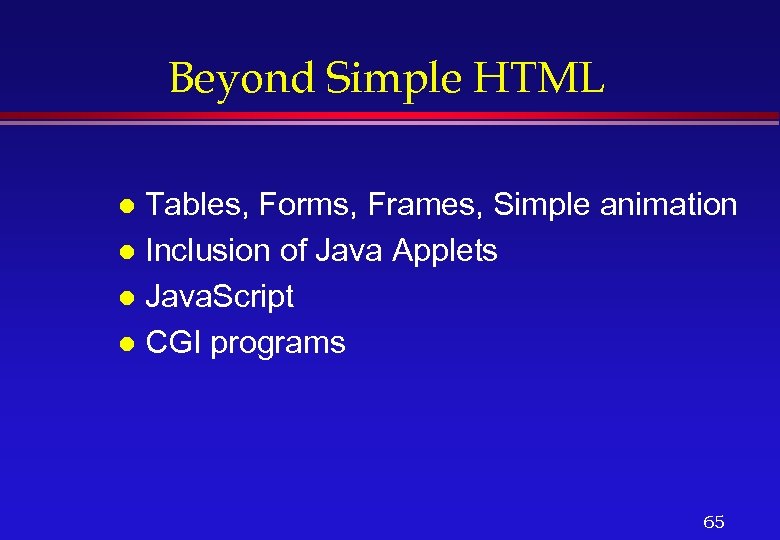
 Some More Tags CENTER, BLINK, HR, APPLET l