


 Скачать презентацию Working with Shake Cast A Training Manual
9991cfdeee746dd5bb5288f2d9b0e797.ppt
- Количество слайдов: 49
 Working with Shake. Cast A Training Manual
 Contents Module 1: Introduction to key concepts u Module 2: Shake. Cast installation u Module 3: System configuration u Module 4: Inventory and database management u Module 5: System maintenance u Module 6: Tweaks and tricks u
 Module 1 Shake. Cast Key Concepts Shake. Cast Background u Shake. Cast technology u Where can Shake. Cast be used? u Shake. Cast implementations (Full, Lite, Remote, and Preview) u Shake. Cast V 3. 0 u
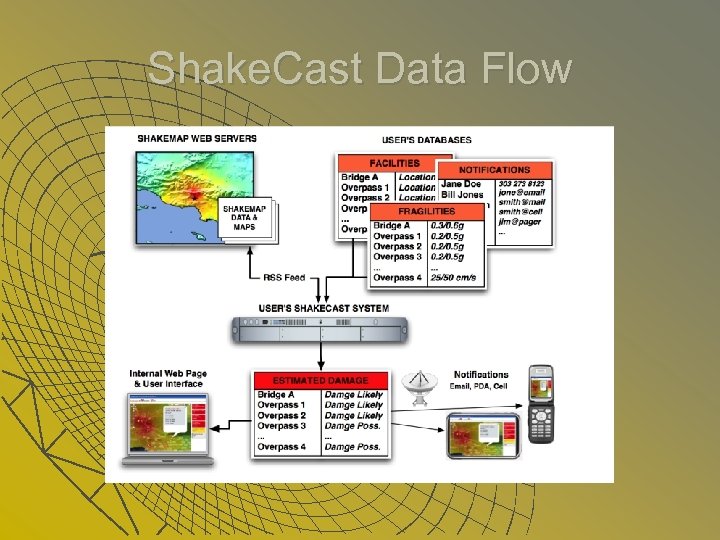 Shake. Cast Data Flow
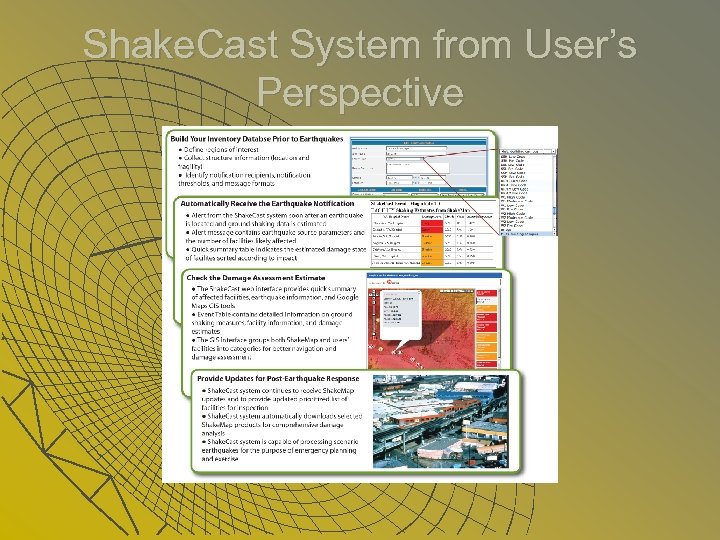 Shake. Cast System from User’s Perspective
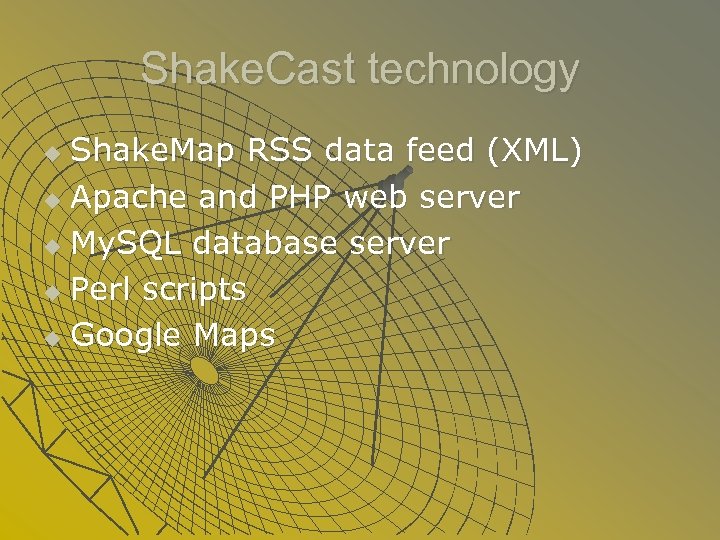 Shake. Cast technology Shake. Map RSS data feed (XML) u Apache and PHP web server u My. SQL database server u Perl scripts u Google Maps u
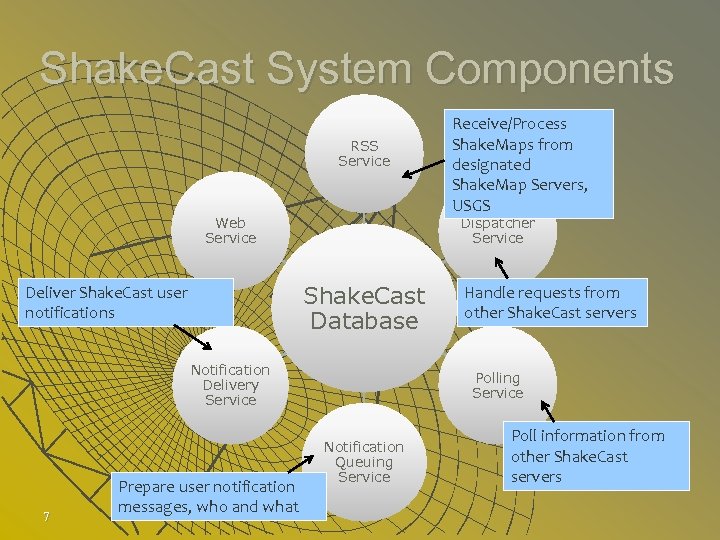 Shake. Cast System Components RSS Service Web Service Dispatcher Service Shake. Cast Database Deliver Shake. Cast user notifications Notification Delivery Service 7 Prepare user notification messages, who and what Receive/Process Shake. Maps from designated Shake. Map Servers, USGS Handle requests from other Shake. Cast servers Polling Service Notification Queuing Service Poll information from other Shake. Cast servers
 Where can Shake. Cast be used? Where Shake. Map is produced u Globally magnitude of 5. 5 or greater u Regions inside the U. S. , magnitude of ~3. 5 or greater u
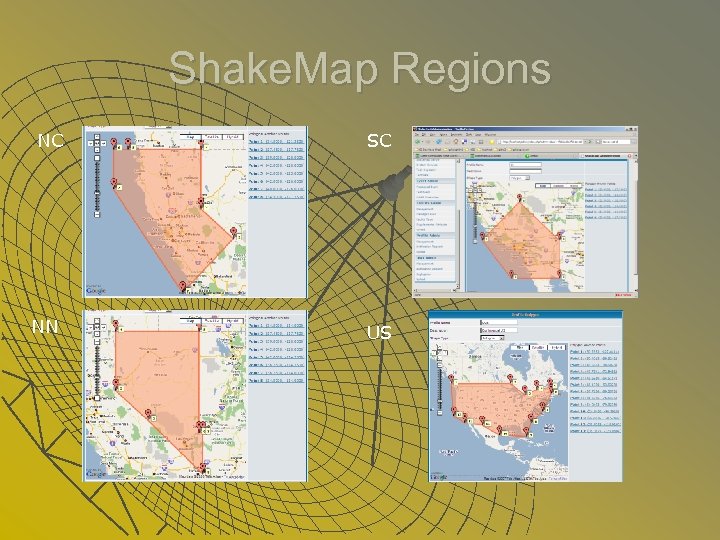 Shake. Map Regions NC SC NN US
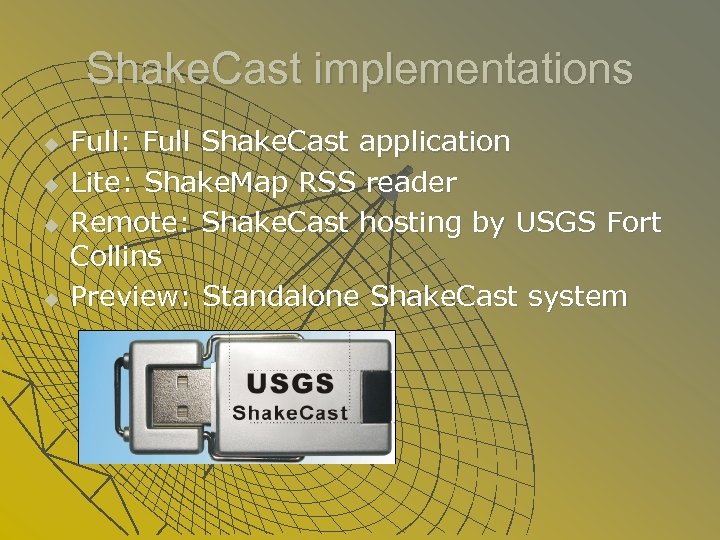 Shake. Cast implementations u u Full: Full Shake. Cast application Lite: Shake. Map RSS reader Remote: Shake. Cast hosting by USGS Fort Collins Preview: Standalone Shake. Cast system
 Module 2 Shake. Cast Installation Shake. Cast installer u System requirement u Manual installation procedure u Common issues and fixes u
 Shake. Cast installer Official support for MS Windows operating system u Linux, UNIX, and Mac OS X (BSD) variants available u Clean (full) installation will wipe out existing database and system settings u Try rerun the installer if it did not finish the process on the first run u
 System requirement Hardware: typical P 4 or equivalent desktop or server setup u Software: MS Windows 2000/XP/Vista/7/Server u Network: access to the Internet and SMTP email server u
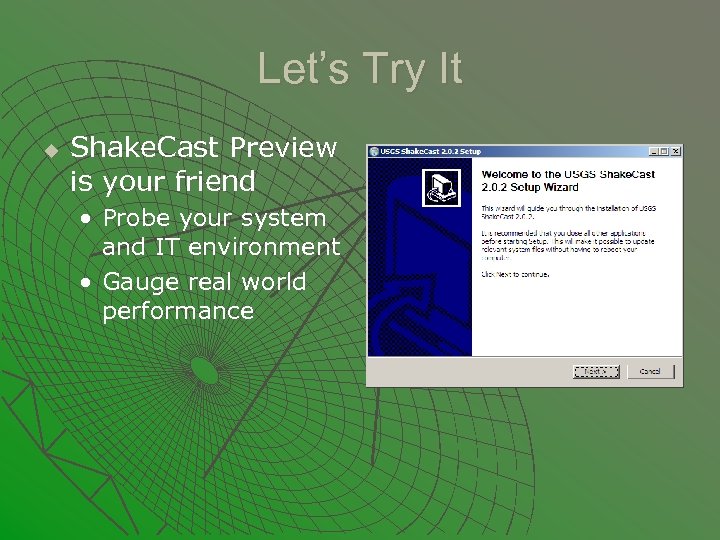 Let’s Try It u Shake. Cast Preview is your friend • Probe your system and IT environment • Gauge real world performance
 Manual installation procedure u Prerequisite software • Perl • Apache • My. SQL • PHP Shake. Cast software u Post-installation tools u
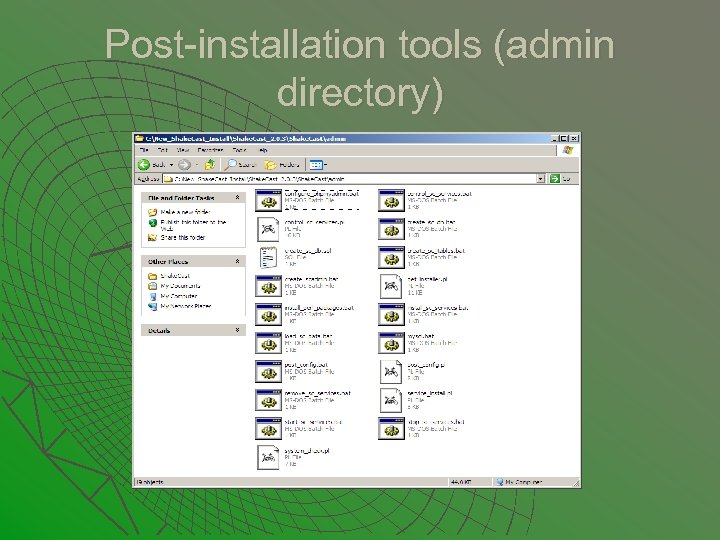 Post-installation tools (admin directory)
 Common issues and fixes Installer encountered errors and quit u Post installation scripts failed u Installation process completed, then what? u Shake. Cast system services not running u No Shake. Cast web interface u This doesn’t end… u
 Module 3: System Configuration Post installation configuration u System services u SMTP mail server u Apache web server u My. SQL database server u Perl and PHP u
 Post installation configuration System check/config tools u Shake. Cast database u System services u Config directory and files u Log directory and files u
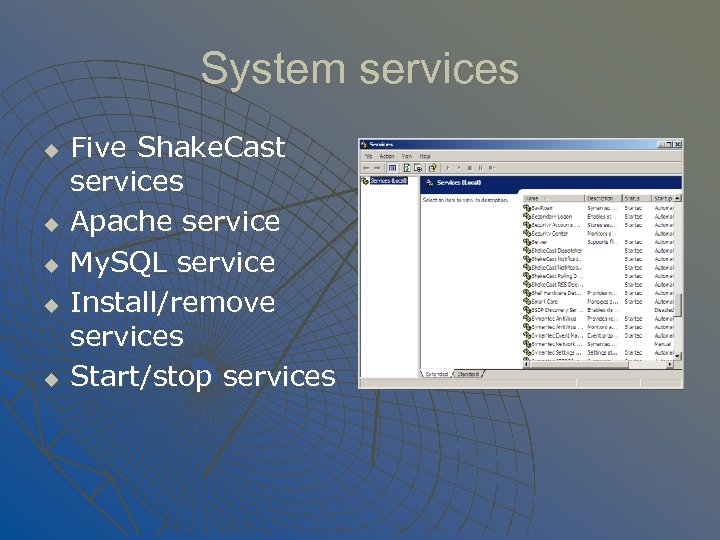 System services u u u Five Shake. Cast services Apache service My. SQL service Install/remove services Start/stop services
 SMTP mail server You really need help from your IT department u Most notifications are sent via mail server, except script notifications u Basic authentication u Two entries in the system, one in sc. conf and one in database u
 Apache web server Apache config files are not exchangeable among different versions u Shake. Cast specific add-on httpdsc. conf u Combined access and error logs u Apache and PHP u Service control u
 My. SQL database server Shake. Cast database directory u My. SQL. ini file u Error and slow-query logs u Service control u User authentication u
 Perl and PHP installation directories and system environment settings u Perl modules and PPM u • Default modules • Optional and third-party modules • Shake. Cast custom modules PHP extensions u PHP, Apache, and My. SQL connectors u
 Module 4: Inventory and Database Management Facility Management u Profile Management u User Management u Notification Requests u Processing Shake. Maps u
 Facility Management Required information of facility u Unique facility ID u Custom facility type u Fragility settings u Volume import of facilities u
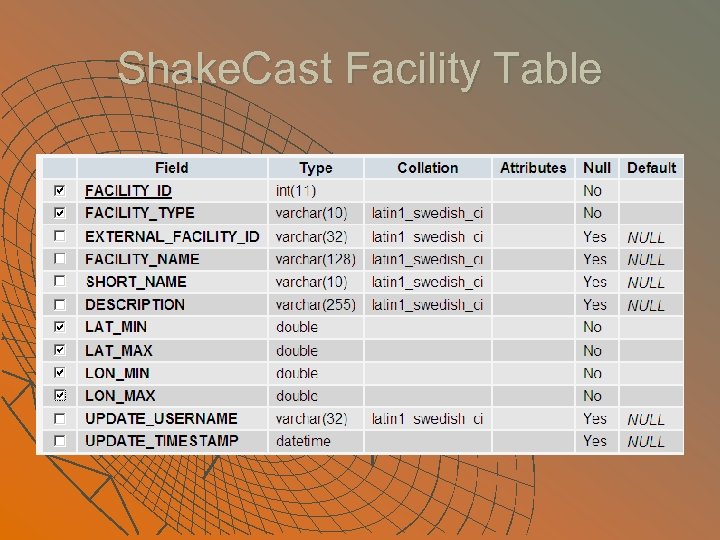 Shake. Cast Facility Table
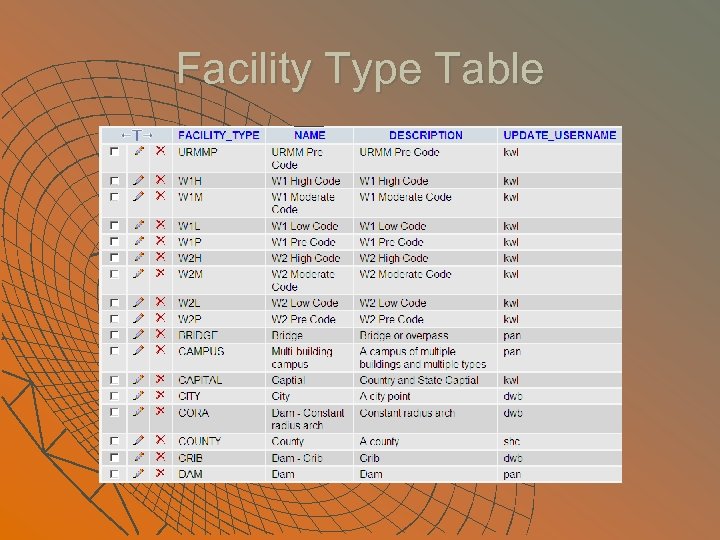 Facility Type Table
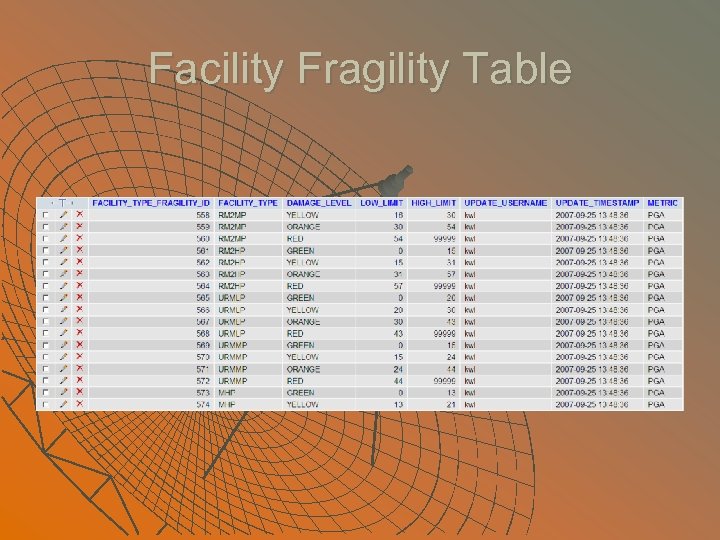 Facility Fragility Table
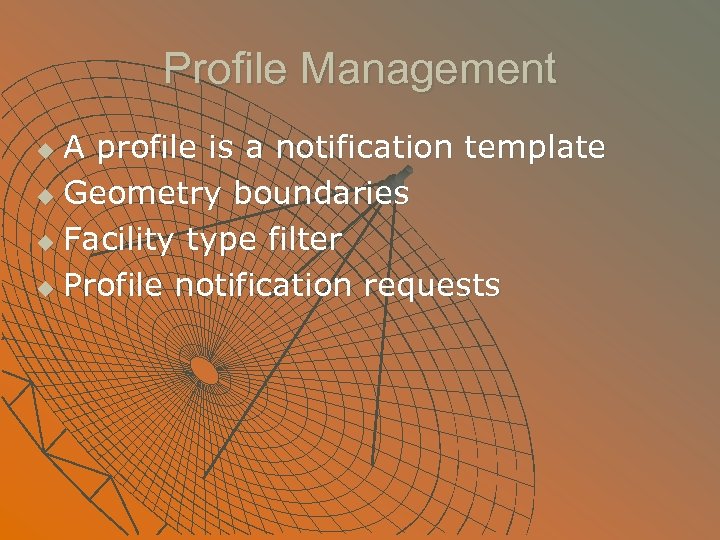 Profile Management A profile is a notification template u Geometry boundaries u Facility type filter u Profile notification requests u
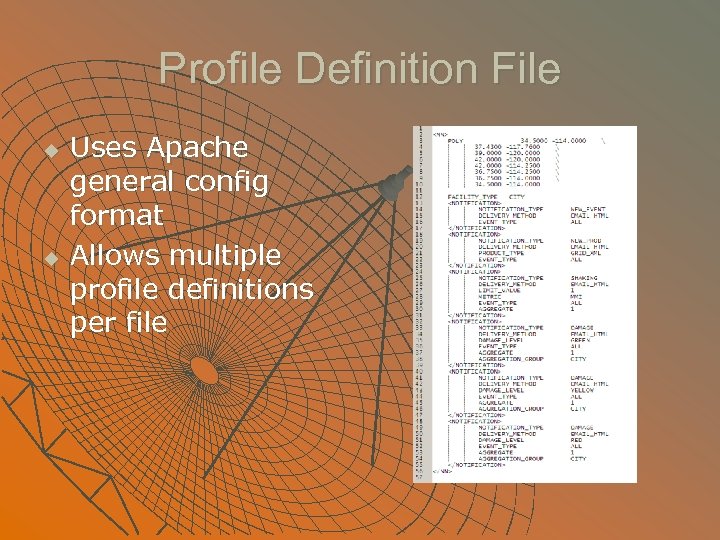 Profile Definition File u u Uses Apache general config format Allows multiple profile definitions per file
 User Management Required information of a user u Delivery methods of notifications u User-profile association u User notification replication u Volume import of user profiles u
 Required User Information Username u Password u User type u At least one email address u
 Notification Requests Use profile whenever possible u Requests are explicit u Request aggregation u Notifications and Shake. Map metrics u Delivery methods and addresses u Notification templates u
 Processing Shake. Maps Shake. Cast automatic processes u Processed Shake. Map data directory u Procedure for processing Shake. Maps manually u Be careful with Shake. Map event types u
 Shake. Cast Automatic Process Shake. Map RSS data polling interval (2 min. ) u Shake. Map region filter u Active time window u Re-trigger threshold (% changes) u
 Data Directory and Event Type u Processed Shake. Map directory • ~/sc/data • ~/sc/test_data u Event type • Actual • Scenario • Test (Shake. Cast only)
 Manual Shake. Map Processing Filter directives for automatic processing are not applicable u Shake. Maps with Actual event types will be treated as real events u Previously processed Shake. Maps will be skipped u
 Module 5: System Maintenance Inventory update u Database maintenance u System function test u System logs u
 Inventory Update Order of inventory update: facility, profile, then user u Updating inventory has different scope of impact u Insert, update, replace, and delete u Prepare inventory data in csv files to speed up the process u
 Database Maintenance Spot performance issues with slow query logs u Delete unwanted Shake. Maps u Database backup/restore u Rebuild Shake. Cast database u Synchronize configuration information between database and sc. conf u
 System Function Tests Shake. Cast heartbeat test u Initiate local test events u Process Shake. Maps from USGS web site u Schedule routine tests u
 System Logs Finding and rotating log files u Shake. Cast service logging level u Identify abnormal activities u When to look for help? u
 Module 6: Tweaks and Tricks Custom web page and Google Maps u Notification template u Script template u Local Shake. Cast product u Server Redundancy u
 Custom Web Page and Google Maps Web page template and image sets u Facility type markers for Google Maps u Default map center and zoom level u php. My. Admin u Version 1 administrative interface and access control u
 Notification Template Short, long, and content rich messages u Notification template anatomy u Default notification templates u Template keywords u
 Script Template Use this option only when static template doesn't work u Consider the option of local product u Script template can be use to launch any command line executable u Voice notification example u
 Local Shake. Cast Product Uses new template engine (template toolkit bundle) u Template setup u Product generation and access u Examples u
 Server Redundancy Upstream Shake. Map servers u Shake. Cast server-server communications u NEIC Shake. Cast backup server u