 Скачать презентацию Workbooks API and the Process Engine Click Developer
7f135842a443bf33d05a8a8918ee97d1.ppt
- Количество слайдов: 97




Workbooks API and the Process Engine Click. Developer Training Workbooks to add title March 2014 www. workbooks. com
Agenda • Introduction to Workbooks and its programming model • What you can do with the API • How to use the API • External access or the Process Engine? • PHP in 30 minutes • Security Model • Get, Create, Update and Delete with the API. Metadata • The Process Engine, process types, how processes are run • Special APIs, Reporting, Emailing • Writing supportable scripts • Getting support from Workbooks www. workbooks. com
Introduction: Why use the API? Some examples: • Email-to-Case: monitor a mailbox, create and update support cases • Mail. Chimp, Constant Contact, dot. Mailer, Hub. Spot … • Sagelink, One. Saa. S • Outlook Connector • Mobile Client • Creating many order line items to reflect a delivery schedule • Calculate field values • Sales Lead categorisation, analysis and allocation API not required: • Simple lead or case capture (use web-to -case) • Generating a PDF (use PDF templates) or a templated email • Simple workflow using custom page layouts and assignment • Data Import • Reporting www. workbooks. com
Introduction: What is the API? • API – ‘Application Programmatic Interface’ – i. e. an interface enabling software to interact with Workbooks. • • • A set of web services delivered over SSL (https) Stateless, client/server RESTful – create, read, update, delete Batched JSON, UTF-8 www. workbooks. com
How to call the API: Wire Protocol or Binding? • Wire Protocol = JSON-encoded HTTP requests – Can be complex – Documented at • http: //www. workbooks. com/api-developer-guide – No restriction on which language is used. • Bindings hide much of the complexity – PHP binding and example code is on github (please feel free to contribute) at • https: //github. com/workbooks/client_lib/tree/master/php • PHP used by the process engine – PHP is widely-understood and open-source. – Lots of systems have documented PHP APIs. – Others to come: Java, . NET(C#) … www. workbooks. com
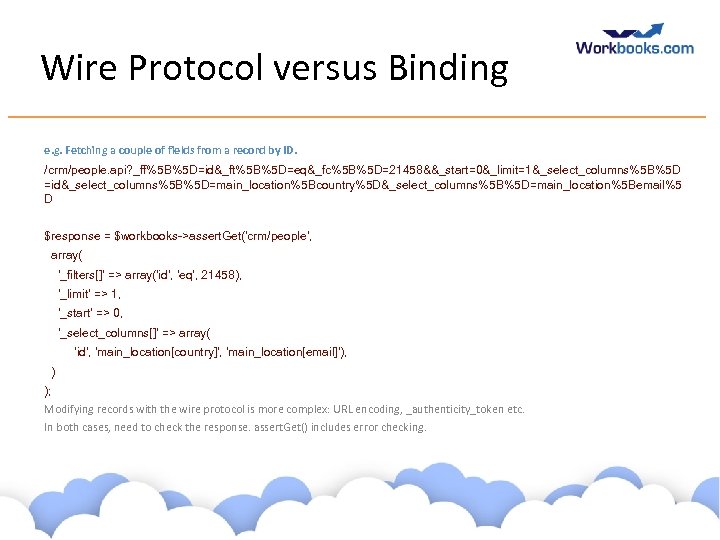
Wire Protocol versus Binding e. g. Fetching a couple of fields from a record by ID. /crm/people. api? _ff%5 B%5 D=id&_ft%5 B%5 D=eq&_fc%5 B%5 D=21458&&_start=0&_limit=1&_select_columns%5 B%5 D =id&_select_columns%5 B%5 D=main_location%5 Bcountry%5 D&_select_columns%5 B%5 D=main_location%5 Bemail%5 D $response = $workbooks->assert. Get('crm/people', array( '_filters[]' => array('id', 'eq', 21458), '_limit' => 1, '_start' => 0, '_select_columns[]' => array( 'id', 'main_location[country]', 'main_location[email]'), ) ); Modifying records with the wire protocol is more complex: URL encoding, _authenticity_token etc. In both cases, need to check the response. assert. Get() includes error checking. www. workbooks. com
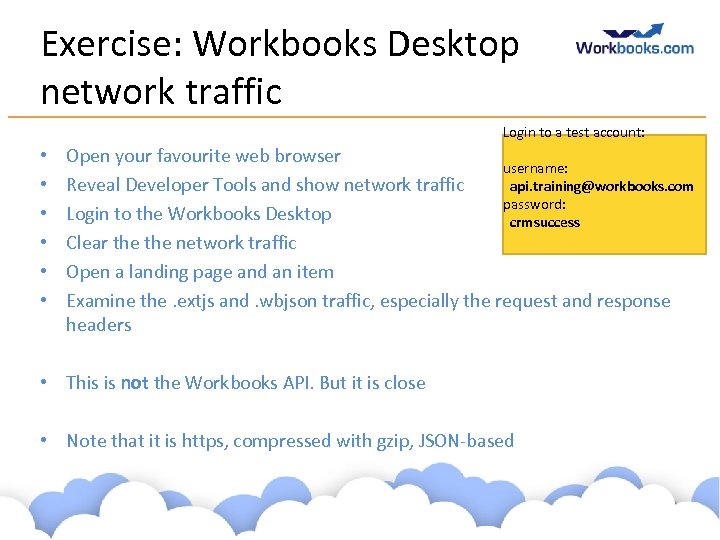
Exercise: Workbooks Desktop network traffic Login to a test account: • • • Open your favourite web browser username: api. training@workbooks. com Reveal Developer Tools and show network traffic password: Login to the Workbooks Desktop crmsuccess Clear the network traffic Open a landing page and an item Examine the. extjs and. wbjson traffic, especially the request and response headers • This is not the Workbooks API. But it is close • Note that it is https, compressed with gzip, JSON-based www. workbooks. com
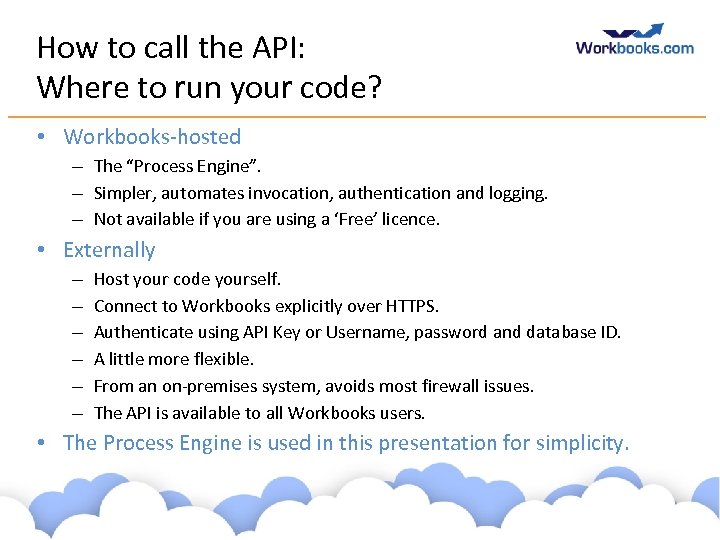
How to call the API: Where to run your code? • Workbooks-hosted – The “Process Engine”. – Simpler, automates invocation, authentication and logging. – Not available if you are using a ‘Free’ licence. • Externally – – – Host your code yourself. Connect to Workbooks explicitly over HTTPS. Authenticate using API Key or Username, password and database ID. A little more flexible. From an on-premises system, avoids most firewall issues. The API is available to all Workbooks users. • The Process Engine is used in this presentation for simplicity. www. workbooks. com
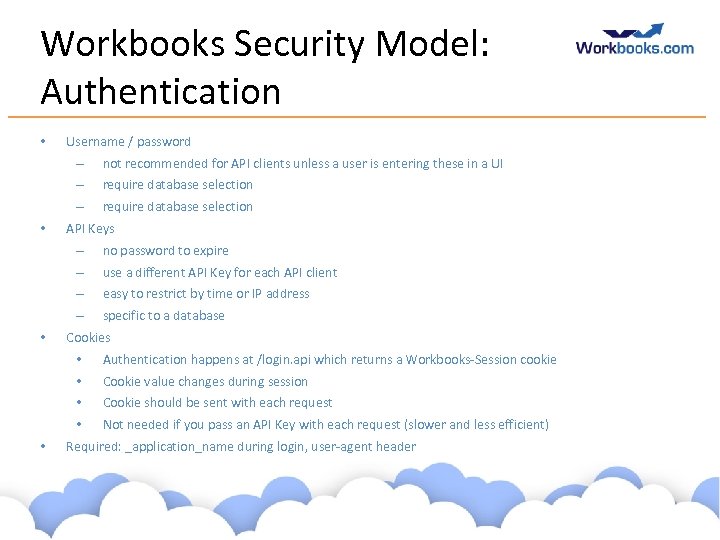
Workbooks Security Model: Authentication • Username / password – – require database selection – • not recommended for API clients unless a user is entering these in a UI require database selection API Keys – – use a different API Key for each API client – easy to restrict by time or IP address – • no password to expire specific to a database Cookies • • Cookie value changes during session • Cookie should be sent with each request • • Authentication happens at /login. api which returns a Workbooks-Session cookie Not needed if you pass an API Key with each request (slower and less efficient) Required: _application_name during login, user-agent header www. workbooks. com
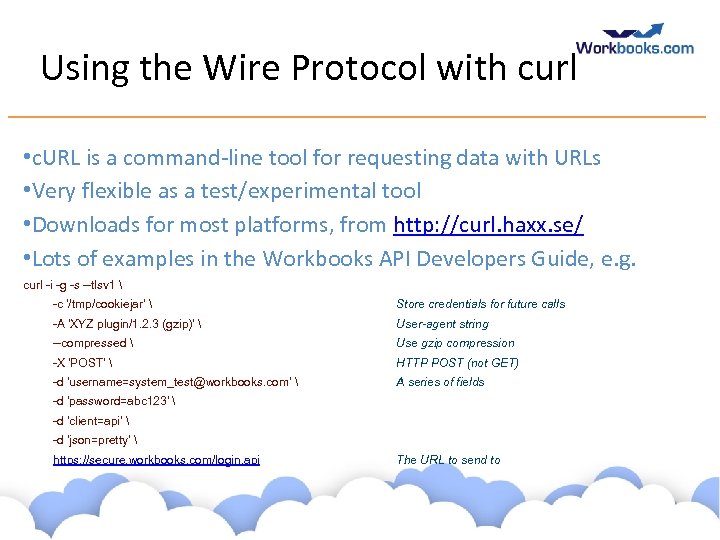
Using the Wire Protocol with curl • c. URL is a command-line tool for requesting data with URLs • Very flexible as a test/experimental tool • Downloads for most platforms, from http: //curl. haxx. se/ • Lots of examples in the Workbooks API Developers Guide, e. g. curl -i -g -s --tlsv 1 -c '/tmp/cookiejar' Store credentials for future calls -A 'XYZ plugin/1. 2. 3 (gzip)' User-agent string --compressed Use gzip compression -X 'POST' HTTP POST (not GET) -d 'username=system_test@workbooks. com' A series of fields -d 'password=abc 123' -d 'client=api' -d 'json=pretty' https: //secure. workbooks. com/login. api The URL to send to www. workbooks. com
Exercise: Using curl • Download curl. • Cut-and-paste to run a couple of the examples from the Workbooks API Developer Guide • Login • Retrieve • Create • Note that parameters to create, update, delete arrays! Append [] to the field names you are changing. www. workbooks. com
Workbooks Security Model: Capabilities & Permissions • Licenses, Modules, Capabilities – Most ‘controller-actions’ require specific capabilities – crm/people, index (or create, edit, delete) – Capabilities are assigned through Group membership – API clients often require more capabilities than the users who use them • Permissions - per-record • Read / Modify / Delete / Change ownership and permission • Again, API clients often require more visibility and access to records than the users who use them • Set upon record creation or ownership-change according to configured rules www. workbooks. com
Databases • Workbooks customers normally have more than one database • Databases can be used for • backup, • staging / testing / sandboxing, • segregation of data (but permissions are more flexible) • Choose database at login time • Copy a database • creates a completely separate copy of all data • users are shared (as are passwords) • capabilities, group membership, api keys, web 2 lead keys etc are perdatabase • Can export to SQL. ODBC access is not permitted. www. workbooks. com
Introducing the Process Engine • Some glossary: – Script – a unit of code. – Processes invoke Scripts. – Process types: • • Scheduled Process Web Process Button / on-Save Process Test Process – Processes run on behalf of a user, with constraints. www. workbooks. com
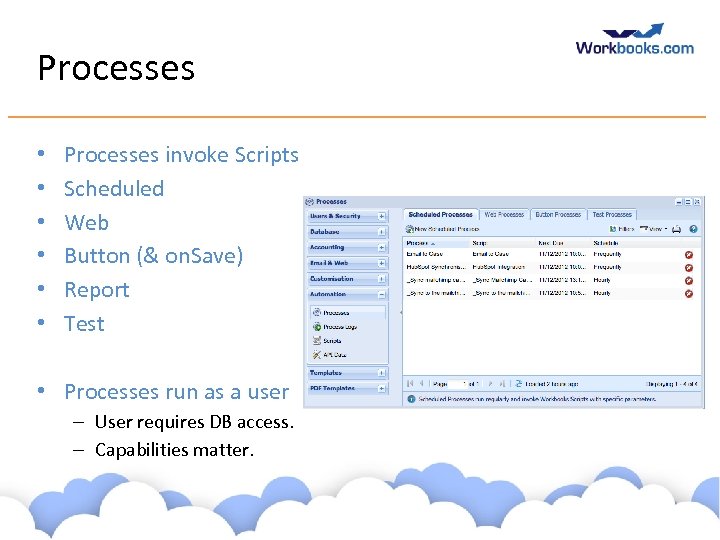
Processes • • • Processes invoke Scripts Scheduled Web Button (& on. Save) Report Test • Processes run as a user – User requires DB access. – Capabilities matter. www. workbooks. com
Test Process • Useful for debugging simple scripts • Created when first used • Prompts for parameters www. workbooks. com
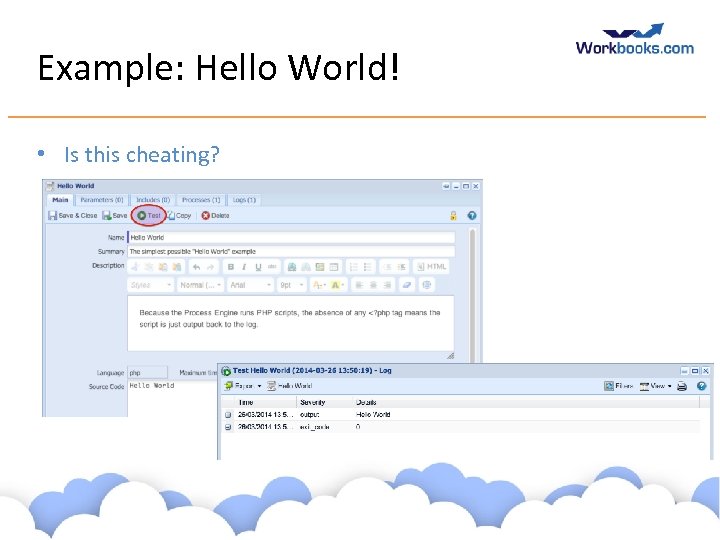
Example: Hello World! • Is this cheating? www. workbooks. com
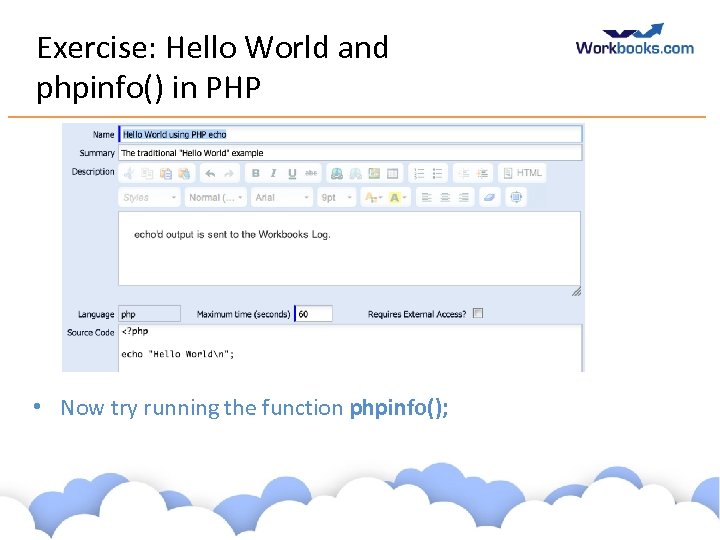
Exercise: Hello World and phpinfo() in PHP • Now try running the function phpinfo(); www. workbooks. com
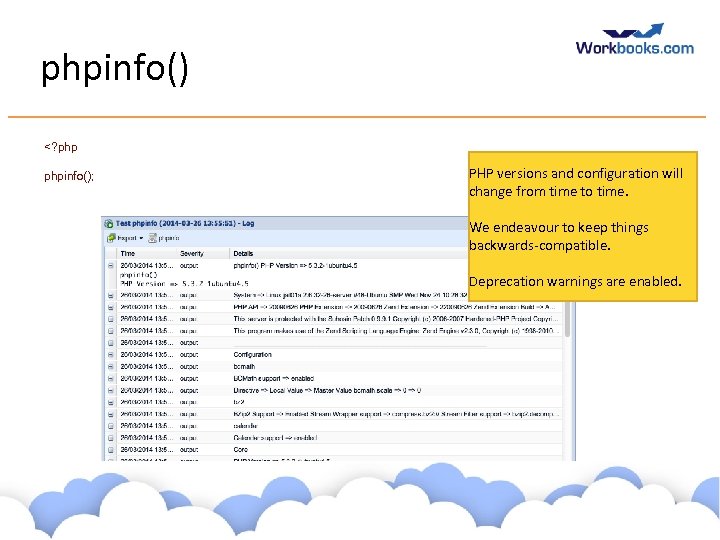
phpinfo() <? phpinfo(); PHP versions and configuration will change from time to time. We endeavour to keep things backwards-compatible. Deprecation warnings are enabled. www. workbooks. com
Php in 30 minutes (ish) • For experienced programmers… www. workbooks. com
PHP Tags • Your PHP code will be executed in Workbooks via a Web Server. Your code needs to differentiated from other elements that may occur within a Wen page. • This is achieved by wrapping the PHP code within PHP tags, the most commonly used being: <? php. . . ? > www. workbooks. com
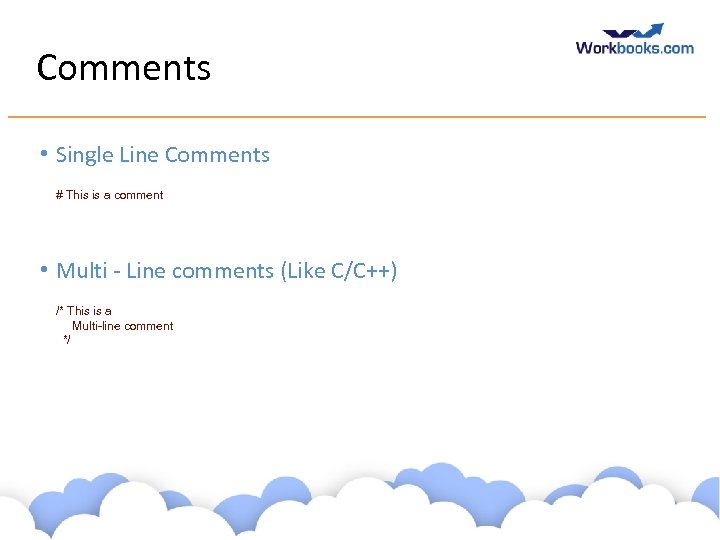
Comments • Single Line Comments # This is a comment • Multi - Line comments (Like C/C++) /* This is a Multi-line comment */ www. workbooks. com
Notes • • • PHP statements end with a semi-colon. PHP is case sensitive PHP is whitespace insensitive Blocks of code are delimited with braces { …. } PHP supports functional and Object Oriented programming www. workbooks. com
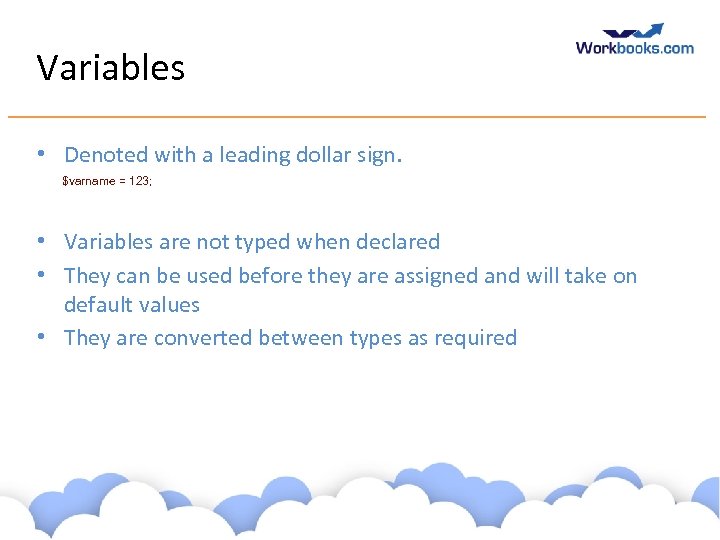
Variables • Denoted with a leading dollar sign. $varname = 123; • Variables are not typed when declared • They can be used before they are assigned and will take on default values • They are converted between types as required www. workbooks. com
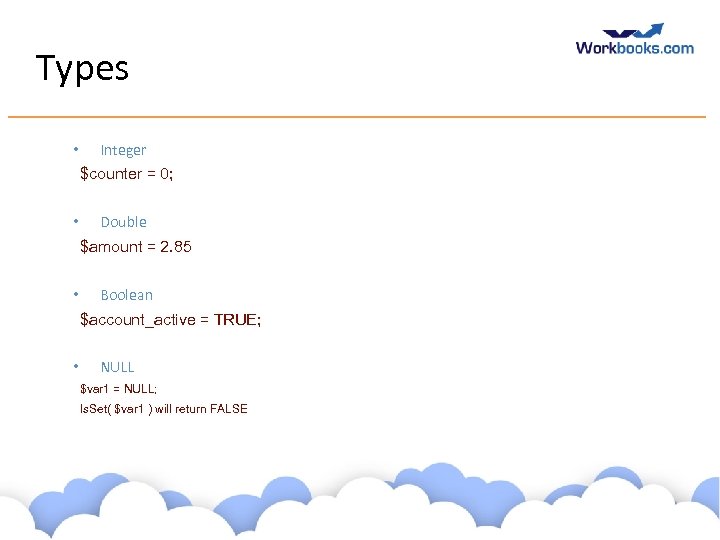
Types • Integer $counter = 0; • Double $amount = 2. 85 • Boolean $account_active = TRUE; • NULL $var 1 = NULL; Is. Set( $var 1 ) will return FALSE www. workbooks. com
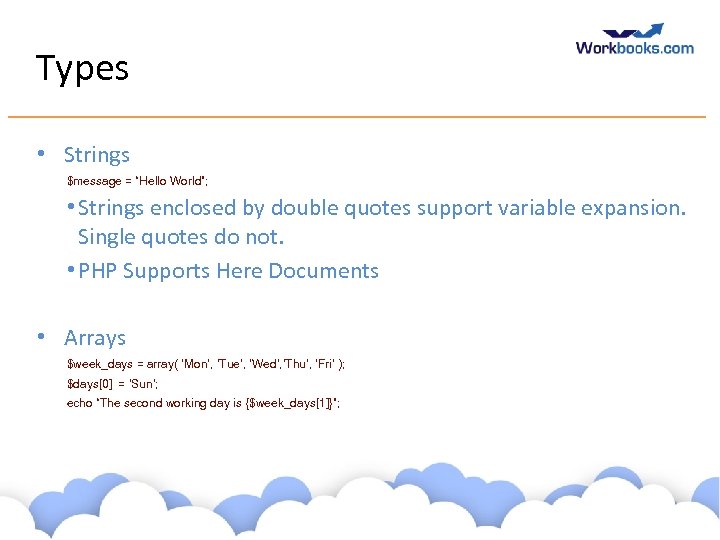
Types • Strings $message = “Hello World”; • Strings enclosed by double quotes support variable expansion. Single quotes do not. • PHP Supports Here Documents • Arrays $week_days = array( ‘Mon’, ‘Tue’, ‘Wed’, ’Thu’, ‘Fri’ ); $days[0] = ‘Sun’; echo “The second working day is {$week_days[1]}”; www. workbooks. com
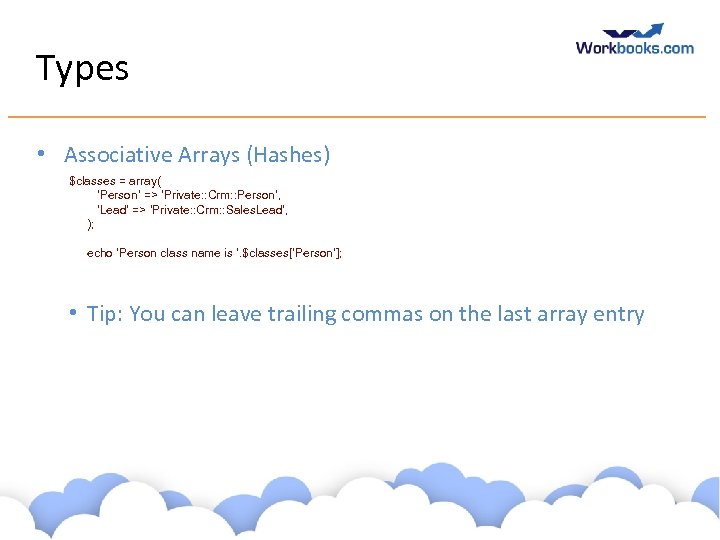
Types • Associative Arrays (Hashes) $classes = array( ‘Person’ => ‘Private: : Crm: : Person’, ‘Lead’ => ‘Private: : Crm: : Sales. Lead’, ); echo ‘Person class name is ‘. $classes[‘Person’]; • Tip: You can leave trailing commas on the last array entry www. workbooks. com
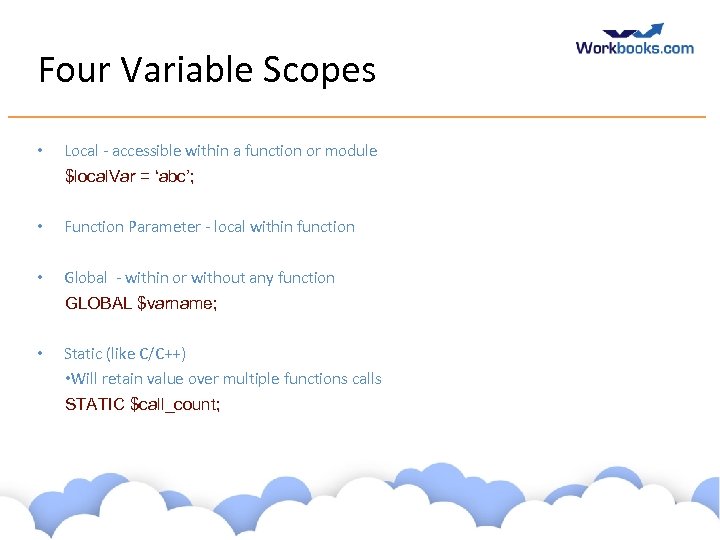
Four Variable Scopes • Local - accessible within a function or module $local. Var = ‘abc’; • Function Parameter - local within function • Global - within or without any function GLOBAL $varname; • Static (like C/C++) • Will retain value over multiple functions calls STATIC $call_count; www. workbooks. com
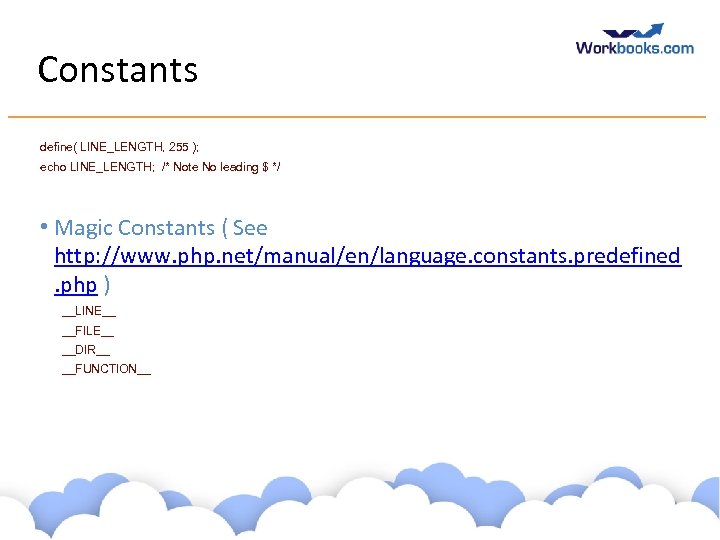
Constants define( LINE_LENGTH, 255 ); echo LINE_LENGTH; /* Note No leading $ */ • Magic Constants ( See http: //www. php. net/manual/en/language. constants. predefined. php ) __LINE__ __FILE__ __DIR__ __FUNCTION__ www. workbooks. com
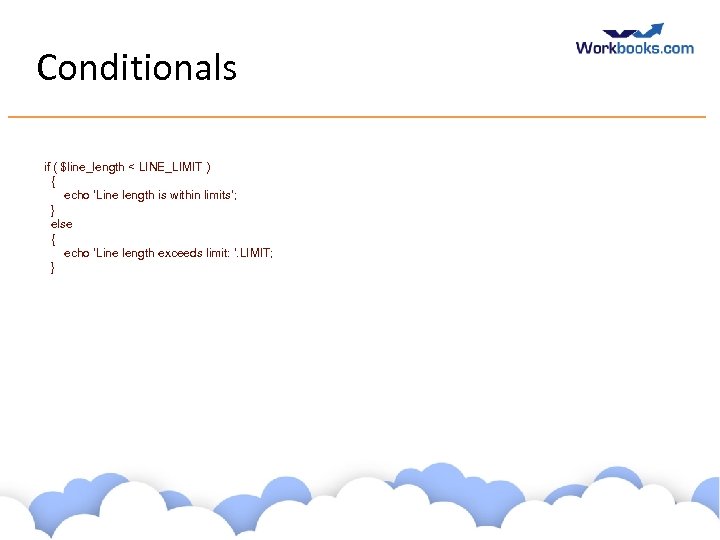
Conditionals if ( $line_length < LINE_LIMIT ) { echo ‘Line length is within limits’; } else { echo ‘Line length exceeds limit: ‘. LIMIT; } www. workbooks. com
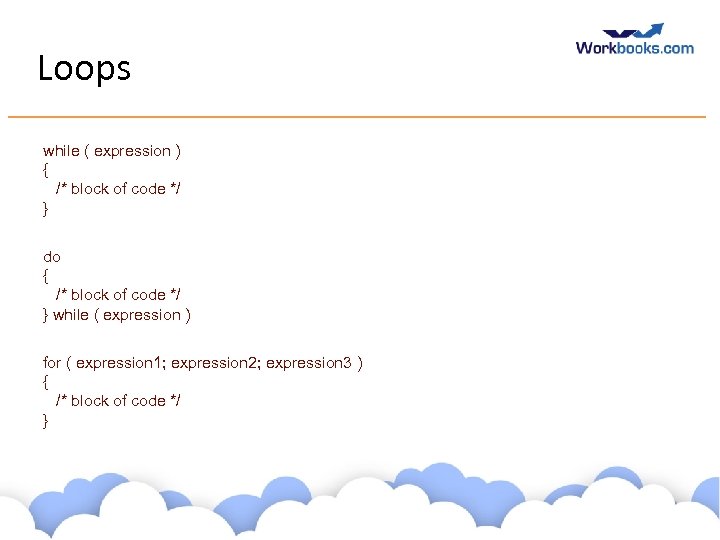
Loops while ( expression ) { /* block of code */ } do { /* block of code */ } while ( expression ) for ( expression 1; expression 2; expression 3 ) { /* block of code */ } www. workbooks. com
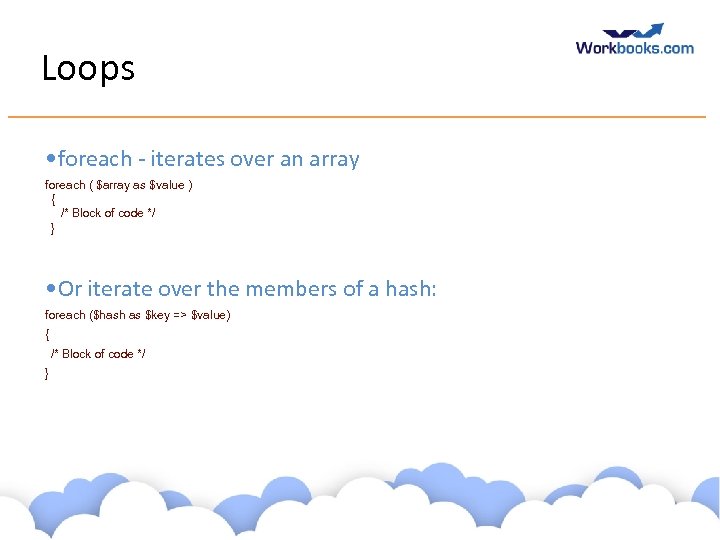
Loops • foreach - iterates over an array foreach ( $array as $value ) { /* Block of code */ } • Or iterate over the members of a hash: foreach ($hash as $key => $value) { /* Block of code */ } www. workbooks. com
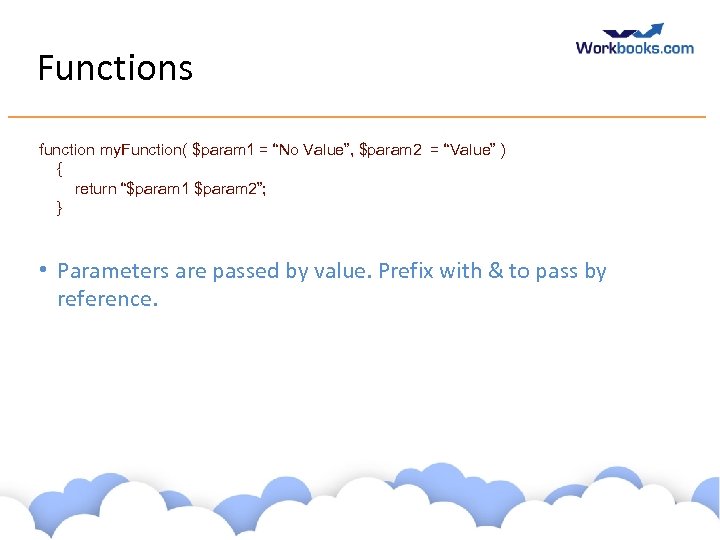
Functions function my. Function( $param 1 = “No Value”, $param 2 = “Value” ) { return “$param 1 $param 2”; } • Parameters are passed by value. Prefix with & to pass by reference. www. workbooks. com
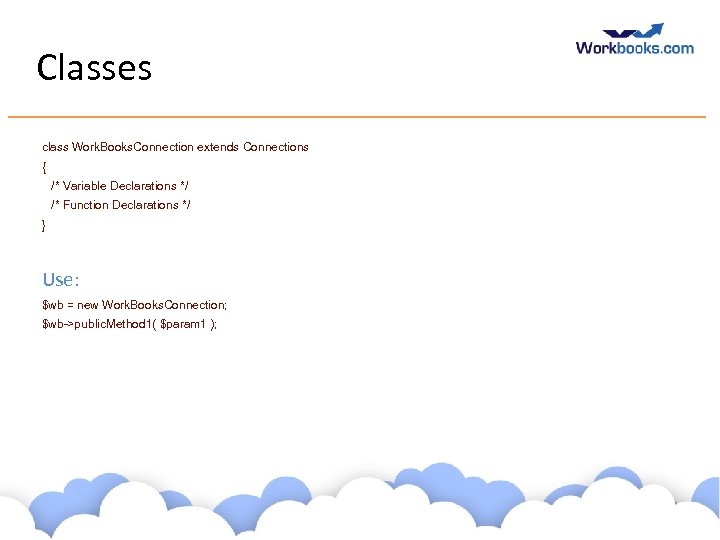
Classes class Work. Books. Connection extends Connections { /* Variable Declarations */ /* Function Declarations */ } Use: $wb = new Work. Books. Connection; $wb->public. Method 1( $param 1 ); www. workbooks. com
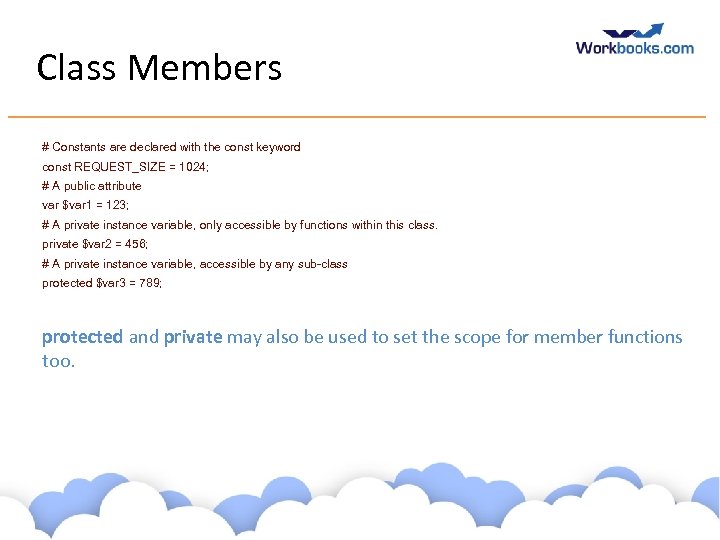
Class Members # Constants are declared with the const keyword const REQUEST_SIZE = 1024; # A public attribute var $var 1 = 123; # A private instance variable, only accessible by functions within this class. private $var 2 = 456; # A private instance variable, accessible by any sub-class protected $var 3 = 789; protected and private may also be used to set the scope for member functions too. www. workbooks. com
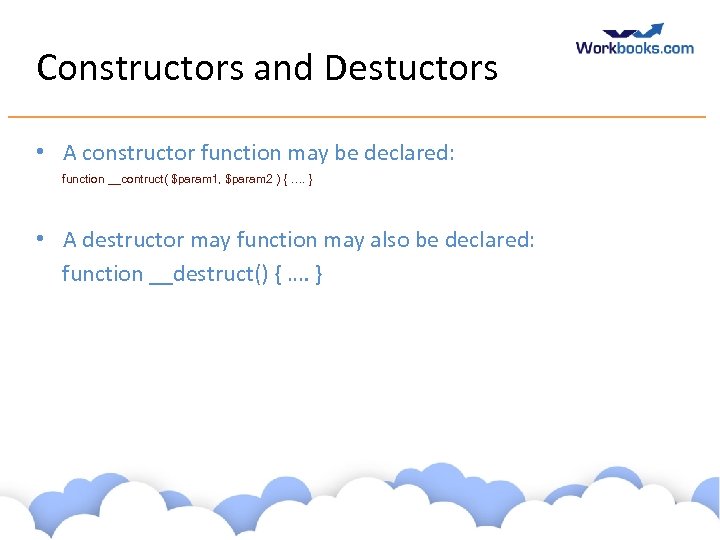
Constructors and Destuctors • A constructor function may be declared: function __contruct( $param 1, $param 2 ) { …. } • A destructor may function may also be declared: function __destruct() { …. } www. workbooks. com
Many Available Functions and Classes • PHP has many functions and classes available to the programmer. • String functions • Web Services • JSON parsing • Email handling • Exception handling • Many More. http: //www. php. net/manual/en/funcref. php www. workbooks. com
More Information • Google • http: //www. php. net/docs. php www. workbooks. com
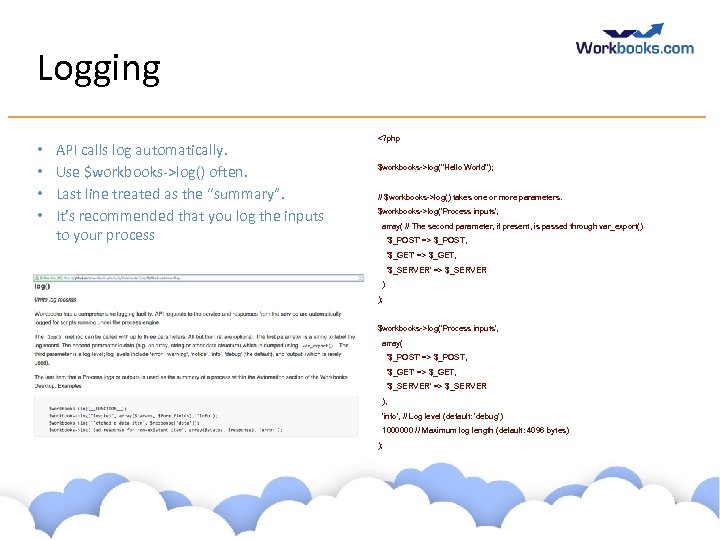
Logging • • API calls log automatically. Use $workbooks->log() often. Last line treated as the “summary”. It’s recommended that you log the inputs to your process <? php $workbooks->log("Hello World"); // $workbooks->log() takes one or more parameters. $workbooks->log('Process inputs', array( // The second parameter, if present, is passed through var_export() '$_POST' => $_POST, '$_GET' => $_GET, '$_SERVER' => $_SERVER ) ); $workbooks->log('Process inputs', array( '$_POST' => $_POST, '$_GET' => $_GET, '$_SERVER' => $_SERVER ), 'info', // Log level (default: 'debug') 1000000 // Maximum log length (default: 4096 bytes) ); www. workbooks. com
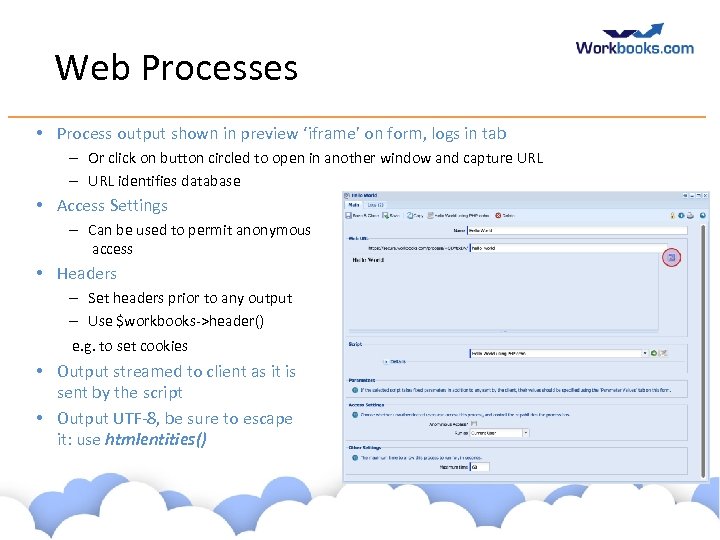
Web Processes • Process output shown in preview ‘iframe’ on form, logs in tab – Or click on button circled to open in another window and capture URL – URL identifies database • Access Settings – Can be used to permit anonymous access • Headers – Set headers prior to any output – Use $workbooks->header() e. g. to set cookies • Output streamed to client as it is sent by the script • Output UTF-8, be sure to escape it: use htmlentities() www. workbooks. com
Exercise: Hello “name” • The challenge: show an HTML form asking for a name using a script hosted within the Process Engine. • Use the ‘Web Process’ facility. • Echo that name back. • Hint: URL parameters are put in $_GET[] and $_POST[]. www. workbooks. com
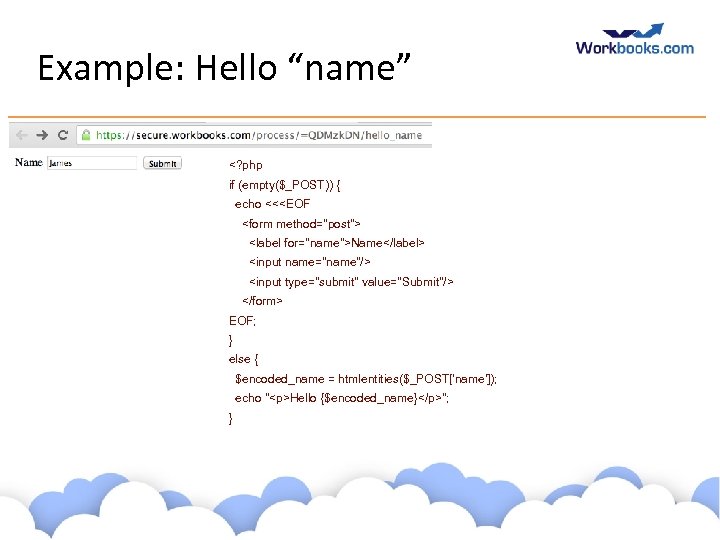
Example: Hello “name” <? php if (empty($_POST)) { echo <<<EOF <form method="post"> <label for="name">Name</label> <input name="name"/> <input type="submit" value="Submit"/> </form> EOF; } else { $encoded_name = htmlentities($_POST['name']); echo "<p>Hello {$encoded_name}</p>"; } www. workbooks. com
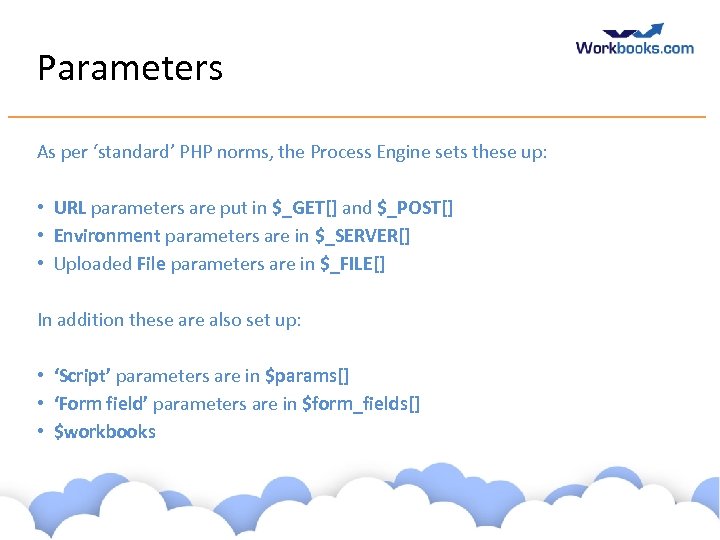
Parameters As per ‘standard’ PHP norms, the Process Engine sets these up: • URL parameters are put in $_GET[] and $_POST[] • Environment parameters are in $_SERVER[] • Uploaded File parameters are in $_FILE[] In addition these are also set up: • ‘Script’ parameters are in $params[] • ‘Form field’ parameters are in $form_fields[] • $workbooks www. workbooks. com
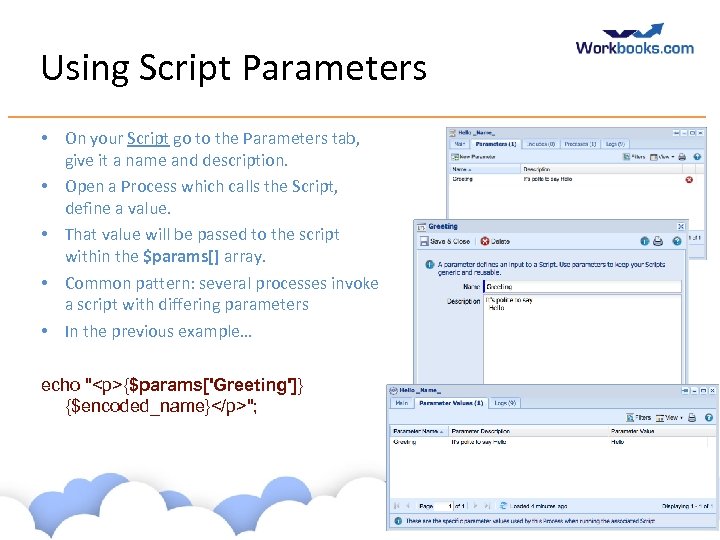
Using Script Parameters • On your Script go to the Parameters tab, give it a name and description. • Open a Process which calls the Script, define a value. • That value will be passed to the script within the $params[] array. • Common pattern: several processes invoke a script with differing parameters • In the previous example… echo "<p>{$params['Greeting']} {$encoded_name}</p>"; www. workbooks. com
Exercise: Add script parameters to ‘Hello Name’ • Adapt your previous code to use Script Parameters www. workbooks. com
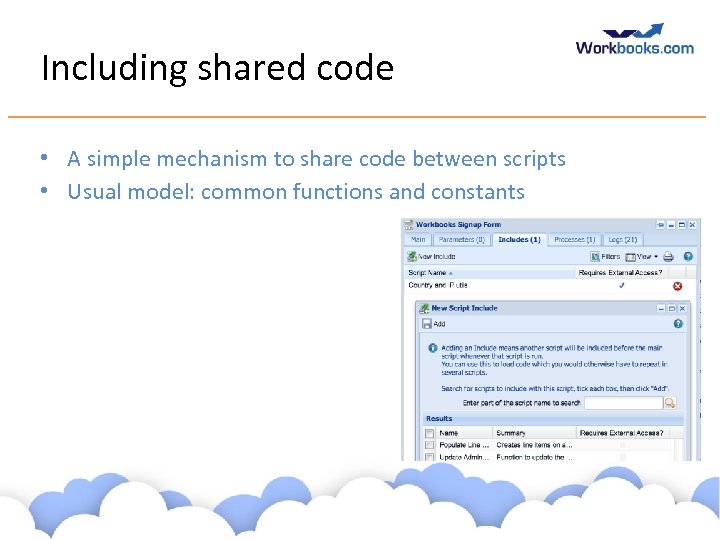
Including shared code • A simple mechanism to share code between scripts • Usual model: common functions and constants www. workbooks. com
How the Jail runs processes • Processes are run within a sandbox, away from the main Workbooks service. • Passed to the process each time it’s run: – Scripts, included scripts, parameters, HTTP parameters, environment variables – One special script: workbooks_api. php – Each included script is run in turn, with the main script run last. • Processes only have write access to their TMPDIR. • Processes authenticate automatically back to Workbooks using credentials passed when they are invoked. www. workbooks. com
Jail Resource Constraints • An alarm timer limits the process to its allocated maximum time. • Discover the maximum time in seconds using getenv('TIMEOUT') • If ‘Requires External Access’ is set, firewall ruleset is more open: – – – ICMP DNS HTTP, HTTPS IMAP, IMAPS, POP 3 S Database (My. SQL, MSSQL default ports) • Specifically not SMTP: use Workbooks’ email API instead. • Memory, disk usage, process limits all enforced – Receive a SIGTERM if memory limit exceeded. • Workbooks recommends that processes do their work in small batches and checkpoint if required. www. workbooks. com
Accessing the Service • Within the Process Engine: • Use $workbooks->assert. Get(), assert. Create(), assert. Update(), assert. Delete() • Authentication and logout is automatic • Using the wire protocol: • HTTP POST or GET, be careful with URL encoding especially with sparse arrays • Explicitly authenticate before you start • https: //secure. workbooks. com/… • Do not turn off certificate checks. • Test using ‘curl’, as per examples in API Developer Guide www. workbooks. com
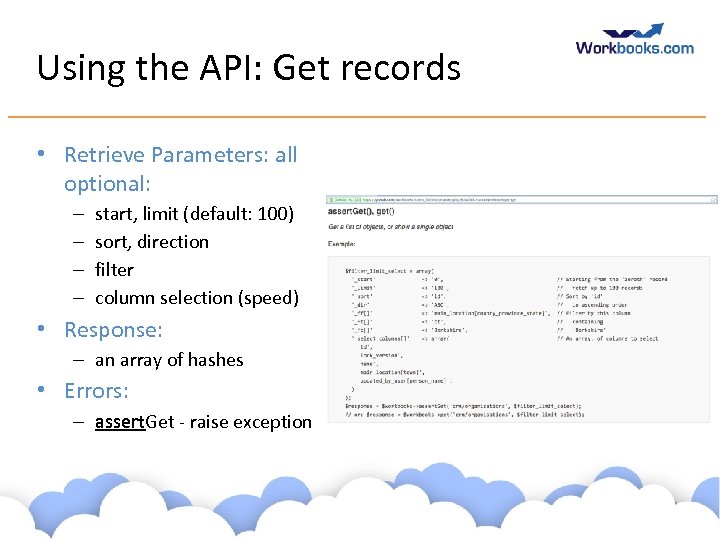
Using the API: Get records • Retrieve Parameters: all optional: – – start, limit (default: 100) sort, direction filter column selection (speed) • Response: – an array of hashes • Errors: – assert. Get - raise exception www. workbooks. com
More about fetching data • ‘total’ element: the total number of matching rows • • Fetch with _limit set to 0 to discover this without retrieving the rows (remember to set _start as well) • Set _skip_total_rows=1 (or true) to speed things up Most records have common fields such as id, lock_version, object_ref, name. • Tip: object_ref is convenient in your logging since you can paste it into the search bar PDF, and ‘. print’ versions. ‘csv’ version. Report • A good way to wrap up a lot of complexity, away from code Metadata API • Discover the set of fields, including custom fields Do not assume field order or record order without sort • id is assigned in ascending order Field sizes are important www. workbooks. com
Filters • In general: sets of {field, comparison operator, value} • Combine with boolean logic (defaults to just ‘AND’) • OR can be slow: avoid this when many records queried • Several syntaxes - see https: //github. com/workbooks/client_lib/blob/master/php/fil ter_example. php • Choose whichever suits your needs www. workbooks. com
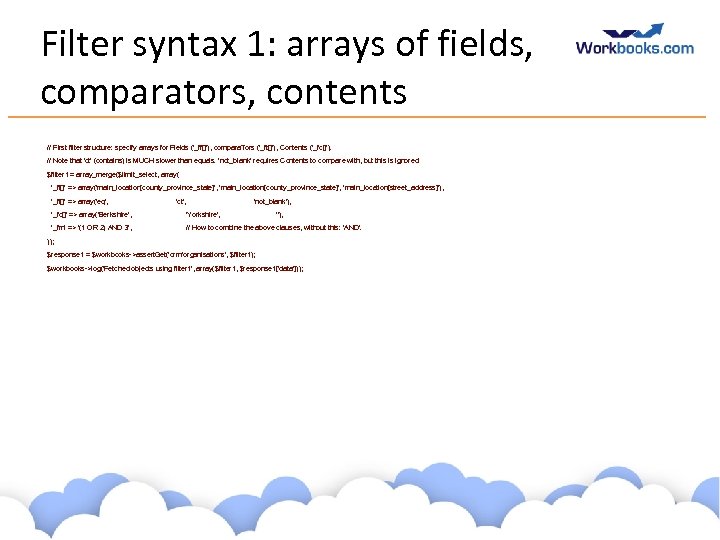
Filter syntax 1: arrays of fields, comparators, contents // First filter structure: specify arrays for Fields ('_ff[]'), compara. Tors ('_ft[]'), Contents ('_fc[]'). // Note that 'ct' (contains) is MUCH slower than equals. 'not_blank' requires Contents to compare with, but this is ignored. $filter 1 = array_merge($limit_select, array( '_ff[]' => array('main_location[county_province_state]', ‘main_location[county_province_state]', 'main_location[street_address]'), '_ft[]' => array('eq', 'ct', 'not_blank'), '_fc[]' => array('Berkshire', 'Yorkshire', '_fm' => '(1 OR 2) AND 3', // How to combine the above clauses, without this: 'AND'. ''), )); $response 1 = $workbooks->assert. Get('crm/organisations', $filter 1); $workbooks->log('Fetched objects using filter 1', array($filter 1, $response 1['data'])); www. workbooks. com
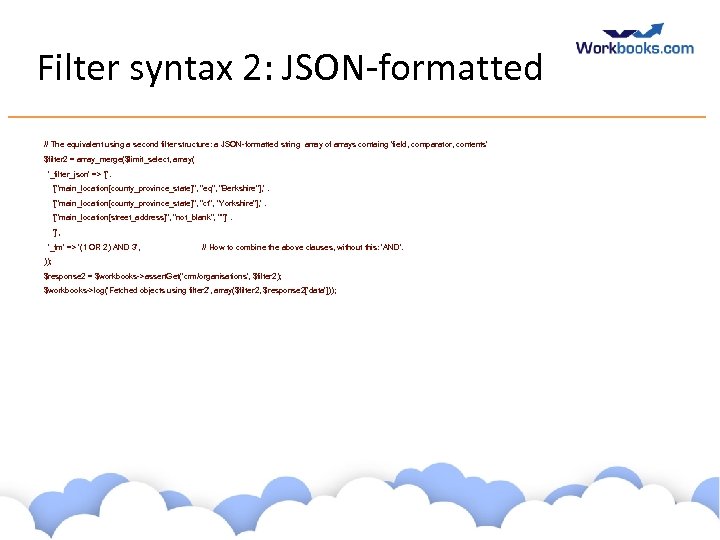
Filter syntax 2: JSON-formatted // The equivalent using a second filter structure: a JSON-formatted string array of arrays containg 'field, comparator, contents' $filter 2 = array_merge($limit_select, array( '_filter_json' => '['. '["main_location[county_province_state]", "eq", "Berkshire"], '. '["main_location[county_province_state]", "ct", "Yorkshire"], '. '["main_location[street_address]", "not_blank", ""]'. ']', '_fm' => '(1 OR 2) AND 3', // How to combine the above clauses, without this: 'AND'. )); $response 2 = $workbooks->assert. Get('crm/organisations', $filter 2); $workbooks->log('Fetched objects using filter 2', array($filter 2, $response 2['data'])); www. workbooks. com
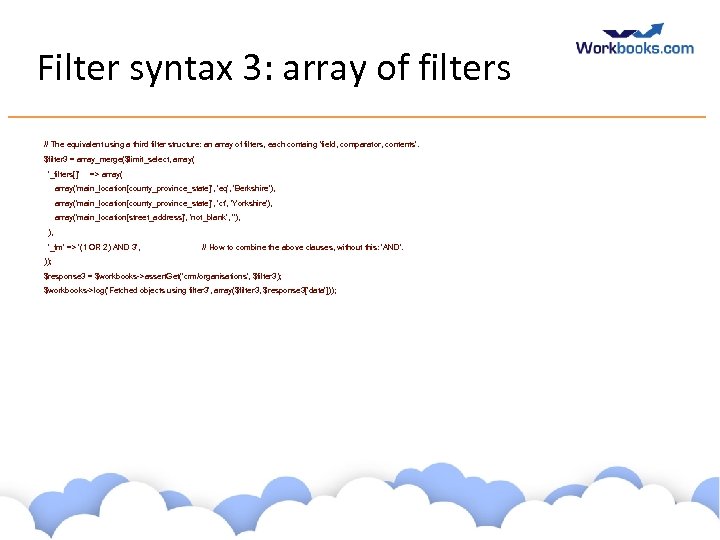
Filter syntax 3: array of filters // The equivalent using a third filter structure: an array of filters, each containg 'field, comparator, contents'. $filter 3 = array_merge($limit_select, array( '_filters[]' => array('main_location[county_province_state]', 'eq', 'Berkshire'), array('main_location[county_province_state]', 'ct', 'Yorkshire'), array('main_location[street_address]', 'not_blank', ''), ), '_fm' => '(1 OR 2) AND 3', // How to combine the above clauses, without this: 'AND'. )); $response 3 = $workbooks->assert. Get('crm/organisations', $filter 3); $workbooks->log('Fetched objects using filter 3', array($filter 3, $response 3['data'])); www. workbooks. com
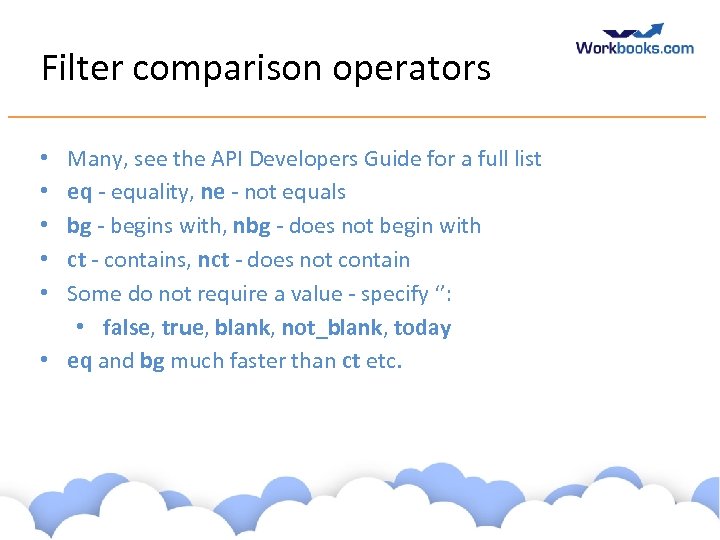
Filter comparison operators Many, see the API Developers Guide for a full list eq - equality, ne - not equals bg - begins with, nbg - does not begin with ct - contains, nct - does not contain Some do not require a value - specify ‘’: • false, true, blank, not_blank, today • eq and bg much faster than ct etc. • • • www. workbooks. com
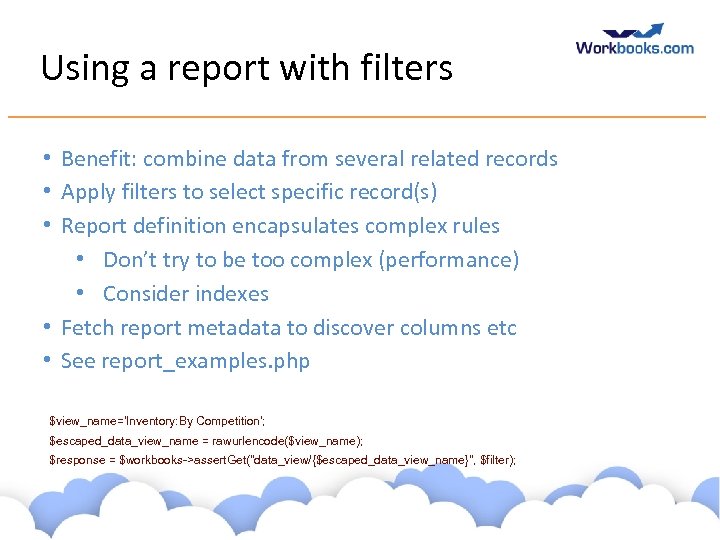
Using a report with filters • Benefit: combine data from several related records • Apply filters to select specific record(s) • Report definition encapsulates complex rules • Don’t try to be too complex (performance) • Consider indexes • Fetch report metadata to discover columns etc • See report_examples. php $view_name='Inventory: By Competition'; $escaped_data_view_name = rawurlencode($view_name); $response = $workbooks->assert. Get("data_view/{$escaped_data_view_name}", $filter); www. workbooks. com
Exercise: Fetch people records • Write a script to fetch all People whose county is ‘Berkshire’. www. workbooks. com
Create • Batch – up to 100 objects in a single request (which can become slow: consider smaller batches, maybe 10 or 20) • Wire proto: id=0, lock_version=0 • Response: an array of • ‘affected objects’ - id, lock_version, … • Create: • main objects • picklists and associations • dynamic linked items • relationships www. workbooks. com
Create a record Simple create… $create_one_organisation = array( 'name' => 'Birkbeck Burgers', 'industry' => 'Food', 'main_location[country]' => 'United Kingdom', 'main_location[county_province_state]' => 'Oxfordshire', 'main_location[town]' => 'Oxford', ); $response = $workbooks->assert. Create( 'crm/organisations', $create_one_organisation); $created_id_lock_versions = $workbooks->id. Versions($response); $response contains ‘affected_objects’ hash (id, lock_version, …) www. workbooks. com
Picklists • Workbooks picklists are simple lists of string values • Some picklists have ‘open/closed’ state • ‘Resricted’ or ‘Unrestricted’ • Two endpoints: • admin/picklists: picklists (id, name) • admin/picklists: picklist_entries (picklist_id, value, display_order) www. workbooks. com
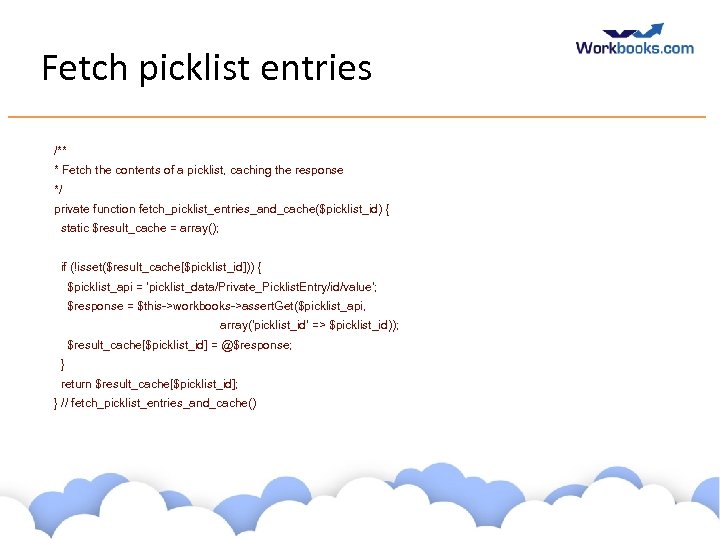
Fetch picklist entries /** * Fetch the contents of a picklist, caching the response */ private function fetch_picklist_entries_and_cache($picklist_id) { static $result_cache = array(); if (!isset($result_cache[$picklist_id])) { $picklist_api = 'picklist_data/Private_Picklist. Entry/id/value'; $response = $this->workbooks->assert. Get($picklist_api, array('picklist_id' => $picklist_id)); $result_cache[$picklist_id] = @$response; } return $result_cache[$picklist_id]; } // fetch_picklist_entries_and_cache() www. workbooks. com
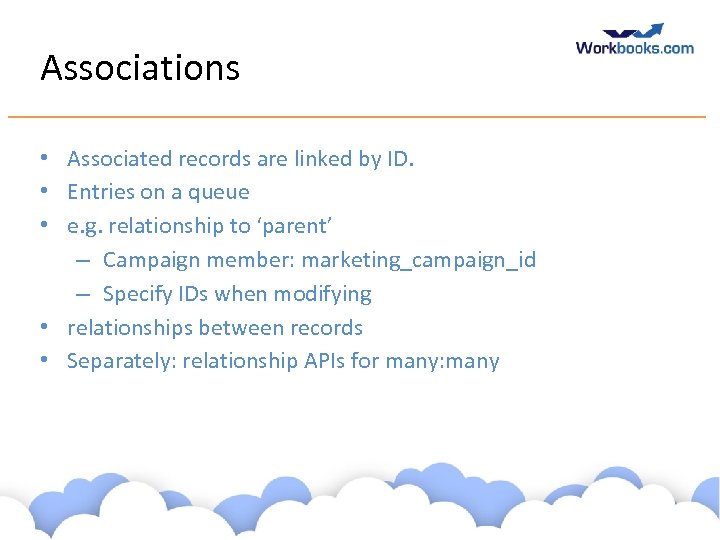
Associations • Associated records are linked by ID. • Entries on a queue • e. g. relationship to ‘parent’ – Campaign member: marketing_campaign_id – Specify IDs when modifying • relationships between records • Separately: relationship APIs for many: many www. workbooks. com
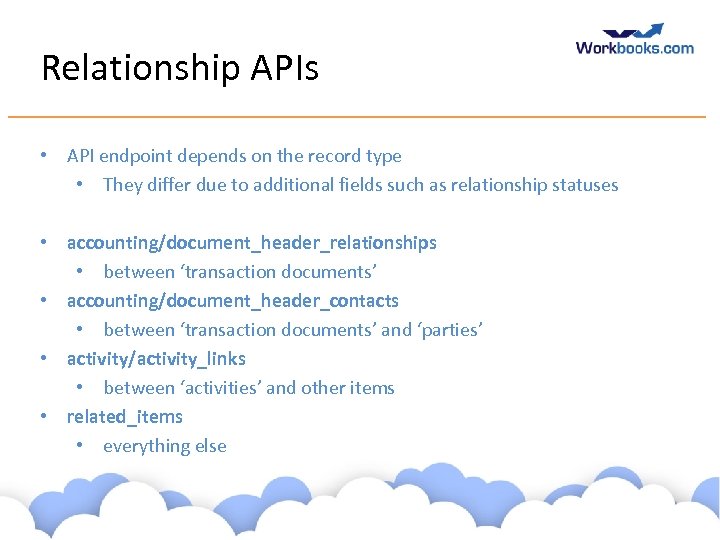
Relationship APIs • API endpoint depends on the record type • They differ due to additional fields such as relationship statuses • accounting/document_header_relationships • between ‘transaction documents’ • accounting/document_header_contacts • between ‘transaction documents’ and ‘parties’ • activity/activity_links • between ‘activities’ and other items • related_items • everything else www. workbooks. com
![Create relationships $create_relationships = array( 'source_id' => $form_fields['id'], 'source_type' => $form_fields['type'], 'related_item_id' => $line_item[$all_fields_field],](https://present5.com/presentation/7f135842a443bf33d05a8a8918ee97d1/image-65.jpg "Create relationships $create_relationships = array( 'source_id' => $form_fields['id'], 'source_type' => $form_fields['type'], 'related_item_id' => $line_item[$all_fields_field],")
Create relationships $create_relationships = array( 'source_id' => $form_fields['id'], 'source_type' => $form_fields['type'], 'related_item_id' => $line_item[$all_fields_field], 'related_item_type' => 'Private: : Crm: : Marketing. Campaign', ); $workbooks->assert. Create('related_items', $create_relationships); Relationships are normally bi-directional. www. workbooks. com
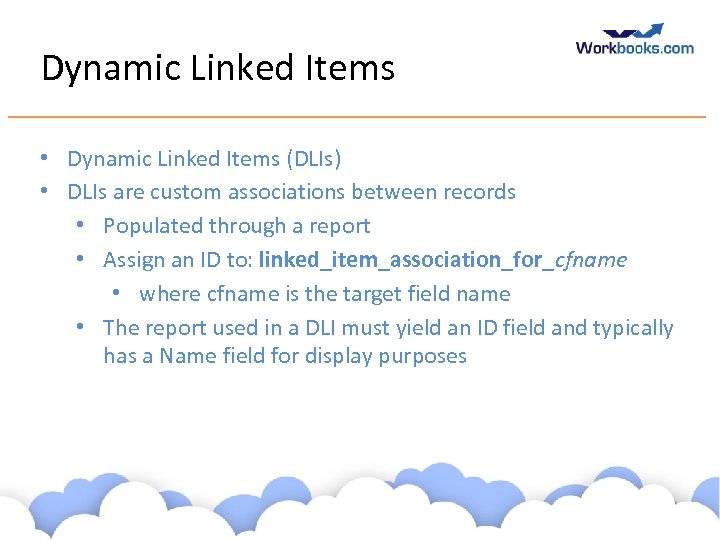
Dynamic Linked Items • Dynamic Linked Items (DLIs) • DLIs are custom associations between records • Populated through a report • Assign an ID to: linked_item_association_for_cfname • where cfname is the target field name • The report used in a DLI must yield an ID field and typically has a Name field for display purposes www. workbooks. com
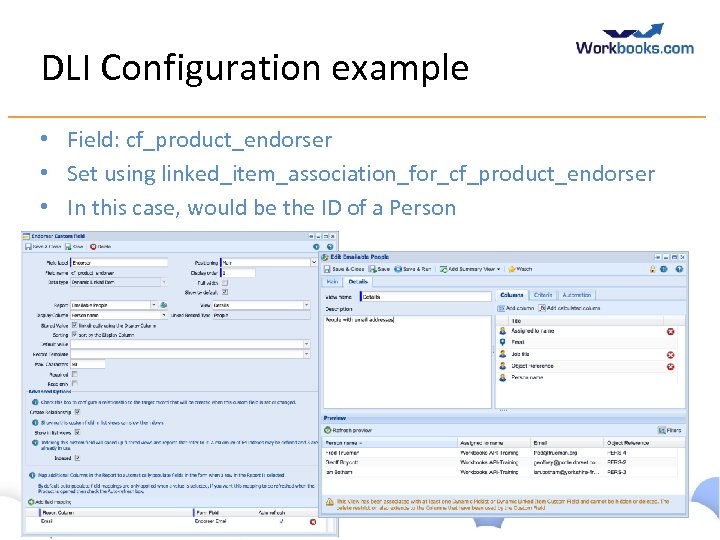
DLI Configuration example • Field: cf_product_endorser • Set using linked_item_association_for_cf_product_endorser • In this case, would be the ID of a Person www. workbooks. com
Queues • Queues are collections of records • Simple workflow through assignment • Records are assigned to Queues • Users subscribe to Queues • Each Queue has separate IDs e. g. The assigned_to value for a person record is not compatible with that for an task www. workbooks. com
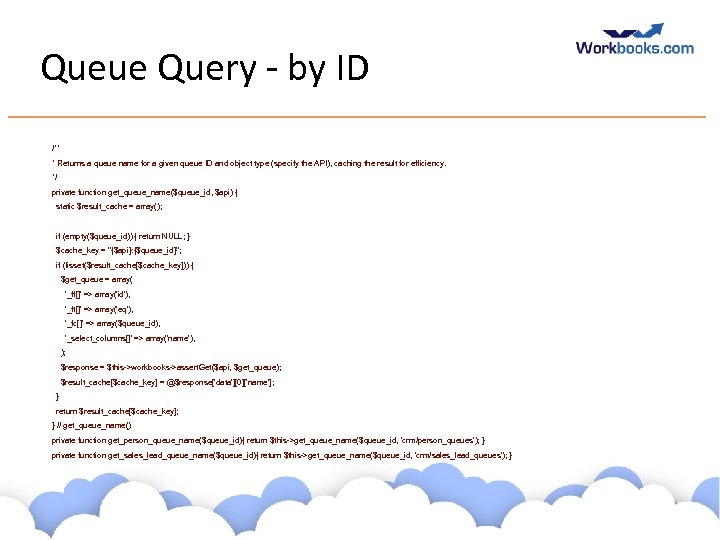
Queue Query - by ID /** * Returns a queue name for a given queue ID and object type (specify the API), caching the result for efficiency. */ private function get_queue_name($queue_id, $api) { static $result_cache = array(); if (empty($queue_id)) { return NULL; } $cache_key = "{$api}: {$queue_id}"; if (!isset($result_cache[$cache_key])) { $get_queue = array( '_ff[]' => array('id'), '_ft[]' => array('eq'), '_fc[]' => array($queue_id), '_select_columns[]' => array('name'), ); $response = $this->workbooks->assert. Get($api, $get_queue); $result_cache[$cache_key] = @$response['data'][0]['name']; } return $result_cache[$cache_key]; } // get_queue_name() private function get_person_queue_name($queue_id){ return $this->get_queue_name($queue_id, 'crm/person_queues'); } private function get_sales_lead_queue_name($queue_id){ return $this->get_queue_name($queue_id, 'crm/sales_lead_queues'); } www. workbooks. com
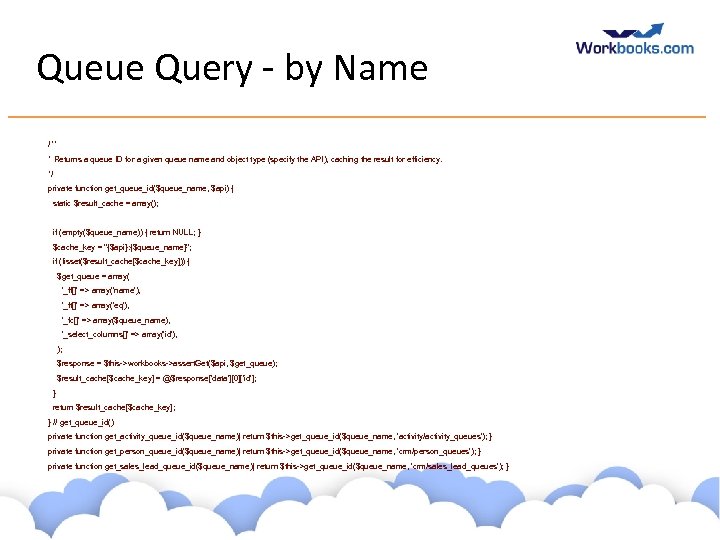
Queue Query - by Name /** * Returns a queue ID for a given queue name and object type (specify the API), caching the result for efficiency. */ private function get_queue_id($queue_name, $api) { static $result_cache = array(); if (empty($queue_name)) { return NULL; } $cache_key = "{$api}: {$queue_name}"; if (!isset($result_cache[$cache_key])) { $get_queue = array( '_ff[]' => array('name'), '_ft[]' => array('eq'), '_fc[]' => array($queue_name), '_select_columns[]' => array('id'), ); $response = $this->workbooks->assert. Get($api, $get_queue); $result_cache[$cache_key] = @$response['data'][0]['id']; } return $result_cache[$cache_key]; } // get_queue_id() private function get_activity_queue_id($queue_name){ return $this->get_queue_id($queue_name, 'activity/activity_queues'); } private function get_person_queue_id($queue_name){ return $this->get_queue_id($queue_name, 'crm/person_queues'); } private function get_sales_lead_queue_id($queue_name){ return $this->get_queue_id($queue_name, 'crm/sales_lead_queues'); } www. workbooks. com
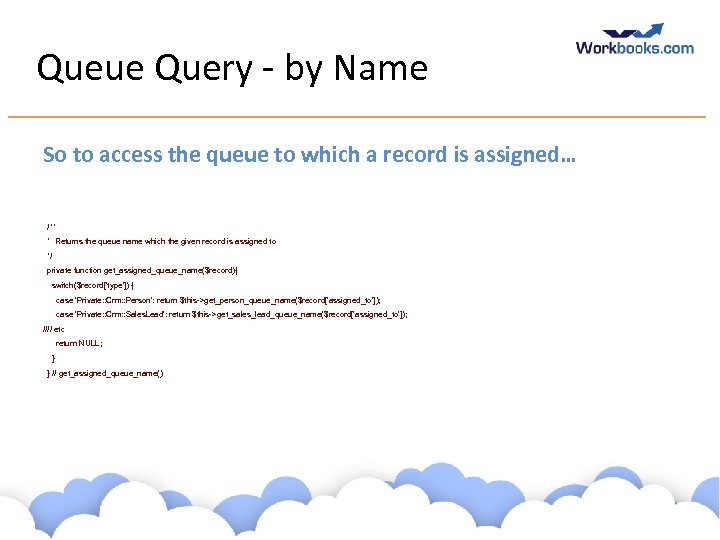
Queue Query - by Name So to access the queue to which a record is assigned… /** * Returns the queue name which the given record is assigned to */ private function get_assigned_queue_name($record){ switch($record['type']) { case 'Private: : Crm: : Person': return $this->get_person_queue_name($record['assigned_to']); case 'Private: : Crm: : Sales. Lead': return $this->get_sales_lead_queue_name($record[‘assigned_to']); //// etc return NULL; } } // get_assigned_queue_name() www. workbooks. com
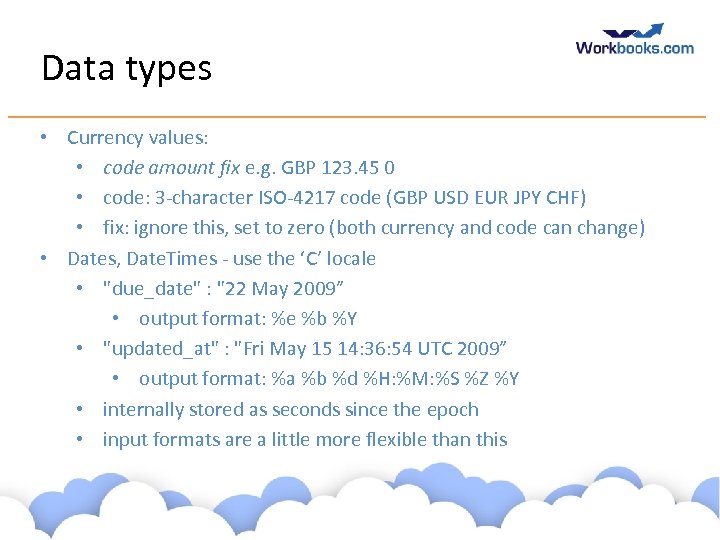
Data types • Currency values: • code amount fix e. g. GBP 123. 45 0 • code: 3 -character ISO-4217 code (GBP USD EUR JPY CHF) • fix: ignore this, set to zero (both currency and code can change) • Dates, Date. Times - use the ‘C’ locale • "due_date" : "22 May 2009” • output format: %e %b %Y • "updated_at" : "Fri May 15 14: 36: 54 UTC 2009” • output format: %a %b %d %H: %M: %S %Z %Y • internally stored as seconds since the epoch • input formats are a little more flexible than this www. workbooks. com
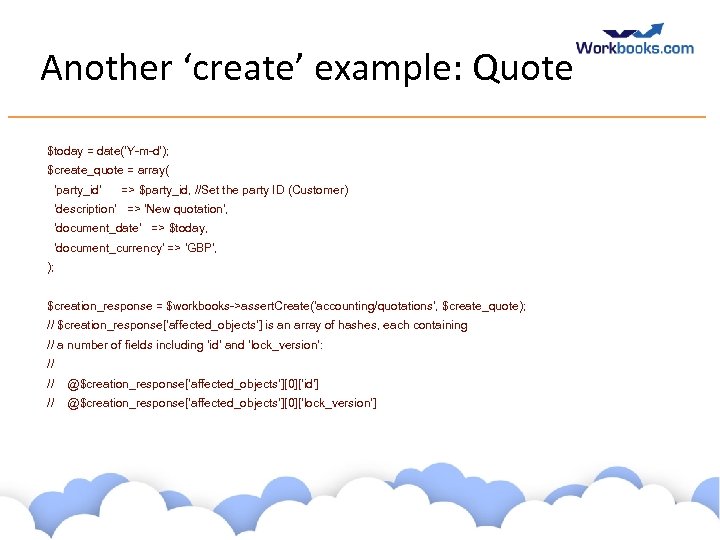
Another ‘create’ example: Quote $today = date('Y-m-d'); $create_quote = array( 'party_id' => $party_id, //Set the party ID (Customer) 'description' => 'New quotation', 'document_date' => $today, 'document_currency' => 'GBP', ); $creation_response = $workbooks->assert. Create('accounting/quotations', $create_quote); // $creation_response[‘affected_objects’] is an array of hashes, each containing // a number of fields including ‘id’ and ‘lock_version’: // // @$creation_response[‘affected_objects’][0][‘id’] // @$creation_response[‘affected_objects’][0][‘lock_version’] www. workbooks. com
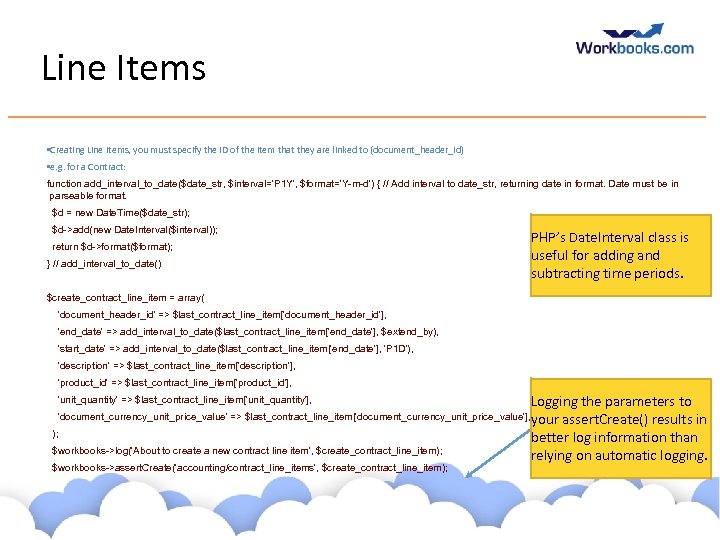
Line Items • Creating Line Items, you must specify the ID of the item that they are linked to (document_header_id) • e. g. for a Contract: function add_interval_to_date($date_str, $interval='P 1 Y', $format='Y-m-d') { // Add interval to date_str, returning date in format. Date must be in parseable format. $d = new Date. Time($date_str); $d->add(new Date. Interval($interval)); return $d->format($format); } // add_interval_to_date() PHP’s Date. Interval class is useful for adding and subtracting time periods. $create_contract_line_item = array( 'document_header_id' => $last_contract_line_item['document_header_id'], 'end_date' => add_interval_to_date($last_contract_line_item['end_date'], $extend_by), 'start_date' => add_interval_to_date($last_contract_line_item['end_date'], 'P 1 D'), 'description' => $last_contract_line_item['description'], 'product_id' => $last_contract_line_item['product_id'], 'unit_quantity' => $last_contract_line_item['unit_quantity'], Logging the parameters to assert. Create() results in better log information than relying on automatic logging. 'document_currency_unit_price_value' => $last_contract_line_item['document_currency_unit_price_value'], your ); $workbooks->log('About to create a new contract line item', $create_contract_line_item); $workbooks->assert. Create('accounting/contract_line_items', $create_contract_line_item); www. workbooks. com
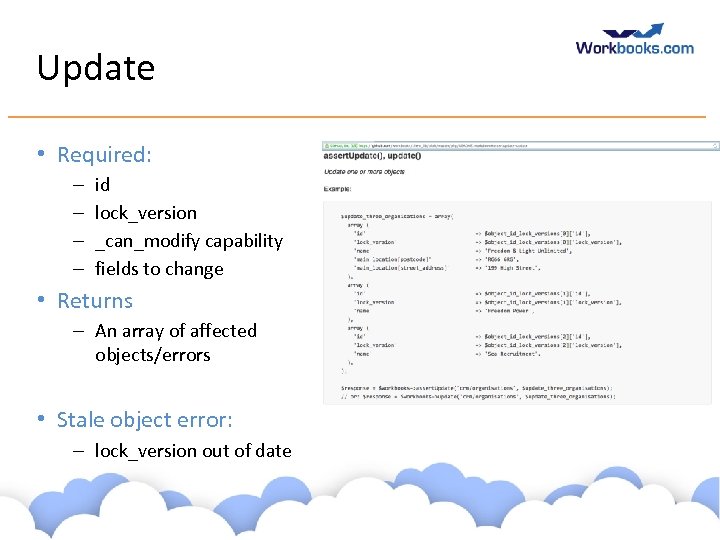
Update • Required: – – id lock_version _can_modify capability fields to change • Returns – An array of affected objects/errors • Stale object error: – lock_version out of date www. workbooks. com
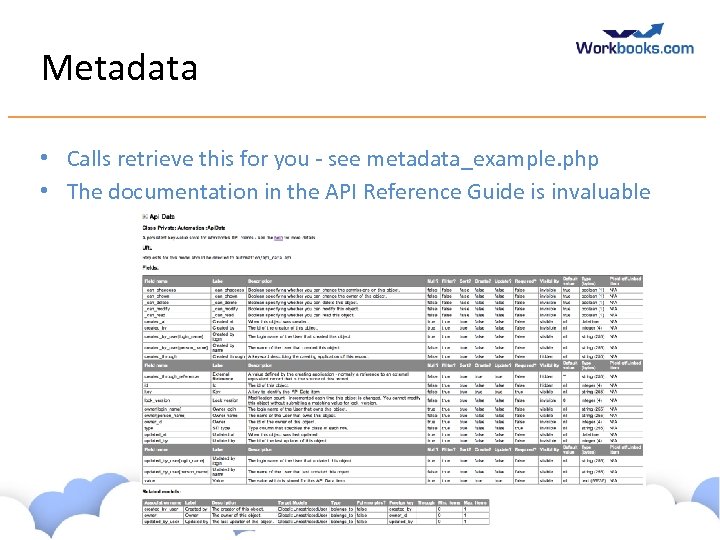
Metadata • Calls retrieve this for you - see metadata_example. php • The documentation in the API Reference Guide is invaluable www. workbooks. com
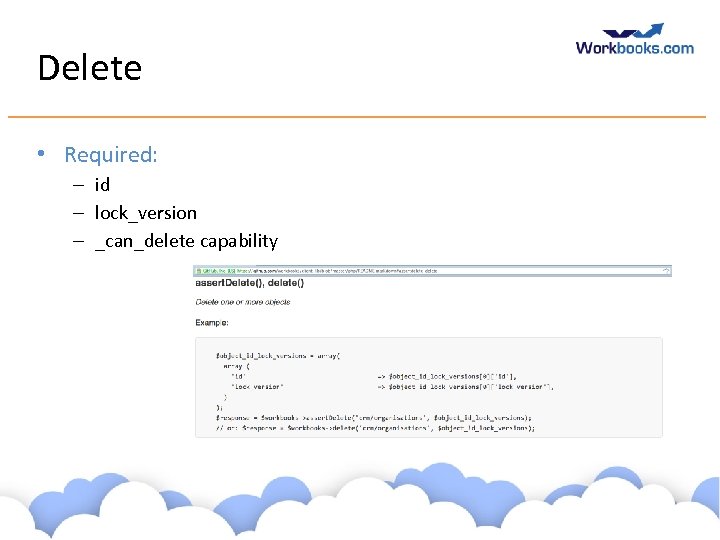
Delete • Required: – id – lock_version – _can_delete capability www. workbooks. com
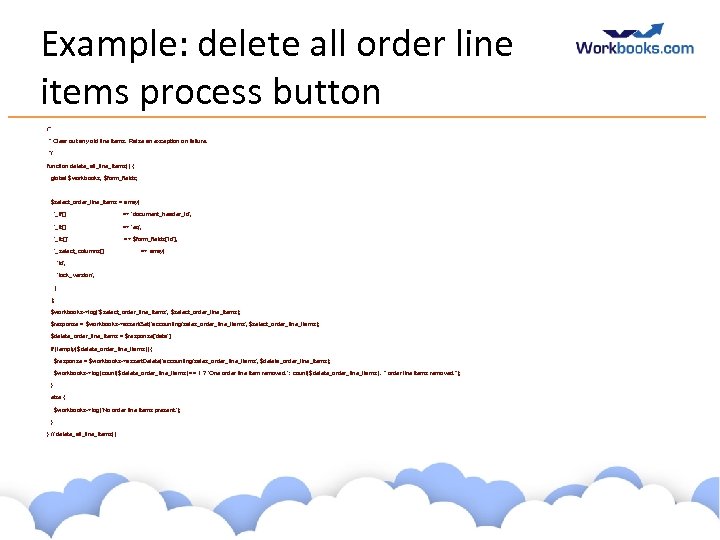
Example: delete all order line items process button /* * Clear out any old line items. Raise an exception on failure. */ function delete_all_line_items() { global $workbooks, $form_fields; $select_order_line_items = array( '_ff[]' => 'document_header_id', '_ft[]' => 'eq', '_fc[]' => $form_fields['id'], '_select_columns[]' => array( 'id', 'lock_version', ) ); $workbooks->log('$select_order_line_items', $select_order_line_items); $response = $workbooks->assert. Get('accounting/sales_order_line_items', $select_order_line_items); $delete_order_line_items = $response['data']; if (!empty($delete_order_line_items)) { $response = $workbooks->assert. Delete('accounting/sales_order_line_items', $delete_order_line_items); $workbooks->log(count($delete_order_line_items) == 1 ? 'One order line item removed. ' : count($delete_order_line_items). " order line items removed. "); } else { $workbooks->log('No order line items present. '); } } // delete_all_line_items() www. workbooks. com
Modifying data with the Wire Protocol • You must supply an _authenticity_token (retrieved during login) • For ‘create’ (for historic reasons) always specify a filter which selects no records (‘id=0’) • Every array of parameters must be the same size • Content-type: • Normally use application/x-www-form-urlencoded • Use multipart/form-data if you are uploading files www. workbooks. com
API Behaviour flags • Pass these at login or per-request: – _strict_attribute_checking - set to true to reject requests to modify fields which do not exist (recommended) – _time_zone - override user-configured timezone • Pass at login: • json=pretty (slows things down a little) • _application_name www. workbooks. com
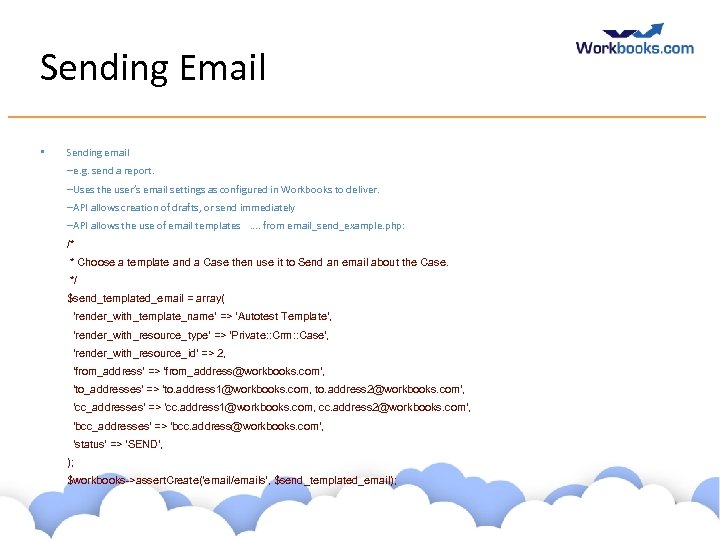
Sending Email • Sending email –e. g. send a report. –Uses the user’s email settings as configured in Workbooks to deliver. –API allows creation of drafts, or send immediately –API allows the use of email templates …. from email_send_example. php: /* * Choose a template and a Case then use it to Send an email about the Case. */ $send_templated_email = array( 'render_with_template_name' => 'Autotest Template', 'render_with_resource_type' => 'Private: : Crm: : Case', 'render_with_resource_id' => 2, 'from_address' => 'from_address@workbooks. com', 'to_addresses' => 'to. address 1@workbooks. com, to. address 2@workbooks. com', 'cc_addresses' => 'cc. address 1@workbooks. com, cc. address 2@workbooks. com', 'bcc_addresses' => 'bcc. address@workbooks. com', 'status' => 'SEND', ); $workbooks->assert. Create('email/emails', $send_templated_email); www. workbooks. com
Other Useful APIs Sending email • – e. g. send a report. – Uses the user’s email settings as configured in Workbooks to deliver. – API allows creation of drafts, or send immediately – API allows the use of email templates Copy transaction document – – Use the create_from_id parameter and specify the source document During login, specify with_dropbox_email=true • • a dropbox will be created for the current user bcc: it to send a copy into Workbooks and relate to items (e. g. by object_ref) automatically API Data – Useful to hold process ‘state’ between invocations. – Do work in small batches. www. workbooks. com
Synchronisation Hints and Tips • • Consider where it should run: on-premises or in Process Engine Typically run as a user with visibility of ALL records so ‘delta’ synchronisation can be reliable (examining and updating only recently-changed records) • Without visibility of everything, consider what happens if the set of visible records changes • For efficiency, store external IDs in the ‘External Reference’ field (created_through_reference) rather than in a custom field. And set ‘Created Through’ field to your application name. • • Look for records where updated_at is on or after the latest updated_at previously considered Include the is_deleted field in your filter to see deleted records alongside undeleted records Make sure you trim() fields to fit Consider conflicting edits on each system Don’t stall the entire sync just because a single record cannot be synced Sync in batches, saving state/progress frequently Log object_ref whenever possible Email addresses do not have to be unique in Workbooks, they do in some other systems www. workbooks. com
workbooks_api. php github. com/workbooks, choose client_lib/php • This is a worthwhile piece of code to review to understand how it uses the wire protocol. • Key functions: • assert. Create(), assert. Get(), … • which call: create(), get(), … • which call: api_call() • which calls: make_request() www. workbooks. com
Files • If a field is a file then use multipart/form-data content type for the transfer. • Create attachments using the ‘resource_upload_files’ endpoint. • Often fetch back using ‘upload_files’ endpoint. • See the ‘Case Portal’ (in the script library) for an example in PHP. Or upload_file_example. php • workbooks_api. php will give you a hint. • Attaching files to email not currently possible through the API. Instead you must build your email the hard way using ‘rfc 822’ format. www. workbooks. com
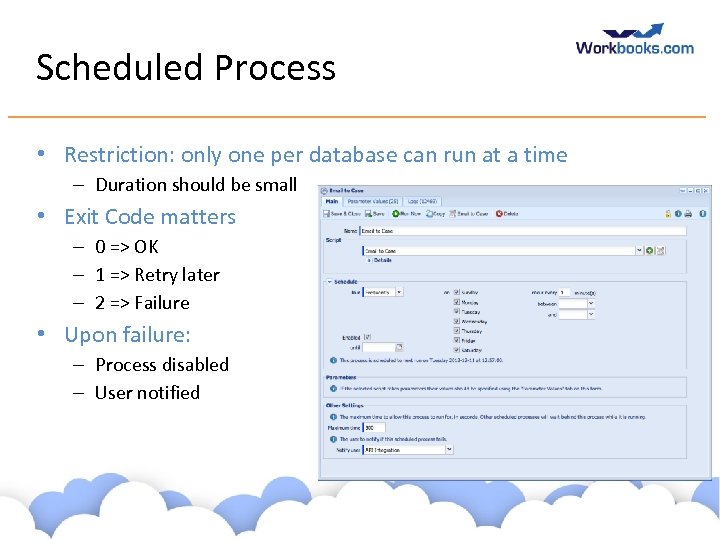
Scheduled Process • Restriction: only one per database can run at a time – Duration should be small • Exit Code matters – 0 => OK – 1 => Retry later – 2 => Failure • Upon failure: – Process disabled – User notified www. workbooks. com
Exercise: Case Follow-up email • Create a custom field which records if a follow-up email was sent • Find all cases in ‘Awaiting customer response’ state which have not had a follow-up email and send a reminder to the primary contact of each. • As each email is sent, record that the email was sent www. workbooks. com
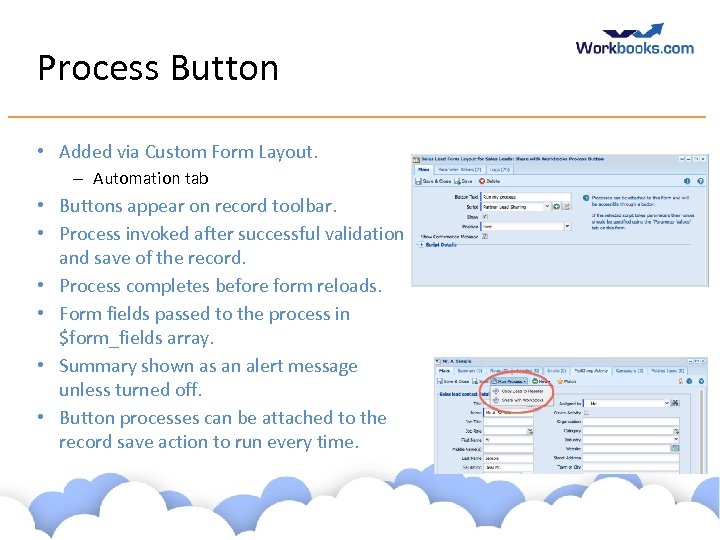
Process Button • Added via Custom Form Layout. – Automation tab • Buttons appear on record toolbar. • Process invoked after successful validation and save of the record. • Process completes before form reloads. • Form fields passed to the process in $form_fields array. • Summary shown as an alert message unless turned off. • Button processes can be attached to the record save action to run every time. www. workbooks. com
Other Process Types • Recent releases of Workbooks have added various options – You can attach a process button to a report. – Runs a process on a list of items (like bulk update). • Others will come soon www. workbooks. com
Exercise: Process Button Case Reminder • Take the code you wrote to send a reminder about a Case and make it run for the current Case using a Process Button. www. workbooks. com
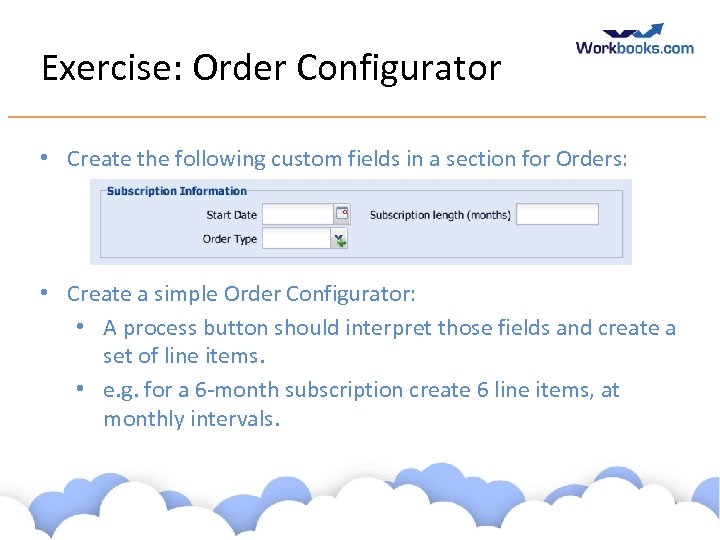
Exercise: Order Configurator • Create the following custom fields in a section for Orders: • Create a simple Order Configurator: • A process button should interpret those fields and create a set of line items. • e. g. for a 6 -month subscription create 6 line items, at monthly intervals. www. workbooks. com
Workbooks Data Model • • • Main Objects • People/Organisations/Parties • Leads • Opportunities/Quotations/Orders/Invoices/Credit Notes • Line Items • Marketing Campaigns, Members, Statuses • Cases • API Data Custom Fields Queues Relationships Users, Groups, ACLs Search www. workbooks. com
Some Examples • • • Order Configurator Hub. Spot Synchronisation Case Portal - portals in general Box Integration Mail. Chimp Synchronisation - checkpointing Email to Case www. workbooks. com
API Gotchas • Don’t… • Cache cookie values between multiple requests • Always send back the value of the cookie just received • Do your own JSON parsing! • Assume ordering of response fields - they are unordered • Implement your own HTTP stack. Use the one from your framework • Forget to escape HTML entities • Forget to consider locale: character sets, timezone • Leave performance as an afterthought; test with realistic data volumes www. workbooks. com
Ensuring UI responsiveness • Do not do very much at all in process buttons • Do the heavy lifting in scheduled processes - consider a implementing a queue of work in API Data • Checkpoint frequently to break up long-running processes In general • Filters: filter on indexed fields, ideally on the main table and use ‘eq’ or ‘starts with’ • Do not run repetitive processes any more frequently than necessary • Don’t update and refetch the same record multiple times: collect your changes together and apply in a small number of API calls www. workbooks. com
Error handling • If you are using a binding, use the assert…() method • What happens if your script fails halfway through? • Catch exceptions where necessary and clean-up to leave a consistent state and/or log • Expect errors • Timeouts and system errors will happen from time to time • Stale object errors • Consider retrying the update or delete • Consider using per_object_transactions • On failure, the whole request will roll back www. workbooks. com
Support • • • The API changes from time to time – Features are added, e. g. the proportion of Workbooks which is accessible via the API increases. – All changes are backwards-compatible. • Any exceptions would be widely announced before reaching. – All published examples are auto tested Look at examples - on github. com/workbooks and in the Script Library Contact us via support@workbooks. com – Please include your code, the intention of the script, and as much information about the problem. – Make sure you’ve read your logs carefully first. Make sure you log well. – We really like tidy code which is easy to read and well formatted. – We are happy to write scripts for our customers if you purchase Admin Credits from us: contact sales@workbooks. com www. workbooks. com
Скачать презентацию Workbooks API and the Process Engine Click Developer
7f135842a443bf33d05a8a8918ee97d1.ppt