


 Скачать презентацию Word Processing What we ll cover for this lecture
879817b7dd74483171f3106809a8dee2.ppt
- Количество слайдов: 15
 Word Processing What we’ll cover for this lecture topic: – Types and Examples of Application software – Creating Documents with Word – What is logical and physical document structure? – Demos (as much as time permits) • Including some useful hints and strategies COMP 4—Power Tools for the Mind Power Tools 1
 Application Software (1) • Some types: – Document production: • Word-processing, desktop publishing, web page authoring – Graphics • Photo editing, Painting & drawing, CAD, animation, video – Presentation – Numerical Analysis: • Spreadsheets, graphing, statistical – Databases COMP 4—Power Tools for the Mind Power Tools 2
 Application Software (2) • More types: – Reference: • Dictionary, encyclopedia, maps – Connectivity or communications: • Web browser, email, remote control, home networking – Education and training – Business: accounting and finance – Games! – Office suites: • Word-processing, spreadsheet, presentation, and database software all carefully integrated COMP 4—Power Tools for the Mind Power Tools 3
 Application Software (3) • Some Examples: – Document production: • MS Word, Word. Perfect, Frame. Maker, Front. Page, … – Graphics • Photo. Shop, Corel. Draw, Auto. CAD, 3 D Max, Maya, Adobe Premiere – Presentation • MS Power. Point – Numerical Analysis: • MS Excel, Lotus 1 -2 -3, SPSS, … – Databases • MS Access, Lotus Approach, Oracle COMP 4—Power Tools for the Mind Power Tools 4
 Application Software (4) • More Examples: – Reference: • MS Encarta, MS Streets, Street. Finder, Webster Online, … – Connectivity or communications: • MS Internet Explorer, MS Outlook, Netscape Communicator, Opera, Mulberry, AOL, … – Education and training – Business: accounting and finance – Games! – Office suites: • MS Office, MS Works, Open. Office, Star. Office, … COMP 4—Power Tools for the Mind Power Tools 5
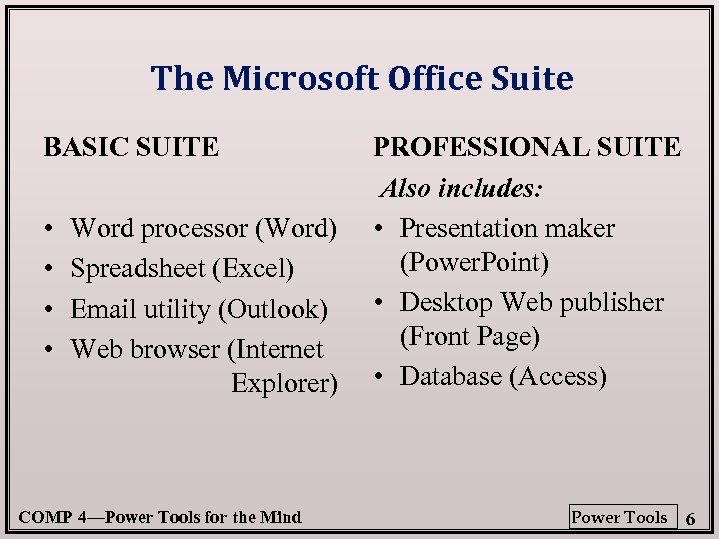 The Microsoft Office Suite BASIC SUITE • • Word processor (Word) Spreadsheet (Excel) Email utility (Outlook) Web browser (Internet Explorer) COMP 4—Power Tools for the Mind PROFESSIONAL SUITE Also includes: • Presentation maker (Power. Point) • Desktop Web publisher (Front Page) • Database (Access) Power Tools 6
 Word proc. & desktop publishing A word processor is an application that allows the user to compose and edit simple documents n ADVANTAGES: n – Corrections and revisions are easy – Many formatting details handled automatically • What are defaults? – Customized forms, form letters, and mail-merge • Can be stored and reused – Structural templates can be defined by the user • do it once, use it over and over without affecting original COMP 4—Power Tools for the Mind Power Tools 7
 • Like computers, text documents have both: – a logical structure, which stays the same no matter how the document is represented, and – a physical structure, that may be • different on paper than on a screen; • different with one page layout than another • different from printer to printer – When document gets put out: the “best fit” to that device is calculated from the logical structure that the computer knows. COMP 4—Power Tools for the Mind Power Tools 8
 • SO WHAT? What’s that mean? • BEWARE: what you see is not always what you get. – The physical structure of a document is system-dependent; i. e. , fonts and tab spacing vary among systems. – In addition, systems must often approximate the physical format due to limitations of the printer. As a result, formatting on the printout may not match the formatting shown on the screen. COMP 4—Power Tools for the Mind Power Tools 9
 LOGICAL STRUCTURE The information in a document and the order in which it is presented is referred to as the document’s logical structure. Here is one simple logical ordering of information: Table of contents Title Author Date Abstract Major heading 1 Subhead 1 Text Major heading 2 Subhead 2 Text References Footnotes Bibliography COMP 4—Power Tools for the Mind Power Tools 10
 • Previous page shows parts of document’s logical structure: how my ideas are organized. • Different from layout--how my ideas are represented or shown. – Example: Use of major headings • An important idea becomes a major heading: that’s part of the logical structure. • How I will show that the idea is a major heading is part of the physical structure. – Such as how? COMP 4—Power Tools for the Mind Power Tools 11
 Writing and editing • Creating the logical structure: TEXT ENTRY • Modifying the logical structure: EDITING • MS Word has many tools to help. – Many under Edit and Tools menus. A few: • • • Cut & Paste Copy & Paste Find & Replace Spell/grammar check Thesaurus – Hint: use key combinations to save time. Buttons are ok but often slower to use. Why?
 PHYSICAL STRUCTURE Formatting—e. g. , indentation, text color, style, size, etc. — changes the physical structure of a document. – where ink will be on paper…or dots on the screen. “Page layout” – Logical structure is converted into pixels: one set of pixels on screen; different set for each printer. COMP 4—Power Tools for the Mind Power Tools 13
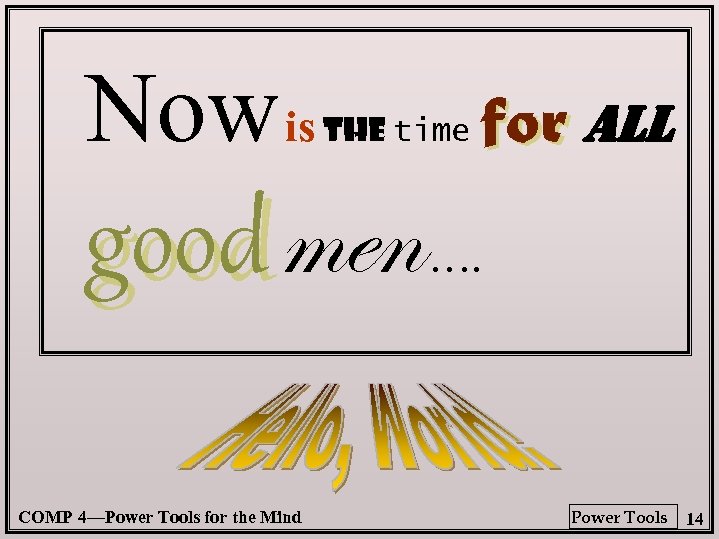 Now is the time good men COMP 4—Power Tools for the Mind for all …. Power Tools 14
 • Many formatting tools-- File & Format menus (again, keyboard shortcuts are handy). A few: – Page Setup (margins; page orientation; . . . ) – Font Type, Size, Style, Color Style – Text Alignment – Header & Footer formatting – Number & bullet lists – Insert (Break; Page no; Art. . . ) – Borders – Tabs – Lists: numbered, bulleted, etc. DEMO – Tables. . . COMP 4—Power Tools for the Mind Power Tools 15