


 Скачать презентацию Wireless Security Update Mark Ciampa Western Kentucky University
aa7f478f2437350132b48e075ff3abc5.ppt
- Количество слайдов: 94
 Wireless Security Update Mark Ciampa Western Kentucky University mark. ciampa@wku. edu 1
 Oxymoron Government organization n Same difference n Pretty ugly n Working vacation n Tax return n 2
 Oxymoron Jumbo shrimp n Adult male n Act naturally n Microsoft Works n Wireless security n 3
 Wireless Advantages Mobility n Increased productivity n Easier installation n Less expensive installation n 4
 Wireless Disadvantages Radio signal interference n Health risks n n Security 5
 Wireless Security Vulnerabilities Unauthorized users access the wireless network n Attackers view transmitted data n Employees install rogue access points n Weaknesses in original IEEE 802. 11 wireless security and new WPA n 6
 Wireless Attack Tools n Net. Stumbler – Discover wireless network n Airopeek & Airmagnet – Packet sniffers n Kismet & Airsnort – Break security 7
 Wireless Security Attitudes doesn’t matter if someone uses my wireless LAN” n “You can’t make a wireless LAN secure” n “I don’t know what to do” n “It 8
 Does Wireless Security Matter? Get into any folder set with file sharing enabled n See wireless transmissions n Access to network behind firewall can inject malware n Download harmful content linked to unsuspecting owner n 9
 Does Wireless Security Matter? n Legal implications n Security begins at home 10
 Can Make Wireless Secure Significant improvement wireless security n New IEEE wireless standard ratified n Common non-technical wireless security language now used n Vendors making wireless security easier n 11
 Wireless Security Update Wireless security that doesn’t work and why n Wireless security that does work n How to secure a home WLAN n Contents of wireless curriculum n How to secure an enterprise WLAN n 12
 Wireless Security Update WLAN Defenses That Do Not Work 13
 Common WLAN Defenses Encrypt transmissions (WEP) n Hide my network (Disable SSID beaconing) n Restrict who can join my network (MAC address filtering) n Use advanced security (WPA)* n 14
 WLAN Defenses That Don’t Work Encrypt transmissions (WEP) n Hide my network (Disable SSID beaconing) n Restrict who can join my network (MAC address filtering) n Use advanced security (WPA)* n 15
 WEP n n n Wired equivalent privacy (WEP) intended to guard confidentiality of data through cryptography WEP relies on a secret key that is “shared” between device and access point (AP) Using same (shared) secret key to both encrypt and decrypt is private key cryptography or symmetric encryption 16
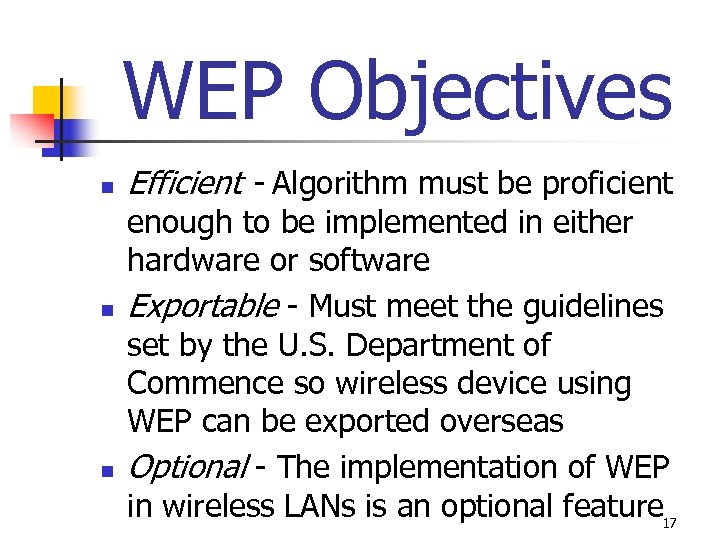 WEP Objectives n n n Efficient - Algorithm must be proficient enough to be implemented in either hardware or software Exportable - Must meet the guidelines set by the U. S. Department of Commence so wireless device using WEP can be exported overseas Optional - The implementation of WEP in wireless LANs is an optional feature 17
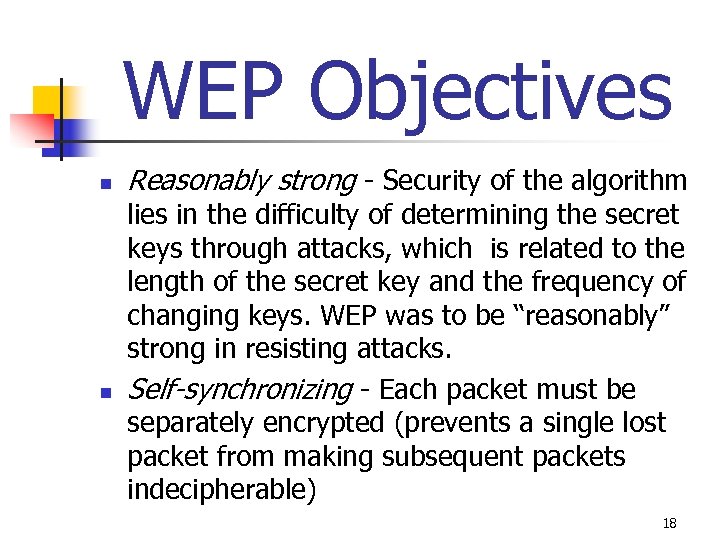 WEP Objectives n n Reasonably strong - Security of the algorithm lies in the difficulty of determining the secret keys through attacks, which is related to the length of the secret key and the frequency of changing keys. WEP was to be “reasonably” strong in resisting attacks. Self-synchronizing - Each packet must be separately encrypted (prevents a single lost packet from making subsequent packets indecipherable) 18
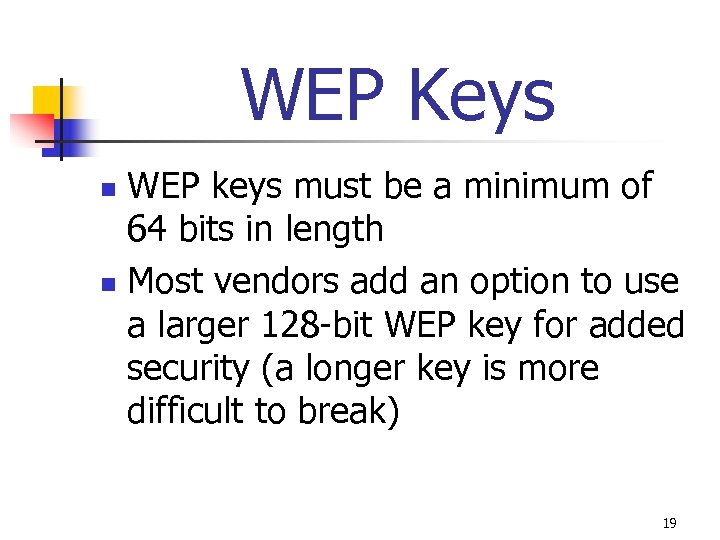 WEP Keys WEP keys must be a minimum of 64 bits in length n Most vendors add an option to use a larger 128 -bit WEP key for added security (a longer key is more difficult to break) n 19
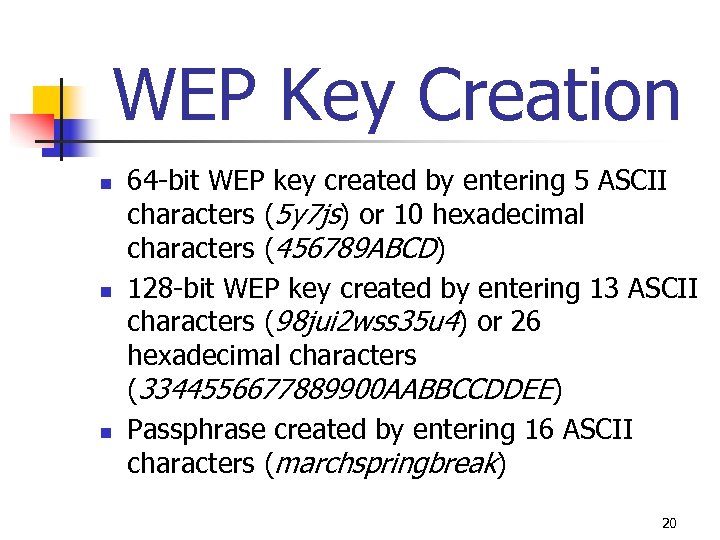 WEP Key Creation n 64 -bit WEP key created by entering 5 ASCII characters (5 y 7 js) or 10 hexadecimal characters (456789 ABCD) 128 -bit WEP key created by entering 13 ASCII characters (98 jui 2 wss 35 u 4) or 26 hexadecimal characters (3344556677889900 AABBCCDDEE) Passphrase created by entering 16 ASCII characters (marchspringbreak) 20
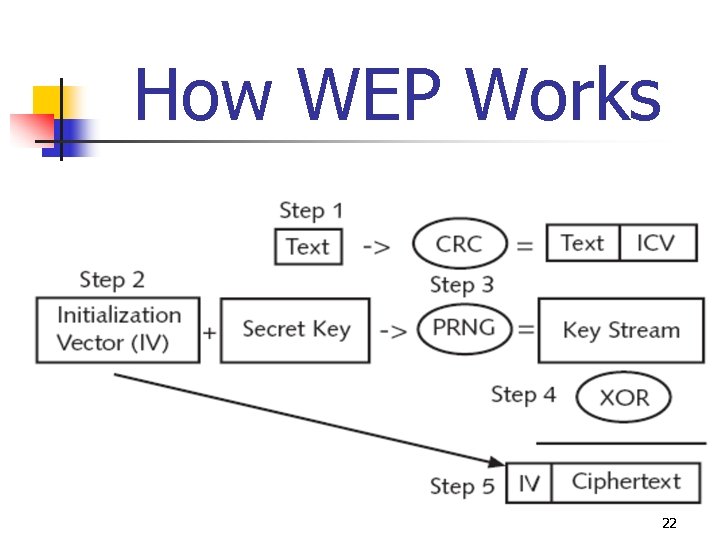
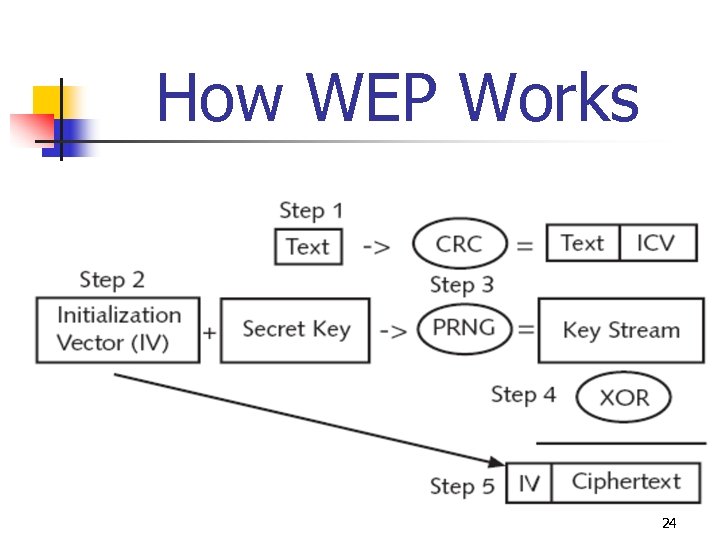
 How WEP Works 1. Information has cyclic redundancy check (CRC) checksum value calculated (WEP calls this integrity check value (ICV)) and appends it to end of text 2. WEP default shared secret key combined with initialization vector (IV), a 24 -bit value that changes each time a packet is encrypted 21
 How WEP Works 22
 How WEP Works 3. Default shared secret key and IV are then entered into an RC 4 pseudorandom number generator (PRNG) that creates a random number (output is keystream) 4. Text + ICV and keystream combined through exclusive OR (XOR) to create ciphertext 5. IV pre-pended to ciphertext 23
 How WEP Works 24
 WEP Won’t Work n n n WEP creates a detectable pattern for attackers (weak keys) Attacker who captures packets for length of time can see the duplication and use it to crack the code Weakness is with initialization vector (IV), 24 -bit value that changes each time a packet is encrypted 25
 WEP Won’t Work n n n IV is 24 -bit number = 16, 777, 216 possible values “Expanded” WEP not increase IV AP transmitting at only 11 Mbps can send and receive 700 packets each second Since different IV used for each packet IVs start repeating in less than 7 hours Ways to reduce time needed to minutes Some WLANs always start with the same IV after the system is restarted and then follow the same sequence of incrementing IVs 26
 WEP Won’t Work n n RC 4 uses a pseudo-random number generator (PRNG) to create keystream PRNG does not create true random number but what appears to be (pseudo) random number First 256 bytes of the RC 4 cipher can be determined by bytes in the key itself RC 4 cipher is not considered the most effective cipher for the task 27
 WLAN Defenses That Don’t Work Encrypt transmissions (WEP) n Hide my network (Disable SSID beaconing) n Restrict who can join my network (MAC address filtering) n Use advanced security (WPA)* n 28
 SSID Beaconing n n Service Set Identifier (SSID) is “beaconed” from AP Provides information to wireless devices wanting to join network Beaconing SSID is default mode Some users disable SSID beaconing so network not appear on Windows list of available wireless networks 29
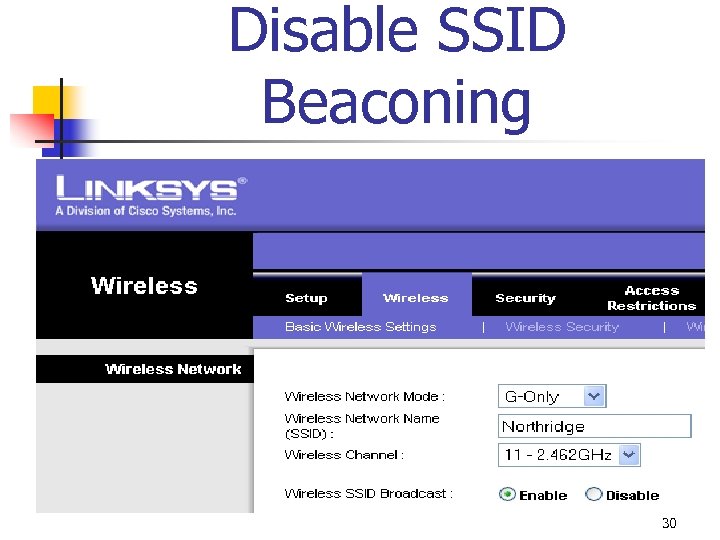 Disable SSID Beaconing 30
 Disable SSID Beaconing Won’t Work n n n SSID is initially transmitted in cleartext when device negotiating with AP Attacker only has to watch for any authorized device to negotiate If attacker cannot capture initial negotiation process can force one to occur 31
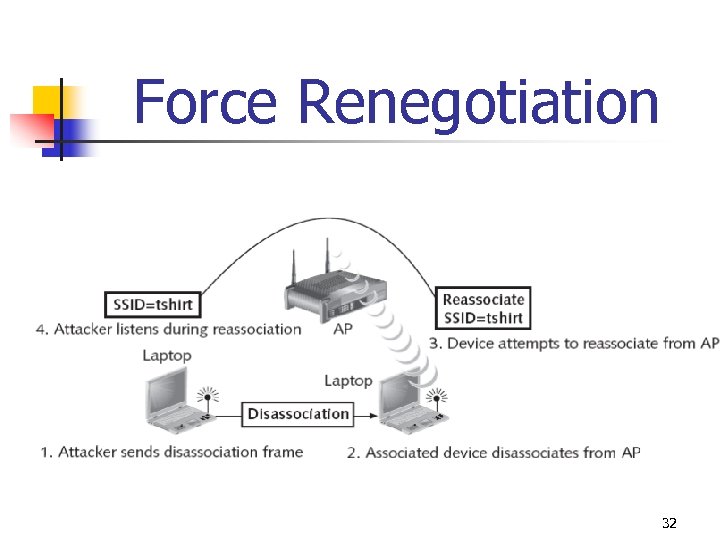 Force Renegotiation 32
 Disable SSID Beaconing Won’t Work n If SSID suppressed from beacon frames, still transmitted in other management frames sent by the AP n n n Windows can’t see it Netstumbler can see it Many users do not change default SSID and these well known; an attacker can try default SSIDs until a connection is accepted 33
 Disable SSID Beaconing Won’t Work n n n Steps to manually enter SSID on wireless device that not receive beaconed SSID are inconvenient Turning off SSID beaconing prevents wireless devices from freely roaming from one wireless network to another Many access points prohibit or discourage turning off SSID beaconing 34
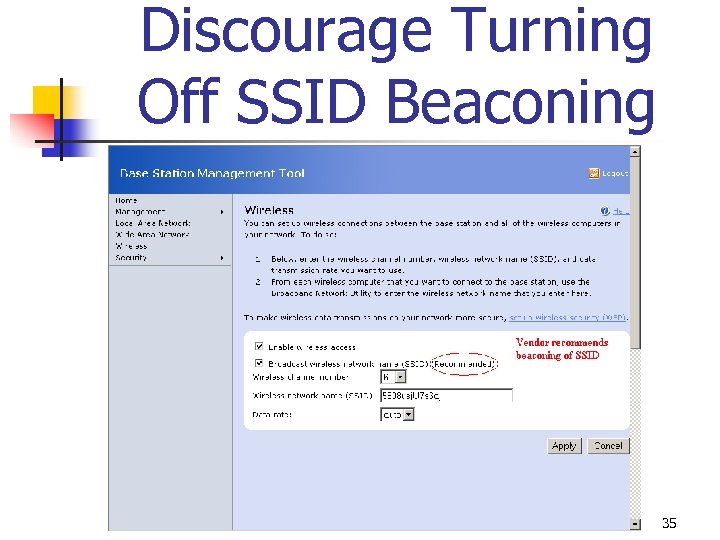 Discourage Turning Off SSID Beaconing 35
 Disable SSID Beaconing Won’t Work n n n Not uncommon to detect multiple wireless signals at home or work May received signal with broadcast SSID and signal where broadcast SSID turned off If using Windows XP the device will always connect to the access point that is broadcasting its SSID 36
 WLAN Defenses That Don’t Work Encrypt transmissions (WEP) n Hide my network (Disable SSID beaconing) n Restrict who can join my network (MAC address filtering) n Use advanced security (WPA)* n 37
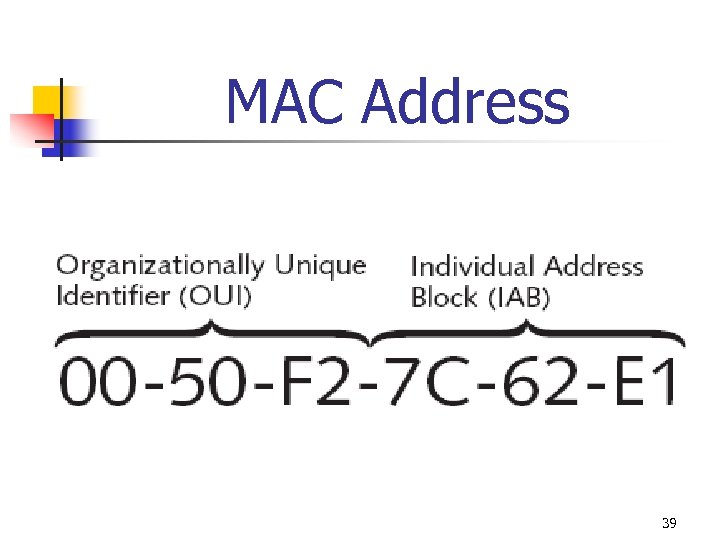
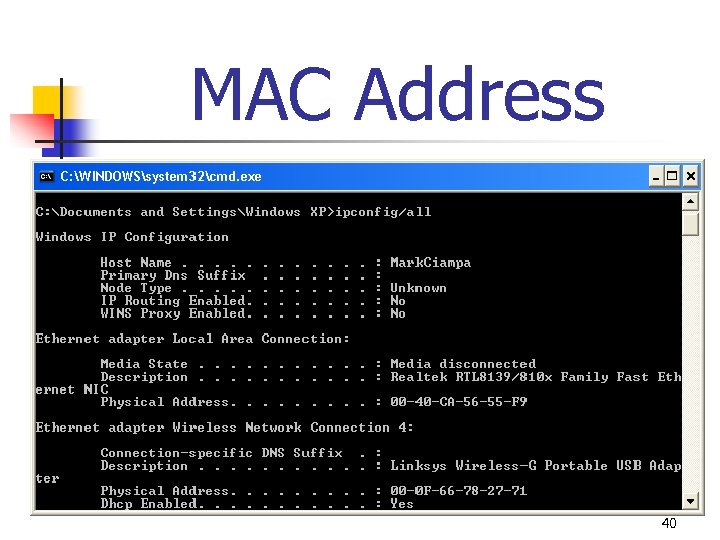
 MAC Address Filtering n n n Access control - Intended to limit a user’s admission to the AP (only those authorized able to become part of wireless LAN) Most common type of access control is Media Access Control (MAC) address filtering (not part IEEE standard) MAC address is unique 48 -bit number “burned” into the network interface card adapter when manufactured 38
 MAC Address 39
 MAC Address 40
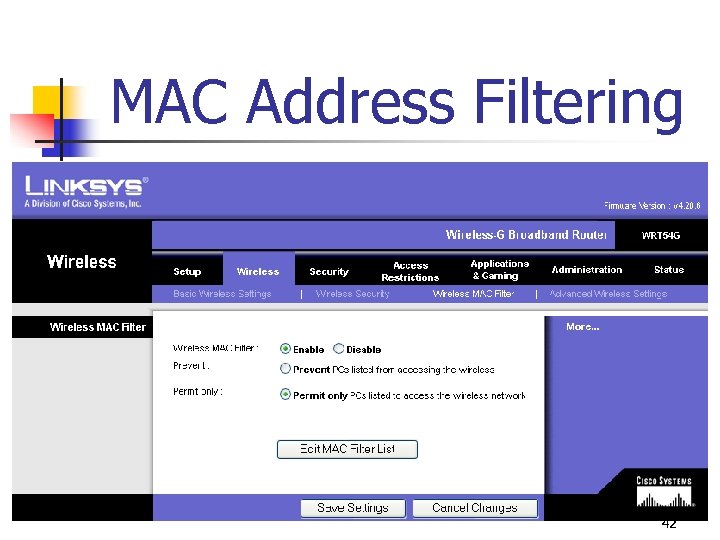
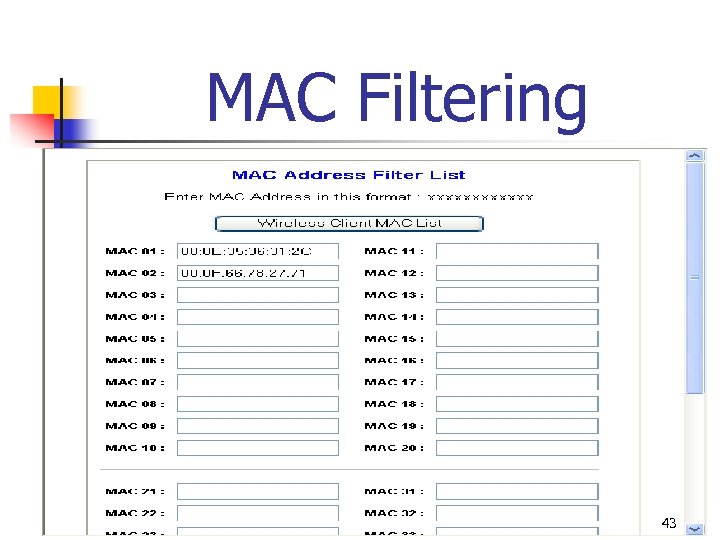
 MAC Address Filtering n n Access to the wireless network can be restricted by entering the MAC address of approved or denied devices Once the MAC addresses are entered, only specific devices can be authenticated based on MAC address 41
 MAC Address Filtering 42
 MAC Filtering 43
 MAC Address Filtering Won’t Work n n MAC addresses initially exchanged in cleartext between device and access point MAC address can be “spoofed” n n Some wireless NICs allow for a substitute MAC address to be used Programs available that allow users to spoof MAC address 44
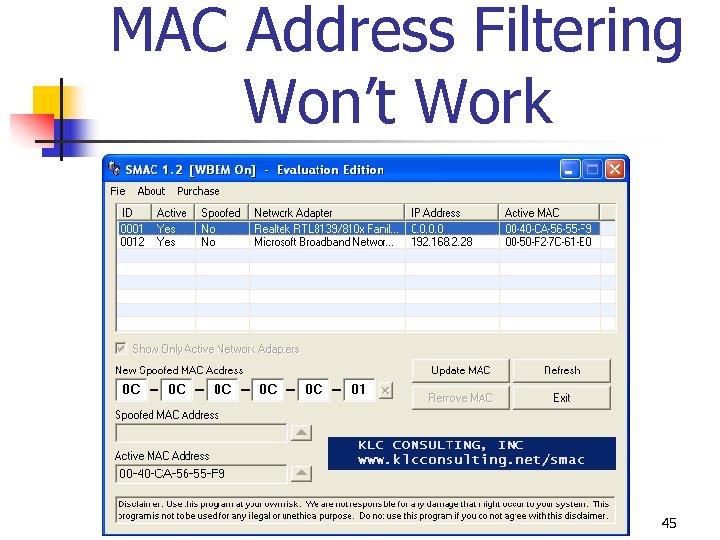 MAC Address Filtering Won’t Work 45
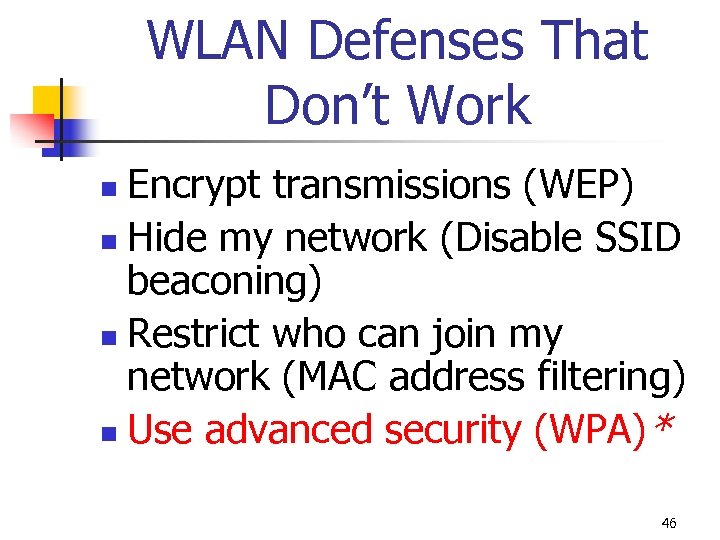 WLAN Defenses That Don’t Work Encrypt transmissions (WEP) n Hide my network (Disable SSID beaconing) n Restrict who can join my network (MAC address filtering) n Use advanced security (WPA)* n 46
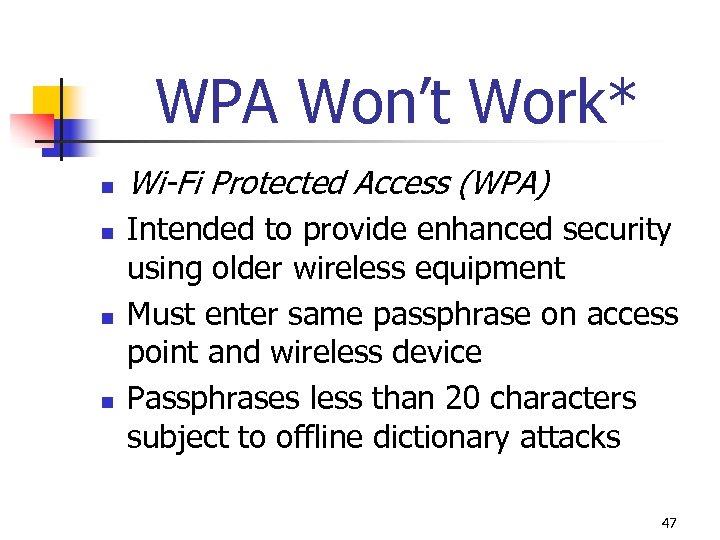 WPA Won’t Work* n n Wi-Fi Protected Access (WPA) Intended to provide enhanced security using older wireless equipment Must enter same passphrase on access point and wireless device Passphrases less than 20 characters subject to offline dictionary attacks 47
 Wireless Security Update Wireless Security Solutions 48
 802. 11 i By IEEE organization n Designed specifically address WLAN vulnerabilities n Ratified June 2004 n 49
 Common Security Models By Wi-Fi organization n Personal Security Model n WPA – Personal n WPA 2 - Personal n n Enterprise Security Model WPA - Enterprise n WPA 2 - Enterprise n 50
 Wireless Security Update Personal Security Model - WPA 51
 Personal Security Model n n Designed for single users or small office home office (SOHO) settings of < 10 devices and authentication server unavailable Personal security model has 2 options n n WPA – Legacy hardware WPA 2 – Newer hardware 52
 Wi-Fi Protected Access (WPA) n n Wi-Fi Alliance introduced Wi-Fi Protected Access (WPA) in October 2003 Subset of 802. 11 i Addresses encryption & authentication Designed to enhance security on older WLAN devices 53
 Temporal Key Integrity Protocol (TKIP) n n WPA replaces WEP with new encryption Temporal Key Integrity Protocol (TKIP) TKIP uses 128 -bit per-packet key (dynamically generates a new key for each packet and prevents collisions) TKIP distributes key to client and AP, setting up automated key hierarchy and management system TKIP dynamically generates unique keys to encrypt every data packet 54
 TKIP Encryption n TKIP strong substitution WEP encryption Instead of replacing WEP engine TKIP designed to fit into the existing WEP procedure with a minimal amount of change Device starts with 2 keys, a 128 -bit encryption key (temporal key) and 64 -bit MIC 55
 TKIP Encryption 1. 2. 3. Temporal key XORed with sender’s MAC address to create an intermediate Value 1 then mixed with a sequence number to produce Value 2 (the per-packet key) and then entered into the (PRNG), just as with normal WEP Sender’s MAC address and receiver’s MAC address are all run through a MIC function and creates text with MIC key appended; value is then XORed with keystream to create ciphertext 56
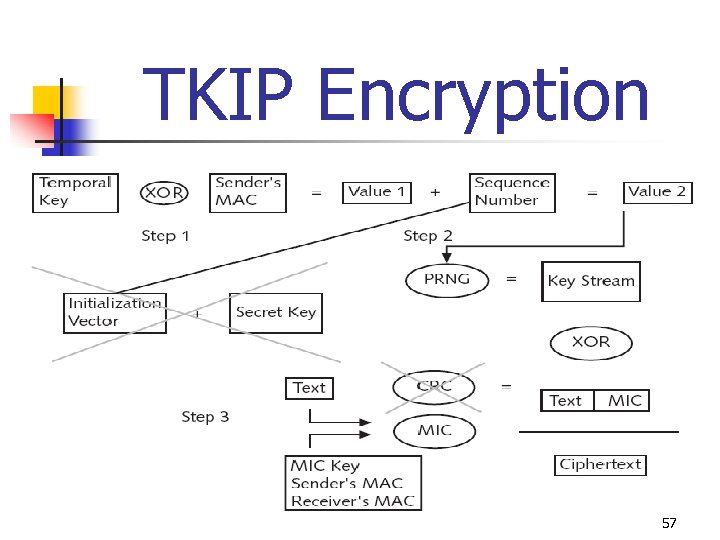 TKIP Encryption 57
 TKIP Key Mixing n n n WEP constructs a per-packet RC 4 key by concatenating a key and packet IV TKIP per-packet key construction (TKIP key mixing) substitutes temporary (temporal) key for WEP base key and constructs a per-packet key that changes with each packet Temporal keys have fixed lifetime and are replaced frequently 58
 IV Sequencing n n n TKIP reuses the WEP IV field as a sequence number for each packet Both the transmitter and receiver initialize the packet sequence space to zero whenever new TKIP keys are set, and the transmitter increments the sequence number with each packet it sends Length of the sequence number (IV) has been doubled, from 24 bits to 48 bits. 59
 Message Integrity Check (MIC) n n n WPA replaces Cyclic Redundancy Check (CRC) with Message Integrity Check (MIC), designed to prevent an attacker from altering packets Attacker can modify a packet and the CRC, making it appear that the packet contents were the original Receiver and transmitter each compute and then compare the MIC If not match, the data is assumed to have been tampered with and the packet is dropped Optional countermeasure all clients are deauthenticated and new associations are prevented for one minute if MIC error occurs 60
 Pre-Shared Key (PSK) Authentication n n WPA authentication can be accomplished by either authentication server or pre-shared key (PSK) Passphrase (the PSK) is manually entered to generate encryption key on AP and devices in advance PSK not used for encryption but instead serves as the starting point (seed) for generating the encryption keys Disadvantage of key management: key must be created and entered in any device (“shared”) prior to (“pre”) communicating 61
 Wi-Fi Protected Access (WPA) n n Designed to enhance security on older WLAN devices Should only be used if devices cannot support WPA 2 62
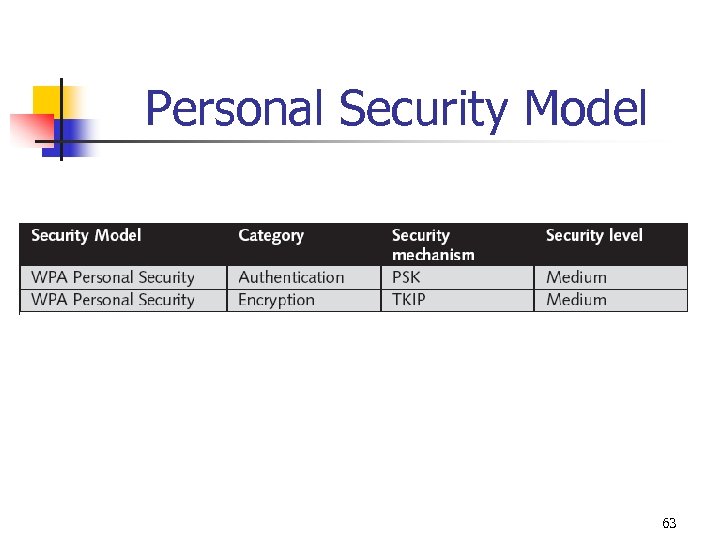 Personal Security Model 63
 Wireless Security Update Personal Security Model – WPA 2 64
 Wi-Fi Protected Access 2 (WPA 2) n n Wi-Fi Alliance introduced Wi-Fi Protected Access 2 (WPA 2) in September 2004 WPA 2 based on the final IEEE 802. 11 i WPA 2 uses AES for data encryption and supports authentication server or PSK technology WPA 2 allows both AES and TKIP clients to operate in the same WLAN; IEEE 802. 11 i only recognizes AES 65
 AES n n AES algorithm processes blocks of 128 bits, yet the length of the cipher keys and number of rounds can vary, depending upon the level of security that is required Available key lengths are of 128, 192 and 256 bits, and the number of available rounds are 10, 12, and 14 Only the 128 -bit key and 128 -bit block are mandatory for WPA 2 It is recommended that AES encryption and decryption be performed in hardware because of the computationally intensive nature of AES 66
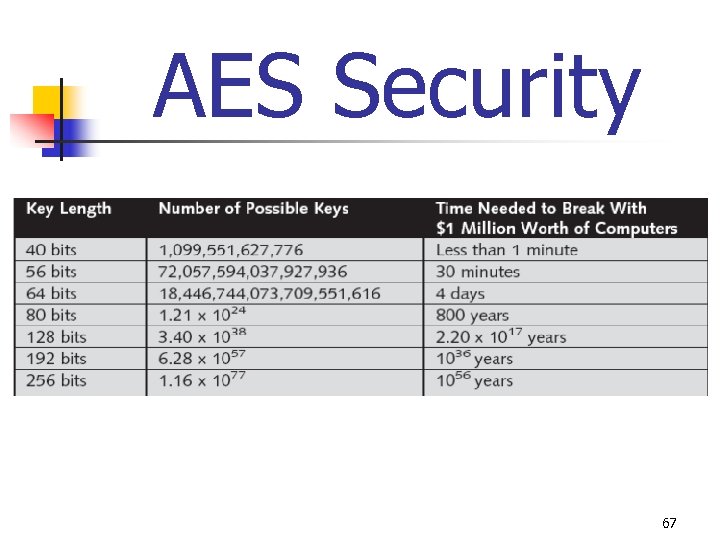 AES Security 67
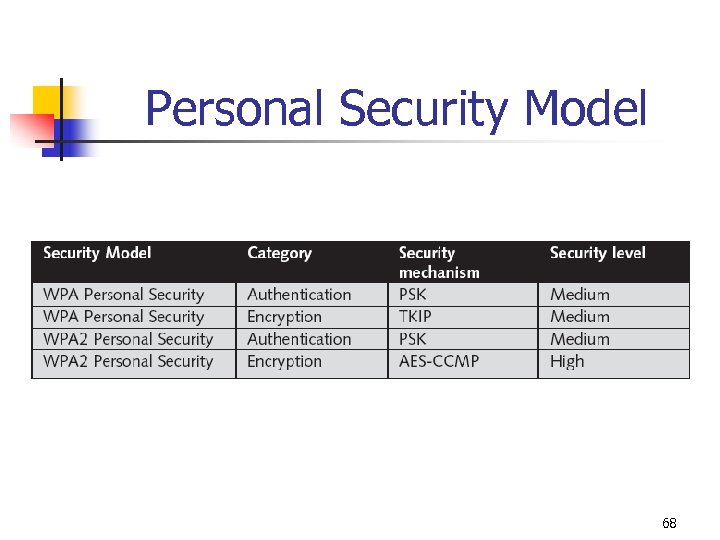 Personal Security Model 68
 Wireless Security Update How To Make a Home Wireless LAN Secure 69
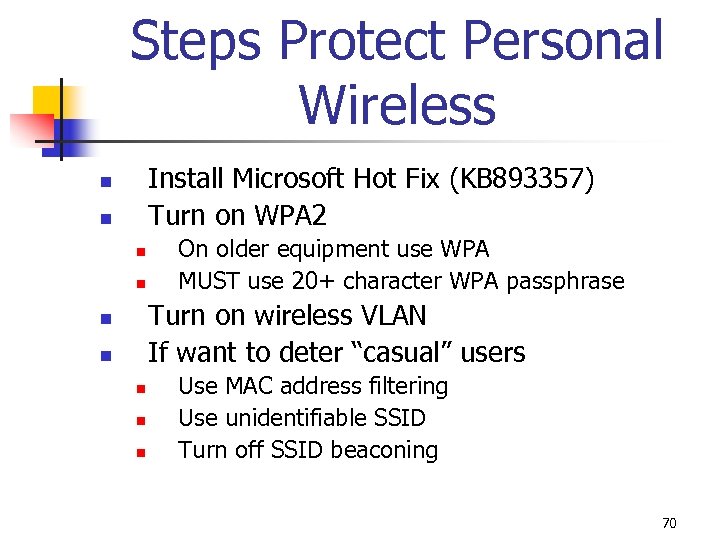 Steps Protect Personal Wireless Install Microsoft Hot Fix (KB 893357) Turn on WPA 2 n n On older equipment use WPA MUST use 20+ character WPA passphrase Turn on wireless VLAN If want to deter “casual” users n n n Use MAC address filtering Use unidentifiable SSID Turn off SSID beaconing 70
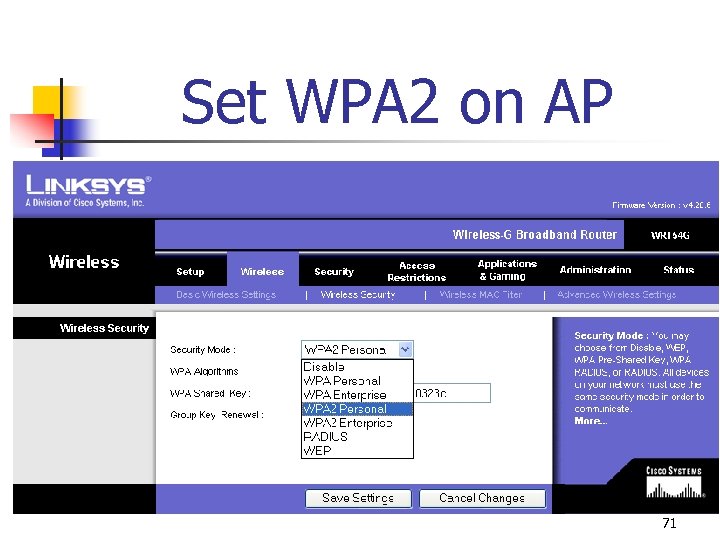 Set WPA 2 on AP 71
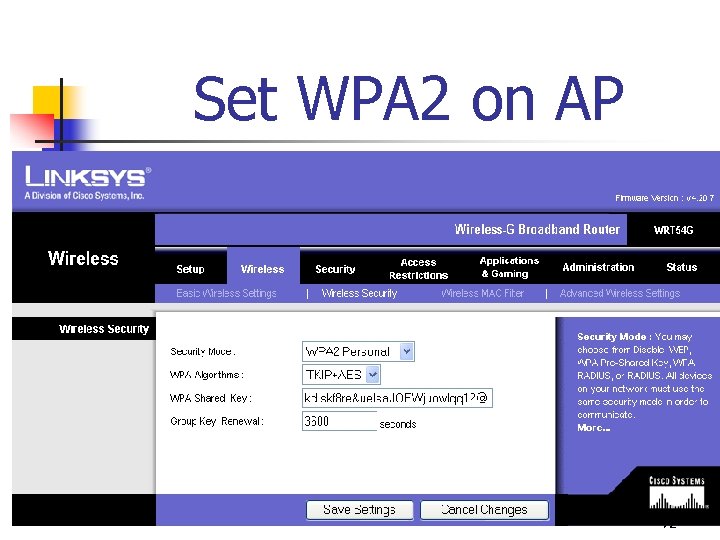 Set WPA 2 on AP 72
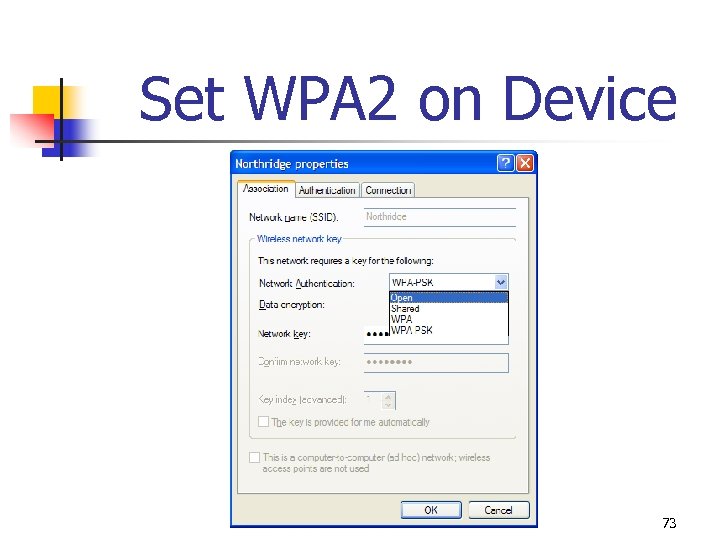 Set WPA 2 on Device 73
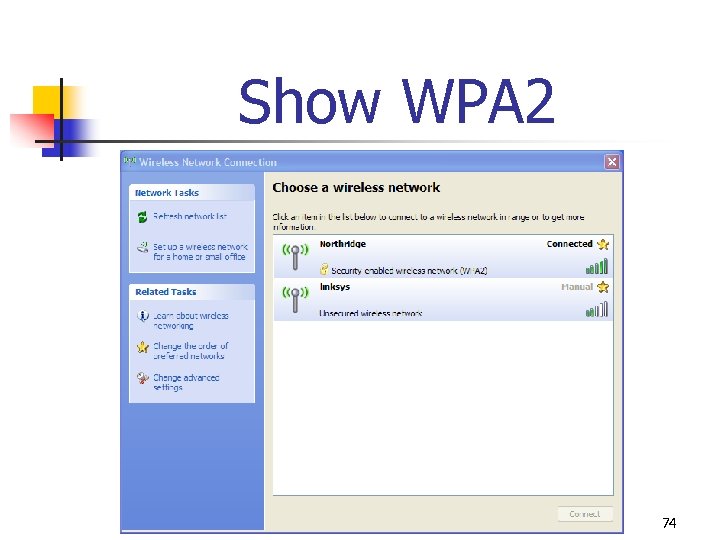 Show WPA 2 74
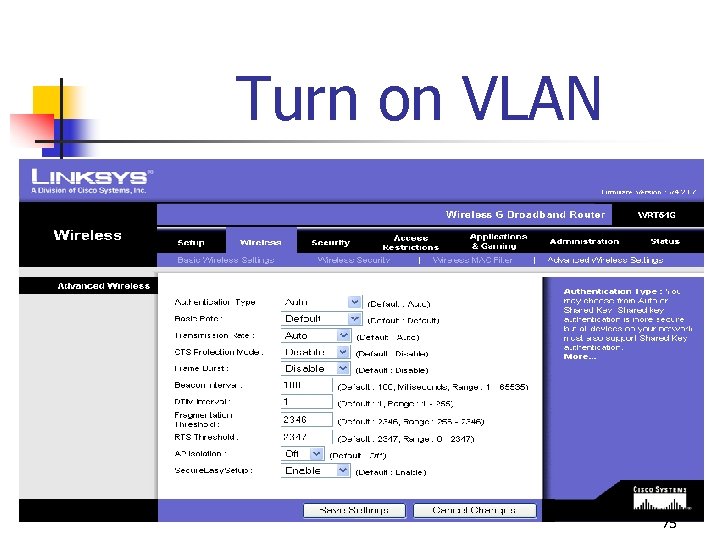 Turn on VLAN 75
 Secure Easy Setup Collaboration between Linksys and Broadcom Activate WPA security “at the push of a button” Automatically configures custom SSID and enables WPA dynamic key encryption settings No need to manually enter a passphrase or key Two step process n n n n Push the SES button on access point Click the START SES button on client To add more wireless devices to network simply push the button on the router again to repeat process 76
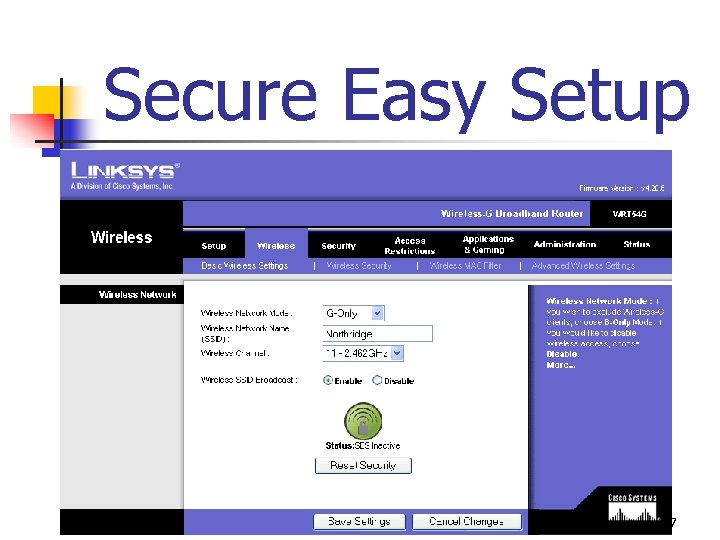 Secure Easy Setup 77
 Wireless Security Update Contents of Wireless Curriculum 78
 Wireless Curriculum Comp. TIA dropped proposed Wireless+ certification Most popular wireless certifications from CWNA (Planet 3) n n n Wireless# Certified Wireless Network Administrator Certified Network Security Professional 79
 Course Technology Wireless Textbooks n n n Guide to Wireless Communications 2 ed (Wireless#) – May 2006 CWNA Guide to Wireless LANs 2 ed (CWNA) – August 2005 CWSP Guide to Wireless Security 1 st (CWSP) – August 2006 80
 Wireless Security Update Enterprise Security Model – WPA & WPA 2 81
 Enterprise Security Model n n Designed for medium to large-size organizations such as businesses, government agencies, and universities with authentication server The personal security model has 2 options: WPA & WPA 2 (older equipment may be forced to implement WPA, while newer equipment can support WPA 2) 82
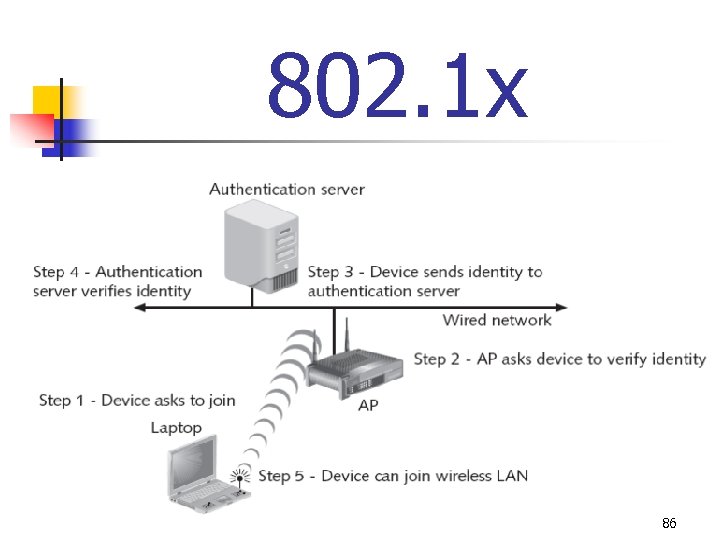
 802. 1 x n n n IEEE 802. 11 i authentication and key management uses IEEE 802. 1 x (originally developed for wired networks) 802. 1 x port security (device requests access to network prevented from receiving any traffic until its identity can be verified) 802. 1 x blocks all traffic on port-by-port basis until the client is authenticated using credentials stored on authentication server 83
 802. 1 x Authentication n The supplicant is device which requires secure network access and sends request to an authenticator that serves as an intermediary device (authenticator can be an access point on a wireless network or a switch on a wired network) The authenticator sends request from supplicant to authentication server, which accepts/rejects the supplicant’s request and sends that information back to the authenticator, which in turn grants or denies access to the supplicant Strength of the 802. 1 x protocol is that supplicant never has direct communication with authentication server 84
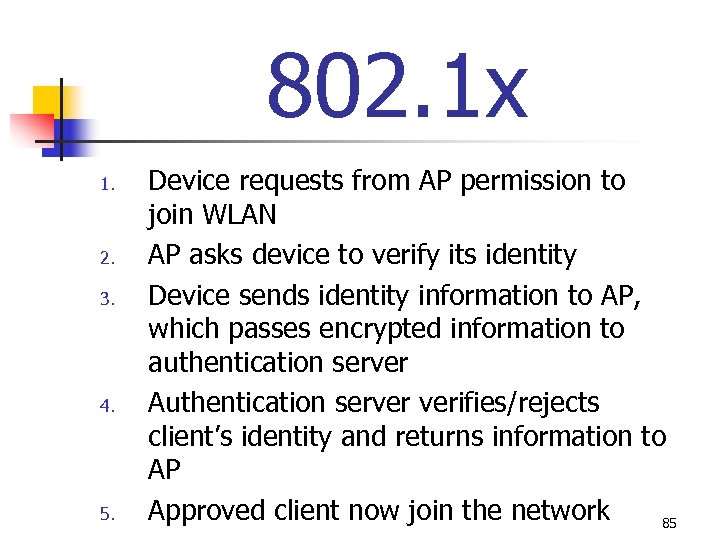 802. 1 x 1. 2. 3. 4. 5. Device requests from AP permission to join WLAN AP asks device to verify its identity Device sends identity information to AP, which passes encrypted information to authentication server Authentication server verifies/rejects client’s identity and returns information to AP Approved client now join the network 85
 802. 1 x 86
 802. 1 x Supplicant n n n Supplicant, required on the wireless device, is software that is installed on the client to implement the IEEE 802. 1 x protocol framework Supplicant software may be included in client operating system, integrated into device drivers, or installed as third-party “standalone” software Some vendors of wireless NICs supply supplicant with their cards 87
 Authentication Server n n n Authentication server stores the list of the names and credentials of authorized users Wireless user credentials may also be stored in an external database, such as Structured Query Language (SQL), Lightweight Directory Access Protocol (LDAP), or Microsoft Active Directory Typically a Remote Authentication Dial-In User Service (RADIUS) server is used 88
 RADIUS n n Request is first sent to authenticator, which relays the information (username, password, type of connection) to RADIUS server Server first determines if AP itself is permitted to send requests RADIUS server attempts to find the user’s name in its database Then applies the password to decide whether access should be granted to this user 89
 Encryption n Once authenticated by IEEE 802. 1 x same protocol next provides the wireless device a unique encryption key called the MK From single key all the necessary encryption keys for encrypted communication can then be created Keys can also be changed during a session 90
 Encryption n n Eliminates difficulties and potential dangers associated with PSK Each user has a unique key Keys remain strong and require no management Adding additional APs only requires that the newly installed APs connect to the existing authentication server 91
 Extensible Authentication Protocol (EAP) n n n EAP-Transport Layer Security (EAP-TLS) - Requires the use of certificates to validate a supplicant and supported by Microsoft and included in Microsoft Windows XP and Windows Server 2003 Lightweight EAP (LEAP) - Propriety standard supported by Cisco; LEAP provides authentication based on the Windows username and password logon (certificates are not required) EAP-Tunneled. TLS (EAP-TTLS) - Supports advanced authentication methods such as using tokens Protected EAP (PEAP) - Uses certificates similar to Secure Sockets Layer (SSL) with Web browsers; supplicant presents a certificate to the authentication server (via the authenticator) but does not require a certificate from the server in return Flexible Authentication via Secure Tunneling (FAST) - Most recent variation; can set up a tunnel without checking digital certificates and also support tokens 92
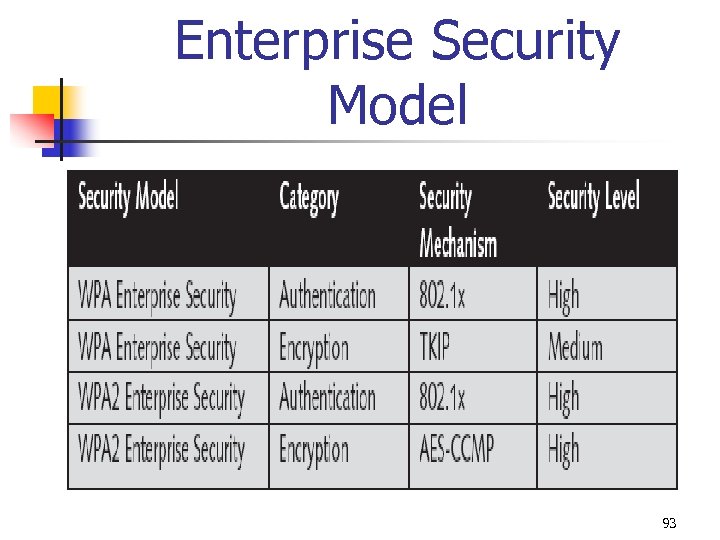 Enterprise Security Model 93
 Wireless Security Update Mark Ciampa Western Kentucky University mark. ciampa@wku. edu 94