


 Скачать презентацию Wireless Network Management Pravin Shetty Monash University Clayton
897f4763c4c0b78512a1b8903593afcc.ppt
- Количество слайдов: 102
 Wireless Network Management Pravin Shetty Monash University Clayton School of IT www. monash. edu. au Clayton School of IT
 Today’s Lecture • Why Wireless? • Overview • Resources Clayton School of IT 2
 Clayton School of IT 3
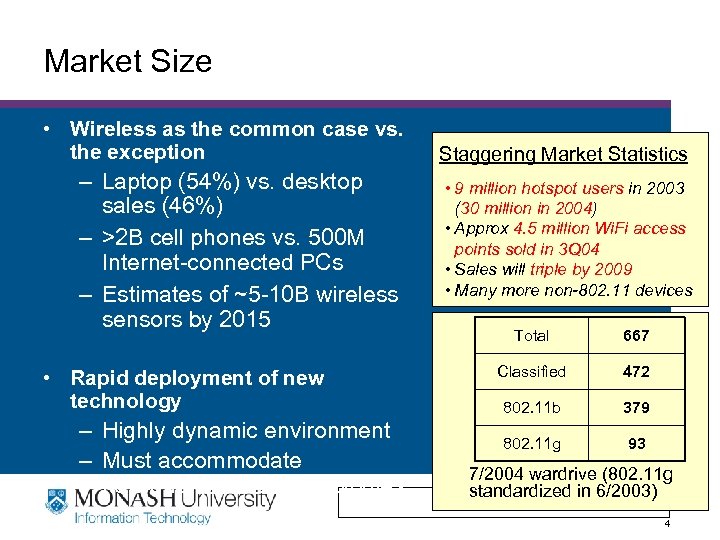 Market Size • Wireless as the common case vs. the exception – Laptop (54%) vs. desktop sales (46%) – >2 B cell phones vs. 500 M Internet-connected PCs – Estimates of ~5 -10 B wireless sensors by 2015 • Rapid deployment of new technology – Highly dynamic environment – Must accommodate new/unexpected technologies Staggering Market Statistics • 9 million hotspot users in 2003 (30 million in 2004) • Approx 4. 5 million Wi. Fi access points sold in 3 Q 04 • Sales will triple by 2009 • Many more non-802. 11 devices Total 667 Classified 472 802. 11 b 379 802. 11 g 93 7/2004 wardrive (802. 11 g standardized Clayton School of IT in 6/2003) 4
 Why is it so popular? • • Flexible Low cost Easy to deploy Support mobility Clayton School of IT 5
 Implication: Market Size • Past efforts emphasis on adapting wireless nodes to support existing architecture – Wireless TCP, Mobile IP, etc. – Adoption of these evolutionary changes has lagged expectations • Market size justifies more dramatic changes – Broader architectural changes to support range of issues created by wireless systems – Consider changes to Internet that may simplify future wireless system design Clayton School of IT 6
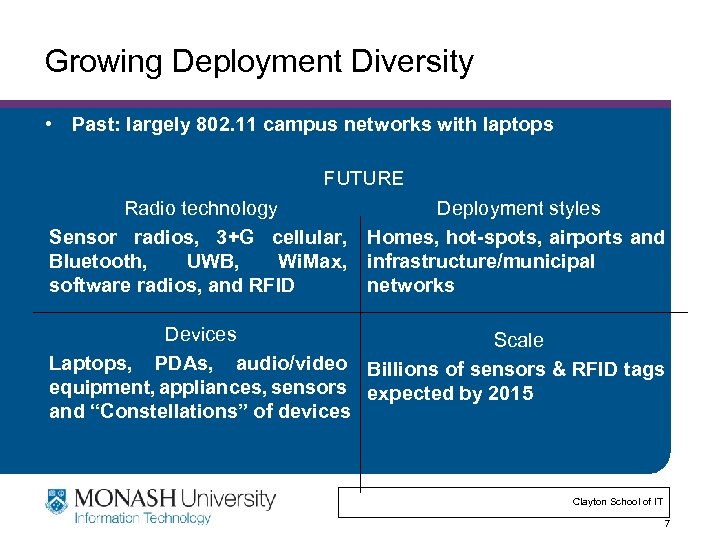 Growing Deployment Diversity • Past: largely 802. 11 campus networks with laptops FUTURE Radio technology Deployment styles Sensor radios, 3+G cellular, Homes, hot-spots, airports and Bluetooth, UWB, Wi. Max, infrastructure/municipal software radios, and RFID networks Devices Scale Laptops, PDAs, audio/video Billions of sensors & RFID tags equipment, appliances, sensors expected by 2015 and “Constellations” of devices Clayton School of IT 7
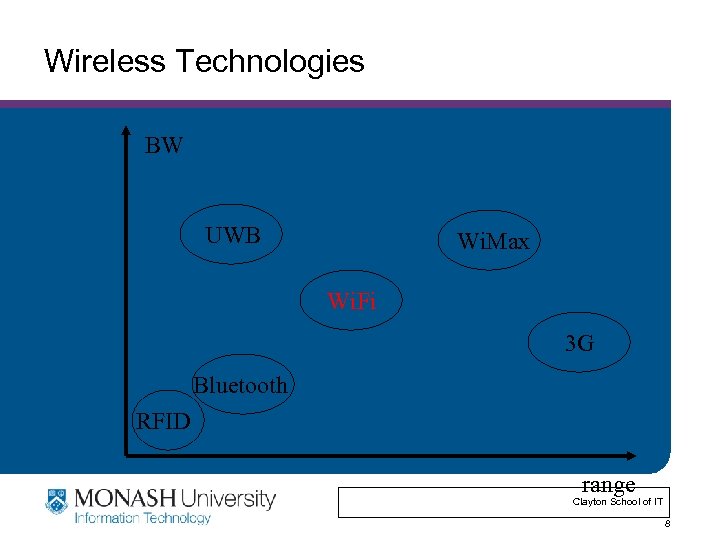 Wireless Technologies BW UWB Wi. Max Wi. Fi 3 G Bluetooth RFID range Clayton School of IT 8
 Clayton School of IT 9
 Clayton School of IT 10
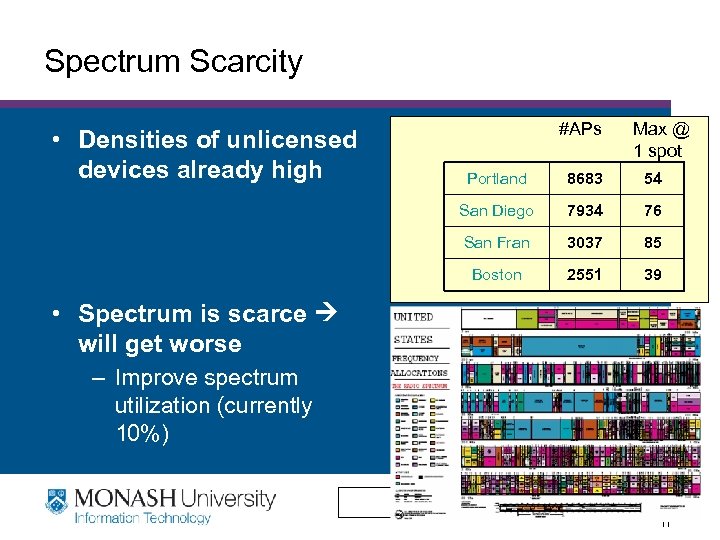 Spectrum Scarcity • Densities of unlicensed devices already high #APs Max @ 1 spot Portland 8683 54 San Diego 7934 76 San Fran 3037 85 Boston 2551 39 • Spectrum is scarce will get worse – Improve spectrum utilization (currently 10%) Clayton School of IT 11
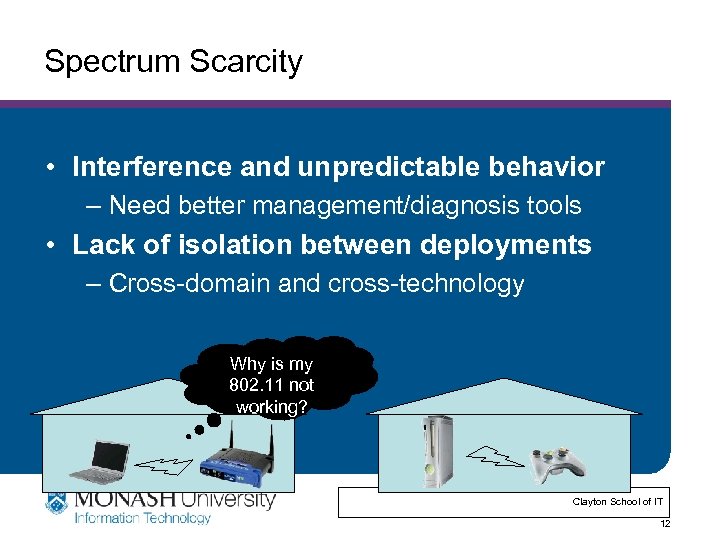 Spectrum Scarcity • Interference and unpredictable behavior – Need better management/diagnosis tools • Lack of isolation between deployments – Cross-domain and cross-technology Why is my 802. 11 not working? Clayton School of IT 12
 Wireless Differences 1 • Physical layer: signals travel in open space • Subject to interference – From other sources and self (multipath) • Creates interference for other wireless devices • Noisy lots of losses • Channel conditions can be very dynamic Clayton School of IT 13
 Wireless Differences 2 • Need to share airwaves rather than wire • Don’t know what hosts are involved • Hosts may not be using same link technology • Interaction of multiple transmitters at receiver – Collisions, capture, interference • Use of spectrum: limited resource. – Cannot “create” more capacity very easily – More pressure to use spectrum efficiently Clayton School of IT 14
 Wireless Differences 3 • Mobility – Must update routing protocols to handle frequent changes > Requires hand off as mobile host moves in/out range – Changes in the channel conditions. > Coarse time scale: distance/interference/obstacles change > Fine time scale: Doppler effect • Other characteristics of wireless – Slow Clayton School of IT 15
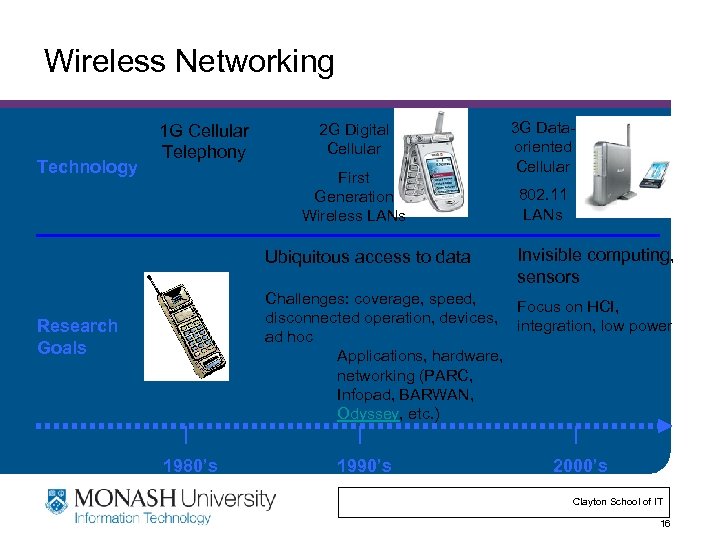 Wireless Networking Technology 1 G Cellular Telephony 2 G Digital Cellular First Generation Wireless LANs Ubiquitous access to data 3 G Dataoriented Cellular 802. 11 LANs Invisible computing, sensors Challenges: coverage, speed, Focus on HCI, disconnected operation, devices, integration, low power ad hoc Applications, hardware, networking (PARC, Infopad, BARWAN, Odyssey, etc. ) Research Goals 1980’s 1990’s 2000’s Clayton School of IT 16
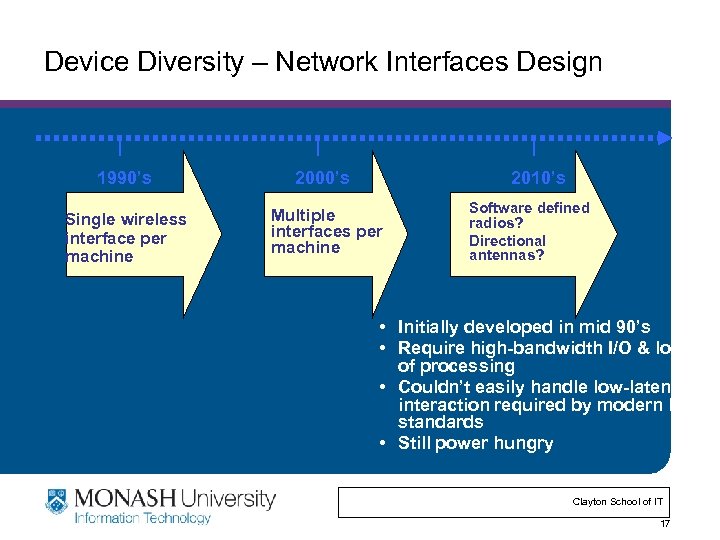 Device Diversity – Network Interfaces Design 1990’s 2000’s 2010’s Single wireless interface per machine Multiple interfaces per machine Software defined radios? Directional antennas? • Initially developed in mid 90’s • Require high-bandwidth I/O & lots of processing • Couldn’t easily handle low-latency interaction required by modern link standards • Still power hungry Clayton School of IT 17
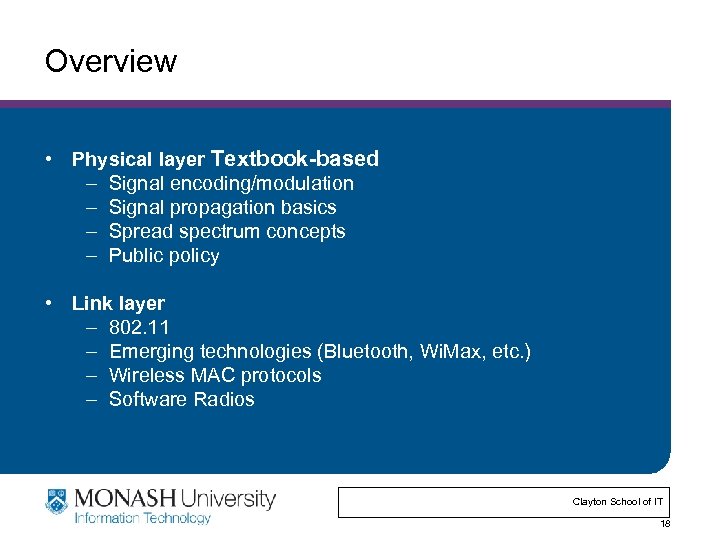 Overview • Physical layer Textbook-based – Signal encoding/modulation – Signal propagation basics – Spread spectrum concepts – Public policy • Link layer – 802. 11 – Emerging technologies (Bluetooth, Wi. Max, etc. ) – Wireless MAC protocols – Software Radios Clayton School of IT 18
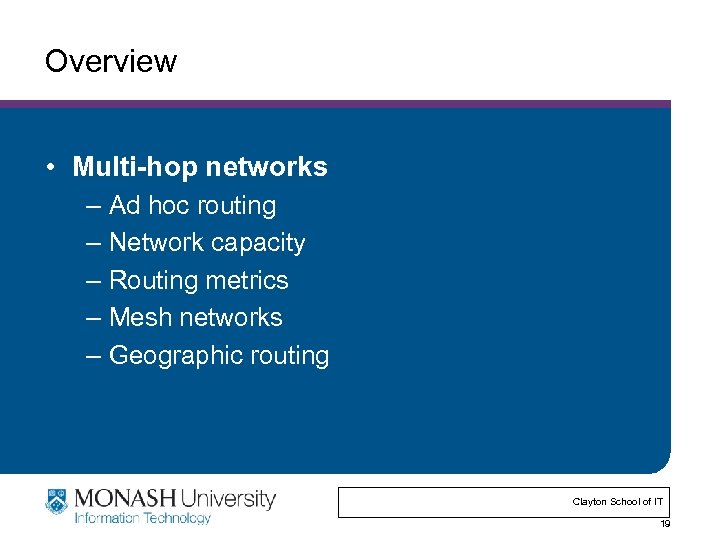 Overview • Multi-hop networks – Ad hoc routing – Network capacity – Routing metrics – Mesh networks – Geographic routing Clayton School of IT 19
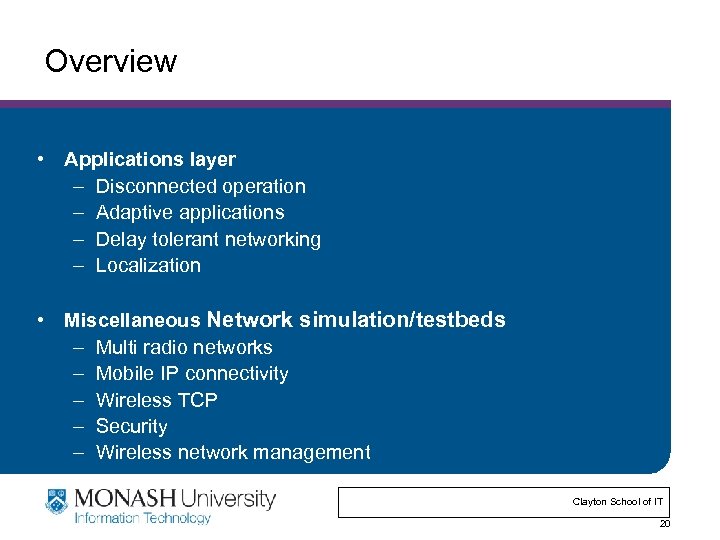 Overview • Applications layer – Disconnected operation – Adaptive applications – Delay tolerant networking – Localization • Miscellaneous Network simulation/testbeds – Multi radio networks – Mobile IP connectivity – Wireless TCP – Security – Wireless network management Clayton School of IT 20
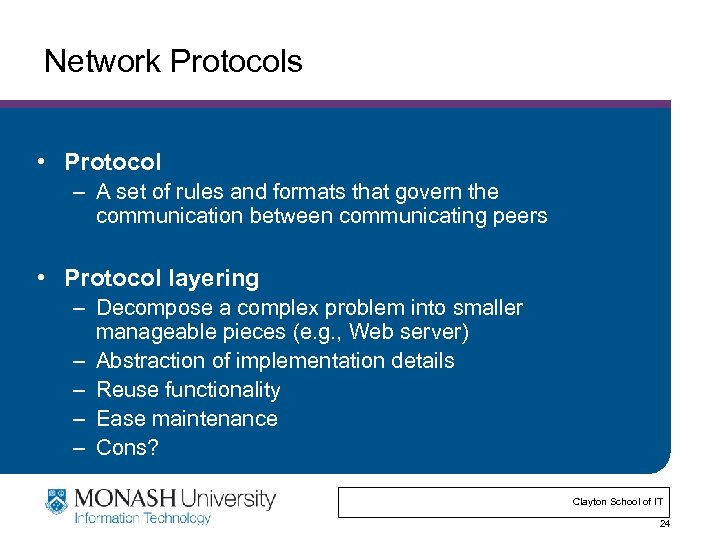 Network Protocols • Protocol – A set of rules and formats that govern the communication between communicating peers • Protocol layering – Decompose a complex problem into smaller manageable pieces (e. g. , Web server) – Abstraction of implementation details – Reuse functionality – Ease maintenance – Cons? Clayton School of IT 24
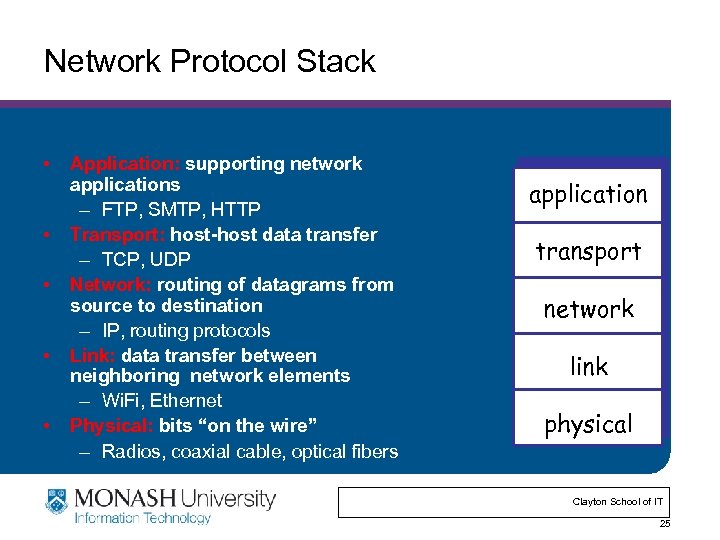 Network Protocol Stack • • • Application: supporting network applications – FTP, SMTP, HTTP Transport: host-host data transfer – TCP, UDP Network: routing of datagrams from source to destination – IP, routing protocols Link: data transfer between neighboring network elements – Wi. Fi, Ethernet Physical: bits “on the wire” – Radios, coaxial cable, optical fibers application transport network link physical Clayton School of IT 25
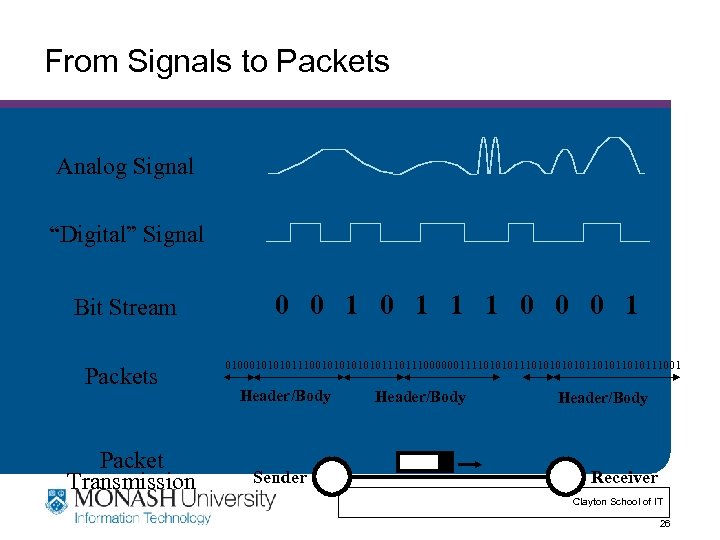 From Signals to Packets Analog Signal “Digital” Signal Bit Stream Packets Packet Transmission 0 0 1 1 1 0 0 0 1 01000101110010101110111000000111101010101011010111001 Header/Body Sender Header/Body Receiver Clayton School of IT 26
 Outline • RF introduction – What is “RF” – Digital versus analog contents • • • Modulation Antennas and signal propagation Equalization, diversity, channel coding Multiple access techniques Wireless systems and standards Clayton School of IT 27
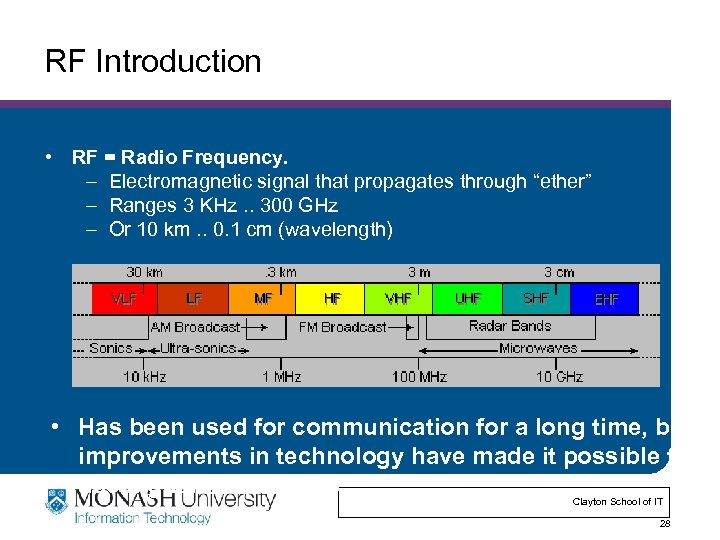 RF Introduction • RF = Radio Frequency. – Electromagnetic signal that propagates through “ether” – Ranges 3 KHz. . 300 GHz – Or 10 km. . 0. 1 cm (wavelength) • Has been used for communication for a long time, but improvements in technology have made it possible to use higher frequencies. Clayton School of IT 28
 Wireless Communication • 300 GHz is huge amount of spectrum! – Spectrum can also be reused in space • Not quite that easy: – Most of it is hard or expensive to use! – Noise and interference limits efficiency – Most of the spectrum is allocated by FCC • FCC controls who can use the spectrum and how it can be used. – Need a license for most of the spectrum – Limits on power, placement of transmitters, coding, . . – Need rules to optimize benefit: guarantee emergency services, simplify communication, return on capital investment, … Clayton School of IT 29
 Spectrum Allocation See: http: //www. ntia. doc. gov/osmhome/allochrt. html Most bands are allocated. • Industrial, Scientific, and Medical (ISM) bands are “unlicensed”. – But still subject to various constraints on the operator, e. g. 1 W output – 433 -868 MHz (Europe) – 902 -928 MHz (US) – 2. 4000 -2. 4835 GHz – Unlicensed National Information Infrastructure (UNII) band is 5. 725 -5. 875 GHz Clayton School of IT 30
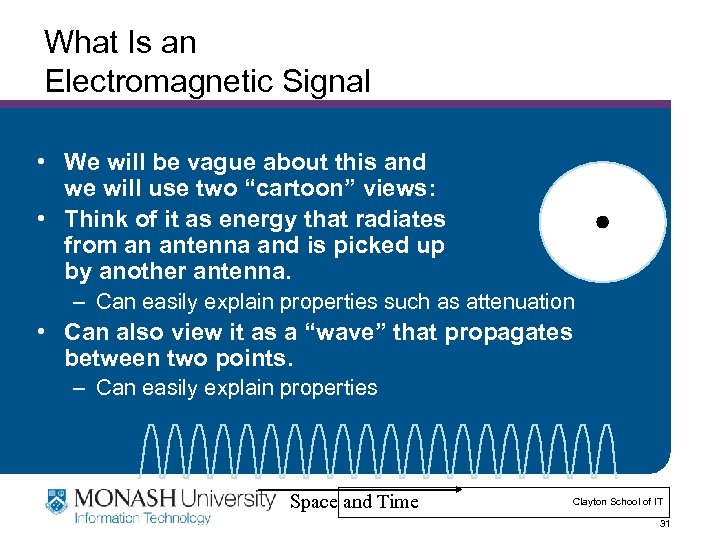 What Is an Electromagnetic Signal • We will be vague about this and we will use two “cartoon” views: • Think of it as energy that radiates from an antenna and is picked up by another antenna. – Can easily explain properties such as attenuation • Can also view it as a “wave” that propagates between two points. – Can easily explain properties Space and Time Clayton School of IT 31
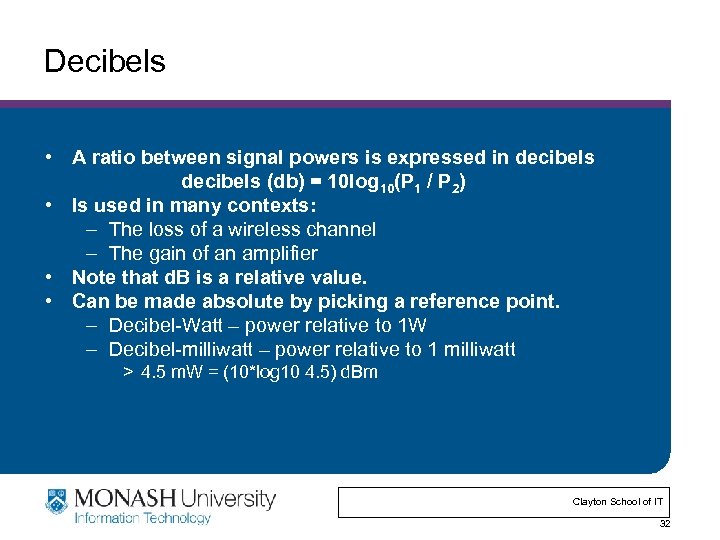 Decibels • A ratio between signal powers is expressed in decibels (db) = 10 log 10(P 1 / P 2) • Is used in many contexts: – The loss of a wireless channel – The gain of an amplifier • Note that d. B is a relative value. • Can be made absolute by picking a reference point. – Decibel-Watt – power relative to 1 W – Decibel-milliwatt – power relative to 1 milliwatt > 4. 5 m. W = (10*log 10 4. 5) d. Bm Clayton School of IT 32
 Analog and Digital Information • Initial RF use was for analog information. – Radio and TV stations – The information that is sent is of a continuous nature • In digital transmission, the signal consists of discrete units (e. g. bits). – Data networks, cell phones – Focus of this course • We can also send analog information as digital data. – Sample the signal, i. e. analog digital analog > E. g. , Cell phones, … – Also digital analog digital (e. g. modem) Clayton School of IT 33
 Outline • RF introduction • Modulation – Baseband versus carrier modulation – Forms of modulation – Channel capacity • • Antennas and signal propagation Equalization, diversity, channel coding Multiple access techniques Wireless systems and standards Clayton School of IT 34
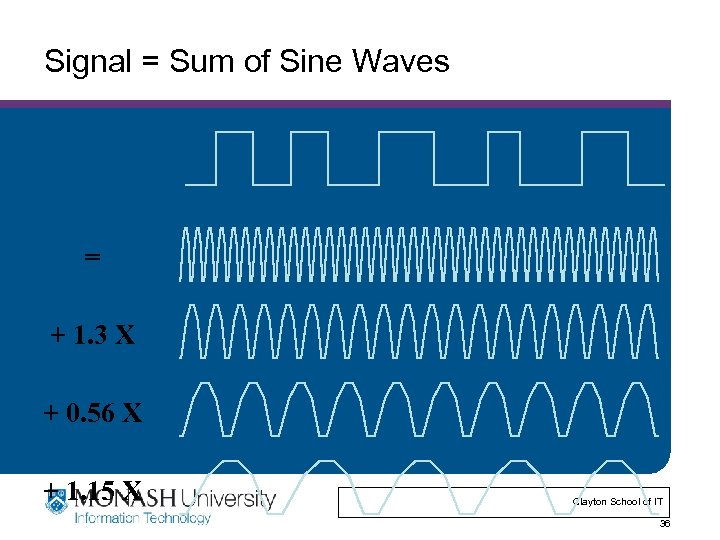
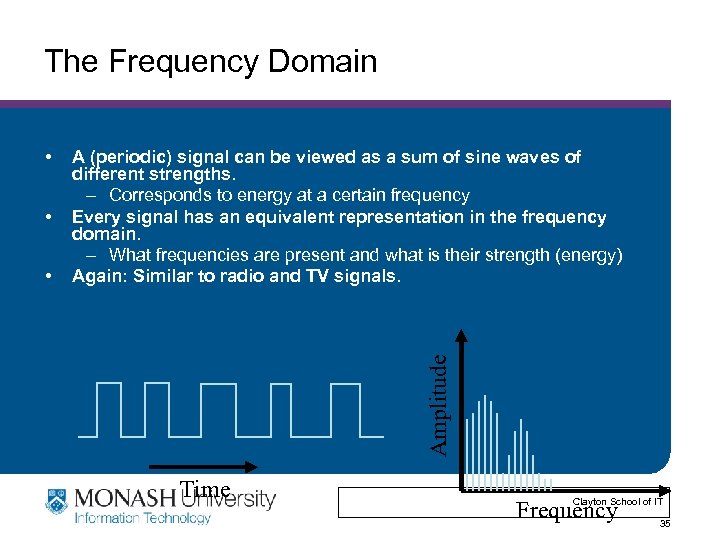 The Frequency Domain • • A (periodic) signal can be viewed as a sum of sine waves of different strengths. – Corresponds to energy at a certain frequency Every signal has an equivalent representation in the frequency domain. – What frequencies are present and what is their strength (energy) Again: Similar to radio and TV signals. Amplitude • Time Clayton School of IT Frequency 35
 Signal = Sum of Sine Waves = + 1. 3 X + 0. 56 X + 1. 15 X Clayton School of IT 36
 Modulation • Sender changes the nature of the signal in a way that the receiver can recognize. – Assume a continuous information signal for now • Amplitude modulation (AM): change the strength of the carrier according to the information. – High values stronger signal • Frequency (FM) and phase modulation (PM): change the frequency or phase of the signal. – Frequency or Phase shift keying • Digital versions are sometimes called “shift keying”. – Amplitude (ASK), Frequency (FSK) and Phase (PSK) Shift Keying Clayton School of IT 37
 Baseband versus Carrier Modulation • Baseband modulation: send the “bare” signal. – Use the lower part of the spectrum – Everybody competes – not attractive for wireless • Carrier modulation: use the (information) signal to modulate a higher frequency (carrier) signal. – Can be viewed as the product of the two signals – Corresponds to a shift in the frequency domain Clayton School of IT 38
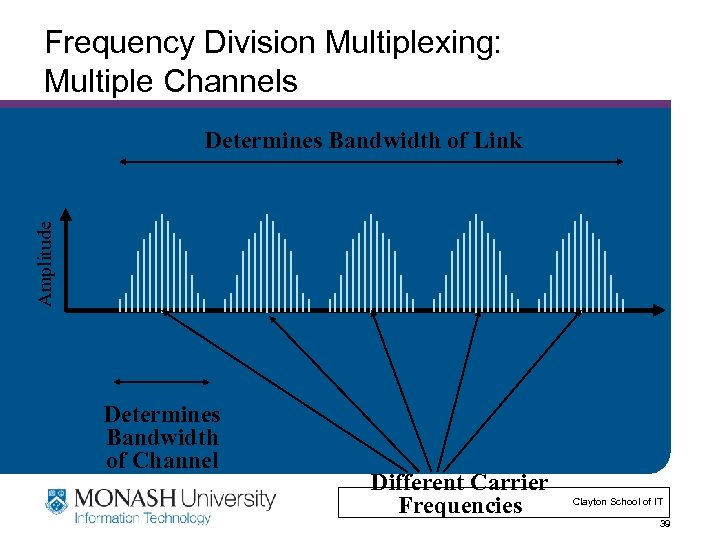 Frequency Division Multiplexing: Multiple Channels Amplitude Determines Bandwidth of Link Determines Bandwidth of Channel Different Carrier Frequencies Clayton School of IT 39
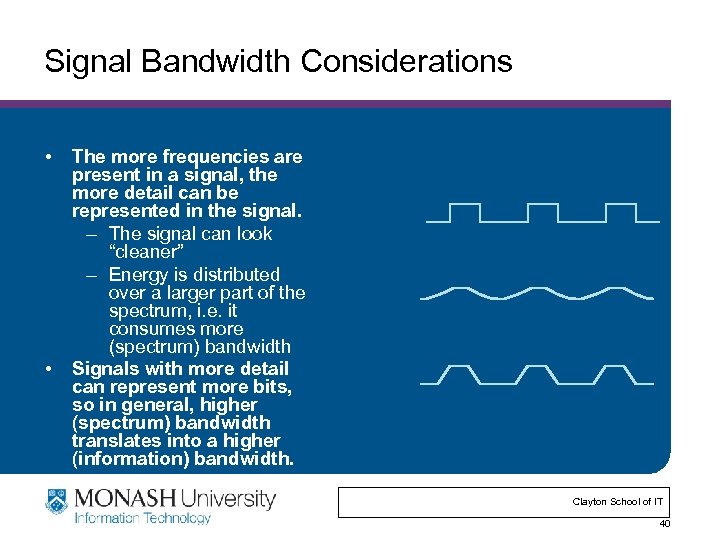 Signal Bandwidth Considerations • • The more frequencies are present in a signal, the more detail can be represented in the signal. – The signal can look “cleaner” – Energy is distributed over a larger part of the spectrum, i. e. it consumes more (spectrum) bandwidth Signals with more detail can represent more bits, so in general, higher (spectrum) bandwidth translates into a higher (information) bandwidth. Clayton School of IT 40
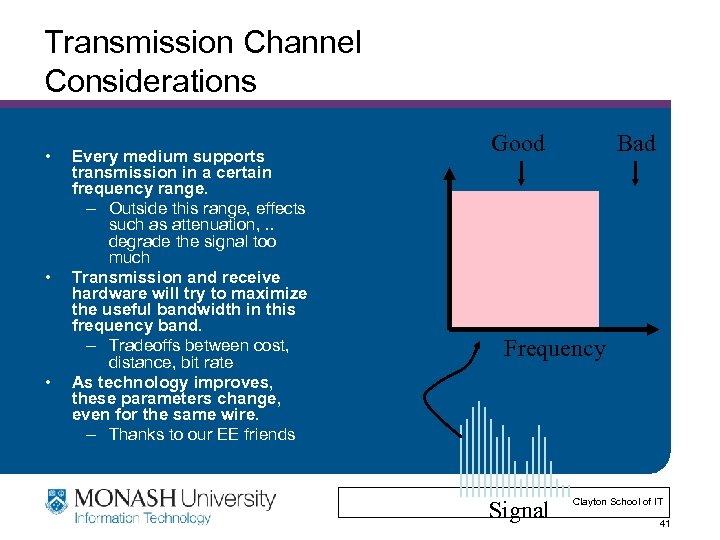 Transmission Channel Considerations • • • Every medium supports transmission in a certain frequency range. – Outside this range, effects such as attenuation, . . degrade the signal too much Transmission and receive hardware will try to maximize the useful bandwidth in this frequency band. – Tradeoffs between cost, distance, bit rate As technology improves, these parameters change, even for the same wire. – Thanks to our EE friends Good Bad Frequency Signal Clayton School of IT 41
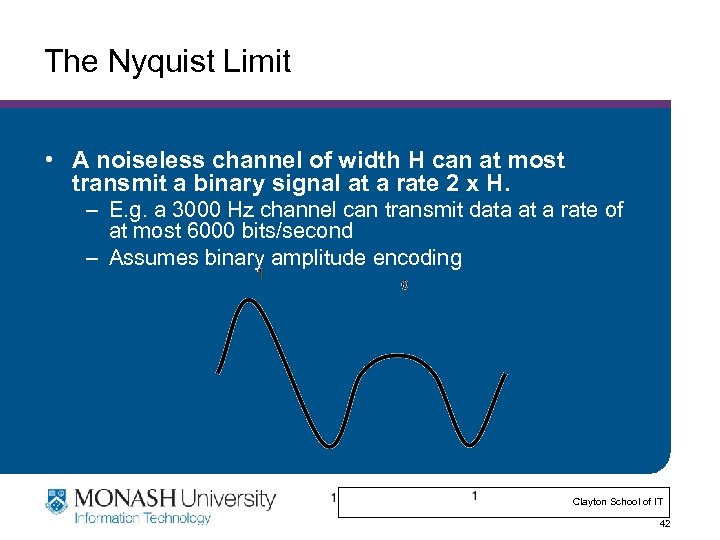 The Nyquist Limit • A noiseless channel of width H can at most transmit a binary signal at a rate 2 x H. – E. g. a 3000 Hz channel can transmit data at a rate of at most 6000 bits/second – Assumes binary amplitude encoding Clayton School of IT 42
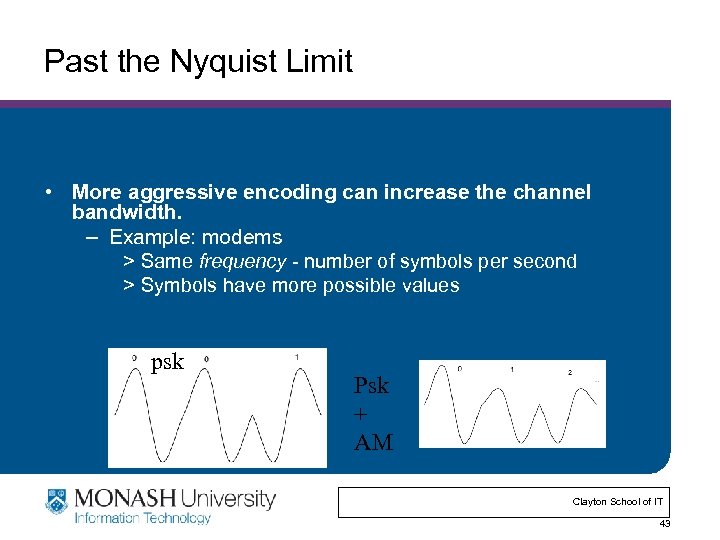 Past the Nyquist Limit • More aggressive encoding can increase the channel bandwidth. – Example: modems > Same frequency - number of symbols per second > Symbols have more possible values psk Psk + AM Clayton School of IT 43
 Some Examples • Differential quadrature phase shift keying – Four different phases representing a pair of bits – Used in 802. 11 b networks • Quadrature Amplitude Modulation – Combines amplitude and phase modulation – Uses two amplitudes and 4 phases to represent the value of a 3 bit sequence Clayton School of IT 45
 Modulation vs. BER • More symbols = – Higher data rate: More information per baud – Higher bit error rate: Harder to distinguish symbols • Why useful? – 802. 11 b uses DBPSK (differential binary phase shift keying) for 1 Mbps, and DQPSK (quadriture) for 2, 5. 5, and 11. – 802. 11 a uses four schemes - BPSK, 16 -QAM, and 64 -AM, as its rates go higher. • Effect: If your BER / packet loss rate is too high, drop down the speed: more noise resistance. • We’ll see in some papers later in the semester that this means noise resistance isn’t always linear with speed. Clayton School of IT 46
 Outline • RF introduction • Modulation • Antennas and signal propagation – How do antennas work – Propagation properties of RF signals • Equalization, diversity, channel coding • Multiple access techniques • Wireless systems and standards Clayton School of IT 47
 What is an Antenna? • Conductor that carries an electrical signal and radiates an RF signal. – The RF signal “is a copy of” the electrical signal in the conductor • Also the inverse process: RF signals are “captured” by the antenna and create an electrical signal in the conductor. – This signal can be interpreted (i. e. decoded) • Efficiency of the antenna depends on its size, relative to the wavelength of the signal. – E. g. half a wavelength Clayton School of IT 48
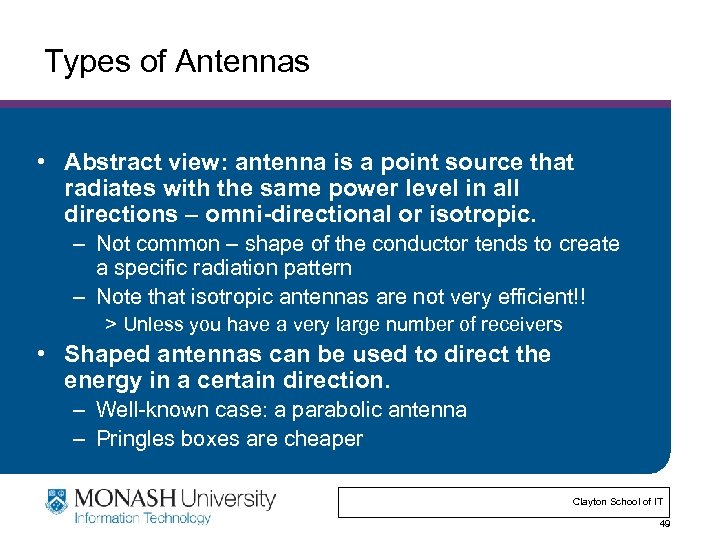 Types of Antennas • Abstract view: antenna is a point source that radiates with the same power level in all directions – omni-directional or isotropic. – Not common – shape of the conductor tends to create a specific radiation pattern – Note that isotropic antennas are not very efficient!! > Unless you have a very large number of receivers • Shaped antennas can be used to direct the energy in a certain direction. – Well-known case: a parabolic antenna – Pringles boxes are cheaper Clayton School of IT 49
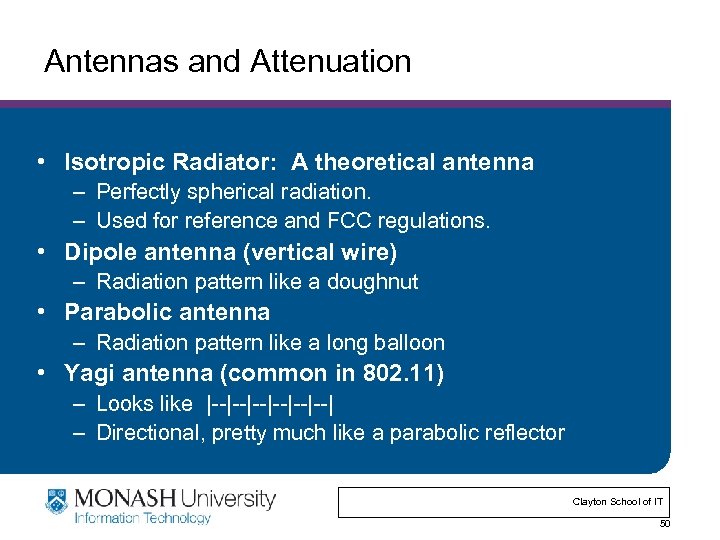 Antennas and Attenuation • Isotropic Radiator: A theoretical antenna – Perfectly spherical radiation. – Used for reference and FCC regulations. • Dipole antenna (vertical wire) – Radiation pattern like a doughnut • Parabolic antenna – Radiation pattern like a long balloon • Yagi antenna (common in 802. 11) – Looks like |--|--|--| – Directional, pretty much like a parabolic reflector Clayton School of IT 50
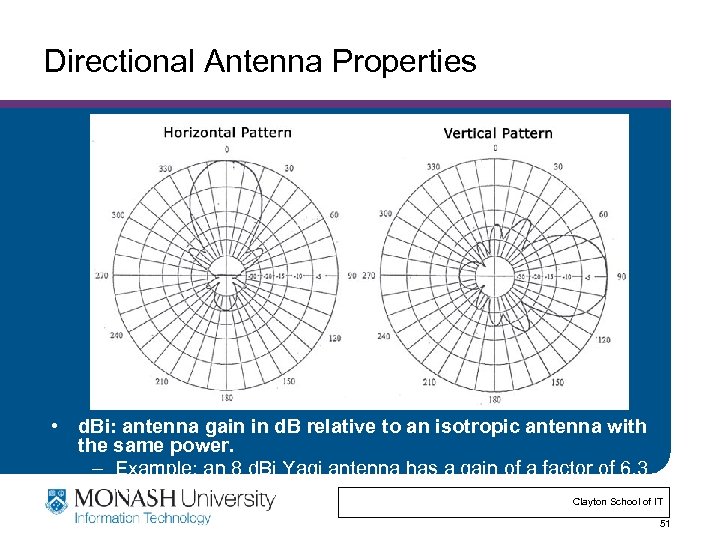 Directional Antenna Properties • d. Bi: antenna gain in d. B relative to an isotropic antenna with the same power. – Example: an 8 d. Bi Yagi antenna has a gain of a factor of 6. 3 (8 db = 10 log 6. 3) Clayton School of IT 51
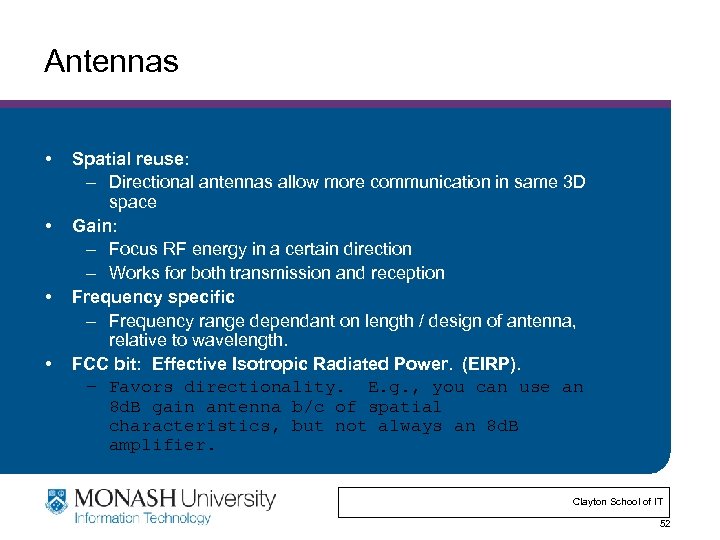 Antennas • • Spatial reuse: – Directional antennas allow more communication in same 3 D space Gain: – Focus RF energy in a certain direction – Works for both transmission and reception Frequency specific – Frequency range dependant on length / design of antenna, relative to wavelength. FCC bit: Effective Isotropic Radiated Power. (EIRP). – Favors directionality. E. g. , you can use an 8 d. B gain antenna b/c of spatial characteristics, but not always an 8 d. B amplifier. Clayton School of IT 52
 Propagation Modes • Line-of-sight (LOS) propagation. – Most common form of propagation – Happens above ~ 30 MHz – Subject to many forms of degradation (next set of slides) • Ground-wave propagation. – More or less follows the contour of the earth – For frequencies up to about 2 MHz, e. g. AM radio • Sky wave propagation. – Signal “bounces” off the ionosphere back to earth – can go multiple hops – Used for amateur radio and international broadcasts Clayton School of IT 53
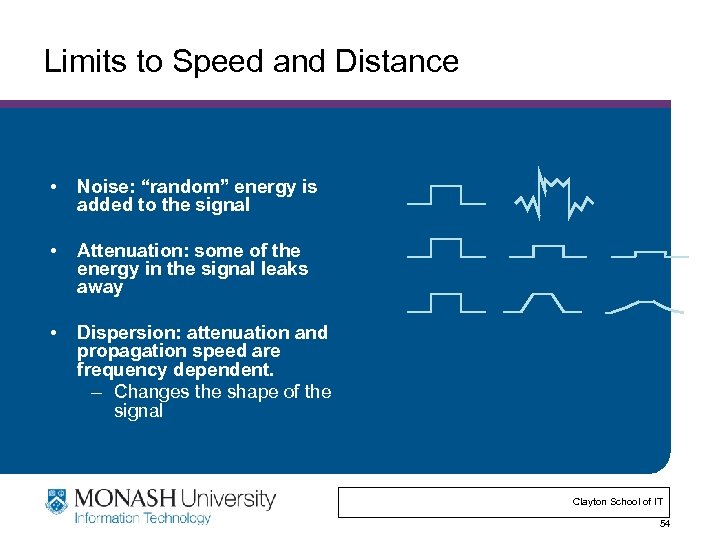 Limits to Speed and Distance • Noise: “random” energy is added to the signal • Attenuation: some of the energy in the signal leaks away • Dispersion: attenuation and propagation speed are frequency dependent. – Changes the shape of the signal Clayton School of IT 54
 Propagation Degrades RF Signals • • Attenuation in free space: signal gets weaker as it travels over longer distances. – Radio signal spreads out – free space loss – Absorption Obstacles can weaken signal through absorption or reflection. – Part of the signal is redirected Multi-path effects: multiple copies of the signal interfere with each other. – Similar to an unplanned directional antenna Mobility: moving receiver causes another form of self interference. – Receiver moves ½ wavelength -> big change in wavelength Clayton School of IT 55
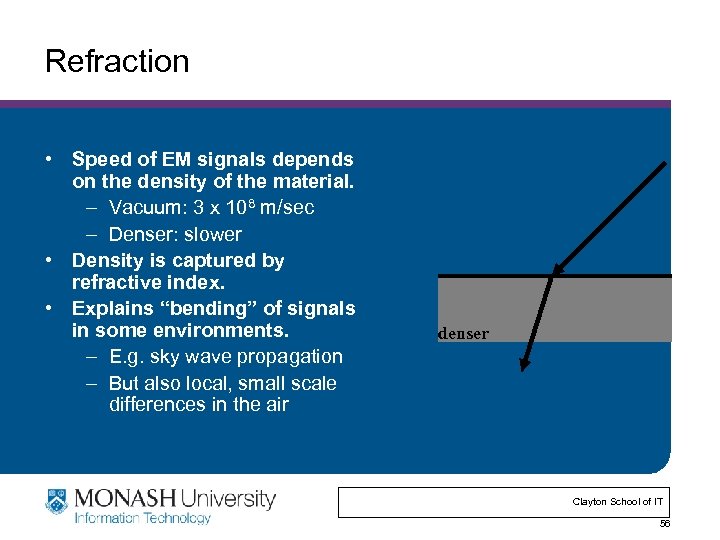 Refraction • Speed of EM signals depends on the density of the material. – Vacuum: 3 x 10⁸ m/sec – Denser: slower • Density is captured by refractive index. • Explains “bending” of signals in some environments. – E. g. sky wave propagation – But also local, small scale differences in the air denser Clayton School of IT 56
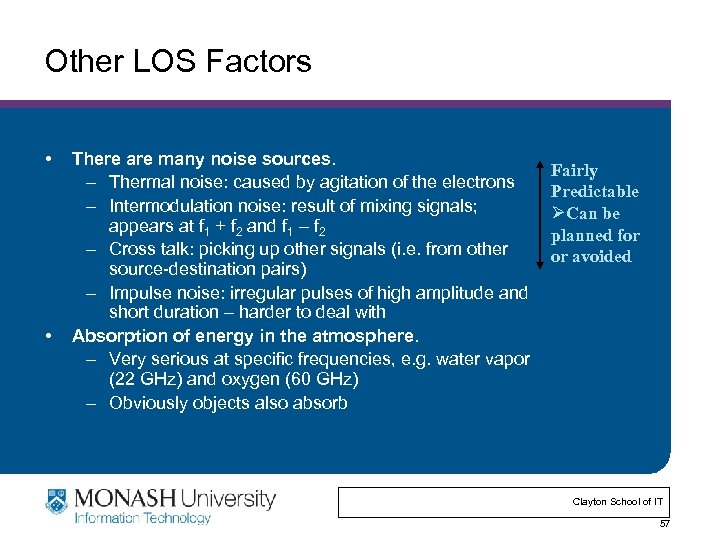 Other LOS Factors • • There are many noise sources. – Thermal noise: caused by agitation of the electrons – Intermodulation noise: result of mixing signals; appears at f 1 + f 2 and f 1 – f 2 – Cross talk: picking up other signals (i. e. from other source-destination pairs) – Impulse noise: irregular pulses of high amplitude and short duration – harder to deal with Absorption of energy in the atmosphere. – Very serious at specific frequencies, e. g. water vapor (22 GHz) and oxygen (60 GHz) – Obviously objects also absorb Fairly Predictable ØCan be planned for or avoided Clayton School of IT 57
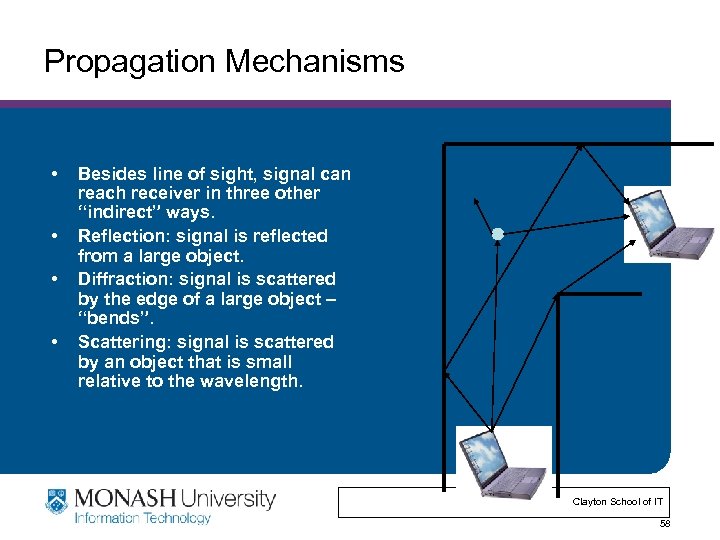 Propagation Mechanisms • • Besides line of sight, signal can reach receiver in three other “indirect” ways. Reflection: signal is reflected from a large object. Diffraction: signal is scattered by the edge of a large object – “bends”. Scattering: signal is scattered by an object that is small relative to the wavelength. Clayton School of IT 58
 Clayton School of IT 59
 Example Clayton School of IT 60
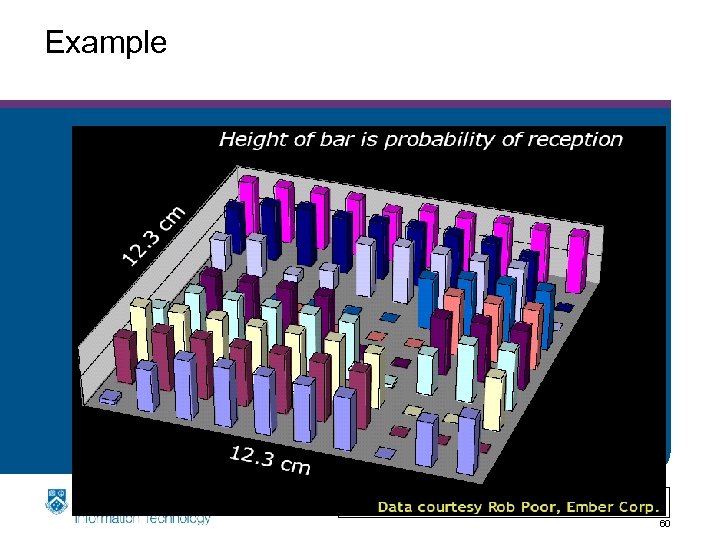
 Fading in the Mobile Environment • Fading: time variation of the received signal strength caused by changes in the transmission medium or paths. – Rain, moving objects, moving sender/receiver, … • Fast versus slow fading. – Fast: changes in distance of about half a wavelength – result in big fluctuations in the instantaneous power – Slow: changes in larger distances affects the paths – result in a change in the average power levels around which the fast fading takes place • Selective versus non-selective (flat) fading. – Does the fading affect all frequency components equally – Region of interest is the spectrum used by the channel Clayton School of IT 62
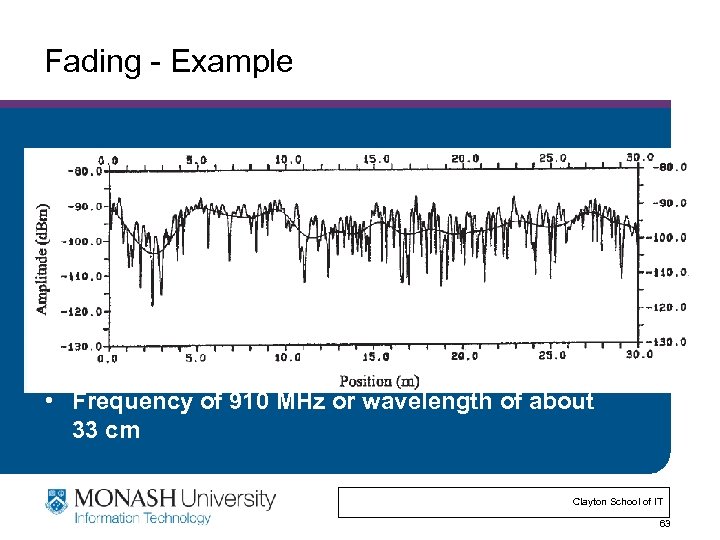 Fading - Example • Frequency of 910 MHz or wavelength of about 33 cm Clayton School of IT 63
 Wireless Technologies • Great technology: no wires to install, convenient mobility, . . • High attenuation limits distances. – Wave propagates out as a sphere – Signal strength reduces quickly (1/distance)3 • High noise due to interference from other transmitters. – Use MAC and other rules to limit interference – Aggressive encoding techniques to make signal less sensitive to noise • Other effects: multipath fading, security, . . • Ether has limited bandwidth. – Try to maximize its use – Government oversight to control use Clayton School of IT 64
 Medium Access Control • Think back to Ethernet MAC: – Wireless is a shared medium – Transmitters interfere – Need a way to ensure that (usually) only one person talks at a time. > Goals: Efficiency, possibly fairness • But wireless is harder! – Can’t really do collision detection: > Can’t listen while you’re transmitting. You overwhelm your antenna… – Carrier sense is a bit weaker: > Takes a while to switch between Tx/Rx. – Wireless is not perfectly broadcast Clayton School of IT 65
 “Wireless Ethernet” • Collision detection is not practical. – Signal power is too high at the transmitter – So how do you detect collisions? • Signals attenuate significantly with distance. – Strong signal from nearby node will overwhelm the weaker signal from a remote transmitter – Capture effect: nearby node will always win in case of collision receiver may not even detect remote node > Hidden transmitter • Two transmitters may not hear each other, which can cause collisions at a common receiver. – Hidden terminal problem – RTS/CTS is designed to avoid this Clayton School of IT 66
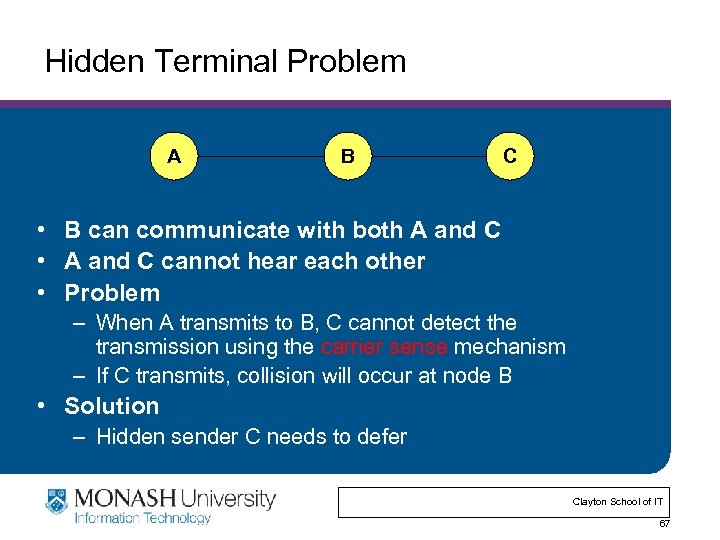 Hidden Terminal Problem A B C • B can communicate with both A and C • A and C cannot hear each other • Problem – When A transmits to B, C cannot detect the transmission using the carrier sense mechanism – If C transmits, collision will occur at node B • Solution – Hidden sender C needs to defer Clayton School of IT 67
 802. 11 RTS/CTS • RTS sets “duration” field in header to – CTS time + SIFS + data pkt time • Receiver responds with a CTS – Field also known as the “NAV” - network allocation vector – Duration set to RTS dur - CTS/SIFS time – This reserves the medium for people who hear the CTS Clayton School of IT 68
 Medium Access Control • Think back to Ethernet MAC: – Wireless is a shared medium – Transmitters interfere – Need a way to ensure that (usually) only one person talks at a time. > Goals: Efficiency, possibly fairness • But wireless is harder! – Can’t really do collision detection: > Can’t listen while you’re transmitting. You overwhelm your antenna… – Carrier sense is a bit weaker: > Takes a while to switch between Tx/Rx. – Wireless is not perfectly broadcast Clayton School of IT 69
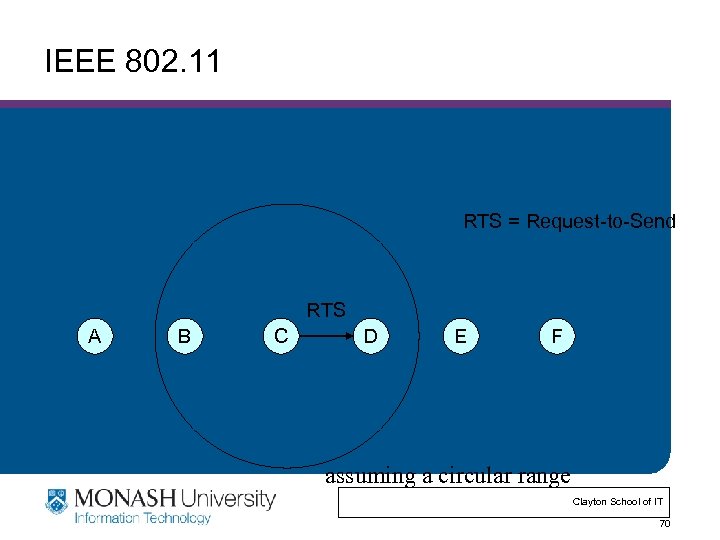 IEEE 802. 11 RTS = Request-to-Send RTS A B C D E F assuming a circular range Clayton School of IT 70
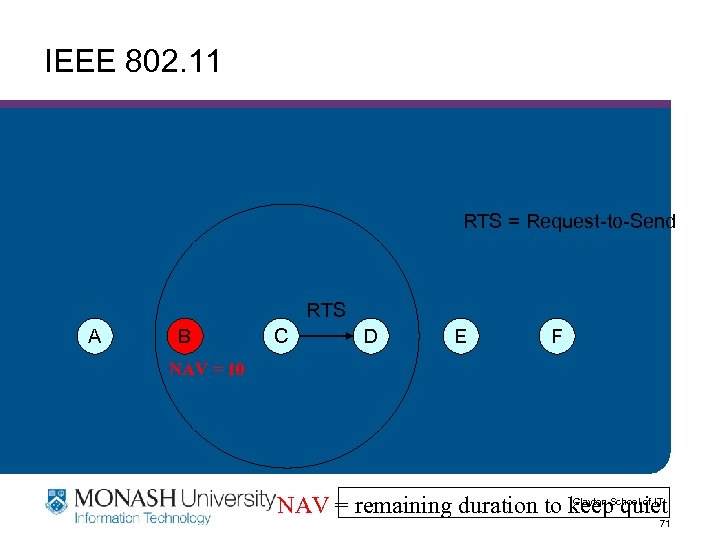 IEEE 802. 11 RTS = Request-to-Send RTS A B C D E F NAV = 10 Clayton NAV = remaining duration to keep. School of IT quiet 71
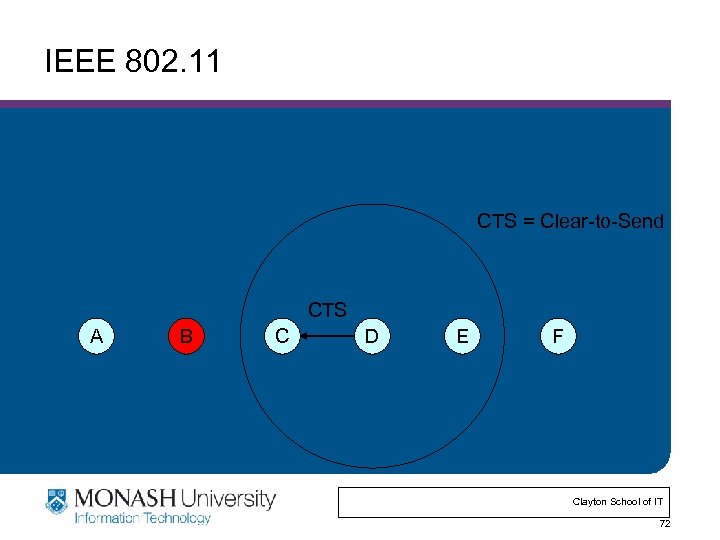 IEEE 802. 11 CTS = Clear-to-Send CTS A B C D E F Clayton School of IT 72
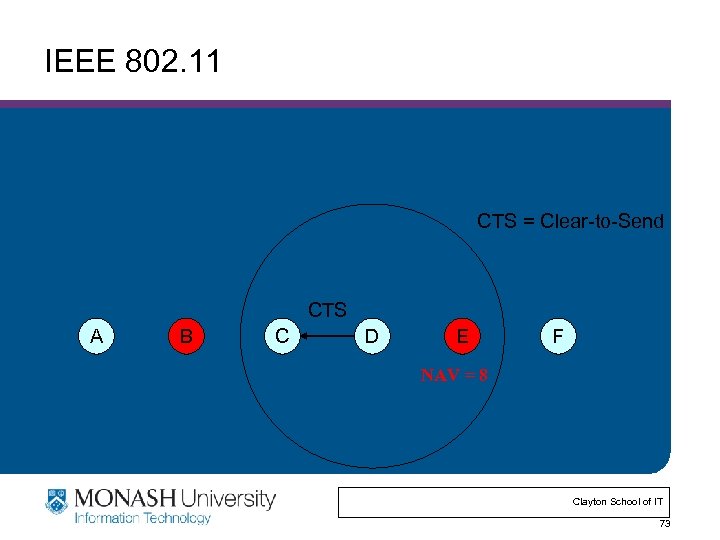 IEEE 802. 11 CTS = Clear-to-Send CTS A B C D E F NAV = 8 Clayton School of IT 73
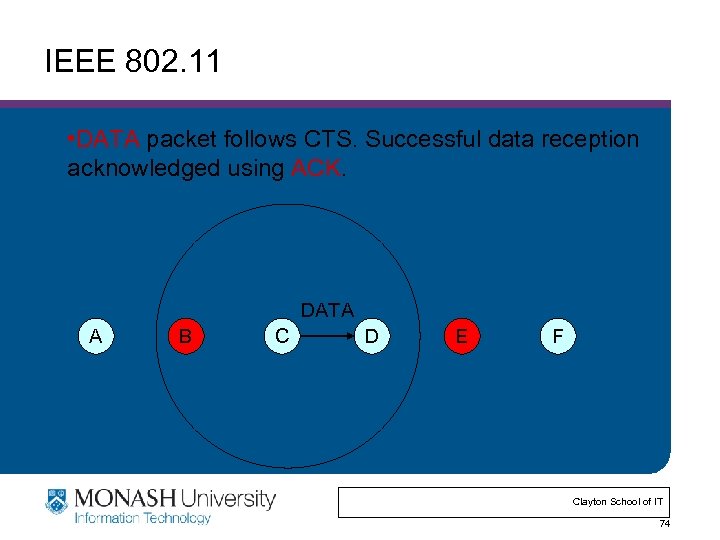 IEEE 802. 11 • DATA packet follows CTS. Successful data reception acknowledged using ACK. DATA A B C D E F Clayton School of IT 74
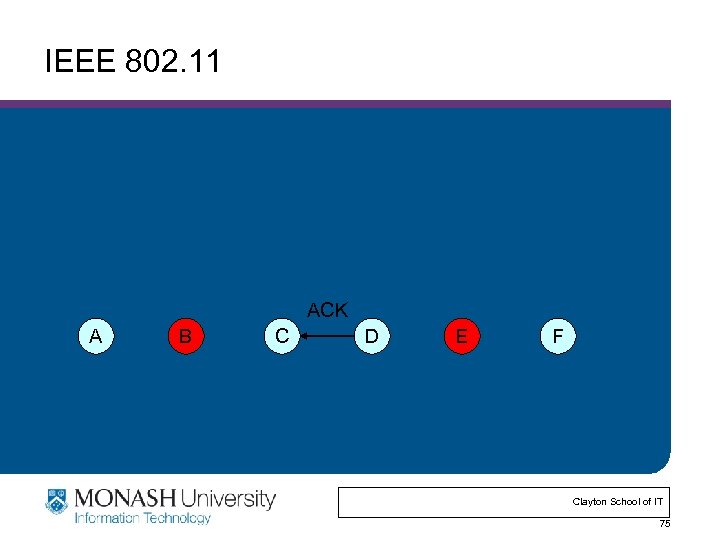 IEEE 802. 11 ACK A B C D E F Clayton School of IT 75
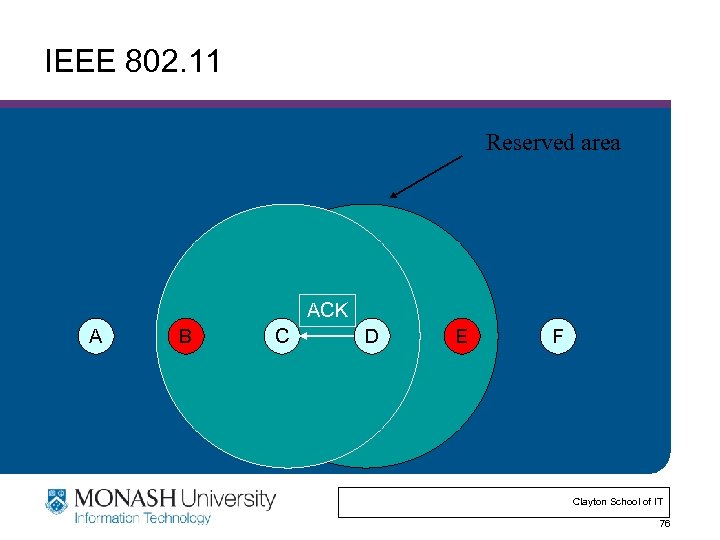 IEEE 802. 11 Reserved area ACK A B C D E F Clayton School of IT 76
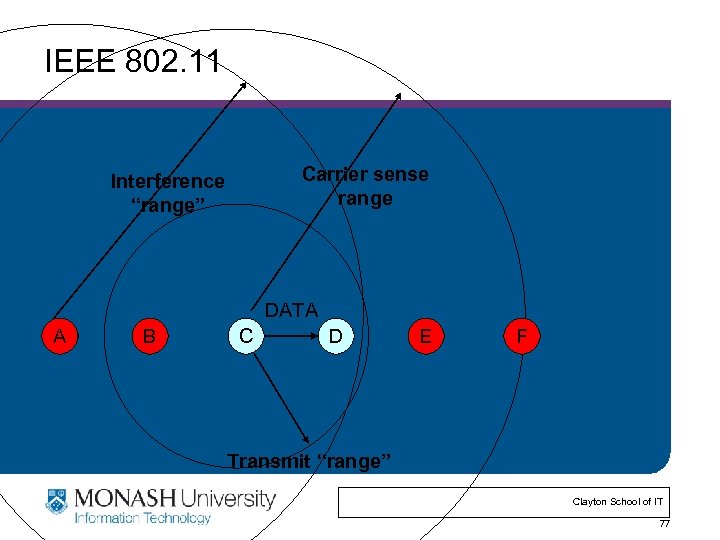 IEEE 802. 11 Carrier sense range Interference “range” DATA A B C D E F Transmit “range” Clayton School of IT 77
 IEEE 802. 11 Overview • Adopted in 1997 Defines: • MAC sublayer • MAC management protocols and services • Physical (PHY) layers – IR – FHSS – DSSS Clayton School of IT 78
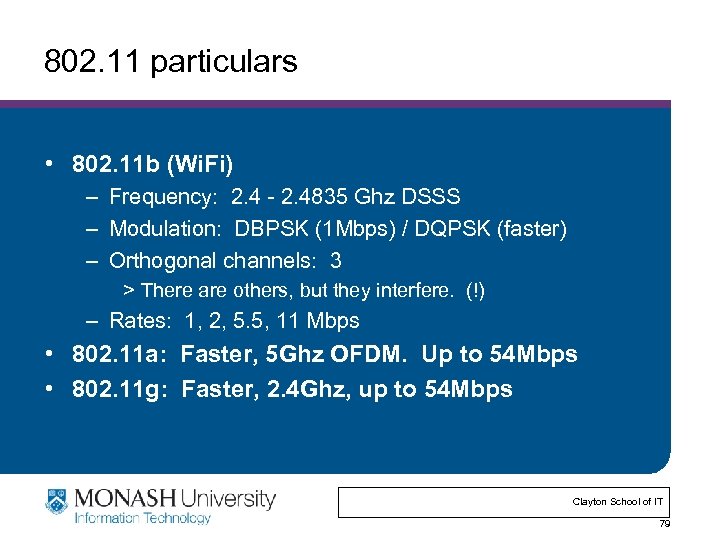 802. 11 particulars • 802. 11 b (Wi. Fi) – Frequency: 2. 4 - 2. 4835 Ghz DSSS – Modulation: DBPSK (1 Mbps) / DQPSK (faster) – Orthogonal channels: 3 > There are others, but they interfere. (!) – Rates: 1, 2, 5. 5, 11 Mbps • 802. 11 a: Faster, 5 Ghz OFDM. Up to 54 Mbps • 802. 11 g: Faster, 2. 4 Ghz, up to 54 Mbps Clayton School of IT 79
 802. 11 details • Fragmentation – 802. 11 can fragment large packets (this is separate from IP fragmentation). • Preamble – 72 bits @ 1 Mbps, 48 bits @ 2 Mbps – Note the relatively high per-packet overhead. • Control frames – RTS/CTS/ACK/etc. • Management frames – Association request, beacons, authentication, etc. Clayton School of IT 80
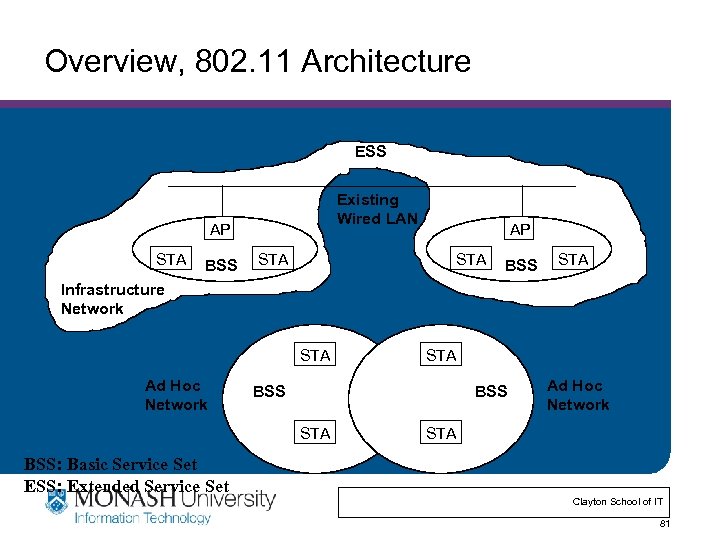 Overview, 802. 11 Architecture ESS Existing Wired LAN AP STA BSS STA Infrastructure Network STA Ad Hoc Network STA BSS: Basic Service Set ESS: Extended Service Set Clayton School of IT 81
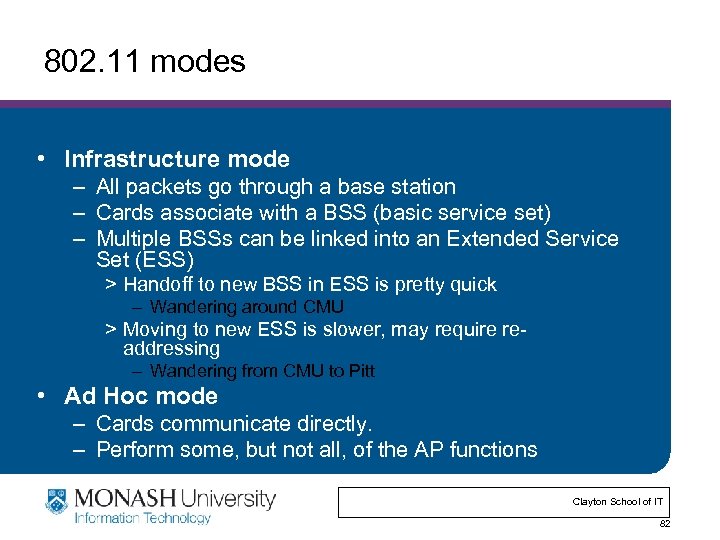 802. 11 modes • Infrastructure mode – All packets go through a base station – Cards associate with a BSS (basic service set) – Multiple BSSs can be linked into an Extended Service Set (ESS) > Handoff to new BSS in ESS is pretty quick – Wandering around CMU > Moving to new ESS is slower, may require readdressing – Wandering from CMU to Pitt • Ad Hoc mode – Cards communicate directly. – Perform some, but not all, of the AP functions Clayton School of IT 82
 802. 11 Management Operations • • Scanning Association/Reassociation Time synchronization Power management Clayton School of IT 84
 Scanning & Joining • Goal: find networks in the area • Passive scanning – No require transmission saves power – Move to each channel, and listen for Beacon frames • Active scanning – Requires transmission saves time – Move to each channel, and send Probe Request frames to solicit Probe Responses from a network • Joining a BSS – Synchronization in TSF and frequency : Adopt PHY parameters : The BSSID : WEP : Beacon Period : DTIM Clayton School of IT 85
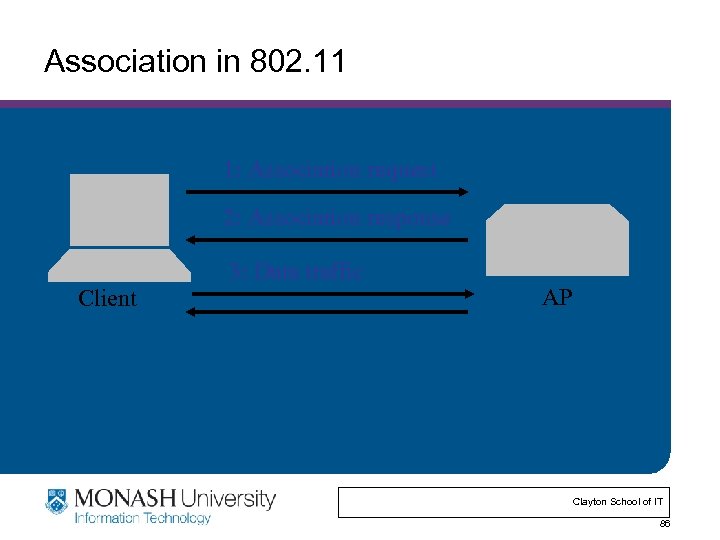 Association in 802. 11 1: Association request 2: Association response 3: Data traffic Client AP Clayton School of IT 86
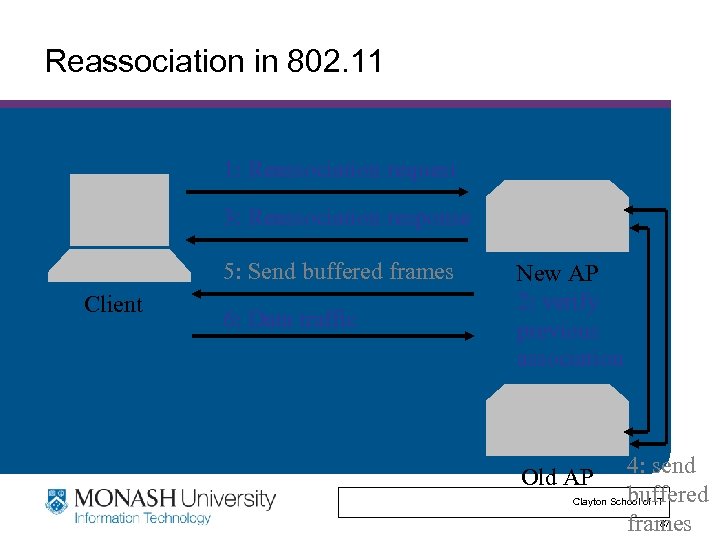 Reassociation in 802. 11 1: Reassociation request 3: Reassociation response 5: Send buffered frames Client 6: Data traffic New AP 2: verify previous association 4: send buffered Clayton School of IT 87 frames Old AP
 Time Synchronization in 802. 11 • Timing synchronization function (TSF) – AP controls timing in infrastructure networks – All stations maintain a local timer – TSF keeps timer from all stations in sync • Periodic Beacons convey timing – Beacons are sent at well known intervals – Timestamp from Beacons used to calibrate local clocks – Local TSF timer mitigates loss of Beacons Clayton School of IT 88
 Power Management in 802. 11 • A station is in one of the three states – Transmitter on – Receiver on – Both transmitter and receiver off (dozing) • AP buffers packets for dozing stations • AP announces which stations have frames buffered in its Beacon frames • Dozing stations wake up to listen to the beacons • If there is data buffered for it, it sends a poll frame to get the buffered data Clayton School of IT 89
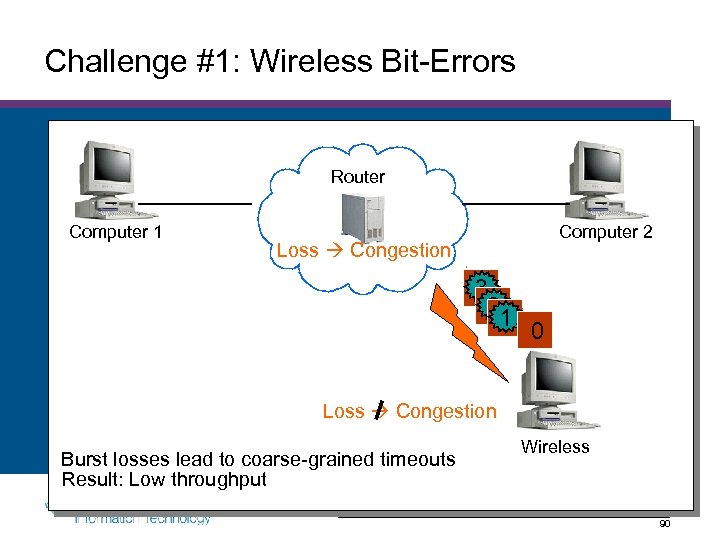 Challenge #1: Wireless Bit-Errors Router Computer 1 Computer 2 Loss Congestion 3 2 22 1 0 Loss Congestion Burst losses lead to coarse-grained timeouts Result: Low throughput Wireless Clayton School of IT 90
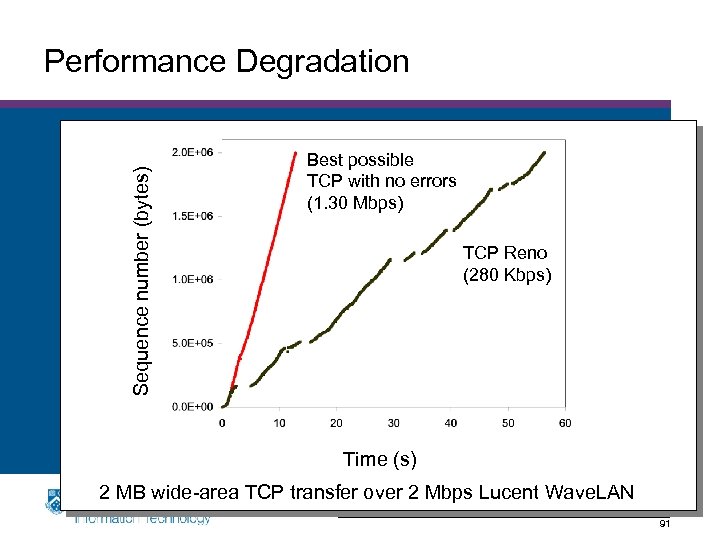 Sequence number (bytes) Performance Degradation Best possible TCP with no errors (1. 30 Mbps) TCP Reno (280 Kbps) Time (s) 2 MB wide-area TCP transfer over 2 Mbps Lucent Wave. LAN of IT Clayton School 91
 Constraints & Requirements • Incremental deployment – Solution should not require modifications to fixed hosts – If possible, avoid modifying mobile hosts • Probably more data to mobile than from mobile – Attempt to solve this first Clayton School of IT 92
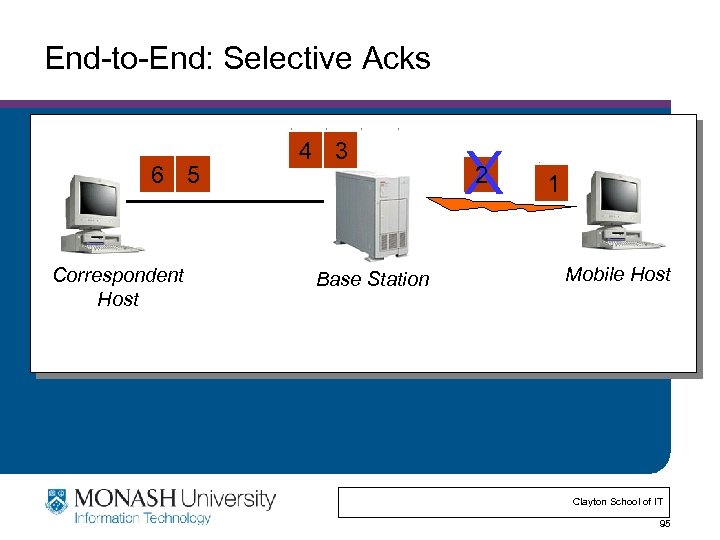
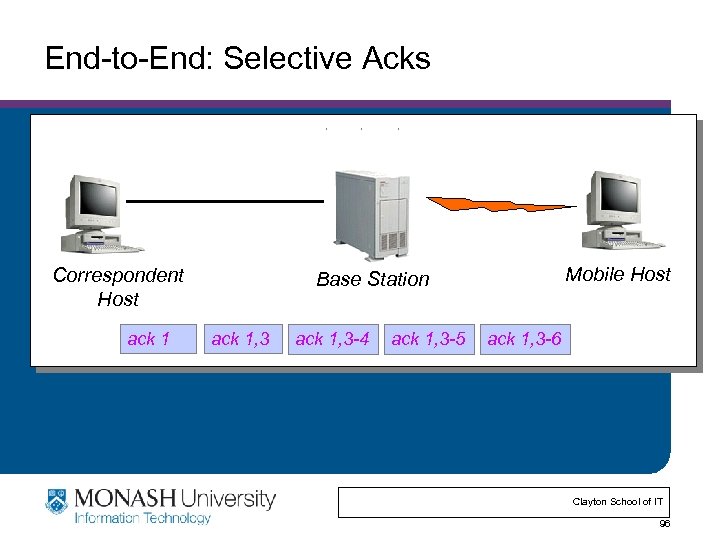
 Proposed Solutions • End-to-end protocols – Selective ACKs, Explicit loss notification • Split-connection protocols – Separate connections for wired path and wireless hop • Reliable link-layer protocols – Error-correcting codes – Local retransmission Clayton School of IT 93
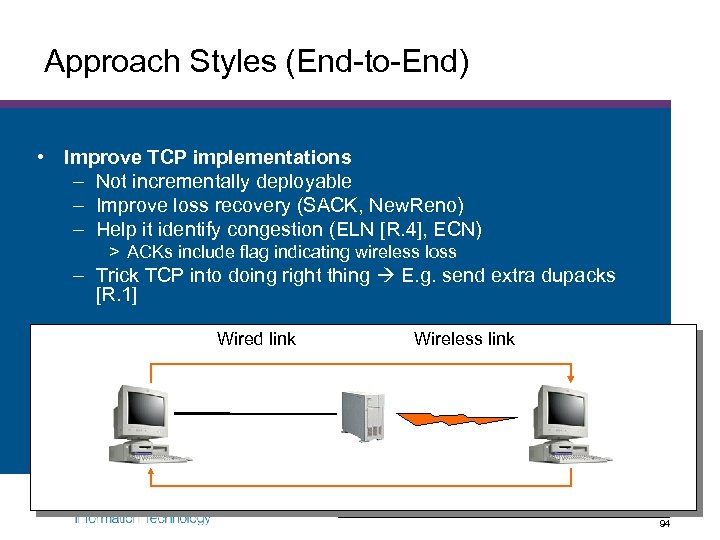 Approach Styles (End-to-End) • Improve TCP implementations – Not incrementally deployable – Improve loss recovery (SACK, New. Reno) – Help it identify congestion (ELN [R. 4], ECN) > ACKs include flag indicating wireless loss – Trick TCP into doing right thing E. g. send extra dupacks [R. 1] Wired link Wireless link Clayton School of IT 94
 End-to-End: Selective Acks 6 5 Correspondent Host 4 3 Base Station X 2 1 Mobile Host Clayton School of IT 95
 End-to-End: Selective Acks Correspondent Host ack 1 Mobile Host Base Station ack 1, 3 -4 ack 1, 3 -5 ack 1, 3 -6 Clayton School of IT 96
![Approach Styles (Split Connection) • Split connections [R. 3] – Wireless connection need not](https://present5.com/presentation/897f4763c4c0b78512a1b8903593afcc/image-91.jpg "Approach Styles (Split Connection) • Split connections [R. 3] – Wireless connection need not") Approach Styles (Split Connection) • Split connections [R. 3] – Wireless connection need not be TCP – Hard state at base station > Complicates mobility > Vulnerable to failures > Violates end-to-end semantics Wired link Wireless link Clayton School of IT 97
Approach Styles (Split Connection) • Split connections [R. 3] – Wireless connection need not be TCP – Hard state at base station > Complicates mobility > Vulnerable to failures > Violates end-to-end semantics Wired link Wireless link Clayton School of IT 97
 Clayton School of IT 98
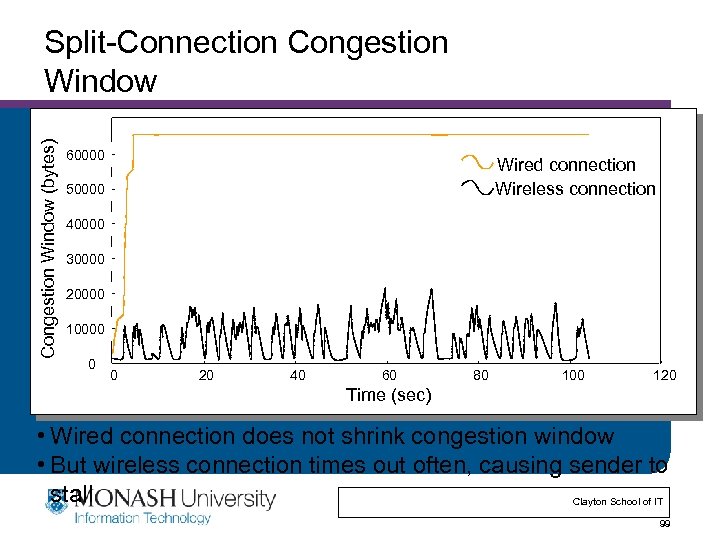 Congestion Window (bytes) Split-Connection Congestion Window 60000 Wired connection Wireless connection 50000 40000 30000 20000 10000 0 0 20 40 60 80 100 120 Time (sec) • Wired connection does not shrink congestion window • But wireless connection times out often, causing sender to stall Clayton School of IT 99
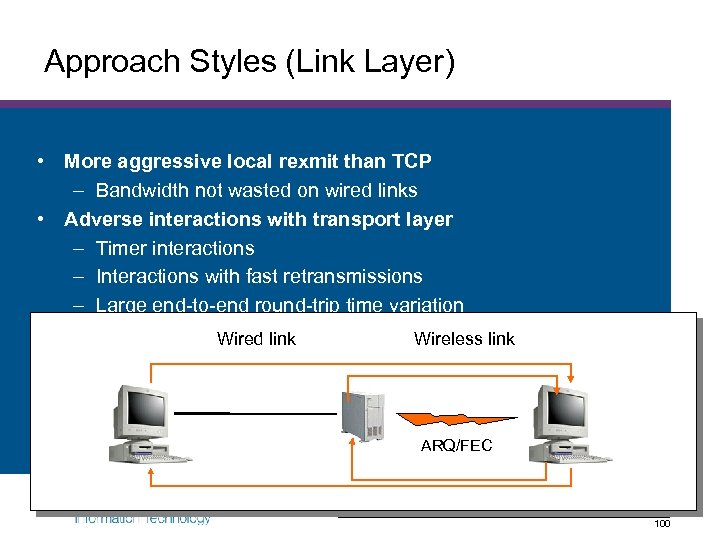 Approach Styles (Link Layer) • More aggressive local rexmit than TCP – Bandwidth not wasted on wired links • Adverse interactions with transport layer – Timer interactions – Interactions with fast retransmissions – Large end-to-end round-trip time variation • FEC does not work well with burst losses link Wired link Wireless ARQ/FEC Clayton School of IT 100
![Hybrid Approach: Snoop Protocol • Described in [R. 2] • Transport-aware link protocol •](https://present5.com/presentation/897f4763c4c0b78512a1b8903593afcc/image-95.jpg "Hybrid Approach: Snoop Protocol • Described in [R. 2] • Transport-aware link protocol •") Hybrid Approach: Snoop Protocol • Described in [R. 2] • Transport-aware link protocol • Modify base station – To cache un-acked TCP packets – … And perform local retransmissions • Key ideas – No transport level code in base station – When node moves to different base station, state eventually recreated there Clayton School of IT 101
Hybrid Approach: Snoop Protocol • Described in [R. 2] • Transport-aware link protocol • Modify base station – To cache un-acked TCP packets – … And perform local retransmissions • Key ideas – No transport level code in base station – When node moves to different base station, state eventually recreated there Clayton School of IT 101
 Some Commercial Solutions Clayton School of IT 102
 Some Commercial Solutions Clayton School of IT 103
 Some Commercial Solutions Clayton School of IT 104
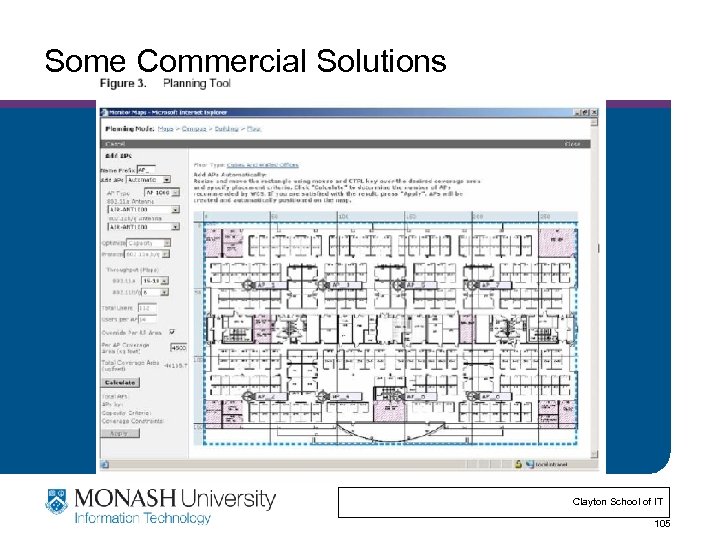 Some Commercial Solutions Clayton School of IT 105
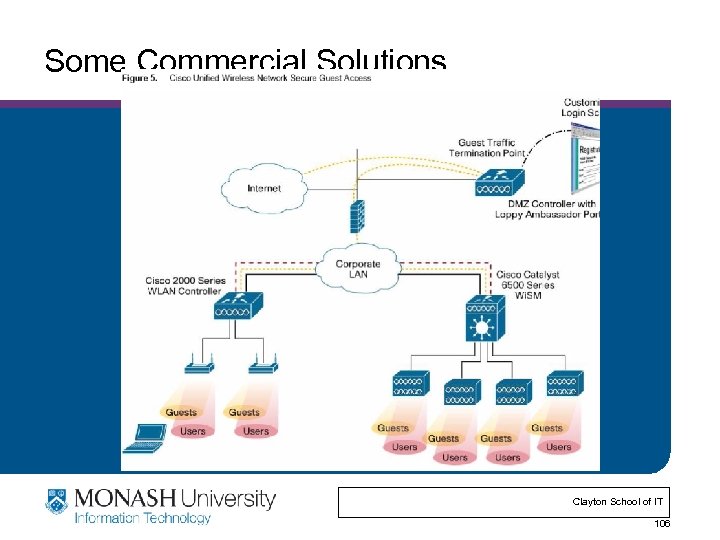 Some Commercial Solutions Clayton School of IT 106
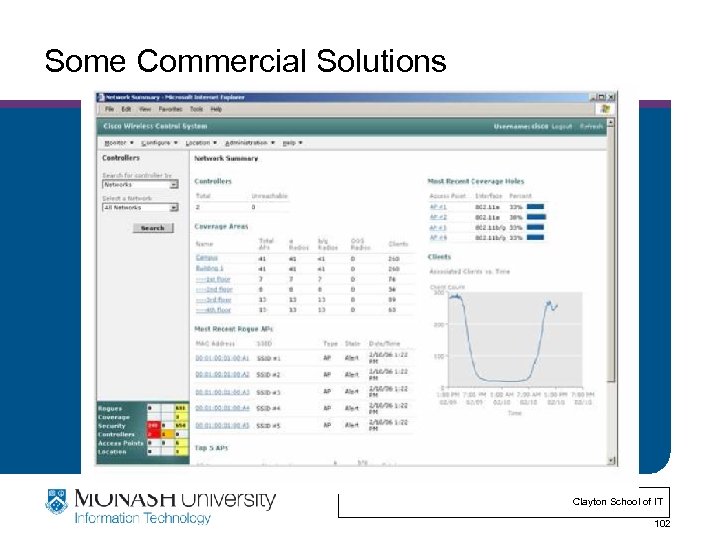
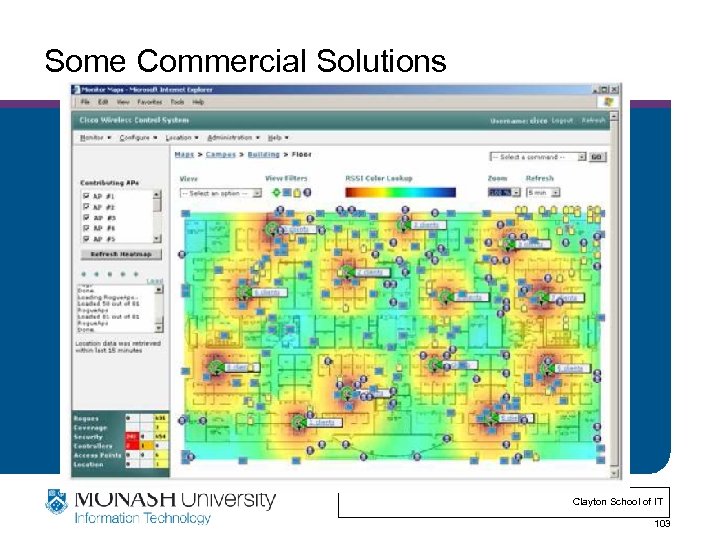
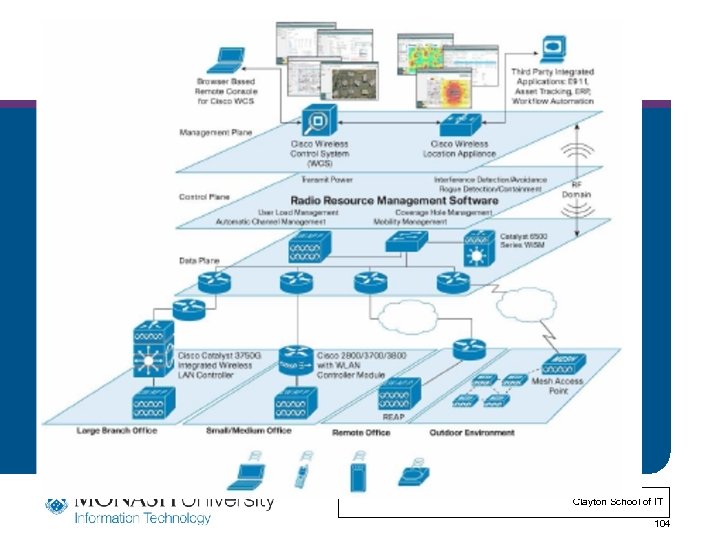
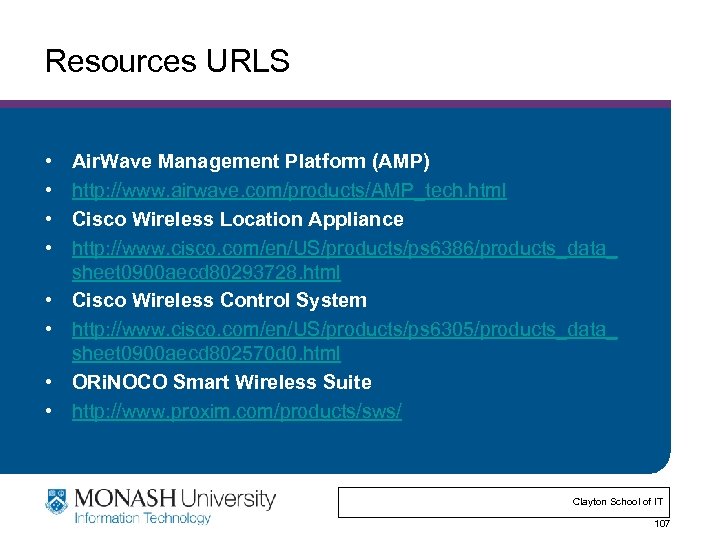 Resources URLS • • Air. Wave Management Platform (AMP) http: //www. airwave. com/products/AMP_tech. html Cisco Wireless Location Appliance http: //www. cisco. com/en/US/products/ps 6386/products_data_ sheet 0900 aecd 80293728. html Cisco Wireless Control System http: //www. cisco. com/en/US/products/ps 6305/products_data_ sheet 0900 aecd 802570 d 0. html ORi. NOCO Smart Wireless Suite http: //www. proxim. com/products/sws/ Clayton School of IT 107
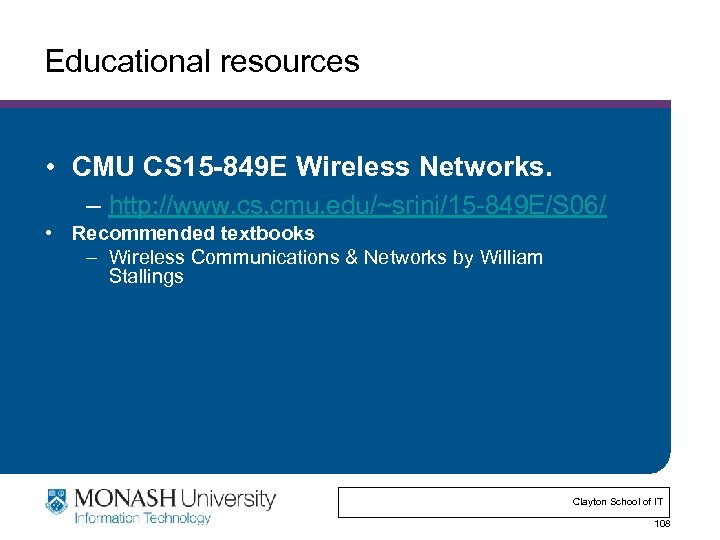 Educational resources • CMU CS 15 -849 E Wireless Networks. – http: //www. cs. cmu. edu/~srini/15 -849 E/S 06/ • Recommended textbooks – Wireless Communications & Networks by William Stallings Clayton School of IT 108