


 Скачать презентацию Windows XP Professional Technical Overview Name Title Microsoft
36ba03fd287d381eeb46e27630dafd60.ppt
- Количество слайдов: 34
 Windows XP Professional Technical Overview Name Title Microsoft Corp
 Agenda l l l Windows Desktop Roadmap Windows XP Overview Enhanced User Experiences
 Windows Desktop Roadmap
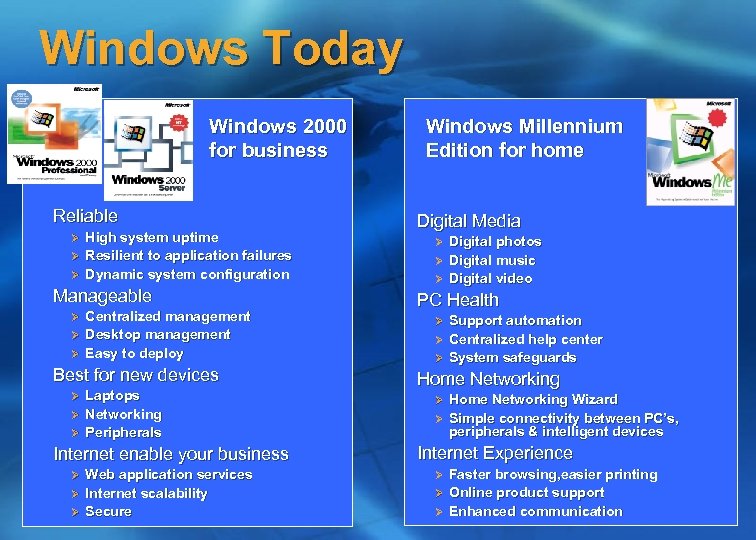 Windows Today Windows 2000 for business Reliable Ø Ø Ø High system uptime Resilient to application failures Dynamic system configuration Manageable Ø Ø Ø Centralized management Desktop management Easy to deploy Best for new devices Ø Ø Ø Laptops Networking Peripherals Internet enable your business Ø Ø Ø Web application services Internet scalability Secure Windows Millennium Edition for home Digital Media Ø Ø Ø Digital photos Digital music Digital video PC Health Ø Ø Ø Support automation Centralized help center System safeguards Home Networking Ø Ø Home Networking Wizard Simple connectivity between PC’s, peripherals & intelligent devices Internet Experience Ø Ø Ø Faster browsing, easier printing Online product support Enhanced communication
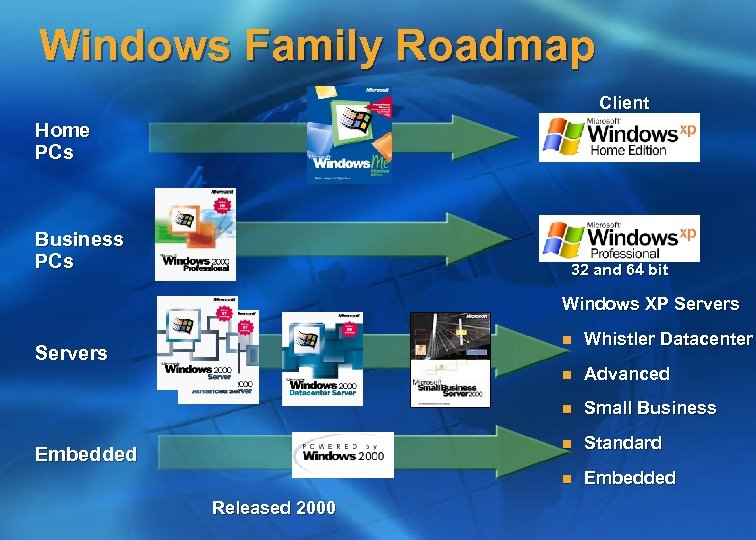 Windows Family Roadmap Client Home PCs Business PCs 32 and 64 bit Windows XP Servers n Small Business n Standard n Released 2000 Advanced n Embedded Whistler Datacenter n Servers Embedded
 Windows XP Overview
 The New Standard for Efficient and Dependable Computing l l Reliable foundation you can count on Security and Privacy to safeguard your information New, easier and more efficient visual design Highly responsive for handling multiple demanding tasks at once
 Reliable PC’s Stay Up And Running Rock Solid Foundation l Built on the Windows Engine Ø l Improved Code Protection Ø l Read only data structures for key kernel components and device drivers Enhanced Device Driver Verifier Ø l Full 32 -bit architecture, protected memory model Rigorous testing to ensure the highest quality for device drivers Reduced Reboot Scenarios Ø Eliminates most scenarios that forced end users to reboot in Windows NT 4. 0 and Windows 9 x.
 Reliable Resilient to Application Failure Great Platform for Applications l Windows Installer Ø l Side by Side DLL Support Ø l Allows applications to execute their own versions of key DLL’s Windows File Protection Ø l Integrated service to manage software installation, removal, and repair Automatically protects key system files from being overwritten Enhanced Software Restriction Policies Ø Allows an administrator to block application execution
 Secure Standards Based Security l Kerberos Ø l Provides standards based security IPSec Ø Allows for the secure transmission of data over public and private networks Protecting Local Data l Encrypting File System Ø l Encrypt data to protect against unauthorized access, now supports offline folders and multiple users Smart Card Support Ø Offers additional security, now supports terminal services Online Security l Internet Connection Firewall Ø Protect Small Business and home networks from network based attacks
 Enhanced Visual Design Fresh Visual Design l Friendly and Welcoming Ø l Designed to allow users to get the most out of their PC Task Focused Ø Common tasks are clearly presented to allow users to get more done quicker Adaptive User Environment l Smarter Start Menu Ø l Taskbar Grouping Ø l Displays the most frequently used apps Multiple windows from the same app are consolidated into a single task bar button Notification Area Cleanup Ø Unused notification area icaons are hidden away Comprehensive Feature Integration l CD Burning Ø l Easily burn CD-R and CD-RW’s from within Explorer Compressed File Support Ø Create and extract compresed file folders (e. g. . zip files)
 Highest Performance l Pre-emptive Multi-tasking Architecture Ø l Scalable Memory and Processing Support Ø l Allows multiple applications to run simultaneously, while preserving system responsiveness Supports up to 2 processors and 4 GB of RAM Fastest Windows Yet Ø Boots faster, runs applications quicker, and resumes from hibernate/standby more rapidly than previous versions of Windows
 Simplified Management and Deployment Simplified Desktop Deployment Address Deployment Issues l Application Compatibility Ø Ø Ø l Out of the box support for hundreds of apps Compatibility modes for apps without native support New fixes delivered via Windows Update or Windows Setup with Dynamic Update Device Compatibility Ø Ø Increased device coverage from Windows 2000 Windows XP Runs all properly written Windows 2000 drivers Improved Windows logo program Updates delivered via Windows Update and Windows Setup with Dynamic Update
 Simplified Management and Deployment Simplified Desktop Deployment Enhance Deployment Options l State Migration (User & Admin interfaces) Ø Ø l Sys. Prep Ø l User State Migration Tool (business tool) is a command line tool for migrating data and application settings. Easily customized by editing text based. inf files Files and Settings Transfer Wizard (consumer tool) is gui based, and aimed at consumers. Now allows for updated drivers to be picked up at install time, as well as per machine customizations. Also features audit capabilities RIS Ø Ø Selective display of OS image choices Greater hardware independence & ease of use Security & scalability enhancements Interoperability with Windows 2000
 Simplified Management and Deployment Simplified Desktop Deployment Help Manage OS Lifecycle l Windows Setup w/ Dynamic Update Ø l Automatic Updates Ø Ø Ø l Windows XP will prompt to download os updates at install time Windows XP can download fixes in the background then install when the update is received Downloads are throttled and can be restarted mid-stream Feature can be turned off Windows Update Improvements Ø Ø Ø Updates application fixes, os updates, and device drivers Integrated with Automatic Updates Will have features to bring inside corp firewalls
 Simplified Management and Deployment Easier Desktop Management Enhanced Support Infrastructure l Help and Support Services Ø l Provides one place to receive support information, can be extended via 3 rd parties to include their support content Remote Assistance Ø Offers the ability to securely remote control another Windows XP machine for troubleshooting or user education. Improved Centralized Management l More Group Policy Settings Ø l Windows XP offers hundreds of new group policy settings, and is fully interoperable with existing Windows 2000 group policy Resultant Set of Policy (RSo. P) Ø Allows administrators to see the effect of Group Policy on a targeted user or computer.
 Simplified Management and Deployment Easier Desktop Management More Recovery Options l Automated System Recovery Ø l Recovery console & Last Known Good Config Ø l Works in conjunction with backup utilities to help recover from catastrophic failure or non-boot state Reverts registry & key drivers during the OS boot process Safe mode Ø Undoes harmful system configuration or settings changes (not data)
 Enhanced User Experiences
 Enhanced Productivity Tools l l l Best Platform for Mobile Workers Universal Communications Tool Enhanced Support Scenarios
 Best for Mobile and Remote Workers Change the way remote workers work Great features for mobile workers l Remote Desktop Ø l Credential Manager Ø l Provides seamless management of user credentials to ease access to network resources Offline Folders Ø l Based on the RDP protocol, Remote Desktop allows a user to remotely view and use their Windows XP Professional desktop. Files and folders on NT, Windows 2000, and “Whistler” servers can be cached on the local workstation, making them available when disconnected from the network Synchronization Manager Ø Handles the replication and management of files and folders that were changed while offline
 Best for Mobile and Remote Workers Extend Laptop Capabilities Best Mobile Platform l Plug and Play Ø l Power Management Ø l Improved power management allows laptops to run longer Clear. Type Ø l Full support for plug and play including hot docking, hot insertion and removal, and device management Dramatically Increases screen readability Dual. View Ø Allows two monitors to be driven off a single display adapter. Great for laptops.
 Best for Mobile and Remote Workers Simplified Networking Effortless Networks l Zero Config Wireless Networking Ø l Wireless users can move easily between wireless networks without manually reconfiguring their machines Alternate Network Configurations Ø An alternate set of IP parameters can be specified to be used when DHCP is unavailable Easier Network Configurations l Network Setup Wizard Ø l Network Bridging Ø l Step by step guide to configure ICS, Internet Connection Firewall, and device sharing Allows the briding of different networking technologies (i. e. wireless and 10 Base. T Ethernet) Internet Connection Sharing Ø Multiple PC’s can share a single Internet connection
 Communications l A Complete Communications and Collaboration Platform Ø Ø Ø Integrated Voice, Video, and Text communications Collaborate with Application Sharing Send and Receive Files
 Simplified Assistance Self Help Options l Help and Support Center Ø l Device Driver Rollback Ø l Allows customers to search local and Internet-based help information. Can be customized by OEM’s Easily reinstall previous versions of device drivers System Restore Ø Quickly returns system to a known state if problems arise Assisted Support l Remote Assistance Ø Ø Ø Based on RDP Protocol SDK Allows For ISV / Corporate Extensibility Send Requests Over E-Mail or Instant Messaging
 The New Standard for Efficient and Dependable Computing l l Reliable foundation you can count on Security and Privacy to safeguard your information New, easier and more efficient visual design Highly responsive for handling multiple demanding tasks at once
 More Information How Do I Get Code? Ø Ø Ø MSDN Tech. Net Windows XP Preview Program Where Do I Get More Information? http: //www. microsoft. com/windowsxp

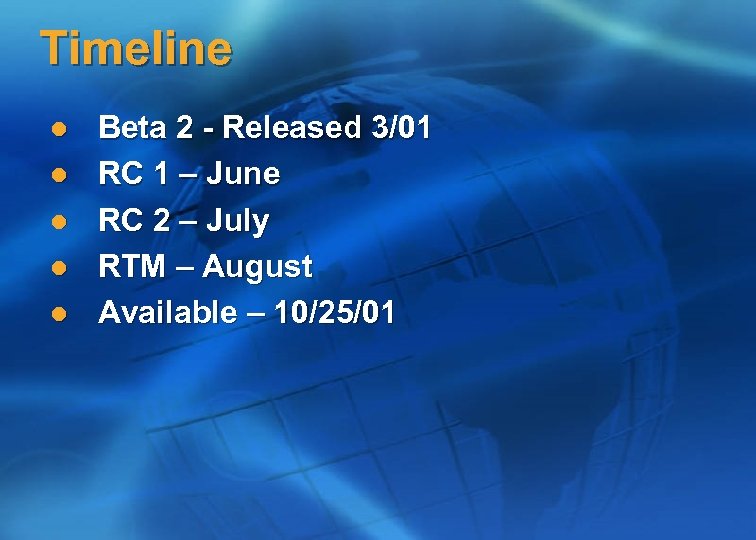 Timeline l l l Beta 2 - Released 3/01 RC 1 – June RC 2 – July RTM – August Available – 10/25/01
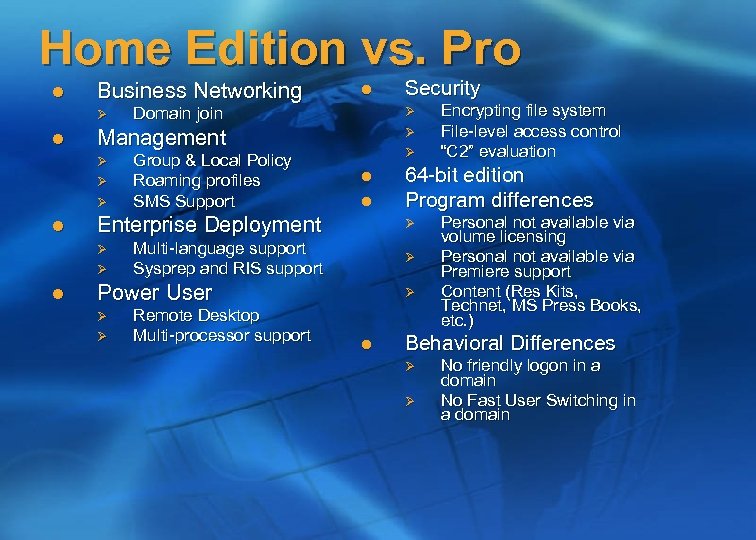 Home Edition vs. Pro l Business Networking Ø Management Ø Ø l Group & Local Policy Roaming profiles SMS Support Ø l l Ø Multi-language support Sysprep and RIS support Ø Ø Power User Ø Ø Remote Desktop Multi-processor support Ø l Encrypting file system File-level access control “C 2” evaluation 64 -bit edition Program differences Enterprise Deployment Ø l Security Domain join Ø l l Personal not available via volume licensing Personal not available via Premiere support Content (Res Kits, Technet, MS Press Books, etc. ) Behavioral Differences Ø Ø No friendly logon in a domain No Fast User Switching in a domain
 Windows XP 64 -bit l Target customers Ø l l l High-end workstation users – engineering design, CAD/CAM, graphics, modeling/visualization Support for 32 -bit apps EFI & GPT support Kernel & driver ports required
 Upgrade Experience l Depends on age & complexity of system Ø l Best experience on a new PC Ø Ø l Optimal configuration, performance Full Windows XP Experience Upgrading to Windows XP Ø Ø Ø l Application and device support Windows 98, Windows 98 SE, Windows Millennium Edition, Windows NT 4. 0 Workstation, Windows 2000 Professional Dynamic Update and Windows Update Uninstall for Win 9 x Users System Requirements Ø Currently same as Windows 2000 Professional
 Online Experience l Standards Support Ø l Privacy Ø l Automatic image resizing & 1 -click save, print, e-mail Integrated Contacts & Instant Messenger Ø Ø l Without launching extra windows Improved image browsing & acquisition Ø l Set personal standards for web sites & easily view compliance Integrated Media Playback Ø l 100% support for DOM & CSS level 1 & P 3 P draft recommendations MSN IM, Outlook or Outlook Express contacts Initiate IM, e-mail, Net. Meeting etc Enhanced administration through the IEAK Ø Control over all new features & Resultant Set of Policy reporting
 Making an Business OS Choice l l Windows 2000 Professional provides core fundamentals of Windows XP Professional TODAY! If planning to deploy, currently deploying, or already deployed Ø Ø Ø l You Made The Right Choice! Look for cases where XP can solve business needs Bring Windows XP Pro in on new desktops If Not Deploying / Evaluating Windows 2000 Professional Ø Start Evaluating Windows XP
 Windows XP benefits in a Windows 2000 Pro environment l l To address application/hardware compatibility issues To enable knowledge workers to access their machine from anywhere (field offices, subsidiaries, home, etc. ) For Laptop users; for improved battery, performance improvements, and device support (ie. Wireless networking) To enable a remote support infrastructure