 Скачать презентацию Windows Mobile Device Management Khalid Siddiqui Mobility Architect
9f434ea67ee89063e1d28ba39583fda8.ppt
- Количество слайдов: 43




Windows Mobile Device Management Khalid Siddiqui Mobility Architect Microsoft Corporation
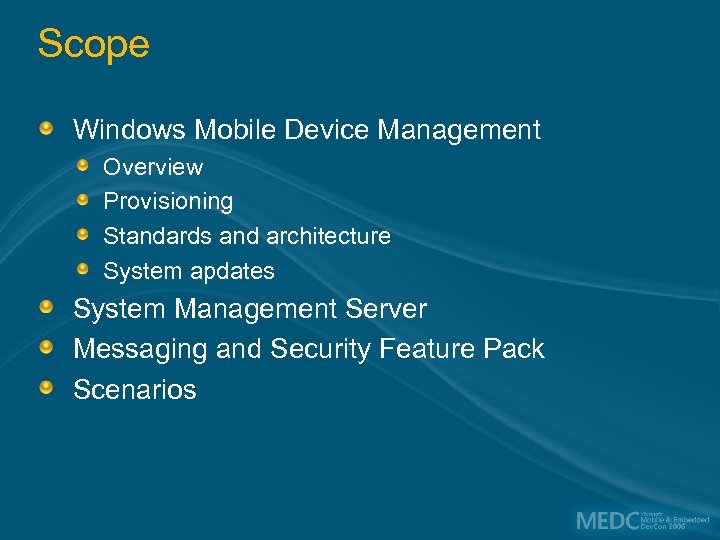
Scope Windows Mobile Device Management Overview Provisioning Standards and architecture System apdates System Management Server Messaging and Security Feature Pack Scenarios
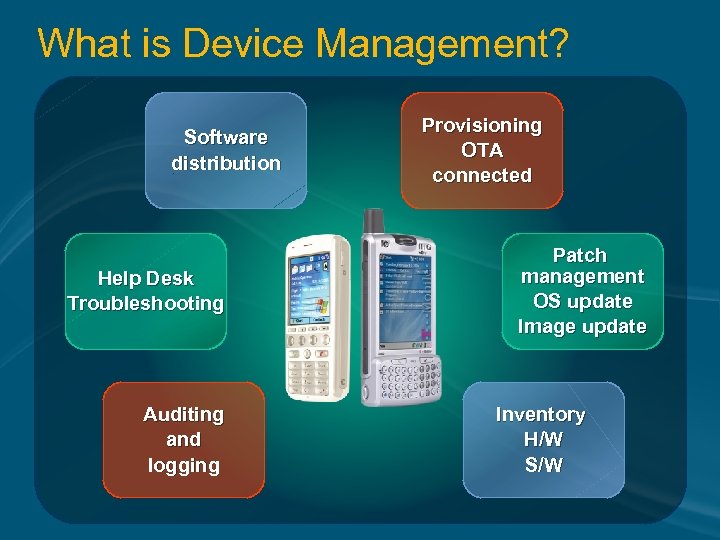
What is Device Management? Software distribution Help Desk Troubleshooting Auditing and logging Provisioning OTA connected Patch management OS update Image update Inventory H/W S/W
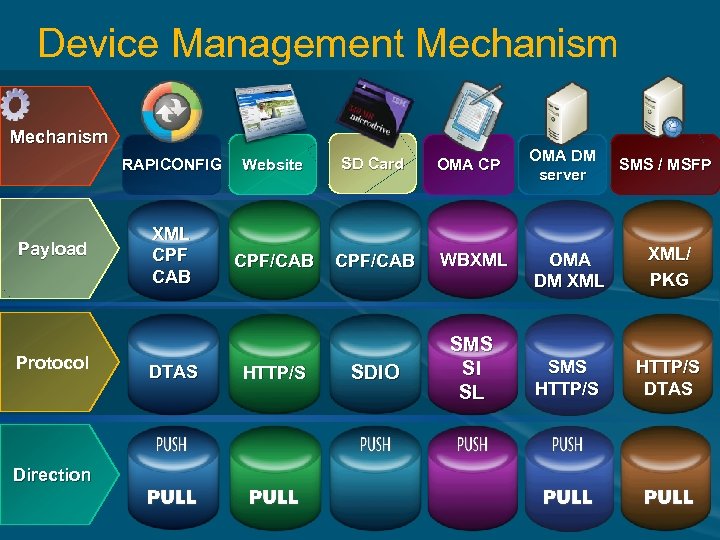
Device Management Mechanism RAPICONFIG Payload Protocol Direction Website SD Card XML CPF CAB CPF/CAB WBXML SDIO SMS SI SL DTAS HTTP/S OMA CP OMA DM server SMS / MSFP OMA DM XML/ PKG SMS HTTP/S DTAS
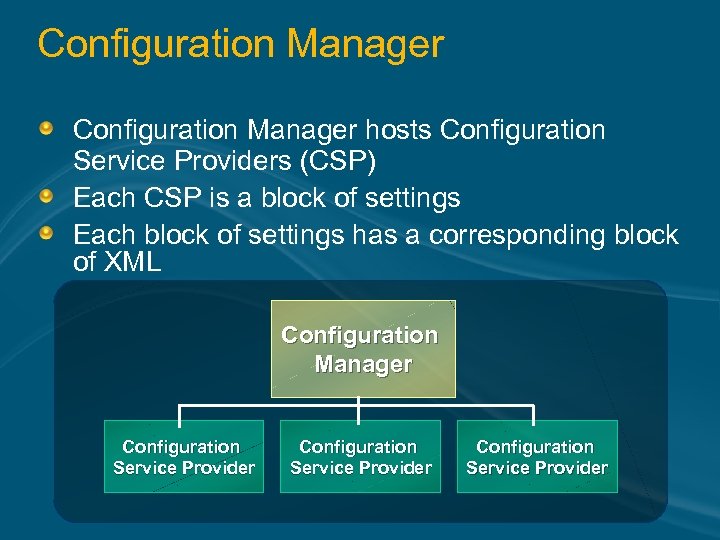
Configuration Manager hosts Configuration Service Providers (CSP) Each CSP is a block of settings Each block of settings has a corresponding block of XML Configuration Manager Configuration Service Provider
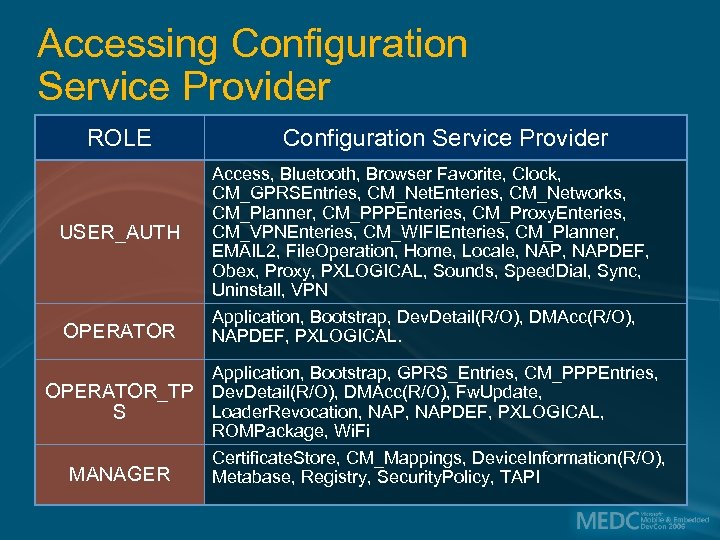
Accessing Configuration Service Provider ROLE USER_AUTH OPERATOR Configuration Service Provider Access, Bluetooth, Browser Favorite, Clock, CM_GPRSEntries, CM_Net. Enteries, CM_Networks, CM_Planner, CM_PPPEnteries, CM_Proxy. Enteries, CM_VPNEnteries, CM_WIFIEnteries, CM_Planner, EMAIL 2, File. Operation, Home, Locale, NAPDEF, Obex, Proxy, PXLOGICAL, Sounds, Speed. Dial, Sync, Uninstall, VPN Application, Bootstrap, Dev. Detail(R/O), DMAcc(R/O), NAPDEF, PXLOGICAL. Application, Bootstrap, GPRS_Entries, CM_PPPEntries, OPERATOR_TP Dev. Detail(R/O), DMAcc(R/O), Fw. Update, Loader. Revocation, NAPDEF, PXLOGICAL, S ROMPackage, Wi. Fi Certificate. Store, CM_Mappings, Device. Information(R/O), MANAGER Metabase, Registry, Security. Policy, TAPI
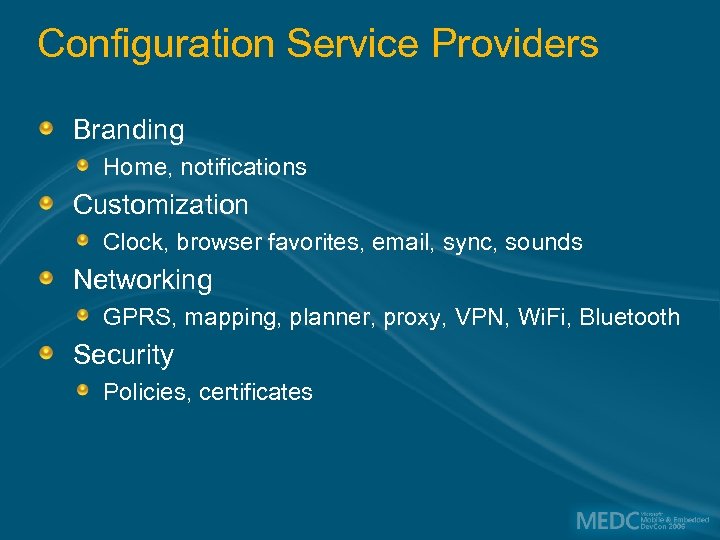
Configuration Service Providers Branding Home, notifications Customization Clock, browser favorites, email, sync, sounds Networking GPRS, mapping, planner, proxy, VPN, Wi. Fi, Bluetooth Security Policies, certificates
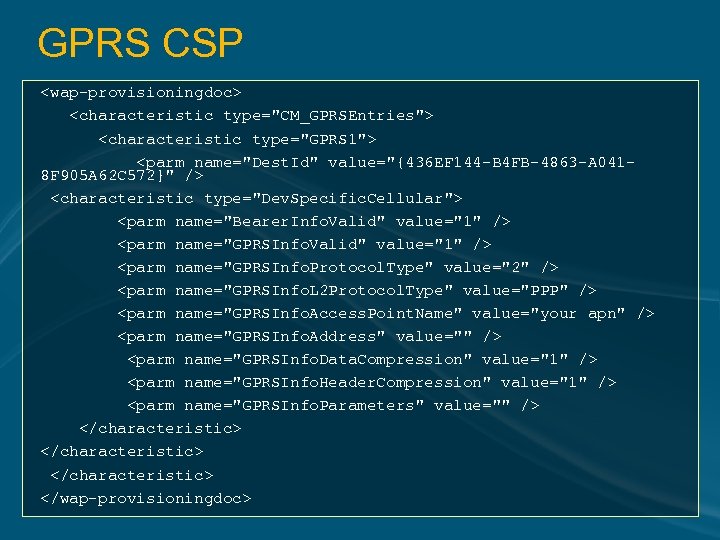
GPRS CSP <wap-provisioningdoc> <characteristic type="CM_GPRSEntries"> <characteristic type="GPRS 1"> <parm name="Dest. Id" value="{436 EF 144 -B 4 FB-4863 -A 0418 F 905 A 62 C 572}" /> <characteristic type="Dev. Specific. Cellular"> <parm name="Bearer. Info. Valid" value="1" /> <parm name="GPRSInfo. Protocol. Type" value="2" /> <parm name="GPRSInfo. L 2 Protocol. Type" value="PPP" /> <parm name="GPRSInfo. Access. Point. Name" value="your apn" /> <parm name="GPRSInfo. Address" value="" /> <parm name="GPRSInfo. Data. Compression" value="1" /> <parm name="GPRSInfo. Header. Compression" value="1" /> <parm name="GPRSInfo. Parameters" value="" /> </characteristic> </wap-provisioningdoc>
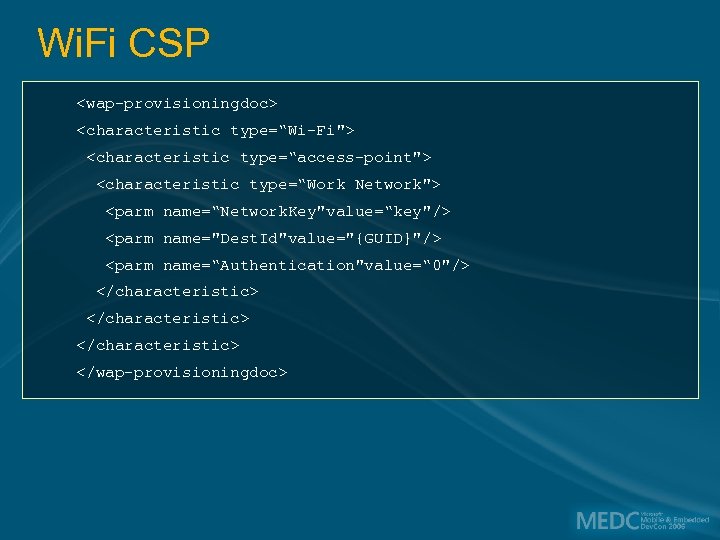
Wi. Fi CSP <wap-provisioningdoc> <characteristic type=“Wi-Fi"> <characteristic type=“access-point"> <characteristic type=“Work Network"> <parm name=“Network. Key"value=“key"/> <parm name="Dest. Id"value="{GUID}"/> <parm name=“Authentication"value=“ 0"/> </characteristic> </wap-provisioningdoc>
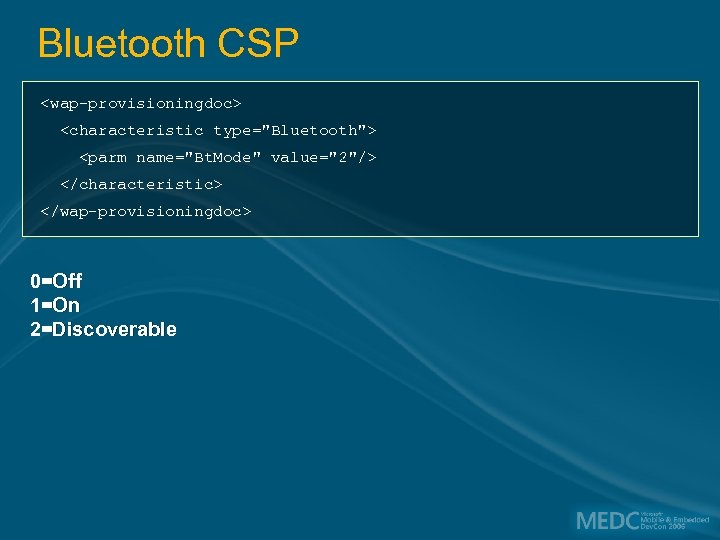
Bluetooth CSP <wap-provisioningdoc> <characteristic type="Bluetooth"> <parm name="Bt. Mode" value="2"/> </characteristic> </wap-provisioningdoc> 0=Off 1=On 2=Discoverable
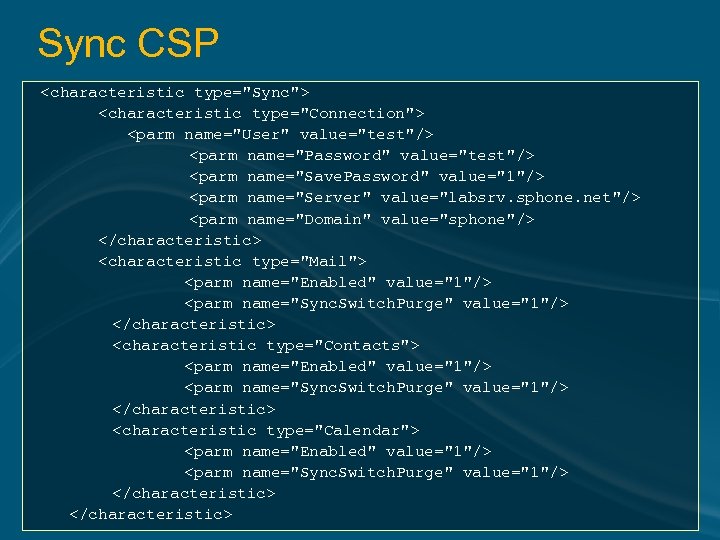
Sync CSP <characteristic type="Sync"> <characteristic type="Connection"> <parm name="User" value="test"/> <parm name="Password" value="test"/> <parm name="Save. Password" value="1"/> <parm name="Server" value="labsrv. sphone. net"/> <parm name="Domain" value="sphone"/> </characteristic> <characteristic type="Mail"> <parm name="Enabled" value="1"/> <parm name="Sync. Switch. Purge" value="1"/> </characteristic> <characteristic type="Contacts"> <parm name="Enabled" value="1"/> <parm name="Sync. Switch. Purge" value="1"/> </characteristic> <characteristic type="Calendar"> <parm name="Enabled" value="1"/> <parm name="Sync. Switch. Purge" value="1"/> </characteristic>
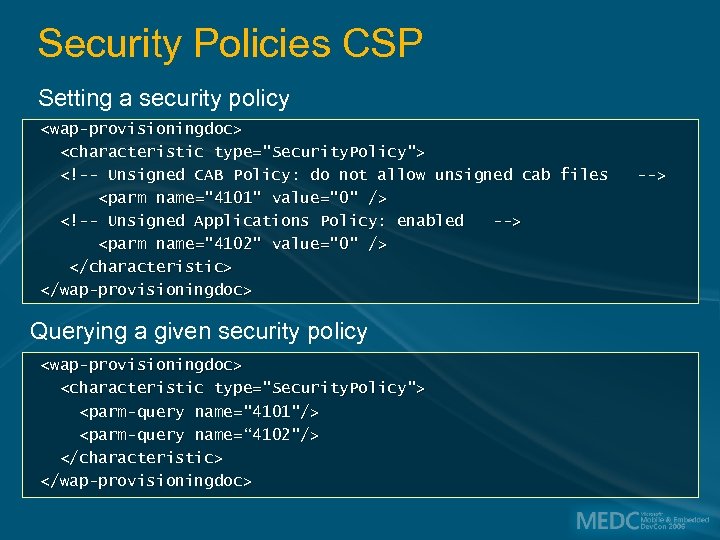
Security Policies CSP Setting a security policy <wap-provisioningdoc> <characteristic type="Security. Policy"> <!-- Unsigned CAB Policy: do not allow unsigned cab files --> <parm name="4101" value="0" /> <!-- Unsigned Applications Policy: enabled --> <parm name="4102" value="0" /> </characteristic> </wap-provisioningdoc> Querying a given security policy <wap-provisioningdoc> <characteristic type="Security. Policy"> <parm-query name="4101"/> <parm-query name=“ 4102"/> </characteristic> </wap-provisioningdoc>

Provisioning the Device
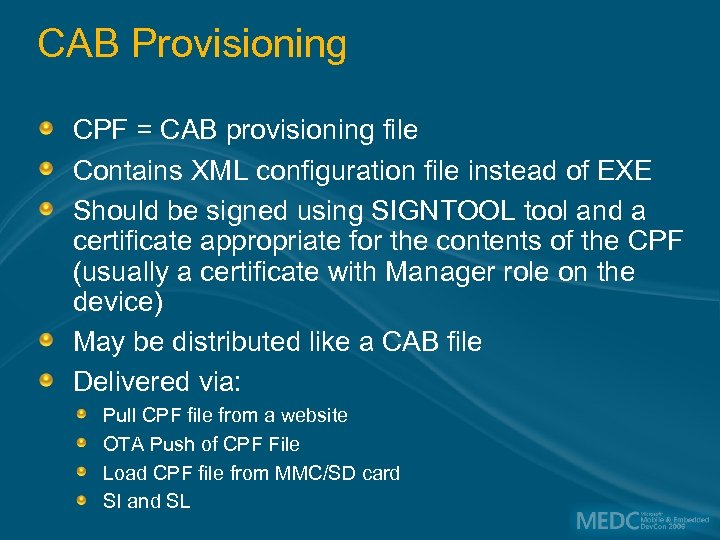
CAB Provisioning CPF = CAB provisioning file Contains XML configuration file instead of EXE Should be signed using SIGNTOOL tool and a certificate appropriate for the contents of the CPF (usually a certificate with Manager role on the device) May be distributed like a CAB file Delivered via: Pull CPF file from a website OTA Push of CPF File Load CPF file from MMC/SD card SI and SL
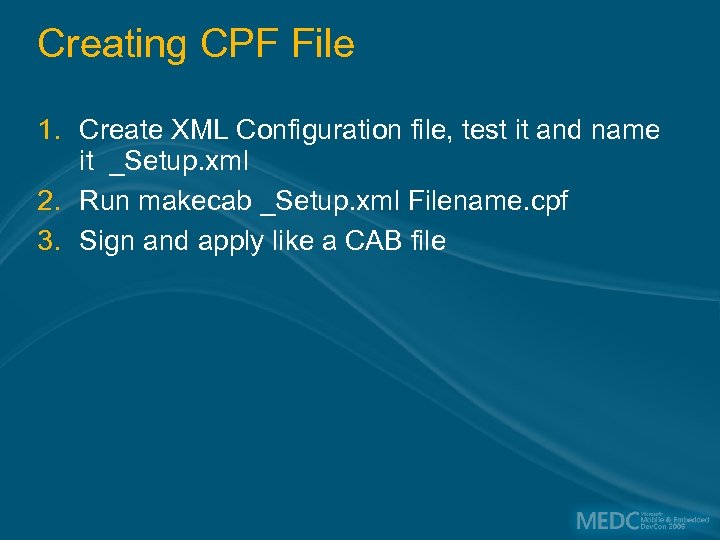
Creating CPF File 1. Create XML Configuration file, test it and name it _Setup. xml 2. Run makecab _Setup. xml Filename. cpf 3. Sign and apply like a CAB file
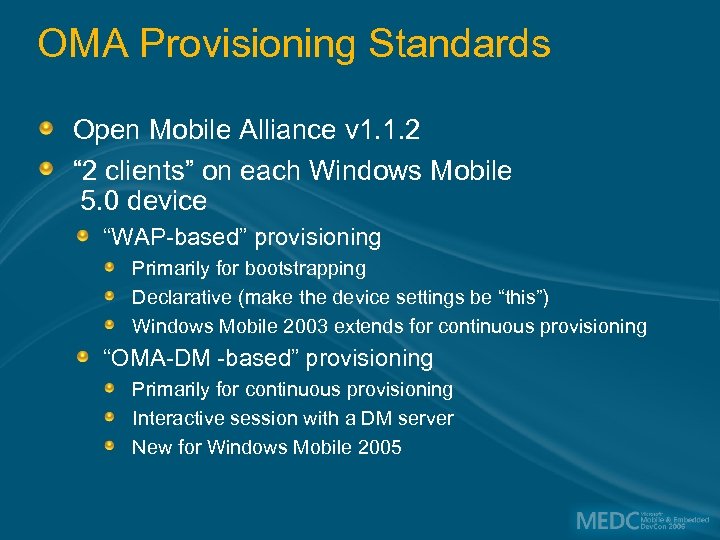
OMA Provisioning Standards Open Mobile Alliance v 1. 1. 2 “ 2 clients” on each Windows Mobile 5. 0 device “WAP-based” provisioning Primarily for bootstrapping Declarative (make the device settings be “this”) Windows Mobile 2003 extends for continuous provisioning “OMA-DM -based” provisioning Primarily for continuous provisioning Interactive session with a DM server New for Windows Mobile 2005
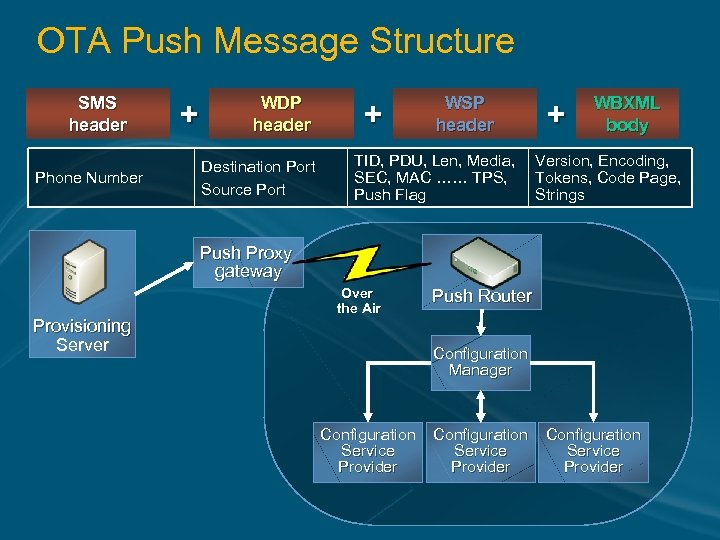
OTA Push Message Structure SMS header Phone Number + WDP header Destination Port Source Port + WSP header TID, PDU, Len, Media, SEC, MAC …… TPS, Push Flag + WBXML body Version, Encoding, Tokens, Code Page, Strings Push Proxy gateway Provisioning Server Over the Air Push Router Configuration Manager Configuration Service Provider

OTA Provisioning
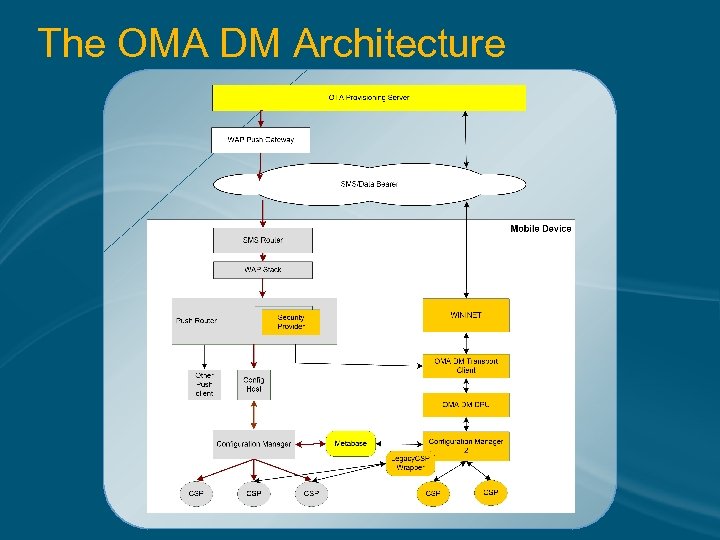
The OMA DM Architecture
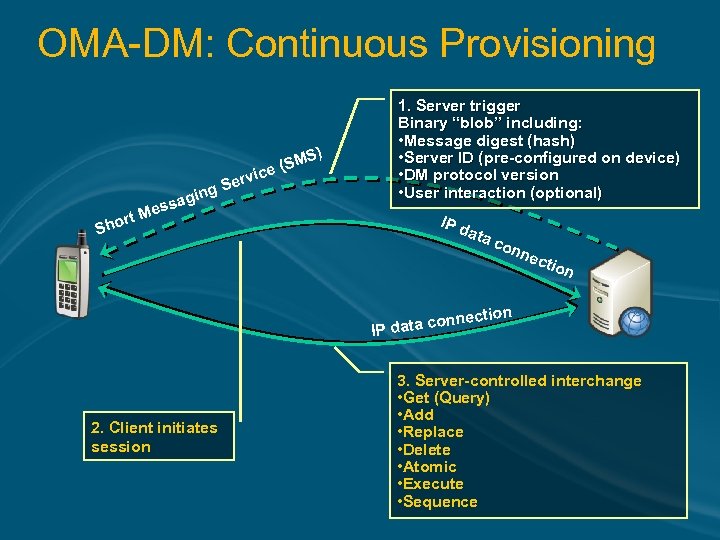
OMA-DM: Continuous Provisioning S) ervi SM ce ( S ging a ss e rt M Sho 1. Server trigger Binary “blob” including: • Message digest (hash) • Server ID (pre-configured on device) • DM protocol version • User interaction (optional) IP d ata con n ect ion ction ta conne IP da 2. Client initiates session 3. Server-controlled interchange • Get (Query) • Add • Replace • Delete • Atomic • Execute • Sequence
Patch Management OS update Image update
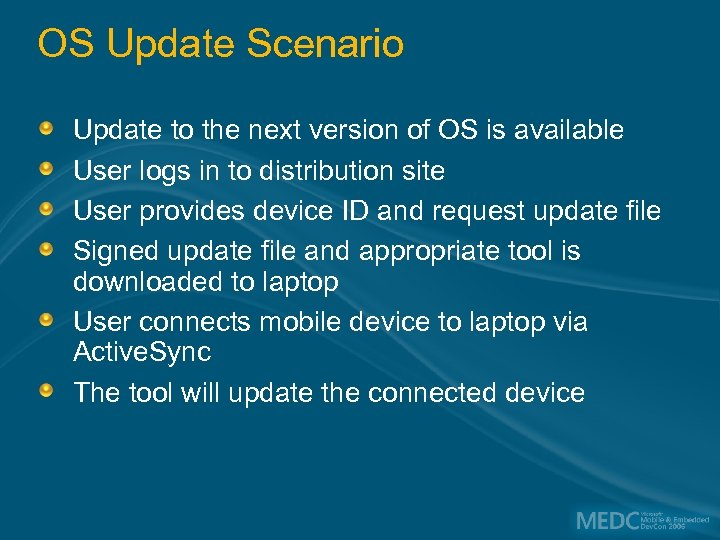
OS Update Scenario Update to the next version of OS is available User logs in to distribution site User provides device ID and request update file Signed update file and appropriate tool is downloaded to laptop User connects mobile device to laptop via Active. Sync The tool will update the connected device
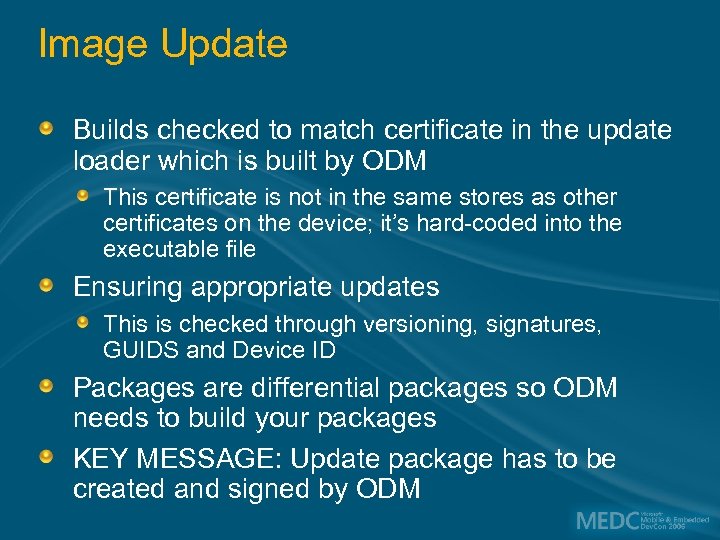
Image Update Builds checked to match certificate in the update loader which is built by ODM This certificate is not in the same stores as other certificates on the device; it’s hard-coded into the executable file Ensuring appropriate updates This is checked through versioning, signatures, GUIDS and Device ID Packages are differential packages so ODM needs to build your packages KEY MESSAGE: Update package has to be created and signed by ODM

System Management Server
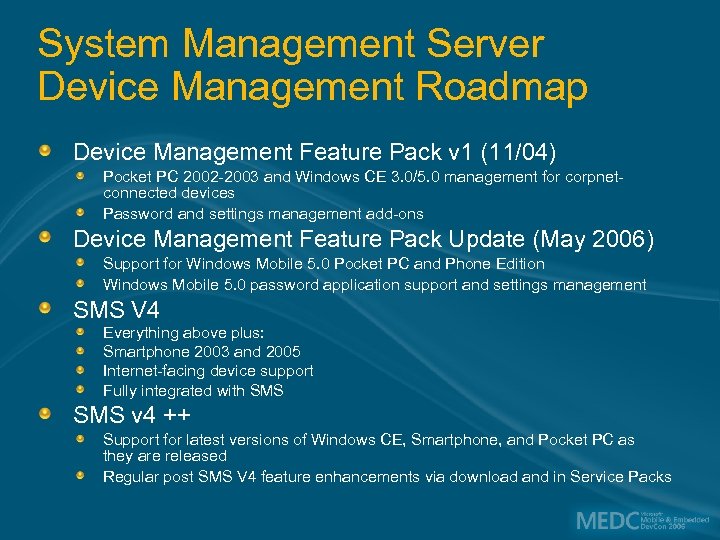
System Management Server Device Management Roadmap Device Management Feature Pack v 1 (11/04) Pocket PC 2002 -2003 and Windows CE 3. 0/5. 0 management for corpnetconnected devices Password and settings management add-ons Device Management Feature Pack Update (May 2006) Support for Windows Mobile 5. 0 Pocket PC and Phone Edition Windows Mobile 5. 0 password application support and settings management SMS V 4 Everything above plus: Smartphone 2003 and 2005 Internet-facing device support Fully integrated with SMS v 4 ++ Support for latest versions of Windows CE, Smartphone, and Pocket PC as they are released Regular post SMS V 4 feature enhancements via download and in Service Packs
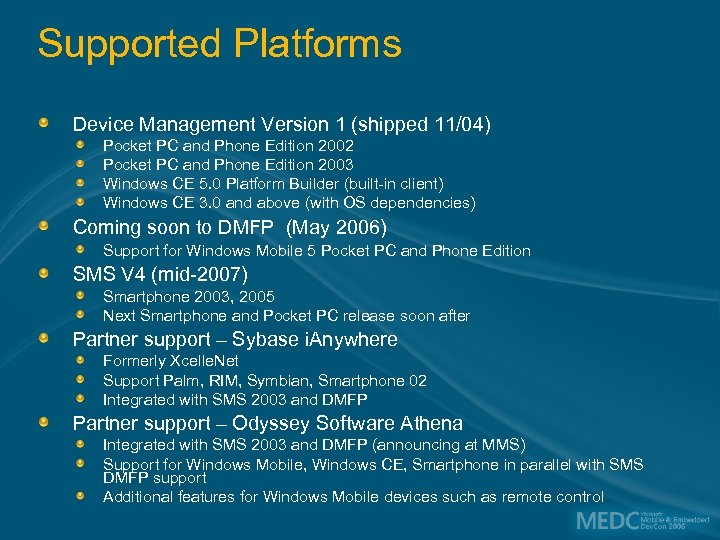
Supported Platforms Device Management Version 1 (shipped 11/04) Pocket PC and Phone Edition 2002 Pocket PC and Phone Edition 2003 Windows CE 5. 0 Platform Builder (built-in client) Windows CE 3. 0 and above (with OS dependencies) Coming soon to DMFP (May 2006) Support for Windows Mobile 5 Pocket PC and Phone Edition SMS V 4 (mid-2007) Smartphone 2003, 2005 Next Smartphone and Pocket PC release soon after Partner support – Sybase i. Anywhere Formerly Xcelle. Net Support Palm, RIM, Symbian, Smartphone 02 Integrated with SMS 2003 and DMFP Partner support – Odyssey Software Athena Integrated with SMS 2003 and DMFP (announcing at MMS) Support for Windows Mobile, Windows CE, Smartphone in parallel with SMS DMFP support Additional features for Windows Mobile devices such as remote control
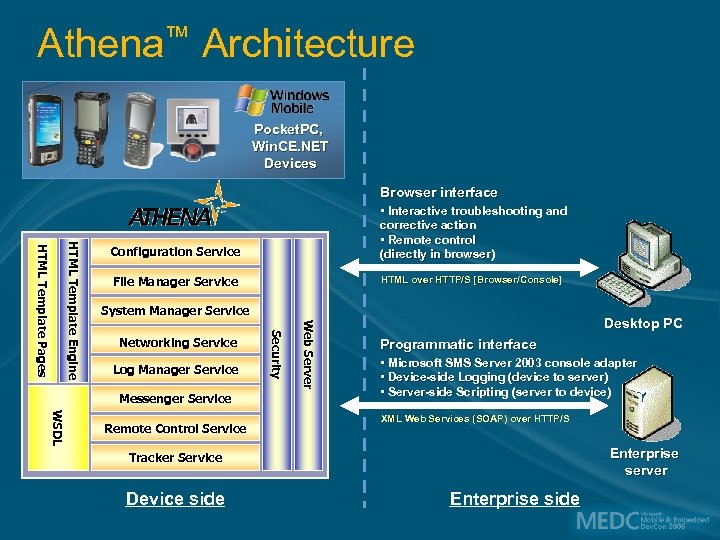
Athena™ Architecture Pocket. PC, Win. CE. NET Devices Browser interface File Manager Service HTML over HTTP/S [Browser/Console] System Manager Service Log Manager Service Messenger Service WSDL Remote Control Service Web Server Networking Service Security HTML Template Engine HTML Template Pages Configuration Service • Interactive troubleshooting and corrective action • Remote control (directly in browser) Desktop PC Programmatic interface • Microsoft SMS Server 2003 console adapter • Device-side Logging (device to server) • Server-side Scripting (server to device) XML Web Services (SOAP) over HTTP/S Enterprise server Tracker Service Device side Enterprise side
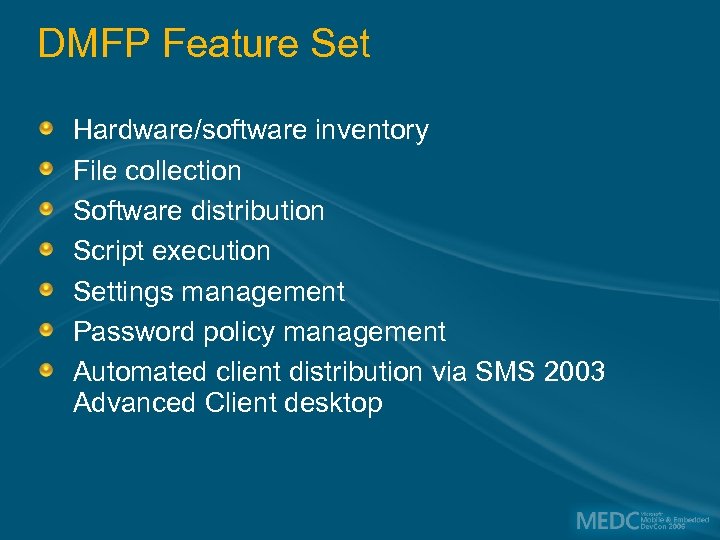
DMFP Feature Set Hardware/software inventory File collection Software distribution Script execution Settings management Password policy management Automated client distribution via SMS 2003 Advanced Client desktop
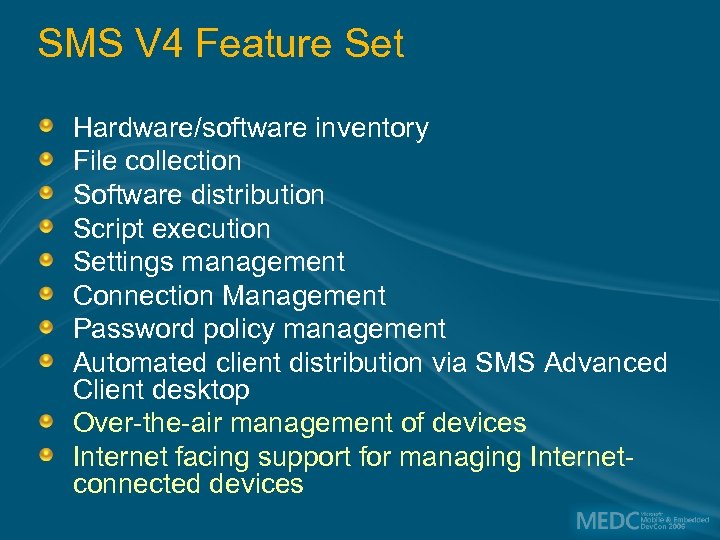
SMS V 4 Feature Set Hardware/software inventory File collection Software distribution Script execution Settings management Connection Management Password policy management Automated client distribution via SMS Advanced Client desktop Over-the-air management of devices Internet facing support for managing Internetconnected devices

Messaging and Security Feature Pack
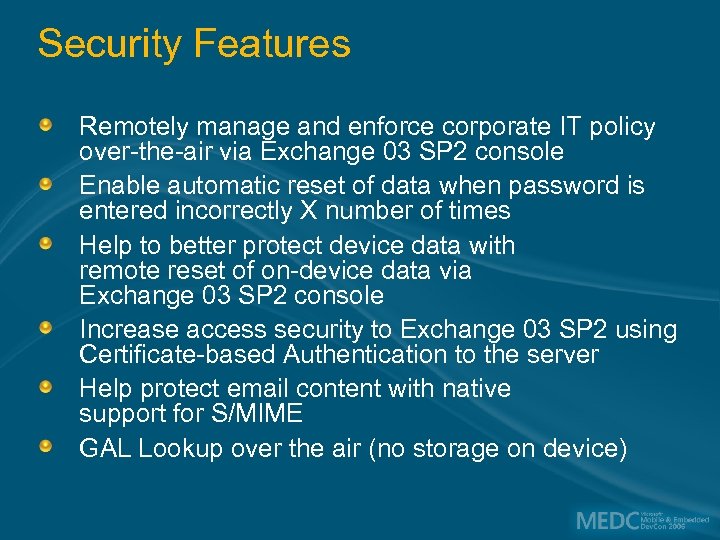
Security Features Remotely manage and enforce corporate IT policy over-the-air via Exchange 03 SP 2 console Enable automatic reset of data when password is entered incorrectly X number of times Help to better protect device data with remote reset of on-device data via Exchange 03 SP 2 console Increase access security to Exchange 03 SP 2 using Certificate-based Authentication to the server Help protect email content with native support for S/MIME GAL Lookup over the air (no storage on device)
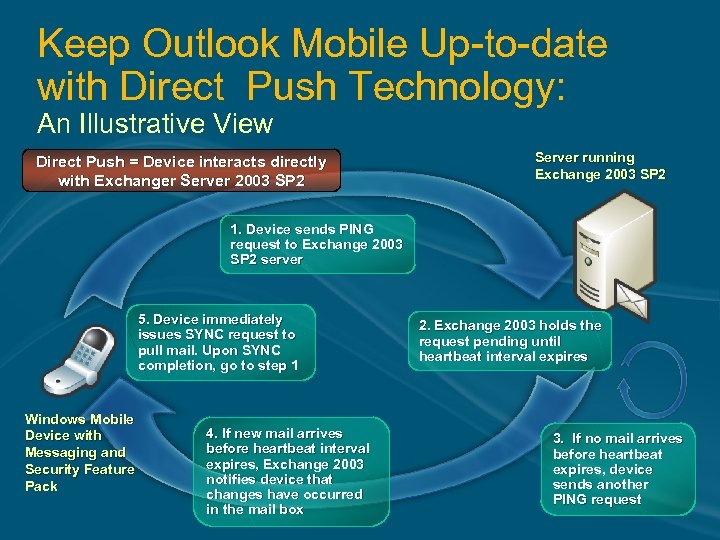
Keep Outlook Mobile Up-to-date with Direct Push Technology: An Illustrative View Direct Push = Device interacts directly with Exchanger Server 2003 SP 2 Server running Exchange 2003 SP 2 1. Device sends PING request to Exchange 2003 SP 2 server 5. Device immediately issues SYNC request to pull mail. Upon SYNC completion, go to step 1 Windows Mobile Device with Messaging and Security Feature Pack 4. If new mail arrives before heartbeat interval expires, Exchange 2003 notifies device that changes have occurred in the mail box 2. Exchange 2003 holds the request pending until heartbeat interval expires 3. If no mail arrives before heartbeat expires, device sends another PING request
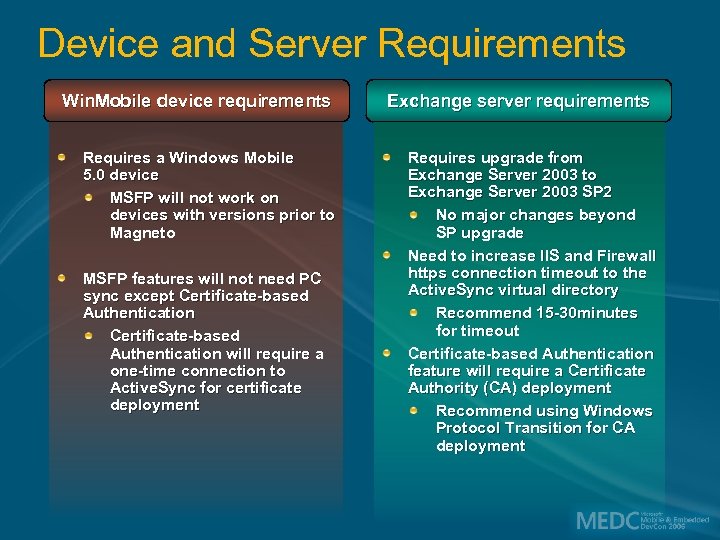
Device and Server Requirements Win. Mobile device requirements Requires a Windows Mobile 5. 0 device MSFP will not work on devices with versions prior to Magneto MSFP features will not need PC sync except Certificate-based Authentication will require a one-time connection to Active. Sync for certificate deployment Exchange server requirements Requires upgrade from Exchange Server 2003 to Exchange Server 2003 SP 2 No major changes beyond SP upgrade Need to increase IIS and Firewall https connection timeout to the Active. Sync virtual directory Recommend 15 -30 minutes for timeout Certificate-based Authentication feature will require a Certificate Authority (CA) deployment Recommend using Windows Protocol Transition for CA deployment
How Does MSIT Does Windows Mobile Device Provisioning Web site Windows Mobile Provisioner
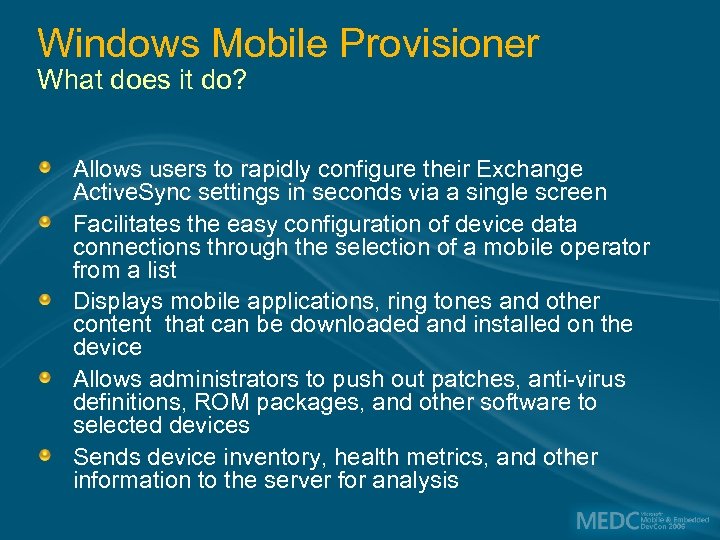
Windows Mobile Provisioner What does it do? Allows users to rapidly configure their Exchange Active. Sync settings in seconds via a single screen Facilitates the easy configuration of device data connections through the selection of a mobile operator from a list Displays mobile applications, ring tones and other content that can be downloaded and installed on the device Allows administrators to push out patches, anti-virus definitions, ROM packages, and other software to selected devices Sends device inventory, health metrics, and other information to the server for analysis
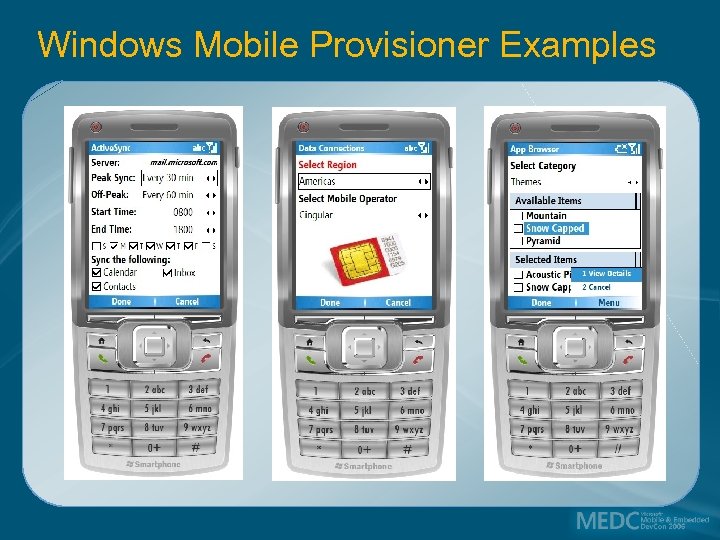
Windows Mobile Provisioner Examples
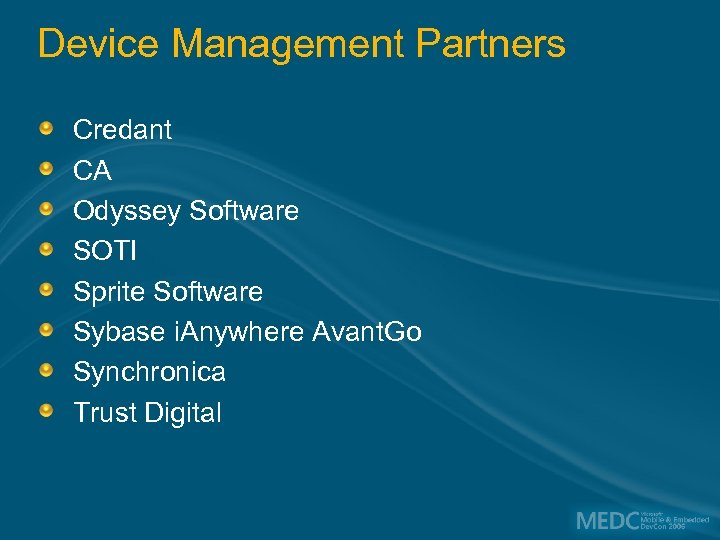
Device Management Partners Credant CA Odyssey Software SOTI Sprite Software Sybase i. Anywhere Avant. Go Synchronica Trust Digital
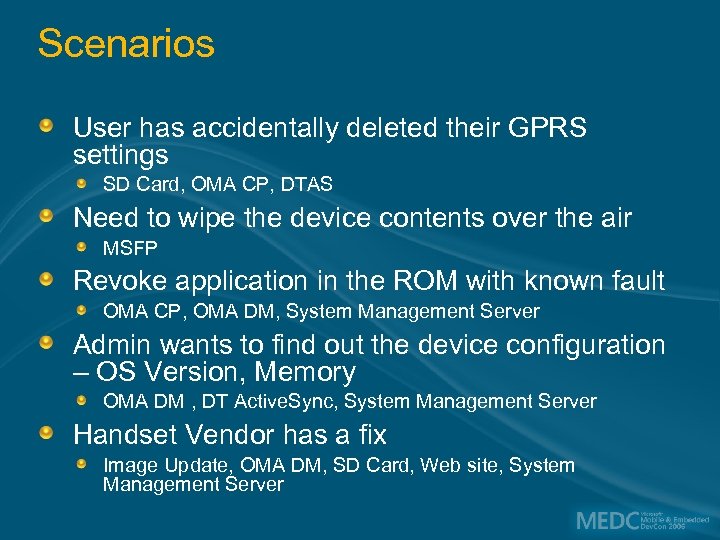
Scenarios User has accidentally deleted their GPRS settings SD Card, OMA CP, DTAS Need to wipe the device contents over the air MSFP Revoke application in the ROM with known fault OMA CP, OMA DM, System Management Server Admin wants to find out the device configuration – OS Version, Memory OMA DM , DT Active. Sync, System Management Server Handset Vendor has a fix Image Update, OMA DM, SD Card, Web site, System Management Server
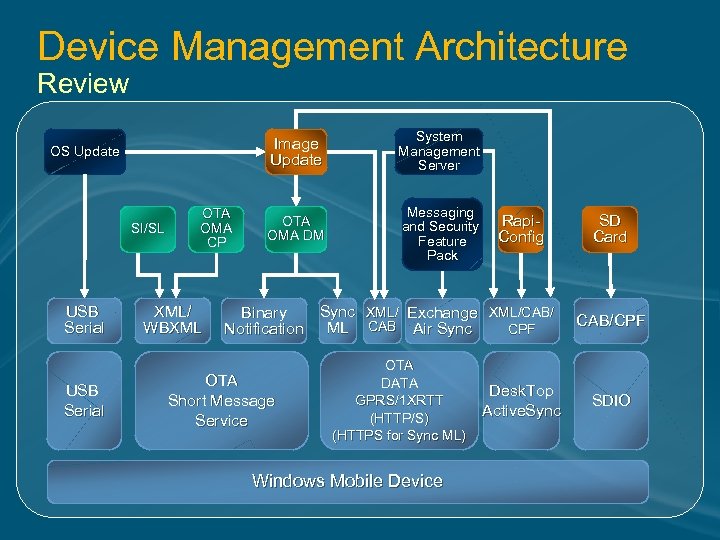
Device Management Architecture Review Image Update OS Update SI/SL USB Serial OTA OMA CP XML/ WBXML System Management Server OTA OMA DM Messaging and Security Feature Pack Rapi. Config Sync XML/ Exchange XML/CAB/ Binary Notification ML CAB Air Sync CPF OTA Short Message Service OTA DATA GPRS/1 XRTT (HTTP/S) (HTTPS for Sync ML) Windows Mobile Device Desk. Top Active. Sync SD Card CAB/CPF SDIO
Q&A ITP 401 Windows Mobile Enterprise Security Internals ITP 310 Windows Mobile Enterprise Security Best Practices ITP 307 Inside Microsoft: The Microsoft Corporate Windows Mobile Architecture ITP 311 Using Systems Management Server with Windows Mobile Devices ITP 302 Overview of Mobile Messaging with Windows Mobile and Exchange Server 2003
Resources Need developer resources on this subject? Stop by the MED Content Publishing Team Station in the Microsoft Pavilion or Visit the MED Content Publishing Team Wiki Site: http: //msdn. microsoft. com/mobility/wiki

© 2006 Microsoft Corporation. All rights reserved. Microsoft, Windows Vista and other product names are or may be registered trademarks and/or trademarks in the U. S. and/or other countries. The information herein is for informational purposes only and represents the current view of Microsoft Corporation as of the date of this presentation. Because Microsoft must respond to changing market conditions, it should not be interpreted to be a commitment on the part of Microsoft, and Microsoft cannot guarantee the accuracy of any information provided after the date of this presentation. MICROSOFT MAKES NO WARRANTIES, EXPRESS, IMPLIED OR STATUTORY, AS TO THE INFORMATION IN THIS PRESENTATION.
Скачать презентацию Windows Mobile Device Management Khalid Siddiqui Mobility Architect
9f434ea67ee89063e1d28ba39583fda8.ppt