


 Скачать презентацию Windows 2003 What s new in Terminal Services
c6a421e5c97c95f61604d657f1936c36.ppt
- Количество слайдов: 46
 Windows 2003 What’s new in Terminal Services ? Ruben Spruijt - PQR Diensten
 Upgrading Concerns § Upgrading from Microsoft Windows NT® 4. 0 Terminal Server to Windows 2003 Server -blocked § In Windows NT 4. 0 Terminal Server - compatibility scripts modified permissions on registry, security, folders, etc. • Some were done on a Windows 2000 server § During upgrade, the security template applied to an application server does not reset the ACLs § Best to do a clean installation on the server in Full Security Mode Ruben Spruijt - PQR Diensten
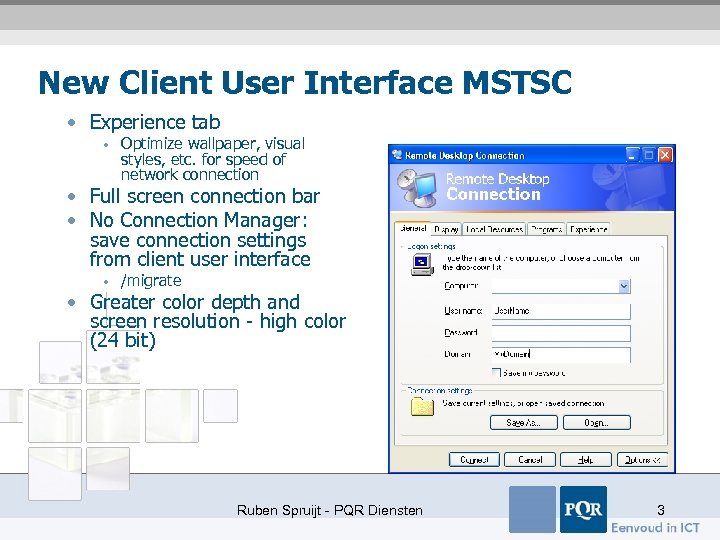 New Client User Interface MSTSC • Experience tab • Optimize wallpaper, visual styles, etc. for speed of network connection • Full screen connection bar • No Connection Manager: save connection settings from client user interface • /migrate • Greater color depth and screen resolution - high color (24 bit) Ruben Spruijt - PQR Diensten 3
 Remote Desktop for Administration § Remote Desktop for administration is installed automatically § Two concurrent remote connections plus console session • (mstsc/console) § By default, it is toggled off • System properties in Control Panel • “Allow Users to Connect remotely to this computer” on the Remote tab § Does not require licenses § Remote Desktop Connection tool is available for download for earlier versions of Windows http: //www. microsoft. com/windowsxp/remotedesktop/ Ruben Spruijt - PQR Diensten
 Remote Desktop Snap-in § Used for network administration • Multiple computers in one window • Connect to console • Local Group Policies and Default. rdp settings affect connection settings § Help Desk users - Remote Assistance Ruben Spruijt - PQR Diensten
 Installing Terminal Services for Application Hosting § Installed using Add/Remove Programs § Previously installed applications must be reinstalled for multisession access § All members of the Local Users group are copied into the Remote Desktop Users group § Security mode for the Terminal Server connections • • Windows 2000/Windows 2003 Server permissions mode (full security) Windows NT 4. 0/Terminal Server Edition permissions compatibility mode (relaxed security) § Unattended installation [Components] Terminal. Server = On [Terminal. Services] Licensing. Mode = Per. Device Ruben Spruijt - PQR Diensten
 Terminal Server Advertising § Windows 2003 - Only Terminal Servers in Application Server mode § Windows 2000 - All servers with Terminal Services installed § To prevent a Terminal Services-based computer from advertising, set the following registry key : HKEY_LOCAL_MACHINESystemCurrent. Control. SetControlTerminal Server REG_DWORD value: TSAdvertise • 0 disables and 1 enables advertising Ruben Spruijt - PQR Diensten
 The Remote Desktop Users Group § Remote logon permissions • Use TSCC. msc to give users or groups the appropriate rights • By default, the Remote Desktop Users local group is empty § Restricted groups • Add remote desktop users to the restricted groups • Security templates MMC snap-in § Security features • Per network adapter connection permissions • Custom rights assignment • Remote interactive right • May be administered using Security Policy Editor Ruben Spruijt - PQR Diensten
 Redirection Features § Enabled by using virtual channels • • • Local Drive Audio Time Smart Card Port (LPT/COM) Printer Ruben Spruijt - PQR Diensten
 Virtual Channels § Virtual channel permissions § Permissions to use capabilities introduced through virtual channels can be set in the Terminal Server Client Configuration tool § Virtual Channel permissions • TSCC. MSC snap-in - RDP properties • • • On the Permissions tab, click Advanced Select the group or account and then View/Edit Allow or deny virtual channels § Virtual channels setting effects all redirection Ruben Spruijt - PQR Diensten
 Local Drive Redirection § Local file system available to the Remote Desktop session § Local drives appear in My Computer •
 Audio Redirection § Possible settings: • Bring to this computer • Do not play • Leave at the remote computer § Mid and midi files are not transferable with audio redirection § Following must apply: • Both the Terminal Server and the client have a sound card • The client is set to “Bring to this Computer” • The TSCC. MSC - allows audio mapping Ruben Spruijt - PQR Diensten
 Advantages of Audio Redirection § Audio mixing • If there are multiple applications - the resulting stream is an audio mix of the different streams § Minimized performance impact of the audio stream input/output (I/O) on the RDP session • Renegotiates sound stream quality if network bandwidth changes • No user interaction • Best to disable sound redirection on a very slow network Ruben Spruijt - PQR Diensten
 Time Zone Redirection § Allow Time Zone Redirection Group Policy setting • Terminal Services uses the server base time on the Terminal Server and the client time zone information to calculate the time on the session • • § Session time = server base time + client time zone Client time zone must be set correctly Client version support: • • • Windows XP client Windows. NET Server client Windows CE 4. 0 Ruben Spruijt - PQR Diensten
 Using Smart Cards with Terminal Server § Require strong credentials § Must have Microsoft Active Directory® deployed § Client computers must be running a Microsoft client operating system with built-in Smart Card support • • Windows XP or Windows 2000 Most devices are running Windows CE. NET 4 Smart card readers on the client computers Uses trusted X. 509 v 3 certificates that are stored on a smart card § Ease of deployment Ruben Spruijt - PQR Diensten
 Port Redirection § LPT and COM port redirection • Bar code readers or scanners • USB redirection is only possible with installed local printers § By default, no Fire. Wire or IEEE 1394 ports redirected § However, can enable Fire. Wire port redirection on clients by enabling all ports to be redirected • Registry on the client computer: HKEY_CURRENT_USERSoftwareMicrosoftTerminal Server ClientDefaultAdd. InsRDPDR New DWORD Value. Filter. Queue. Type Value FFFF § For more information about filtering port redirection, see article 302361, “Multifunction Printers That Use DOT 4 Ports Are Not Redirected By Using Remote Desktop” http: //support. microsoft. com/default. aspx? scid=kb; en-us; 302361 Ruben Spruijt - PQR Diensten
 Com Port Redirection § Win 32® COMM APIs open communication ports - Create. File against COM port § The Create. File automatically maps from application’s session DOS Device namespace to the correct client-side device § Without writing any adjusting server-side code Ruben Spruijt - PQR Diensten
 Printer Redirection § Redirected printers in the Printers folder in the following format: •
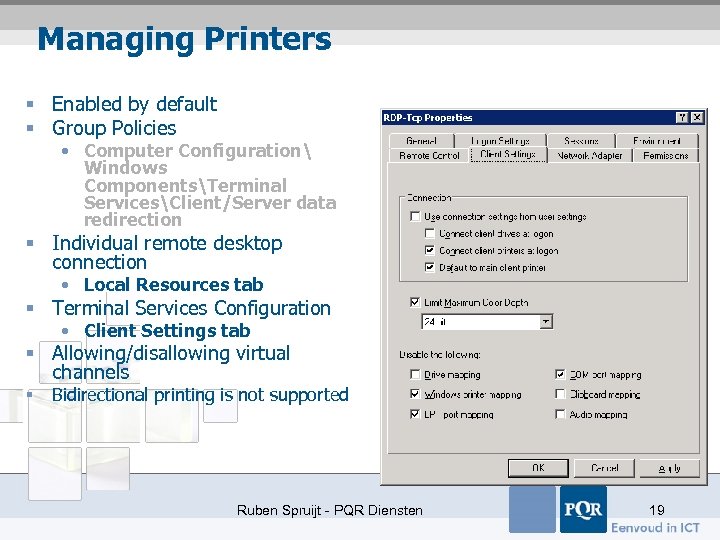 Managing Printers § Enabled by default § Group Policies • Computer Configuration Windows ComponentsTerminal ServicesClient/Server data redirection § Individual remote desktop connection • Local Resources tab § Terminal Services Configuration • Client Settings tab § Allowing/disallowing virtual channels § Bidirectional printing is not supported Ruben Spruijt - PQR Diensten 19
 Printer Data Stored on the Client § Client disconnects • The printer queue is deleted from the server • Incomplete or pending print jobs are lost § Configuration data for those printers, however, is stored in the client’s registry: • Automatic - HKEY_CURRENT_USERSoftwareMicrosoft Terminal Server ClientDefaultAdd. InsRDPDR. SYS
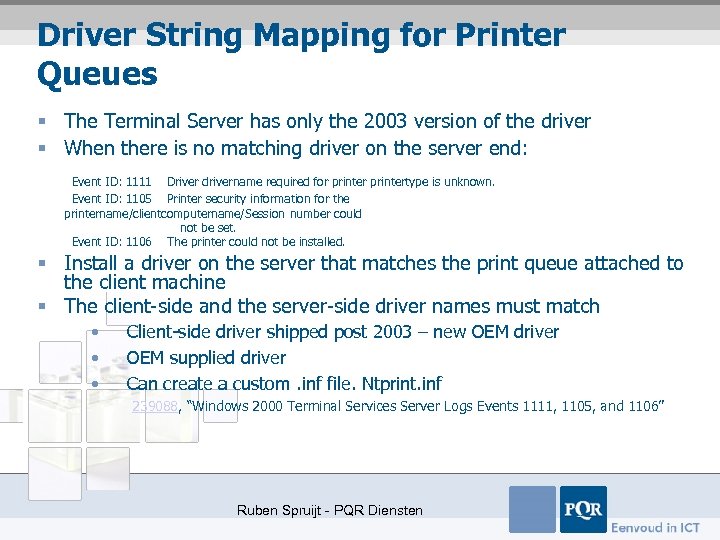 Driver String Mapping for Printer Queues § The Terminal Server has only the 2003 version of the driver § When there is no matching driver on the server end: Event ID: 1111 Driver drivername required for printertype is unknown. Event ID: 1105 Printer security information for the printername/clientcomputername/Session number could not be set. Event ID: 1106 The printer could not be installed. § Install a driver on the server that matches the print queue attached to the client machine § The client-side and the server-side driver names must match • • • Client-side driver shipped post 2003 – new OEM driver OEM supplied driver Can create a custom. inf file. Ntprint. inf 239088, “Windows 2000 Terminal Services Server Logs Events 1111, 1105, and 1106” Ruben Spruijt - PQR Diensten
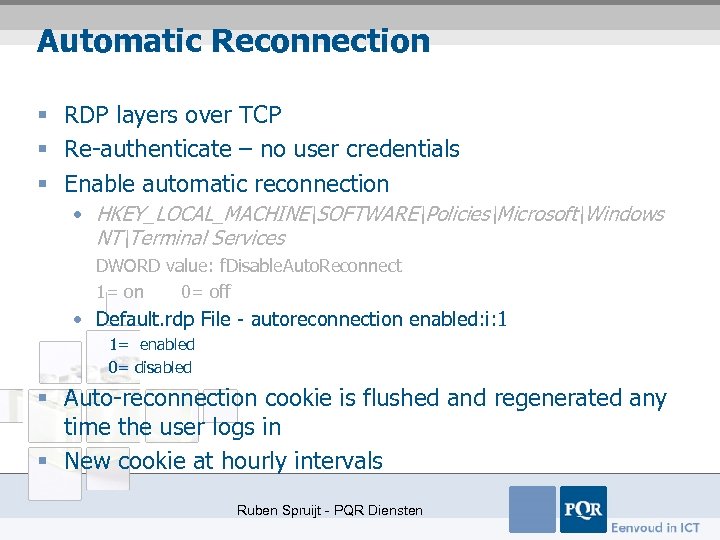 Automatic Reconnection § RDP layers over TCP § Re-authenticate – no user credentials § Enable automatic reconnection • HKEY_LOCAL_MACHINESOFTWAREPoliciesMicrosoftWindows NTTerminal Services DWORD value: f. Disable. Auto. Reconnect 1= on 0= off • Default. rdp File - autoreconnection enabled: i: 1 1= enabled 0= disabled § Auto-reconnection cookie is flushed and regenerated any time the user logs in § New cookie at hourly intervals Ruben Spruijt - PQR Diensten
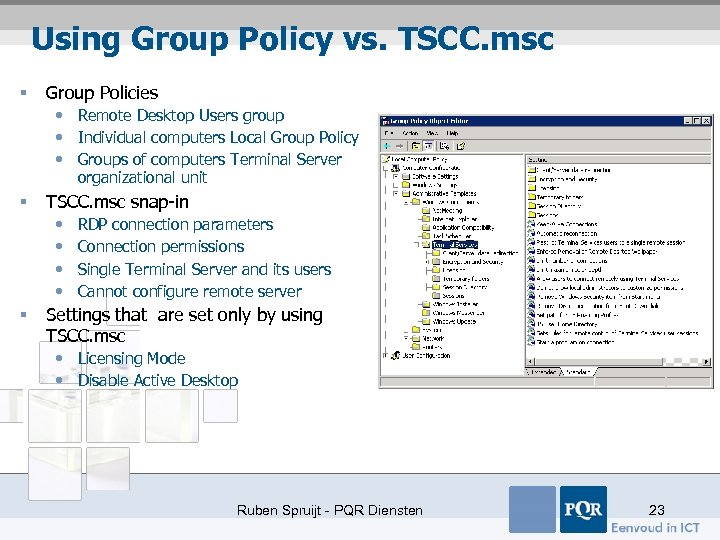 Using Group Policy vs. TSCC. msc § Group Policies • Remote Desktop Users group • Individual computers Local Group Policy • Groups of computers Terminal Server organizational unit § TSCC. msc snap-in • • § RDP connection parameters Connection permissions Single Terminal Server and its users Cannot configure remote server Settings that are set only by using TSCC. msc • Licensing Mode • Disable Active Desktop Ruben Spruijt - PQR Diensten 23
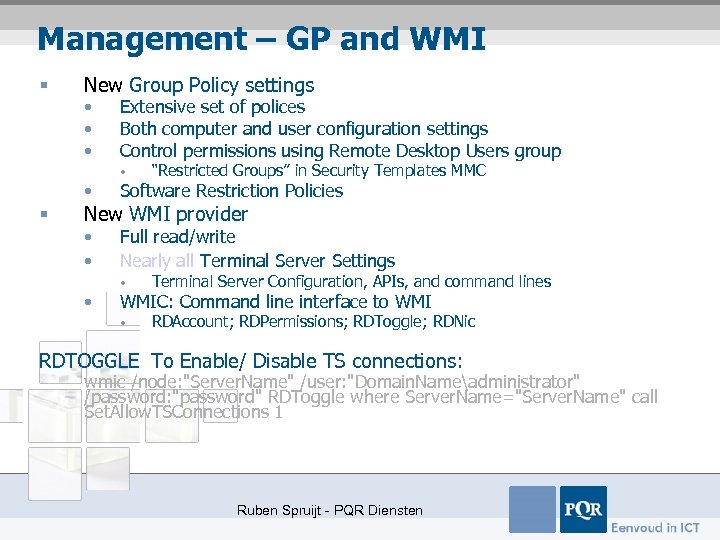 Management – GP and WMI § New Group Policy settings • • • Extensive set of polices Both computer and user configuration settings Control permissions using Remote Desktop Users group • “Restricted Groups” in Security Templates MMC • § Software Restriction Policies • • Full read/write Nearly all Terminal Server Settings New WMI provider • • Terminal Server Configuration, APIs, and command lines WMIC: Command line interface to WMI • RDAccount; RDPermissions; RDToggle; RDNic RDTOGGLE To Enable/ Disable TS connections: wmic /node: "Server. Name" /user: "Domain. Nameadministrator" /password: "password" RDToggle where Server. Name="Server. Name" call Set. Allow. TSConnections 1 Ruben Spruijt - PQR Diensten
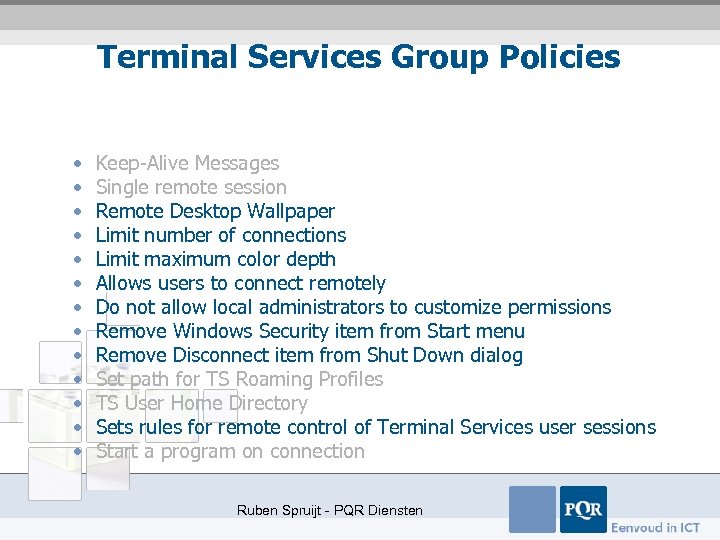 Terminal Services Group Policies • • • • Keep-Alive Messages Single remote session Remote Desktop Wallpaper Limit number of connections Limit maximum color depth Allows users to connect remotely Do not allow local administrators to customize permissions Remove Windows Security item from Start menu Remove Disconnect item from Shut Down dialog Set path for TS Roaming Profiles TS User Home Directory Sets rules for remote control of Terminal Services user sessions Start a program on connection Ruben Spruijt - PQR Diensten
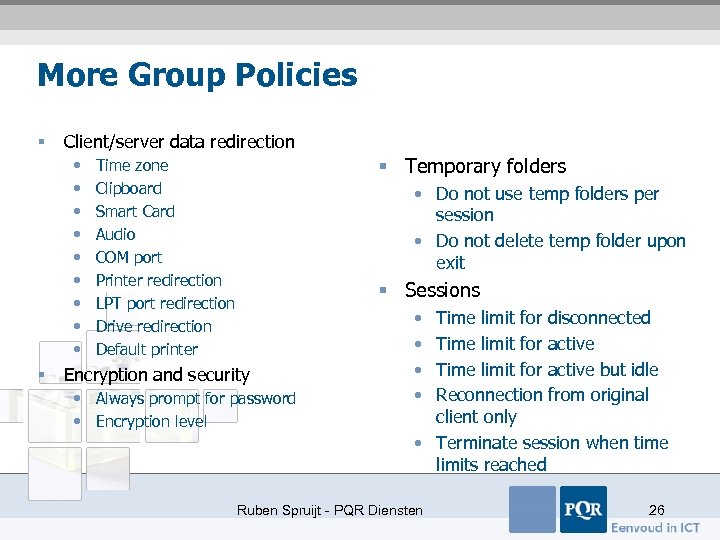 More Group Policies § Client/server data redirection • • • § § Temporary folders Time zone Clipboard Smart Card Audio COM port Printer redirection LPT port redirection Drive redirection Default printer • Do not use temp folders per session • Do not delete temp folder upon exit § Sessions Encryption and security • Always prompt for password • Encryption level • • Time limit for disconnected Time limit for active but idle Reconnection from original client only • Terminate session when time limits reached Ruben Spruijt - PQR Diensten 26
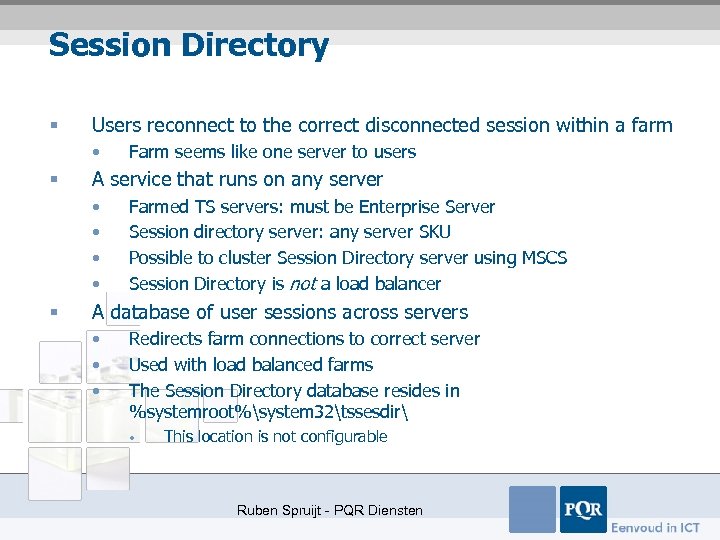 Session Directory § Users reconnect to the correct disconnected session within a farm • § A service that runs on any server • • § Farm seems like one server to users Farmed TS servers: must be Enterprise Server Session directory server: any server SKU Possible to cluster Session Directory server using MSCS Session Directory is not a load balancer A database of user sessions across servers • • • Redirects farm connections to correct server Used with load balanced farms The Session Directory database resides in %systemroot%system 32tssesdir • This location is not configurable Ruben Spruijt - PQR Diensten
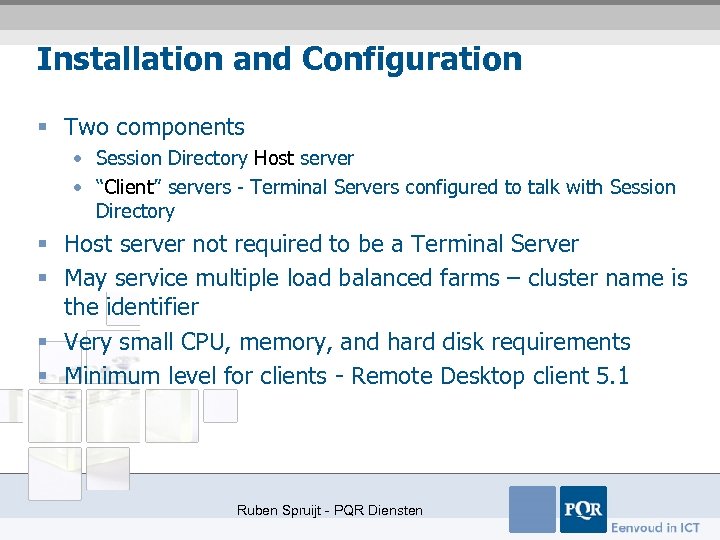 Installation and Configuration § Two components • Session Directory Host server • “Client” servers - Terminal Servers configured to talk with Session Directory § Host server not required to be a Terminal Server § May service multiple load balanced farms – cluster name is the identifier § Very small CPU, memory, and hard disk requirements § Minimum level for clients - Remote Desktop client 5. 1 Ruben Spruijt - PQR Diensten
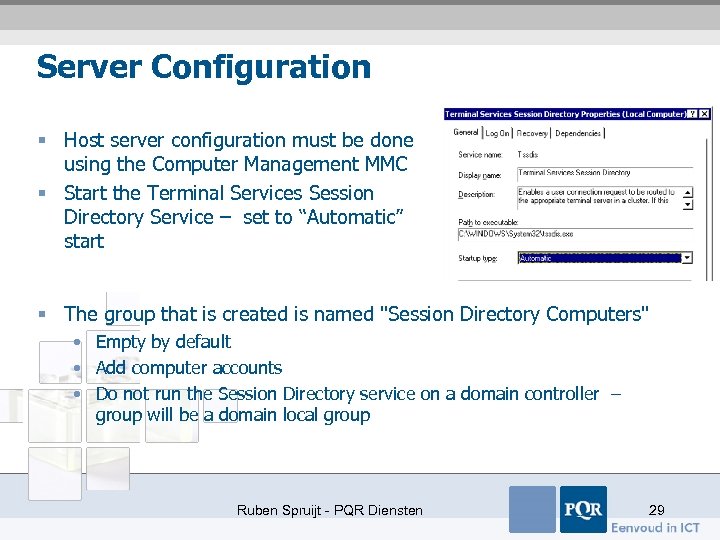 Server Configuration § Host server configuration must be done using the Computer Management MMC § Start the Terminal Services Session Directory Service – set to “Automatic” start § The group that is created is named "Session Directory Computers" • Empty by default • Add computer accounts • Do not run the Session Directory service on a domain controller – group will be a domain local group Ruben Spruijt - PQR Diensten 29
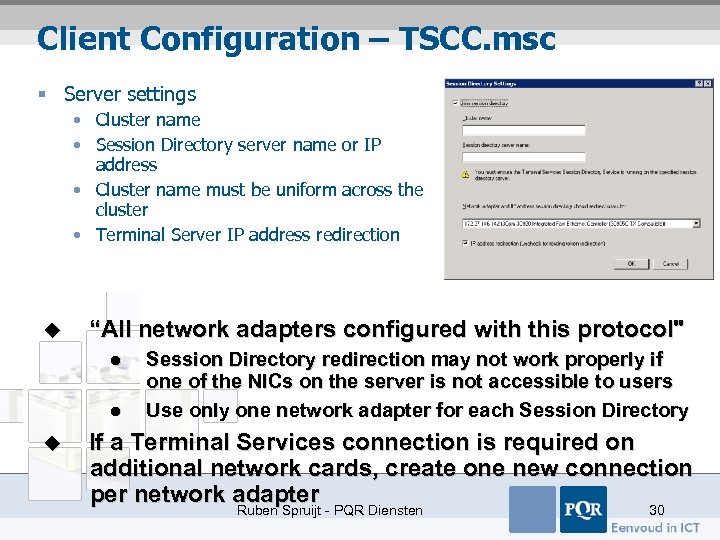 Client Configuration – TSCC. msc § Server settings • Cluster name • Session Directory server name or IP address • Cluster name must be uniform across the cluster • Terminal Server IP address redirection u “All network adapters configured with this protocol" l l u Session Directory redirection may not work properly if one of the NICs on the server is not accessible to users Use only one network adapter for each Session Directory If a Terminal Services connection is required on additional network cards, create one new connection per network adapter Ruben Spruijt - PQR Diensten 30
 Client Configuration – Group Policies § Computer Configuration / Administrative Templates / Terminal Services / Session Directory • Terminal Server IP Address Redirection • Join Session Directory • Session Directory Server • Session Directory Cluster Name § Best to put farmed Terminal Servers in an organizational unit, with Group Policies applied to the organizational unit Ruben Spruijt - PQR Diensten
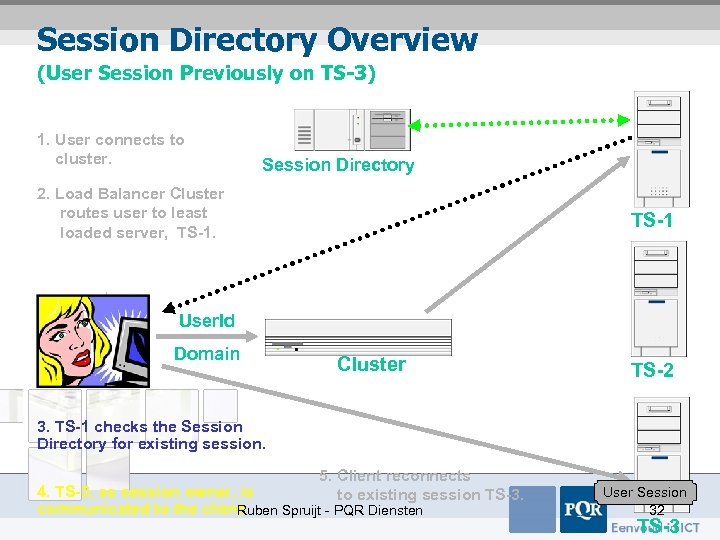 Session Directory Overview (User Session Previously on TS-3) 1. User connects to cluster. Session Directory 2. Load Balancer Cluster routes user to least loaded server, TS-1 User. Id Domain Cluster TS-2 3. TS-1 checks the Session Directory for existing session. 5. Client reconnects to existing session TS-3. 4. TS-3, as session owner, is communicated to the client. Ruben Spruijt - PQR Diensten User Session 32 TS-3
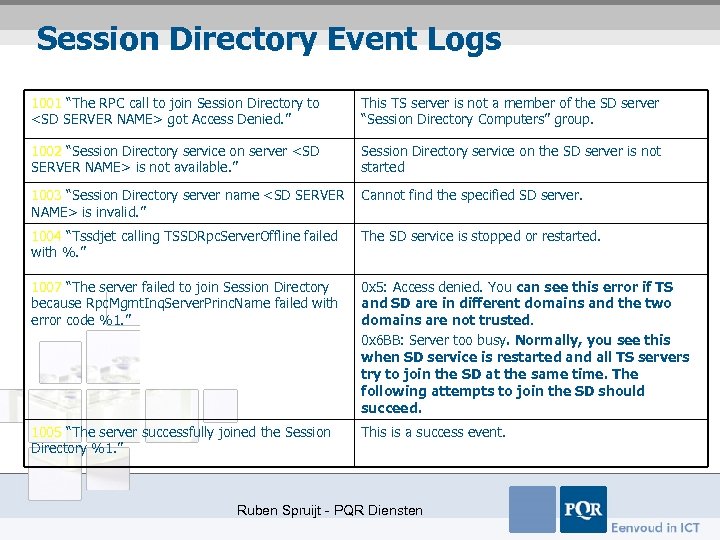 Session Directory Event Logs 1001 “The RPC call to join Session Directory to
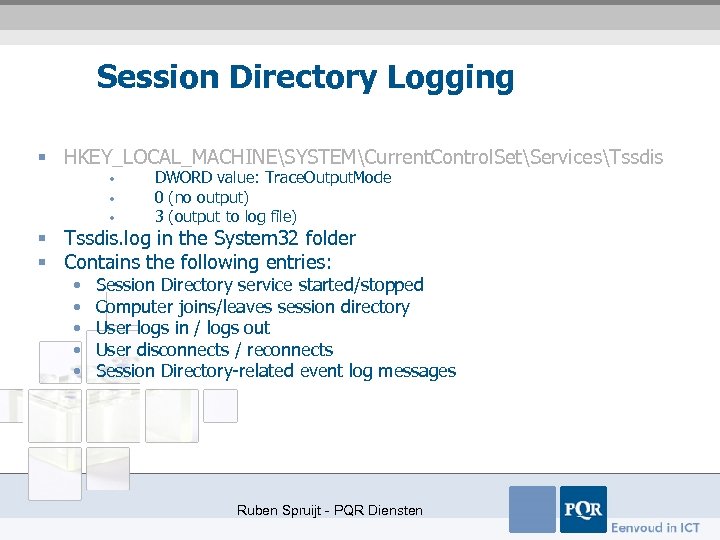 Session Directory Logging § HKEY_LOCAL_MACHINESYSTEMCurrent. Control. SetServicesTssdis • • • DWORD value: Trace. Output. Mode 0 (no output) 3 (output to log file) § Tssdis. log in the System 32 folder § Contains the following entries: • • • Session Directory service started/stopped Computer joins/leaves session directory User logs in / logs out User disconnects / reconnects Session Directory-related event log messages Ruben Spruijt - PQR Diensten
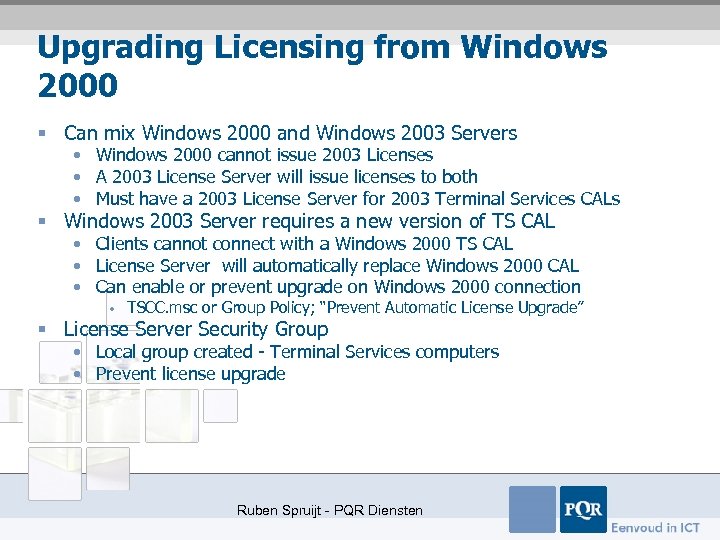 Upgrading Licensing from Windows 2000 § Can mix Windows 2000 and Windows 2003 Servers • Windows 2000 cannot issue 2003 Licenses • A 2003 License Server will issue licenses to both • Must have a 2003 License Server for 2003 Terminal Services CALs § Windows 2003 Server requires a new version of TS CAL • Clients cannot connect with a Windows 2000 TS CAL • License Server will automatically replace Windows 2000 CAL • Can enable or prevent upgrade on Windows 2000 connection • TSCC. msc or Group Policy; “Prevent Automatic License Upgrade” § License Server Security Group • Local group created - Terminal Services computers • Prevent license upgrade Ruben Spruijt - PQR Diensten
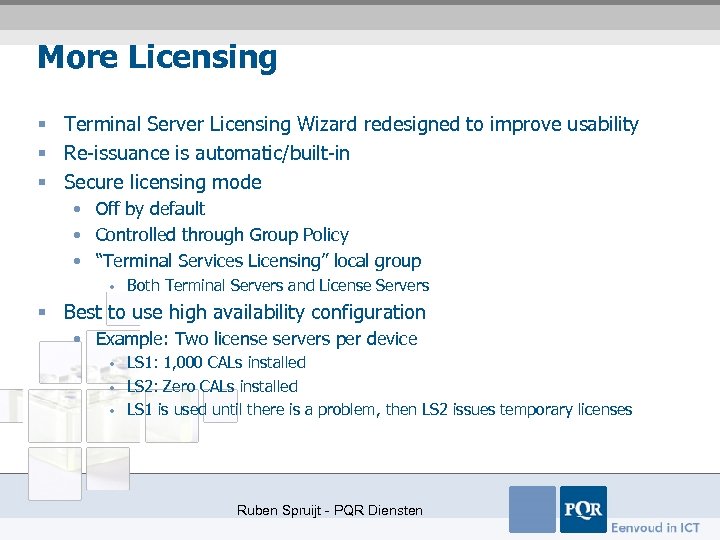 More Licensing § Terminal Server Licensing Wizard redesigned to improve usability § Re-issuance is automatic/built-in § Secure licensing mode • Off by default • Controlled through Group Policy • “Terminal Services Licensing” local group • Both Terminal Servers and License Servers § Best to use high availability configuration • Example: Two license servers per device • • • LS 1: 1, 000 CALs installed LS 2: Zero CALs installed LS 1 is used until there is a problem, then LS 2 issues temporary licenses Ruben Spruijt - PQR Diensten
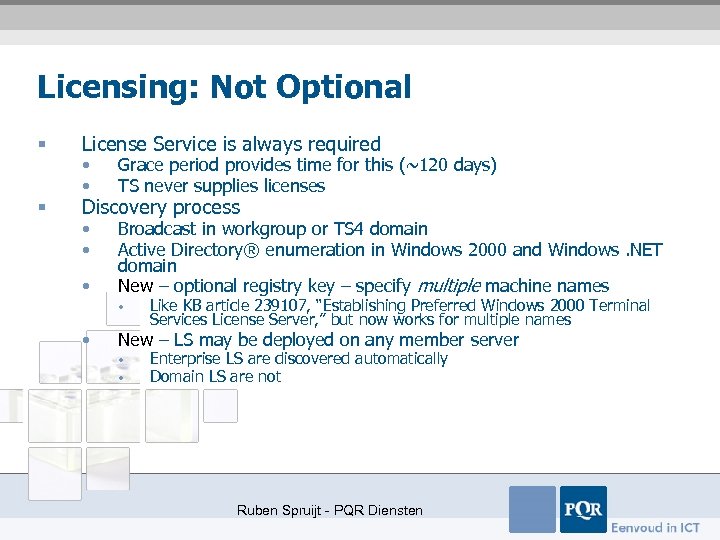 Licensing: Not Optional § License Service is always required § Discovery process • • Grace period provides time for this (~120 days) TS never supplies licenses • • Broadcast in workgroup or TS 4 domain Active Directory® enumeration in Windows 2000 and Windows. NET domain New – optional registry key – specify multiple machine names • • • Like KB article 239107, “Establishing Preferred Windows 2000 Terminal Services License Server, ” but now works for multiple names New – LS may be deployed on any member server • • Enterprise LS are discovered automatically Domain LS are not Ruben Spruijt - PQR Diensten
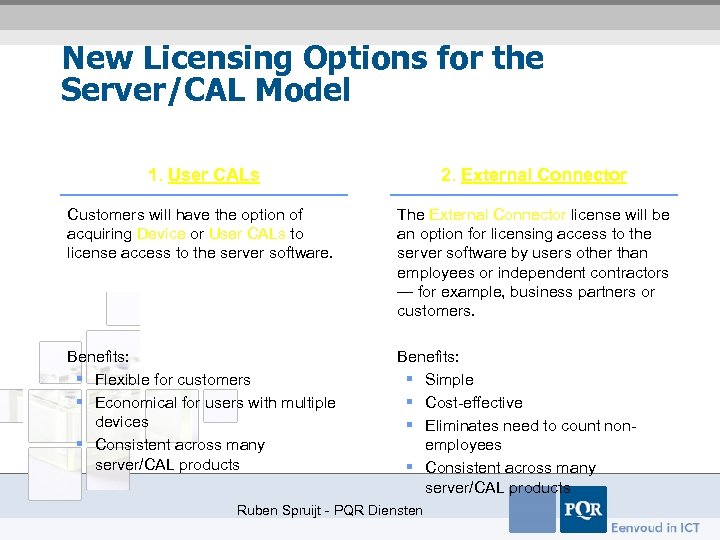 New Licensing Options for the Server/CAL Model 1. User CALs 2. External Connector Customers will have the option of acquiring Device or User CALs to license access to the server software. The External Connector license will be an option for licensing access to the server software by users other than employees or independent contractors — for example, business partners or customers. Benefits: § Flexible for customers § Economical for users with multiple devices § Consistent across many server/CAL products Benefits: § Simple § Cost-effective § Eliminates need to count nonemployees § Consistent across many server/CAL products Ruben Spruijt - PQR Diensten
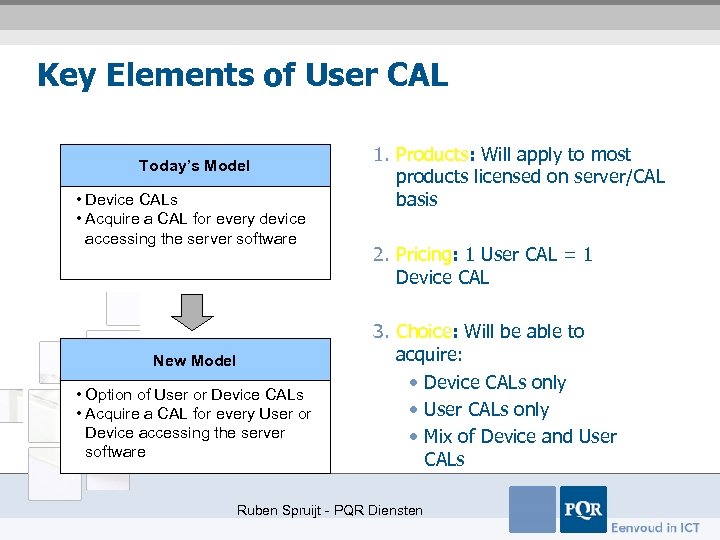 Key Elements of User CAL Today’s Model • Device CALs • Acquire a CAL for every device accessing the server software New Model • Option of User or Device CALs • Acquire a CAL for every User or Device accessing the server software 1. Products: Will apply to most products licensed on server/CAL basis 2. Pricing: 1 User CAL = 1 Device CAL 3. Choice: Will be able to acquire: • Device CALs only • User CALs only • Mix of Device and User CALs Ruben Spruijt - PQR Diensten
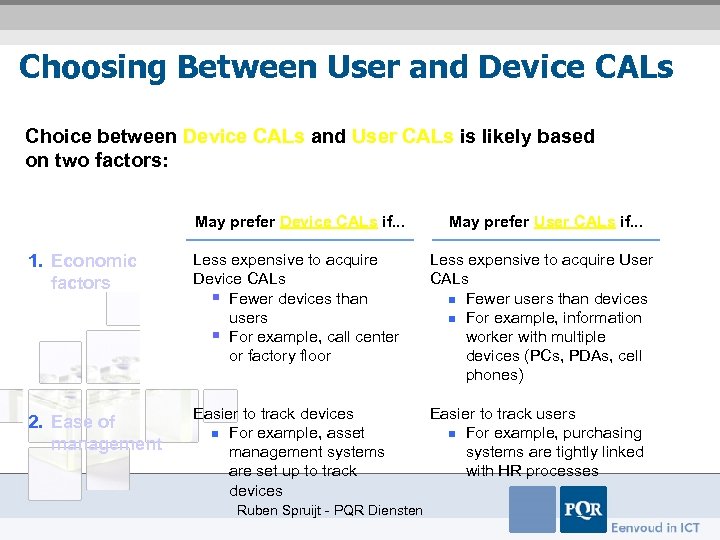 Choosing Between User and Device CALs Choice between Device CALs and User CALs is likely based on two factors: May prefer Device CALs if. . . May prefer User CALs if. . . 1. Economic factors Less expensive to acquire Device CALs § Fewer devices than users § For example, call center or factory floor Less expensive to acquire User CALs n Fewer users than devices n For example, information worker with multiple devices (PCs, PDAs, cell phones) 2. Ease of management Easier to track devices n For example, asset management systems are set up to track devices Easier to track users n For example, purchasing systems are tightly linked with HR processes Ruben Spruijt - PQR Diensten
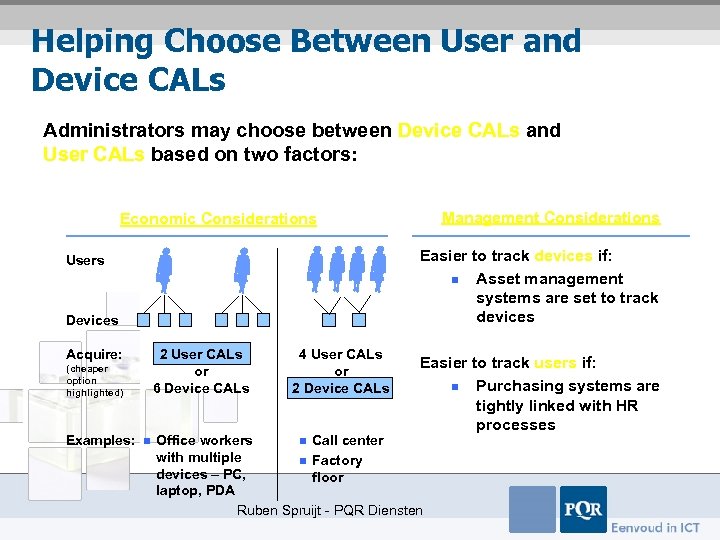 Helping Choose Between User and Device CALs Administrators may choose between Device CALs and User CALs based on two factors: Management Considerations Economic Considerations Easier to track devices if: n Asset management systems are set to track devices Users Devices Acquire: 2 User CALs or 6 Device CALs (cheaper option highlighted) Examples: n 4 User CALs or 2 Device CALs Easier to track users if: n Purchasing systems are tightly linked with HR processes Office workers n Call center with multiple n Factory devices – PC, floor laptop, PDA Ruben Spruijt - PQR Diensten
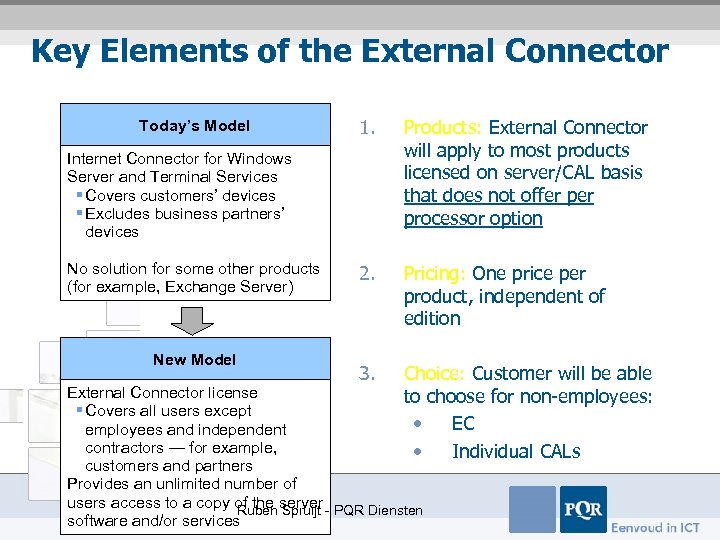 Key Elements of the External Connector Today’s Model 1. Products: External Connector will apply to most products licensed on server/CAL basis that does not offer processor option 2. Pricing: One price per product, independent of edition 3. Choice: Customer will be able to choose for non-employees: • EC • Individual CALs Internet Connector for Windows Server and Terminal Services § Covers customers’ devices § Excludes business partners’ devices No solution for some other products (for example, Exchange Server) New Model External Connector license § Covers all users except employees and independent contractors — for example, customers and partners Provides an unlimited number of users access to a copy of the server - PQR Diensten Ruben Spruijt software and/or services
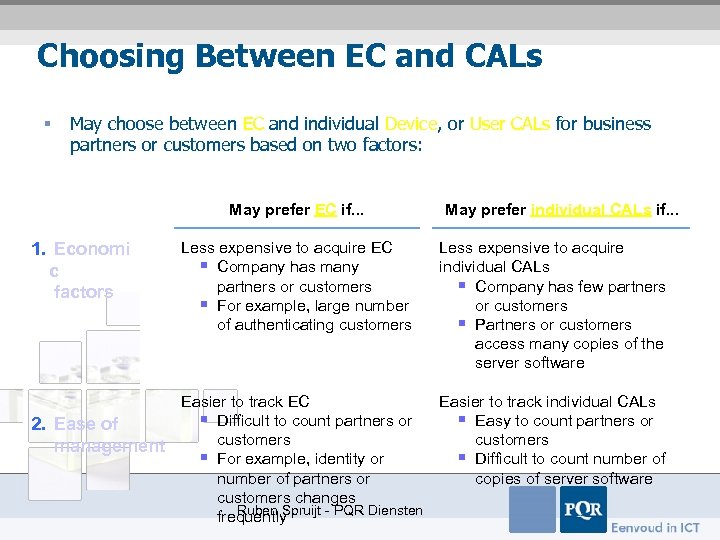 Choosing Between EC and CALs § May choose between EC and individual Device, or User CALs for business partners or customers based on two factors: May prefer EC if. . . 1. Economi c factors 2. Ease of management May prefer individual CALs if. . . Less expensive to acquire EC § Company has many partners or customers § For example, large number of authenticating customers Less expensive to acquire individual CALs § Company has few partners or customers § Partners or customers access many copies of the server software Easier to track EC § Difficult to count partners or customers § For example, identity or number of partners or customers changes Ruben Spruijt - PQR Diensten frequently Easier to track individual CALs § Easy to count partners or customers § Difficult to count number of copies of server software
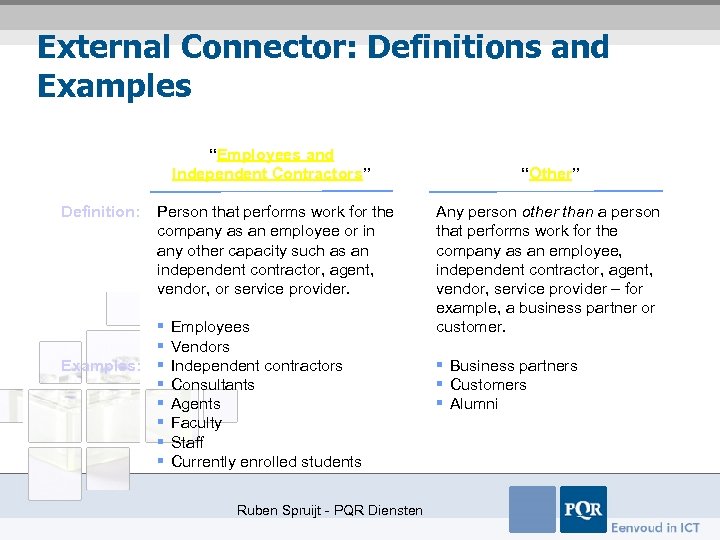 External Connector: Definitions and Examples “Employees and Independent Contractors” Definition: Person that performs work for the company as an employee or in any other capacity such as an independent contractor, agent, vendor, or service provider. § § Examples: § § § Employees Vendors Independent contractors Consultants Agents Faculty Staff Currently enrolled students Ruben Spruijt - PQR Diensten “Other” Any person other than a person that performs work for the company as an employee, independent contractor, agent, vendor, service provider – for example, a business partner or customer. § Business partners § Customers § Alumni
 Summary: Comparison of EC and CAL Licensing § 1 User CAL = One employee accessing all copies of server software (for example, Exchange) from unlimited number of devices § 1 Device CAL = Unlimited number of users accessing all copies of server software from one device § 1 External Connector = Unlimited number of business partners or customers accessing one copy of server software Ruben Spruijt - PQR Diensten
 Questions ? Ruben. spruijt@pqr. nl Ruben Spruijt - PQR Diensten