 Скачать презентацию WIMPY WEB SERVICES VERSUS POWERFUL FLEXIBLE WEB SERVICES
707ccb8ed753610b1014d6bf7fb66a57.ppt
- Количество слайдов: 109



WIMPY WEB SERVICES VERSUS POWERFUL FLEXIBLE WEB SERVICES Don’t be wimpy… By Bradley D. Brown, CTO, TUSC, brad@tusc. com http: //www. tuscsoftware. com/brown Oracle Certified Advantage Partner Copyright © 2009 Rolta International, Inc. , All Rights Reserved
Bradley D. Brown - Background • TUSC (since 1988) – Chief Technology Officer, Founder – SOA Center of Excellence GM • Start-ups • University of Denver – Graduate Class – New Venture Creation • User Groups – – OOW, IOUG, ODTUG, LAOUG, RMOUG, etc. Oracle Fusion Middleware Director/ACE IOUC Fusion Council 5 books for Oracle Press, 100 s of presentations
Agenda Wimpy, Wimpy • Flexible Web Services • Creating New Web Services – – Oracle 11 g Database JDeveloper (Java service) i. Perspective services Examples • Consuming Existing Web Services – Ap. Ex – JDeveloper – PL/SQL consumption • Real World Examples
INTRODUCTION TO FLEXIBLE WEB SERVICES Copyright © 2009 Rolta International, Inc. , All Rights Reserved
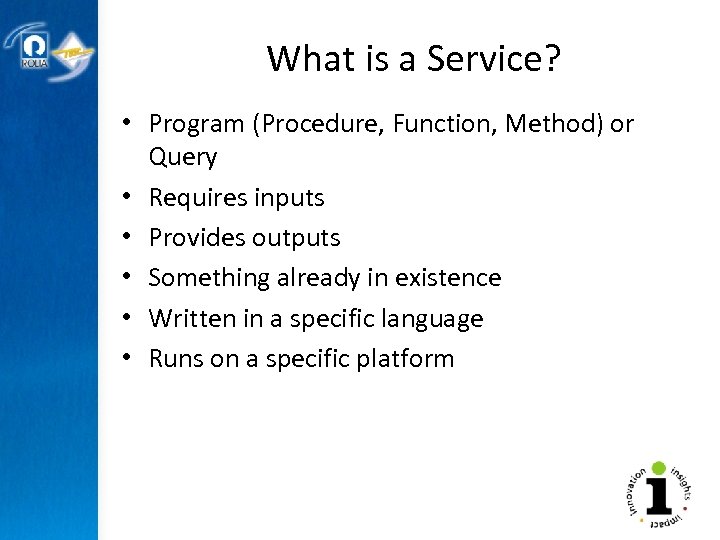
What is a Service? • Program (Procedure, Function, Method) or Query • Requires inputs • Provides outputs • Something already in existence • Written in a specific language • Runs on a specific platform
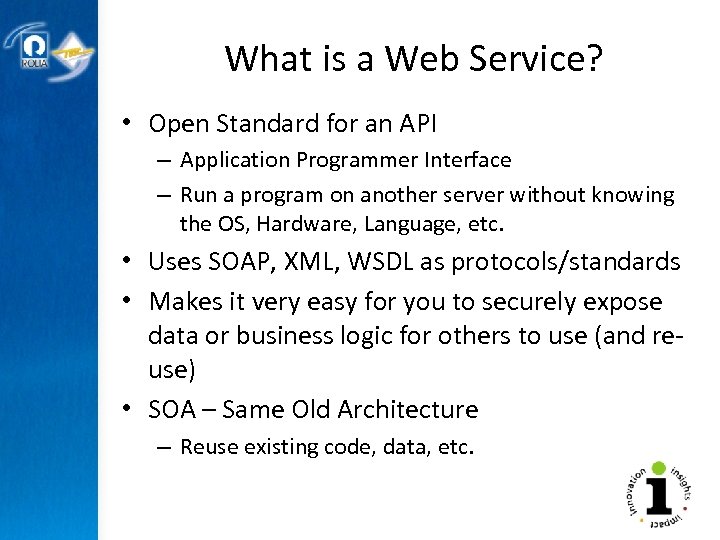
What is a Web Service? • Open Standard for an API – Application Programmer Interface – Run a program on another server without knowing the OS, Hardware, Language, etc. • Uses SOAP, XML, WSDL as protocols/standards • Makes it very easy for you to securely expose data or business logic for others to use (and reuse) • SOA – Same Old Architecture – Reuse existing code, data, etc.
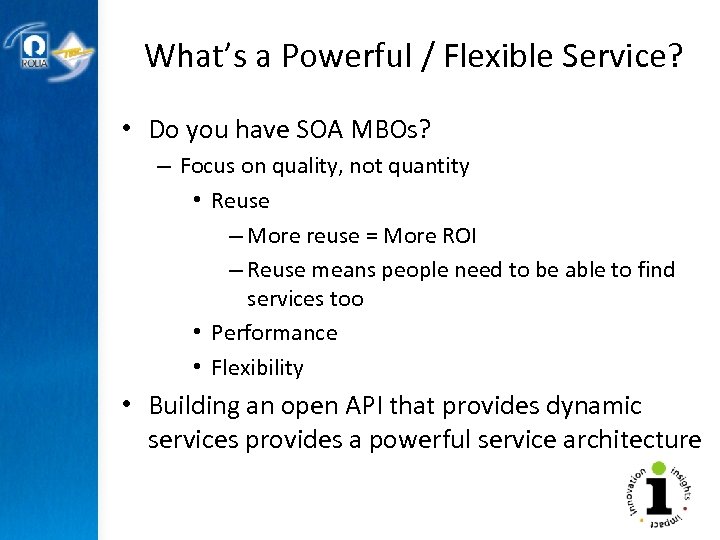
What’s a Powerful / Flexible Service? • Do you have SOA MBOs? – Focus on quality, not quantity • Reuse – More reuse = More ROI – Reuse means people need to be able to find services too • Performance • Flexibility • Building an open API that provides dynamic services provides a powerful service architecture
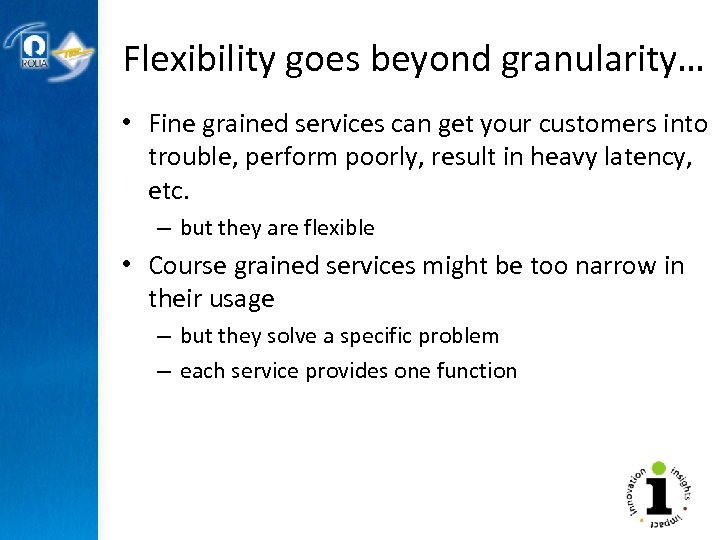
Flexibility goes beyond granularity… • Fine grained services can get your customers into trouble, perform poorly, result in heavy latency, etc. – but they are flexible • Course grained services might be too narrow in their usage – but they solve a specific problem – each service provides one function
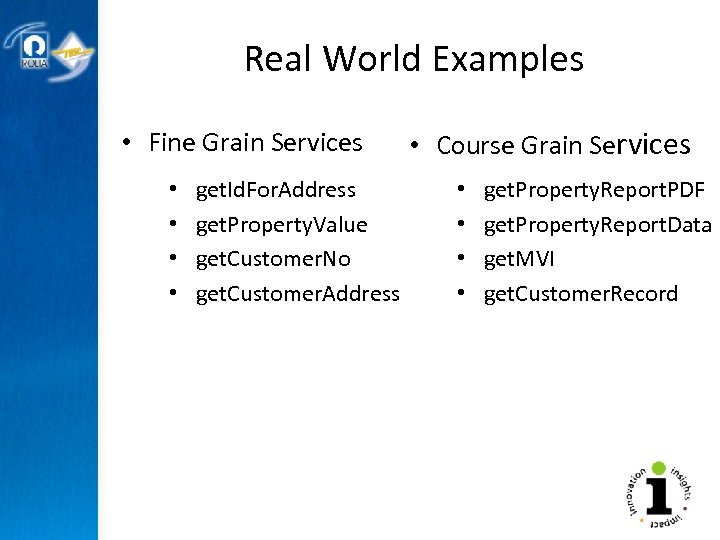
Real World Examples • Fine Grain Services • • get. Id. For. Address get. Property. Value get. Customer. No get. Customer. Address • Course Grain Services • • get. Property. Report. PDF get. Property. Report. Data get. MVI get. Customer. Record
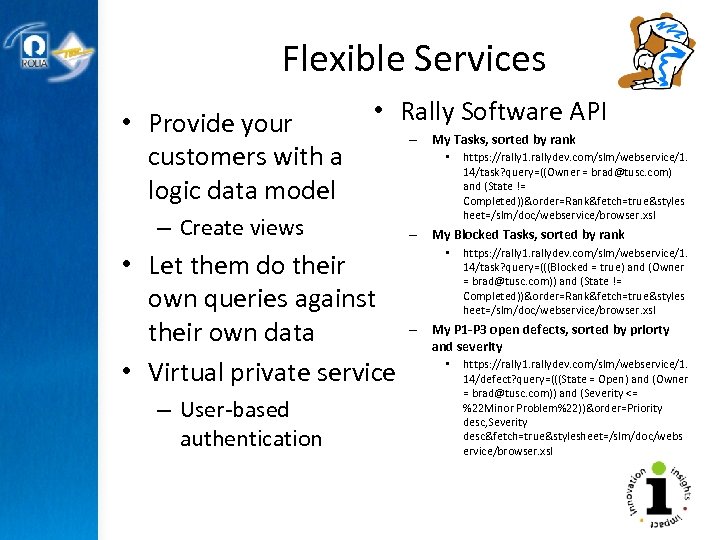
Flexible Services • Rally Software API • Provide your – My Tasks, sorted by rank • https: //rally 1. rallydev. com/slm/webservice/1. customers with a 14/task? query=((Owner = brad@tusc. com) and (State != logic data model Completed))&order=Rank&fetch=true&styles – Create views • Let them do their own queries against their own data • Virtual private service – User-based authentication heet=/slm/doc/webservice/browser. xsl – My Blocked Tasks, sorted by rank • https: //rally 1. rallydev. com/slm/webservice/1. 14/task? query=(((Blocked = true) and (Owner = brad@tusc. com)) and (State != Completed))&order=Rank&fetch=true&styles heet=/slm/doc/webservice/browser. xsl – My P 1 -P 3 open defects, sorted by priorty and severity • https: //rally 1. rallydev. com/slm/webservice/1. 14/defect? query=(((State = Open) and (Owner = brad@tusc. com)) and (Severity <= %22 Minor Problem%22))&order=Priority desc, Severity desc&fetch=true&stylesheet=/slm/doc/webs ervice/browser. xsl
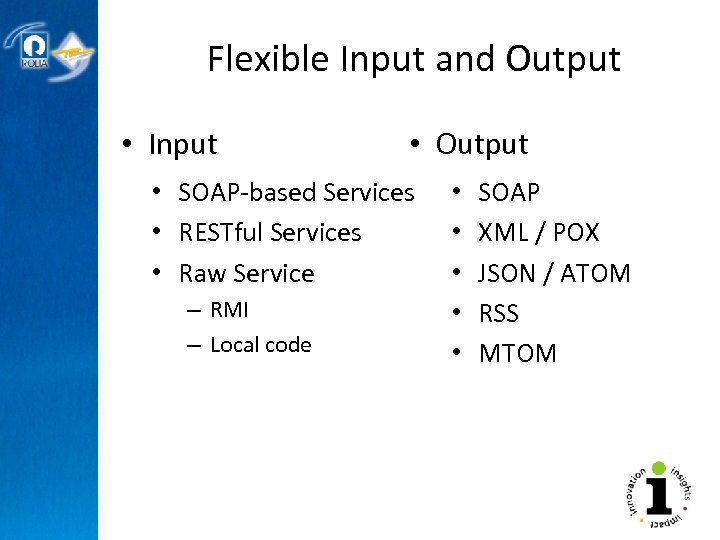
Flexible Input and Output • Input • Output • SOAP-based Services • RESTful Services • Raw Service – RMI – Local code • • • SOAP XML / POX JSON / ATOM RSS MTOM
WEB SERVICE CREATION Reusing existing assets Copyright © 2009 Rolta International, Inc. , All Rights Reserved
Creating a New Web Service – Many Ways to Expose Services – Examples Today • From Oracle 11 g DB – PL/SQL or Java Stored Procedures • JDeveloper – Java or PL/SQL Service • i. Perspective services – Any JDBC Source – Flexible Services, Federated Queries – Numerous other sources
WEB SERVICE CREATION Oracle 11 g Database Copyright © 2009 Rolta International, Inc. , All Rights Reserved
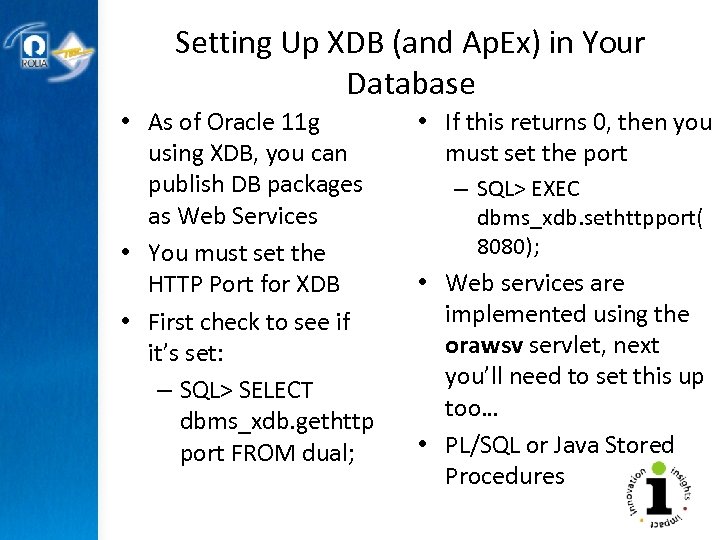
Setting Up XDB (and Ap. Ex) in Your Database • As of Oracle 11 g using XDB, you can publish DB packages as Web Services • You must set the HTTP Port for XDB • First check to see if it’s set: – SQL> SELECT dbms_xdb. gethttp port FROM dual; • If this returns 0, then you must set the port – SQL> EXEC dbms_xdb. sethttpport( 8080); • Web services are implemented using the orawsv servlet, next you’ll need to set this up too… • PL/SQL or Java Stored Procedures
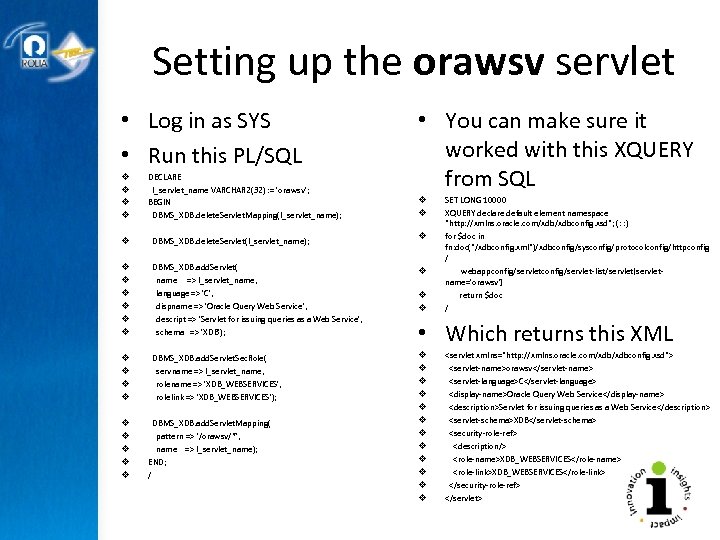
Setting up the orawsv servlet • Log in as SYS • Run this PL/SQL • You can make sure it worked with this XQUERY from SQL v v DECLARE l_servlet_name VARCHAR 2(32) : = 'orawsv'; BEGIN DBMS_XDB. delete. Servlet. Mapping(l_servlet_name); v DBMS_XDB. delete. Servlet(l_servlet_name); v v v DBMS_XDB. add. Servlet( name => l_servlet_name, language => 'C', dispname => 'Oracle Query Web Service', descript => 'Servlet for issuing queries as a Web Service', schema => 'XDB'); v v v DBMS_XDB. add. Servlet. Sec. Role( servname => l_servlet_name, rolename => 'XDB_WEBSERVICES', rolelink => 'XDB_WEBSERVICES'); v v v DBMS_XDB. add. Servlet. Mapping( pattern => '/orawsv/*', name => l_servlet_name); END; / v v v v v SET LONG 10000 XQUERY declare default element namespace "http: //xmlns. oracle. com/xdbconfig. xsd"; (: : ) for $doc in fn: doc("/xdbconfig. xml")/xdbconfig/sysconfig/protocolconfig/httpconfig / webappconfig/servlet-list/servlet[servletname='orawsv'] return $doc / • Which returns this XML <servlet xmlns="http: //xmlns. oracle. com/xdbconfig. xsd"> <servlet-name>orawsv</servlet-name> <servlet-language>C</servlet-language> <display-name>Oracle Query Web Service</display-name> <description>Servlet for issuing queries as a Web Service</description> <servlet-schema>XDB</servlet-schema> <security-role-ref> <description/> <role-name>XDB_WEBSERVICES</role-name> <role-link>XDB_WEBSERVICES</role-link> </security-role-ref> </servlet>
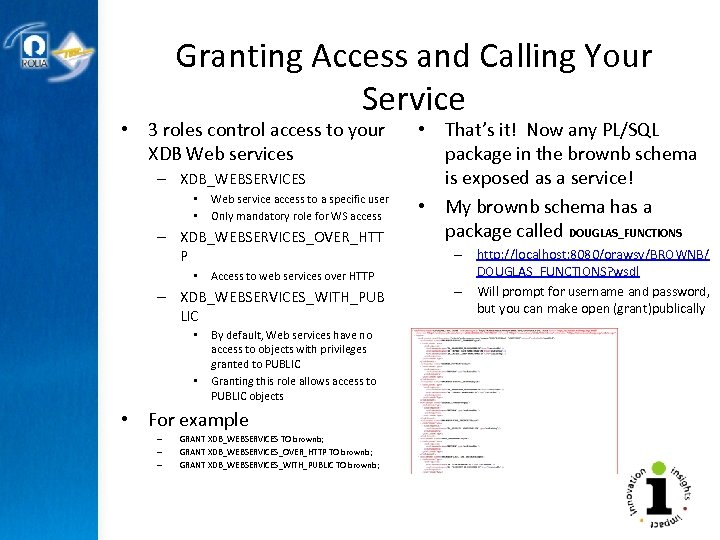
Granting Access and Calling Your Service • 3 roles control access to your XDB Web services – XDB_WEBSERVICES • • Web service access to a specific user Only mandatory role for WS access – XDB_WEBSERVICES_OVER_HTT P • Access to web services over HTTP – XDB_WEBSERVICES_WITH_PUB LIC • • By default, Web services have no access to objects with privileges granted to PUBLIC Granting this role allows access to PUBLIC objects • For example – – – GRANT XDB_WEBSERVICES TO brownb; GRANT XDB_WEBSERVICES_OVER_HTTP TO brownb; GRANT XDB_WEBSERVICES_WITH_PUBLIC TO brownb; • That’s it! Now any PL/SQL package in the brownb schema is exposed as a service! • My brownb schema has a package called DOUGLAS_FUNCTIONS – http: //localhost: 8080/orawsv/BROWNB/ DOUGLAS_FUNCTIONS? wsdl – Will prompt for username and password, but you can make open (grant)publically
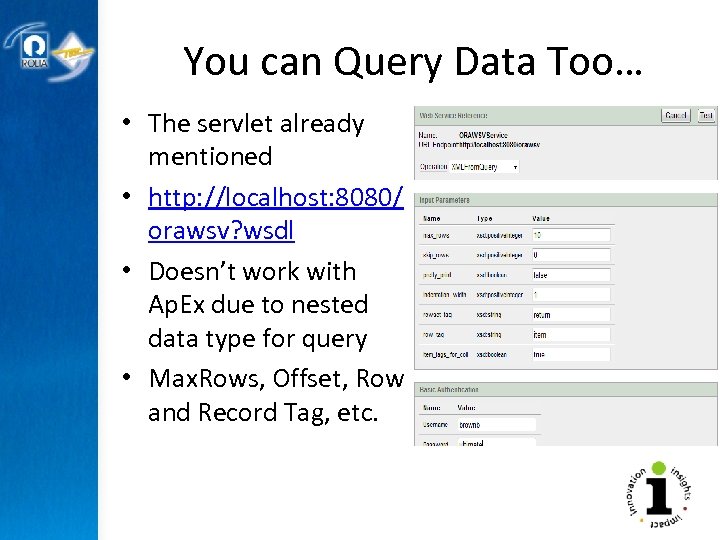
You can Query Data Too… • The servlet already mentioned • http: //localhost: 8080/ orawsv? wsdl • Doesn’t work with Ap. Ex due to nested data type for query • Max. Rows, Offset, Row and Record Tag, etc.
WEB SERVICE CREATION JDeveloper - Java or PL/SQL service Copyright © 2009 Rolta International, Inc. , All Rights Reserved
JDeveloper • Complete IDE • Primarily “Java” based, but it’s VERY comprehensive… – PLSQL or Java Class Web Services • It’s Quick and Easy • Must deploy to an App Server
Creating Web Services From Existing Program Units (Services) • Java Class – Stateless – Stateful • PL/SQL • Start a new Application Workspace • Include Java files or pick PL/SQL package • Can right-click on classes
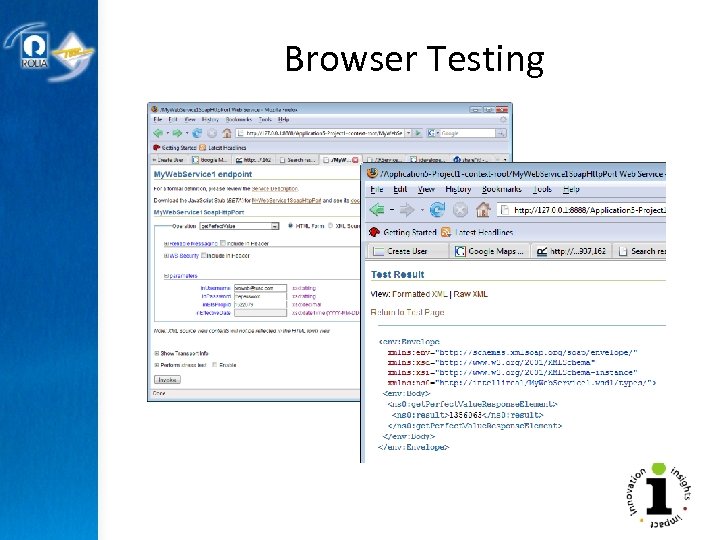
Deployment and Testing • One-click deployment • Testing via – Web Services Home • Be sure to include the Page libraries in – Project – Deployment 23 – Stub or Skeleton • TCP Packet Monitor
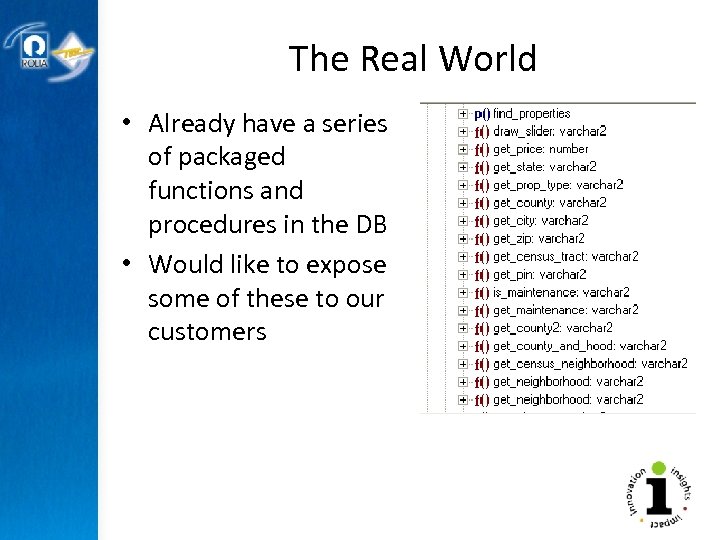
The Real World • Already have a series of packaged functions and procedures in the DB • Would like to expose some of these to our customers
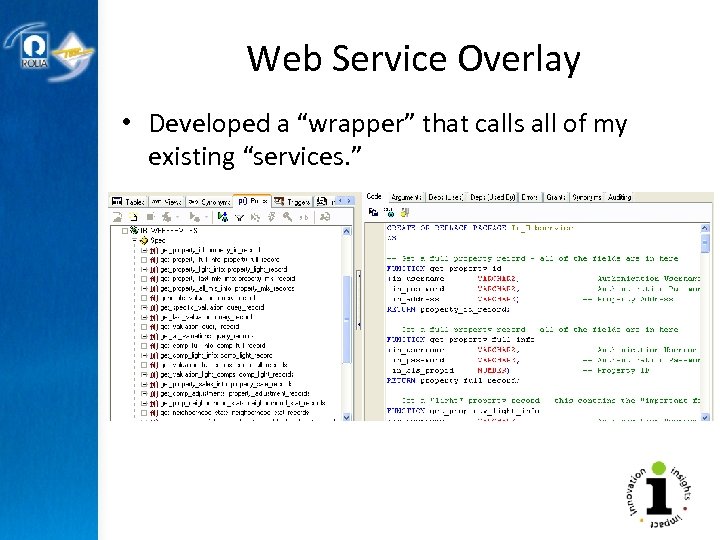
Web Service Overlay • Developed a “wrapper” that calls all of my existing “services. ”
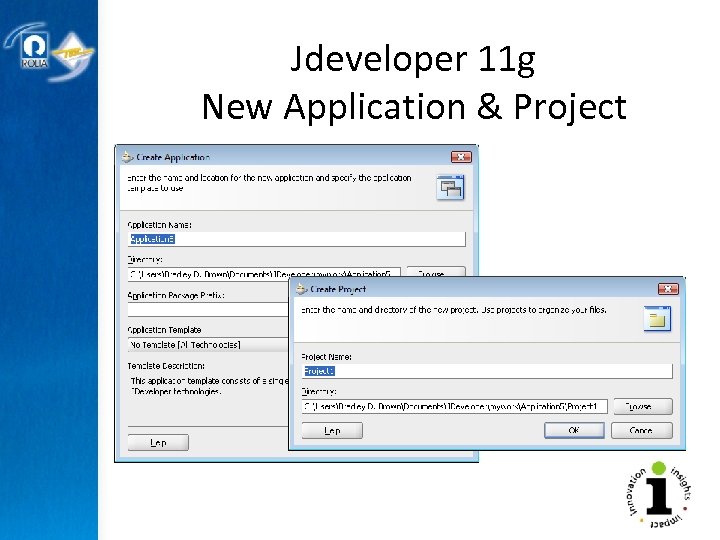
Jdeveloper 11 g New Application & Project
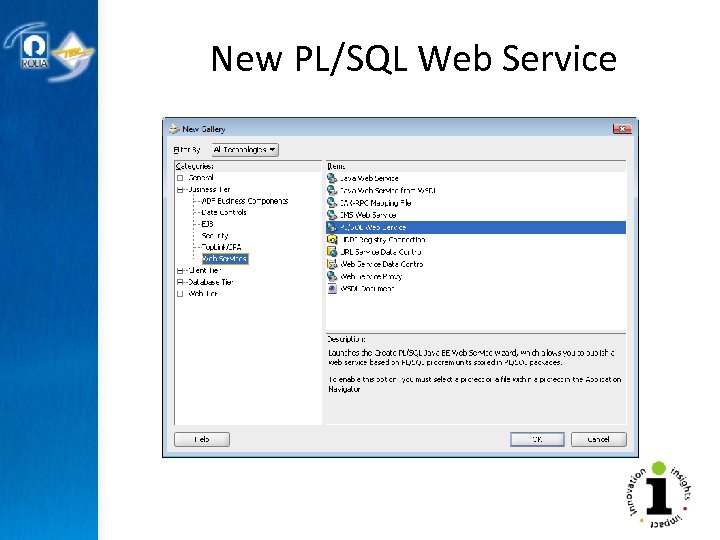
New PL/SQL Web Service
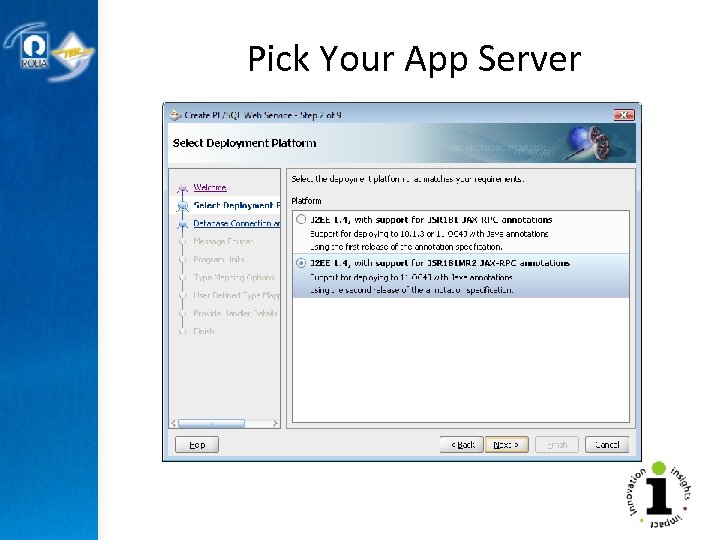
Pick Your App Server
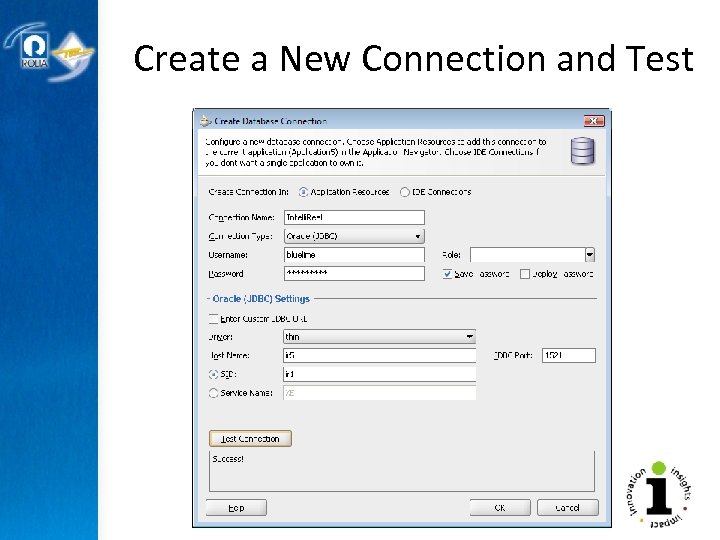
Create a New Connection and Test
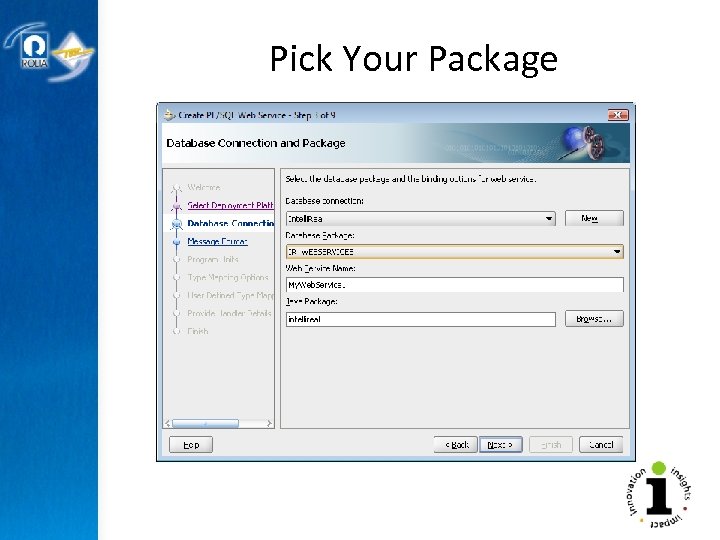
Pick Your Package
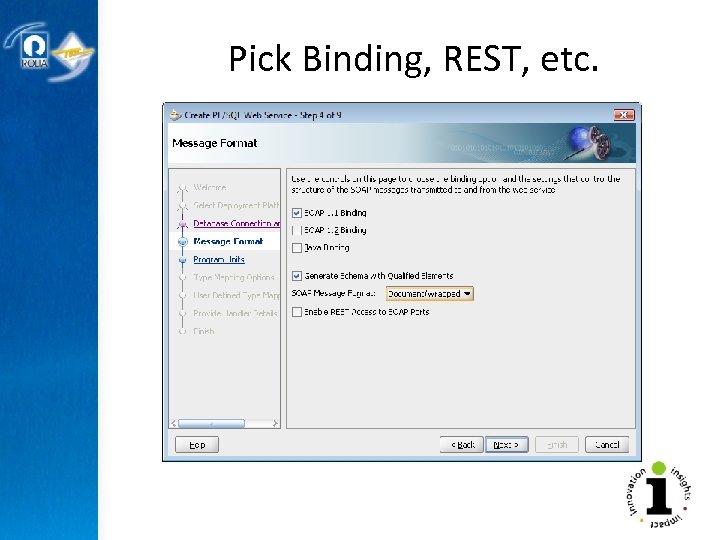
Pick Binding, REST, etc.
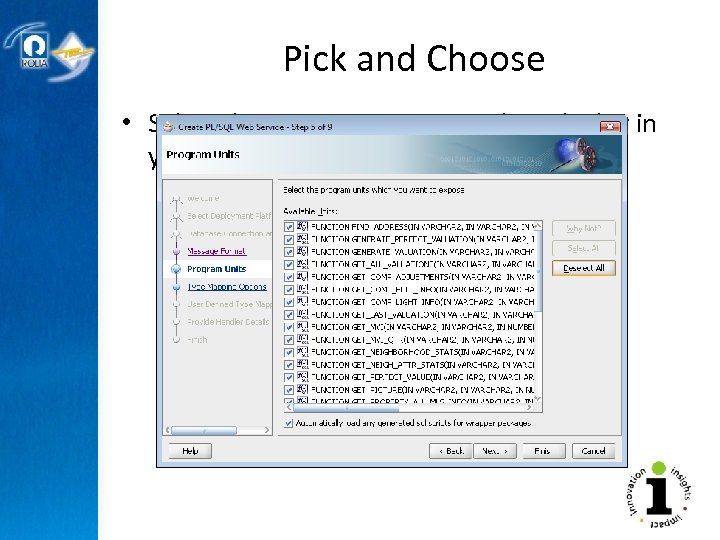
Pick and Choose • Select the components you wish to deploy in your Web Services
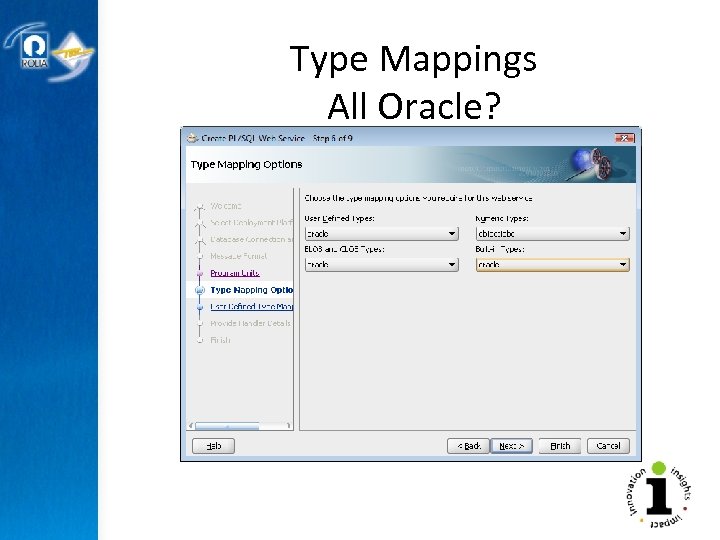
Type Mappings All Oracle?
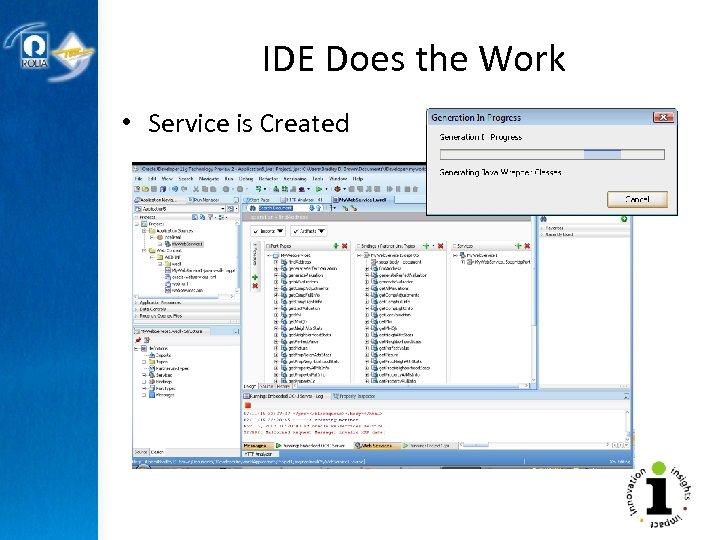
IDE Does the Work • Service is Created
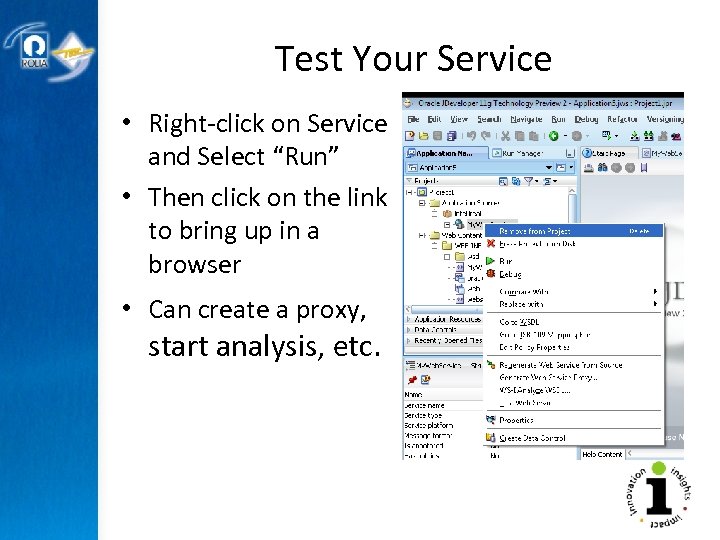
Test Your Service • Right-click on Service and Select “Run” • Then click on the link to bring up in a browser • Can create a proxy, start analysis, etc.
Browser Testing
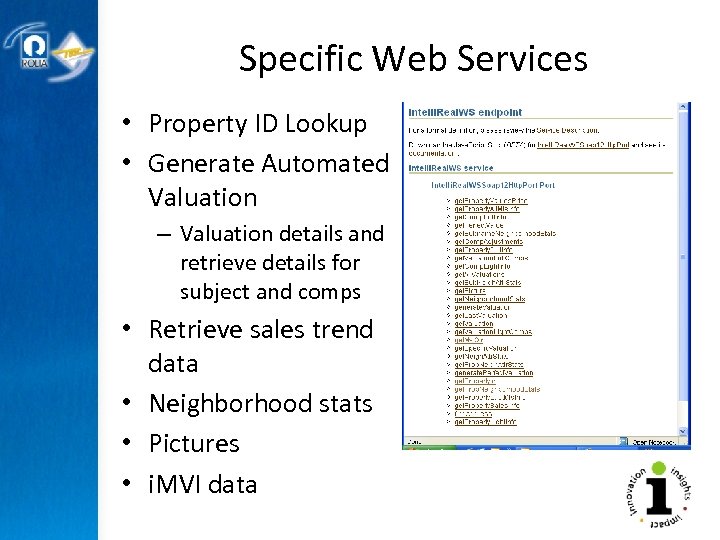
Specific Web Services • Property ID Lookup • Generate Automated Valuation – Valuation details and retrieve details for subject and comps • Retrieve sales trend data • Neighborhood stats • Pictures • i. MVI data
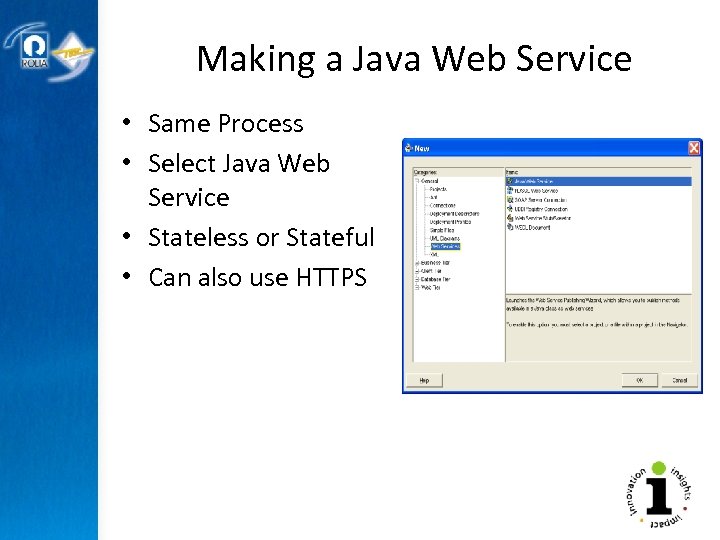
Making a Java Web Service • Same Process • Select Java Web Service • Stateless or Stateful • Can also use HTTPS IDEs like Oracle’s JDeveloper makes it easy
The IDE Does the Work… • JDeveloper creates each of the necessary components • Can create Web Services for any existing code you have
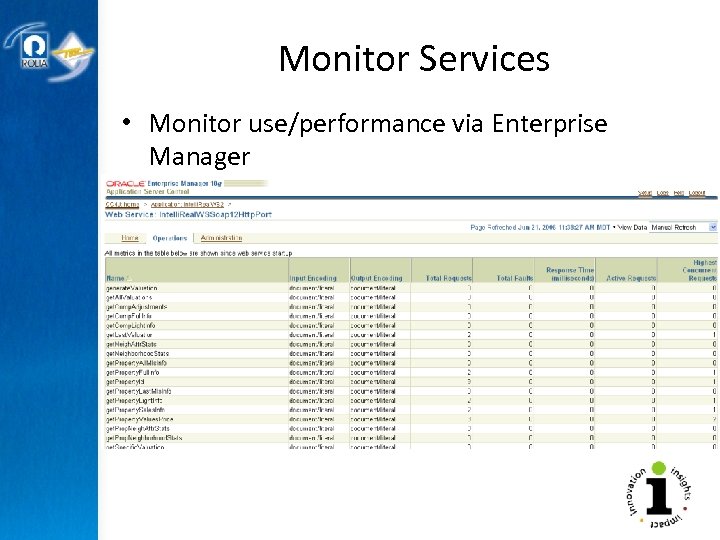
Monitor Services • Monitor use/performance via Enterprise Manager
WEB SERVICE CREATION i. Perspective services DB Objects (Data or Business Logic) Others – SMTP, Google Desktop, … Copyright © 2009 Rolta International, Inc. , All Rights Reserved
Benefits • • • No IDE to learn, runs in a browser Get REST, JSON, … by selecting it Newer version of CXF and AXIS More PL/SQL object extensions Any JDBC database Complete Stack (App Server, browser-based App, etc)
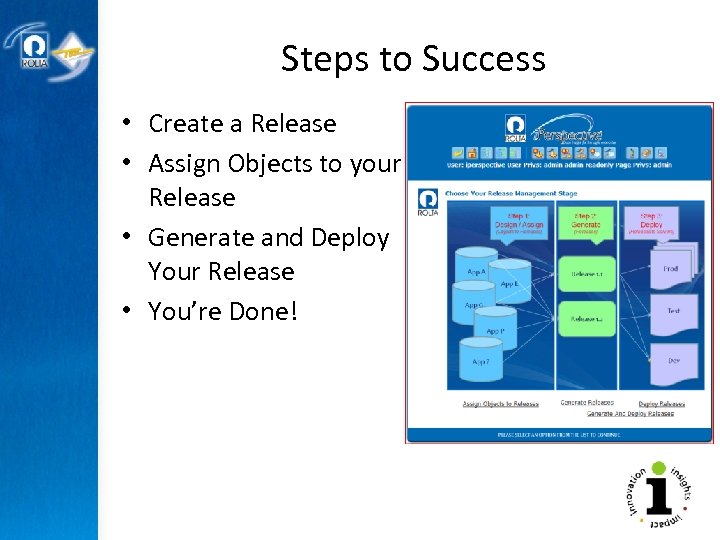
Steps to Success • Create a Release • Assign Objects to your Release • Generate and Deploy Your Release • You’re Done!
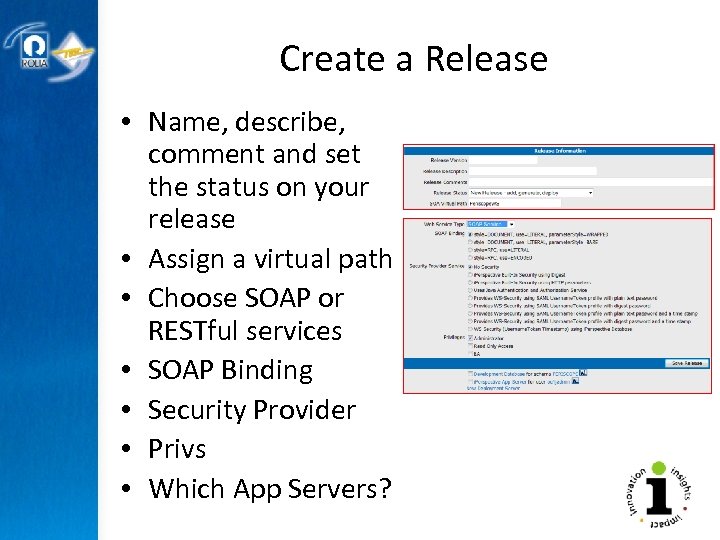
Create a Release • Name, describe, comment and set the status on your release • Assign a virtual path • Choose SOAP or RESTful services • SOAP Binding • Security Provider • Privs • Which App Servers?
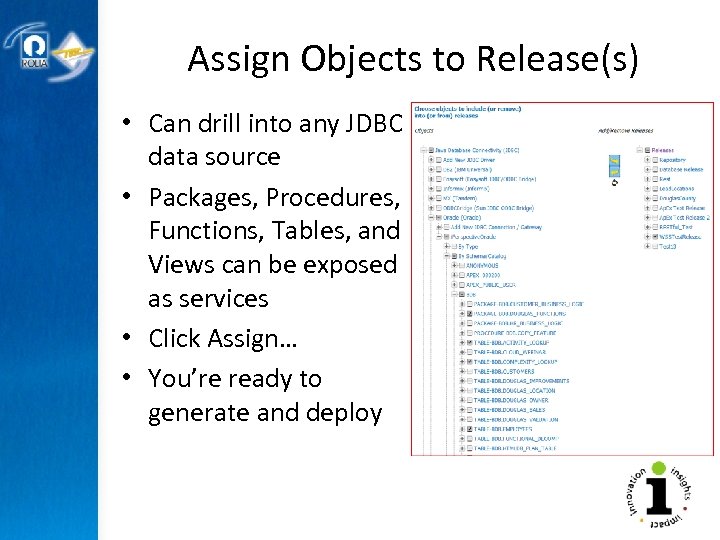
Assign Objects to Release(s) • Can drill into any JDBC data source • Packages, Procedures, Functions, Tables, and Views can be exposed as services • Click Assign… • You’re ready to generate and deploy
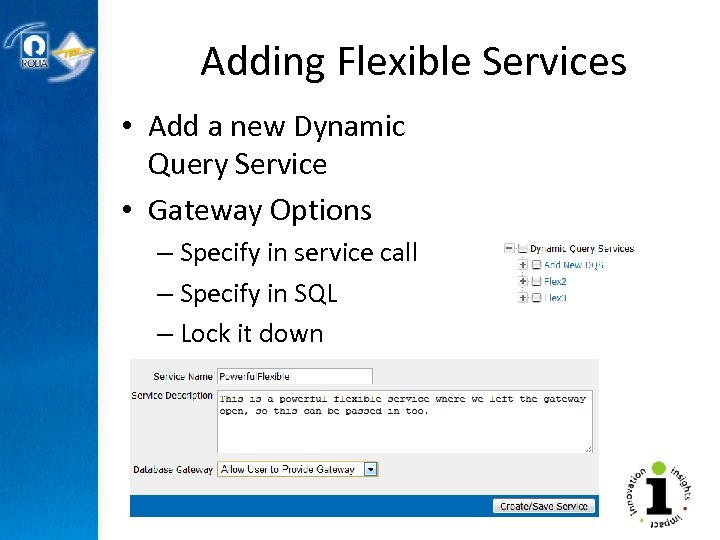
Adding Flexible Services • Add a new Dynamic Query Service • Gateway Options – Specify in service call – Specify in SQL – Lock it down
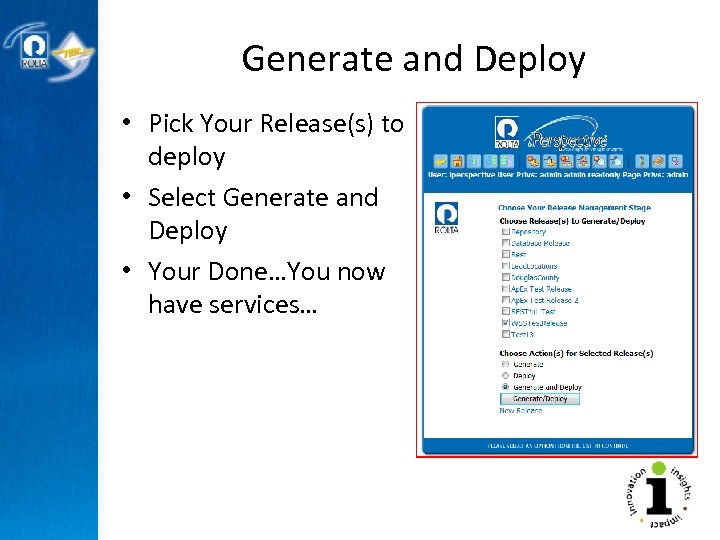
Generate and Deploy • Pick Your Release(s) to deploy • Select Generate and Deploy • Your Done…You now have services…
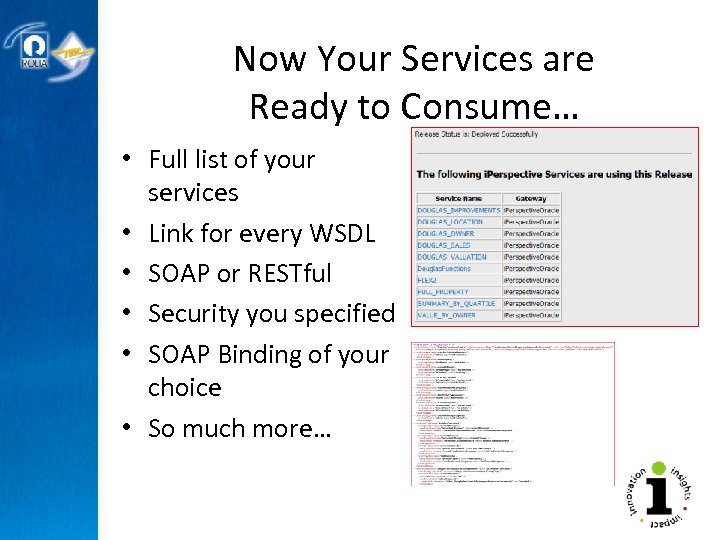
Now Your Services are Ready to Consume… • Full list of your services • Link for every WSDL • SOAP or RESTful • Security you specified • SOAP Binding of your choice • So much more…
Other Features Worth Noting • Federated Queries Release Management Repository Dynamic Query Service Virtual Private Service Ap. Ex, Sensedia, and UDDI repository • Auto Deployment • Open Adaptor API • Query from a Service • – Ability to write one • query that spans • multiple databases • • Security Layer – Extensible, yet comes • with many out of the box – Release or Object • SOAP Bindings – Numerous variants
REAL WORLD EXAMPLES How Companies Have Used Web Services I’ve Created… Copyright © 2009 Rolta International, Inc. , All Rights Reserved
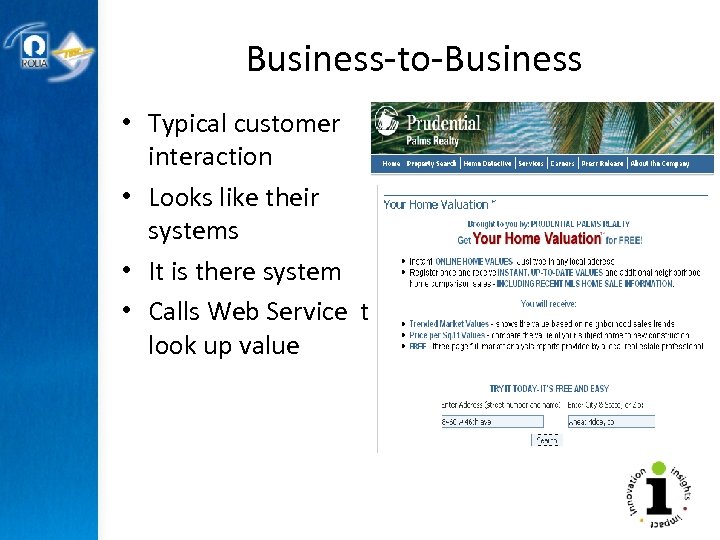
Business-to-Business • Typical customer interaction • Looks like their systems • It is there system • Calls Web Service to look up value
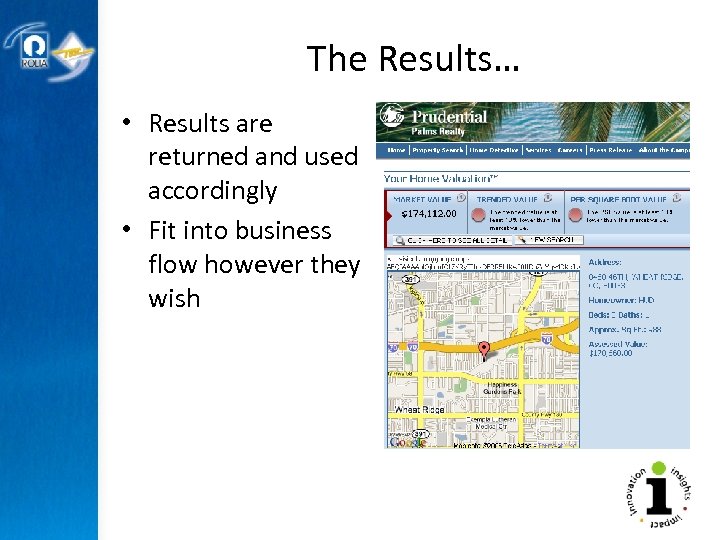
The Results… • Results are returned and used accordingly • Fit into business flow however they wish
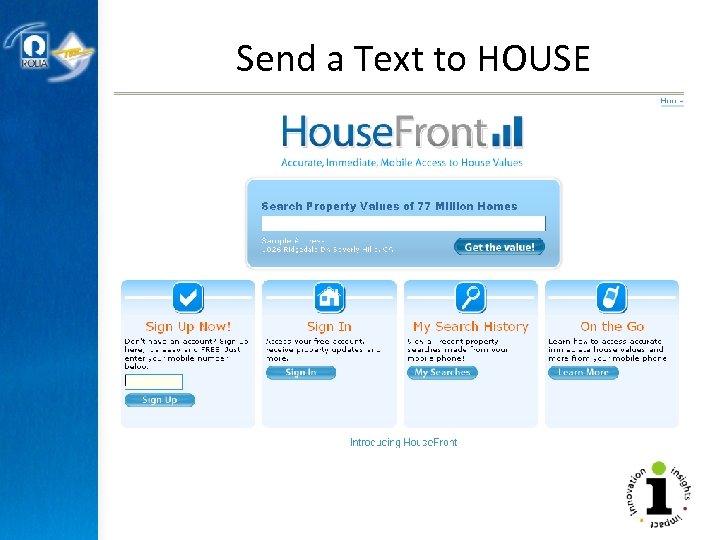
Send a Text to HOUSE • c
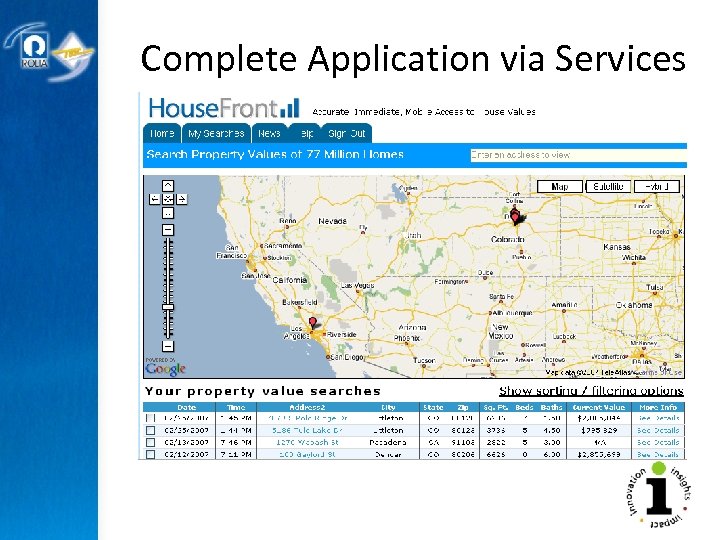
Complete Application via Services
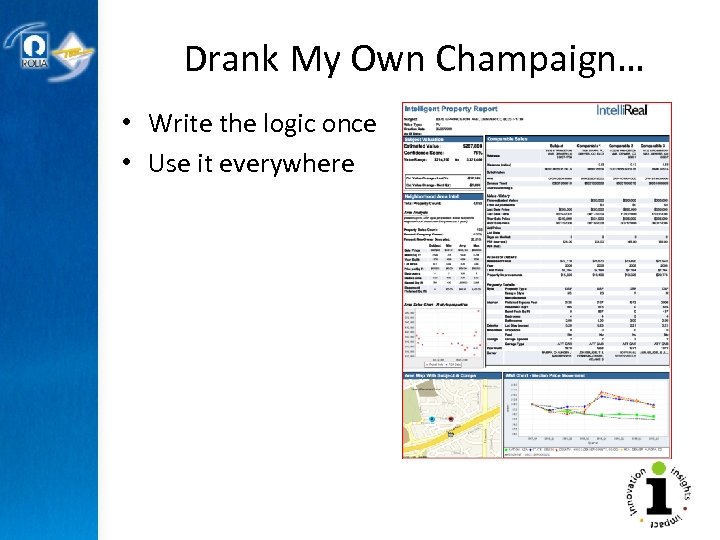
Drank My Own Champaign… • Write the logic once • Use it everywhere
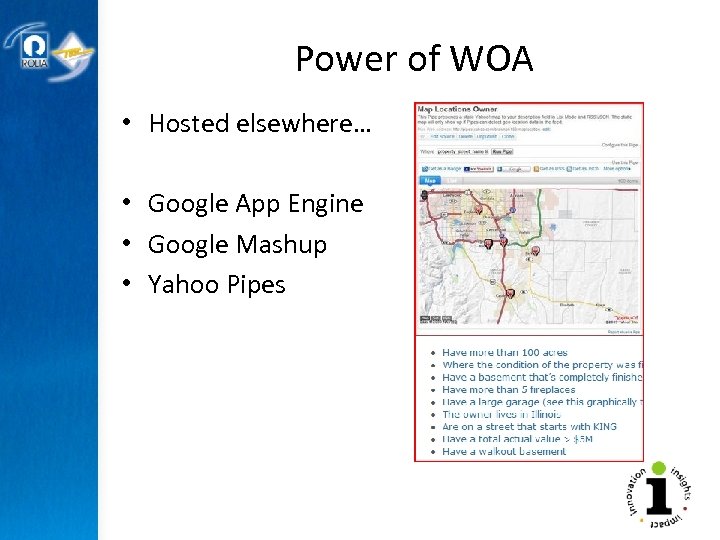
Power of WOA • Hosted elsewhere… • Google App Engine • Google Mashup • Yahoo Pipes
CONSUMING EXISTING WEB SERVICES Calling Someone’s API Copyright © 2009 Rolta International, Inc. , All Rights Reserved
Can Also Use Someone Else’s Web Service • Most every software firm is porting their APIs to be Web Services • Thousands of Existing Web Services have been written as of today • They are available to be used over the Internet • Some free, some not
WSDL Web Services Description Language “Self Describing” part of Web Services Currently at version 1. 1 XML describing Web Service interfaces and locations • W 3 C standard specifies: • • – – Service interface Input/output parameters Service location info Protocol bindings
Consuming an Existing Service • Ap. Ex – Oracle Application Express • JDeveloper • PL/SQL – UTL_DBWS – UTL_HTTP • Periscope/CGQ – Query from a Service • Jack. Be, Business. Objects, so many more
CONSUMING EXISTING WEB SERVICES Ap. Ex – Oracle Application Express Manually With i. Perspective Copyright © 2009 Rolta International, Inc. , All Rights Reserved
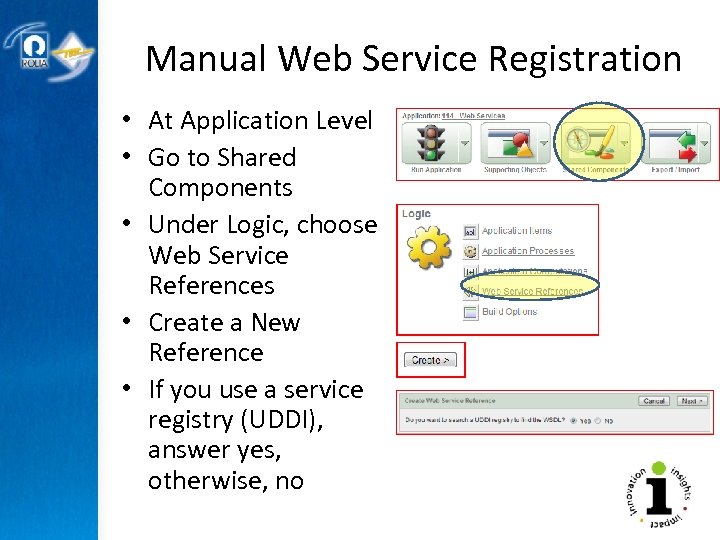
Manual Web Service Registration • At Application Level • Go to Shared Components • Under Logic, choose Web Service References • Create a New Reference • If you use a service registry (UDDI), answer yes, otherwise, no
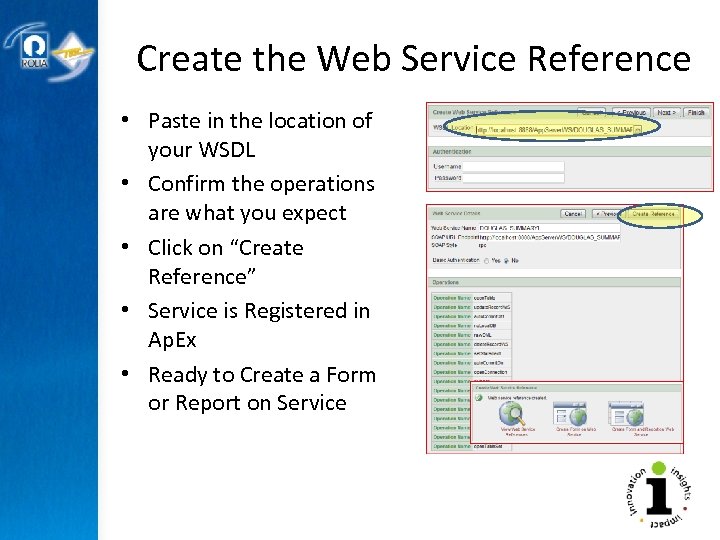
Create the Web Service Reference • Paste in the location of your WSDL • Confirm the operations are what you expect • Click on “Create Reference” • Service is Registered in Ap. Ex • Ready to Create a Form or Report on Service
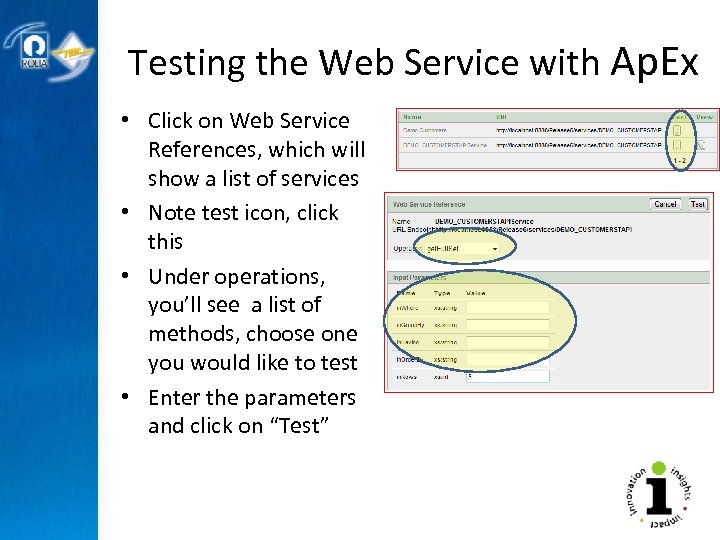
Testing the Web Service with Ap. Ex • Click on Web Service References, which will show a list of services • Note test icon, click this • Under operations, you’ll see a list of methods, choose one you would like to test • Enter the parameters and click on “Test”
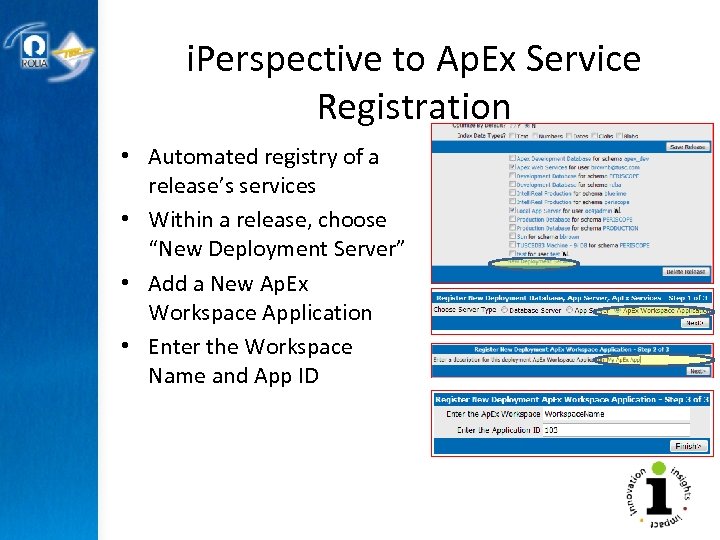
i. Perspective to Ap. Ex Service Registration • Automated registry of a release’s services • Within a release, choose “New Deployment Server” • Add a New Ap. Ex Workspace Application • Enter the Workspace Name and App ID
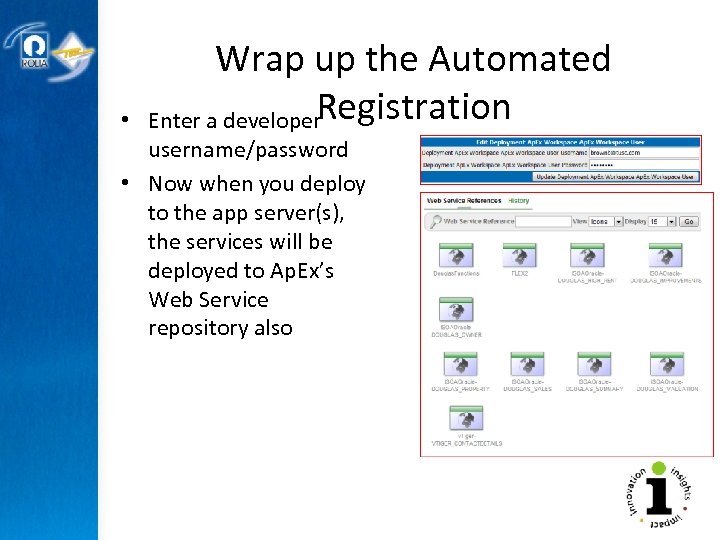
• Wrap up the Automated Registration Enter a developer username/password • Now when you deploy to the app server(s), the services will be deployed to Ap. Ex’s Web Service repository also
Consuming Standard Service • Form with a Report • Standalone Report, Graph • 2 Dimensional Array
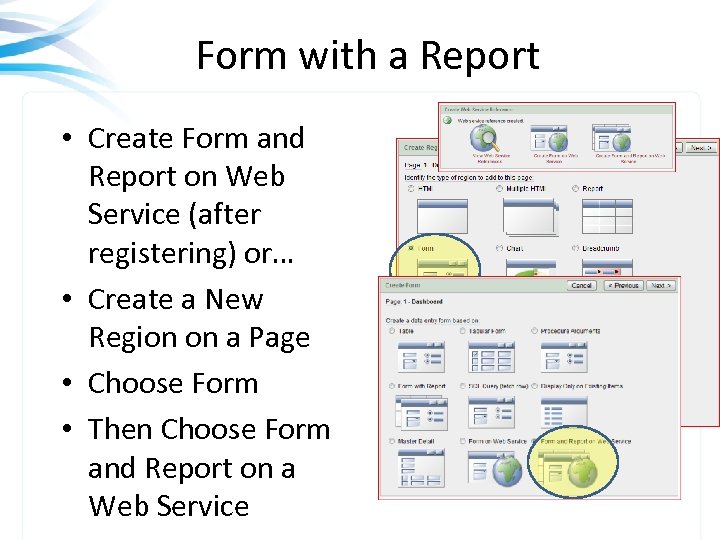
Form with a Report • Create Form and Report on Web Service (after registering) or… • Create a New Region on a Page • Choose Form • Then Choose Form and Report on a Web Service
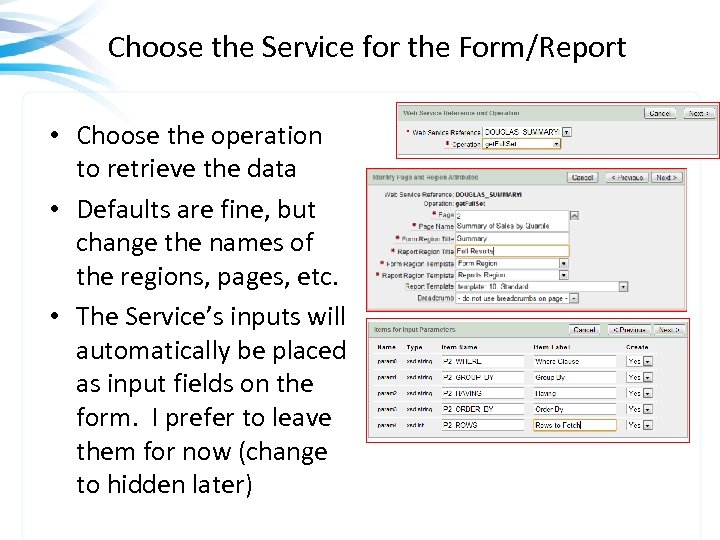
Choose the Service for the Form/Report • Choose the operation to retrieve the data • Defaults are fine, but change the names of the regions, pages, etc. • The Service’s inputs will automatically be placed as input fields on the form. I prefer to leave them for now (change to hidden later)
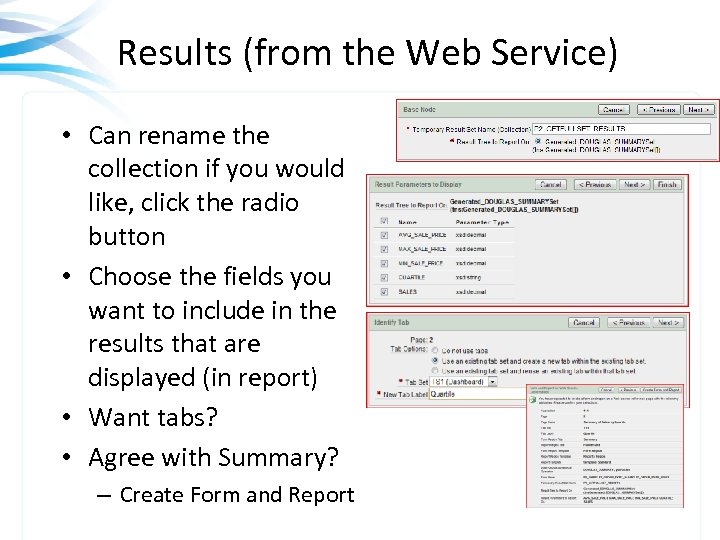
Results (from the Web Service) • Can rename the collection if you would like, click the radio button • Choose the fields you want to include in the results that are displayed (in report) • Want tabs? • Agree with Summary? – Create Form and Report
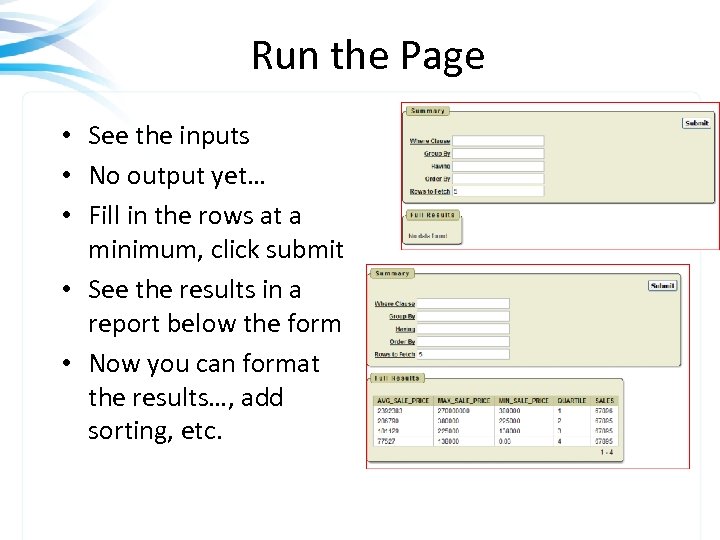
Run the Page • See the inputs • No output yet… • Fill in the rows at a minimum, click submit • See the results in a report below the form • Now you can format the results…, add sorting, etc.
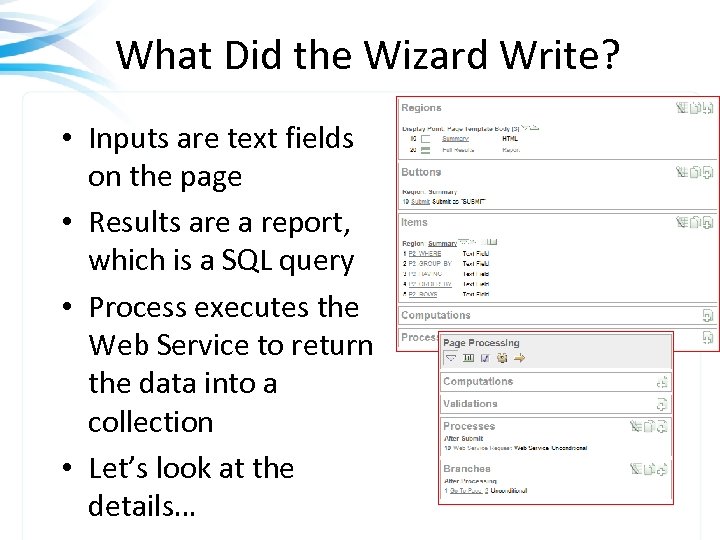
What Did the Wizard Write? • Inputs are text fields on the page • Results are a report, which is a SQL query • Process executes the Web Service to return the data into a collection • Let’s look at the details…
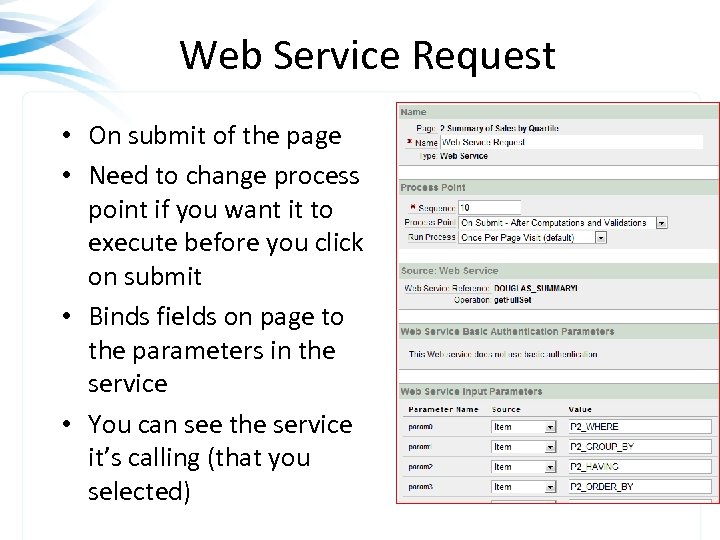
Web Service Request • On submit of the page • Need to change process point if you want it to execute before you click on submit • Binds fields on page to the parameters in the service • You can see the service it’s calling (that you selected)
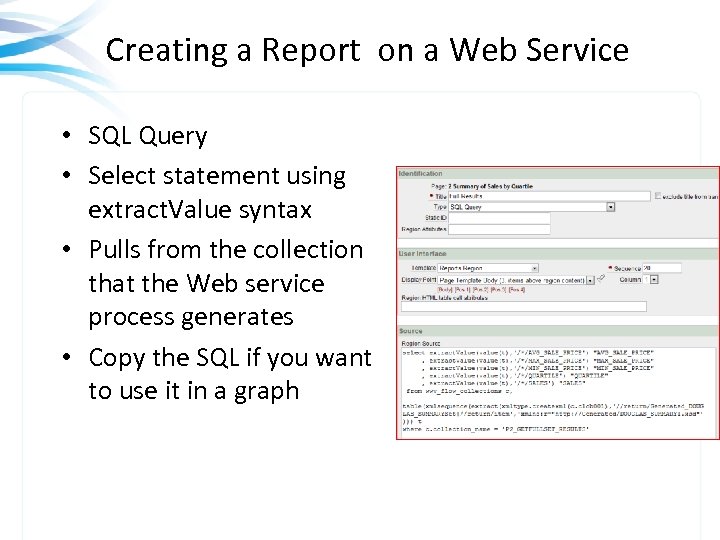
Creating a Report on a Web Service • SQL Query • Select statement using extract. Value syntax • Pulls from the collection that the Web service process generates • Copy the SQL if you want to use it in a graph
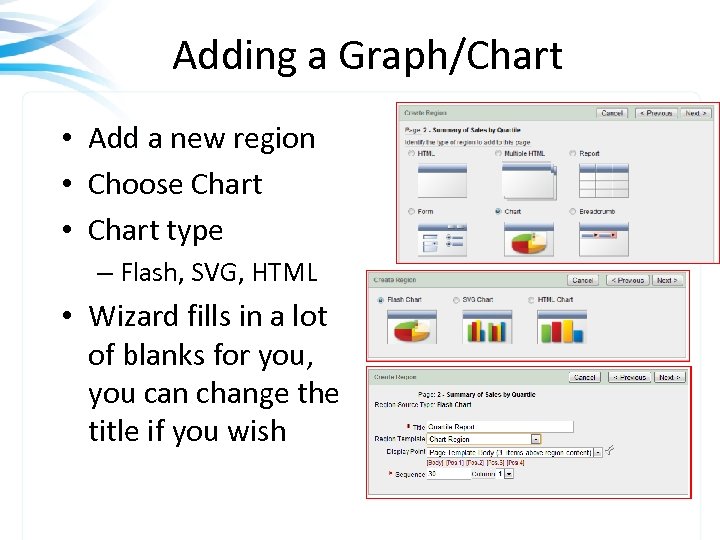
Adding a Graph/Chart • Add a new region • Choose Chart • Chart type – Flash, SVG, HTML • Wizard fills in a lot of blanks for you, you can change the title if you wish
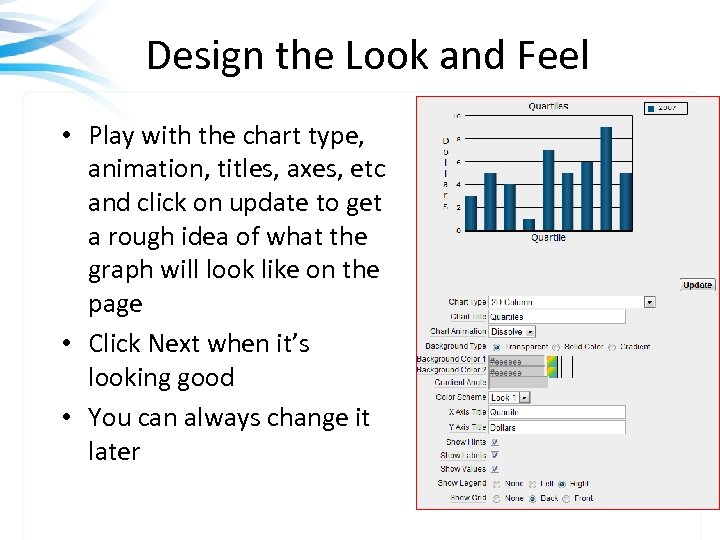
Design the Look and Feel • Play with the chart type, animation, titles, axes, etc and click on update to get a rough idea of what the graph will look like on the page • Click Next when it’s looking good • You can always change it later
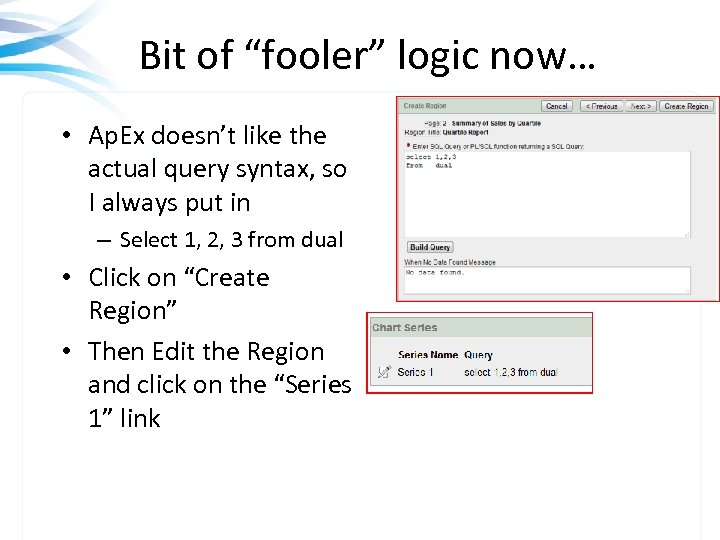
Bit of “fooler” logic now… • Ap. Ex doesn’t like the actual query syntax, so I always put in – Select 1, 2, 3 from dual • Click on “Create Region” • Then Edit the Region and click on the “Series 1” link
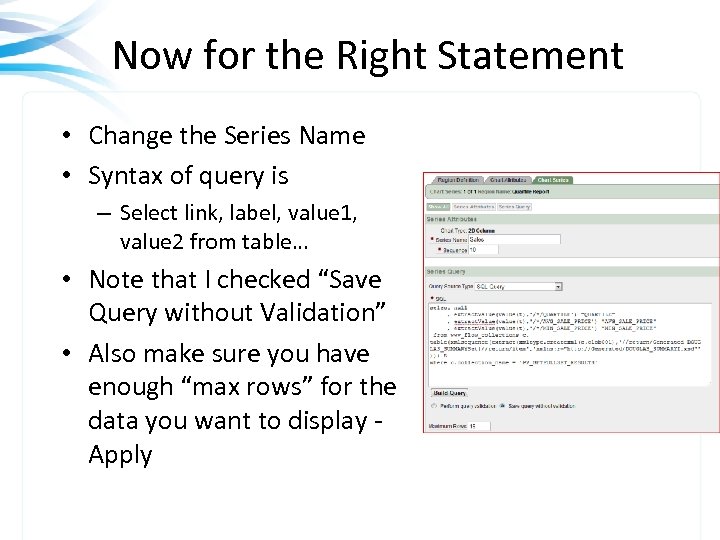
Now for the Right Statement • Change the Series Name • Syntax of query is – Select link, label, value 1, value 2 from table… • Note that I checked “Save Query without Validation” • Also make sure you have enough “max rows” for the data you want to display - Apply
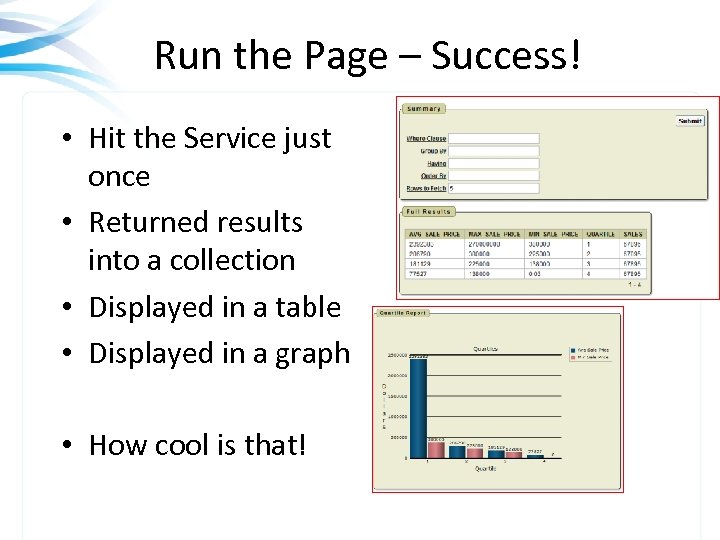
Run the Page – Success! • Hit the Service just once • Returned results into a collection • Displayed in a table • Displayed in a graph • How cool is that!
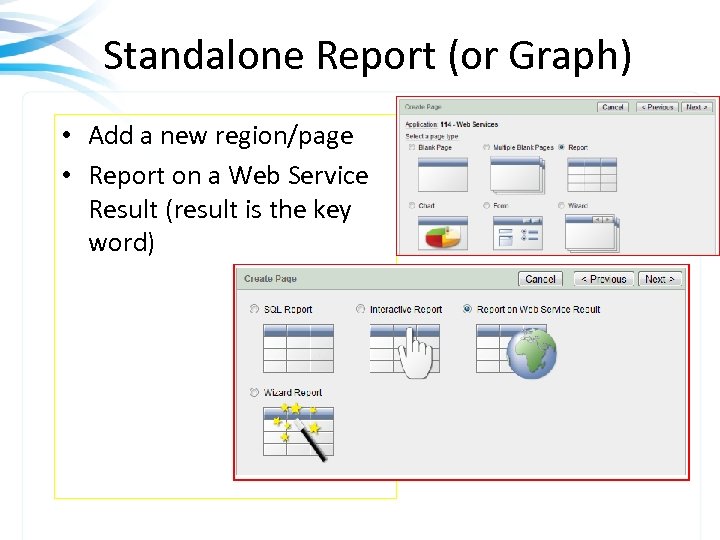
Standalone Report (or Graph) • Add a new region/page • Report on a Web Service Result (result is the key word)
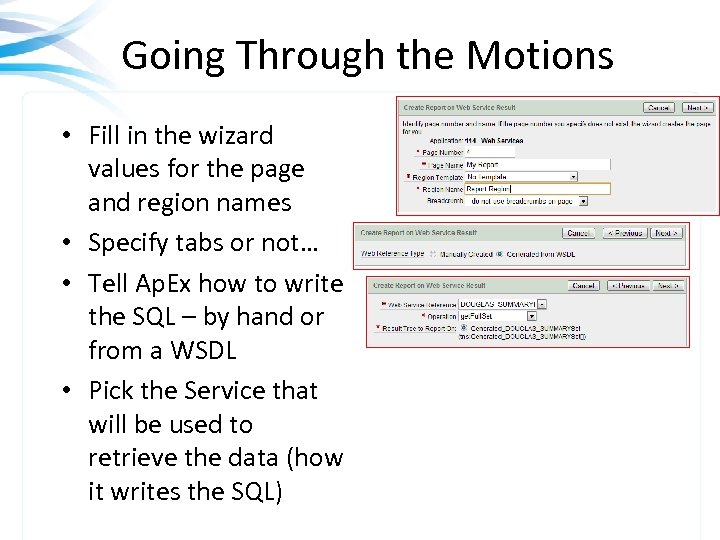
Going Through the Motions • Fill in the wizard values for the page and region names • Specify tabs or not… • Tell Ap. Ex how to write the SQL – by hand or from a WSDL • Pick the Service that will be used to retrieve the data (how it writes the SQL)
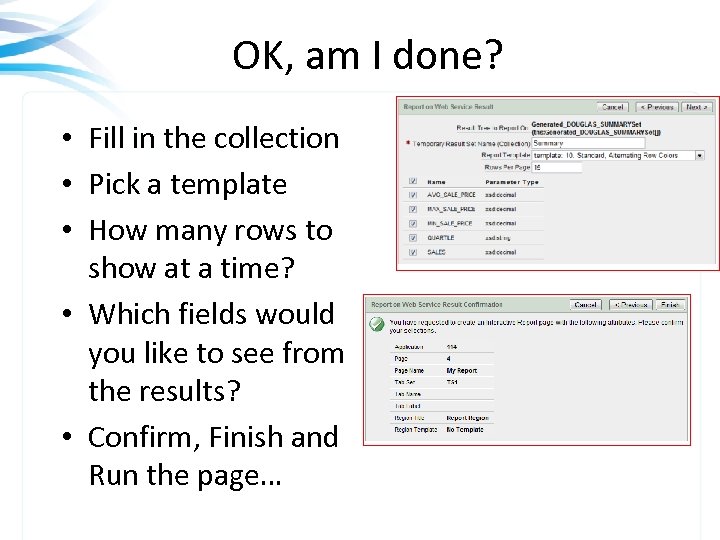
OK, am I done? • Fill in the collection • Pick a template • How many rows to show at a time? • Which fields would you like to see from the results? • Confirm, Finish and Run the page…
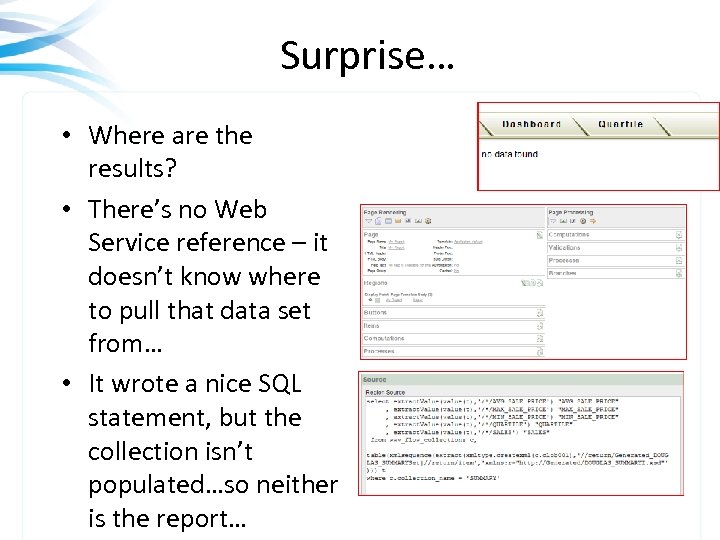
Surprise… • Where are the results? • There’s no Web Service reference – it doesn’t know where to pull that data set from… • It wrote a nice SQL statement, but the collection isn’t populated…so neither is the report…
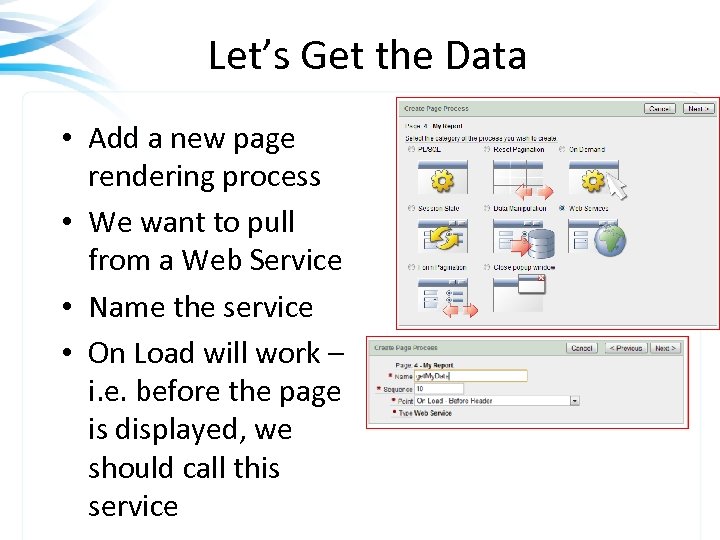
Let’s Get the Data • Add a new page rendering process • We want to pull from a Web Service • Name the service • On Load will work – i. e. before the page is displayed, we should call this service
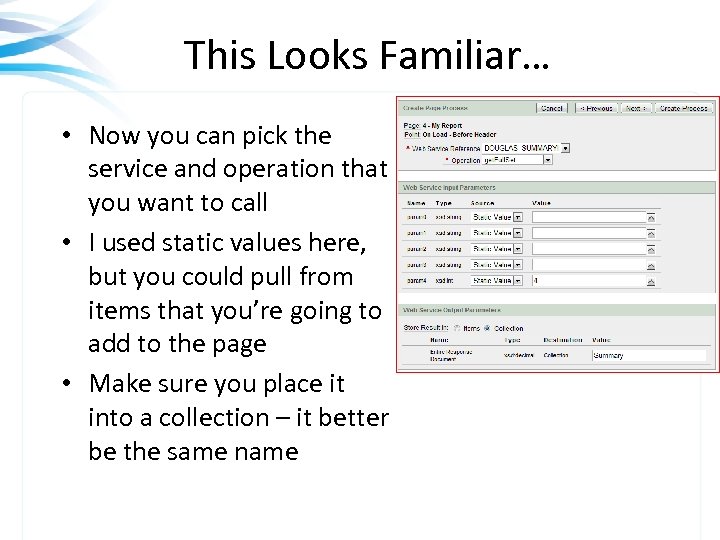
This Looks Familiar… • Now you can pick the service and operation that you want to call • I used static values here, but you could pull from items that you’re going to add to the page • Make sure you place it into a collection – it better be the same name
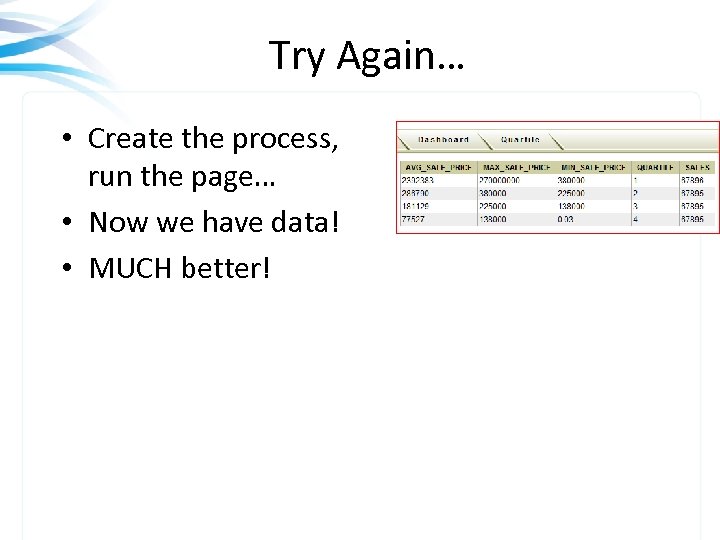
Try Again… • Create the process, run the page… • Now we have data! • MUCH better!
SQL for 2 Dimensional Array • We have a service that allows you to pass – – Database connection SQL Statement Number of Rows Include header as first? • Returns 2 dimensional array with Rows[] which contain column. Values[] • Ap. Ex’s wizard doesn’t know how to handle it • You must edit the SQL it will create and use the position() statement • Going to Create a Form and a Report for this example…
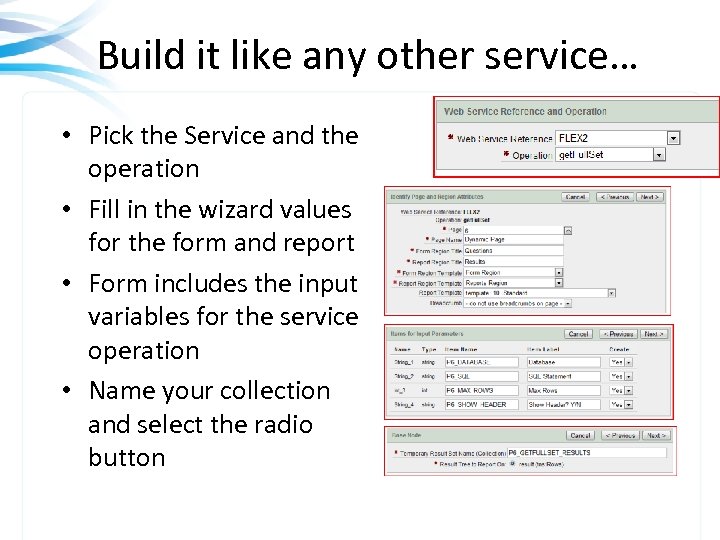
Build it like any other service… • Pick the Service and the operation • Fill in the wizard values for the form and report • Form includes the input variables for the service operation • Name your collection and select the radio button
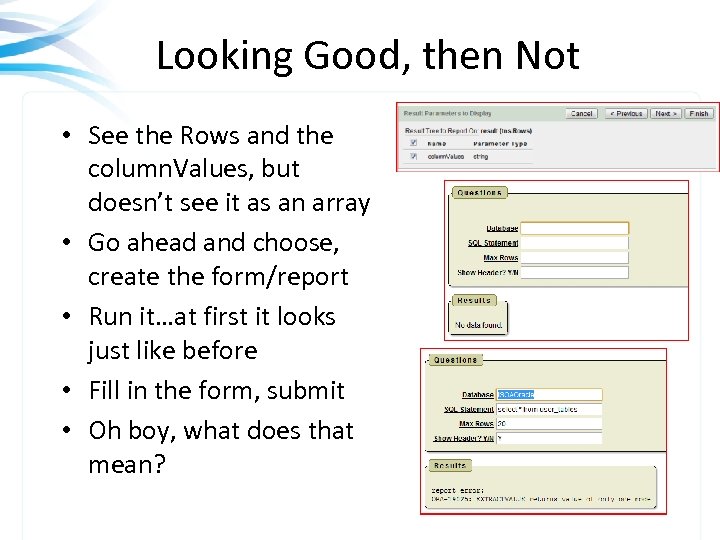
Looking Good, then Not • See the Rows and the column. Values, but doesn’t see it as an array • Go ahead and choose, create the form/report • Run it…at first it looks just like before • Fill in the form, submit • Oh boy, what does that mean?
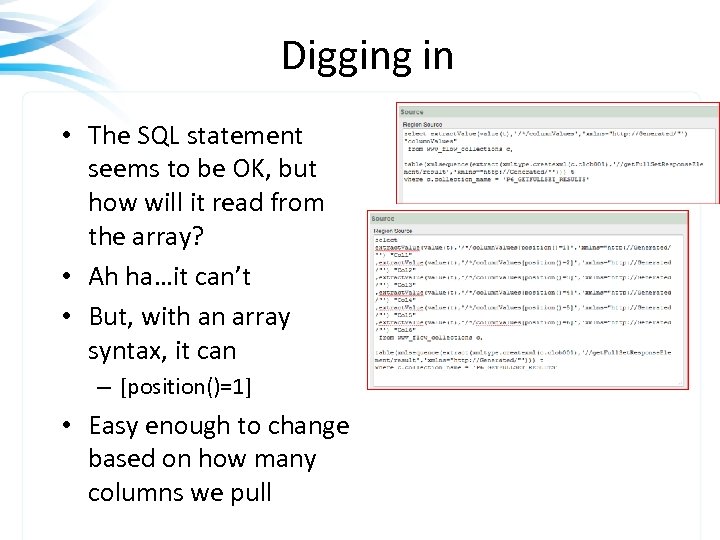
Digging in • The SQL statement seems to be OK, but how will it read from the array? • Ah ha…it can’t • But, with an array syntax, it can – [position()=1] • Easy enough to change based on how many columns we pull
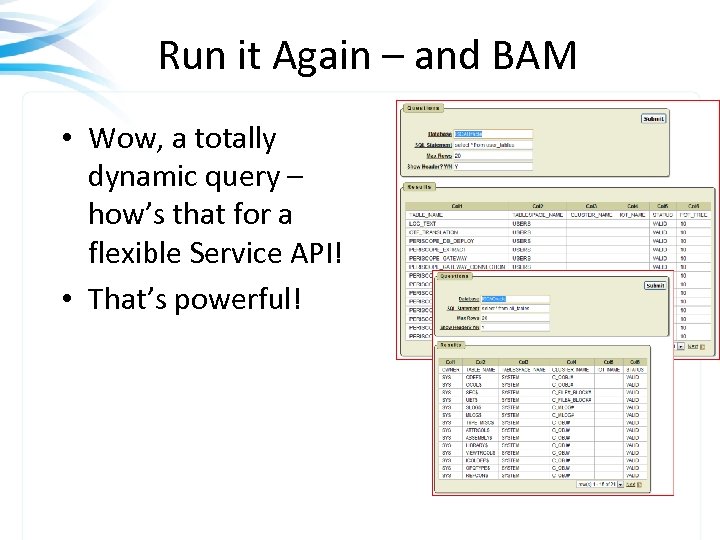
Run it Again – and BAM • Wow, a totally dynamic query – how’s that for a flexible Service API! • That’s powerful!
CONSUMING EXISTING WEB SERVICES JDeveloper – Writes Java Code Copyright © 2009 Rolta International, Inc. , All Rights Reserved
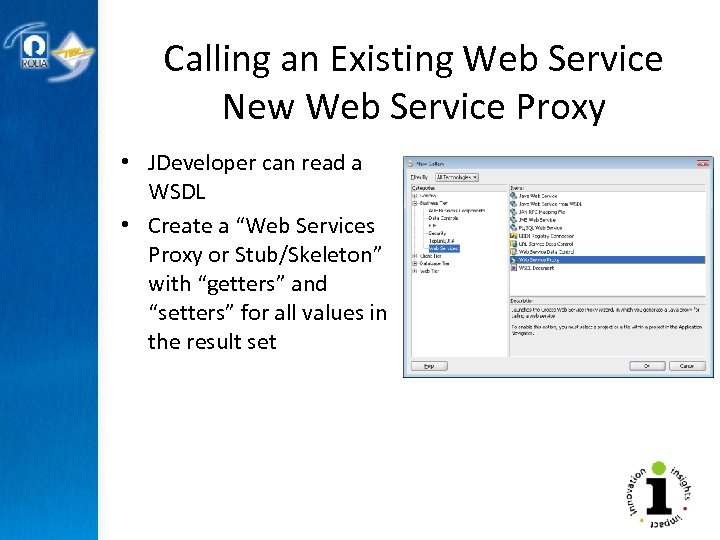
Calling an Existing Web Service New Web Service Proxy • JDeveloper can read a WSDL • Create a “Web Services Proxy or Stub/Skeleton” with “getters” and “setters” for all values in the result set
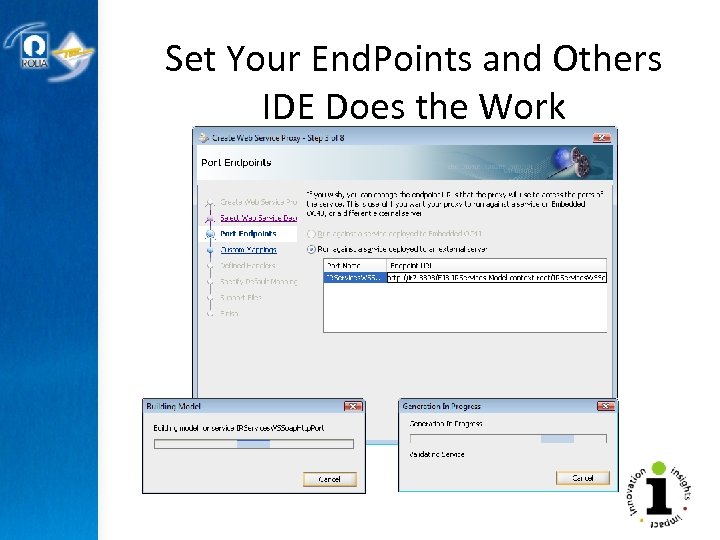
Set Your End. Points and Others IDE Does the Work
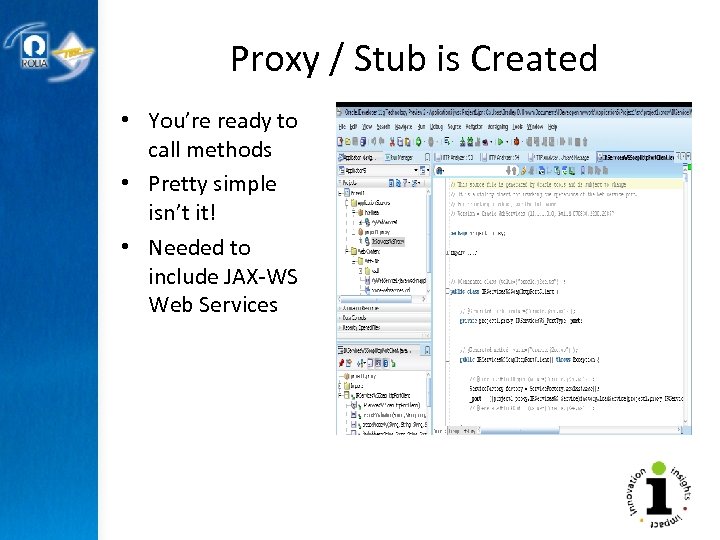
Proxy / Stub is Created • You’re ready to call methods • Pretty simple isn’t it! • Needed to include JAX-WS Web Services
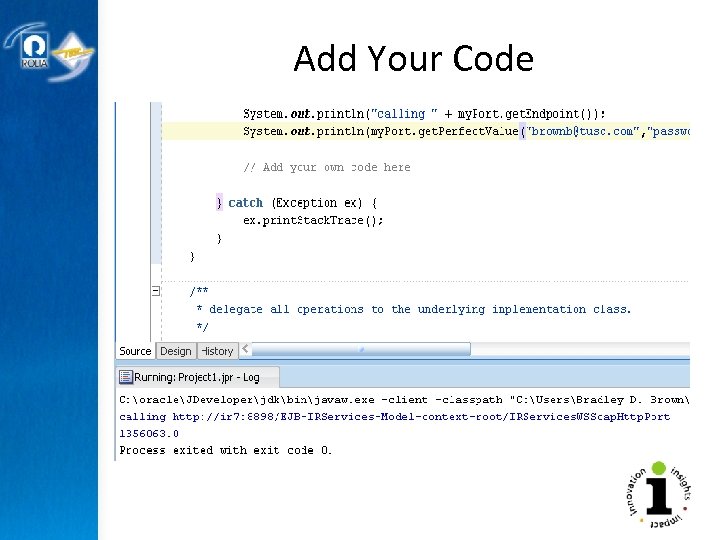
Add Your Code
CONSUMING EXISTING WEB SERVICES PL/SQL Copyright © 2009 Rolta International, Inc. , All Rights Reserved
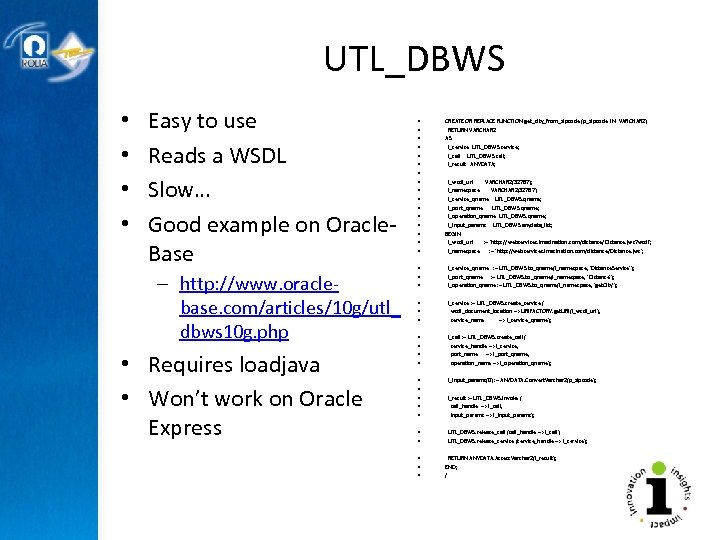
UTL_DBWS • • Easy to use Reads a WSDL Slow… Good example on Oracle. Base – http: //www. oraclebase. com/articles/10 g/utl_ dbws 10 g. php • Requires loadjava • Won’t work on Oracle Express • • • • CREATE OR REPLACE FUNCTION get_city_from_zipcode (p_zipcode IN VARCHAR 2) RETURN VARCHAR 2 AS l_service UTL_DBWS. service; l_call UTL_DBWS. call; l_result ANYDATA; l_wsdl_url VARCHAR 2(32767); l_namespace VARCHAR 2(32767); l_service_qname UTL_DBWS. qname; l_port_qname UTL_DBWS. qname; l_operation_qname UTL_DBWS. qname; l_input_params UTL_DBWS. anydata_list; BEGIN l_wsdl_url : = 'http: //webservices. imacination. com/distance/Distance. jws? wsdl'; l_namespace : = 'http: //webservices. imacination. com/distance/Distance. jws'; • • • l_service_qname : = UTL_DBWS. to_qname(l_namespace, 'Distance. Service'); l_port_qname : = UTL_DBWS. to_qname(l_namespace, 'Distance'); l_operation_qname : = UTL_DBWS. to_qname(l_namespace, 'get. City'); • • • l_service : = UTL_DBWS. create_service ( wsdl_document_location => URIFACTORY. get. URI(l_wsdl_url), service_name => l_service_qname); • • l_call : = UTL_DBWS. create_call ( service_handle => l_service, port_name => l_port_qname, operation_name => l_operation_qname); • • • l_input_params(0) : = ANYDATA. Convert. Varchar 2(p_zipcode); l_result : = UTL_DBWS. invoke ( call_handle => l_call, input_params => l_input_params); • • UTL_DBWS. release_call (call_handle => l_call); UTL_DBWS. release_service (service_handle => l_service); • • • RETURN ANYDATA. Access. Varchar 2(l_result); END; /
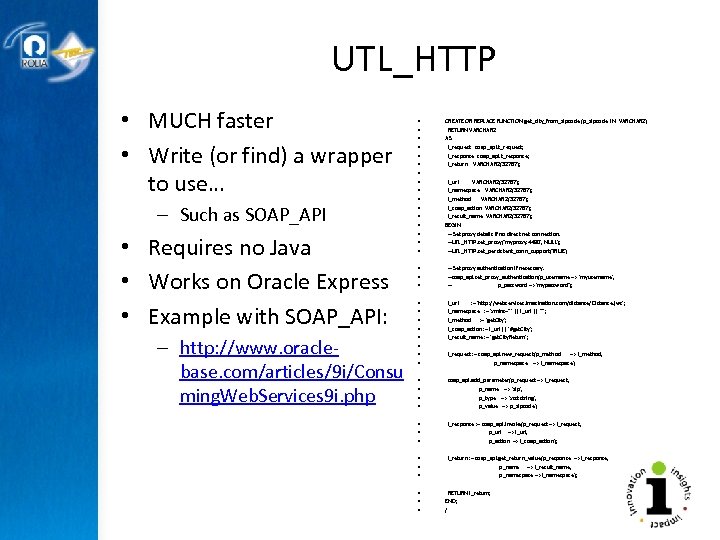
UTL_HTTP • MUCH faster • Write (or find) a wrapper to use… – Such as SOAP_API • Requires no Java • Works on Oracle Express • Example with SOAP_API: – http: //www. oraclebase. com/articles/9 i/Consu ming. Web. Services 9 i. php • • • • CREATE OR REPLACE FUNCTION get_city_from_zipcode (p_zipcode IN VARCHAR 2) RETURN VARCHAR 2 AS l_request soap_api. t_request; l_response soap_api. t_response; l_return VARCHAR 2(32767); l_url VARCHAR 2(32767); l_namespace VARCHAR 2(32767); l_method VARCHAR 2(32767); l_soap_action VARCHAR 2(32767); l_result_name VARCHAR 2(32767); BEGIN -- Set proxy details if no direct net connection. --UTL_HTTP. set_proxy('myproxy: 4480', NULL); --UTL_HTTP. set_persistent_conn_support(TRUE); • • • -- Set proxy authentication if necessary. --soap_api. set_proxy_authentication(p_username => 'myusername', -- p_password => 'mypassword'); • • l_url : = 'http: //webservices. imacination. com/distance/Distance. jws'; l_namespace : = 'xmlns="' || l_url || '"'; l_method : = 'get. City'; l_soap_action : = l_url || '#get. City'; l_result_name : = 'get. City. Return'; l_request : = soap_api. new_request(p_method => l_method, p_namespace => l_namespace); • • soap_api. add_parameter(p_request => l_request, p_name => 'zip', p_type => 'xsd: string', p_value => p_zipcode); • • • l_response : = soap_api. invoke(p_request => l_request, p_url => l_url, p_action => l_soap_action); • • • l_return : = soap_api. get_return_value(p_response => l_response, p_name => l_result_name, p_namespace => l_namespace); • • • RETURN l_return; END; /
CONSUMING EXISTING WEB SERVICES Query from a Web Service (Periscope/CGQ) Service as a Query (Saa. Q) Copyright © 2009 Rolta International, Inc. , All Rights Reserved
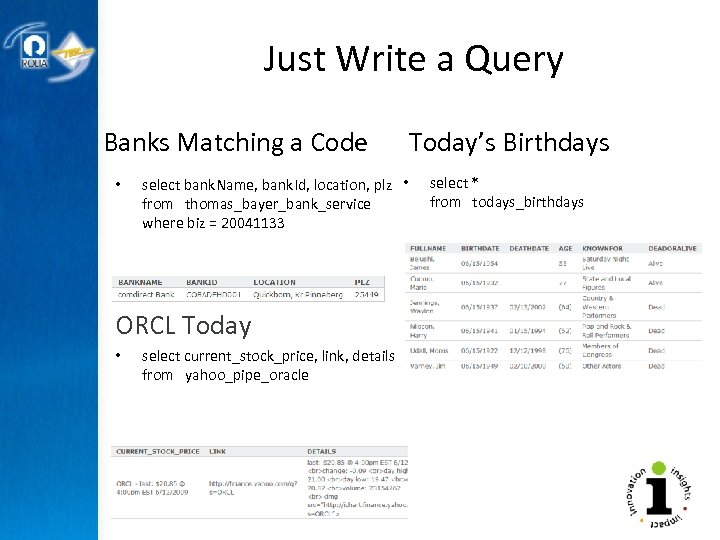
Just Write a Query Banks Matching a Code • select bank. Name, bank. Id, location, plz • from thomas_bayer_bank_service where biz = 20041133 ORCL Today • select current_stock_price, link, details from yahoo_pipe_oracle Today’s Birthdays select * from todays_birthdays
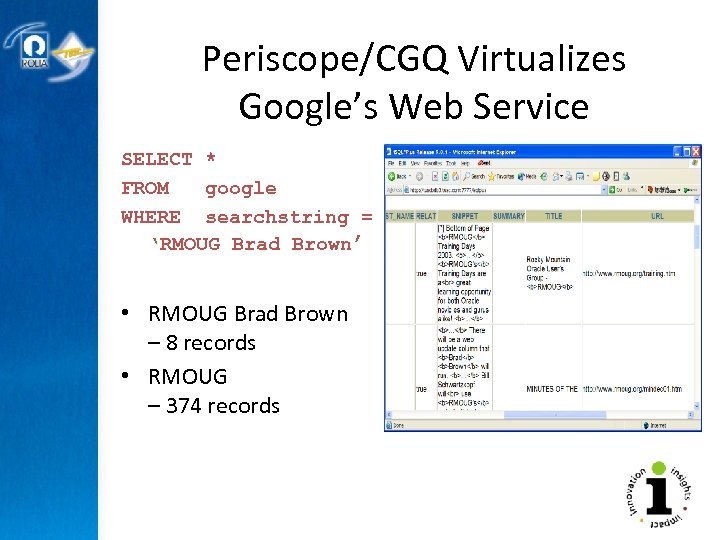
Periscope/CGQ Virtualizes Google’s Web Service SELECT * FROM google WHERE searchstring = ‘RMOUG Brad Brown’ • RMOUG Brad Brown – 8 records • RMOUG – 374 records
REAL WORLD EXAMPLES How I’ve Consumed Other’s Web Services Copyright © 2009 Rolta International, Inc. , All Rights Reserved
Examples of how I consumed other’s services • • • Credit Card Processing Current Property Records Lat/Long Lookup Address Correction Drinking our own Champaign Google’s API (Periscope)
Summary • Introduction • Creating a New Web Service – – Oracle 11 g Database JDeveloper (Java service) i. Perspective services Examples • Consuming an Existing Web Service – – Ap. Ex JDeveloper PL/SQL consumption Examples • Plenty of options • It’s time to get started • Now… • Build Flexibility into Your Services!!!
Questions?
Brad’s Papers and Presentations • Java-based Oracle Web Development • Java Server Pages • Java. Mail • Java for the PL/SQL Developer • Web Cache – achieving 150 the performance • 9 i. AS Installation, Configuration, and Tuning • Wireless Practical Portal Practices Implementing JSP in Portal Ultra. Search Engines Utl_smtp and Utl_http i. FS Java. Script Top DBA scripts for Web Developers • Security • •
Other TUSC Presentations and Papers TUSC On-Demand Presentations can be found at www. tusc. com/briefing • Tuning – Database – SQL – Applications • • Security Migrations Discoverer & BI Built-in Packages • • PL/SQL New Features Forms, Reports Designer Team Management Uncommon Leaders Workflow DBA topics
Credit… • Thanks to Oracle-Base for information on the PL/SQL Servlet – http: //www. oraclebase. com/articles/11 g/Native. Oracle. Xml. Db. Web. Services_11 g. R 1. php
Copyright Information • Neither Rolta TUSC nor the author guarantee this document to be error-free. Please provide comments/questions to bradley_d_brown@tusc. com. • Rolta TUSC © 2009. This document cannot be reproduced without expressed written consent from an officer of Rolta TUSC.
Скачать презентацию WIMPY WEB SERVICES VERSUS POWERFUL FLEXIBLE WEB SERVICES
707ccb8ed753610b1014d6bf7fb66a57.ppt