


 Скачать презентацию Wi-Fi 802 11 Standard Security the and
cc7e42dc44d7e33d36d1ce33df9acbf5.ppt
- Количество слайдов: 22
 Wi-Fi 802. 11 Standard Security the and
 What is Wi-Fi? l l l Short for wireless fidelity. It is a wireless technology that uses radio frequency to transmit data through the air. Wi-Fi is based on the 802. 11 standard: – – – 802. 11 a 802. 11 b 802. 11 g
 Wi-Fi Alliance l l l Non-profit standards organization. Global organization that created the Wi-Fi brand name. Formerly the Wireless Ethernet Compatibility Alliance.
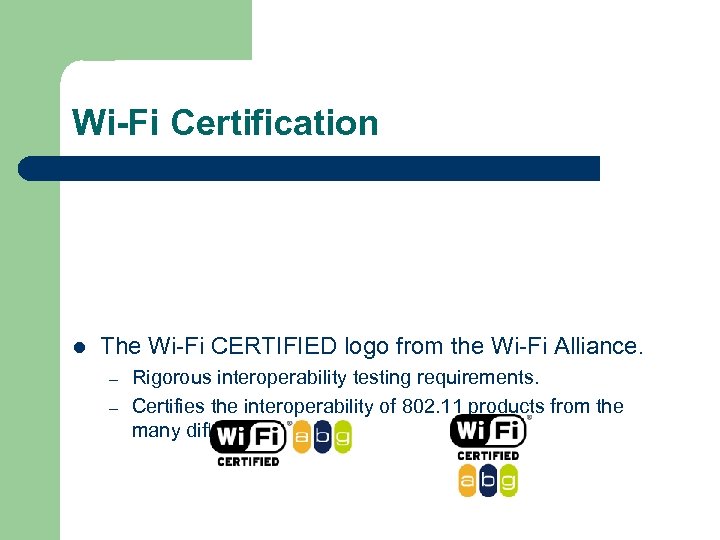 Wi-Fi Certification l The Wi-Fi CERTIFIED logo from the Wi-Fi Alliance. – – Rigorous interoperability testing requirements. Certifies the interoperability of 802. 11 products from the many different vendors.
 Wi-Fi Hot. Spots l Pay Services – – – l Boingo i. Pass Cingular Wireless My. Connect Way. Port Free Wi-Fi in Springfield: – – – Downtown: Springfield Chamber of Commerce Mud House Panera Bread
 Brief History l l l IEEE (Institute of Electrical and Electronics Engineers) established the 802. 11 Group in 1990. Specifications for standard ratified in 1997. Initial speeds were 1 and 2 Mbps. IEEE modified the standard in 1999 to include: – – – l 802. 11 b 802. 11 a 802. 11 g was added in 2003. IEEE Created standard, but Wi-Fi Alliance certifies products
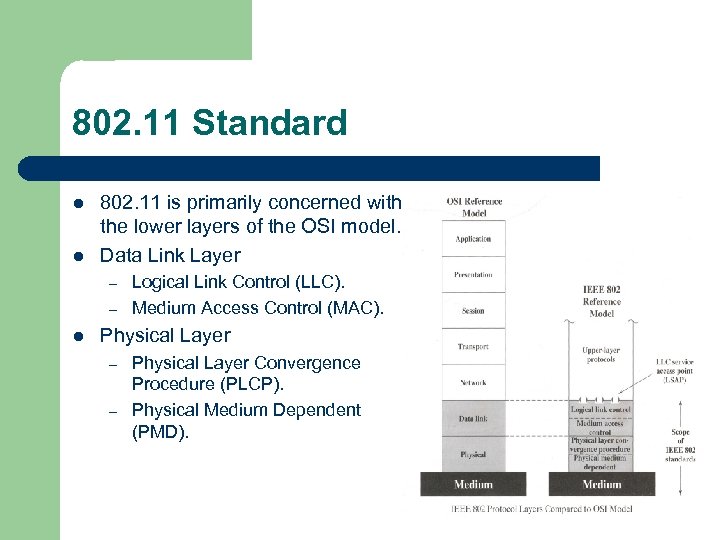 802. 11 Standard l l 802. 11 is primarily concerned with the lower layers of the OSI model. Data Link Layer – – l Logical Link Control (LLC). Medium Access Control (MAC). Physical Layer – – Physical Layer Convergence Procedure (PLCP). Physical Medium Dependent (PMD).
 802. 11 b Standard l l Well-supported, stable, and cost effective, but runs in the 2. 4 GHz range that makes it prone to interference from other devices (microwave ovens, cordless phones, etc) and also has security disadvantages. Limits the number of access points in range of each other to three. Has 11 channels, with 3 non-overlapping, and supports rates from 1 to 11 Mbps, but realistically about 4 -5 Mbps max. Uses direct-sequence spread-spectrum technology.
 802. 11 g Standard l l l Extension of 802. 11 b, with the same disadvantages (security and interference). Has a shorter range than 802. 11 b. Is backwards compatible with 802. 11 b so it allows or a smooth transition from 11 b to 11 g. Flexible because multiple channels can be combined for faster throughput, but limited to one access point. Runs at 54 Mbps, but realistically about 20 -25 Mbps and about 14 Mbps when b associated Uses frequency division multiplexing
 802. 11 a Standard l l l Completely different from 11 b and 11 g. Flexible because multiple channels can be combined for faster throughput and more access points can be co-located. Shorter range than 11 b and 11 g. Runs in the 5 GHz range, so less interference from other devices. Has 12 channels, 8 non-overlapping, and supports rates from 6 to 54 Mbps, but realistically about 27 Mbps max Uses frequency division multiplexing
 Advantages l l l Freedom – You can work from any location that you can get a signal. Setup Cost – No cabling required. Flexibility – Quick and easy to setup in temp or permanent space. Scaleable – Can be expanded with growth. Mobile Access – Can access the network on the move.
 Disadvantages l l Speed – Slower than cable. Range – Affected by various medium. – – l Travels best through open space. Reduced by walls, glass, water, etc Security – Greater exposure to risks. – – – Unauthorized access. Compromising data. Denial of service.
 Basic Security Strategies l Block your Service Set Identifier (SSID) from being broadcast. – l l l Wireless beacon so PCs can easily find the access point. Change the default network name in the access point. Change the default access point password. Center the access point in the middle of the building/house.
 Media Access Control (MAC) Filtering l Every network device has a unique MAC address – l l Allocated by the manufacturer. MAC Filtering only allows certain addresses access. Mostly for home use. – Tedious to implement on a large scale
 Wired Equivalency Protocol (WEP) l Basic encryption technology. – Uses an RC 4 stream cipher. l – l Implemented at the MAC level. Protects radio signal between device and access point. – l Two versions: 64 -bit and 128 -bit versions. Built into Wi-Fi certified equipment. – l Pseudo-random bytes. Does not protect data beyond the access point. Uses static encryption keys. – Easy to crack. l Still better then nothing.
 Wi-Fi Protected Access (WPA) l Designed to replace WEP. – – Firmware update. 128 -bit Temporal Key Integrity Protocol (TKIP) encryption. l – – l l User authentication. Data Integrity. Protects radio signal between device and access point. Built into Wi-Fi certified equipment. – l Uses a master key that is regularly changed. Implemented at the MAC level. Available in two versions: – – WPA 2 Personal. WPA 2 Enterprise.
 Wi-Fi Protected Access 2 (WPA 2) l Designed to replace WEP. – l l l 128 -bit Advanced Encryption Standard (AES). Based on the IEEE 802. 11 i standard. Provides government level security. Also available in two versions: – – WPA 2 Personal. WPA 2 Enterprise.
 Extended EAP l l EAP - Extensible Authentication Protocol. Addition to the Wi-Fi Protected Access. – l l Used in internal network. Extra security for enterprise and government Wi-Fi LANs. Several versions available.
 Virtual Private Network (VPN) l Creates a secure virtual “tunnel” from remote device to VPN server. – – l l Creates an encryption scheme. Requires authentication. Works across the internet. Many types and levels of VPN technology. – – – May include hardware and software components. Some very expensive. Windows provides a basic implementation in its server software.
 Firewall l l Can make the network or computer invisible to the internet. Block unauthorized users. Monitor and control flow of data to/from a network or computer. Many types and levels of firewall technology. – – Hardware and software combinations Software only versions. l l Zone. Alarm Many devices provide basic firewall capability. – Gateways and access points. l – Network address translation. Windows XP operating system.
 Kerberos l l Created at MIT. Network authentication based on key distribution. – l Checks for data stream integrity. – l Nodes provide their own authentication. Checks for modification. Uses Data Encryption Standard (DES).
 Bringing it all together l l Any combination of these security techniques can be used. The more security the more of a hassle. – Important when supporting users.