


 Скачать презентацию Why the f do I use Windows on
c74651bbbb2df95efaeafffb5b29874c.ppt
- Количество слайдов: 38
 Why the f!@# do I use Windows on my notebook? • While I would prefer to use Linux on my notebook, it will introduce some interoperability issues when going to business meetings abroad. • The notebook had a license on it, which if removed will not be supported by IBM. • Too much work, no time to start installing everything from scratch. • 99% of my clients use Exchange, so using anything other than Outlook messes e-Mails like hell. • If you still have a problem with it, you are welcome to take it outside with me after the lecture ; -)
 Asterisk AGI Programming using PHPAGI Nir Simionovich, CTO Dimi Telecom
 Welcome to Asterisk™ is a complete PBX in software. It runs on Linux, BSD and Mac. OSX and provides all of the features you would expect from a PBX and more. Asterisk does voice over IP in many protocols, and can interoperate with almost all standards-based telephony equipment using relatively inexpensive hardware.
 AGI Cont… • Once of the advantages of utilizing the AGI interface is the ability to develop proprietary applications and platforms while utilizing an dually licensed, Open Sourced, PBX core. • While any change inflicted upon an Asterisk internal module or application MUST be contributed and disclaimed back to Digium™, AGI applications are external from Asterisk and do not require such disclaiming and contribution.
 Asterisk Gateway Interface - AGI • With the introduction of the Asterisk Open Source PBX, it was required to establish a method for 3 rd party programs to interact with Asterisk, while not changing the Asterisk core – hence the AGI interface. • Asterisk Gateway Interface (AGI) enables the development of Asterisk enabled applications without the need of modifying the Asterisk core.
 AGI Basics • AGI is loosely based upon the old CGI model of operation. Asterisk communicates with AGI scripts via STDIN/STDOUT. • Anything sent from Asterisk to the AGI script will be considered as STDIN to the AGI script. • Anything sent from the AGI script back to Asterisk will be considered as STDOUT of the AGI script.
 AGI Basics – Cont… • While the AGI API itself is fairly minimal (only 37 functions), the binding of these functions with external programming languages provides a powerful tool for development of any IVR enabled application. • There is no limitation on the programming language of choice. You can use C, JAVA, PHP, PERL, PYTHON or even BASH (if you really feeling like it) – it’s all up to you and your desires.
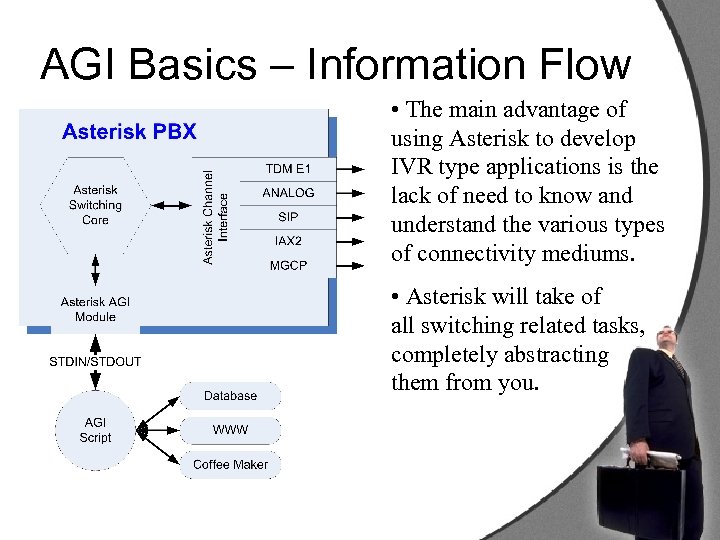 AGI Basics – Information Flow • The main advantage of using Asterisk to develop IVR type applications is the lack of need to know and understand the various types of connectivity mediums. • Asterisk will take of all switching related tasks, completely abstracting them from you.
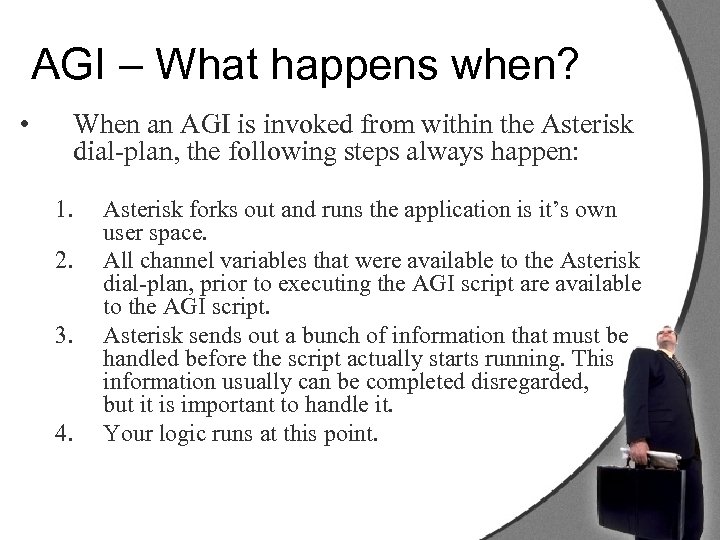 AGI – What happens when? • When an AGI is invoked from within the Asterisk dial-plan, the following steps always happen: 1. 2. 3. 4. Asterisk forks out and runs the application is it’s own user space. All channel variables that were available to the Asterisk dial-plan, prior to executing the AGI script are available to the AGI script. Asterisk sends out a bunch of information that must be handled before the script actually starts running. This information usually can be completed disregarded, but it is important to handle it. Your logic runs at this point.
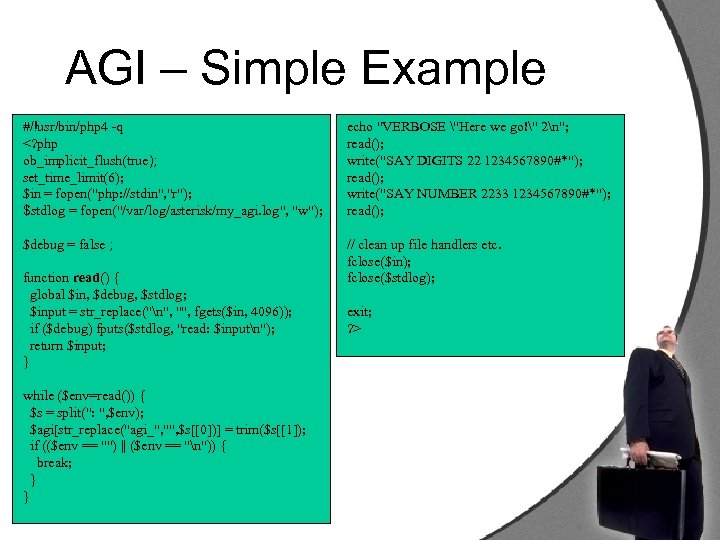 AGI – Simple Example #/!usr/bin/php 4 -q
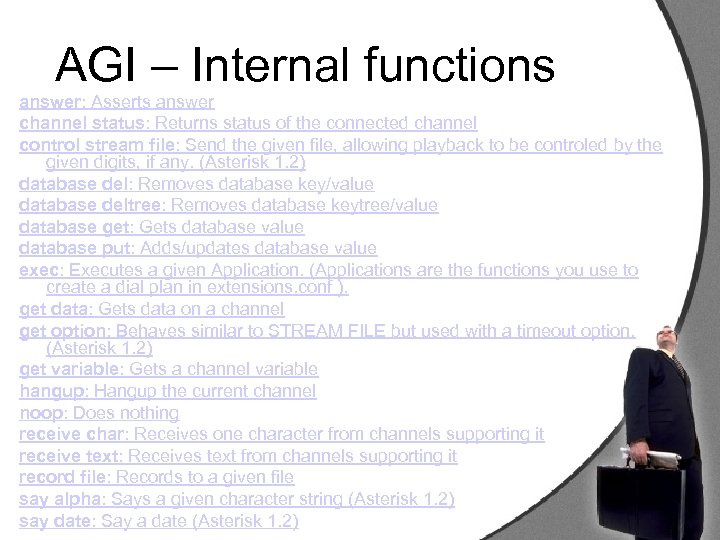 AGI – Internal functions answer: Asserts answer channel status: Returns status of the connected channel control stream file: Send the given file, allowing playback to be controled by the given digits, if any. (Asterisk 1. 2) database del: Removes database key/value database deltree: Removes database keytree/value database get: Gets database value database put: Adds/updates database value exec: Executes a given Application. (Applications are the functions you use to create a dial plan in extensions. conf ). get data: Gets data on a channel get option: Behaves similar to STREAM FILE but used with a timeout option. (Asterisk 1. 2) get variable: Gets a channel variable hangup: Hangup the current channel noop: Does nothing receive char: Receives one character from channels supporting it receive text: Receives text from channels supporting it record file: Records to a given file say alpha: Says a given character string (Asterisk 1. 2) say date: Say a date (Asterisk 1. 2)
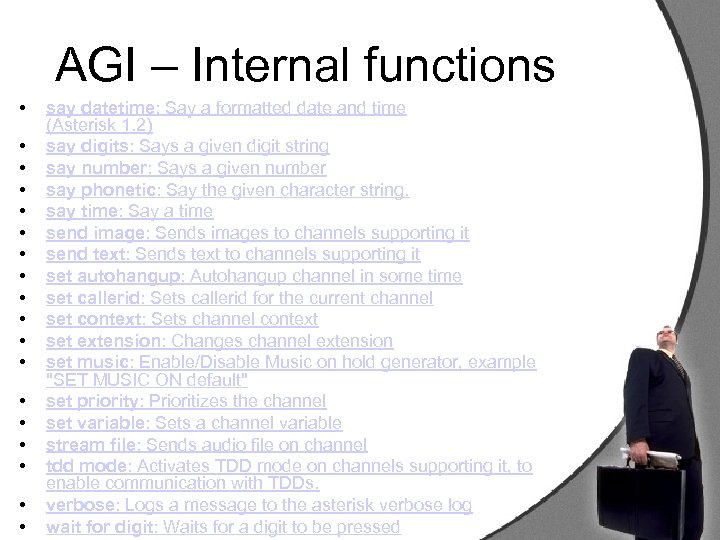 AGI – Internal functions • • • • • say datetime: Say a formatted date and time (Asterisk 1. 2) say digits: Says a given digit string say number: Says a given number say phonetic: Say the given character string. say time: Say a time send image: Sends images to channels supporting it send text: Sends text to channels supporting it set autohangup: Autohangup channel in some time set callerid: Sets callerid for the current channel set context: Sets channel context set extension: Changes channel extension set music: Enable/Disable Music on hold generator, example "SET MUSIC ON default" set priority: Prioritizes the channel set variable: Sets a channel variable stream file: Sends audio file on channel tdd mode: Activates TDD mode on channels supporting it, to enable communication with TDDs. verbose: Logs a message to the asterisk verbose log wait for digit: Waits for a digit to be pressed
 Confused? PHPAGI to the rescue • PHPAGI is a PHP class for the Asterisk Gateway Interface. The package is available for use and distribution under the terms of the GNU Public License. • While PHPAGI is licensed under the terms of the Lesser GPL. Any application created with PHPAGI can be distributed and sold as long as PHPAGI is disclaimed. • Goto http//: www. gnu. org/copyleft/lesser. html to find out more.
 Enough Bullshit, lets code…
 PHPAGI – General Structure • PHPAGI is an AGI wrapper classes, basically intended to make AGI programming with PHP painless and fast. • PHPAGI is built from 3 different classes for programming AGI scripts. • phpagi. php – includes the classes for writing PHP scripts based on the standard AGI interface, with hooks for performing Asterisk Manager functions. • phpagi-asmanager. php – An Asterisk Manager only interface, usually used from outside of AGI scripts. • phpagi-fastagi. php – An Asterisk Fast. AGI server implementation in PHP (not discussed in this presentation)
 phpagi. php – Simple example #!/usr/local/bin/php answer(); $cid = $agi->parse_callerid(); $agi->playback("Hello"); $agi->saydigits({$cid['name']}, ””); $agi->hangup(); ? > This is as close as you would get to “Hello World” on PHPAGI… Now, lets deal with some input The above example simply initiates the phpagi class, performs an answer to the currently ringing extension, then plays back a welcome message followed by the callers Caller. ID.
![NEED INPUT… …. if (($key. Pressed['result'] == 0) && ($flag > 0)) { $key.](https://present5.com/presentation/c74651bbbb2df95efaeafffb5b29874c/image-17.jpg "NEED INPUT… …. if (($key. Pressed['result'] == 0) && ($flag > 0)) { $key.") NEED INPUT… …. if (($key. Pressed['result'] == 0) && ($flag > 0)) { $key. Pressed = $agi. Wrapper->stream_file("silence", "123#", 0); if ($key. Pressed['result'] == 0) { $key. Pressed = $agi. Wrapper->stream_file("langselect", "123#", 0); } } else { $key. Pressed = $agi. Wrapper->stream_file("langselect", "123#", 0); } // The character presses on the keypad is now stored in chr($key. Pressed['result']) …. When a method is invoked from phpagi, the result of a user input is usually represented by an array of variables. Depending on the method called, the result may be contained within the ‘result’ key or the ‘data’ key. This information can be obtained from the PHPAGI class documentation enclosed with the PHPAGI class.
NEED INPUT… …. if (($key. Pressed['result'] == 0) && ($flag > 0)) { $key. Pressed = $agi. Wrapper->stream_file("silence", "123#", 0); if ($key. Pressed['result'] == 0) { $key. Pressed = $agi. Wrapper->stream_file("langselect", "123#", 0); } } else { $key. Pressed = $agi. Wrapper->stream_file("langselect", "123#", 0); } // The character presses on the keypad is now stored in chr($key. Pressed['result']) …. When a method is invoked from phpagi, the result of a user input is usually represented by an array of variables. Depending on the method called, the result may be contained within the ‘result’ key or the ‘data’ key. This information can be obtained from the PHPAGI class documentation enclosed with the PHPAGI class.
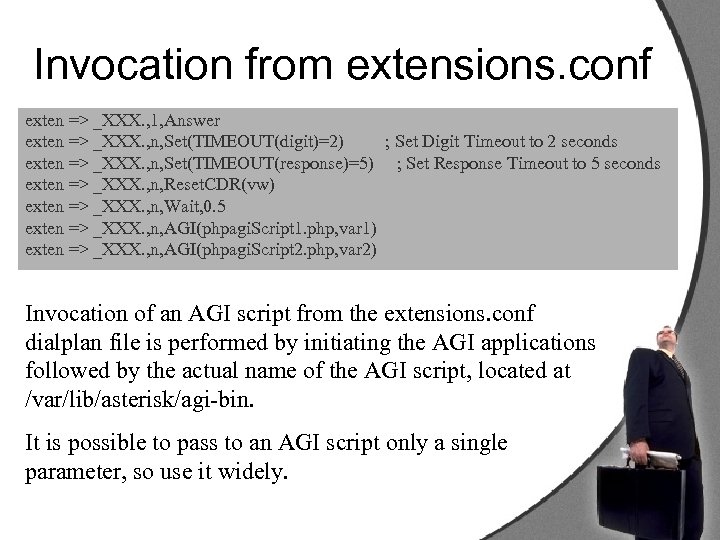 Invocation from extensions. conf exten => _XXX. , 1, Answer exten => _XXX. , n, Set(TIMEOUT(digit)=2) ; Set Digit Timeout to 2 seconds exten => _XXX. , n, Set(TIMEOUT(response)=5) ; Set Response Timeout to 5 seconds exten => _XXX. , n, Reset. CDR(vw) exten => _XXX. , n, Wait, 0. 5 exten => _XXX. , n, AGI(phpagi. Script 1. php, var 1) exten => _XXX. , n, AGI(phpagi. Script 2. php, var 2) Invocation of an AGI script from the extensions. conf dialplan file is performed by initiating the AGI applications followed by the actual name of the AGI script, located at /var/lib/asterisk/agi-bin. It is possible to pass to an AGI script only a single parameter, so use it widely.
 AGI and Channel Variables • When Asterisk answers a call or originates a call, the call is enclosed within its own fork. The result is the ability to associate channel variables with an existing call, creating a stateful variable storage. • When writing AGI scripts and combining the stateful variable storage, the result is a method to bypass the single variable to AGI limitation.
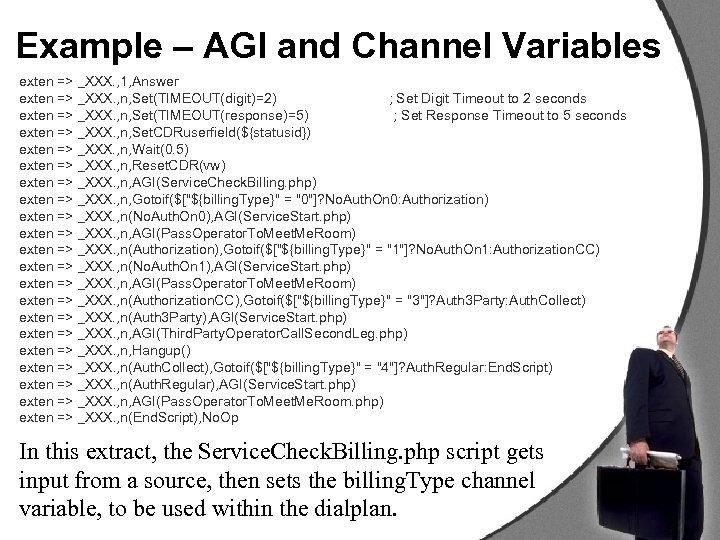 Example – AGI and Channel Variables exten => _XXX. , 1, Answer exten => _XXX. , n, Set(TIMEOUT(digit)=2) ; Set Digit Timeout to 2 seconds exten => _XXX. , n, Set(TIMEOUT(response)=5) ; Set Response Timeout to 5 seconds exten => _XXX. , n, Set. CDRuserfield(${statusid}) exten => _XXX. , n, Wait(0. 5) exten => _XXX. , n, Reset. CDR(vw) exten => _XXX. , n, AGI(Service. Check. Billing. php) exten => _XXX. , n, Gotoif($["${billing. Type}" = "0"]? No. Auth. On 0: Authorization) exten => _XXX. , n(No. Auth. On 0), AGI(Service. Start. php) exten => _XXX. , n, AGI(Pass. Operator. To. Meet. Me. Room) exten => _XXX. , n(Authorization), Gotoif($["${billing. Type}" = "1"]? No. Auth. On 1: Authorization. CC) exten => _XXX. , n(No. Auth. On 1), AGI(Service. Start. php) exten => _XXX. , n, AGI(Pass. Operator. To. Meet. Me. Room) exten => _XXX. , n(Authorization. CC), Gotoif($["${billing. Type}" = "3"]? Auth 3 Party: Auth. Collect) exten => _XXX. , n(Auth 3 Party), AGI(Service. Start. php) exten => _XXX. , n, AGI(Third. Party. Operator. Call. Second. Leg. php) exten => _XXX. , n, Hangup() exten => _XXX. , n(Auth. Collect), Gotoif($["${billing. Type}" = "4"]? Auth. Regular: End. Script) exten => _XXX. , n(Auth. Regular), AGI(Service. Start. php) exten => _XXX. , n, AGI(Pass. Operator. To. Meet. Me. Room. php) exten => _XXX. , n(End. Script), No. Op In this extract, the Service. Check. Billing. php script gets input from a source, then sets the billing. Type channel variable, to be used within the dialplan.
 AGI/Dialplan Balancing • One of the first mistakes most AGI programmers tend to do is to initiate a HUGE AGI script that does everything, instead of using the dialplan state machine. • This is especially problematic when you are programming in a VM environment such as JAVA/C#. • When possible, make your AGI scripts as short as possible, down to an atomic level, have them simply set a channel variable, and then initiate another AGI script according to the result of the previous one. • If your AGI script becomes long and cluttered, you must be doing something wrong – and in the words of a friend of mine: “you are in desperate need of re-factoring”.
 PHPAGI Wrapping • Most AGI programmers tend to write their AGI scripts as self enclosed scripts – this usually leads to code duplication and hard code maintenace. • By utilizing the channel variables as a methodology to pass variable from one script to another, is it possible to write your own AGI script invoker, thus, making your AGI scripts more stream lined.
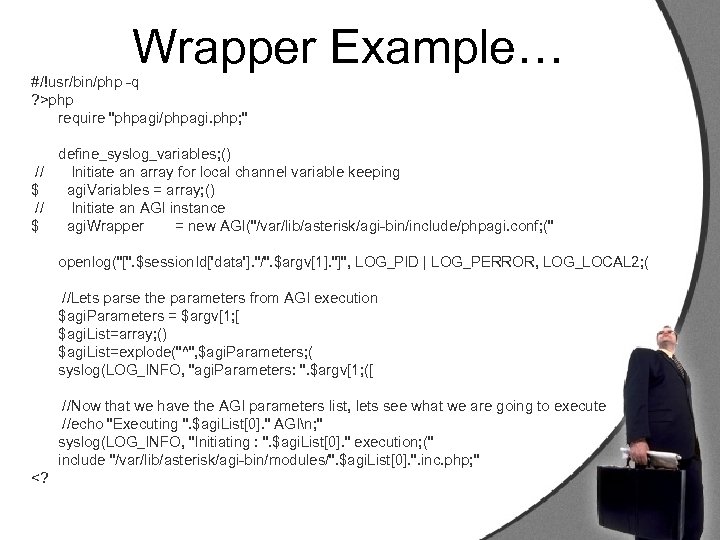 Wrapper Example… #/!usr/bin/php -q ? >php require "phpagi/phpagi. php; " define_syslog_variables; () // Initiate an array for local channel variable keeping $ agi. Variables = array; () // Initiate an AGI instance $ agi. Wrapper = new AGI("/var/lib/asterisk/agi-bin/include/phpagi. conf; (" openlog("[". $session. Id['data']. "/". $argv[1]. "]", LOG_PID | LOG_PERROR, LOG_LOCAL 2; ( //Lets parse the parameters from AGI execution $agi. Parameters = $argv[1; [ $agi. List=array; () $agi. List=explode("^", $agi. Parameters; ( syslog(LOG_INFO, "agi. Parameters: ". $argv[1; ([
 Why wrap at all? • By utilizing an PHPAGI wrapper you gain the ability to invoke your scripts in a uniformed way. • You can initialize your AGI environment before hand, thus, negating the need to reinitiate your class in every PHP script. • All your scripts enjoy a single, unified, class naming convention access, thus, making your scripts more readable. • The PHPAGI wrapper script can also be used to initiate required variables for later on scripts.
 Syslog is your friend • For a reason beyond me, most script writers neglect the need to use syslog. • Syslog is a wonderful facility to use for script logging and script debugging purposes. • By initiating the syslog environment from the PHPAGI wrapper script, you can utilize syslog facility messages with great ease.
 Lets write a silly AGI script • We shall now write a silly AGI script using PHPAGI. • The script purpose would be to play a little joke. • A caller would call a predefined telephone number. Our AGI script would then randomize a number from 1 to 20, which according to the number randomized would play a predefined voice file, indicated by an Array. • We shall use our PHPAGI invoker in order to write this script. • The predefined files shall be stored in /var/lib/asterisk/sounds/silly/
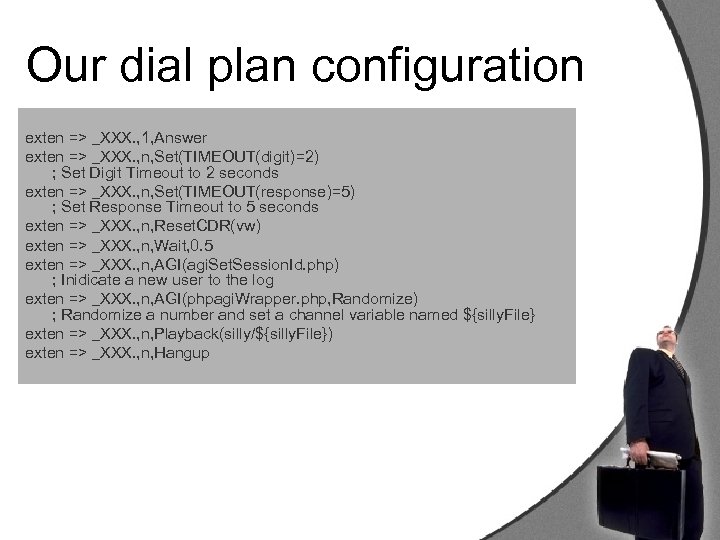 Our dial plan configuration exten => _XXX. , 1, Answer exten => _XXX. , n, Set(TIMEOUT(digit)=2) ; Set Digit Timeout to 2 seconds exten => _XXX. , n, Set(TIMEOUT(response)=5) ; Set Response Timeout to 5 seconds exten => _XXX. , n, Reset. CDR(vw) exten => _XXX. , n, Wait, 0. 5 exten => _XXX. , n, AGI(agi. Set. Session. Id. php) ; Inidicate a new user to the log exten => _XXX. , n, AGI(phpagi. Wrapper. php, Randomize) ; Randomize a number and set a channel variable named ${silly. File} exten => _XXX. , n, Playback(silly/${silly. File}) exten => _XXX. , n, Hangup
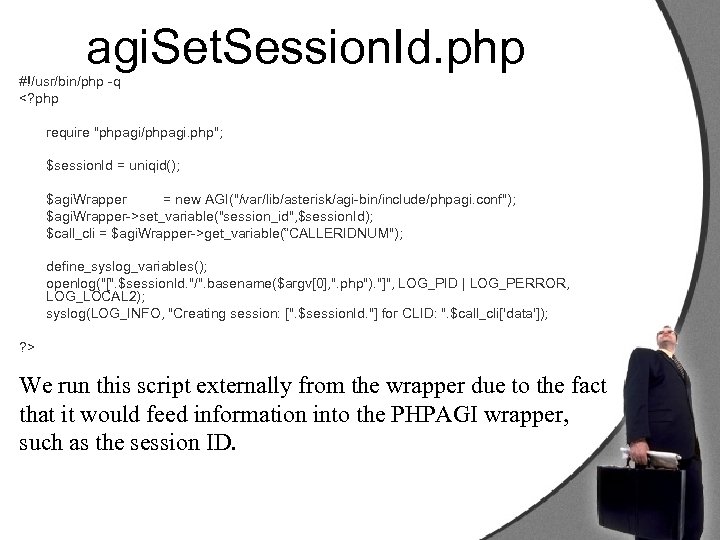 agi. Set. Session. Id. php #!/usr/bin/php -q set_variable("session_id", $session. Id); $call_cli = $agi. Wrapper->get_variable(“CALLERIDNUM"); define_syslog_variables(); openlog("[". $session. Id. "/". basename($argv[0], ". php"). "]", LOG_PID | LOG_PERROR, LOG_LOCAL 2); syslog(LOG_INFO, "Creating session: [". $session. Id. "] for CLID: ". $call_cli['data']); ? > We run this script externally from the wrapper due to the fact that it would feed information into the PHPAGI wrapper, such as the session ID.
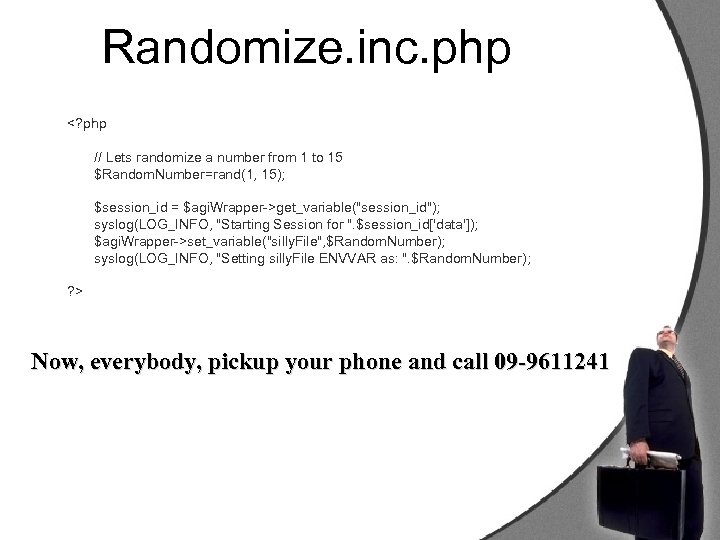 Randomize. inc. php get_variable("session_id"); syslog(LOG_INFO, "Starting Session for ". $session_id['data']); $agi. Wrapper->set_variable("silly. File", $Random. Number); syslog(LOG_INFO, "Setting silly. File ENVVAR as: ". $Random. Number); ? > Now, everybody, pickup your phone and call 09 -9611241
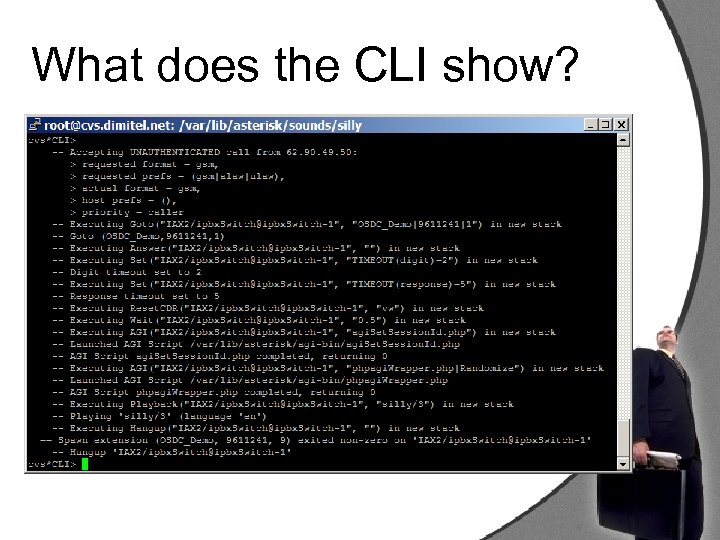 What does the CLI show?
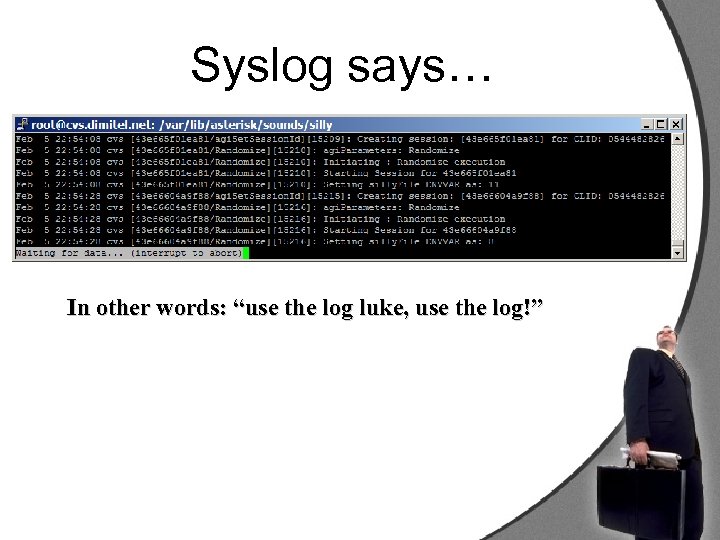 Syslog says… In other words: “use the log luke, use the log!”
 A touch of management skills • The Asterisk Manager Interface is a TCP based server, capable of communicating directly with the Asterisk application core from an external system. • Almost any kind of AGI application can be converted to an Asterisk Manager based application. • PHPAGI includes a manager connection facility, directly available from the PHPAGI class, or as a standalone class.
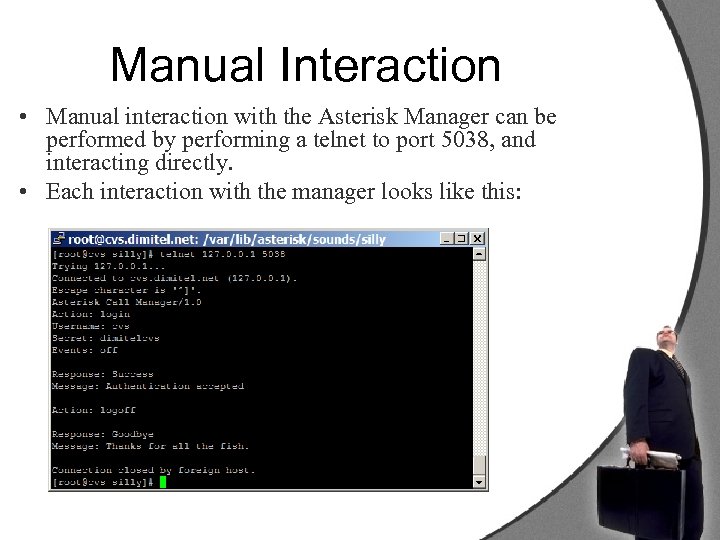 Manual Interaction • Manual interaction with the Asterisk Manager can be performed by performing a telnet to port 5038, and interacting directly. • Each interaction with the manager looks like this:
 While inside the manager • While inside the manager interface, a list of 32 manager based functions is available at your disposal. • Remember, a careful usage of Manager, AGI and Dialplan create a very powerful application. • Misusage will create a havoc application and an un-maintainable code base.
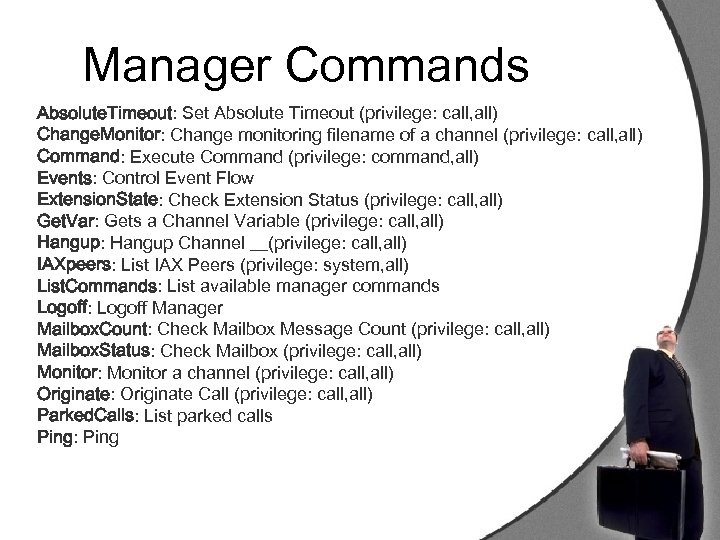 Manager Commands Absolute. Timeout: Set Absolute Timeout (privilege: call, all) Change. Monitor: Change monitoring filename of a channel (privilege: call, all) Command: Execute Command (privilege: command, all) Events: Control Event Flow Extension. State: Check Extension Status (privilege: call, all) Get. Var: Gets a Channel Variable (privilege: call, all) Hangup: Hangup Channel __(privilege: call, all) IAXpeers: List IAX Peers (privilege: system, all) List. Commands: List available manager commands Logoff: Logoff Manager Mailbox. Count: Check Mailbox Message Count (privilege: call, all) Mailbox. Status: Check Mailbox (privilege: call, all) Monitor: Monitor a channel (privilege: call, all) Originate: Originate Call (privilege: call, all) Parked. Calls: List parked calls Ping: Ping
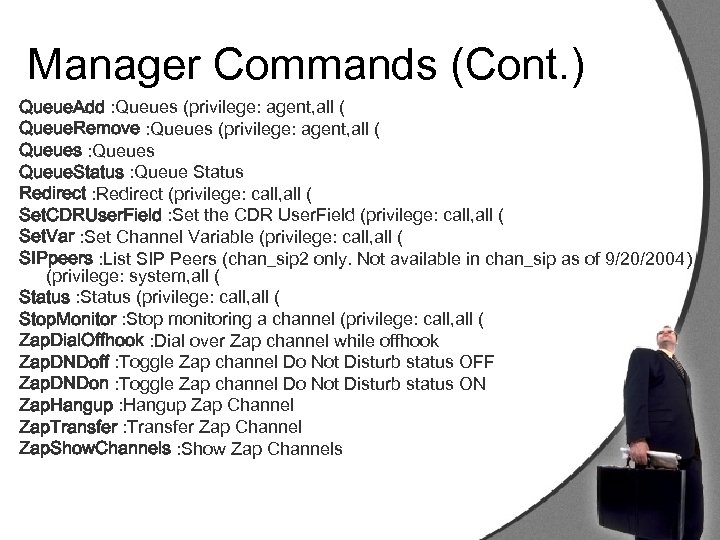 Manager Commands (Cont. ) Queue. Add : Queues (privilege: agent, all ( Queue. Remove : Queues (privilege: agent, all ( Queues : Queues Queue. Status : Queue Status Redirect : Redirect (privilege: call, all ( Set. CDRUser. Field : Set the CDR User. Field (privilege: call, all ( Set. Var : Set Channel Variable (privilege: call, all ( SIPpeers : List SIP Peers (chan_sip 2 only. Not available in chan_sip as of 9/20/2004) (privilege: system, all ( Status : Status (privilege: call, all ( Stop. Monitor : Stop monitoring a channel (privilege: call, all ( Zap. Dial. Offhook : Dial over Zap channel while offhook Zap. DNDoff : Toggle Zap channel Do Not Disturb status OFF Zap. DNDon : Toggle Zap channel Do Not Disturb status ON Zap. Hangup : Hangup Zap Channel Zap. Transfer : Transfer Zap Channel Zap. Show. Channels : Show Zap Channels
 Questions anyone? • For more information about Asterisk please refer to http: //www. asterisk. org. il • For information about Asterisk programming and Open Source Vo. IP revolution, please refer to http: //www. voip-info. org • PHP/My. SQL/PERL Talents are welcome to hand in your CV’s after the lecture.
 Thank you Your Asterisk™ Partner in Israel