


 Скачать презентацию Where firewalls fit in the corporate landscape
0ef75c357b8f0dacd5e15c4f06be8069.ppt
- Количество слайдов: 58
 Where firewalls fit in the corporate landscape
 Firewall topics • • Why firewall? What is a firewall? What is the perfect firewall? What types of firewall are there? How do I defeat these firewalls? How should I deploy firewalls? What is good firewall architecture? Firewall trends.
 What are the risks? • • • Theft or disclosure of internal data Unauthorized access to internal hosts Interception or alteration of data Vandalism & denial of service Wasted employee time Bad publicity, public embarassment, and law suits
 What needs to be secured? • Crown jewels: patent work, source code, market analysis; information assets • Any way into your network • Any way out of your network • Information about your network
 Why do I need a firewall? • Peer pressure. • One firewall is simpler to administer than many hosts. • It’s easier to be security conscientious with a firewall.
 What is a firewall? • As many machines as it takes to: – be the sole connection between inside and outside. – test all traffic against consistent rules. – pass traffic that meets those rules. – contain the effects of a compromised system.
 Firewall components • All of the machines in the firewall – are immune to penetration or compromise. – retain enough information to recreate their actions.
 The Perfect firewall • Lets you do your business • Works with existing security measures • has the security “margin of error” that your company needs.
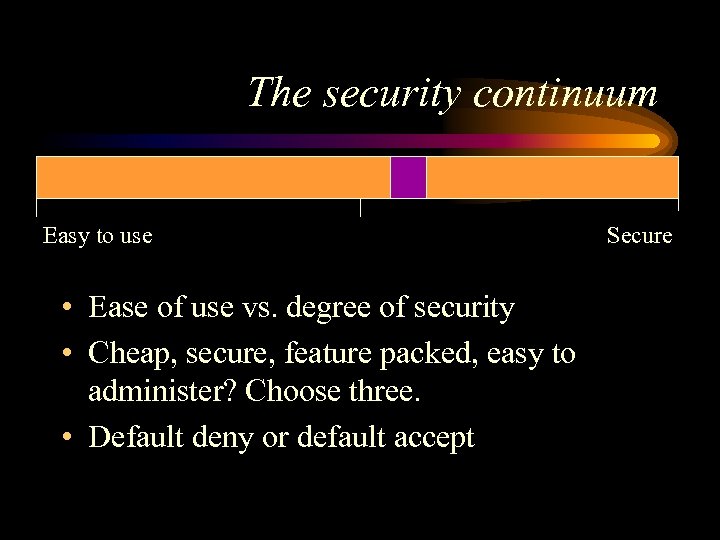 The security continuum Easy to use • Ease of use vs. degree of security • Cheap, secure, feature packed, easy to administer? Choose three. • Default deny or default accept Secure
 Policy for the firewall – Who gets to do what via the Internet? – What Internet usage is not allowed? – Who makes sure the policy works and is being complied with? – When can changes be made to policy/rules? – What will be done with the logs? – Will we cooperate with law enforcement?
 What you firewall matters more than which firewall you use. • Internal security policy should show what systems need to be guarded. • How you deploy your firewall determines what the firewall protects. • The kind of firewall is how much insurance you’re buying.
 How to defeat firewalls • Take over the firewall. • Get packets through the firewall. • Get the information without going through the firewall.
 A partial list of back doors. • • • personal modems vendor modems partner networks home networks loose cannon experts • • • employee hacking reusable passwords viruses “helpful” employees off-site backup & hosting
 Even perfect firewalls can’t fix: • Tunneled traffic. • Holes, e. g. telnet, opened in the firewall. • WWW browser attacks / malicious Internet servers.
 Priorities in hacking through a firewall • • • Collect information. Look for weaknesses behind the firewall. Try to get packets through the firewall. Attack the firewall itself. Subvert connections through the firewall.
 Information often leaked through firewalls • • DNS host information network configuration e-mail header information intranet web pages on the Internet
 “Ground-floor windows” • • • mail servers web Servers old buggy daemons account theft vulnerable web browsers
 Attacking the firewall • Does this firewall pass packets when it’s crashed? • Is any software running on the firewall?
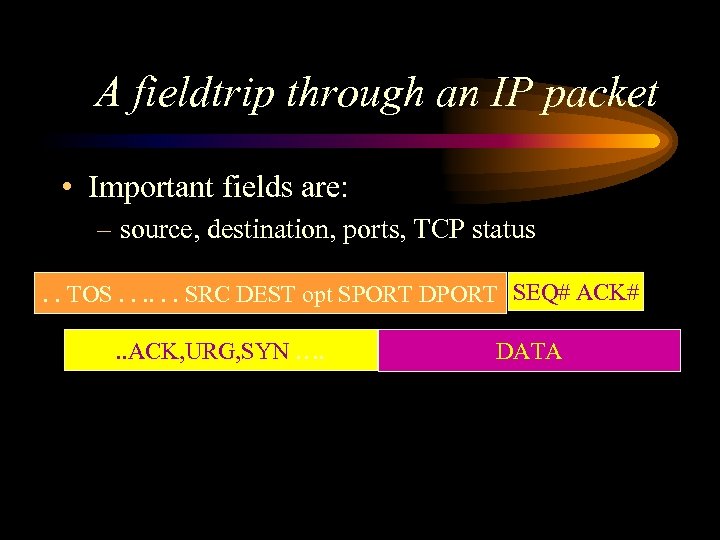 A fieldtrip through an IP packet • Important fields are: – source, destination, ports, TCP status. . TOS. . . SRC DEST opt SPORT DPORT SEQ# ACK#. . ACK, URG, SYN …. DATA
 Types of firewall • • • Packet filters Proxy gateways Network Address Translation (NAT) Intrusion Detection Logging
 Packet filters • How Packet filters work – Read the header and filter by whether fields match specific rules. – SYN flags allow the router to tell if connection is new or ongoing. • Packet filters come in dumb, standard, specialized, and stateful models
 Standard packet filter – allows connections as long as the ports are OK – denies new inbound connections, using the SYN flag – Examples: Cisco & other routers, Karlbridge, Unix hosts, steelhead.
 Packet filter weaknesses – It’s easy to botch the rules. – Good logging is hard. – Stealth scanning works well. – Packet fragments, IP options, and source routing work by default. – Routers usually can’t do authentication of end points.
 Stateful packet filters – SPFs track the last few minutes of network activity. If a packet doesn’t fit in, they drop it. – Stronger inspection engines can search for information inside the packet’s data. – SPFs have to collect and assemble packets in order to have enough data. – Examples: Firewall One, ON Technologies, Seattle. Labs, ipfilter
 Weaknesses in SPF – All the flaws of standard filtering can still apply. – Default setups are sometimes insecure. – The packet that leaves the remote site is the same packet that arrives at the client. – Data inside an allowed connection can be destructive. – Traditionally SPFs have poor logging.
 Proxy firewalls • Proxy firewalls pass data between two separate connections, one on each side of the firewall. – Proxies should not route packets between interfaces. • Types: circuit level proxy, application proxy, store and forward proxy.
 General proxy weaknesses • The host is now involved, and accessible to attack. – The host must be hardened. • State is being kept by the IP stack. • Spoofing IP & DNS still works if authentication isn’t used. • Higher latency & lower throughput.
 Circuit level proxy – Client asks FW for document. FW connects to remote site. FW transfers all information between the two connections. – Tends to have better logging than packet filters – Data passed inside the circuit could be dangerous. – Examples: Socks, Cycom Labyrinth
 Application proxy – FW transfers only acceptable information between the two connections. – The proxy can understand the protocol and filter the data within. – Examples: TIS Gauntlet and FWTK, Raptor, Secure Computing
 Application proxy weaknesses • Some proxies on an “application proxy” firewall may not be application aware. • Proxies have to be written securely.
 Store and forward , or caching, proxies – Client asks firewall for document; the firewall downloads the document, saves it to disk, and provides the document to the client. The firewall may cache the document. – Can do data filtering. – Examples: Microsoft, Netscape, CERN, Squid proxies; SMTP mail
 Weaknesses of store & forward proxies – Store and forward proxies tend to be big new programs. Making them your primary connection to the internet is dangerous. – These applications don’t protect the underlying operating system at all. – Caching proxies can require more administrator time and hardware.
 Network Address Translation (NAT) – NAT changes the ip addresses in a packet, so that the address of the client inside never shows up on the internet. – Examples: Cisco PIX, Linux Masquerading, Firewall One, ipfilter
 Types of NAT • Many IPs inside to many static IPs outside • Many IPs inside to many random IPs outside • Many IPs inside to one IP address outside • Transparent diversion of connections
 Weaknesses of NAT • Source routing & other router holes • Can be stupid about complex protocols – ICMP, IP options, FTP, fragments • Can give out a lot of information about your network. • May need a lot of horsepower
 Intrusion detection – Watches ethernet or router for trigger events, then tries to interrupt connections. Logs synopsis of all events. – Can log suspicious sessions for playback – Tend to be very good at recognizing attacks, fair at anticipating them – Products: Abirnet, ISS Real Secure, Secure. Net. Pro, Haystack Netstalker
 Weaknesses of intrusion detection – Can only stop tcp connections – Sometimes stops things too late – Can trigger alarms too easily – Doesn’t work on switched networks
 Logging • Pros: – Very cheap – Solves most behavioral problems – Logfiles are crucial for legal recourse • Cons: – Very programmer or administrator intensive – Doesn’t prevent damage – needs a stable environment to be useful
 Types of logging • program logging • syslog /NT event log • sniffers – Argus, Network General, HP Openview, TCPdump • router debug mode – A very good tool for tracking across your network
 Commercial Logging • Logging almost all commercial firewall packages stinks – No tripwires – No pattern recognition – No smart/expert distillation – No way to change firewall behavior based on log information – No good way to integrate log files from multiple machines
 Firewall Tools • All types of firewall are useful sometimes. • The more compartments on the firewall, the greater the odds of security. • Belt & suspenders
 Firewall topology • • Webserver placement RAS server placement Partner network placement Internal information protection (intranet firewalling)
 Firewall deployment checklist • Have list of what needs to be protected. • Have all of the networks configured for the firewall • All rules are in place • Logging is on.
 What steps are left? • What is the firewall allowing access to? – Internal machines receiving data had better be secure. – If these services can’t be secured, what do you have to lose?
 Last checks • Day 0 Backups made? • Are there any gaps between our stated policy and the rules the firewall is enforcing?
 Auditing • A firewall works when an audit finds no deviations from policy. • Scanning tools are good for auditing conformance to policy, not so good for auditing security.
 Sample configurations • Good configurations should: – limit Denial of Service. – minimize complexity for inside users. – be auditable. – allow outside to connect to specific resources.
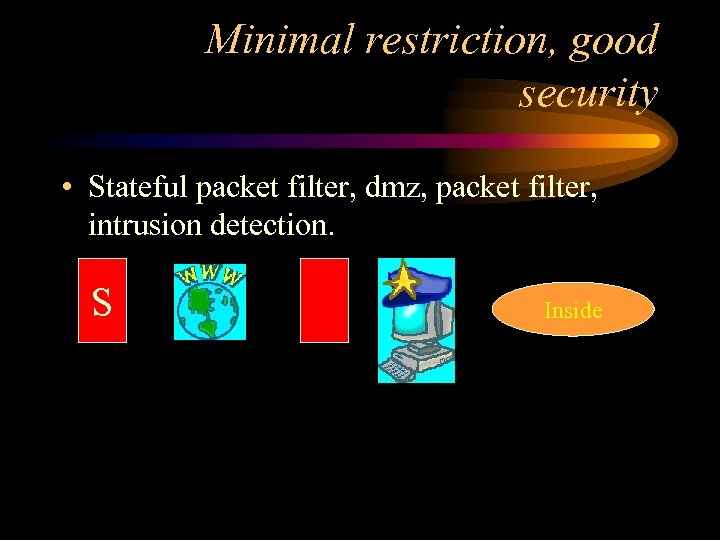 Minimal restriction, good security • Stateful packet filter, dmz, packet filter, intrusion detection. S Inside
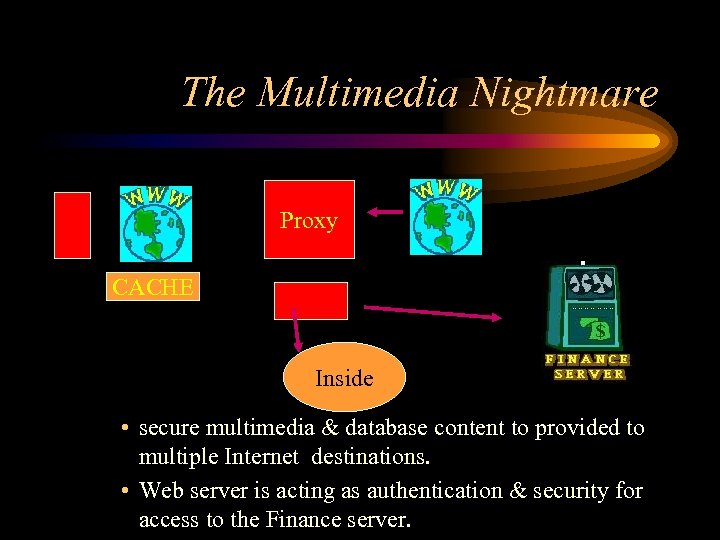 The Multimedia Nightmare Proxy CACHE Inside • secure multimedia & database content to provided to multiple Internet destinations. • Web server is acting as authentication & security for access to the Finance server.
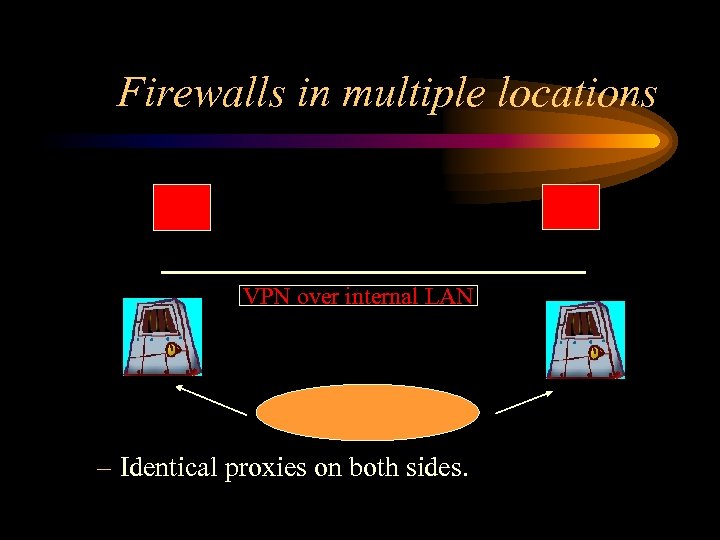 Firewalls in multiple locations VPN over internal LAN – Identical proxies on both sides.
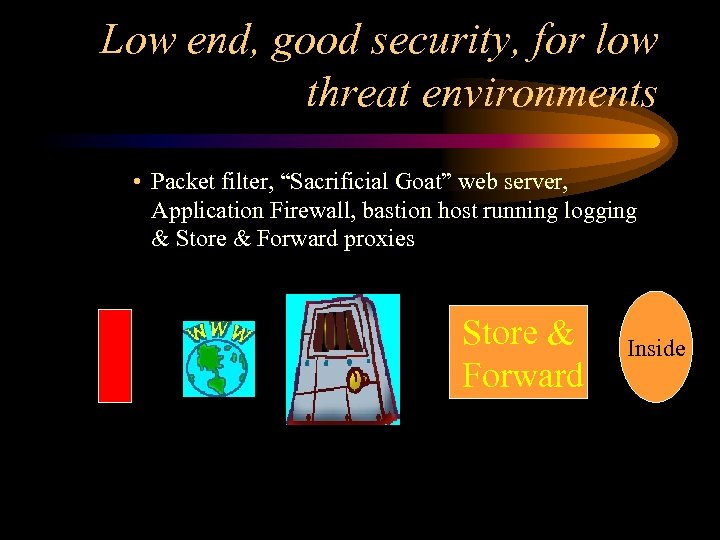 Low end, good security, for low threat environments • Packet filter, “Sacrificial Goat” web server, Application Firewall, bastion host running logging & Store & Forward proxies Store & Forward Inside
 High end firewalls • ATM switching firewalls • Round robin gateways – Don’t work with transparent proxies • High availability
 Firewall Trends – “Toaster” firewalls – Call-outs / co-processing firewalls – VPNs – Dumb protocols – LAN equipment & protocols showing up on the Internet – Over-hyped content filtering
 More Firewall Trends – blurring between packet filters & application proxies – more services running on the firewall – High availability, fail-over and hot swap ability – GUI’s – Statistics for managers
 Firewall trends & “religious” issues. • Underlying OS for firewalls – Any firewall OS should have little in common with the retail versions. • Firewall certification – Buy your own copy of ISS and “certify” firewalls yourself.
 Source vs. Shrink-wrap • Low end shrinkwrap solutions • The importance of source – Can you afford 1. 5 programmer/administrators? – Are you willing to have a non-employee doing your security? (Whose priorities win? )
 Downside of firewalls • • single point of failure difficult to integrate into a mesh network highlights flaws in network architecture can focus politics on the firewall administrator
 Interesting firewall products – Checkpoint Firewall-1 http: //www. checkpoint. com – Secure. Net. Pro http: //www. mimestar. com – IP Filter http: //coombs. anu. edu. au/~avalon/ipfilter. html – Seattle Labs http: //www. sealabs. com – Karlnet Karlbridge http: //www. karlnet. com – V-One inc http: //www. v-one. com – ISS Realsecure http: //www. iss. net