


 Скачать презентацию What s New in Watch Guard SSL v 3
4523d836e55d00a430624abd666b0153.ppt
- Количество слайдов: 23
 What’s New in Watch. Guard SSL v 3. 1
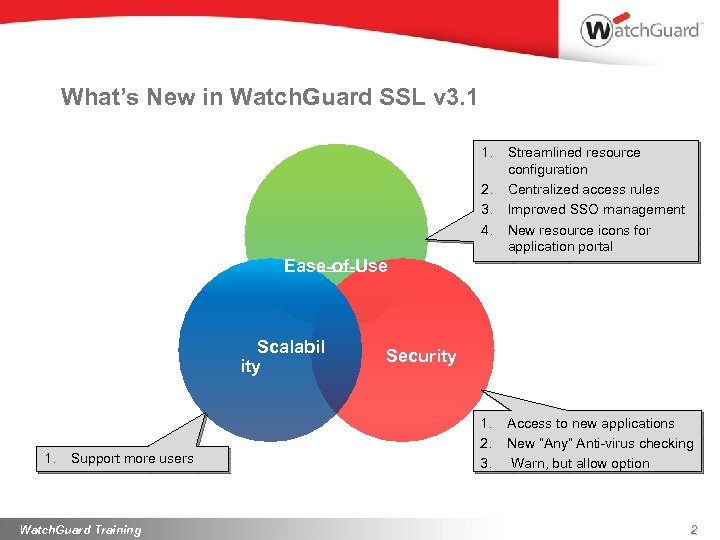 What’s New in Watch. Guard SSL v 3. 1 1. 2. 3. 4. Streamlined resource configuration Centralized access rules Improved SSO management New resource icons for application portal Ease-of-Use Scalabil ity 1. Support more users Watch. Guard Training Security 1. 2. 3. Access to new applications New “Any” Anti-virus checking Warn, but allow option 2
 Scalability
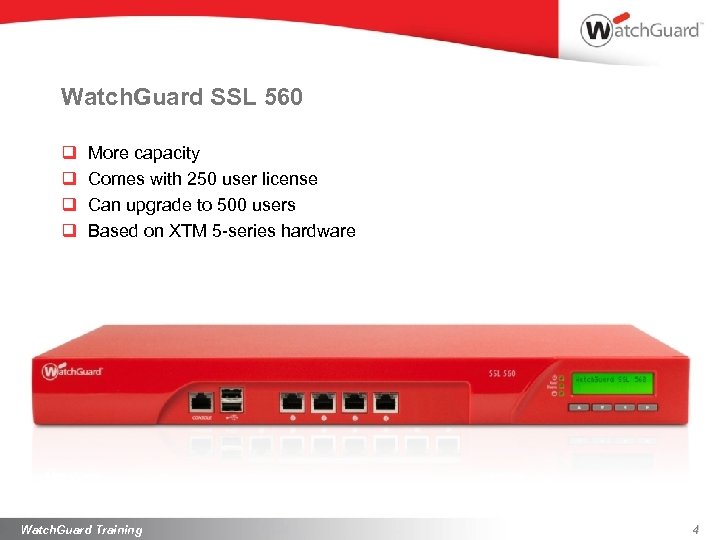 Watch. Guard SSL 560 q q More capacity Comes with 250 user license Can upgrade to 500 users Based on XTM 5 -series hardware Watch. Guard Training 4
 Ease Of Use
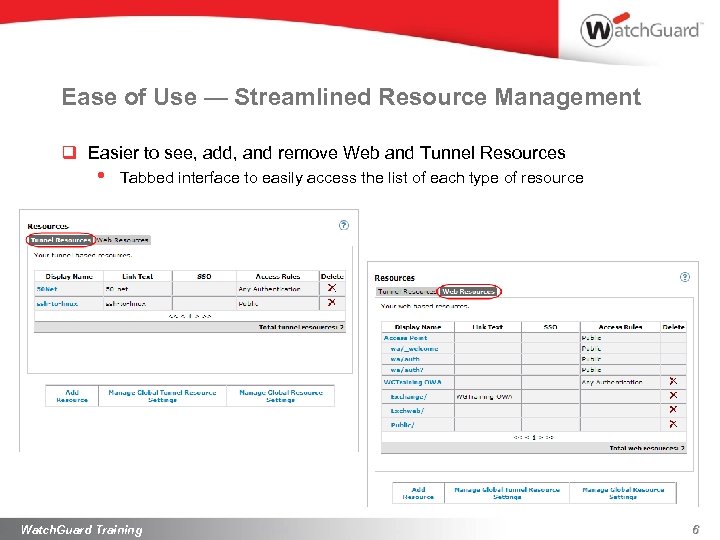 Ease of Use — Streamlined Resource Management q Easier to see, add, and remove Web and Tunnel Resources • Tabbed interface to easily access the list of each type of resource Watch. Guard Training 6
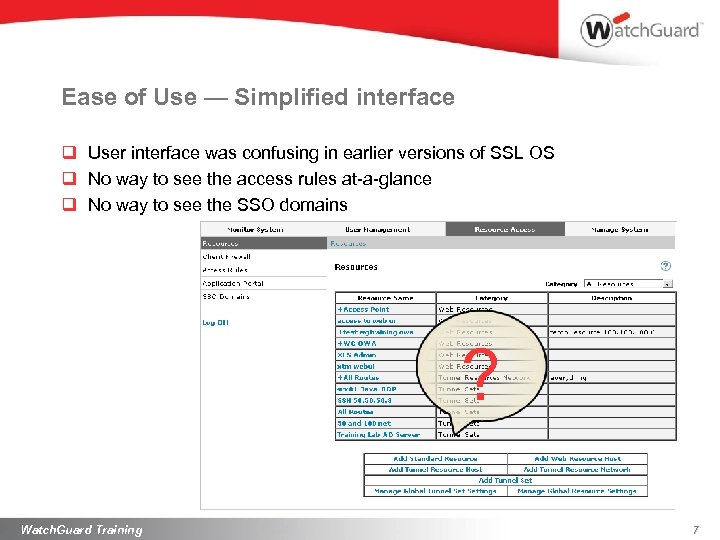 Ease of Use — Simplified interface q User interface was confusing in earlier versions of SSL OS q No way to see the access rules at-a-glance q No way to see the SSO domains ? Watch. Guard Training 7
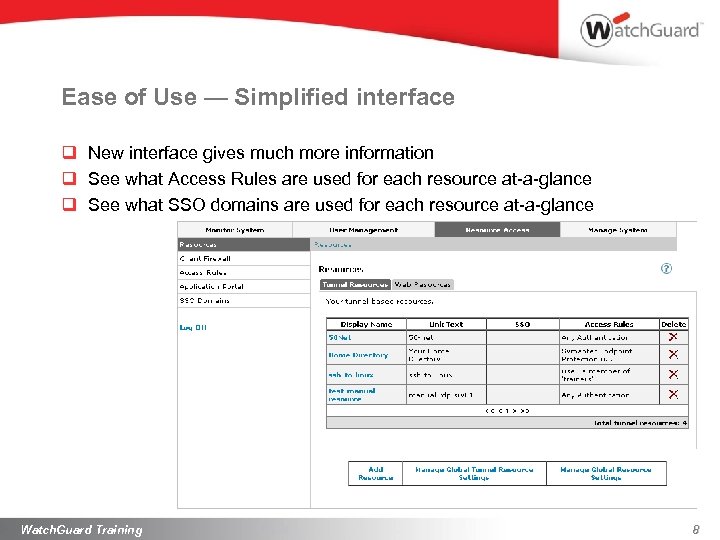 Ease of Use — Simplified interface q New interface gives much more information q See what Access Rules are used for each resource at-a-glance q See what SSO domains are used for each resource at-a-glance Watch. Guard Training 8
 Ease of Use — Add Tunnel Resources q Easier to add Tunnel Resources • • No need to add Tunnel Sets and Tunnel Resources separately Tunnel Resources and Tunnel Sets are transparent to the administrator q Streamlined wizard to add all resources • Faster, simpler, easier to understand Watch. Guard Training 9
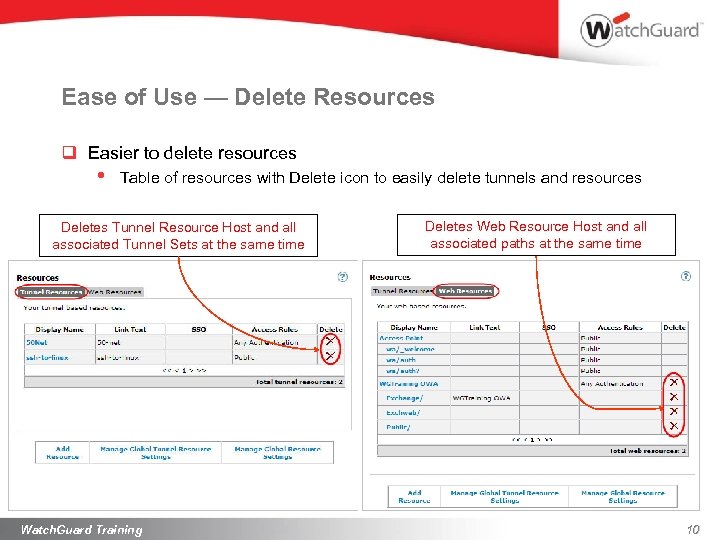 Ease of Use — Delete Resources q Easier to delete resources • Table of resources with Delete icon to easily delete tunnels and resources Deletes Tunnel Resource Host and all associated Tunnel Sets at the same time Watch. Guard Training Deletes Web Resource Host and all associated paths at the same time 10
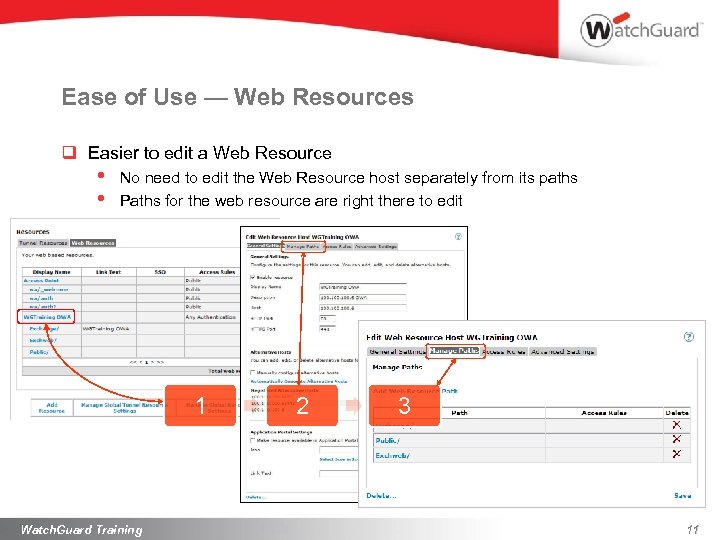 Ease of Use — Web Resources q Easier to edit a Web Resource • • No need to edit the Web Resource host separately from its paths Paths for the web resource are right there to edit 1 Watch. Guard Training 2 3 11
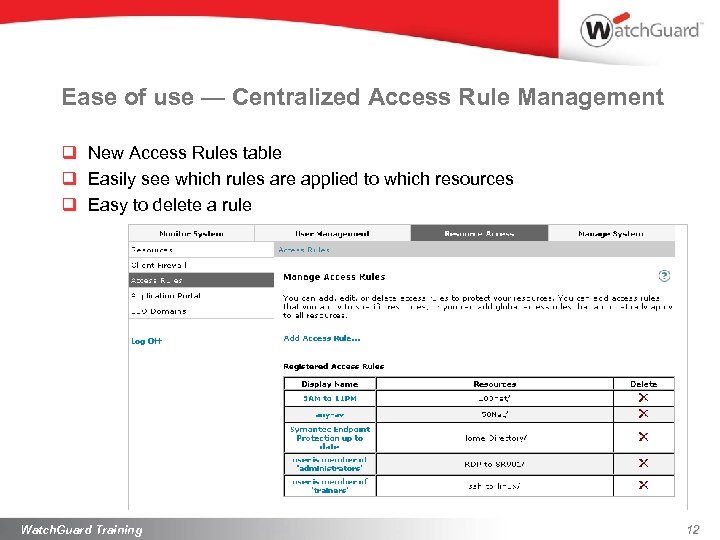 Ease of use — Centralized Access Rule Management q New Access Rules table q Easily see which rules are applied to which resources q Easy to delete a rule Watch. Guard Training 12
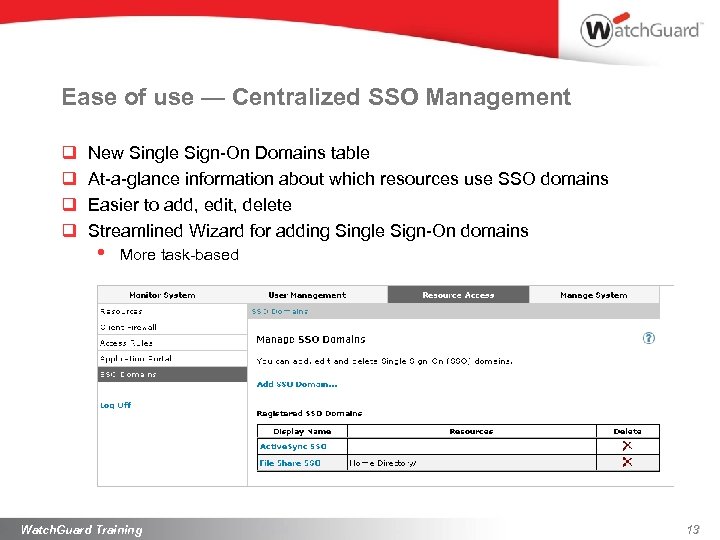 Ease of use — Centralized SSO Management q q New Single Sign-On Domains table At-a-glance information about which resources use SSO domains Easier to add, edit, delete Streamlined Wizard for adding Single Sign-On domains • More task-based Watch. Guard Training 13
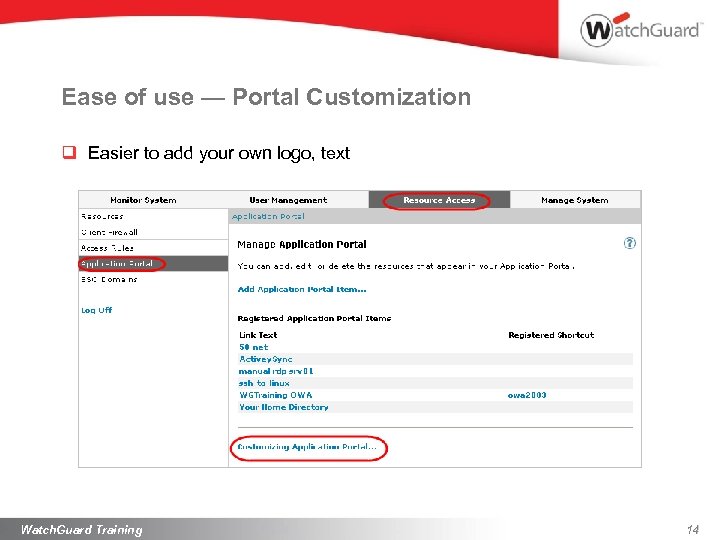 Ease of use — Portal Customization q Easier to add your own logo, text Watch. Guard Training 14
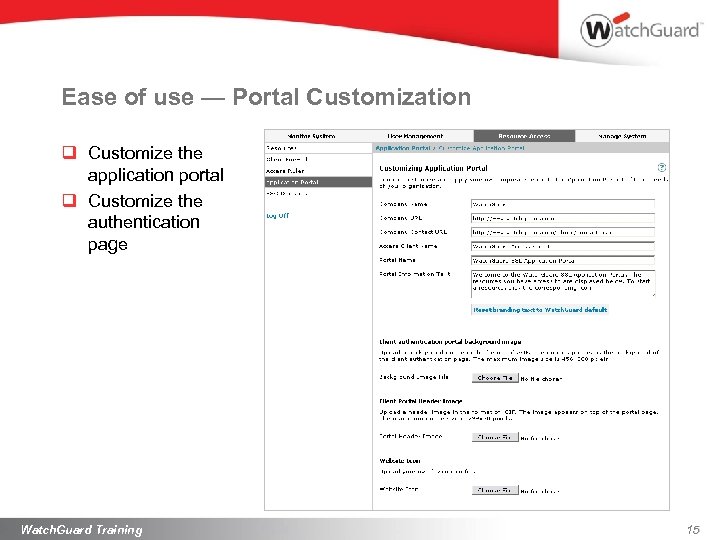 Ease of use — Portal Customization q Customize the application portal q Customize the authentication page Watch. Guard Training 15
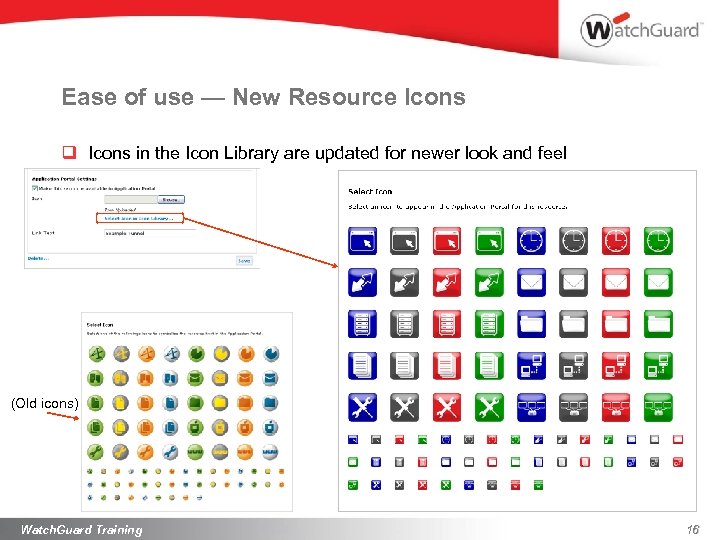 Ease of use — New Resource Icons q Icons in the Icon Library are updated for newer look and feel (Old icons) Watch. Guard Training 16
 Security
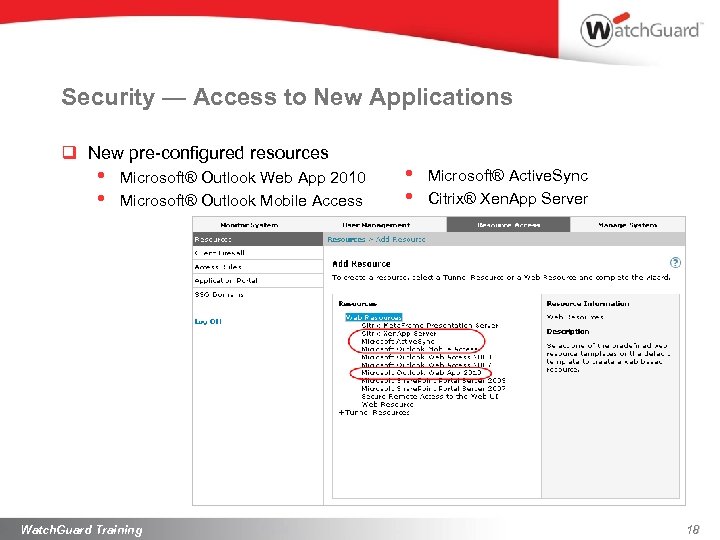 Security — Access to New Applications q New pre-configured resources • • Microsoft® Outlook Web App 2010 Microsoft® Outlook Mobile Access Watch. Guard Training • • Microsoft® Active. Sync Citrix® Xen. App Server 18
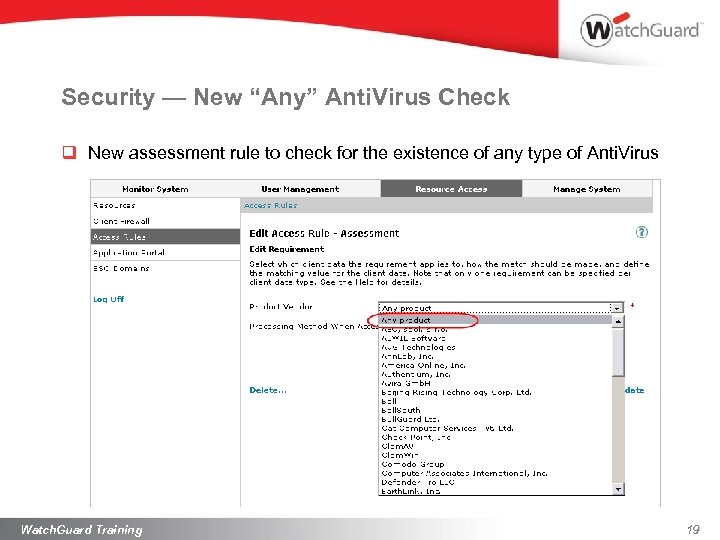 Security — New “Any” Anti. Virus Check q New assessment rule to check for the existence of any type of Anti. Virus Watch. Guard Training 19
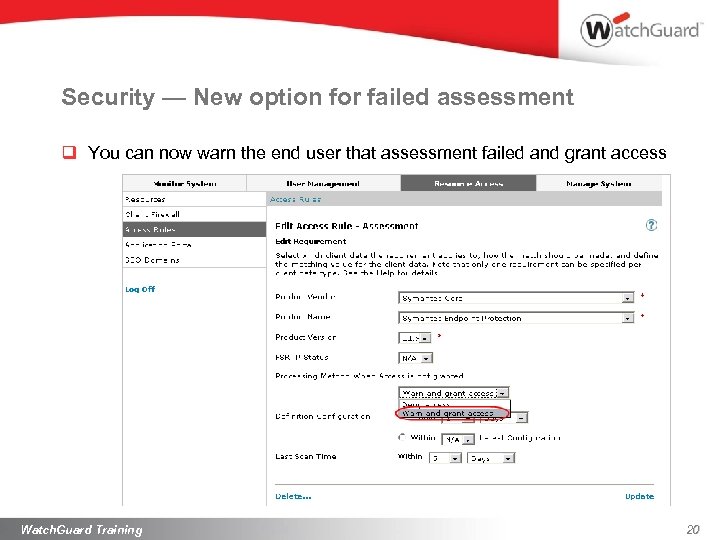 Security — New option for failed assessment q You can now warn the end user that assessment failed and grant access Watch. Guard Training 20
 Summary
 Scalability. Ease of Use. Security. q Scalability • New SSL 560 supports up to 500 users q Ease of Use • Many improvements to make it easier to understand, configure, and manage: Ø Tunnel and Web Resources Ø Access Rules Ø SSO Domains Ø Portal Customizations q Security • • Access to new preconfigured Resources Much more flexible Access Rules Watch. Guard Training 22
 Thank You!