


 Скачать презентацию What s New in SAS 9 Rick Langston SAS
afd795fba0450b9c2d67db1c6873f228.ppt
- Количество слайдов: 81
 What’s New in SAS 9 Rick Langston SAS Institute Inc. Platform R&D Division Rick. Langston@sas. com Copyright © 2002, SAS Institute Inc. All rights reserved.
 Outline n The Billy Ts n So many things, so little time n ANYDATE n MP/Connect n DATA step n Threads and PROC SUMMARY Copyright © 2002, SAS Institute Inc. All rights reserved.
 Outline continued n ODS n Release Schedule n Summary (not PROC SUMMARY) Copyright © 2002, SAS Institute Inc. All rights reserved.
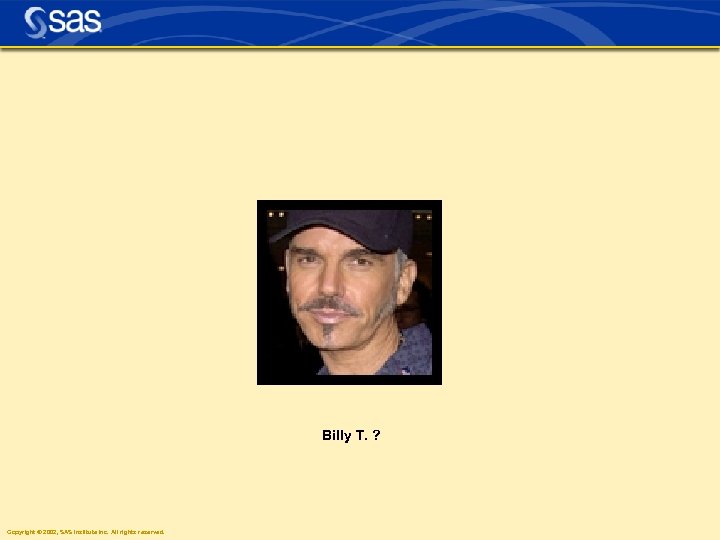 Billy T. ? Copyright © 2002, SAS Institute Inc. All rights reserved.
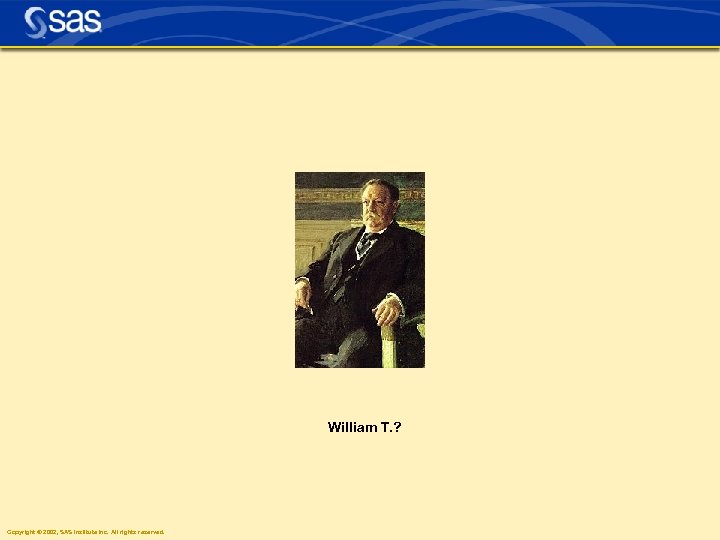 William T. ? Copyright © 2002, SAS Institute Inc. All rights reserved.
 Four Pillars n Usability n Scalability n Interoperability n Manageability Copyright © 2002, SAS Institute Inc. All rights reserved.
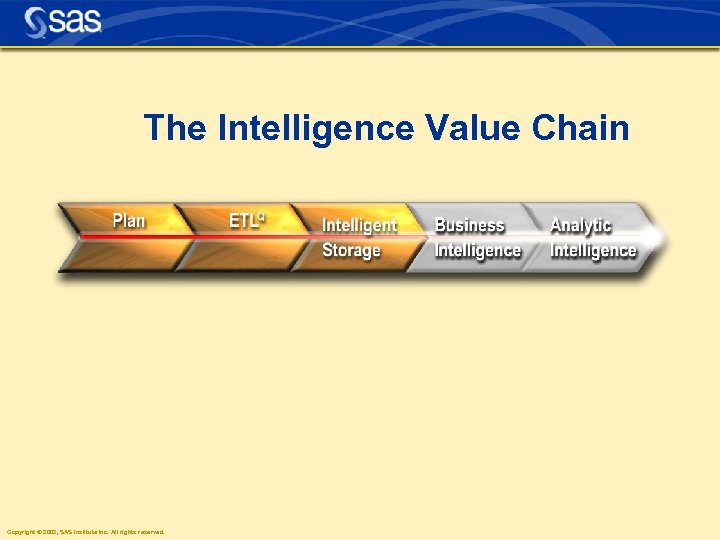 The Intelligence Value Chain Copyright © 2002, SAS Institute Inc. All rights reserved.
 Copyright © 2002, SAS Institute Inc. All rights reserved.
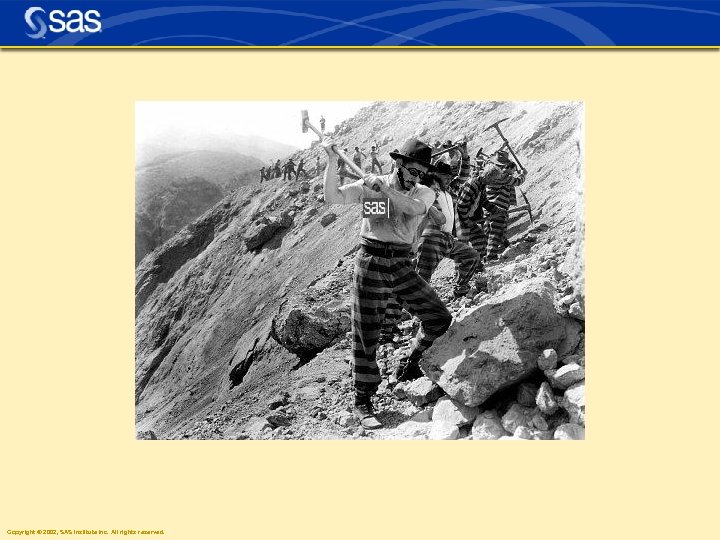 Copyright © 2002, SAS Institute Inc. All rights reserved.
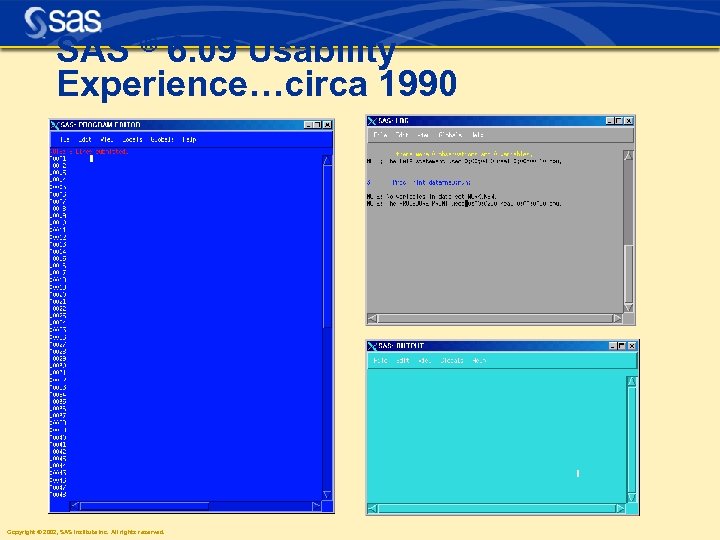 SAS ® 6. 09 Usability Experience…circa 1990 Copyright © 2002, SAS Institute Inc. All rights reserved.
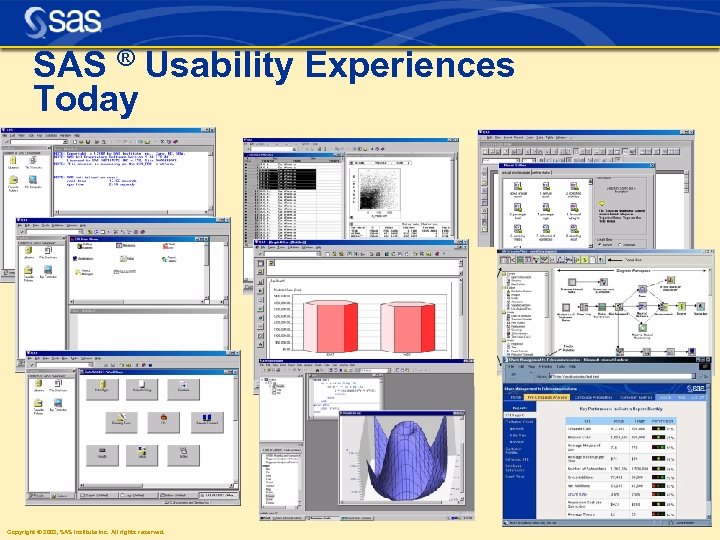 SAS ® Usability Experiences Today Copyright © 2002, SAS Institute Inc. All rights reserved.
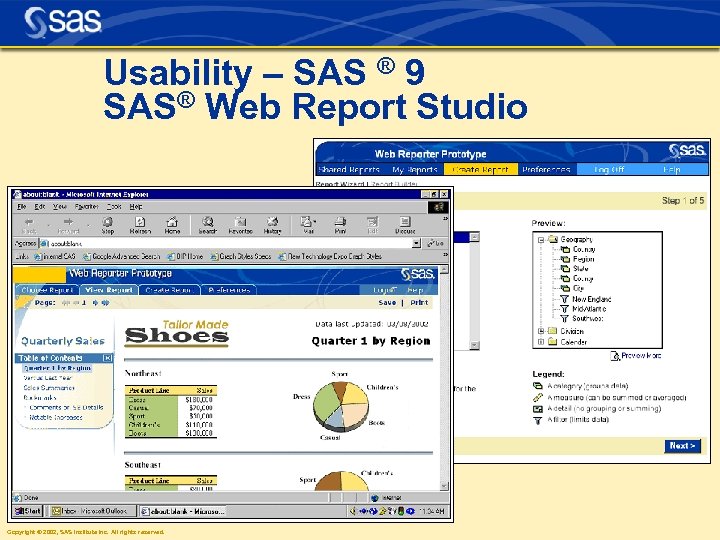 Usability – SAS ® 9 SAS® Web Report Studio Copyright © 2002, SAS Institute Inc. All rights reserved.
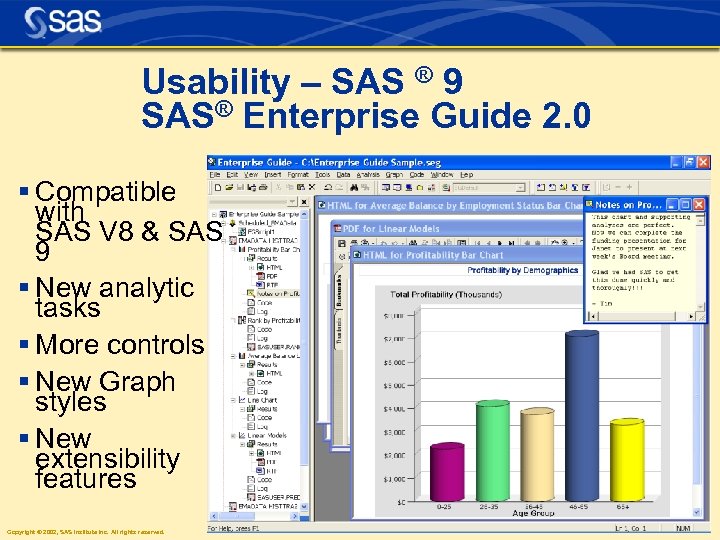 Usability – SAS ® 9 SAS® Enterprise Guide 2. 0 § Compatible with SAS V 8 & SAS 9 § New analytic tasks § More controls § New Graph styles § New extensibility features Copyright © 2002, SAS Institute Inc. All rights reserved.
 Copyright © 2002, SAS Institute Inc. All rights reserved. Java-based SAS ® XML Mapper client n Import XML documents ressnstn. Lniyecepdm. Sr. Aadxoa wopstn. Mf. XSsca. Smh. Ic. Man noii emxtelobiivt. SAXt. GJ o & t u-dia a. Le l. LUd. E i e i A stesosstan p s esaavan MM ara® xe f ated t p ot & S ot X v d d t SAS ® XML Mapper Interoperability in SAS® 9
 Copyright © 2002, SAS Institute Inc. All rights reserved.
 So many things. . . n Not enough time for everything! n SQL improvements n OLAP n SPDS n SAS Management Console n Metadata Servers Copyright © 2002, SAS Institute Inc. All rights reserved.
 “ANYDATE” informats l ANYDTDTE, ANYDTDTM, ANYDTTME l Handles most acceptable input d/t/dt informats l mdy ambiguities handled Copyright © 2002, SAS Institute Inc. All rights reserved.
 1 2 data _null_; input x: anydtdte 20. ; list; put x=date 9. ; cards; x=01 JAN 2002 3 01 jan 2002 x=31 DEC 2002 4 12/31/2002 x=01 MAY 2002 5 may 2002 x=01 JAN 2002 6 01 jan 2002: 12: 34: 56 x=01 JAN 2002 7 2002 -jan-01 x=01 JAN 2002 8 2002001 Copyright © 2002, SAS Institute Inc. All rights reserved.
 11 12 13 options datestyle=mdy; data _null_; input x: anydtdte 20. ; list; put x=date 9. ; cards; x=02 JAN 2003 14 01/02/03 x=31 DEC 2002 15 12/31/2002 x=31 DEC 2002 16 31/12/2002 x=19 MAR 1955 17 55/03/19 x=19 MAR 1955 18 19/03/55 19 20 Copyright © 2002, SAS Institute Inc. All rights reserved. run;
 21 22 data _null_; input x: anydtdtm 20. ; list; put x=datetime. ; cards; x=01 JAN 02: 12: 34: 56 23 01 jan 2002: 12: 34: 56 x=01 JAN 02: 00: 00 24 01 jan 2002 x=01 JAN 60: 12: 34: 56 25 12: 34: 56 Copyright © 2002, SAS Institute Inc. All rights reserved.
 28 29 data _null_; input x: anydttme 20. ; list; put x=time 8. ; cards; x=12: 34: 56 30 01 jan 2002: 12: 34: 56 x=0: 00 31 01 jan 2002 x=12: 34: 56 32 12: 34: 56 Copyright © 2002, SAS Institute Inc. All rights reserved.
 New in Connect n MP connect is not new, but we are still “getting the word out” n PIPES are new…. – hook your job steps together without using work files Copyright © 2002, SAS Institute Inc. All rights reserved.
 signon mp 1 sascmd="!sascmd"; signon mp 2 sascmd="!sascmd"; rsubmit mp 1 wait=no; libname temp 'c: temp'; data newbig; set sashelp. class; do index = 1 to 10000; rand = put(100000 * uniform(123), Z 6. 0); output; end; run; proc sort data=newbig out=temp. bigsort; by rand; run; endrsubmit; Copyright © 2002, SAS Institute Inc. All rights reserved.
 rsubmit mp 2 wait=no; libname temp 'c: temp'; data newbig 2; set sashelp. class; do index = 1 to 10000; rand = put(100000 * uniform(567), Z 6. 0); output; end; run; proc sort data=newbig 2 out=temp. bigsort 2; by rand; run; endrsubmit; waitfor _all_ mp 1 mp 2; signoff mp 1; signoff mp 2; Copyright © 2002, SAS Institute Inc. All rights reserved.
 SAS 9 Common BI Infrastructure Dev Env. SAS® App. Dev Studio Porta l SAS® Java Based BI Tools SAS® Information Map Studio Windows Based BI Tools SAS® Web Report Studio Information Delivery SAS® Management Console SAS® ETL Studio Portal SAS® Enterprise Guide SAS® Add-in for MS Office Re-usable COM Components JNI – Interfaces SAS Java Components SAS Query and Reporting Services Query Business Metadata Reporting SAS Foundation Services System Mgmt Open Metadata (OMS) Copyright © 2002, SAS Institute Inc. All rights reserved. Connection User SAS Servers Workspace Server Information Event Stored Process Data Storage
 SAS 9. 1. 3 Shipping! Copyright © 2002, SAS Institute Inc. All rights reserved.
 libname temp 'c: temp'; data temp. merged; merge temp. bigsort(in=mp 1) temp. bigsort 2(in=mp 2); by rand; if mp 1 and mp 2; run; proc datasets library=temp kill; run; quit; Copyright © 2002, SAS Institute Inc. All rights reserved.
 signon mp 1 a sascmd="!sascmd"; signon mp 1 b sascmd="!sascmd"; signon mp 2 a sascmd="!sascmd"; signon mp 2 b sascmd="!sascmd"; rsubmit mp 1 a wait=no; libname pipe 1 sasesock ": pipe 1"; data pipe 1. newbig; set sashelp. class; length rand $8; do index = 1 to 10000; rand = put(100000 * uniform(123), Z 7. 0); output; end; run; endrsubmit; Copyright © 2002, SAS Institute Inc. All rights reserved.
 rsubmit mp 1 b wait=no; libname pipe 1 sasesock ": pipe 1"; libname pipe 2 sasesock ": pipe 2"; proc sort data=pipe 1. newbig out=pipe 2. bigdata 1; by rand; run; endrsubmit; rsubmit mp 2 a wait=no; libname pipe 3 sasesock ": pipe 3"; data pipe 3. newbig; set sashelp. class; length rand $8; do index = 1 to 10000; rand = put(100000 * uniform(123), Z 7. 0); output; end; run; endrsubmit; Copyright © 2002, SAS Institute Inc. All rights reserved.
 rsubmit mp 2 b wait=no; libname pipe 3 sasesock ": pipe 3"; libname pipe 4 sasesock ": pipe 4"; proc sort data=pipe 3. newbig out=pipe 4. bigdata 2; by rand; run; endrsubmit; Copyright © 2002, SAS Institute Inc. All rights reserved.
 libname pipe 2 sasesock ": pipe 2"; libname pipe 4 sasesock ": pipe 4"; data merged; merge pipe 2. bigdata 1(in=mp 1) pipe 4. bigdata 2(in=mp 2); by rand; if mp 1 and mp 2; run; signoff mp 1 a; signoff mp 1 b; signoff mp 2 a; signoff mp 2 b; Copyright © 2002, SAS Institute Inc. All rights reserved.
 New in the DATA step – New Functions – Perl Regular Expressions – DATA step Hash Tables Copyright © 2002, SAS Institute Inc. All rights reserved.
 String Concatenation Functions call symput('pat' || trim(left(put(total, BEST 12. ))) || trim(left(put(bycount, BEST 12. ))), 'pattern'|| trim(left(put(total, BEST 12. ))) || trim(left(put(bycount, BEST 12. ))) || ' c=pink v=solid ; '); call symput(cats('pat', total, bycount), cats('pattern', total, bycount, ' c=pink v=solid ; ')); Copyright © 2002, SAS Institute Inc. All rights reserved.
 String Concatenation Functions a = cat("x ", 12. 3, " y"); /* "x 12. 3 y" */ b = catt("x ", 12. 3, " y"); /* "x 12. 3 y" */ /* "x 12. 3 y" */ c = cats("x ", 12. 3, " y"); d = catx("/", "x ", 12. 3, " y"); /* "x/12. 3/y" */ Copyright © 2002, SAS Institute Inc. All rights reserved.
![Sorting Values data s; array v[50]; set a; call sortq(of v 1 -v 50);](https://present5.com/presentation/afd795fba0450b9c2d67db1c6873f228/image-35.jpg "Sorting Values data s; array v[50]; set a; call sortq(of v 1 -v 50);") Sorting Values data s; array v[50]; set a; call sortq(of v 1 -v 50); data s; array v[50]; set a; call sortq(of v 50 -v 1); Copyright © 2002, SAS Institute Inc. All rights reserved.
Sorting Values data s; array v[50]; set a; call sortq(of v 1 -v 50); data s; array v[50]; set a; call sortq(of v 50 -v 1); Copyright © 2002, SAS Institute Inc. All rights reserved.
 Median and Percentile n y = median(5, 8, 0, 3, 4); n /* y is 4 */ n lower_quartile = pctl(25, 2, 4, 1, 3); n /* lower_quartile is 1. 5 */ Copyright © 2002, SAS Institute Inc. All rights reserved.
 PUT to LOG == PUTLOG data _null_; file names; input last. Name $; put last. Name; if last. Name =: 'J' then putlog 'NOTE: J last name, ' last. Name; datalines; Harris Jones ; Copyright © 2002, SAS Institute Inc. All rights reserved.
![#1 SASWARE Ballot Item Integer Ranges n data a; n array arr. A[10] (1:](https://present5.com/presentation/afd795fba0450b9c2d67db1c6873f228/image-38.jpg "#1 SASWARE Ballot Item Integer Ranges n data a; n array arr. A[10] (1:") #1 SASWARE Ballot Item Integer Ranges n data a; n array arr. A[10] (1: 10); n array arr. B[10]; n retain arr. B (2*1: 5); n if x in (1 2 5: 10) then n put 'X in range'; n n Copyright © 2002, SAS Institute Inc. All rights reserved. if x in arr. A then put 'X in arr. A';
#1 SASWARE Ballot Item Integer Ranges n data a; n array arr. A[10] (1: 10); n array arr. B[10]; n retain arr. B (2*1: 5); n if x in (1 2 5: 10) then n put 'X in range'; n n Copyright © 2002, SAS Institute Inc. All rights reserved. if x in arr. A then put 'X in arr. A';
 Perl Regular Expressions / Typical start and end delimiter. A Search for an “A”. B Search for a “B”. + Search for prior character one or more times. A+ Search for one or more “A”s. d Search for a digit character. w Search for a word character, alphanumeric plus _. [A-Z] Copyright © 2002, SAS Institute Inc. All rights reserved. Search for character in the range between A and Z.
 Perl Regular Expressions n /abc/ n xyzabc 123 n xyzab 123 c n /abc+d/ n xyzabcccc 5123 n xyzabcz Copyright © 2002, SAS Institute Inc. All rights reserved.
 Data Validation n Validate U. S. phone numbers that look like: (919) 677 -8000 n n Regular Expression: n /([2 -9]dd) ? [2 -9]ddd/ Copyright © 2002, SAS Institute Inc. All rights reserved.
 Data Validation – The Code data _null_; if _N_ = 1 then do; retain re; re = prxparse("/([2 -9]dd) ? [2 -9]dd-dd/") ; end; input first last phone & $16. ; if ^prxmatch(re, phone) then putlog "NOTE: Invalid, " first last phone; datalines; Thomas Archer (919)319 -1677 Lucy Mallory 800 -899 -2164 Tom Joad (508) 852 -2146 Laurie Jorgensen (252)152 -7583 ; Copyright © 2002, SAS Institute Inc. All rights reserved.
 Data Extraction n Use parentheses to group part of the regular expression: n /(([2 -9]dd)) ? ([2 -9]dd- dd)/ Area Code Submatch #1 Copyright © 2002, SAS Institute Inc. All rights reserved. Local Phone Number Submatch #2
 Data Extraction – The Code re = prxparse("/(([2 -9]dd)) ? ([2 -9]dd-dd)/"); . . . if prxmatch(re, phone) then do; call prxposn(re, 1, pos, len); areacode = substr(phone, pos, len); call prxposn(re, 2, pos, len); localphone = substr(phone, pos, len); end; Copyright © 2002, SAS Institute Inc. All rights reserved.
 Search and Replace n s/(w+) 1 / Copyright © 2002, SAS Institute Inc. All rights reserved.
 Search and Replace – The Code data _null_; x = 'it it happened at at SUGI'; re = prxparse('s/(w+) 1 /'); call prxchange(re, -1, x); put x=; run; /* x=it happened at SUGI */ Copyright © 2002, SAS Institute Inc. All rights reserved.
 Hash Table – Creating and Adding Data declare Hash ht(); ht. define. Key("ISBN"); ht. define. Data("author", "title"); ht. define. Done(); ISBN="0679722769"; author="Joyce"; title="Ulysses"; rc=ht. add(); Copyright © 2002, SAS Institute Inc. All rights reserved.
 Hash Table – Finding Data ISBN="0679722769"; rc = ht. find(); if rc = 0 then putlog "Found " author title; Copyright © 2002, SAS Institute Inc. All rights reserved.
 Hash Table – Loading from a Dataset data purchased_books; if _N_ = 1 then do; declare Hash ht(dataset: "books"); ht. define. Key("ISBN"); ht. define. Data("author", "title", "price"); ht. define. Done(); end; length author title $ 64 price 8; set purchased_ISBNs; if ht. find() = 0; run; Copyright © 2002, SAS Institute Inc. All rights reserved.
 This looks a lot like… n SET with KEY= data m; set ids; set data key=id; data m; n MERGE with BY merge ids data; by key; data m; n Custom Format with PUT Copyright © 2002, SAS Institute Inc. All rights reserved. set ids; data = put(ids, $LOOKUP. );
 Hash Table – Performance Real Time to Perform Lookup Format and PUT() Build Format 16. 03 s Search SET with KEY= Build Index 3. 06 s Search MERGE with BY 44. 79 s Sort Data Sets 7. 58 s Search Hash Table Copyright © 2002, SAS Institute Inc. All rights reserved. 1. 60 s 3. 43 s Load and Search 22. 84 s 47. 85 s 6. 81 s 9. 18 s
 Hash Tables – V 9 Experimental n So send in your comments! n suggest@sas. com n Embryonic… n Java Object Class Copyright © 2002, SAS Institute Inc. All rights reserved.
 PROC SUMMARY and threads n What are threads? n Dividing the work n PROC SUMMARY groups by classes n Each thread handles classes n Internally a completely new implementation n Example Copyright © 2002, SAS Institute Inc. All rights reserved.
 PROC SUMMARY and threads data temp; input group value; cards; 2 6 1 1 1 3 2 4 1 2 2 5 ; proc summary; class group; var value; Copyright © 2002, SAS Institute Inc. All rights reserved. [proc
 Threads n Group 1 gets a thread and a buffer of obs n Group 2 gets the same n Each thread computes the statistics n Brought back together for the output Copyright © 2002, SAS Institute Inc. All rights reserved.
 Threads and I/O n Will CPU outrun the I/O processing? n No - the other way around n Big Unix machines maximize their I/O buffering n We need threads to keep up with the I/O Copyright © 2002, SAS Institute Inc. All rights reserved.
 More to come for threads n SUMMARY, SORT are the first Base apps n REG, GLM in SAS/STAT n More procs will come n Also used in client/server applications Copyright © 2002, SAS Institute Inc. All rights reserved.
 ODS Updates n MARKUP/Tagsets n HTML 4 n Style Templates/DOCUMENT n Page X of Y n Text insertion n PDF enhancements Copyright © 2002, SAS Institute Inc. All rights reserved.
 ODS MARKUP n TAGSET templates n YOU have the power n Available in 8. 2 experimentally "ODS MARKUP: The Power of Choice & Change" by Eric Gebhart http: //www 2. sas. com/proceedings/sugi 27/p 003 -27. pdf also http: //www. sas. com/rnd/base/index-v 9 -resources. html Copyright © 2002, SAS Institute Inc. All rights reserved.
 Tagsets n Markup definition file – Defines how the markup should be generated – Defines the tags and how they should be used Copyright © 2002, SAS Institute Inc. All rights reserved.
 SAS-supplied Tagsets n A sampling of some of the available supplied tagsets: – CSV – Default (default XML) – Docbook – Event_map – HTML 4 – HTMLCSS (Cascading Style Sheets) – La. Te. X – WML – and many more!!! Copyright © 2002, SAS Institute Inc. All rights reserved.
 Make your own destination n Don't like the supplied tagsets? n Need a destination that SAS does not supply? – Create your own – SYLK tagset created by Jack Hamilton – DDE to Excel by Frank Poppe n See http: //www. sas. com/rnd/base/index-early-faq. html Copyright © 2002, SAS Institute Inc. All rights reserved.
 Tagsets – SCSV Example Proc Template; define event colspanfill; define tagsets. SCSV; put "; "; parent = tagsets. CSV; end; define event header; start: put "; " / if !cmp( COLSTART, "1"); define event rowspanfill; put """"; Semicolo put "; "; put VALUE; ns instead end; finish: put """"; of end; /* define tagset */ define event data; commas start: put "; " / if !cmp( COLSTART, "1"); run; put """"; put VALUE; finish: put """"; end; Copyright © 2002, SAS Institute Inc. All rights reserved.
 Tagsets – SCSV Example " 1"; "Alfred"; "M"; "14"; "69. 0"; "112. " 2"; "Alice"; "F"; "13"; "56. 5"; " 84. 0" ODS Tagsets. SCSV file = 'Ex. csv'; " 3"; "Barbara"; "F"; "13"; "65. 3"; " 98 proc print data=sashelp. class; run; ODS Tagsets. SCSV close; Semicolons instead of commas Copyright © 2002, SAS Institute Inc. All rights reserved.
 The Transition is Coming n ODS HTML file = 'Version 9. html'; n will invoke MARKUP destination with HTML 4 tagset in Version 9. 1 by default. – Current 3. 2 spec HTML will be accessible by setting an option in the registry. Copyright © 2002, SAS Institute Inc. All rights reserved.
 MARKUP & TAGSETS n Provides ability to have Markup output YOUR way n Will be the default for HTML in Version 9. 1 n Uses new TAGSET templates – otherwise referred to as Markup definitions n Create your own destinations Copyright © 2002, SAS Institute Inc. All rights reserved.
 Copyright © 2002, SAS Institute Inc. All rights reserved.
 ODS DOCUMENT New ODS destination -- persists output objects in raw format n Reorder n Rearrange n Replay without rerunning your procedures Copyright © 2002, SAS Institute Inc. All rights reserved.
 ODS DOCUMENT ods document name=sales(write); Title ‘Quarterly Sales By Product’; proc tabulate data=sashelp. prdsal 2 format=dollar 12. 2; class product quarter; var actual; table product, quarter*actual*sum=‘’; run; ods document close; Copyright © 2002, SAS Institute Inc. All rights reserved.
 ODS DOCUMENT tools Two new tools to manage ODS Documents n Proc Document n Graphical User Interface – ODS Document Window – odsdocument Copyright © 2002, SAS Institute Inc. All rights reserved.
 RTF: Page X of Y No more having to insert raw RTF code NOW: ods escapechar ''; title 'Hello ' j=r 'Page {pageof}'; BEFORE: title 'Hello ' j=r 'Page {field{*fldinst {bi PAGE }}}{bi of }{field{*fldinst {bi NUMPAGES }}}'; Copyright © 2002, SAS Institute Inc. All rights reserved.
 TEXT option Copyright © 2002, SAS Institute Inc. All rights reserved.
 TEXT option ODS RTF TEXT = 'Some text before PROC'; ODS PDF TEXT = 'Some text before PROC'; n Actually available in V 8. 2 n Improved to allow style option formatting Copyright © 2002, SAS Institute Inc. All rights reserved.
 ODS PDF Enhancements n Compressed n MUCH faster n Embedded fonts – definitely 9. 1 Copyright © 2002, SAS Institute Inc. All rights reserved.
 Other SAS ® 9 Features Software Installation n Customized software installations n Formal distribution of setinits via email Setinit transparently applied by the install program n Improved “silent” install for Windows installations n n New Install. Center on www. sas. com Copyright © 2002, SAS Institute Inc. All rights reserved.
 Other SAS ® 9 Features Shipping & Packaging § New installation Kit § CD packaging is 3 -tiered § All products shipped, making add-ons easy Copyright © 2002, SAS Institute Inc. All rights reserved.
 Other SAS ® 9 Features Section 508 Compliant §SAS Windowing Environment §Output Delivery System National Language Support §Japanese, Chinese, Korean §French, German, Italian, Polish, Hungarian Copyright © 2002, SAS Institute Inc. All rights reserved. SAS Display Manager in Kanji
 2002 2003 9. 0 Q 4 n 9. 0 n 9. 1. 2 n 9. 1. 3 n 9. 2 Copyright © 2002, SAS Institute Inc. All rights reserved. 2004 9. 1 Q 4 9. 1. 2 3/31 9. 1. 3 6/30
 Copyright © 2002, SAS Institute Inc. All rights reserved.
 Not carried forward from V 8 n Windows 95/98 n CMS n VAX/VMS n 32 -bit HP, Solaris, AIX n Mac n Intel ABI n MIPS ABI Copyright © 2002, SAS Institute Inc. All rights reserved.
 Summary n Four Pillars (The Billy Ts) n ANYDATE n MP/Connect n DATA step n Threads and PROC SUMMARY n ODS n Release Schedule n LOTS OF GOOD STUFF!!! Copyright © 2002, SAS Institute Inc. All rights reserved.