 Скачать презентацию WF-Rep Tool structure and database application to monitor
08007e38b49e73050d6c40ee5b5a5529.ppt
- Количество слайдов: 52



‚WF-Rep. Tool‘ structure and database application to monitor WEEE treatment results project on behalf of the WEEE Forum provided: June 2014 WF-Rep. Tool - general presentation Renate Gabriel 1
Overview ¨ The WF-Rep. Tool è è è è background - history - target structure & way of data input news - for implementation of WEEE Dir. 2012 known simplifications / delimitations software tool – ‘WF-Rep. Tool’, use at different levels advantages news – option to purchase WF-Rep. Tool some screen shots ¨ Contact information WF-Rep. Tool - general presentation Renate Gabriel 2
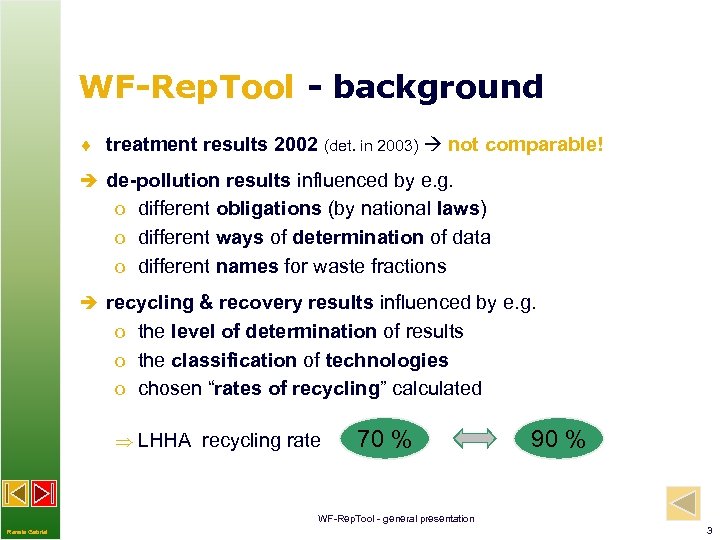
WF-Rep. Tool - background ¨ treatment results 2002 (det. in 2003) not comparable! è de-pollution results influenced by e. g. o different obligations (by national laws) o different ways of determination of data o different names for waste fractions è recycling & recovery results influenced by e. g. o the level of determination of results o the classification of technologies o chosen “rates of recycling” calculated LHHA recycling rate 70 % 90 % WF-Rep. Tool - general presentation Renate Gabriel 3
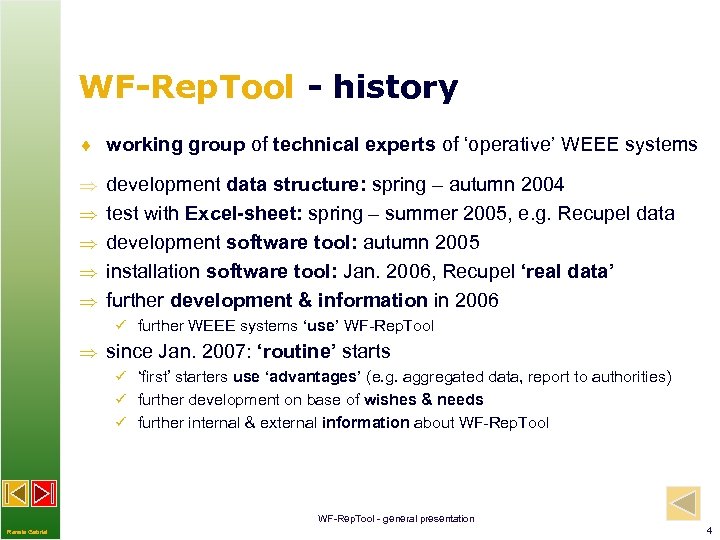
WF-Rep. Tool - history ¨ working group of technical experts of ‘operative’ WEEE systems development data structure: spring – autumn 2004 test with Excel-sheet: spring – summer 2005, e. g. Recupel data development software tool: autumn 2005 installation software tool: Jan. 2006, Recupel ‘real data’ further development & information in 2006 ü further WEEE systems ‘use’ WF-Rep. Tool since Jan. 2007: ‘routine’ starts ü ‘first’ starters use ‘advantages’ (e. g. aggregated data, report to authorities) ü further development on base of wishes & needs ü further internal & external information about WF-Rep. Tool - general presentation Renate Gabriel 4
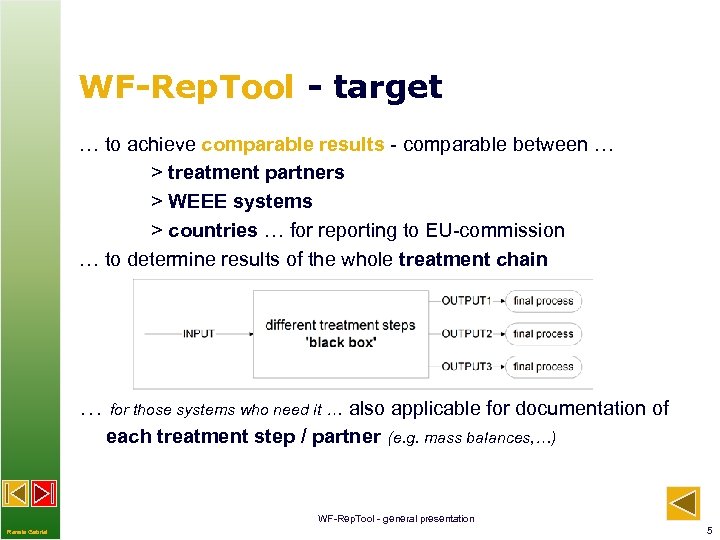
WF-Rep. Tool - target … to achieve comparable results - comparable between … > treatment partners > WEEE systems > countries … for reporting to EU-commission … to determine results of the whole treatment chain … for those systems who need it … also applicable for documentation of each treatment step / partner (e. g. mass balances, …) WF-Rep. Tool - general presentation Renate Gabriel 5
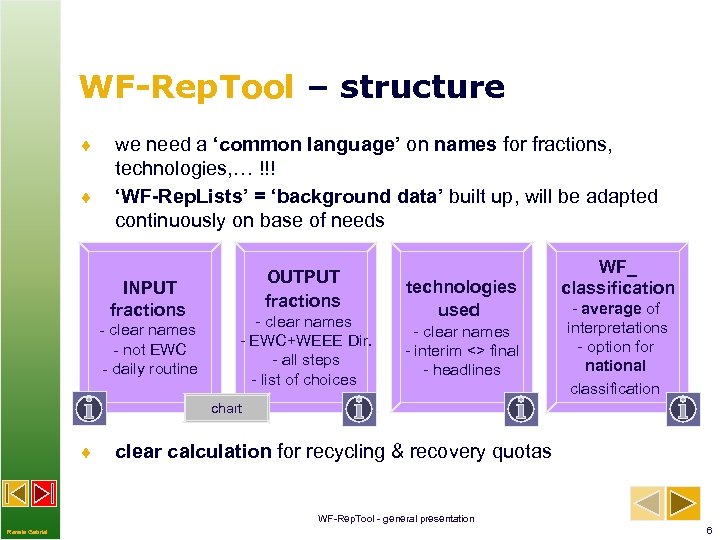
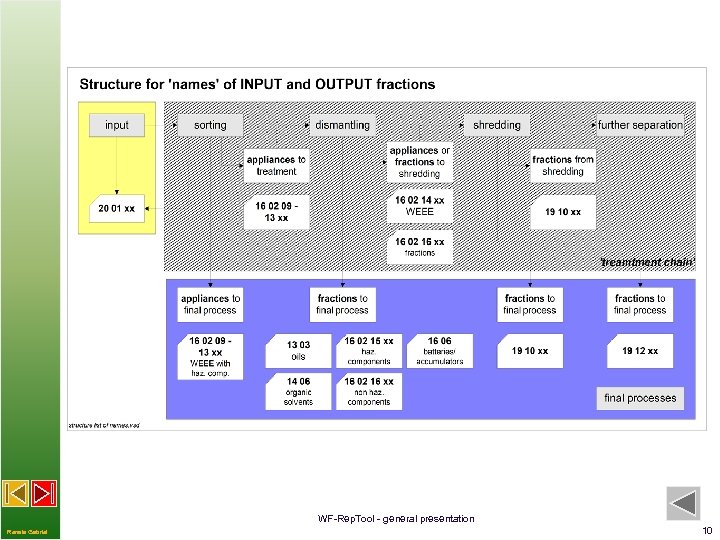
WF-Rep. Tool – structure ¨ ¨ we need a ‘common language’ on names for fractions, technologies, … !!! ‘WF-Rep. Lists’ = ‘background data’ built up, will be adapted continuously on base of needs INPUT fractions - clear names - not EWC - daily routine OUTPUT fractions - clear names - EWC+WEEE Dir. - all steps - list of choices technologies used - clear names - interim <> final - headlines WF_ classification - average of interpretations - option for national classification chart ¨ clear calculation for recycling & recovery quotas WF-Rep. Tool - general presentation Renate Gabriel 6
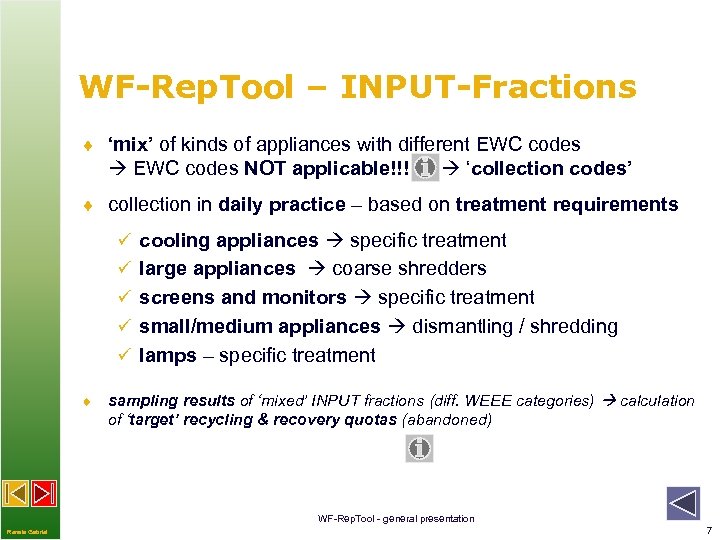
WF-Rep. Tool – INPUT-Fractions ¨ ‘mix’ of kinds of appliances with different EWC codes NOT applicable!!! ‘collection codes’ ¨ collection in daily practice – based on treatment requirements ü cooling appliances specific treatment ü large appliances coarse shredders ü screens and monitors specific treatment ü small/medium appliances dismantling / shredding ü lamps – specific treatment ¨ sampling results of ‘mixed’ INPUT fractions (diff. WEEE categories) calculation of ‘target’ recycling & recovery quotas (abandoned) WF-Rep. Tool - general presentation Renate Gabriel 7
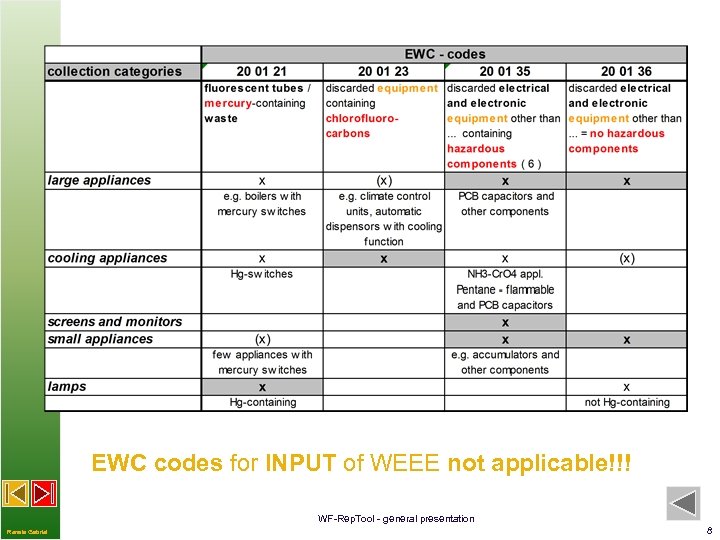
EWC codes for INPUT of WEEE not applicable!!! WF-Rep. Tool - general presentation Renate Gabriel 8
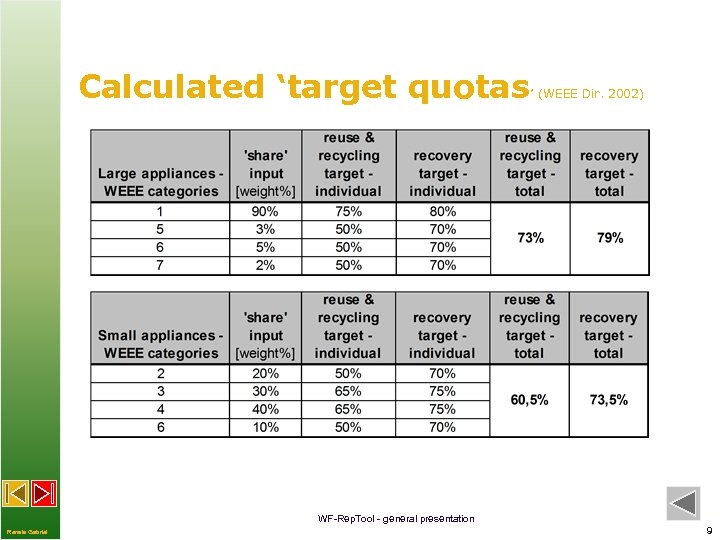
Calculated ‘target quotas ’ (WEEE Dir. 2002) WF-Rep. Tool - general presentation Renate Gabriel 9
WF-Rep. Tool - general presentation Renate Gabriel 10
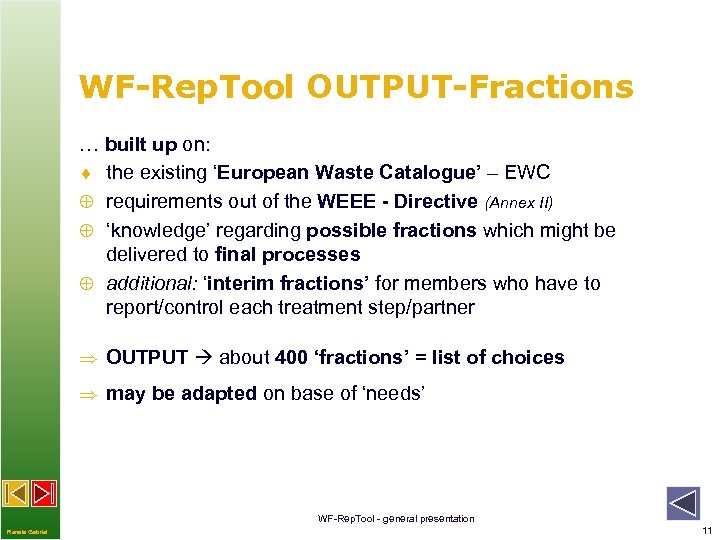
WF-Rep. Tool OUTPUT-Fractions … built up on: ¨ the existing ‘European Waste Catalogue’ – EWC Å requirements out of the WEEE - Directive (Annex II) Å ‘knowledge’ regarding possible fractions which might be delivered to final processes Å additional: ‘interim fractions’ for members who have to report/control each treatment step/partner OUTPUT about 400 ‘fractions’ = list of choices may be adapted on base of ‘needs’ WF-Rep. Tool - general presentation Renate Gabriel 11
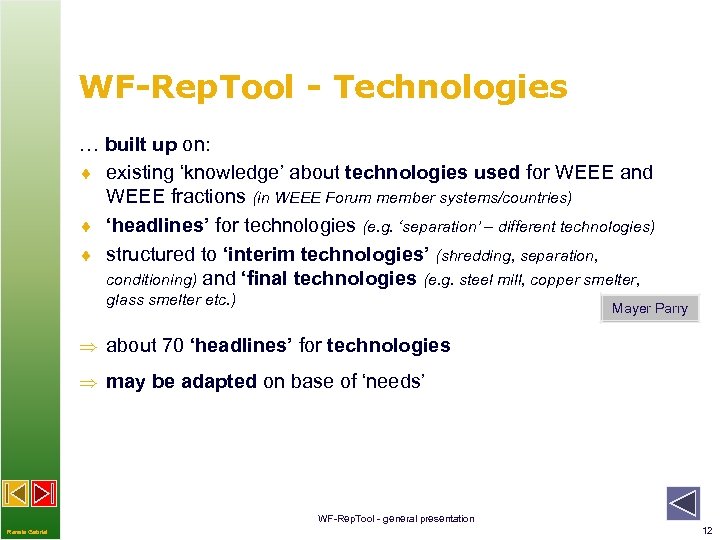
WF-Rep. Tool - Technologies … built up on: ¨ existing ‘knowledge’ about technologies used for WEEE and WEEE fractions (in WEEE Forum member systems/countries) ¨ ‘headlines’ for technologies (e. g. ‘separation’ – different technologies) ¨ structured to ‘interim technologies’ (shredding, separation, conditioning) and ‘final technologies (e. g. steel mill, copper smelter, glass smelter etc. ) Mayer Parry about 70 ‘headlines’ for technologies may be adapted on base of ‘needs’ WF-Rep. Tool - general presentation Renate Gabriel 12
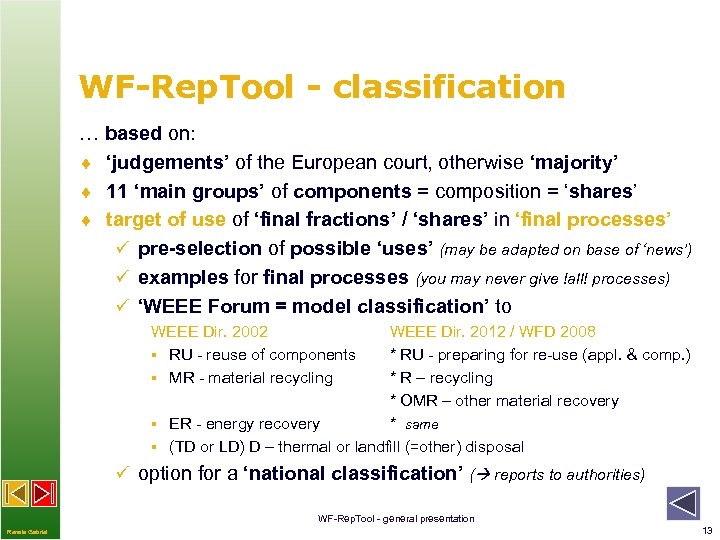
WF-Rep. Tool - classification … based on: ¨ ‘judgements’ of the European court, otherwise ‘majority’ ¨ 11 ‘main groups’ of components = composition = ‘shares’ ¨ target of use of ‘final fractions’ / ‘shares’ in ‘final processes’ ü pre-selection of possible ‘uses’ (may be adapted on base of ‘news’) ü examples for final processes (you may never give !all! processes) ü ‘WEEE Forum = model classification’ to WEEE Dir. 2002 § RU - reuse of components § MR - material recycling WEEE Dir. 2012 / WFD 2008 * RU - preparing for re-use (appl. & comp. ) * R – recycling * OMR – other material recovery § ER - energy recovery * same § (TD or LD) D – thermal or landfill (=other) disposal ü option for a ‘national classification’ ( reports to authorities) WF-Rep. Tool - general presentation Renate Gabriel 13
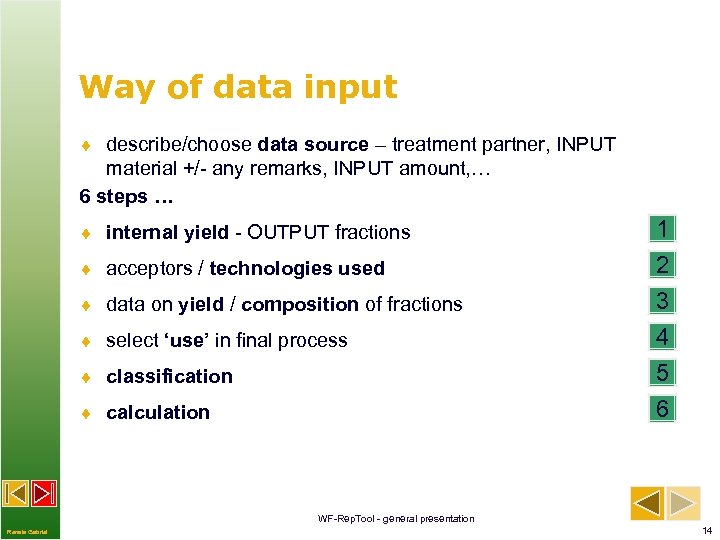
Way of data input ¨ describe/choose data source – treatment partner, INPUT material +/- any remarks, INPUT amount, … 6 steps … ¨ internal yield - OUTPUT fractions ¨ acceptors / technologies used ¨ data on yield / composition of fractions ¨ select ‘use’ in final process ¨ classification ¨ calculation 1 2 3 4 5 6 WF-Rep. Tool - general presentation Renate Gabriel 14
![step 1 – internal yield ¨ OUTPUT fractions names and amounts [kg] annual data](https://present5.com/presentation/08007e38b49e73050d6c40ee5b5a5529/image-15.jpg "step 1 – internal yield ¨ OUTPUT fractions names and amounts [kg] annual data")
step 1 – internal yield ¨ OUTPUT fractions names and amounts [kg] annual data period data from batches ¨ option for ‘internal names’ (e. g. used by company) ¨ option for ‘internal codes’ (e. g. used by company) ! option: to link data source with national waste numbers and waste ‘names’ national reporting, list of waste to be individually prepared per country WF-Rep. Tool - general presentation Renate Gabriel 15
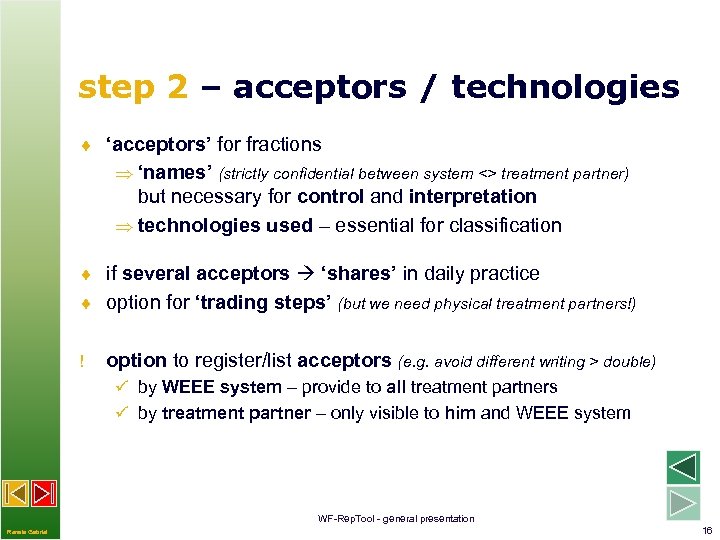
step 2 – acceptors / technologies ¨ ‘acceptors’ for fractions ‘names’ (strictly confidential between system <> treatment partner) but necessary for control and interpretation technologies used – essential for classification ¨ if several acceptors ‘shares’ in daily practice ¨ option for ‘trading steps’ (but we need physical treatment partners!) ! option to register/list acceptors (e. g. avoid different writing > double) ü by WEEE system – provide to all treatment partners ü by treatment partner – only visible to him and WEEE system WF-Rep. Tool - general presentation Renate Gabriel 16
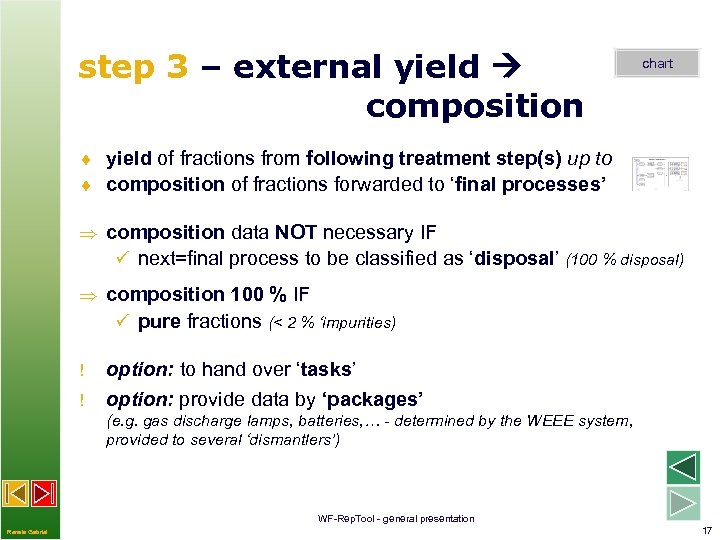
step 3 – external yield composition chart ¨ yield of fractions from following treatment step(s) up to ¨ composition of fractions forwarded to ‘final processes’ composition data NOT necessary IF ü next=final process to be classified as ‘disposal’ (100 % disposal) composition 100 % IF ü pure fractions (< 2 % ‘impurities) ! ! option: to hand over ‘tasks’ option: provide data by ‘packages’ (e. g. gas discharge lamps, batteries, … - determined by the WEEE system, provided to several ‘dismantlers’) WF-Rep. Tool - general presentation Renate Gabriel 17
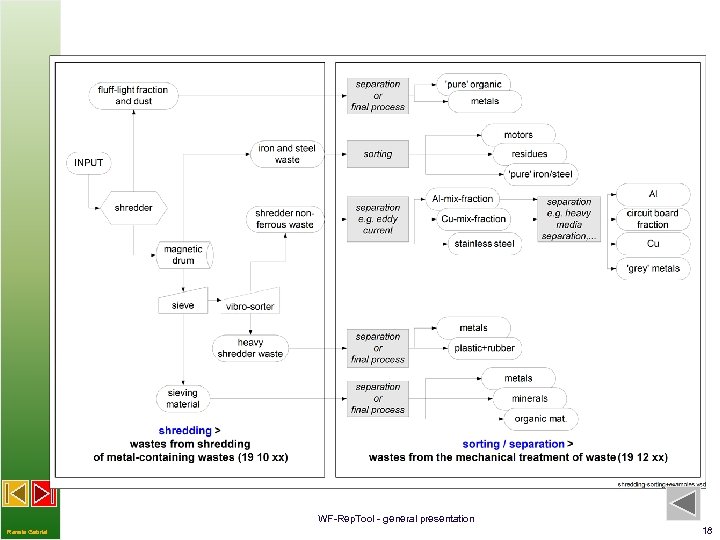
WF-Rep. Tool - general presentation Renate Gabriel 18
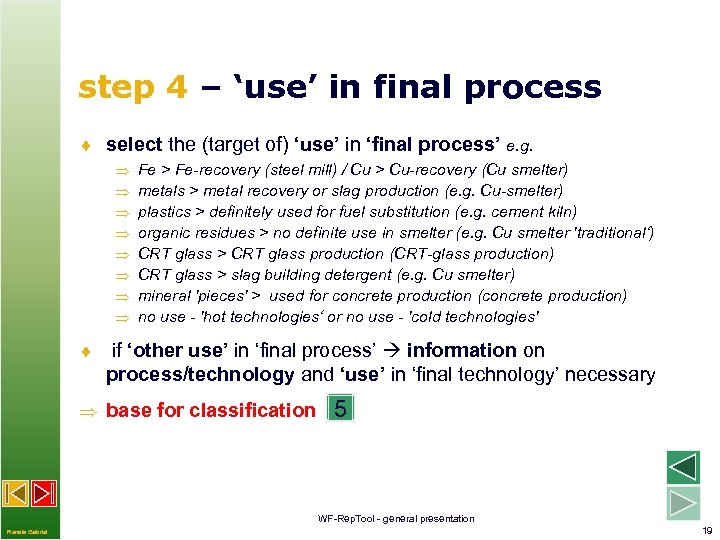
step 4 – ‘use’ in final process ¨ select the (target of) ‘use’ in ‘final process’ e. g. Fe > Fe-recovery (steel mill) / Cu > Cu-recovery (Cu smelter) metals > metal recovery or slag production (e. g. Cu-smelter) plastics > definitely used for fuel substitution (e. g. cement kiln) organic residues > no definite use in smelter (e. g. Cu smelter 'traditional‘) CRT glass > CRT glass production (CRT-glass production) CRT glass > slag building detergent (e. g. Cu smelter) mineral 'pieces' > used for concrete production (concrete production) no use - 'hot technologies‘ or no use - 'cold technologies' ¨ if ‘other use’ in ‘final process’ information on process/technology and ‘use’ in ‘final technology’ necessary base for classification 5 WF-Rep. Tool - general presentation Renate Gabriel 19
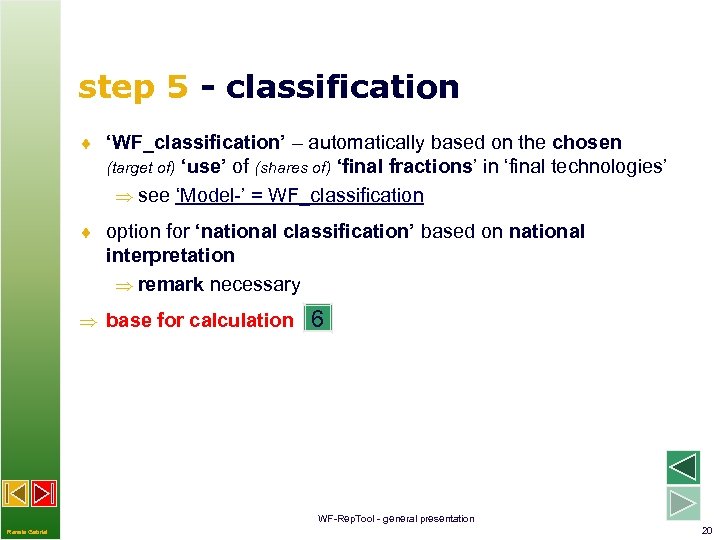
step 5 - classification ¨ ‘WF_classification’ – automatically based on the chosen (target of) ‘use’ of (shares of) ‘final fractions’ in ‘final technologies’ see ‘Model-’ = WF_classification ¨ option for ‘national classification’ based on national interpretation remark necessary base for calculation 6 WF-Rep. Tool - general presentation Renate Gabriel 20
![step 6 – calculation (1) ¨ automatically internal calculation ‘per report’ adding ‘shares’ [%]](https://present5.com/presentation/08007e38b49e73050d6c40ee5b5a5529/image-21.jpg "step 6 – calculation (1) ¨ automatically internal calculation ‘per report’ adding ‘shares’ [%]")
step 6 – calculation (1) ¨ automatically internal calculation ‘per report’ adding ‘shares’ [%] of fractions classified as (// from WEEE Dir. 2012) ü RU (reuse of components) // preparing for re-use ü MR (material recycling) // R (recycling) ü ER (energy recovery) // and OMR (other material recovery) ü D (disposal) [split to TD and LD – requested by systems] calculation of ‘amounts’ [kg] per fraction calculation of ‘total amounts’ [kg] (of RU, MR//R, . . . ) per report calculation of recycling & recovery rates per report WF-Rep. Tool - general presentation Renate Gabriel 21
![step 6 – calculation (2) ¨ option to calculate annual amounts [kg] based on](https://present5.com/presentation/08007e38b49e73050d6c40ee5b5a5529/image-22.jpg "step 6 – calculation (2) ¨ option to calculate annual amounts [kg] based on")
step 6 – calculation (2) ¨ option to calculate annual amounts [kg] based on ‘batches’ or ‘period data’ (copy/paste e. g. batch report > paste with total input) ¨ option for ‚summary reports‘ (e. g. several batches, periods) (‘Pro’ only) ¨ option for ‚Summaries‘ as a base for annual amounts ¨ option for ‚Summaries‘ per ‚collection and treatment category‘ for WEEE system … reports based on all database contents WF-Rep. Tool - general presentation Renate Gabriel 22
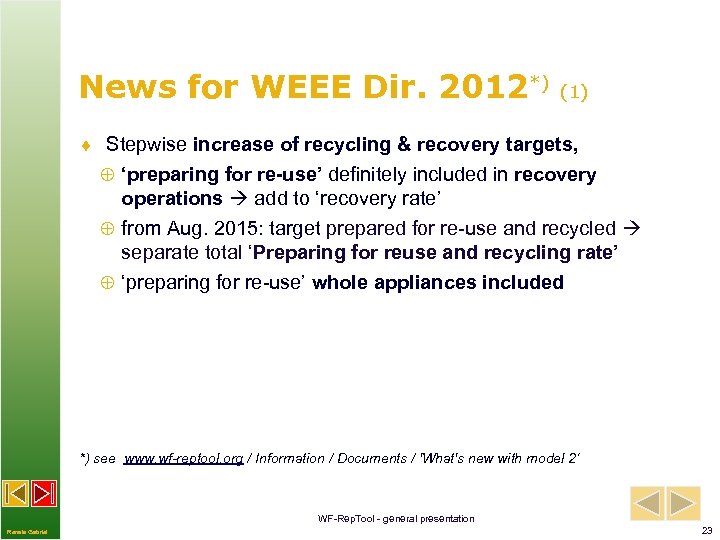
News for WEEE Dir. 2012*) (1) ¨ Stepwise increase of recycling & recovery targets, Å ‘preparing for re-use’ definitely included in recovery operations add to ‘recovery rate’ Å from Aug. 2015: target prepared for re-use and recycled separate total ‘Preparing for reuse and recycling rate’ Å ‘preparing for re-use’ whole appliances included *) see www. wf-reptool. org / Information / Documents / 'What's new with model 2‘ WF-Rep. Tool - general presentation Renate Gabriel 23
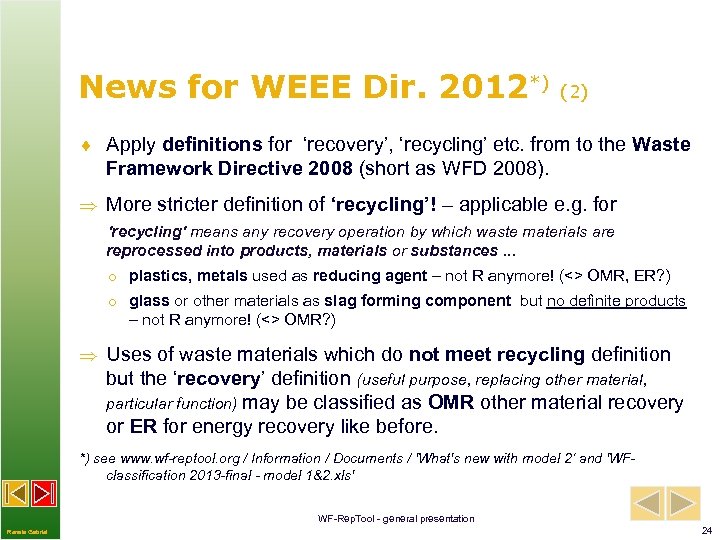
News for WEEE Dir. 2012*) (2) ¨ Apply definitions for ‘recovery’, ‘recycling’ etc. from to the Waste Framework Directive 2008 (short as WFD 2008). More stricter definition of ‘recycling’! – applicable e. g. for 'recycling' means any recovery operation by which waste materials are reprocessed into products, materials or substances. . . o plastics, metals used as reducing agent – not R anymore! (<> OMR, ER? ) o glass or other materials as slag forming component but no definite products – not R anymore! (<> OMR? ) Uses of waste materials which do not meet recycling definition but the ‘recovery’ definition (useful purpose, replacing other material, particular function) may be classified as OMR other material recovery or ER for energy recovery like before. *) see www. wf-reptool. org / Information / Documents / 'What's new with model 2‘ and 'WFclassification 2013 -final - model 1&2. xls' WF-Rep. Tool - general presentation Renate Gabriel 24
News for WEEE Dir. 2012 (3) New ‘model 2’ for calculation provided, incl. new WF-model classification WF-Rep. Tool administrator may choose default model to be used (may also fix model to be used) Option to choose calculation model for each report WF-Rep. Tool - general presentation Renate Gabriel 25
Simplifications / delimitations (1) ¨ 2 % limit‘ for ‚pure‘ fractions (1 % in discussion) higher quality criteria in practise! e. g. o iron - ‚no visible plastics‘, very low 0, xx % Cu content o aluminium fractions – high quality criteria other metals, plastics o quality criteria on purity of CRT glass, plastics conditioned, … ¨ target of use of input (of ‘shares’) to ‘final processes’ – not yield of processes o e. g. copper content copper yield, copper in slag or filter material, …) to much influenced by individual technology and following use of fractions etc. ü option to provide data with different target uses (e. g. share as metal, share to slag, . . . ) WF-Rep. Tool - general presentation Renate Gabriel 26
Simplifications / delimitations (2) ¨ no ‘environmental’ or ‘eco-efficiency’ classification of technologies possible as ‘next steps‘ in the future … (ongoing research studies) WF-Rep. Tool - general presentation Renate Gabriel 27
Software tool - ‘WF-Rep. Tool’ ¨ database program designed as web based application ¨ WEEE Forum server for ‘background data’ ¨ servers at WEEE systems – option for ‘sectors’ at shared WEEE Forum server (all other options for shared servers) ¨ treatment partners report to WEEE systems ¨ ‘task’ feature for next step treatment results ü ‘black box’ feature: ‘delivering’ treatment partner will only get information on total amounts quoted as RU, MR/R, . . . ü ‘open task’ feature: all data shown to ‘delivering’ treatment partner (decision by treatment partner fulfilling the task) data structure server option WF-Rep. Tool - general presentation Renate Gabriel 28
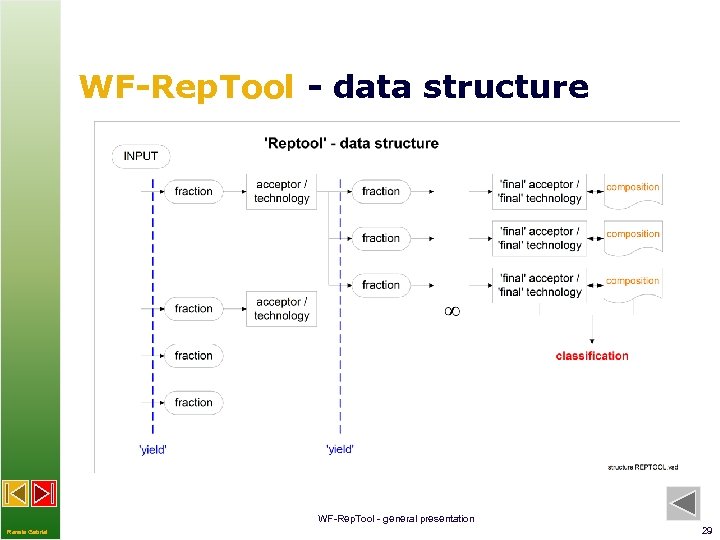
WF-Rep. Tool - data structure WF-Rep. Tool - general presentation Renate Gabriel 29
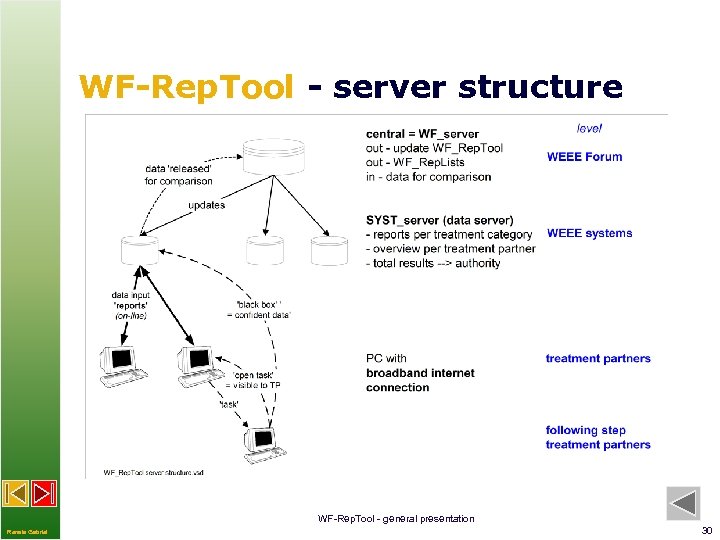
WF-Rep. Tool - server structure WF-Rep. Tool - general presentation Renate Gabriel 30
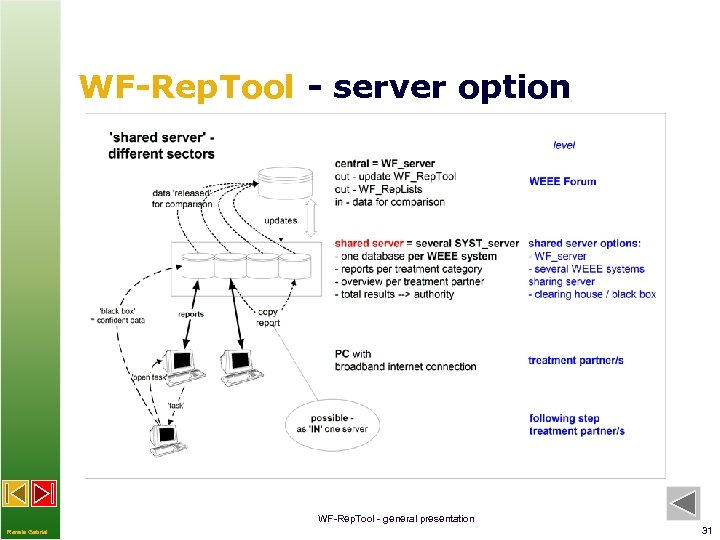
WF-Rep. Tool - server option WF-Rep. Tool - general presentation Renate Gabriel 31
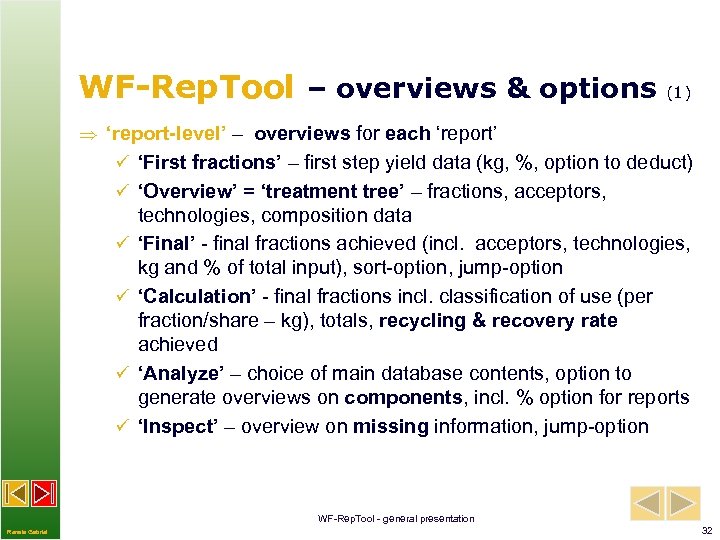
WF-Rep. Tool – overviews & options (1) ‘report-level’ – overviews for each ‘report’ ü ‘First fractions’ – first step yield data (kg, %, option to deduct) ü ‘Overview’ = ‘treatment tree’ – fractions, acceptors, ü ü technologies, composition data ‘Final’ - final fractions achieved (incl. acceptors, technologies, kg and % of total input), sort-option, jump-option ‘Calculation’ - final fractions incl. classification of use (per fraction/share – kg), totals, recycling & recovery rate achieved ‘Analyze’ – choice of main database contents, option to generate overviews on components, incl. % option for reports ‘Inspect’ – overview on missing information, jump-option WF-Rep. Tool - general presentation Renate Gabriel 32
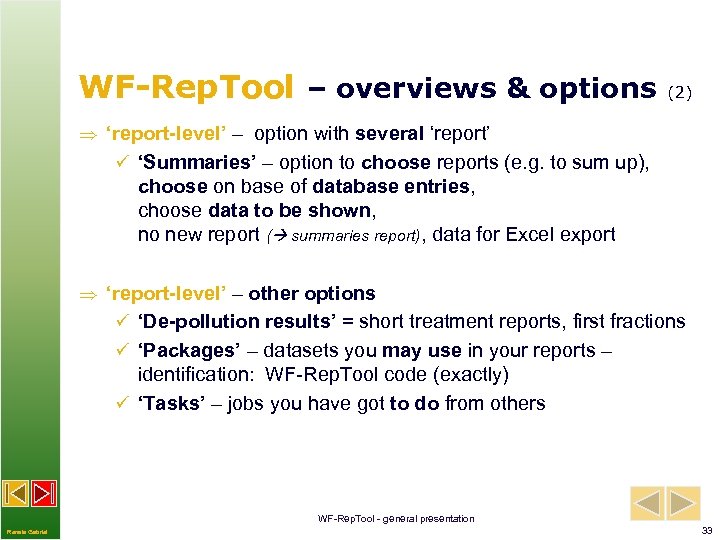
WF-Rep. Tool – overviews & options (2) ‘report-level’ – option with several ‘report’ ü ‘Summaries’ – option to choose reports (e. g. to sum up), choose on base of database entries, choose data to be shown, no new report ( summaries report), data for Excel export ‘report-level’ – other options ü ‘De-pollution results’ = short treatment reports, first fractions ü ‘Packages’ – datasets you may use in your reports – identification: WF-Rep. Tool code (exactly) ü ‘Tasks’ – jobs you have got to do from others WF-Rep. Tool - general presentation Renate Gabriel 33
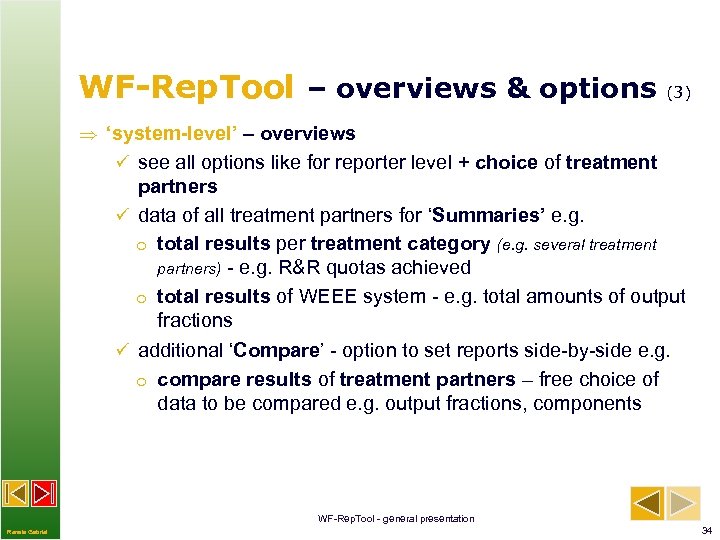
WF-Rep. Tool – overviews & options (3) ‘system-level’ – overviews ü see all options like for reporter level + choice of treatment partners ü data of all treatment partners for ‘Summaries’ e. g. o total results per treatment category (e. g. several treatment partners) - e. g. R&R quotas achieved o total results of WEEE system - e. g. total amounts of output fractions ü additional ‘Compare’ - option to set reports side-by-side e. g. o compare results of treatment partners – free choice of data to be compared e. g. output fractions, components WF-Rep. Tool - general presentation Renate Gabriel 34
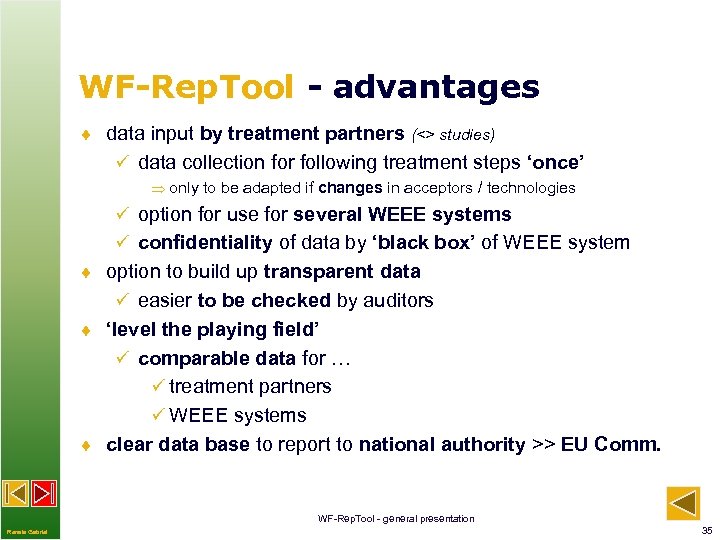
WF-Rep. Tool - advantages ¨ data input by treatment partners (<> studies) ü data collection for following treatment steps ‘once’ only to be adapted if changes in acceptors / technologies ü option for use for several WEEE systems ü confidentiality of data by ‘black box’ of WEEE system ¨ option to build up transparent data ü easier to be checked by auditors ¨ ‘level the playing field’ ü comparable data for … ü treatment partners ü WEEE systems ¨ clear data base to report to national authority >> EU Comm. WF-Rep. Tool - general presentation Renate Gabriel 35
News - option to purchase ¨ 'third-party-users' (not being WEEE Forum members) may purchase the WF-Rep. Tool – e. g. treatment operators ¨ more detailed at the WF-Rep. Tool website (www. wf-reptool. org) - product / license options ¨ option for trial version ¨ Own administration of WF-Rep. Tool ¨ Option to use for several plants, own results for other clients, no insight by WEEE system ¨ Upload/Download features for reports to WEEE systems WF-Rep. Tool - general presentation Renate Gabriel 36
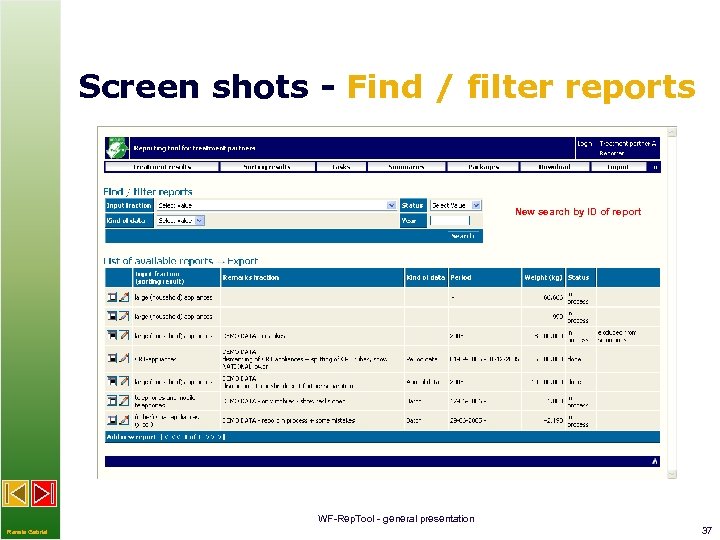
Screen shots - Find / filter reports New search by ID of report WF-Rep. Tool - general presentation Renate Gabriel 37
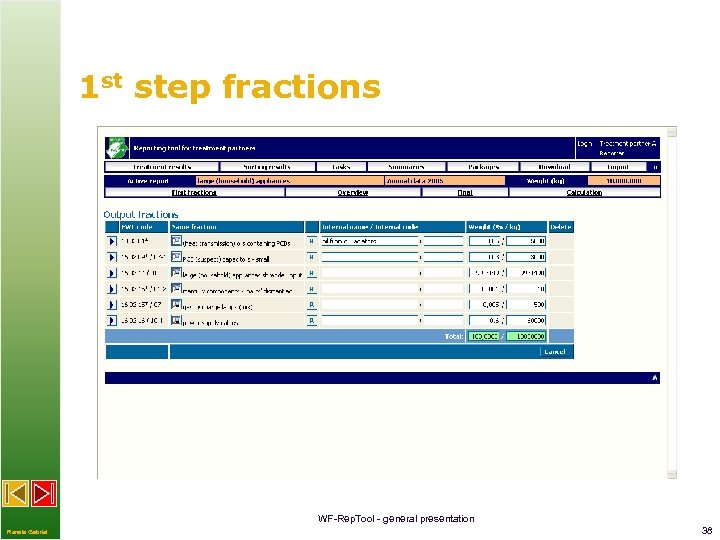
1 st step fractions WF-Rep. Tool - general presentation Renate Gabriel 38
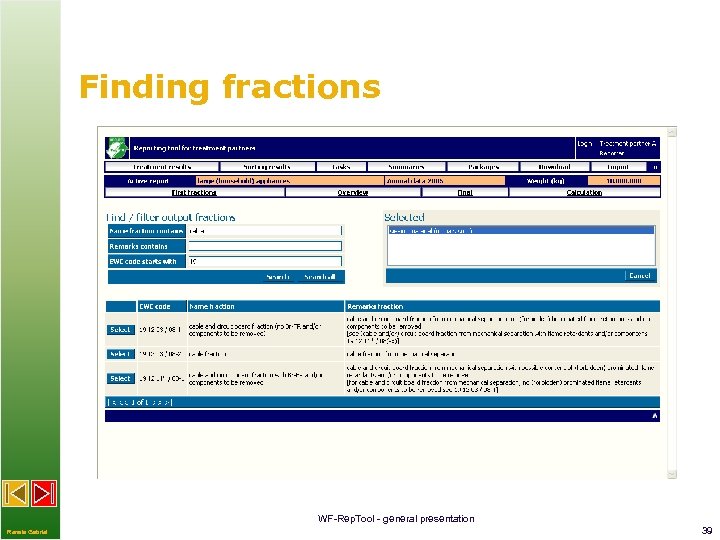
Finding fractions WF-Rep. Tool - general presentation Renate Gabriel 39
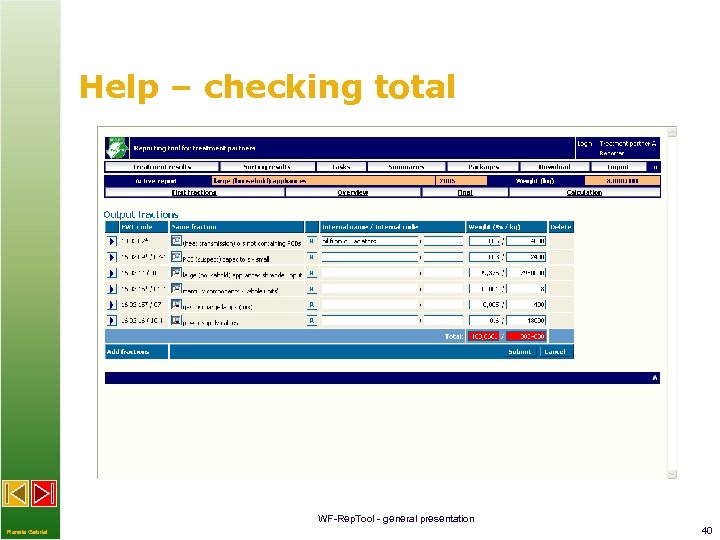
Help – checking total WF-Rep. Tool - general presentation Renate Gabriel 40
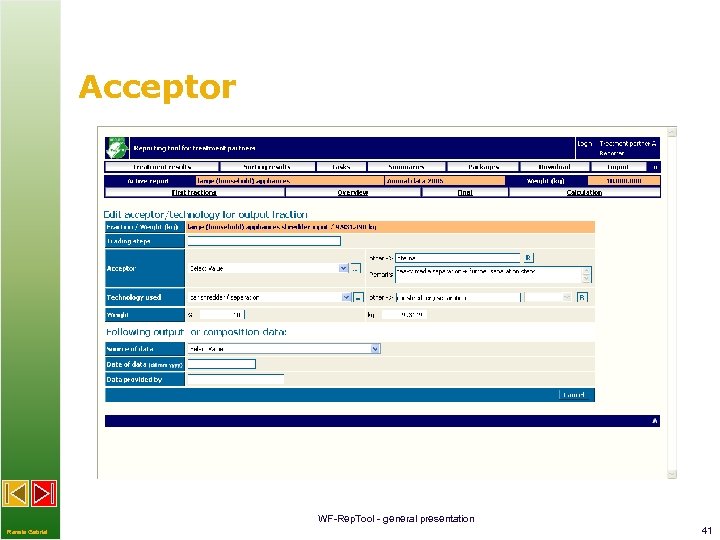
Acceptor WF-Rep. Tool - general presentation Renate Gabriel 41
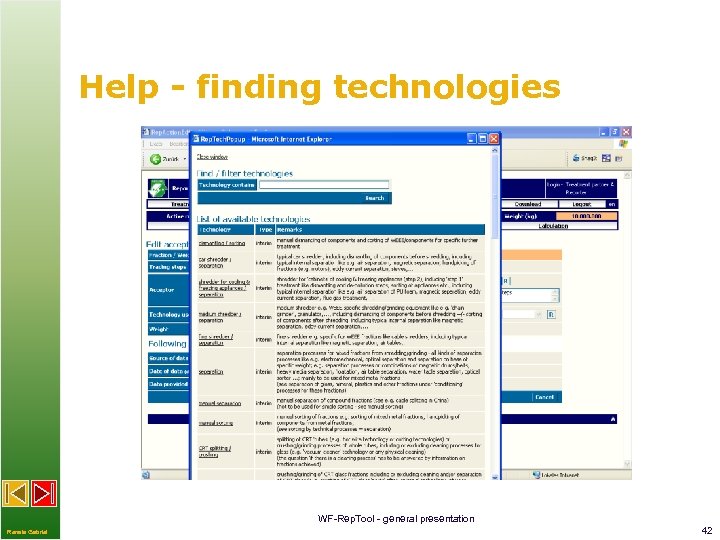
Help - finding technologies WF-Rep. Tool - general presentation Renate Gabriel 42
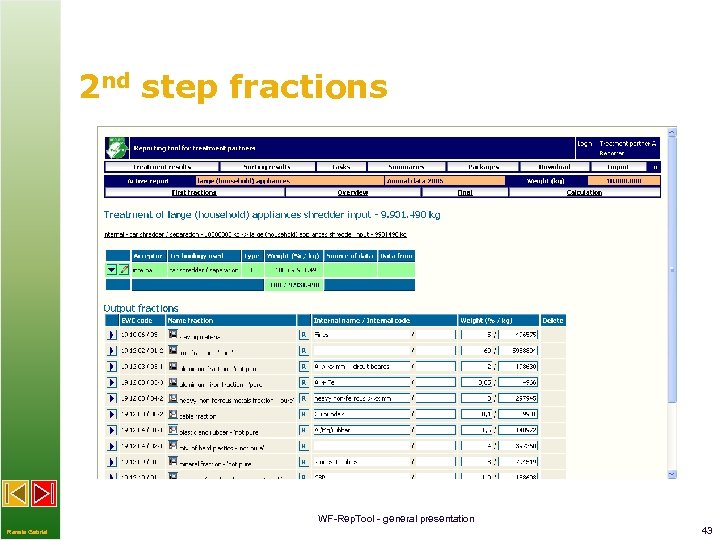
2 nd step fractions WF-Rep. Tool - general presentation Renate Gabriel 43
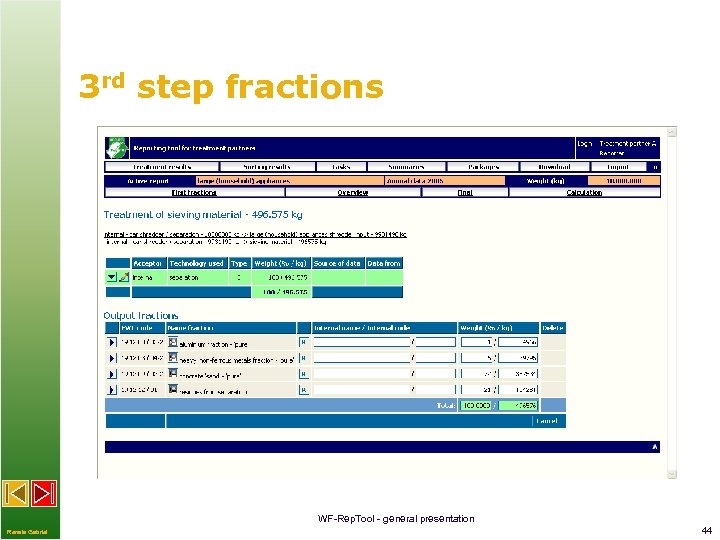
3 rd step fractions WF-Rep. Tool - general presentation Renate Gabriel 44
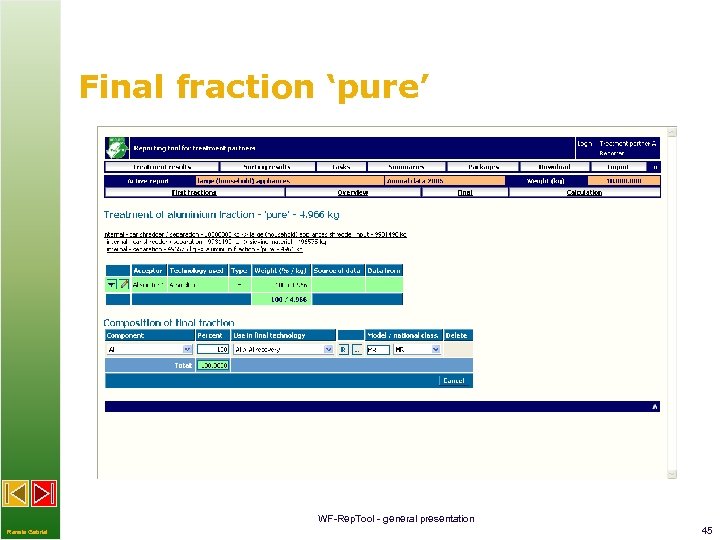
Final fraction ‘pure’ WF-Rep. Tool - general presentation Renate Gabriel 45
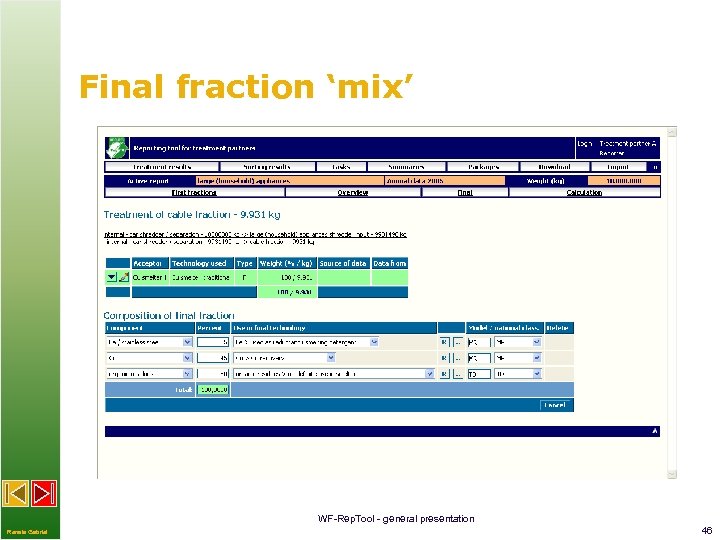
Final fraction ‘mix’ WF-Rep. Tool - general presentation Renate Gabriel 46
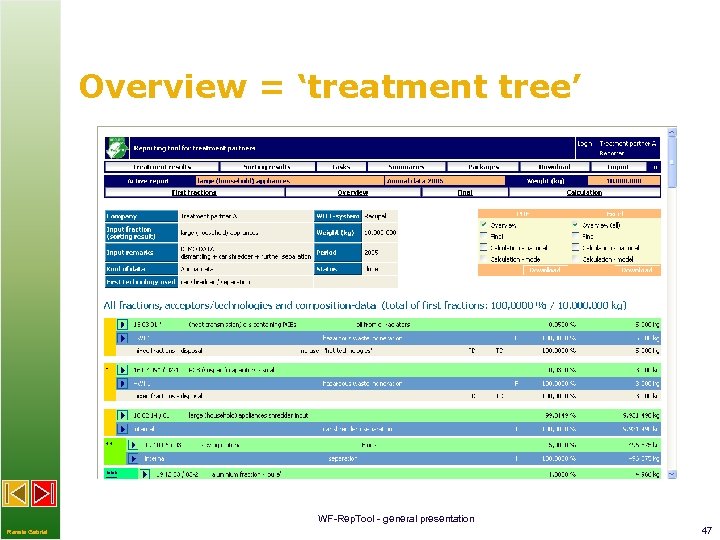
Overview = ‘treatment tree’ WF-Rep. Tool - general presentation Renate Gabriel 47
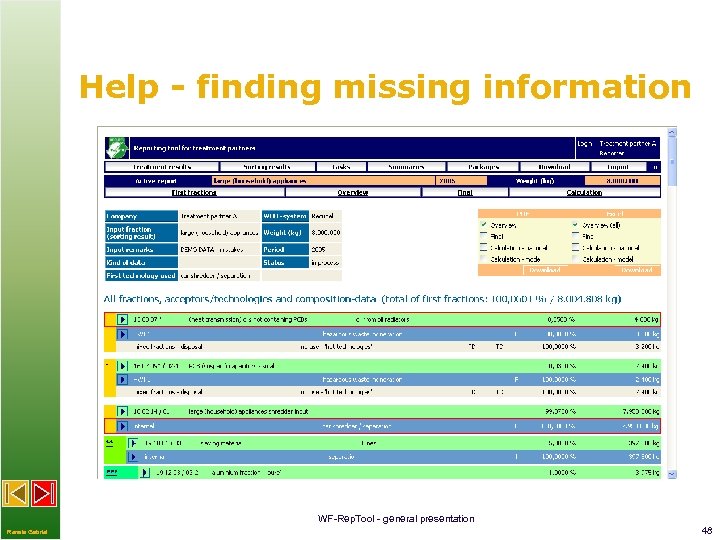
Help - finding missing information WF-Rep. Tool - general presentation Renate Gabriel 48
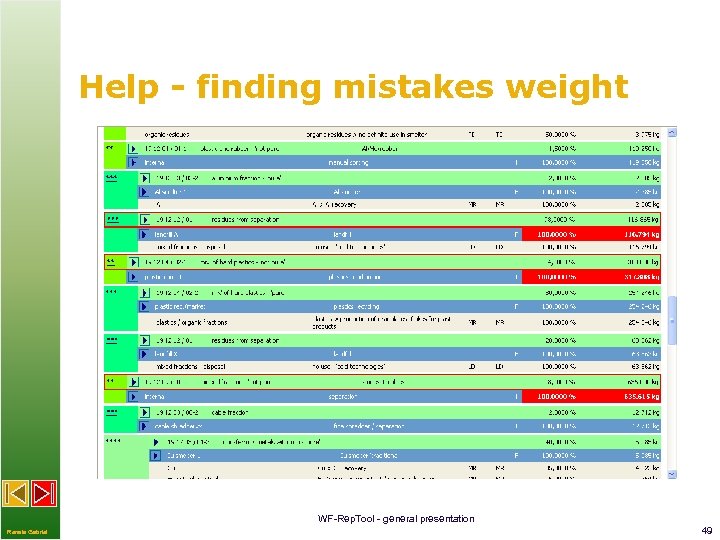
Help - finding mistakes weight WF-Rep. Tool - general presentation Renate Gabriel 49
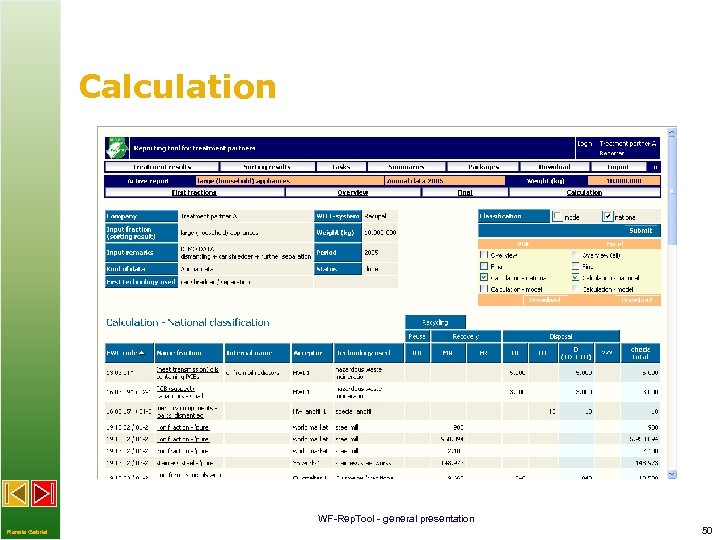
Calculation WF-Rep. Tool - general presentation Renate Gabriel 50
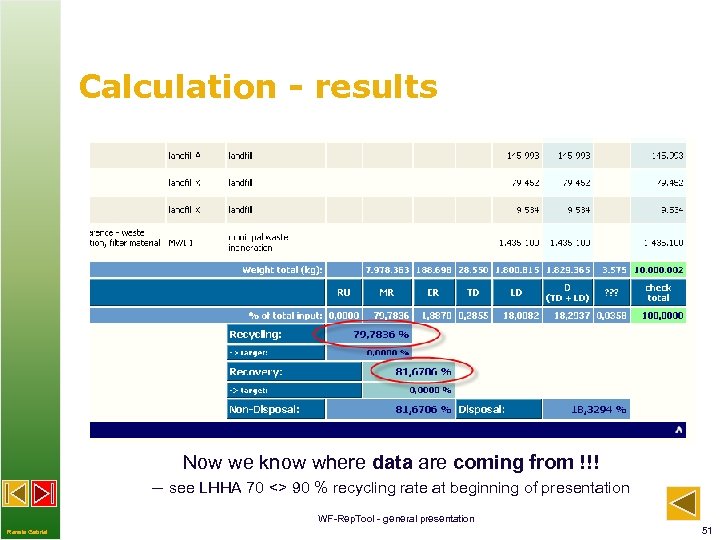
Calculation - results Now we know where data are coming from !!! – see LHHA 70 <> 90 % recycling rate at beginning of presentation WF-Rep. Tool - general presentation Renate Gabriel 51
Thank you for your attention! questions on providing the WF-Rep. Tool: see website wf-reptool. org > e. g. ‘Purchase’ WEEE Forum ‘project father’ - Jan Vlak, jan. vlak@wecycle. nl WEEE Forum - Pascal Leroy, pascal. leroy@weee-forum. org contact to WF-Rep. Tool expert group: via website wf-reptool. org > ‘Contact us’ questions on WF-Rep. Tool data content / development: Renate Gabriel, renate. gabriel@tb-gabriel. at questions on WF-Rep. Tool installation / IT development: Willi Haghofer, w. haghofer@chello. at WF-Rep. Tool - general presentation Renate Gabriel 52
Скачать презентацию WF-Rep Tool structure and database application to monitor
08007e38b49e73050d6c40ee5b5a5529.ppt