 Скачать презентацию WELCOME UAG MEMBERS Las Vegas January 14
a56fba1f2748d530e694d2ee46b971d3.ppt
- Количество слайдов: 90




WELCOME UAG MEMBERS Las Vegas – January 14 & 15
Agenda Day 1 Recap of 2007 UAG Updates & Communication thru Blog U 2007. 3 Job Review 2008 Accounting Upgrade Pricing Updates Concept Design of 2008 Jobs/Projects 25 jobs/projects
Agenda Day 2 Best Practice User Upgrade Requests: Base Package Decision 50 requests Annual & Regional Training
2007 In Review Data Services Organizational Changes Johnstone Supply Data Services, LLC. Vancouver Development Office Opened Operations & Support Changes New Additions
2007 In Review Software Upgrades U 2007. 1 U 2007. 2 U 2007. 3 Features Updates New Menu 5 Desqtop Elimination Customer Managed Inventory Credit Card using US Merchants
2007 In Review New Installs Columbus, GA – February 2007 Greenville, SC – June 2007 Alexandria, VA – November 2007 Operations RS 6000 Upgrades – 15 Installed Linux Server Installs – 14 Installed 400 K in hardware sales the last 12 months (58% increase in 2007) System Restore (58)
2007 In Review Support 7, 373 Calls received via the ACD line in 2007 6, 830 completed jobs in 2007 U 2007 Upgrade Document Training 2007 Training Conference in St. Louis Pricing Regional Training Onsite Training by Kathleen (Memphis, Paducah, Phoenix, San Bernardino, Alexandria & Farmingdale)
UAG Communications q Blog Site q www. jsdsuag. com/uag q q Hosted at Bluehost Admin for site Dave and Jennifer q Enter q Categories for discussion All users may add comments
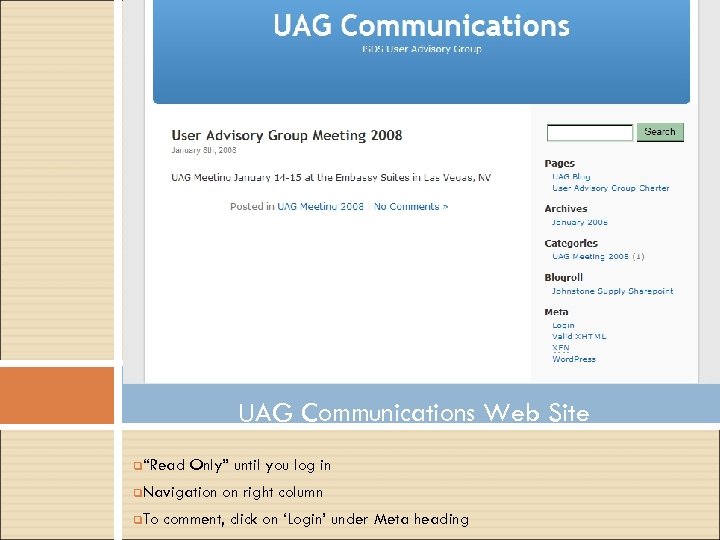
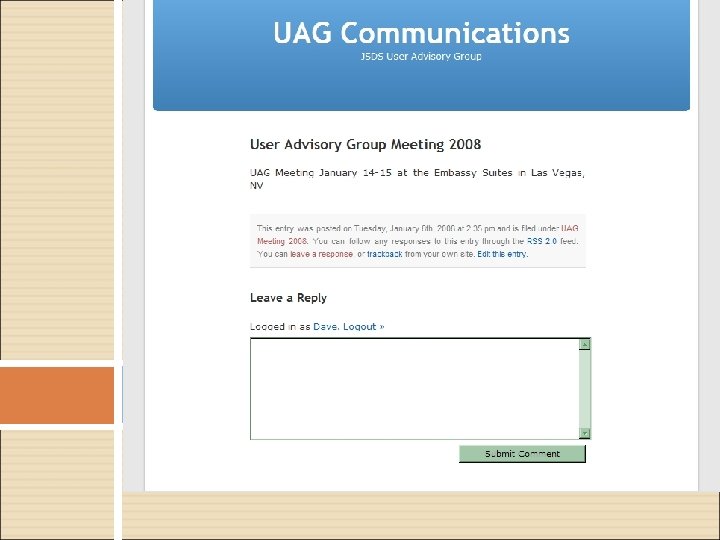
UAG Communications Web Site q“Read Only” until you log in q. Navigation q. To on right column comment, click on ‘Login’ under Meta heading
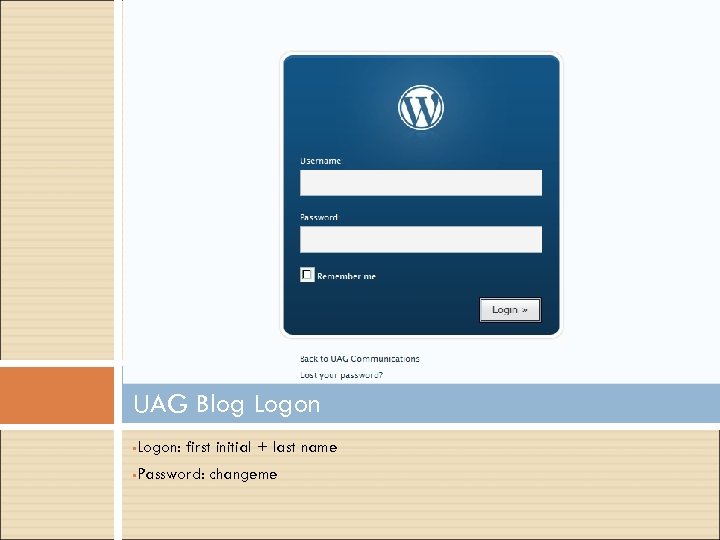
UAG Blog Logon • Logon: first initial + last name • Password: changeme
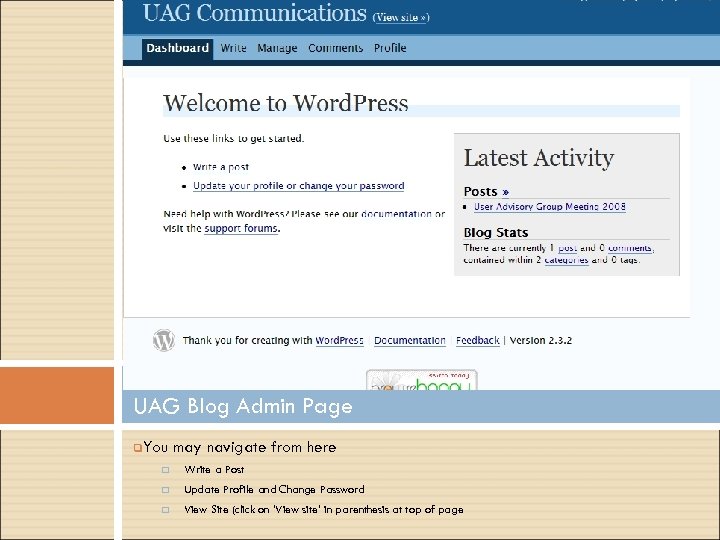
UAG Blog Admin Page q. You may navigate from here q Write a Post q Update Profile and Change Password q View Site (click on ‘View site’ in parenthesis at top of page
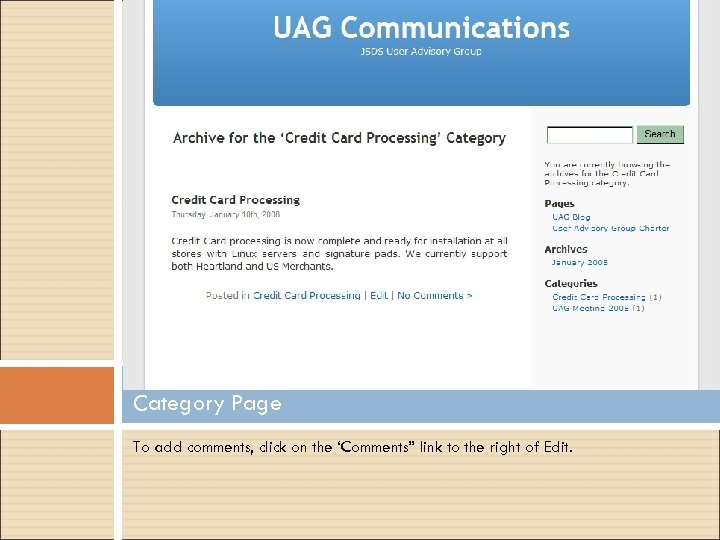
Category Page To add comments, click on the ‘Comments” link to the right of Edit.
Considerations q Security q Currently anyone can see the site q Can Password protect the directory q Adds one more password entry q Directory password would q E-mail and RSS Feeds q Comments Trigger e-mail to Administrator q Do you want notification when additions are made? q Can research how RSS feeds work.
Review of U 2007. 3 Upgrade Jobs Release to Committee 01/17/2007 Handout has changed – see sitemax link for up-to-date documentation.
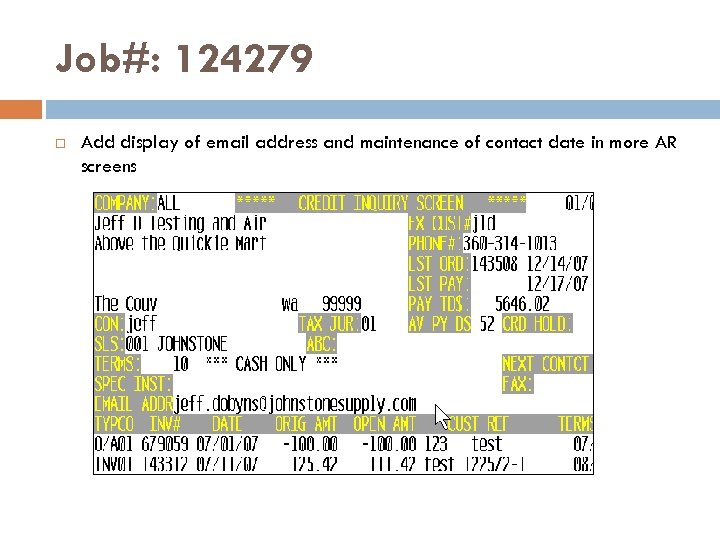
Job#: 124279 Add display of email address and maintenance of contact date in more AR screens
Job#: 125618/124127 Job Desc: transition of notes editor away from DQ editor. Menu Path: M-4. 1. 9/33. 1 and M-35. 6, screen 3 field 2/3. Why Use it: Parameter controlled piece of the puzzle before being able to eliminate the DQ editor. How to use it: Set the parameters in M-35. 6, screen 3 (Use New non-DQ Editor) to ‘Y’. Once the parameter is set, M-4. 1. 9/33. 1, select ‘M’ for memos and the new program displays the existing memos and inserts your cursor to the last point of entry. You are in ‘INSERT’ mode. When done entering the memos, press ‘ESC’ (escape) and then ‘ 0’ to accept and save the entry.
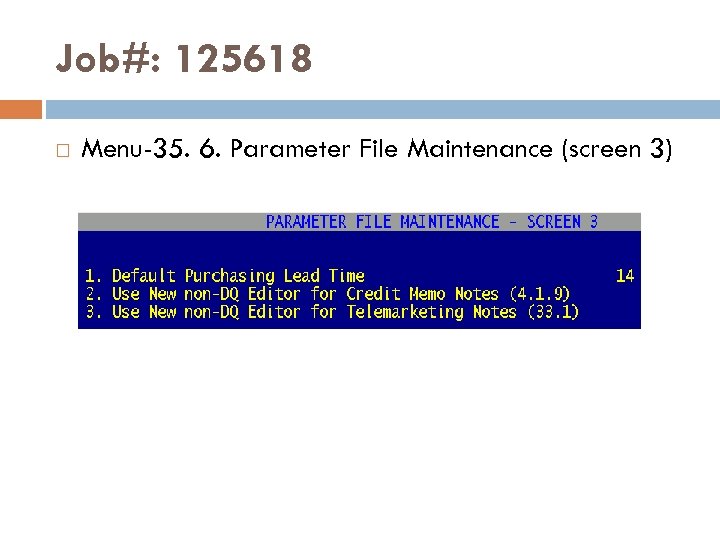
Job#: 125618 Menu-35. 6. Parameter File Maintenance (screen 3)
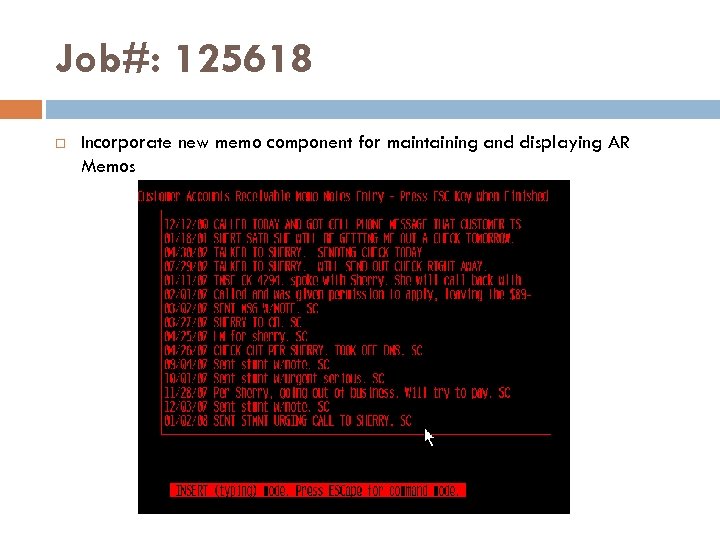
Job#: 125618 Incorporate new memo component for maintaining and displaying AR Memos
Job#: 124667 Job Desc: Parameter to control whether credit memos are faxed or emailed nightly. Menu Path: M-35. 12, screen 2, field 14. FAX/EMAIL CREDIT MEMOS DURING EOD Why Use it: Control delivery of credits on customer accounts by disallowing EOD Fax or Email of credits. How to use it: Go to M-35. 12, screen 2 and then set field 14 to ‘N’. By default the system is set to ‘N’.
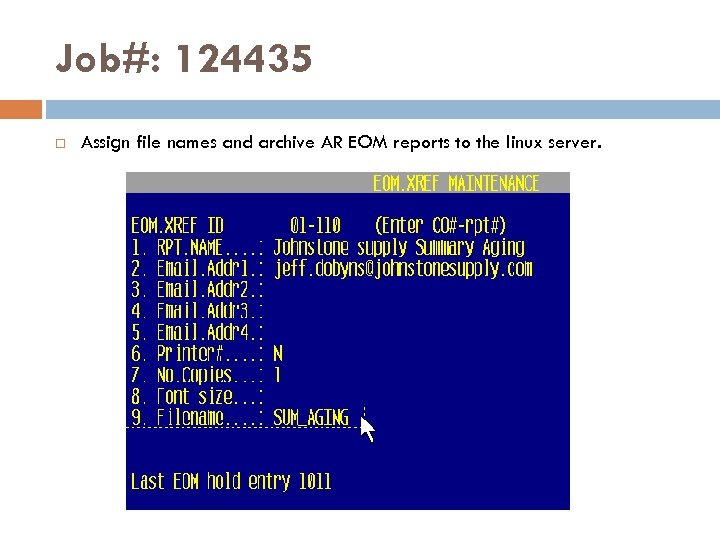
Job#: 124435 Assign file names and archive AR EOM reports to the linux server.
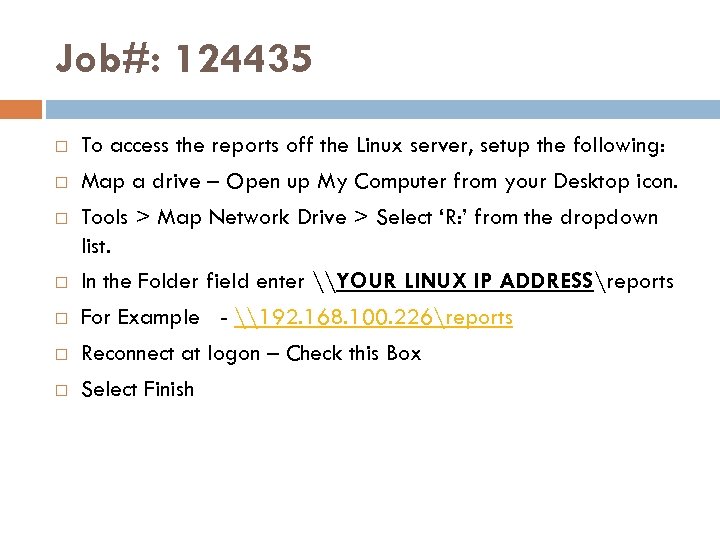
Job#: 124435 To access the reports off the Linux server, setup the following: Map a drive – Open up My Computer from your Desktop icon. Tools > Map Network Drive > Select ‘R: ’ from the dropdown list. In the Folder field enter \YOUR LINUX IP ADDRESSreports For Example - \192. 168. 100. 226reports Reconnect at logon – Check this Box Select Finish
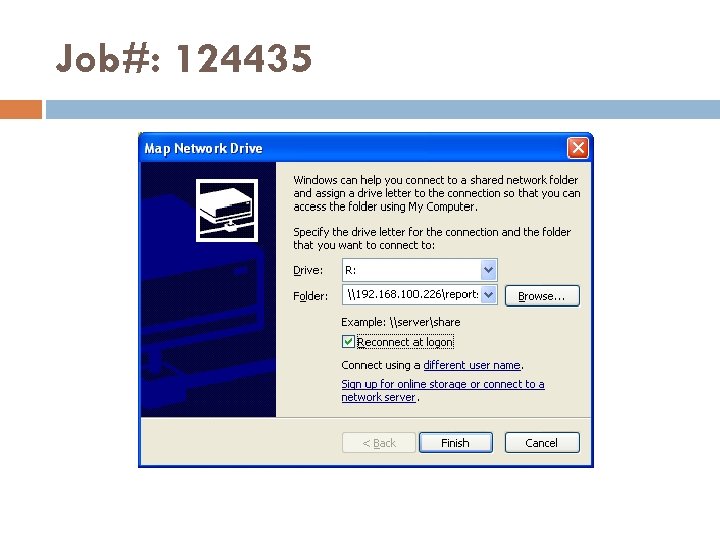
Job#: 124435
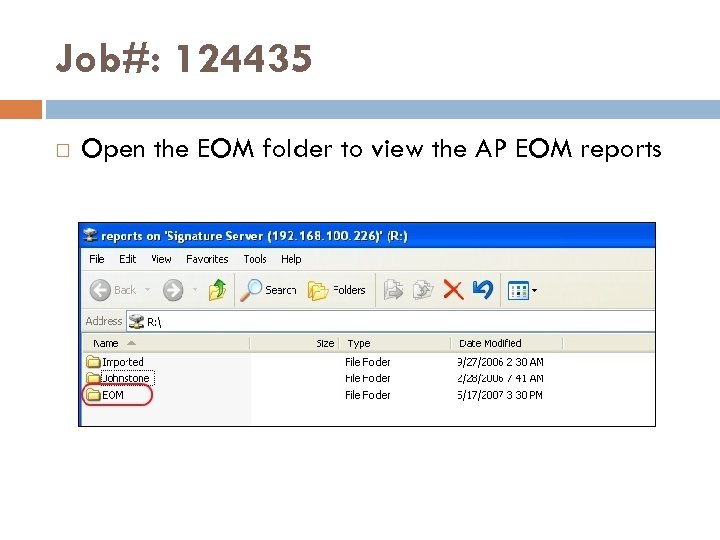
Job#: 124435 Open the EOM folder to view the AP EOM reports
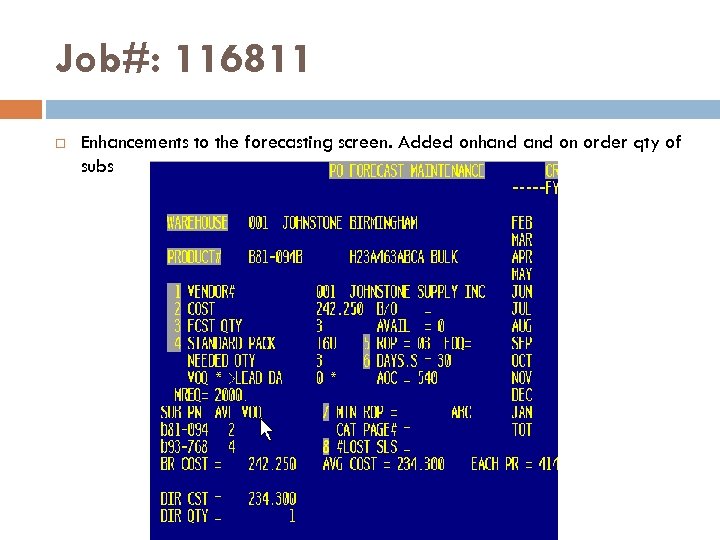
Job#: 116811 Enhancements to the forecasting screen. Added onhand on order qty of subs
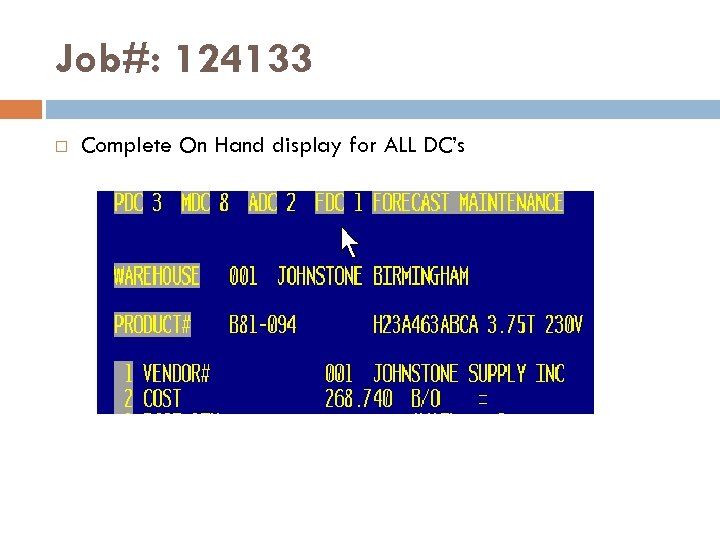
Job#: 124133 Complete On Hand display for ALL DC’s
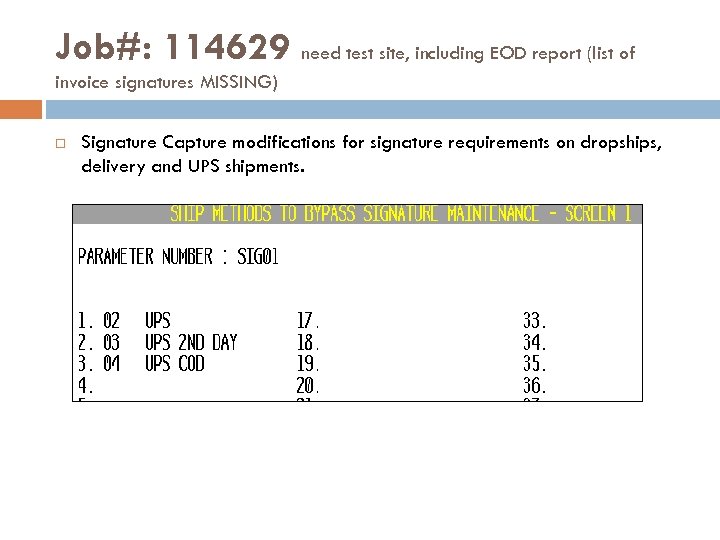
Job#: 114629 need test site, including EOD report (list of invoice signatures MISSING) Signature Capture modifications for signature requirements on dropships, delivery and UPS shipments.
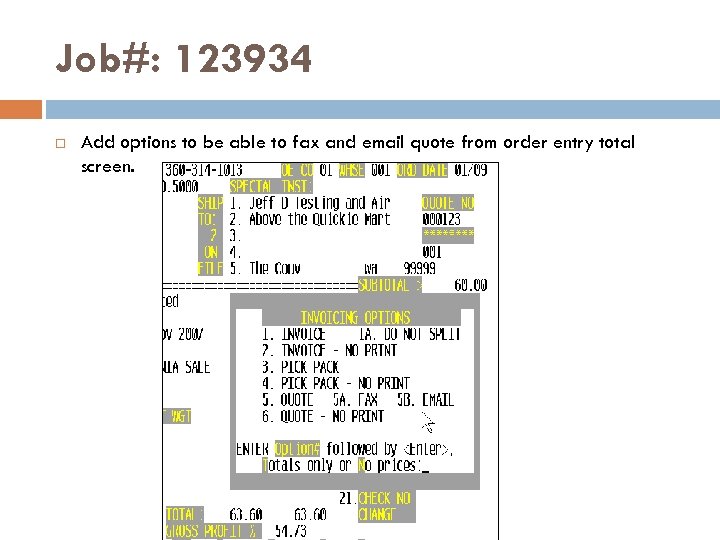
Job#: 123934 Add options to be able to fax and email quote from order entry total screen.
Job#: 124555 Job Desc: Parameter driven option to print pick packs using laser form. Menu Path: M-35. 12, screen 2 field 13. PRINT PICK PACKS USING LASER FORM Printer assignment: Currently uses the same laser printer that is assigned by port in 35. 13 UAG discussion: Pick pack is currently the same format as the invoice, except heading of pick/pack. Most stores have custom pick tickets – how do we standardize.
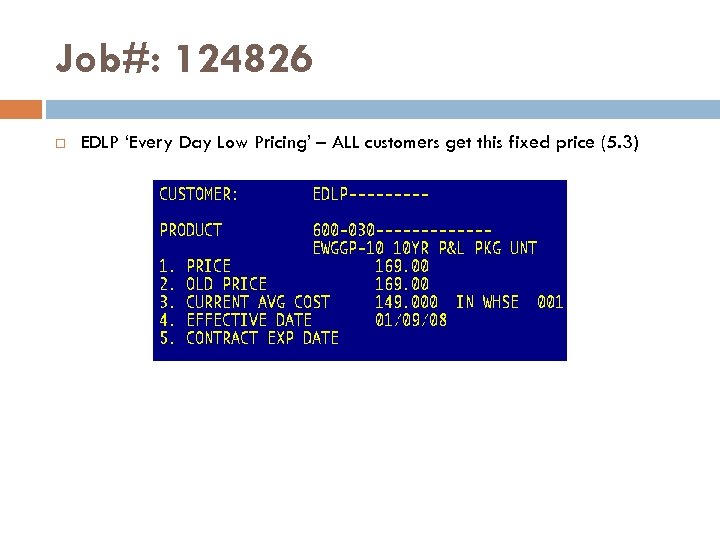
Job#: 124826 EDLP ‘Every Day Low Pricing’ – ALL customers get this fixed price (5. 3)
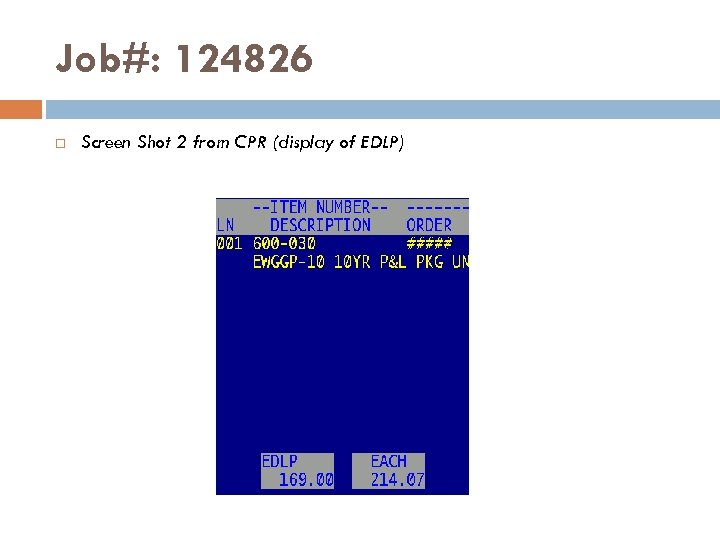
Job#: 124826 Screen Shot 2 from CPR (display of EDLP)
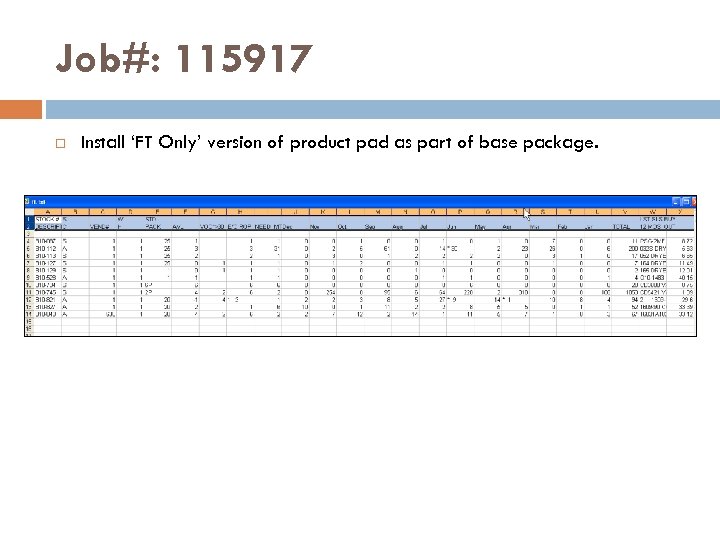
Job#: 115917 Install ‘FT Only’ version of product pad as part of base package.
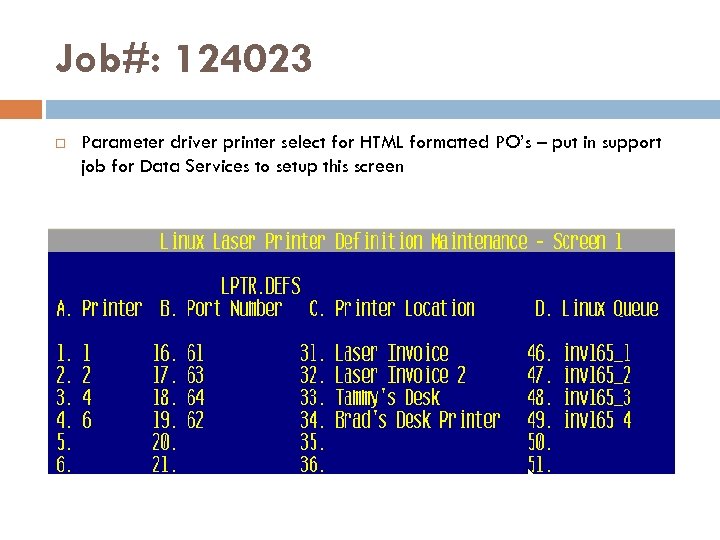
Job#: 124023 Parameter driver printer select for HTML formatted PO’s – put in support job for Data Services to setup this screen
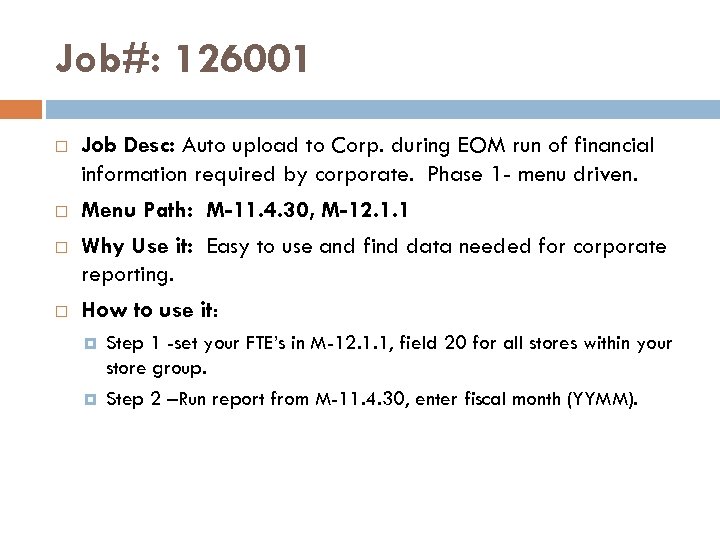
Job#: 126001 Job Desc: Auto upload to Corp. during EOM run of financial information required by corporate. Phase 1 - menu driven. Menu Path: M-11. 4. 30, M-12. 1. 1 Why Use it: Easy to use and find data needed for corporate reporting. How to use it: Step 1 -set your FTE’s in M-12. 1. 1, field 20 for all stores within your store group. Step 2 –Run report from M-11. 4. 30, enter fiscal month (YYMM).
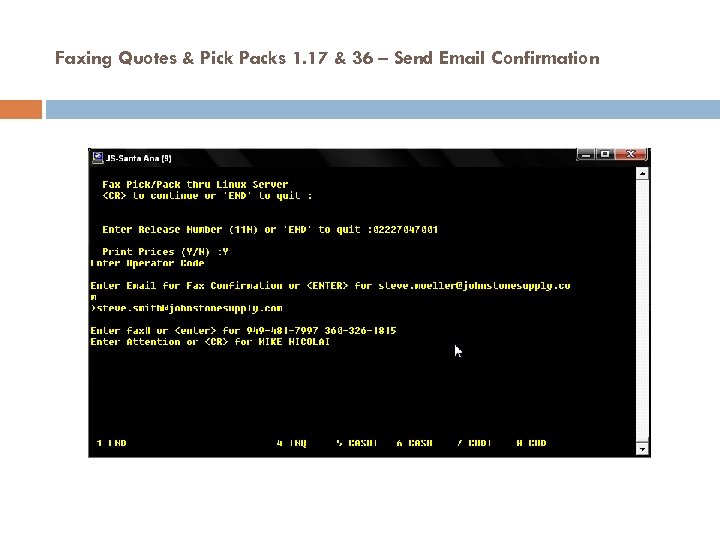
Faxing Quotes & Pick Packs 1. 17 & 36 – Send Email Confirmation
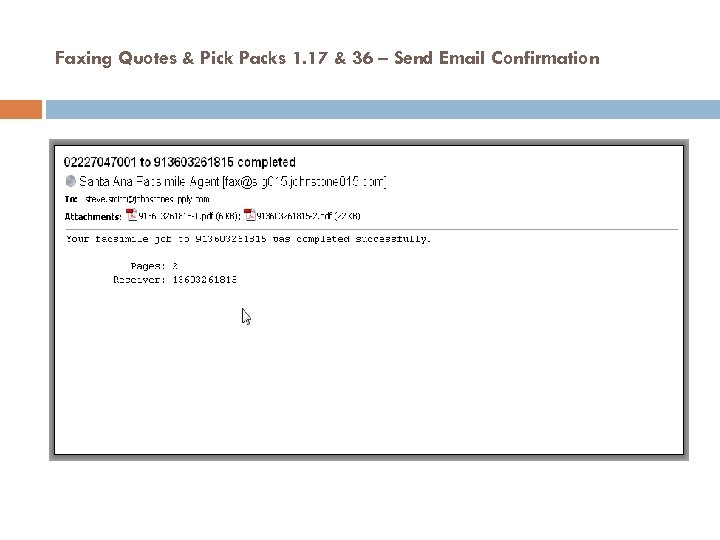
Faxing Quotes & Pick Packs 1. 17 & 36 – Send Email Confirmation
U 2007. 3 Summary Preliminary Install on Thursday night, January 17 th Documentation is a work in progress BLOG feedback, instead of emails
Dropship Invoices q Available as EDI transmission Jan 1 st q Use to update Accounts Payable q No Receiver update
Accounting
Accounting 2007 In Review Continued Training – onsite, conference calls Upgrade in Progress Added Documentation 2007 Accounting Upgrade Jobs Review Test Site Volunteers
Accounting 2008 Vision Average cost/store transfer issues Paperless AP Keeping up with Corp changes 13. 20. 3 changes – true automation Credit Check process Continued training of DST staff Spreadsheet of future jobs
Pricing Future Development See Handout Ron Stogsdill is helping Prioritize 5 -10 jobs/month will be added to weekly upgrades during 2008 January 2008 jobs in testing at St Louis
Pricing – cleanup products/programs SELECT PRICE. 1 WITH NO A. PROD. NO SELECT PRICE. QTY WITH PVCTG "P" AND WITH NO A. PROD. NO MENU-5. 20. 8. List of Unused Pricing Programs MENU 5. 3 5. 15 PROGRAM CD 1. 1 -2007 HVAC A. PROD. NO L 96 -865 L 96 -866 S 88 -502 S 88 -503
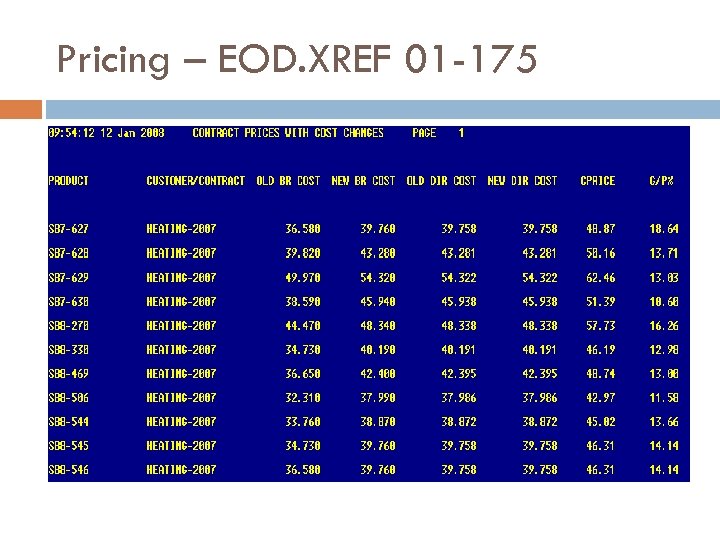
Pricing – EOD. XREF 01 -175
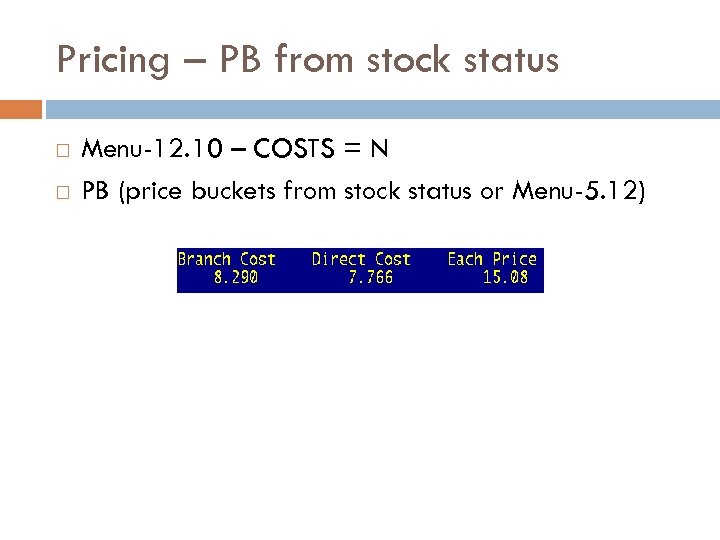
Pricing – PB from stock status Menu-12. 10 – COSTS = N PB (price buckets from stock status or Menu-5. 12)
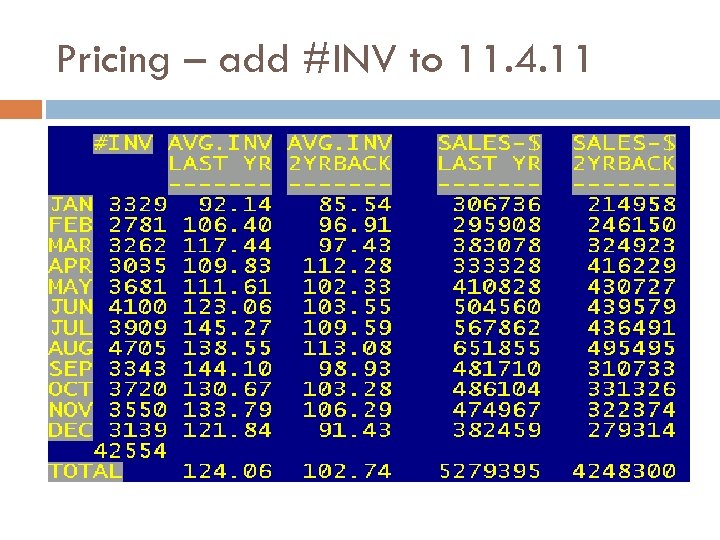
Pricing – add #INV to 11. 4. 11
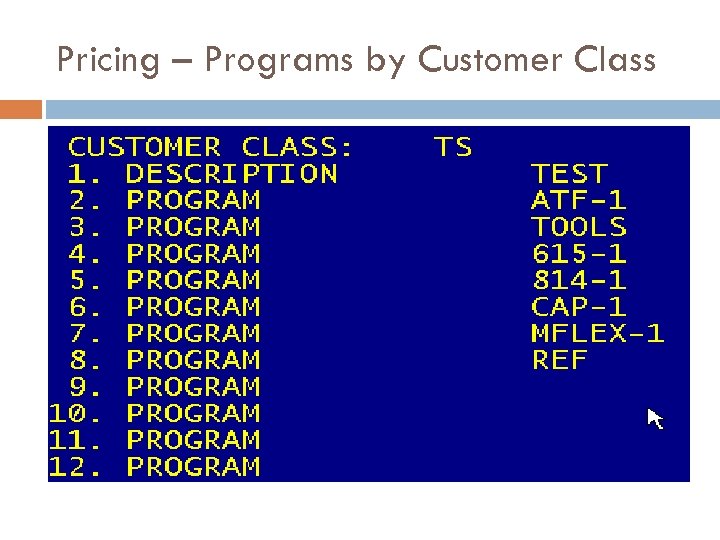
Pricing – Programs by Customer Class

Concept Design of 2008 Jobs
Concept Design q Flyer Pricing q q q Beginning in March, 2008 Five Regional Flyers Each Price, no Bracket Pricing Most Store Groups only one Flyer How do Stores want to handle multiple flyers (Cincy) Store Specific ptrans (strans) Avail starting Feb 1 st from JS Corp q To start: only support Regional Flyer Pricing q March 1 st support all Store specific Vendor Direct and Branch costs q Do we want to wait till March? q
Concept Design q Electronic Data Interchange (EDI) q A new EDI 810 INVOICE FOR Mc. Donalds q Direct FTP transmission of Johnson Controls Invoices Executive Reporting q Over 50 Store Groups q Additions Last year q Salesman Tab q Customer Profitability q Daily PO Receipts q Taking longer to add new data sets q Maxed out MS Access as a database q Researching new Methodologies
AP Laser Checks on Plain Paper q Why it is being developed q Problems with alignment q Problems with paper sticking q Advantages q Can use plain paper q Won’t be off on check numbers q More succure (no blank numbered checks)
AP Laser Checks on Plain Paper q Things to consider q MICR Toner Cartridge q Printer q Laser q Check vs. MICR printer Stock q Security Paper q Could q have Johnstone logo on them What are your thoughts?
Webstore q Corporate Product q Will continue to develop and support q Any store may use for free q JSDS Webstore Product q Corporate q q will treat us like any other vendor Requires a dedicated production server May need to charge monthly fee
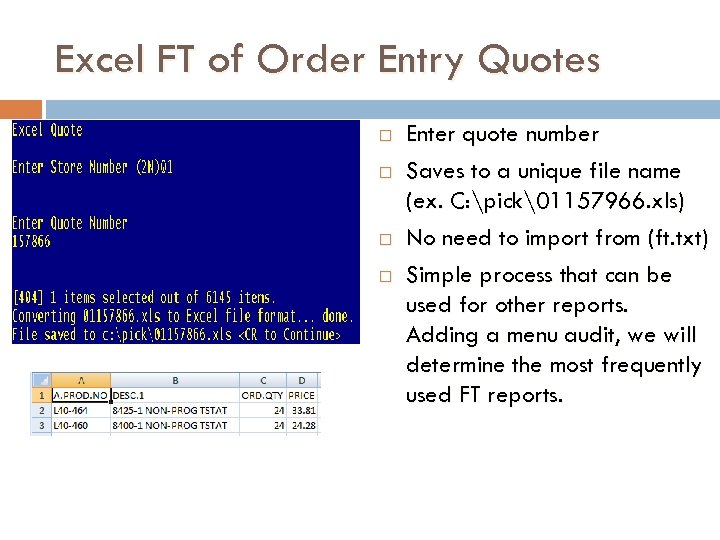
Excel FT of Order Entry Quotes Enter quote number Saves to a unique file name (ex. C: pick1157966. xls) No need to import from (ft. txt) Simple process that can be used for other reports. Adding a menu audit, we will determine the most frequently used FT reports.
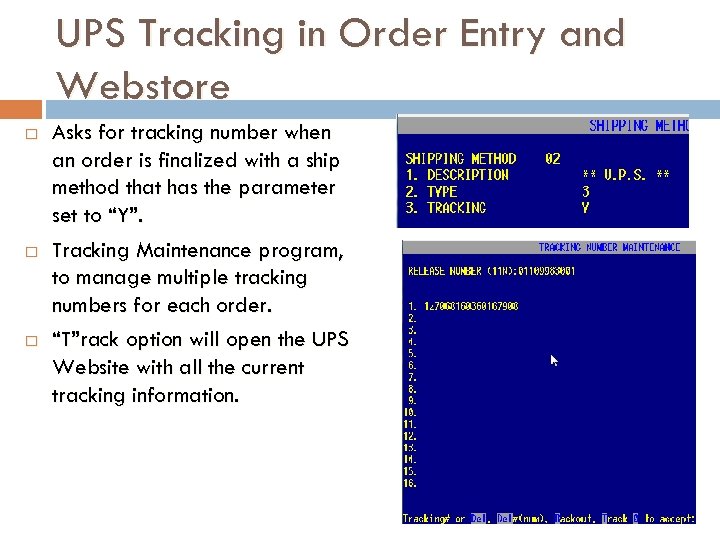
UPS Tracking in Order Entry and Webstore Asks for tracking number when an order is finalized with a ship method that has the parameter set to “Y”. Tracking Maintenance program, to manage multiple tracking numbers for each order. “T”rack option will open the UPS Website with all the current tracking information.
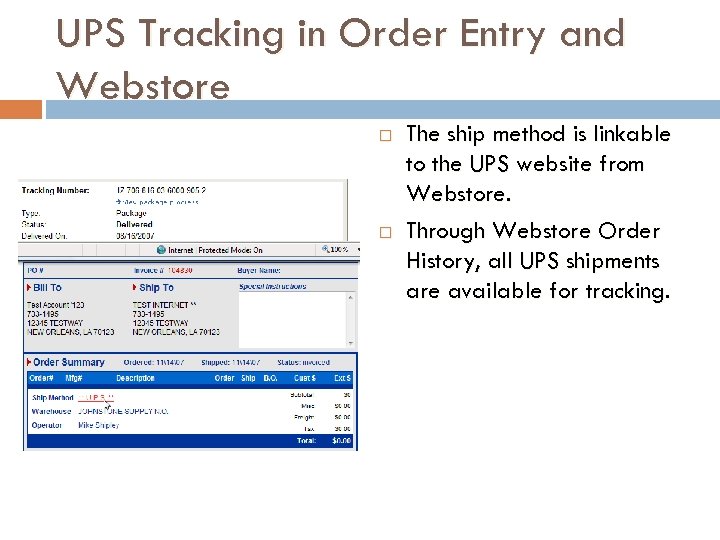
UPS Tracking in Order Entry and Webstore The ship method is linkable to the UPS website from Webstore. Through Webstore Order History, all UPS shipments are available for tracking.
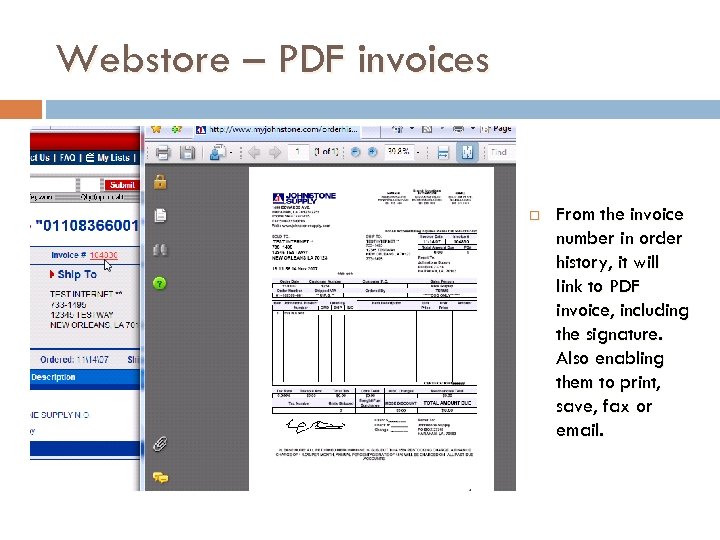
Webstore – PDF invoices From the invoice number in order history, it will link to PDF invoice, including the signature. Also enabling them to print, save, fax or email.
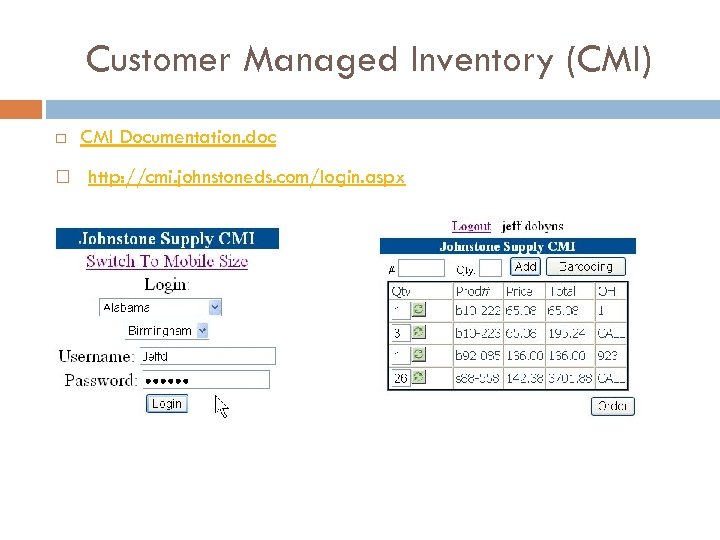
Customer Managed Inventory (CMI) CMI Documentation. doc http: //cmi. johnstoneds. com/login. aspx
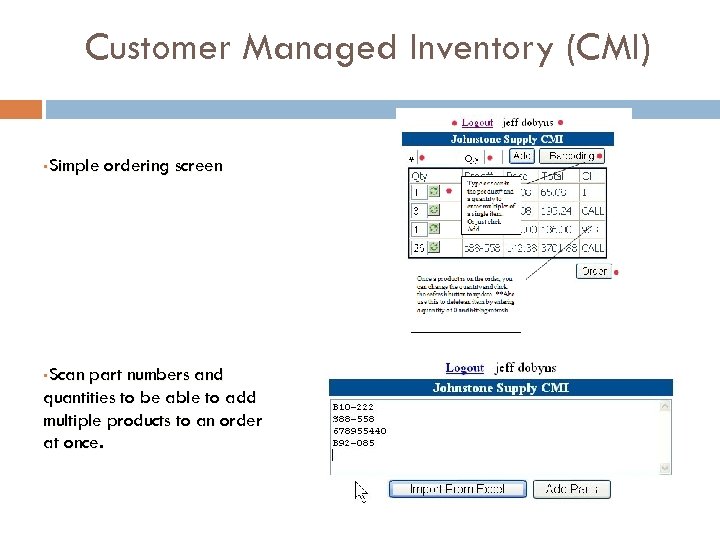
Customer Managed Inventory (CMI) §Simple §Scan ordering screen part numbers and quantities to be able to add multiple products to an order at once.
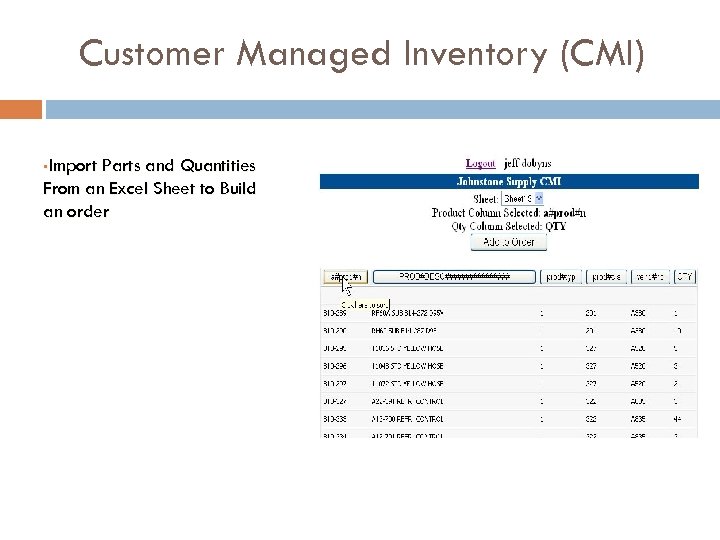
Customer Managed Inventory (CMI) §Import Parts and Quantities From an Excel Sheet to Build an order
Customer Managed Inventory (CMI) 2008 Development Official Release to all Users Saving Shopping Carts Customer Part Numbers Feedback from UAG and other users
Microsoft Windows Applications The current version of Accu. Term, that most stores are using, has built in capability for integrating with other windows applications. This is called Application Programming Interface (API). Accu. Term will be integrated into a new windows application, developed by Data Services. This allows us to connect the windows environment & the PICK database.
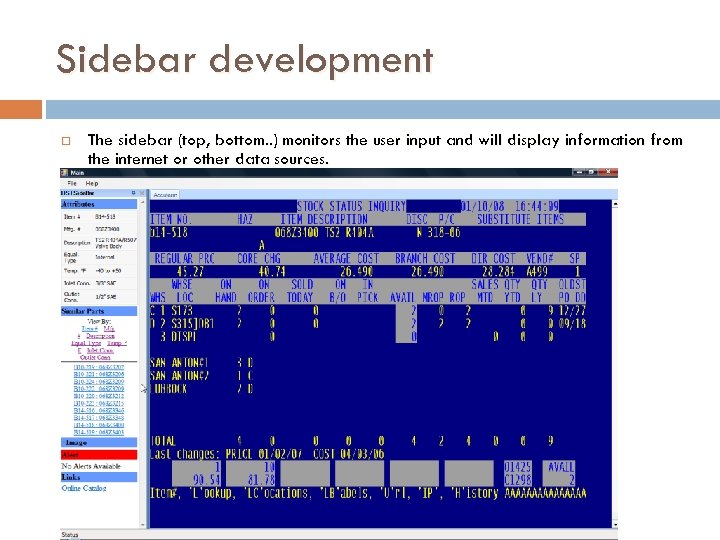
Sidebar development The sidebar (top, bottom. . ) monitors the user input and will display information from the internet or other data sources.
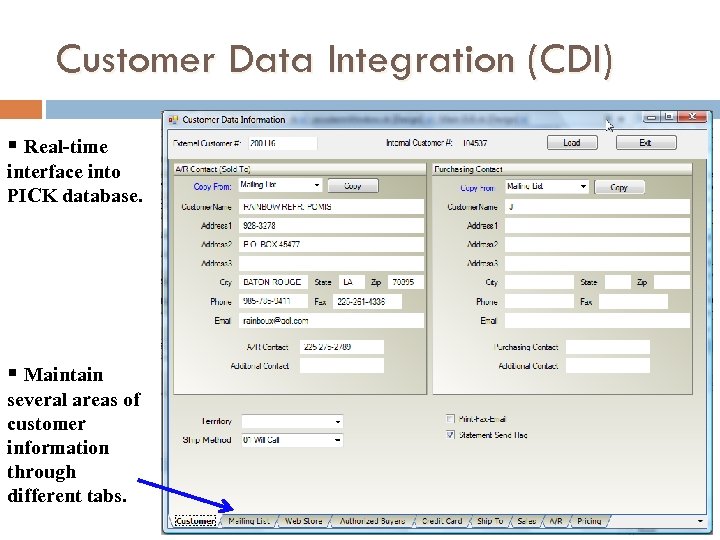
Customer Data Integration (CDI) § Real-time interface into PICK database. § Maintain several areas of customer information through different tabs.
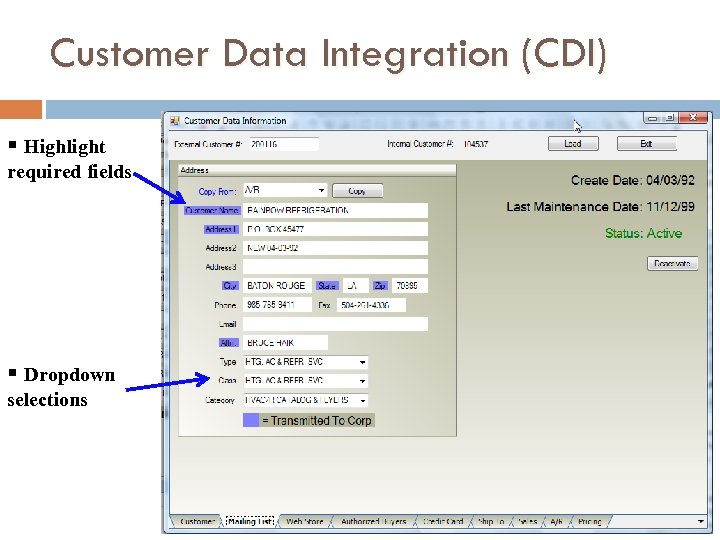
Customer Data Integration (CDI) § Highlight required fields § Dropdown selections
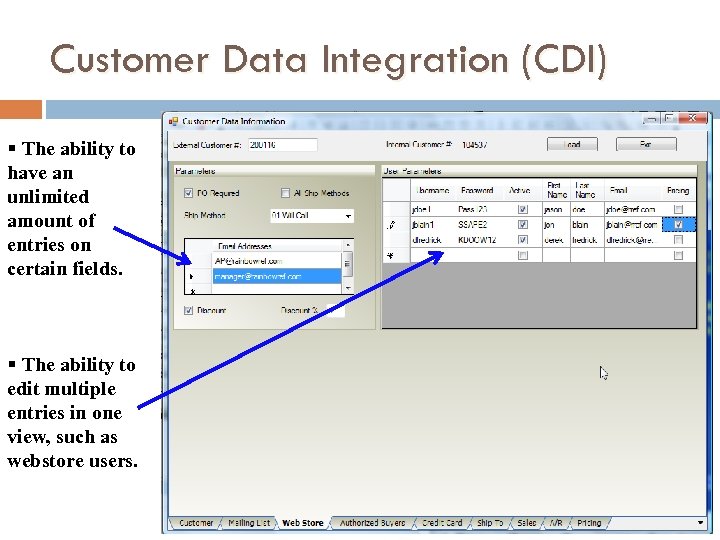
Customer Data Integration (CDI) § The ability to have an unlimited amount of entries on certain fields. § The ability to edit multiple entries in one view, such as webstore users.
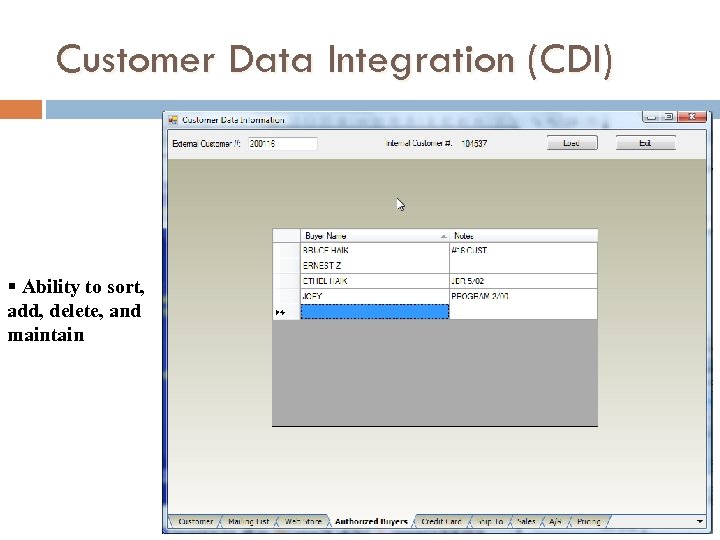
Customer Data Integration (CDI) § Ability to sort, add, delete, and maintain
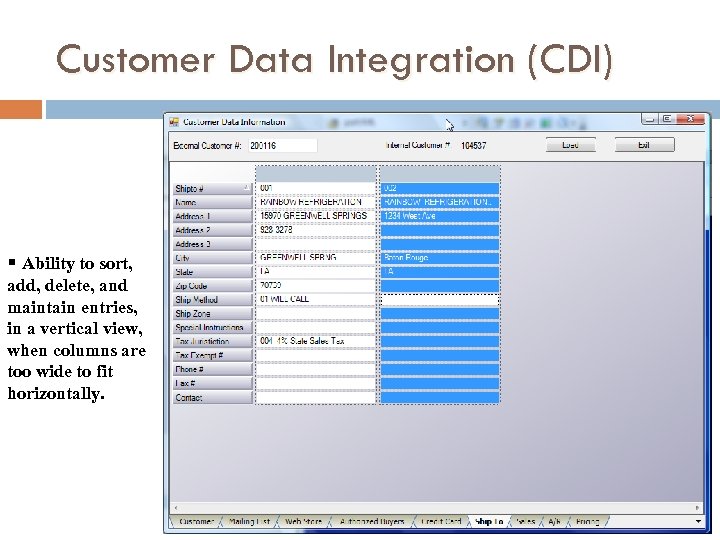
Customer Data Integration (CDI) § Ability to sort, add, delete, and maintain entries, in a vertical view, when columns are too wide to fit horizontally.
Windows Application Development CDI sales data displayed in graphs/charts Stock Status- access vendor link information, webstore page, JXI, MSDS Sheets in tabbed views. Without opening another window. Contracts and Pricing- manage pricing and contracts in an easy to use format. Communication- ability to instant message each other and be able to send links to products or customers within the program. Forecasting- fit more information on one screen. Visually see patterns in sales to aid in purchasing.
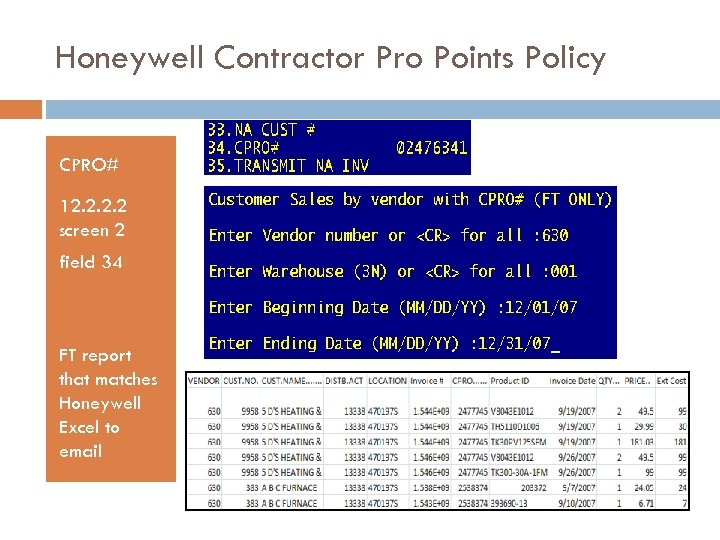
Honeywell Contractor Pro Points Policy CPRO# 12. 2 screen 2 field 34 FT report that matches Honeywell Excel to email
Emerson/White Rodgers New sales incentive program Phoenix / San Antonio (Bloomington) EDI reporting of sales quantities for contractors that have signed up for the program New CUST. MAST field (att 113)
Receive by Carton - 118345 (Denver) Receiving Corp shipment using carton barcodes During Menu-34. 1 Receiving, at the product prompt, scan the 10 character carton number (starting with C 0) – future dev for Handheld New prompt Enter ‘C‘arton or ‘P‘art number enter "C" at this prompt and the program will add the quantities, from the corp packing list for that carton, automatically to the receiver
HTML Documents & Forms Purchase Order Quote Invoice Pick Pack Statement
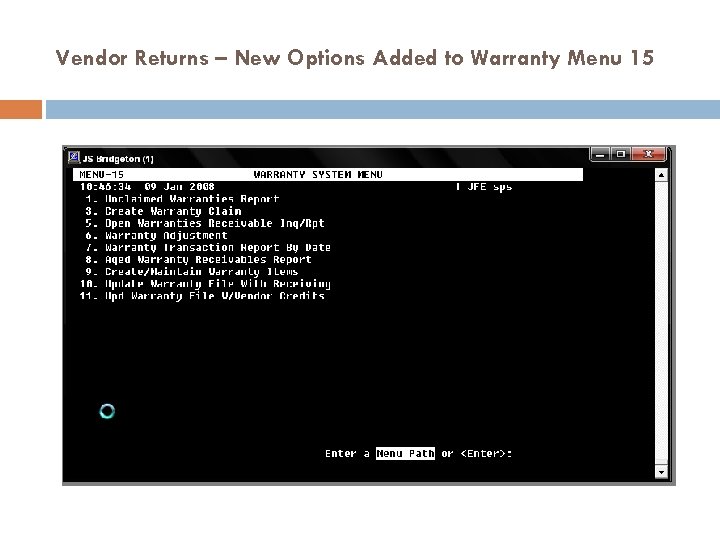
Vendor Returns – New Options Added to Warranty Menu 15
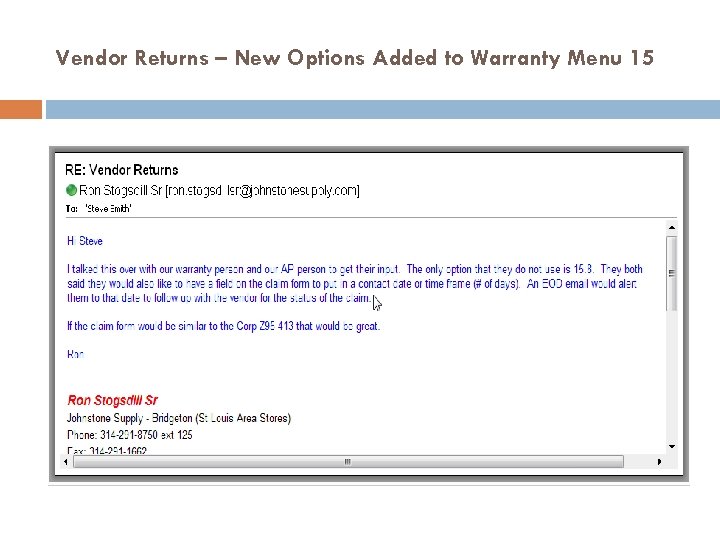
Vendor Returns – New Options Added to Warranty Menu 15
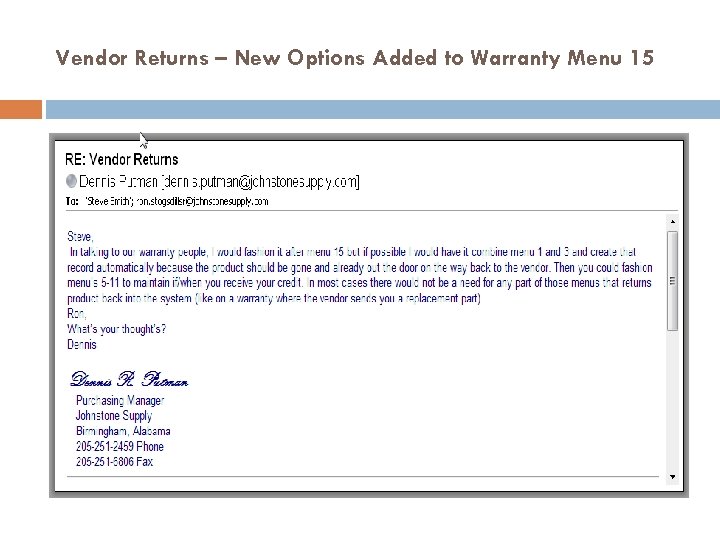
Vendor Returns – New Options Added to Warranty Menu 15
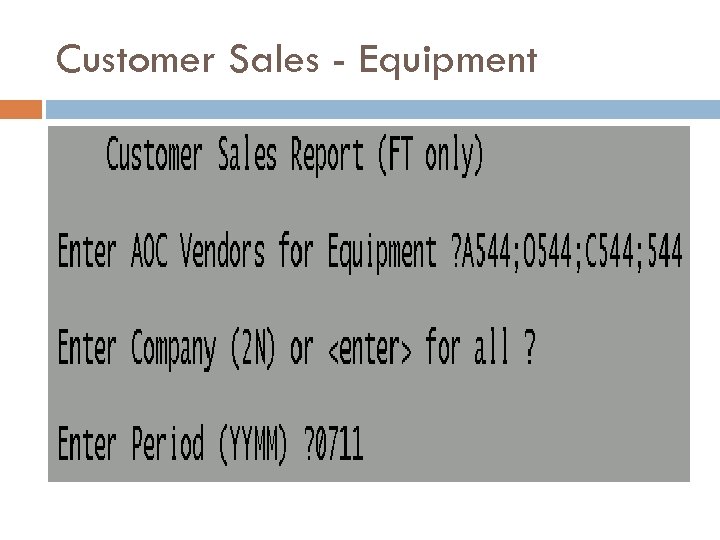
Customer Sales - Equipment
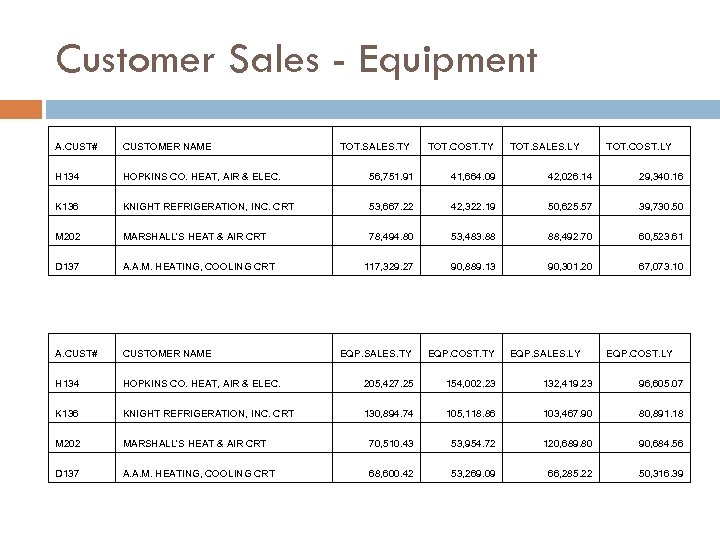
Customer Sales - Equipment A. CUST# CUSTOMER NAME TOT. SALES. TY TOT. COST. TY TOT. SALES. LY H 134 HOPKINS CO. HEAT, AIR & ELEC. 56, 751. 91 41, 664. 09 42, 026. 14 29, 340. 16 K 136 KNIGHT REFRIGERATION, INC. CRT 53, 667. 22 42, 322. 19 50, 625. 57 39, 730. 50 M 202 MARSHALL'S HEAT & AIR CRT 78, 494. 80 53, 483. 88 88, 492. 70 60, 523. 61 D 137 A. A. M. HEATING, COOLING CRT 117, 329. 27 90, 889. 13 90, 301. 20 67, 073. 10 A. CUST# CUSTOMER NAME EQP. SALES. TY EQP. COST. TY H 134 HOPKINS CO. HEAT, AIR & ELEC. 205, 427. 25 154, 002. 23 132, 419. 23 96, 605. 07 K 136 KNIGHT REFRIGERATION, INC. CRT 130, 894. 74 105, 118. 86 103, 467. 90 80, 891. 18 M 202 MARSHALL'S HEAT & AIR CRT 70, 510. 43 53, 954. 72 120, 689. 80 90, 684. 56 D 137 A. A. M. HEATING, COOLING CRT 68, 600. 42 53, 269. 09 66, 285. 22 50, 316. 39 EQP. SALES. LY TOT. COST. LY EQP. COST. LY
DROPSHIPS During rolldown to another store – add customer ship to address (Easton) Linux purchase orders – add DROPSHIP (Detroit) One step – invoice/receiving (Detroit)
CYCLE COUNTING – JCI / JSV Items to count Handheld new option #10 Display/prompt by location by part# Prompt for line# for restarting If no qty, prompt for delete location (Y/N) Variance Report filled in from cycle count Cycle Count Input option to accept last variance
Upgrade Jobs Requiring UAG Design Feedback 124884 - Option to base purging of Quotes on number of days to honor. FYI, deleted quotes are saved, new program to restore a deleted quote. 117589 - Enter Notes (internal use only) for an Order. Could be similar to option NOTES option 4. Purchase Orders. 118117 – Auto restocking charge on Credit Memos, 15% charge that can be changed (per KG)
Upgrade Jobs Requiring UAG Design Feedback Deposit Locked – Required Cash Type (see Detroit) Certification File Used for Refrigerant, Omegaflex, Rinnai Not able to track multiple/alternate vendors for products Handle Delivery Schedules Electronically
UAG Meeting DAY ONE DONE
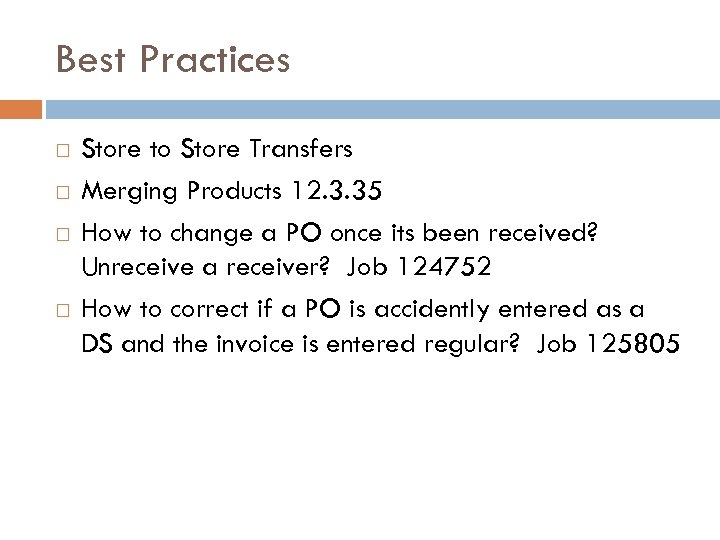
Best Practices Store to Store Transfers Merging Products 12. 3. 35 How to change a PO once its been received? Unreceive a receiver? Job 124752 How to correct if a PO is accidently entered as a DS and the invoice is entered regular? Job 125805
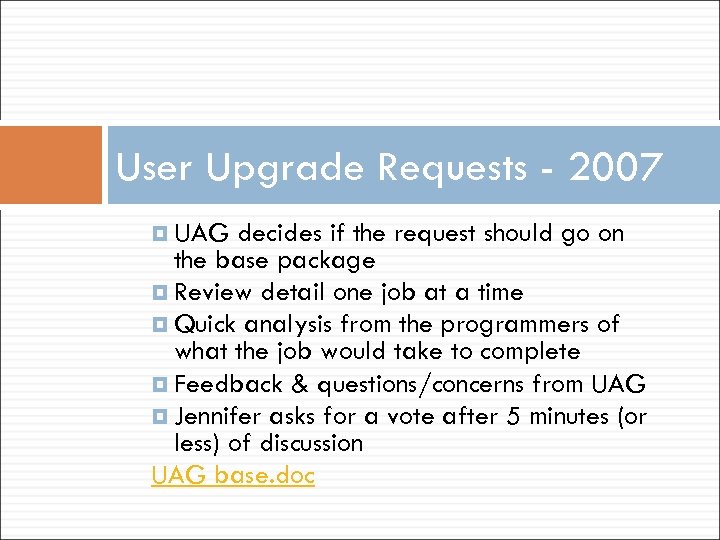
User Upgrade Requests - 2007 UAG decides if the request should go on the base package Review detail one job at a time Quick analysis from the programmers of what the job would take to complete Feedback & questions/concerns from UAG Jennifer asks for a vote after 5 minutes (or less) of discussion UAG base. doc
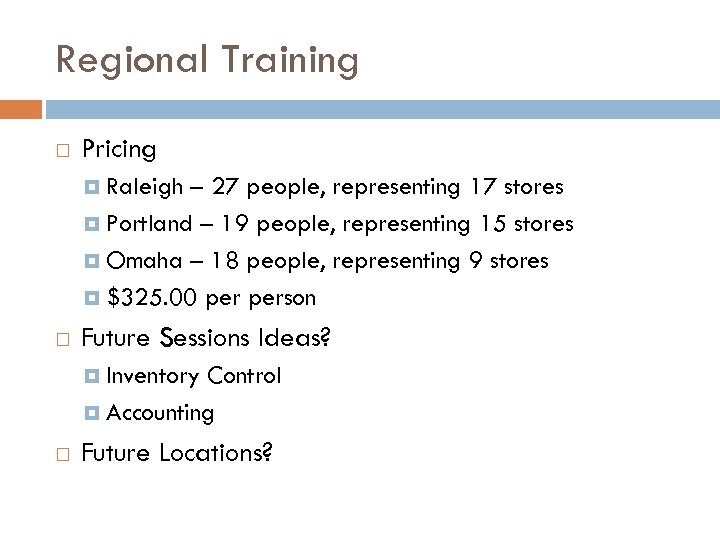
Regional Training Pricing Raleigh – 27 people, representing 17 stores Portland – 19 people, representing 15 stores Omaha – 18 people, representing 9 stores $325. 00 person Future Sessions Ideas? Inventory Control Accounting Future Locations?
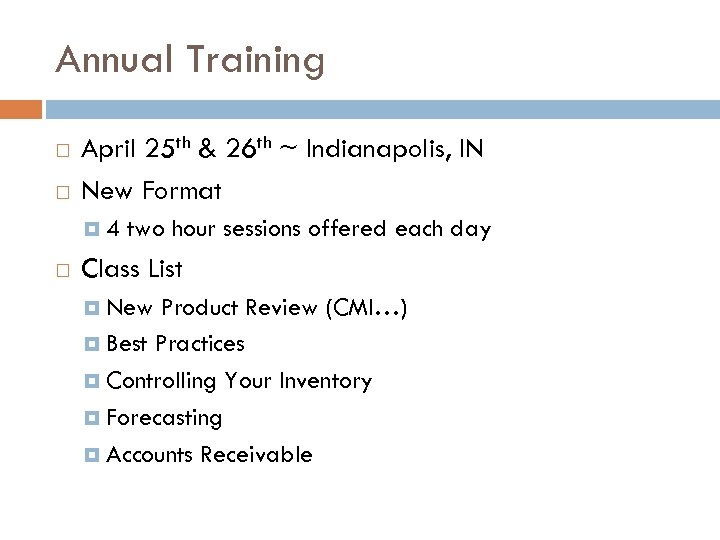
Annual Training April 25 th & 26 th ~ Indianapolis, IN New Format 4 two hour sessions offered each day Class List New Product Review (CMI…) Best Practices Controlling Your Inventory Forecasting Accounts Receivable
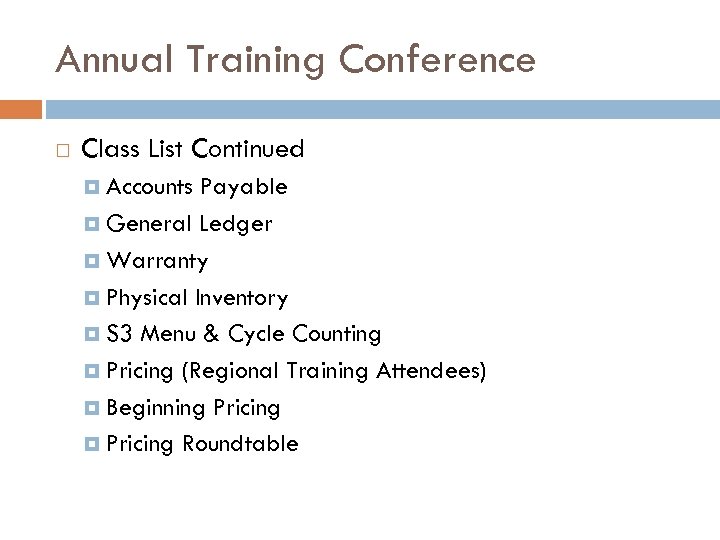
Annual Training Conference Class List Continued Accounts Payable General Ledger Warranty Physical Inventory S 3 Menu & Cycle Counting Pricing (Regional Training Attendees) Beginning Pricing Roundtable
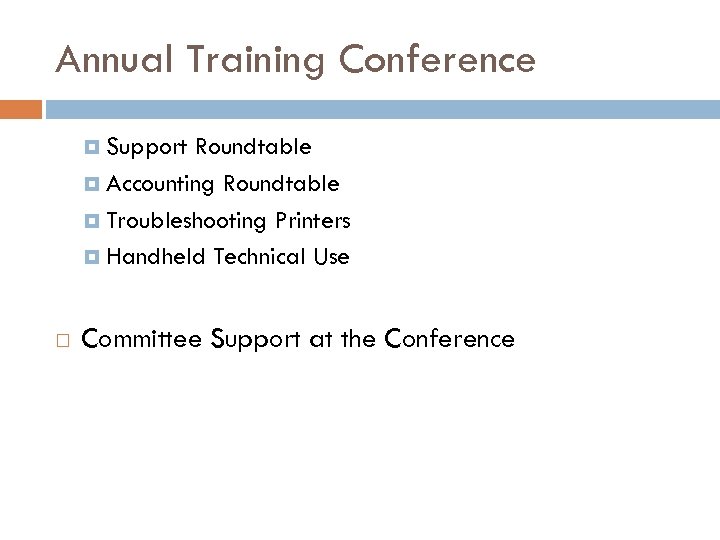
Annual Training Conference Support Roundtable Accounting Roundtable Troubleshooting Printers Handheld Technical Use Committee Support at the Conference
ALL DONE!
Скачать презентацию WELCOME UAG MEMBERS Las Vegas January 14
a56fba1f2748d530e694d2ee46b971d3.ppt