 Скачать презентацию Welcome to WEB 2 0 An AJAX presentation
487c1e663aaa202cf535041d6e6fb9ea.ppt
- Количество слайдов: 42




Welcome to WEB 2. 0 An AJAX presentation Carlos Fernando Scheidecker Antunes antunes@cs. utah. edu http: //www. cs. utah. edu/~antunes/AJAX Updated Feb 8 2006
What is WEB 2. 0? • Web 2. 0 is a term often applied to a perceived ongoing transition of the World Wide Web from a collection of websites to a full-fledged computing platform serving web applications to end users. Ultimately Web 2. 0 services are expected to replace desktop computing applications for many purposes.
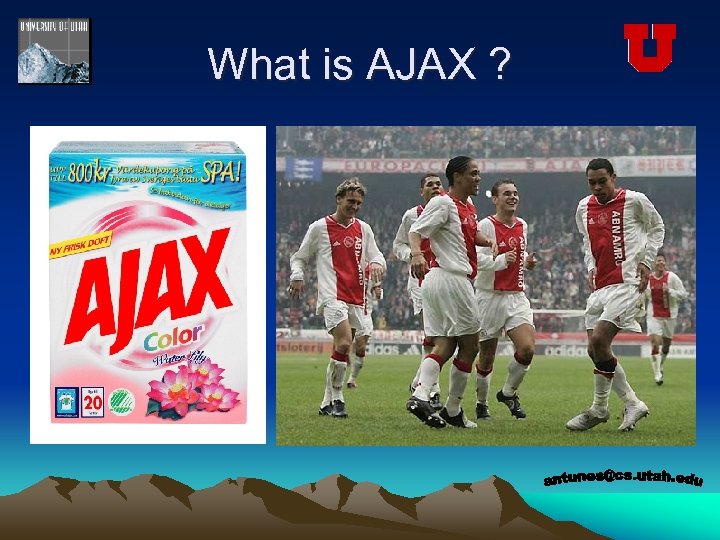
What is AJAX ?
What is AJAX ? • Ajax (Asynchronous Javascript And XML) allows to navigate web pages while the page itself quietly and unobtrusively - sends requests to the server for more data, and can use that data to update the user interface without the user having to wait for a new page or a page refresh.
What is AJAX ? • What this means in practice is that we can build interfaces to our web applications which are much more like those our users are used to from their desktop applications. Forms, text boxes and images can be populated automatically with data retrieved from the server, data grids can be sorted or paginated, and server-side databases can be queried and edited - all without the user having to wait for pages to load.
How does AJAX work? • Ajax may be thought of as a 'buffer layer' between the user and the server. When the user gives instructions to the web page (for instance by clicking a button or link) the message is sent not directly to the server, but to our Ajax 'engine'. • This engine, when it needs to, makes requests of the server. But these requests may not necessarily correspond one-to-one with the user's requests. Sometimes Ajax will have foreseen the user's requirement and will already have the information requested. This is the 'Asynchronous' bit. • And guess what? Our page talks to the Ajax engine using Javascript commands embedded in the source code of the page, taking care of the second letter of Ajax. • There are several means by which the server can send data back to the Ajax engine - and as you've probably guessed by now, one of the most useful is XML.
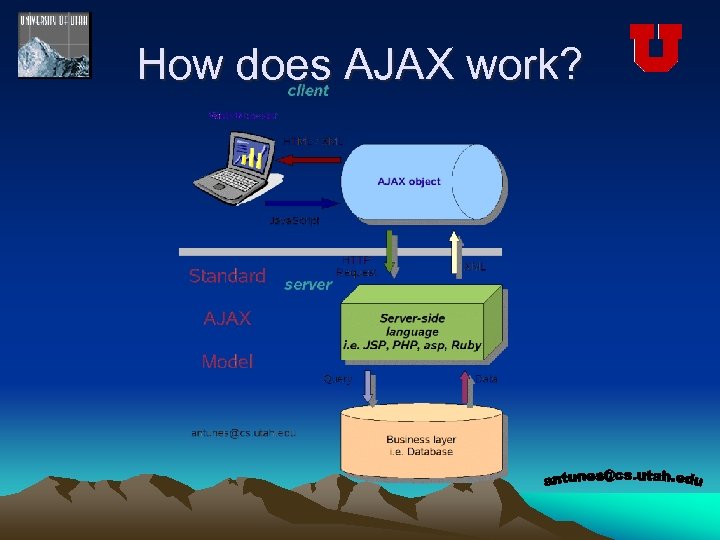
How does AJAX work?
Why use AJAX ? • Provides a rich client interface • Allows for background processing, the asynchronous process • Saves bandwidth reducing costs • Saves time, only chunks of information are sent over the wire • Increases speed of the application • Better overall result • Allows for features that are not possible with the standard web system programming paradigm
Defining principles of AJAX • The browser hosts an application, not just content • The server delivers data, not content • User interaction with the application can be fluid and continuous • Real coding which requires discipline
Key elements of AJAX • Java. Script • Cascading Style Sheets • Document Object Model (DOM) • XMLHttp. Request object
Java. Script • Allows programmatic interface with many of the browser’s inbuilt capabilities. • Provides events and function calls • Java. Script is the GLUE for an AJAX applications ARE NOT written in Java. Script although the existing books claim so. AJAX IS NOT JAVASCRIPT
CSS • It is a way of defining reusable visual styles for web page elements. • In an AJAX application CSS is a powerful tool because it provides capabilities to modify the user interface on the fly, redrawing parts of the page. i. e. : you can make a button, a list an component appear or disappear.
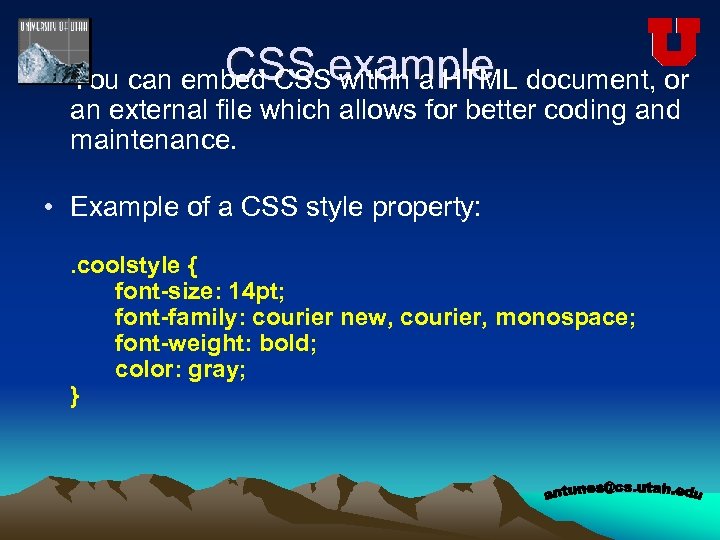
CSS within a HTML • You can embed CSSexample document, or an external file which allows for better coding and maintenance. • Example of a CSS style property: . coolstyle { font-size: 14 pt; font-family: courier new, courier, monospace; font-weight: bold; color: gray; }
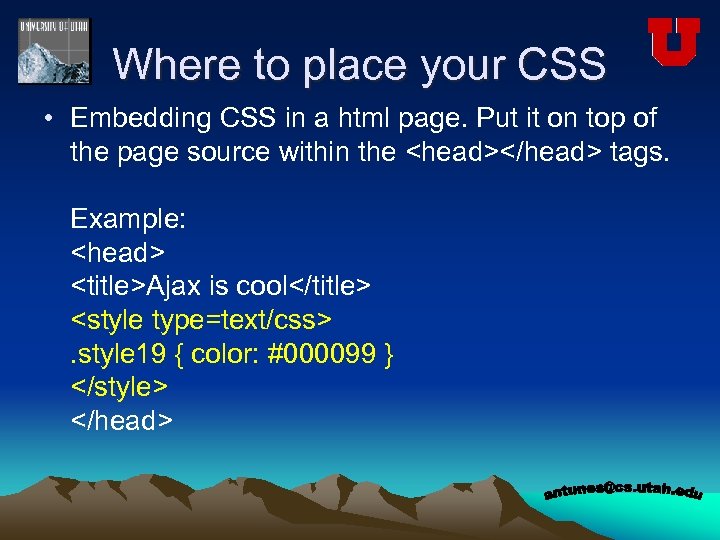
Where to place your CSS • Embedding CSS in a html page. Put it on top of the page source within the <head></head> tags. Example: <head> <title>Ajax is cool</title> <style type=text/css>. style 19 { color: #000099 } </style> </head>
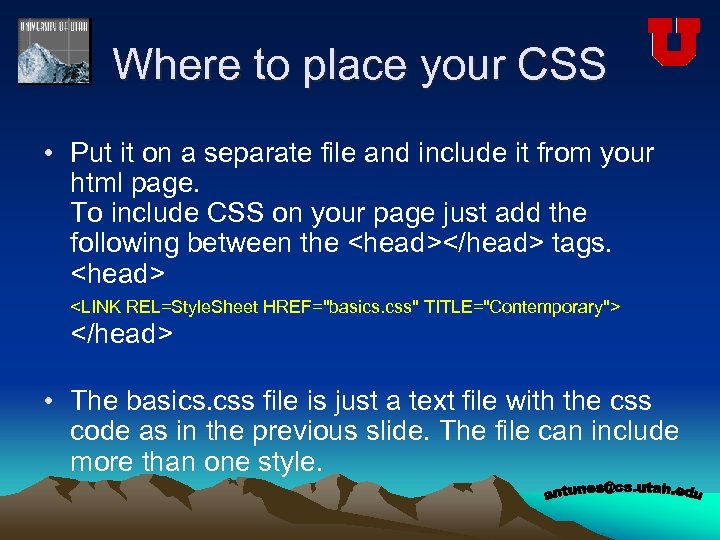
Where to place your CSS • Put it on a separate file and include it from your html page. To include CSS on your page just add the following between the <head></head> tags. <head> <LINK REL=Style. Sheet HREF="basics. css" TITLE="Contemporary"> </head> • The basics. css file is just a text file with the css code as in the previous slide. The file can include more than one style.
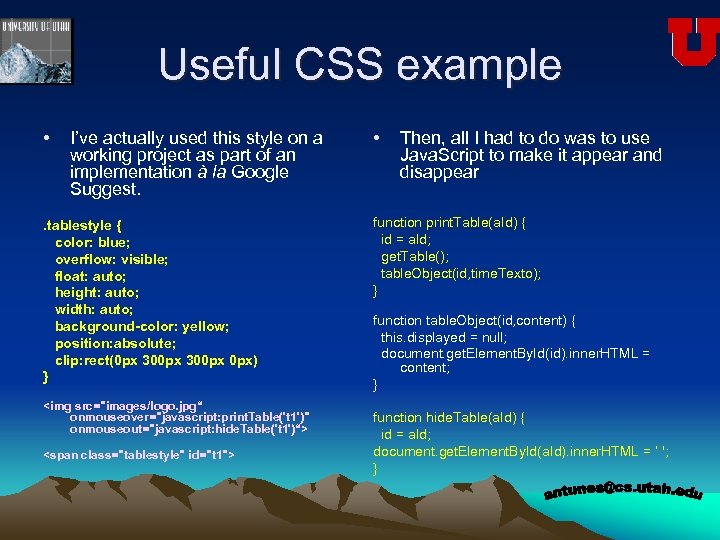
Useful CSS example • I’ve actually used this style on a working project as part of an implementation à la Google Suggest. . tablestyle { color: blue; overflow: visible; float: auto; height: auto; width: auto; background-color: yellow; position: absolute; clip: rect(0 px 300 px 0 px) } <img src="images/logo. jpg“ onmouseover="javascript: print. Table('t 1')" onmouseout="javascript: hide. Table('t 1')“> <span class="tablestyle" id="t 1"> • Then, all I had to do was to use Java. Script to make it appear and disappear function print. Table(a. Id) { id = a. Id; get. Table(); table. Object(id, time. Texto); } function table. Object(id, content) { this. displayed = null; document. get. Element. By. Id(id). inner. HTML = content; } function hide. Table(a. Id) { id = a. Id; document. get. Element. By. Id(a. Id). inner. HTML = ‘ '; }
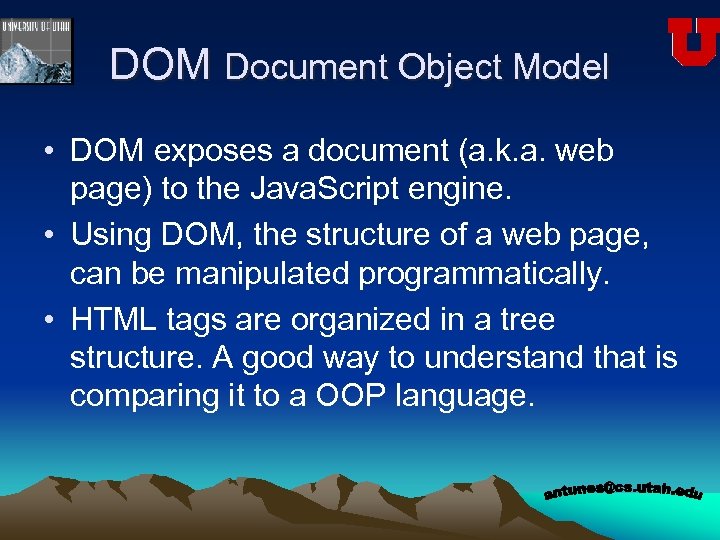
DOM Document Object Model • DOM exposes a document (a. k. a. web page) to the Java. Script engine. • Using DOM, the structure of a web page, can be manipulated programmatically. • HTML tags are organized in a tree structure. A good way to understand that is comparing it to a OOP language.
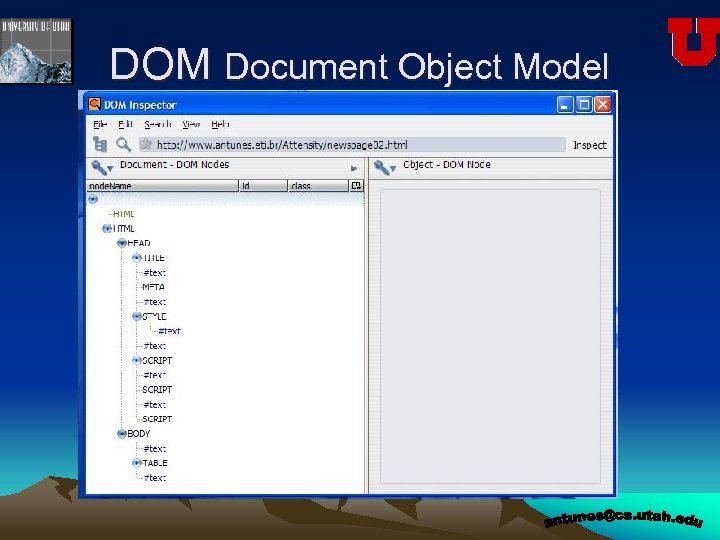
DOM Document Object Model
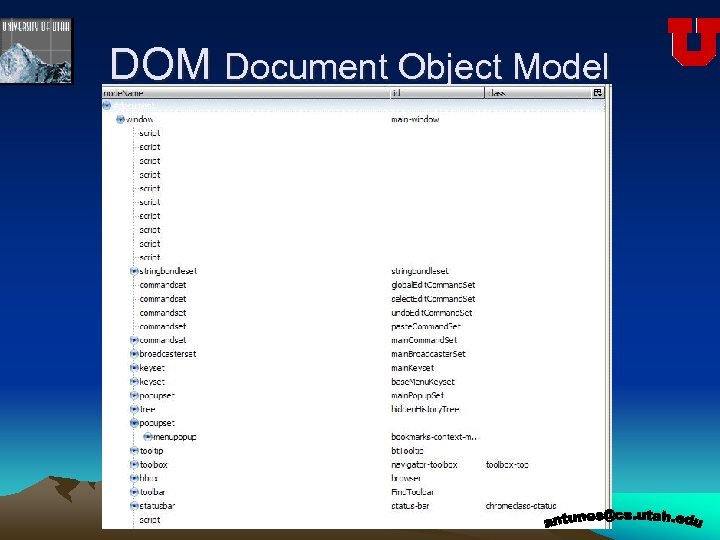
DOM Document Object Model
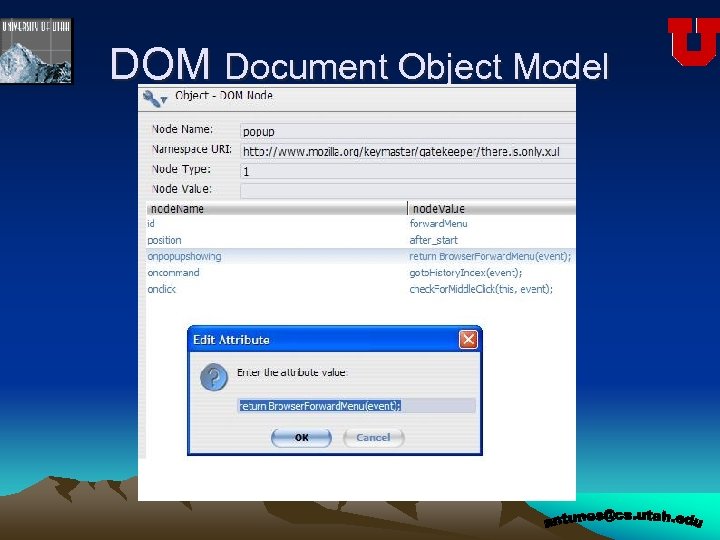
DOM Document Object Model
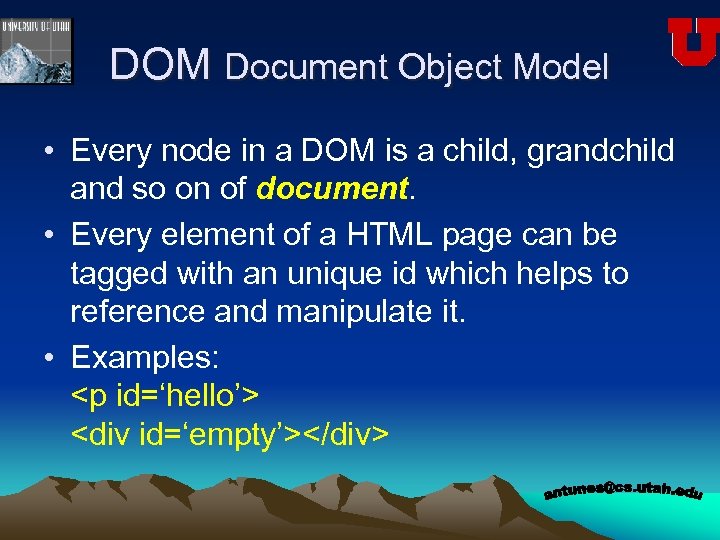
DOM Document Object Model • Every node in a DOM is a child, grandchild and so on of document. • Every element of a HTML page can be tagged with an unique id which helps to reference and manipulate it. • Examples: <p id=‘hello’> <div id=‘empty’></div>
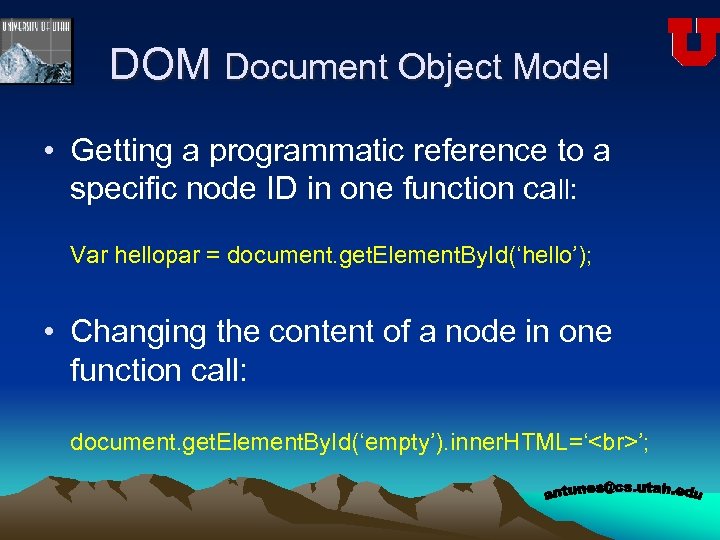
DOM Document Object Model • Getting a programmatic reference to a specific node ID in one function call: Var hellopar = document. get. Element. By. Id(‘hello’); • Changing the content of a node in one function call: document. get. Element. By. Id(‘empty’). inner. HTML=‘ ’;
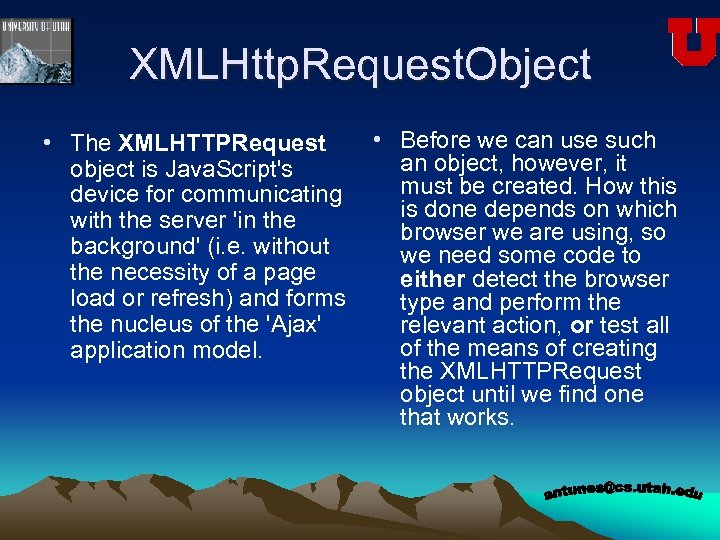
XMLHttp. Request. Object • The XMLHTTPRequest object is Java. Script's device for communicating with the server 'in the background' (i. e. without the necessity of a page load or refresh) and forms the nucleus of the 'Ajax' application model. • Before we can use such an object, however, it must be created. How this is done depends on which browser we are using, so we need some code to either detect the browser type and perform the relevant action, or test all of the means of creating the XMLHTTPRequest object until we find one that works.
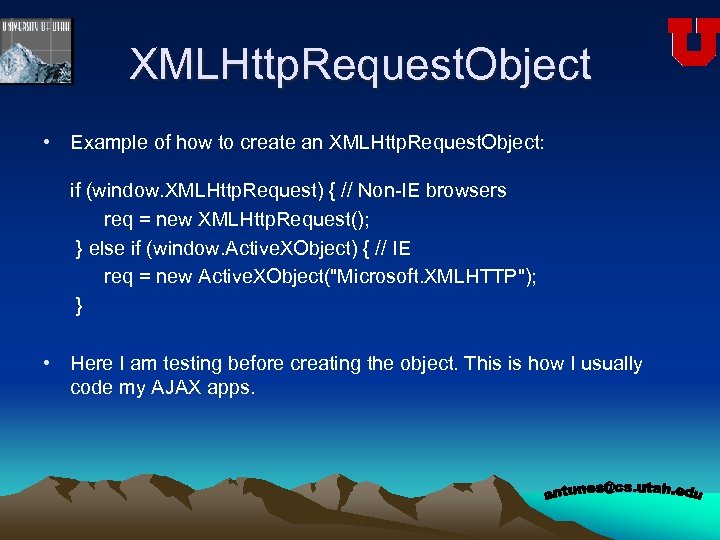
XMLHttp. Request. Object • Example of how to create an XMLHttp. Request. Object: if (window. XMLHttp. Request) { // Non-IE browsers req = new XMLHttp. Request(); } else if (window. Active. XObject) { // IE req = new Active. XObject("Microsoft. XMLHTTP"); } • Here I am testing before creating the object. This is how I usually code my AJAX apps.
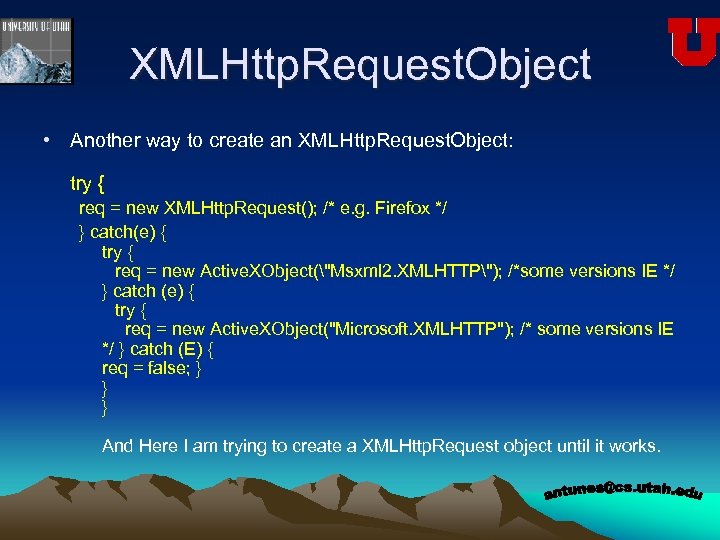
XMLHttp. Request. Object • Another way to create an XMLHttp. Request. Object: try { req = new XMLHttp. Request(); /* e. g. Firefox */ } catch(e) { try { req = new Active. XObject("Msxml 2. XMLHTTP"); /*some versions IE */ } catch (e) { try { req = new Active. XObject("Microsoft. XMLHTTP"); /* some versions IE */ } catch (E) { req = false; } } } And Here I am trying to create a XMLHttp. Request object until it works.
XMLHttp. Request. Object • Methods of the XMLHttp. Request. Object: • There a few methods that the XMLHttp. Request. Object offers, however the 2 most used ones are open() and send() • Open() is used to connect to the server. Example: http. open(“GET”, “http: //www. antunes. eti. br/test. php”, true); The third argument, when set to True, determines that the request will be executed asynchronously, when the send() method is called. • Send() is used to transmit the request to the server. You can include a post string or a DOM object argument. Example: http. send(null); or http. send(); for IE (practical experience)
XMLHttp. Request. Object • Properties of the XMLHttp. Request. Object. There are four properties of a XMLHttp. Request. Object and they are essential for an AJAX application. They are: • • on. Ready. State. Change ready. State response. Text response. XML
XMLHttp. Request. Object • on. Ready. State. Change defines an event handler which executes every time the ready. State property of the object changes • ready. State can take integer values of zero to four: 0 = uninitialized, 1 = loading, 2 = loaded, 3 = interactive, 4 = complete. In general, we are only interested in a ready. State of 4 (complete) which tells us that the server request has completed and we can therefore use the data which has been returned
XMLHttp. Request. Object • response. Text refer to the information returned from the server in text format, for instance an HTML chunk. • response. XML refer to the information returned from the server, in XML format.
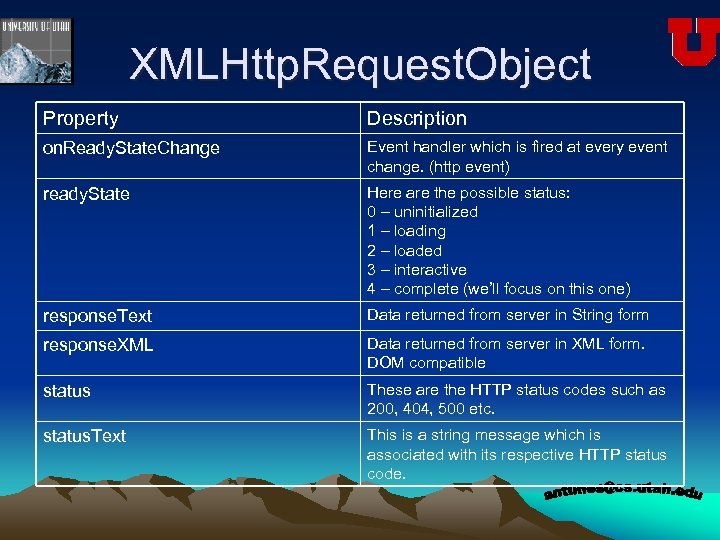
XMLHttp. Request. Object Property Description on. Ready. State. Change Event handler which is fired at every event change. (http event) ready. State Here are the possible status: 0 – uninitialized 1 – loading 2 – loaded 3 – interactive 4 – complete (we’ll focus on this one) response. Text Data returned from server in String form response. XML Data returned from server in XML form. DOM compatible status These are the HTTP status codes such as 200, 404, 500 etc. status. Text This is a string message which is associated with its respective HTTP status code.
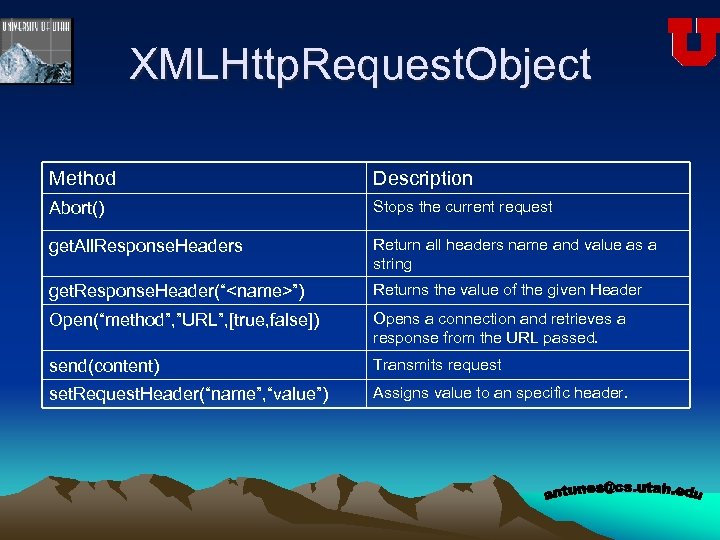
XMLHttp. Request. Object Method Description Abort() Stops the current request get. All. Response. Headers Return all headers name and value as a string get. Response. Header(“<name>”) Returns the value of the given Header Open(“method”, ”URL”, [true, false]) Opens a connection and retrieves a response from the URL passed. send(content) Transmits request set. Request. Header(“name”, “value”) Assigns value to an specific header.
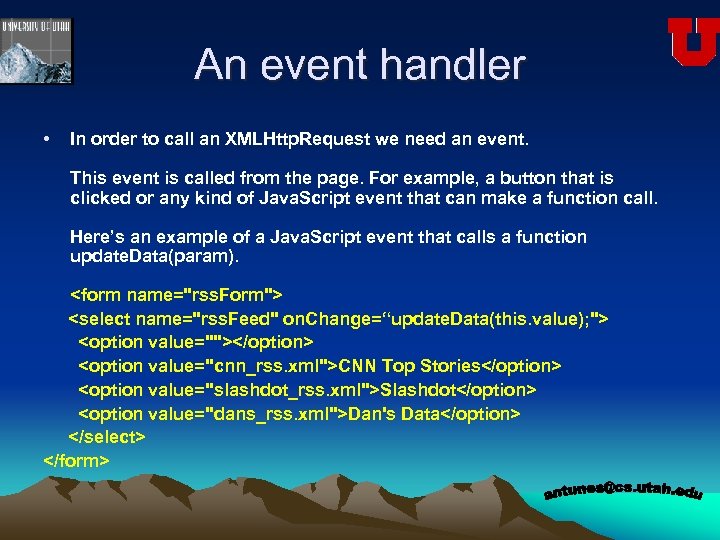
An event handler • In order to call an XMLHttp. Request we need an event. This event is called from the page. For example, a button that is clicked or any kind of Java. Script event that can make a function call. Here’s an example of a Java. Script event that calls a function update. Data(param). <form name="rss. Form"> <select name="rss. Feed" on. Change=“update. Data(this. value); "> <option value=""></option> <option value="cnn_rss. xml">CNN Top Stories</option> <option value="slashdot_rss. xml">Slashdot</option> <option value="dans_rss. xml">Dan's Data</option> </select> </form>
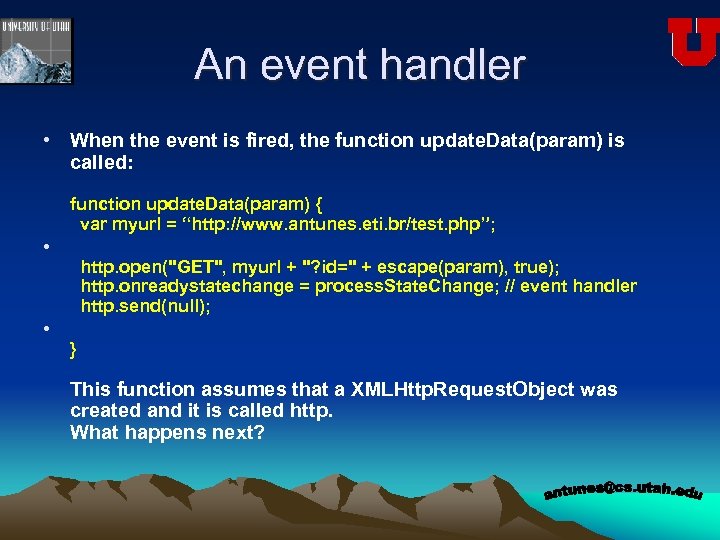
An event handler • When the event is fired, the function update. Data(param) is called: function update. Data(param) { var myurl = “http: //www. antunes. eti. br/test. php”; • • http. open("GET", myurl + "? id=" + escape(param), true); http. onreadystatechange = process. State. Change; // event handler http. send(null); } This function assumes that a XMLHttp. Request. Object was created and it is called http. What happens next?
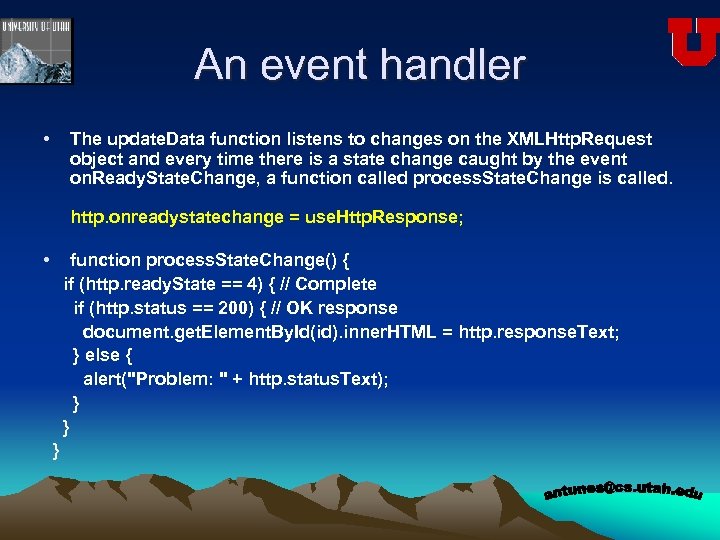
An event handler • The update. Data function listens to changes on the XMLHttp. Request object and every time there is a state change caught by the event on. Ready. State. Change, a function called process. State. Change is called. http. onreadystatechange = use. Http. Response; • function process. State. Change() { if (http. ready. State == 4) { // Complete if (http. status == 200) { // OK response document. get. Element. By. Id(id). inner. HTML = http. response. Text; } else { alert("Problem: " + http. status. Text); } } }
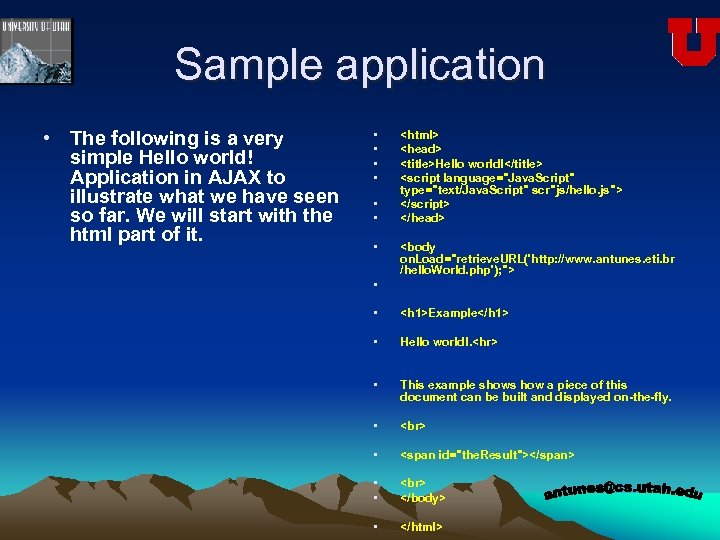
Sample application • The following is a very simple Hello world! Application in AJAX to illustrate what we have seen so far. We will start with the html part of it. • • <html> <head> <title>Hello world!</title> <script language="Java. Script" type="text/Java. Script" scr"js/hello. js"> </script> </head> • <body on. Load="retrieve. URL('http: //www. antunes. eti. br /hello. World. php'); "> • <h 1>Example</h 1> • Hello world!. <hr> • This example shows how a piece of this document can be built and displayed on-the-fly. • • <span id="the. Result"></span> • • </body> • </html>
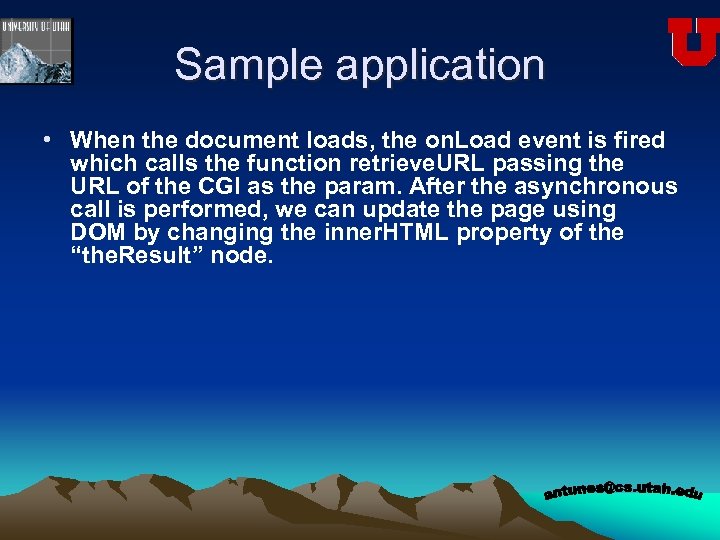
Sample application • When the document loads, the on. Load event is fired which calls the function retrieve. URL passing the URL of the CGI as the param. After the asynchronous call is performed, we can update the page using DOM by changing the inner. HTML property of the “the. Result” node.
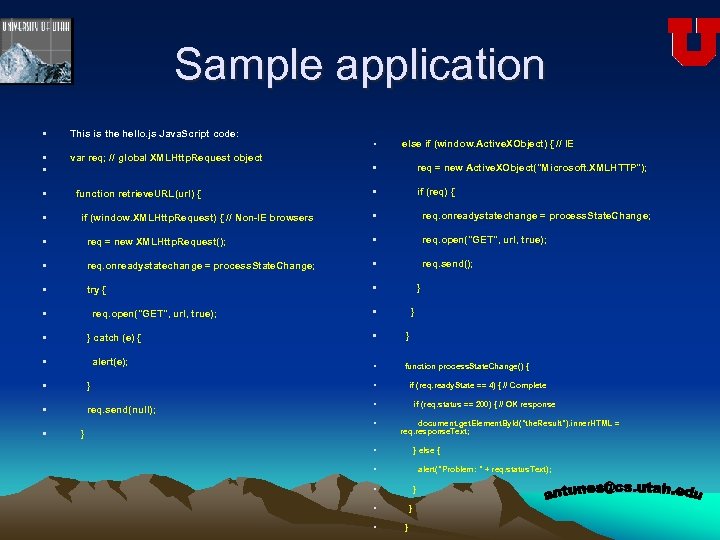
Sample application • This is the hello. js Java. Script code: • else if (window. Active. XObject) { // IE • • var req; // global XMLHttp. Request object • req = new Active. XObject("Microsoft. XMLHTTP"); • function retrieve. URL(url) { • if (req) { • if (window. XMLHttp. Request) { // Non-IE browsers • req. onreadystatechange = process. State. Change; • req = new XMLHttp. Request(); • req. open("GET", url, true); • req. onreadystatechange = process. State. Change; • req. send(); • try { • } • req. open("GET", url, true); • } • } catch (e) { • } • alert(e); • function process. State. Change() { • } • if (req. ready. State == 4) { // Complete • req. send(null); • if (req. status == 200) { // OK response • • } document. get. Element. By. Id("the. Result"). inner. HTML = req. response. Text; • } else { • alert("Problem: " + req. status. Text); • } • }
AJAX Frameworks • As you can see, there are quite a few steps on implementing an Ajax application. As you start to code Ajax you will realize that you are repeatedly performing same tasks such as: - Support Multiple Browsers - Create the XMLHttp. Request - Handling events • Naturally, you will organize your code into libraries so that you can make better use of common functionality. • Ajax is new and as such it is quite dynamic as its frameworks are made to be. • Frameworks exist to make mere mortals life easier. • Real programmers might not like them
AJAX Frameworks • Here’s a list of frameworks: - DOJO - dojotoolkit. org - Rico – openrico. org/home. page - qooxdo – qooxdo. oss. sclund. de - Tibet – www. technicalpursuit. com - Google AJAXSLT - goog-ajaxslt. sourceforge. net - lib. Xml. Request – www. whitefrost. com/index. jsp - RSLite – www. ashleyit. com/rs/rslite/ - SACK – twilightuniverse. com/projects/sack/ - Sarrisa – sarissa. sourceforge. net/doc - XHConn – xkr. us/code/javascript/XHConn/
What’s next? • Next time we will: • Show working Ajax applications and walk the code step by step. • The examples will include: - Hello application - Google Suggest XML example - Dynamic CSS tables - A database grid - Dynamic select boxes à la e. Bay - Cache buster techniques • CGI tips • Formats: HTML, XML and JSON
Questions Have any questions, concerns or fears? This is the time.

Thank you! Please remember: I will keep the material, examples and source code on the following address: http: //www. cs. utah. edu/~antunes/AJAX/ antunes@cs. utah. edu
Скачать презентацию Welcome to WEB 2 0 An AJAX presentation
487c1e663aaa202cf535041d6e6fb9ea.ppt