


 Скачать презентацию Welcome to KSRTC Online Reservation System Online
e3a43c24e0e8986fdfc8a386bbf9d2c5.ppt
- Количество слайдов: 32
 Welcome to KSRTC Online Reservation System
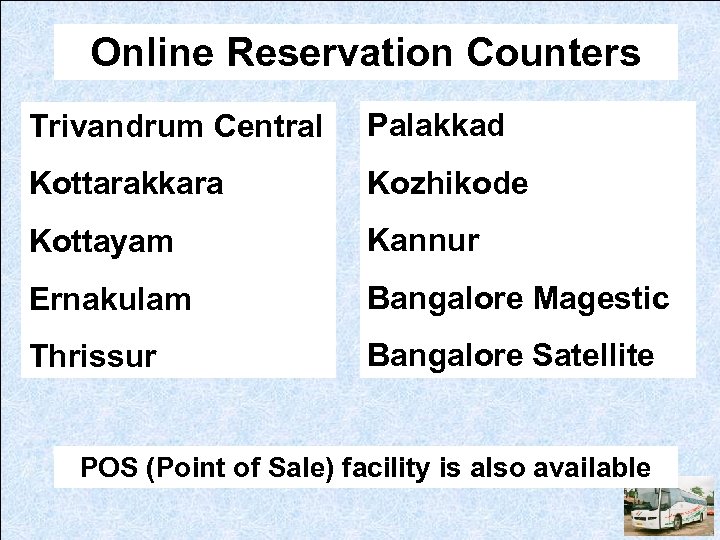 Online Reservation Counters Trivandrum Central Palakkad Kottarakkara Kozhikode Kottayam Kannur Ernakulam Bangalore Magestic Thrissur Bangalore Satellite POS (Point of Sale) facility is also available
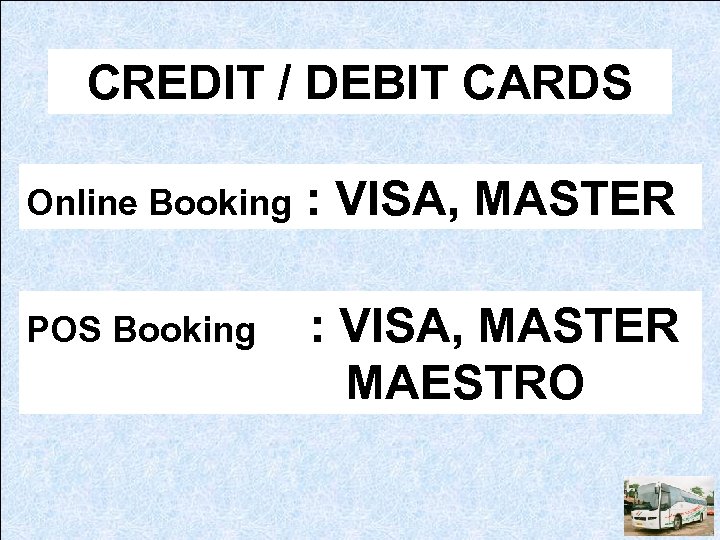 CREDIT / DEBIT CARDS Online Booking : VISA, MASTER POS Booking : VISA, MASTER MAESTRO
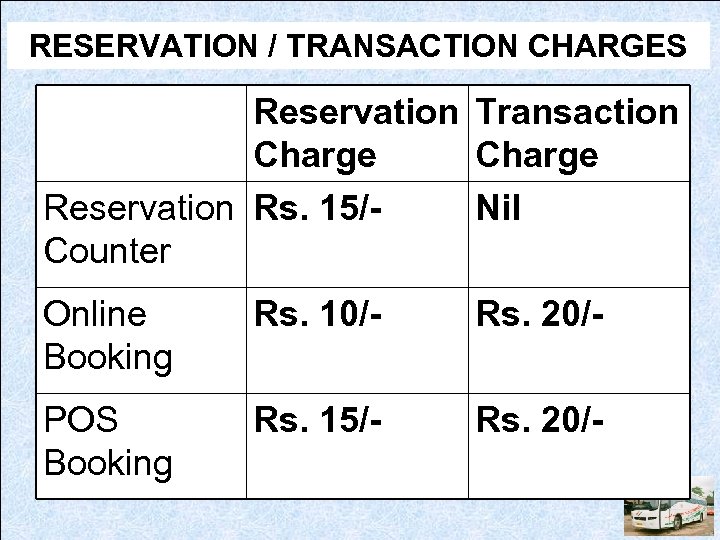 RESERVATION / TRANSACTION CHARGES Reservation Transaction Charge Reservation Rs. 15/Nil Counter Online Booking Rs. 10/- Rs. 20/- POS Booking Rs. 15/- Rs. 20/-
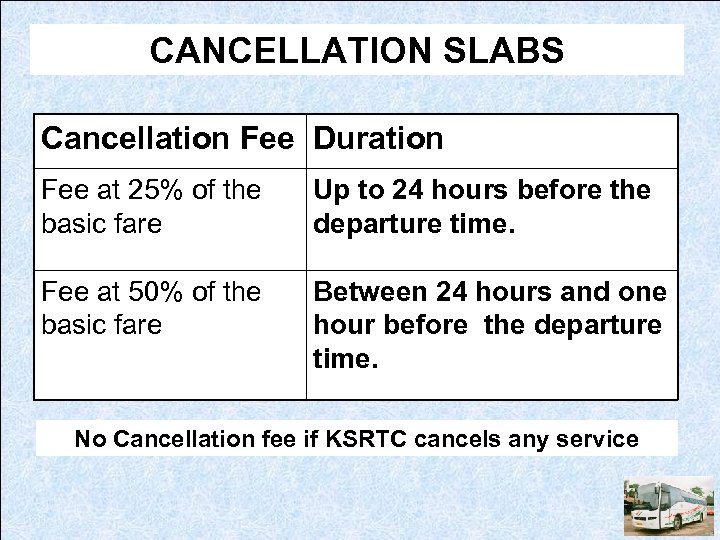 CANCELLATION SLABS Cancellation Fee Duration Fee at 25% of the basic fare Up to 24 hours before the departure time. Fee at 50% of the basic fare Between 24 hours and one hour before the departure time. No Cancellation fee if KSRTC cancels any service
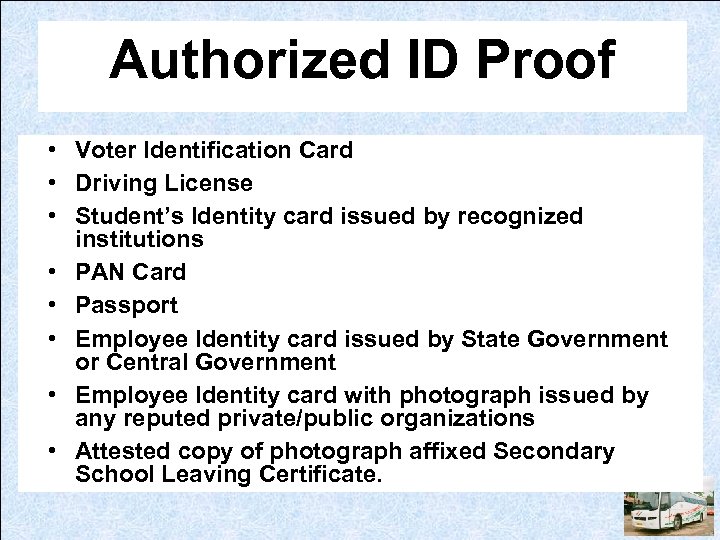 Authorized ID Proof • Voter Identification Card • Driving License • Student’s Identity card issued by recognized institutions • PAN Card • Passport • Employee Identity card issued by State Government or Central Government • Employee Identity card with photograph issued by any reputed private/public organizations • Attested copy of photograph affixed Secondary School Leaving Certificate.
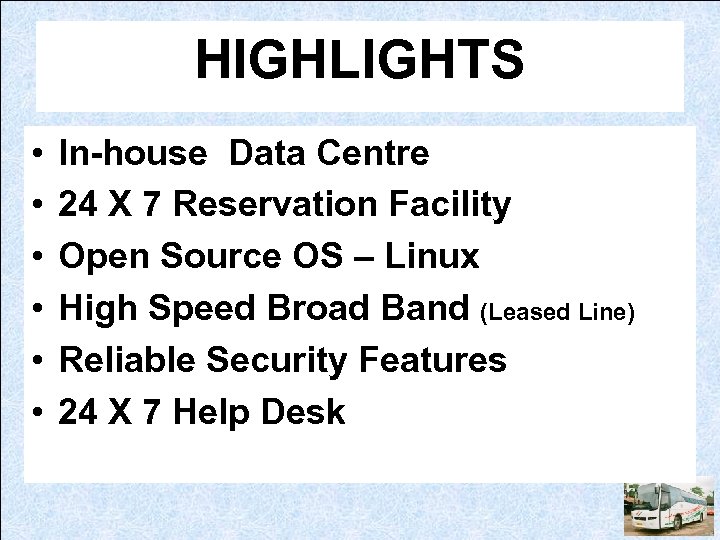 HIGHLIGHTS • • • In-house Data Centre 24 X 7 Reservation Facility Open Source OS – Linux High Speed Broad Band (Leased Line) Reliable Security Features 24 X 7 Help Desk
 HOW TO RESERVE
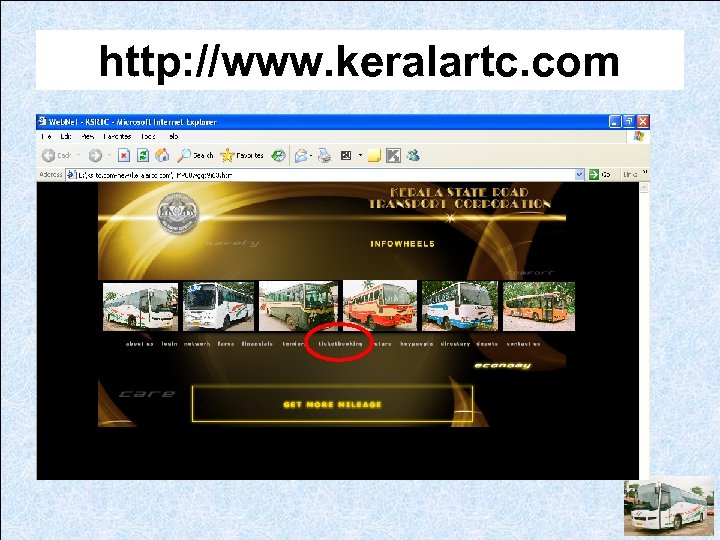 http: //www. keralartc. com
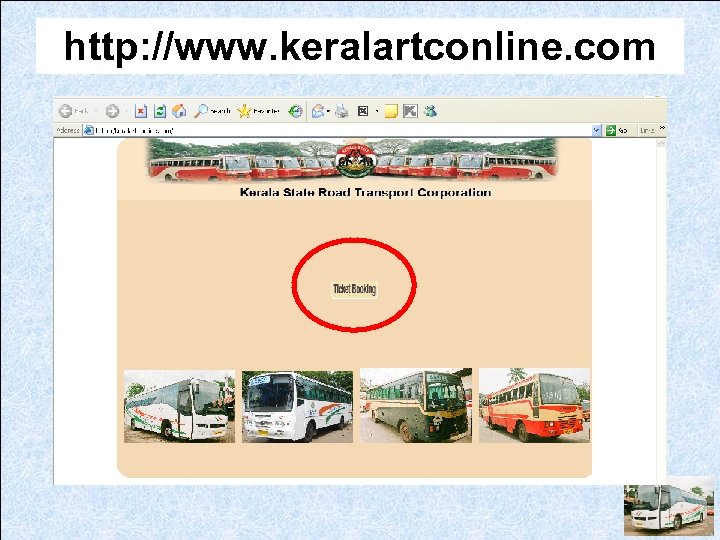 http: //www. keralartconline. com
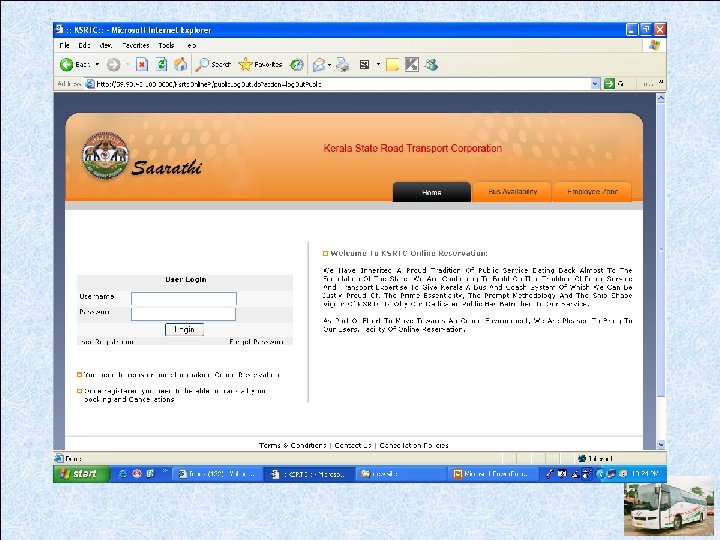
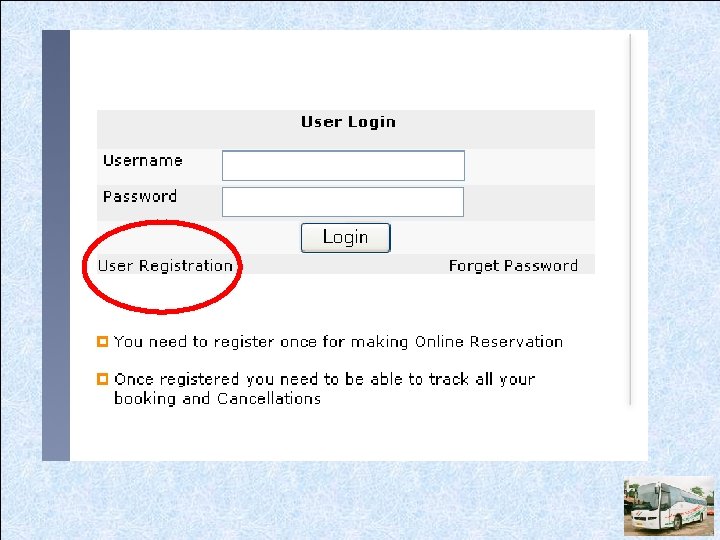
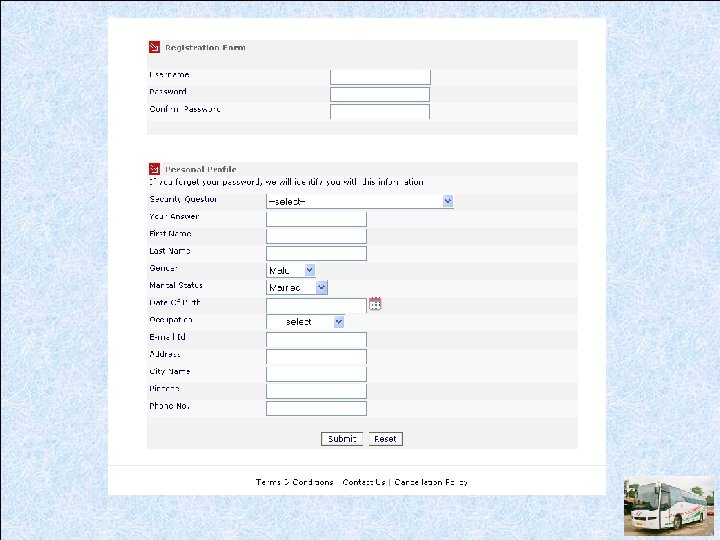
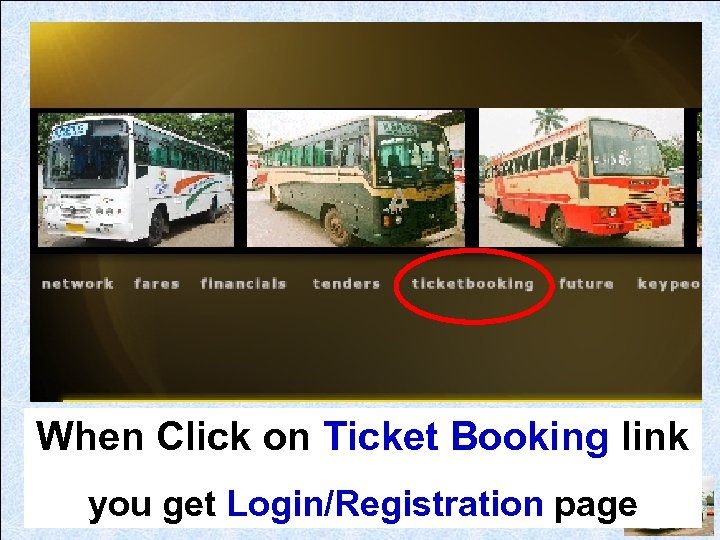 When Click on Ticket Booking link you get Login/Registration page
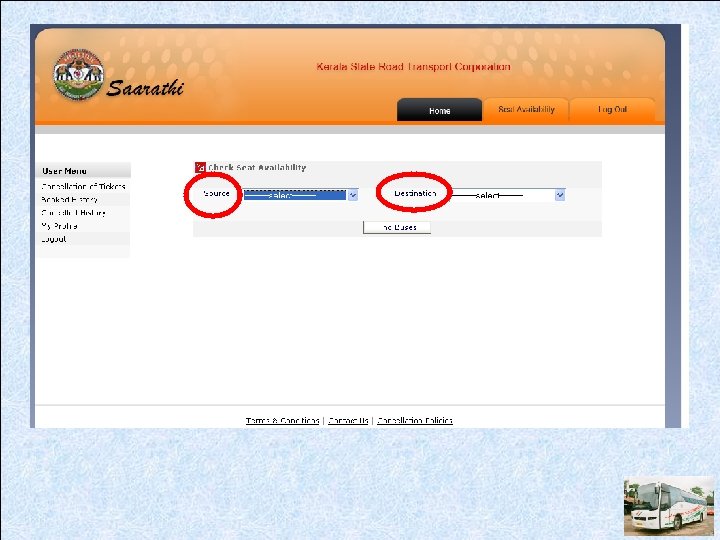
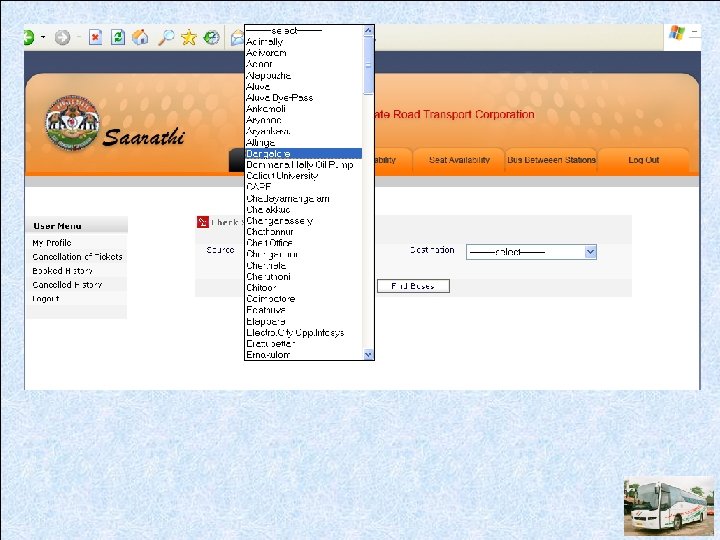
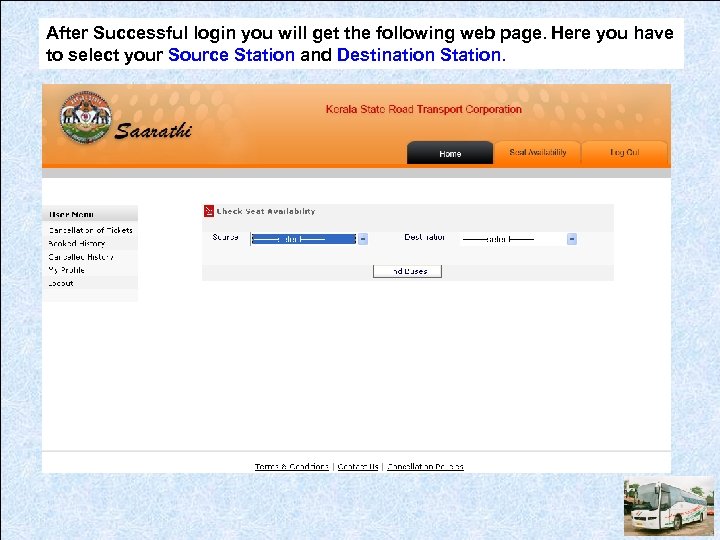 After Successful login you will get the following web page. Here you have to select your Source Station and Destination Station.
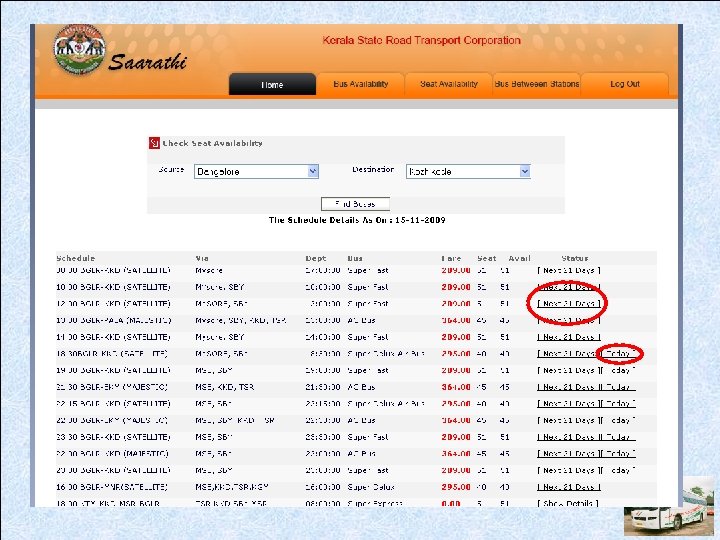
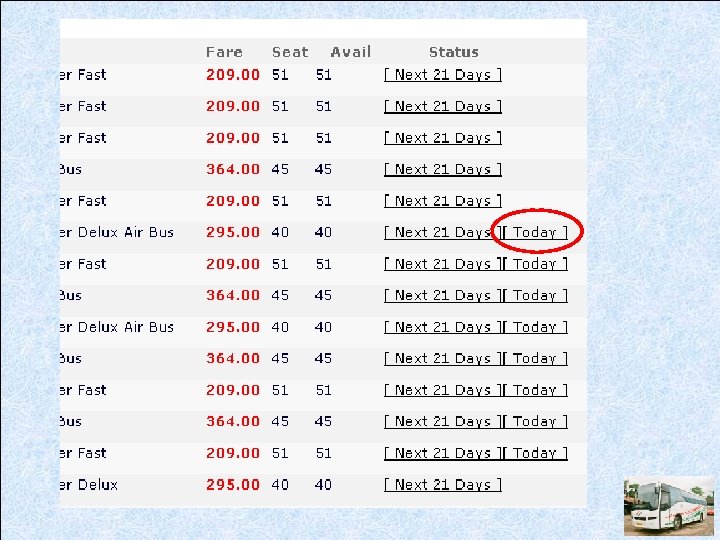
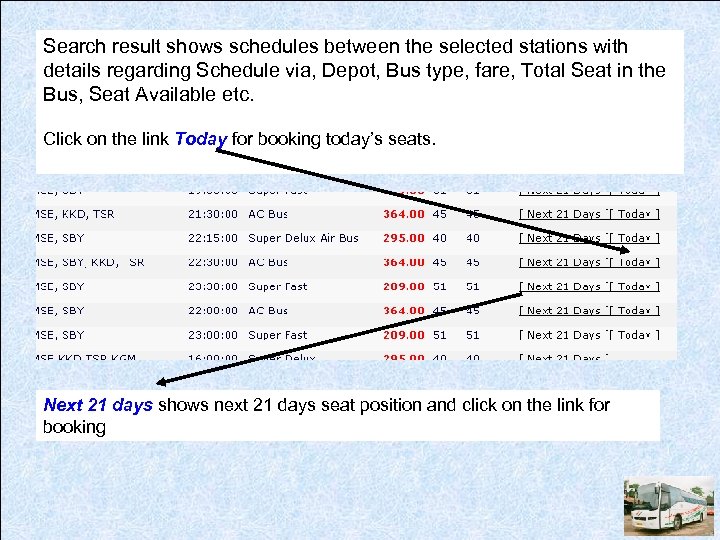 Search result shows schedules between the selected stations with details regarding Schedule via, Depot, Bus type, fare, Total Seat in the Bus, Seat Available etc. Click on the link Today for booking today’s seats. Next 21 days shows next 21 days seat position and click on the link for booking
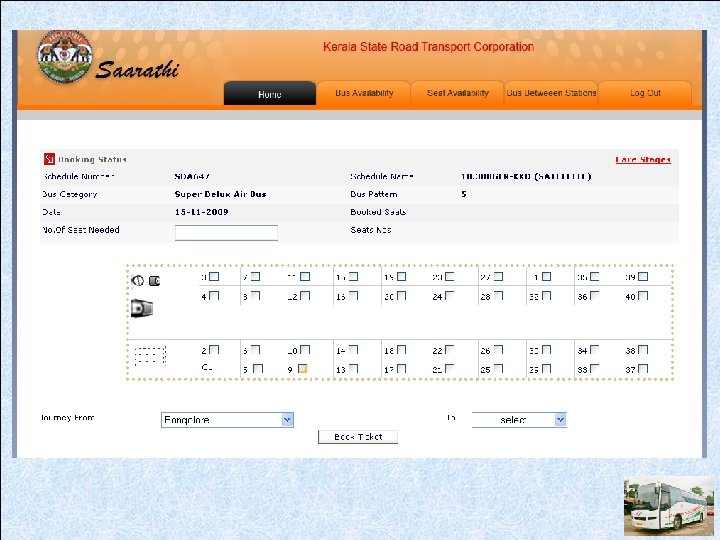
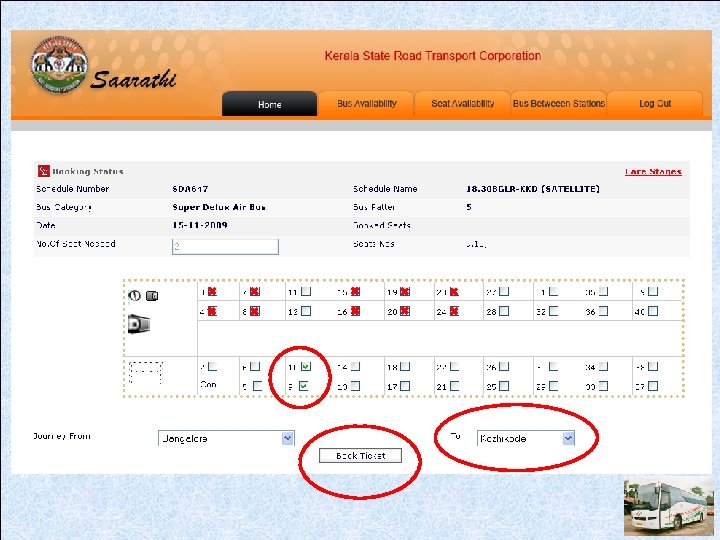
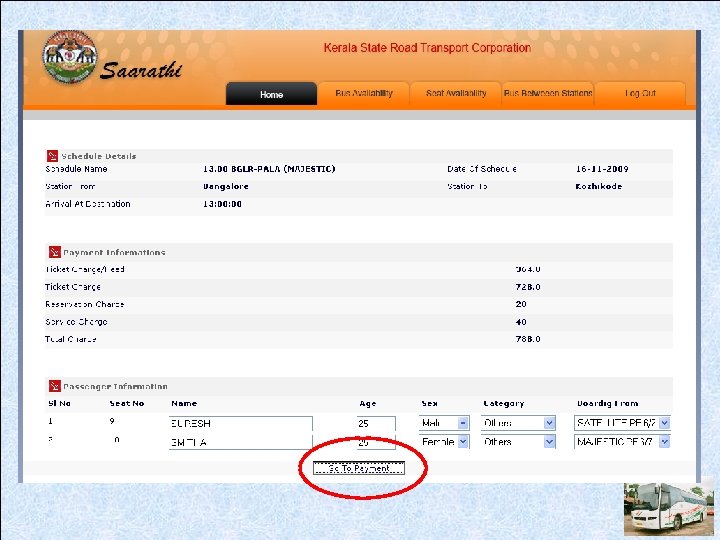
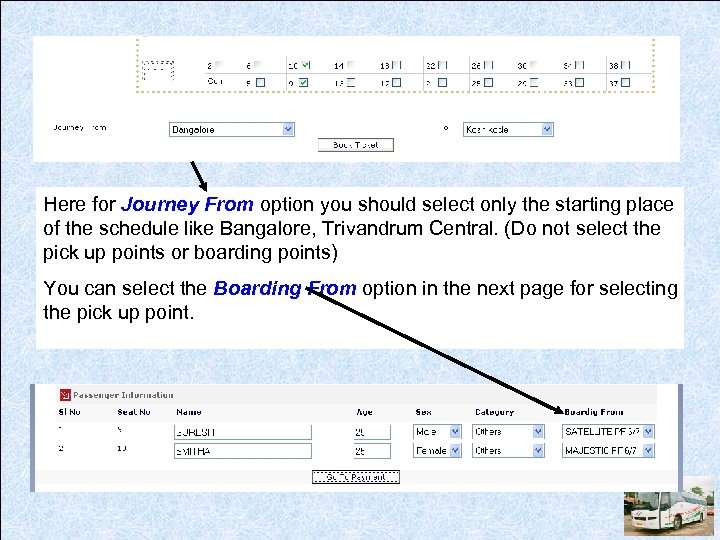 Here for Journey From option you should select only the starting place of the schedule like Bangalore, Trivandrum Central. (Do not select the pick up points or boarding points) You can select the Boarding From option in the next page for selecting the pick up point.
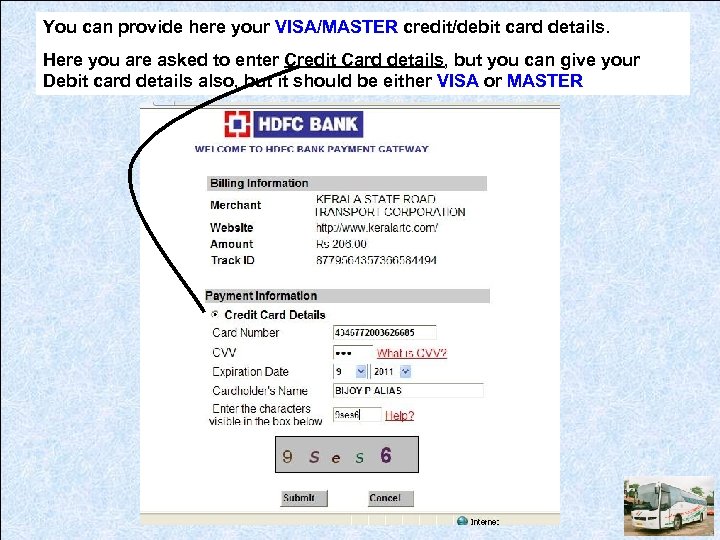 You can provide here your VISA/MASTER credit/debit card details. Here you are asked to enter Credit Card details, but you can give your Debit card details also, but it should be either VISA or MASTER
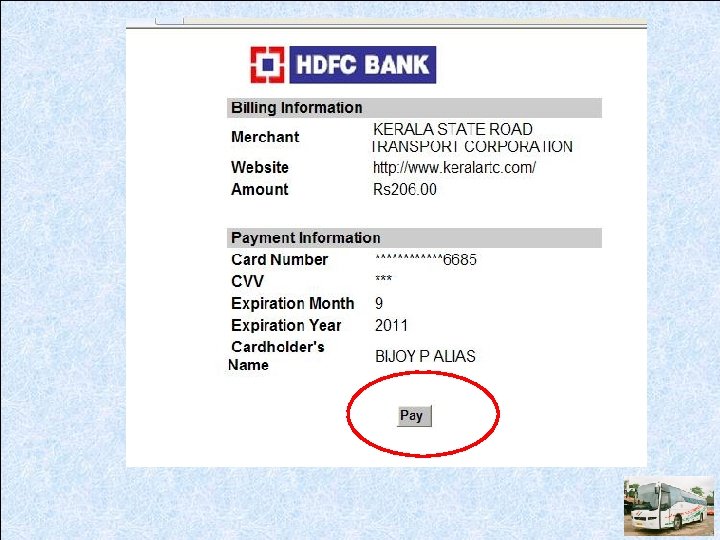
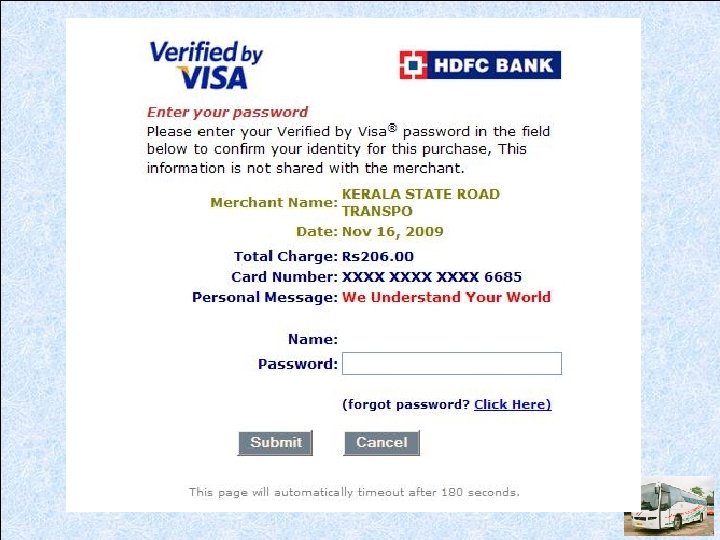
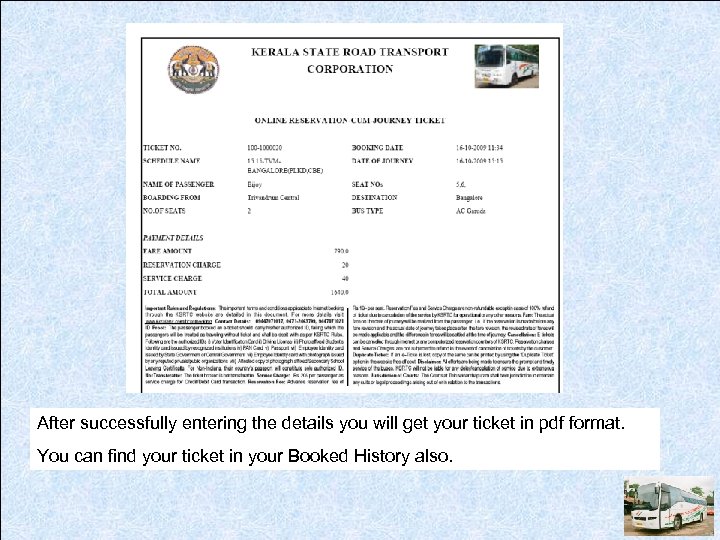 After successfully entering the details you will get your ticket in pdf format. You can find your ticket in your Booked History also.
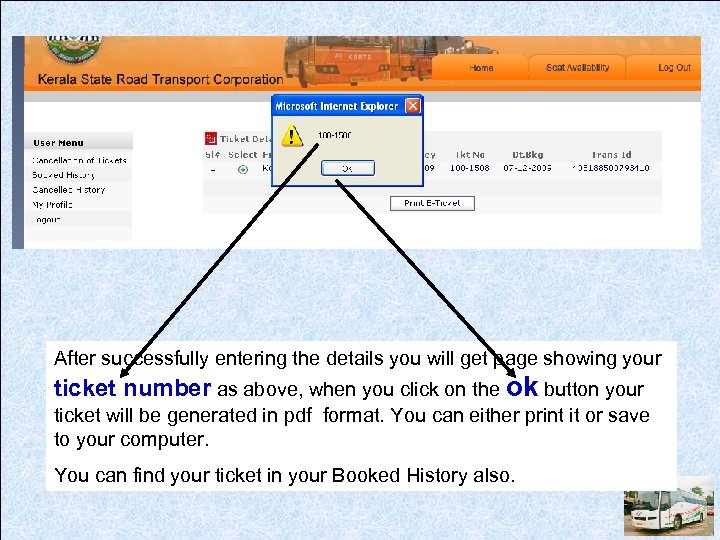 After successfully entering the details you will get page showing your ticket number as above, when you click on the ok button your ticket will be generated in pdf format. You can either print it or save to your computer. You can find your ticket in your Booked History also.
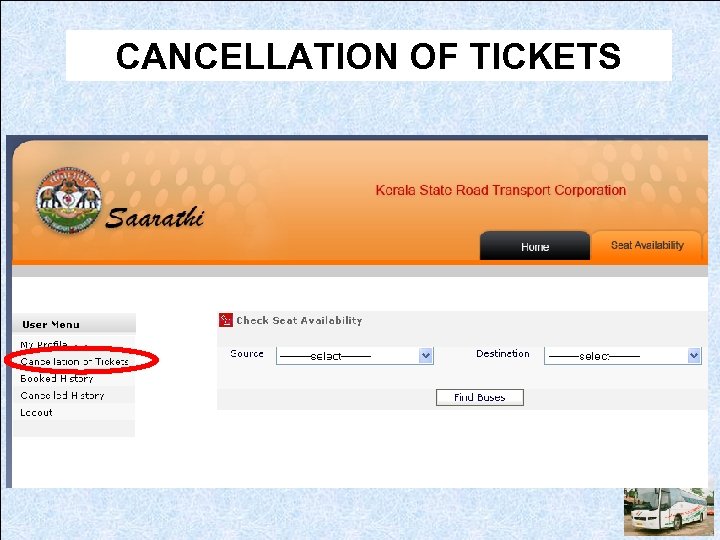 CANCELLATION OF TICKETS
 THANK YOU