


 Скачать презентацию Welcome to ITApplications WELCOME l ITApps Induction Session
c0485eb824e8a970b95a435374acb098.ppt
- Количество слайдов: 43
 Welcome to ITApplications WELCOME!!! l ITApps Induction Session l Ian Harrison: ITApps Programme Director Room: 270, email: ian@dcs. bbk. ac. uk ITApps: www. dcs. bbk. ac. uk/itapps/ l First module usually: Introduction to Web Authoring using XHTML and CSS l Lecturer (Saturday class): Gerard Luskin l Lecturer (Monday class): Dionisis Dimakopoulos l ITApps Induction for New Students (2010/11) 1
 Getting Started l Log-in using your: ITS Username + Password l Password = ITS Password in ITS labs OR G 3 orge. B 1 rkbeck in DCS labs l Once logged on open Mozilla Filefox l Enter URL: http: //www. dcs. bbk. ac. uk/~ian/induction/ ITApps Induction for New Students (2010/11) 2
 Health & Safety Fire alarm/drill – l Strictly NO Visitors check out l Report suspicious instructions for exit people to Main and assembly Reception: l Birkbeck has a strict 020 -7631 -6031 No Smoking policy l Dial 555 for EMERGENCY ASSISTANCE l BBK Security: l http: //www. bbk. ac. uk/ef/ourservices/security. shtml ITApps Induction for New Students (2010/11) 3
 The ITApps Programme l IT Applications Programme: l comprises a series of skills based, professional development courses/modules (each module = 15 credit points at NQF level 4/5) l http: //www. dcs. bbk. ac. uk/itapps/ l Current Awards: l Certificate of Higher Education in Information Technology (8 modules) l Certificate of Higher Education in Web Design Technologies (8 modules) l Certificate of Continuing Education in IT Applications or Web Design (4 modules) l Short Courses (certificate of completion) ITApps Induction for New Students (2010/11) 4
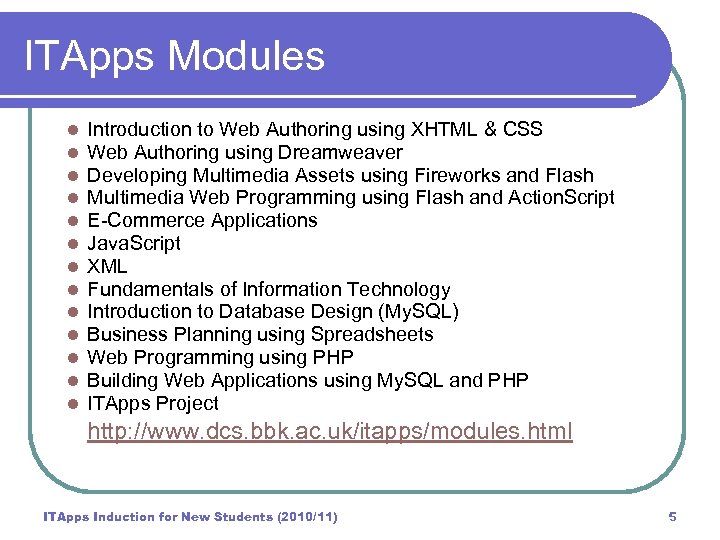 ITApps Modules l l l l Introduction to Web Authoring using XHTML & CSS Web Authoring using Dreamweaver Developing Multimedia Assets using Fireworks and Flash Multimedia Web Programming using Flash and Action. Script E-Commerce Applications Java. Script XML Fundamentals of Information Technology Introduction to Database Design (My. SQL) Business Planning using Spreadsheets Web Programming using PHP Building Web Applications using My. SQL and PHP ITApps Project http: //www. dcs. bbk. ac. uk/itapps/modules. html ITApps Induction for New Students (2010/11) 5
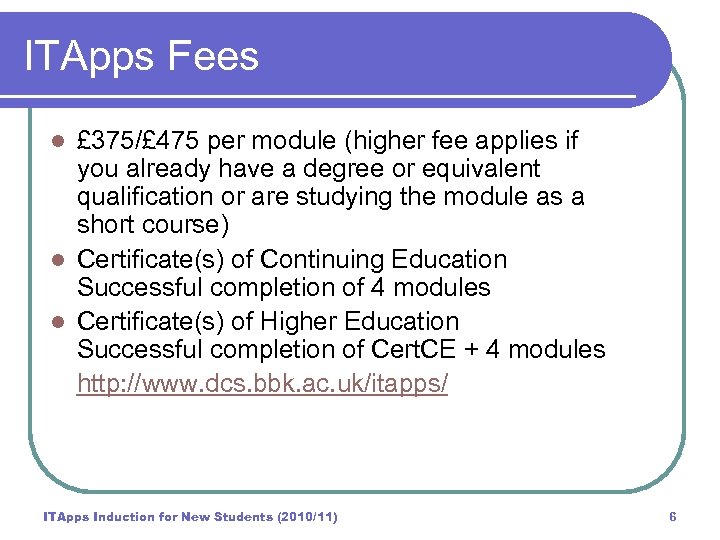 ITApps Fees £ 375/£ 475 per module (higher fee applies if you already have a degree or equivalent qualification or are studying the module as a short course) l Certificate(s) of Continuing Education Successful completion of 4 modules l Certificate(s) of Higher Education Successful completion of Cert. CE + 4 modules http: //www. dcs. bbk. ac. uk/itapps/ l ITApps Induction for New Students (2010/11) 6
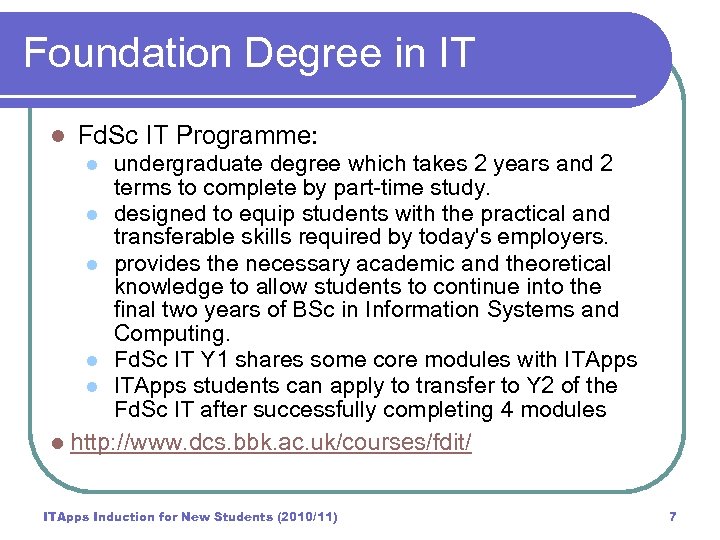 Foundation Degree in IT l Fd. Sc IT Programme: undergraduate degree which takes 2 years and 2 terms to complete by part-time study. l designed to equip students with the practical and transferable skills required by today's employers. l provides the necessary academic and theoretical knowledge to allow students to continue into the final two years of BSc in Information Systems and Computing. l Fd. Sc IT Y 1 shares some core modules with ITApps l ITApps students can apply to transfer to Y 2 of the Fd. Sc IT after successfully completing 4 modules l http: //www. dcs. bbk. ac. uk/courses/fdit/ l ITApps Induction for New Students (2010/11) 7
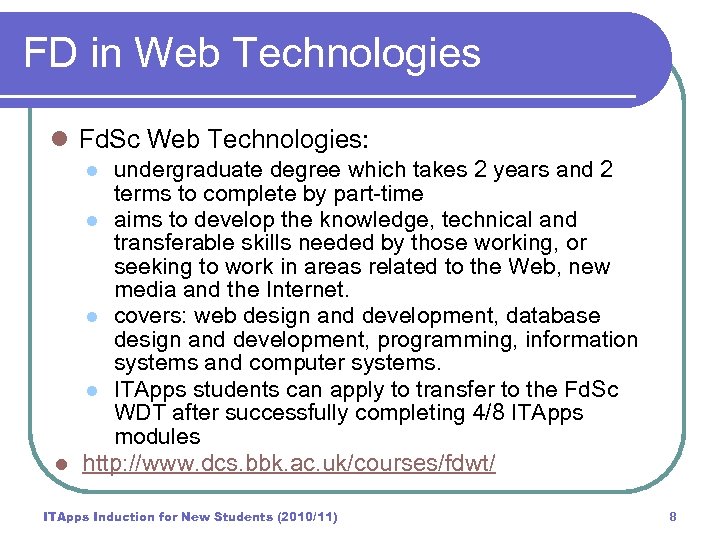 FD in Web Technologies l Fd. Sc Web Technologies: undergraduate degree which takes 2 years and 2 terms to complete by part-time l aims to develop the knowledge, technical and transferable skills needed by those working, or seeking to work in areas related to the Web, new media and the Internet. l covers: web design and development, database design and development, programming, information systems and computer systems. l ITApps students can apply to transfer to the Fd. Sc WDT after successfully completing 4/8 ITApps modules l http: //www. dcs. bbk. ac. uk/courses/fdwt/ l ITApps Induction for New Students (2010/11) 8
 The ITApps/Fd Teams: l l l Programme Administrators: Stacey Hine (ITA), Leila Darwish (Fd. IT) and Tara Orlanes-Angelopoulou (Fd. WT) Programme Director (ITApps): Ian Harrison (Rm 270) email: ian@dcs. bbk. ac. uk Programme Director (Fd. IT): Jenny Pedler Programme Director (Fd. WT): Gordon Mc. Intyre Number of external tutors/sessional lecturers who work in IT and/or related industries Other Support: l l l Systems Group in Department of Computer Science and Information Systems (DCS) IT Services (ITS) Group (Main College) My Birkbeck ITApps Induction for New Students (2010/11) 9
 Department of Computer Science and Information Systems: http: //www. dcs. bbk. ac. uk l leading centre of computing expertise, specialising in information and knowledge management, web technologies, computer intelligence, bioinformatics and information systems development: http: //www. dcs. bbk. ac. uk/research/ l ITApps Induction for New Students (2010/11) 10
 Department of Computer Science Taught programmes emphasise the use of information technology in organisations. l Aim to empower people with the technical and management skills required to succeed in a competitive market place. l Learning Pathways in the School enable you to enter as an ITApps/Fd student and leave with a Ph. D: http: //www. dcs. bbk. ac. uk/courses/ l ITApps Induction for New Students (2010/11) 11
 About DCS l l PC Labs on 4 th floor of Malet Street Building Require Student ID Card (with photograph): l l l Use it to gain access to DCS Needed for Security purposes Can be asked to leave any BBK building if you cannot produce your student ID card Upload a photo into your my. Birkbeck profile or send a passport-size photo together with a completed id card application form to the student centre. l See: My Birkbeck website for further details: http: //www. bbk. ac. uk/mybirkbeck/services/you/cards l ITApps Induction for New Students (2010/11) 12
 About DCS l Workstation rooms for classes and independent study: l l l DCS: 403 - 407 ITS: 422/3, 536 http: //www. bbk. ac. uk/its/services/rooms Superior environment for superior students! Please take care of your environment – it’s there for you. l Any problems, report to SG (DCS) or ITS l ITApps Induction for New Students (2010/11) 13
 Lab Etiquette Respect for other l Student area and students and staff Toilets (near entrance to School) l Arrive on time l NO eating or drinking l NO use of mobile phones (switch off or in Labs turn to silent mode) l Coffee breaks and lunch by agreement l l l Coffee usually 15 mins @11. 00 and 14. 30 (Saturday classes) and @ 6. 30 pm (Evening Classes) Lunch usually between 12. 30 and 13. 00 (30 mins - 1 hour) ITApps Induction for New Students (2010/11) 14
 ITApps Contacts l l l ITApps Programme Administrator: l Stacey Hine: itapp@dcs. bbk. ac. uk l To book modules, admin queries, etc. Tutors/Sessional Lecturers: for help with study/content. Discussion Board: help/advice from peers Book individual surgery appointments: l IN, WA, FI: Gordon Mc. Intyre: gordon@dcs. bbk. ac. uk l DT: Jenny Pedler: jenny@dcs. bbk. ac. uk Problems with assessment: l Ian Harrison: Chair of Exam Board l Email: ian@dcs. bbk. ac. uk Last resort contact the Programme Director l ITApps: Ian Harrison: ian@dcs. bbk. ac. uk ITApps Induction for New Students (2010/11) 15
 Communication Channels Primary Communication is via Email l Use personal email address, need to update your Profile in My. Birkbeck: http: //www. bbk. ac. uk/mybirkbeck/ l Telephone, Letter l Teaching via Virtual Learning Environment (VLE): Blackboard l In class: human-human interaction, 1 -2 -1, 1 -2 -many l ITApps Induction for New Students (2010/11) 16
 Problems with a class … Discuss this with your Class Tutor in the first instance. l Use Class Forum on discussion board to get help/advice from peers. l IN, WA, FI: Book a surgery appt with Gordon Mc. Intyre (16: 00 -17: 30 during term): l l l DT: Book a surgery appt with Jenny Pedler (16: 00 -17: 30 during term): l l Email: gordon@dcs. bbk. ac. uk Email: jenny@dcs. bbk. ac. uk Don’t just turn up and expect to meet with tutors. Their workload is heavy. So do email for an appointment. ITApps Induction for New Students (2010/11) 17
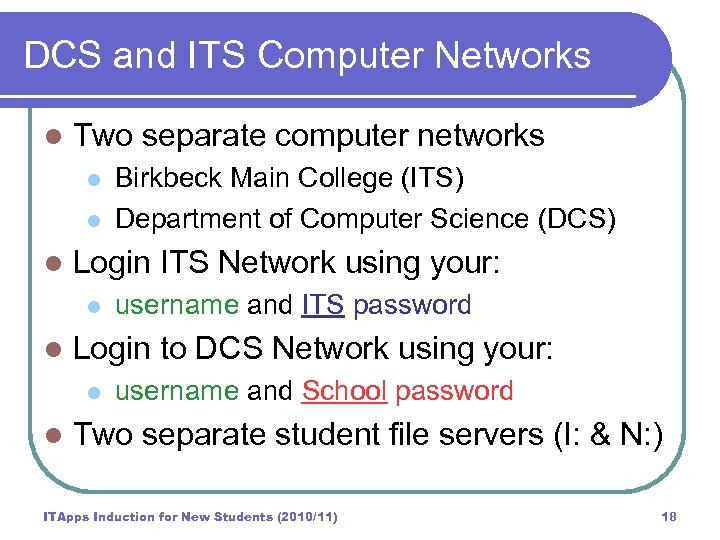 DCS and ITS Computer Networks l Two separate computer networks l l l Login ITS Network using your: l l username and ITS password Login to DCS Network using your: l l Birkbeck Main College (ITS) Department of Computer Science (DCS) username and School password Two separate student file servers (I: & N: ) ITApps Induction for New Students (2010/11) 18
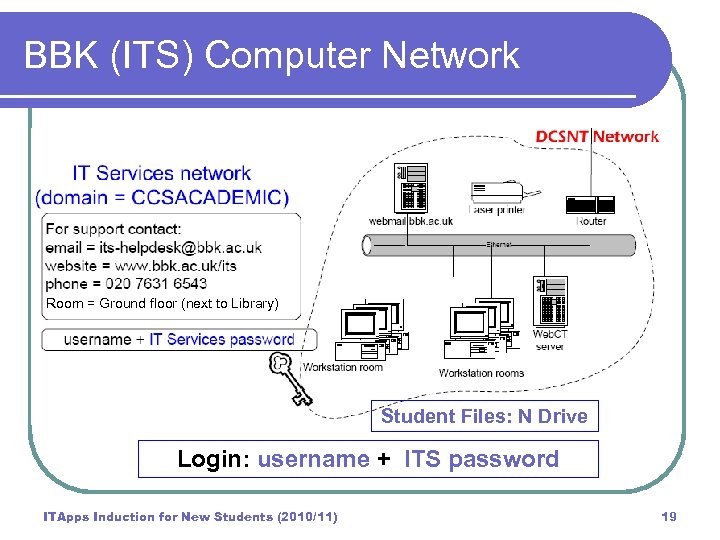 BBK (ITS) Computer Network Room = Ground floor (next to Library) Student Files: N Drive Login: username + ITS password ITApps Induction for New Students (2010/11) 19
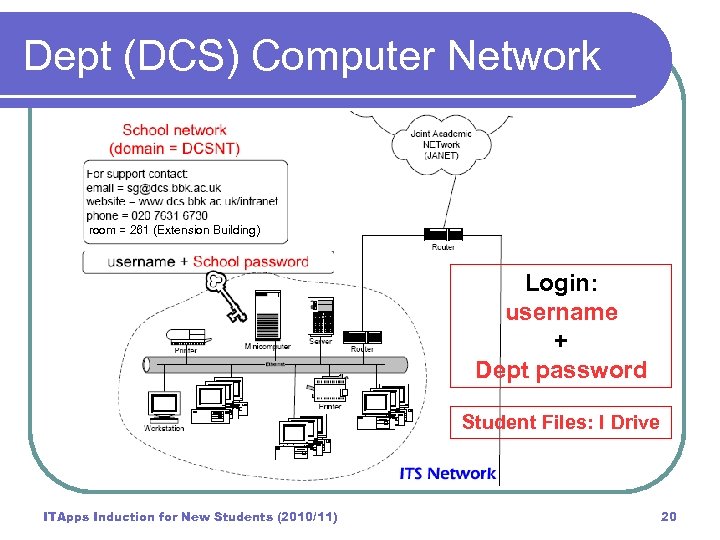 Dept (DCS) Computer Network Department Network (domain = DCSNT) room = 261 (Extension Building) Dept Password Login: username + Dept password Student Files: I Drive ITApps Induction for New Students (2010/11) 20
 ITS v DCS Networks l l l Important to understand - two separate networks managed separately by: (i) ITS and (ii) Department of Computer Science (DCS). SAME username but DIFFERENT passwords! Different password rules! Easier to change DCSNT password to be similar to your ITS password. If you forget your ITS password can get help: http: //www. bbk. ac. uk/its/ However, your DCS password can only be reset during working hours ITApps Induction for New Students (2010/11) 21
 ITS v DCS Networks l Different drive allocations: l l File space in ITS (BBK) located on N: drive File space in Department (DCS) located on I: drive Usually use C: drive at home/office. Flash drives (recommended for back-up) You are responsible for backing up your files. ITS/DCS do not guarantee to maintain files between sessions. l Anything on C: drive may be automatically removed! l No applications can be installed on workstation PCs l ITApps Induction for New Students (2010/11) 22
 BBK (ITS) Computer Network Login: username + ITS password • Details on e-mail/letter from ITS • Use to Log-in to VLE (Blackboard) • Use to Log-on in BBK Workstation • rooms Use to set up FTP for publishing to your student web space ITApps Induction for New Students (2010/11) 23
 Dept (DSC) Computer Network Login: username + Dept password • Use to Log-on in DCS Workstation rooms • • • (Rooms 403 -407) Log-on to the DCS network • Use ITS Username • Temporary Password: ask your tutor Note: Passwords are case sensitive Folder and filenames on mixed Unix/Windows networks must NOT contain spaces. ITApps Induction for New Students (2010/11) 24
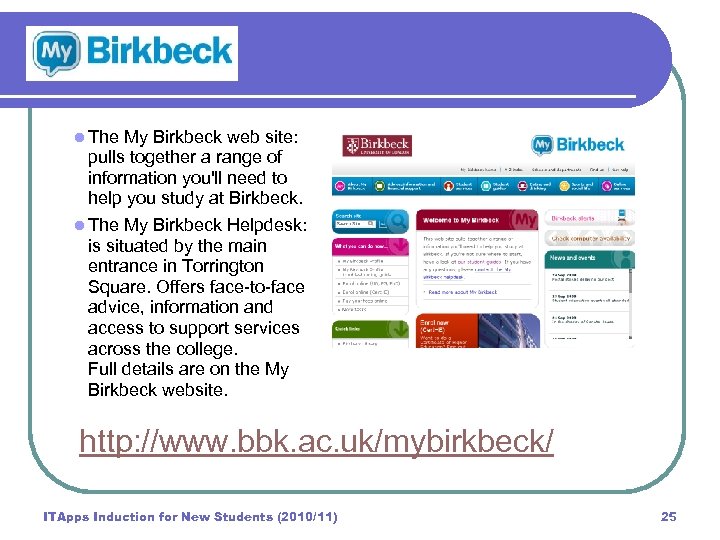 l The My Birkbeck web site: pulls together a range of information you'll need to help you study at Birkbeck. l The My Birkbeck Helpdesk: is situated by the main entrance in Torrington Square. Offers face-to-face advice, information and access to support services across the college. Full details are on the My Birkbeck website. http: //www. bbk. ac. uk/mybirkbeck/ ITApps Induction for New Students (2010/11) 25
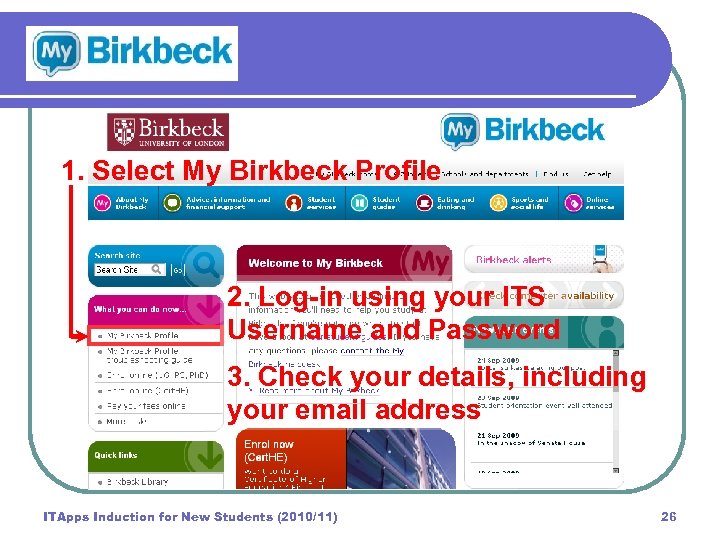 1. Select My Birkbeck Profile 2. Log-in using your ITS Username and Password 3. Check your details, including your email address ITApps Induction for New Students (2010/11) 26
 Blackboard (VLE) Blackboard: http: //www. ble. ac. uk/ l VLE = Virtual Learning Environment l Accessible anywhere l VLE contains: l l l Module content: hands-on exercises, reading, quizzes, discussion boards Assignments: links to TMA and FMA, Dropboxes for electronic submission, return of feedback. Evaluation and Suggestion Surveys Log-in to the VLE using your: l ITS username and ITS password ITApps Induction for New Students (2010/11) 27
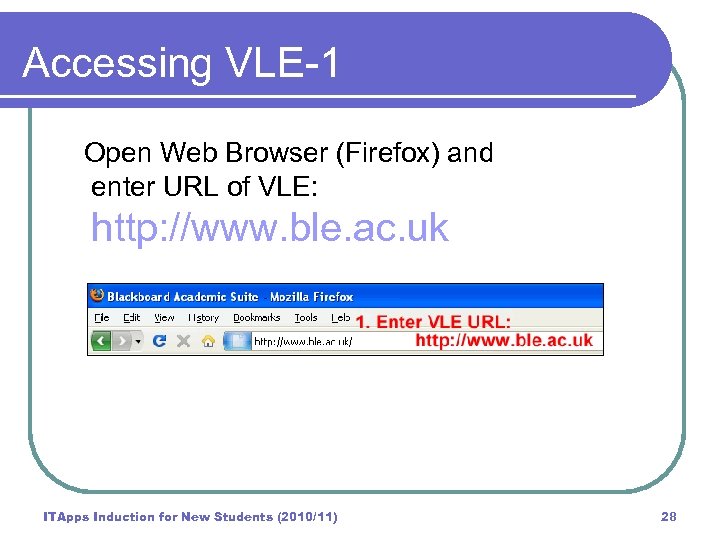 Accessing VLE-1 Open Web Browser (Firefox) and enter URL of VLE: http: //www. ble. ac. uk ITApps Induction for New Students (2010/11) 28
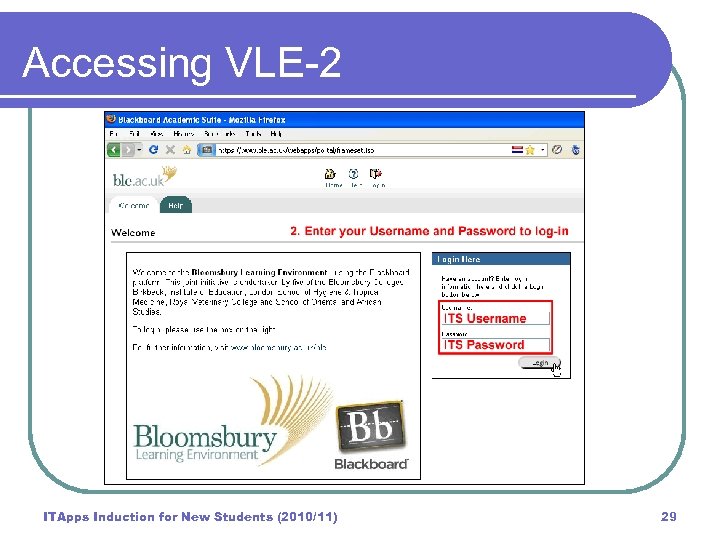 Accessing VLE-2 ITApps Induction for New Students (2010/11) 29
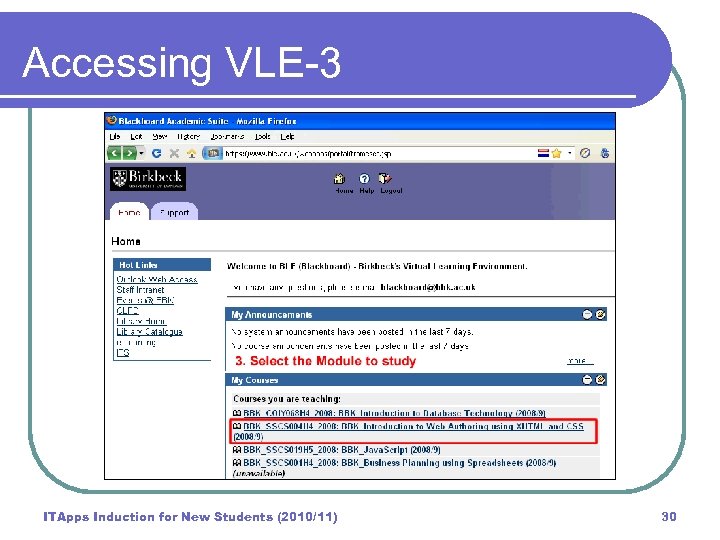 Accessing VLE-3 ITApps Induction for New Students (2010/11) 30
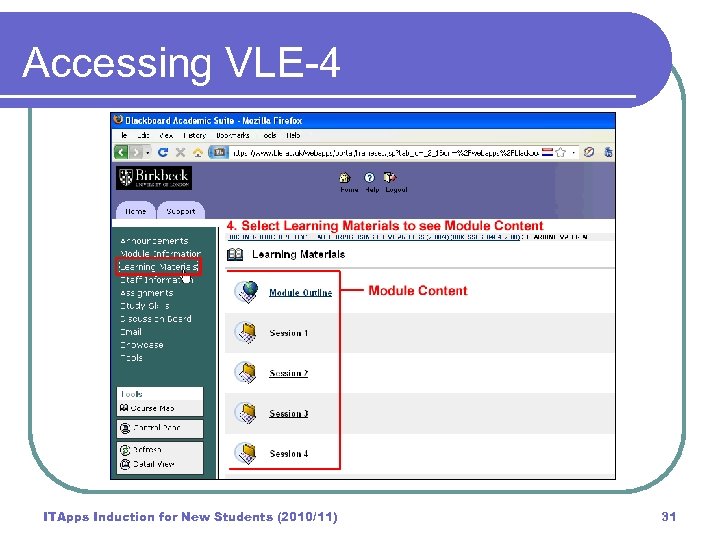 Accessing VLE-4 ITApps Induction for New Students (2010/11) 31
 ITApps Assessment • • TMA = Tutor Marked Assignment • • • Work on this during course 25% of total marks Usually submit the TMA in session 5 FMA = Final Marked Assignment • • • Work on this after course finished 75% of total marks Submit by specified deadline Electronic Submission of TMA & FMA files Late submission allowed up to 21 days AFTER deadline, but capped at 40% UNLESS you have acceptable ‘mitigating circumstances’, see: http: //www. bbk. ac. uk/regs/mitcircspol ITApps Induction for New Students (2010/11) 32
 ITApps Assessment • • Overall PASS MARK = 40%. If you Fail a module with mark between 30 -39% you can apply to resubmit at next deadline. If your mark is less than 30% then you have to RETAKE the module. DEFERRALS: • Can apply to DEFER FMA but you have to be able to provide documentary evidence of the ‘mitigating circumstances’ that prevented you submitting your work on time. • If you fail to submit at the next deadline you will be awarded 0% and be required to RETAKE the module. ITApps Induction for New Students (2010/11) 33
 ITApps Assessment • Please do NOT ask tutors to extend • deadlines as they are not authorised to do so! Full Details of the ITApps Assessment process and FMA submission deadlines: http: //www. dcs. bbk. ac. uk/itapps/assessment. html ITApps Induction for New Students (2010/11) 34
 Plagiarism • Plagiarism is claiming the work of others • • as your own. Plagiarism is regarded as serious infringement and you may be asked to leave the university. Do not copy work from internet, other students, books, tutors UNLESS you attribute any work that is not your own to the originator. ITApps Induction for New Students (2010/11) 35
 Plagiarism • Your work is checked out for plagiarism • • using IT tools. Providing you clearly reference work done by others that you have included in your coursework you will not be penalised. Indeed including components developed by others is encouraged as it mirrors how IT systems are efficiently built. See the Plagiarism module in the VLE (under Self-enrolled Courses). ITApps Induction for New Students (2010/11) 36
 How am I doing? Review learning points after completing exercises l Feedback from peers during group exercises l Feedback from tutors on TMA l Keep a Learning/Development Log l Individual help from tutors/at surgery l ITApps Induction for New Students (2010/11) 37
 Study Help l Birkbeck Student Union offer a series of academic support sessions to help you with your studies: l l http: //www. bbk. ac. uk/su/skills/cotherresources/ http: //www. bbk. ac. uk/su/support/advice/index_html Centre for Learning and Professional Development provides a series of courses designed to develop your personal and/or professional skills and improve your learning experience (part of My. Birkbeck website): http: //www. bbk. ac. uk/mybirkbeck/services/facilities/support l Links provided in the Blackboard (‘Study Skills’ on main LH menu) ITApps Induction for New Students (2010/11) 38
 FAQs l How can I purchase hardware and software with student/educational discounts? l l How can I get technical support? l l l Adobe Creative Suite: http: //www. adobe. com/uk/education/students/studentedition/ Microsoft Products: http: //www. software 4 students. co. uk/ Open Office: http: //www. openoffice. org/ Systems Group in Department (DCS): sg@dcs. bbk. ac. uk IT Services (ITS) in Main College: its-helpdesk@bbk. ac. uk What about viruses, security, rules for use of computers …… etc? ITApps Induction for New Students (2010/11) 39
 Security Tips The US Computer Emergency Readiness Team (CERT) produces a number of security tips. These provide simple, non-technical advice on how to deal with most of the issues that anyone using the internet at work or at home will encounter. For example "Recognizing and avoiding spyware", "Avoiding social engineering and phishing attacks", "Understanding patches" and "Protecting your privacy". l http: //www. us-cert. gov/cas/tips/index. html l ITApps Induction for New Students (2010/11) 40
 Disability Support l http: //www. bbk. ac. uk/disability/ l Disability co-ordinator: Mark Pimm l Central point of contact at Birkbeck. l Manages the disability service at Birkbeck Can provide individual help/support. BUT… If you do need support you need to MAKE US AWARE (as the College does not release this information to us) Talk with your tutor or if you prefer make appt to see the Programme Director Note: Once you talk to us, we will do all we can to help. But we have to inform the Disability Coordinator l l ITApps Induction for New Students (2010/11) 41
 DCS Websites l ITApps: www. dcs. bbk. ac. uk/itapps/studenthandbook. html l ITApps Assessment: http: //www. dcs. bbk. ac. uk/itapps/assessment l Department of Computer Science: http: //www. dcs. bbk. ac. uk/ DCS - Contacts: http: //www. dcs. bbk. ac. uk/support DCS - Computer Information (requires username + School [DCSNT] password): http: //www. dcs. bbk. ac. uk/intranet/compinfo. pdf DCS - Computer Support (requires username + School [DCSNT] password): http: //www. dcs. bbk. ac. uk/intranet/r/doc/ l l l ITApps Induction for New Students (2010/11) 42
 Other Websites l Blackboard: http: //www. ble. ac. uk/ l Birkbeck: http: //www. bbk. ac. uk l My Birkbeck: http: //www. bbk. ac. uk/mybirkbeck/ l BBK PC Labs: http: //www. bbk. ac. uk/its/services/rooms l US CERT Security tips: http: //www. us-cert. gov/cas/tips/index. html l Disability Support: http: //www. bbk. ac. uk/disability/ l BBK SU Study Skills: http: //www. bbk. ac. uk/su/skills l CLPD Study Help: http: //www. clpd. bbk. ac. uk/students/Study l Careers Advice: http: //www. bbk. ac. uk/mybirkbeck/services/facilities/careers ITApps Induction for New Students (2010/11) 43