 Скачать презентацию Welcome to Gizmodo Tech Created by Justin Tran
e24159aeabeb9e990292f91da023440c.ppt
- Количество слайдов: 21



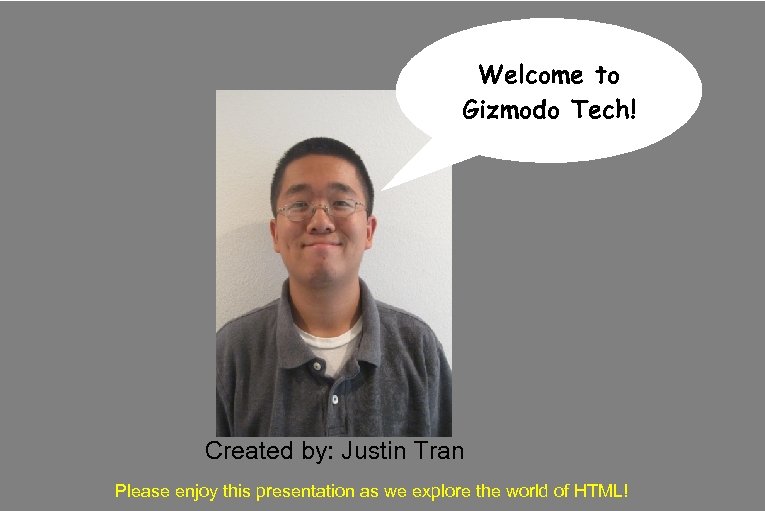
Welcome to Gizmodo Tech! Created by: Justin Tran Please enjoy this presentation as we explore the world of HTML!
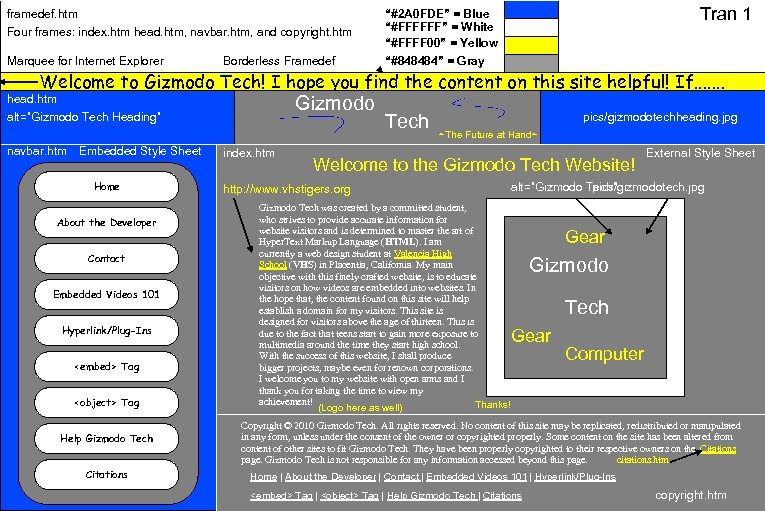
framedef. htm Four frames: index. htm head. htm, navbar. htm, and copyright. htm Marquee for Internet Explorer Borderless Framedef Tran 1 “#2 A 0 FDE” = Blue “#FFFFFF” = White “#FFFF 00” = Yellow “#848484” = Gray Welcome to Gizmodo Tech! I hope you find the content on this site helpful! If. . . . Gizmodo head. htm alt=”Gizmodo Tech Heading” navbar. htm Embedded Style Sheet Home About the Developer Contact Embedded Videos 101 Hyperlink/Plug-Ins <embed> Tag <object> Tag Help Gizmodo Tech Citations index. htm Tech pics/gizmodotechheading. jpg ~The Future at Hand~ Welcome to the Gizmodo Tech Website! http: //www. vhstigers. org Gizmodo Tech was created by a committed student, who strives to provide accurate information for website visitors and is determined to master the art of Hyper. Text Markup Language (HTML). I am currently a web design student at Valencia High School (VHS) in Placentia, California. My main objective with this finely crafted website, is to educate visitors on how videos are embedded into websites. In the hope that, the content found on this site will help establish a domain for my visitors. This site is designed for visitors above the age of thirteen. This is due to the fact that teens start to gain more exposure to multimedia around the time they start high school. With the success of this website, I shall produce bigger projects, maybe even for renown corporations. I welcome you to my website with open arms and I thank you for taking the time to view my achievement! Thanks! (Logo here as well) External Style Sheet alt=”Gizmodo Tech” pics/gizmodotech. jpg Gear Gizmodo Tech Gear Computer Copyright © 2010 Gizmodo Tech. All rights reserved. No content of this site may be replicated, redistributed or manipulated in any form, unless under the consent of the owner or copyrighted properly. Some content on the site has been altered from content of other sites to fit Gizmodo Tech. They have been properly copyrighted to their respective owners on the Citations page. Gizmodo Tech is not responsible for any information accessed beyond this page. citations. htm Home | About the Developer | Contact | Embedded Videos 101 | Hyperlink/Plug-Ins <embed> Tag | <object> Tag | Help Gizmodo Tech | Citations copyright. htm
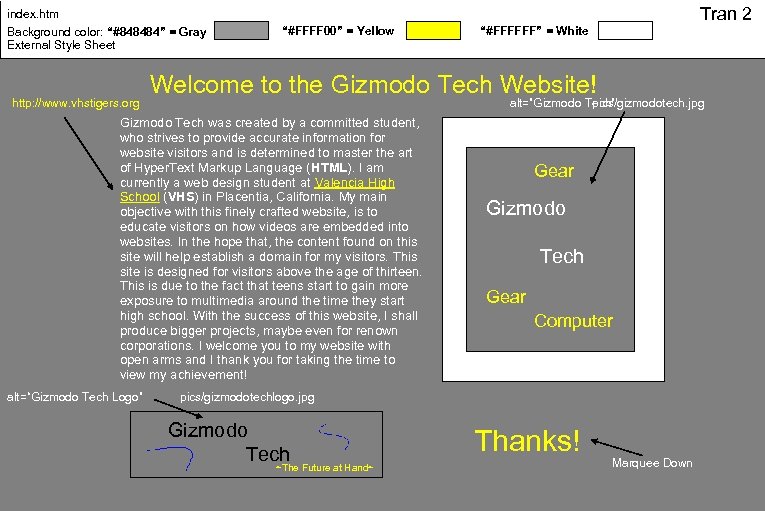
Tran 2 index. htm Background color: “#848484” = Gray External Style Sheet http: //www. vhstigers. org “#FFFF 00” = Yellow Welcome to the Gizmodo Tech Website! alt=”Gizmodo Tech” pics/gizmodotech. jpg Gizmodo Tech was created by a committed student, who strives to provide accurate information for website visitors and is determined to master the art of Hyper. Text Markup Language (HTML). I am currently a web design student at Valencia High School (VHS) in Placentia, California. My main objective with this finely crafted website, is to educate visitors on how videos are embedded into websites. In the hope that, the content found on this site will help establish a domain for my visitors. This site is designed for visitors above the age of thirteen. This is due to the fact that teens start to gain more exposure to multimedia around the time they start high school. With the success of this website, I shall produce bigger projects, maybe even for renown corporations. I welcome you to my website with open arms and I thank you for taking the time to view my achievement! alt=“Gizmodo Tech Logo” “#FFFFFF” = White Gear Gizmodo Tech Gear Computer pics/gizmodotechlogo. jpg Gizmodo Tech ~The Future at Hand~ Thanks! Marquee Down
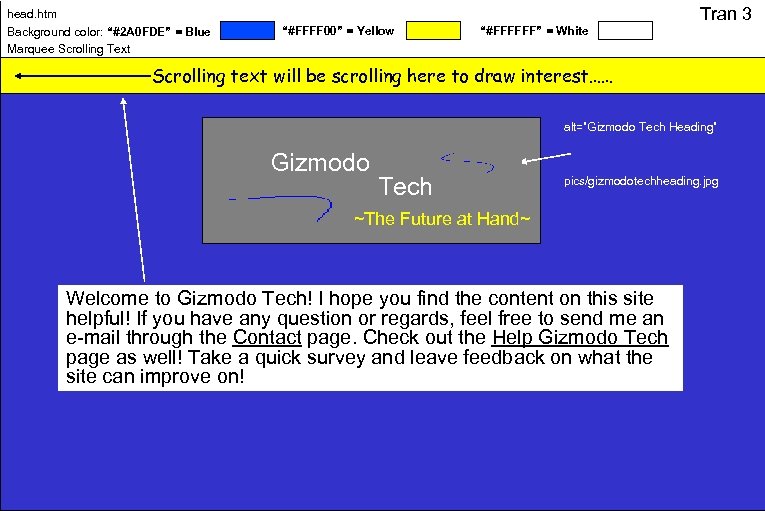
head. htm Background color: “#2 A 0 FDE” = Blue Marquee Scrolling Text “#FFFF 00” = Yellow “#FFFFFF” = White Tran 3 Scrolling text will be scrolling here to draw interest…… alt=”Gizmodo Tech Heading” Gizmodo Tech pics/gizmodotechheading. jpg ~The Future at Hand~ Welcome to Gizmodo Tech! I hope you find the content on this site helpful! If you have any question or regards, feel free to send me an e-mail through the Contact page. Check out the Help Gizmodo Tech page as well! Take a quick survey and leave feedback on what the site can improve on!
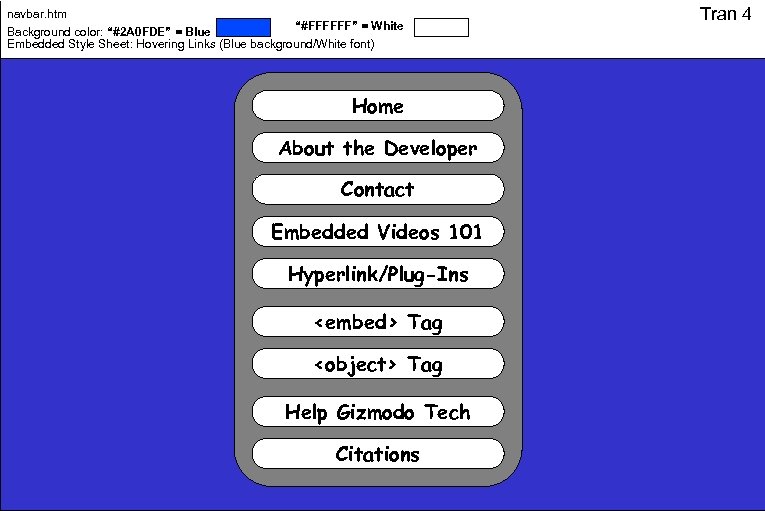
navbar. htm “#FFFFFF” = White Background color: “#2 A 0 FDE” = Blue Embedded Style Sheet: Hovering Links (Blue background/White font) Home About the Developer Contact Embedded Videos 101 Hyperlink/Plug-Ins <embed> Tag <object> Tag Help Gizmodo Tech Citations Tran 4
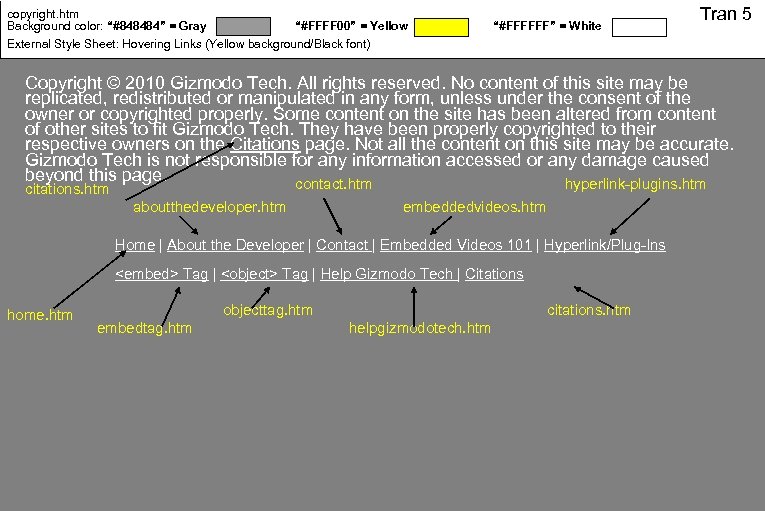
copyright. htm Background color: “#848484” = Gray “#FFFF 00” = Yellow External Style Sheet: Hovering Links (Yellow background/Black font) “#FFFFFF” = White Tran 5 Copyright © 2010 Gizmodo Tech. All rights reserved. No content of this site may be replicated, redistributed or manipulated in any form, unless under the consent of the owner or copyrighted properly. Some content on the site has been altered from content of other sites to fit Gizmodo Tech. They have been properly copyrighted to their respective owners on the Citations page. Not all the content on this site may be accurate. Gizmodo Tech is not responsible for any information accessed or any damage caused beyond this page. contact. htm hyperlink-plugins. htm citations. htm aboutthedeveloper. htm embeddedvideos. htm Home | About the Developer | Contact | Embedded Videos 101 | Hyperlink/Plug-Ins <embed> Tag | <object> Tag | Help Gizmodo Tech | Citations home. htm objecttag. htm embedtag. htm citations. htm helpgizmodotech. htm
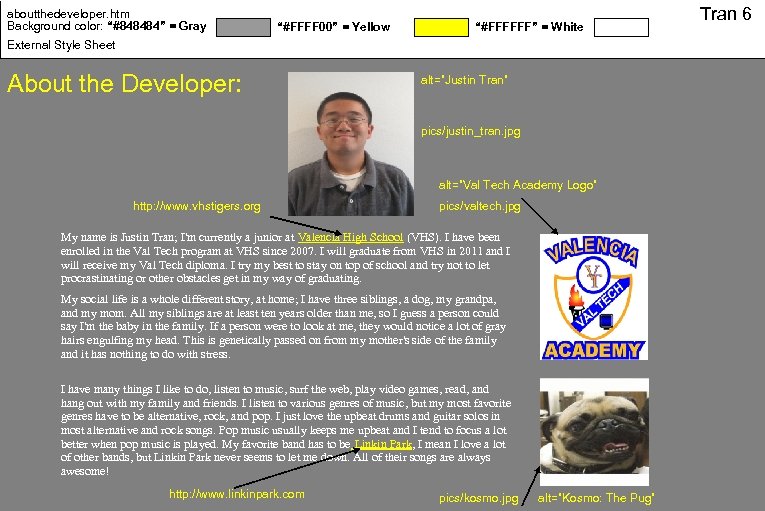
aboutthedeveloper. htm Background color: “#848484” = Gray “#FFFF 00” = Yellow “#FFFFFF” = White External Style Sheet About the Developer: alt=”Justin Tran” pics/justin_tran. jpg alt=”Val Tech Academy Logo” http: //www. vhstigers. org pics/valtech. jpg My name is Justin Tran; I'm currently a junior at Valencia High School (VHS). I have been enrolled in the Val Tech program at VHS since 2007. I will graduate from VHS in 2011 and I will receive my Val Tech diploma. I try my best to stay on top of school and try not to let procrastinating or other obstacles get in my way of graduating. My social life is a whole different story, at home; I have three siblings, a dog, my grandpa, and my mom. All my siblings are at least ten years older than me, so I guess a person could say I'm the baby in the family. If a person were to look at me, they would notice a lot of gray hairs engulfing my head. This is genetically passed on from my mother's side of the family and it has nothing to do with stress. I have many things I like to do, listen to music, surf the web, play video games, read, and hang out with my family and friends. I listen to various genres of music, but my most favorite genres have to be alternative, rock, and pop. I just love the upbeat drums and guitar solos in most alternative and rock songs. Pop music usually keeps me upbeat and I tend to focus a lot better when pop music is played. My favorite band has to be Linkin Park, I mean I love a lot of other bands, but Linkin Park never seems to let me down. All of their songs are always awesome! http: //www. linkinpark. com pics/kosmo. jpg alt=”Kosmo: The Pug” Tran 6
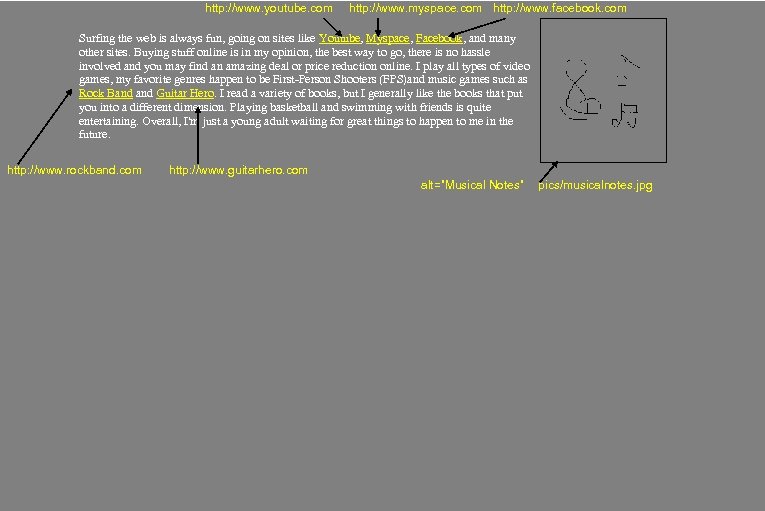
http: //www. youtube. com http: //www. myspace. com http: //www. facebook. com Surfing the web is always fun, going on sites like Youtube, Myspace, Facebook, and many other sites. Buying stuff online is in my opinion, the best way to go, there is no hassle involved and you may find an amazing deal or price reduction online. I play all types of video games, my favorite genres happen to be First-Person Shooters (FPS)and music games such as Rock Band Guitar Hero. I read a variety of books, but I generally like the books that put you into a different dimension. Playing basketball and swimming with friends is quite entertaining. Overall, I'm just a young adult waiting for great things to happen to me in the future. http: //www. rockband. com http: //www. guitarhero. com alt=”Musical Notes” pics/musicalnotes. jpg
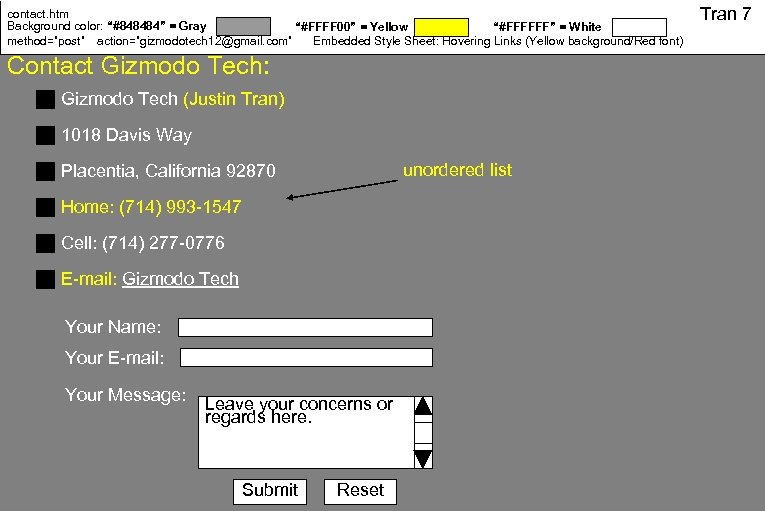
contact. htm Background color: “#848484” = Gray “#FFFF 00” = Yellow “#FFFFFF” = White method=”post” action=”gizmodotech 12@gmail. com” Embedded Style Sheet: Hovering Links (Yellow background/Red font) Contact Gizmodo Tech: Gizmodo Tech (Justin Tran) 1018 Davis Way unordered list Placentia, California 92870 Home: (714) 993 -1547 Cell: (714) 277 -0776 E-mail: Gizmodo Tech Your Name: Your E-mail: Your Message: Leave your concerns or regards here. Submit Reset Tran 7
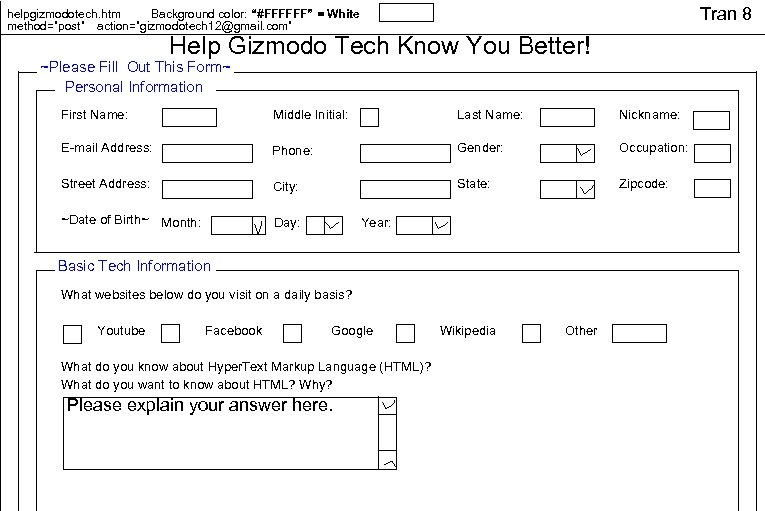
Tran 8 helpgizmodotech. htm Background color: “#FFFFFF” = White method=”post” action=”gizmodotech 12@gmail. com” Help Gizmodo Tech Know You Better! ~Please Fill Out This Form~ Personal Information First Name: Middle Initial: Last Name: Nickname: E-mail Address: Phone: Gender: Occupation: Street Address: City: State: Zipcode: ~Date of Birth~ Month: Day: Year: Basic Tech Information What websites below do you visit on a daily basis? Youtube Facebook Google What do you know about Hyper. Text Markup Language (HTML)? What do you want to know about HTML? Why? Please explain your answer here. Wikipedia Other
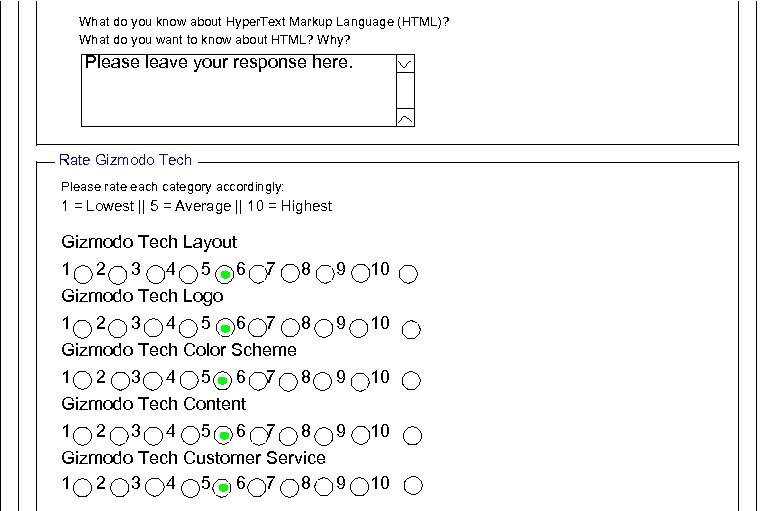
What do you know about Hyper. Text Markup Language (HTML)? What do you want to know about HTML? Why? Please leave your response here. Rate Gizmodo Tech Please rate each category accordingly: 1 = Lowest || 5 = Average || 10 = Highest Gizmodo Tech Layout 1 2 3 4 5 6 7 8 9 10 Gizmodo Tech Logo 1 2 3 4 5 6 7 8 9 10 Gizmodo Tech Color Scheme 1 2 3 4 5 6 7 8 9 10 Gizmodo Tech Content 1 2 3 4 5 6 9 10 Gizmodo Tech Customer Service 1 2 3 4 5 6 7 8 9 10 7 8
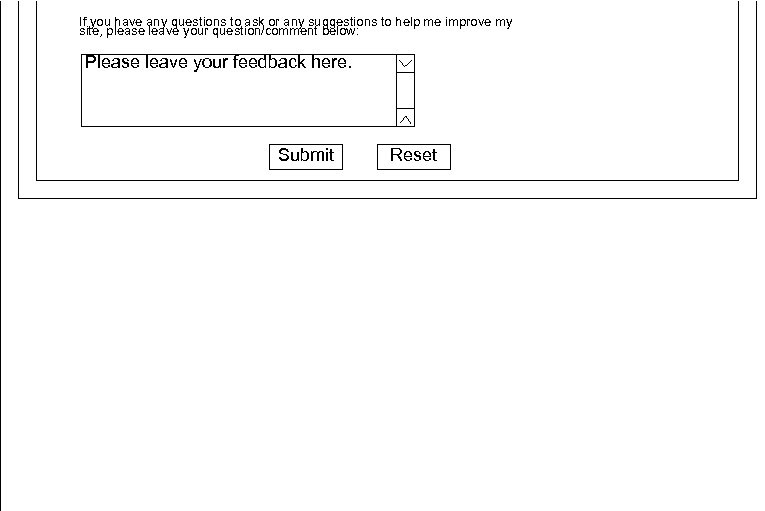
If you have any questions to ask or any suggestions to help me improve my site, please leave your question/comment below: Please leave your feedback here. Submit Reset
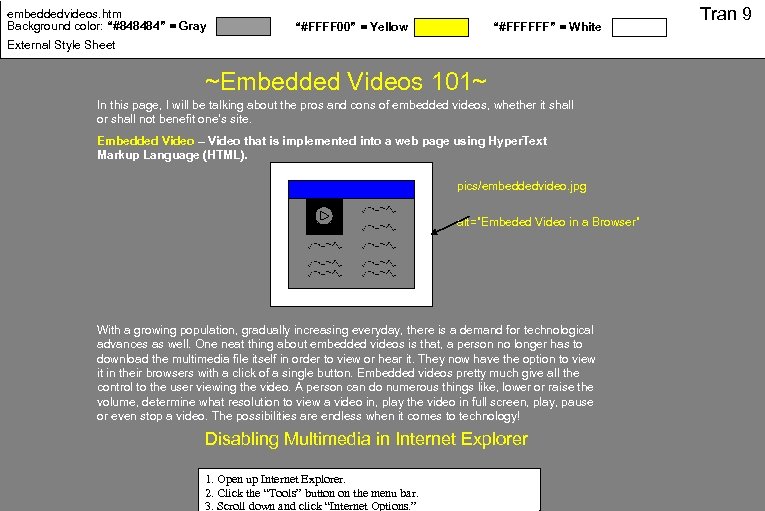
embeddedvideos. htm Background color: “#848484” = Gray “#FFFF 00” = Yellow “#FFFFFF” = White External Style Sheet ~Embedded Videos 101~ In this page, I will be talking about the pros and cons of embedded videos, whether it shall or shall not benefit one's site. Embedded Video – Video that is implemented into a web page using Hyper. Text Markup Language (HTML). pics/embeddedvideo. jpg alt=”Embeded Video in a Browser” With a growing population, gradually increasing everyday, there is a demand for technological advances as well. One neat thing about embedded videos is that, a person no longer has to download the multimedia file itself in order to view or hear it. They now have the option to view it in their browsers with a click of a single button. Embedded videos pretty much give all the control to the user viewing the video. A person can do numerous things like, lower or raise the volume, determine what resolution to view a video in, play the video in full screen, play, pause or even stop a video. The possibilities are endless when it comes to technology! Disabling Multimedia in Internet Explorer 1. Open up Internet Explorer. 2. Click the “Tools” button on the menu bar. 3. Scroll down and click “Internet Options. ” Tran 9
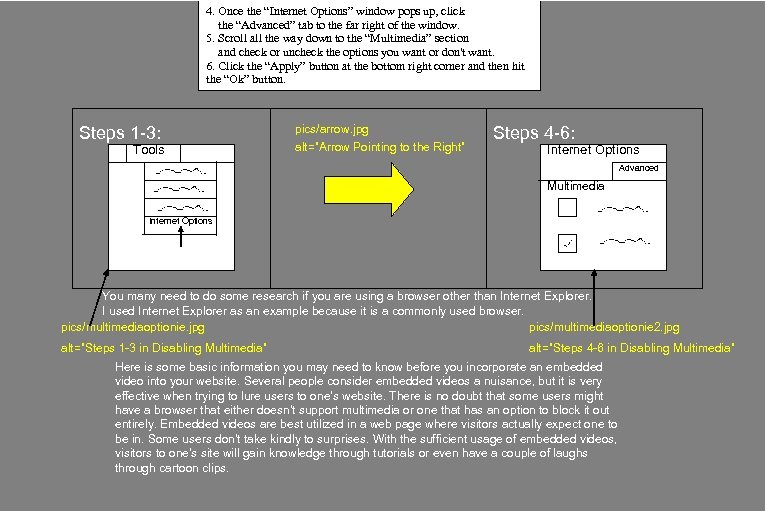
4. Once the “Internet Options” window pops up, click the “Advanced” tab to the far right of the window. 5. Scroll all the way down to the “Multimedia” section and check or uncheck the options you want or don't want. 6. Click the “Apply” button at the bottom right corner and then hit the “Ok” button. Steps 1 -3: Tools pics/arrow. jpg alt=”Arrow Pointing to the Right” Steps 4 -6: Internet Options Advanced Multimedia Internet Options You many need to do some research if you are using a browser other than Internet Explorer. I used Internet Explorer as an example because it is a commonly used browser. pics/multimediaoptionie. jpg pics/multimediaoptionie 2. jpg alt=”Steps 1 -3 in Disabling Multimedia” alt=”Steps 4 -6 in Disabling Multimedia” Here is some basic information you may need to know before you incorporate an embedded video into your website. Several people consider embedded videos a nuisance, but it is very effective when trying to lure users to one's website. There is no doubt that some users might have a browser that either doesn't support multimedia or one that has an option to block it out entirely. Embedded videos are best utilized in a web page where visitors actually expect one to be in. Some users don't take kindly to surprises. With the sufficient usage of embedded videos, visitors to one's site will gain knowledge through tutorials or even have a couple of laughs through cartoon clips.
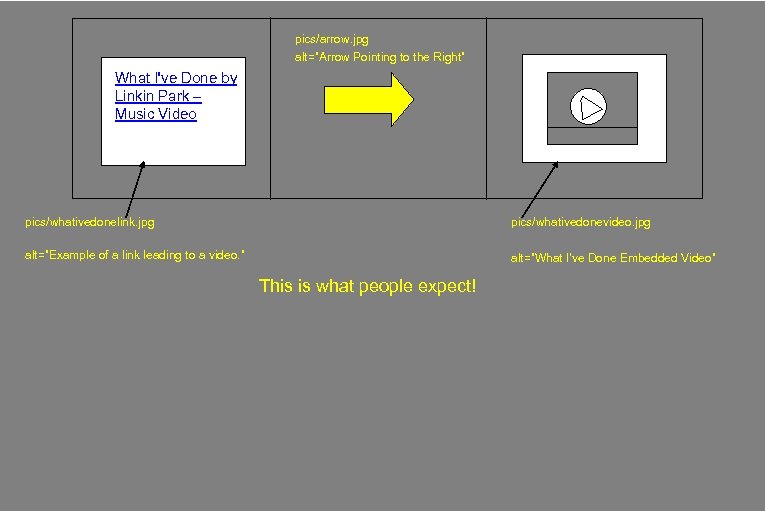
pics/arrow. jpg alt=”Arrow Pointing to the Right” What I've Done by Linkin Park – Music Video pics/whativedonelink. jpg pics/whativedonevideo. jpg alt=”Example of a link leading to a video. ” alt=”What I've Done Embedded Video” This is what people expect!
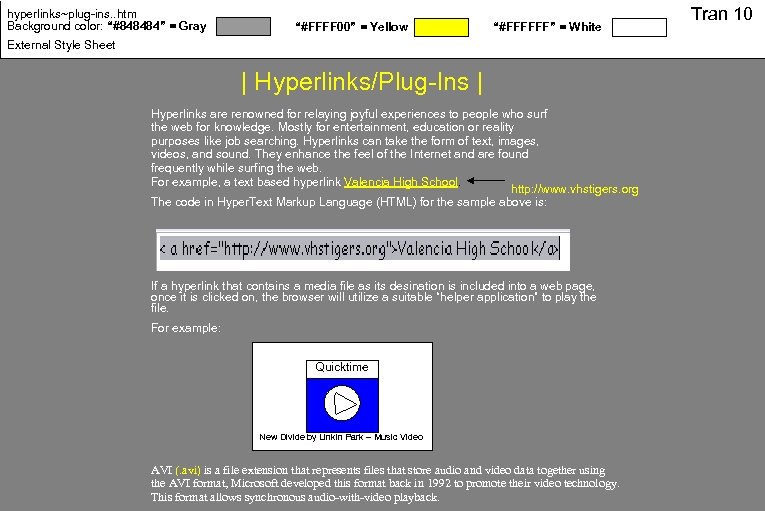
hyperlinks~plug-ins. . htm Background color: “#848484” = Gray “#FFFF 00” = Yellow “#FFFFFF” = White External Style Sheet | Hyperlinks/Plug-Ins | Hyperlinks are renowned for relaying joyful experiences to people who surf the web for knowledge. Mostly for entertainment, education or reality purposes like job searching. Hyperlinks can take the form of text, images, videos, and sound. They enhance the feel of the Internet and are found frequently while surfing the web. For example, a text based hyperlink Valencia High School. http: //www. vhstigers. org The code in Hyper. Text Markup Language (HTML) for the sample above is: If a hyperlink that contains a media file as its desination is included into a web page, once it is clicked on, the browser will utilize a suitable “helper application” to play the file. For example: Quicktime New Divide by Linkin Park – Music Video AVI (. avi) is a file extension that represents files that store audio and video data together using the AVI format, Microsoft developed this format back in 1992 to promote their video technology. This format allows synchronous audio-with-video playback. Tran 10
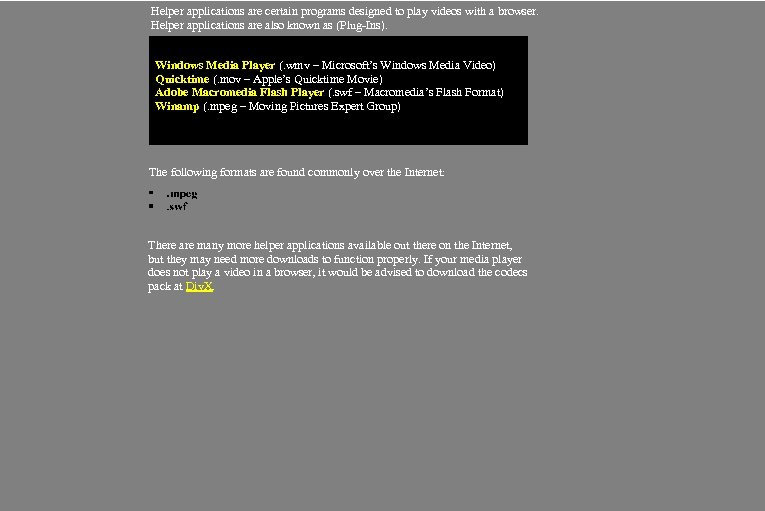
Helper applications are certain programs designed to play videos with a browser. Helper applications are also known as (Plug-Ins). Windows Media Player (. wmv – Microsoft’s Windows Media Video) Quicktime (. mov – Apple’s Quicktime Movie) Adobe Macromedia Flash Player (. swf – Macromedia’s Flash Format) Winamp (. mpeg – Moving Pictures Expert Group) The following formats are found commonly over the Internet: There are many more helper applications available out there on the Internet, but they may need more downloads to function properly. If your media player does not play a video in a browser, it would be advised to download the codecs pack at Div. X.
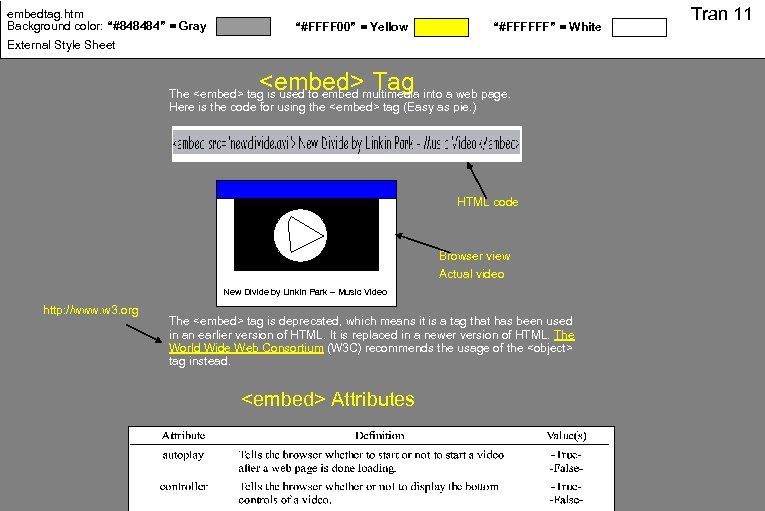
embedtag. htm Background color: “#848484” = Gray “#FFFF 00” = Yellow “#FFFFFF” = White External Style Sheet <embed> Tag The <embed> tag is used to embed multimedia into a web page. Here is the code for using the <embed> tag (Easy as pie. ) HTML code Browser view Actual video New Divide by Linkin Park – Music Video http: //www. w 3. org The <embed> tag is deprecated, which means it is a tag that has been used in an earlier version of HTML. It is replaced in a newer version of HTML. The World Wide Web Consortium (W 3 C) recommends the usage of the <object> tag instead. <embed> Attributes Tran 11
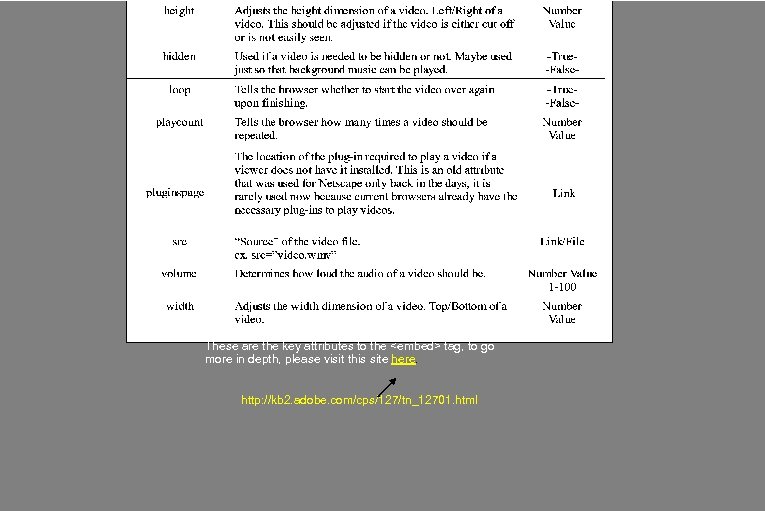
These are the key attributes to the <embed> tag, to go more in depth, please visit this site here. http: //kb 2. adobe. com/cps/127/tn_12701. html
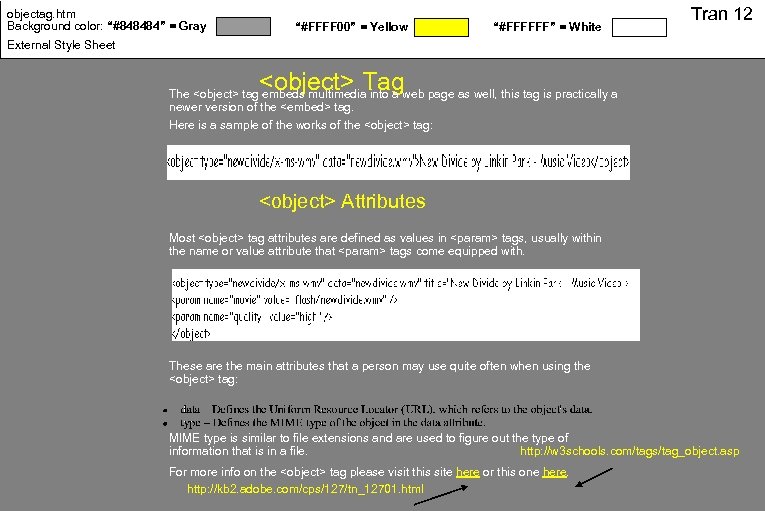
objectag. htm Background color: “#848484” = Gray “#FFFF 00” = Yellow “#FFFFFF” = White Tran 12 External Style Sheet <object> Tag The <object> tag embeds multimedia into a web page as well, this tag is practically a newer version of the <embed> tag. Here is a sample of the works of the <object> tag: <object> Attributes Most <object> tag attributes are defined as values in <param> tags, usually within the name or value attribute that <param> tags come equipped with. These are the main attributes that a person may use quite often when using the <object> tag: MIME type is similar to file extensions and are used to figure out the type of http: //w 3 schools. com/tags/tag_object. asp information that is in a file. For more info on the <object> tag please visit this site here or this one here. http: //kb 2. adobe. com/cps/127/tn_12701. html
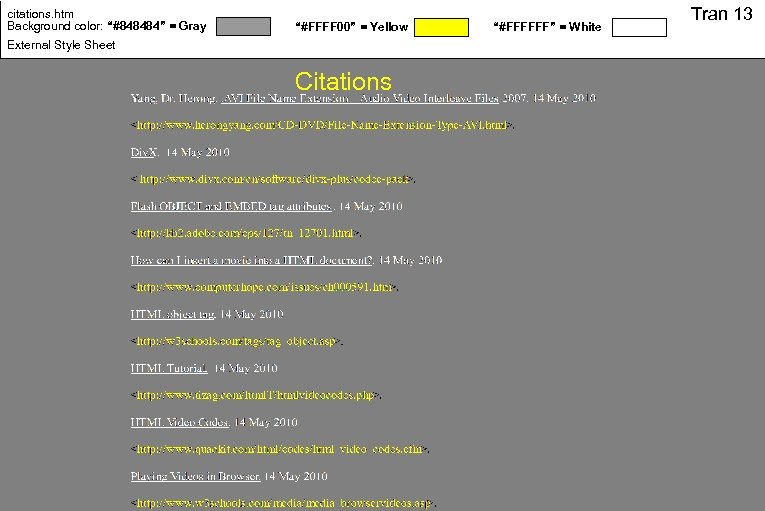
citations. htm Background color: “#848484” = Gray “#FFFF 00” = Yellow External Style Sheet Citations “#FFFFFF” = White Tran 13
Скачать презентацию Welcome to Gizmodo Tech Created by Justin Tran
e24159aeabeb9e990292f91da023440c.ppt