


 Скачать презентацию Welcome to e Drink a powerful tool to
e03e58cdcb2e04e2c50d9ce322be5bfc.ppt
- Количество слайдов: 18
 Welcome to e. Drink a powerful tool to enhance the bar experience Group 8 Chau Le Dustin Preisler Ali Memarsadeghi Luan Nguyen
 Presentation Overview l l l Problem and Solution Representative Tasks Design Evolution Demonstration UI Description Future Possibilities
 The Problems For The Patron: Ordering drinks from bartenders in a crowded bar is both time consuming and stressful – Wants: l l – spend time socializing with friends have a few drinks Doesn’t Want: l l l stress of moving through the crowd wasted time waiting in the line wasted time getting the bartenders attention
 The Problems For The Bar: Crowded bars serve drinks less efficiently to their Patrons – Wants: l l l – serve drinks efficiently maximize profits increase customer satisfaction Doesn’t Want: l l clustering of patrons in bar line inefficient use of bartenders time taking orders
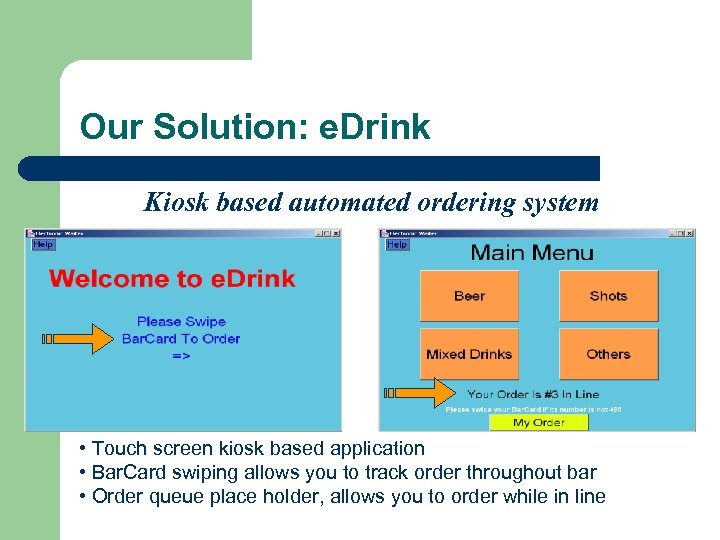 Our Solution: e. Drink Kiosk based automated ordering system • Touch screen kiosk based application • Bar. Card swiping allows you to track order throughout bar • Order queue place holder, allows you to order while in line
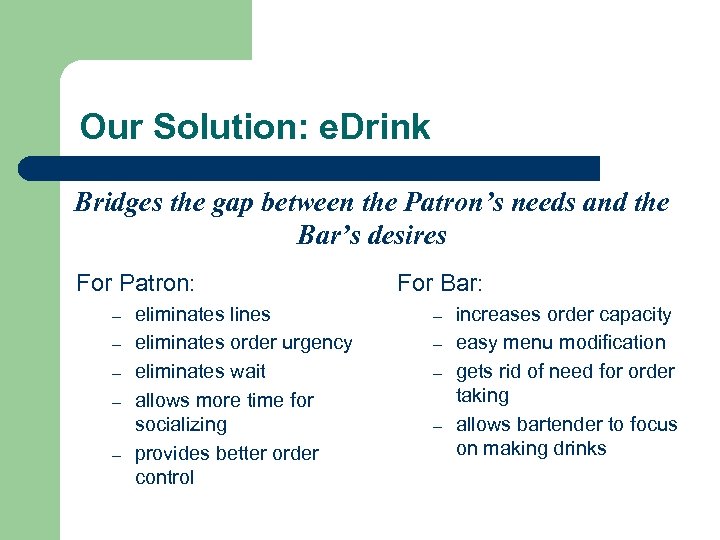 Our Solution: e. Drink Bridges the gap between the Patron’s needs and the Bar’s desires For Patron: – – – eliminates lines eliminates order urgency eliminates wait allows more time for socializing provides better order control For Bar: – – increases order capacity easy menu modification gets rid of need for order taking allows bartender to focus on making drinks
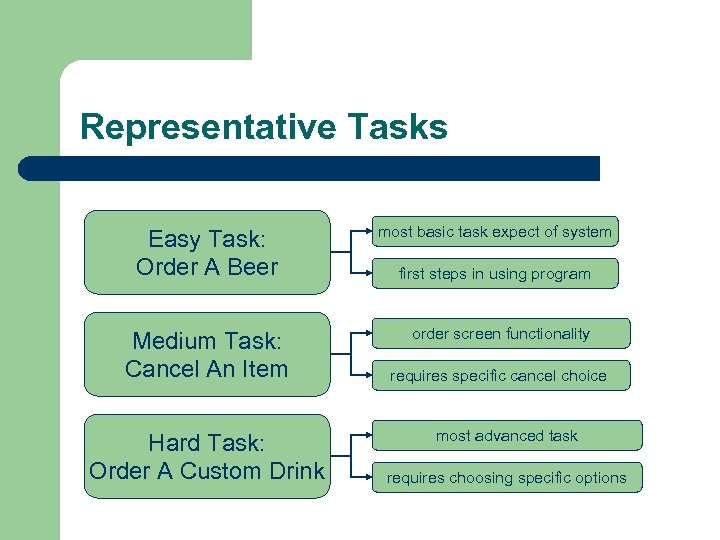 Representative Tasks Easy Task: Order A Beer Medium Task: Cancel An Item Hard Task: Order A Custom Drink most basic task expect of system first steps in using program order screen functionality requires specific cancel choice most advanced task requires choosing specific options
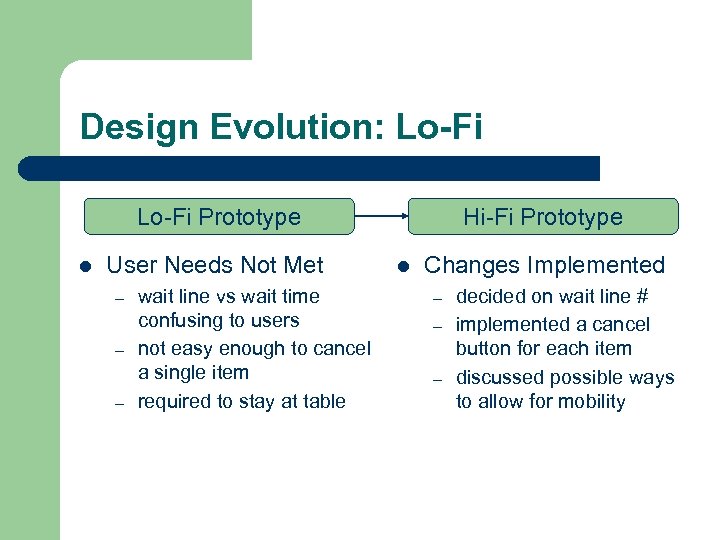 Design Evolution: Lo-Fi Prototype l User Needs Not Met – – – wait line vs wait time confusing to users not easy enough to cancel a single item required to stay at table Hi-Fi Prototype l Changes Implemented – – – decided on wait line # implemented a cancel button for each item discussed possible ways to allow for mobility
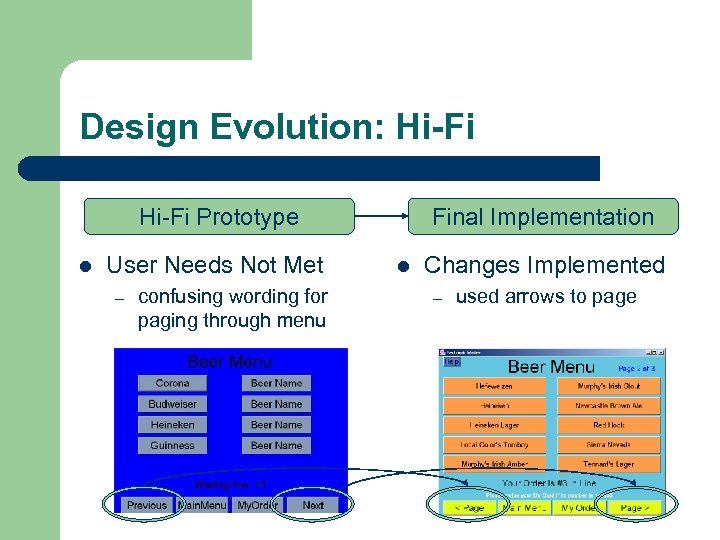 Design Evolution: Hi-Fi Prototype l User Needs Not Met – confusing wording for paging through menu Final Implementation l Changes Implemented – used arrows to page
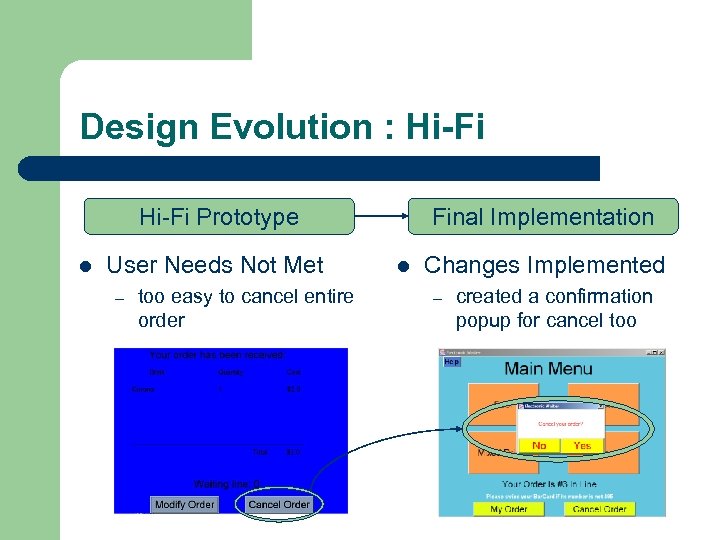 Design Evolution : Hi-Fi Prototype l User Needs Not Met – too easy to cancel entire order Final Implementation l Changes Implemented – created a confirmation popup for cancel too
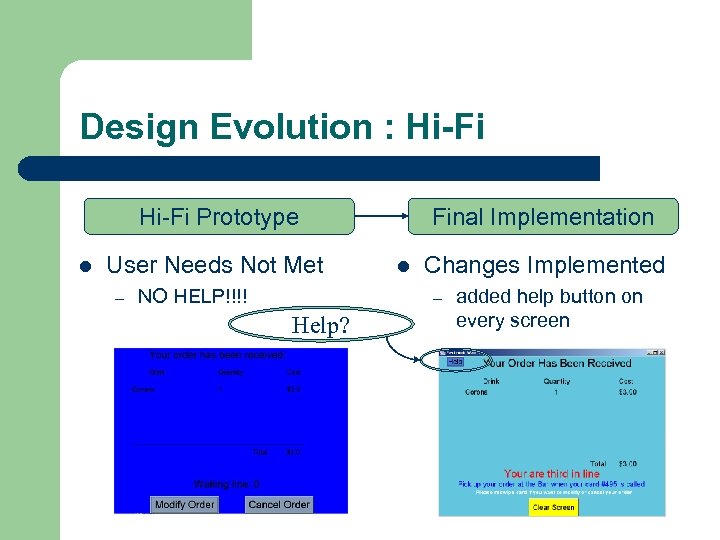 Design Evolution : Hi-Fi Prototype l User Needs Not Met – NO HELP!!!! Final Implementation l Changes Implemented – Help? added help button on every screen
 Design Evolution : Hi-Fi Prototype l User Needs Not Met – – still required to stay at table can’t divide the check on an order Final Implementation l Changes Implemented – for mobility and check division use Bar. Card l card swiped to place, check, or cancel order at any kiosk in the establishment
 Demonstration
 Final Implementation What Does It Do? l l l e. Drink allows you to place orders from anywhere in the bar e. Drink allows you to check your order status e. Drink allows you to modify or cancel your order at anytime before it is physically served
 Final Implementation How Does It Work? l l l e. Drink uses touch screen kiosks like the clio placed throughout the bar to allow Patrons to place orders on a central order queue e. Drink’s hardware back end would consist of a server with an order database and a few screen terminals behind the bar e. Drink is written in Java and is therefore usable on many platforms
 Final Implementation What Is Missing? l l e. Drink’s hardware back end is unimplemented e. Drink’s swipe feature is Wizard of OZ’ed
 Future Possibilies l l e. Drink’s could gather statistics for bar’s about what is being ordered daily e. Drink’s swipe feature could include some form of ID checking and billing
 Questions