 Скачать презентацию Welcome to CSC 301 Web Programming Charles Frank
946d2745626106381e9ef3abb40cbf70.ppt
- Количество слайдов: 32



Welcome to CSC 301 Web Programming Charles Frank 1
Course Goals Learn to create Web-based client / server applications Learn popular Web programming / scripting languages Learn some simple Web-oriented database techniques Learn some issues around designing and testing client-server programming (there are differences from programming for a single computer) 2
Software A Web browser such as Microsoft Internet Explorer 7+, Mozilla Firefox, Safari etc. A code-based HTML editor (not a WYSIWYG…), or a text editor Notepad, Notepad++ on Win, Simple. Text on Mac PHP Coder IDE, http: //www. phpide. com/ A Web server, such as Apache HTTP Server or Microsoft Internet Information Services PHP 5. x → a server-side scripting language developed by the PHP group (http: //www. php. net) My. SQL 4. 1+ → an open source database management system developed My. SQL AB (http: //www. mysql. com) 3
Organization Server is cscdb. nku. edu (Web + Database) Account name is ? Password is ? Access through: FTP ○ connect using WS_FTP LE (http: //cscdb. nku. edu/csc 301/frank/wsftp 6. zip) ○ upload your files ○ test your programs 4
Organization To access your Web pages, go to http: //cscdb. nku. edu/csc 301/username/. . . Your account will have a directory called as your username Your html start pages go here Good practices is to name main page index. html Browser access will go to this directory 5
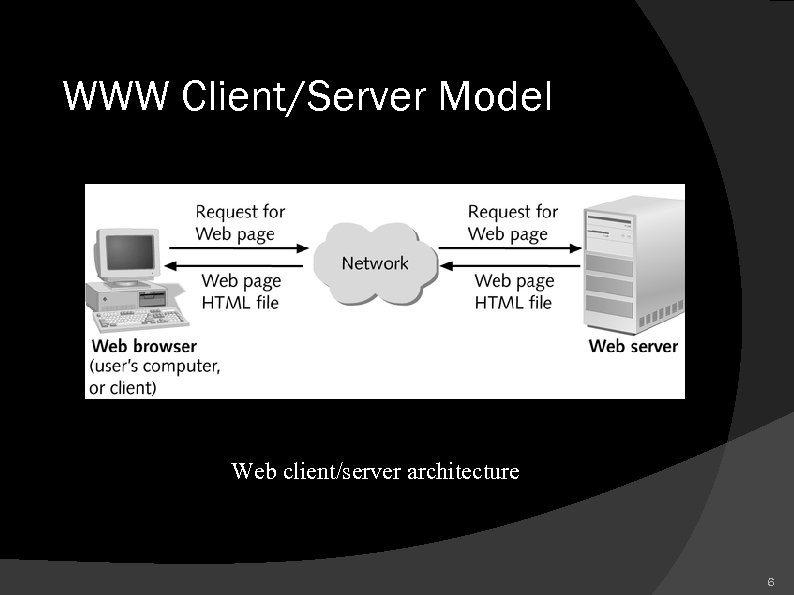
WWW Client/Server Model Web client/server architecture 6
The Client/Server Model The Internet and the www function according to the client/server model or paradigm Term “Client/Server” : Can describe a relationship between two computer programs – the "client" and the "server". ○ Client - requests some type of service (such as a file or database access) from the server. ○ Server - fulfills the request and transmits the results to the client over a network Refers also to computers, joined by a network, that run the client / server programs. 7
Web Clients and Servers Web client Refers to both a computer and an application running on that computer As a machine - connected to the Internet when needed As an application: Program that runs on a user's computer ○ Called a Browser Communicates user's commands (=requests for Web resources) to the Web and interprets and displays the responses (=Web pages) 8
Web Clients and Servers Web Client Can execute some limited computational tasks e. g. Java applets, Javascript Generally act as a “smart terminal” and can't run applications on their own. Uses HTTP (Hypertext Transfer Protocol)
Web Clients and Servers Web Server Refers to both a computer and a program running on that computer As a computer: Continually connected to the Internet Runs web server software (such as Apache or Internet Information Server) 10
Web Servers As an application: Receives messages from a client and performs the requested service ○ Send back status code, web page, and associated files ○ Execute a script or program ○ Log message traffic ○ Provide secure communications ○ Support many simultaneous clients Uses HTTP (Hypertext Transfer Protocol) 11
WWW Client/Server Model • HTTP protocol • the main protocol used for communication between a browser and a Web server 12
HTTP protocol • works by sending commands over a TCP connection • The browser initiates a TCP connection to the web server. • The browser sends request for a particular web page. • The browser reads the contents of the web page from the TCP connection and displays it. • The browser closes the TCP connection used to transfer the web page.
HTTP protocol • Each separate item in a web page (e. g. , pictures, audio) requires a separate TCP connection. • HTTP specifies commands that the client issues to the server and the responses that the server sends back to the client.
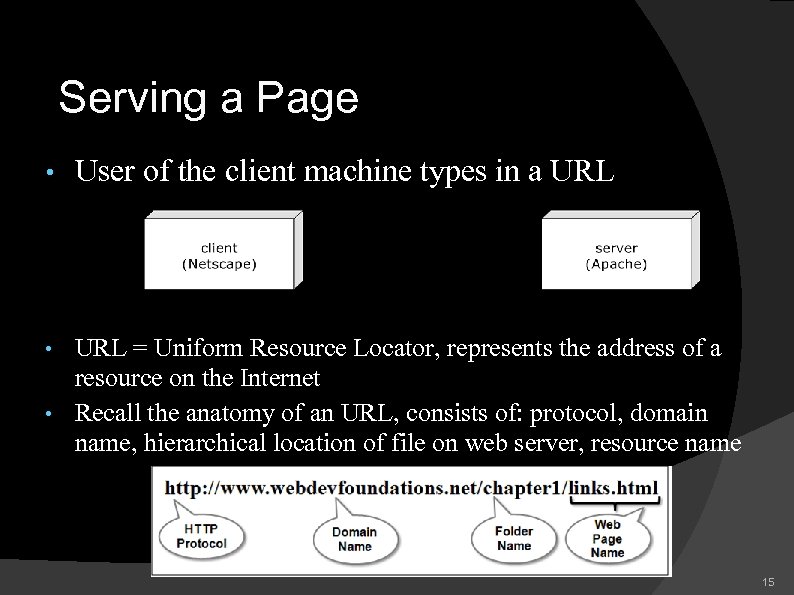
Serving a Page • User of the client machine types in a URL = Uniform Resource Locator, represents the address of a resource on the Internet • Recall the anatomy of an URL, consists of: protocol, domain name, hierarchical location of file on web server, resource name • 15
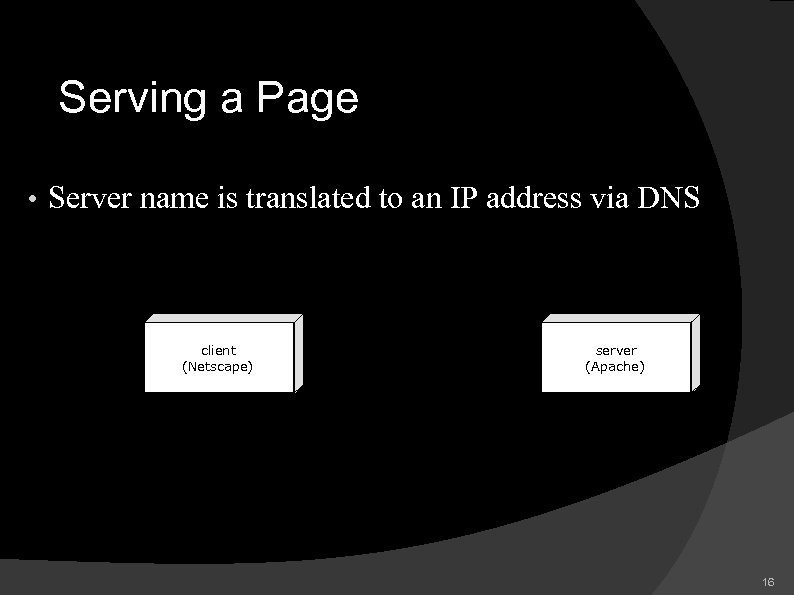
Serving a Page • Server name is translated to an IP address via DNS client (Netscape) server (Apache) http: // www. smallco. com /index. html 192. 22. 107. 5 16
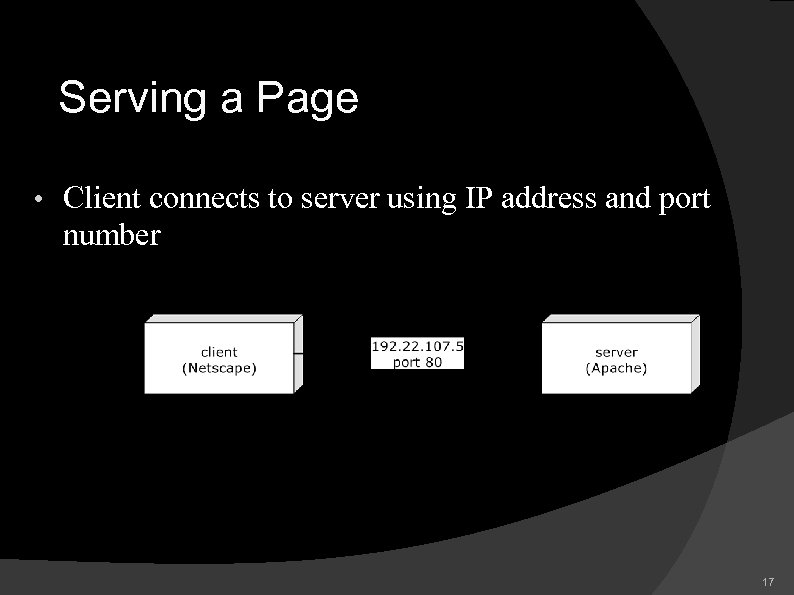
Serving a Page • Client connects to server using IP address and port number 17
Serving a Page • Client determines path and file to request 18
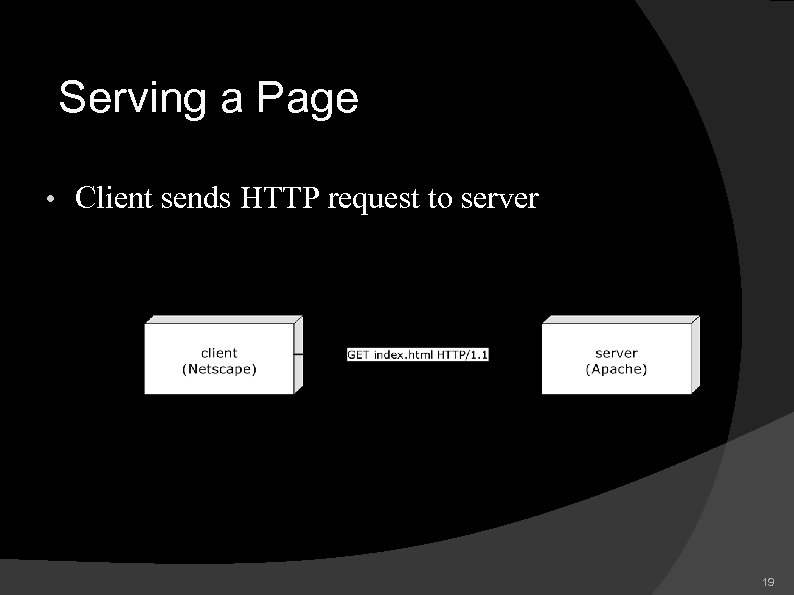
Serving a Page • Client sends HTTP request to server 19
Serving a Page • Server determines which file to send 20
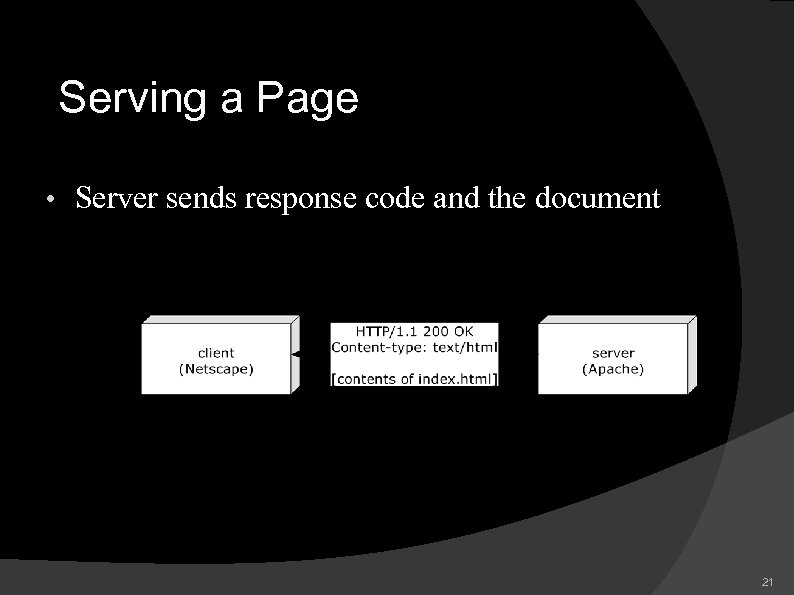
Serving a Page • Server sends response code and the document 21
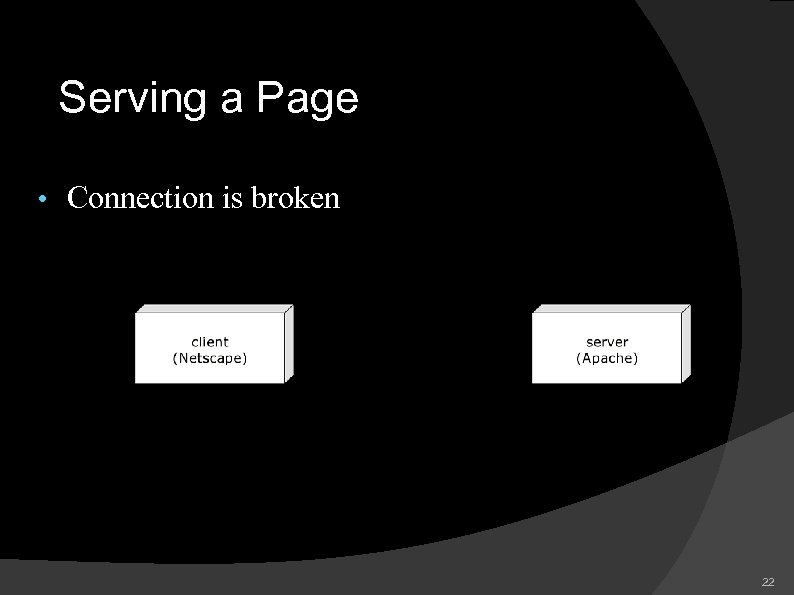
Serving a Page • Connection is broken 22
Serving a Page • HTTP is • Stateless = no persistent client/server connection • Generic • • • not tied to web browsers exclusively can serve any data type from a command window, you can connect to a Web server and request resources as a Web browser does; in a command window: telnet cscdb. nku. edu 80 get /csc 301/campana 1/process. Post. Form. Data. php HTTP/1. 0 23
Client-Server Capabilities Clients can: Format output for display Accept user input Do limited computation Including verification of user input Modify attributes of displayed page 24
Client-Server Capabilities Clients can't: Read or write files (other than very simple ones) Access databases Share data among users
Client-Server Capabilities Servers can: Retrieve and send web pages Create dynamic web pages Read and write files Access databases Share web pages among many users 26
Client-Server Capabilities Servers can't: Display web pages themselves Interact directly with the user Modify displayed pages in real-time (e. g. highlight item when mouse passes over it)
More about Web Client-Server Architecture A system consisting of a client and a server is known as a two-tier system Client tier, or user interface tier, or “front end” Server, or “back end” 28
More about Web Client-Server Architecture A three-tier, or multi-tier, client/server system consists of three distinct pieces: Client tier Processing tier, or middle tier – still the Web server Data storage tier In both cases – distributed application = multiple computers share the computing responsibility for a single application
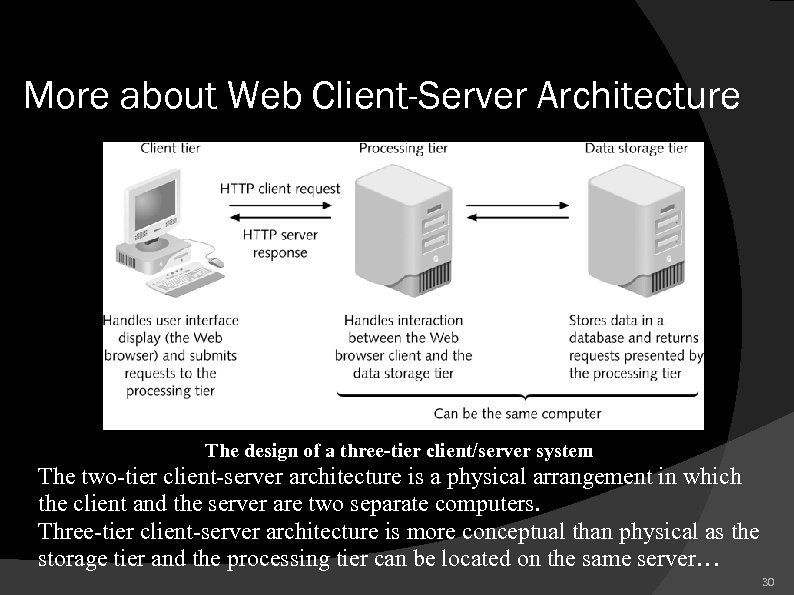
More about Web Client-Server Architecture The design of a three-tier client/server system The two-tier client-server architecture is a physical arrangement in which the client and the server are two separate computers. Three-tier client-server architecture is more conceptual than physical as the storage tier and the processing tier can be located on the same server… 30
Client-Side or Server-Side? In some cases, decision is simple: If you want to control the Web browser → where / tool? If you want to access a database on a server → where / tool? 31
Client-Side or Server-Side? Tasks that both sides can accomplish (such as validating forms)? General rule: use client-side scripting to handle user interface processing and light processing, such as validation; use serverside scripting for intensive calculations and data storage
Скачать презентацию Welcome to CSC 301 Web Programming Charles Frank
946d2745626106381e9ef3abb40cbf70.ppt