


 Скачать презентацию Welcome Marion County Judge Training 2008 Primary Election
ca8fbcd8a7d98ec21fbc688972b8fc35.ppt
- Количество слайдов: 66
 Welcome! Marion County Judge Training 2008 Primary Election 1
 Agenda • • What’s New for Primary 2008 Election Basics Voter Accessibility Review and Reminders Questions on Election Day? Call 327 -2000 2
 What’s New for Primary 2008 • • • New Precinct Maps Ballot Styles i. Votronic Ballot Credentials Voter Challenges Questions on Election Day? Call 327 -2000 3
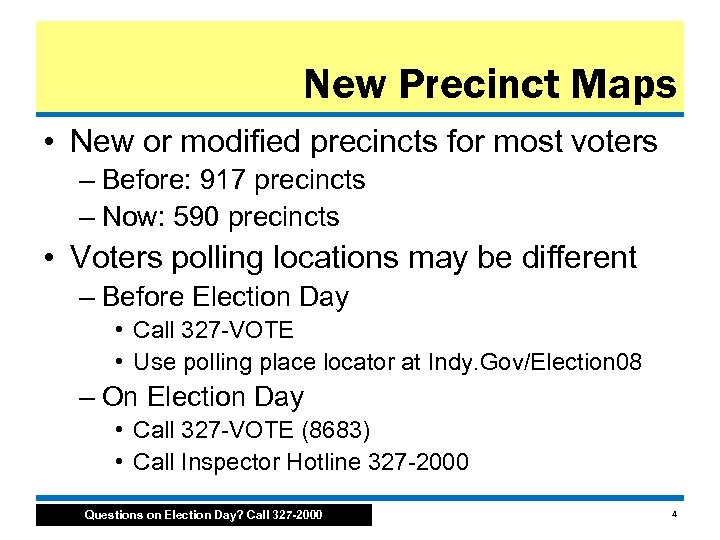 New Precinct Maps • New or modified precincts for most voters – Before: 917 precincts – Now: 590 precincts • Voters polling locations may be different – Before Election Day • Call 327 -VOTE • Use polling place locator at Indy. Gov/Election 08 – On Election Day • Call 327 -VOTE (8683) • Call Inspector Hotline 327 -2000 Questions on Election Day? Call 327 -2000 4
 New Precinct Maps • What happens when a person is not in the poll book? – Call the Inspector Hotline and press 1 – Work with Voter Registration to solve the problem. Most likely scenarios: • Voter receives a Certificate of Error and can vote • Voter will be sent to correct polling location • Voter can cast a provisional Ballot • Inspectors should monitor this potential problem. – If you have more than one missing person living on the same street, please call the Inspector Hotline and press option 2. Questions on Election Day? Call 327 -2000 5
 New Precinct Maps • What happens if a voter moves? – Follow the flow chart on page 20 of the Secretary of State’s Handbook • More information about this topic can be found in Chapter 5 of the Indiana Election Day Handbook Questions on Election Day? Call 327 -2000 6
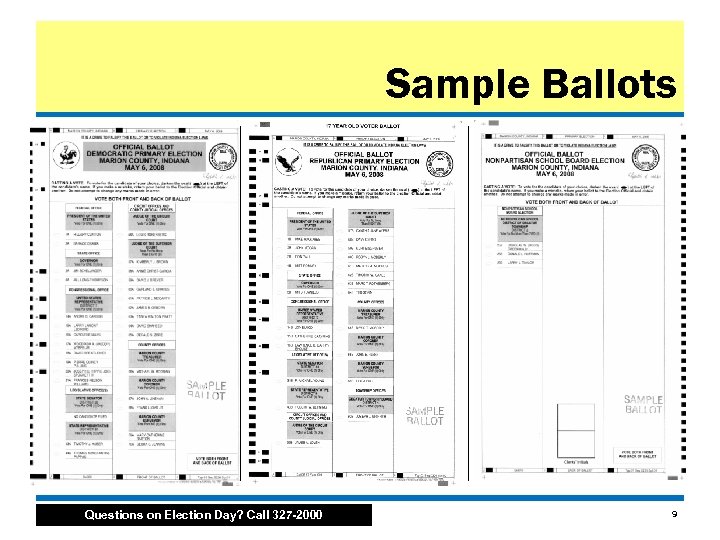
 Ballot Styles • 2008 Primary Ballot – Federal • President, U. S. House of Representatives – State • Governor, State Representative, State Senator, Circuit Court Judge and Superior Court Judge – Local • • • County Treasurer, Surveyor and Coroner Township Advisory Board School Board Republican Precinct Committeeperson Republican/Democratic State Convention Delegate Questions on Election Day? Call 327 -2000 7
 Ballot Styles • Special note about Committeeperson and Delegate contests: – If a Republican Precinct Committeeperson who filed for the office is uncontested, they will NOT appear on the Ballot. • Democrats do NOT elect precinct committeepersons this year. – If the Democrat or Republican State Convention Delegate races are uncontested in a specific district, they will NOT appear on the Ballot. – Candidates who properly filed for these positions and are running in an uncontested race win by default. Questions on Election Day? Call 327 -2000 8
 Sample Ballots Questions on Election Day? Call 327 -2000 9
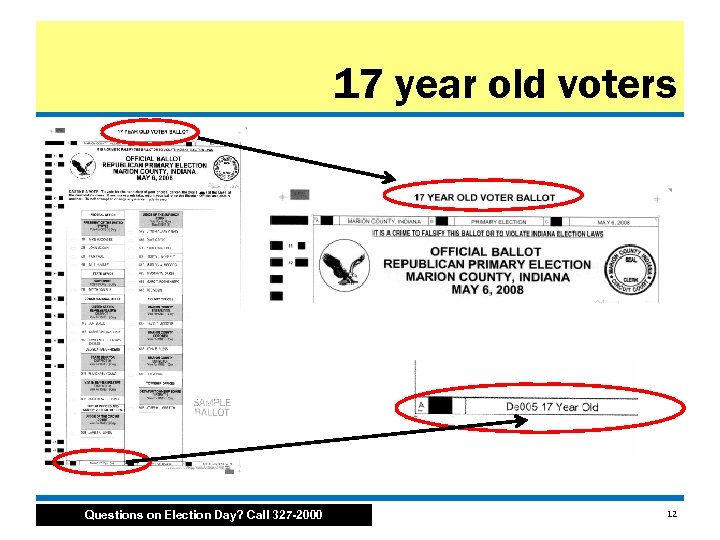
 Ballot Styles • At least five Ballot styles per precinct – Democratic • Democratic candidates plus School Board – Republican • Republican candidates plus School Board – School Board only (non-partisan) – 17 year old Democratic – 17 year old Republican • 17 year old ballots do NOT have offices for Republican Precinct Committeeperson, Democratic/Republican State Convention Delegate and School Board Questions on Election Day? Call 327 -2000 10
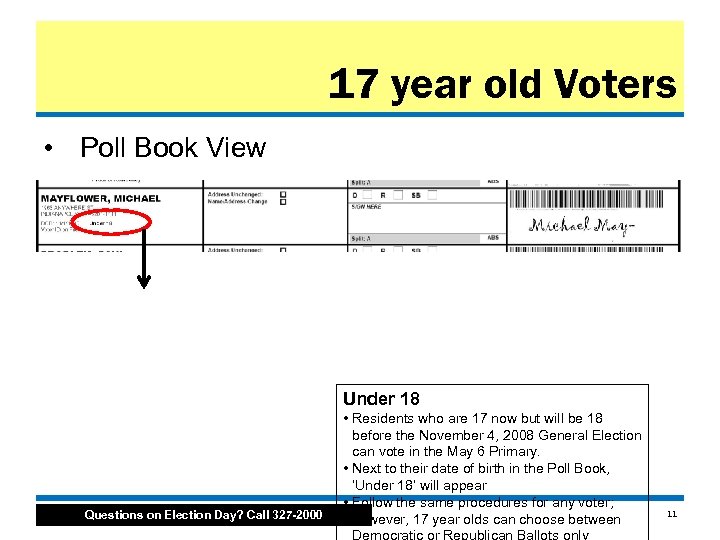 17 year old Voters • Poll Book View Under 18 Questions on Election Day? Call 327 -2000 • Residents who are 17 now but will be 18 before the November 4, 2008 General Election can vote in the May 6 Primary. • Next to their date of birth in the Poll Book, ‘Under 18’ will appear • Follow the same procedures for any voter; however, 17 year olds can choose between 11
 17 year old voters Questions on Election Day? Call 327 -2000 12
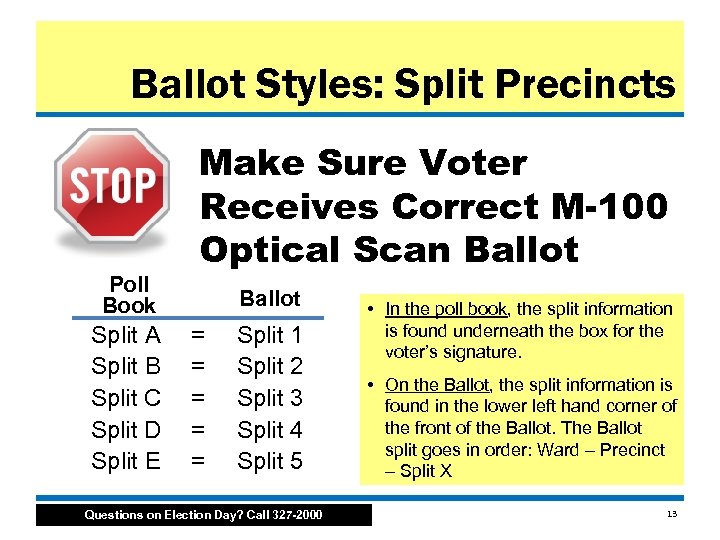 Ballot Styles: Split Precincts Poll Book Split A Split B Split C Split D Split E Make Sure Voter Receives Correct M-100 Optical Scan Ballot = = = Split 1 Split 2 Split 3 Split 4 Split 5 Questions on Election Day? Call 327 -2000 • In the poll book, the split information is found underneath the box for the voter’s signature. • On the Ballot, the split information is found in the lower left hand corner of the front of the Ballot. The Ballot split goes in order: Ward – Precinct – Split X 13
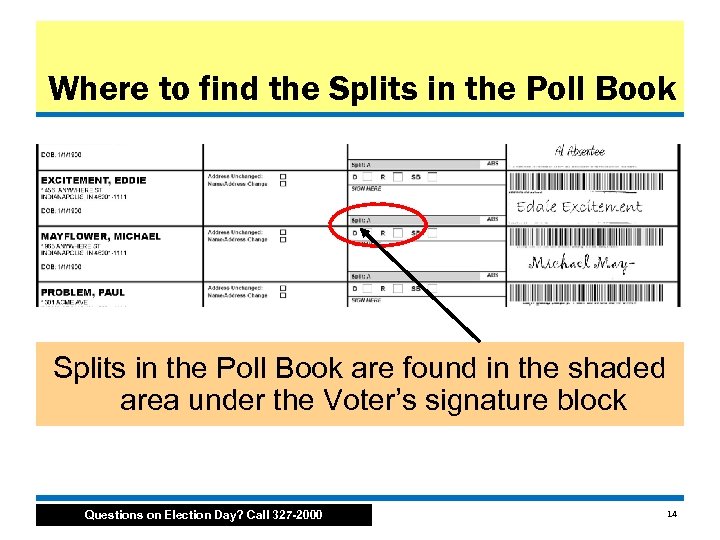 Where to find the Splits in the Poll Book are found in the shaded area under the Voter’s signature block Questions on Election Day? Call 327 -2000 14
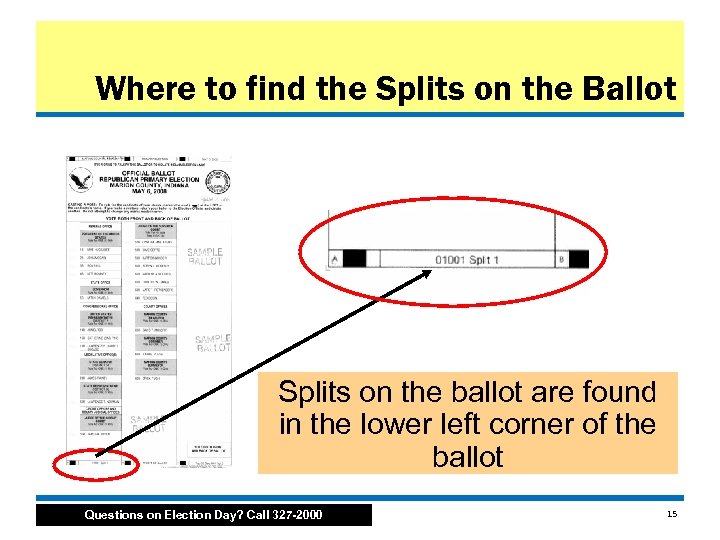 Where to find the Splits on the Ballot Splits on the ballot are found in the lower left corner of the ballot Questions on Election Day? Call 327 -2000 15
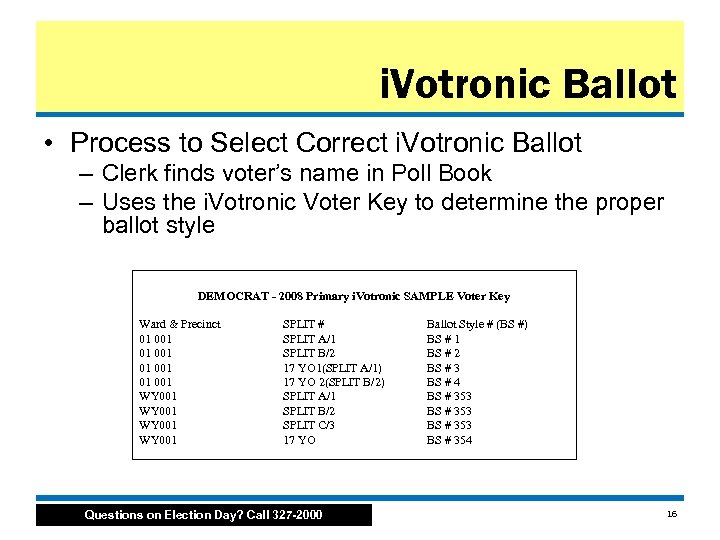 i. Votronic Ballot • Process to Select Correct i. Votronic Ballot – Clerk finds voter’s name in Poll Book – Uses the i. Votronic Voter Key to determine the proper ballot style DEMOCRAT - 2008 Primary i. Votronic SAMPLE Voter Key Ward & Precinct 01 001 WY 001 SPLIT # SPLIT A/1 SPLIT B/2 17 YO 1(SPLIT A/1) 17 YO 2(SPLIT B/2) SPLIT A/1 SPLIT B/2 SPLIT C/3 17 YO Questions on Election Day? Call 327 -2000 Ballot Style # (BS #) BS # 1 BS # 2 BS # 3 BS # 4 BS # 353 BS # 354 16
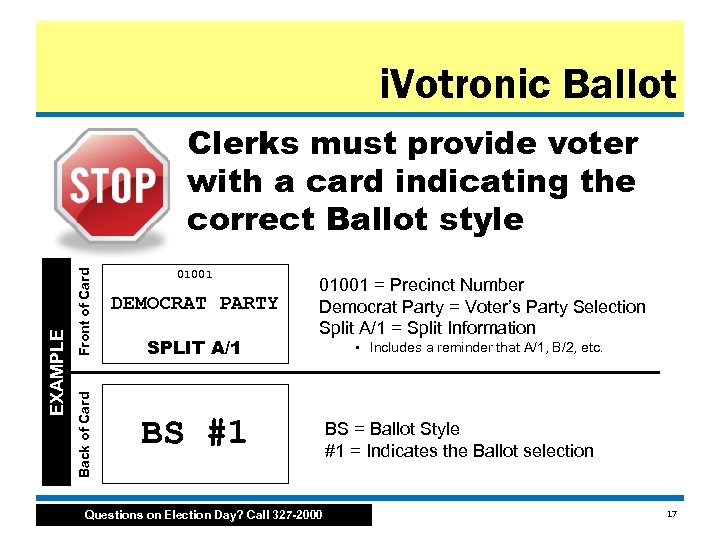 i. Votronic Ballot Front of Card Back of Card EXAMPLE Clerks must provide voter with a card indicating the correct Ballot style 01001 DEMOCRAT PARTY SPLIT A/1 01001 = Precinct Number Democrat Party = Voter’s Party Selection Split A/1 = Split Information BS #1 Questions on Election Day? Call 327 -2000 • Includes a reminder that A/1, B/2, etc. BS = Ballot Style #1 = Indicates the Ballot selection 17
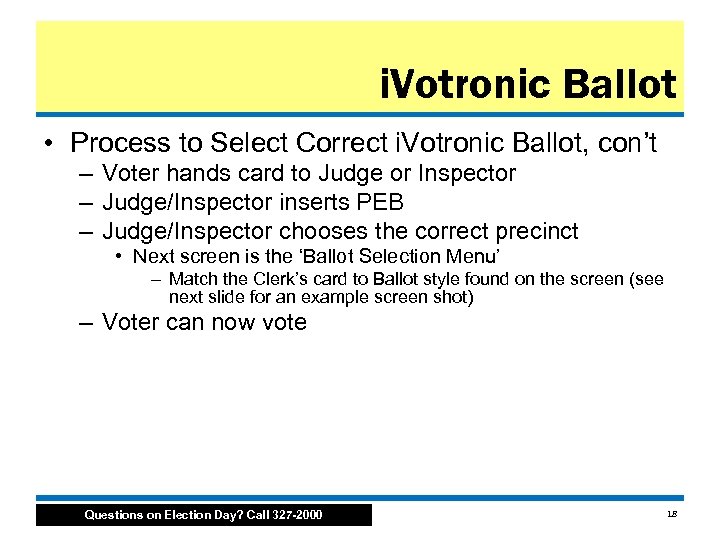 i. Votronic Ballot • Process to Select Correct i. Votronic Ballot, con’t – Voter hands card to Judge or Inspector – Judge/Inspector inserts PEB – Judge/Inspector chooses the correct precinct • Next screen is the ‘Ballot Selection Menu’ – Match the Clerk’s card to Ballot style found on the screen (see next slide for an example screen shot) – Voter can now vote Questions on Election Day? Call 327 -2000 18
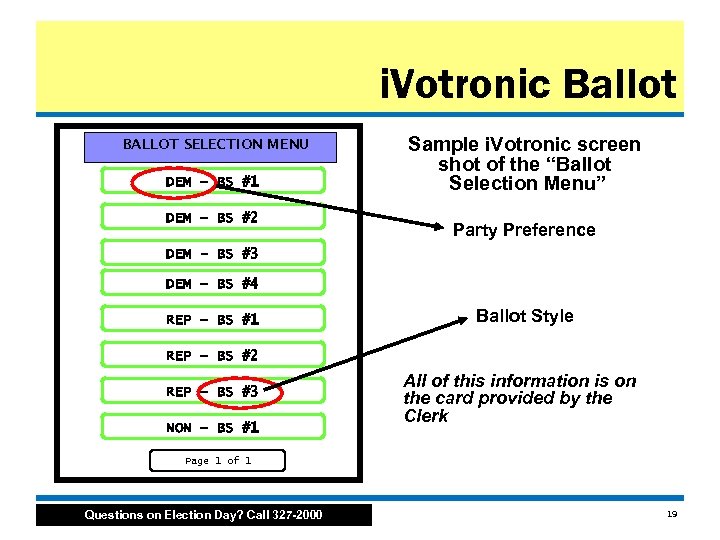 i. Votronic Ballot BALLOT SELECTION MENU DEM – BS #1 DEM – BS #2 Sample i. Votronic screen shot of the “Ballot Selection Menu” Party Preference DEM - BS #3 DEM – BS #4 REP – BS #1 Ballot Style REP – BS #2 REP – BS #3 NON – BS #1 All of this information is on the card provided by the Clerk Page 1 of 1 Questions on Election Day? Call 327 -2000 19
 Credentials • Poll workers and watchers must have proper credentials to enter and exit the polls • National news media – Secretary of State is issuing credentials to national news media and exit polling firms – Exit polling • Can ask for public counts on M-100/i. Votronic • Can ask for and receive a printed copy of the unofficial tally at the close of polls • Must be outside of the chute • Voters do NOT have to respond • Poll worker credentials are found in the zipper pack in your Inspector Binder Questions on Election Day? Call 327 -2000 20
 Party Challenge (PRE-6) • Call Inspector hotline (327 -2000) for guidance • Forms are found in your Inspector Binder under Tab 3 • Challenger must be… – a registered voter of the precinct – of the same political party of whose party the person being challenged is asking to vote in the primary election • To overcome the challenge, the person being challenged completes the back of the form Questions on Election Day? Call 327 -2000 21
 Election Basics • Voter ID • Voting Equipment • Absentee Ballots Questions on Election Day? Call 327 -2000 22
 Voter ID • Four Questions – 1. Government Issued (federal and state, including state schools) – 2. Photo – 3. Expiration Date – 4. Name reasonably conforms with poll book • For more information: – page 17 in the Secretary of State’s Handbook – Inspector Binder contains Voter ID scenarios Questions on Election Day? Call 327 -2000 23
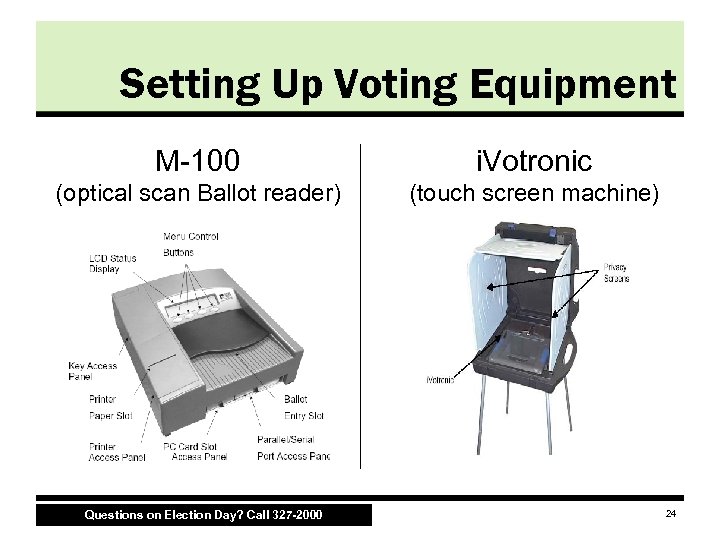 Setting Up Voting Equipment M-100 i. Votronic (optical scan Ballot reader) (touch screen machine) Questions on Election Day? Call 327 -2000 24
 Why Two Machines? • i. Votronic – Federal law requires voting equipment with accessibility functions – i. Votronic FIRST! • Must be set up before M-100, otherwise a technician will need to come to Polling site to correct the error • Model 100 – Optically scans paper Ballots – Commonly known as “M-100" Questions on Election Day? Call 327 -2000 25
 Sharing a Polling Site • In many cases, there will be two or more precincts at one location • Work as a team with other inspectors • Each precinct will have its own M-100 • Precincts may share one i. Votronic • Inspector of the “managing precinct” has the PEB and PEB reader • This Inspector MUST arrive at 5 a. m. • Set up and start the i. Votronic first Questions on Election Day? Call 327 -2000 26
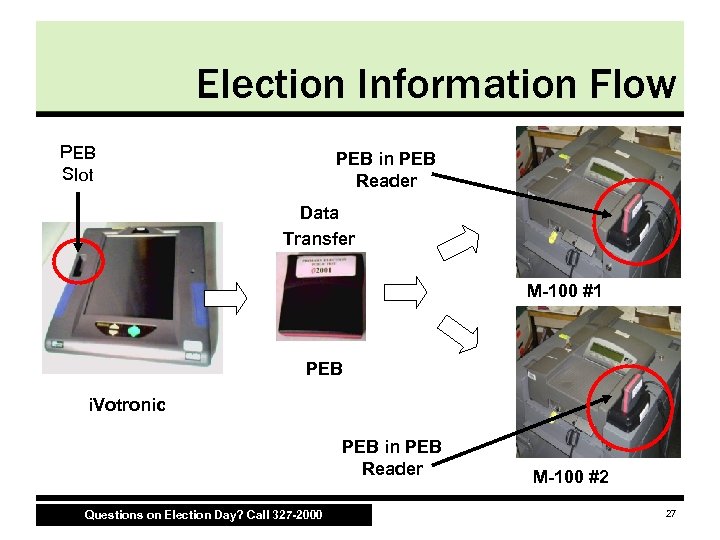 Election Information Flow PEB Slot PEB in PEB Reader Data Transfer M-100 #1 PEB i. Votronic PEB in PEB Reader Questions on Election Day? Call 327 -2000 M-100 #2 27
 Voting Equipment Setup Overview • Physical Setup – Assemble i. Votronic stand • Technology “Boot Up” Order – – – Plug in i. Votronic Initialize i. Votronic Plug in M-100 Unpack and plug in PEB reader to M-100 Initialize M-100 using PEB Reader and PEB Print zero tape report from M-100 See ES & S i. Votronic & M-100 Opening the Polls Posters for complete information Questions on Election Day? Call 327 -2000 28
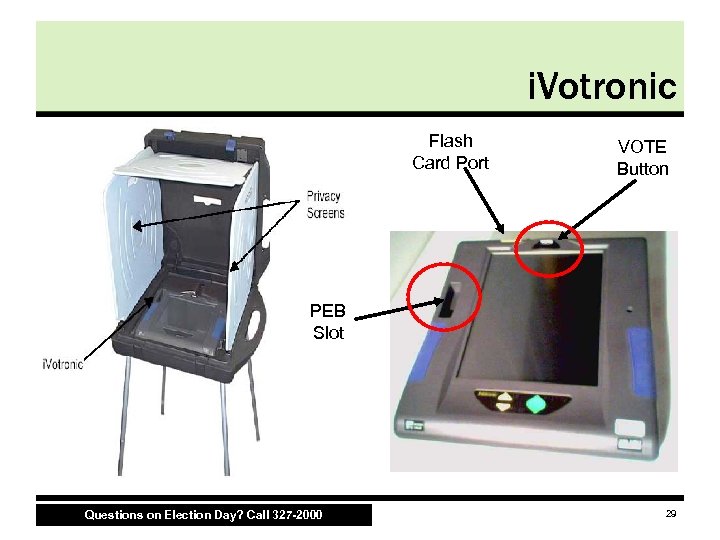 i. Votronic Flash Card Port VOTE Button PEB Slot Questions on Election Day? Call 327 -2000 29
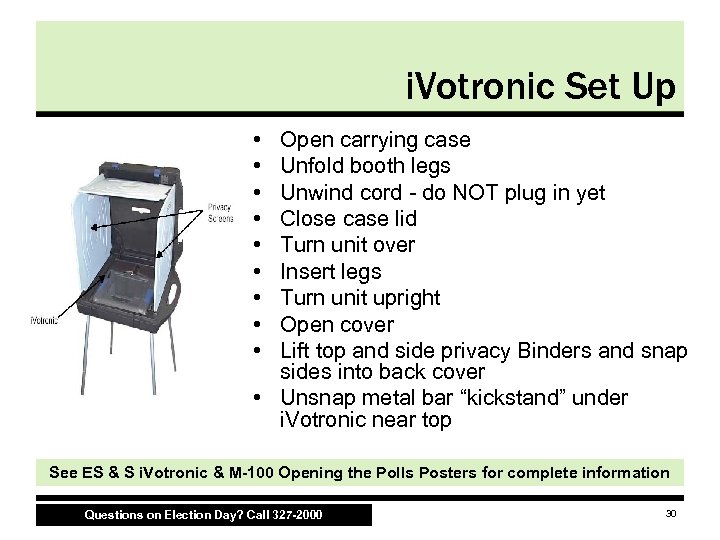 i. Votronic Set Up • • • Open carrying case Unfold booth legs Unwind cord - do NOT plug in yet Close case lid Turn unit over Insert legs Turn unit upright Open cover Lift top and side privacy Binders and snap sides into back cover • Unsnap metal bar “kickstand” under i. Votronic near top See ES & S i. Votronic & M-100 Opening the Polls Posters for complete information Questions on Election Day? Call 327 -2000 30
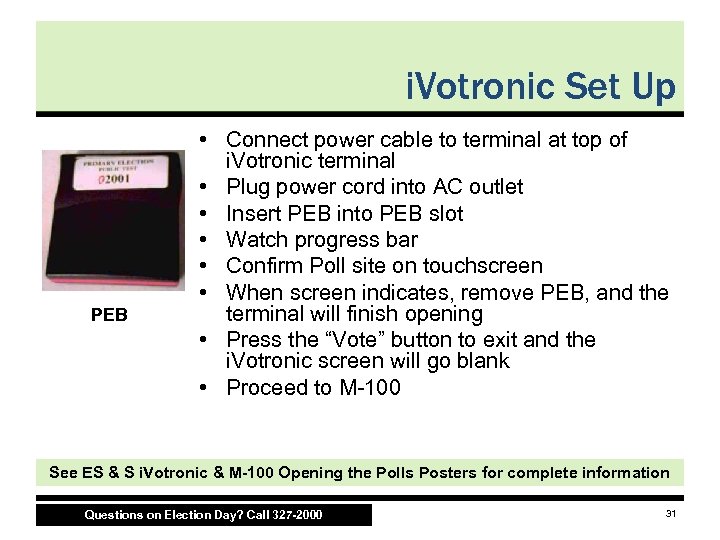 i. Votronic Set Up PEB • Connect power cable to terminal at top of i. Votronic terminal • Plug power cord into AC outlet • Insert PEB into PEB slot • Watch progress bar • Confirm Poll site on touchscreen • When screen indicates, remove PEB, and the terminal will finish opening • Press the “Vote” button to exit and the i. Votronic screen will go blank • Proceed to M-100 See ES & S i. Votronic & M-100 Opening the Polls Posters for complete information Questions on Election Day? Call 327 -2000 31
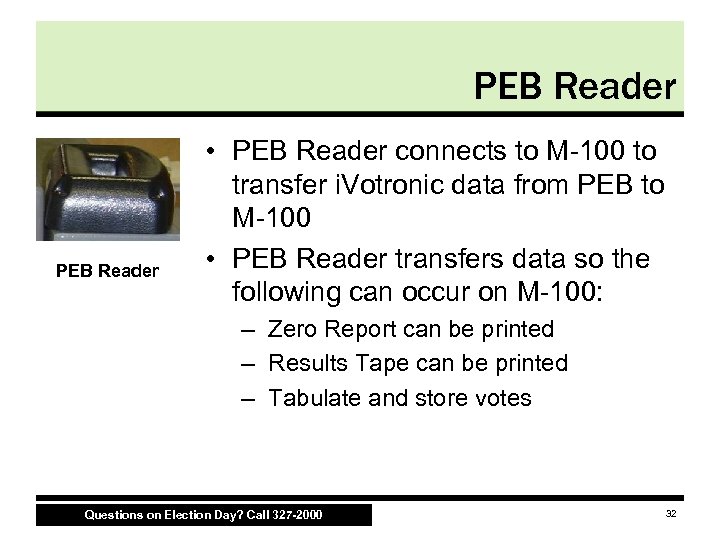 PEB Reader • PEB Reader connects to M-100 to transfer i. Votronic data from PEB to M-100 • PEB Reader transfers data so the following can occur on M-100: – Zero Report can be printed – Results Tape can be printed – Tabulate and store votes Questions on Election Day? Call 327 -2000 32
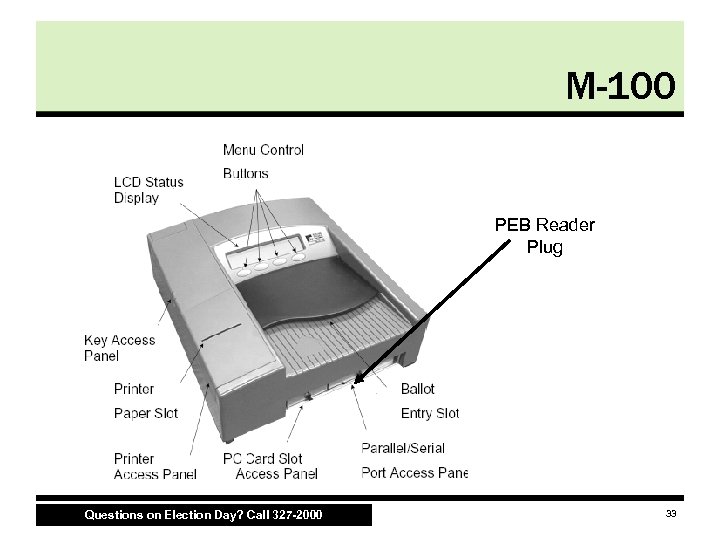 M-100 PEB Reader Plug Questions on Election Day? Call 327 -2000 33
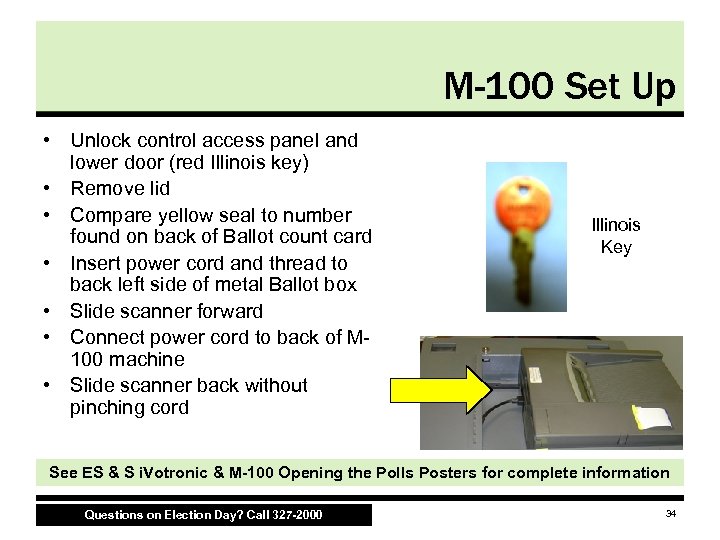 M-100 Set Up • Unlock control access panel and lower door (red Illinois key) • Remove lid • Compare yellow seal to number found on back of Ballot count card • Insert power cord and thread to back left side of metal Ballot box • Slide scanner forward • Connect power cord to back of M 100 machine • Slide scanner back without pinching cord Illinois Key See ES & S i. Votronic & M-100 Opening the Polls Posters for complete information Questions on Election Day? Call 327 -2000 34
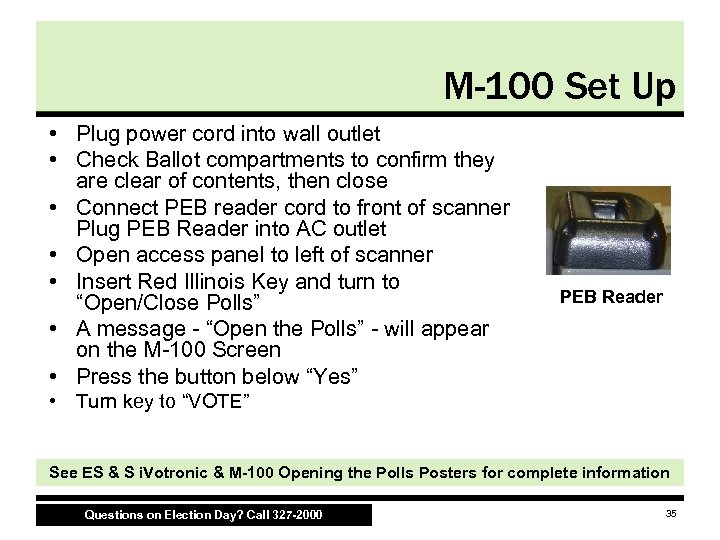 M-100 Set Up • Plug power cord into wall outlet • Check Ballot compartments to confirm they are clear of contents, then close • Connect PEB reader cord to front of scanner Plug PEB Reader into AC outlet • Open access panel to left of scanner • Insert Red Illinois Key and turn to “Open/Close Polls” • A message - “Open the Polls” - will appear on the M-100 Screen • Press the button below “Yes” PEB Reader • Turn key to “VOTE” See ES & S i. Votronic & M-100 Opening the Polls Posters for complete information Questions on Election Day? Call 327 -2000 35
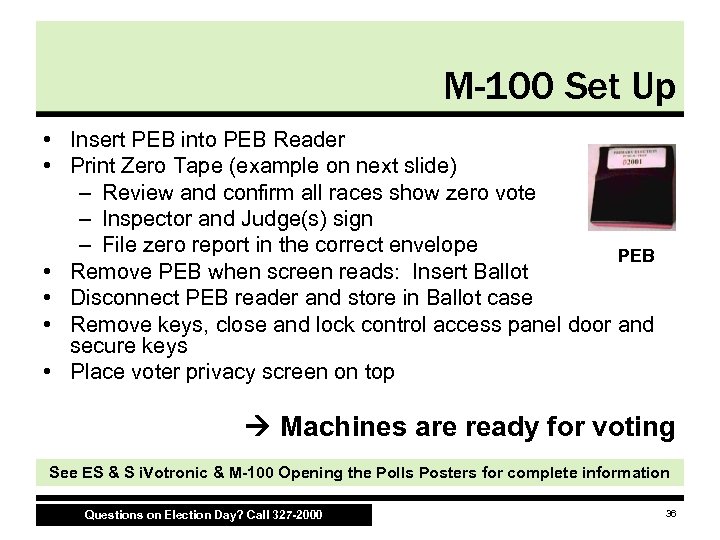 M-100 Set Up • Insert PEB into PEB Reader • Print Zero Tape (example on next slide) – Review and confirm all races show zero vote – Inspector and Judge(s) sign – File zero report in the correct envelope PEB • Remove PEB when screen reads: Insert Ballot • Disconnect PEB reader and store in Ballot case • Remove keys, close and lock control access panel door and secure keys • Place voter privacy screen on top Machines are ready for voting See ES & S i. Votronic & M-100 Opening the Polls Posters for complete information Questions on Election Day? Call 327 -2000 36
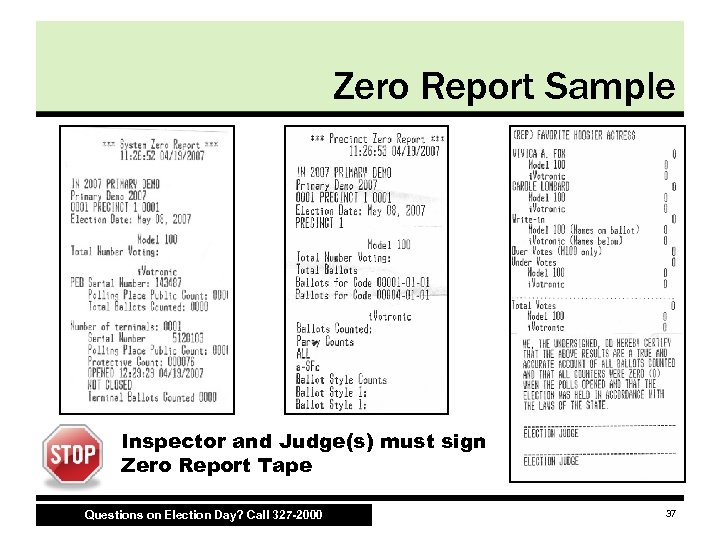 Zero Report Sample Inspector and Judge(s) must sign Zero Report Tape Questions on Election Day? Call 327 -2000 37
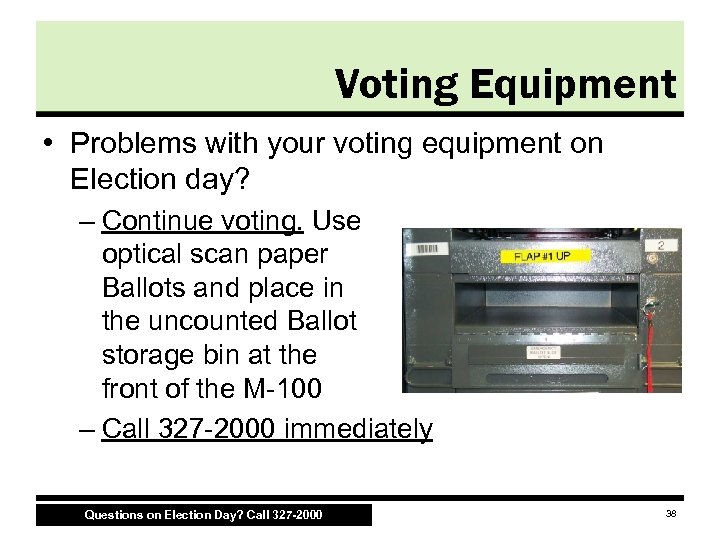 Voting Equipment • Problems with your voting equipment on Election day? – Continue voting. Use optical scan paper Ballots and place in the uncounted Ballot storage bin at the front of the M-100 – Call 327 -2000 immediately Questions on Election Day? Call 327 -2000 38
 Shutting Down Voting Equipment • Close the i. Votronic FIRST • Close the M-100 – Run Results Tape • Voting Equipment Media Questions on Election Day? Call 327 -2000 39
 Close i. Votronic FIRST! • Insert PEB • “Close Polls now” option will automatically appear after 6 p. m. – If a voter is in the chute at 6 p. m. and wants to vote on the i. Votronic, press “Exit this menu” and proceed with voting – If the polls close promptly at 6 p. m. , follow the screen messages DO NOT REMOVE PEB until instructed See ES & S i. Votronic & M-100 Opening the Polls Posters for complete information Questions on Election Day? Call 327 -2000 40
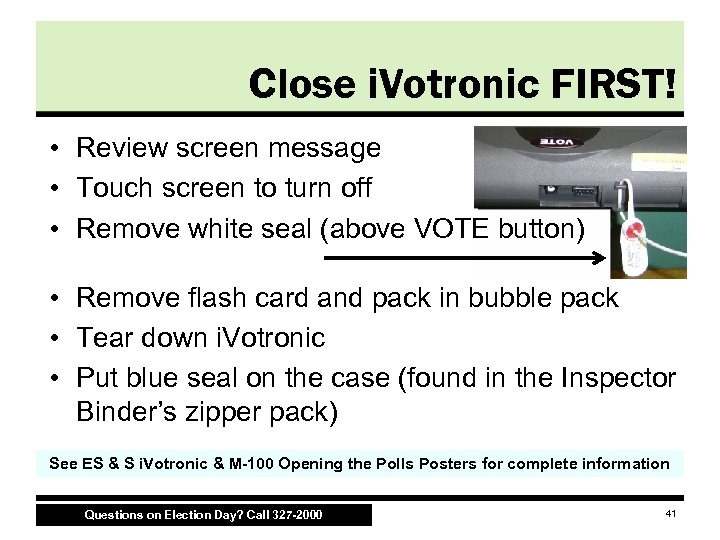 Close i. Votronic FIRST! • Review screen message • Touch screen to turn off • Remove white seal (above VOTE button) • Remove flash card and pack in bubble pack • Tear down i. Votronic • Put blue seal on the case (found in the Inspector Binder’s zipper pack) See ES & S i. Votronic & M-100 Opening the Polls Posters for complete information Questions on Election Day? Call 327 -2000 41
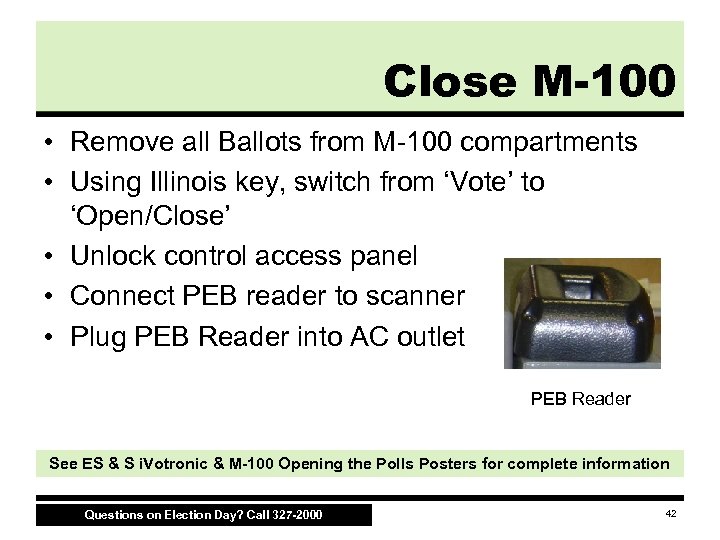 Close M-100 • Remove all Ballots from M-100 compartments • Using Illinois key, switch from ‘Vote’ to ‘Open/Close’ • Unlock control access panel • Connect PEB reader to scanner • Plug PEB Reader into AC outlet PEB Reader See ES & S i. Votronic & M-100 Opening the Polls Posters for complete information Questions on Election Day? Call 327 -2000 42
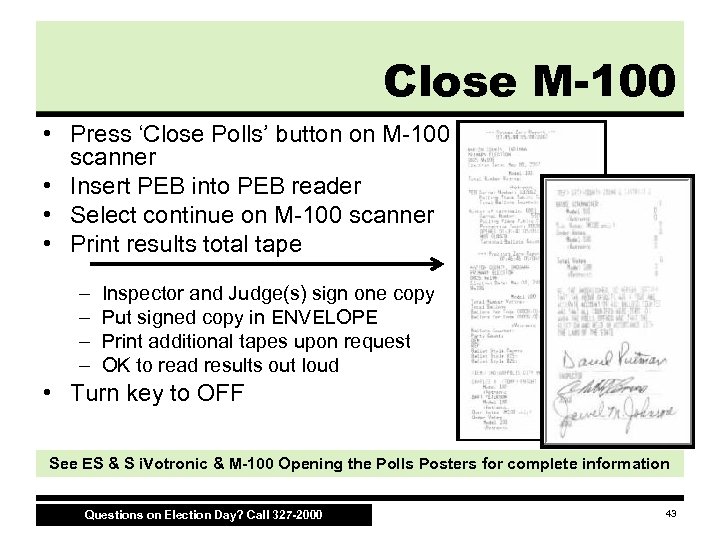 Close M-100 • Press ‘Close Polls’ button on M-100 scanner • Insert PEB into PEB reader • Select continue on M-100 scanner • Print results total tape – – Inspector and Judge(s) sign one copy Put signed copy in ENVELOPE Print additional tapes upon request OK to read results out loud • Turn key to OFF See ES & S i. Votronic & M-100 Opening the Polls Posters for complete information Questions on Election Day? Call 327 -2000 43
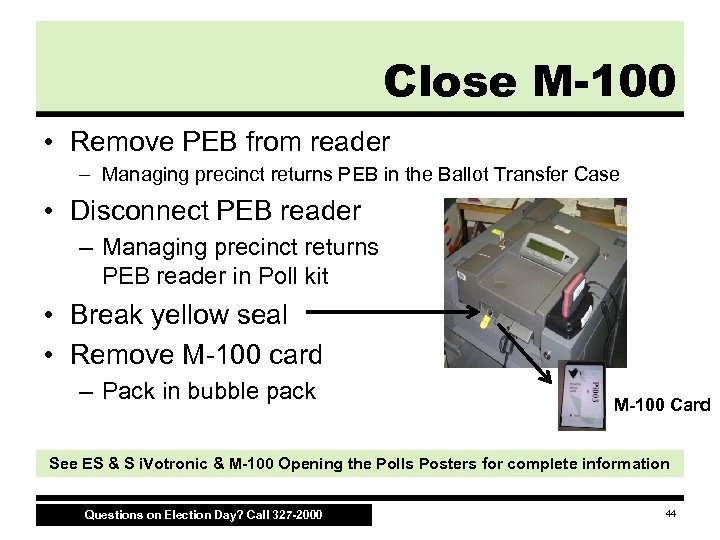 Close M-100 • Remove PEB from reader – Managing precinct returns PEB in the Ballot Transfer Case • Disconnect PEB reader – Managing precinct returns PEB reader in Poll kit • Break yellow seal • Remove M-100 card – Pack in bubble pack M-100 Card See ES & S i. Votronic & M-100 Opening the Polls Posters for complete information Questions on Election Day? Call 327 -2000 44
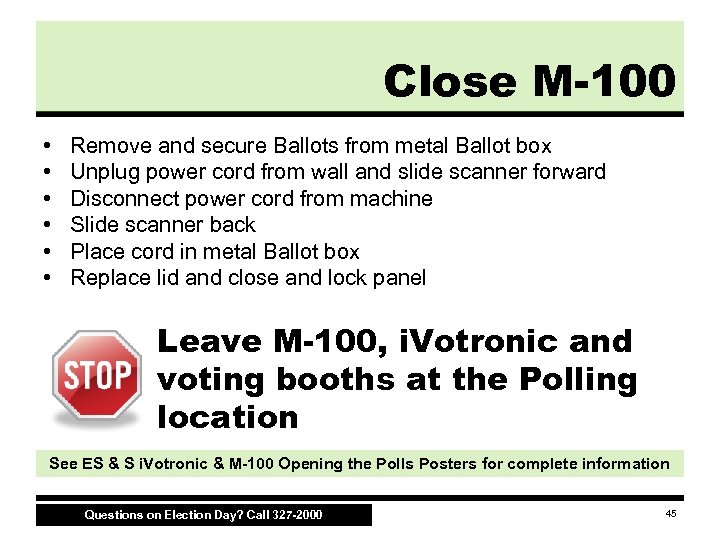 Close M-100 • • • Remove and secure Ballots from metal Ballot box Unplug power cord from wall and slide scanner forward Disconnect power cord from machine Slide scanner back Place cord in metal Ballot box Replace lid and close and lock panel Leave M-100, i. Votronic and voting booths at the Polling location See ES & S i. Votronic & M-100 Opening the Polls Posters for complete information Questions on Election Day? Call 327 -2000 45
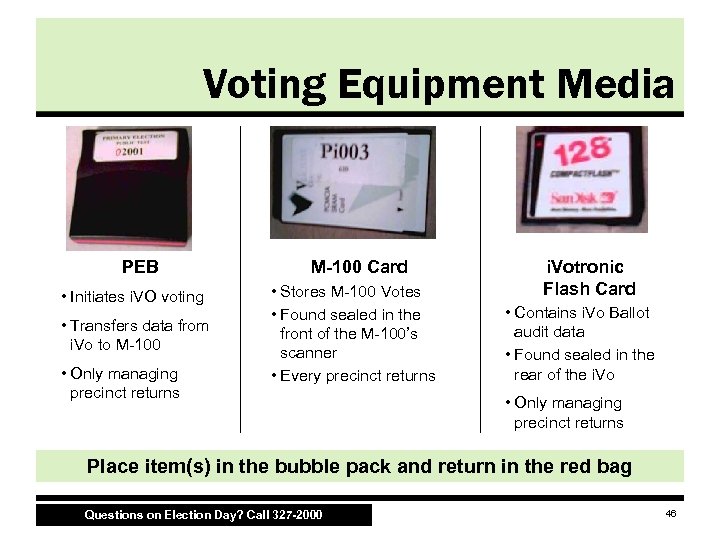 Voting Equipment Media PEB • Initiates i. VO voting • Transfers data from i. Vo to M-100 • Only managing precinct returns M-100 Card • Stores M-100 Votes • Found sealed in the front of the M-100’s scanner • Every precinct returns i. Votronic Flash Card • Contains i. Vo Ballot audit data • Found sealed in the rear of the i. Vo • Only managing precinct returns Place item(s) in the bubble pack and return in the red bag Questions on Election Day? Call 327 -2000 46
 Absentee Ballots • Delivered throughout the day – Double-check the names on checklist match the Ballots/envelopes delivered to the precinct • Processing – Find name in poll book – Compare signatures (envelope vs. poll book) – Circle ABS in the poll book – Print voter’s name Questions on Election Day? Call 327 -2000 47
 Absentee Ballots • Track number of delivered Absentee Ballots on your Signature and Vote Count Log Make sure all Absentee Ballots are removed from the envelopes and voted Questions on Election Day? Call 327 -2000 48
 Seven Steps for Voting Absentee Ballots • Open Absentee Ballot Envelope • Remove Ballot (do not unfold) • Check for signature and seal of the Circuit Court Clerk • Check for initials of absentee board • Place Ballots in M-100 Uncounted Ballot Storage Bin • When done processing Absentee Ballots, Judges should remove Ballots and scan into the M-100 face down • Pack applications and empty envelopes in proper return envelope found in poll kit Questions on Election Day? Call 327 -2000 49
 Voter Accessibility • • • Room Layout Location Improvements Common Courtesies i. Votronic Features Affidavit of Voter Assistance Questions on Election Day? Call 327 -2000 50
 Room Layout • Arrange polling place to allow for smooth traffic flow • Provide an unobstructed and easy to navigate path for voters with disabilities • Allow approximately five square feet for a wheelchair to navigate around the voting equipment • Verify voter accessibility station is private Questions on Election Day? Call 327 -2000 51
 Location Improvements • Some locations will have items delivered to their polling location to make it more accessible: – Ramps – Cones – Doorbells – Disability Parking Sign Questions on Election Day? Call 327 -2000 52
 Common Courtesies • Always ask first if a person with a disability needs your help – Assist a person who is blind by offering your elbow for the person to hold as you guide them to a voting machine • Always look and speak directly at a person with a disability, not the interpreter, companion or helper Questions on Election Day? Call 327 -2000 53
 Common Courtesies • When greeting a person who is blind or has low vision, always identify yourself • Don’t shout or speak in the person’s ear • Signal with a tap or a wave to get the attention of person who is deaf. – Face the person you are speaking with and speak clearly but naturally, don’t exaggerate Questions on Election Day? Call 327 -2000 54
 i. Votronic Features • For an audio Ballot, the Judge: – Inserts PEB – Presses green button – Plugs in the headphones • With an audio Ballot, the Voter: – – Hears the instructions first Uses the yellow up and down arrows to select the contests Uses the green button to make a selection in each race Presses the “VOTE” button at the top when finished • HERE’S A SAMPLE OF WHAT THE VOTER WILL HEAR Questions on Election Day? Call 327 -2000 55
 i. Votronic Features • i. Votronic monitor can be removed from the stand placed on a table or on the tray of a wheelchair – Battery can last for about two hours; be sure to insert the plug into the monitor when placing it back into the stand Questions on Election Day? Call 327 -2000 56
 Affidavit of Voter Assistance (PRE-3) • A voter may be assisted only if: – The voter has a disability or is unable to read or write the English language – The voter requests assistance BEFORE entering the poll booth • Anyone except for the voter’s employer or union representative can be designated to assist Questions on Election Day? Call 327 -2000 57
 Affidavit of Voter Assistance (PRE-3) • If voter does not designate a person to help them, both Judges must assist • Affidavit must be completed BEFORE entering the poll booth • Form found in Inspector Binder under Tab 3 Questions on Election Day? Call 327 -2000 58
 Review and Reminders • • • Training Review Early Voting Arrive at 5 Patience! Other Resources Questions? Call 327 -2000 Questions on Election Day? Call 327 -2000 59
 Training Review • New Precinct Maps – Call 327 -2000 if voter is not in poll book • Ballot Complexity – Make sure Clerks are handing out correct Ballots • Party Challenge – Use form found in your Inspector Binder • Set up and close the i. Votronic FIRST Questions on Election Day? Call 327 -2000 60
 Early Voting • If you’re not working in your home precinct, be sure to vote absentee – To vote by mail • Applications must be received by midnight, April 28 • Ballots are due by 6 p. m. Election Day – To vote in the Clerk’s Office, City-County Building 200 E. Washington Street, Room W-122 • • Monday through Friday – 8 a. m. to 5 p. m. Saturday, April 26 and May 3 – 10 a. m. to 5 p. m. Sunday, May 4 – 11 a. m. to 5 p. m. Last Day! Monday, May 5 – 8 a. m. to Noon Questions on Election Day? Call 327 -2000 61
 Arrive at 5 a. m. • Before Election Day… – Your Inspector should call you to provide their contact information • Arrive at 5 a. m. !! – Problems with opening the polls, call 327 -2000 • Bring your lunch Questions on Election Day? Call 327 -2000 62
 Patience! • Expect and prepare for increased voter turnout • Make sure poll workers are processing voters efficiently • Don’t sacrifice accuracy for speed Questions on Election Day? Call 327 -2000 63
 Resources • Marion County Election Board Web site – www. Indy. Gov/Election 08 – Training Materials and Videos • Secretary of State’s Web site – www. IN. gov/SOS/elections • Election 2008 Hotline – 327 -VOTE – Connects you to either Voter Registration or Election Board Questions on Election Day? Call 327 -2000 64
 Questions? • Before Election Day, call the Marion County Election Board at 327 -5100 • On Election Day, the hotline gives you two options: – Direct access to Voter Registration – Direct access Election Board hotline operators to help with legal questions, machine problems, etc. Questions on Election Day? Call 327 -2000 65
 Thank you! 66