


 Скачать презентацию Welcome Applying for College Start planning
697e76734894194412f05dd0367e0431.ppt
- Количество слайдов: 21
 Welcome!
 Applying for College • Start planning now! • We’re here to help!
 Apply through OCAS • OCAS is the Ontario College Application Service • All applications for colleges in Ontario are done through OCAS
 What you need to apply. You need An e-mail address An OEN number $95 A computer with internet access
 E-mail address -Go to mail. google. com to register for a free e-mail account if you do not have one. -All your communication with OCAS will be through e-mail
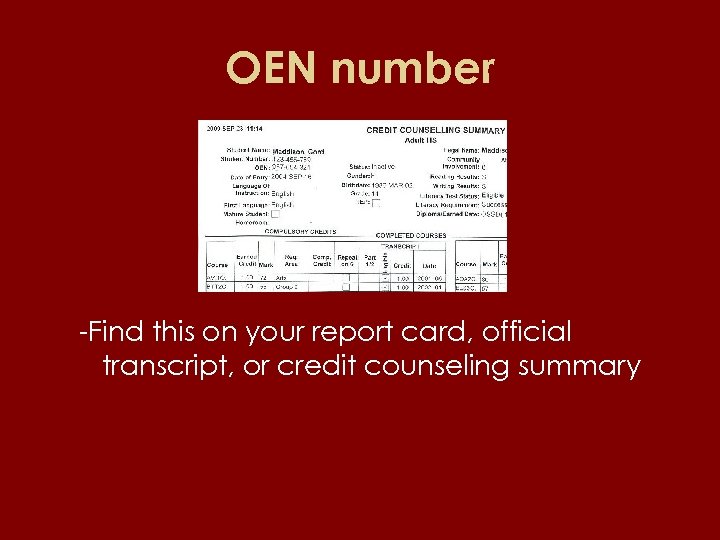 OEN number -Find this on your report card, official transcript, or credit counseling summary
 $95 • It is best to pay the $95 application fee by credit card at the time of application. • You application will be submitted immediately • This is to your advantage • You can pay by money order or certified cheque but your application will not be submitted until OCAS get the $95
 Computer with Internet Access • You must apply for college online • You can apply from any computer with internet access • You are welcomed and encouraged to use the computers in the Student Services office • The Student Services staff is happy to help you.
 www. ontariocolleges. ca • • Go to www. ontariocolleges. ca to apply View the application tutorial Go to APPLY Choose APPLY NOW Read the instructions for NEW CUSTOMER Choose SIGN UP Answer the questions when prompted Record you user name, password, and application number
 Record your username, password, and application number • Record you user name, password, and application number • I mean it!
 Record your username, password, and application number • You will need to sign into you OCAS Account regularly to: – Check that your personal data is accurate. – Change your personal data if necessary. – Check your grades. – Change the programs you applied for. – Check the status of your application. – Accept your offer of admission!
 Finish your application • Read the application carefully – be accurate! • TIP – You are attending THE Adult High School not Adult High School! • Skip “Post Secondary Education” (unless you have been to college or university in Ontario • Choose the programs you wish to apply to.
 Choosing your Programs • Use the CHOICE buttons to choose your programs • You can choose up to five programs at three different colleges. • You can choose up to three programs at any one college. • See the “Ontario College Handbook” to find programs that interest you. • If you need help with making choices, see you counselor.
 $ Pay $ • You must pay OCAS a $95 fee to process your application. • It is fastest and easiest to pay by credit card. • The site is secure. • The fee is non-refundable • Print two copies of the last page of the application and send one with your payment (If not paying on-line. )
 OCAS will help! • If you encounter any problems…. • Call 1 -888 -892 -2228
 Important Dates 2011 • Thurs. , Oct. 20 • Thurs. Oct. 27 • Thurs. , Nov. 3 • Wed. , Nov. 9 • Thurs. , Nov. 17 Algonquin College Information Session 11: 15 am in Lecture Hall (Adult HS) St. Lawrence College Information Session 11: 15 am in Lecture Hall (Adult HS) Algonquin College Open House 9: 00 am - 3: 00 pm College Information Program (CIP) 9: 00 am -12: 00 pm (held at Algonquin) Algonquin College Expo 11: 00 am – 12: 30 pm in cafeteria (Adult HS) Grad Information Meeting 11: 15 am in Lecture Hall (Adult HS)
 Important Dates 2011 -2012 • October 2011 – Online application becomes available • Monday, November 28, 2011 – First date that application data will be sent to colleges – Earliest date that colleges may acknowledge applications • Wednesday, February 1, 2012 – Applications received at OCAS by this date will be given equal consideration by the colleges. • Tuesday, May 1, 2012 – Applicants must confirm offer of admission through OCAS.
 Quiz 1 • Do you need to have all your college prerequisites complete when you apply to college? • □ YES • □ NO
 Quiz 1 Answer • Do you need to have all your college prerequisites complete when you apply to college? NO!
 Quiz 2 • Do you need to have all college prerequisites by the time you go to college? • □ YES • □ NO
 Quiz 2 Answer • Do you need to have all college prerequisites by the time you go to college? YES !