 Скачать презентацию Welcome APNIC Tutorial Best Current Practices on spam
d59d2255fa39aea66c2e8715507090f3.ppt
- Количество слайдов: 137




Welcome! APNIC Tutorial Best Current Practices on spam prevention Champika Wijayatunga, APNIC 06 September 2005, Hanoi, Vietnam In conjunction with APNIC 20
Overview • Background: spam • Problems, prevention & solutions – Consumers, Businesses and ISPs • • Spam filtering & anti-spam services Handling spam APNIC involvement Summary
Quick quiz! When you hear the word spam which one of these would you be thinking of? a) A salty, pink lunch meat that comes in a blue can? b) A British comedy troupe’s skit with singing Viking warriors? c) Annoying junk mail and other advertisements you never asked for that are sent to you via the internet? d) All of the above

Background - spam
Who is responsible for spam? • Advertisers – Technical experts who do their own spamming – Businesses who hire a third party to do the spamming • Spam service providers (most common) – Build up hardware, software & expertise need to send spam – Advertise their services to distributors • Spam support services – ISPs/web hosting services that take any customer • no matter what kind of activity they are involved in
Damage between the spammer & your inbox • When spam hits the user a lot of costs have been incurred – – – By so many people other than the spammer The more emails an ISP processes, the higher the costs Affects Internet bandwidth Fills up storage disks of ISP servers More administrators needed • These costs are passed back to the users
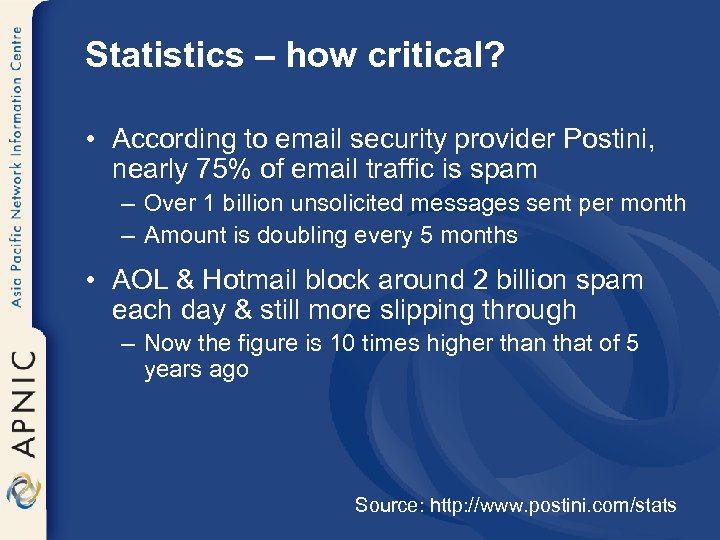
Statistics – how critical? • According to email security provider Postini, nearly 75% of email traffic is spam – Over 1 billion unsolicited messages sent per month – Amount is doubling every 5 months • AOL & Hotmail block around 2 billion spam each day & still more slipping through – Now the figure is 10 times higher than that of 5 years ago Source: http: //www. postini. com/stats
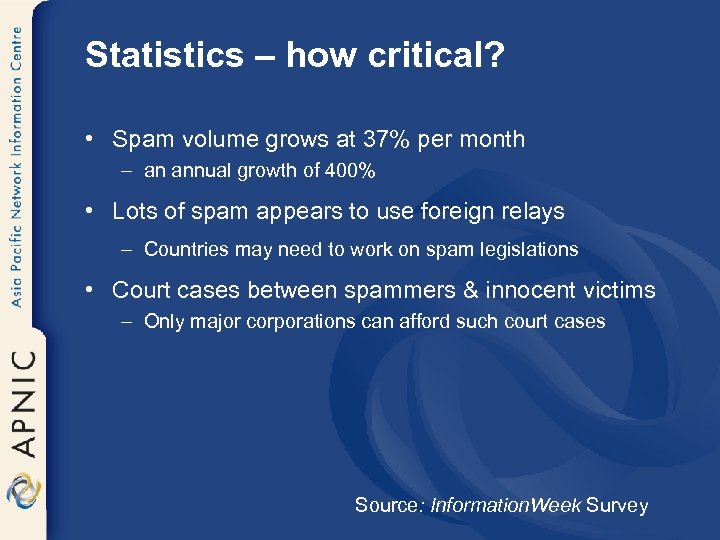
Statistics – how critical? • Spam volume grows at 37% per month – an annual growth of 400% • Lots of spam appears to use foreign relays – Countries may need to work on spam legislations • Court cases between spammers & innocent victims – Only major corporations can afford such court cases Source: Information. Week Survey
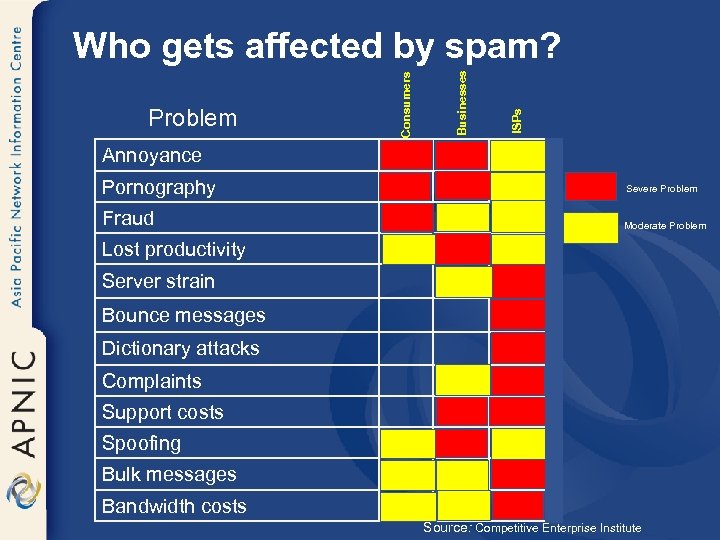
ISPs Businesses Problem Consumers Who gets affected by spam? Annoyance Pornography Severe Problem Fraud Moderate Problem Lost productivity Server strain Bounce messages Dictionary attacks Complaints Support costs Spoofing Bulk messages Bandwidth costs Source: Competitive Enterprise Institute

Problems & attacks: Consumers / Businesses
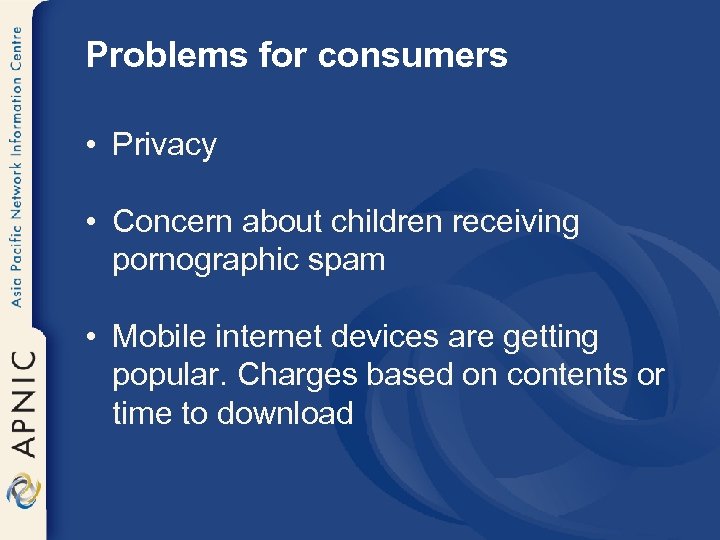
Problems for consumers • Privacy • Concern about children receiving pornographic spam • Mobile internet devices are getting popular. Charges based on contents or time to download
Careful what to ask • How the attack works – Victims give away their own addresses • Prevention – – – Use caution when choosing sites Avoid giveaways & other “too good to be true” sites Avoid signing up for sites that use an opt-out policy Read sign-up screens carefully Read privacy statement carefully • how your email address and other personal information can be used, shared and sold
Keeping ahead of spammers • • • Know where your email can be found Guard your primary email address Use stand-alone email software Be careful with your browser Choose an ISP that actively blocks spam • Find out how to filter your own email • Never click reply • Munged email addresses
Email validation process • Spammers are interested in only active accounts – Not only valid address but also active ones • Once the spammer has a list of email addresses – it is easy to take out the invalid and inactive addresses • See whether any bounce backs
Email validation process • By sending a series of messages, attackers can determine – What time of day the user reads email – How often the user checks mail – What email program user uses – What operating system is being used – Whether uses HTML or plain text email – Whether user always use the same computer to check mail etc.
Problems for businesses • • Technical support costs Spoofing (use of legitimate name) Sexual harassment Marketing difficulties
Harvesting email
Web crawlers, robots • Robots or spambots are used for email harvesting – Find patterns and regular expressions such as ‘@’ – List of spambots • http: //www. sendfakemail. com/fakemail/antispam. html • These tools work like browsers and catalog information found – Robot makes a request for a particular URL • After the HTML page has been returned, the robot parses the HTML – Then locates all the links on the page – Loads each of these pages, and again continue parsing
Email patterns • It can be easy for a spammer to guess email patterns for most companies – eg: first initial and last name are used to form an email address – A simple run through the alphabet with common last names yields many valid hits • Two guessing categories – Common email addresses or patterns – Blind guessing • Note: think before you ‘forward’ emails
Tracking emails to gather information • Many scams and hoaxes • HTML mail – Email messages can contain colours, fonts and embedded graphics – Image isn’t actually sent but connects to the website when the email program loads • Web bugs – Track the emails – How many times the mail program access the graphic etc.
Hyperlinks • Similar to web bugs – But require some interaction from users • Instead of simply viewing or opening an email message, the user needs to click a link or button – So the spammer knows the email account is active • As with web bugs, hyperlinks can be coded to indicate what user clicked the link – The user may also be asked to supply additional information
Vacation auto responders • Spammer determines that the email address is active – More information can be retrieved (time of the email message read, IP address, email program etc) – Some times the vacation responses can provide more info for spammers
![Spoofing email identities • Return-Path: <test-user@company. com> Received: from [66. 38. 203. 132] by](https://present5.com/presentation/d59d2255fa39aea66c2e8715507090f3/image-23.jpg "Spoofing email identities • Return-Path: <test-user@company. com> Received: from [66. 38. 203. 132] by")
Spoofing email identities • Return-Path: <test-user@company. com> Received: from [66. 38. 203. 132] by e-hostzz. com. IP with HTTP; Sun, : 31: 55 +0400 From: “Tim” <test-user@company. com> To: someuser@country. com Subject: Re: CYXS, Contact ! Mime-Version: 1. 0 X-mailer: m. POP Web-Mail 2. 19 X-Originating-IP: [e-hostzz. com. IP] Date : Sun, 16 Jan 2005 11: 37: 55 -0700 Reply-To: “Tim Wright” <test-user@company. com>
Phishing • Starts as an email message to get users to go to a web site – To enter personal details for use in an identity scam • Web site looks similar to the real site
Using email addresses for other purposes • Web applications routinely store email address as data and as user ID – Any vulnerability in a web application’s security can reveal this sensitive information – Need to use unique IDs
Error message reasoning • Error messages from web applications can expose email addresses – Login pages, forgotten password, registration are focus points for these type of attacks – The attacker can keep trying email IDs until the error message gives a clue
SQL injection • Hacker tries to access the database behind the web application • If the web application doesn’t have the proper controls in place, a hacker may be able to read all the information in the database
SQL injection • Ex: web site that displays job listings can have a link such as – http: //www. mycompany. com/Jobs. asp? id=6236 • A hacker can add a single quote or an apostrophe (‘) to the end of the URL and the following error message appears Microsoft OLE DB Provider for SQL Server error ‘ 80040 el 4’ Unclosed quotation mark before the character string ‘ AND published=1’. /Jobs. asp , line 20 • The hacker now knows the page is vulnerable to SQL injection and can determine the DB schema and extract data from its tables

Prevention & solutions: Consumers / Businesses
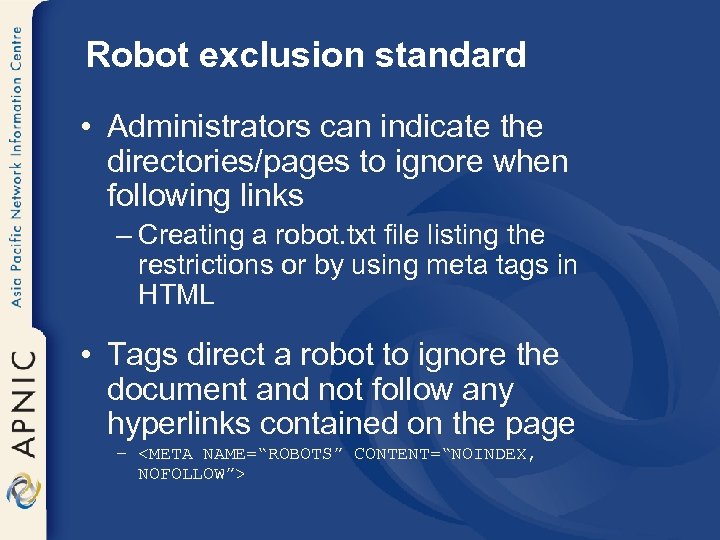
Robot exclusion standard • Administrators can indicate the directories/pages to ignore when following links – Creating a robot. txt file listing the restrictions or by using meta tags in HTML • Tags direct a robot to ignore the document and not follow any hyperlinks contained on the page – <META NAME=“ROBOTS” CONTENT=“NOINDEX, NOFOLLOW”>
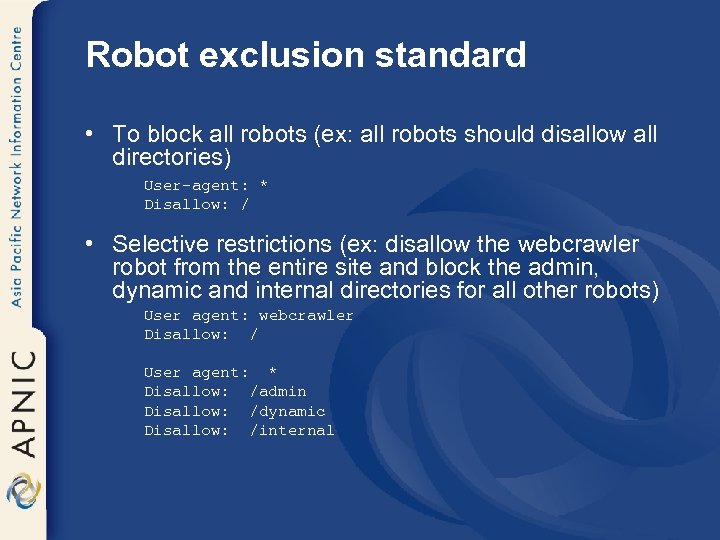
Robot exclusion standard • To block all robots (ex: all robots should disallow all directories) User-agent: * Disallow: / • Selective restrictions (ex: disallow the webcrawler robot from the entire site and block the admin, dynamic and internal directories for all other robots) User agent: webcrawler Disallow: / User agent: * Disallow: /admin Disallow: /dynamic Disallow: /internal
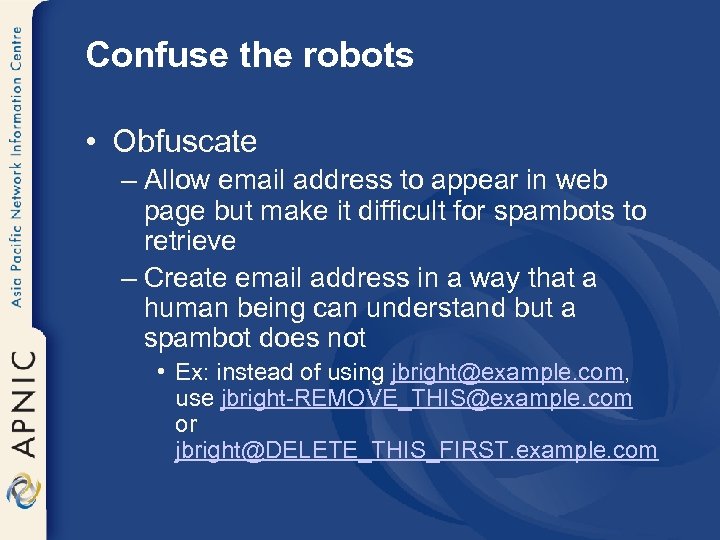
Confuse the robots • Obfuscate – Allow email address to appear in web page but make it difficult for spambots to retrieve – Create email address in a way that a human being can understand but a spambot does not • Ex: instead of using jbright@example. com, use jbright-REMOVE_THIS@example. com or jbright@DELETE_THIS_FIRST. example. com
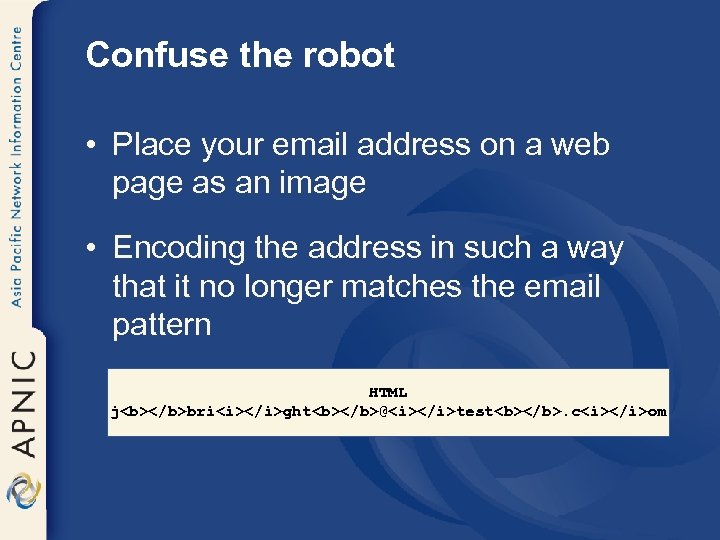
Confuse the robot • Place your email address on a web page as an image • Encoding the address in such a way that it no longer matches the email pattern HTML j<b></b>bri<i></i>ght<b></b>@<i></i>test<b></b>. c<i></i>om
Confuse the robots • Web poison (spam poison) – Doesn’t prevent email addresses from being harvested but attempt to taint the results – Sending back fake email addresses – Doesn’t really alter spammer tactics – Possible that spammer may remove your domain from further scanning • But large number of addresses may focus the spammer more
Force spammer to use random guessing • Don’t let them make educated and higher probability guess • Choose email addresses that don’t follow established patterns – Ex: instead of tjones@myemail. com select tj 0 ne$@myemail. com
Restrict access to private data • Web application security may be outside your control • Carefully choose which site you register for – Reputed companies are more likely to deal with security vulnerabilities • Use a secondary email address for registering on web sites
Maintain your privacy • Use a secondary address for new friends • Ask to check out for hoax messages before forwarding – http: //hoaxbusters. ciac. org • Ask only to forward the portion of the email they want others to read • Use BCC fields • Importance of antivirus tools and personal firewalls
Tracking emails • Risky to read your messages as HTML mail – If you accept only text mail • Tracking systems are ineffective • Speed up your email access – Viewing a HTML message in the preview pane is no different from opening it • As far as this type of attack is concerned
Hyperlinks • Don’t unsubscribe from spam unless you know that you have signed up for mails • Avoid clicking links in unwanted email • Provide only minimum information in an unsubscribe form • Observe the behavior when you use an unsubscribe feature
Vacation auto responders • Proactive rather than reactive – Can send emails (i. e if a small list) • Restrict auto responder to certain people or those that matches particular rules • Having multiple addresses – For work, for family & friends, etc. • Provide minimum information necessary
Spoofing • Confirm sender identity • Validate the message’s authenticity – Check the mail headers • Attacker can add their own received lines to the email message – After it leaves their server they lose control over the subsequent received lines added to the header
Spoofing • If the machine name on a received line doesn’t match the IP address: – It is likely to be a forgery – All lines that follow should not be trusted – Do an IP lookup in whois
Restrict access to private data • Application security – Fix the web applications – Applications need to return general errors – Ensure that the site can’t be used to mine email addresses from the database – Every input value to the application needs to be carefully checked and validated
Filters & spam reporting • Filters – Look at email messages and guess whether they are spam • Report and control spam – “Report spam” features of email programs
Filters & spam reporting • Content filters – Block spam based on the content of the email message and header • Bayesian filters • Need to wait for few weeks for full effectiveness • Whitelists – Whitelists define legitimate senders • What to do with mail from people who are not on the whitelists?
Filters & spam reporting • Collaborative filtering – Need to subscribe to filtering program – When spam lands in the mailbox, recipient can report it to the program’s server – The server then searches the inboxes of all subscribers and deletes all copies of that message – With a large subscriber base, most people will see little spam
Challenge-response • Server holds all email from unrecognized addresses and sends an automated message • Automated message will verify that the sender is a real person or an automated bulk email program • Ok for some home users but inefficient for businesses
Problems & attacks: ISPs
Costs • Sending or receiving massive amounts of email in a short period of time – uses large bandwidth and storage space • Upsets the customers – Adds to technical support costs • ISPs must build enormous overcapacity into their systems – Excessive email traffic can crash the systems • Rising costs of spam can shut down the business
Costs • Bounce messages – Spammers usually put a fake email address in the Reply-To header to avoid bounces – Another ISP or user ends up getting thousands of bounce messages, clogging the servers
Costs • Dictionary attacks – Try multiple combinations of letters, at a popular domain name • This puts a huge drain on ISP’s servers • Customer complaints – Consumes a lot of helpdesk and customer service time – Large amounts of objectionable email can drive customers away
SMTP • SMTP is simple – No mechanism to verify the sending server or the accuracy of the from address – SMTP server has no way to verify messages such as “This message is from your bank and concerns your account” etc. • But SMTP is reliable and pretty much universally implemented
Prevention & solutions: ISPs
Prevention & solutions: ISPs Contractual and cooperative solutions
Contractual and cooperative solutions • Acceptable Use Policy (AUP) – Spammers try to operate through open relays or by hijacking ISPs other than their own – ISPs need to have strong anti-spam policies – Prohibit these customers from sending spam through ISP servers
Contractual and cooperative solutions • Pay-to-send and pay-to-transmit models – Charge customers to send bulk email • Internet community view • Spammers still bypass their ISP servers – Install their own SMTP servers and use open relays in foreign countries – Hijack open proxies run by users with home networks
Contractual and cooperative solutions • E-stamps – Sender agree to pay money per message if the message is reported as spam • Bonded Sender Programs (BSP) – Sender deposits a sum of money with a bonding company per mailing • Noted in the headers of the emails to ensure that they are not blocked by ISPs • If a recipient decides that the message is spam – It can be reported through a spam program – Recipient’s ISP collects the money

Prevention & solutions: ISPs Technological Solutions
Software solutions • Software can partially stop the spam problem at several levels – Efficient tools for end users to control spam – Blocking techniques for ISPs – Sender authentication programs • E-stamps, bonded sender programs or redesign the basic email protocol
Whitelists & Blacklists • Whitelists – Lists of servers known to be sending valid, legitimate emails – The address of the sending server can be compared to a whitelist • Blacklist filtering – Opposite of whitelists; lists of servers known to be operated by spammers – Block all incoming mail from the blacklisted addresses • Many blacklists block all IP addresses from specific countries
Multiparty solutions • Need collaboration between ISPs, bulk mailers, and consumers – Options of redesigning the SMTP • Probably based on security certificates • Should be a secure, verified protocol like HTTPS
Prevent spam, phishing & viruses • Force accountability by identifying who is sending the message – Email authentication systems • SPF (Sender Policy Framework or Sender Permitted From) • Caller ID • Sender ID – Combines Pobox. com’s SPF Domain. Keys
SPF (Sender Policy Framework) • SPF stops email address spoofing – Modify DNS to declare which servers can send mail from a particular Internet domain • Once widely deployed, SPF records could be consulted by Mail Transfer Agents • They can check records for particular domains – Determine an email message's source is legitimate or spoofed
SPF (Sender Policy Framework) • SPF only checks for spoofing at the message transport level – Verifying the "bounce back" address for an email, which is sent before the body of a message is received – Tells the receiving email server where to send rejection notices
SPF (Sender Policy Framework) • To patch the security weakness of SMTP – Relay messages between host systems – In recent years many viruses have exploited this flexibility • SPF itself will not stop spam – It will help other anti-spam technologies • Enabling ISPs to track spam back to specific domains and forcing spammers to move to new domains more frequently
SPF (Sender Policy Framework) • SPF Protocol still has problems – Incompatibility with some email forwarding services and Web sites that use mail forwarding features • Causes performance problems under certain circumstances
Caller ID • Microsoft-developed sender authentication technology – Tries to validate source address associated with an email message • Asks email senders to publish the IP address of their outgoing email servers – Part of an XML format email "policy" in the DNS record for their domain
Caller ID • Email servers & clients that receive messages check the DNS record • Match the “From" address in the message header to the published address of the approved sending servers • Email messages that don't match the source address can be discarded
SPF and Caller ID • Possible to check for spoofing at the message body as well • With the merger, companies can use the SPF to reject spam messages before they are sent – if spoofing is detected at the message envelope • For messages that require a deeper inspection, the Caller ID method can be used
Domain keys • Uses public key encryption technology at the domain level – To verify an email message's sender • Uses a set of private and public encryption keys to validate the IP address (or domain) of the sender • Verify that the message's contents haven't been altered
Domain keys • Spammers and phishers will fool these security techniques – By making their messages appear to originate from trusted domains • Authentication alone is insufficient • ISPs can allow authenticated email messages to bypass spam filters – Free the resources to interrogate unauthenticated messages

Prevention & solutions: ISPs Legal solutions
Legal solutions • Legislation that targets fraudulent or destructive conduct • Falsified header information – Falsified or forged headers can be made illegal • Need to be careful as many users change their Reply-To information for legitimate purposes
Legal solutions • Focus on damage – Illegal to send emails with falsified routing information • that are reasonably likely to disrupt the normal operation of a computer, website or email address • Labeling – [ADV: ] or [ADV: ADLT] at the beginning of a subject line
Legal solutions • Mandatory unsubscribe or opt-out (options to reject emails) requirements • Restrictions on email harvesting or list sharing – In principle it is not right to outlaw the collection of information from websites • Opt-in (options to receive email)

Spam filtering & anti-spam services
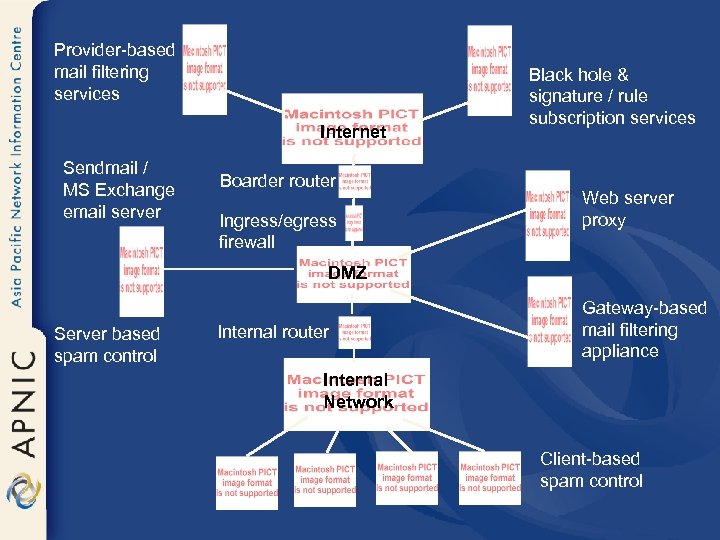
Provider-based mail filtering services Internet Sendmail / MS Exchange email server Boarder router Ingress/egress firewall Black hole & signature / rule subscription services Web server proxy DMZ Server based spam control Internal router Gateway-based mail filtering appliance Internal Network Client-based spam control
Mailbox filtering in email programs • Use mail folders – Spam can go into the trash folder • Create filters which tell the email program to sort incoming messages into the folders – Most email programs include filters
Identifying spam for filtering • Drug names or body parts mentioned on the subject line – Ex: Viagra, enhancement etc • Classic spam subject lines – Phrases like cartridge prices, mass mailer, get out of debts etc • Domain names of known spammers – Select and trash all messages where the From address ends in that domain name
Identifying spam for filtering • Bogus username – Spammers sometimes send messages with the From address friend@somedomain. com • Messages identified as spam by another spam filter – ISPs or mail provider may use spamfiltering software and may be tagged as “Suspected spam”
Spammer’s tricks to evade filters • Capitalisation – eg: filter may look for spammersrus. com but spammers can use Spammers. Rus. com • No text – Many spam messages contain only graphical image of text • Wrods Speled w. r. o. n. g • Hidden bogus codes – Ex: instead of make money it says ma<m>ke mon<n>ey – Filter can get confused with the HTML tags
Server-side spam filtering • If you run a mail server, recommend running spam filtering software for users • Server filters can do a better job than user filters – Server has access to the entire stream of incoming mail • Spam and virus filtering can be done at the same time
Server-side spam filtering • Users don’t have to download the spam – Filters can reject mail or divert to separate mail box in the server • Users don’t need to install their own filtering software • No need to try to support different random filtering programs that users download from the web
Server filtering techniques • IP address filtering – Most filters let you set IP address ranges to blacklist or whitelist directly – Using shared blacklists and whitelists distributed via DNS is common • Bulk counting – These filters look at incoming mail to try to recognise when many similar messages are arriving
Server filtering techniques • Timing techniques and greylists – Filters can often detect spam by looking at peculiarities of the rate at which it arrives • Body filters – These filters look at the contents of spam – As the server filter can see all incoming mail, Bayesian and other adaptive techniques can use a larger sample base
DNS blacklists and whitelists • Reject mail based on its sending IP address – For a message coming from an IP that’s known to send no spam the mail system can bypass the rest of the filters • Standard way to distribute shared lists of IP addresses is DNSBL (DNS-based list) – Originally Realtime Blackhole List (RBL) – DNSBL work by making up a domain name for every possible IP address
Popular DNSBLs • Spamhaus Block List (SBL) – www. spamhaus. org/sbl – Most widely used DNSBL – Lists verified high volume spam sources • Composite Blocking List (CBL) – http: //cbl. abuseat. org – An automatically maintained list of sources of verified spam – This list blocks lots of spam sent through open proxies and other hijacked machines
Popular DNSBLs • Relay Stop List (RSL) – http: //relays. visi. com – An automatically maintained list of verified, insecure open relays with history of sending spam • Open Relay Data. Base(ORDB) – http: //www. ordb. org • Not Just Another Bogus List (NJABL) – http: //njabl. org – Combination list of open relays, proxies, dial-ups and spam sources
Popular DNSBLs • Easynet lists – http: //abuse. easynet. nl – DNSBL of spam sources, insecure open proxies, and dialup and similar dynamically assigned addresses that shouldn’t be sending mail directly • Spam. Cop Blocking List – http: //spamcop. net/bl. shtml – A list of spam sources driven by user reports • MAPS RBL PLUS – http: //www. mail-abuse. org – Descendant of the original RBL – Includes RBL (spam sources), DUL(dial-up and dynamic address ranges), RSS(open relays) and OPL(open proxies)
Bulk counting • One of the most effective approaches • Each time a message arrives, the filter makes a hash (compressed) code representing the contents of the message • Looks in the database to see how many other messages arrived recently with the same hash code • If it’s several, the message is probably a spam
Bulk counting • Spammers tend to change their messages to avoid bulk counting filters • Effective bulk counting filters should have “fuzzy” hash codes – Designed to disregard minor differences between one copy of the message and another • Any bulk counting system needs to be configured to whitelists
Bulk counting • Bulk counting doesn’t need to be restricted to a single mail server – Can exchange hash code information among many servers • Distributed Checksum Clearinghouse – www. dcc-servers. net – Networks that handle small amounts of mail (fewer than about 50 K messages a day) can use public DCC servers – Larger mail users should arrange to run their own DCC server
Timing and greylists • Most spam is sent by spamware • As there are no error checkings, viruses and worms can get away • These spamware and viruses can be detected by looking for timing peculiarities caused by the lack of error checking
Timing and greylists • During mail exchange, the sequence of commands & status messages are predictable for successful message delivery – Spamware sends all the commands without waiting for replies • Server can check to see whether the sending computer is getting ahead of the replies – Conclude that the mail is coming from spamware or a virus than a real mail client
Timing and greylists • A mail server can be short of disk space or other problem that temporarily keep it from receiving mail – It returns temporary error status codes • Real mail programs retry the message • But spamware and viruses don’t bother
Timing and greylists • With greylisting when a server sees an incoming message from an unknown server: – The server returns a temporary rejection message and keep track of the IP addresses • If the sender retries the same message reasonably soon (by the same IP) – Server accepts the future mail from that IP without delays – If not continue to send temporary rejections to mail from that IP
Timing and greylists • This process might create delays – Rejects nearly all mail sent by spamware • Both these timing and greylists have to be implemented in mail server software – Only the server knows the timing of incoming mail
Combination filtering • Sequentially filtering – Apply multiple tests sequentially – Do the IP tests first as the remote host connects • Then the bulk tests • And the body tests – If any of the tests identify a message as spam, the filter stops and doesn’t do any more testing on that message
Combination filtering • Scoring filters – Run all their tests, assign a weight to each test and add the weights of the tests that the message passed – If the score is above a threshold level, the message is considered to be spam • Sequential filters can be much faster because they often don’t need to run the full set of tests – But harder to tune than scoring filters
Filtering on UNIX/LINUX servers • Most of the email software and filtering add-ons for UNIX are open source or freeware • Most widely used UNIX mail server is sendmail – Provisions to plug in many mail filters with direct support for DNSBLs and a milter (mail filter) • Other popular mail servers (Exim, postfix, qmail etc) also supports DNSBLs
Filtering on UNIX/LINUX servers • UNIX/Linux mail servers also use procmail filtering package – Procmail has its own pattern matching language (ex: write filters such as spambouncer) • Most popular UNIX/Linux filter is Spam. Assassin – www. spamassassin. org – Can use DNSBLs, DCC and Razor along with fixed, heuristic, and Bayesian filters
Anti-spam programs • Most of the email programs may not have truly effective spam filters • Install extra spam-filtering software & signing up for spam filtering service – These programs act as proxy servers – Extra step but lots of spam can disappear along the way
Anti-spam services • Services that filter the mail inside your existing mailbox • Services that provide a new address – Filter mail sent to this address – Forward the result to the real address • Services that let you create multiple addresses – Can handout to potentially untrustworthy correspondents – Discard the addresses that get too much spam
Anti-spam appliances • Spam filtering is a complex and CPUintensive application • Better to dedicate a separate server • Many vendors offer anti-spam devices – Already configured with anti-spam software that logically sits between the Internet and the existing mail server
Anti-spam appliances • Network mail configuration is adjusted – Incoming mail goes to the appliance which examines the mails – Then re-emails the filtered mail to the existing mail server • Many vendors sell appliances containing versions of Spam. Assassin, amavisd, DCC, Linux, or other freeware Unix and other freeware Anti -spam software
Checklist for server spam filters • Regular updates to handle improvements in spam recognition & latest spammer tricks • Multiple filtering techniques – IP based, fixed body filters, adaptive (Bayesian) body filters, bulk counting and greylists • System-wide and per-user configuration to deal with individual preferences, false positives and new spam variants

Handling spam
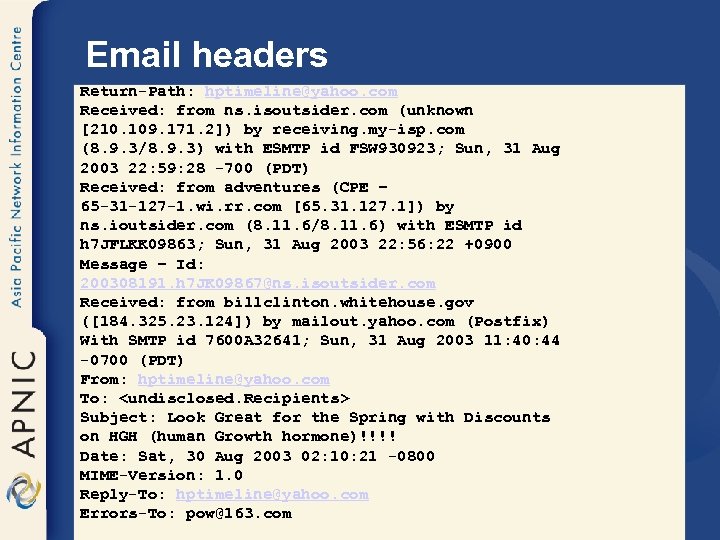
Email headers Return-Path: hptimeline@yahoo. com Received: from ns. isoutsider. com (unknown [210. 109. 171. 2]) by receiving. my-isp. com (8. 9. 3/8. 9. 3) with ESMTP id FSW 930923; Sun, 31 Aug 2003 22: 59: 28 -700 (PDT) Received: from adventures (CPE – 65 -31 -127 -1. wi. rr. com [65. 31. 127. 1]) by ns. ioutsider. com (8. 11. 6/8. 11. 6) with ESMTP id h 7 JFLKK 09863; Sun, 31 Aug 2003 22: 56: 22 +0900 Message – Id: 200308191. h 7 JK 09867@ns. isoutsider. com Received: from billclinton. whitehouse. gov ([184. 325. 23. 124]) by mailout. yahoo. com (Postfix) With SMTP id 7600 A 32641; Sun, 31 Aug 2003 11: 40: 44 -0700 (PDT) From: hptimeline@yahoo. com To: <undisclosed. Recipients> Subject: Look Great for the Spring with Discounts on HGH (human Growth hormone)!!!! Date: Sat, 30 Aug 2003 02: 10: 21 -0800 MIME-Version: 1. 0 Reply-To: hptimeline@yahoo. com Errors-To: pow@163. com
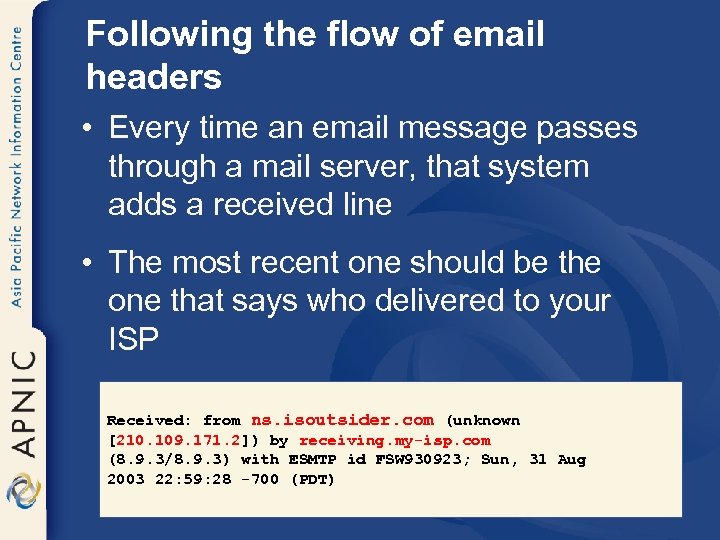
Following the flow of email headers • Every time an email message passes through a mail server, that system adds a received line • The most recent one should be the one that says who delivered to your ISP Received: from ns. isoutsider. com (unknown [210. 109. 171. 2]) by receiving. my-isp. com (8. 9. 3/8. 9. 3) with ESMTP id FSW 930923; Sun, 31 Aug 2003 22: 59: 28 -700 (PDT)
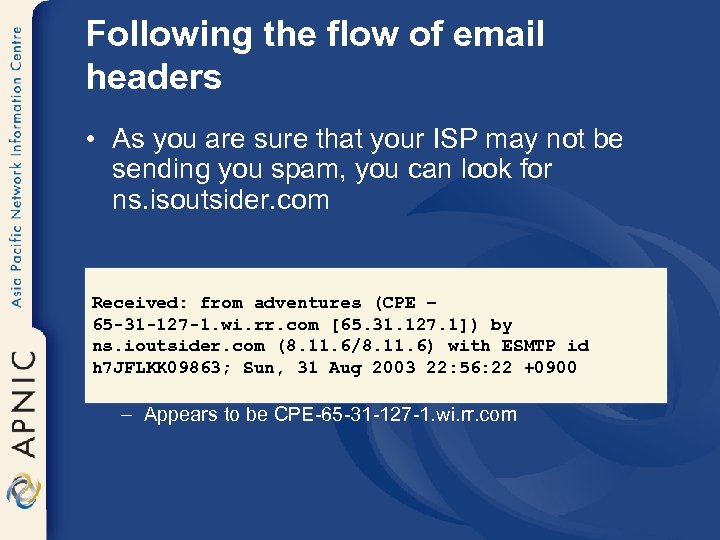
Following the flow of email headers • As you are sure that your ISP may not be sending you spam, you can look for ns. isoutsider. com Received: from adventures (CPE – 65 -31 -127 -1. wi. rr. com [65. 31. 127. 1]) by ns. ioutsider. com (8. 11. 6/8. 11. 6) with ESMTP id h 7 JFLKK 09863; Sun, 31 Aug 2003 22: 56: 22 +0900 • adventures is the suspect – Appears to be CPE-65 -31 -127 -1. wi. rr. com
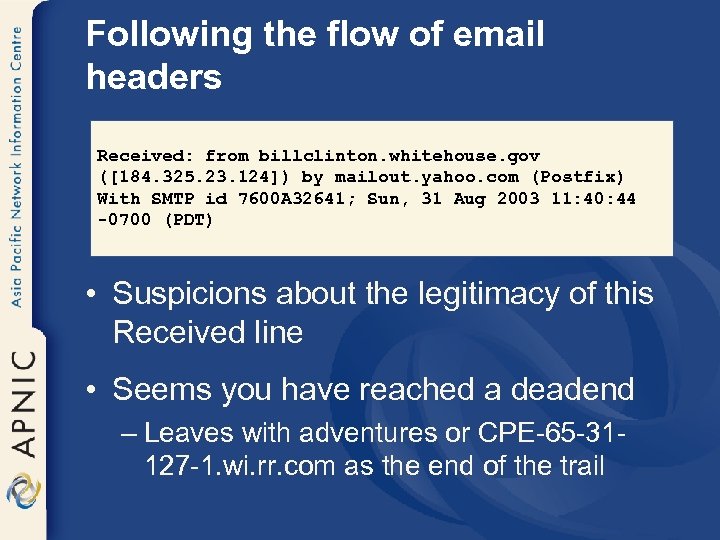
Following the flow of email headers Received: from billclinton. whitehouse. gov ([184. 325. 23. 124]) by mailout. yahoo. com (Postfix) With SMTP id 7600 A 32641; Sun, 31 Aug 2003 11: 40: 44 -0700 (PDT) • Suspicions about the legitimacy of this Received line • Seems you have reached a deadend – Leaves with adventures or CPE-65 -31127 -1. wi. rr. com as the end of the trail
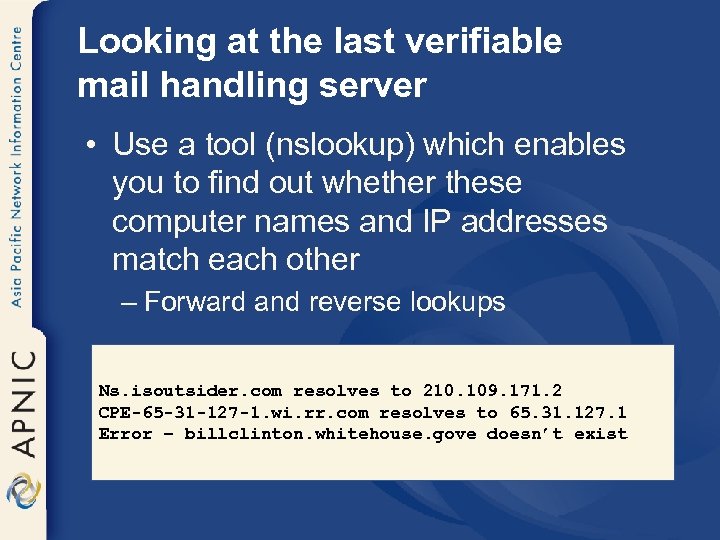
Looking at the last verifiable mail handling server • Use a tool (nslookup) which enables you to find out whether these computer names and IP addresses match each other – Forward and reverse lookups Ns. isoutsider. com resolves to 210. 109. 171. 2 CPE-65 -31 -127 -1. wi. rr. com resolves to 65. 31. 127. 1 Error – billclinton. whitehouse. gove doesn’t exist
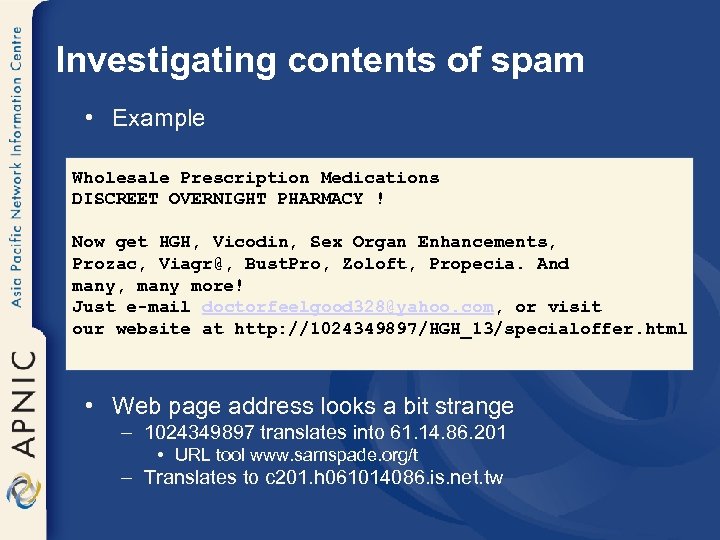
Investigating contents of spam • Example Wholesale Prescription Medications DISCREET OVERNIGHT PHARMACY ! Now get HGH, Vicodin, Sex Organ Enhancements, Prozac, Viagr@, Bust. Pro, Zoloft, Propecia. And many, many more! Just e-mail doctorfeelgood 328@yahoo. com, or visit our website at http: //1024349897/HGH_13/specialoffer. html • Web page address looks a bit strange – 1024349897 translates into 61. 14. 86. 201 • URL tool www. samspade. org/t – Translates to c 201. h 061014086. is. net. tw
Address the complaints • Most of the ISPs have their terms of service on their websites – Prohibits any form of spam-related activity – Provide an address for filing the complaints – Most commonly abuse@followed by the domain name • Use default complaint addresses abuse@ or postmaster@ at the domain in question
Address the complaints • Sign-up for Abuse. net service – Ask it to forward your mail to the appropriate place or get more information – Point the browser at www. abuse. net/lookup. phtml and look for the domain
Important tools: Do it yourself • APNIC Whois DB • Geektools • Abuse. net forwarding service – Just address your complain to Domainname@abuse. net – Or www. abuse. net/lookup. phtml • Send the complaints to – abuse@ioutsider. com – abuse@rr. com – abuse@yahoo. com etc
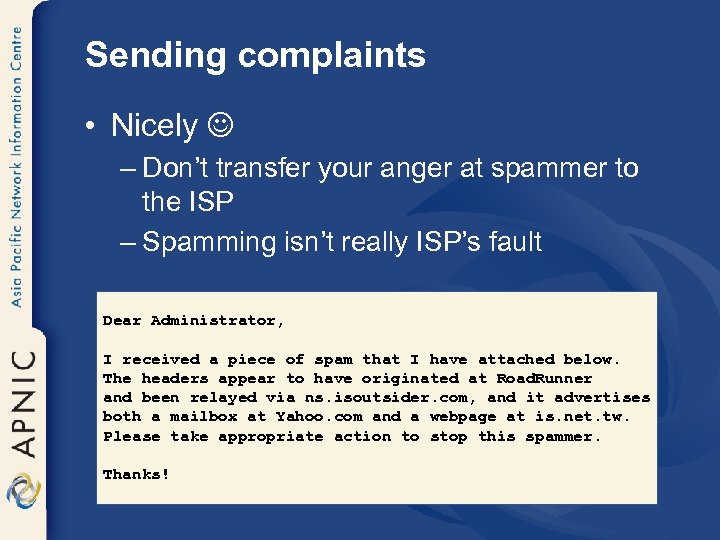
Sending complaints • Nicely – Don’t transfer your anger at spammer to the ISP – Spamming isn’t really ISP’s fault Dear Administrator, I received a piece of spam that I have attached below. The headers appear to have originated at Road. Runner and been relayed via ns. isoutsider. com, and it advertises both a mailbox at Yahoo. com and a webpage at is. net. tw. Please take appropriate action to stop this spammer. Thanks!
Sending complaints • Make sure you attach a complete copy of the spam – Including all headers – Turn off any HTML or RTF formatting • Bold, colored stuff, embedded pictures etc – Send the message in plain text • Some ISPs send acknowledgements but some do not – Most departments handling abuse are overworked and understaffed – Let them kill a few more spammers instead of responding to you
Sending complaints • Sometimes the complaints can bounce back as undeliverable • Try some whois inquiries whether you can find more addresses where you can send the complaints • Many don’t clear the mess caused by spammers – Spammers know that and they relay their spam off site to these countries
Sending complaints • There is a possibility that even if you complain to the ISP, complaints are bouncing back and the spam is still flowing – Some times the ISPs doesn’t care much about the problems caused by spammers • However the upstream ISPs may be able to help you
Sending complaints • Use traceroute to find out where the spammer is getting the internet connection • Using traceroute – Command line – www. geektools. com – www. tracert. com/cgi-bin/trace. pl
Sending complaints • Sometimes the results of traceroute can go cold after a private IP address • So find the upstreams using whois • Don’t complain to IANA • If everything fails: – send documentation of your efforts to your ISP and ask it to block the spamming sites at their routers • If ISP is not responsive, it’s time to look for an ISP who offers better services
Fighting spam with spam • Not a good idea • One of the common tricks of the spammer is to relay their messages via an innocent third party mail server – So don’t flood the innocent site with your complaints • A common trick is to forge mail headers – Looks like the mail originated elsewhere • So if ISP claims innocence don’t fight back! – They may really be innocent
If blacklisted – What ISPs should do? • Contact the blacklist directly • Need to requests the blacklists to quickly de -list you – Submit a request to retest your "repaired" mail server – Propagation time after you are de-listed (may be ~ a week or so) – Destination mail server administrators pull the updated lists at times they prefer • After that make sure your anti-virus software is updated, well maintained and your network is secured • Don’t send any more spam

APNIC’s involvement
Detecting the abuse • Software to detect network abuse – Mostly designed to search the ARIN Whois database – May refer to APNIC • Many websites with whois lookup functions – has the same limitations • However the IP addresses are registered by four RIRs on a regional basis
Detecting the abuse • If a standard search refers you to APNIC – It means only that the network in question is registered in the Asia Pacific region – Does not mean that APNIC is responsible or that the hacker/spammer is using APNIC network
Investigation of complaints • APNIC is not able to investigate these complaints • Can use the APNIC Whois Database to find out where to take your complaint • APNIC does not regulate the conduct of Internet activity (legally or in practice)
Investigation of complaints • Laws relating to network abuse vary from country to country • Investigation possibilities – Cooperation of the network administrators – law enforcement agencies • Local jurisdiction • jurisdiction where the problem originates
How can APNIC help you? • The APNIC Whois Database – Holds IP address records within the AP region – Can use this database to track down the source of the network abuse – Can find contact details of the relevant network administrators • not the individual users • use administrators log files to contact the individual involved
How can APNIC help you? • Education of network operators in the Asia Pacific community – Address policies and the importance of registration of resources • Community discussions can be raised in the APNIC open policy meetings, mailing lists, etc.
Summary • Background: spam • Problems, prevention & solutions – Consumers/Users, Businesses, ISPs • Spam filtering & anti-spam services • Handling spam • APNIC involvement
Supplementary details • Anti-spam programs – Spamotomy • http: //www. spamotomy. com – About. com’s spam page • http: //www. netforbeginners. about. com/cs/spam – About. com’s email Anti-Spam Tools and Services page • http: //email. about. com/cs/antispamreviews – Web. Attack. com’s Anti-Spam Tools page • www. webattack. com/shareware/comm/swspam. html – Web. Attack Internet Tool’s Anti-Spam Tools • www. webattack. com/freeware/comm/fwspam. html
Supplementary details • Spam filtering services – Cloudmark Spam. Net (www. cloudmark. com) • Add-in for Outlook and Outlook Express that filters spam by using a shared database of spam “fingerprints” – Despammed. com • Provides filtered email forwarded to your exising account or webmail – Spamcop (www. spamcop. net) • Mostly a spam-reporting service and also offers filtered email addresses
References / Acknowledgements • Coalition Against Unsolicited Commercial Email (CAUCE) – http: //www. cauce. org/ • Federal Trade Commission – http: //www. ftc. gov/index. html • Spam: http: //www. ftc. gov/spam/ • Privacy rights clearinghouse – http: //www. privacyrights. org/fs/fs 20 -spam. htm • Fighting spam on the internet – http: //spam. abuse. net/ • The Spamhaus project – http: //www. spamhaus. org/ • FAQs: http: //dedicated. pacbell. net/faq/FAQs_index. html
References / Acknowledgements • Latest on security issues in Australia – http: //www. security. iia. net. au • Australian alerts and incidents – http: //www. auscert. org. au • Protecting against spam – http: //www. dcita. gov. au/spam • Australian Communications Authority – http: //www. aca. gov. au • Postini resource centre – http: //www. postini. com
References / Acknowledgements • Competitive Enterprise Institute – “Spam That Ill O’ The ISP: A Reality Check for Legislators” by Hanah Metchis and Solveig Singleton • SPF – Sender Policy Framework – http: //spf. pobox. com/ • Wiley Publishing Inc. – Fighting Spam for Dummies by John R. Levine, Margaret Levine Young & Ray Everett-Church • SAMS Publishing – Canning Spam by Jeremy Poteet • APNIC FAQ on spam & hacking help – http: //www. apnic. net/info/faq/abuse/index. html
Скачать презентацию Welcome APNIC Tutorial Best Current Practices on spam
d59d2255fa39aea66c2e8715507090f3.ppt