


 Скачать презентацию Week 7 Chapter 7 Agenda Maintenance Plan
eddffc2968acfdd08096c828928d01f4.ppt
- Количество слайдов: 21
 Week 7 : Chapter 7 Agenda Maintenance Plan: • Why do maintenance? • Overview • Maintenance Plan wizard • DBCC maintenance commands
 Why do Maintenance? • Routinely want to make a backup copy of database in case of hardware problems or data corruption • Data in a database becomes fragmented over time as data is added, modified and deleted • Should verify integrity of data occasionally • Normally want to perform these tasks when you choose – not as the result of a crisis (just like car maintenance; don’t want to be stuck on the side of a highway with no oil in engine)!
 Maintenance Overview • Day-to-day operation • Very important responsibility of a DBA • If you do maintenance nobody notices but if you don’t do it everyone knows • 2 types of maintenance: - to keep database running most important - to improve performance • Database maintenance can be fully automated – there is a wizard for almost every task
 Database Maintenance Wizard § Primary tool for database maintenance § Graphical tool § Can create a scheduled maintenance plan for each database that performs: • Backups (most important!) • Optimization • Integrity Check • Reporting
 Maintenance Planning • Normally use wizard to create a maintenance plan for each database • Best to have one plan per database but can choose more than 1 database per plan • Plans are scheduled separately as required by application • Very important to create a separate maintenance plan for critical system databases: master, msdb
 Maintenance Plan • A Maintenance Plan consists of a group of jobs and schedules called a plan • A plan can be edited after you create it • Very simple tool to use - no excuse not to use it • Within a job you can perform: • Backups • Optimization • Integrity Check • Reporting
 Database Backups § Most important part of maintenance plan: permits recovery of data from backup copy § Backs up database files or logs to a tape or hard drive § Hard drive location can be broken into several directories for each database § Can automatically delete older backups after a certain time § Wizard records all activities and sends notification § Report can be sent to disk, a central server, a history table or to an operator
 Optimization • Improves database performance • Database gets fragmented when data is inserted and deleted (same as files on a hard drive, see last slides for illustration) • Optimization causes the following to be performed that can improve database performance: • Examine and minimize fragmentation of data • Update database statistics • Remove excess free space from database
 Data Fragmentation • Database get fragmented when data is inserted or deleted • You can select how much free space for new data will be left when defragmenting is done • If database is primarily for data entry (OLTP) then it is best to leave significant free space at the end of each page so that related data stays together • If database is composed of data that is read more often than being written (OLAP) such as a report server then leave lower percentage of page space free.
 Update database statistics § Statistics are samples of data used to assist SQL Server search engine in locating data § As data is added and deleted these statistics become outdated § Can keep statistics updated 2 ways: • Use wizard to schedule update of statistics periodically (this may slow performance if statistics are out of date because data would not be retrieved efficiently) • Set database option that automatically updates statistics (this slows performance because statistics are continually updated)
 Remove excess free space • This setting in the wizard permits shrinking the database at a specific recurring time. • Automatic shrink of database can be set as an option
 Database Integrity Check • SQL Server is a very stable RDBMS • However should check integrity of a database periodically • Integrity checks validity of defined database constraints (NN, PK, FK, CK, UN) • Integrity check can correct minor errors automatically • May have to restore data from backup if major integrity error is found (very rare!)
 T-SQL Maintenance Commands • T-SQL maintenance commands are the Database Consistency Check commands (DBCC) • Command line utility • Maintenance wizard actually uses these commands • Perform maintenance on Database Index and file groups • Commands include: • DBCC CHECKDB • DBCC CHECKTABLE • DBCC DBREINDEX
 DBCC CHECKDB Command • CHECKDB command examines an entire database for corruption (checks all tables and indexes in database) • Command can be run in diagnostic mode • To correct any problem it has to be run in single user mode • Can use REPAIR_FAST or REPAIR_ALLOW_DATA_LOSS switch
 CHECKDB Switches REPAIR_FAST Switch: • Least amount of damage to database • Quickly fixes any inconsistency • Don’t lose any data REPAIR_ALLOW_DATA_LOSS Switch: • Most harmful switch but could save overall database • You can use this command on a database that you plan to recover from tape backup
 DBCC CHECKTABLE Command • Checks for database corruption against a table. • You can use this command while people are using the table except while performing repair
 DBCC DBREINDEX Command § Command updates the indexes on a server § Indexes are used for faster data access § Indexes are stored like data pages and become fragmented over time § DBCC DBREINDEX command defragments indexes § Time required depends on: • Number of indexes • Size of indexes • Load on server when running command
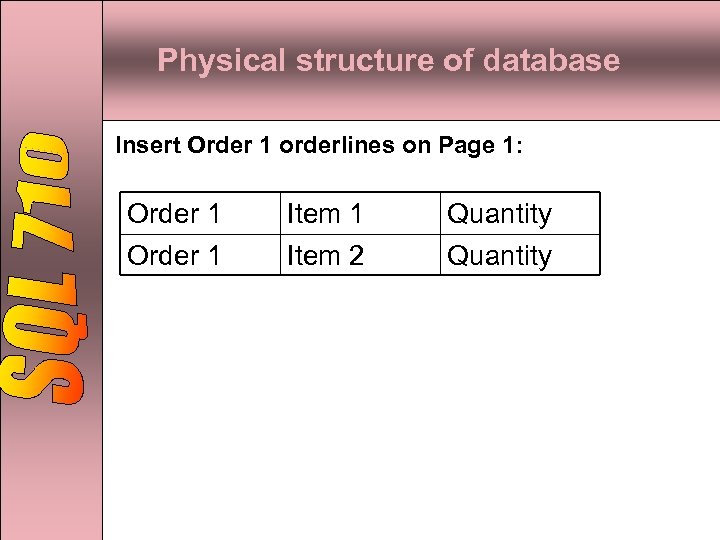 Physical structure of database Insert Order 1 orderlines on Page 1: Order 1 Item 2 Quantity
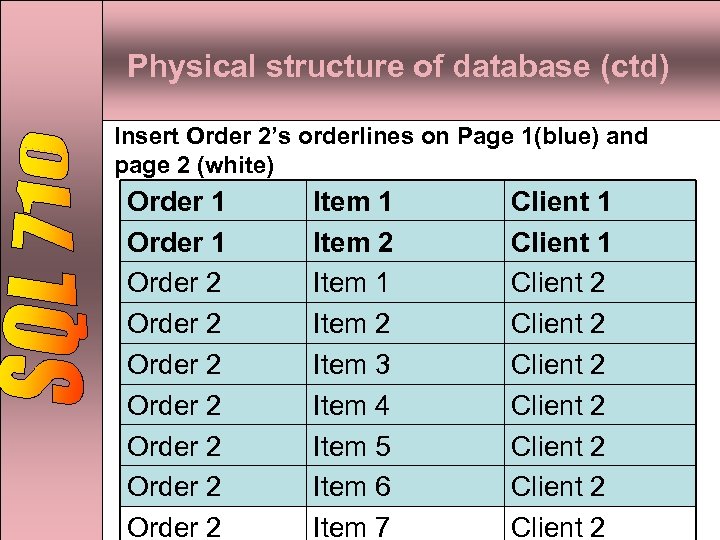 Physical structure of database (ctd) Insert Order 2’s orderlines on Page 1(blue) and page 2 (white) Order 1 Order 2 Order 2 Item 1 Item 2 Item 3 Item 4 Item 5 Item 6 Item 7 Client 1 Client 2 Client 2
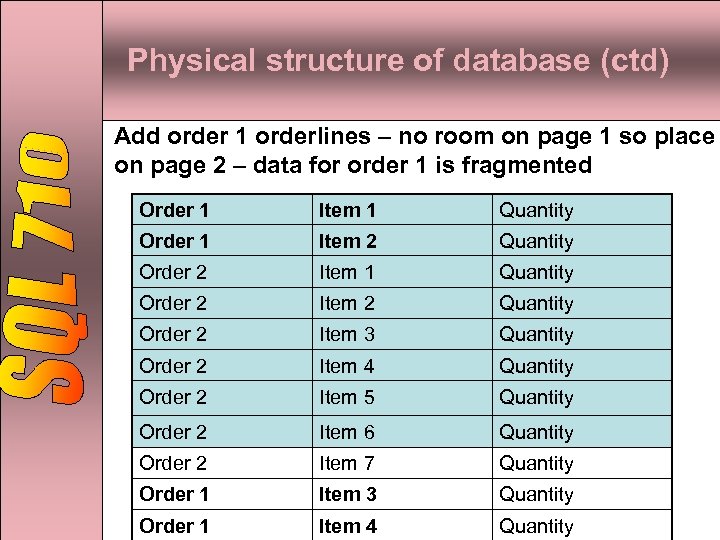 Physical structure of database (ctd) Add order 1 orderlines – no room on page 1 so place on page 2 – data for order 1 is fragmented Order 1 Item 1 Quantity Order 1 Item 2 Quantity Order 2 Item 1 Quantity Order 2 Item 2 Quantity Order 2 Item 3 Quantity Order 2 Item 4 Quantity Order 2 Item 5 Quantity Order 2 Item 6 Quantity Order 2 Item 7 Quantity Order 1 Item 3 Quantity Order 1 Item 4 Quantity
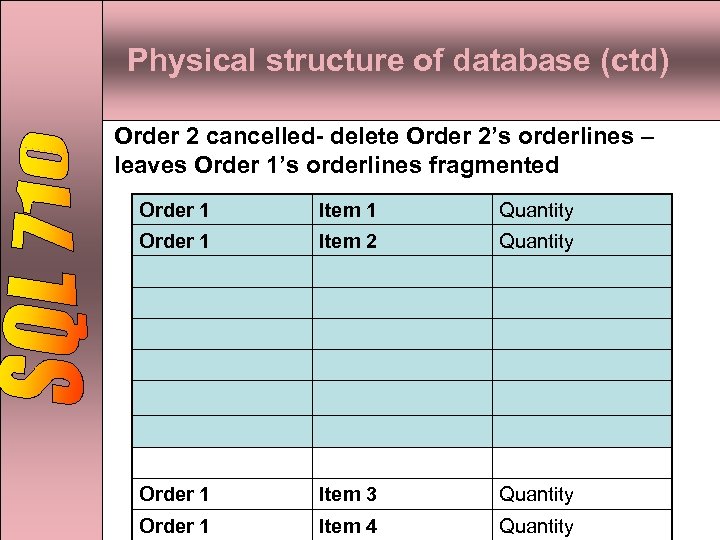 Physical structure of database (ctd) Order 2 cancelled- delete Order 2’s orderlines – leaves Order 1’s orderlines fragmented Order 1 Item 1 Quantity Order 1 Item 2 Quantity Order 1 Item 3 Quantity Order 1 Item 4 Quantity