 Скачать презентацию Web Snapware 2009 Product presentation Technology Doc
1f803830a7413afebc903e91c82268c3.ppt
- Количество слайдов: 37




Web. Snapware 2009 Product presentation

Technology Doc. No. : ASE/APP/PLM/ 0164 / EN
Technology Two implementation options exist: l. As an applet integrated into a web portal Application is started by clicking on a link in a web site Team bar location on the screen is flexible l. As a JAVA web start application Team bar location on the screen is flexible Visibility of the team bar is controlled by the application, e. g. event-driven in back- or foreground An installation on the client is not required l. Prerequisite: JAVA Runtime Engine is installed Doc. No. : ASE/APP/PLM/ 0164 / EN
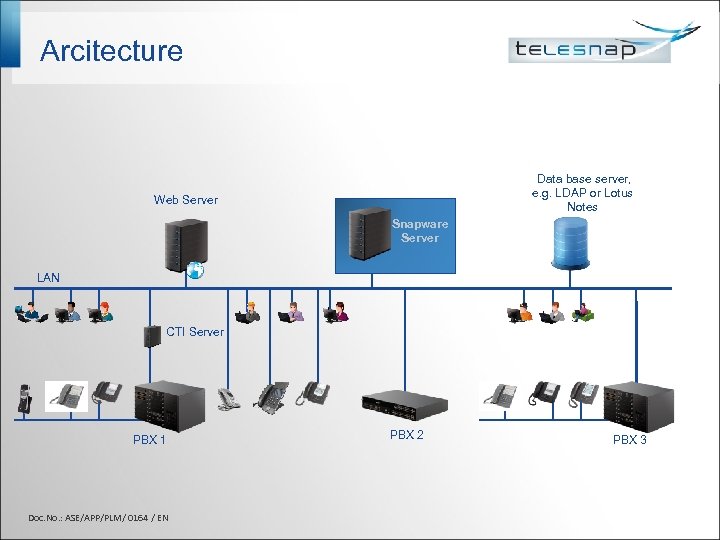
Arcitecture Data base server, e. g. LDAP or Lotus Notes Web Server Snapware Server LAN CTI Server PBX 1 Doc. No. : ASE/APP/PLM/ 0164 / EN PBX 2 PBX 3

Overview Doc. No. : ASE/APP/PLM/ 0164 / EN
Overview l Team bar l Attention feature l Chat l Incoming call l Call journal l Directory l Automated dialing for outgoing call l Call scheduling and call reminders l Calendar integration l Web. Snapware with Telesnap ACD Doc. No. : ASE/APP/PLM/ 0164 / EN

Team bar Team functions Doc. No. : ASE/APP/PLM/ 0164 / EN
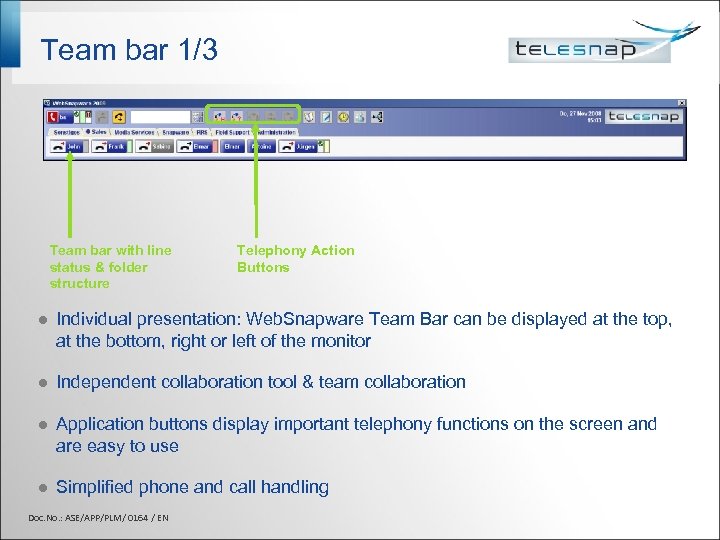
Team bar 1/3 Team bar with line status & folder structure Telephony Action Buttons l Individual presentation: Web. Snapware Team Bar can be displayed at the top, at the bottom, right or left of the monitor l Independent collaboration tool & team collaboration l Application buttons display important telephony functions on the screen and are easy to use l Simplified phone and call handling Doc. No. : ASE/APP/PLM/ 0164 / EN
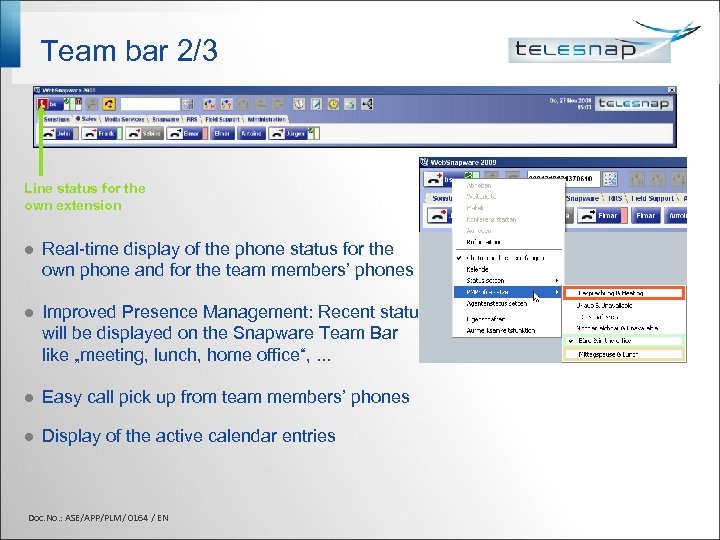
Team bar 2/3 Line status for the own extension l Real-time display of the phone status for the own phone and for the team members’ phones l Improved Presence Management: Recent status will be displayed on the Snapware Team Bar like „meeting, lunch, home office“, . . . l Easy call pick up from team members’ phones l Display of the active calendar entries Doc. No. : ASE/APP/PLM/ 0164 / EN
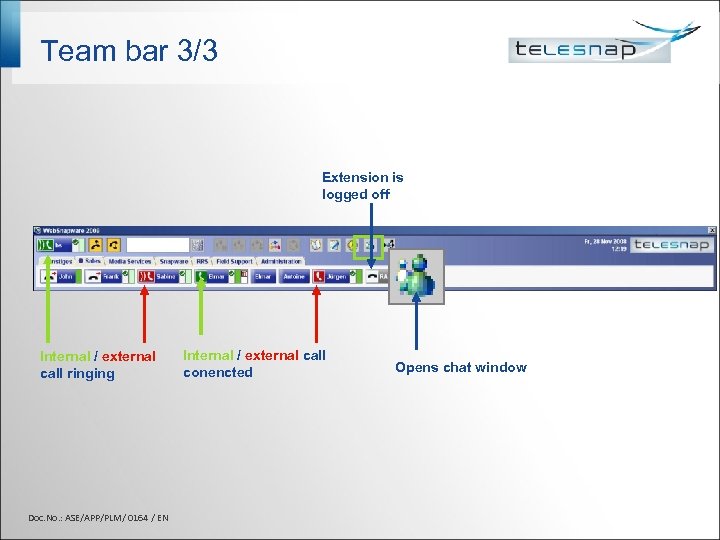
Team bar 3/3 Extension is logged off Internal / external call ringing Doc. No. : ASE/APP/PLM/ 0164 / EN Internal / external call conencted Opens chat window

Team functions Doc. No. : ASE/APP/PLM/ 0164 / EN
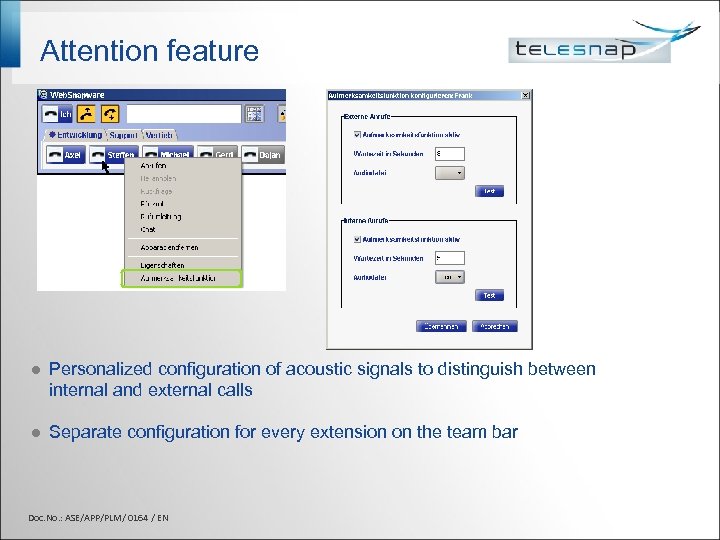
Attention feature l Personalized configuration of acoustic signals to distinguish between internal and external calls l Separate configuration for every extension on the team bar Doc. No. : ASE/APP/PLM/ 0164 / EN
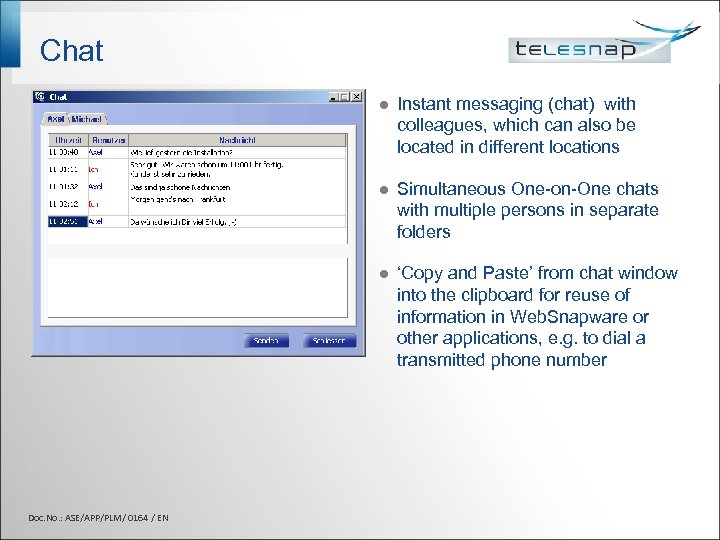
Chat l l Simultaneous One-on-One chats with multiple persons in separate folders l Doc. No. : ASE/APP/PLM/ 0164 / EN Instant messaging (chat) with colleagues, which can also be located in different locations ‘Copy and Paste’ from chat window into the clipboard for reuse of information in Web. Snapware or other applications, e. g. to dial a transmitted phone number

Presence Manageme Control your reachability Doc. No. : ASE/APP/PLM/ 0164 / EN
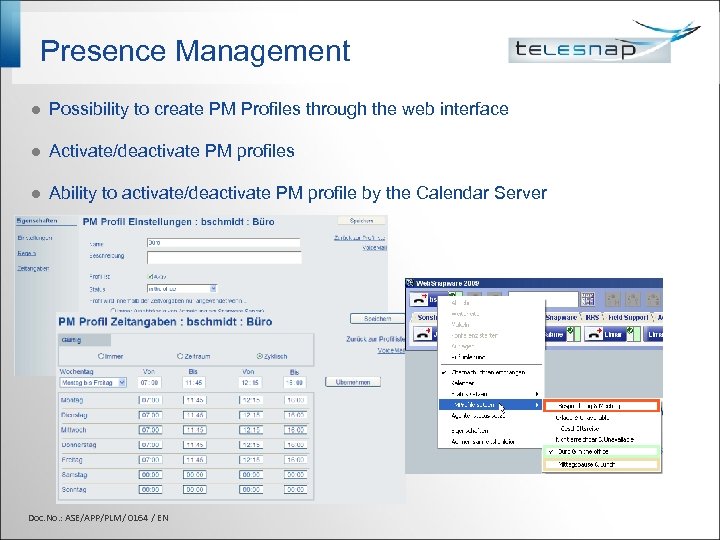
Presence Management l Possibility to create PM Profiles through the web interface l Activate/deactivate PM profiles l Ability to activate/deactivate PM profile by the Calendar Server Doc. No. : ASE/APP/PLM/ 0164 / EN
Telephony functions Control your phone Doc. No. : ASE/APP/PLM/ 0164 / EN
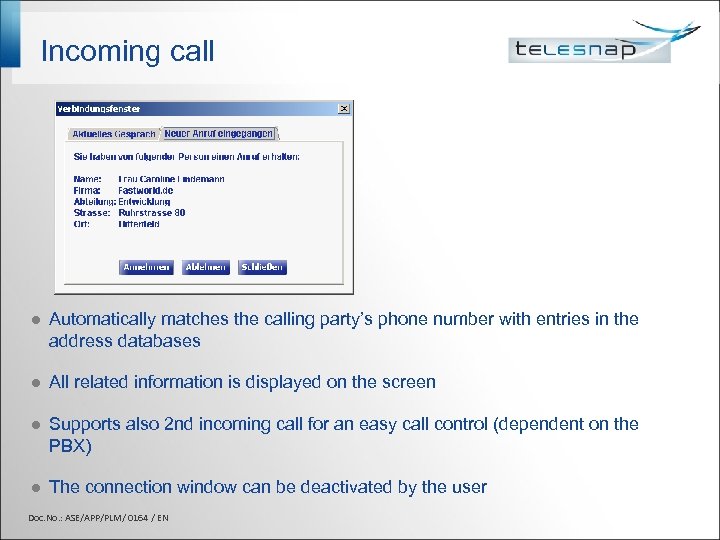
Incoming call l Automatically matches the calling party’s phone number with entries in the address databases l All related information is displayed on the screen l Supports also 2 nd incoming call for an easy call control (dependent on the PBX) l The connection window can be deactivated by the user Doc. No. : ASE/APP/PLM/ 0164 / EN
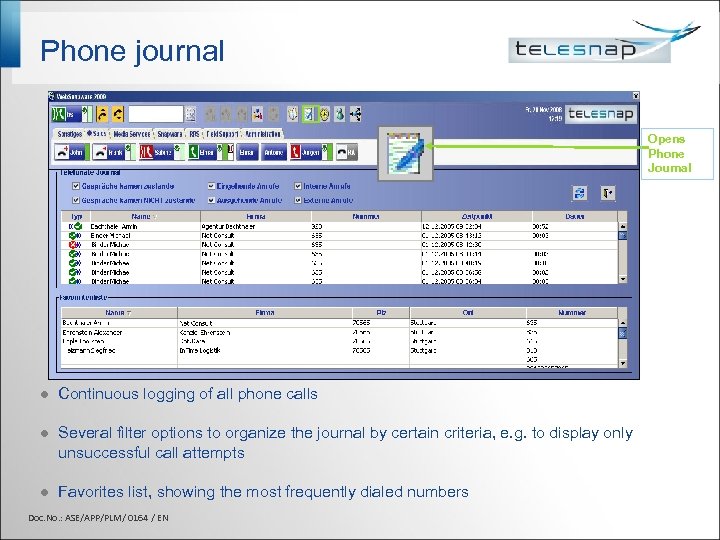
Phone journal Opens Phone Journal l Continuous logging of all phone calls l Several filter options to organize the journal by certain criteria, e. g. to display only unsuccessful call attempts l Favorites list, showing the most frequently dialed numbers Doc. No. : ASE/APP/PLM/ 0164 / EN
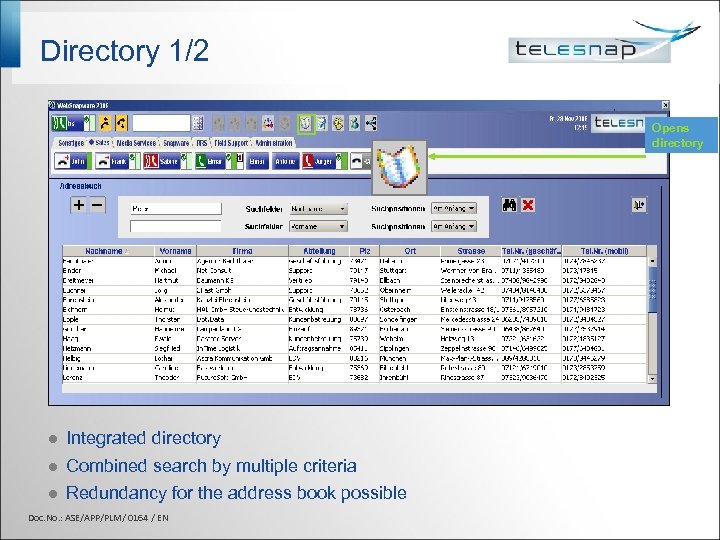
Directory 1/2 Opens directory l Integrated directory l Combined search by multiple criteria l Redundancy for the address book possible Doc. No. : ASE/APP/PLM/ 0164 / EN
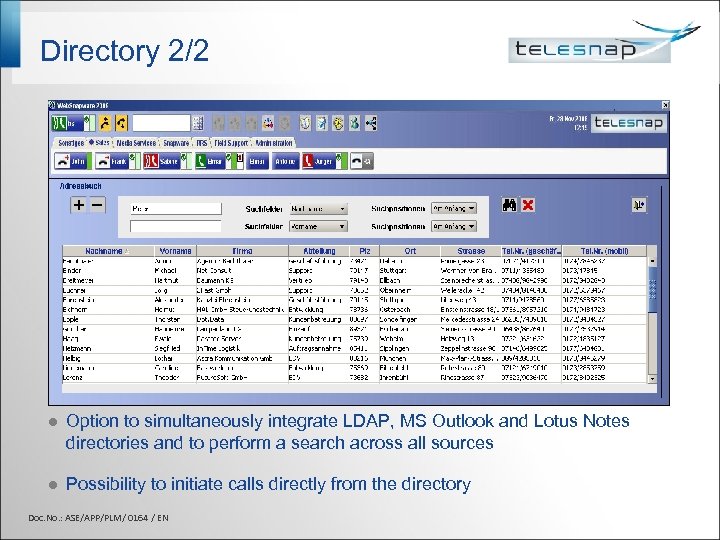
Directory 2/2 l Option to simultaneously integrate LDAP, MS Outlook and Lotus Notes directories and to perform a search across all sources l Possibility to initiate calls directly from the directory Doc. No. : ASE/APP/PLM/ 0164 / EN
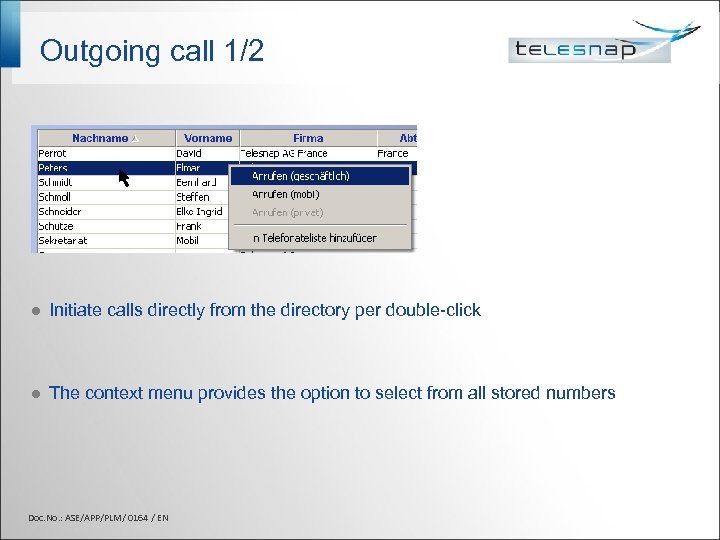
Outgoing call 1/2 l Initiate calls directly from the directory per double-click l The context menu provides the option to select from all stored numbers Doc. No. : ASE/APP/PLM/ 0164 / EN
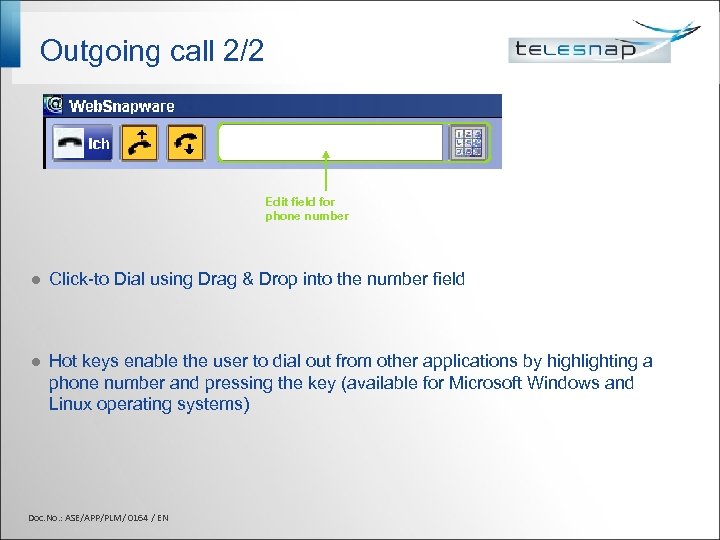
Outgoing call 2/2 Edit field for phone number l Click-to Dial using Drag & Drop into the number field l Hot keys enable the user to dial out from other applications by highlighting a phone number and pressing the key (available for Microsoft Windows and Linux operating systems) Doc. No. : ASE/APP/PLM/ 0164 / EN

Call scheduling Never forget a call Doc. No. : ASE/APP/PLM/ 0164 / EN
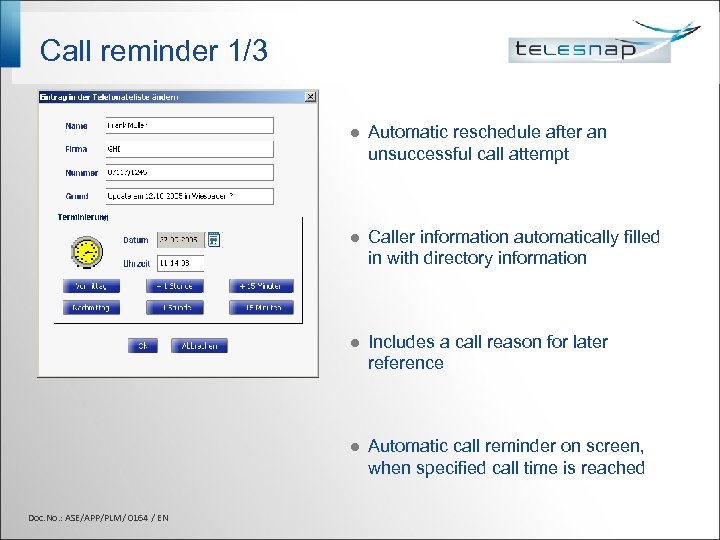
Call reminder 1/3 l l Caller information automatically filled in with directory information l Includes a call reason for later reference l Doc. No. : ASE/APP/PLM/ 0164 / EN Automatic reschedule after an unsuccessful call attempt Automatic call reminder on screen, when specified call time is reached
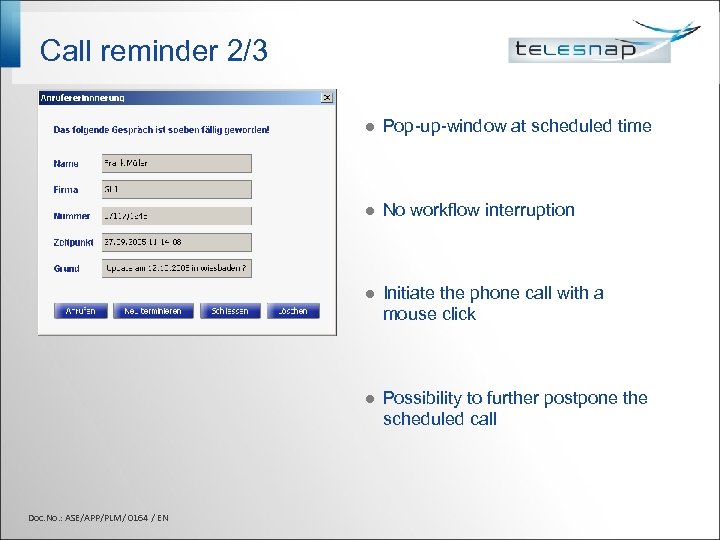
Call reminder 2/3 l l No workflow interruption l Initiate the phone call with a mouse click l Doc. No. : ASE/APP/PLM/ 0164 / EN Pop-up-window at scheduled time Possibility to further postpone the scheduled call
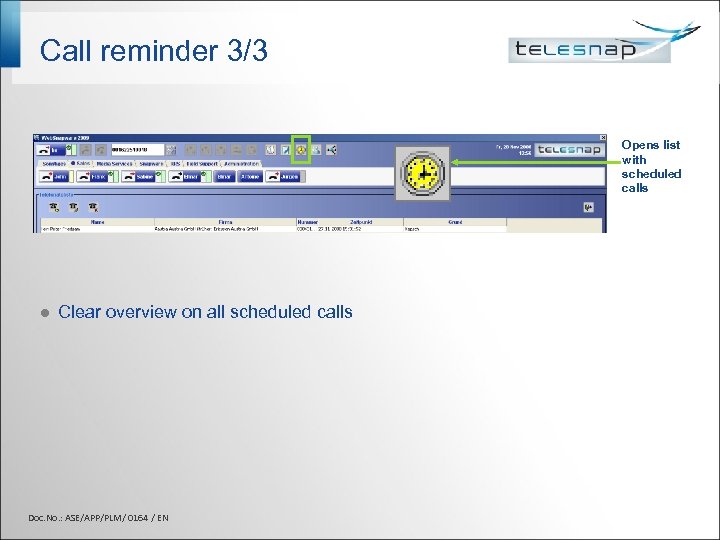
Call reminder 3/3 Opens list with scheduled calls l Clear overview on all scheduled calls Doc. No. : ASE/APP/PLM/ 0164 / EN

ACD control Telesnap ACD and classic ACD solutions Doc. No. : ASE/APP/PLM/ 0164 / EN
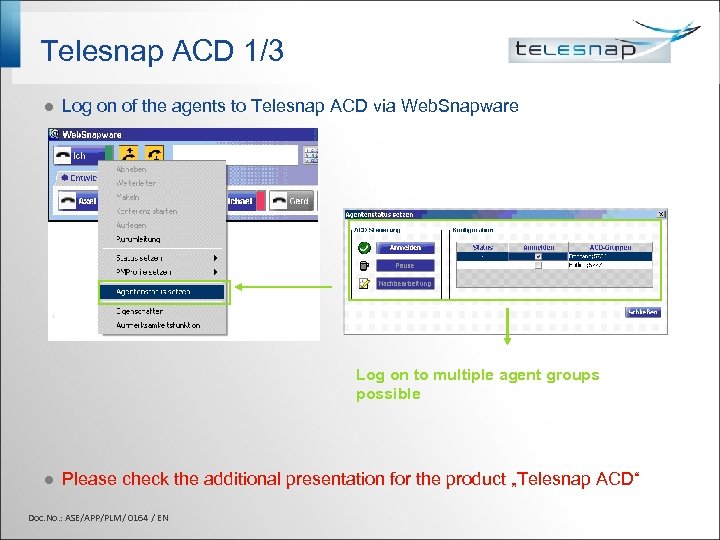
Telesnap ACD 1/3 l Log on of the agents to Telesnap ACD via Web. Snapware Log on to multiple agent groups possible l Please check the additional presentation for the product „Telesnap ACD“ Doc. No. : ASE/APP/PLM/ 0164 / EN
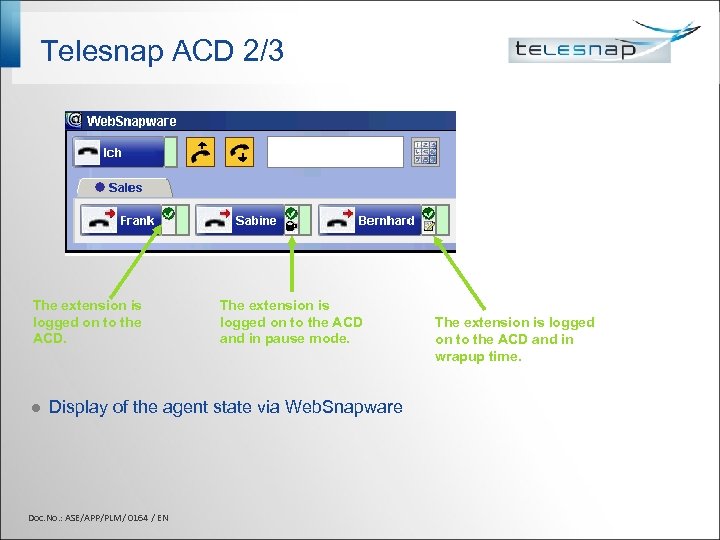
Telesnap ACD 2/3 The extension is logged on to the ACD. l The extension is logged on to the ACD and in pause mode. Display of the agent state via Web. Snapware Doc. No. : ASE/APP/PLM/ 0164 / EN The extension is logged on to the ACD and in wrapup time.
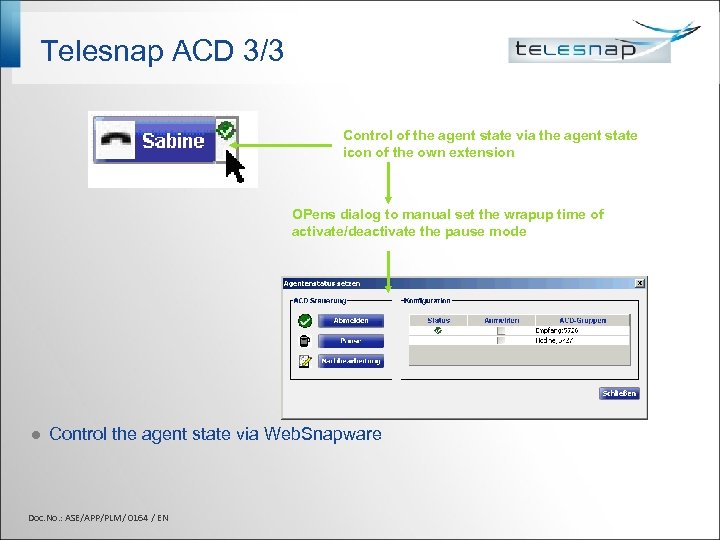
Telesnap ACD 3/3 Control of the agent state via the agent state icon of the own extension OPens dialog to manual set the wrapup time of activate/deactivate the pause mode l Control the agent state via Web. Snapware Doc. No. : ASE/APP/PLM/ 0164 / EN

More information Doc. No. : ASE/APP/PLM/ 0164 / EN
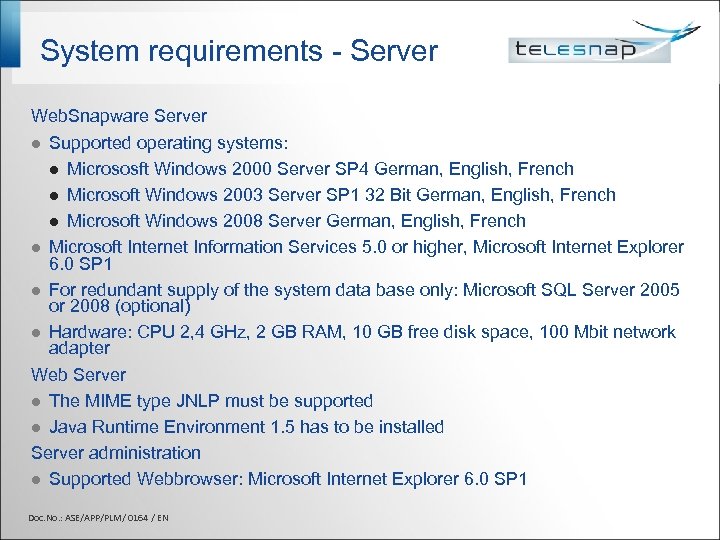
System requirements - Server Web. Snapware Server l Supported operating systems: l Micrososft Windows 2000 Server SP 4 German, English, French l Microsoft Windows 2003 Server SP 1 32 Bit German, English, French l Microsoft Windows 2008 Server German, English, French l Microsoft Internet Information Services 5. 0 or higher, Microsoft Internet Explorer 6. 0 SP 1 l For redundant supply of the system data base only: Microsoft SQL Server 2005 or 2008 (optional) l Hardware: CPU 2, 4 GHz, 2 GB RAM, 10 GB free disk space, 100 Mbit network adapter Web Server l The MIME type JNLP must be supported l Java Runtime Environment 1. 5 has to be installed Server administration l Supported Webbrowser: Microsoft Internet Explorer 6. 0 SP 1 Doc. No. : ASE/APP/PLM/ 0164 / EN
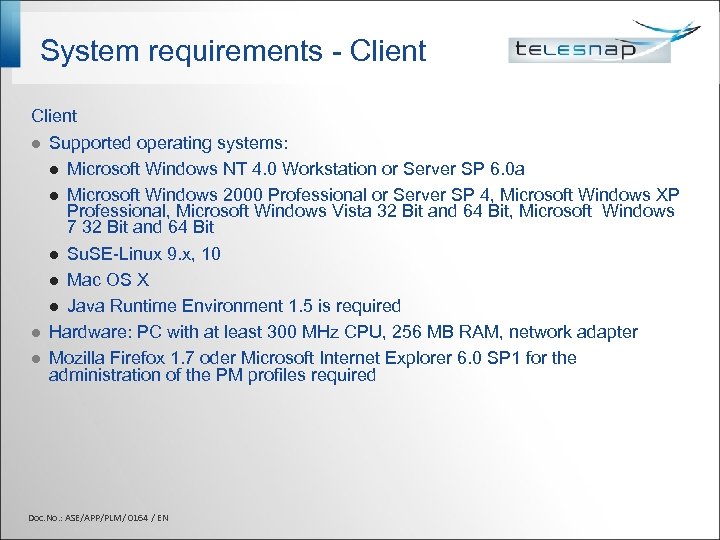
System requirements - Client l Supported operating systems: l Microsoft Windows NT 4. 0 Workstation or Server SP 6. 0 a l Microsoft Windows 2000 Professional or Server SP 4, Microsoft Windows XP Professional, Microsoft Windows Vista 32 Bit and 64 Bit, Microsoft Windows 7 32 Bit and 64 Bit l Su. SE-Linux 9. x, 10 l Mac OS X l Java Runtime Environment 1. 5 is required l Hardware: PC with at least 300 MHz CPU, 256 MB RAM, network adapter l Mozilla Firefox 1. 7 oder Microsoft Internet Explorer 6. 0 SP 1 for the administration of the PM profiles required Doc. No. : ASE/APP/PLM/ 0164 / EN

Calendar integration Doc. No. : ASE/APP/PLM/ 0164 / EN
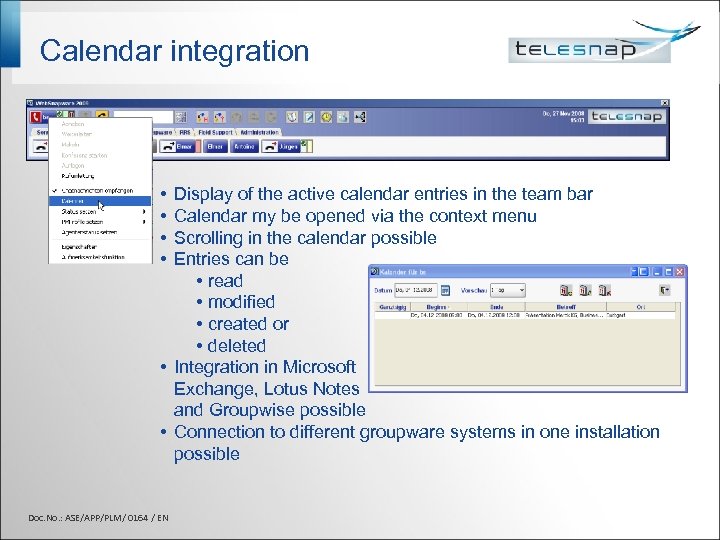
Calendar integration • • Display of the active calendar entries in the team bar Calendar my be opened via the context menu Scrolling in the calendar possible Entries can be • read • modified • created or • deleted • Integration in Microsoft Exchange, Lotus Notes and Groupwise possible • Connection to different groupware systems in one installation possible Doc. No. : ASE/APP/PLM/ 0164 / EN
Benefits Increased efficiency Extensive use of existing infrastructure Efficient in- / outbound communication Networking of existing communication tools Best possible internal communication Efficient workflow Increased employee motivation High customer satisfaction Doc. No. : ASE/APP/PLM/ 0164 / EN

Telesnap EVERYWHERE You want to know more ? www. telesnap. com Or just contact us: Fon: +49(0)711 90 66 88 11 Fax: +49(0)711 90 66 88 8 E-Mail: contact@Telesnap. com Doc. No. : ASE/APP/PLM/ 0164 / EN
Скачать презентацию Web Snapware 2009 Product presentation Technology Doc
1f803830a7413afebc903e91c82268c3.ppt