 Скачать презентацию Web Server Administration Chapter 1 The Basics of
f60ca833955cf3ca3649520d197bb5c3.ppt
- Количество слайдов: 108



Web Server Administration Chapter 1 The Basics of Server and Web Server Administration 1
Overview n n n The Internet and the World Wide Web Server administration Web server administration Common tasks and services performed by administrators Networking building blocks Web server platforms 2
Establishing Access Control n n n What is Access control? What is a roaming profile? What are some of the standard groups in a Windows 2003 Server environment? 3
Understanding the Server Environment n n With Windows computers, servers and users’ computers can be organized into domains in order to centralize control How do domains work in Windows? 4
Understanding Web server Administration n n Web server administrators focus on resource access via the Internet What type of services are distributed over the web? 5
Understanding Web server Administration n What are some of the tasks of a Web Administrator? n n n Web page development Database design Programming E-mail administration Security 6
Selecting Programs and Databases n n Web server administrators need to install programming languages Name three programming languages n Active Server Pages (ASP) n n ASP. Net n n Original language from Microsoft A newer environment that includes many languages Java Server Pages (JSP) 7
Selecting Programs and Databases n Examples of popular Non-Microsoft languages… n n Perl – one of the first and still popular PHP – easy to use Java Server Pages (JSP) Macromedia Cold. Fusion 8
Dynamic content n What is dynamic content and what do you need to produce it? 9
Selecting Programs and Databases n A database management system (DBMS) is used to store data used with Web pages n n n Microsoft Access is appropriate for small sites Microsoft SQL Server, Oracle 9 i, and My. SQL are sophisticated DBMSs for larger sites Standard Query Language (SQL) is the language used to communicate with the DBMS 10
Applications you need to understand n n Email Firewall FTP DNS 11
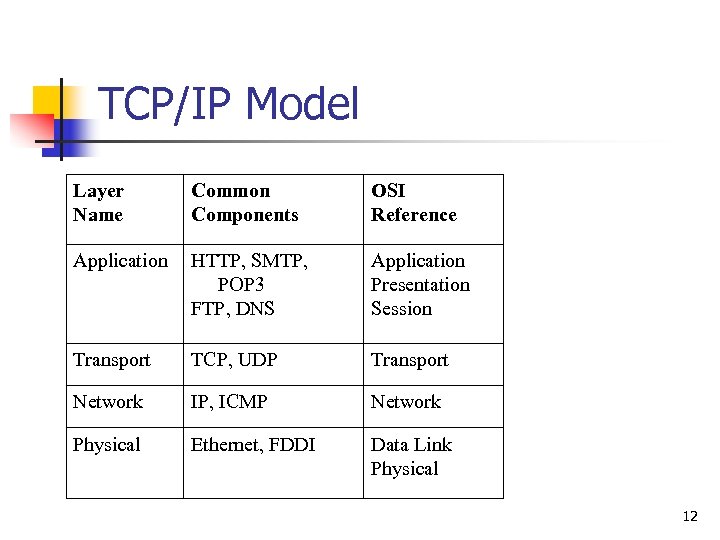
TCP/IP Model Layer Name Common Components OSI Reference Application HTTP, SMTP, POP 3 FTP, DNS Application Presentation Session Transport TCP, UDP Transport Network IP, ICMP Network Physical Ethernet, FDDI Data Link Physical 12
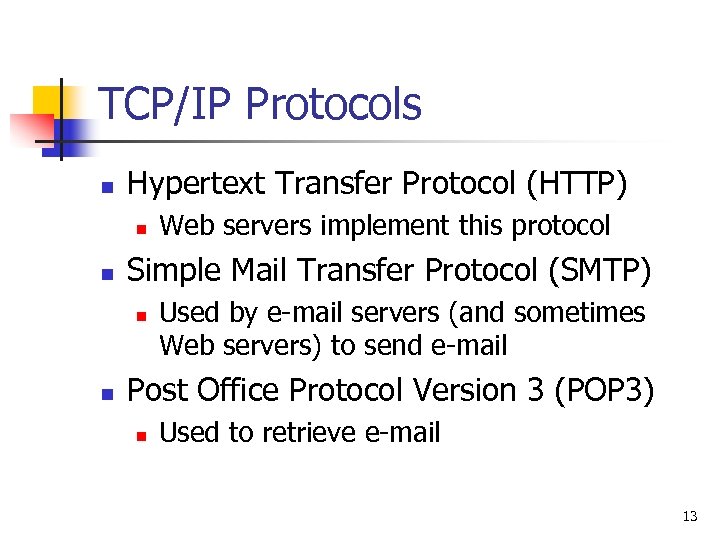
TCP/IP Protocols n Hypertext Transfer Protocol (HTTP) n n Simple Mail Transfer Protocol (SMTP) n n Web servers implement this protocol Used by e-mail servers (and sometimes Web servers) to send e-mail Post Office Protocol Version 3 (POP 3) n Used to retrieve e-mail 13
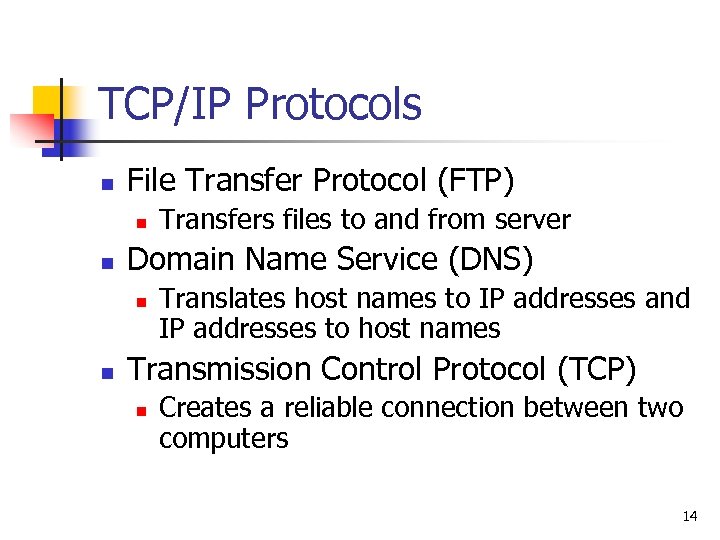
TCP/IP Protocols n File Transfer Protocol (FTP) n n Domain Name Service (DNS) n n Transfers files to and from server Translates host names to IP addresses and IP addresses to host names Transmission Control Protocol (TCP) n Creates a reliable connection between two computers 14
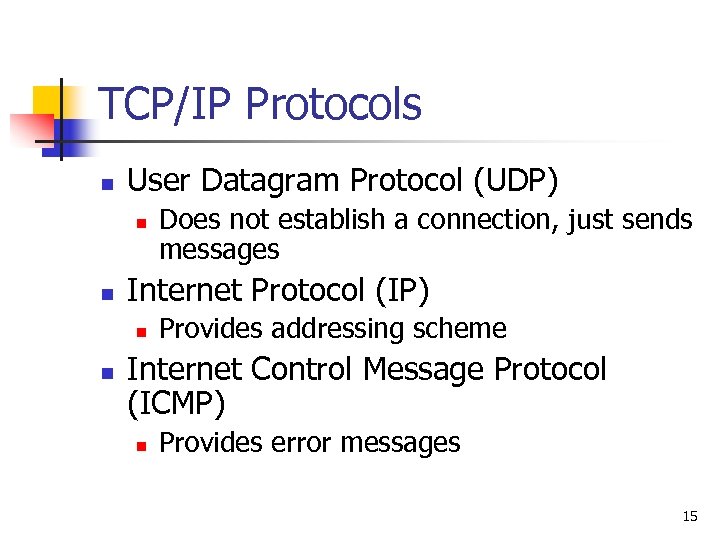
TCP/IP Protocols n User Datagram Protocol (UDP) n n Internet Protocol (IP) n n Does not establish a connection, just sends messages Provides addressing scheme Internet Control Message Protocol (ICMP) n Provides error messages 15
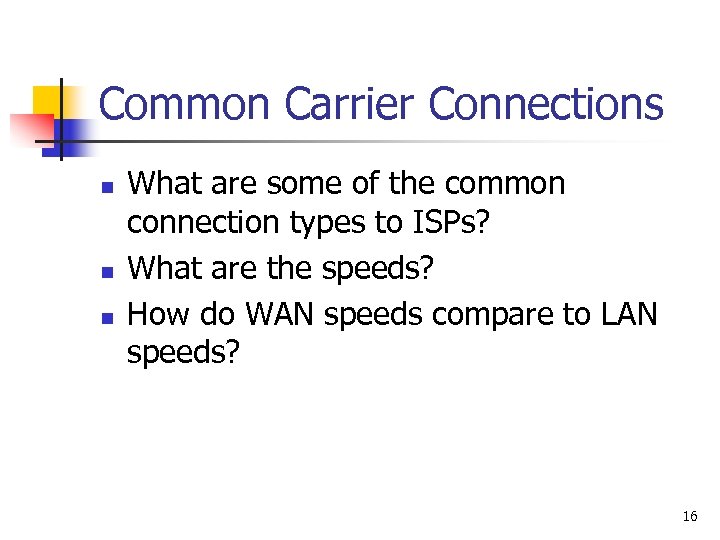
Common Carrier Connections n n n What are some of the common connection types to ISPs? What are the speeds? How do WAN speeds compare to LAN speeds? 16
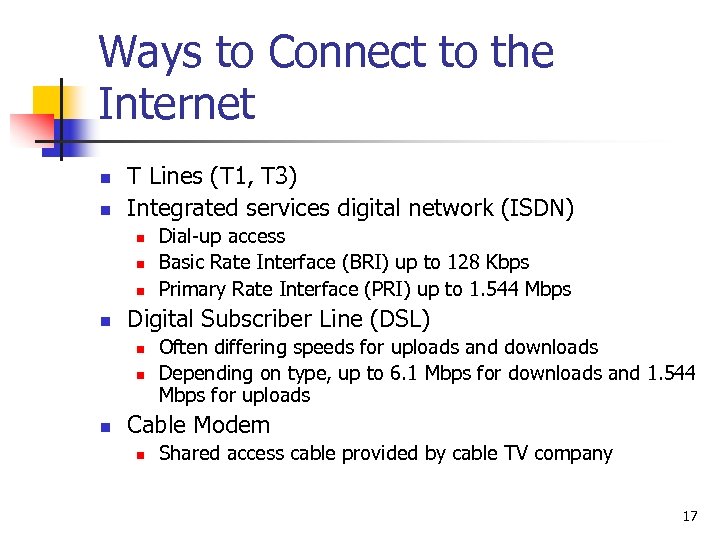
Ways to Connect to the Internet n n T Lines (T 1, T 3) Integrated services digital network (ISDN) n n Digital Subscriber Line (DSL) n n n Dial-up access Basic Rate Interface (BRI) up to 128 Kbps Primary Rate Interface (PRI) up to 1. 544 Mbps Often differing speeds for uploads and downloads Depending on type, up to 6. 1 Mbps for downloads and 1. 544 Mbps for uploads Cable Modem n Shared access cable provided by cable TV company 17
So? n n Why does the speed of your connection to the ISP matter? What factors determine your bandwidth needs? 18
Web Hosting Solutions n n n Standard hosting Dedicated server Co-location What’s the difference? 19
Web Server Platforms. Microsoft Name two 20
True/False Indicate whether the sentence or statement is true or false. The Internet is centrally controlled. 21
True/False Indicate whether the sentence or statement is true or false. Peering agreements are always free. 22
True/False Indicate whether the sentence or statement is true or false. A backbone is used for highspeed user connections. 23
True/False Indicate whether the sentence or statement is true or false. A roaming profile resides on each user’s computer. 24
True/False Indicate whether the sentence or statement is true or false. Web server administrators need to be good programmers. 25
True/False Indicate whether the sentence or statement is true or false. XML allows developers to create text files containing tags that define information. 26
True/False Indicate whether the sentence or statement is true or false. Microsoft Access is a more complex DBMS than SQL Server 2000. 27
True/False Indicate whether the sentence or statement is true or false. One of the advantages of e-mail servers is that they are very secure and prevent anything harmful from entering the system. 28
True/False Indicate whether the sentence or statement is true or false. Software patches and enhancements have been known to cause problems. 29
True/False Indicate whether the sentence or statement is true or false. In a LAN environment, the most common network technology in use today is Ethernet. 30
True/False Indicate whether the sentence or statement is true or false. T-Carrier connections offer the most growth potential. 31
True/False Indicate whether the sentence or statement is true or false. Cable modems do not share access with other users in the same area. 32
True/False Indicate whether the sentence or statement is true or false. In standard hosting, your site resides on the same computer with many other sites. 33
True/False Indicate whether the sentence or statement is true or false. You cannot run a Web server on a Windows client operating system, such as Windows 2000 Professional or Windows XP. 34
Modified True/False Indicate whether the sentence or statement is true or false. If false, change the identified word or phrase to make the sentence or statement true. Active Server Pages are compiled. 35
True/False Indicate whether the sentence or statement is true or false. You cannot use Microsoft Exchange on a Microsoft client product, such as Windows 2000 Professional or Windows XP. 36
True/False Indicate whether the sentence or statement is true or false. Bandwidth is expressed in bytes per second. 37
True/False Indicate whether the sentence or statement is true or false. DSL connections can have differing upload and download speeds. 38
True/False Indicate whether the sentence or statement is true or false. ISDN is a dial-up service. 39
Web Server Administration Chapter 2 Preparing For Server Installation 40
Overview n n n Identify server categories Evaluate server components Plan for system disasters and reduce their effects Evaluate network components Set up IP addressing 41
Identifying Server Categories-File Servers and Application Servers There is a difference between a file server and an application server 42
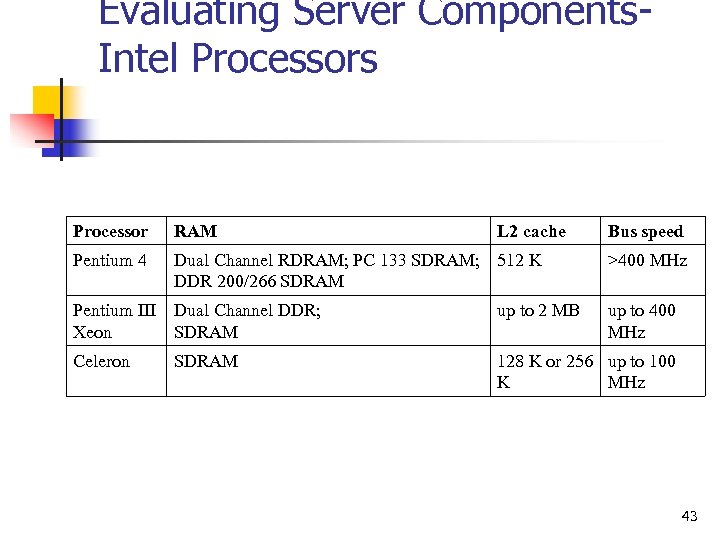
Evaluating Server Components. Intel Processors Processor RAM L 2 cache Pentium 4 Dual Channel RDRAM; PC 133 SDRAM; 512 K DDR 200/266 SDRAM Bus speed >400 MHz Pentium III Dual Channel DDR; Xeon SDRAM up to 2 MB Celeron 128 K or 256 up to 100 K MHz SDRAM up to 400 MHz 43
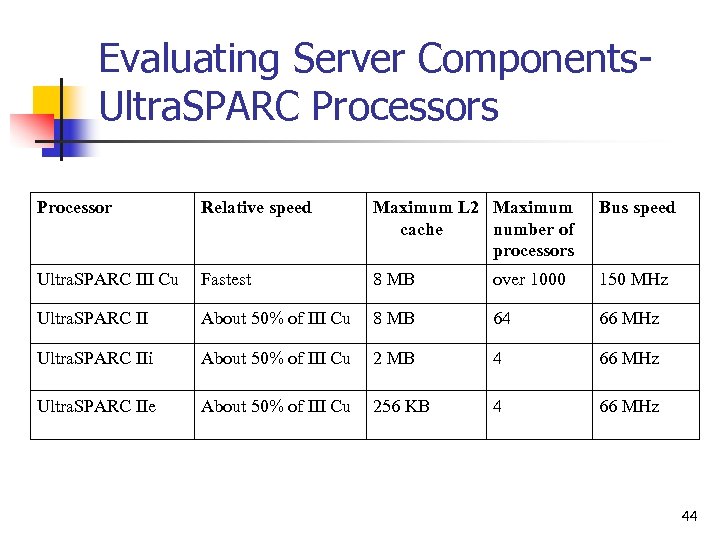
Evaluating Server Components. Ultra. SPARC Processors Processor Relative speed Maximum L 2 Maximum cache number of processors Bus speed Ultra. SPARC III Cu Fastest 8 MB over 1000 150 MHz Ultra. SPARC II About 50% of III Cu 8 MB 64 66 MHz Ultra. SPARC IIi About 50% of III Cu 2 MB 4 66 MHz Ultra. SPARC IIe About 50% of III Cu 256 KB 4 66 MHz 44
Evaluating Server Components. Selecting a Hard Drive Interface n n IDE drives SCSI 45
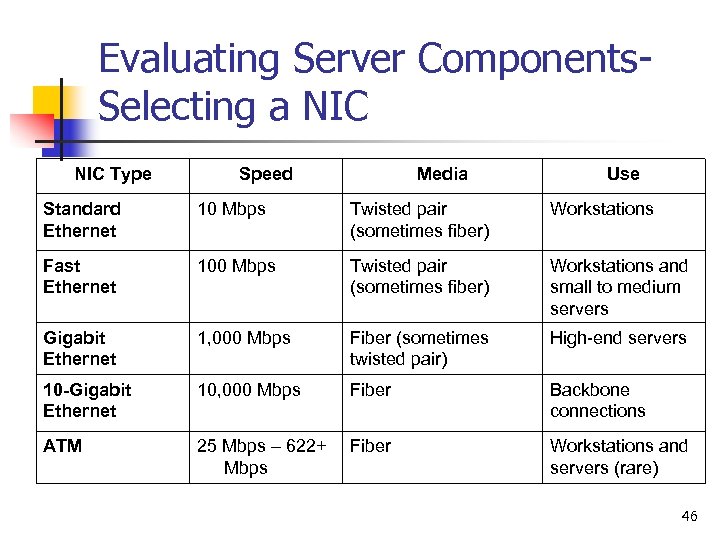
Evaluating Server Components. Selecting a NIC Type Speed Media Use Standard Ethernet 10 Mbps Twisted pair (sometimes fiber) Workstations Fast Ethernet 100 Mbps Twisted pair (sometimes fiber) Workstations and small to medium servers Gigabit Ethernet 1, 000 Mbps Fiber (sometimes twisted pair) High-end servers 10 -Gigabit Ethernet 10, 000 Mbps Fiber Backbone connections ATM 25 Mbps – 622+ Mbps Fiber Workstations and servers (rare) 46
Disk Redundancy through RAID n n RAID 1 (mirroring) RAID 5 (most common) 47
Setting Up Backup Systems n n n Full – all data is backed up Differential – backs up all files that are new or changed since last full backup Incremental – backs up all files that are new or changed since the last incremental backup 48
Evaluating Network Components n n n Hubs should be avoided in a server environment - Why? Switches can come close to the appearance of a dedicated circuit between servers Routers connect one network to another 49
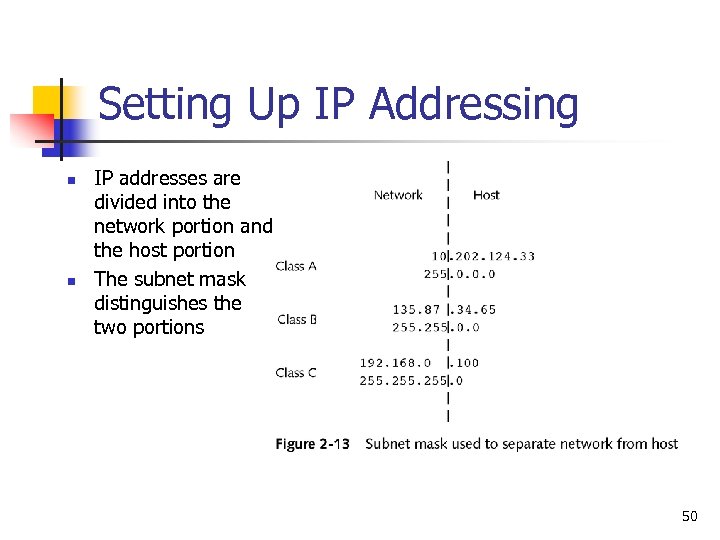
Setting Up IP Addressing n n IP addresses are divided into the network portion and the host portion The subnet mask distinguishes the two portions 50
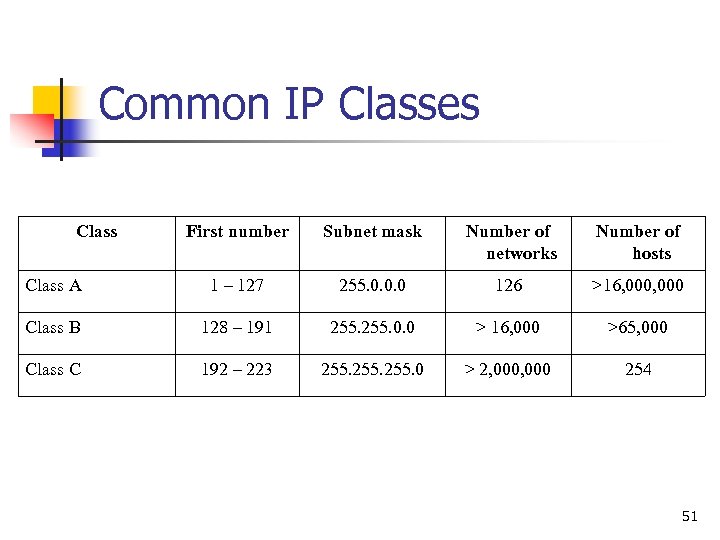
Common IP Classes Class First number Subnet mask Number of networks Number of hosts Class A 1 – 127 255. 0. 0. 0 126 >16, 000 Class B 128 – 191 255. 0. 0 > 16, 000 >65, 000 Class C 192 – 223 255. 0 > 2, 000 254 51
Network Address Translation (NAT) n n NAT allows an IP address from one network to be translated into another address on an internal network You can also use NAT to translate a single IP address valid on the Internet into multiple internal addresses n Useful if your ISP gives you a single IP address, yet you have multiple servers and users on the internal network 52
Web Server Administration Chapter 3 Installing the Server 53
The Installation Process. Partitioning the Hard Disk n n n A partition is a logical division of the hard disk A system boots from the primary partition You can create an extended partition n Gives you more logical drives in Windows Gives you more Linux partitions It is best to isolate the operating system from applications n If the application partition fills and the operating system is on the same partition, the OS stops 54
The Installation Process. Selecting a File System n n A file system determines how files are stored on a hard disk Windows has two file systems n n n FAT is based on the original DOS file system and has no security NTFS has security which is critical for a server The default user file system in Red Hat Linux 8 is ext 3, which offers some performance improvements over ext 2 55
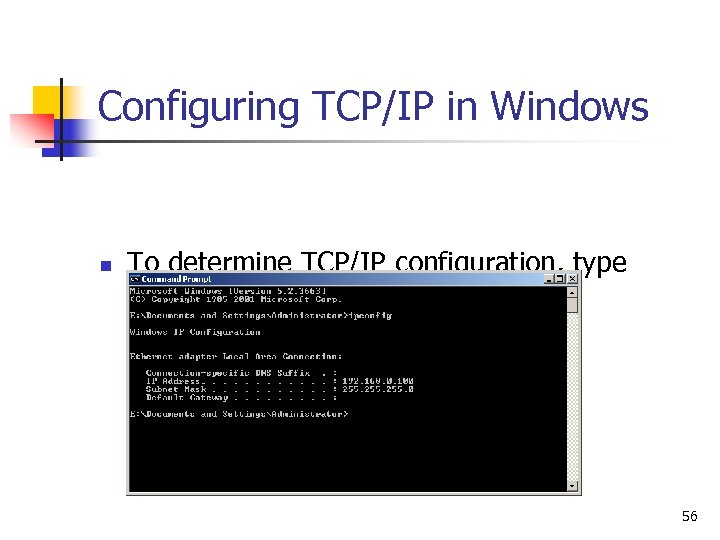
Configuring TCP/IP in Windows n To determine TCP/IP configuration, type ipconfig at a command prompt 56
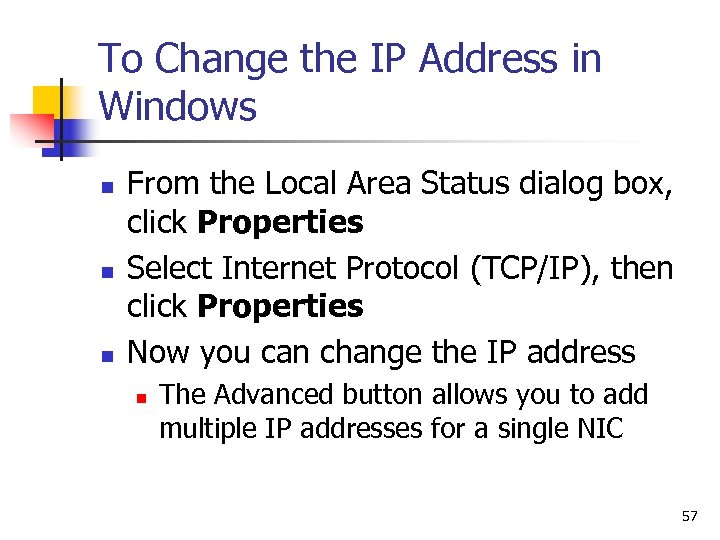
To Change the IP Address in Windows n n n From the Local Area Status dialog box, click Properties Select Internet Protocol (TCP/IP), then click Properties Now you can change the IP address n The Advanced button allows you to add multiple IP addresses for a single NIC 57
Web Server Administration Chapter 4 Name Resolution 58
Understanding the DNS What is DNS? 59
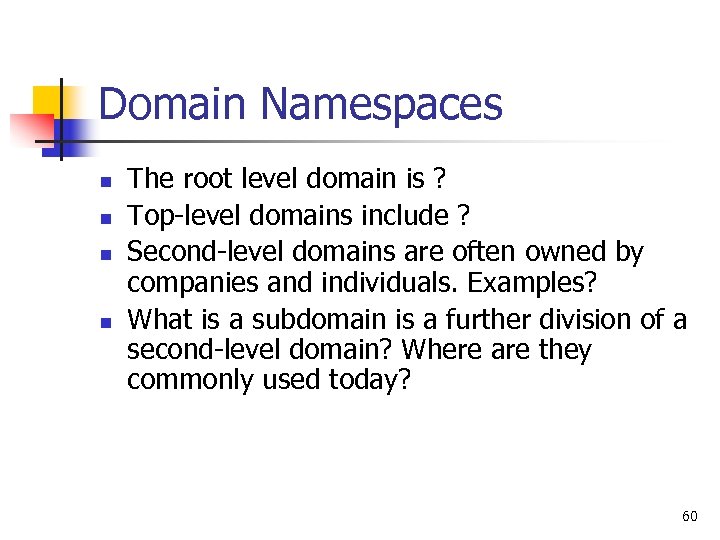
Domain Namespaces n n The root level domain is ? Top-level domains include ? Second-level domains are often owned by companies and individuals. Examples? What is a subdomain is a further division of a second-level domain? Where are they commonly used today? 60
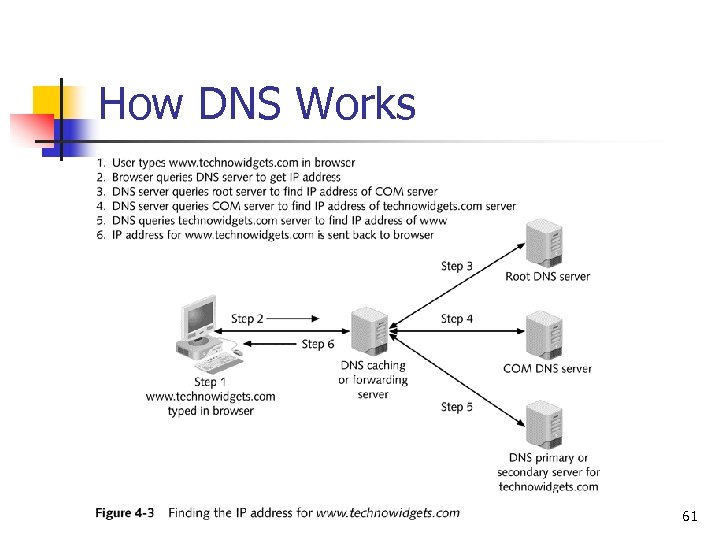
How DNS Works 61
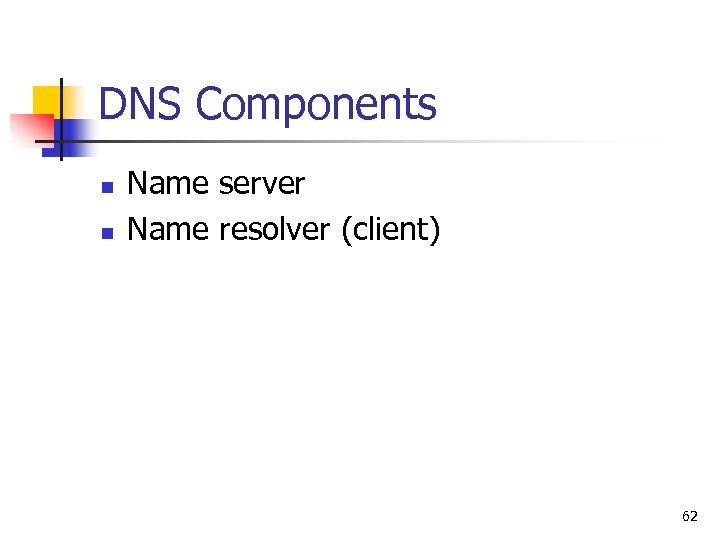
DNS Components n n Name server Name resolver (client) 62
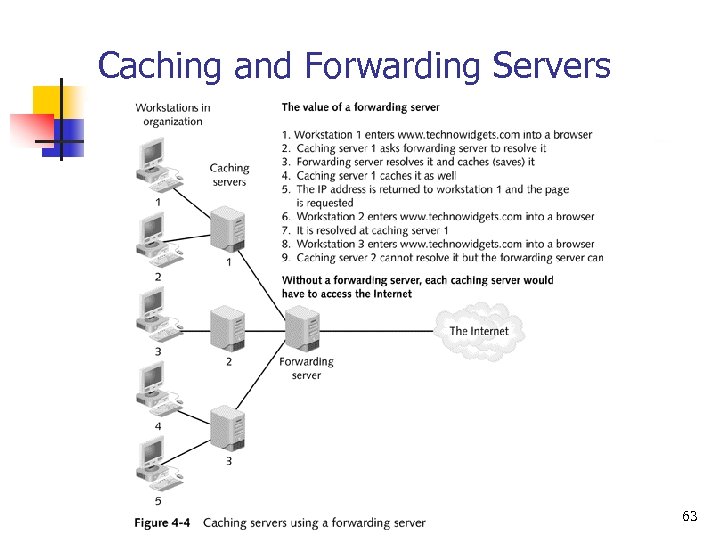
Caching and Forwarding Servers 63
Zones What is a DNS zone? 64
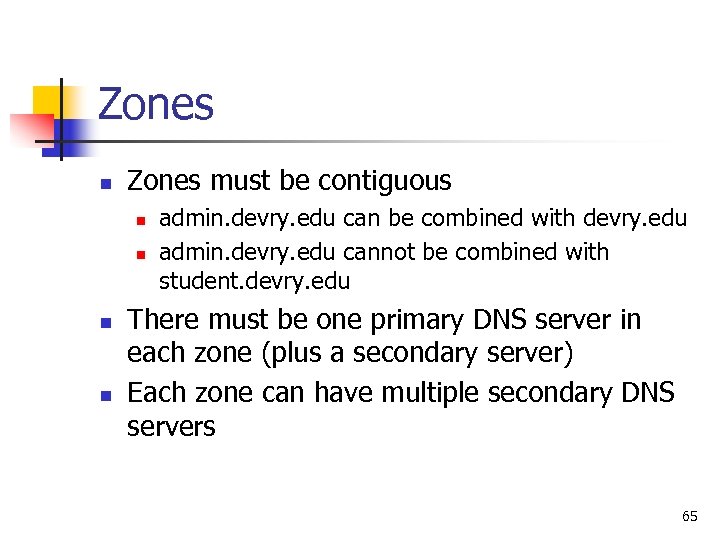
Zones n Zones must be contiguous n n admin. devry. edu can be combined with devry. edu admin. devry. edu cannot be combined with student. devry. edu There must be one primary DNS server in each zone (plus a secondary server) Each zone can have multiple secondary DNS servers 65
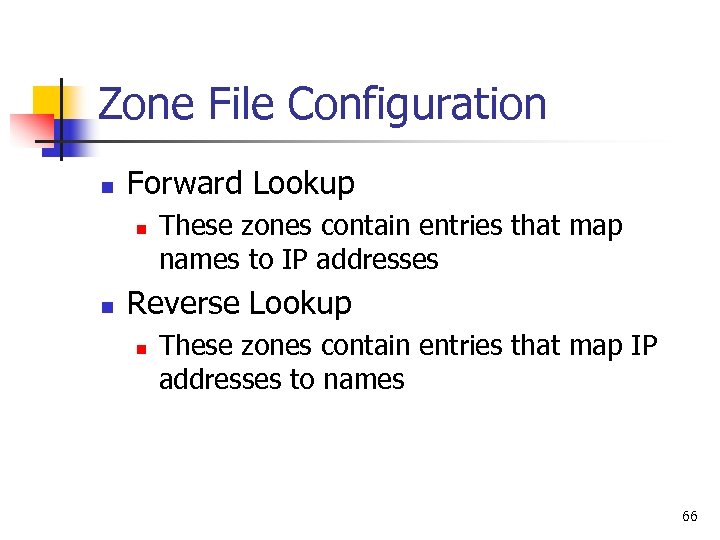
Zone File Configuration n Forward Lookup n n These zones contain entries that map names to IP addresses Reverse Lookup n These zones contain entries that map IP addresses to names 66
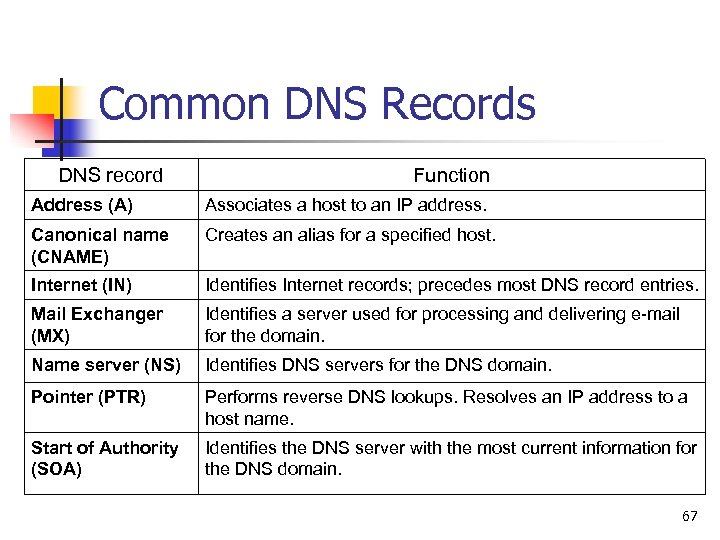
Common DNS Records DNS record Function Address (A) Associates a host to an IP address. Canonical name (CNAME) Creates an alias for a specified host. Internet (IN) Identifies Internet records; precedes most DNS record entries. Mail Exchanger (MX) Identifies a server used for processing and delivering e-mail for the domain. Name server (NS) Identifies DNS servers for the DNS domain. Pointer (PTR) Performs reverse DNS lookups. Resolves an IP address to a host name. Start of Authority (SOA) Identifies the DNS server with the most current information for the DNS domain. 67
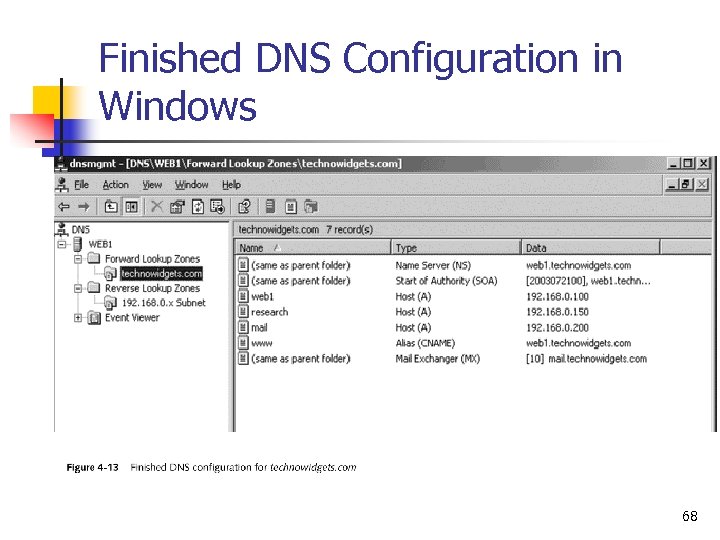
Finished DNS Configuration in Windows 68
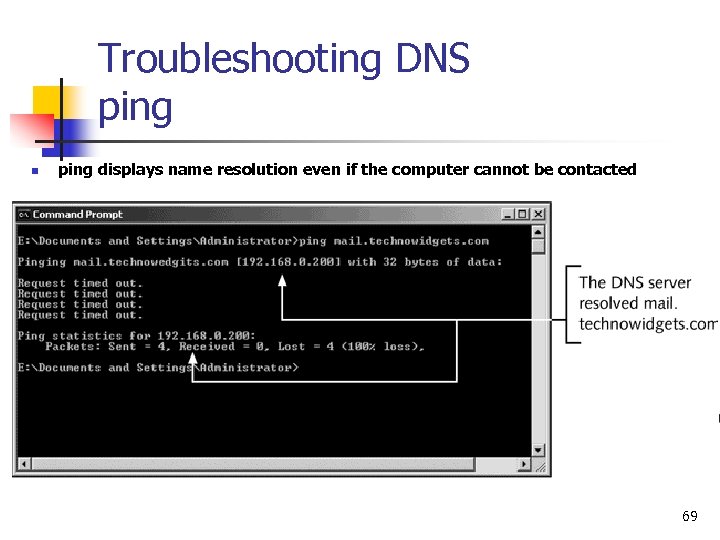
Troubleshooting DNS ping n ping displays name resolution even if the computer cannot be contacted 69
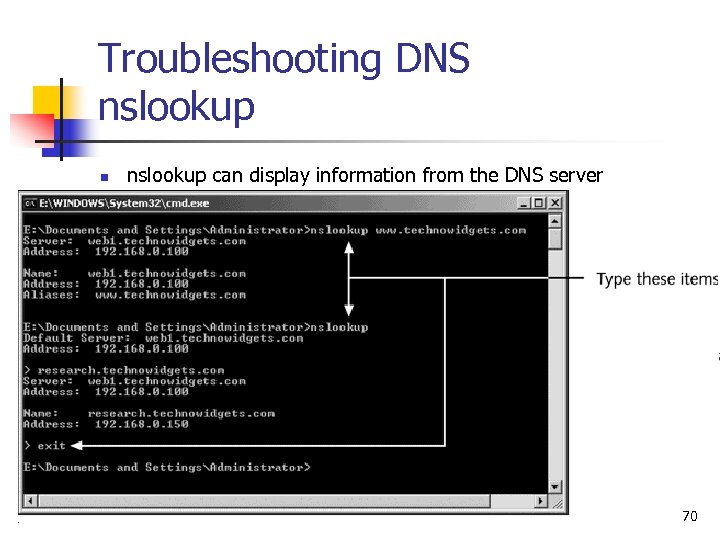
Troubleshooting DNS nslookup n nslookup can display information from the DNS server 70
Web Server Administration Chapter 5 Managing a Server 71
Microsoft LAN Networking Models. Workgroup n n Peer to peer Client – Server What’s the difference? 72
Microsoft LAN Networking Models. Workgroup (Peer to Peer 0 n n How many users max? Disadvantages n n n Most users do not want to administer resources on their computer Need user names and passwords of users who need resources Difficult to keep track of changing passwords 73
Microsoft LAN Networking Models. Domain n n One or more servers centralize control Computers are part of a domain n Single, centralized logon Single point of control Users can be given access to resources anywhere in the domain 74
Client/Server Networking Model n n Client represents a program such as a browser or an e-mail client Server has a corresponding program that communicates with the client 75
Authenticating Users n n Process of determining a user's true identity Three basic methods n n n What you know – user name and passwords What you have – entry card Who you are – biometrics 76
Implementing an Authentication System n n NTLM Kerberos 77
Managing Users and Groups n n Users need accounts to access resources on a server. On a Web server there is a restricted account that is used on behalf of Internet users What is that account? In a LAN, users with common resource needs are put in a group, and the group is given access to the resource 78
Managing Users and Groups in Windows has an account called system n n It represents the operating system and it has many of the same privileges of the administrator Often needed by server programs 79
Users and Groups in Windows n n n Local accounts exist on a single computer and can be used to control resources only on that computer Domain accounts can be used to control resources on all the computers that are part of the domain Active Directory (AD) allows domains to be grouped into a forest n Microsoft Exchange requires AD 80
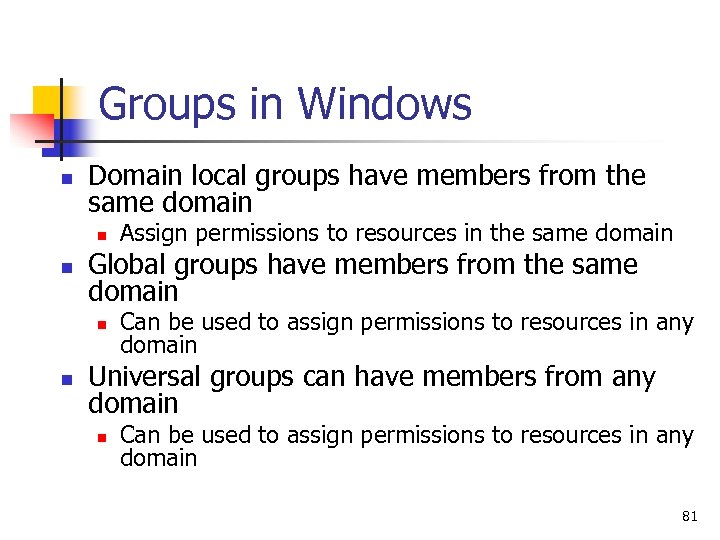
Groups in Windows n Domain local groups have members from the same domain n n Global groups have members from the same domain n n Assign permissions to resources in the same domain Can be used to assign permissions to resources in any domain Universal groups can have members from any domain n Can be used to assign permissions to resources in any domain 81
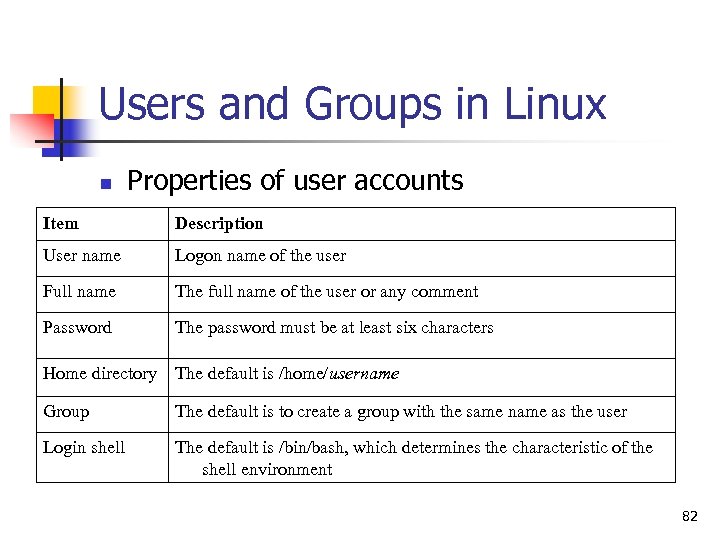
Users and Groups in Linux n Properties of user accounts Item Description User name Logon name of the user Full name The full name of the user or any comment Password The password must be at least six characters Home directory The default is /home/username Group The default is to create a group with the same name as the user Login shell The default is /bin/bash, which determines the characteristic of the shell environment 82
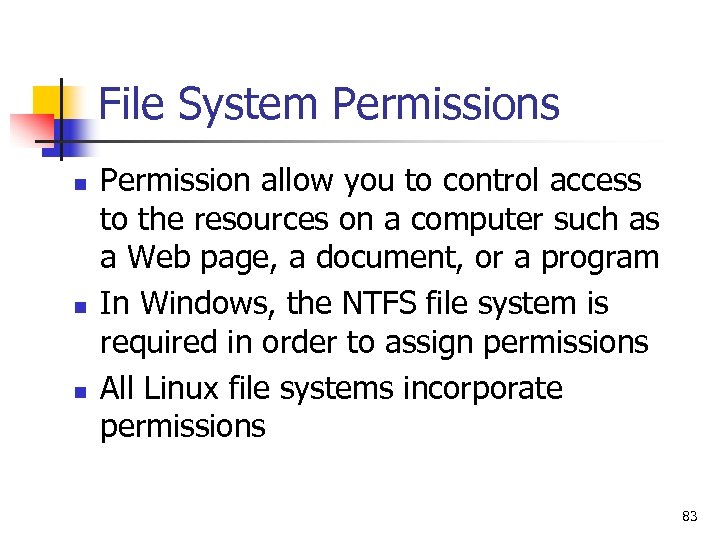
File System Permissions n n n Permission allow you to control access to the resources on a computer such as a Web page, a document, or a program In Windows, the NTFS file system is required in order to assign permissions All Linux file systems incorporate permissions 83
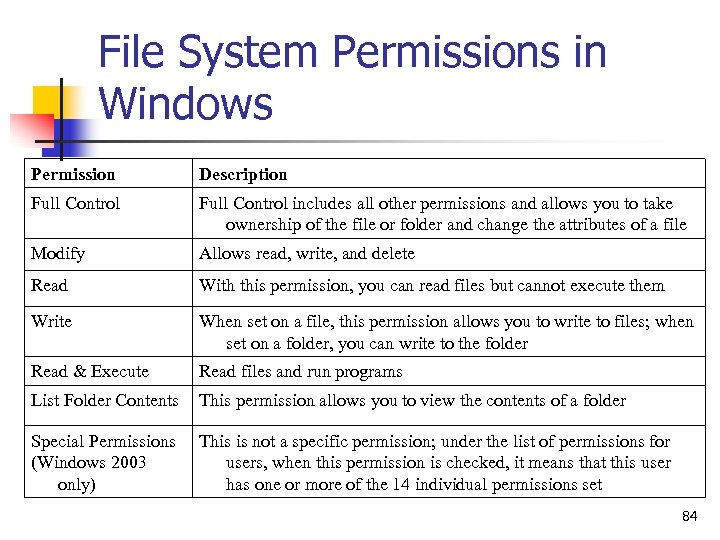
File System Permissions in Windows Permission Description Full Control includes all other permissions and allows you to take ownership of the file or folder and change the attributes of a file Modify Allows read, write, and delete Read With this permission, you can read files but cannot execute them Write When set on a file, this permission allows you to write to files; when set on a folder, you can write to the folder Read & Execute Read files and run programs List Folder Contents This permission allows you to view the contents of a folder Special Permissions (Windows 2003 only) This is not a specific permission; under the list of permissions for users, when this permission is checked, it means that this user has one or more of the 14 individual permissions set 84
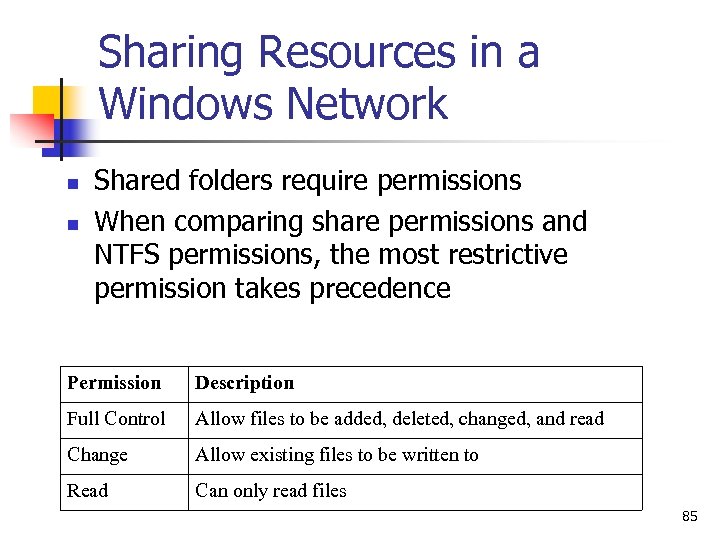
Sharing Resources in a Windows Network n n Shared folders require permissions When comparing share permissions and NTFS permissions, the most restrictive permission takes precedence Permission Description Full Control Allow files to be added, deleted, changed, and read Change Allow existing files to be written to Read Can only read files 85
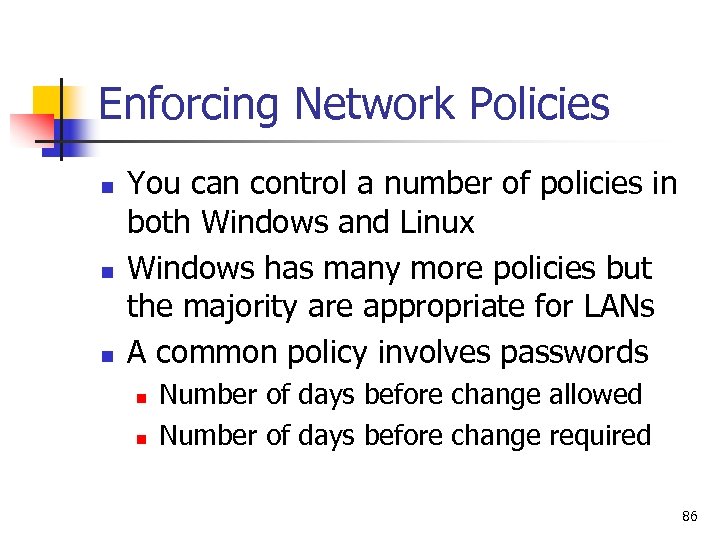
Enforcing Network Policies n n n You can control a number of policies in both Windows and Linux Windows has many more policies but the majority are appropriate for LANs A common policy involves passwords n n Number of days before change allowed Number of days before change required 86
Web Server Administration Chapter 6 Configuring a Web Server 87
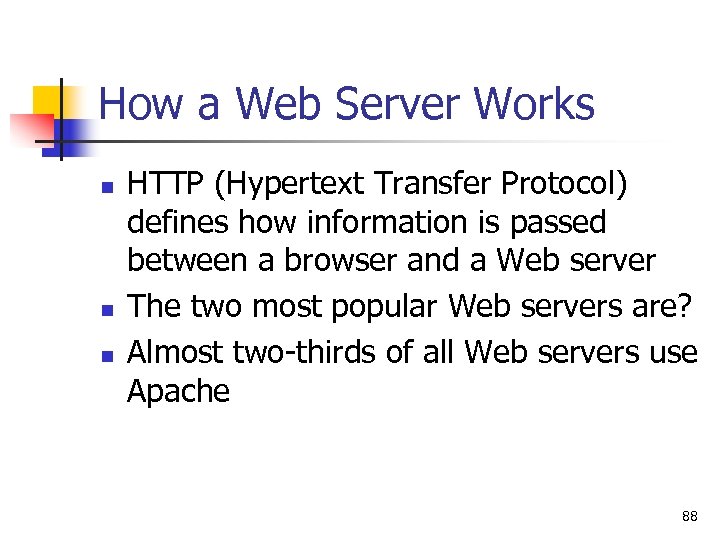
How a Web Server Works n n n HTTP (Hypertext Transfer Protocol) defines how information is passed between a browser and a Web server The two most popular Web servers are? Almost two-thirds of all Web servers use Apache 88
How a Web Server Works n As is true with other servers such as DNS, Web servers listen for communication at a port n n n The default port is 80 You can also create Web servers at port numbers greater than 1023 Each Web server has a root, which is where you store the HTML documents 89
Features in IIS 5. 0 n Web Distributed Authoring and Versioning (Web. DAV) n n Named virtual hosting n n n Multiple Web sites can share a single IP address Per Web site bandwidth throttling n n Allows a server to share Web-based files Control bandwidth by Web site Kerberos authentication Secure Sockets Layer 3. 0 n Encrypted communication 90
Features in IIS 6. 0 n Increased security n n Expanded language support n n n Default permits only HTML documents Can use XML and SOAP Support for IPv 6 Increased dependability n n Kernel-mode HTTP service Self-healing mechanism 91
Components in IIS n File Transfer Protocol (FTP) server n n Front. Page 2000 Server Extensions n n n Used by programs to transfer files to and from a Web site NNTP Service n n To transfer files between user and server Used to create user forums SMTP Service World Wide Web Server 92
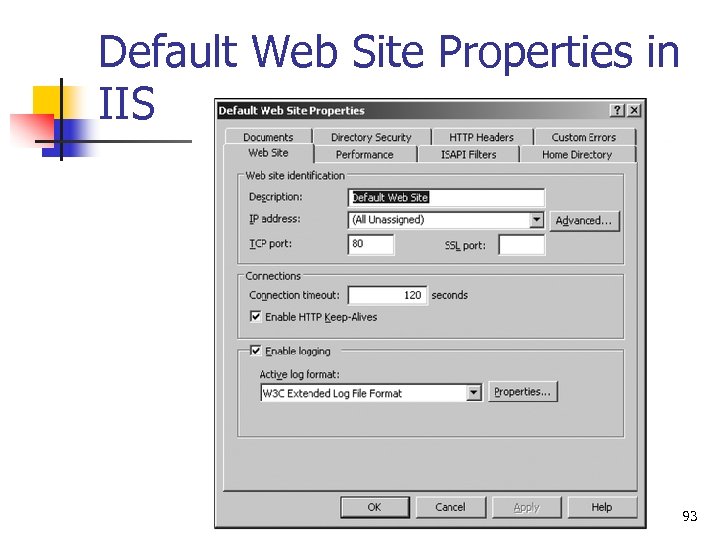
Default Web Site Properties in IIS 93
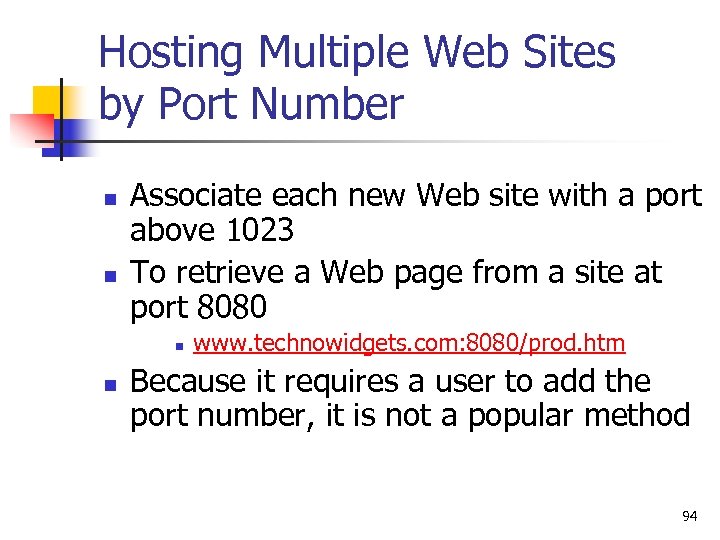
Hosting Multiple Web Sites by Port Number n n Associate each new Web site with a port above 1023 To retrieve a Web page from a site at port 8080 n n www. technowidgets. com: 8080/prod. htm Because it requires a user to add the port number, it is not a popular method 94
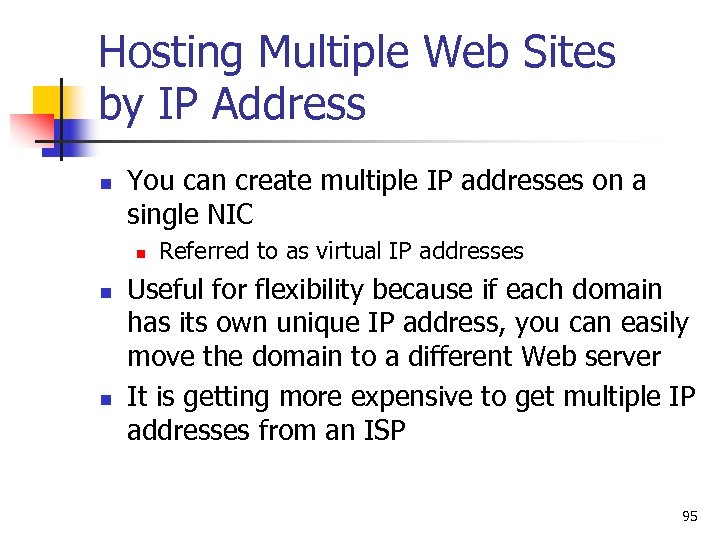
Hosting Multiple Web Sites by IP Address n You can create multiple IP addresses on a single NIC n n n Referred to as virtual IP addresses Useful for flexibility because if each domain has its own unique IP address, you can easily move the domain to a different Web server It is getting more expensive to get multiple IP addresses from an ISP 95
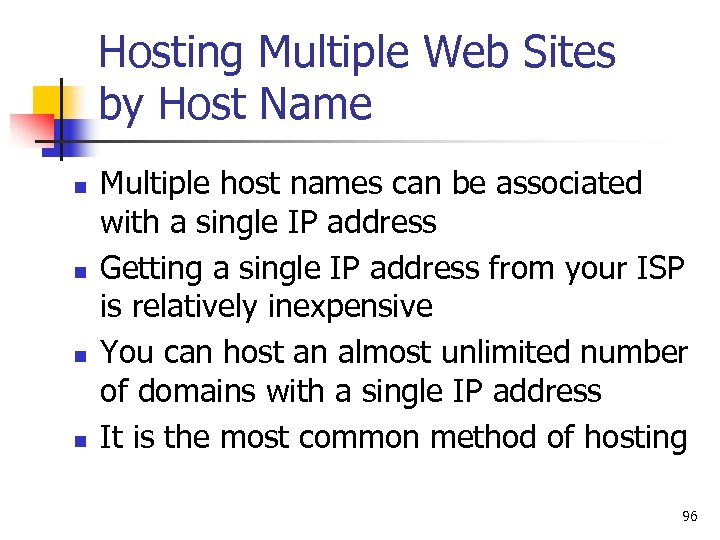
Hosting Multiple Web Sites by Host Name n n Multiple host names can be associated with a single IP address Getting a single IP address from your ISP is relatively inexpensive You can host an almost unlimited number of domains with a single IP address It is the most common method of hosting 96
Web Server Administration Chapter 7 Installing and Testing a Programming Environment 97
The Need for Programming Languages n n n What is a static web page? Pages that contain programming statements allow changes and they are called dynamic pages Programming languages can also be used to update databases and communicate with other systems 98
Database Management Systems (DBMSs) n n n The purpose of a DBMS is to store data in an organized manner for further processing Structured Query Language (SQL) is the language used to define and manipulate the data Most databases are relational and organize data into tables 99
Web-based Programming Environment n What is a Cookie? n Text that a Web site stores on your disk 100
Web Server Administration Chapter 8 Providing E-mail Services 101
Understanding the E-mail Environment n n n E-mail evolved from a variety of proprietary systems In the 1980 s and 1990 s, people often had email addresses on a number of systems Even as late as 1997, Exchange 5. 5 was not designed to take advantage of Internet e-mail n An add-on gave Exchange the ability to send and receive e-mail over the Internet 102
Exchange 2000 Goes Beyond E -mail Basics n n Instant messaging Unified messaging platform n n n Chat service URL addressing n n Single inbox for e-mail, voicemail, fax Use a single URL to access stored data Audio and video conferencing 103
Role of DNS in E-mail Systems n n A domain name, such as technowidgets. com, needs to be associated with two IP addresses. Explain. To associate a domain name, or any other host name, with the IP address of an email server, you need an ____ record? 104
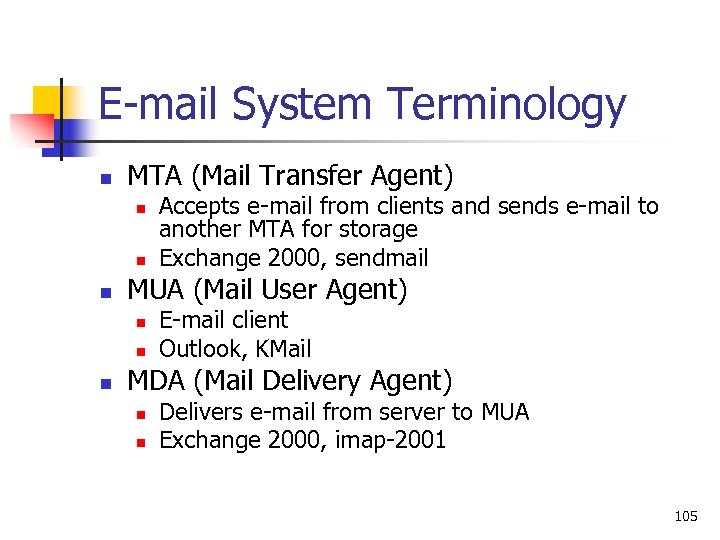
E-mail System Terminology n MTA (Mail Transfer Agent) n n n MUA (Mail User Agent) n n n Accepts e-mail from clients and sends e-mail to another MTA for storage Exchange 2000, sendmail E-mail client Outlook, KMail MDA (Mail Delivery Agent) n n Delivers e-mail from server to MUA Exchange 2000, imap-2001 105
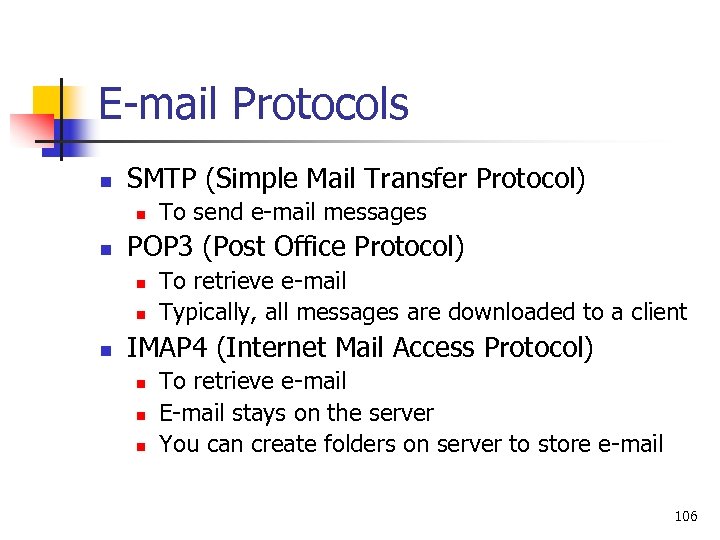
E-mail Protocols n SMTP (Simple Mail Transfer Protocol) n n POP 3 (Post Office Protocol) n n n To send e-mail messages To retrieve e-mail Typically, all messages are downloaded to a client IMAP 4 (Internet Mail Access Protocol) n n n To retrieve e-mail E-mail stays on the server You can create folders on server to store e-mail 106
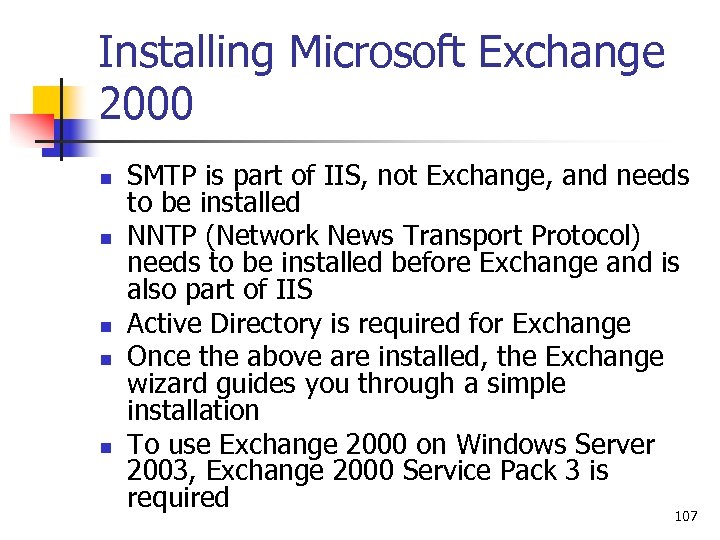
Installing Microsoft Exchange 2000 n n n SMTP is part of IIS, not Exchange, and needs to be installed NNTP (Network News Transport Protocol) needs to be installed before Exchange and is also part of IIS Active Directory is required for Exchange Once the above are installed, the Exchange wizard guides you through a simple installation To use Exchange 2000 on Windows Server 2003, Exchange 2000 Service Pack 3 is required 107

Good Luck! 108
Скачать презентацию Web Server Administration Chapter 1 The Basics of
f60ca833955cf3ca3649520d197bb5c3.ppt