 Скачать презентацию Web Performance Tuning Lin Wang Ph D US
1f7b1c7b9299f278ccdad6499839bc59.ppt
- Количество слайдов: 17



![Web Performance Tuning Lin Wang, Ph. D. US Department of Education Copyright [Lin Wang]](https://present5.com/presentation/1f7b1c7b9299f278ccdad6499839bc59/image-1.jpg "Web Performance Tuning Lin Wang, Ph. D. US Department of Education Copyright [Lin Wang]")
Web Performance Tuning Lin Wang, Ph. D. US Department of Education Copyright [Lin Wang] [2004]. This work is the intellectual property of the author. Permission is granted for this material to be shared for non-commercial, educational purposes, provided that this copyright statement appears on the reproduced materials and notice is given that the copying is by permission of the author. To disseminate otherwise or to republish requires written permission from the author.
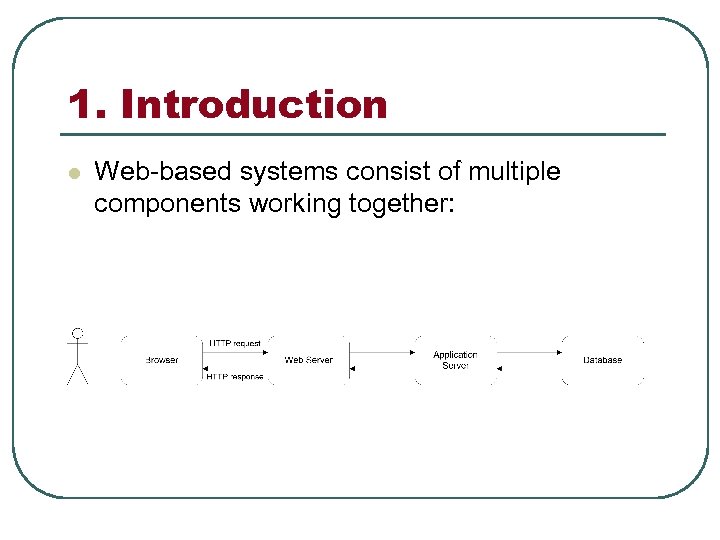
1. Introduction l Web-based systems consist of multiple components working together:
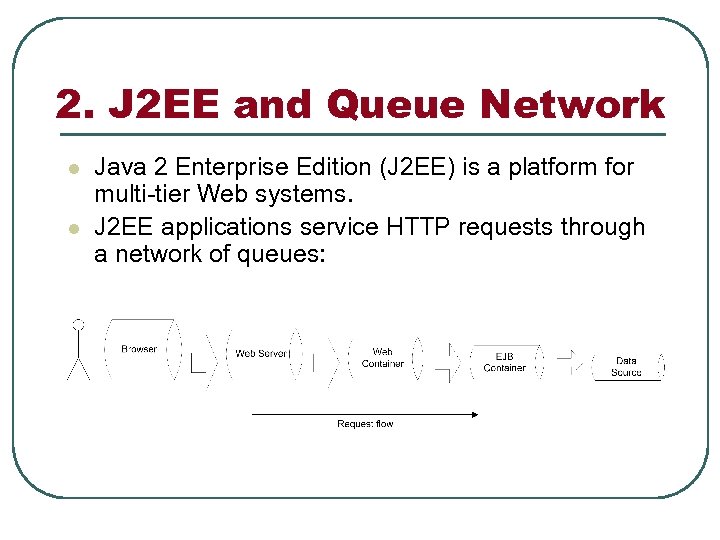
2. J 2 EE and Queue Network l l Java 2 Enterprise Edition (J 2 EE) is a platform for multi-tier Web systems. J 2 EE applications service HTTP requests through a network of queues:
3. Performance Tuning l l Performance refers to how fast HTTP requests are serviced. Performance becomes a critical issue when a Web site processes large volume of requests. Performance bottlenecks are software/hardware components that impede request service. Performance tuning is to identify and eliminate performance bottlenecks.
4. Tuning Steps 1. 2. 3. 4. 5. 6. Understand the application. Design load tests. Perform the load tests and collect data. Analyze the data to identify bottlenecks. Eliminate the bottlenecks. Repeat Steps 3 – 5 until the performance is satisfactory.
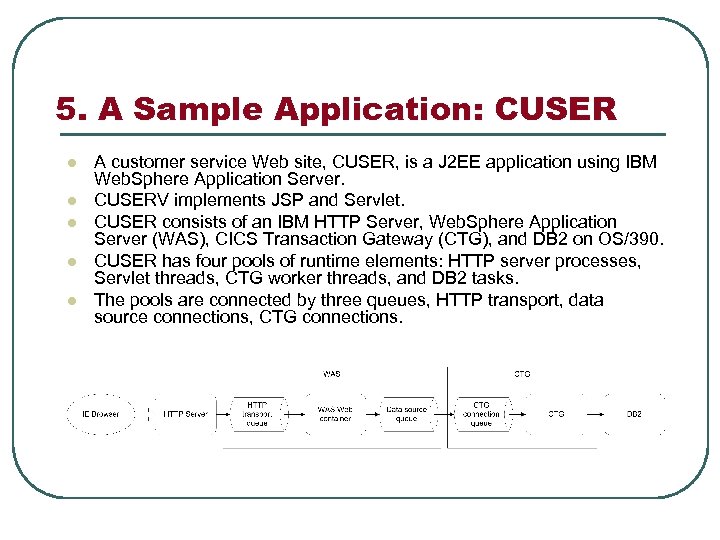
5. A Sample Application: CUSER l l l A customer service Web site, CUSER, is a J 2 EE application using IBM Web. Sphere Application Server. CUSERV implements JSP and Servlet. CUSER consists of an IBM HTTP Server, Web. Sphere Application Server (WAS), CICS Transaction Gateway (CTG), and DB 2 on OS/390. CUSER has four pools of runtime elements: HTTP server processes, Servlet threads, CTG worker threads, and DB 2 tasks. The pools are connected by three queues, HTTP transport, data source connections, CTG connections.
6. Load Test Design (I) Test Scenarios l Performance objectives: l Test scenarios: w Response time must not exceed 5 seconds. w 1000 users are to be concurrently serviced. w Retrieve an existing customer record. w Create a new customer record.
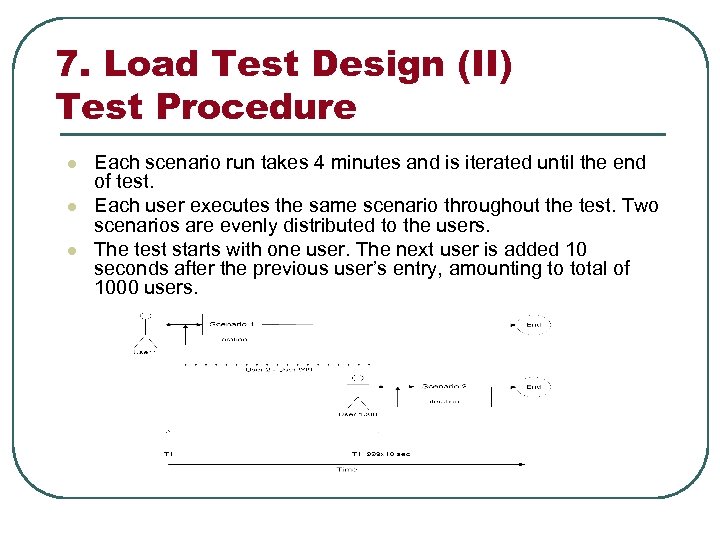
7. Load Test Design (II) Test Procedure l l l Each scenario run takes 4 minutes and is iterated until the end of test. Each user executes the same scenario throughout the test. Two scenarios are evenly distributed to the users. The test starts with one user. The next user is added 10 seconds after the previous user’s entry, amounting to total of 1000 users.
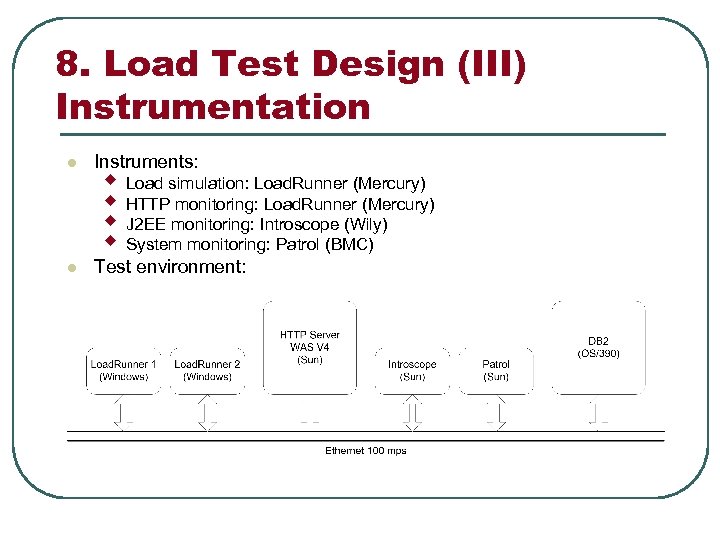
8. Load Test Design (III) Instrumentation l Instruments: l Test environment: w Load simulation: Load. Runner (Mercury) w HTTP monitoring: Load. Runner (Mercury) w J 2 EE monitoring: Introscope (Wily) w System monitoring: Patrol (BMC)
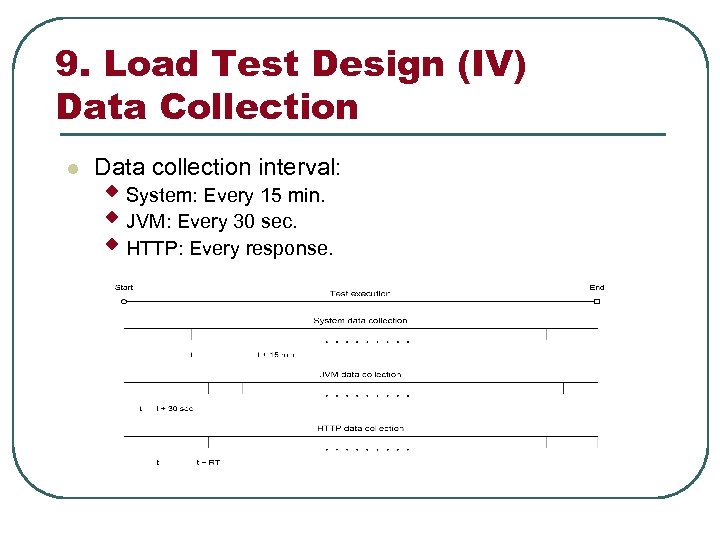
9. Load Test Design (IV) Data Collection l Data collection interval: w System: Every 15 min. w JVM: Every 30 sec. w HTTP: Every response.
10. Load Test Design (V) Performance Metrics l l l HTTP metrics: w w w Response Time (RT): The elapsed time between the submission of a HTTP request and the receipt of the corresponding response. Throughput: The amount of data transmitted every second from the Web site to the user. Error Rate: The ratio of failed to succeeded HTTP requests. w w w JVM CPU usage JVM heap usage HTTP transport thread pool usage CTG response time Servlet response time w w w CPU usage Memory usage Disk I/O JVM metrics: System metrics:
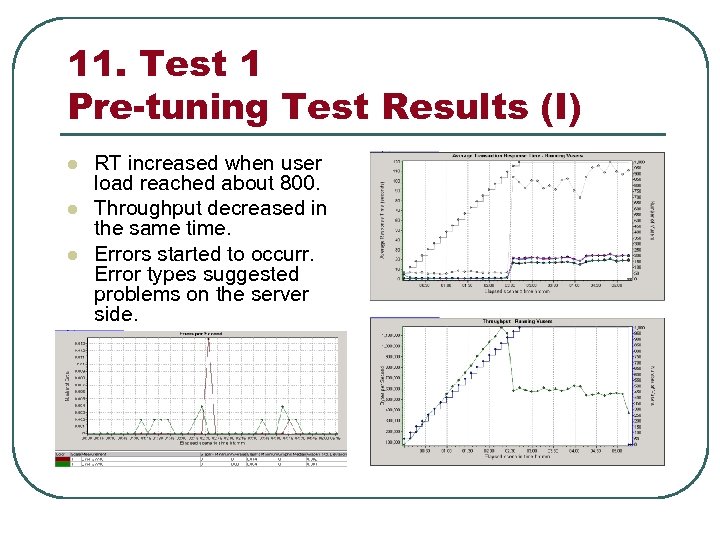
11. Test 1 Pre-tuning Test Results (I) l l l RT increased when user load reached about 800. Throughput decreased in the same time. Errors started to occurr. Error types suggested problems on the server side.
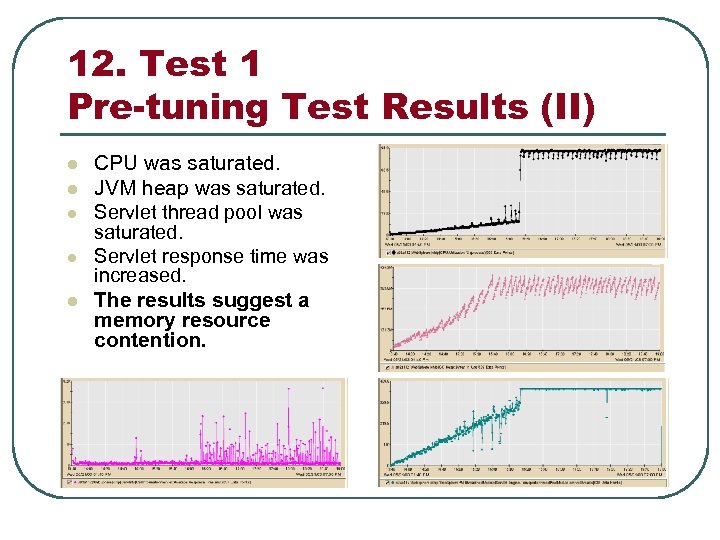
12. Test 1 Pre-tuning Test Results (II) l l l CPU was saturated. JVM heap was saturated. Servlet thread pool was saturated. Servlet response time was increased. The results suggest a memory resource contention.
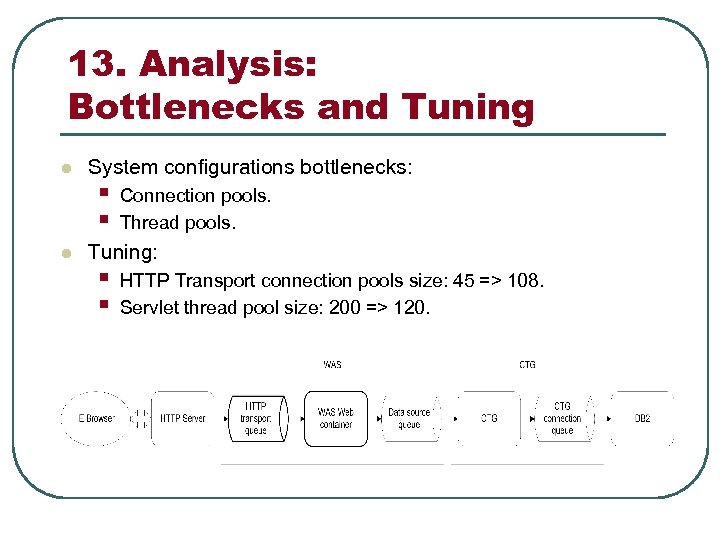
13. Analysis: Bottlenecks and Tuning l l System configurations bottlenecks: § § Connection pools. Thread pools. Tuning: § § HTTP Transport connection pools size: 45 => 108. Servlet thread pool size: 200 => 120.
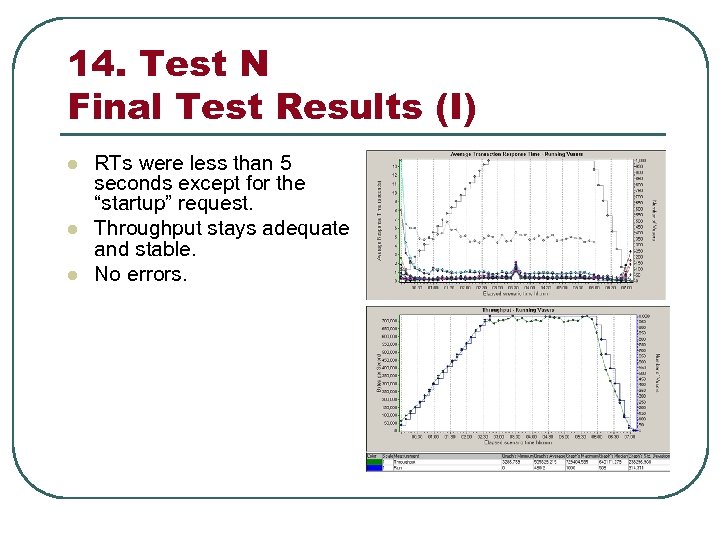
14. Test N Final Test Results (I) l l l RTs were less than 5 seconds except for the “startup” request. Throughput stays adequate and stable. No errors.
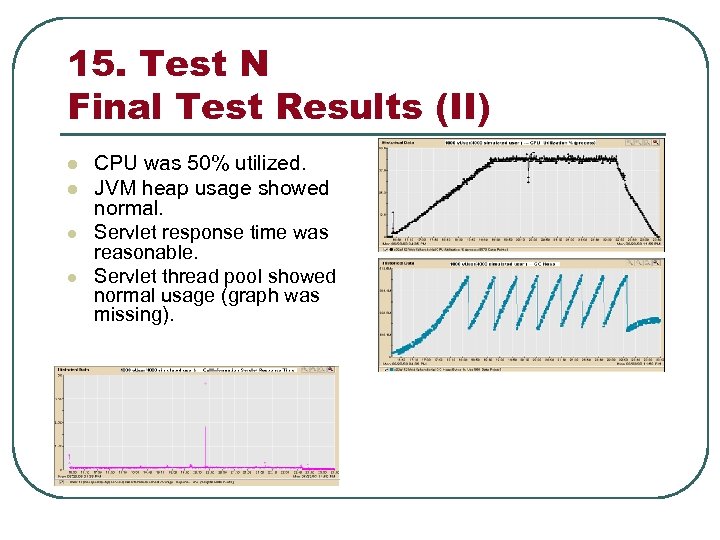
15. Test N Final Test Results (II) l l CPU was 50% utilized. JVM heap usage showed normal. Servlet response time was reasonable. Servlet thread pool showed normal usage (graph was missing).
16. Conclusions l l Performance tuning of Web-based systems is a multi-variable and iterative process. A systematic planning is an effective approach. The tuning process involves: § Application review § System review § Test design § Data collection and analysis § System and application modification Test design is crucial to successful performance tuning.
Скачать презентацию Web Performance Tuning Lin Wang Ph D US
1f7b1c7b9299f278ccdad6499839bc59.ppt