 Скачать презентацию Web Enablement Approaches for Clear Path MCP Systems
0baeca28813f581622b24b9787089fed.ppt
- Количество слайдов: 56



Web Enablement Approaches for Clear. Path MCP Systems Paul Kimpel Session 4. 15, 2002 UUA Copyright © 2001, All Rights Reserved Paradigm Corporation 2002 4. 15
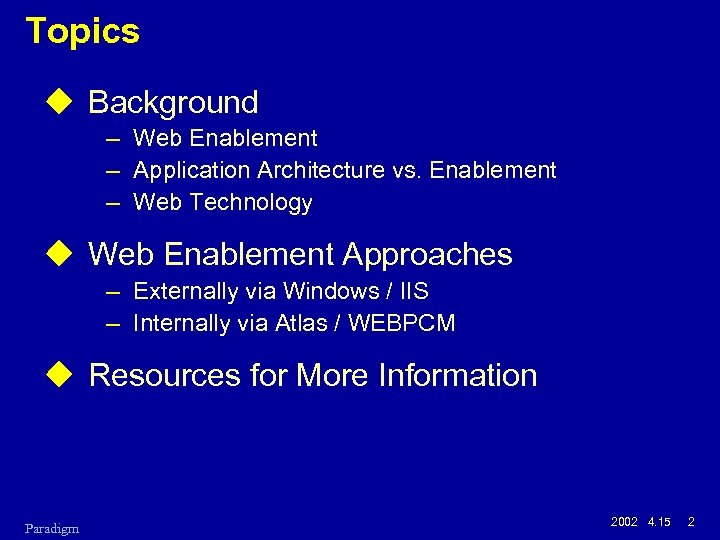
Topics u Background – Web Enablement – Application Architecture vs. Enablement – Web Technology u Web Enablement Approaches – Externally via Windows / IIS – Internally via Atlas / WEBPCM u Resources for More Information Paradigm 2002 4. 15 2
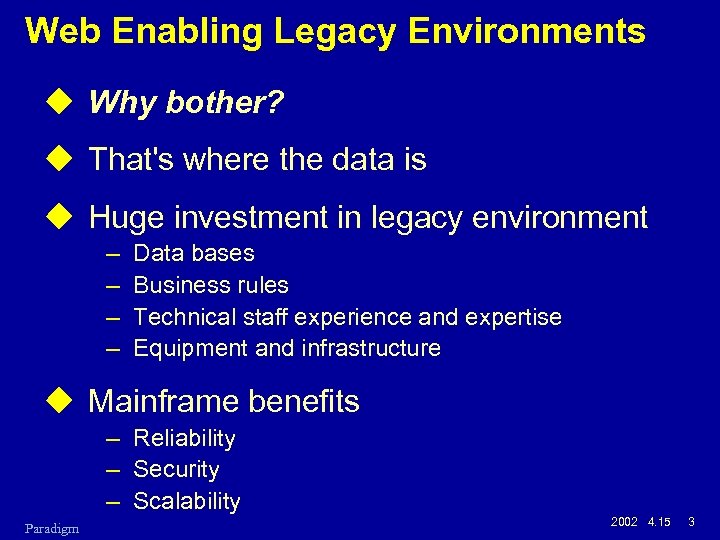
Web Enabling Legacy Environments u Why bother? u That's where the data is u Huge investment in legacy environment – – Data bases Business rules Technical staff experience and expertise Equipment and infrastructure u Mainframe benefits – Reliability – Security – Scalability Paradigm 2002 4. 15 3
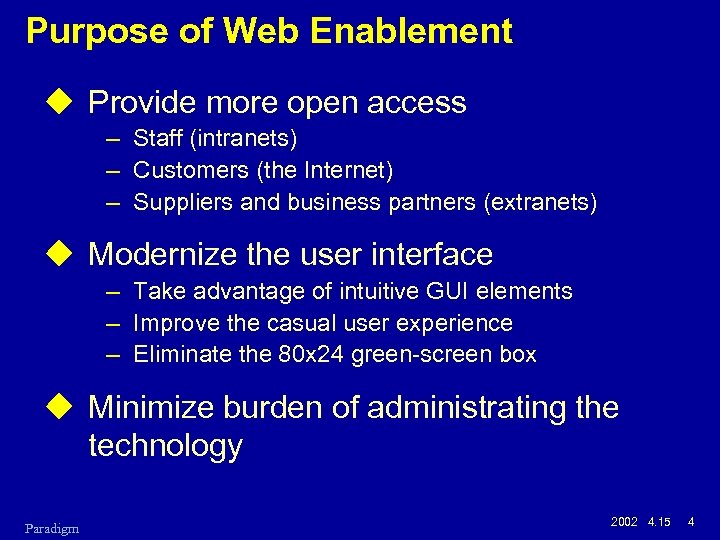
Purpose of Web Enablement u Provide more open access – Staff (intranets) – Customers (the Internet) – Suppliers and business partners (extranets) u Modernize the user interface – Take advantage of intuitive GUI elements – Improve the casual user experience – Eliminate the 80 x 24 green-screen box u Minimize burden of administrating the technology Paradigm 2002 4. 15 4
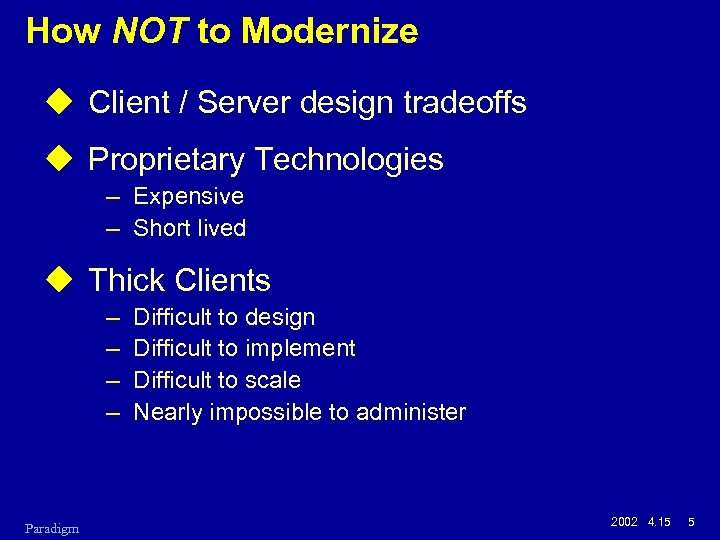
How NOT to Modernize u Client / Server design tradeoffs u Proprietary Technologies – Expensive – Short lived u Thick Clients – – Paradigm Difficult to design Difficult to implement Difficult to scale Nearly impossible to administer 2002 4. 15 5
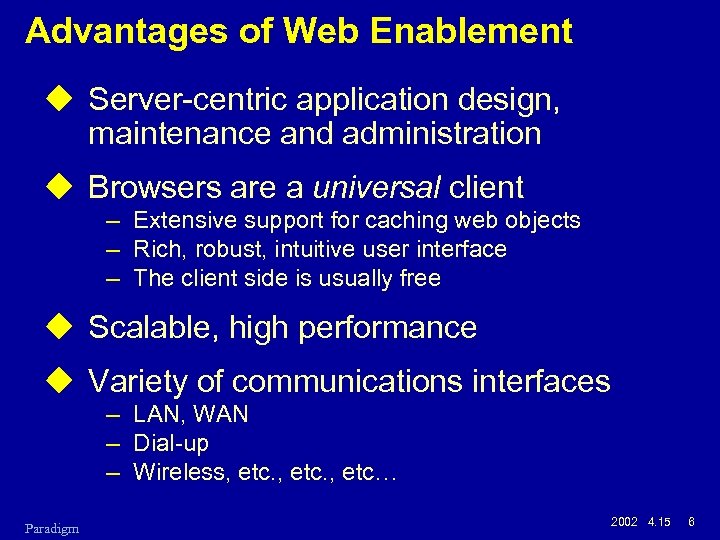
Advantages of Web Enablement u Server-centric application design, maintenance and administration u Browsers are a universal client – Extensive support for caching web objects – Rich, robust, intuitive user interface – The client side is usually free u Scalable, high performance u Variety of communications interfaces – LAN, WAN – Dial-up – Wireless, etc… Paradigm 2002 4. 15 6
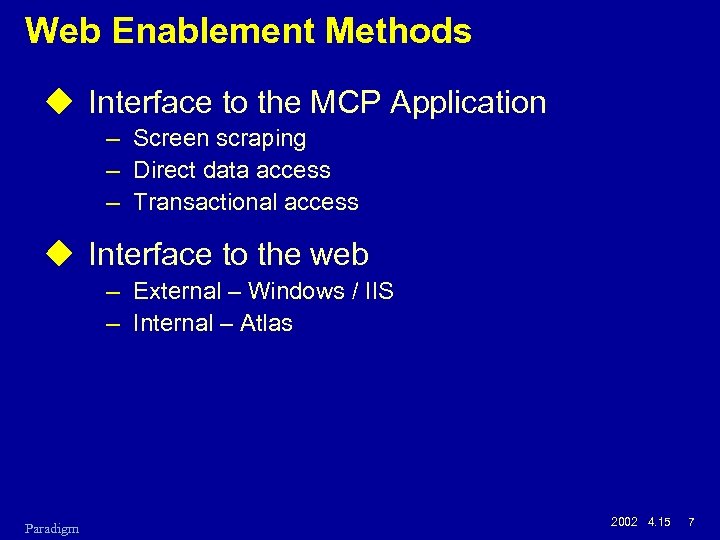
Web Enablement Methods u Interface to the MCP Application – Screen scraping – Direct data access – Transactional access u Interface to the web – External – Windows / IIS – Internal – Atlas Paradigm 2002 4. 15 7
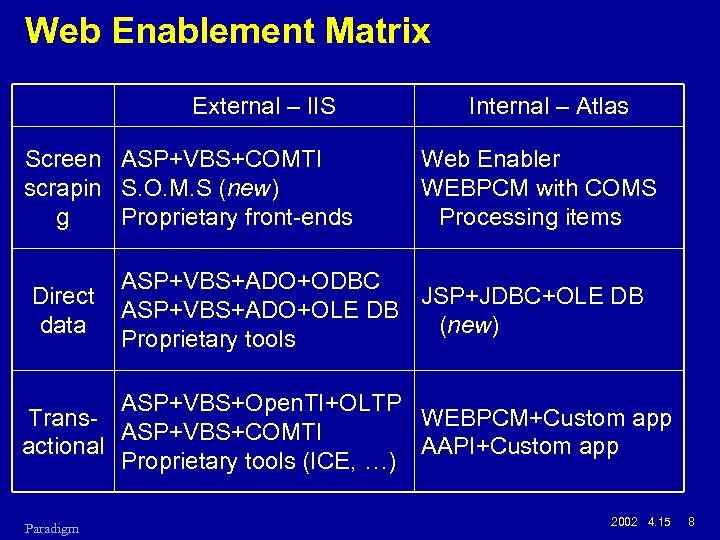
Web Enablement Matrix External – IIS Screen ASP+VBS+COMTI scrapin S. O. M. S (new) g Proprietary front-ends Direct data Internal – Atlas Web Enabler WEBPCM with COMS Processing items ASP+VBS+ADO+ODBC JSP+JDBC+OLE DB ASP+VBS+ADO+OLE DB (new) Proprietary tools ASP+VBS+Open. TI+OLTP Trans. WEBPCM+Custom app ASP+VBS+COMTI actional AAPI+Custom app Proprietary tools (ICE, …) Paradigm 2002 4. 15 8
Application Architecture vs. Web Enablement Paradigm 2002 4. 15 9
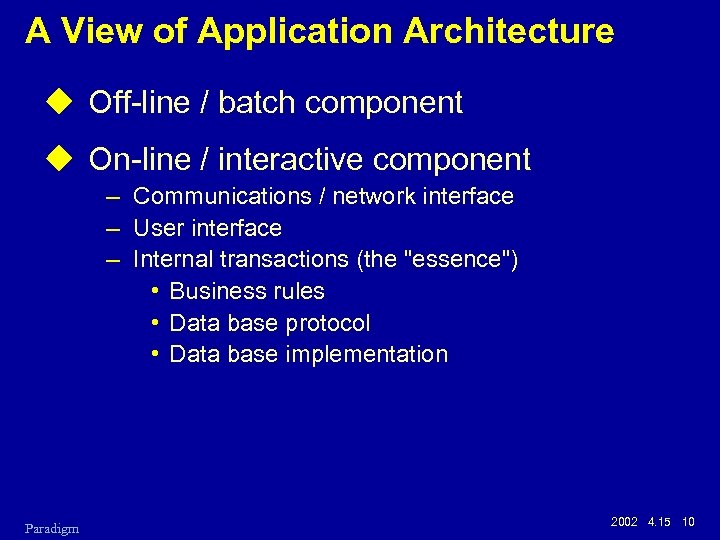
A View of Application Architecture u Off-line / batch component u On-line / interactive component – Communications / network interface – User interface – Internal transactions (the "essence") • Business rules • Data base protocol • Data base implementation Paradigm 2002 4. 15 10
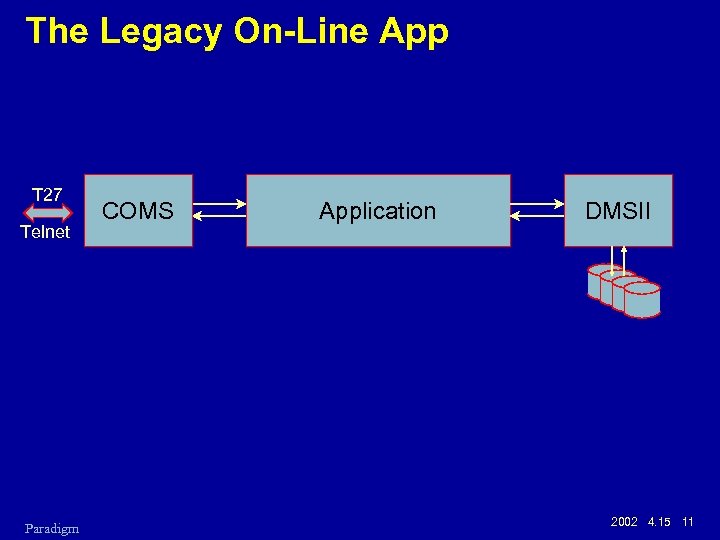
The Legacy On-Line App T 27 Telnet Paradigm COMS Application DMSII 2002 4. 15 11
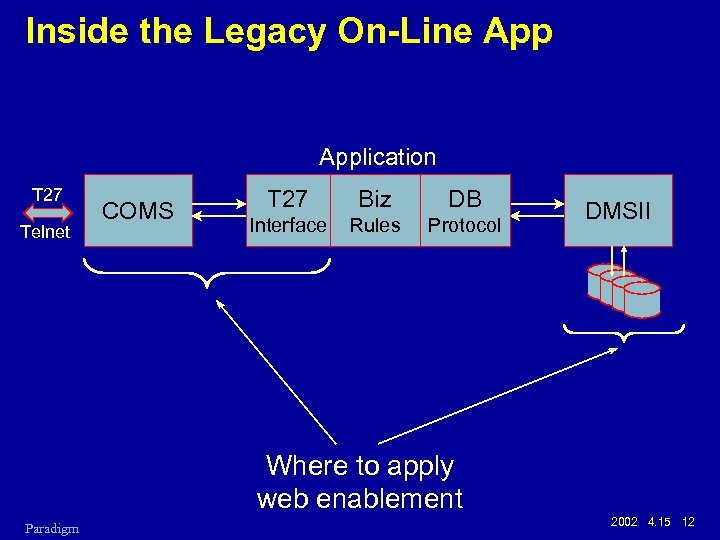
Inside the Legacy On-Line Application T 27 Telnet COMS T 27 Biz DB Interface Rules Protocol DMSII Where to apply web enablement Paradigm 2002 4. 15 12
Web Enabling the Legacy On-Line App u A new user interface – Overlay or replace the old T 27 interface, or – Bypass the application altogether u Screen scraping u Direct data access u Transactional access Paradigm 2002 4. 15 13
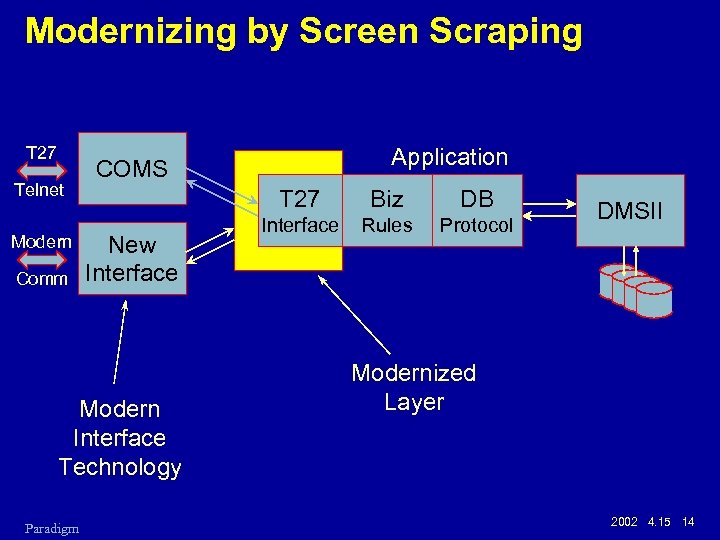
Modernizing by Screen Scraping T 27 Telnet Modern Comm T 27 New Interface Modern Interface Technology Paradigm Application COMS Biz DB Interface Rules Protocol DMSII Modernized Layer 2002 4. 15 14
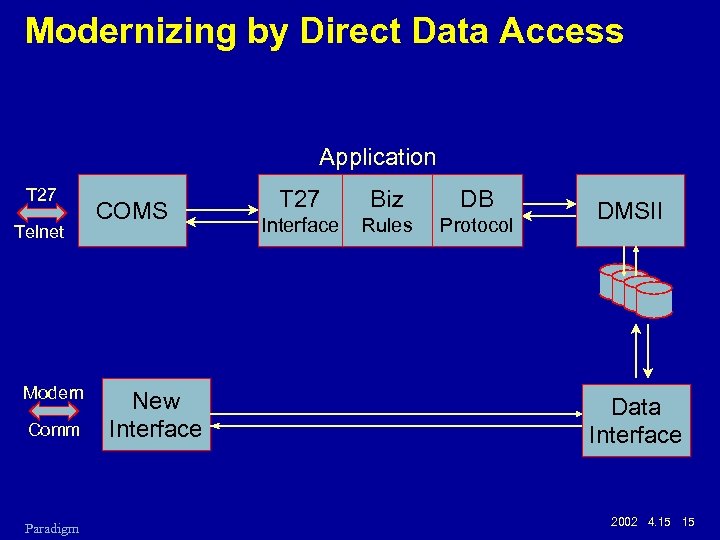
Modernizing by Direct Data Access Application T 27 Telnet Modern Comm Paradigm COMS New Interface T 27 Biz DB Interface Rules Protocol DMSII Data Interface 2002 4. 15 15
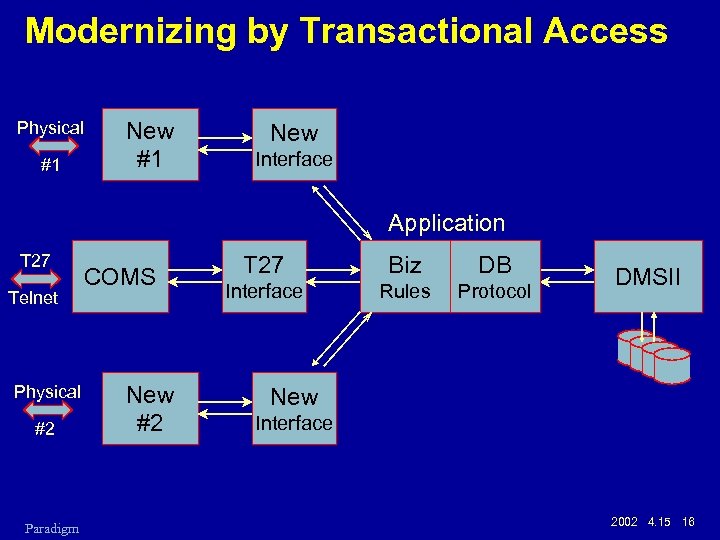
Modernizing by Transactional Access Physical #1 New Interface Application T 27 Telnet Physical #2 Paradigm COMS New #2 T 27 Biz DB Interface Rules Protocol DMSII New Interface 2002 4. 15 16
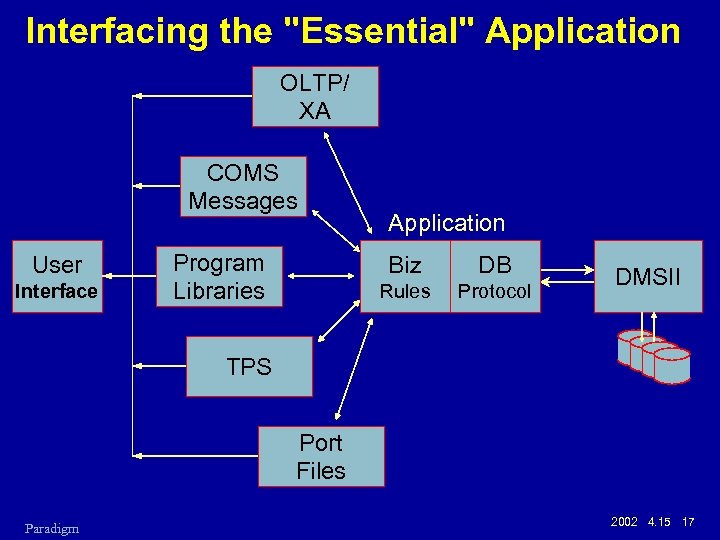
Interfacing the "Essential" Application OLTP/ XA COMS Messages User Interface Program Libraries Application Biz DB Rules Protocol DMSII TPS Port Files Paradigm 2002 4. 15 17
Web Technology Paradigm 2002 4. 15 18
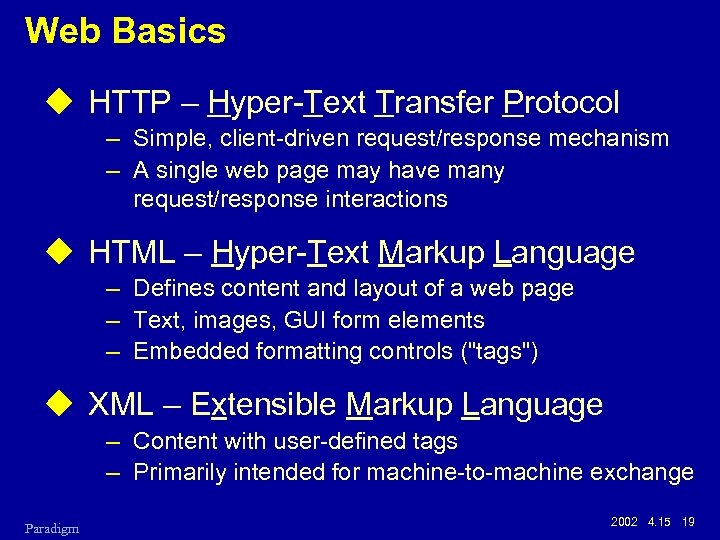
Web Basics u HTTP – Hyper-Text Transfer Protocol – Simple, client-driven request/response mechanism – A single web page may have many request/response interactions u HTML – Hyper-Text Markup Language – Defines content and layout of a web page – Text, images, GUI form elements – Embedded formatting controls ("tags") u XML – Extensible Markup Language – Content with user-defined tags – Primarily intended for machine-to-machine exchange Paradigm 2002 4. 15 19
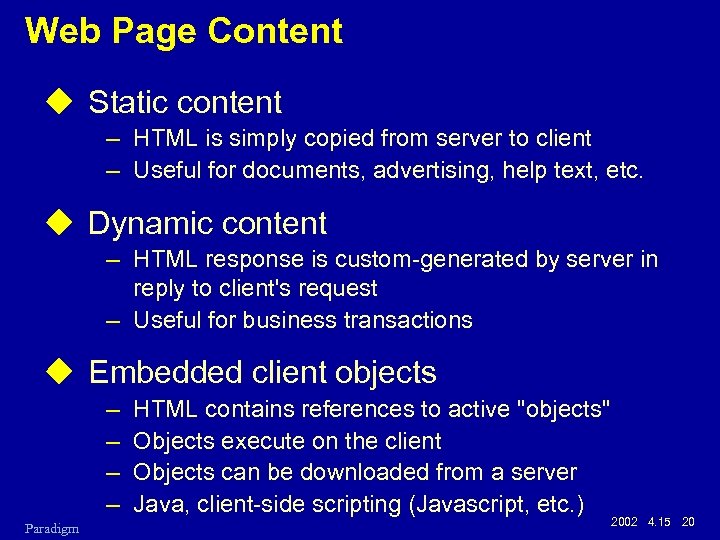
Web Page Content u Static content – HTML is simply copied from server to client – Useful for documents, advertising, help text, etc. u Dynamic content – HTML response is custom-generated by server in reply to client's request – Useful for business transactions u Embedded client objects – – Paradigm HTML contains references to active "objects" Objects execute on the client Objects can be downloaded from a server Java, client-side scripting (Javascript, etc. ) 2002 4. 15 20
Related HTML Technologies u CSS – Cascading Style Sheets – – Allows server to tailor the effect of HTML tags Fonts, colors, margins, borders, etc. CSS 1 is just beginning to be completely supported CSS 2 standard has been finalized u Javascript (ECMAScript) – – – Paradigm Client-side scripting language by Netscape Has nothing to do with Sun's Java language Embedded in HTML text, downloaded from server Provides rich interactivity on the client Can access and modify the browser's internal document object model (DOM) 2002 4. 15 21
Related HTML Technologies, continued u Document Object Model (DOM) – Browsers parse HTML into an internal data structure – Standard interface to access, extend, and modify the internal representation – Accessible from scripting languages, e. g. , Javascript u Java applet – Currently, the best way to embed a highly interactive user interface in a web page – Thick client advantages, thin client administration – Compiled to a standard pseudo code ("bytecodes") – Downloaded from server, cached on client – May have a cooperating "servlet" on the web server Paradigm 2002 4. 15 22
Web Enablement via Windows Internet Information Server (IIS) Paradigm 2002 4. 15 23
Windows IIS Capabilities u Static content u Dynamic content – CGI – Common Gateway Interface – ISAPI – IIS-specific API for server extensions u ASP – Active Server Pages – Implemented as an ISAPI application (. asp files) – Provides scripted "macro" approach to dynamically generating HTML content – Typically used with VBScript – Other scripting languages – Javascript, Python, etc. – Provides Microsoft COM objects to manage HTTP requests and responses, server environment Paradigm 2002 4. 15 24
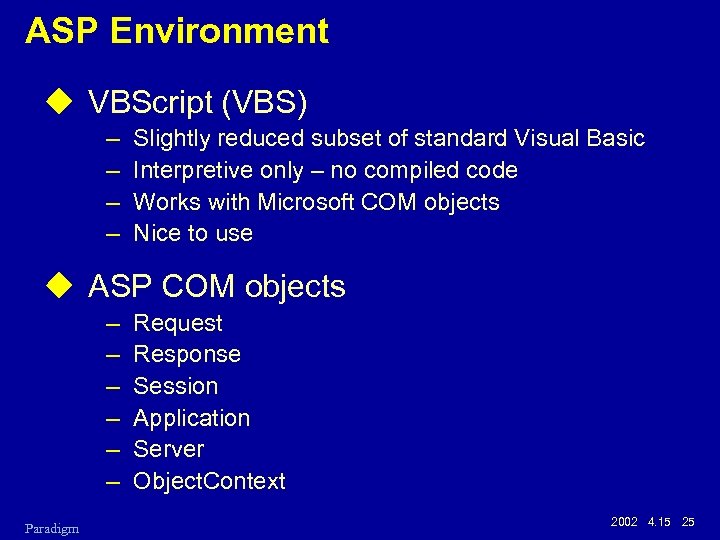
ASP Environment u VBScript (VBS) – – Slightly reduced subset of standard Visual Basic Interpretive only – no compiled code Works with Microsoft COM objects Nice to use u ASP COM objects – – – Paradigm Request Response Session Application Server Object. Context 2002 4. 15 25
![MCP Web Enablement via IIS u For screen scraping – [HTML+ASP+VBScript] + COMTI –](https://present5.com/presentation/0baeca28813f581622b24b9787089fed/image-26.jpg "MCP Web Enablement via IIS u For screen scraping – [HTML+ASP+VBScript] + COMTI –")
MCP Web Enablement via IIS u For screen scraping – [HTML+ASP+VBScript] + COMTI – [HTML+ASP+VBScript] + SOMS – Proprietary front-end (+ HTML) u For direct data access – [HTML+ASP+VBScript] + ADO + SQL + ODBC – [HTML+ASP+VBScript] + ADO + OLE DB – Proprietary tool + (ODBC or OLE DB) u For transactional access – [HTML+ASP+VBScript] + COMTI – [HTML+ASP+VBScript] + Open. TI – Proprietary tool (ICE, Web. Tx, etc. ) Paradigm 2002 4. 15 26
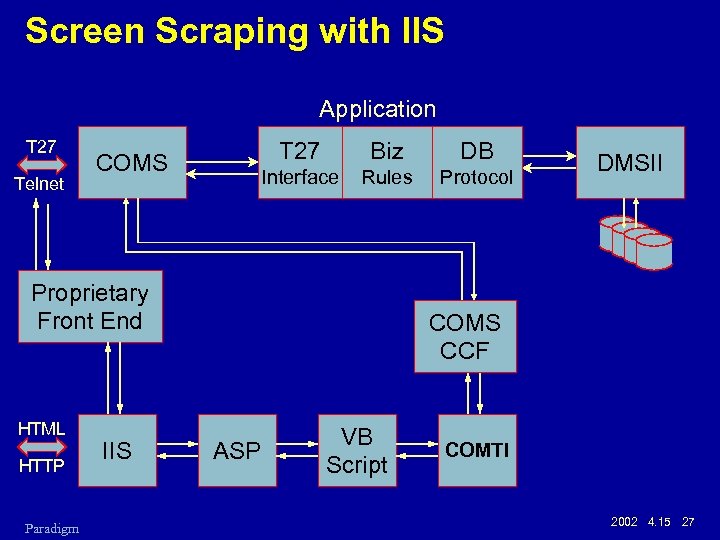
Screen Scraping with IIS Application T 27 Telnet T 27 Biz DB Interface COMS Rules Protocol Proprietary Front End HTML HTTP Paradigm IIS DMSII COMS CCF ASP VB Script COMTI 2002 4. 15 27
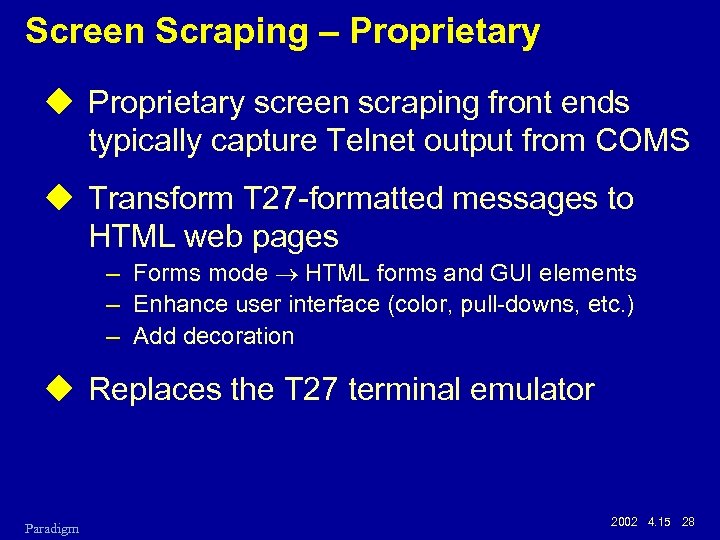
Screen Scraping – Proprietary u Proprietary screen scraping front ends typically capture Telnet output from COMS u Transform T 27 -formatted messages to HTML web pages – Forms mode HTML forms and GUI elements – Enhance user interface (color, pull-downs, etc. ) – Add decoration u Replaces the T 27 terminal emulator Paradigm 2002 4. 15 28
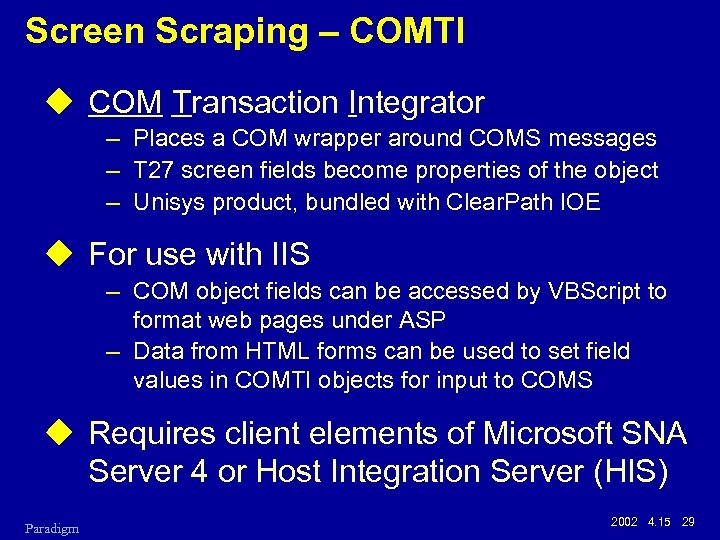
Screen Scraping – COMTI u COM Transaction Integrator – Places a COM wrapper around COMS messages – T 27 screen fields become properties of the object – Unisys product, bundled with Clear. Path IOE u For use with IIS – COM object fields can be accessed by VBScript to format web pages under ASP – Data from HTML forms can be used to set field values in COMTI objects for input to COMS u Requires client elements of Microsoft SNA Server 4 or Host Integration Server (HIS) Paradigm 2002 4. 15 29
Screen Scraping – SOMS (new) u Screen Object Modeling Studio – New with MCP 7. 0 release – Transforms COMS/T 27 messages to a number of popular "e-business" formats – Development tools bundled with Clear. Path IOE – Runtime environment is separately licensed u More than just a screen-scraping tool u Supported formats – – Paradigm HTML DCOM objects (for use with ASP/VB) WML XML (Windows. Net dialect) 2002 4. 15 30
Screen Scraping – Summary u Advantages – – – No changes to existing MCP applications User interface overhead offloaded to a separate box Uses existing business rules and DB protocols Updates handled by same legacy processes Potentially a high performance interface u Disadvantages – No new query functionality possible – Limited ability to restructure the user interface – Legacy screen changes require corresponding changes to COMTI/Proprietary front-end config – COMTI requires separate SNAS 4/HIS purchase Paradigm 2002 4. 15 31
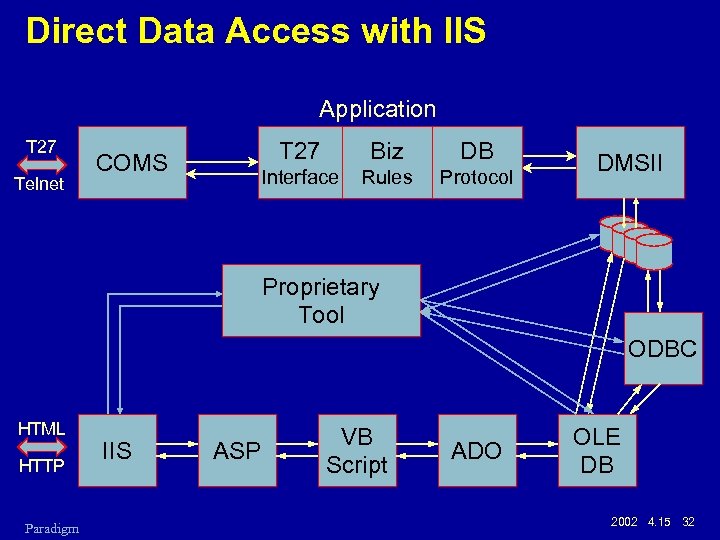
Direct Data Access with IIS Application T 27 Telnet T 27 Biz DB Interface COMS Rules Protocol DMSII Proprietary Tool ODBC HTML HTTP Paradigm IIS ASP VB Script ADO OLE DB 2002 4. 15 32
Direct Data Access – ODBC u Open Data Base Connectivity – Microsoft standard for open data base access – Implemented by Unisys Data Access for Clear. Path MCP (INFOAccess) u Implements SQL access to external data – Requires a relational view of the data – Supports query and update – Relational modeling may be difficult for some DMSII data base structures (occurs, variable format) u Modest performance – SQL parsing and relational mapping overhead – Host connection overhead Paradigm 2002 4. 15 33
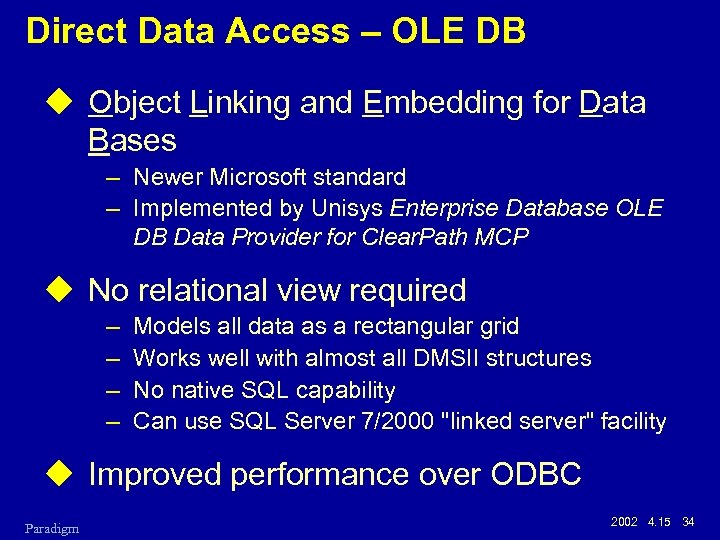
Direct Data Access – OLE DB u Object Linking and Embedding for Data Bases – Newer Microsoft standard – Implemented by Unisys Enterprise Database OLE DB Data Provider for Clear. Path MCP u No relational view required – – Models all data as a rectangular grid Works well with almost all DMSII structures No native SQL capability Can use SQL Server 7/2000 "linked server" facility u Improved performance over ODBC Paradigm 2002 4. 15 34
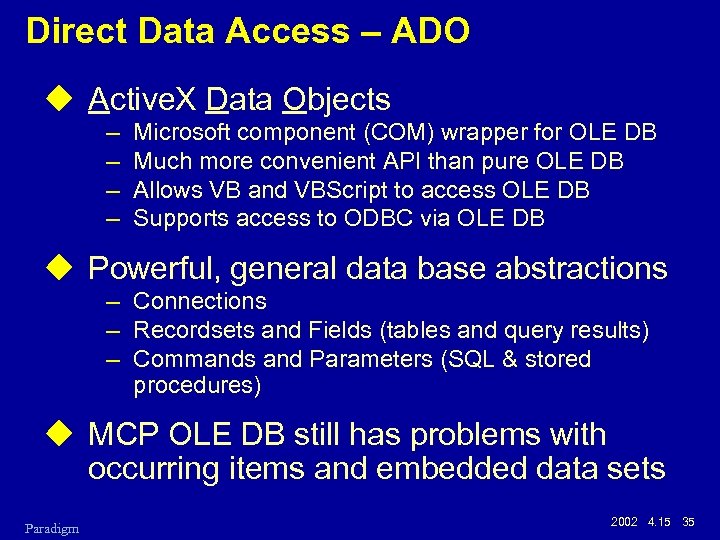
Direct Data Access – ADO u Active. X Data Objects – – Microsoft component (COM) wrapper for OLE DB Much more convenient API than pure OLE DB Allows VB and VBScript to access OLE DB Supports access to ODBC via OLE DB u Powerful, general data base abstractions – Connections – Recordsets and Fields (tables and query results) – Commands and Parameters (SQL & stored procedures) u MCP OLE DB still has problems with occurring items and embedded data sets Paradigm 2002 4. 15 35
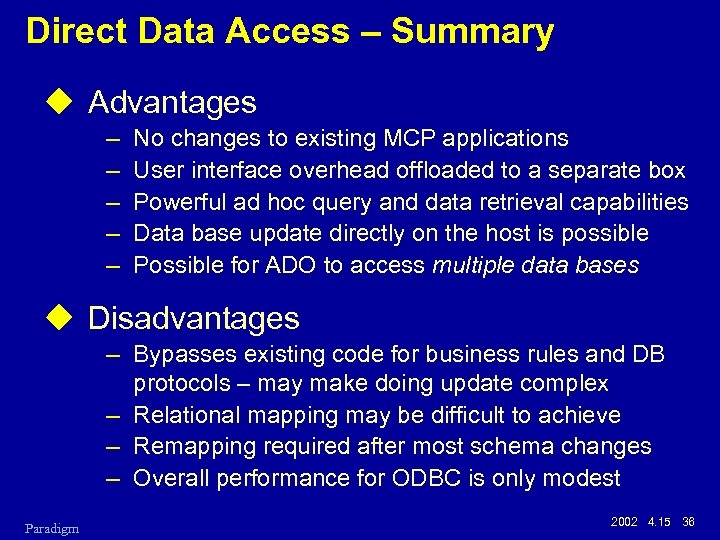
Direct Data Access – Summary u Advantages – – – No changes to existing MCP applications User interface overhead offloaded to a separate box Powerful ad hoc query and data retrieval capabilities Data base update directly on the host is possible Possible for ADO to access multiple data bases u Disadvantages – Bypasses existing code for business rules and DB protocols – may make doing update complex – Relational mapping may be difficult to achieve – Remapping required after most schema changes – Overall performance for ODBC is only modest Paradigm 2002 4. 15 36
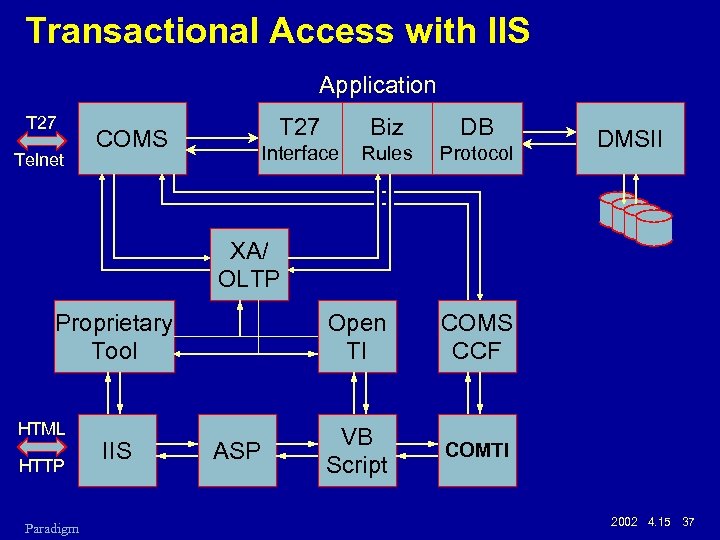
Transactional Access with IIS Application T 27 Telnet T 27 Biz DB Interface COMS Rules Protocol DMSII XA/ OLTP Proprietary Tool HTML HTTP Paradigm IIS Open TI ASP COMS CCF VB Script COMTI 2002 4. 15 37
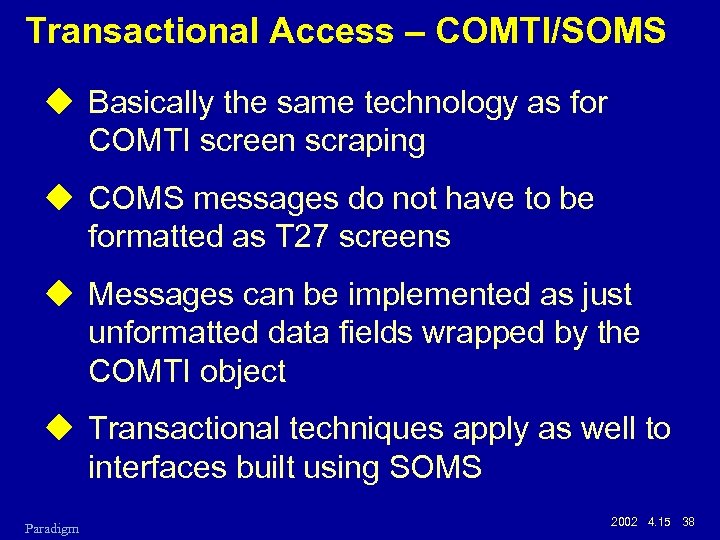
Transactional Access – COMTI/SOMS u Basically the same technology as for COMTI screen scraping u COMS messages do not have to be formatted as T 27 screens u Messages can be implemented as just unformatted data fields wrapped by the COMTI object u Transactional techniques apply as well to interfaces built using SOMS Paradigm 2002 4. 15 38
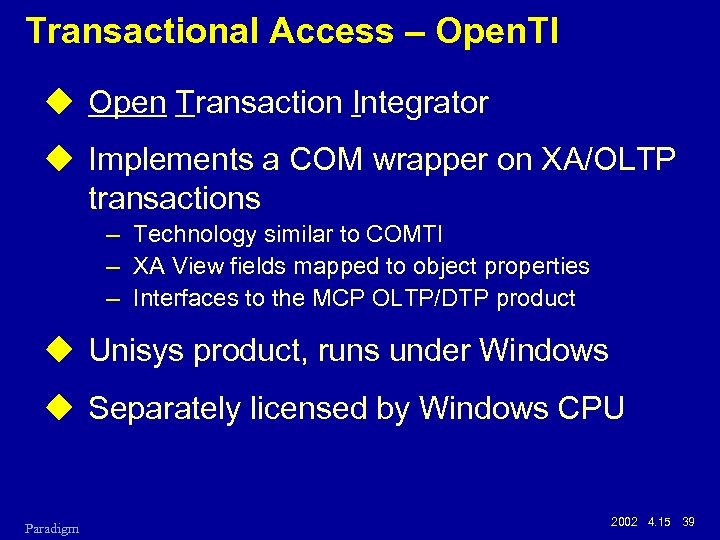
Transactional Access – Open. TI u Open Transaction Integrator u Implements a COM wrapper on XA/OLTP transactions – Technology similar to COMTI – XA View fields mapped to object properties – Interfaces to the MCP OLTP/DTP product u Unisys product, runs under Windows u Separately licensed by Windows CPU Paradigm 2002 4. 15 39
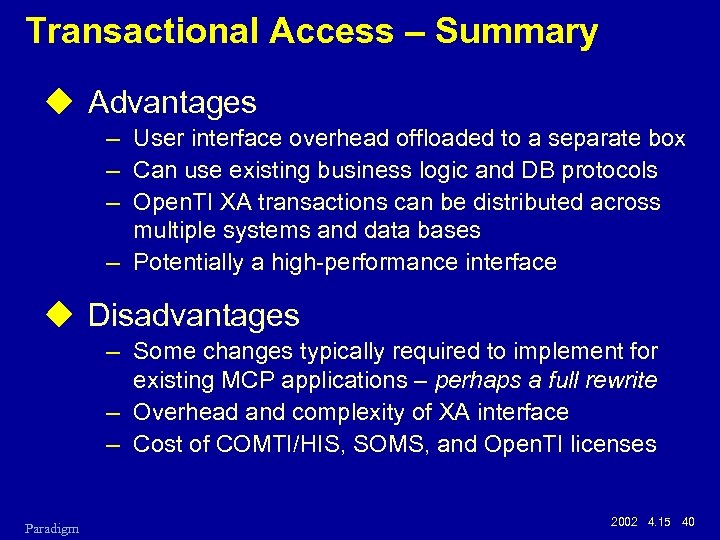
Transactional Access – Summary u Advantages – User interface overhead offloaded to a separate box – Can use existing business logic and DB protocols – Open. TI XA transactions can be distributed across multiple systems and data bases – Potentially a high-performance interface u Disadvantages – Some changes typically required to implement for existing MCP applications – perhaps a full rewrite – Overhead and complexity of XA interface – Cost of COMTI/HIS, SOMS, and Open. TI licenses Paradigm 2002 4. 15 40
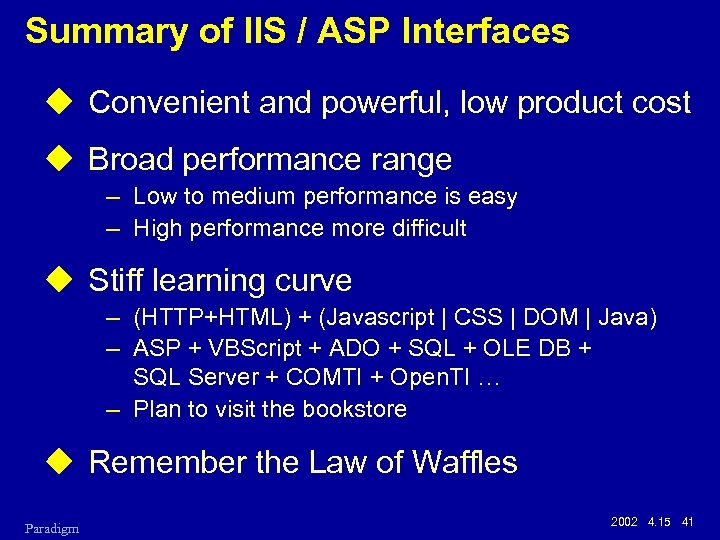
Summary of IIS / ASP Interfaces u Convenient and powerful, low product cost u Broad performance range – Low to medium performance is easy – High performance more difficult u Stiff learning curve – (HTTP+HTML) + (Javascript | CSS | DOM | Java) – ASP + VBScript + ADO + SQL + OLE DB + SQL Server + COMTI + Open. TI … – Plan to visit the bookstore u Remember the Law of Waffles Paradigm 2002 4. 15 41
Alternatives to IIS and ASP u Other web server environments do exist – – Windows and Unix / Linux Apache web server JSP – Java Server Pages PHP u Other Unisys products – LINC – Power. Client u Lots more… Paradigm 2002 4. 15 42
Web Enablement via MCP Atlas (Web Transaction Server for Clear. Path MCP) Paradigm 2002 4. 15 43
MCP Atlas Capabilities u Static content u Dynamic content – – CGI – Common Gateway Interface AAPI – Atlas-specific API for server extensions Java servlets Java Server Pages (JSP) – new in MCP 7. 0 u WEBPCM – Implemented as a COMS CCF module (PCM) – Provides a bridge between AAPI and COMS – Used with COMS direct window or remote file programs – WEBAPPSUPPORT library Paradigm 2002 4. 15 44
Atlas / WEBPCM Environment u ATLAS – AAPI – Java Servlets, JSP u COMS – – COMS CCF WEBPCM WEBAPPSUPPORT Library COMS Processing Items u Standard programming languages – – Paradigm COBOL-74, COBOL-85 Algol, DCAlgol C, Pascal Java Virtual Machine (JVM) 2002 4. 15 45
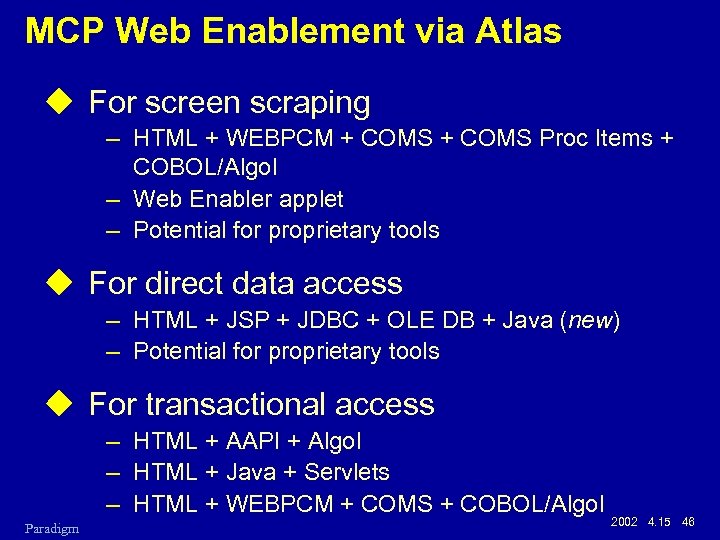
MCP Web Enablement via Atlas u For screen scraping – HTML + WEBPCM + COMS Proc Items + COBOL/Algol – Web Enabler applet – Potential for proprietary tools u For direct data access – HTML + JSP + JDBC + OLE DB + Java (new) – Potential for proprietary tools u For transactional access – HTML + AAPI + Algol – HTML + Java + Servlets – HTML + WEBPCM + COMS + COBOL/Algol Paradigm 2002 4. 15 46
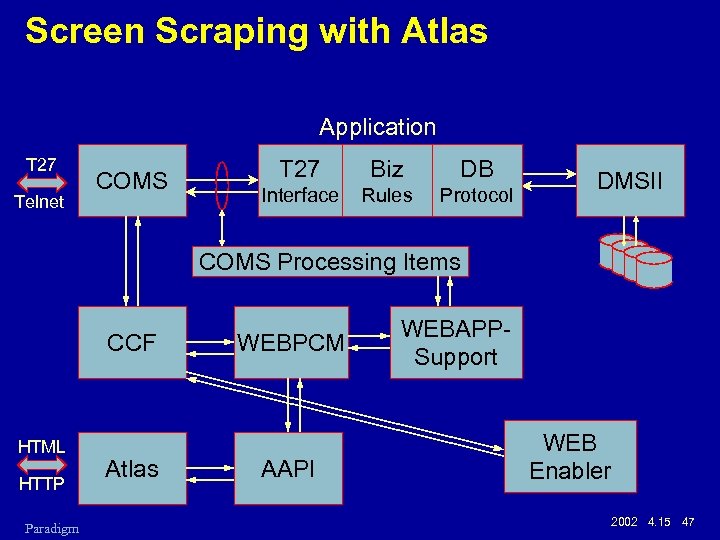
Screen Scraping with Atlas Application T 27 Telnet COMS T 27 Biz DB Interface Rules Protocol DMSII COMS Processing Items CCF HTML HTTP Paradigm Atlas WEBPCM AAPI WEBAPPSupport WEB Enabler 2002 4. 15 47
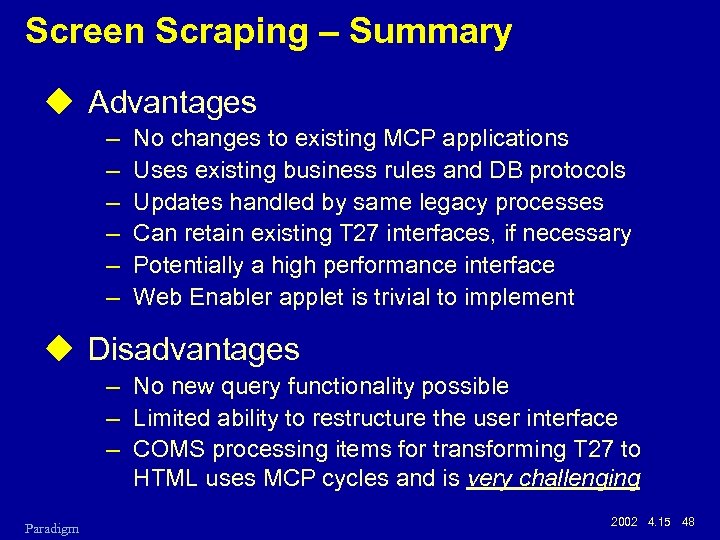
Screen Scraping – Summary u Advantages – – – No changes to existing MCP applications Uses existing business rules and DB protocols Updates handled by same legacy processes Can retain existing T 27 interfaces, if necessary Potentially a high performance interface Web Enabler applet is trivial to implement u Disadvantages – No new query functionality possible – Limited ability to restructure the user interface – COMS processing items for transforming T 27 to HTML uses MCP cycles and is very challenging Paradigm 2002 4. 15 48
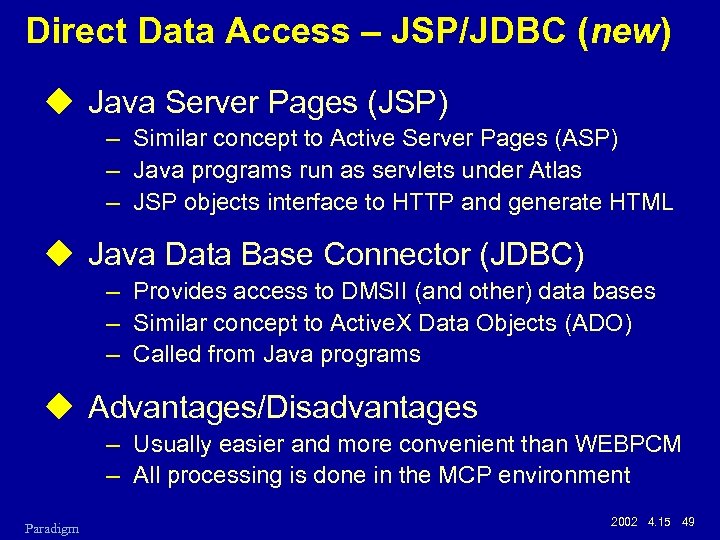
Direct Data Access – JSP/JDBC (new) u Java Server Pages (JSP) – Similar concept to Active Server Pages (ASP) – Java programs run as servlets under Atlas – JSP objects interface to HTTP and generate HTML u Java Data Base Connector (JDBC) – Provides access to DMSII (and other) data bases – Similar concept to Active. X Data Objects (ADO) – Called from Java programs u Advantages/Disadvantages – Usually easier and more convenient than WEBPCM – All processing is done in the MCP environment Paradigm 2002 4. 15 49
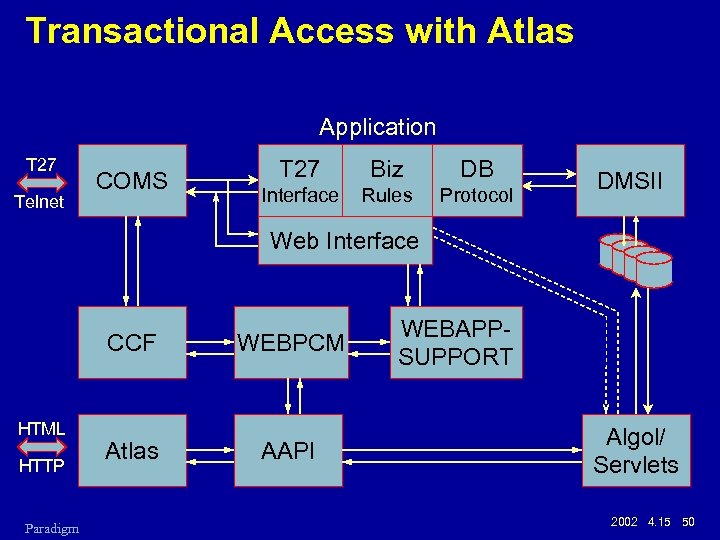
Transactional Access with Atlas Application T 27 Telnet COMS T 27 Biz DB Interface Rules Protocol DMSII Web Interface CCF HTML HTTP Paradigm WEBPCM Atlas AAPI WEBAPPSUPPORT Algol/ Servlets 2002 4. 15 50
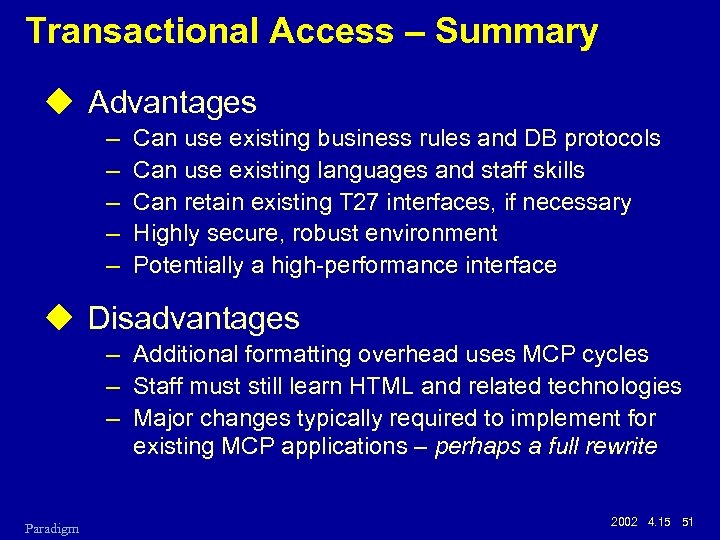
Transactional Access – Summary u Advantages – – – Can use existing business rules and DB protocols Can use existing languages and staff skills Can retain existing T 27 interfaces, if necessary Highly secure, robust environment Potentially a high-performance interface u Disadvantages – Additional formatting overhead uses MCP cycles – Staff must still learn HTML and related technologies – Major changes typically required to implement for existing MCP applications – perhaps a full rewrite Paradigm 2002 4. 15 51
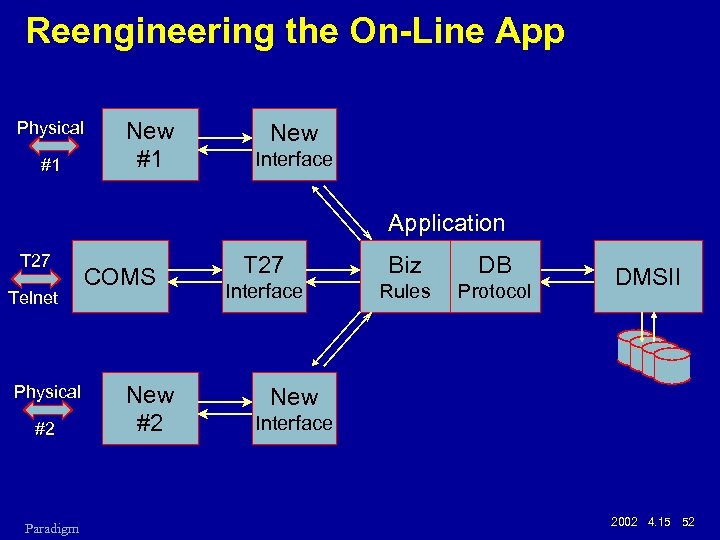
Reengineering the On-Line App Physical #1 New Interface Application T 27 Telnet Physical #2 Paradigm COMS New #2 T 27 Biz DB Interface Rules Protocol DMSII New Interface 2002 4. 15 52
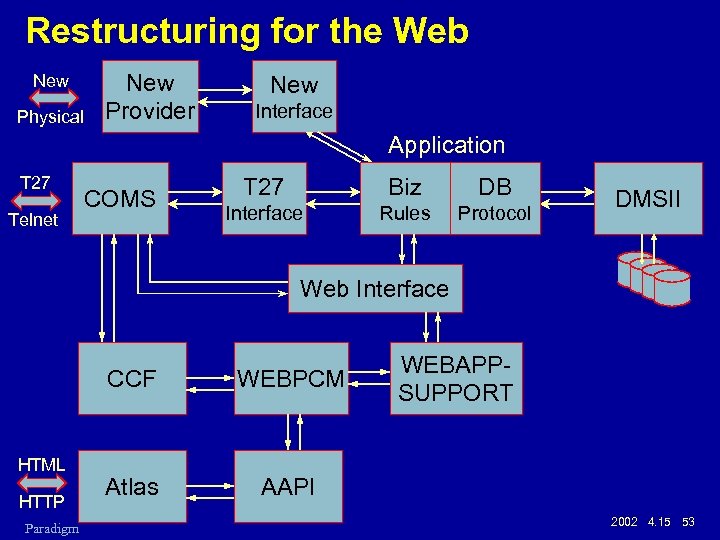
Restructuring for the Web New Physical New Provider New Interface Application T 27 Telnet COMS T 27 Biz DB Interface Rules Protocol DMSII Web Interface CCF HTML HTTP Paradigm WEBPCM Atlas WEBAPPSUPPORT AAPI 2002 4. 15 53
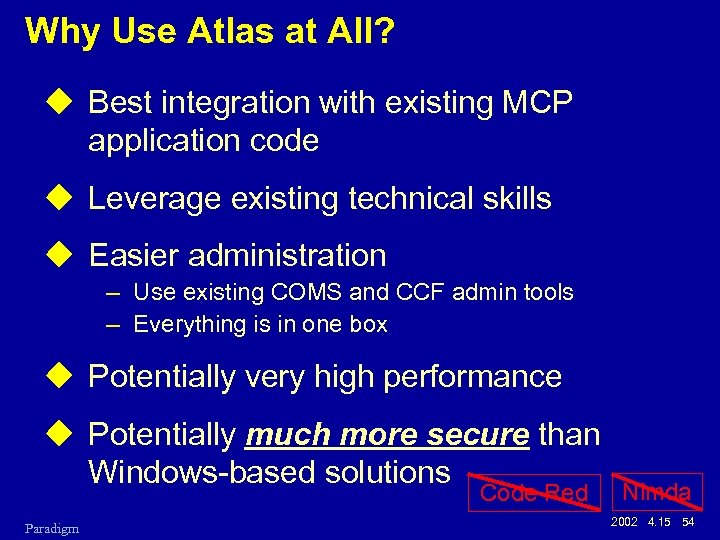
Why Use Atlas at All? u Best integration with existing MCP application code u Leverage existing technical skills u Easier administration – Use existing COMS and CCF admin tools – Everything is in one box u Potentially very high performance u Potentially much more secure than Windows-based solutions Code Red Paradigm Nimda 2002 4. 15 54
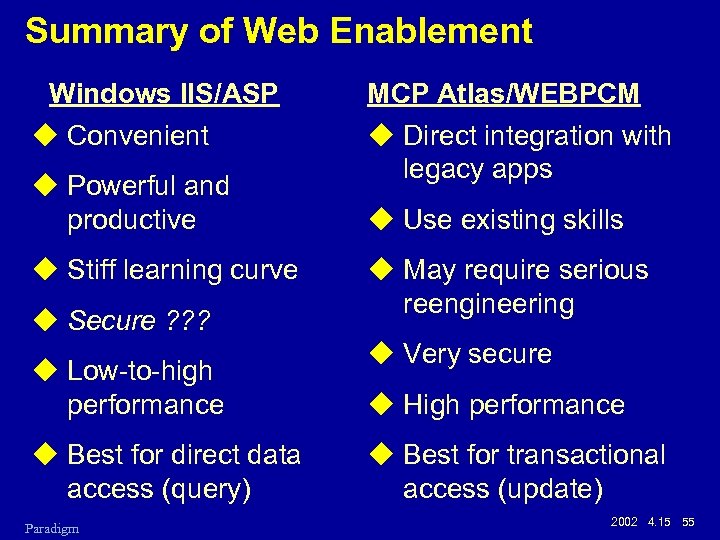
Summary of Web Enablement Windows IIS/ASP u Convenient u Powerful and productive u Stiff learning curve u Secure ? ? ? u Low-to-high performance u Best for direct data access (query) Paradigm MCP Atlas/WEBPCM u Direct integration with legacy apps u Use existing skills u May require serious reengineering u Very secure u High performance u Best for transactional access (update) 2002 4. 15 55
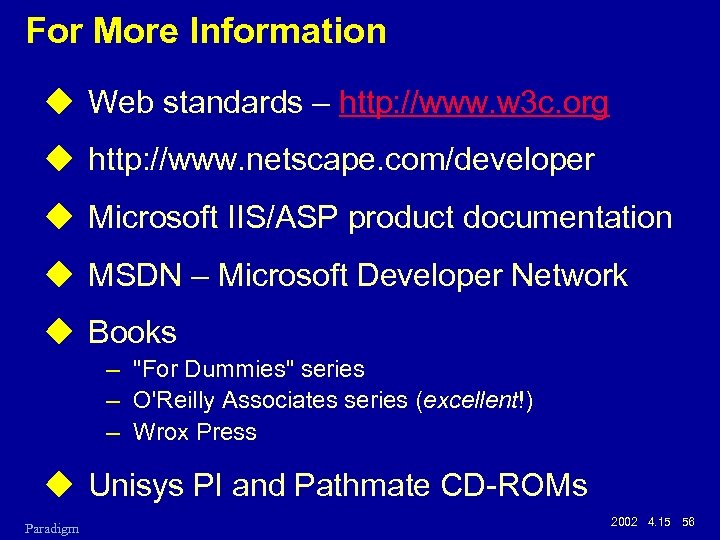
For More Information u Web standards – http: //www. w 3 c. org u http: //www. netscape. com/developer u Microsoft IIS/ASP product documentation u MSDN – Microsoft Developer Network u Books – "For Dummies" series – O'Reilly Associates series (excellent!) – Wrox Press u Unisys PI and Pathmate CD-ROMs Paradigm 2002 4. 15 56
Скачать презентацию Web Enablement Approaches for Clear Path MCP Systems
0baeca28813f581622b24b9787089fed.ppt