 Скачать презентацию Web Authentication Nuts and Bolts Authentication Appliance EDUCAUSE
3814106c90698c4062473088d89ea082.ppt
- Количество слайдов: 13



Web Authentication Nuts and Bolts: “Authentication Appliance” EDUCAUSE Dartmouth PKI Deployment Summit 7/27/2005 Presented by: Mark Franklin Dartmouth College PKI Lab Mark. J. Franklin@Dartmouth. EDU
Background • Dartmouth’s Oracle-based web applications allow end user PKI authentication Anticipated 12, 000 pre-matriculated students checking acceptance status all at once • – – • Too much HTTPS/SSL traffic for our Oracle application servers Needed more SSL capacity to avoid a meltdown Selected F 5 load balancer/SSL termination appliance
The Problem • PKI authentication happens where SSL is terminated • Used to be in Oracle application server • Now in F 5 appliance • Thus, Oracle app server doesn’t have knowledge of authentication Impending doom for our PKI authentication! (queue ominous music)
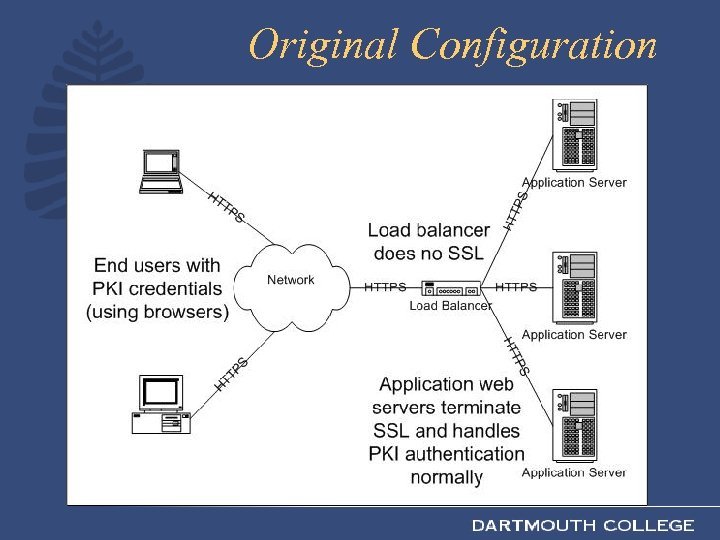
Original Configuration
The Solution • F 5 supports end user PKI authentication – Validate user’s certificate (inc. revocation) – At this point, we have verified user’s identity • Insert custom HTTP headers to pass authentication information to the application server
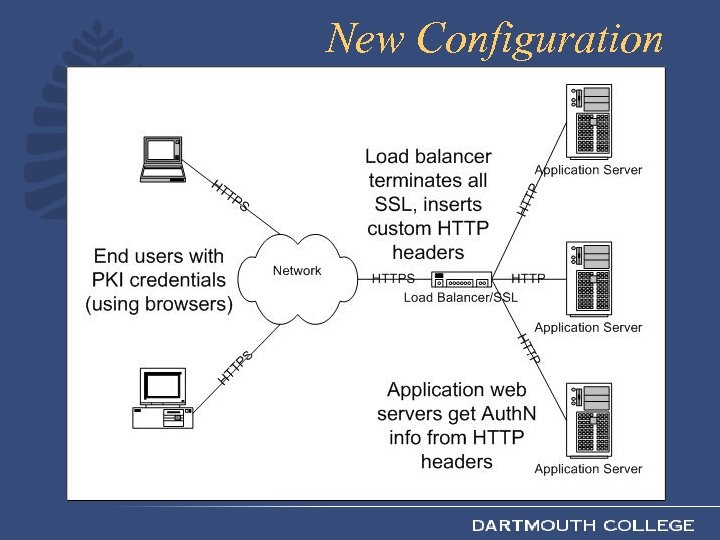
New Configuration
Security Assumptions • F 5 appliance properly verifies certificates (we tested to confirm this) • No alternate route to app servers (users could spoof custom headers) • Network from F 5 to app servers is secure (it’s in our computer room) • F 5 box is secure (we’re trusting it to do our authentication) • F 5 logic eliminates any inbound custom authn headers (we programmed this)
Implementation • Configured SSL normally on F 5 • Turned on standard F 5 client-side PKI authn • Added i. Rule (TCL) logic in F 5 to insert custom headers for users with PKI credentials • Modified Oracle app server authn logic (PL/SQL) to accept custom headers as valid authn & retrieve user info from them
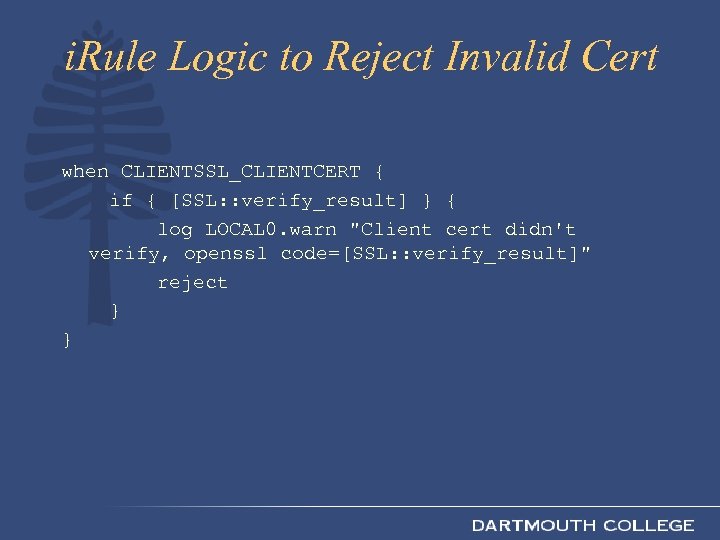
i. Rule Logic to Reject Invalid Cert when CLIENTSSL_CLIENTCERT { if { [SSL: : verify_result] } { log LOCAL 0. warn "Client cert didn't verify, openssl code=[SSL: : verify_result]" reject } }
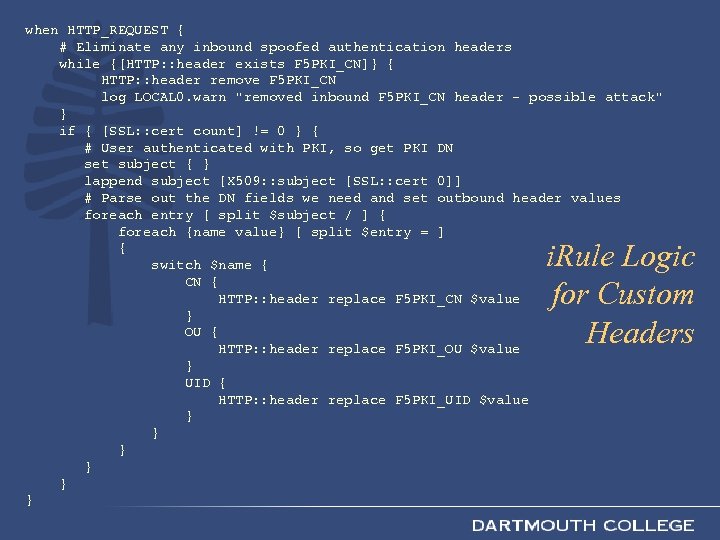
when HTTP_REQUEST { # Eliminate any inbound spoofed authentication headers while {[HTTP: : header exists F 5 PKI_CN]} { HTTP: : header remove F 5 PKI_CN log LOCAL 0. warn "removed inbound F 5 PKI_CN header - possible attack" } if { [SSL: : cert count] != 0 } { # User authenticated with PKI, so get PKI DN set subject { } lappend subject [X 509: : subject [SSL: : cert 0]] # Parse out the DN fields we need and set outbound header values foreach entry [ split $subject / ] { foreach {name value} [ split $entry = ] { switch $name { CN { HTTP: : header replace F 5 PKI_CN $value } OU { HTTP: : header replace F 5 PKI_OU $value } UID { HTTP: : header replace F 5 PKI_UID $value } } } i. Rule Logic for Custom Headers
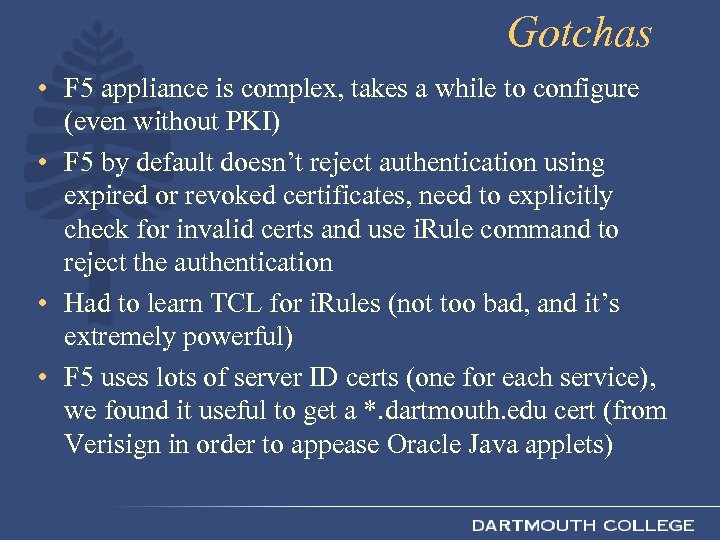
Gotchas • F 5 appliance is complex, takes a while to configure (even without PKI) • F 5 by default doesn’t reject authentication using expired or revoked certificates, need to explicitly check for invalid certs and use i. Rule command to reject the authentication • Had to learn TCL for i. Rules (not too bad, and it’s extremely powerful) • F 5 uses lots of server ID certs (one for each service), we found it useful to get a *. dartmouth. edu cert (from Verisign in order to appease Oracle Java applets)
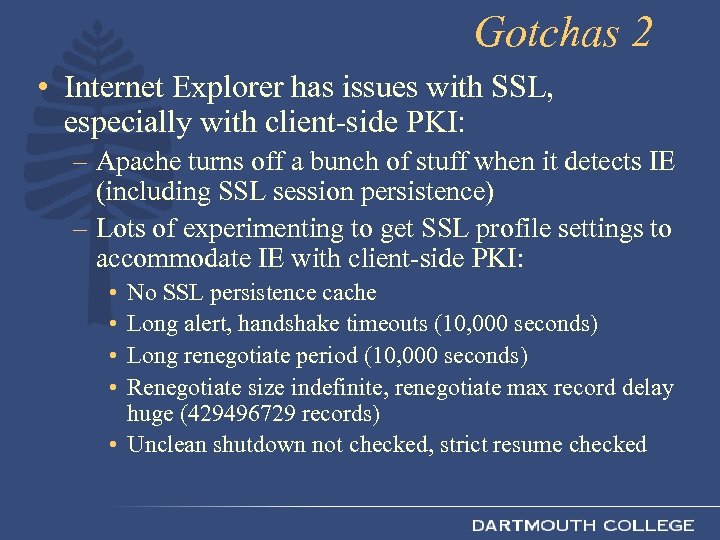
Gotchas 2 • Internet Explorer has issues with SSL, especially with client-side PKI: – Apache turns off a bunch of stuff when it detects IE (including SSL session persistence) – Lots of experimenting to get SSL profile settings to accommodate IE with client-side PKI: • • No SSL persistence cache Long alert, handshake timeouts (10, 000 seconds) Long renegotiate period (10, 000 seconds) Renegotiate size indefinite, renegotiate max record delay huge (429496729 records) • Unclean shutdown not checked, strict resume checked
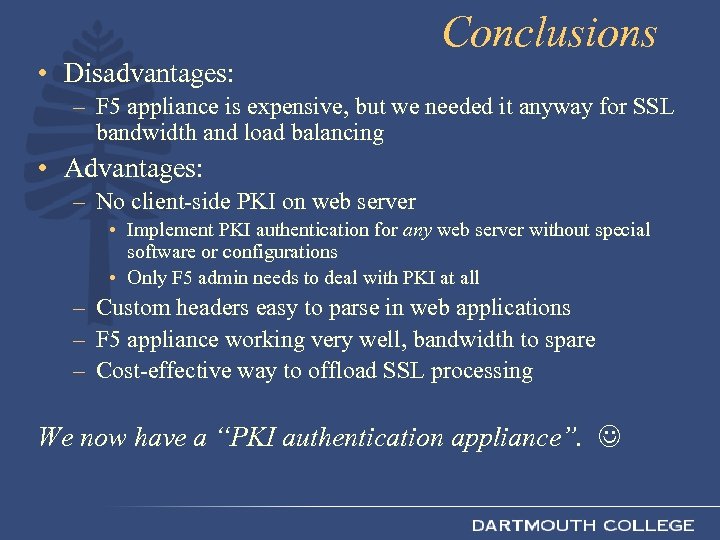
Conclusions • Disadvantages: – F 5 appliance is expensive, but we needed it anyway for SSL bandwidth and load balancing • Advantages: – No client-side PKI on web server • Implement PKI authentication for any web server without special software or configurations • Only F 5 admin needs to deal with PKI at all – Custom headers easy to parse in web applications – F 5 appliance working very well, bandwidth to spare – Cost-effective way to offload SSL processing We now have a “PKI authentication appliance”.
Скачать презентацию Web Authentication Nuts and Bolts Authentication Appliance EDUCAUSE
3814106c90698c4062473088d89ea082.ppt