 Скачать презентацию Web and Social Media Institute 101 Starting the
3ba8dcc9c54bad79bbb9b93f1dfc89cf.ppt
- Количество слайдов: 61



Web and Social Media Institute 101: Starting the Conversation n Tuesday 11/27 at 10: 00 201: Maximizing Your Impact n Tuesday 11/27 at 1: 30 301: Measuring Value n Wednesday 11/28 at 10: 00 All sessions are here in Wilson A
Brought to you by… n AIDS Education and Training Centers n AETC National Resource Center n Northwest AETC n TARGET Center n AIDS. GOV
Web and Social Media Institute 301: Measuring Value
Today’s Presenters n Judy Collins Program Coordinator of Social Media, AETC National Resource Center (AETC NRC) n Nicolé Mandel Website Manager AETC NRC Project Director, TARGET Center n Veronica Jones, MPH, CHES Program Manager, AETC NRC n Jamie Steiger, MPH, Moderator Program Director, AETC NRC
Learning Objectives n By the end of this session, participants will be able to: n Use standard metrics to examine the reach and use of their websites and social media activities. n Select 5 key metrics for their project. n Describe 1 -2 qualitative evaluation methods for online programs.
Overview of Session n Measuring Value: Why would we want to do this? n Facebook Insights and Hoot. Suite n Google Analytics n Small Group Activity: Reading and Using a Metrics Report n Qualitative evaluation n Questions and Answers
Tell Us About You How long have you been working in the Ryan White Program? 1. 0 -1 years 2. 2 -5 years 3. 5 -10 years 4. 10 -20 years 5. 20+ years
Tell Us About You (continued) At your Ryan White site, do you have a: 1. Website 2. Facebook profile 3. Twitter account 4. More than 1 of the above 5. None of the above
Tell Us About You (continued) Why did you select this session? 1. I am responsible for evaluation activities 2. I am responsible for the website and/or social media 3. My colleague dragged me here 4. Other
Tell Us About You (continued) Rate your comfort level with Facebook Insights: 1. Comfortable 2. Neutral 3. Uncomfortable
Tell Us About You (continued) Rate your comfort level with Hoot. Suite: 1. Comfortable 2. Neutral 3. Uncomfortable
Tell Us About You (continued) Rate your comfort level with Web Analytics: 1. Comfortable 2. Neutral 3. Uncomfortable
Tell Us About You (continued) Rate your comfort level with online survey tools such as Survey. Monkey: 1. Comfortable 2. Neutral 3. Uncomfortable
Tell Us About You (continued) Rate your comfort level with qualitative evaluation: 1. Comfortable 2. Neutral 3. Uncomfortable
Why are metrics important? n Metrics tell you how you are delivering your digital services and information n Performance n Customer satisfaction n Engagement n Need n Metrics inform your quality improvements
Social Media Evaluation: What can you learn about your activities?
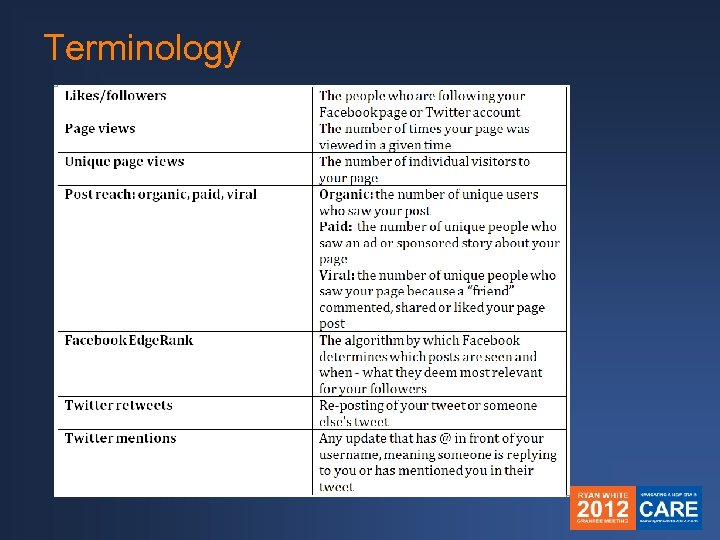
Terminology
Facebook Insights n Track user interaction n Insights are provided only for pages with 30+ “likes” n Only available to page administrators n Data are aggregated according to Pacific Daylight Time with a 48 -hour turnaround
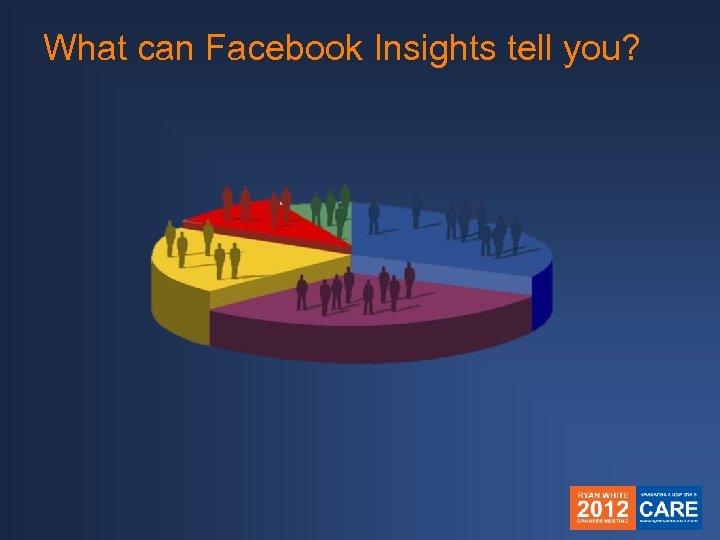
What can Facebook Insights tell you?
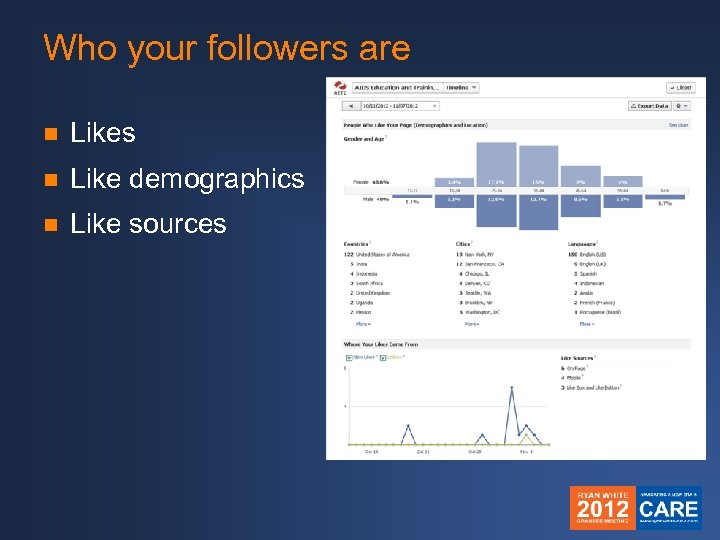
Who your followers are n Likes n Like demographics n Like sources
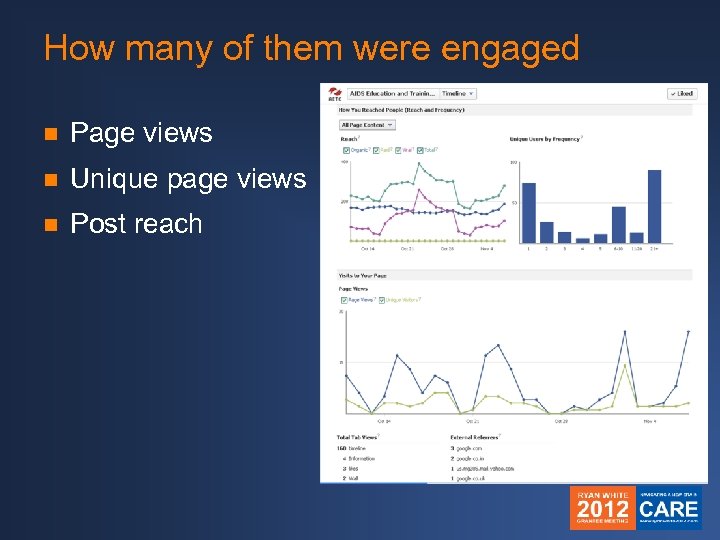
How many of them were engaged n Page views n Unique page views n Post reach
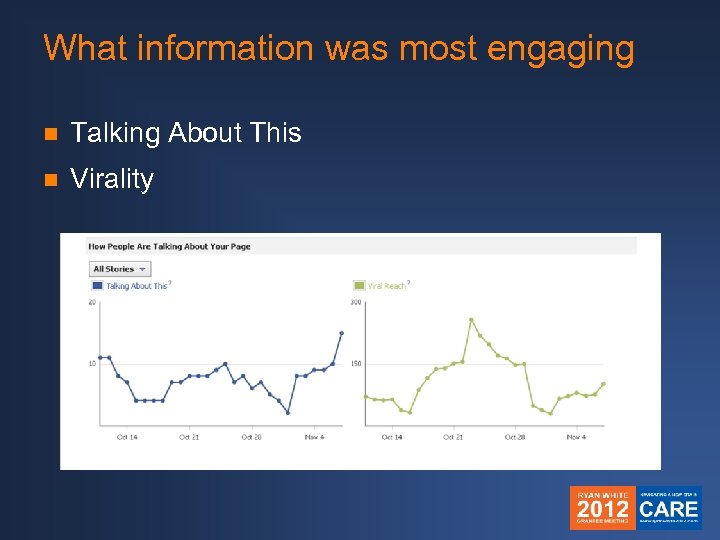
What information was most engaging n Talking About This n Virality
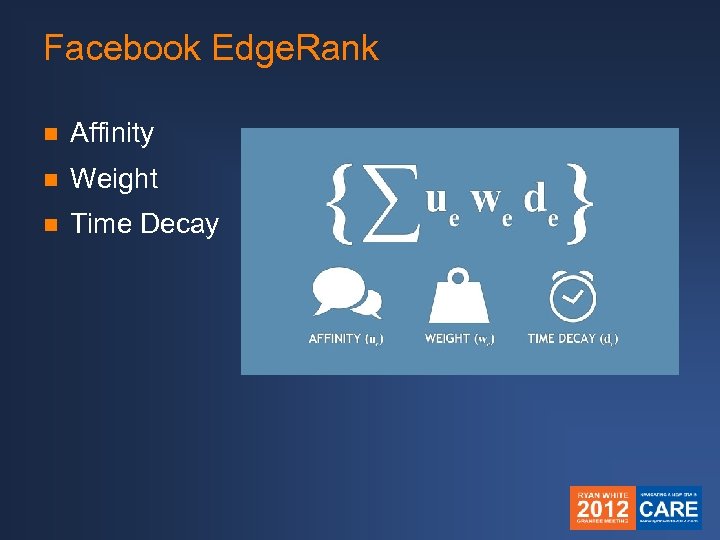
Facebook Edge. Rank n Affinity n Weight n Time Decay
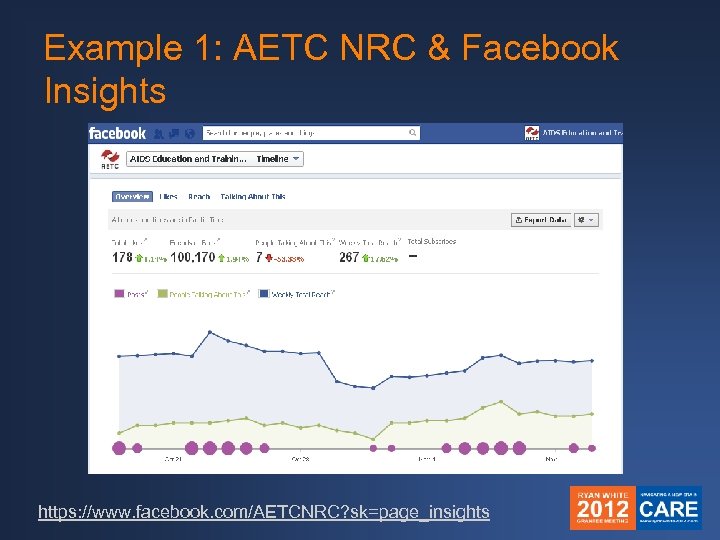
Example 1: AETC NRC & Facebook Insights https: //www. facebook. com/AETCNRC? sk=page_insights
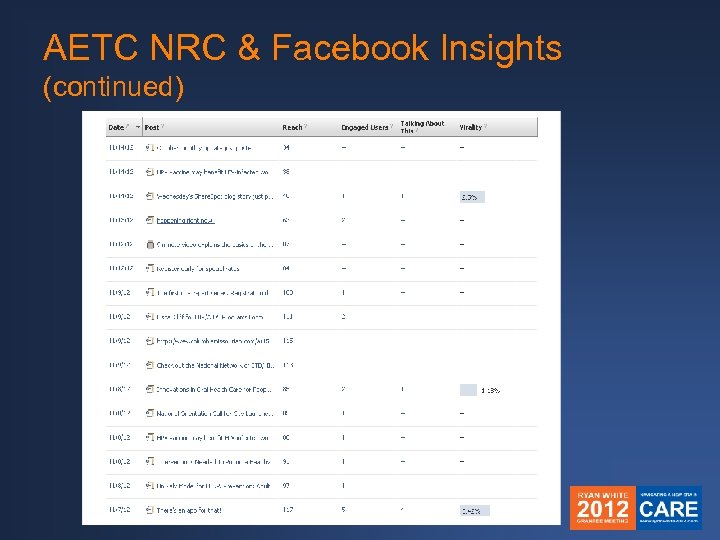
AETC NRC & Facebook Insights (continued)
Twitter n Twitter page analytics: n# of followers n @Connections: who’s mentioning you & retweeting your information n This information is available for all Twitter accounts
Twitter & Hoot. Suite n http: //hootsuite. com n Dashboard stream n Free custom analytics report: Ow. ly Click Summary Report n Low-cost, advanced reporting that links to other analytics platforms (Facebook Insights, Google Analytics)
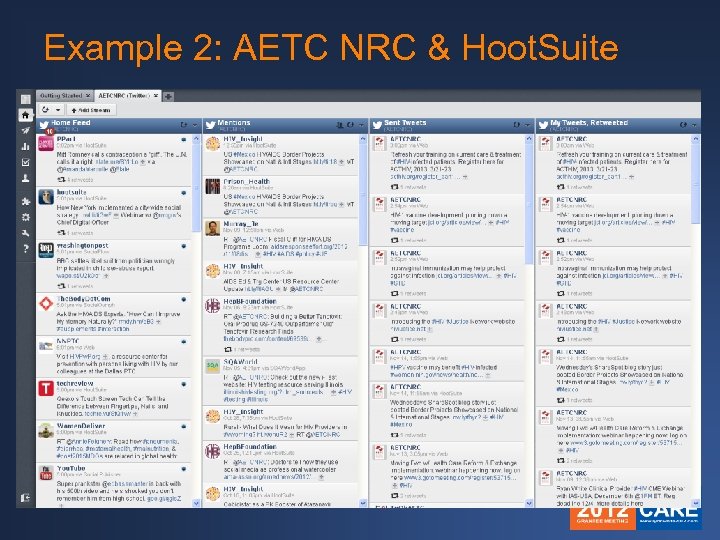
Example 2: AETC NRC & Hoot. Suite
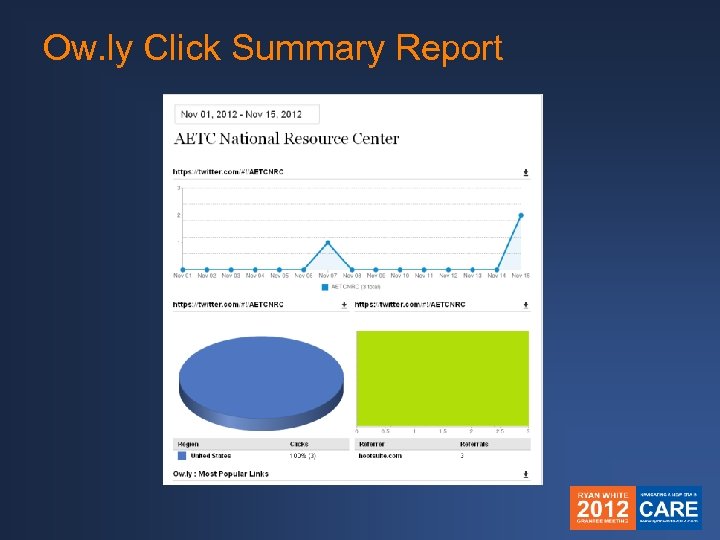
Ow. ly Click Summary Report
Why are these tools useful? n Learn about your audience: Who is responding to your information? n Learn about your activities: What kind of information receives the most attention? n Spot trends or changes n Develop marketing strategies n It’s just nice to know!
More social media analytics tools n Tweet. Deck n Tweet Reach n Simply Measured n Klout n Google Analytics
Website Evaluation: Traffic Reports
What do you want to know about your website’s visitors?
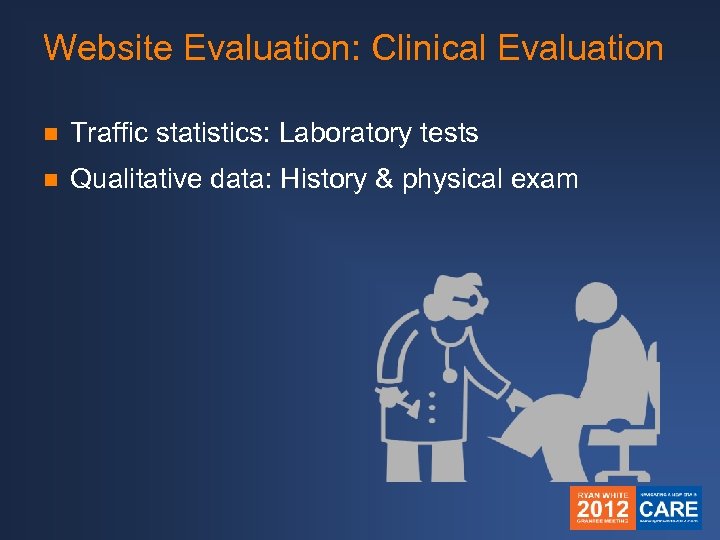
Website Evaluation: Clinical Evaluation n Traffic statistics: Laboratory tests n Qualitative data: History & physical exam
Traffic Statistics: The Visit & The Visitor n # Visits n # Visitors n # Page views n Top pages viewed n Error codes
Traffic Statistics: Next Steps n Traffic sources n Referrers n Search terms n Time on site n Bounces n Time on page n Visitor demographics n City and state n New vs. returning
Traffic Statistics: Technical n Broken pages n Time pages take to download n Your visitors’ technical profile n Browsers n Operating systems n Screen size and resolution
How do you get these stats? n Many web hosting companies provide this information n Otherwise, there are many programs and services n Google Analytics, Webtrends, Piwik n You may need help from a tech person to set it up n Try to set up a regular report that is sent to your email account
What do you do with the information? n File reports! n Fix broken things n Learn about your audience n Get a baseline to measure changes n Plan any upgrades or changes
Did our traffic stats tell us what we want to know about our visitors?
Small Group Activity
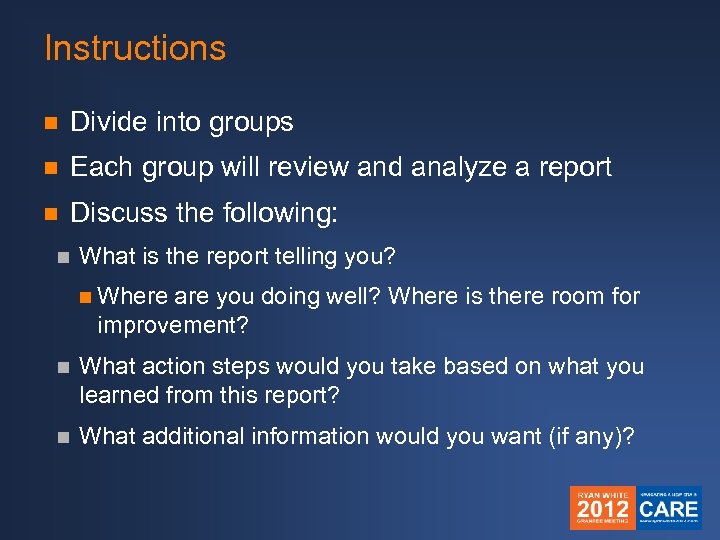
Instructions n Divide into groups n Each group will review and analyze a report n Discuss the following: n What is the report telling you? n Where are you doing well? Where is there room for improvement? n What action steps would you take based on what you learned from this report? n What additional information would you want (if any)?
Beyond the Numbers… Qualitative Data
!["[Qualitative] data analysis is the process of bringing order, structure and meaning to the](https://present5.com/presentation/3ba8dcc9c54bad79bbb9b93f1dfc89cf/image-44.jpg "\"[Qualitative] data analysis is the process of bringing order, structure and meaning to the")
"[Qualitative] data analysis is the process of bringing order, structure and meaning to the mass of collected data. It is a messy, ambiguous, time-consuming, creative, and fascinating process. It does not proceed in a linear fashion; it is not neat. Qualitative data analysis is a search for general statements about relationships among categories of data. " - Marshall and Rossman, 1990
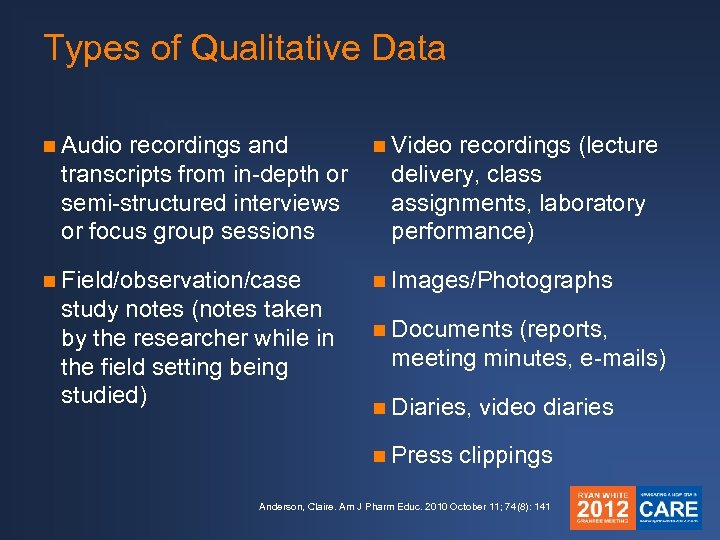
Types of Qualitative Data n Audio recordings and transcripts from in-depth or semi-structured interviews or focus group sessions n Video n Field/observation/case n Images/Photographs study notes (notes taken by the researcher while in the field setting being studied) recordings (lecture delivery, class assignments, laboratory performance) n Documents (reports, meeting minutes, e-mails) n Diaries, n Press video diaries clippings Anderson, Claire. Am J Pharm Educ. 2010 October 11; 74(8): 141
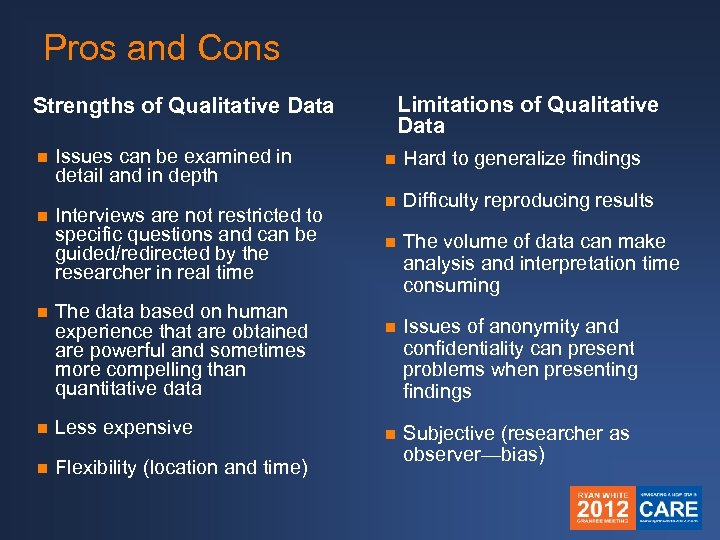
Pros and Cons Limitations of Qualitative Data Strengths of Qualitative Data n n Issues can be examined in detail and in depth Interviews are not restricted to specific questions and can be guided/redirected by the researcher in real time n The data based on human experience that are obtained are powerful and sometimes more compelling than quantitative data n Less expensive n Flexibility (location and time) n Hard to generalize findings n Difficulty reproducing results n The volume of data can make analysis and interpretation time consuming n Issues of anonymity and confidentiality can present problems when presenting findings n Subjective (researcher as observer—bias)
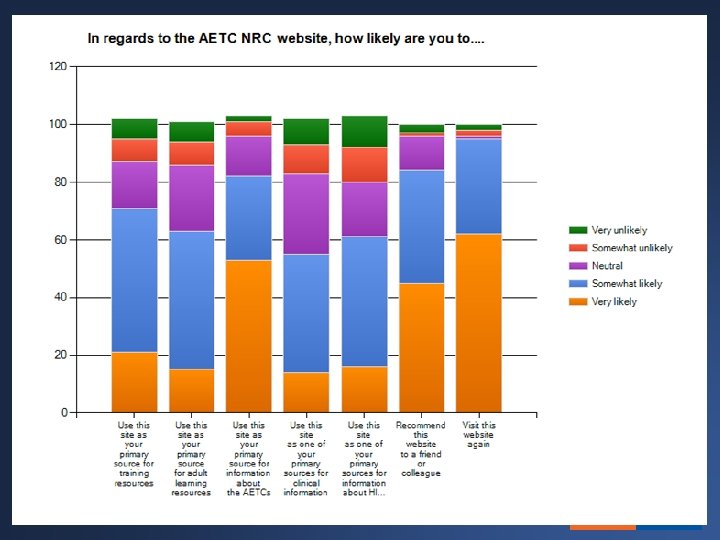
Example 1: Survey
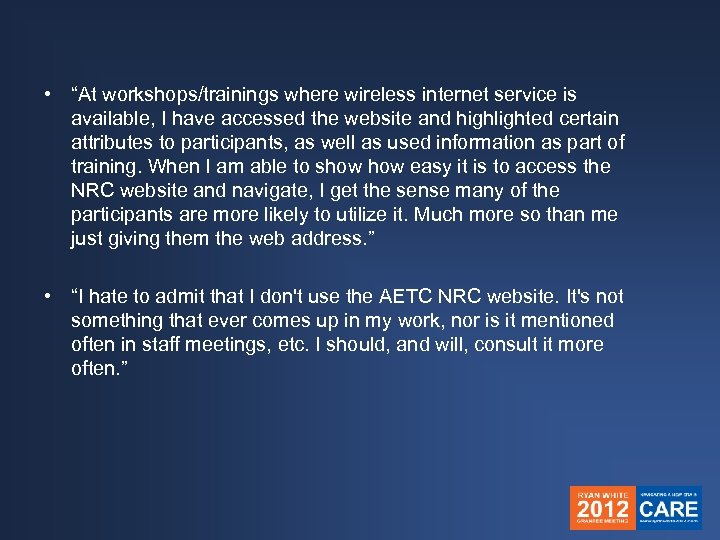
• “At workshops/trainings where wireless internet service is available, I have accessed the website and highlighted certain attributes to participants, as well as used information as part of training. When I am able to show easy it is to access the NRC website and navigate, I get the sense many of the participants are more likely to utilize it. Much more so than me just giving them the web address. ” • “I hate to admit that I don't use the AETC NRC website. It's not something that ever comes up in my work, nor is it mentioned often in staff meetings, etc. I should, and will, consult it more often. ”
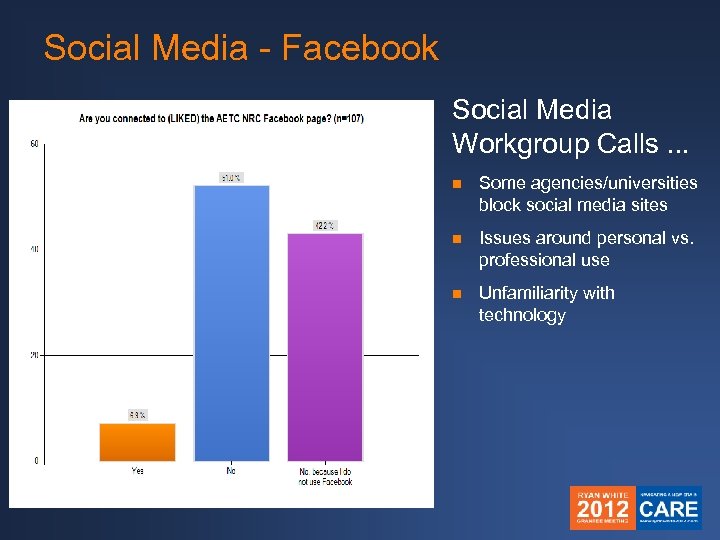
Social Media - Facebook Social Media Workgroup Calls. . . n Some agencies/universities block social media sites n Issues around personal vs. professional use n Unfamiliarity with technology
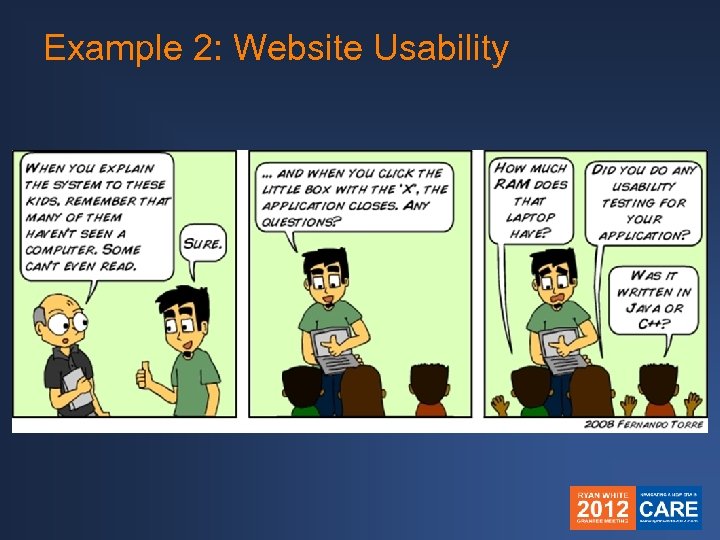
Example 2: Website Usability
Example 2: Website Usability What is it? Quality assurance strategy used to test how people really use a website Why use it? n To ensure that your website is: n n n Easy to navigate Relevant to your audience Visually pleasing n To ensure that your website users are: n Able to complete tasks for which they came to the site to accomplish
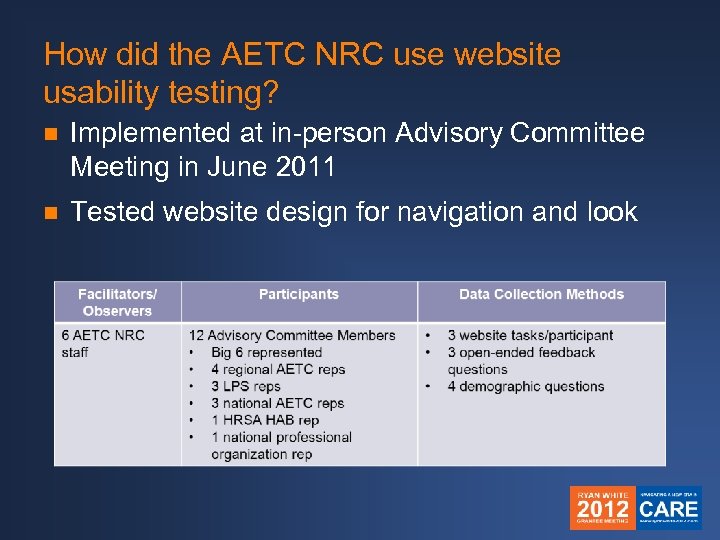
How did the AETC NRC use website usability testing? n Implemented at in-person Advisory Committee Meeting in June 2011 n Tested website design for navigation and look
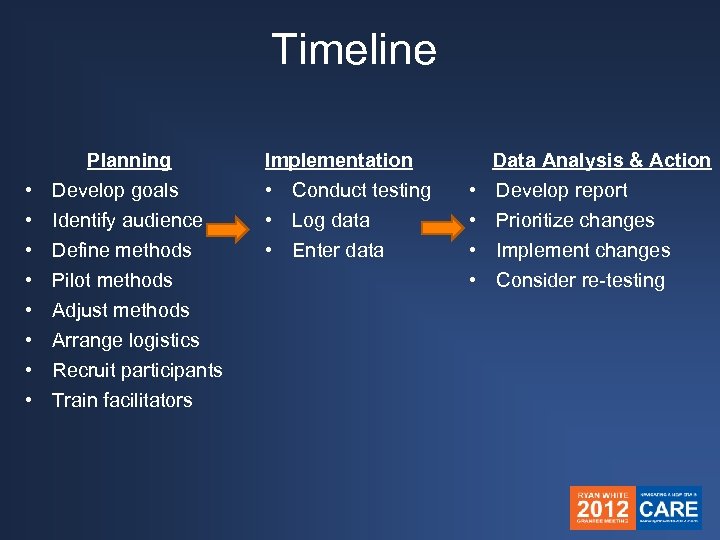
Timeline Planning • Develop goals Implementation • Conduct testing Data Analysis & Action • Develop report • • Log data • Enter data • Prioritize changes • Implement changes • Consider re-testing Identify audience Define methods Pilot methods Adjust methods Arrange logistics Recruit participants Train facilitators
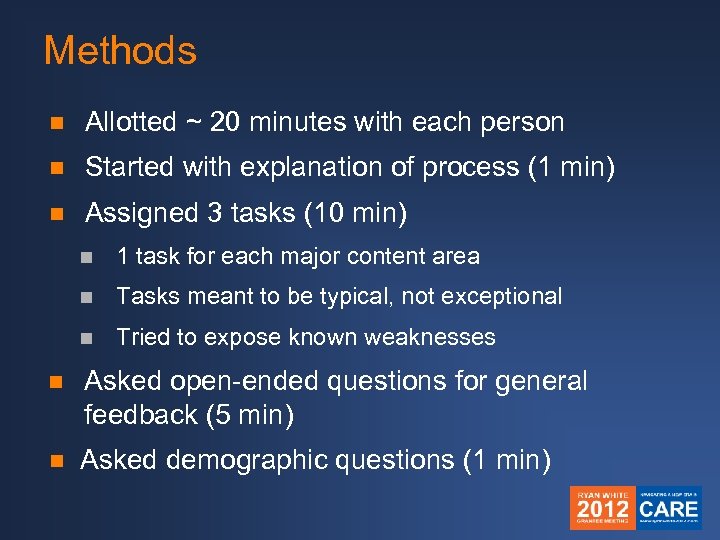
Methods n Allotted ~ 20 minutes with each person n Started with explanation of process (1 min) n Assigned 3 tasks (10 min) n 1 task for each major content area n Tasks meant to be typical, not exceptional n Tried to expose known weaknesses n Asked open-ended questions for general feedback (5 min) n Asked demographic questions (1 min)
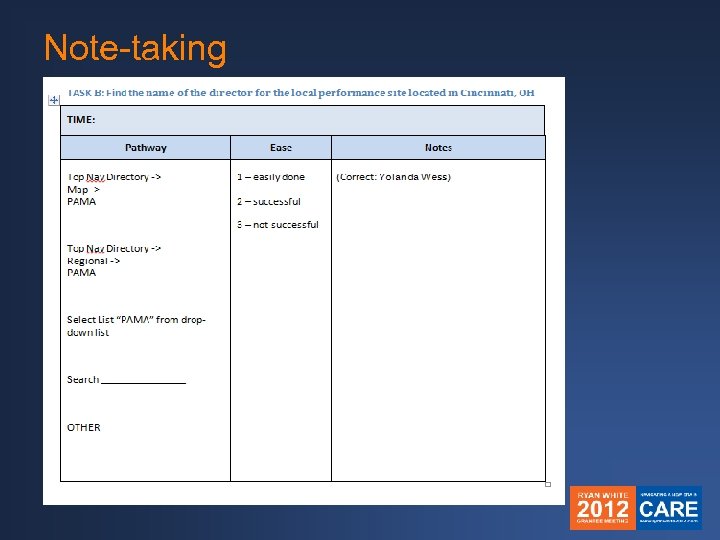
Note-taking
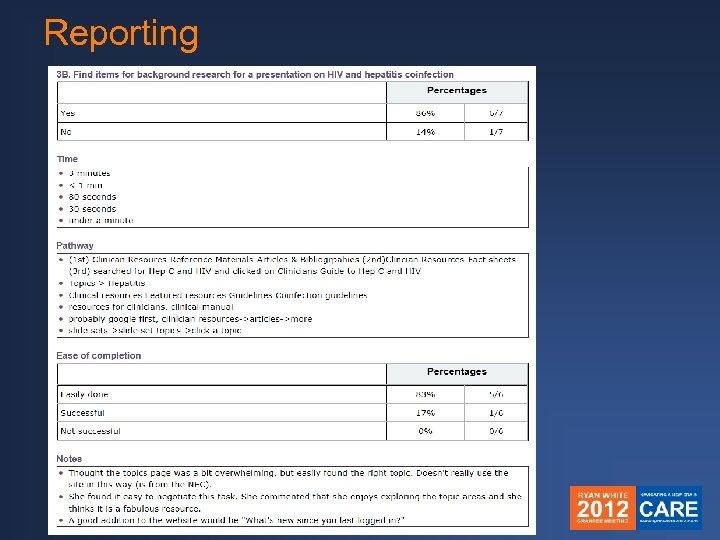
Reporting
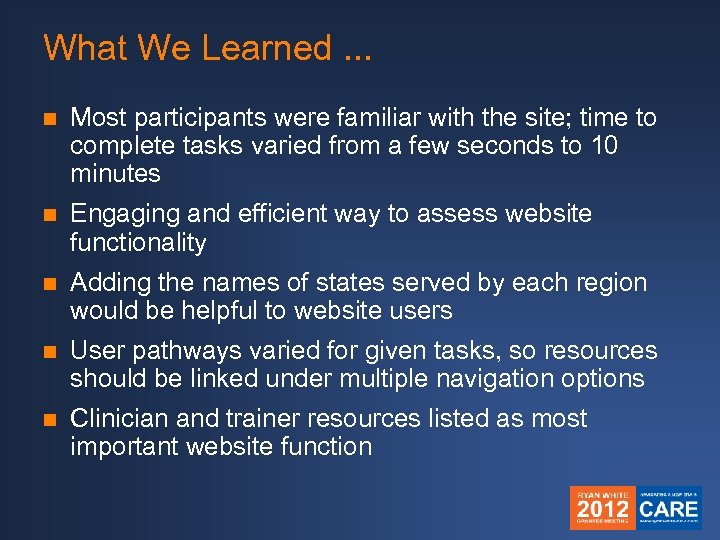
What We Learned. . . n Most participants were familiar with the site; time to complete tasks varied from a few seconds to 10 minutes n Engaging and efficient way to assess website functionality n Adding the names of states served by each region would be helpful to website users n User pathways varied for given tasks, so resources should be linked under multiple navigation options n Clinician and trainer resources listed as most important website function

Questions
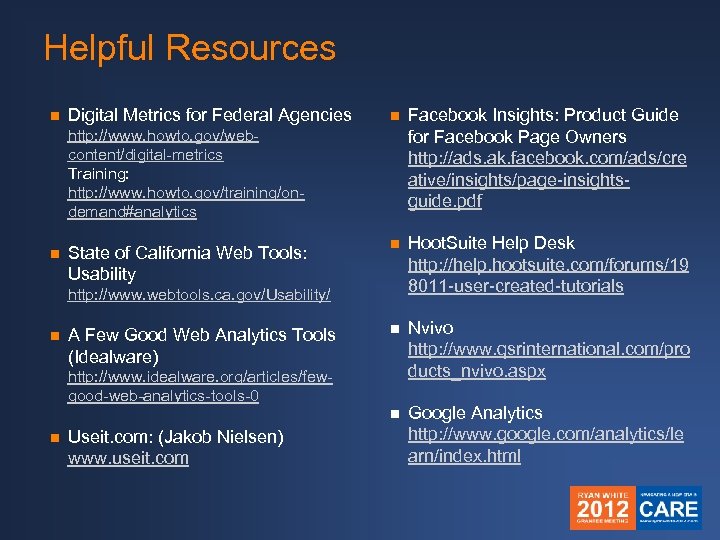
Helpful Resources Digital Metrics for Federal Agencies n Facebook Insights: Product Guide for Facebook Page Owners http: //ads. ak. facebook. com/ads/cre ative/insights/page-insightsguide. pdf n Hoot. Suite Help Desk http: //help. hootsuite. com/forums/19 8011 -user-created-tutorials n Nvivo http: //www. qsrinternational. com/pro ducts_nvivo. aspx n n Google Analytics http: //www. google. com/analytics/le arn/index. html http: //www. howto. gov/webcontent/digital-metrics Training: http: //www. howto. gov/training/ondemand#analytics n State of California Web Tools: Usability http: //www. webtools. ca. gov/Usability/ n A Few Good Web Analytics Tools (Idealware) http: //www. idealware. org/articles/fewgood-web-analytics-tools-0 n Useit. com: (Jakob Nielsen) www. useit. com

Thank you! and the raffle winner is…
Скачать презентацию Web and Social Media Institute 101 Starting the
3ba8dcc9c54bad79bbb9b93f1dfc89cf.ppt