 Скачать презентацию Web a Glance Product Training Overview Copyright 2000 e
4683257de2feebd4afff0e7fedf670dd.ppt
- Количество слайдов: 35



Web@a. Glance Product Training Overview Copyright 2000 e. Mation
Topics § Introduction • What is Web@a. Glance? Where does it fit? What are the pieces? What does it look like? § Web 101 • • • Web browsers and Web servers Basic Web@a. Glance (Automation Server) http (wire) protocol, HTML (page) protocol Web@a. Glance Applets Security & Time zones Copyright 2000 e. Mation
Why a Web-based Solution? § Business drivers dictate new applications • Get closer to your customer • Improve ROA through better visibility into process • Y 2 K lockdown ended, high priority for IT § MS DNA, Technology Vision • All new apps are deployed on intranet for common access to corp info, incl. ERP Copyright 2000 e. Mation
Why Web@a. Glance? § Deliver information previously impractical § Across geographical and corporate boundaries, or even across cost centers § Our clients are already installed on all your desktops (Web browser) § Software installation & updates only on server. No changes to clients. Copyright 2000 e. Mation
Why Web@a. Glance? § Pure Java® applets run in the “Sandbox” security area. They cannot access your hard drive, and are not entered in the Registry. § Their runtime is provided by the JVM. They do not drag along “dlls from hell” § Applets are under 200 Kb, and load quickly on an intranet, acceptably thru a 53 Kb line § Web@a. Glance applets work with Netscape 4. x and IE 4 and 5, without plugins, addins, or any other client installed software Copyright 2000 e. Mation
Why Web@a. Glance? § Clients should behave like good house guests: • Arrive promptly when invited • Do not require remodeling before they will visit • Do not bring uninvited friends with them • Leave when you are done with them • Don’t leave a mess behind • Get invited back Copyright 2000 e. Mation
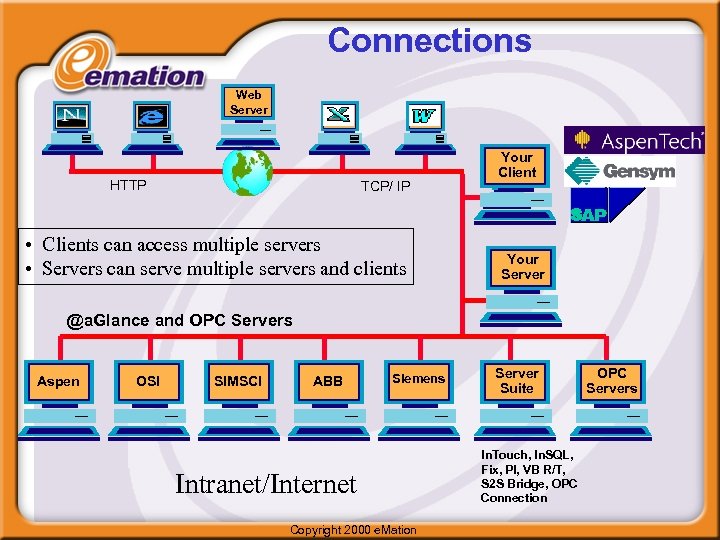
Connections Web Server HTTP TCP/ IP • Clients can access multiple servers • Servers can serve multiple servers and clients Your Client Your Server @a. Glance and OPC Servers Aspen OSI SIMSCI ABB Siemens Intranet/Internet Copyright 2000 e. Mation Server Suite In. Touch, In. SQL, Fix, PI, VB R/T, S 2 S Bridge, OPC Connection OPC Servers
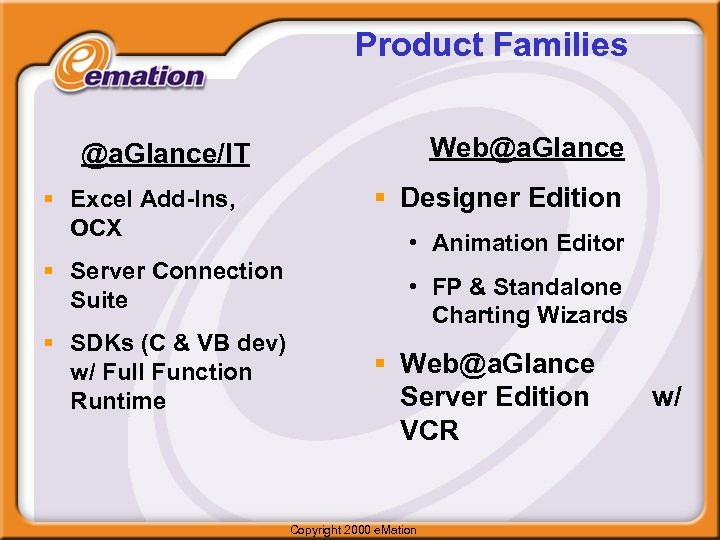
Product Families Web@a. Glance/IT § Excel Add-Ins, OCX § Server Connection Suite § SDKs (C & VB dev) w/ Full Function Runtime § Designer Edition • Animation Editor • FP & Standalone Charting Wizards § Web@a. Glance Server Edition VCR Copyright 2000 e. Mation w/
What is Web@a. Glance? § Delivering information you need, in the way you want to see it. § Enhances your browser, just as our @a. Glance products enhance Excel § View the data in context, and As you like it § Uses true thin client technologies to minimize Total Cost of Ownership Copyright 2000 e. Mation
What is Web@a. Glance? § Real. Time & Historical Data § Dynamic Information & Graphical Reports § Access to @a. Glance and OPC data servers § Conformance to standards & to corporate IT guidelines: HTTP, WNT, IIS, IE or Netscape. § Rapid Deployment; Individual Customization Copyright 2000 e. Mation
What is Web@a. Glance? § Products • Web@a. Glance Server Edition • Runs on the Web Server (‘behind’ IIS) • Licensed by number of daily users • Designer Edition • Includes Animation Editor, Front. Page Wizards • Licensed for use by a single workstation • Connection Suite • Licensed for use on a single computer system • May be installed on the Data Source or on the Web Server Copyright 2000 e. Mation
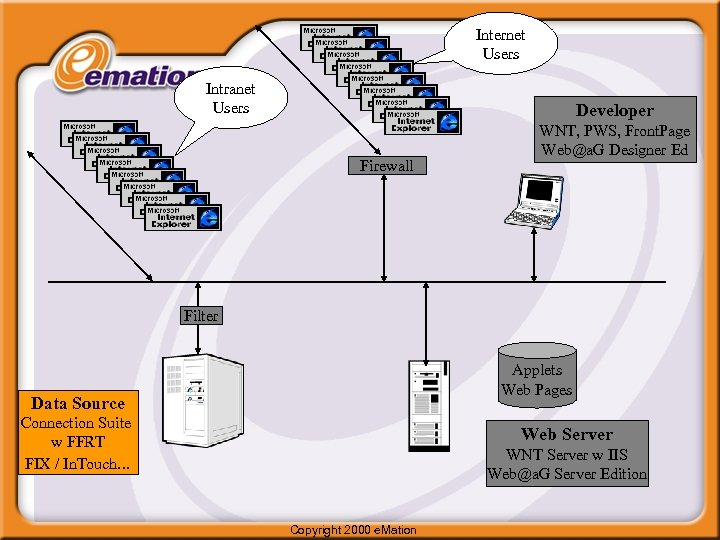
Internet Users Intranet Users Developer Firewall WNT, PWS, Front. Page Web@a. G Designer Ed Filter Applets Web Pages Data Source Connection Suite w FFRT FIX / In. Touch. . . Web Server WNT Server w IIS Web@a. G Server Edition Copyright 2000 e. Mation
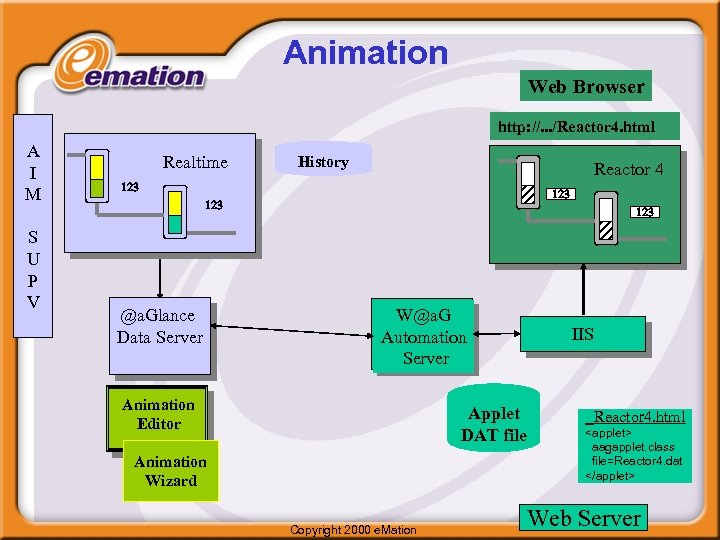
Animation Web Browser http: //. . . /Reactor 4. html A I M S U P V Realtime History Reactor 4 123 123 @a. Glance Data Server 123 W@a. G Automation Server Animation Editor IIS Applet DAT file Animation Wizard Copyright 2000 e. Mation Reactor 4. html <applet> aagapplet. class file=Reactor 4. dat </applet> Web Server
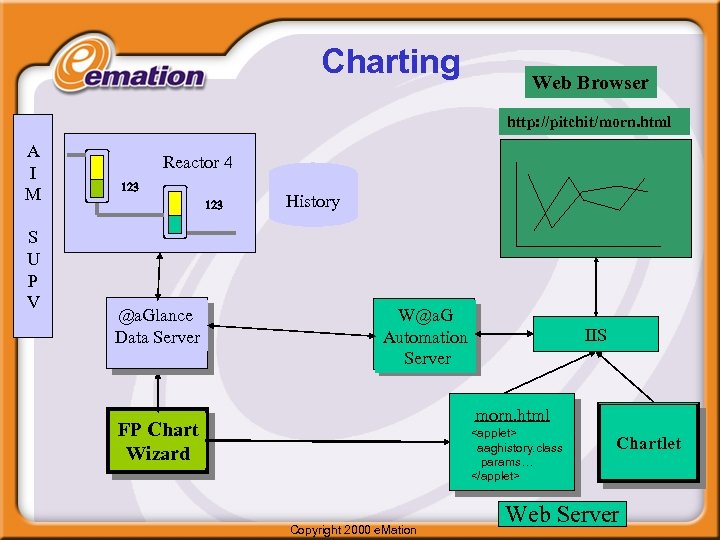
Charting Web Browser http: //pitchit/morn. html A I M S U P V Reactor 4 123 @a. Glance Data Server History W@a. G Automation Server IIS morn. html FP Chart Wizard <applet> aaghistory. class params… </applet> Copyright 2000 e. Mation Chartlet Web Server
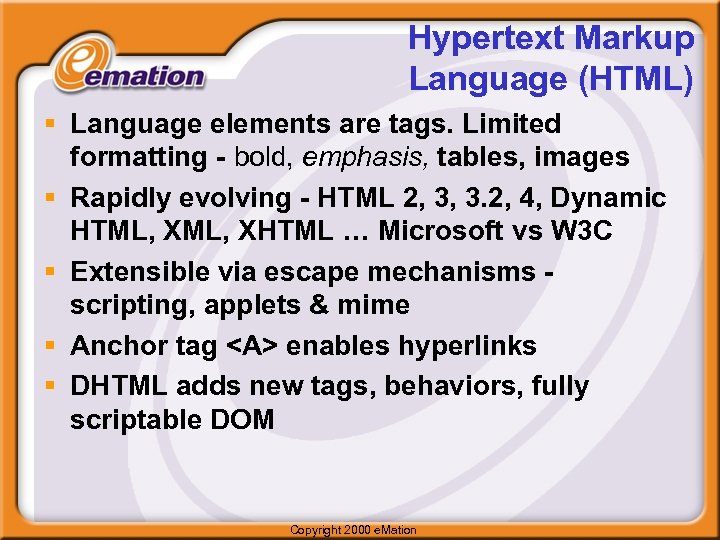
Hypertext Markup Language (HTML) § Language elements are tags. Limited formatting - bold, emphasis, tables, images § Rapidly evolving - HTML 2, 3, 3. 2, 4, Dynamic HTML, XHTML … Microsoft vs W 3 C § Extensible via escape mechanisms scripting, applets & mime § Anchor tag <A> enables hyperlinks § DHTML adds new tags, behaviors, fully scriptable DOM Copyright 2000 e. Mation
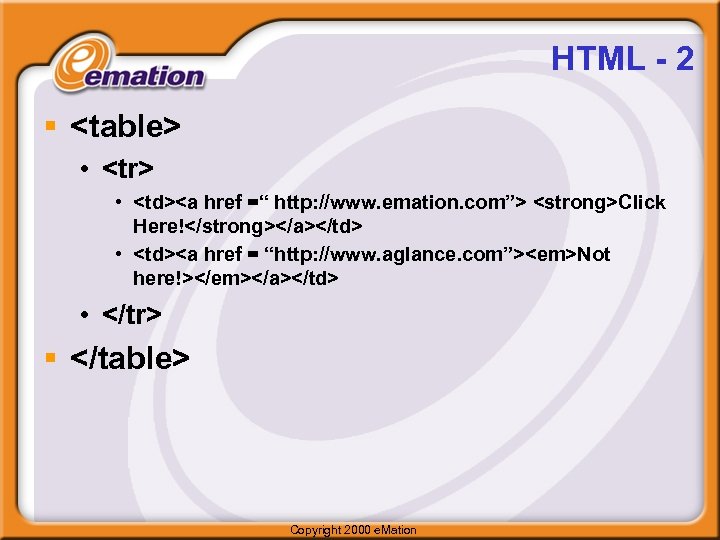
HTML - 2 § <table> • <tr> • <td><a href =“ http: //www. emation. com”> <strong>Click Here!</strong></a></td> • <td><a href = “http: //www. aglance. com”><em>Not here!></em></a></td> • </tr> § </table> Copyright 2000 e. Mation
Web Browsers § HTML interpreter § Now, also a platform with • Client-side scripting in Java. Script, VBScript • Environment for Objects, Add-ins, helper apps • Java Virtual Machine enables Applets § Specifies Web Server and specific Web page via URLs Copyright 2000 e. Mation
Uniform Resource Locators (URLs) § Appearing daily in your browser’s address box § http: // (or ftp: //, etc. ) selects protocol § www. aglance. com specifies the hostname and port number (80 is default for http) § Remaining portion selects the Web page § Mapped to a file spec via Web server Copyright 2000 e. Mation
Web (http) Servers § Web Server responds to Browser requests, mostly page specifications § Interactions represented by the Hyper. Text Transport Protocol (http) “on the wire” § Extended to facilitate interaction with Browsers via data entered into an HTML Form on the Browser § Input data is sent to the Web server for back end processing, database interaction Copyright 2000 e. Mation
Web Servers - 2: Virtual Directories § Server Administrator creates aliases for mapping standard names onto local directory structure § Web@a. Glance installation requires /cgibin, aagweb, created if necessary § Protection of these folders is a critical part of Web security Copyright 2000 e. Mation
Web Servers - 3 § Back end programs and scripts are connected to Web servers through the Common Gateway Interface (CGI), Active Server Pages (ASP), and IIS API (ISAPI) § Back end reads data from the browser, communicates with a data source or database, & creates an HTML page to be returned by the Server to the Web browser § Altavista uses CGIs, Microsoft. com uses Active Server Pages. Copyright 2000 e. Mation
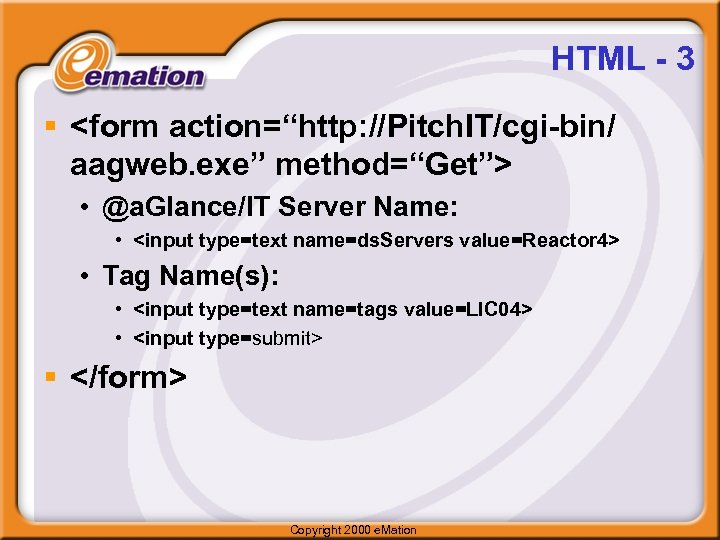
HTML - 3 § <form action=“http: //Pitch. IT/cgi-bin/ aagweb. exe” method=“Get”> • @a. Glance/IT Server Name: • <input type=text name=ds. Servers value=Reactor 4> • Tag Name(s): • <input type=text name=tags value=LIC 04> • <input type=submit> § </form> Copyright 2000 e. Mation
Hypertext Transport Protocol (http) § World Wide Web Consortium (W 3 C) Standard, Now at V 1. 1 § Can be encrypted HTTPS, SSL § Usually allowed through firewalls § Method = Get passes the form data with the URL. Post encodes the data in http header. Copyright 2000 e. Mation
Automation Server § Automation Server Running as CGI • • • Provides security environment Widely available (Apache, Domino…) Comm. To Browser via HTTP Translates Requests to @a. Glance Client Translates Responses to HTML Provides license checking, usage report Copyright 2000 e. Mation
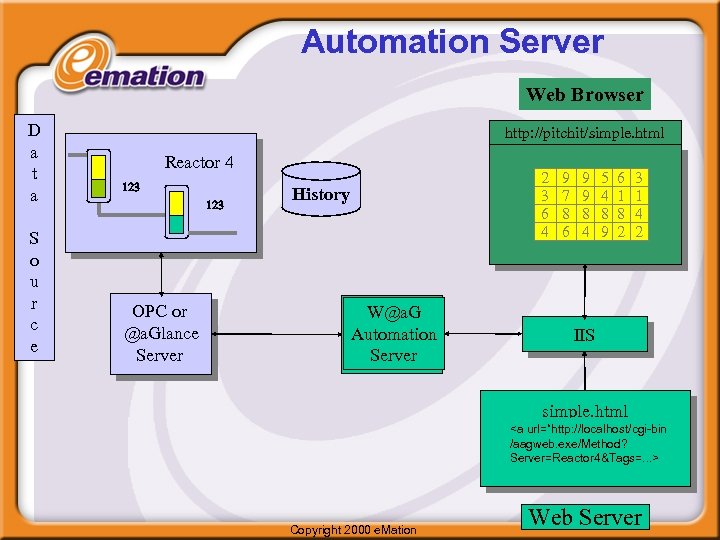
Automation Server Web Browser D a t a S o u r c e http: //pitchit/simple. html Reactor 4 123 OPC or @a. Glance Server 2 3 6 4 History W@a. G Automation Server 9 7 8 6 9 9 8 4 5 4 8 9 6 1 8 2 3 1 4 2 IIS simple. html <a url=“http: //localhost/cgi-bin /aagweb. exe/Method? Server=Reactor 4&Tags=. . . > Copyright 2000 e. Mation Web Server
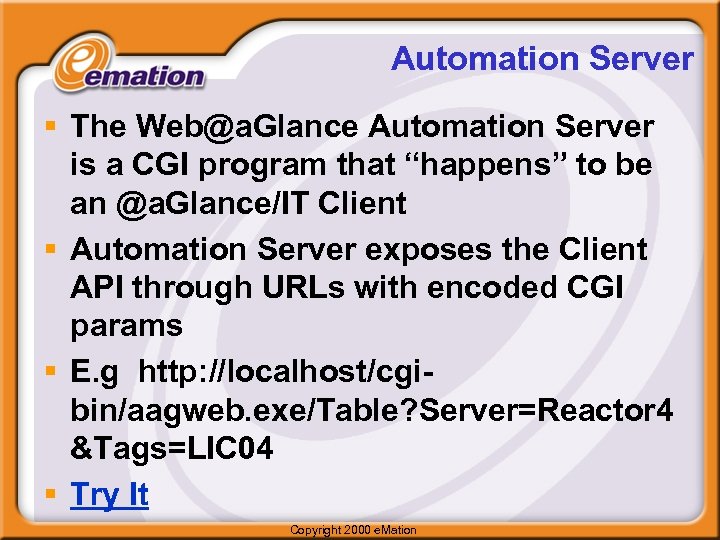
Automation Server § The Web@a. Glance Automation Server is a CGI program that “happens” to be an @a. Glance/IT Client § Automation Server exposes the Client API through URLs with encoded CGI params § E. g http: //localhost/cgibin/aagweb. exe/Table? Server=Reactor 4 &Tags=LIC 04 § Try It Copyright 2000 e. Mation
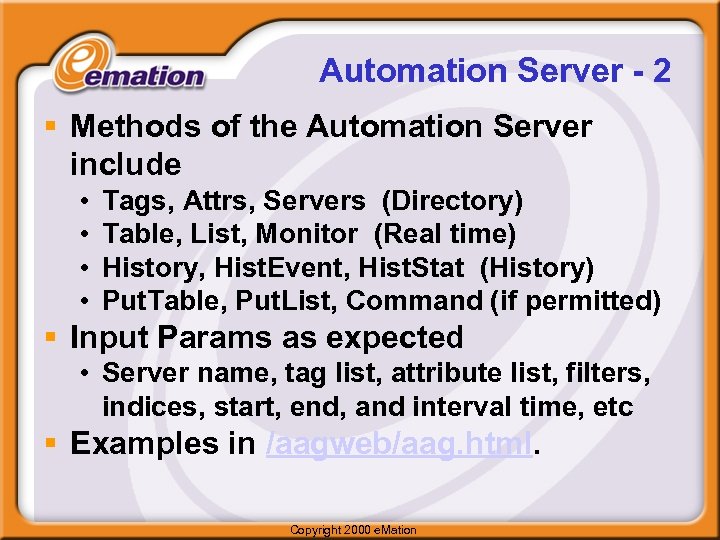
Automation Server - 2 § Methods of the Automation Server include • • Tags, Attrs, Servers (Directory) Table, List, Monitor (Real time) History, Hist. Event, Hist. Stat (History) Put. Table, Put. List, Command (if permitted) § Input Params as expected • Server name, tag list, attribute list, filters, indices, start, end, and interval time, etc § Examples in /aagweb/aag. html. Copyright 2000 e. Mation
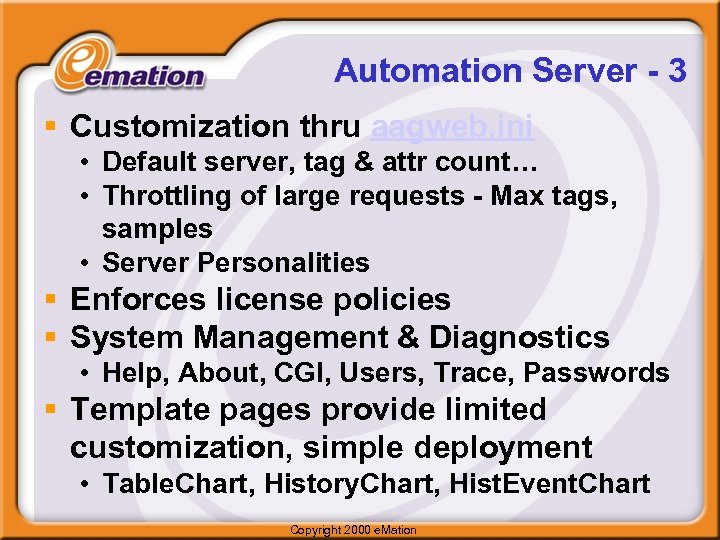
Automation Server - 3 § Customization thru aagweb. ini • Default server, tag & attr count… • Throttling of large requests - Max tags, samples • Server Personalities § Enforces license policies § System Management & Diagnostics • Help, About, CGI, Users, Trace, Passwords § Template pages provide limited customization, simple deployment • Table. Chart, History. Chart, Hist. Event. Chart Copyright 2000 e. Mation
Automation Server - 4 § Supports standard date and time syntax; e. g. , today, -3 h, Sunday § Recognizes major @a. Glance/IT servers and translates generic syntax into server specific § Uses http “multi-part” Server Push feature to handle monitor update § Performs polling of servers if necessary to carry out a Monitor request Copyright 2000 e. Mation
Applets § Animation Applet provides a functional HMI capability, and can be configured with an Editor that runs in your browser. § Animation can be extended to display “drawings from the past” via the Look. Back™ VCR § Charting is a fully featured, configurable plotting package that can be scripted for the specific UI needed for an application. Both realtime and historical data can be plotted. Copyright 2000 e. Mation
Applets - 2 § Configuration files (drawings) are produced “from scratch” by the Animation Editor, or converted from other graphics file formats by Animation Filters. § Object-oriented drawing description is stored in a separate file. § Chartlet configurations are produced by the Web@a. Glance Chart Wizard for Front. Page. Copyright 2000 e. Mation
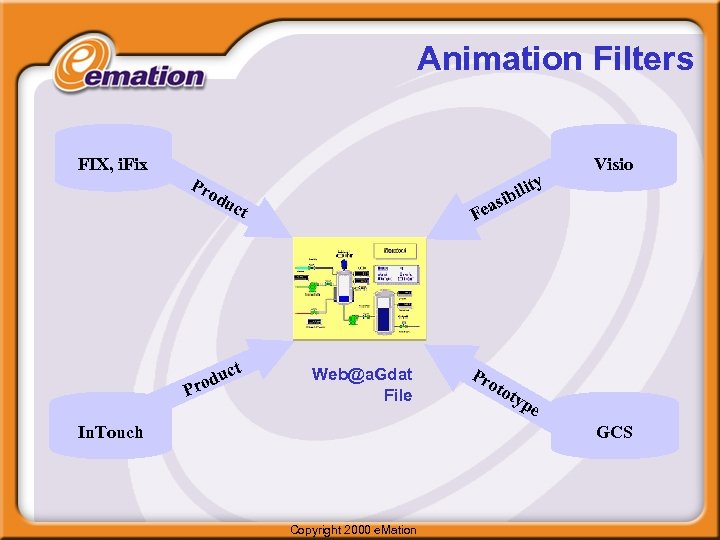
Animation Filters FIX, i. Fix Pr y od u P it bil i s ct t duc ro Visio Fea Web@a. Gdat File In. Touch Pr oto typ e GCS Copyright 2000 e. Mation
Web@a. Glance Security § 3 Aspects of Security • Authentication • Access Control • Data Protection § Web@a. Glance uses Web Server and NT security • no new administration tasks/tools • maps web server security domain to data server / control system domain Copyright 2000 e. Mation
Time Zone Issues 1) Data Source & Web Server co-located: Then browser time specifications are interpreted to mean “time at the server”, and are send back in “time at the browser. ” Thus if a browser in Denver (Mtn) send a request with a 10: 00 Start. Time to Houston (CST), the Automations server will request data for 10: 00 (CST) from the data source, and then translate the time stamps into MST to send back to the browser. The browser will receive time stamps that begin at 9: 00. Copyright 2000 e. Mation
Time Zone Issues 2) Web Browser and Web Server in the same time zone. Browser in Denver sends a request to a Web server in Denver for data in Houston, beginning at 10: 00. Web server sends request for data beginning at 0900 (in source specific format), data source retrieves information with time stamps beginning at 0900. Web server translates them to local time, and the browser sees time stamps that begin at 10: 00. Also a reasonable way to interpret the time spec. 3) Web Brower, Web Server, Data Source in scattered across three different time zones. NOT SUPPORTED AT THIS TIME. Copyright 2000 e. Mation
Скачать презентацию Web a Glance Product Training Overview Copyright 2000 e
4683257de2feebd4afff0e7fedf670dd.ppt