 Скачать презентацию WEB 2 0 László Daragó Ph D Associate
7d7ecc5b3ec748c4e75eb47fe3d44f4f.ppt
- Количество слайдов: 27



WEB 2. 0 László Daragó Ph. D Associate professor Semmelweis University Institute of Developing and Education in the Field of Health Informatics
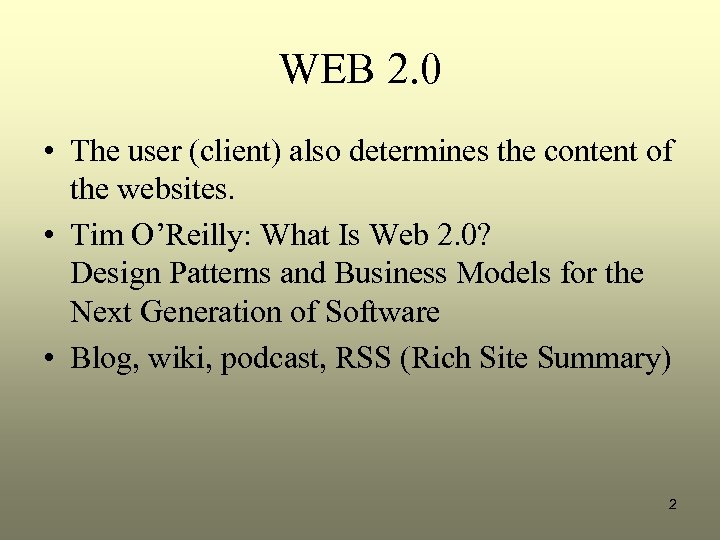
WEB 2. 0 • The user (client) also determines the content of the websites. • Tim O’Reilly: What Is Web 2. 0? Design Patterns and Business Models for the Next Generation of Software • Blog, wiki, podcast, RSS (Rich Site Summary) 2
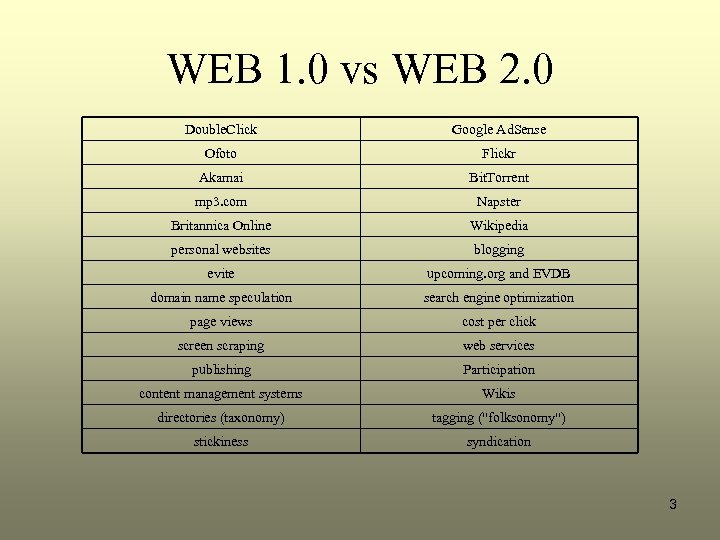
WEB 1. 0 vs WEB 2. 0 Double. Click Google Ad. Sense Ofoto Flickr Akamai Bit. Torrent mp 3. com Napster Britannica Online Wikipedia personal websites blogging evite upcoming. org and EVDB domain name speculation search engine optimization page views cost per click screen scraping web services publishing Participation content management systems Wikis directories (taxonomy) tagging ("folksonomy") stickiness syndication 3
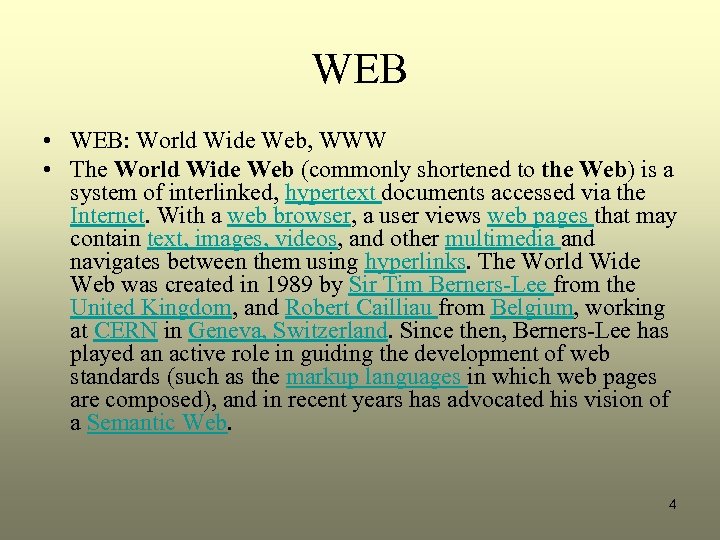
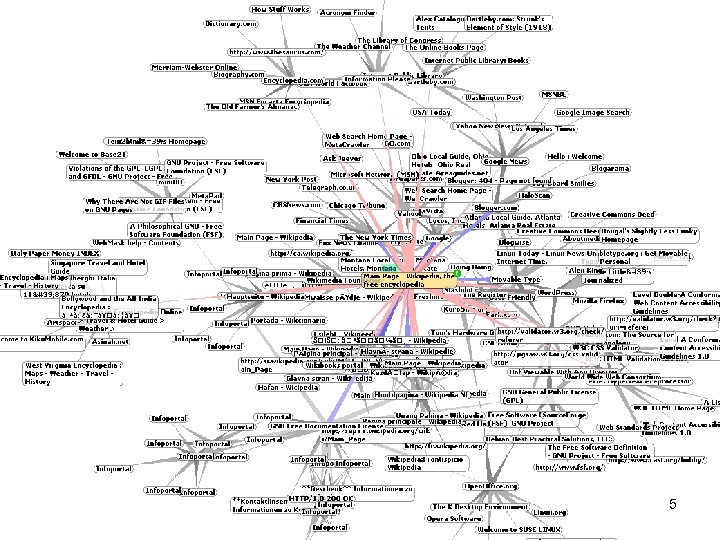
WEB • WEB: World Wide Web, WWW • The World Wide Web (commonly shortened to the Web) is a system of interlinked, hypertext documents accessed via the Internet. With a web browser, a user views web pages that may contain text, images, videos, and other multimedia and navigates between them using hyperlinks. The World Wide Web was created in 1989 by Sir Tim Berners-Lee from the United Kingdom, and Robert Cailliau from Belgium, working at CERN in Geneva, Switzerland. Since then, Berners-Lee has played an active role in guiding the development of web standards (such as the markup languages in which web pages are composed), and in recent years has advocated his vision of a Semantic Web. 4
WEB 5
GNU is a computer operating system composed entirely of free software. Its name is a recursive acronym for GNU's Not Unix, which was chosen because its design is Unix-like, but differs from Unix by being free software and by not containing any Unix code. GNU was founded by Richard Stallman and was the original focus of the Free Software Foundation (FSF). • According to Stallman, the name was inspired by various plays on words, including the song The Gnu. • The goal was to bring a wholly free software operating system into existence. Stallman wanted computer users to be free, as most were in the 1960 s and 1970 s: free to study the source code of the software they use, free to share the software with other people, free to modify the behaviour of the software, and free to publish their modified versions of the software. This philosophy was published in March 1985 as the GNU Manifesto. 6
How the WEB works • • Viewing a web page on the World Wide Web normally begins either by typing the URL of the page into a web browser, or by following a hypertext link to that page or resource. The first step, behind the scenes, is for the server-name part of the URL to be resolved into an IP address by the global, distributed Internet database known as the domain name system, or DNS. The browser then requests the resource by sending an HTTP request to the web server at that IP address. In the case of a typical web page, the HTML text is requested first and parsed by the browser, which then makes additional requests for graphics and any other files that form a part of the page in quick succession. When considering website popularity statistics, these additional file requests give rise to the difference between a single 'page view' and an associated number of server 'hits'. The web browser then renders the page as described by the HTML, CSS, and other files received, incorporating the images and other resources as necessary. This produces the on-screen page that the viewer sees. Most web pages will themselves contain hyperlinks to other related pages and perhaps to downloads, source documents, definitions and other web resources. Such a collection of useful, related resources, interconnected via hypertext links, is what has been dubbed a "web" of information. Making it available on the Internet created what Tim Berners-Lee first called the World. Wide. Web in 1990. 7
History of WEB • The Web required only unidirectional links rather than bidirectional ones. This made it possible for someone to link to another resource without action by the owner of that resource. It also significantly reduced the difficulty of implementing web servers and browsers (in comparison to earlier systems), but in turn presented the chronic problem of link rot. Unlike predecessors such as Hyper. Card, the World Wide Web was non-proprietary, making it possible to develop servers and clients independently and to add extensions without licensing restrictions. • On April 30, 1993, CERN announced that the World Wide Web would be free to anyone, with no fees due. 8
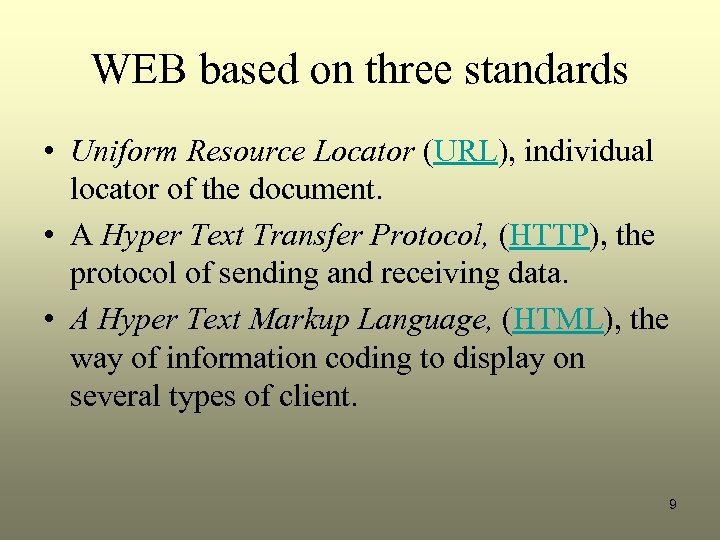
WEB based on three standards • Uniform Resource Locator (URL), individual locator of the document. • A Hyper Text Transfer Protocol, (HTTP), the protocol of sending and receiving data. • A Hyper Text Markup Language, (HTML), the way of information coding to display on several types of client. 9
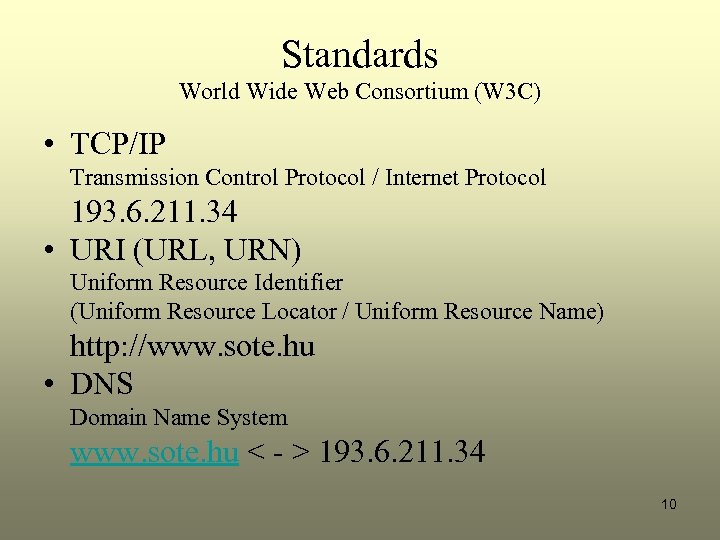
Standards World Wide Web Consortium (W 3 C) • TCP/IP Transmission Control Protocol / Internet Protocol 193. 6. 211. 34 • URI (URL, URN) Uniform Resource Identifier (Uniform Resource Locator / Uniform Resource Name) http: //www. sote. hu • DNS Domain Name System www. sote. hu < - > 193. 6. 211. 34 10
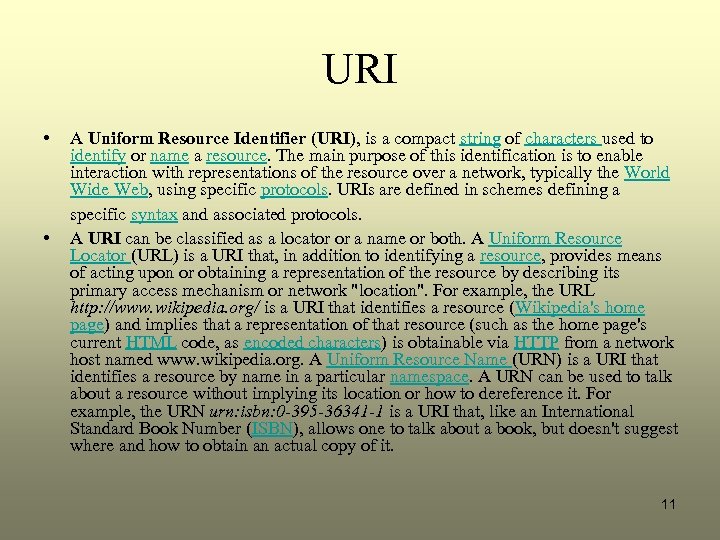
URI • • A Uniform Resource Identifier (URI), is a compact string of characters used to identify or name a resource. The main purpose of this identification is to enable interaction with representations of the resource over a network, typically the World Wide Web, using specific protocols. URIs are defined in schemes defining a specific syntax and associated protocols. A URI can be classified as a locator or a name or both. A Uniform Resource Locator (URL) is a URI that, in addition to identifying a resource, provides means of acting upon or obtaining a representation of the resource by describing its primary access mechanism or network "location". For example, the URL http: //www. wikipedia. org/ is a URI that identifies a resource (Wikipedia's home page) and implies that a representation of that resource (such as the home page's current HTML code, as encoded characters) is obtainable via HTTP from a network host named www. wikipedia. org. A Uniform Resource Name (URN) is a URI that identifies a resource by name in a particular namespace. A URN can be used to talk about a resource without implying its location or how to dereference it. For example, the URN urn: isbn: 0 -395 -36341 -1 is a URI that, like an International Standard Book Number (ISBN), allows one to talk about a book, but doesn't suggest where and how to obtain an actual copy of it. 11
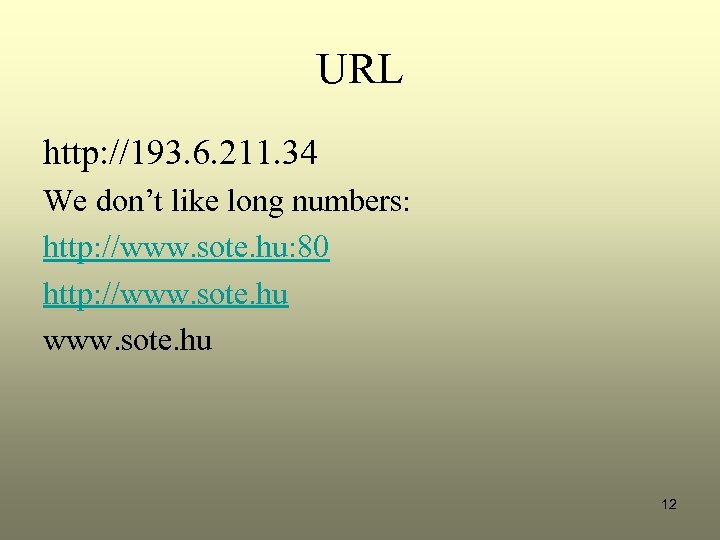
URL http: //193. 6. 211. 34 We don’t like long numbers: http: //www. sote. hu: 80 http: //www. sote. hu 12
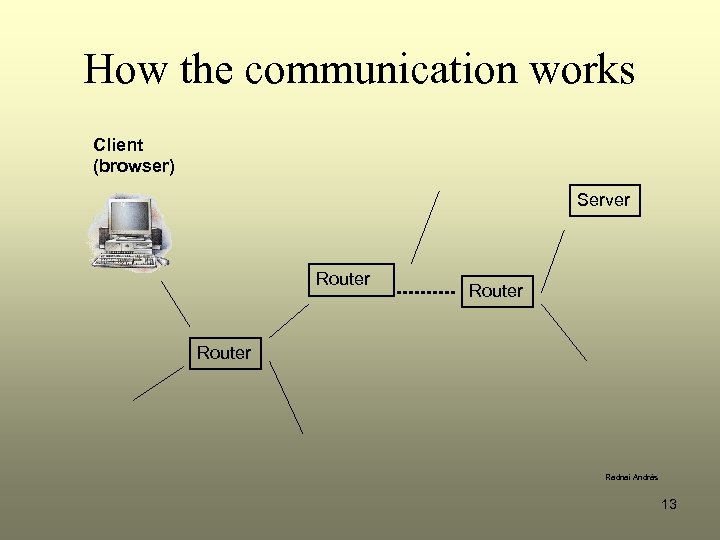
How the communication works Client (browser) Server Router Radnai András 13
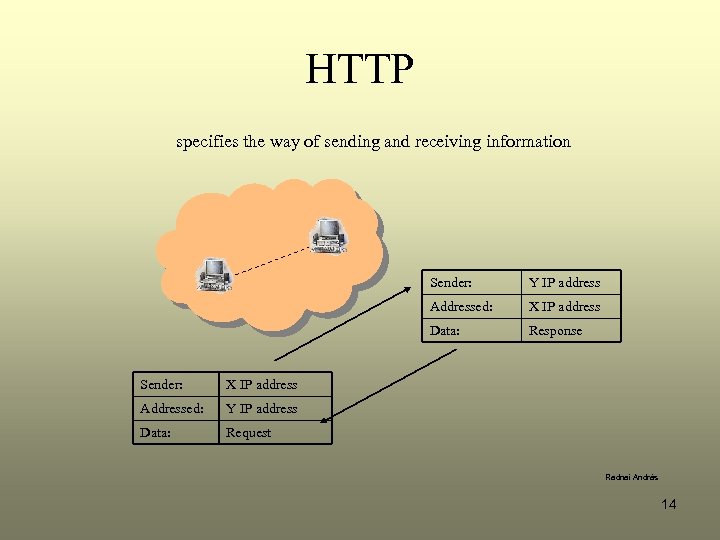
HTTP specifies the way of sending and receiving information Sender: Addressed: Y IP address Data: Response X IP address Addressed: X IP address Data: Sender: Y IP address Request Radnai András 14
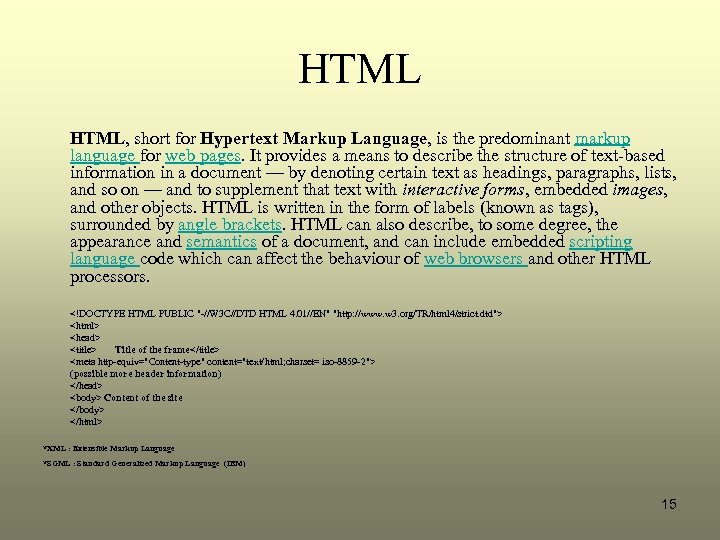
HTML, short for Hypertext Markup Language, is the predominant markup language for web pages. It provides a means to describe the structure of text-based information in a document — by denoting certain text as headings, paragraphs, lists, and so on — and to supplement that text with interactive forms, embedded images, and other objects. HTML is written in the form of labels (known as tags), surrounded by angle brackets. HTML can also describe, to some degree, the appearance and semantics of a document, and can include embedded scripting language code which can affect the behaviour of web browsers and other HTML processors. <!DOCTYPE HTML PUBLIC "-//W 3 C//DTD HTML 4. 01//EN" "http: //www. w 3. org/TR/html 4/strict. dtd"> <html> <head> <title> Title of the frame</title> <meta http-equiv="Content-type" content="text/html; charset= iso-8859 -2"> (possible more header information) </head> <body> Content of the site </body> </html> *XML : Extensible Markup Language *SGML : Standard Generalized Markup Language (IBM) 15
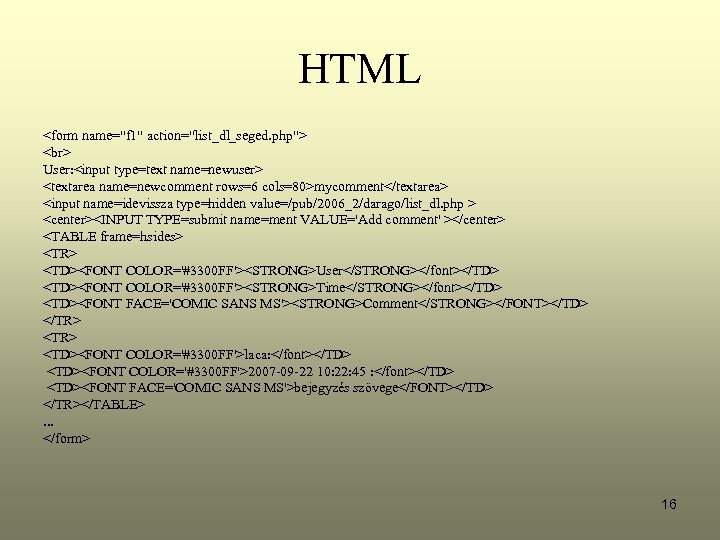
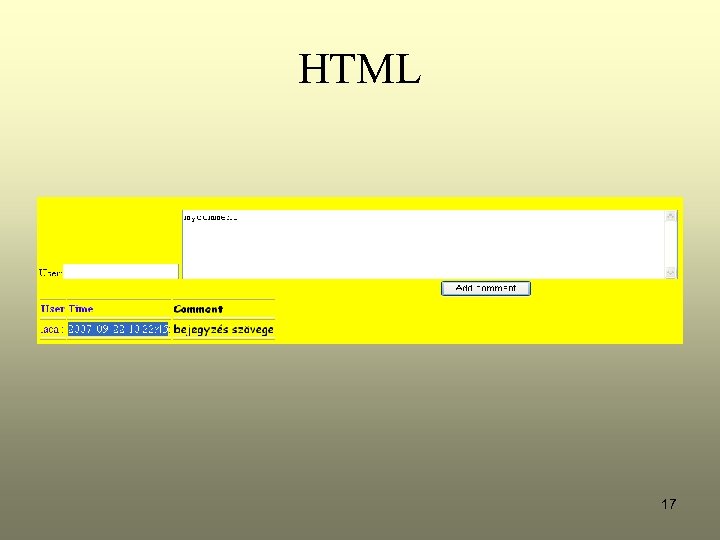
HTML <form name="f 1" action="list_dl_seged. php"> User: <input type=text name=newuser> <textarea name=newcomment rows=6 cols=80>mycomment</textarea> <input name=idevissza type=hidden value=/pub/2006_2/darago/list_dl. php > <center><INPUT TYPE=submit name=ment VALUE='Add comment' ></center> <TABLE frame=hsides> <TR> <TD><FONT COLOR='#3300 FF'><STRONG>User</STRONG></font></TD> <TD><FONT COLOR='#3300 FF'><STRONG>Time</STRONG></font></TD> <TD><FONT FACE='COMIC SANS MS'><STRONG>Comment</STRONG></FONT></TD> </TR> <TD><FONT COLOR='#3300 FF'>laca: </font></TD> <TD><FONT COLOR='#3300 FF'>2007 -09 -22 10: 22: 45 : </font></TD> <TD><FONT FACE='COMIC SANS MS'>bejegyzés szövege</FONT></TD> </TR></TABLE>. . . </form> 16
HTML 17
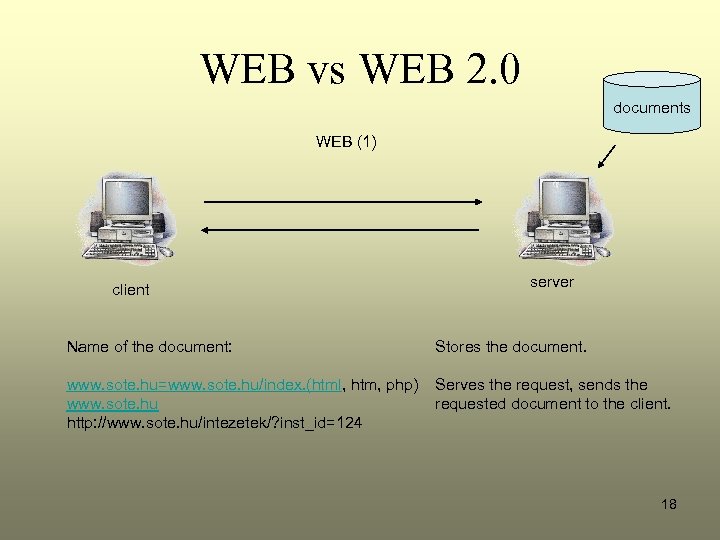
WEB vs WEB 2. 0 documents WEB (1) client server Name of the document: Stores the document. www. sote. hu=www. sote. hu/index. (html, htm, php) www. sote. hu http: //www. sote. hu/intezetek/? inst_id=124 Serves the request, sends the requested document to the client. 18
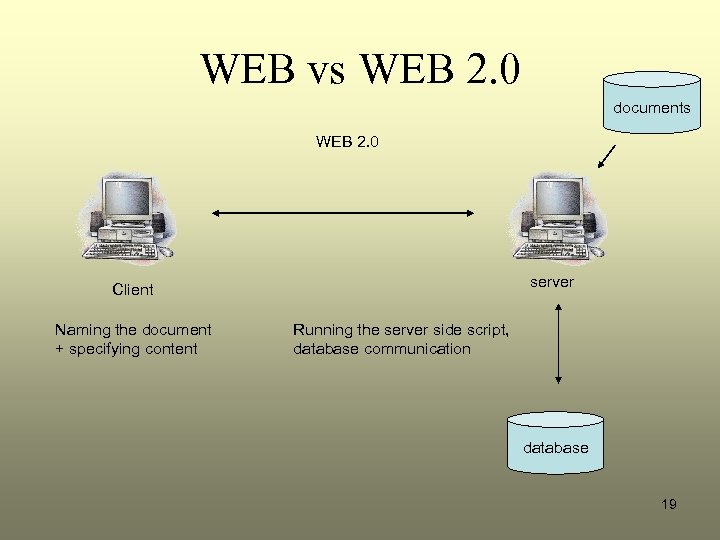
WEB vs WEB 2. 0 documents WEB 2. 0 server Client Naming the document + specifying content Running the server side script, database communication database 19
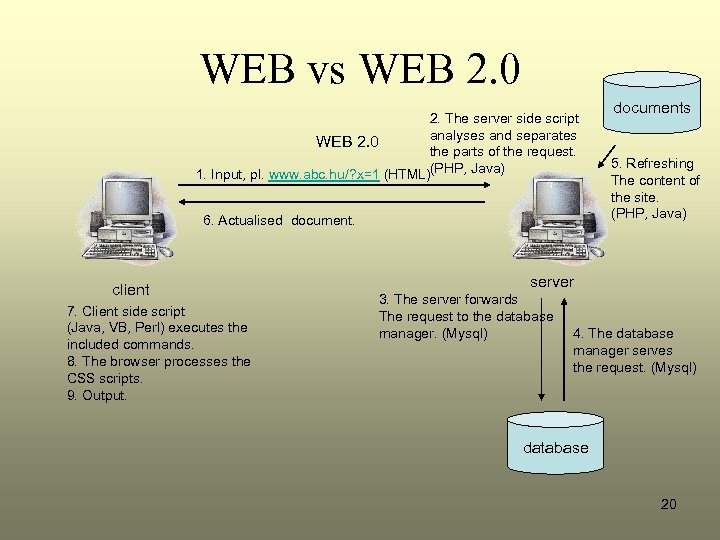
WEB vs WEB 2. 0 2. The server side script analyses and separates WEB 2. 0 the parts of the request. 1. Input, pl. www. abc. hu/? x=1 (HTML)(PHP, Java) 6. Actualised document. client 7. Client side script (Java, VB, Perl) executes the included commands. 8. The browser processes the CSS scripts. 9. Output. documents 5. Refreshing The content of the site. (PHP, Java) server 3. The server forwards The request to the database manager. (Mysql) 4. The database manager serves the request. (Mysql) database 20
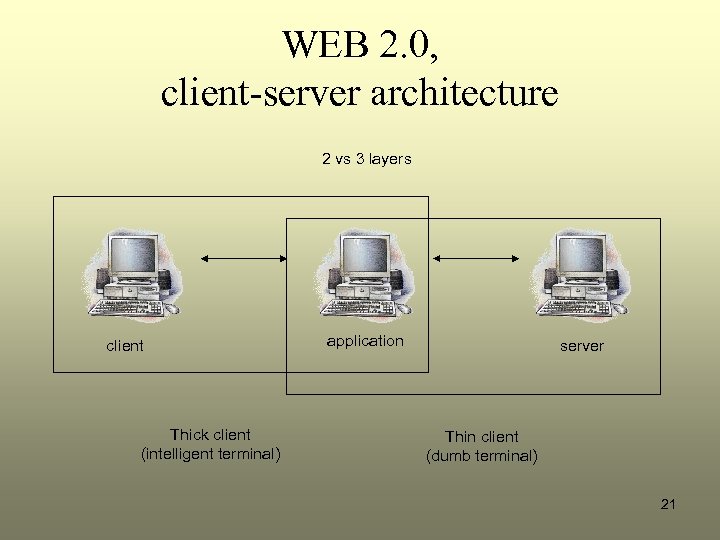
WEB 2. 0, client-server architecture 2 vs 3 layers client Thick client (intelligent terminal) application server Thin client (dumb terminal) 21
WEB 2. 0, examples • Forum • WEB log -> blog • Case. View 22
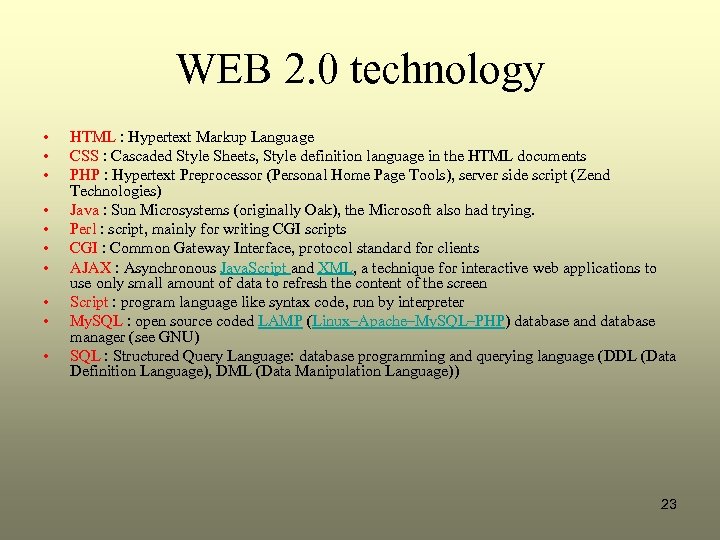
WEB 2. 0 technology • • • HTML : Hypertext Markup Language CSS : Cascaded Style Sheets, Style definition language in the HTML documents PHP : Hypertext Preprocessor (Personal Home Page Tools), server side script (Zend Technologies) Java : Sun Microsystems (originally Oak), the Microsoft also had trying. Perl : script, mainly for writing CGI scripts CGI : Common Gateway Interface, protocol standard for clients AJAX : Asynchronous Java. Script and XML, a technique for interactive web applications to use only small amount of data to refresh the content of the screen Script : program language like syntax code, run by interpreter My. SQL : open source coded LAMP (Linux–Apache–My. SQL–PHP) database and database manager (see GNU) SQL : Structured Query Language: database programming and querying language (DDL (Data Definition Language), DML (Data Manipulation Language)) 23
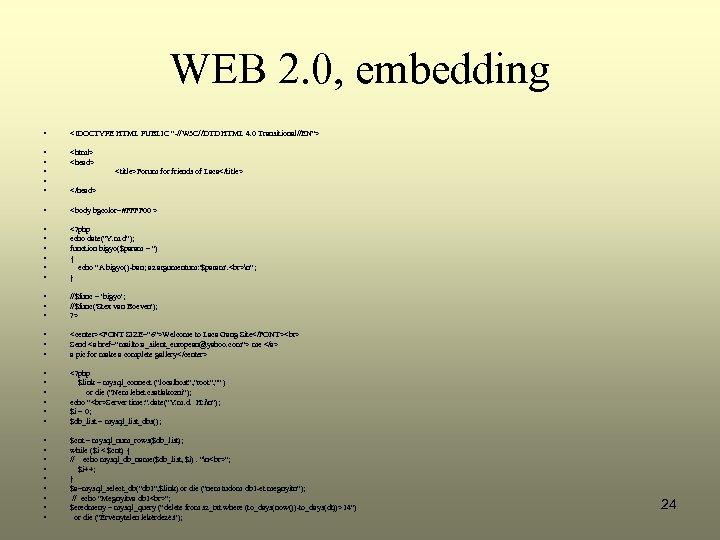
WEB 2. 0, embedding • <!DOCTYPE HTML PUBLIC "-//W 3 C//DTD HTML 4. 0 Transitional//EN"> • • • <html> <head> • <body bgcolor=#FFFF 00 > • • • <? php echo date("Y. m. d"); function bigyo($param = '') { echo "A bigyo()-ban; az argumentum: '$param'. n"; } • • • //$func = 'bigyo'; //$func('Stex van Boeven'); ? > • • • <center><FONT SIZE="6">Welcome to Laca Gang Site</FONT> Send <a href="mailto: a_silent_european@yahoo. com"> me </a> a pic for make a complete gallery</center> • • • <? php $link = mysql_connect ("localhost", "root", "" ) or die ("Nem lehet csatlakozni"); echo " Server time: ". date("Y. m. d. H: in"); $i = 0; $db_list = mysql_list_dbs(); • • • $cnt = mysql_num_rows($db_list); while ($i < $cnt) { // echo mysql_db_name($db_list, $i). "n "; $i++; } $a=mysql_select_db("db 1", $link) or die ("nem tudom db 1 -et megnyitn"); // echo "Megnyitva db 1 "; $eredmeny = mysql_query ("delete from sz_txt where (to_days(now())-to_days(dt))>14") or die ("Érvénytelen lekérdezés"); <title>Forum for friends of Laca</title> </head> 24
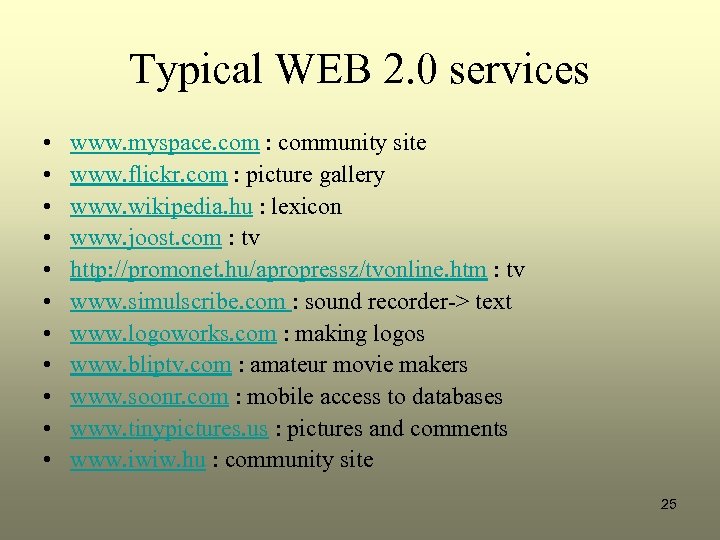
Typical WEB 2. 0 services • • • www. myspace. com : community site www. flickr. com : picture gallery www. wikipedia. hu : lexicon www. joost. com : tv http: //promonet. hu/apropressz/tvonline. htm : tv www. simulscribe. com : sound recorder-> text www. logoworks. com : making logos www. bliptv. com : amateur movie makers www. soonr. com : mobile access to databases www. tinypictures. us : pictures and comments www. iwiw. hu : community site 25
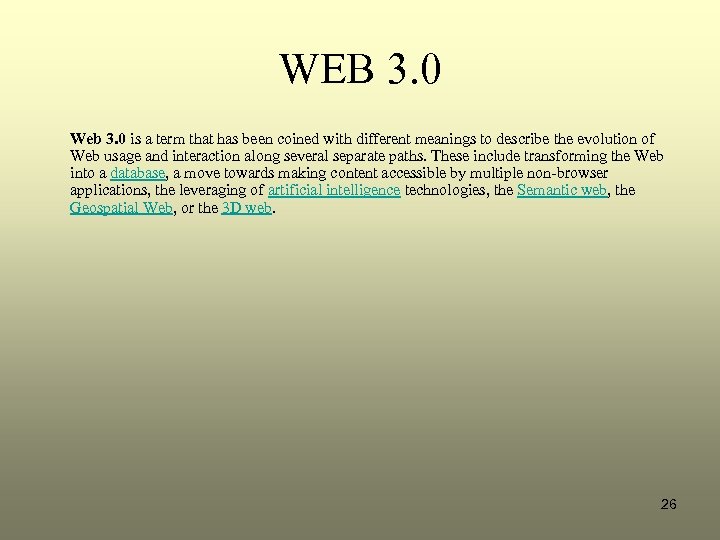
WEB 3. 0 Web 3. 0 is a term that has been coined with different meanings to describe the evolution of Web usage and interaction along several separate paths. These include transforming the Web into a database, a move towards making content accessible by multiple non-browser applications, the leveraging of artificial intelligence technologies, the Semantic web, the Geospatial Web, or the 3 D web. 26
That’s All Folks! 27
Скачать презентацию WEB 2 0 László Daragó Ph D Associate
7d7ecc5b3ec748c4e75eb47fe3d44f4f.ppt