 Скачать презентацию Ways to Use Wireless to Operate Buildings Better
ce97a91deb34c1934de52bbd1e710472.ppt
- Количество слайдов: 24



Ways to Use Wireless to Operate Buildings Better CBE Edward Arens, Cliff Federspiel, David Auslander, Therese Peffer, Charlie Huizenga BWRC Paul Wright, Jan Rabaey, + BSAC Richard White + Berkeley Intel Lab David Culler + CENTER FOR THE BUILT ENVIRONMENT OCTOBER 2003
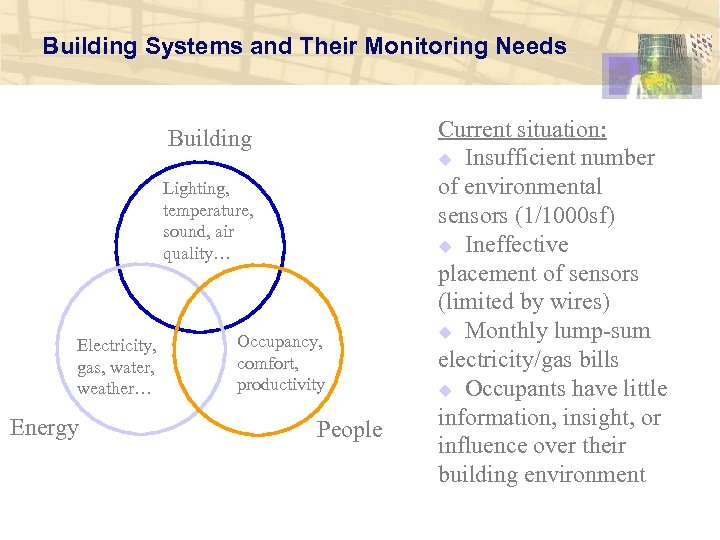
Building Systems and Their Monitoring Needs Building Lighting, temperature, sound, air quality… Electricity, gas, water, weather… Energy Occupancy, comfort, productivity People Current situation: u Insufficient number of environmental sensors (1/1000 sf) u Ineffective placement of sensors (limited by wires) u Monthly lump-sum electricity/gas bills u Occupants have little information, insight, or influence over their building environment
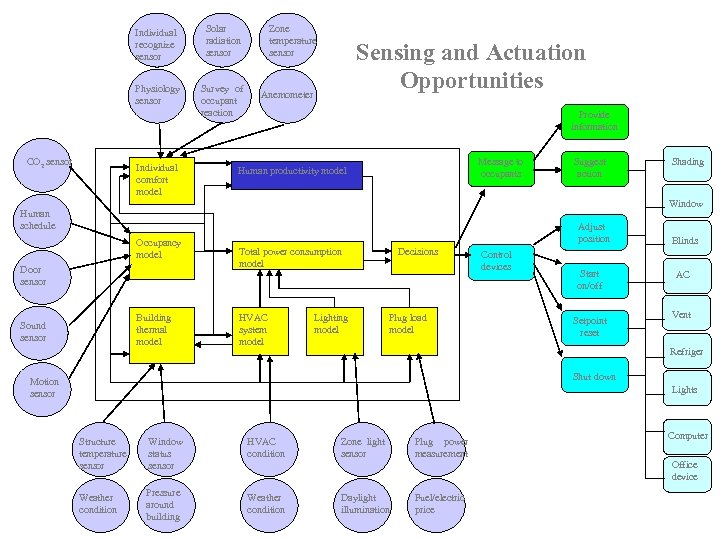
Individual recognize sensor Physiology sensor CO 2 sensor Solar radiation sensor Survey of occupant reaction Individual comfort model Zone temperature sensor Sensing and Actuation Opportunities Anemometer Provide information Message to occupants Human productivity model Suggest action Shading Window Human schedule Occupancy model Door sensor Building thermal model Sound sensor Adjust position Total power consumption model HVAC system model Lighting model Decisions Plug load model Control devices Start on/off Setpoint reset Blinds AC Vent Refriger Shut down Motion sensor Lights Structure temperature sensor Window status sensor Weather condition Pressure around building HVAC condition Zone light sensor Plug power measurement Weather condition Daylight illumination Fuel/electric price Computer Office device
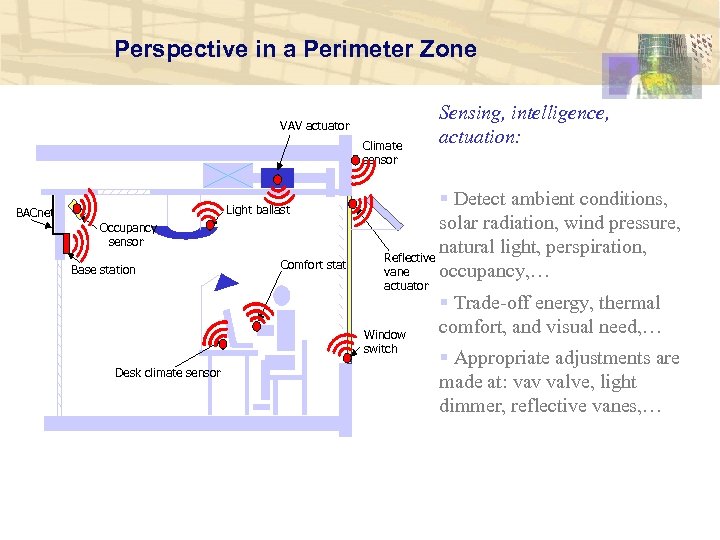
Perspective in a Perimeter Zone VAV actuator Climate sensor Light ballast BACnet Occupancy sensor Base station Comfort stat § Detect ambient conditions, solar radiation, wind pressure, natural light, perspiration, Reflective vane occupancy, … actuator Window switch Desk climate sensor Sensing, intelligence, actuation: § Trade-off energy, thermal comfort, and visual need, … § Appropriate adjustments are made at: vav valve, light dimmer, reflective vanes, …
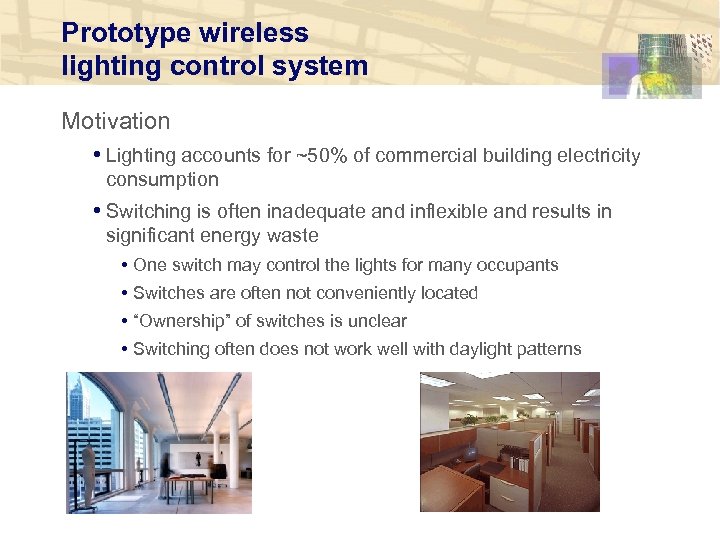
Prototype wireless lighting control system Motivation • Lighting accounts for ~50% of commercial building electricity consumption • Switching is often inadequate and inflexible and results in significant energy waste • One switch may control the lights for many occupants • Switches are often not conveniently located • “Ownership” of switches is unclear • Switching often does not work well with daylight patterns
Objective Develop a lighting control system that is: • Highly flexible • Wireless • Cost effective There are many wireless systems in development and in the marketplace. What’s different about our approach? • Does not require special ballasts • Will work for new or retrofit applications • Is easily reprogrammed by the user • Will have a low installation cost per switch/fixture ($20 target)
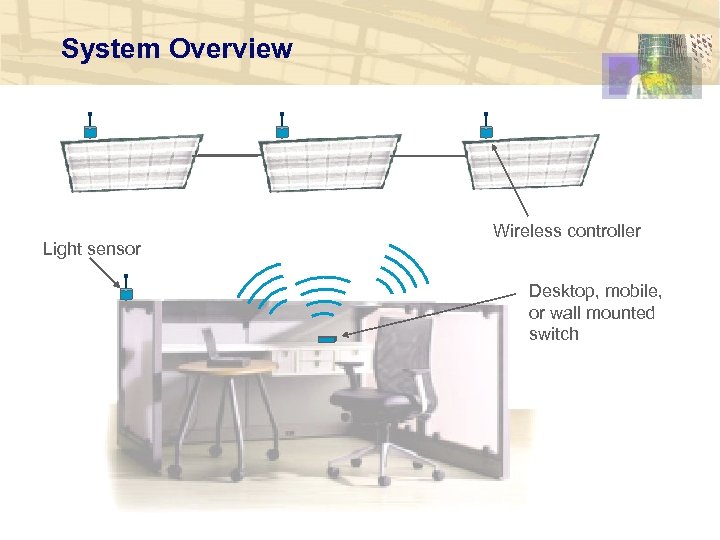
System Overview Light sensor Wireless controller Desktop, mobile, or wall mounted switch
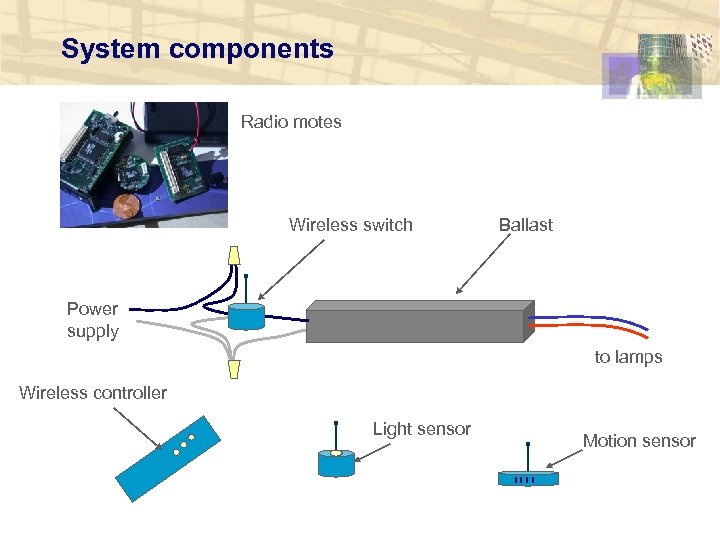
System components Radio motes Wireless switch Ballast Power supply to lamps Wireless controller Light sensor Motion sensor
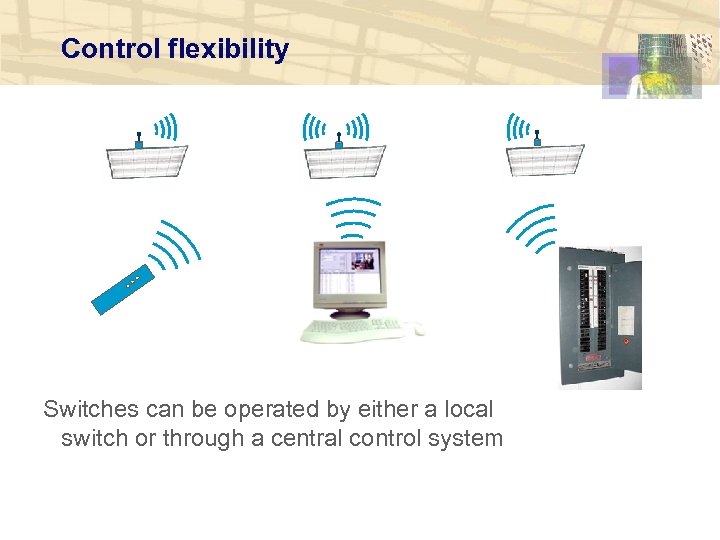
Control flexibility Switches can be operated by either a local switch or through a central control system
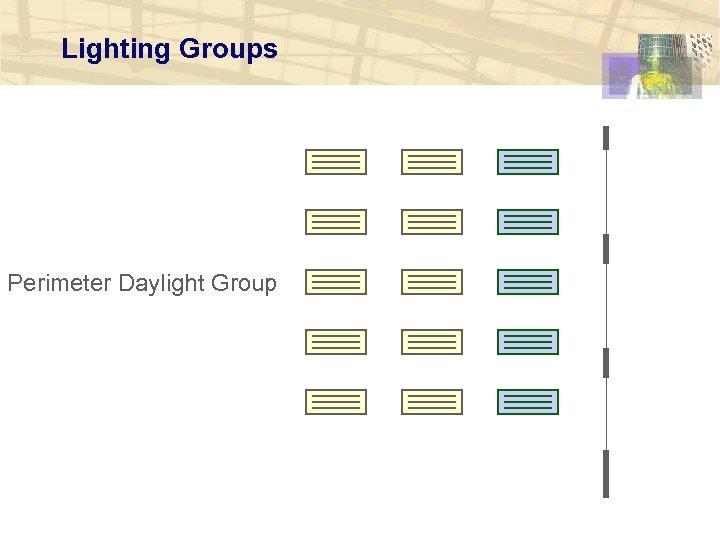
Lighting Groups Perimeter Daylight Group
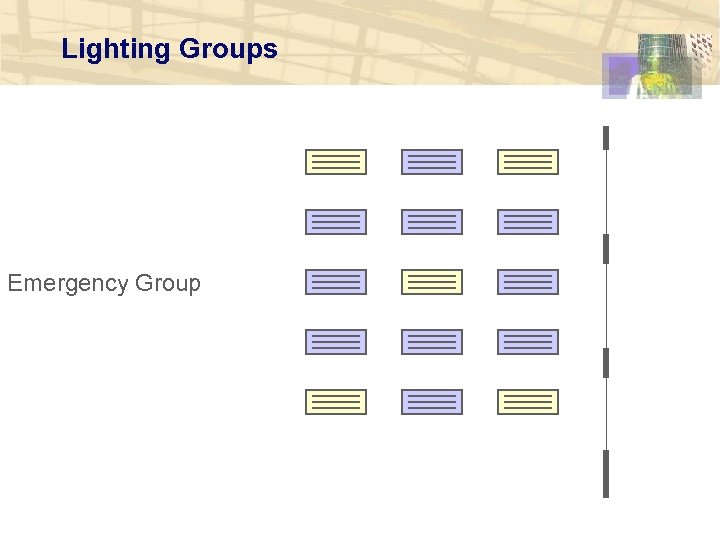
Lighting Groups Emergency Group
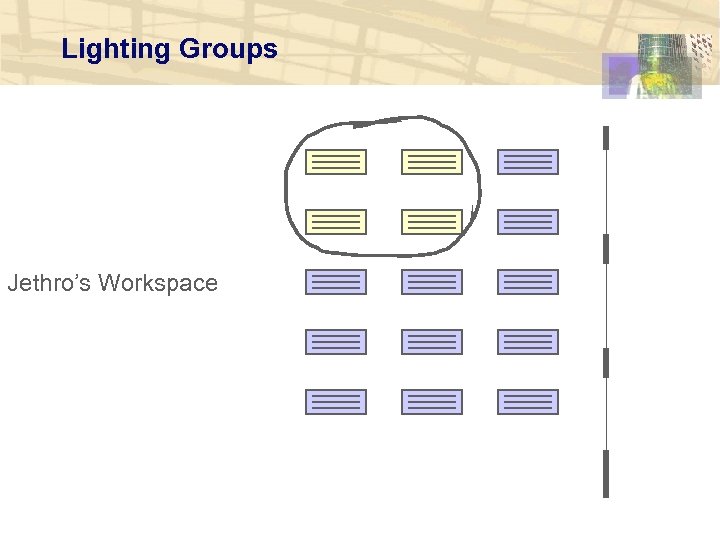
Lighting Groups Jethro’s Workspace
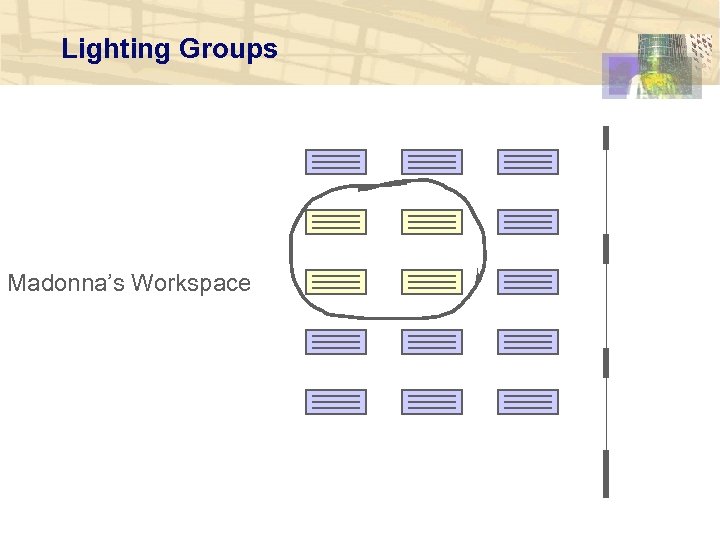
Lighting Groups Madonna’s Workspace
Control strategies More creative strategies are possible than with a simple switch… §Lights on/off §Lights needed/not needed §Minimum light level §Emergency lights on §Non-critical lights off
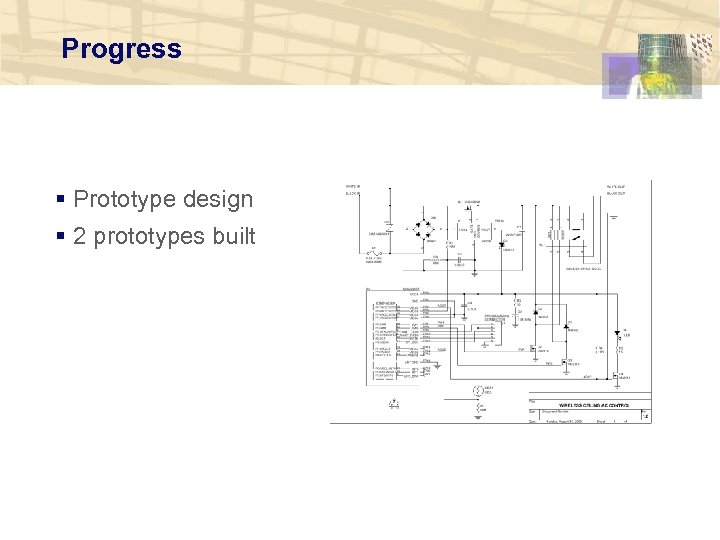
Progress § Prototype design § 2 prototypes built
Residential Demand Response Project Objectives: § To respond to dynamic electricity pricing, we need: • A meter that records time-of-use, as well as use. • A system that can automatically operate HVAC and other equipment in response to price signals. • An interface that accurately obtains the occupants’ preferences between price and comfort. • Information devices that help the occupant respond intelligently. • Sensors and actuators that can be easily installed, (ie, wireless). § To be a breakthrough, this system must be inexpensive: • $50 for meter, $30 for thermostat, $10 for sensor nodes. • It must also last at least 10 years without battery changes.
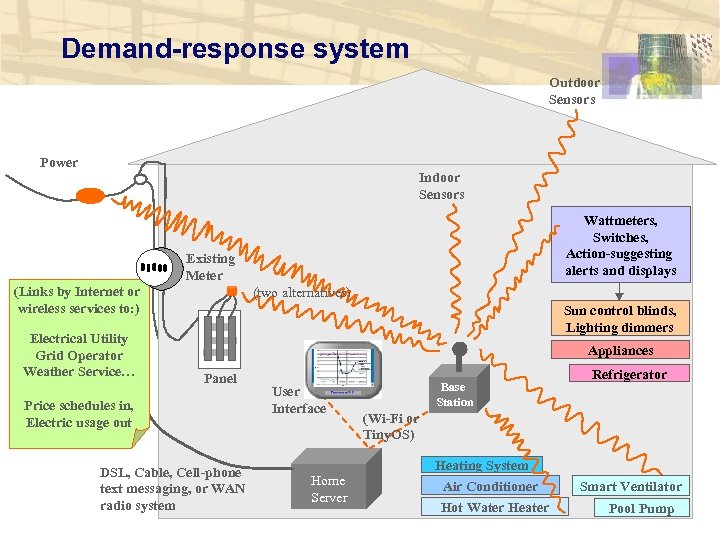
Demand-response system Outdoor Sensors Power Indoor Sensors Wattmeters, Switches, Action-suggesting alerts and displays Existing Meter (Links by Internet or wireless services to: ) Electrical Utility Grid Operator Weather Service… (two alternatives) Sun control blinds, Lighting dimmers Appliances Panel Price schedules in, Electric usage out DSL, Cable, Cell-phone text messaging, or WAN radio system User Interface Home Server Base Station Refrigerator (Wi-Fi or Tiny. OS) Heating System Air Conditioner Hot Water Heater Smart Ventilator Pool Pump
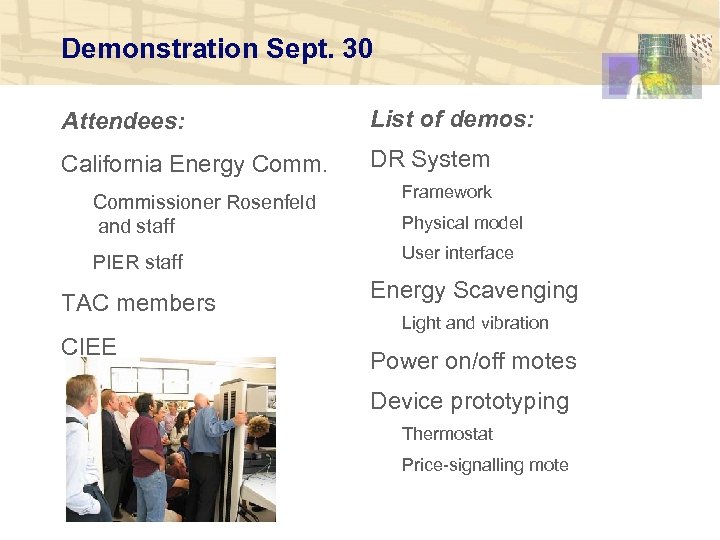
Demonstration Sept. 30 Attendees: List of demos: California Energy Comm. DR System Commissioner Rosenfeld and staff Framework PIER staff User interface TAC members CIEE Physical model Energy Scavenging Light and vibration Power on/off motes Device prototyping Thermostat Price-signalling mote
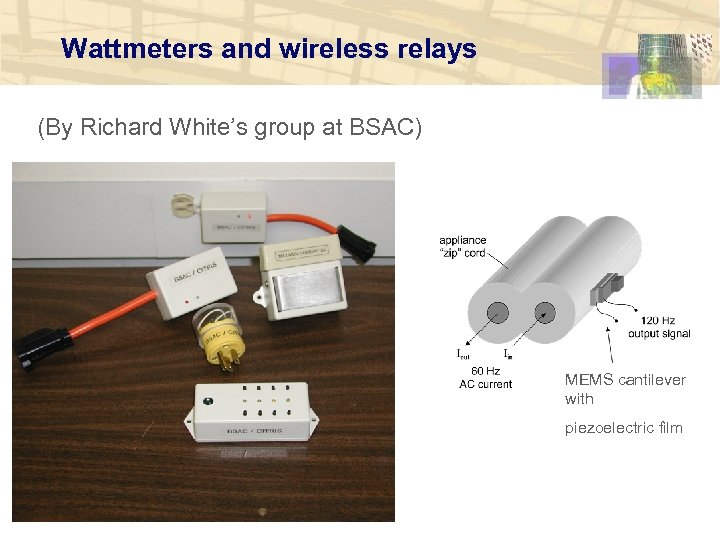
Wattmeters and wireless relays (By Richard White’s group at BSAC) MEMS cantilever with piezoelectric film
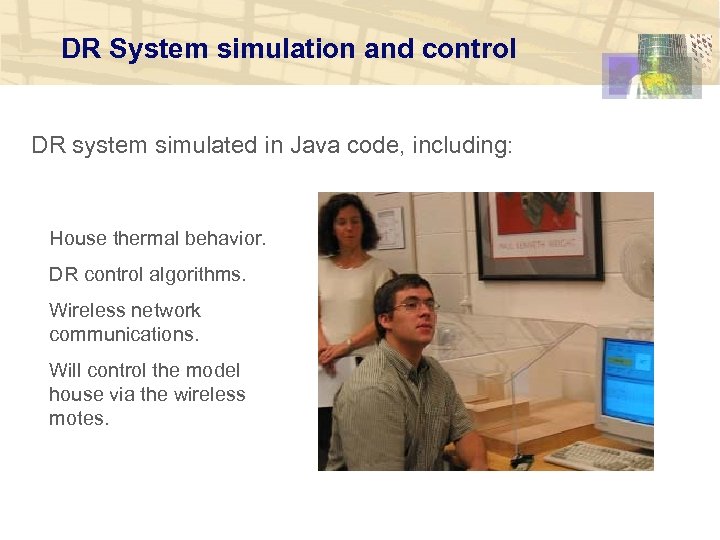
DR System simulation and control DR system simulated in Java code, including: House thermal behavior. DR control algorithms. Wireless network communications. Will control the model house via the wireless motes.
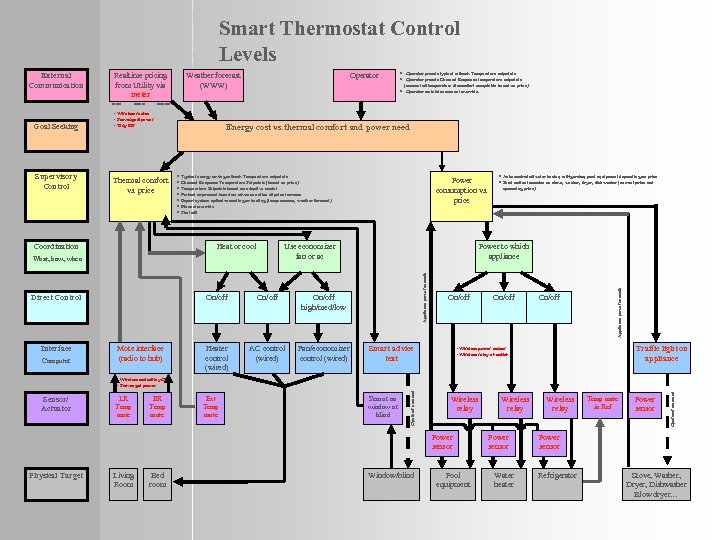
Smart Thermostat Control Levels Realtime pricing from Utility via meter Goal Seeking Supervisory Control MED $$ Operator (amount of temperature discomfort acceptable based on price). · Operator maintains manual override. HIGH $$$ • Wireless motes • Scavenged power • Tiny OS Thermal comfort vs. price Coordination Energy cost vs. thermal comfort and power need · Typical energy saving setback Temperature setpoints · Demand Response Temperature Setpoints (based on price) · Temperature Setpoints based on adaptive model · Preheat or precool based on advance notice of price increase · Expert system optimize cooling or heating (temp sensors, weather forecast) · Manual override · Shut off Heat or cool Direct Control Computer On/off Mote interface (radio to hub) Power consumption vs. price Use economizer fan or ac What, how, when Interface · Operator presets typical setback Temperature setpoints · Operator presets Demand Response temperature setpoints On/off AC control (wired) Fan/economizer control (wired) upcoming price) Power to which appliance On/off high/med/low Heater control (wired) · Auto control of water heater, refrigerator, pool equipment depending on price · Send notice to motes on stove, washer, dryer, dishwasher (current price and On/off Smart advice text On/off Appliance power sensors LOW $ Weather forecast (WWW) Appliance power sensors External Communication Traffic light on appliance • Wireless power sensor • Wireless relay at outlet LR Temp mote BR Temp mote Ext Temp mote Sensor on window or blind Wireless relay Power sensor Physical Target Living Room Bed room Window/blind Pool equipment Wireless relay Power sensor Water heater Wireless relay Temp mote in Ref Power sensor Operator actuated Sensor/ Actuator Operator actuated • Wireless motes/tiny OS • Scavenged power Power sensor Refrigerator Stove, Washer, Dryer, Dishwasher Blow dryer…
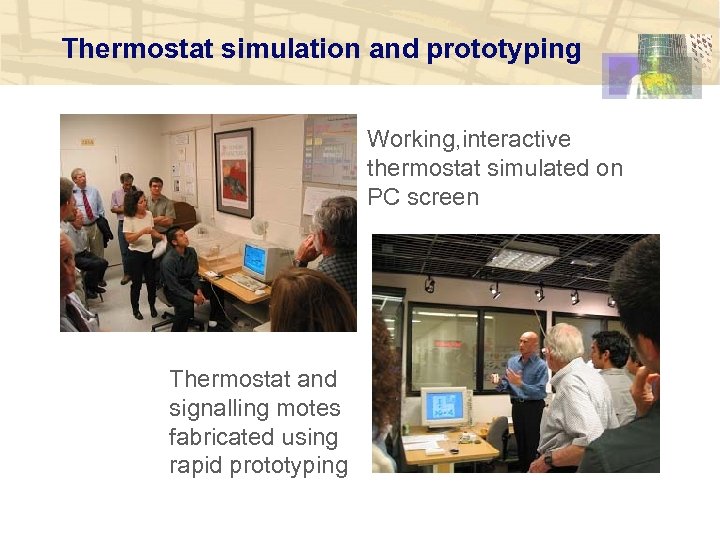
Thermostat simulation and prototyping Working, interactive thermostat simulated on PC screen Thermostat and signalling motes fabricated using rapid prototyping
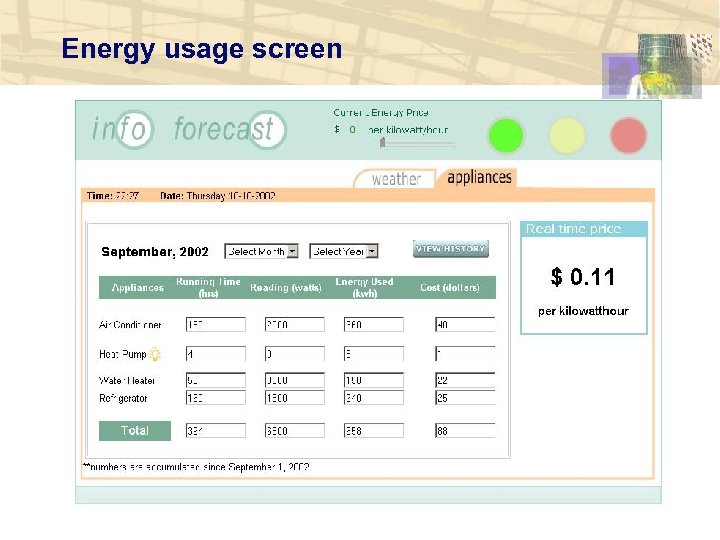
Energy usage screen
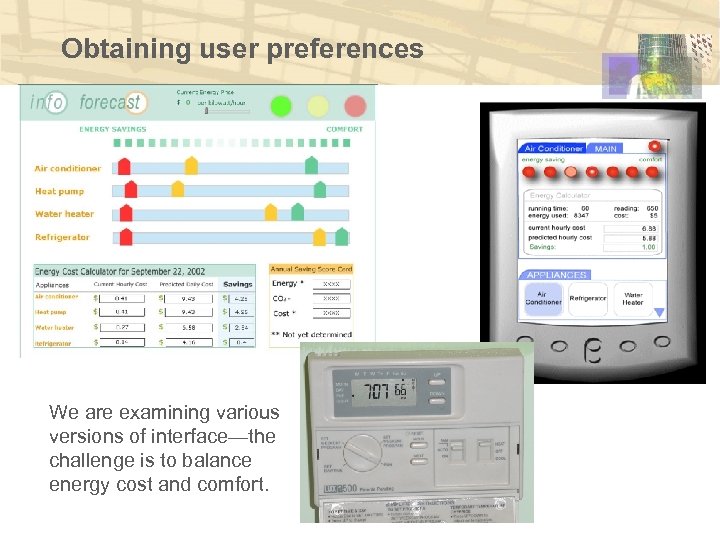
Obtaining user preferences We are examining various versions of interface—the challenge is to balance energy cost and comfort.
Скачать презентацию Ways to Use Wireless to Operate Buildings Better
ce97a91deb34c1934de52bbd1e710472.ppt