


 Скачать презентацию W Windows Server 2008 T Top F Features
1e93e8488498a663e29179fb38952278.ppt
- Количество слайдов: 29
 W Windows Server 2008 T Top F Features Alasdair Mac. Kenzie – IT Services Majority credit and copyright to; Viral Tarpara & Andrew Fryer and James O’Neill especially, for the techie details Microsoft UK Definitely not Uo. R Branded
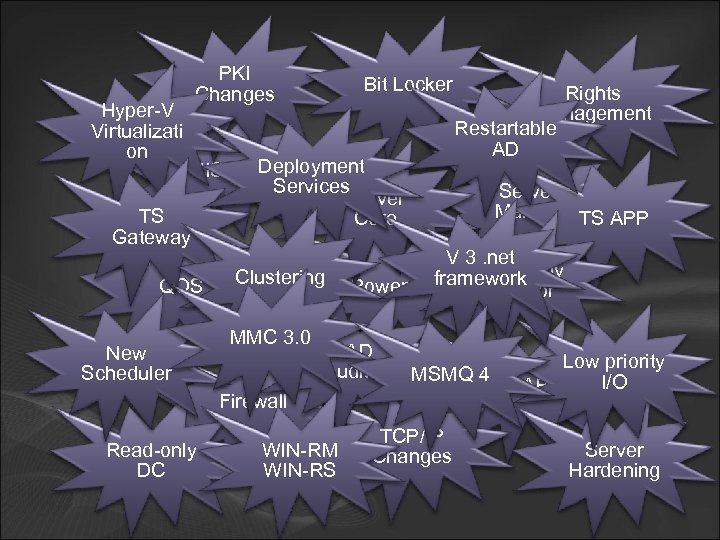 Hyper-V Virtualizati on TS Gateway PKI Changes Bit Locker IIS 7 Deployment Services Server Core QOS New Scheduler Clustering MMC 3. 0 AD Auditing MSMQ 4 WIN-RM WIN-RS Server Manger TS APP V 3. net Reliability framework Powershell Monitor Firewall Read-only DC Rights Management Restartable AD TCP/IP Changes Low priority I/O NAP Server Hardening
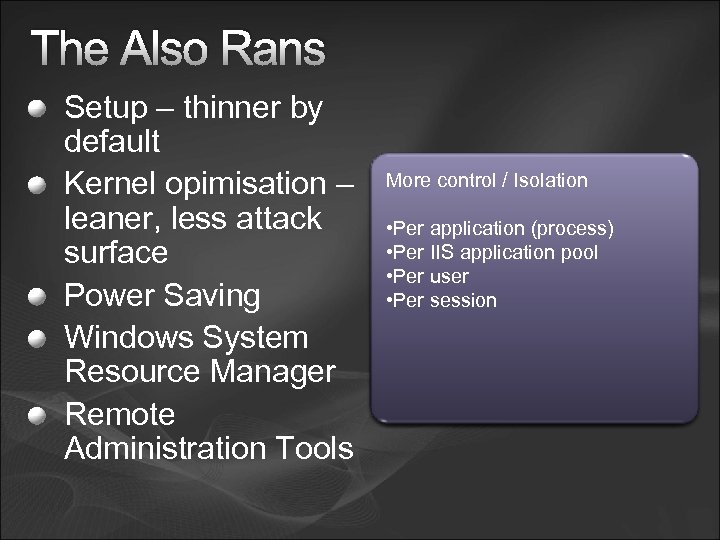 The Also Rans 100% More control / Isolation • Hot Add memory, CPU , PCI-Express 95% • Windows Hardware Error Architecture • Self healing NTFS 90% • Per application (process) • Address Space Load Randomisation 85% • Per IIS application pool • Improved Crash Dump Support 80% • Per user • Improved Unhandled Exception Control 75% • Kernel Transaction Manager • Per session • Clean Shutdown 70% • Improved Process Start up 65% • Improved Memory Manager 60% • Improved I/O Port completion Windows Server 2003 0% 20% 40% 60% 80% 100% Watts (% of maximum) Setup – thinner by default Kernel opimisation – leaner, less attack surface Power Saving Windows System Resource Manager Remote Administration Tools Workload (% of Server 2008 Windows maximum throughput)
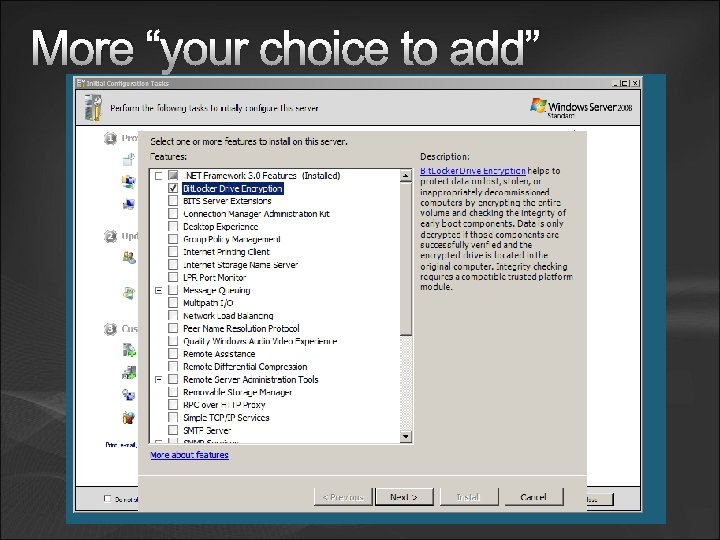 More “your choice to add”
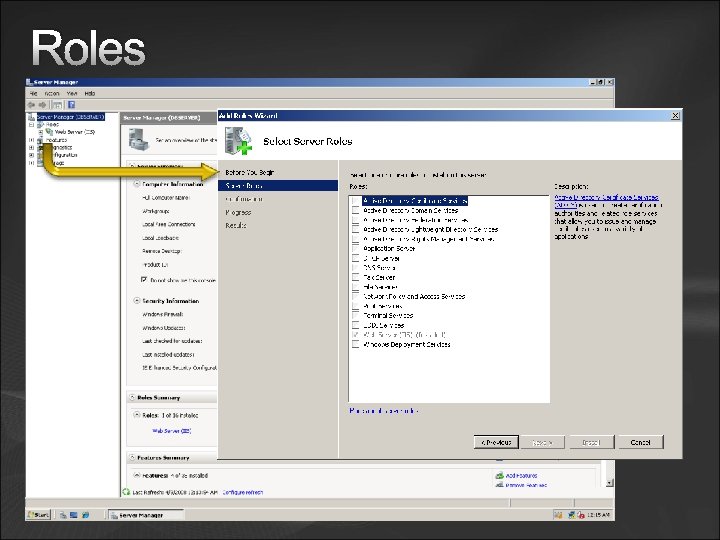 Roles
Roles
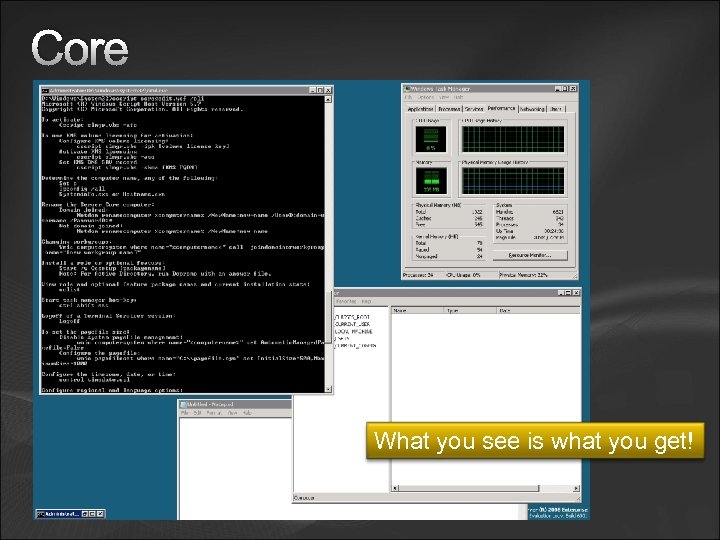 Core What you see is what you get!
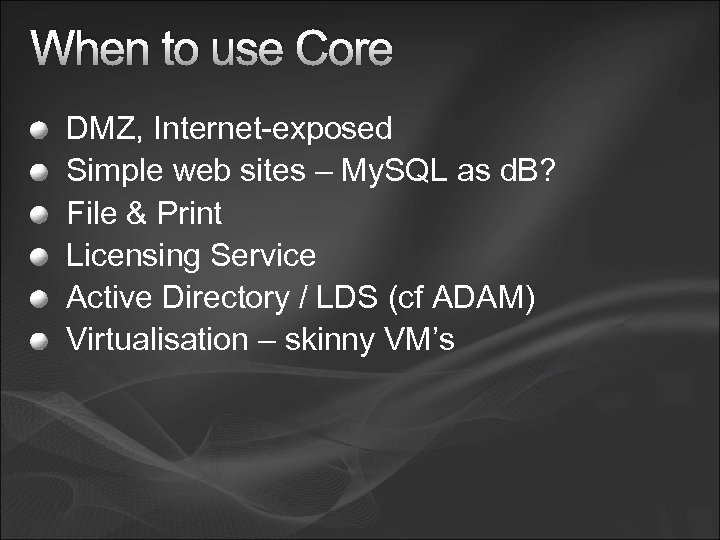 When to use Core DMZ, Internet-exposed Simple web sites – My. SQL as d. B? File & Print Licensing Service Active Directory / LDS (cf ADAM) Virtualisation – skinny VM’s
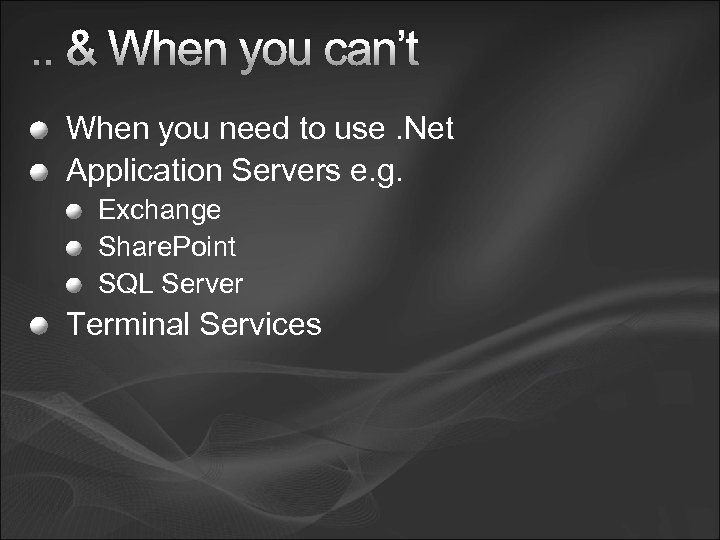 . . & When you can’t When you need to use. Net Application Servers e. g. Exchange Share. Point SQL Server Terminal Services
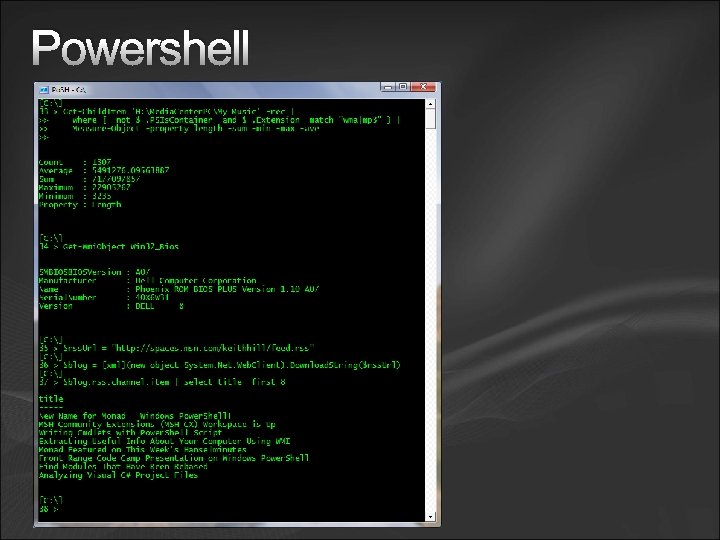 Powershell
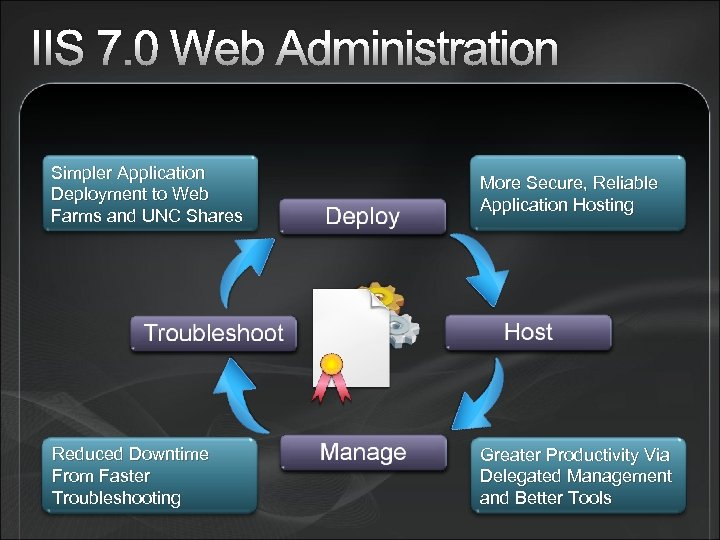 IIS 7. 0 Web Administration Simpler Application Deployment to Web Farms and UNC Shares More Secure, Reliable Application Hosting Reduced Downtime From Faster Troubleshooting Greater Productivity Via Delegated Management and Better Tools
 Terminal Services Managed Entities Terminal Server less server, more sessions TS Licensing TS CALs that are required for each device or user to connect to a terminal server. You use TS Licensing to install, issue, and track the availability of TS CALs on a Terminal Services license server. TS Gateway Enables authorized remote users to connect to resources on an internal corporate or private network, from any Internet-connected device that can run the Remote Desktop Connection (RDC) client. The network resources can be terminal servers, terminal servers running Terminal Services Remote. App programs, or computers with Remote Desktop enabled.
 TS – and the rest. . TS Session Broker Supports session load balancing between terminal servers in a farm, and reconnection to an existing session in a load-balanced terminal server farm. Note: TS Session Broker was formerly called Terminal Services Session Directory. TS Web Access Users visit a Web site (internet or) to access a list of available TS Remote. App programs. To start a Remote. App program, users just click the program icon. When the Remote. App program starts, a Terminal Services session is started on the terminal server that hosts the Remote. App program.
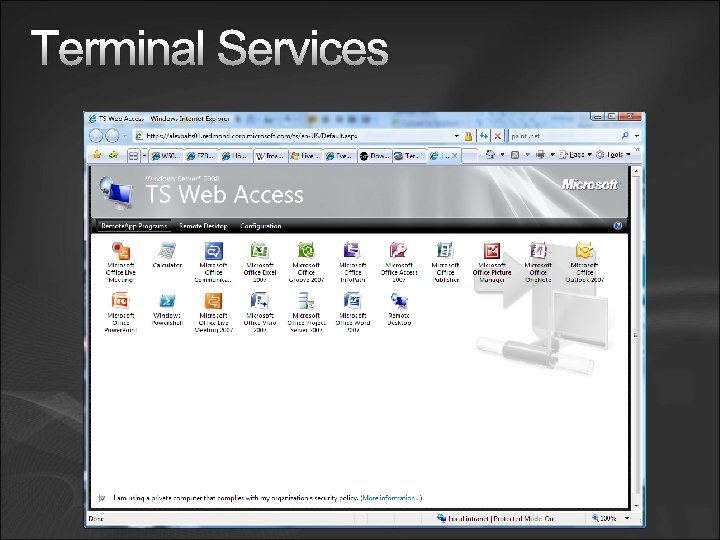 Terminal Services
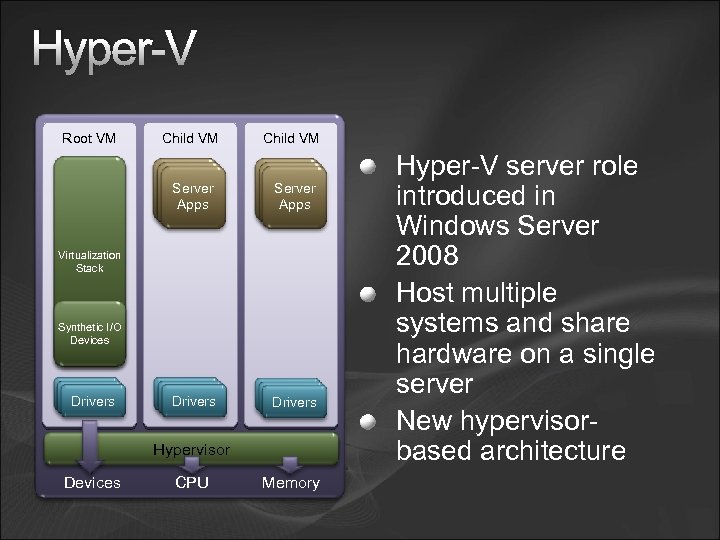 Hyper-V Root VM Child VM Server Drivers Apps Drivers Virtualization Stack Synthetic I/O Devices Drivers Hypervisor Devices CPU Memory Hyper-V server role introduced in Windows Server 2008 Host multiple systems and share hardware on a single server New hypervisorbased architecture
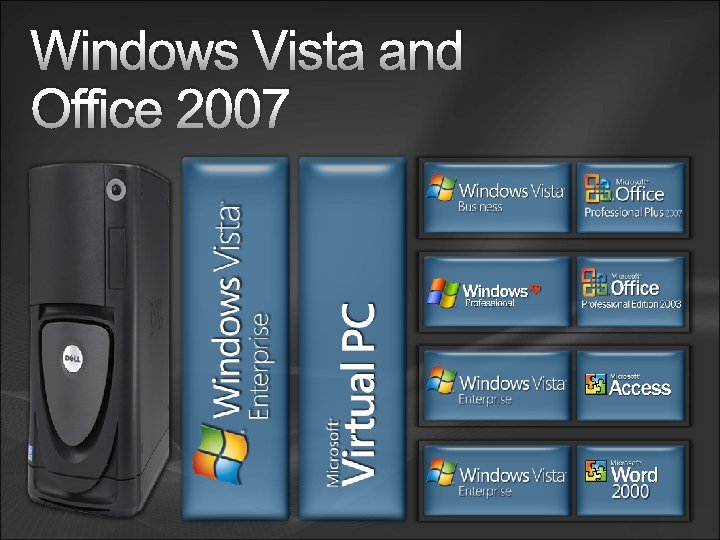
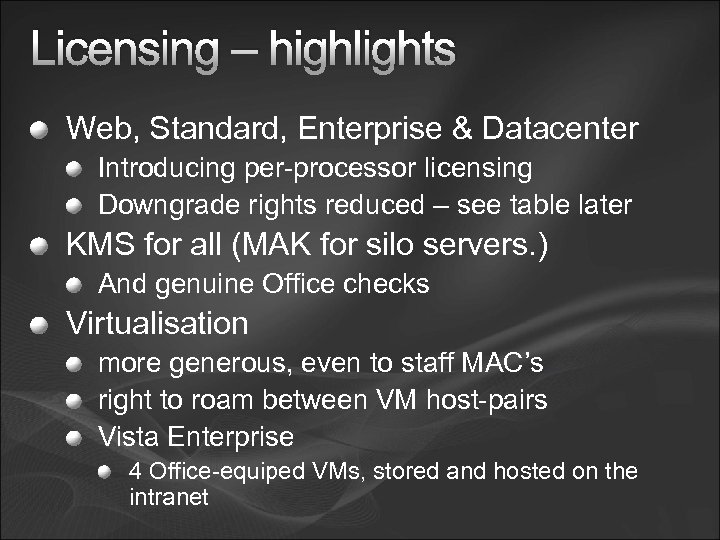 Licensing – highlights Web, Standard, Enterprise & Datacenter Introducing per-processor licensing Downgrade rights reduced – see table later KMS for all (MAK for silo servers. ) And genuine Office checks Virtualisation more generous, even to staff MAC’s right to roam between VM host-pairs Vista Enterprise 4 Office-equiped VMs, stored and hosted on the intranet
 Resources - the knitty Windows Server Site http: //www. microsoft. com/windowsserver 2008/en/us/default. aspx Microsoft Servers - Microsoft UK Top 11 Features http: //www. microsoft. com/windowsserver 2008/en/us/why-upgrade. aspx Server Core http: //msdn 2. microsoft. com/en-us/library/ms 723891. aspx Terminal Services http: //technet 2. microsoft. com/windowsserver 2008/en/library/e 82 ace 33 -9 f 7 e-4034 -8267 f 475 d 0 afefc 01033. mspx? mfr=true Virtualisation http: //www. microsoft. com/virtualization/default. mspx Virtualisation Calculator
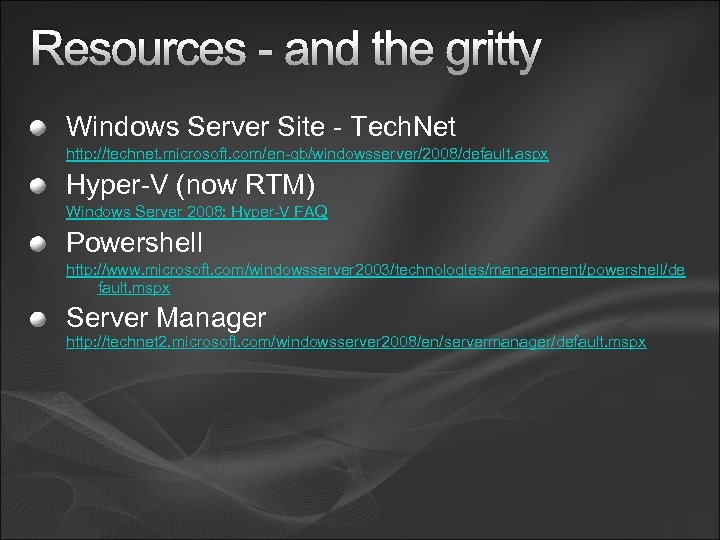 Resources - and the gritty Windows Server Site - Tech. Net http: //technet. microsoft. com/en-gb/windowsserver/2008/default. aspx Hyper-V (now RTM) Windows Server 2008: Hyper-V FAQ Powershell http: //www. microsoft. com/windowsserver 2003/technologies/management/powershell/de fault. mspx Server Manager http: //technet 2. microsoft. com/windowsserver 2008/en/servermanager/default. mspx
 For Later? Rest here for Mr. Gough.
 Jackie Elleker – Microsoft Ltd Fundamentals of Microsoft Licensing (Some of the 170 pages! - kagm)
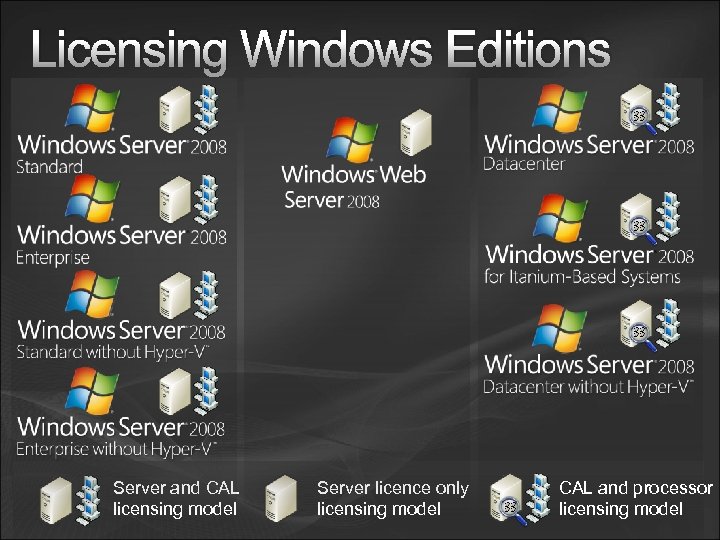 Licensing Windows Editions Server and CAL licensing model Server licence only licensing model CAL and processor licensing model
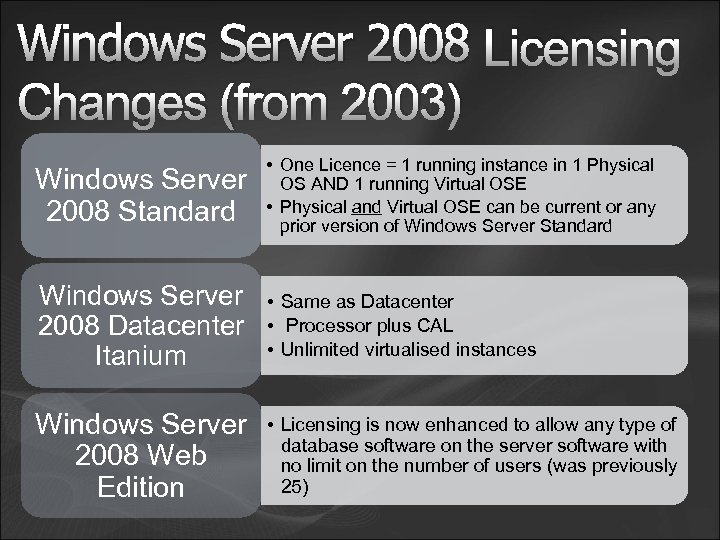 Windows Server 2008 Licensing Changes (from 2003) Windows Server 2008 Standard • One Licence = 1 running instance in 1 Physical OS AND 1 running Virtual OSE • Physical and Virtual OSE can be current or any prior version of Windows Server Standard Windows Server 2008 Datacenter Itanium • Same as Datacenter • Processor plus CAL • Unlimited virtualised instances Windows Server 2008 Web Edition • Licensing is now enhanced to allow any type of database software on the server software with no limit on the number of users (was previously 25)
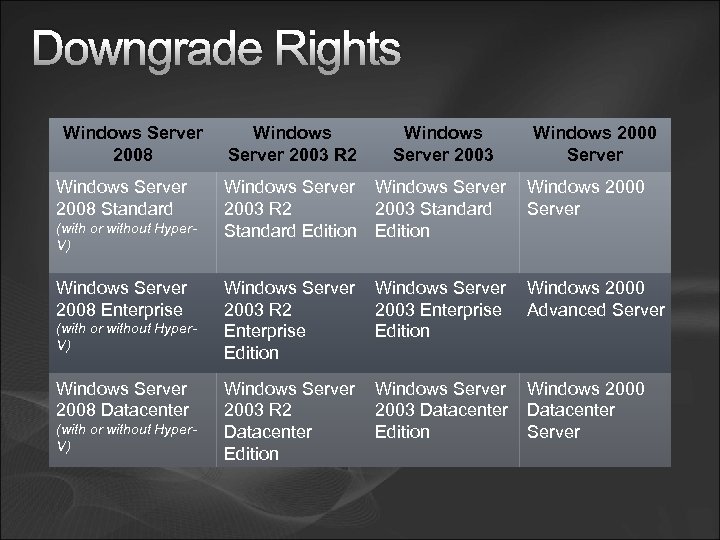 Downgrade Rights Windows Server 2008 Standard (with or without Hyper. V) Windows Server 2008 Enterprise (with or without Hyper. V) Windows Server 2008 Datacenter (with or without Hyper. V) Windows Server 2003 R 2 Windows Server 2003 Windows 2000 Server Windows 2000 2003 R 2 2003 Standard Server Standard Edition Windows Server Windows 2000 2003 R 2 2003 Enterprise Advanced Server Enterprise Edition Windows Server Windows 2000 2003 R 2 2003 Datacenter Edition Server Edition
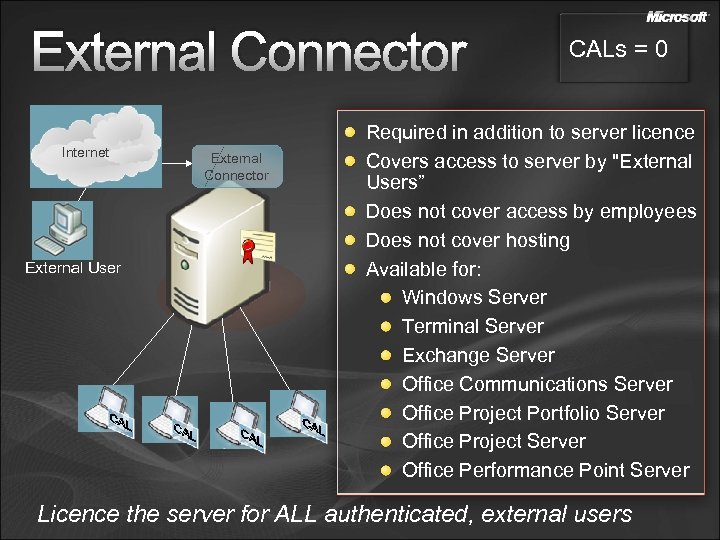 External Connector Internet External User External Connector CALs = 0 Required in addition to server licence Covers access to server by "External Users” Does not cover access by employees Does not cover hosting Available for: Windows Server Terminal Server Exchange Server Office Communications Server Office Project Portfolio Server Office Project Server Office Performance Point Server Licence the server for ALL authenticated, external users
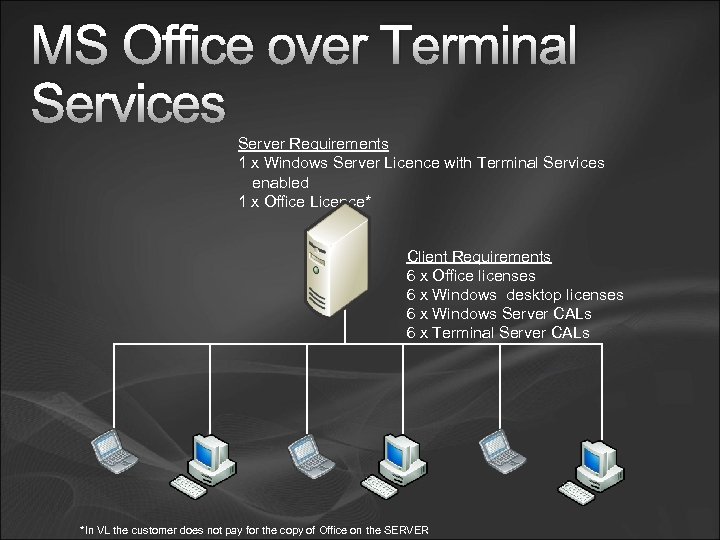 MS Office over Terminal Services Server Requirements 1 x Windows Server Licence with Terminal Services enabled 1 x Office Licence* Client Requirements 6 x Office licenses 6 x Windows desktop licenses 6 x Windows Server CALs 6 x Terminal Server CALs *In VL the customer does not pay for the copy of Office on the SERVER
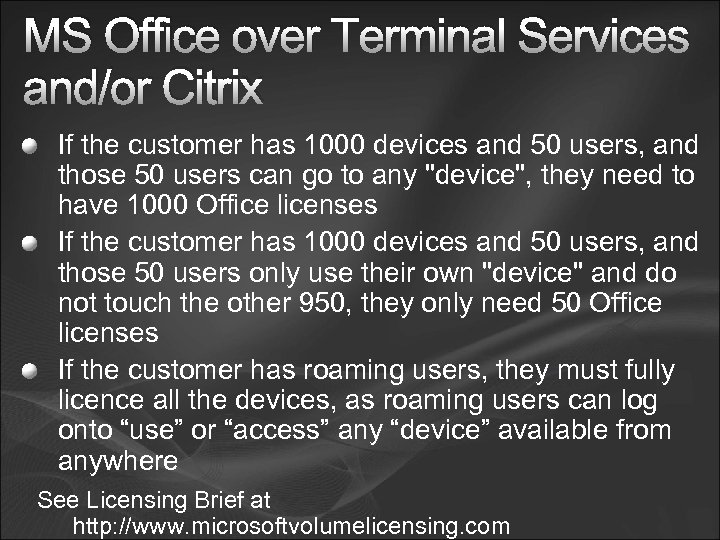 MS Office over Terminal Services and/or Citrix If the customer has 1000 devices and 50 users, and those 50 users can go to any "device", they need to have 1000 Office licenses If the customer has 1000 devices and 50 users, and those 50 users only use their own "device" and do not touch the other 950, they only need 50 Office licenses If the customer has roaming users, they must fully licence all the devices, as roaming users can log onto “use” or “access” any “device” available from anywhere See Licensing Brief at http: //www. microsoftvolumelicensing. com
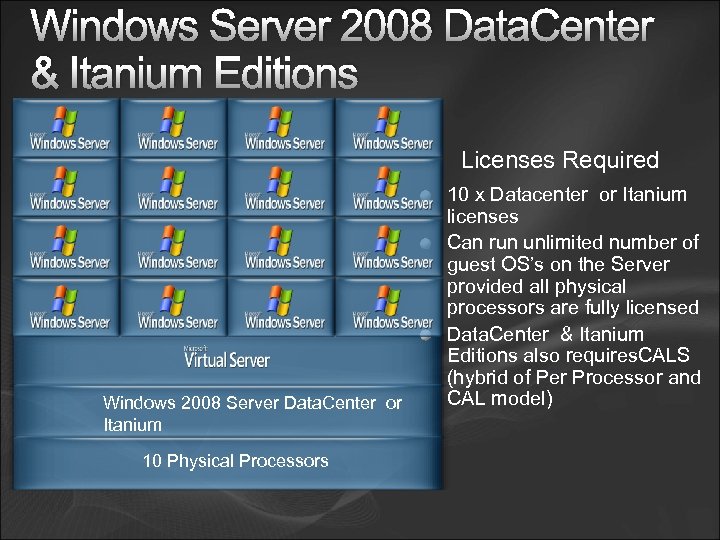 Windows Server 2008 Data. Center & Itanium Editions Licenses Required Windows 2008 Server Data. Center or Itanium 10 Physical Processors 10 x Datacenter or Itanium licenses Can run unlimited number of guest OS’s on the Server provided all physical processors are fully licensed Data. Center & Itanium Editions also requires. CALS (hybrid of Per Processor and CAL model)
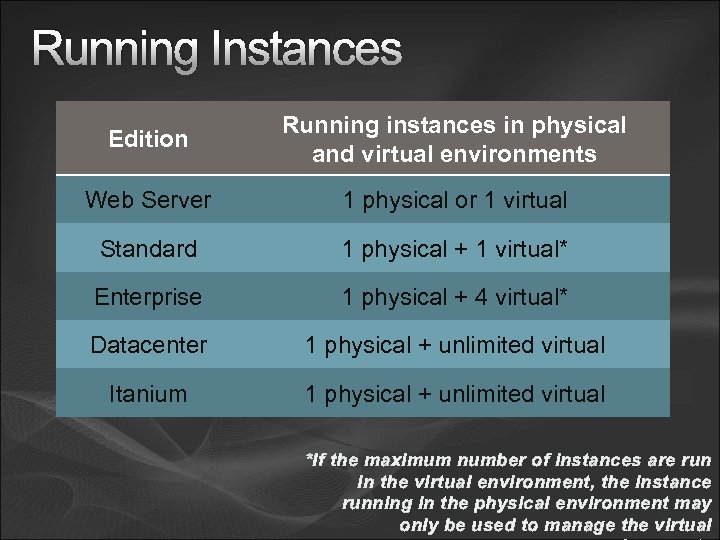 Running Instances Edition Running instances in physical and virtual environments Web Server 1 physical or 1 virtual Standard 1 physical + 1 virtual* Enterprise 1 physical + 4 virtual* Datacenter 1 physical + unlimited virtual Itanium 1 physical + unlimited virtual *If the maximum number of instances are run in the virtual environment, the instance running in the physical environment may only be used to manage the virtual
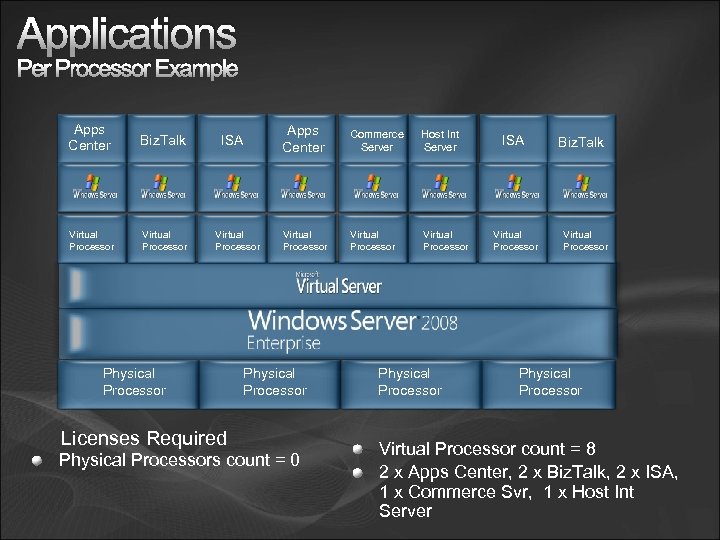 Applications Per Processor Example Apps Center Biz. Talk Virtual Processor ISA Virtual Processor Physical Processor Licenses Required Apps Center Commerce Server Host Int Server Virtual Processor Physical Processors count = 0 Physical Processor ISA Virtual Processor Biz. Talk Virtual Processor Physical Processor Virtual Processor count = 8 2 x Apps Center, 2 x Biz. Talk, 2 x ISA, 1 x Commerce Svr, 1 x Host Int Server
 Windows Vista and Office 2007