 Скачать презентацию VIVA Install Fest Parallel Session for Librarians -this
a7f5accbc88d8f7596712402738465de.ppt
- Количество слайдов: 61



VIVA Install. Fest Parallel Session for Librarians -this session will provide a basic overview of the VIVA PBS project, an introduction to the technologies associated with the project, guidelines for decision making and an opportunity for librarians from VIVA schools to discuss implications of the project and plan future directions. VIVA Shibboleth Install. Fest 12 November 2008 Ralph Alberico, alberira@jmu. edu
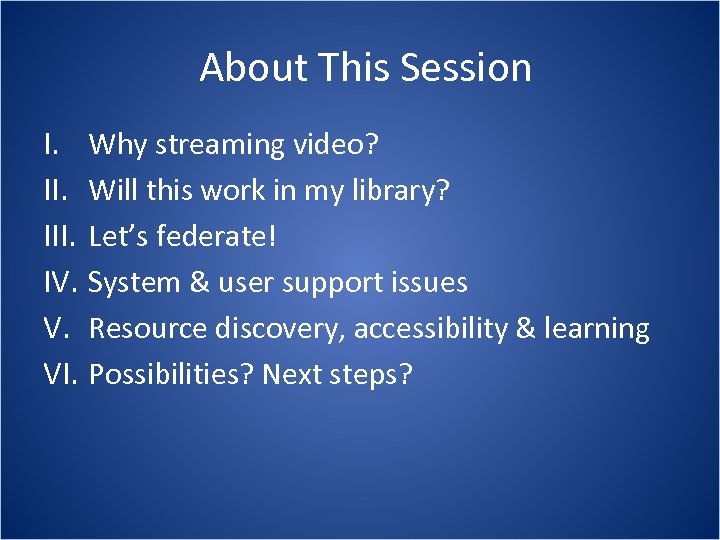
About This Session I. III. IV. V. VI. Why streaming video? Will this work in my library? Let’s federate! System & user support issues Resource discovery, accessibility & learning Possibilities? Next steps?
PART 1 Why streaming?
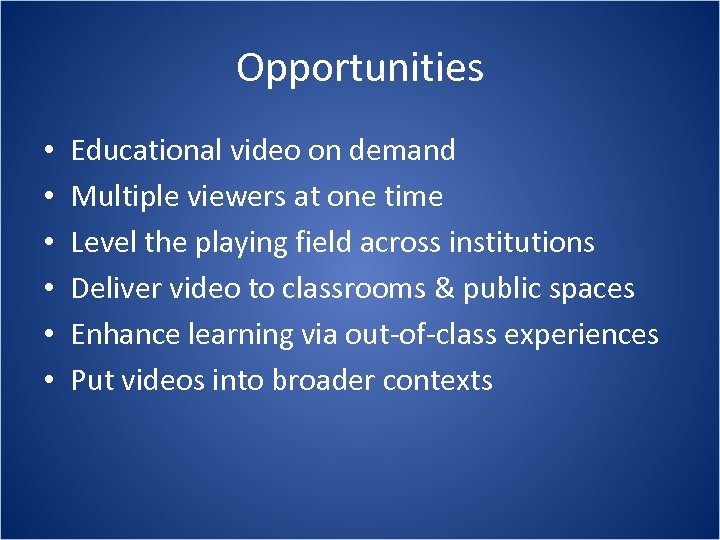
Opportunities • • • Educational video on demand Multiple viewers at one time Level the playing field across institutions Deliver video to classrooms & public spaces Enhance learning via out-of-class experiences Put videos into broader contexts
Challenges • • • New and rapidly changing technology Competing technical standards Uneven infrastructure across campuses General unfamiliarity with policy issues Working across organizations & cultures
Streaming Video Scenarios Multimedia licensing as a strategic objective VIVA licenses content, vendor hosts VIVA licenses content and hosts centrally VIVA members host content on a peer-topeer basis • Each VIVA school hosts content locally • VIVA contracts with 3 rd party to host content • Combination of the above • •
Licensing Considerations - PBS • • • Breadth of coverage, quality of content One-time fee vs. ongoing subscription Term license vs. perpetual license Access via IP domain vs. authentication Downloading vs. stream only Subsidiary rights and stability of content
The PBS Collection Content supports learning across schools 498 titles, over 500 hours of video Delivered as MPEG-4 DVDs ~2 mbps Broad subject coverage & high production values, low “volatility” • License in perpetuity, one fee, host your own • Downloading prohibited • User id and password required for authentication and authorization • •
Streaming Video Strategic Goals • VIVA Task Force on Multimedia Collections • Develop expertise with rich media within the consortium • Establish a forum for resource sharing and information exchange • Recommend technical specs and technical support structures • Recommend approaches to cataloging, resource discovery and preservation • Develop models for user support
Planning Issues • Wide variation in infrastructure and technical expertise among members • Bandwidth!!! • Server/service management issues • Encoding • Access control • Resource discovery • Integration with learning & teaching • User support
Strategy Elements • Emphasize VIVA principles of sharing, equitable access and cost effectiveness • University of Virginia provides central hosting under Shibboleth; other schools can opt to host their own content and/or use central host • Define and follow best practices • Encode files to a standard and share them • Divide the labor, avoid duplication of effort • Pursue common denominator solutions (e. g. same encoding and cataloging for local and central hosting)
PART 2 Will this work in my library?
Where are we now? • Surveyed all VIVA members • Analyzed responses from 54 campuses • Adopted parallel strategy of short term support for local hosting and long term support for central hosting • Using Shibboleth as authentication mechanism for centrally hosted content • Shibboleth decision drives encoding choices
Streaming Video Hosting Experience in VIVA The 64% question: Does your school host online video collections?
Server & Player Selection Issues • Shibboleth solution requires Darwin Streaming Server (open source equivalent of Quick. Time) • Quick. Time is default player for the project • Server and player decisions at each school can be made independently from central service • Standalone player offers screen size and random access advantages; player support choice is a local decision • Plug-in keeps everything in the browser and can be configured to play segments from within longer streams
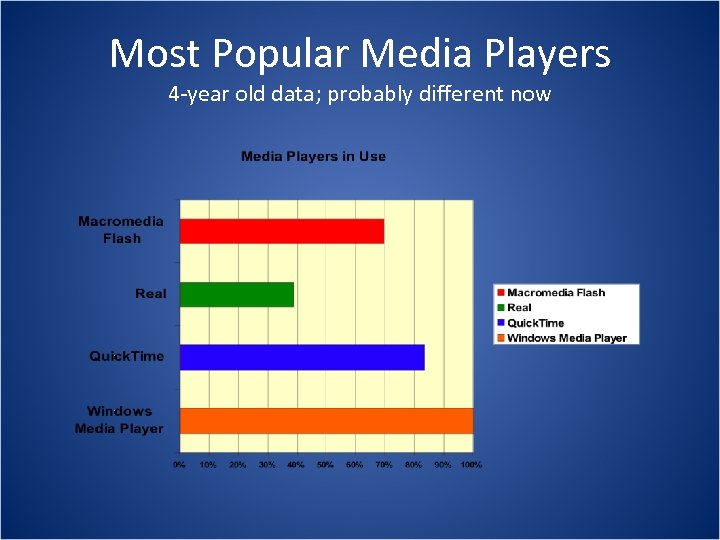
Most Popular Media Players 4 -year old data; probably different now
Which Players Work With the VIVA PBS Files The VIVA PBS files use the H. 264 codec which is the closest thing to a standard which exists for streaming video. The files use the MPEG-4 (. mp 4) container. Any media player which can handle H. 264, . mp 4 files can play the streaming files. Quick. Time player is the default for the project. Other players which work include Real. Player and VLC.
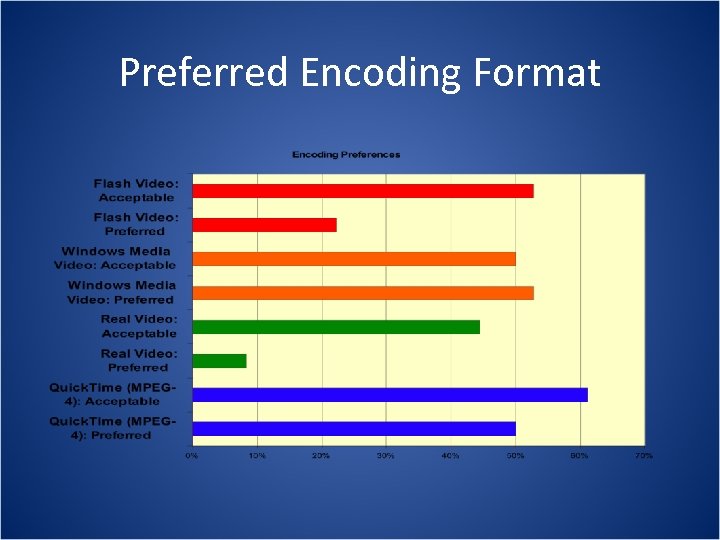
Preferred Encoding Format
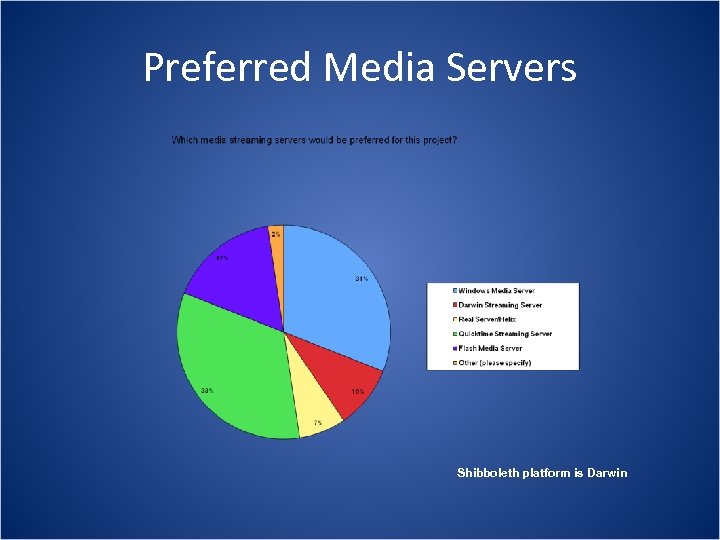
Preferred Media Servers Shibboleth platform is Darwin
Encoding Decision Process • Encoding samples developed for each of the major media players • Samples prepared with different compression tools, bit rates, resolutions, frame rates etc • Samples served from different institutions and tested for quality on different bandwidth networks • Decision to go with Quick. Time compatible scheme and MPEG-4 with H. 264 codec at 300 and 800 kbps • Encoding of files outsourced to Tap. Here! • Encoded files distributed on hard drives
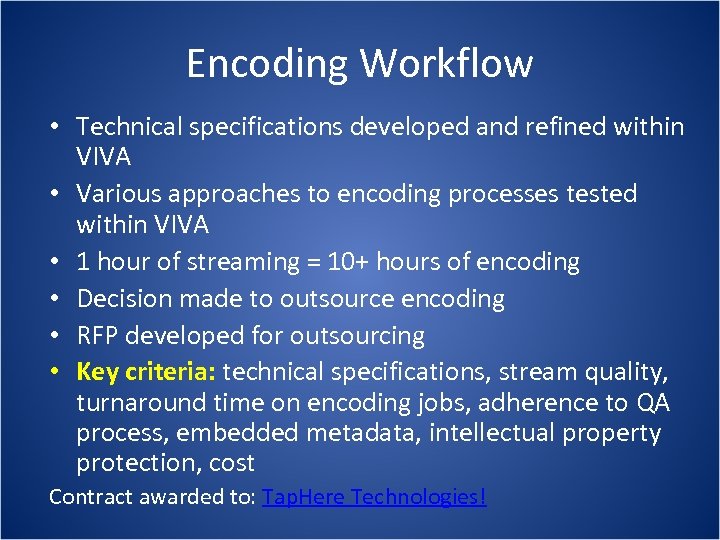
Encoding Workflow • Technical specifications developed and refined within VIVA • Various approaches to encoding processes tested within VIVA • 1 hour of streaming = 10+ hours of encoding • Decision made to outsource encoding • RFP developed for outsourcing • Key criteria: technical specifications, stream quality, turnaround time on encoding jobs, adherence to QA process, embedded metadata, intellectual property protection, cost Contract awarded to: Tap. Here Technologies!
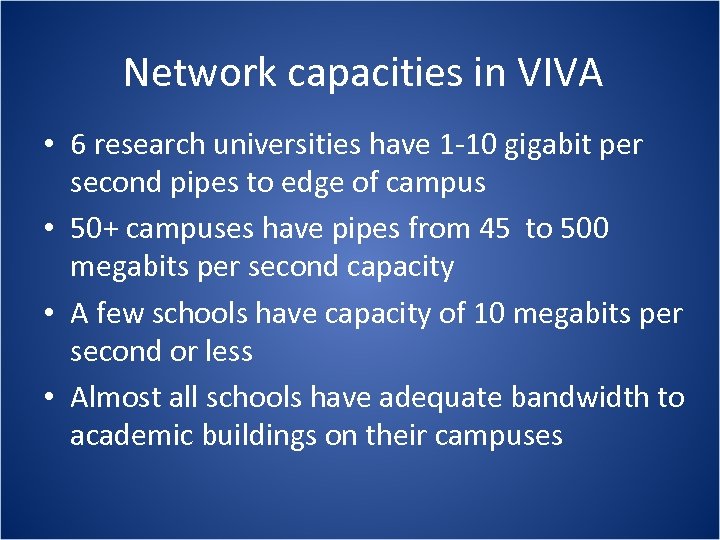
Network capacities in VIVA • 6 research universities have 1 -10 gigabit per second pipes to edge of campus • 50+ campuses have pipes from 45 to 500 megabits per second capacity • A few schools have capacity of 10 megabits per second or less • Almost all schools have adequate bandwidth to academic buildings on their campuses
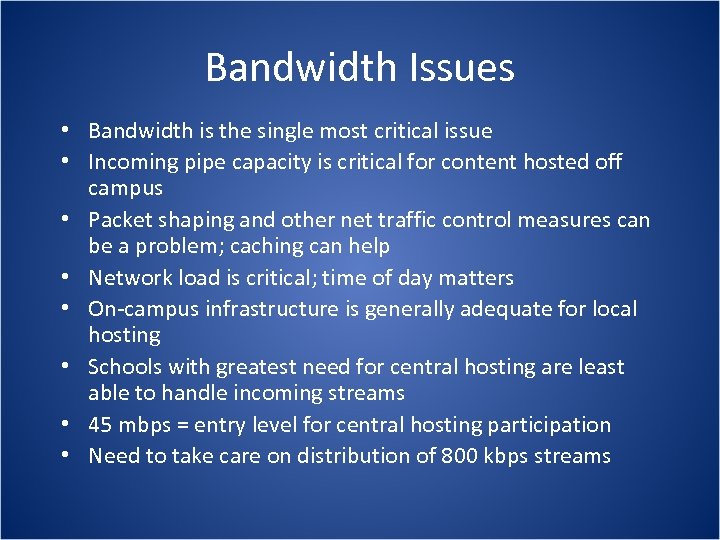
Bandwidth Issues • Bandwidth is the single most critical issue • Incoming pipe capacity is critical for content hosted off campus • Packet shaping and other net traffic control measures can be a problem; caching can help • Network load is critical; time of day matters • On-campus infrastructure is generally adequate for local hosting • Schools with greatest need for central hosting are least able to handle incoming streams • 45 mbps = entry level for central hosting participation • Need to take care on distribution of 800 kbps streams
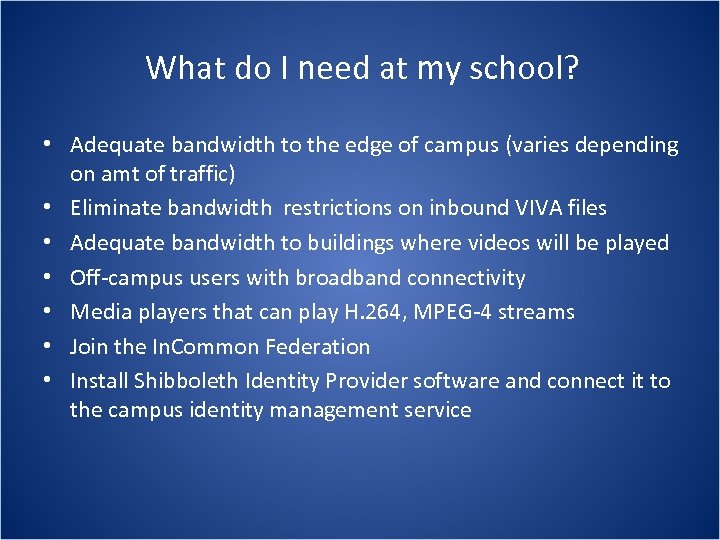
What do I need at my school? • Adequate bandwidth to the edge of campus (varies depending on amt of traffic) • Eliminate bandwidth restrictions on inbound VIVA files • Adequate bandwidth to buildings where videos will be played • Off-campus users with broadband connectivity • Media players that can play H. 264, MPEG-4 streams • Join the In. Common Federation • Install Shibboleth Identity Provider software and connect it to the campus identity management service
Let’s try it out. James Madison University Library Catalog http: //leo. jmu. edu/ Keyword Search: VIVA streaming video collection For current JMU students, faculty and staff. Schools that have Shibboleth deployed can use the link for VIVA users. Demo of catalog search, Shibboleth authentication and playback with Quick. Time plug-in and Quick. Time player.
Lunch Reconvene at 1: 30 PM
PART 3 Let’s federate!
Authentication and Authorization • Shibboleth for authorization to VIVA hosted service based on user attributes • Local authentication solutions for files hosted on individual campuses (LDAP scripts, EZ Proxy, etc) • Authentication often happens in front of release of stream and not at local streaming servers (requires strategies to hide stream URLs) • Moving toward authentication at server level for local hosting
Shibboleth Definition The Hebrew word used by Jephthah as a testword by which to distinguish the fleeing Ephraimites (who could not pronounce the sh) from his own men the Gileadites (Judges xii. 4 -6). 2. transf. a. A word or sound which a person is unable to pronounce correctly; a word used as a test for detecting foreigners, or persons from another district, by their pronunciation. Source: Oxford English Dictionary, Second Edition, 1989 http: //dictionary. oed. com/
Shibboleth Internet 2 Definition “The Shibboleth System is a standards based, open source software package for web single sign-on across or within organizational boundaries. It allows sites to make informed authorization decisions for individual access of protected online resources in a privacy-preserving manner. ” Source: Shibboleth® Web Site http: //shibboleth. internet 2. edu/ Short Definition: Single sign-on access to online services based on assertions about user attributes. The VIVA PBS project offers a low risk, high benefit opportunity to test the technology.
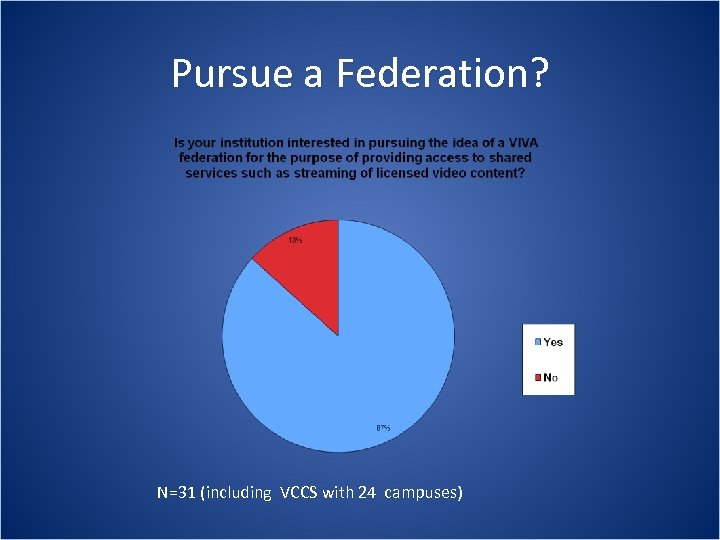
Pursue a Federation? N=31 (including VCCS with 24 campuses)
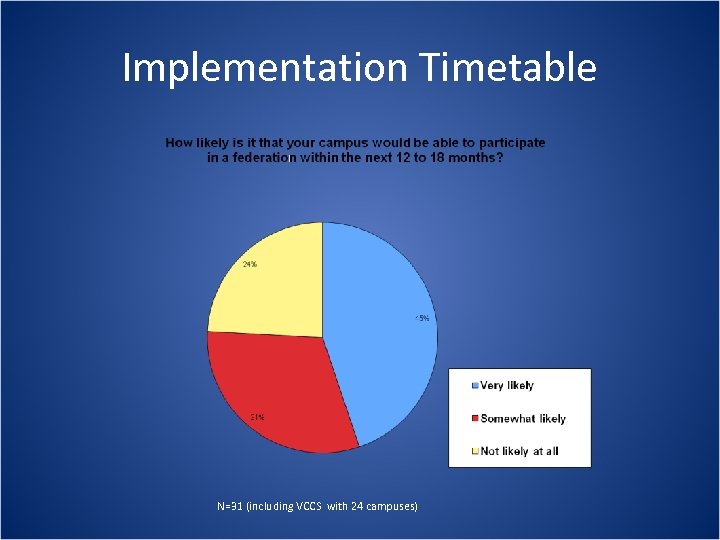
Implementation Timetable N=31 (including VCCS with 24 campuses)
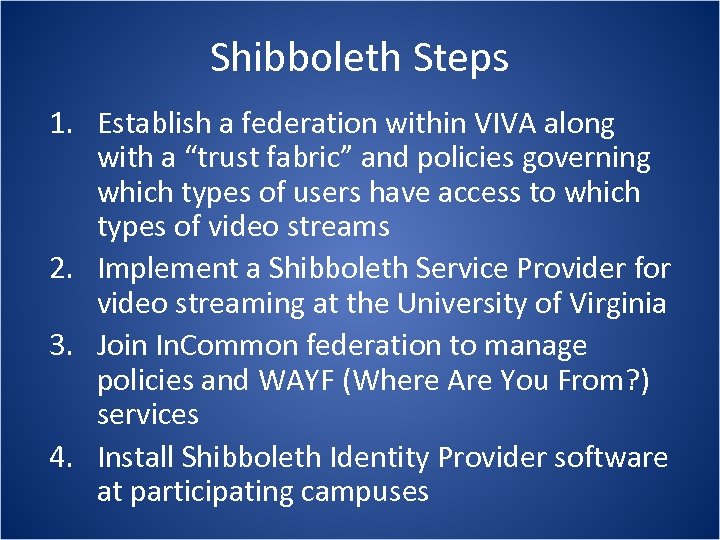
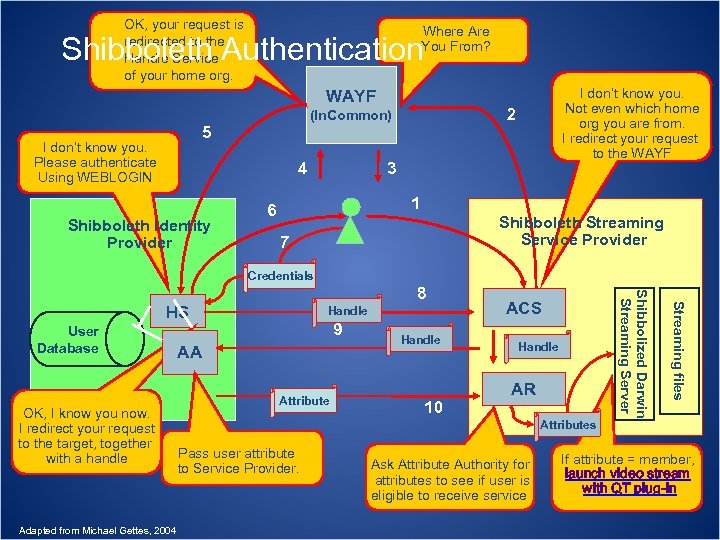
Shibboleth Steps 1. Establish a federation within VIVA along with a “trust fabric” and policies governing which types of users have access to which types of video streams 2. Implement a Shibboleth Service Provider for video streaming at the University of Virginia 3. Join In. Common federation to manage policies and WAYF (Where Are You From? ) services 4. Install Shibboleth Identity Provider software at participating campuses
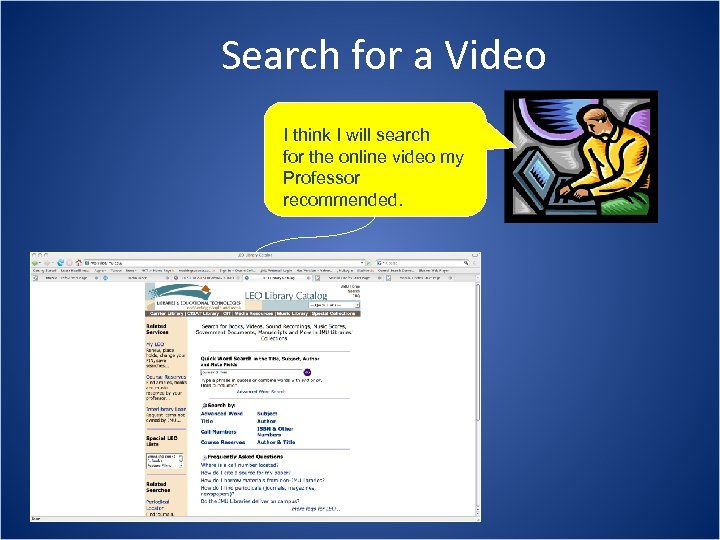
Search for a Video I think I will search for the online video my Professor recommended.
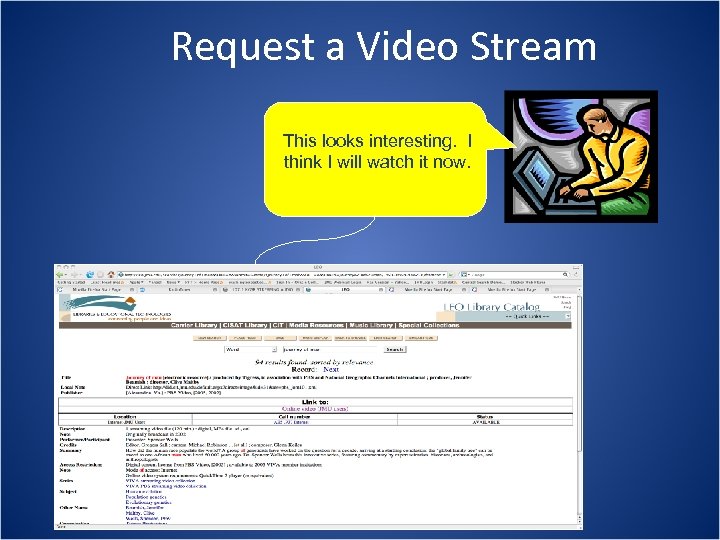
Request a Video Stream This looks interesting. I think I will watch it now.
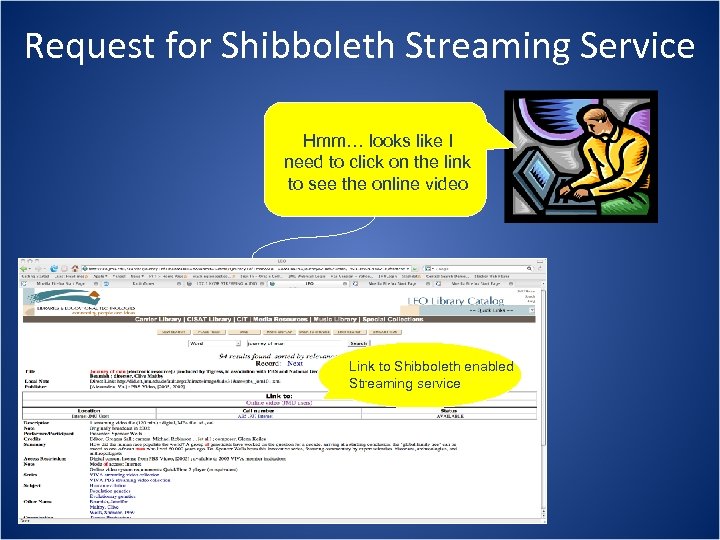
Request for Shibboleth Streaming Service Hmm… looks like I need to click on the link to see the online video Link to Shibboleth enabled Streaming service
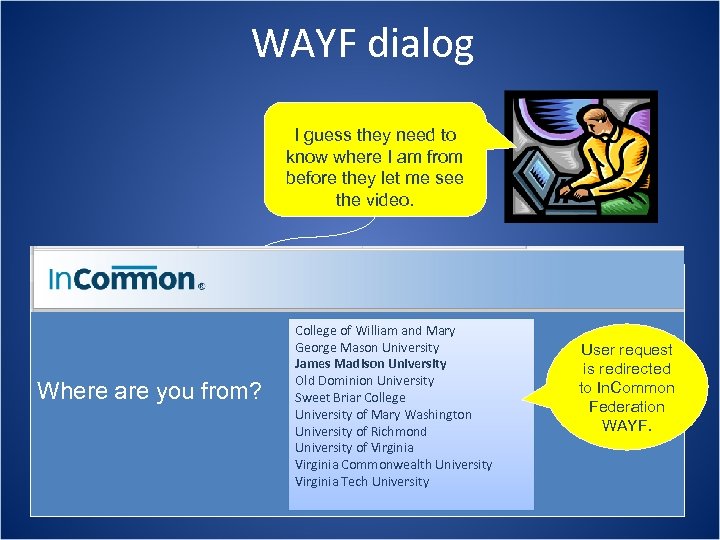
WAYF dialog I guess they need to know where I am from before they let me see the video. Where are you from? College of William and Mary George Mason University James Madison University Old Dominion University Sweet Briar College University of Mary Washington University of Richmond University of Virginia Commonwealth University Virginia Tech University User request is redirected to In. Common Federation WAYF.
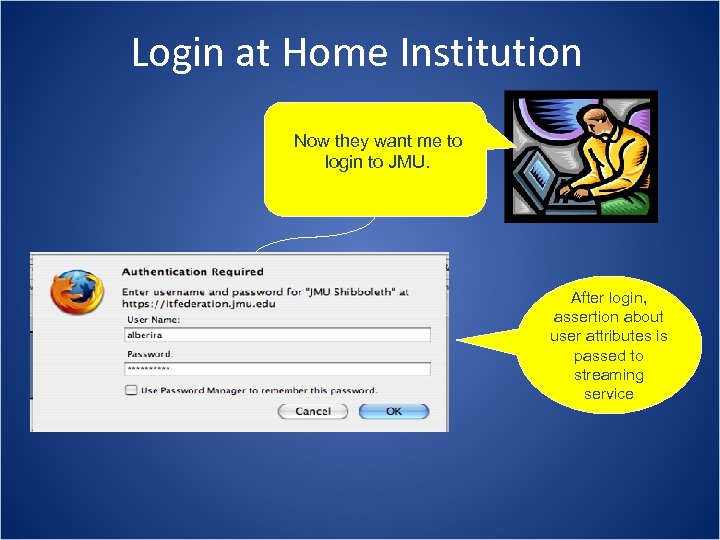
Login at Home Institution Now they want me to login to JMU. After login, assertion about user attributes is passed to streaming service
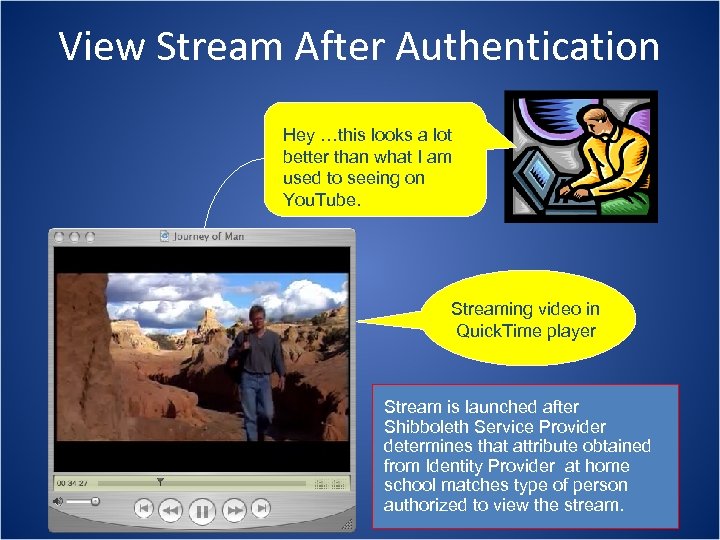
View Stream After Authentication Hey …this looks a lot better than what I am used to seeing on You. Tube. Streaming video in Quick. Time player Stream is launched after Shibboleth Service Provider determines that attribute obtained from Identity Provider at home school matches type of person authorized to view the stream.
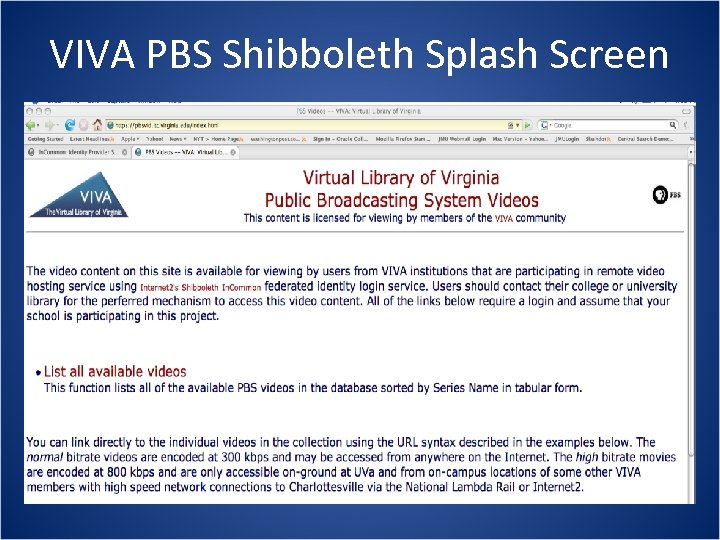
VIVA PBS Shibboleth Splash Screen
Let’s try it out. Shibboleth-Enabled Service at University of Virginia https: //pbsvid. itc. virginia. edu/ For VIVA Members via In. Common
OK, your request is redirected to the Handle Service of your home org. Where Are You From? Shibboleth Authentication WAYF 3 4 Shibboleth Identity Provider 2 (In. Common) 5 I don’t know you. Please authenticate Using WEBLOGIN I don’t know you. Not even which home org you are from. I redirect your request to the WAYF 1 6 Shibboleth Streaming Service Provider 7 Credentials User Database OK, I know you now. I redirect your request to the target, together with a handle Adapted from Michael Gettes, 2004 Handle 9 AA Attribute Handle 10 ACS Handle AR Attributes Pass user attribute to Service Provider. Ask Attribute Authority for attributes to see if user is eligible to receive service Streaming files HS Shibbolized Darwin Streaming Server 8 If attribute = member, launch video stream with QT plug-in
PART 4 System & user support issues
Central System Support • • • Shibboleth Service Provider Streaming server Application interface Contact with In. Common Issue tracking with VIVA IT contacts
Local Campus Support • • Shibboleth Identity Provider (Id. P) Campus Identity management service Campus online catalog & resource discovery Media player support Learner & classroom support Campus Help Desk services IT Contact with Shibboleth Service Provider at UVa
User Support Community • Listserv at UVa • VIVA Multimedia Task Force Google Site • Need to finalize contact lists among participating schools • Knowledge base for known issues?
PART 5 Finding & using video streams
Cataloging & Resource Discovery • Integrate with existing systems or develop separate repository? • Support multiple paths to the streams (OPAC, LMS, repository, links on the web etc) • Discovery tools and schema in flux • Looked at many schema and tools for enabling search and resource discovery (MARC, Dublin Core, MODS, MPEG-7, PBCore, Blinx) • Needed to balance metadata quality with a reasonable production timetable
Resource Discovery Strategies • Produce records for video streams from existing OCLC MARC records • Modify OCLC MARC records to suit local needs • Prepare records to be imported into local integrated library systems • Script i. Tunes atom level embedded metadata at time of encoding • Ingest metadata from file manifest spreadsheet or add manually for use in local file systems and repositories
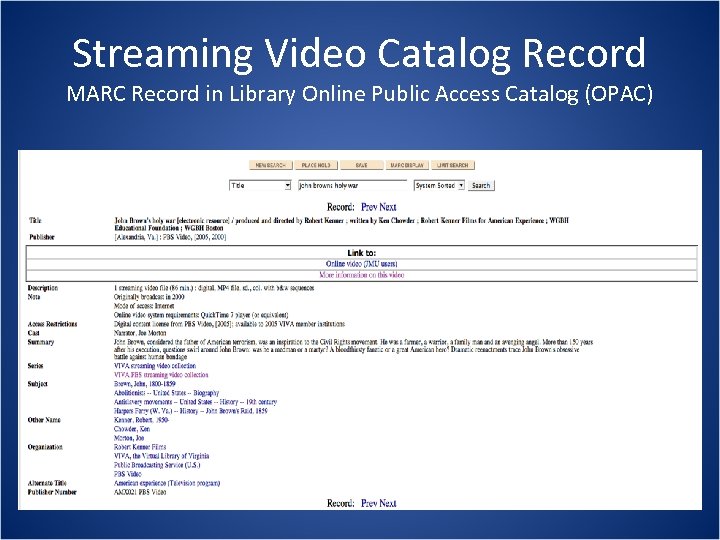
Streaming Video Catalog Record MARC Record in Library Online Public Access Catalog (OPAC)
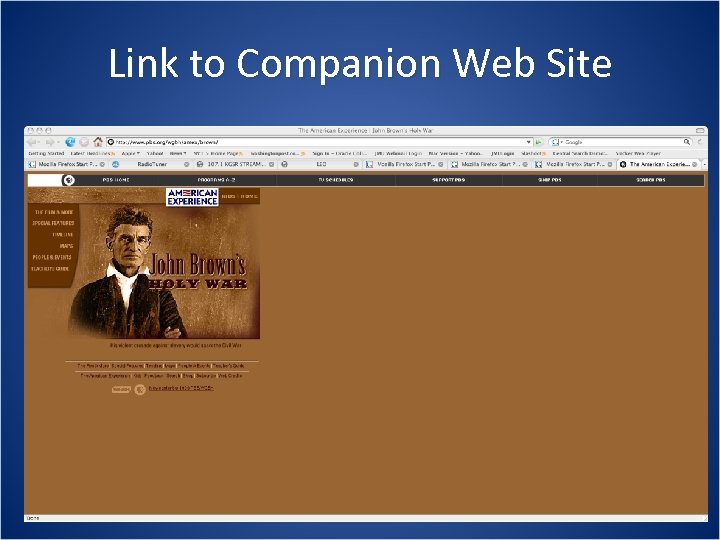
Link to Companion Web Site
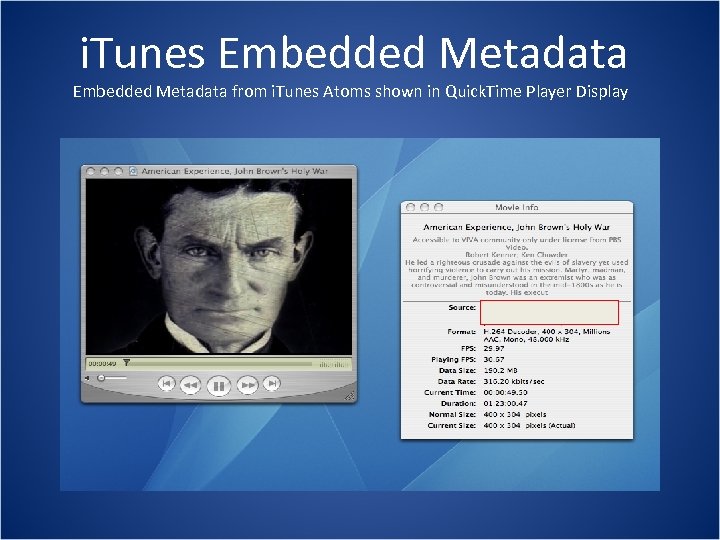
i. Tunes Embedded Metadata from i. Tunes Atoms shown in Quick. Time Player Display
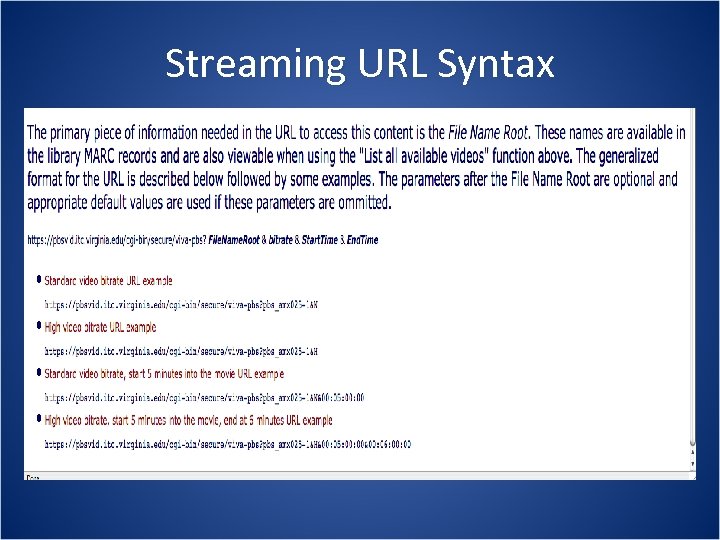
Streaming URL Syntax
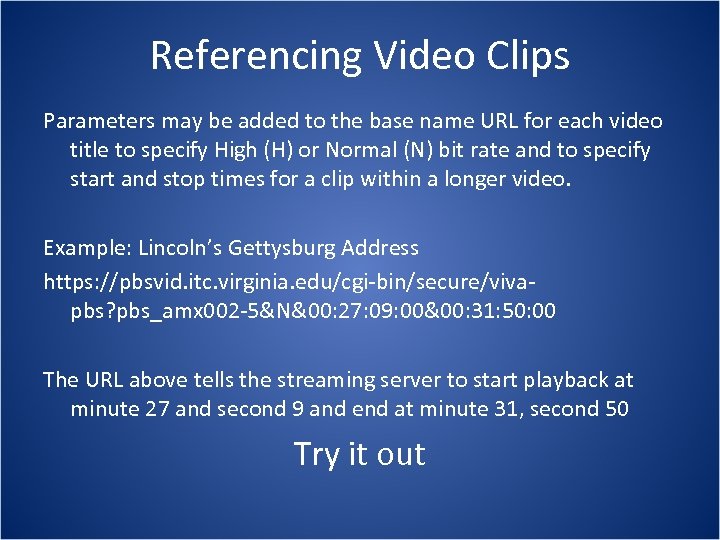
Referencing Video Clips Parameters may be added to the base name URL for each video title to specify High (H) or Normal (N) bit rate and to specify start and stop times for a clip within a longer video. Example: Lincoln’s Gettysburg Address https: //pbsvid. itc. virginia. edu/cgi-bin/secure/vivapbs? pbs_amx 002 -5&N&00: 27: 09: 00&00: 31: 50: 00 The URL above tells the streaming server to start playback at minute 27 and second 9 and end at minute 31, second 50 Try it out
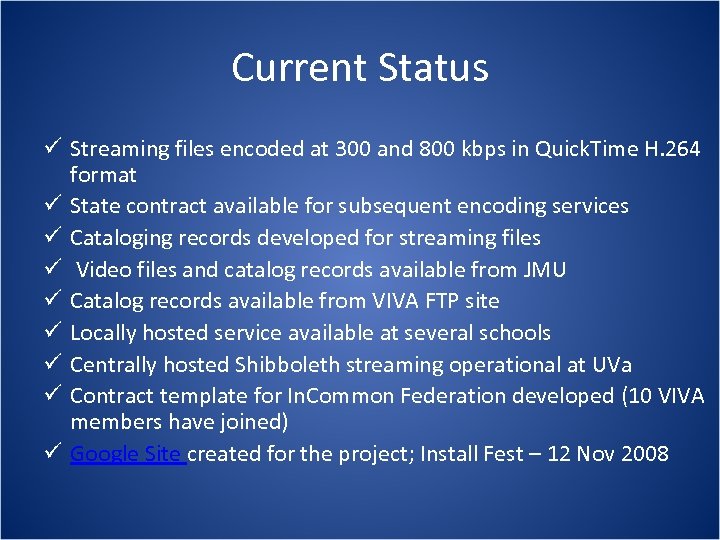
Current Status ü Streaming files encoded at 300 and 800 kbps in Quick. Time H. 264 format ü State contract available for subsequent encoding services ü Cataloging records developed for streaming files ü Video files and catalog records available from JMU ü Catalog records available from VIVA FTP site ü Locally hosted service available at several schools ü Centrally hosted Shibboleth streaming operational at UVa ü Contract template for In. Common Federation developed (10 VIVA members have joined) ü Google Site created for the project; Install Fest – 12 Nov 2008
PART 6 Possibilities? Next Steps?
What does this mean? • Single sign-on solution for web services • Quality online video collections for VIVA members without the hassle of managing a streaming service • Ability to place online video in educational contexts and reference streams in many ways • Federated identity opens possibilities for more sharing across institutions • Services based on trust relationships can be differentiated based on user attributes
Development Priorities &Possibilities • Application interface • Cataloging & resource discovery • Encoding/transcoding/player development • Bookmarking & playlisting capabilities • Acquisitions & licensing • How to share future development work? Examples to discuss: Application interface, Application interface proposal, tagging & playlists, Flash, streaming video marketplace
Selected In. Common Partners • • • Cengage Learning, Inc. EBSCO Publishing Elsevier JSTOR Microsoft OCLC Pro. Quest LLC Ref. Works, LLC Safari Books Online
Next Steps • For central service, pilot test Shibboleth with subset of 10 VIVA schools • Modify application interface • Develop support community and contact lists • Conduct quality assurance testing; pursue strategies to expand access to smaller schools • Address timecode issued • Integrate online video with teaching and learning systems and practices • License/identify additional streaming content?
Lessons learned so far • The best solution is not necessarily the quickest or easiest • Addressing legal, technical, policy and user support issues across institutional boundaries is a big challenge • Establishing standards os important • Someone has to take ownership • Patience is a virtue
Скачать презентацию VIVA Install Fest Parallel Session for Librarians -this
a7f5accbc88d8f7596712402738465de.ppt