Скачать презентацию Vista Security or Insecurity Who What Why
da34db33738858ced47e472e8fe50d51.ppt
- Количество слайдов: 48
 Vista Security or Insecurity?
 Who, What, Why • piis 8@yahoo. com – piis 8, isac balder, I. B. • Vista RC 1 Build 5600 – Ultimate • Vista Enterprise Build 6000 – Mileage may vary with home versions • Security Settings and Features – Is Vista really going to be better than XP? **Some statements contained herein are my own poorly validated conclusions and may be utter rubbish.
 Vistacomputing experiences that Windows Vista introduces breakthrough are both visually exciting and intuitively designed, and will positively change the ways in which you use your PC. - Microsoft Windows Vista introduces dramatic improvements for business. Microsoft Windows Vista is the name of the latest release of Microsoft Windows, a line of proprietary graphical operating systems used on personal computers, including home and business desktops, notebook computers, and media centers. - Wikipedia A big fucking headache. - hapless IT weeny Vista is at best mildly annoying and at worst makes you want to rush to Redmond, Wash. and rip somebody's liver out. - Stephen Manes
 License and Registration • • Versions EULA Activation Security Features Security-ish Features Hazardous Features Parental Controls Q&A
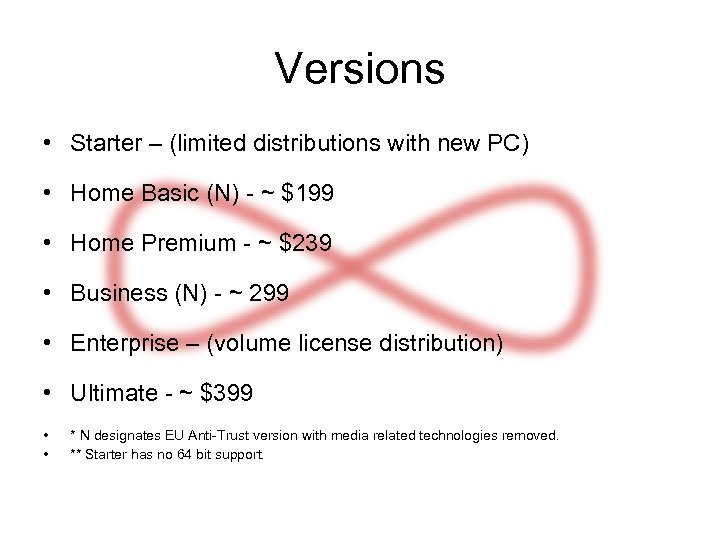 Versions • Starter – (limited distributions with new PC) • Home Basic (N) - ~ $199 • Home Premium - ~ $239 • Business (N) - ~ 299 • Enterprise – (volume license distribution) • Ultimate - ~ $399 • • * N designates EU Anti-Trust version with media related technologies removed. ** Starter has no 64 bit support.
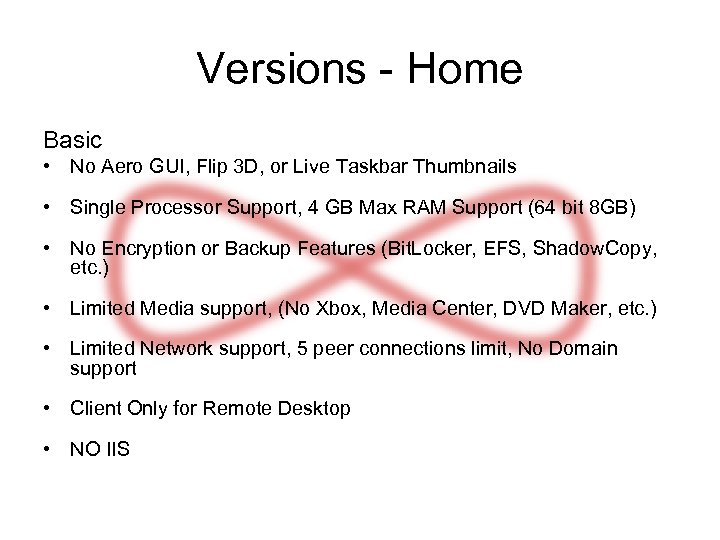 Versions - Home Basic • No Aero GUI, Flip 3 D, or Live Taskbar Thumbnails • Single Processor Support, 4 GB Max RAM Support (64 bit 8 GB) • No Encryption or Backup Features (Bit. Locker, EFS, Shadow. Copy, etc. ) • Limited Media support, (No Xbox, Media Center, DVD Maker, etc. ) • Limited Network support, 5 peer connections limit, No Domain support • Client Only for Remote Desktop • NO IIS
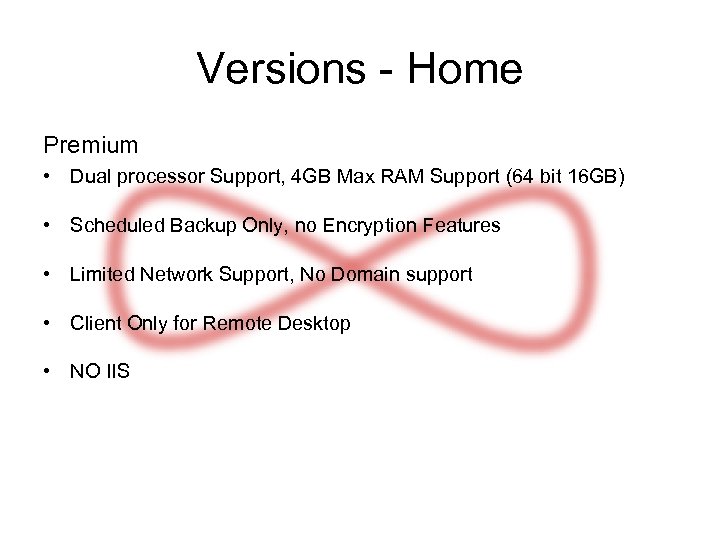 Versions - Home Premium • Dual processor Support, 4 GB Max RAM Support (64 bit 16 GB) • Scheduled Backup Only, no Encryption Features • Limited Network Support, No Domain support • Client Only for Remote Desktop • NO IIS
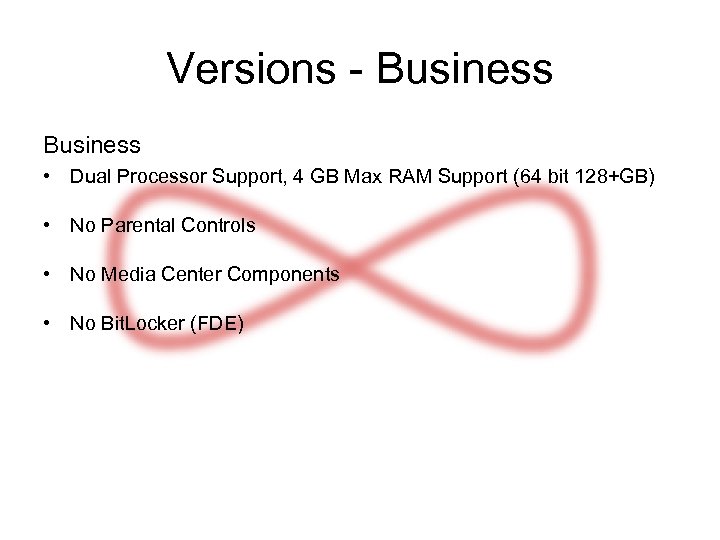 Versions - Business • Dual Processor Support, 4 GB Max RAM Support (64 bit 128+GB) • No Parental Controls • No Media Center Components • No Bit. Locker (FDE)
 Versions - Business Enterprise • No Retail sales, Volume Licensing only • Dual processor Support, 4 GB Max RAM Support (64 bit 128+GB) • No Parental Controls • No Media Center Components • No Upgrade Options
 Versions - Ultimate • Everything Plus “Ultimate Extras” • Superset of Home and Business
 EULA • EULA varies based on version • Center of much confusion and hyped controversy • MS is attempting to enforce what was always there
 EULA • Activation Keys, Transfer Ability, etc. – Technically no change to the EULA – The change is in MS’s attempt to enforce the EULA • Transfer - Re-installation to a new device is allowed once! – Retail version only, no transfer for Pre-Installed / OEM versions – a. Software Other than Windows Anytime Upgrade. The first user of the software may reassign the license to another device one time. If you reassign the license, that other device becomes the "licensed device. " b. Windows Anytime Upgrade Software. The first user of the software may reassign the license to another device one time, but only if the license terms of the software you upgraded from allows reassignment. • Upgrade / Clean Install – By using the Up-grade option your previous OS key becomes invalid. Upgrade = this replaces that, period. – Upgrade Version checks for existence of old OS. (Read “XP”) • Clean install on wiped hard drive requires install of old OS or a work around.
 EULA • Home Basic and Premium – No Virtualization – Vista cannot be guest OS – 4. USE WITH VIRTUALIZATION TECHNOLOGIES. You may not use the software installed on the licensed device within a virtual (or otherwise emulated) hardware system. • Ultimate allows virtualization if no DRM protected content is used and No Bit. Locker encryption is used. – Vista can be guest OS with restrictions – 6. USE WITH VIRTUALIZATION TECHNOLOGIES. You may use the software installed on the licensed device within a virtual (or otherwise emulated) hardware system on the licensed device. If you do so, you may not play or access content or use applications protected by any Microsoft digital, information or enterprise rights management technology or other Microsoft rights management services or use Bit. Locker. We advise against playing or accessing content or using applications protected by other digital, information or enterprise rights management technology or other rights management services or using full volume disk drive encryption.
 Activation • Activation / Licensing. OS is licensed to a device not a user. • Volume Activation 2. 0 – KMS (Key Management Server) – local server – MAK (Multiple Activation Key) – communicates with MS • KMS, default port 1688, must have 25 devices before server will function • Initial Grace Period after install is 30 days. RC 1 gave 14 days. – This grace period can be reset up to 3 times. The initial grace period can only be restarted by running sysprep /generalize, or by using slmgr. vbs –rearm. • Retail activation is a “one time” occurrence with periodic checks. • Volume License Activation is good for 180 days.
 Activation • Out-of-Tolerance Grace. Peripheral changes may affect the “profile” of the system and result in the need to re-activate. Microsoft states if two or more relevant components change. You have 30 days to reactivate. – Under Volume licensing a new hard drive will require re-activation. • Non-Genuine Grace. A system fails the Genuine Validation process. You have 30 days to re-activate. • If a device is labeled as Unlicensed (the grace period is allowed to expire. The system runs in RFM (Reduced Functionality Mode) with “very limited” in one hour increments.
 Activation • RFM (Reduced Functionality Mode) • On RC 1 Vista presented an option to purchase a license and nothing else. – This however uses the web browser which give the user certain access to the hard drive other wise not presented by the GUI itself. – My default was Firefox further limiting some of my abilities, Given IE much greater access to the system would be capable. • On Enterprise Version – Same behavior • While in RFM – – Access via “Safe Mode” (without networking) no Remote Desktop no Shares 3 rd party remote access? ?
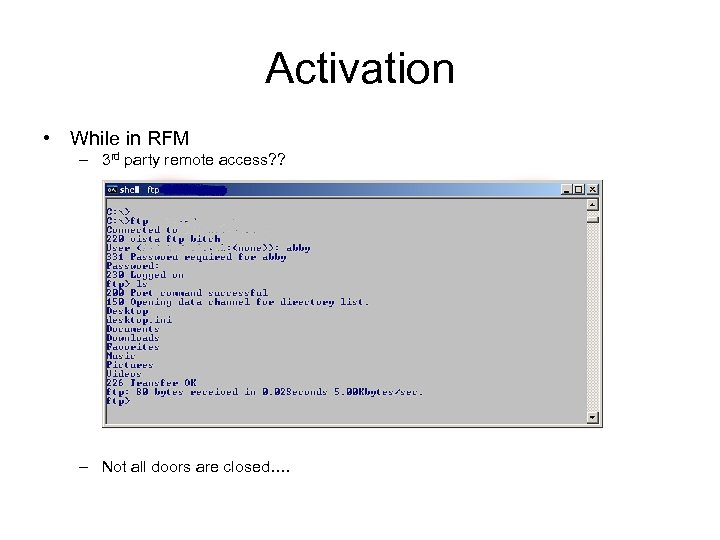 Activation • While in RFM – 3 rd party remote access? ? – Not all doors are closed….
 Activation • Nov 12 2006, reports of an Activation workaround known as the Bill. Gates Release. – Bill. Gates Release is a patch that removes the “production” activation component and replaces it with a “beta” activation component from RC 2 or a prior beta release. • Dec 7 2006, it is reported that individuals have circumvented the activation process, dubbed the Melinda. Gates Release. – Melinda Gates Release is a VMware Player with the Melinda. Gates image, a “fake” KMS server, bypassing communications with Microsoft. com • Dec 14 2006, it is reported that “Dr. Chang” has permanently activated his copy of Windows Vista with a custom patch. – Dr. Chang’s code will also convert the Bill. Gates release to an MSDE edition. Code has since been removed from original post.
 Security Features • • • Users UAC – User Account Control Audit Shares Security Center Firewall EFS Bit. Locker (FDE) Defender Services Lockdown DEP – Data Execution Prevention
 Users • Login, Windows Welcome screen is the only available logon – Displays all enabled accounts on the system, default is install account – Setting “Do not display last user name” gives an empty “user” + “password” prompt • Guest and Administrator are disabled by default with blank passwords. – Administrator is not visible via “User Accounts” in Control Panel – Built-in Guest account cannot set a password via “User Accounts” in Control Panel – Built –in Administrator account stays disabled in Safe Mode • Password Policy is still blank with no complexity by default • Anonymous enumeration is disabled by default – Same as XP SP 2 • NT-Offline does not work
 UAC • Think pseudo-sudo with a prompt on crack / “hyper nag” – – • Prompt For Consent (admin) Prompt For Credentials (admin and user) Elevate Without Prompting (admin) Automatically Deny Elevation Requests (user) Home – : ( – Most users run as administrator and will only see the consent prompt – One more box to simply click on • Domain – : – Can extend and enhance polices and roles. – Another layer of complexity for Windows admins. • Can be disabled – This is not recommended by MS.
 UAC • Operates by generating two access tokens for each administrator – Standard user access token – Full administrator access token • Integrity Levels – Low, medium, high, system – Process / objects of one level can only write to equal or lower levels – Reading of objects is allowed by any level, “read-up” policy • Integrity Levels can be assigned to every securable object – If no assignment is defined the object defaults to medium • Regardless of IL level if an executable is started from a high integrity process it will run with the higher IL – IE is a low IL, ran with “runas” IE executes with a medium IL • User Interface Privilege Isolation (UIPI) is the enforcement piece that completes the security model • Joanna Rutkowska has already demonstrated the ability to hi-jack higher IL levels – This spawned a fun blog exchange with Mark Russinovich of Sysinternals fame
 UAC • Nine (9) configurable settings in Local Security Policy Security Options • Controlled via Group Policy in Domain environment • By default UAC is not applied to the Built-in Administrator account – Account is disabled, but still seems kinda silly • Standard user when prompted for credentials is given a selection of all enabled local admin accounts. – If connected to a domain you get an empty “user” + “password” prompt • Prompts are not presented uniformly – User and Admin not prompted for the same objects (user is prompted for less) – User has view access of some admin prompted objects and no access to others – Behavior is the same in XP, but without the prompts (information disclosure) • Prompt locations are pre-determined by the OS. – Admin cannot configure which users get prompted for what objects.
 UAC • UAC and assumes Administrator level for all software installs. – File name includes the string “setup” – Embedded installer manifest • Application UAC awareness – New and ALL 64 bit apps must be UAC aware – Legacy apps are handled via Virtual Store Redirection which is stated by MS as “it is a short-term fix and not a long-term solution” – Work around 1 - Hack up a new manifest and mod the executable – Work around 2 - disable UAC • Compatibility tools are available from Microsoft as separate downloads – Application Compatibility Tool. Kit 5 – Application Verifier – Standard User Analyzer
 Audit • Audit events are still disabled by Default – Same 9 categories as XP • Better Logging but not totally centralized – Event Viewer • Windows logs (security, application, system, setup, forwarded logs) • Application and Service Logs (DFS Replication, Hardware Events, IE, KMS, Media Center, Microsoft) • Subscriptions – FW Log - C: WindowsSystem 32LogfilesFirewallpfirewall. log – Parental Log – Within the Account Management UI of the individual account • Log Parser 2. 2 reportedly works within Vista – At least one sidebar gadget is available – Some reporting options rely on pre-vista Office components
 Shares • File sharing is enabled by default • Same old default admin shares – C$ – ADMIN$ – IPC$ • Vista by default does not use “Simple File Sharing”, a sharing feature that was enabled by default in XP • UAC blocks local admin accounts from remotely accessing remote admin shares – HKLMSOFTWAREMicrosoftWindowsCurrent. VersionPoliciessystemLocal. Acc ount. Token. Filter. Policy • Sharing is unnecessarily convoluted with additional options. – Public Folder Sharing – Password Protected Sharing – Media Sharing
 Security Center • Return of Automatic Updates, Windows Firewall, and Internet Security Settings (IE Security Tab) • Expanded to include “Malware” (Virus / Spyware) and UAC
 Firewall • Now does outbound inspection – Default action is allow all outbound – Default logging, disabled • True to MS you now have four locations in which to configure the Firewall – – Control Panel – Limited options / “Control Panel” “Windows Firewall” MMC (local computer) – Advanced options / “wf. msc” MMC (local group policy) – Advanced options / “Local Security Policy” Command line – ‘netsh firewall’ • Rules and Logging are controlled on a per profile basis – – Profiles are “auto-detected” Domain profile – connected a windows domain Private profile – connected to a non-windows domain Public profile – connected to a public network • Default log has moved from C: Windowspfirewall. log to C: WindowsSystem 32Log. FilesFirewallpfirewall. log
 Firewall • Control Panel UI – Enable / disable firewall – Enable disable exceptions – Reset to defaults • Logging Option is removed from the Control Panel UI • Control Panel UI does not allow modification of the properties of default Firewall Rules • Exceptions are still port centric with no port range support • Exceptions still allow “Scope”, ip address limitations • Reset Option does not affect group policy settings.
 Firewall • wf. msc allows for advanced functionality – If group policy is left untouched, all functionality is available • Can modify default rules • Can monitor active log file • Cannot modify settings made through local group policy • Real rules can be made with the following attributes – – – User Computer Multiple port, comma separated – 80, 443, 8080 Profile Interface type (local, remote, wireless) Secure / unsecured connections
 Firewall • Local Group Policy MMC interface via “Control Panel” “Administrative Tasks” “Local Security Policy” “Windows Firewall with Advanced Security” – available in home? Probably not • Advanced functionality but not all • Does not allow for mod of default rules • Does not allow for monitoring of active log • Does not have a reset option
 EFS • File level encryption • Full Support in Business, Enterprise, and Ultimate • Default AES 256 bit • Right Click and enable via properties of file • CLI command Cipher. exe • Limited Support in Home – – – if you have the encryption key or certificate, you can Decrypt files by running Cipher. exe Modify an encrypted file Copy an encrypted file as decrypted to a hard disk Import EFS certificates and keys Back up EFS certificates and keys by running Cipher. exe
 Bit. Locker • Full Disc encryption • Supported in Enterprise and Ultimate • Hardware dependent – Trusted Platform Module (TPM) 1. 2 specification requirements of the Trusted Computing Group – TPM chip – TPM capable BIOS • Bit. Locker does not like debuggers – It is strongly recommend that you do not run a debugger when Bit. Locker is enabled. Running a debugger on your Bit. Locker-enabled computer requires you to follow the recovery process every time you restart the computer. • Test System not TPM capable.
 Defender • MS’s answer to Anti-Spyware • In comparisons Defender did not identify the multitude of objects as identified by other products • Now integrated into Security Center • RC 1 and Enterprise pre-installed Defender ver. 1. 1. 1505. 0 – Latest on Website ver. 1. 1. 1593. 0 (20061229) – Windows Update updates Engine and definitions • Defender prefers uninstall prior to install of newer version – Vista has no uninstall option for Defender – Install attempt reports that defender is already installed
 Service Lockdown • MS has modified the behavior of various services – Applied an ACL model to services • As Per MS – Introduction of a per-service security identifier (SID). – Services can apply explicit ACLs to resources which are private to the service – Moving services from Local. System to a lesser privileged account such as Local. Service – Removal of un-necessary Windows privileges on a per-service basis for example debugging. – Applying a write-restricted access token to the service process. – Services are assigned network firewall policy. The firewall policy is linked directly to per-service SID. • Implementation of Kernel Patch Protection / Patch Guard – MS choose to block raw disk access from user mode • Sc. exe - for manual service foo.
 DEP • Actually a feature from XP SP 2 – Supposed to randomize the memory locations used to thwart overflow attempts • Enabled by default on Vista – “Essential” programs and services only • Can be configured for all programs except ‘x’ • bcdedit. exe - for manual foo.
 Security-ish Features • IE 7 • Auto. Play • Networking / IP Stack
 IE 7 • Security Feature? ? • Built-in Pop-up Blocking • Built-in Anti-Phishing • New user messages • Busted Java implementation • Still a malignant growth attached to the OS
 Auto. Play • Is it a security Feature – Think Sony Rootkit • Now has a dedicated Menu under Control Panel – Easier for the average user to disable
 Networking / IP Stack • New Stack, Compound TCP (CTCP), – enabled by default • Stack Changes – Receive Window Auto-Tuning – Receive-side Scaling – ECN Support • IPv 6 enabled by default • Network Access Protection touted to improve NAC interoperability
 Hazardous Features • People Near Me • Meeting Space • IPv 6
 People Near Me • People Near Me (PNM) – Peer-to-peer technology for network discovery and collaboration – Red beacon that screams ‘pound my ass’ (insert goatse picture here) • Uses Peer Name Resolution Protocol (PNRP) • Automatic sign-in can be configured • XP can play with PNRP 2. 0 patch
 Meeting Space • Meeting Space – Old Net-Meeting on trailer park meth • Requires – File Replication – People Near Me – Firewall Rules • Supported in most versions – Basic can join, but can not host meetings • Ports – 801 and 3587 TCP – 1900, 3540, and 3702 UDP • Requires administrative credentials (initial setup)
 Parental Controls • Not Security per say but interesting • Home versions • Feedback Controlled via Windows Live – Requires windows live account • Activity Reporting (not in central log location) – Logs • Top 10 websites visited and blocked • Web overrides / file downloads / blocked downloads • Logon times / apps used / app overrides / games played • Email / instant messaging / media player
 Parental Controls • Web restrictions – – MS managed site and content lists Custom white list Block file downloads (all or none) Feedback handled via Windows Live • Time restrictions • Game restrictions – Ratings (selectable among 8 rating organizations) – White list • Program restrictions – White list
 Windows Update • As of 19 Feb 2007 there are 10 updates for my Enterprise device • 6 Vista updates – – – Malicious Software Removal Tool Engine update Error Reporting (sends to MS w/out notification) IE Phishing performance issue Application Compatibility fixes (unspecified set of apps) Pre-Installed OS and Activation issue Windows Search / non-Gregorian calendar issue • 2 content updates – Defender definitions – Junk mail filter • 2 driver updates
 Q&A • Questions? • piis 8@yahoo. com is now accepting all flames and rants