


 Скачать презентацию Virtualizing the Data Center with Xen Steve Hand
f4249470039fa10570431e3f125e5d84.ppt
- Количество слайдов: 59
 Virtualizing the Data Center with Xen Steve Hand University of Cambridge and Xen. Source Computer Laboratory
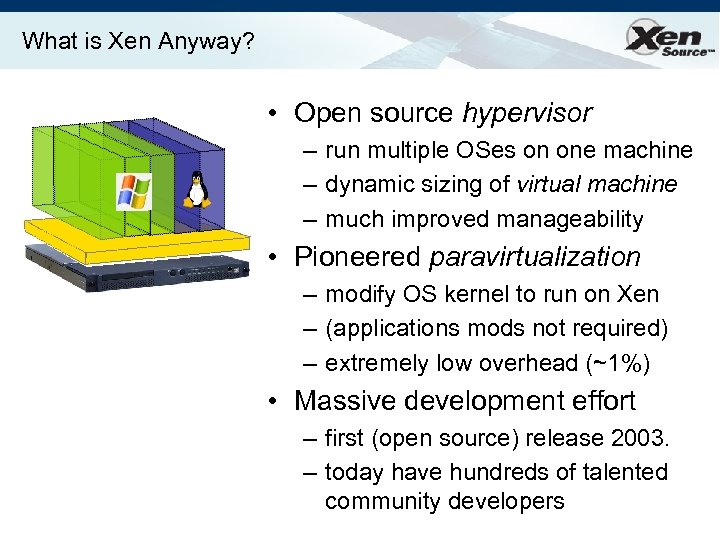 What is Xen Anyway? • Open source hypervisor – run multiple OSes on one machine – dynamic sizing of virtual machine – much improved manageability • Pioneered paravirtualization – modify OS kernel to run on Xen – (applications mods not required) – extremely low overhead (~1%) • Massive development effort – first (open source) release 2003. – today have hundreds of talented community developers
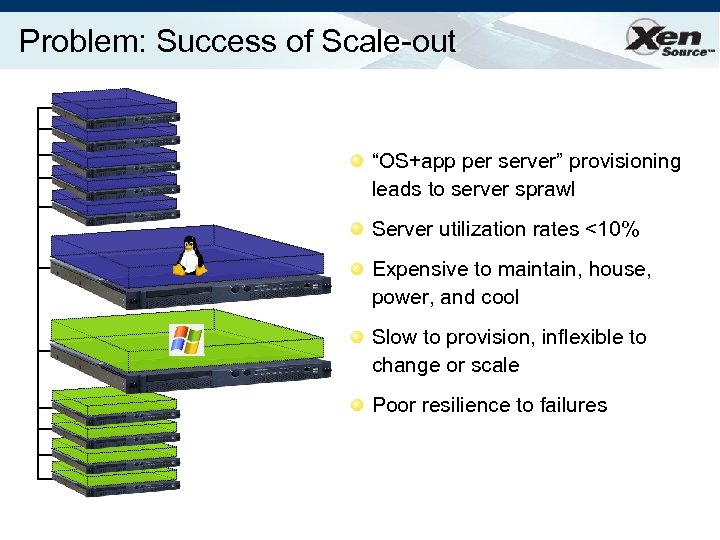 Problem: Success of Scale-out “OS+app per server” provisioning leads to server sprawl Server utilization rates <10% Expensive to maintain, house, power, and cool Slow to provision, inflexible to change or scale Poor resilience to failures
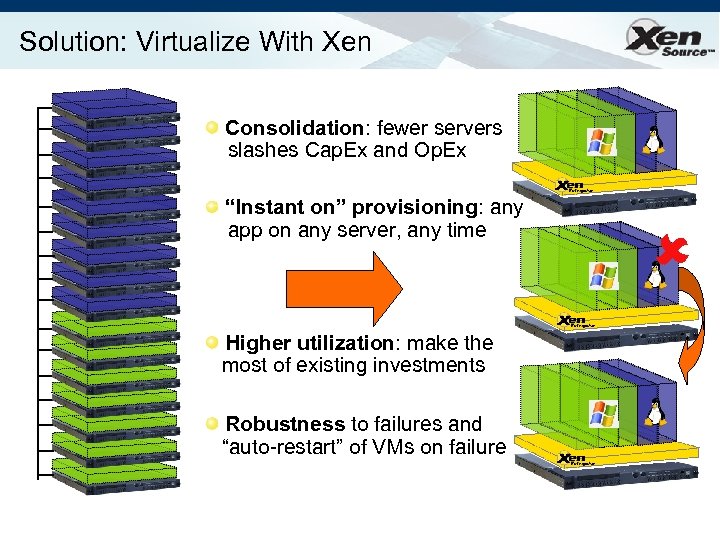 Solution: Virtualize With Xen Consolidation: fewer servers slashes Cap. Ex and Op. Ex “Instant on” provisioning: any app on any server, any time Higher utilization: make the most of existing investments Robustness to failures and “auto-restart” of VMs on failure
 Further Virtualization Benefits • Separating the OS from the hardware – Users no longer forced to upgrade OS to run on latest hardware • Device support is part of the platform – Write one device driver rather than N – Better for system reliability/availability – Faster to get new hardware deployed • Enables “Virtual Appliances” – Applications encapsulated with their OS – Easy configuration and management
 Virtualization Possibilities • Value-added functionality from outside OS: – – – – – Fire-walling / network IDS / “inverse firewall” VPN tunnelling; LAN authentication Virus, mal-ware and exploit scanning OS patch-level status monitoring Performance monitoring and instrumentation Storage backup and snapshots Local disk as just a cache for network storage Carry your world on a USB stick Multi-level secure systems
 This talk • Introduction • Xen 3 – para-virtualization, I/O architecture – hardware virtualization (today + tomorrow) • Xen. Enterprise: overview and performance • Case Study: Live Migration • Outlook
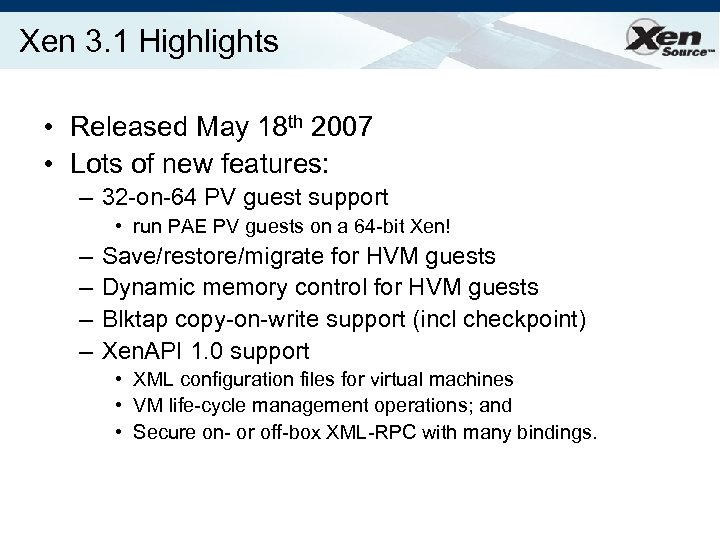
 Xen 3. 0 (5 th Dec 2005) • • Secure isolation between VMs Resource control and Qo. S x 86 32/PAE 36/64 plus HVM; IA 64, Power PV guest kernel needs to be ported – User-level apps and libraries run unmodified • • Execution performance close to native Broad (linux) hardware support Live Relocation of VMs between Xen nodes Latest stable release is 3. 1 (May 2007)
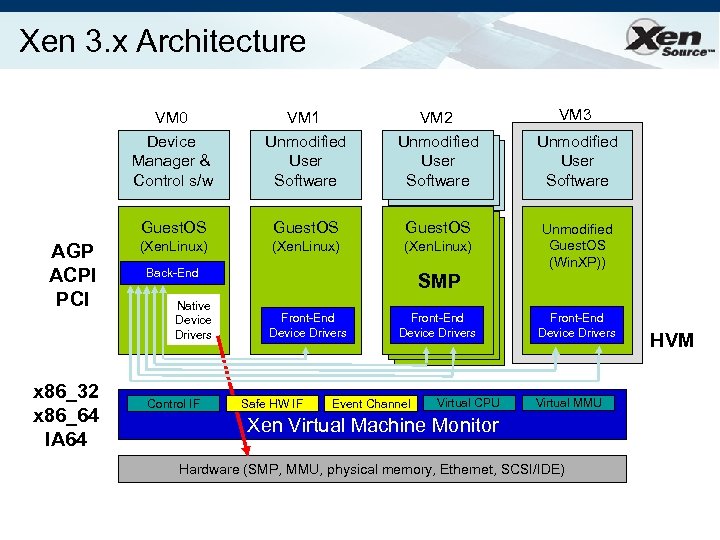 Xen 3. x Architecture VM 0 Device Manager & Control s/w x 86_32 x 86_64 IA 64 VM 2 Unmodified User Software Guest. OS AGP ACPI PCI VM 1 Unmodified User Software Guest. OS (Xen. Linux) Back-End Native Device Drivers Control IF SMP Front-End Device Drivers Safe HW IF Front-End Device Drivers Event Channel Virtual CPU VM 3 Unmodified User Software Unmodified Guest. OS (Win. XP)) Front-End Device Drivers Virtual MMU Xen Virtual Machine Monitor Hardware (SMP, MMU, physical memory, Ethernet, SCSI/IDE) HVM
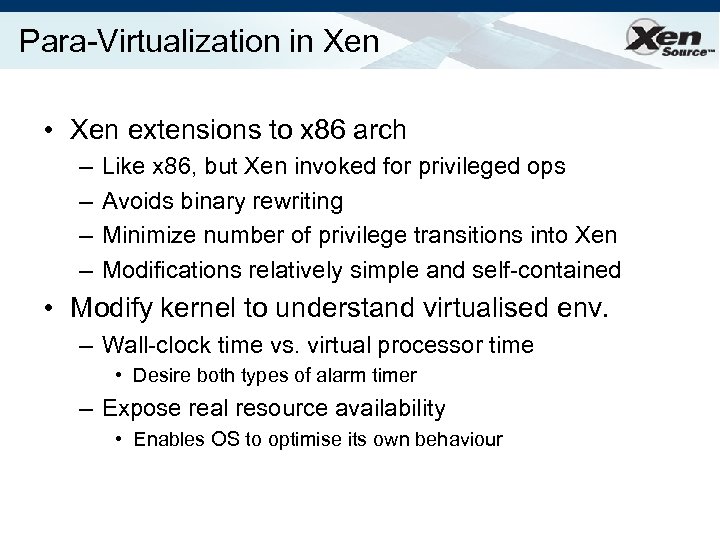 Para-Virtualization in Xen • Xen extensions to x 86 arch – – Like x 86, but Xen invoked for privileged ops Avoids binary rewriting Minimize number of privilege transitions into Xen Modifications relatively simple and self-contained • Modify kernel to understand virtualised env. – Wall-clock time vs. virtual processor time • Desire both types of alarm timer – Expose real resource availability • Enables OS to optimise its own behaviour
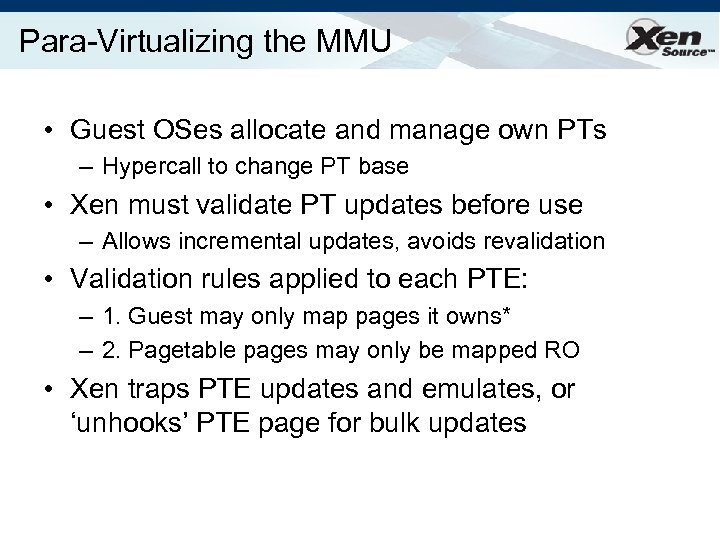 Para-Virtualizing the MMU • Guest OSes allocate and manage own PTs – Hypercall to change PT base • Xen must validate PT updates before use – Allows incremental updates, avoids revalidation • Validation rules applied to each PTE: – 1. Guest may only map pages it owns* – 2. Pagetable pages may only be mapped RO • Xen traps PTE updates and emulates, or ‘unhooks’ PTE page for bulk updates
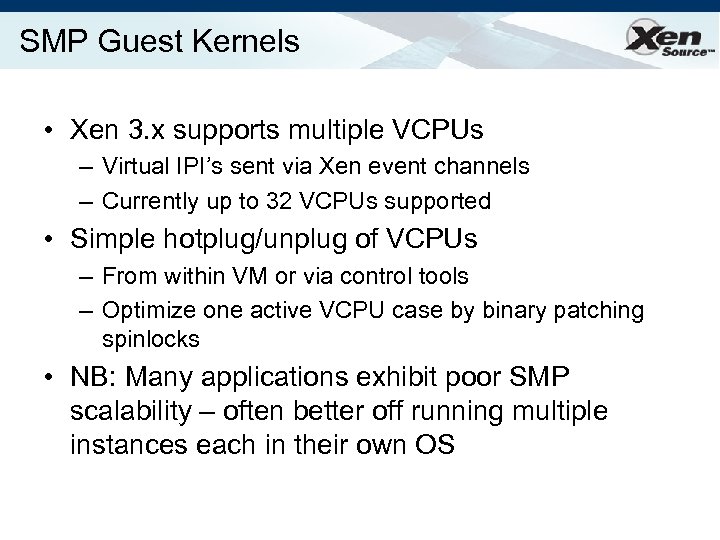 SMP Guest Kernels • Xen 3. x supports multiple VCPUs – Virtual IPI’s sent via Xen event channels – Currently up to 32 VCPUs supported • Simple hotplug/unplug of VCPUs – From within VM or via control tools – Optimize one active VCPU case by binary patching spinlocks • NB: Many applications exhibit poor SMP scalability – often better off running multiple instances each in their own OS
 Performance: SPECJBB Average 0. 75% overhead 3 GHz Xeon 1 GB memory / guest 2. 6. 9. EL vs. 2. 6. 9. EL-xen Native
 Performance: dbench < 5% Overhead up to 8 way SMP
 Kernel build 5% 32 b PAE; Parallel make, 4 processes per CPU 8% 13% 18% # Virtual CPUs 23% Source: Xen. Source, Inc: 10/06
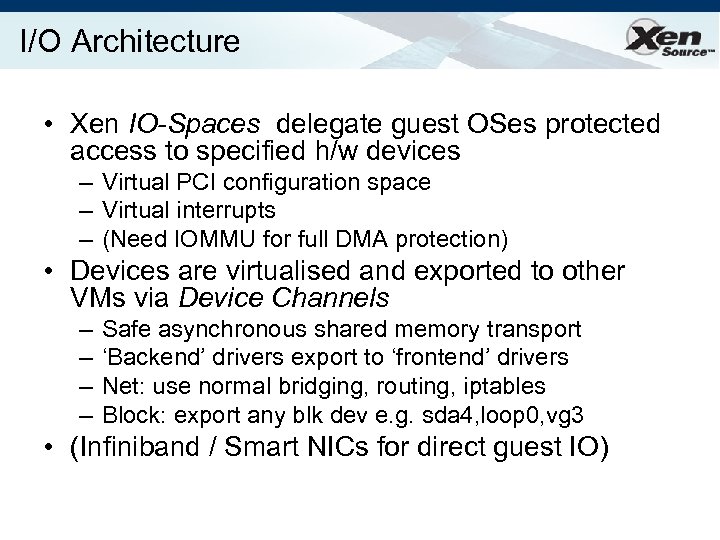 I/O Architecture • Xen IO-Spaces delegate guest OSes protected access to specified h/w devices – Virtual PCI configuration space – Virtual interrupts – (Need IOMMU for full DMA protection) • Devices are virtualised and exported to other VMs via Device Channels – – Safe asynchronous shared memory transport ‘Backend’ drivers export to ‘frontend’ drivers Net: use normal bridging, routing, iptables Block: export any blk dev e. g. sda 4, loop 0, vg 3 • (Infiniband / Smart NICs for direct guest IO)
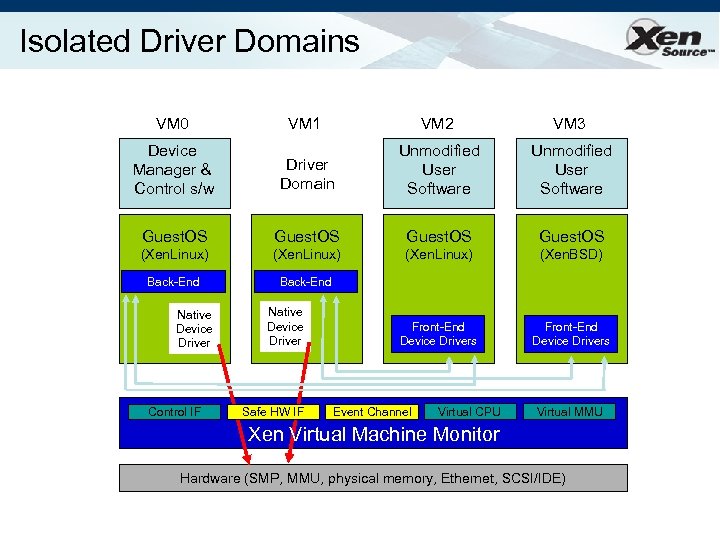 Isolated Driver Domains VM 0 VM 1 VM 2 VM 3 Device Manager & Control s/w Driver Domain Unmodified User Software Guest. OS (Xen. Linux) (Xen. BSD) Back-End Front-End Device Drivers Native Device Driver Control IF Native Device Driver Safe HW IF Event Channel Virtual CPU Virtual MMU Xen Virtual Machine Monitor Hardware (SMP, MMU, physical memory, Ethernet, SCSI/IDE)
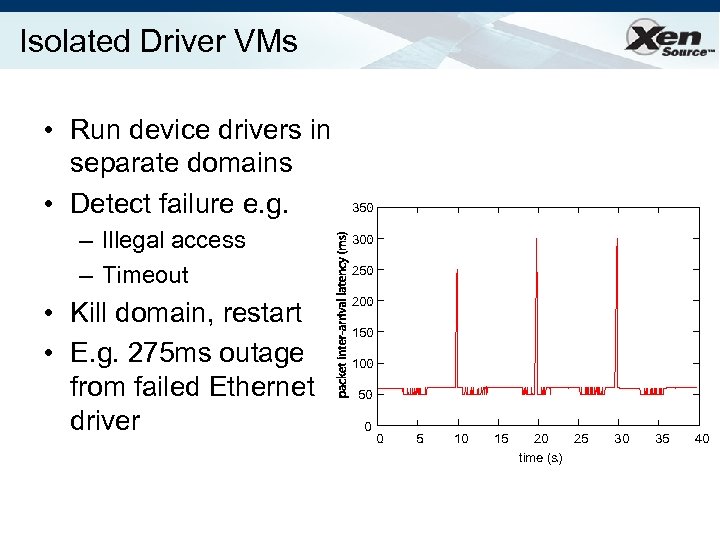 Isolated Driver VMs • Run device drivers in separate domains • Detect failure e. g. – Illegal access – Timeout • Kill domain, restart • E. g. 275 ms outage from failed Ethernet driver 350 300 250 200 150 100 50 0 0 5 10 15 20 25 time (s) 30 35 40
 Hardware Virtualization (1) • Paravirtualization… – has fundamental benefits… (c/f MS Viridian) – but is limited to OSes with PV kernels. • Recently seen new CPUs from Intel, AMD – enable safe trapping of ‘difficult’ instructions – provide additional privilege layers (“rings”) – currently shipping in most modern server, desktop and notebook systems • Solves part of the problem, but…
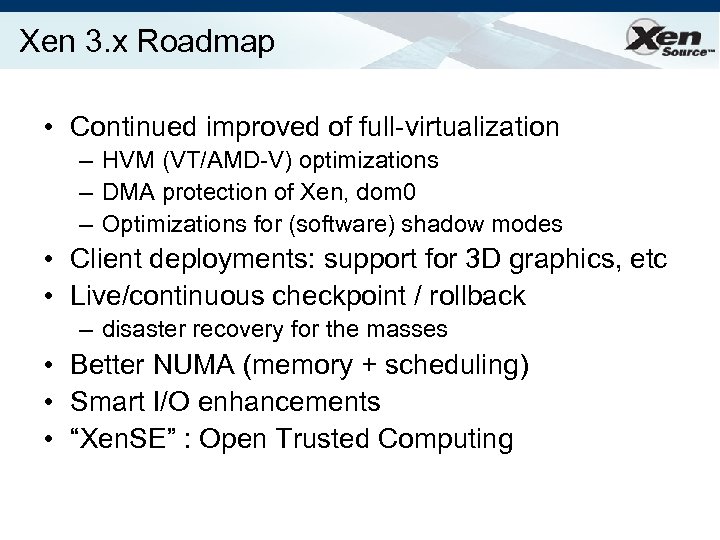
 Hardware Virtualization (2) • CPU is only part of the system – also need to consider memory and I/O • Memory: – OS wants contiguous physical memory, but Xen needs to share between many OSes – Need to dynamically translate between guest physical and ‘real’ physical addresses – Use shadow page tables to mirror guest OS page tables (and implicit ‘no paging’ mode) • Xen 3. 0 includes software shadow page tables; future x 86 processors will include hardware support.
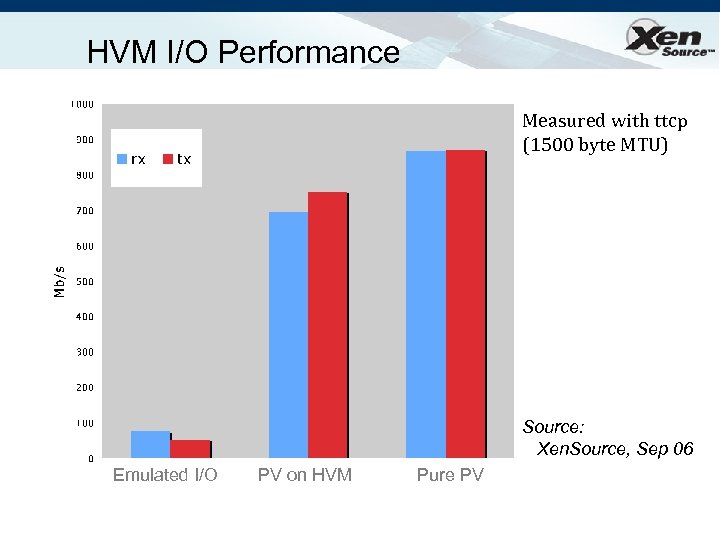
 Hardware Virtualization (3) • Finally we need to solve the I/O issue – non-PV OSes don’t know about Xen – hence run ‘standard’ PC ISA/PCI drivers • Just emulate devices in software? – complex, fragile and non-performant… – … but ok as backstop mechanism. • Better: – add PV (or “enlightened”) device drivers to OS – well-defined driver model makes this relatively easy – get PV performance benefits for I/O path
 Xen 3: Hardware Virtual Machines • Enable Guest OSes to be run without modification – E. g. legacy Linux, Solaris x 86, Windows XP/2003 • CPU provides vmexits for certain privileged instrs • Shadow page tables used to virtualize MMU • Xen provides simple platform emulation – BIOS, apic, iopaic, rtc, net (pcnet 32), IDE emulation • Install paravirtualized drivers after booting for highperformance IO • Possibility for CPU and memory paravirtualization – Non-invasive hypervisor hints from OS
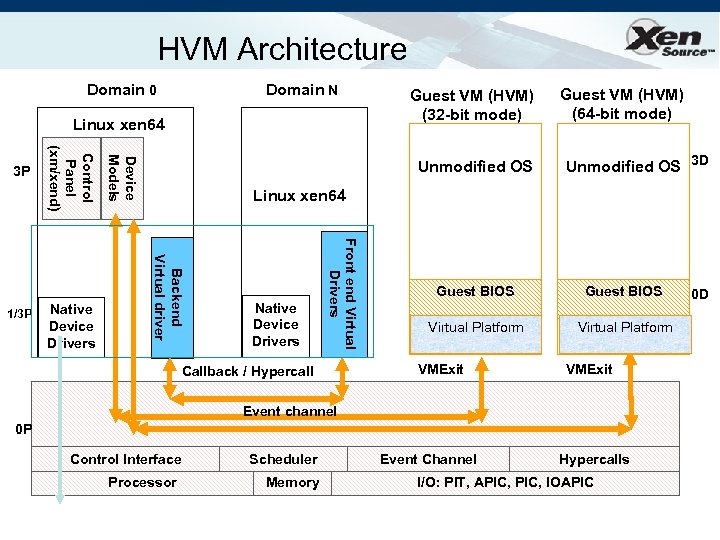 HVM Architecture Domain 0 Domain N Linux xen 64 Unmodified OS Guest VM (HVM) (64 -bit mode) Unmodified OS 3 D Linux xen 64 Native Device Drivers Front end Virtual Drivers Backend Virtual driver Native Device Drivers Device Models 1/3 P Control Panel (xm/xend) 3 P Guest VM (HVM) (32 -bit mode) Callback / Hypercall Guest BIOS Virtual Platform VMExit Event channel 0 P Control Interface Processor Scheduler Memory Event Channel Hypercalls I/O: PIT, APIC, IOAPIC 0 D
 Progressive Paravirtualization • Hypercall API available to HVM guests • Selectively add PV extensions to optimize – Network and Block IO – Xen. APIC (event channels) – MMU operations • multicast TLB flush • PTE updates (faster than page fault) • page sharing – Time (wall-clock and virtual time) – CPU and memory hotplug
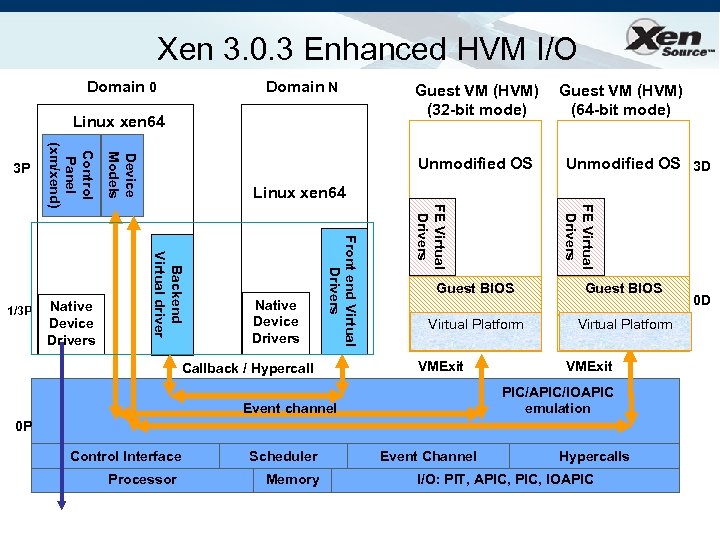 Xen 3. 0. 3 Enhanced HVM I/O Domain 0 Domain N Linux xen 64 Guest VM (HVM) (64 -bit mode) Unmodified OS 3 D FE Virtual Drivers Linux xen 64 Native Device Drivers Front end Virtual Drivers Backend Virtual driver Native Device Drivers Device Models 1/3 P Control Panel (xm/xend) 3 P Guest VM (HVM) (32 -bit mode) Callback / Hypercall Guest BIOS Virtual Platform VMExit PIC/APIC/IOAPIC emulation Event channel 0 P Control Interface Processor Scheduler Memory Event Channel Hypercalls I/O: PIT, APIC, IOAPIC 0 D
 HVM I/O Performance Measured with ttcp (1500 byte MTU) Source: Xen. Source, Sep 06 Emulated I/O PV on HVM Pure PV
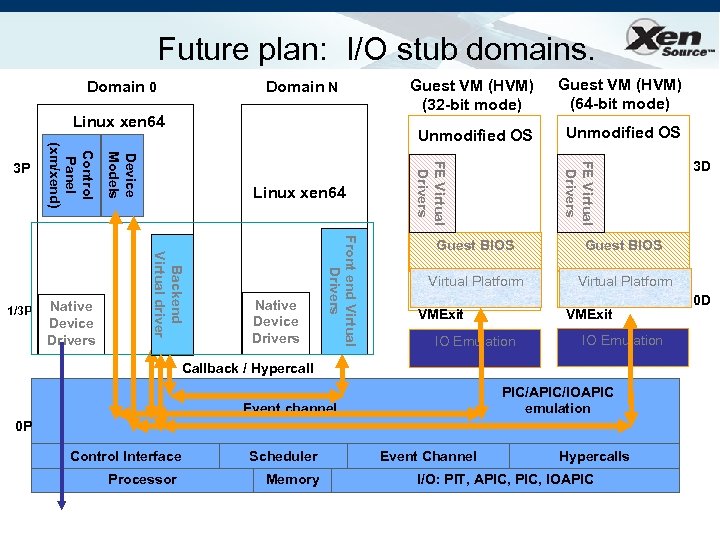 Future plan: I/O stub domains. Domain N Linux xen 64 Unmodified OS FE Virtual Drivers Front end Virtual Drivers Native Device Drivers Guest VM (HVM) (64 -bit mode) FE Virtual Drivers Linux xen 64 Backend Virtual driver Native Device Drivers Device Models 1/3 P Control Panel (xm/xend) 3 P Guest VM (HVM) (32 -bit mode) Unmodified OS Domain 0 Guest BIOS Virtual Platform VMExit IO Emulation Callback / Hypercall PIC/APIC/IOAPIC emulation Event channel 0 P Control Interface Processor Scheduler Memory 3 D Event Channel Hypercalls I/O: PIT, APIC, IOAPIC 0 D
 HW Virtualization Summary • CPU virtualization available today – lets Xen support legacy/proprietary OSes • Additional platform protection imminent – protect Xen from IO devices – full IOMMU extensions coming soon • MMU virtualization also coming soon: – avoid the need for s/w shadow page tables – should improve performance and reduce complexity • Device virtualization arriving from various folks: – networking already here (ethernet, infiniband) – [remote] storage in the works (NPIV, VSAN) – graphics and other devices sure to follow…
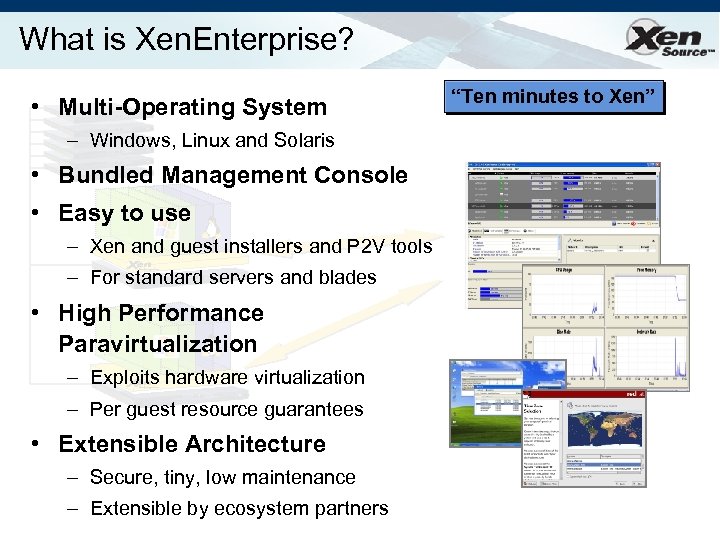 What is Xen. Enterprise? • Multi-Operating System – Windows, Linux and Solaris • Bundled Management Console • Easy to use – Xen and guest installers and P 2 V tools – For standard servers and blades • High Performance Paravirtualization – Exploits hardware virtualization – Per guest resource guarantees • Extensible Architecture – Secure, tiny, low maintenance – Extensible by ecosystem partners “Ten minutes to Xen”
 Get Started with Xen. Enterprise » Packaged and supported virtualization platform for x 86 servers » Includes the Xen. TM Hypervisor “Ten minutes to Xen” » High performance bare metal virtualization for both Windows and Linux guests » Easy to use and install » Management console included for standard management of Xen systems and guests » Microsoft supports Windows customers on Xen. Enterprise » Download free from www. xensource. com and try it out!
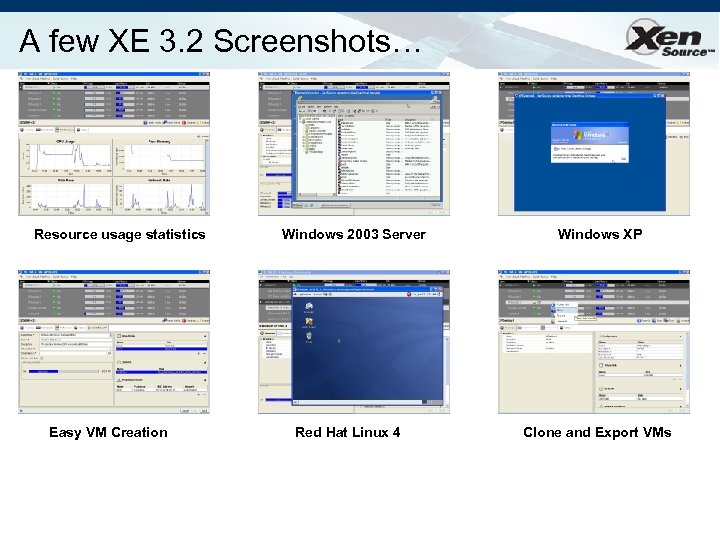 A few XE 3. 2 Screenshots… Resource usage statistics Easy VM Creation Windows 2003 Server Red Hat Linux 4 Windows XP Clone and Export VMs
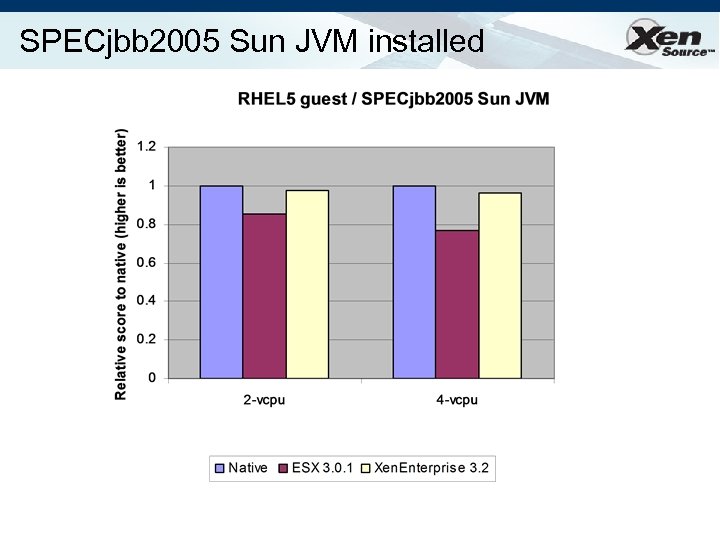 SPECjbb 2005 Sun JVM installed
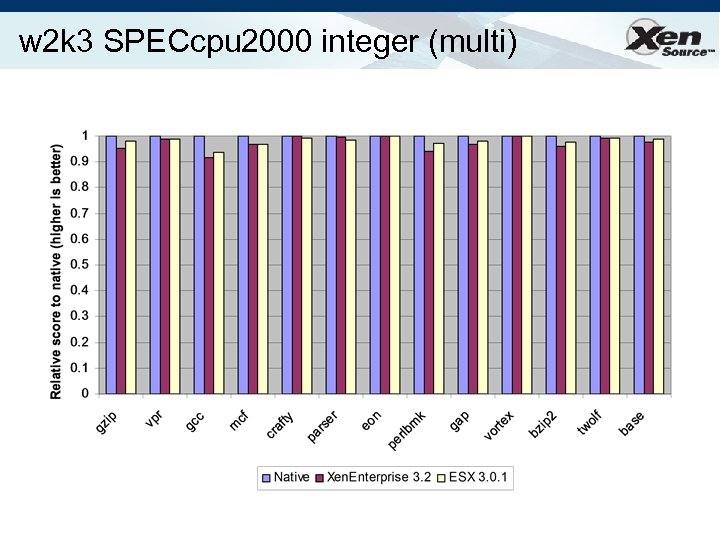 w 2 k 3 SPECcpu 2000 integer (multi)
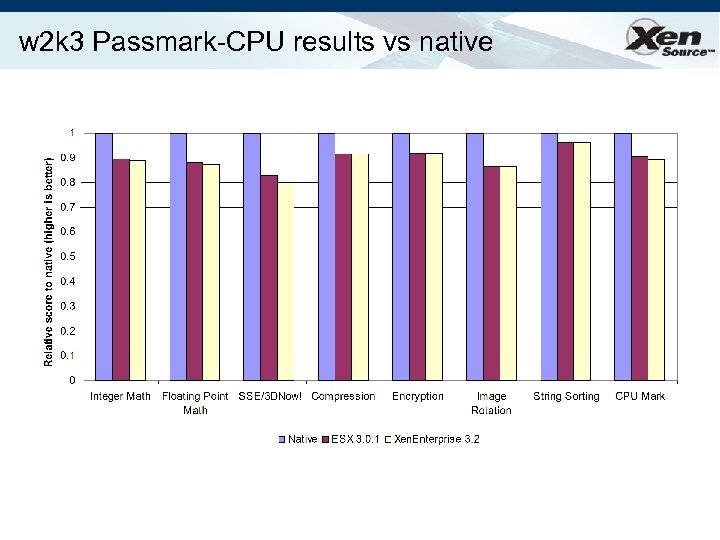 w 2 k 3 Passmark-CPU results vs native
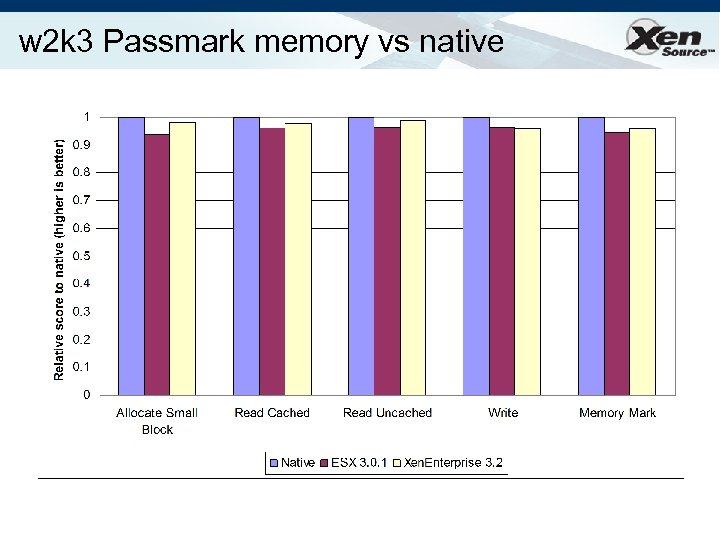 w 2 k 3 Passmark memory vs native
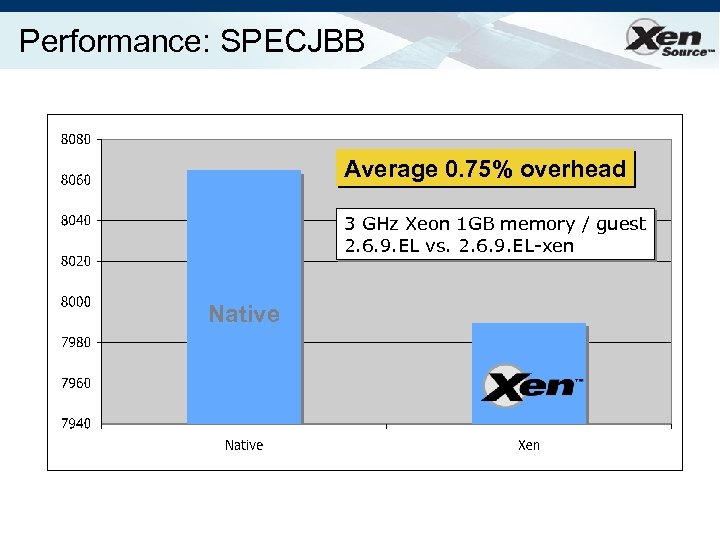
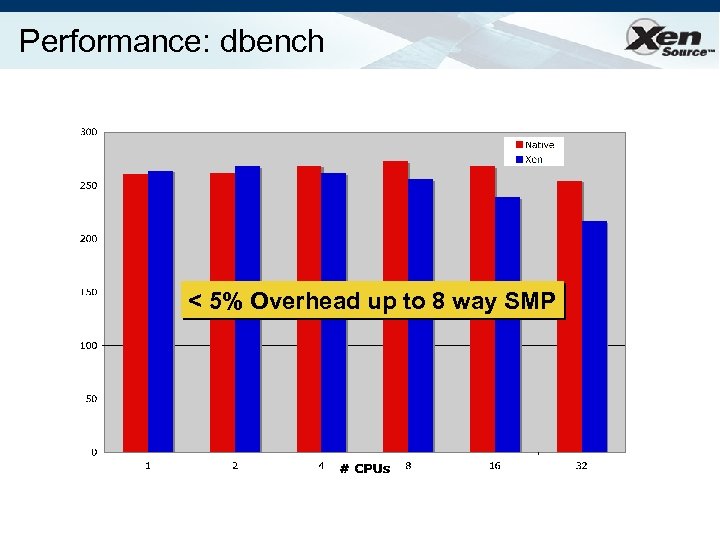
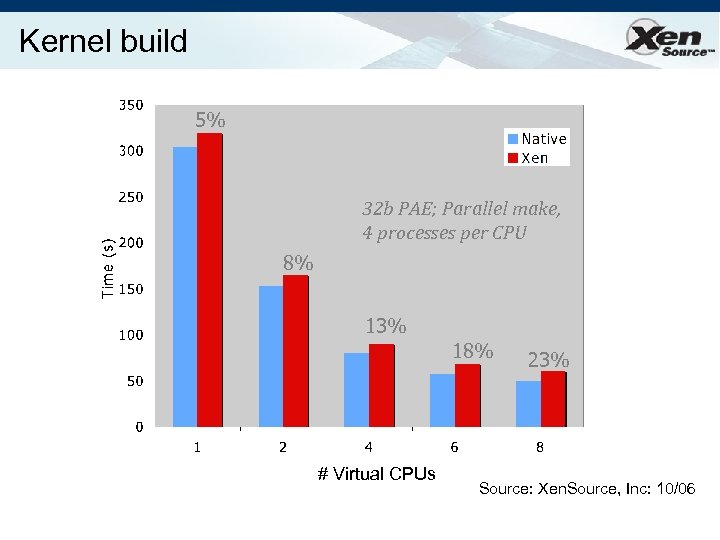
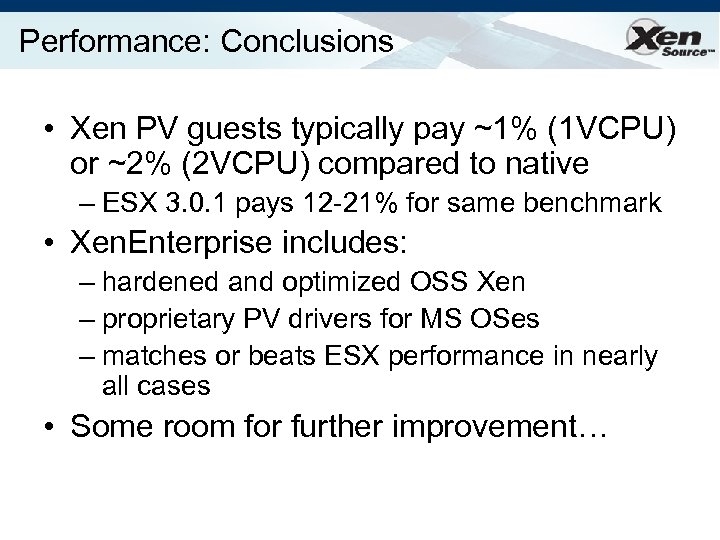 Performance: Conclusions • Xen PV guests typically pay ~1% (1 VCPU) or ~2% (2 VCPU) compared to native – ESX 3. 0. 1 pays 12 -21% for same benchmark • Xen. Enterprise includes: – hardened and optimized OSS Xen – proprietary PV drivers for MS OSes – matches or beats ESX performance in nearly all cases • Some room for further improvement…
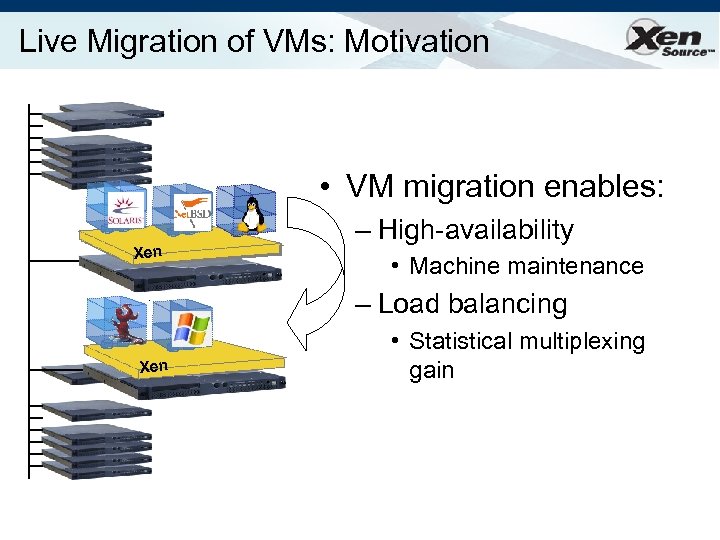 Live Migration of VMs: Motivation • VM migration enables: Xen – High-availability • Machine maintenance – Load balancing Xen • Statistical multiplexing gain
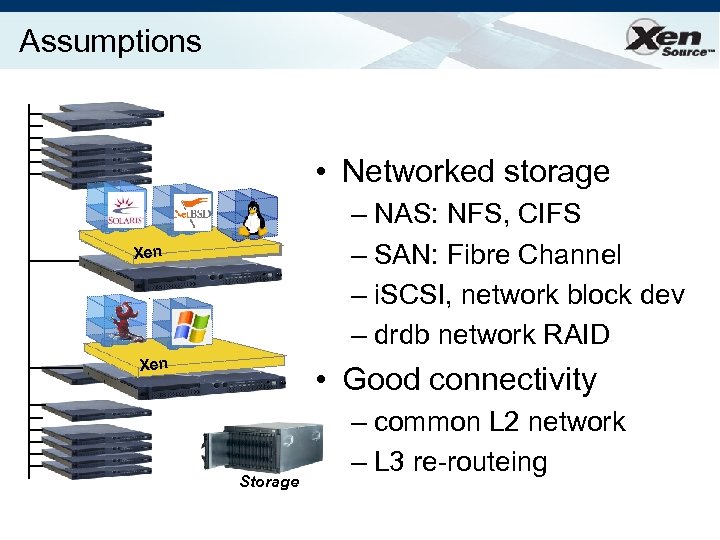 Assumptions • Networked storage – NAS: NFS, CIFS – SAN: Fibre Channel – i. SCSI, network block dev – drdb network RAID Xen • Good connectivity Storage – common L 2 network – L 3 re-routeing
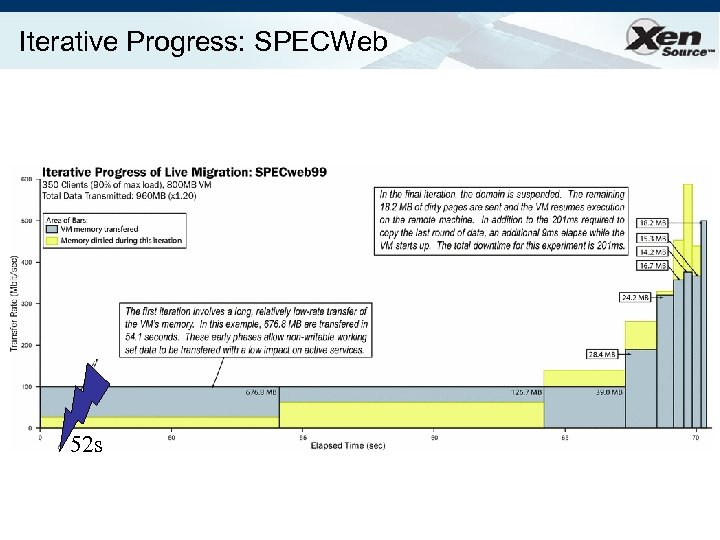
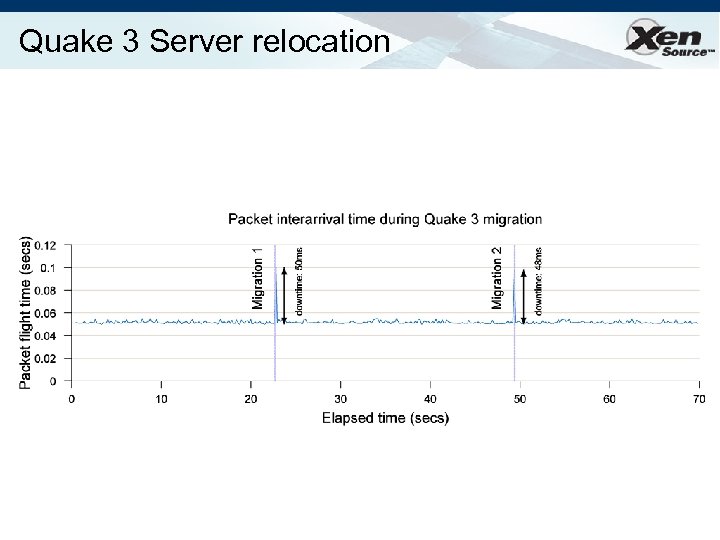
 Challenges • VMs have lots of state in memory • Some VMs have soft real-time requirements – E. g. web servers, databases, game servers – May be members of a cluster quorum è Minimize down-time • Performing relocation requires resources è Bound and control resources used
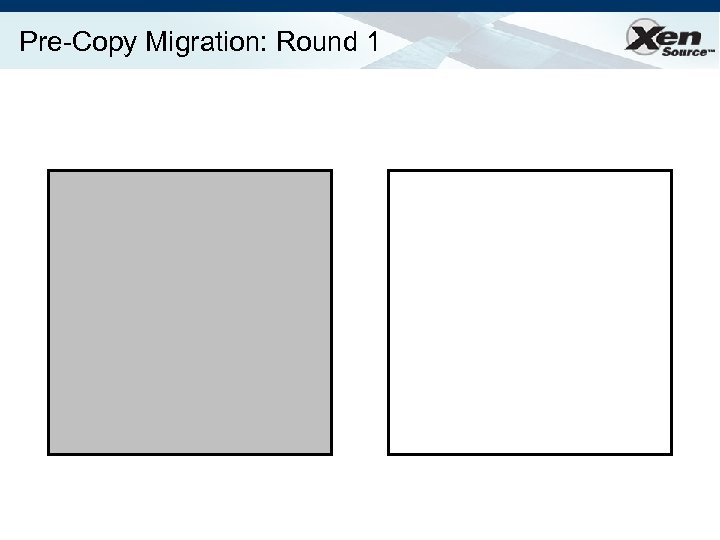
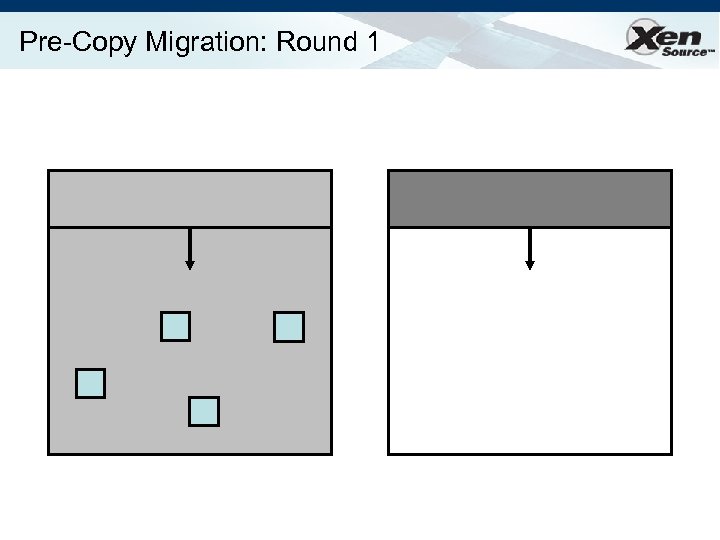
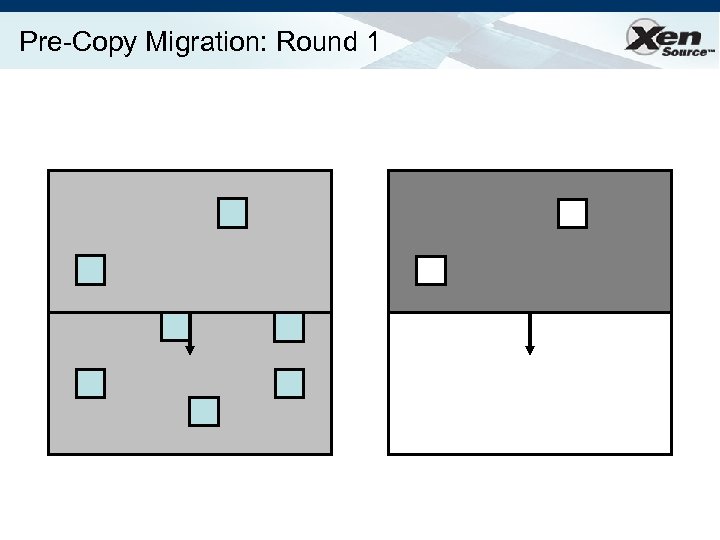
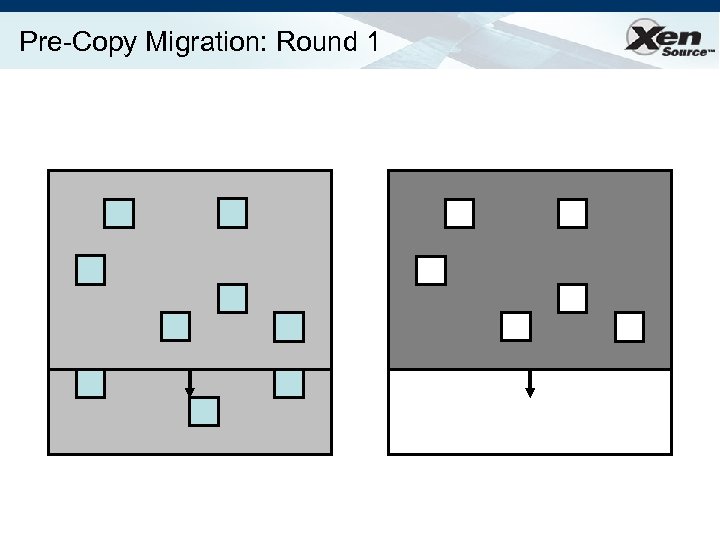
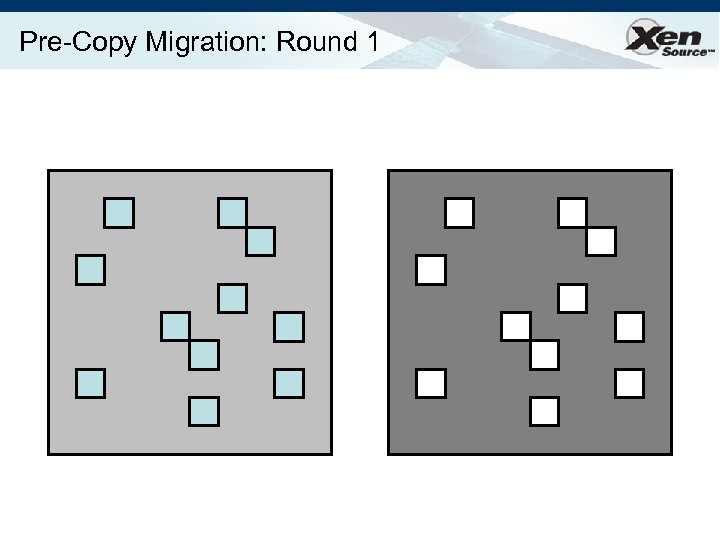
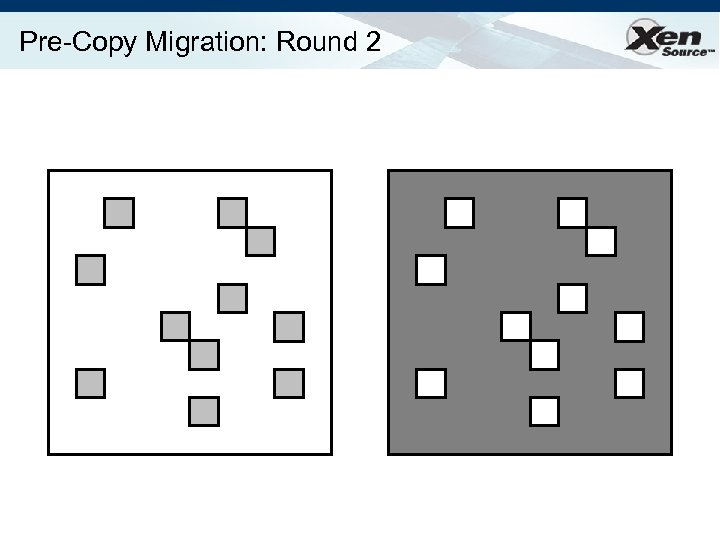
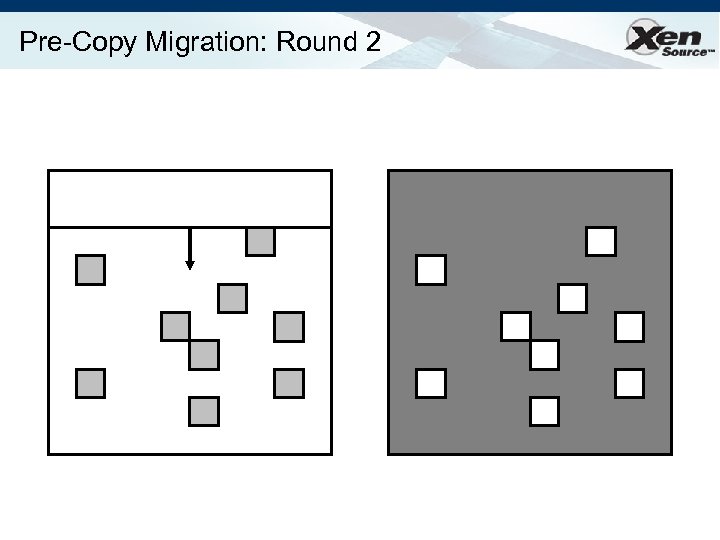
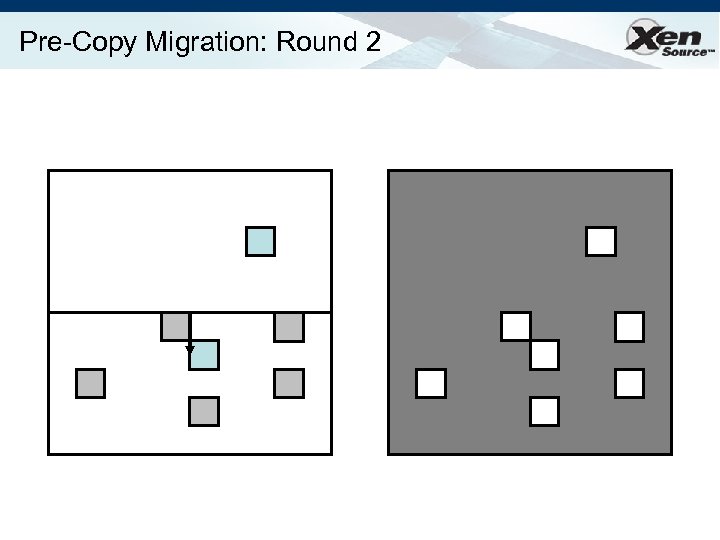
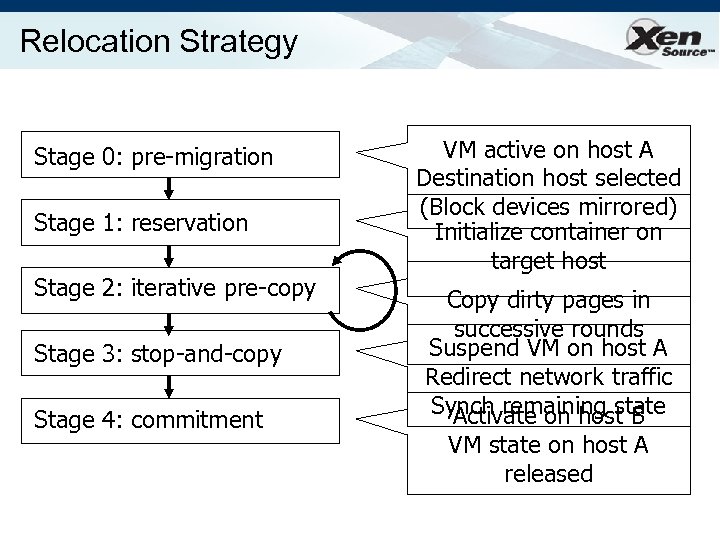 Relocation Strategy Stage 0: pre-migration Stage 1: reservation Stage 2: iterative pre-copy Stage 3: stop-and-copy Stage 4: commitment VM active on host A Destination host selected (Block devices mirrored) Initialize container on target host Copy dirty pages in successive rounds Suspend VM on host A Redirect network traffic Synch remaining state Activate on host B VM state on host A released
 Pre-Copy Migration: Round 1
 Pre-Copy Migration: Round 1
 Pre-Copy Migration: Round 1
 Pre-Copy Migration: Round 1
 Pre-Copy Migration: Round 1
 Pre-Copy Migration: Round 2
 Pre-Copy Migration: Round 2
 Pre-Copy Migration: Round 2
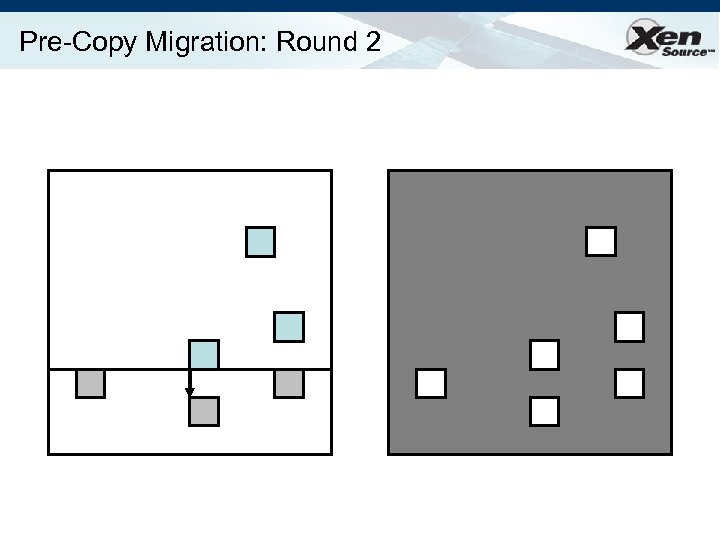 Pre-Copy Migration: Round 2
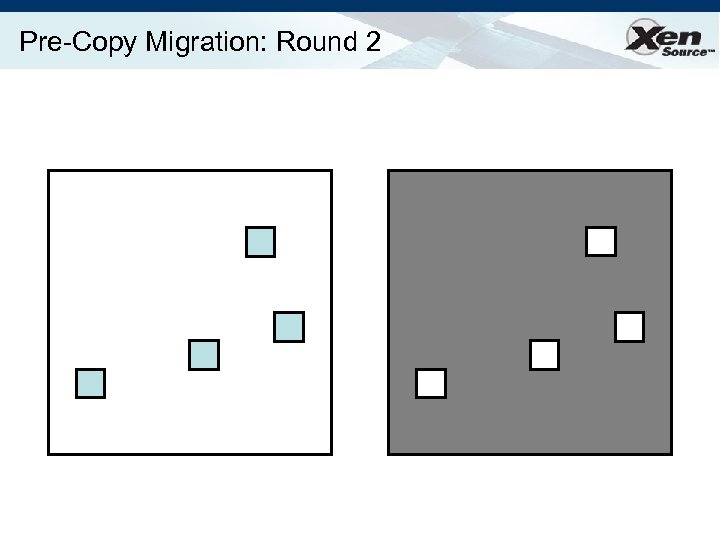 Pre-Copy Migration: Round 2
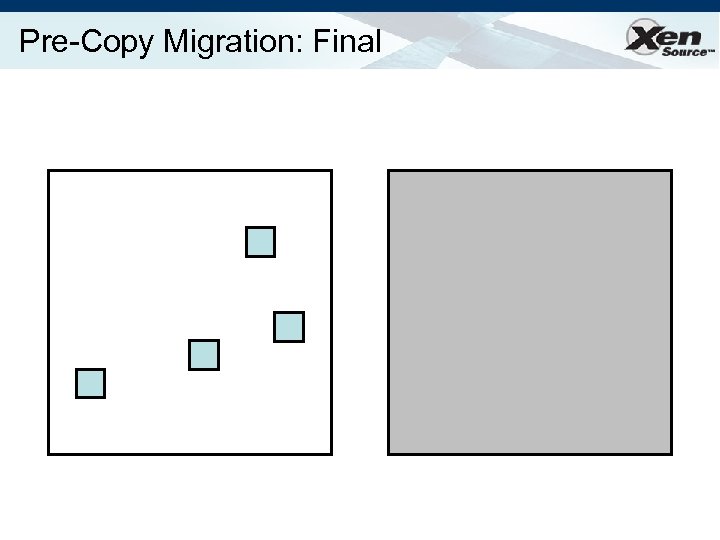 Pre-Copy Migration: Final
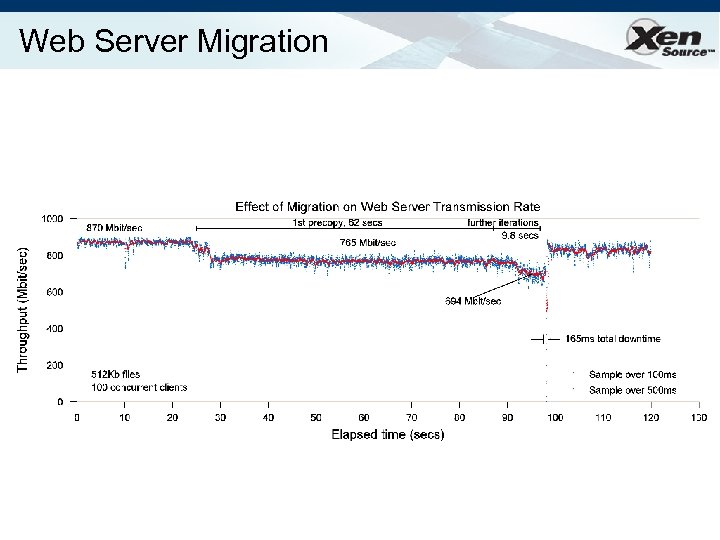 Web Server Migration
 Iterative Progress: SPECWeb 52 s
 Quake 3 Server relocation
 Xen 3. 1 Highlights • Released May 18 th 2007 • Lots of new features: – 32 -on-64 PV guest support • run PAE PV guests on a 64 -bit Xen! – – Save/restore/migrate for HVM guests Dynamic memory control for HVM guests Blktap copy-on-write support (incl checkpoint) Xen. API 1. 0 support • XML configuration files for virtual machines • VM life-cycle management operations; and • Secure on- or off-box XML-RPC with many bindings.
 Xen 3. x Roadmap • Continued improved of full-virtualization – HVM (VT/AMD-V) optimizations – DMA protection of Xen, dom 0 – Optimizations for (software) shadow modes • Client deployments: support for 3 D graphics, etc • Live/continuous checkpoint / rollback – disaster recovery for the masses • Better NUMA (memory + scheduling) • Smart I/O enhancements • “Xen. SE” : Open Trusted Computing
 Backed By All Major IT Vendors * Logos are registered trademarks of their owners
 Summary Xen is re-shaping the IT industry Ø Commoditize Ø Key the hypervisor to volume adoption of virtualization Ø Paravirtualization in the next release of all OSes Xen. Source Delivers Volume Virtualization Ø Xen. Enterprise shipping now Ø Closely aligned with our ecosystem to deliver fullfeatured, open and extensible solutions Ø Partnered with all key OSVs to deliver an interoperable virtualized infrastructure
 Thanks! • Euro. Sys 2008 • Venue: Glasgow, Scotland, Apr 2 -4 2008 • Important dates: – 14 Sep 2007: submission of abstracts – 21 Sep 2007: submission of papers – 20 Dec 2007: notification to authors • More details at http: //www. dcs. gla. ac. uk/Conferences/Euro. Sys 2008