


 Скачать презентацию Virtualization with Informix Dynamic Server Kent Klaas
26ef99f93a67502e92f4352b9cf886d7.ppt
- Количество слайдов: 37
 ® Virtualization with Informix Dynamic Server Kent Klaas and Yunming Wang © 2009 IBM Corporation
 Agenda § Introduction to Virtualization § IDS and Virtualization § Introduction to the IDS Virtual Appliance § Demonstration of the IDS Virtual Appliance § Obtaining and Using the IDS Virtual Appliance § Assistance and Additional Resources § Questions and Answers 2
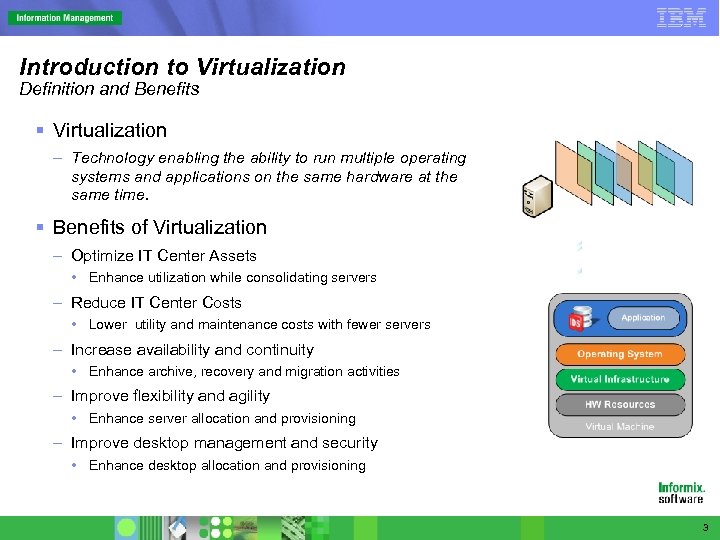 Introduction to Virtualization Definition and Benefits § Virtualization – Technology enabling the ability to run multiple operating systems and applications on the same hardware at the same time. § Benefits of Virtualization – Optimize IT Center Assets • Enhance utilization while consolidating servers – Reduce IT Center Costs • Lower utility and maintenance costs with fewer servers – Increase availability and continuity • Enhance archive, recovery and migration activities – Improve flexibility and agility • Enhance server allocation and provisioning – Improve desktop management and security • Enhance desktop allocation and provisioning 3
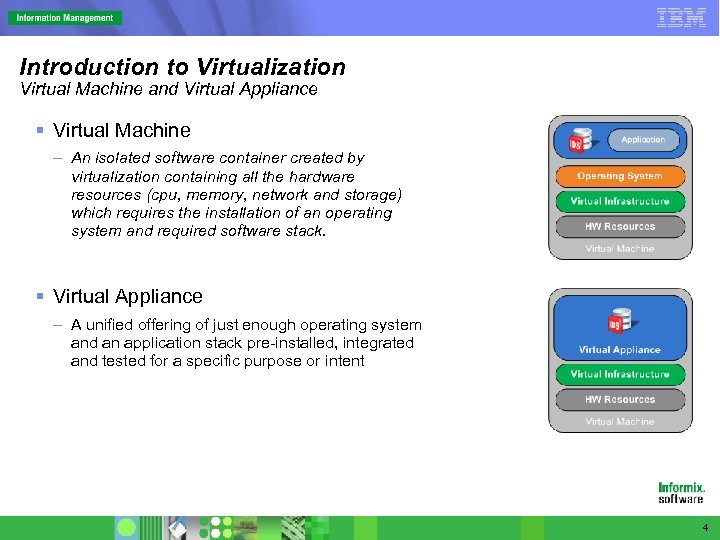 Introduction to Virtualization Virtual Machine and Virtual Appliance § Virtual Machine – An isolated software container created by virtualization containing all the hardware resources (cpu, memory, network and storage) which requires the installation of an operating system and required software stack. § Virtual Appliance – A unified offering of just enough operating system and an application stack pre-installed, integrated and tested for a specific purpose or intent 4
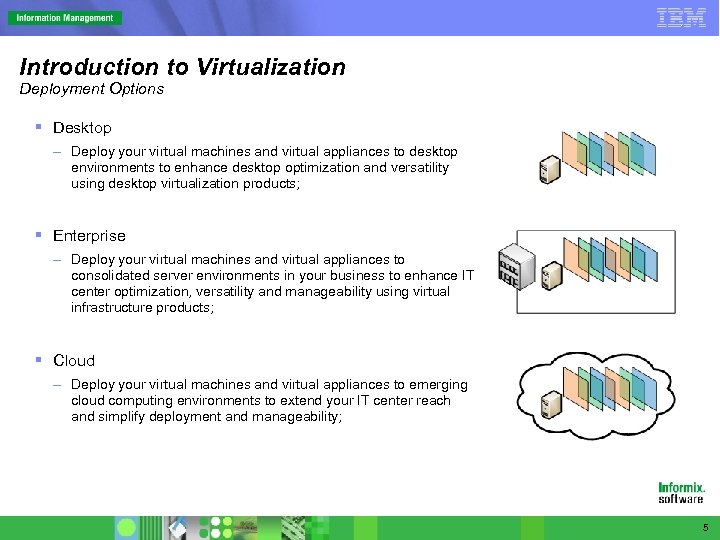 Introduction to Virtualization Deployment Options § Desktop – Deploy your virtual machines and virtual appliances to desktop environments to enhance desktop optimization and versatility using desktop virtualization products; § Enterprise – Deploy your virtual machines and virtual appliances to consolidated server environments in your business to enhance IT center optimization, versatility and manageability using virtual infrastructure products; § Cloud – Deploy your virtual machines and virtual appliances to emerging cloud computing environments to extend your IT center reach and simplify deployment and manageability; 5
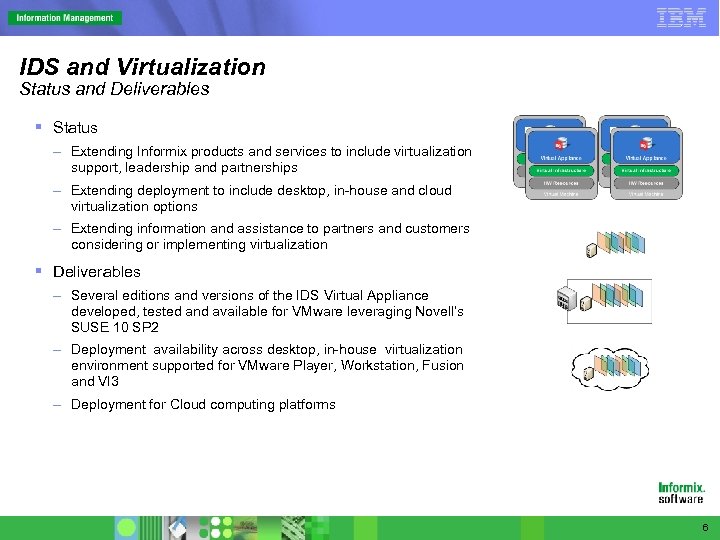 IDS and Virtualization Status and Deliverables § Status – Extending Informix products and services to include virtualization support, leadership and partnerships – Extending deployment to include desktop, in-house and cloud virtualization options – Extending information and assistance to partners and customers considering or implementing virtualization § Deliverables – Several editions and versions of the IDS Virtual Appliance developed, tested and available for VMware leveraging Novell’s SUSE 10 SP 2 – Deployment availability across desktop, in-house virtualization environment supported for VMware Player, Workstation, Fusion and VI 3 – Deployment for Cloud computing platforms 6
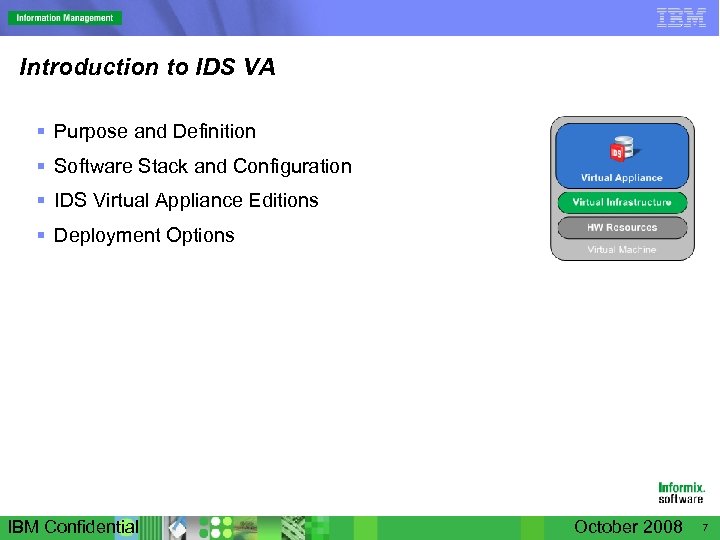 Introduction to IDS VA § Purpose and Definition § Software Stack and Configuration § IDS Virtual Appliance Editions § Deployment Options IBM Confidential October 2008 7
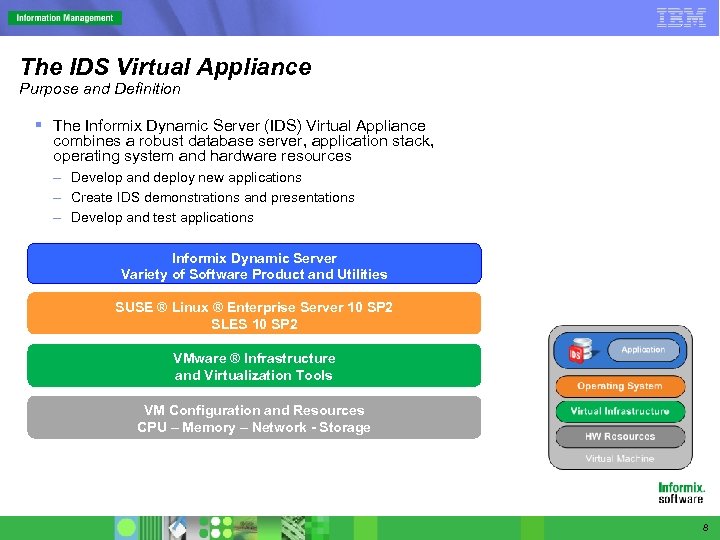 The IDS Virtual Appliance Purpose and Definition § The Informix Dynamic Server (IDS) Virtual Appliance combines a robust database server, application stack, operating system and hardware resources – Develop and deploy new applications – Create IDS demonstrations and presentations – Develop and test applications Informix Dynamic Server Variety of Software Product and Utilities SUSE ® Linux ® Enterprise Server 10 SP 2 SLES 10 SP 2 VMware ® Infrastructure and Virtualization Tools VM Configuration and Resources CPU – Memory – Network - Storage 8
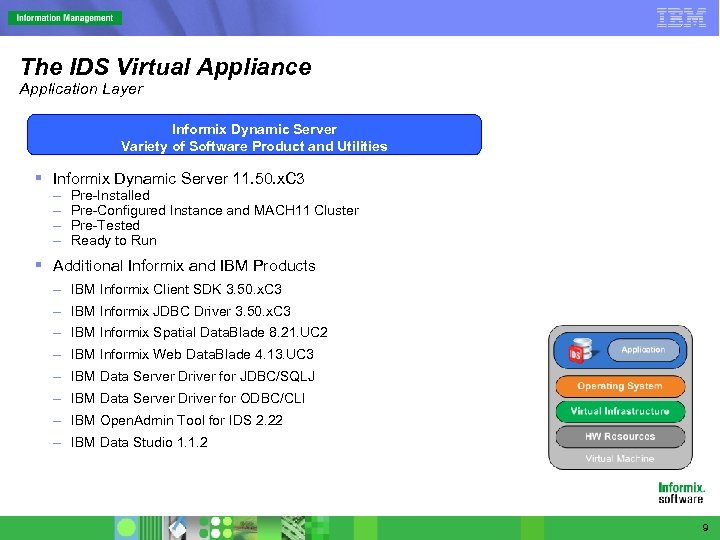 The IDS Virtual Appliance Application Layer Informix Dynamic Server Variety of Software Product and Utilities § Informix Dynamic Server 11. 50. x. C 3 – – Pre-Installed Pre-Configured Instance and MACH 11 Cluster Pre-Tested Ready to Run § Additional Informix and IBM Products – IBM Informix Client SDK 3. 50. x. C 3 – IBM Informix JDBC Driver 3. 50. x. C 3 – IBM Informix Spatial Data. Blade 8. 21. UC 2 – IBM Informix Web Data. Blade 4. 13. UC 3 – IBM Data Server Driver for JDBC/SQLJ – IBM Data Server Driver for ODBC/CLI – IBM Open. Admin Tool for IDS 2. 22 – IBM Data Studio 1. 1. 2 9
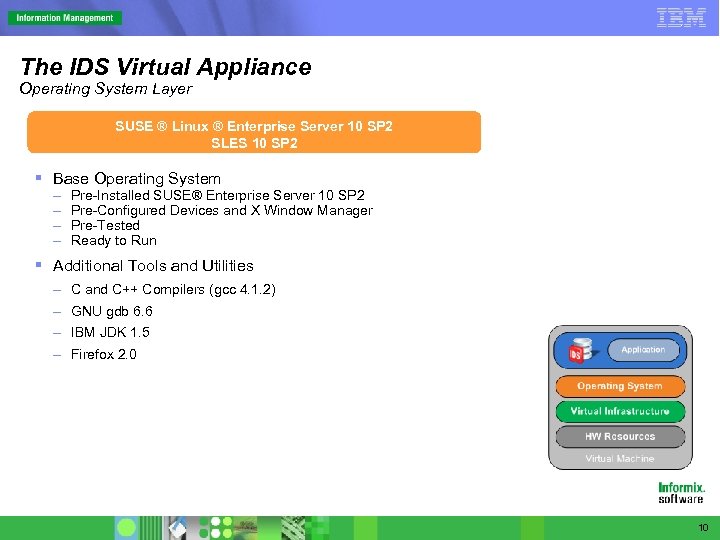 The IDS Virtual Appliance Operating System Layer SUSE ® Linux ® Enterprise Server 10 SP 2 SLES 10 SP 2 § Base Operating System – – Pre-Installed SUSE® Enterprise Server 10 SP 2 Pre-Configured Devices and X Window Manager Pre-Tested Ready to Run § Additional Tools and Utilities – C and C++ Compilers (gcc 4. 1. 2) – GNU gdb 6. 6 – IBM JDK 1. 5 – Firefox 2. 0 10
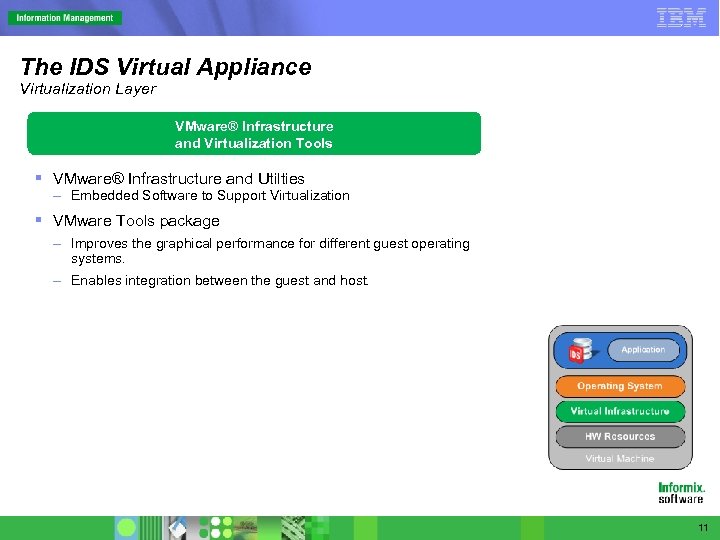 The IDS Virtual Appliance Virtualization Layer VMware® Infrastructure and Virtualization Tools § VMware® Infrastructure and Utilties – Embedded Software to Support Virtualization § VMware Tools package – Improves the graphical performance for different guest operating systems. – Enables integration between the guest and host. 11
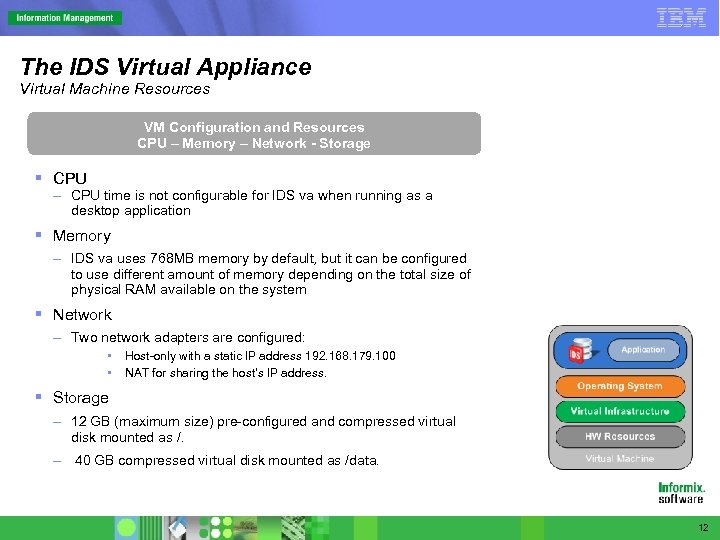 The IDS Virtual Appliance Virtual Machine Resources VM Configuration and Resources CPU – Memory – Network - Storage § CPU – CPU time is not configurable for IDS va when running as a desktop application § Memory – IDS va uses 768 MB memory by default, but it can be configured to use different amount of memory depending on the total size of physical RAM available on the system § Network – Two network adapters are configured: • • Host-only with a static IP address 192. 168. 179. 100 NAT for sharing the host’s IP address. § Storage – 12 GB (maximum size) pre-configured and compressed virtual disk mounted as /. – 40 GB compressed virtual disk mounted as /data. 12
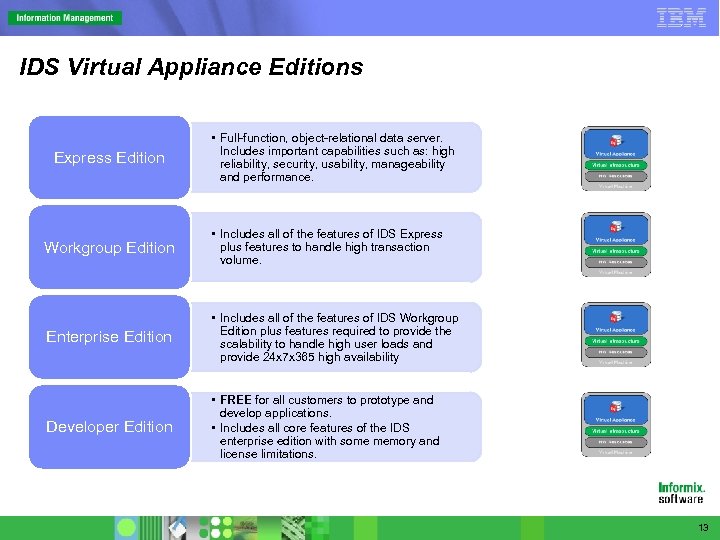 IDS Virtual Appliance Editions Express Edition • Full-function, object-relational data server. Includes important capabilities such as: high reliability, security, usability, manageability and performance. Workgroup Edition • Includes all of the features of IDS Express plus features to handle high transaction volume. Enterprise Edition • Includes all of the features of IDS Workgroup Edition plus features required to provide the scalability to handle high user loads and provide 24 x 7 x 365 high availability Developer Edition • FREE for all customers to prototype and develop applications. • Includes all core features of the IDS enterprise edition with some memory and license limitations. 13
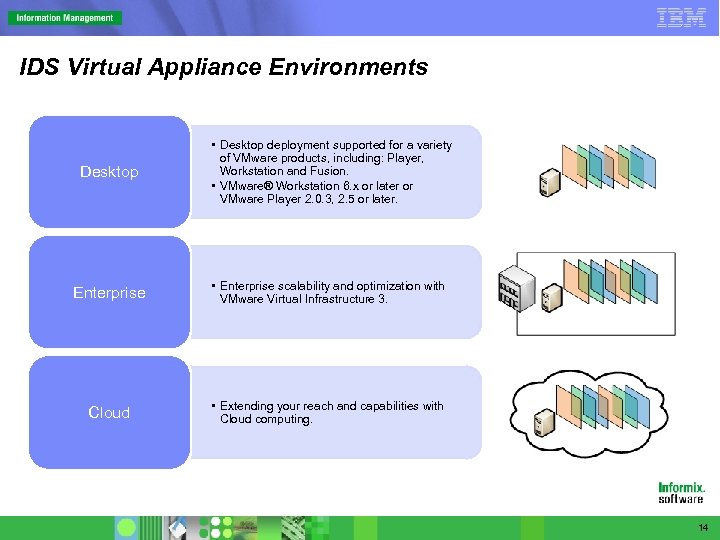 IDS Virtual Appliance Environments Desktop • Desktop deployment supported for a variety of VMware products, including: Player, Workstation and Fusion. • VMware® Workstation 6. x or later or VMware Player 2. 0. 3, 2. 5 or later. Enterprise • Enterprise scalability and optimization with VMware Virtual Infrastructure 3. Cloud • Extending your reach and capabilities with Cloud computing. 14
 Demonstration of the IDS VA § Windows Desktop Demonstration of the IDS VA – Downloading – Installing – Launching and Configuring – Desktop Overview • Welcome page of the IDS VA • First Steps • SQL Editor • Data Studio • Open Admin Tool • Terminal § Amazon Compute Cloud Demonstration of the IDS VA – Launching and Configuring – Configuring and instance with SSH – Utilizing Open Admin Tool IBM Confidential October 2008 15
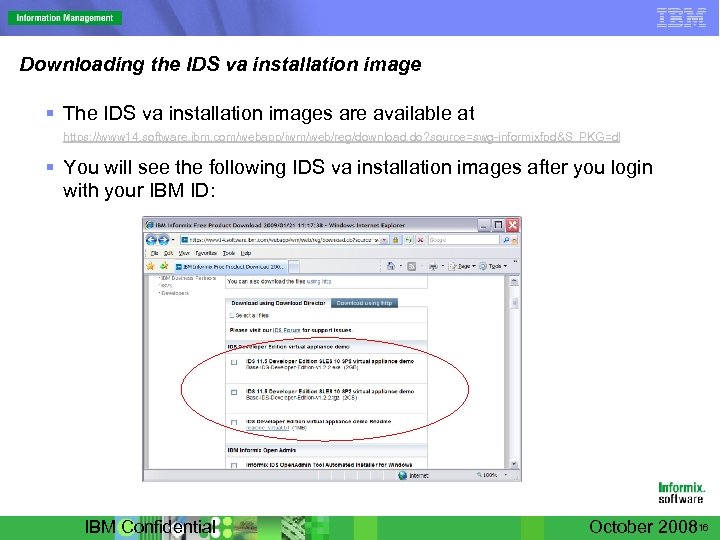 Downloading the IDS va installation image § The IDS va installation images are available at https: //www 14. software. ibm. com/webapp/iwm/web/reg/download. do? source=swg-informixfpd&S_PKG=dl § You will see the following IDS va installation images after you login with your IBM ID: IBM Confidential October 200816
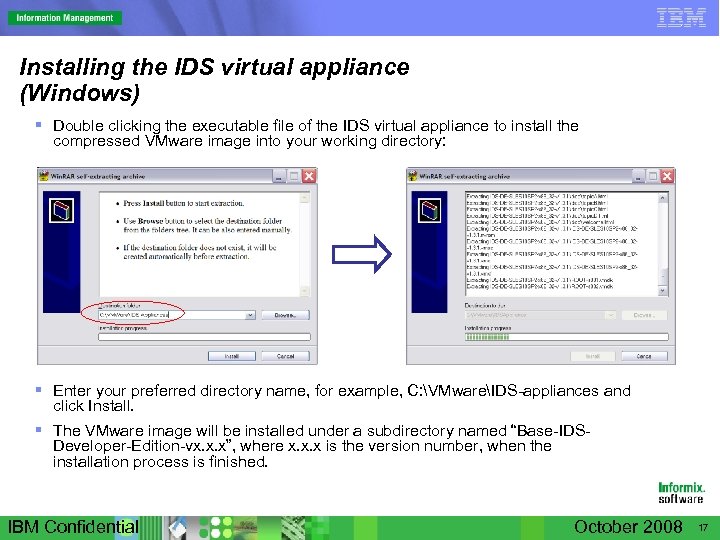 Installing the IDS virtual appliance (Windows) § Double clicking the executable file of the IDS virtual appliance to install the compressed VMware image into your working directory: § Enter your preferred directory name, for example, C: VMwareIDS-appliances and click Install. § The VMware image will be installed under a subdirectory named “Base-IDSDeveloper-Edition-vx. x. x”, where x. x. x is the version number, when the installation process is finished. IBM Confidential October 2008 17
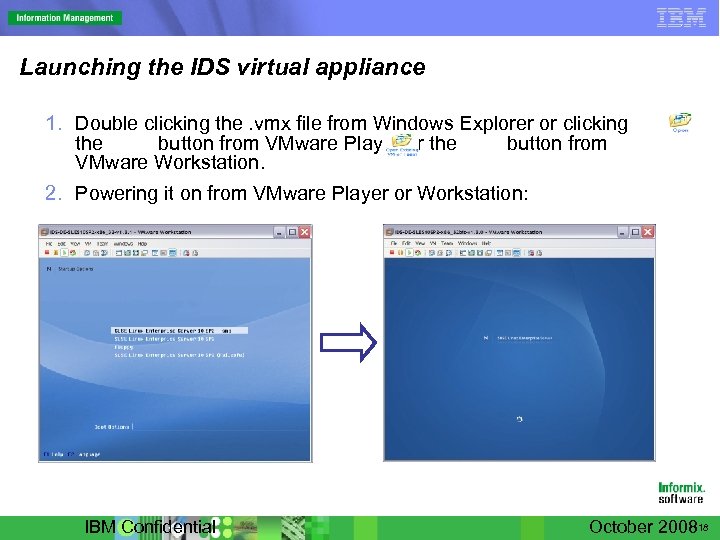 Launching the IDS virtual appliance 1. Double clicking the. vmx file from Windows Explorer or clicking the button from VMware Player or the button from VMware Workstation. 2. Powering it on from VMware Player or Workstation: IBM Confidential October 200818
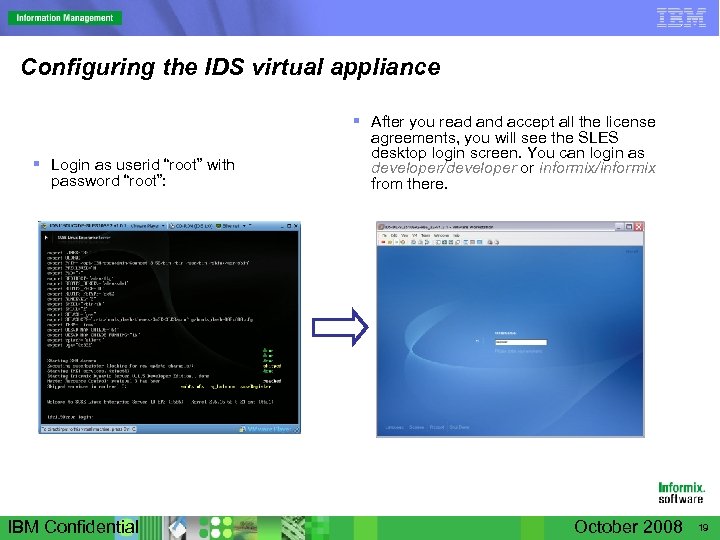 Configuring the IDS virtual appliance § Login as userid “root” with password “root”: IBM Confidential § After you read and accept all the license agreements, you will see the SLES desktop login screen. You can login as developer/developer or informix/informix from there. October 2008 19
 Demonstration of the IDS VA § Windows Desktop Demonstration of the IDS VA – Downloading – Installing – Launching and Configuring – Desktop Overview • Welcome page of the IDS VA • First Steps • SQL Editor • Data Studio • Open Admin Tool • Terminal § Amazon Compute Cloud Demonstration of the IDS VA – Launching and Configuring – Configuring and instance with SSH – Utilizing Open Admin Tool IBM Confidential October 200820
 Obtaining and using IDS VA § FREE Download Location – https: //www 14. software. ibm. com/webapp/iwm/web/reg/download. do? source=swginformixfpd&S_PKG=dl – Requires IBM Internet ID and Password § Using the IDS Virtual Appliance – Start now with development and testing – Build Virtualization skills and experience – Leverage for demos, presentations and education – Enable your sales teams IBM Confidential October 2008 21
 Assistance and Additional Resources § Presenters – Kent Klaas kentk@us. ibm. com – Yunming Wang yunming@us. ibm. com § Web Sites – www. vmware. com – www. developerworks. com – www. ibm. com 22
 Questions and Answers Q & A 23
 Supporting Slides 24
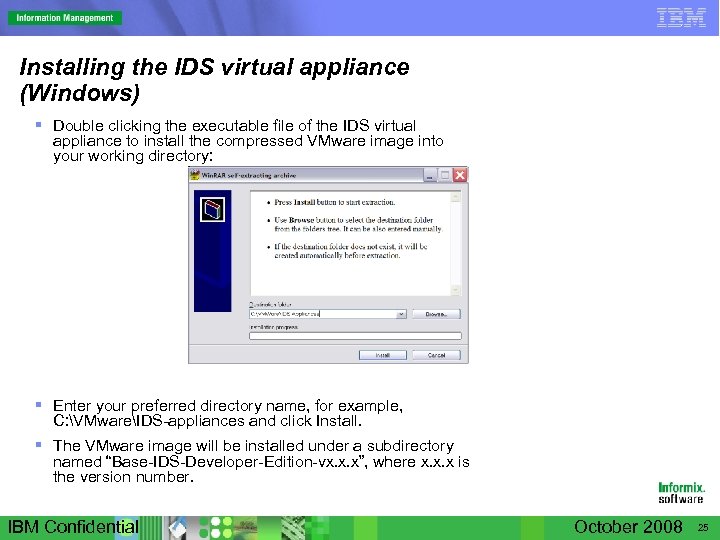 Installing the IDS virtual appliance (Windows) § Double clicking the executable file of the IDS virtual appliance to install the compressed VMware image into your working directory: § Enter your preferred directory name, for example, C: VMwareIDS-appliances and click Install. § The VMware image will be installed under a subdirectory named “Base-IDS-Developer-Edition-vx. x. x”, where x. x. x is the version number. IBM Confidential October 2008 25
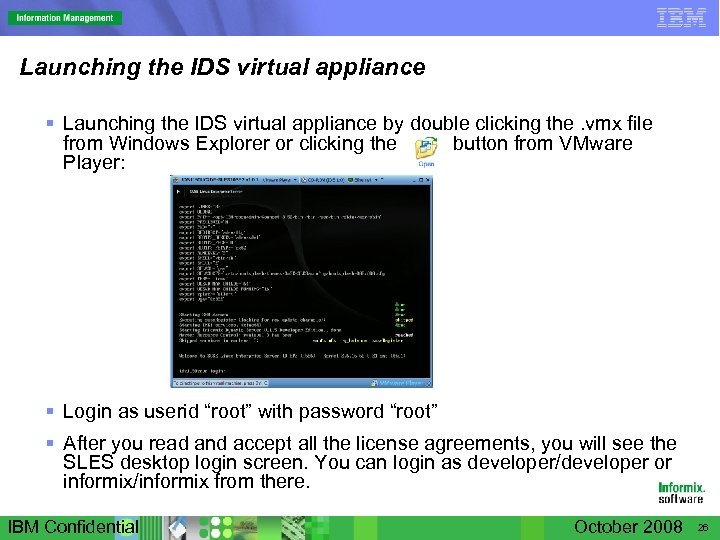 Launching the IDS virtual appliance § Launching the IDS virtual appliance by double clicking the. vmx file from Windows Explorer or clicking the button from VMware Player: § Login as userid “root” with password “root” § After you read and accept all the license agreements, you will see the SLES desktop login screen. You can login as developer/developer or informix/informix from there. IBM Confidential October 2008 26
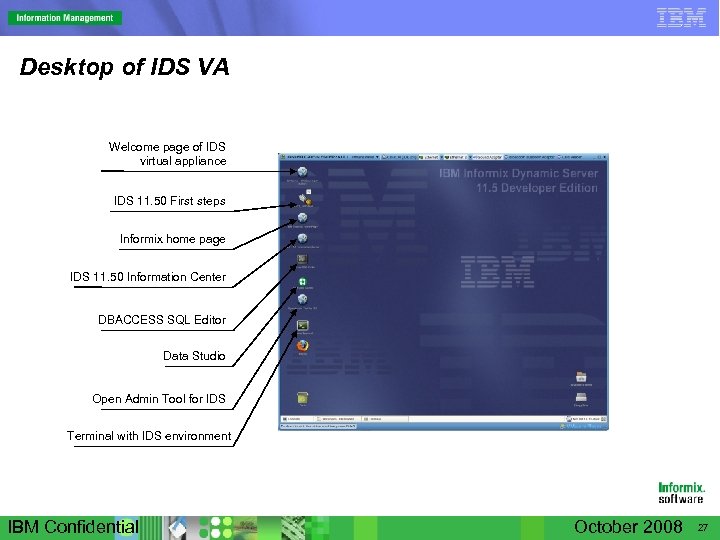 Desktop of IDS VA Welcome page of IDS virtual appliance IDS 11. 50 First steps Informix home page IDS 11. 50 Information Center DBACCESS SQL Editor Data Studio Open Admin Tool for IDS Terminal with IDS environment IBM Confidential October 2008 27
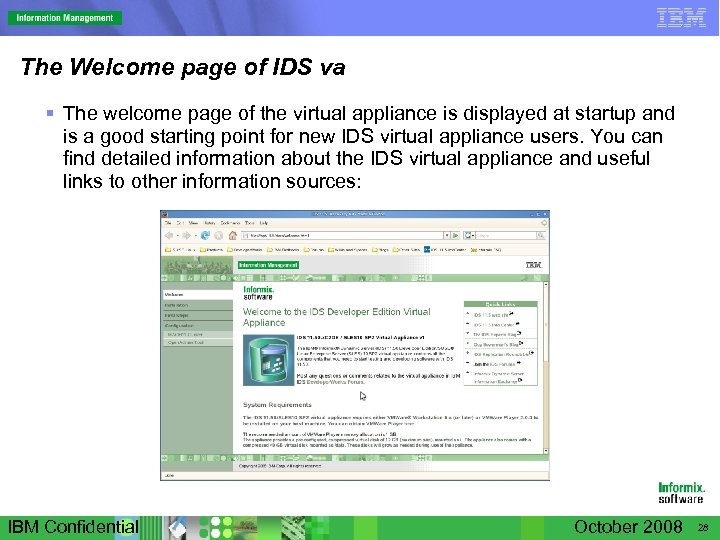 The Welcome page of IDS va § The welcome page of the virtual appliance is displayed at startup and is a good starting point for new IDS virtual appliance users. You can find detailed information about the IDS virtual appliance and useful links to other information sources: IBM Confidential October 2008 28
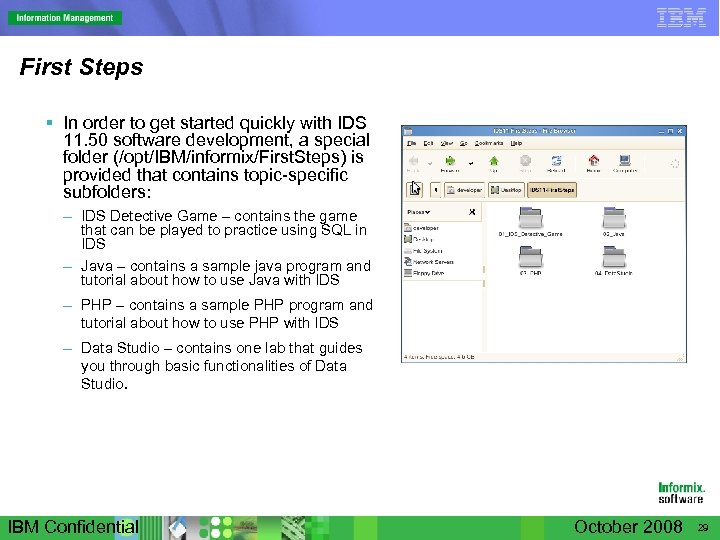 First Steps § In order to get started quickly with IDS 11. 50 software development, a special folder (/opt/IBM/informix/First. Steps) is provided that contains topic-specific subfolders: – IDS Detective Game – contains the game that can be played to practice using SQL in IDS – Java – contains a sample java program and tutorial about how to use Java with IDS – PHP – contains a sample PHP program and tutorial about how to use PHP with IDS – Data Studio – contains one lab that guides you through basic functionalities of Data Studio. IBM Confidential October 2008 29
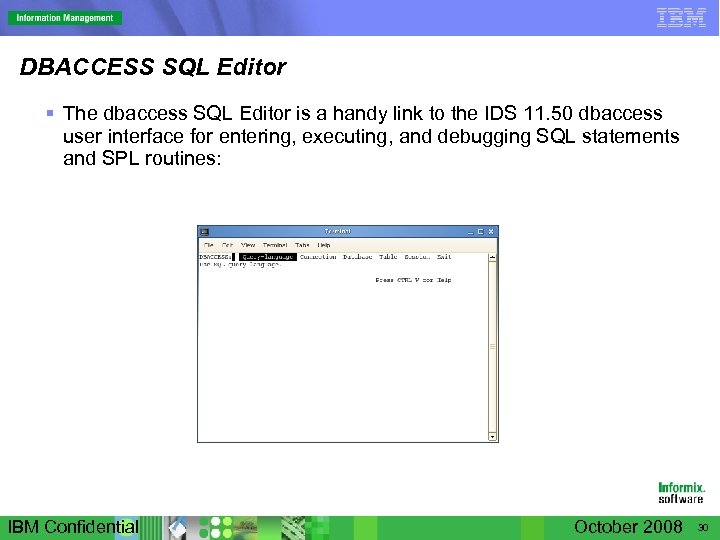 DBACCESS SQL Editor § The dbaccess SQL Editor is a handy link to the IDS 11. 50 dbaccess user interface for entering, executing, and debugging SQL statements and SPL routines: IBM Confidential October 2008 30
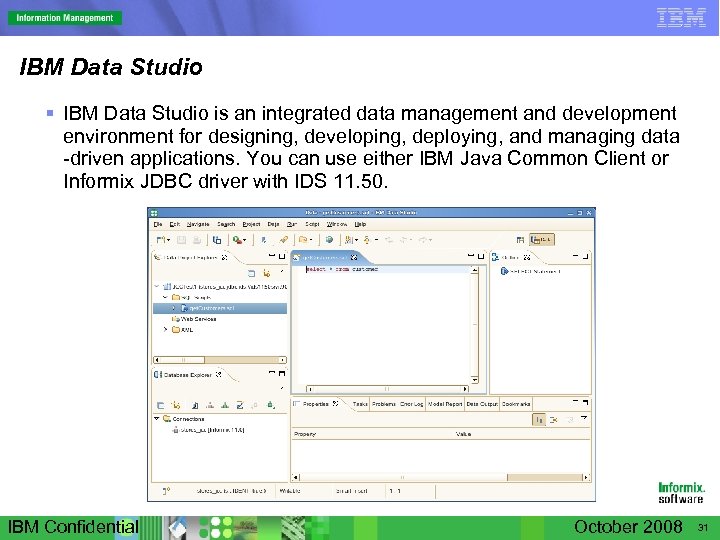 IBM Data Studio § IBM Data Studio is an integrated data management and development environment for designing, developing, deploying, and managing data -driven applications. You can use either IBM Java Common Client or Informix JDBC driver with IDS 11. 50. IBM Confidential October 2008 31
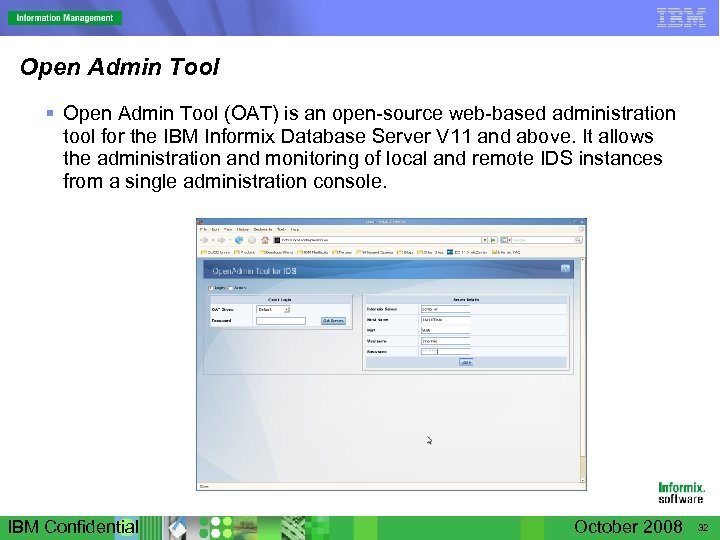 Open Admin Tool § Open Admin Tool (OAT) is an open-source web-based administration tool for the IBM Informix Database Server V 11 and above. It allows the administration and monitoring of local and remote IDS instances from a single administration console. IBM Confidential October 2008 32
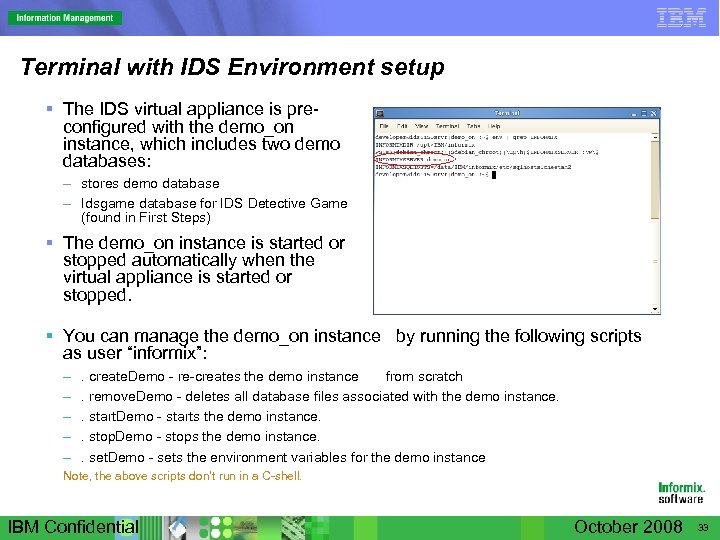 Terminal with IDS Environment setup § The IDS virtual appliance is preconfigured with the demo_on instance, which includes two demo databases: – stores demo database – Idsgame database for IDS Detective Game (found in First Steps) § The demo_on instance is started or stopped automatically when the virtual appliance is started or stopped. § You can manage the demo_on instance by running the following scripts as user “informix”: – – – . create. Demo - re-creates the demo instance from scratch. remove. Demo - deletes all database files associated with the demo instance. . start. Demo - starts the demo instance. . stop. Demo - stops the demo instance. . set. Demo - sets the environment variables for the demo instance Note, the above scripts don’t run in a C-shell. IBM Confidential October 2008 33
 Demo of Using IDS va in Amazon EC 2 § Amazon Elastic Compute Cloud (Amazon EC 2) presents a virtual computing environment. This demo will show you how the IDS va works as an Amazon EC 2 AMI: – Launching an IDS va AMI instance – Configuring the IDS va AMI instance – Using Open. Admin Tool on the IDS va AMI instance IBM Confidential October 2008 34
 Launching an IDS va AMI instance § This demo will launch an IDS va AMI instance based one of the existing IDS va AMIs in Amazon EC 2 previously created for this demo. You can find out more information about how to create an AMI image at Amazon EC 2 wetsite. § There are two ways you can launch an IDS va AMI instance: – Amazon AWS Management Console at https: //console. aws. amazon. com/ – Amazon Command Line Tools § This demo will use the Console for simplicity reason. IBM Confidential October 2008 35
 Configuring the IDS va AMI instance § Once the instance is running, it needs to be configured. § This demo will use putty. exe from a Windows machine to connect to the instance and configure the AMI instance. IBM Confidential October 200836
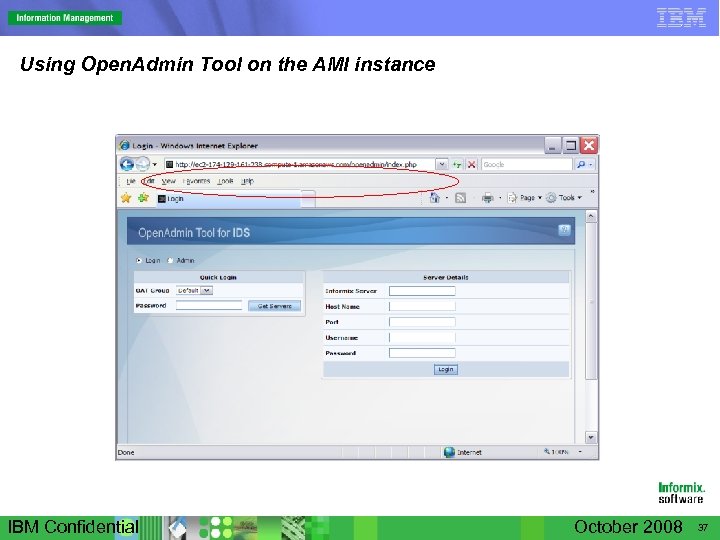 Using Open. Admin Tool on the AMI instance IBM Confidential October 2008 37