 Скачать презентацию Virtualization Barry Hutt Virtualization Consultant LGEexecs bhutt lgeexecs com
b4cd7ab73f2f602807cf55bdda6dc3e0.ppt
- Количество слайдов: 13



Virtualization Barry Hutt Virtualization Consultant LGEexecs bhutt@lgeexecs. com 3/17/2018
Agenda • Virtualization Opportunity & Market. Place • The many faces of Virtualization • Virtualization Definitions • Case Study • Discussion 2 3/17/2018
What is the Opportunity? Virtualization is here to stay, in the future everything will be virtual, this includes Servers, Networks, Storage and the last frontier Desktops If you are a product manager at a minimum you should be testing and certifying your product in Virtual Machine’s As the legacy PC model runs out of steam, Desktop Virtualization presents the next stage of evolution for end-user computing. Hundreds of millions of PCs sold every year are up for grabs. The market opportunity is massive Gartner: 600+ million virtualized PCs by 2011 * IDC: VDI to exceed $2 BN by 2011 * 10% of Servers/Host have been virtualized 1% of Desktops have been virtualized Benefits of Virtualization 3 Data Security Availability (software / hardware fault tolerance) Scalability/Time to Deployment Power Consumption Disaster Preparedness and Recovery Manageability (Break/Fix, Policy Compliance, Device Provisioning/Deprovisioning, Move/Adds/Changes, and Software Deployment) 3/17/2018
IDC Assertions 2006 – The impact of Virtualization on Operating Systems • Virtualization should be recognized as a disruptive force that will significantly change the rules of the game for operating system vendors. The ability to support low-cost "software appliances" is just one of the new dimensions that will emerge over the next 24 months. • Where there is change and challenge, there is also significant new opportunity. Creating short-life or completely disposable operating systems could be disruptive to the traditional business model. • System management vendors will find they are no longer managing physical servers but physical servers and virtual servers. • This is not just a server phenomenon. There is also significant potential for disruption in the client operating system space, both through the inclusion of virtual machine software aboard client devices and through the advent of virtually hosted client operating environments housed aboard remote servers and accessed through inexpensive mobile or thin-client devices. 4 9/17/2008
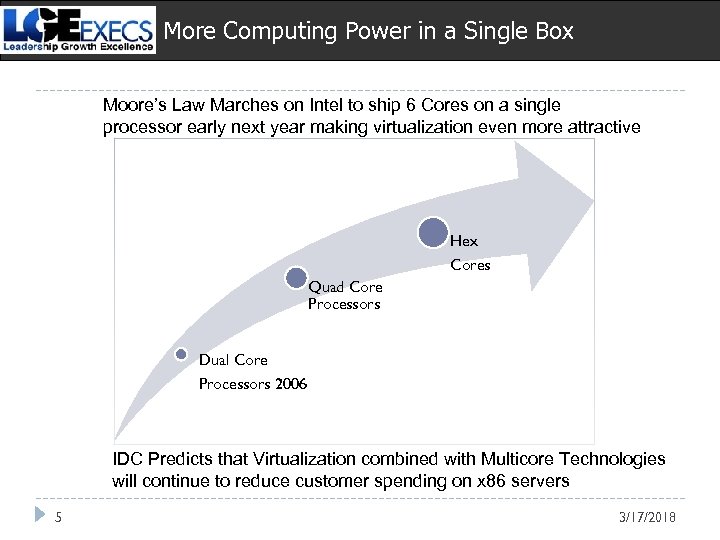
More Computing Power in a Single Box Moore’s Law Marches on Intel to ship 6 Cores on a single processor early next year making virtualization even more attractive Hex Cores Quad Core Processors Dual Core Processors 2006 IDC Predicts that Virtualization combined with Multicore Technologies will continue to reduce customer spending on x 86 servers 5 3/17/2018
Myths, Facts & Entertainment • Virtualization is an overused term to describe & imply higher utilization and …. efficiencies of technologies in the enterprise, promising: • Higher utilization of Server & Storage Hardware & fewer Servers • Faster deployment of applications and software maintenance • Reduced administrative cost • Reduced Energy & Space • High demand for virtualization knowledge to sort out a strategy and the vocabulary • Cloud Computing, what is it? Will it replace or complement Virtualization? • Marco Economy conditions is stretching commercial sales cycles and there is anticipation that state and local, education budgets will be squeezed in 2009 & 2010…… • HP, Dell, IBM, Sun have already made major technology bets in virtualization technologies…. . 6 9/17/2008
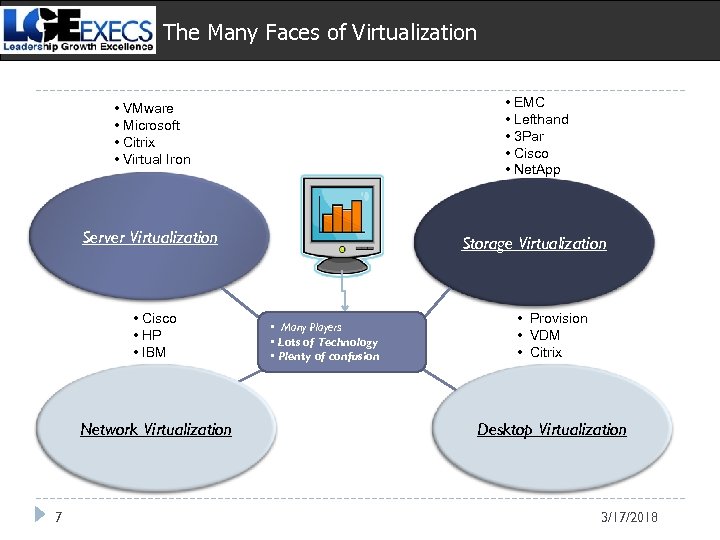
The Many Faces of Virtualization • VMware • Microsoft • Citrix • Virtual Iron • EMC • Lefthand • 3 Par • Cisco • Net. App Server Virtualization Storage Virtualization • Cisco • HP • IBM Network Virtualization 7 • Many Players • Lots of Technology • Plenty of confusion • Provision • VDM • Citrix Desktop Virtualization 3/17/2018
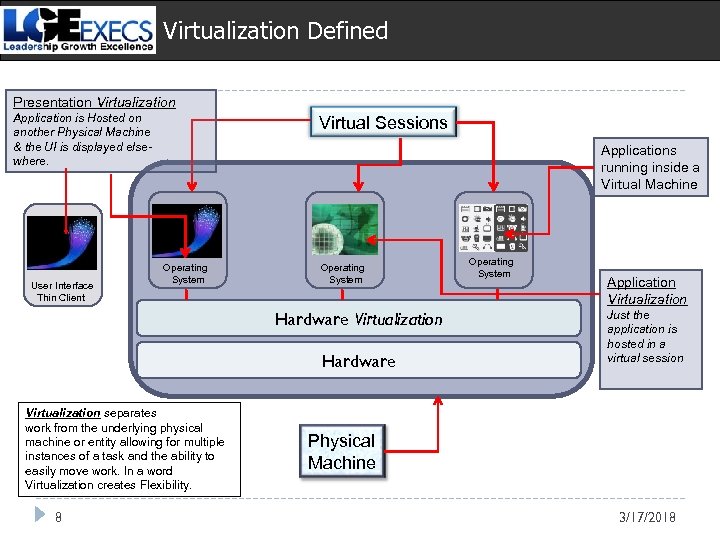
Virtualization Defined Presentation Virtualization Application is Hosted on another Physical Machine & the UI is displayed elsewhere. OO User Interface Thin Client Virtual Sessions Applications running inside a Virtual Machine OO Operating System Hardware Virtualization separates work from the underlying physical machine or entity allowing for multiple instances of a task and the ability to easily move work. In a word Virtualization creates Flexibility. 8 Operating System Application Virtualization Just the application is hosted in a virtual session Physical Machine 3/17/2018
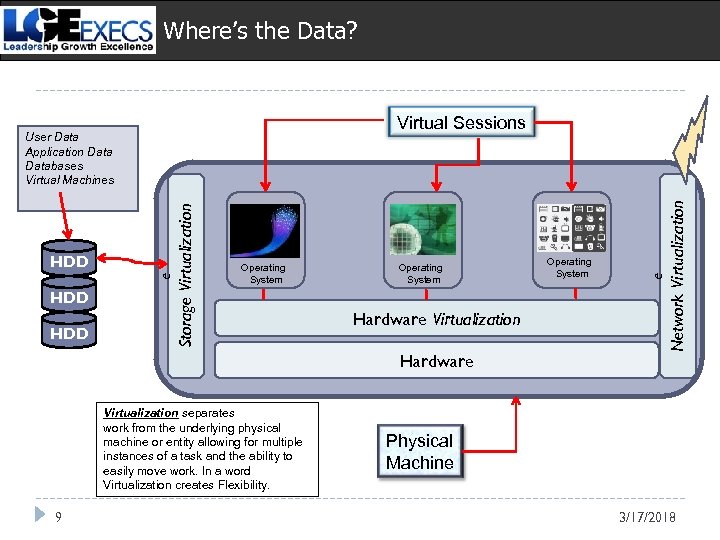
Where’s the Data? HDD Operating System Hardware Virtualization separates work from the underlying physical machine or entity allowing for multiple instances of a task and the ability to easily move work. In a word Virtualization creates Flexibility. 9 Operating System e Storage Virtualization e HDD OO Network Virtualization Virtual Sessions User Data Application Databases Virtual Machines Physical Machine 3/17/2018
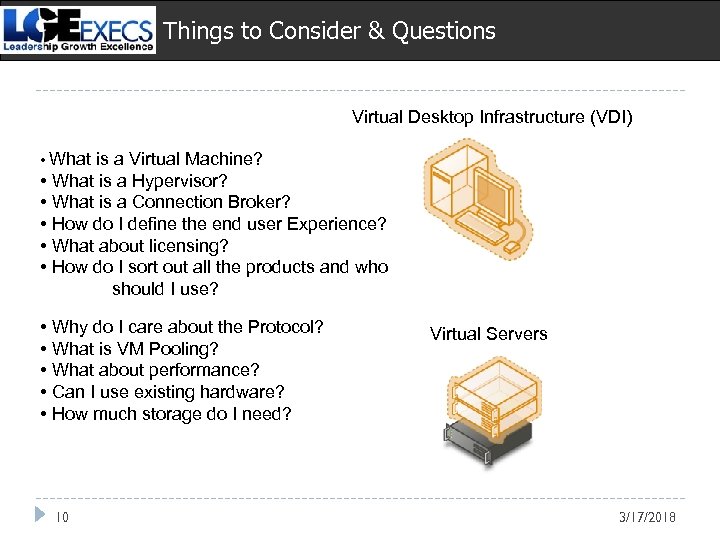
Things to Consider & Questions Virtual Desktop Infrastructure (VDI) • What is a Virtual Machine? • What is a Hypervisor? • What is a Connection Broker? • How do I define the end user Experience? • What about licensing? • How do I sort out all the products and who should I use? • Why do I care about the Protocol? • What is VM Pooling? • What about performance? • Can I use existing hardware? • How much storage do I need? 10 Virtual Servers 3/17/2018
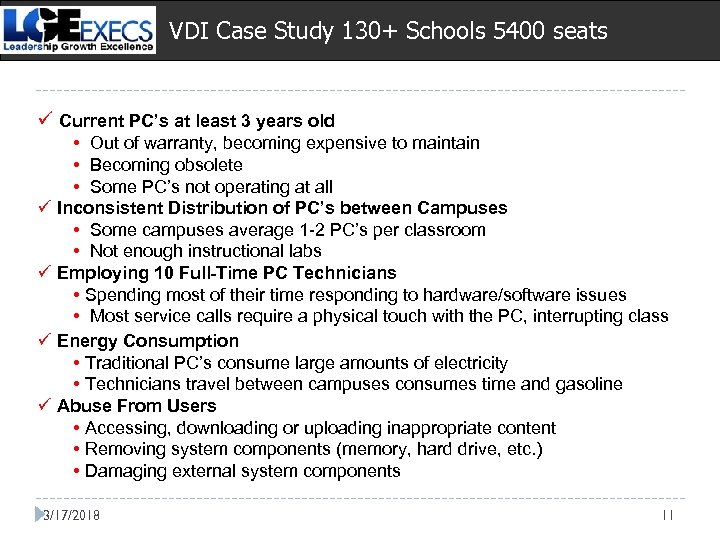
VDI Case Study 130+ Schools 5400 seats ü Current PC’s at least 3 years old • Out of warranty, becoming expensive to maintain • Becoming obsolete • Some PC’s not operating at all ü Inconsistent Distribution of PC’s between Campuses • Some campuses average 1 -2 PC’s per classroom • Not enough instructional labs ü Employing 10 Full-Time PC Technicians • Spending most of their time responding to hardware/software issues • Most service calls require a physical touch with the PC, interrupting class ü Energy Consumption • Traditional PC’s consume large amounts of electricity • Technicians travel between campuses consumes time and gasoline ü Abuse From Users • Accessing, downloading or uploading inappropriate content • Removing system components (memory, hard drive, etc. ) • Damaging external system components 3/17/2018 11
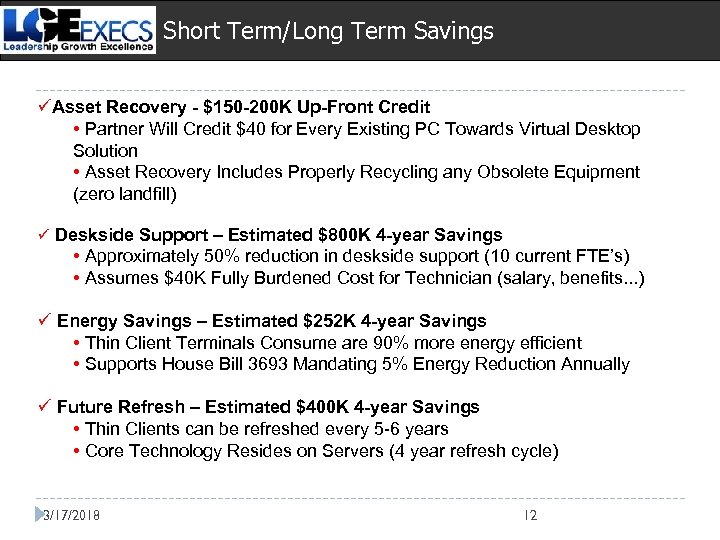
Short Term/Long Term Savings üAsset Recovery - $150 -200 K Up-Front Credit • Partner Will Credit $40 for Every Existing PC Towards Virtual Desktop Solution • Asset Recovery Includes Properly Recycling any Obsolete Equipment (zero landfill) ü Deskside Support – Estimated $800 K 4 -year Savings • Approximately 50% reduction in deskside support (10 current FTE’s) • Assumes $40 K Fully Burdened Cost for Technician (salary, benefits. . . ) ü Energy Savings – Estimated $252 K 4 -year Savings • Thin Client Terminals Consume are 90% more energy efficient • Supports House Bill 3693 Mandating 5% Energy Reduction Annually ü Future Refresh – Estimated $400 K 4 -year Savings • Thin Clients can be refreshed every 5 -6 years • Core Technology Resides on Servers (4 year refresh cycle) 3/17/2018 12
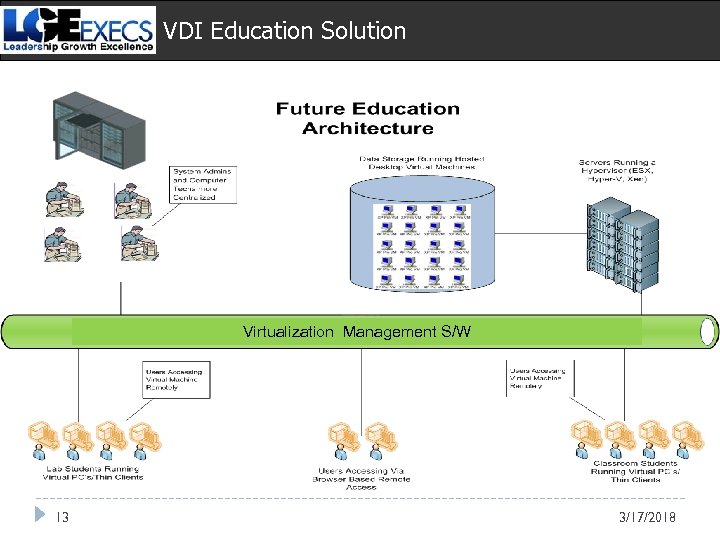
VDI Education Solution Virtualization Management S/W 13 3/17/2018
Скачать презентацию Virtualization Barry Hutt Virtualization Consultant LGEexecs bhutt lgeexecs com
b4cd7ab73f2f602807cf55bdda6dc3e0.ppt