


 Скачать презентацию VIRTUAL HOSTING WITH Pure FTPd And MYSQL Quota
dfc47f55c154e819c1c3e3860335a288.ppt
- Количество слайдов: 22
 VIRTUAL HOSTING WITH Pure. FTPd And MYSQL (Quota And Bandwidth Management) BY Odoh Kenneth Emeka Sun Yu Patrick Appiah
 FTP is an acronym for File Transfer Protocol What is a protocol? FTP Client / server architecture Port 21 for incoming connection. TCP protocol
 ADVANTAGES OF FTP Easy to use Low bandwidth Control over transfer e. g. choosing how data is transferred with binary, executable e. t. c
 Disadvantages of FTP SECURITY Using ch’root file server with suitable file permission can deter simple attacks but SSH or TLS is a better option as password is not transferred in clear text.
 Security in virtual hosting project Ch’root FTP. User is directed to a specially made home directory with minimal permissions. Users don’t have shell few commands e. g ls System files are inaccessible to users.
 Software used for virtual hosting project
 Project Requirement Scalable Handle both authenticated user and anonymous user. Implement quota management and upload/download bandwidth limits management.
 Procedures Note: Always back up any configuration file before making any changes. Log into the computer using the administrator account. $ sudo su Configure the static IP address by editing the /etc/hosts file. Install mysql-server , mysql-client, phpmyadmin and Apache 2. $ aptitude install mysql-server mysqlclient phpmyadmin apache 2
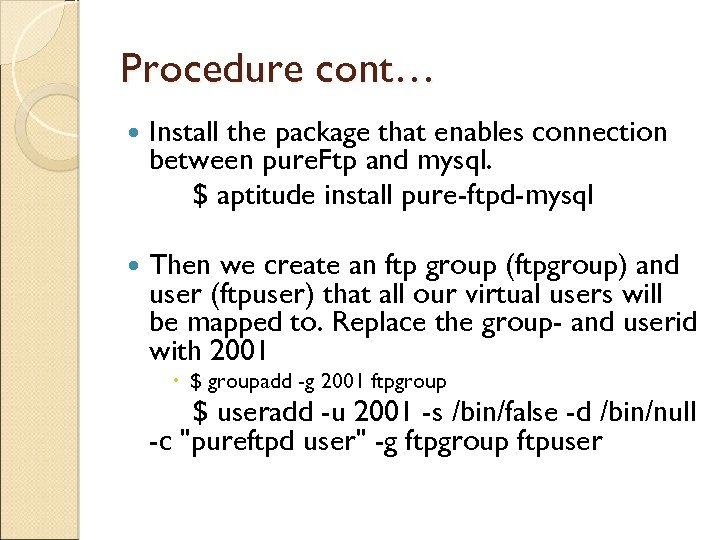 Procedure cont… Install the package that enables connection between pure. Ftp and mysql. $ aptitude install pure-ftpd-mysql Then we create an ftp group (ftpgroup) and user (ftpuser) that all our virtual users will be mapped to. Replace the group- and userid with 2001 $ groupadd -g 2001 ftpgroup $ useradd -u 2001 -s /bin/false -d /bin/null -c "pureftpd user" -g ftpgroup ftpuser
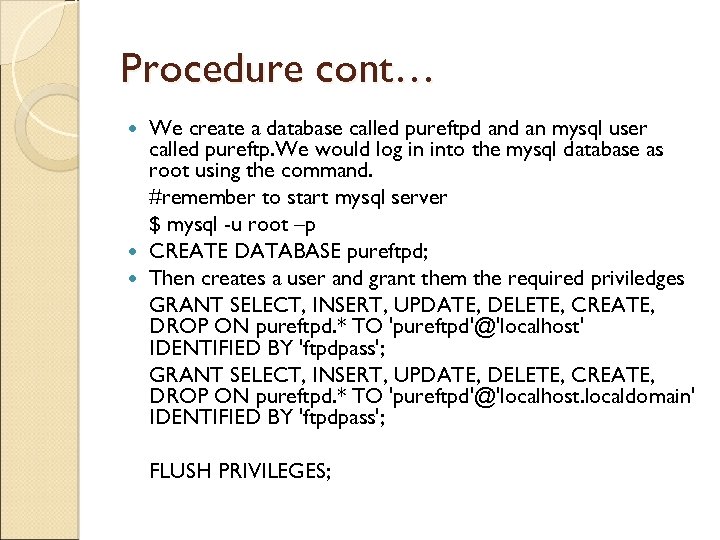 Procedure cont… We create a database called pureftpd an mysql user called pureftp. We would log in into the mysql database as root using the command. #remember to start mysql server $ mysql -u root –p CREATE DATABASE pureftpd; Then creates a user and grant them the required priviledges GRANT SELECT, INSERT, UPDATE, DELETE, CREATE, DROP ON pureftpd. * TO 'pureftpd'@'localhost' IDENTIFIED BY 'ftpdpass'; GRANT SELECT, INSERT, UPDATE, DELETE, CREATE, DROP ON pureftpd. * TO 'pureftpd'@'localhost. localdomain' IDENTIFIED BY 'ftpdpass'; FLUSH PRIVILEGES;
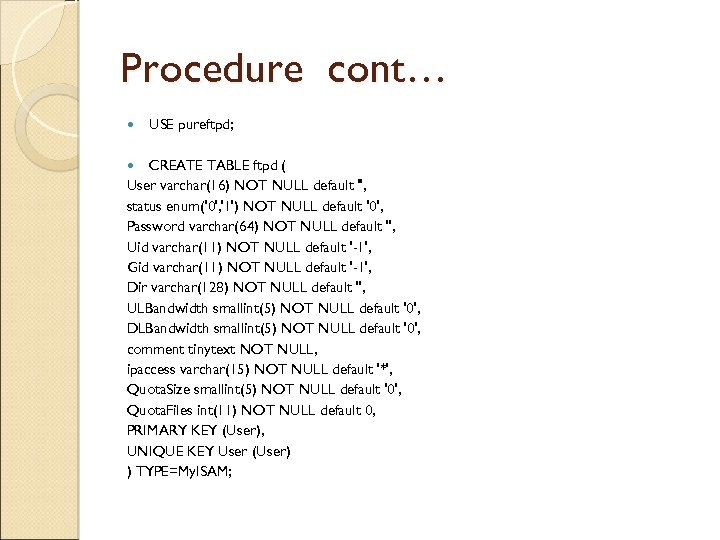 Procedure cont… USE pureftpd; CREATE TABLE ftpd ( User varchar(16) NOT NULL default '', status enum('0', '1') NOT NULL default '0', Password varchar(64) NOT NULL default '', Uid varchar(11) NOT NULL default '-1', Gid varchar(11) NOT NULL default '-1', Dir varchar(128) NOT NULL default '', ULBandwidth smallint(5) NOT NULL default '0', DLBandwidth smallint(5) NOT NULL default '0', comment tinytext NOT NULL, ipaccess varchar(15) NOT NULL default '*', Quota. Size smallint(5) NOT NULL default '0', Quota. Files int(11) NOT NULL default 0, PRIMARY KEY (User), UNIQUE KEY User (User) ) TYPE=My. ISAM;
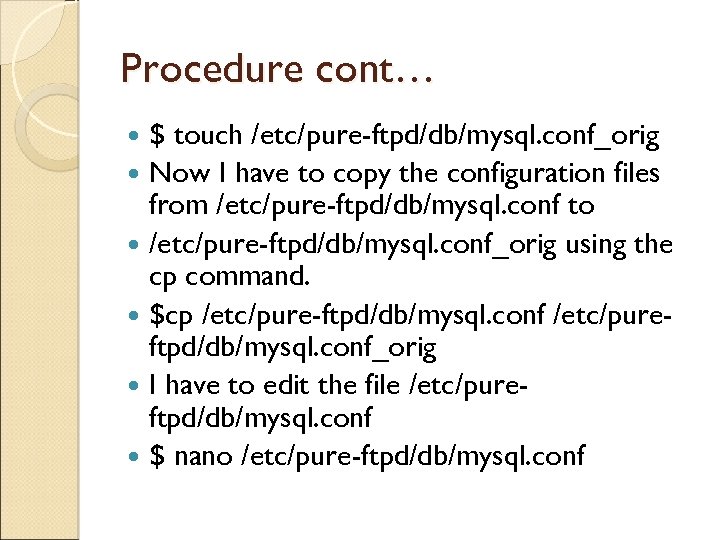 Procedure cont… $ touch /etc/pure-ftpd/db/mysql. conf_orig Now I have to copy the configuration files from /etc/pure-ftpd/db/mysql. conf to /etc/pure-ftpd/db/mysql. conf_orig using the cp command. $cp /etc/pure-ftpd/db/mysql. conf /etc/pureftpd/db/mysql. conf_orig I have to edit the file /etc/pureftpd/db/mysql. conf $ nano /etc/pure-ftpd/db/mysql. conf
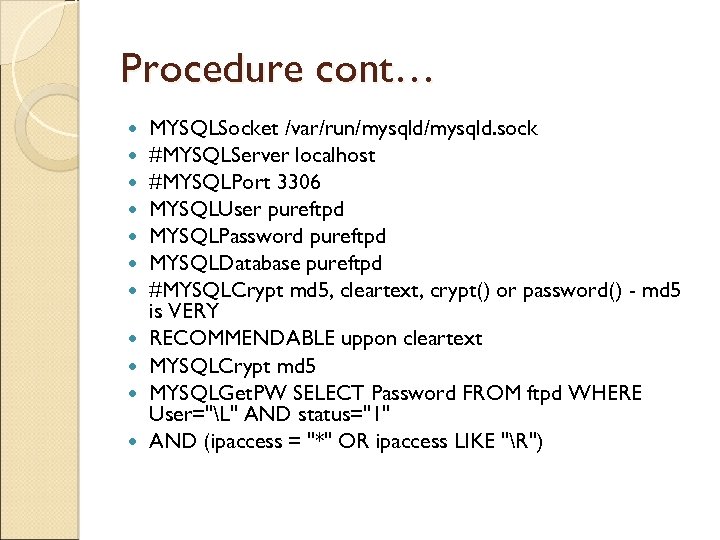 Procedure cont… MYSQLSocket /var/run/mysqld. sock #MYSQLServer localhost #MYSQLPort 3306 MYSQLUser pureftpd MYSQLPassword pureftpd MYSQLDatabase pureftpd #MYSQLCrypt md 5, cleartext, crypt() or password() - md 5 is VERY RECOMMENDABLE uppon cleartext MYSQLCrypt md 5 MYSQLGet. PW SELECT Password FROM ftpd WHERE User="L" AND status="1" AND (ipaccess = "*" OR ipaccess LIKE "R")
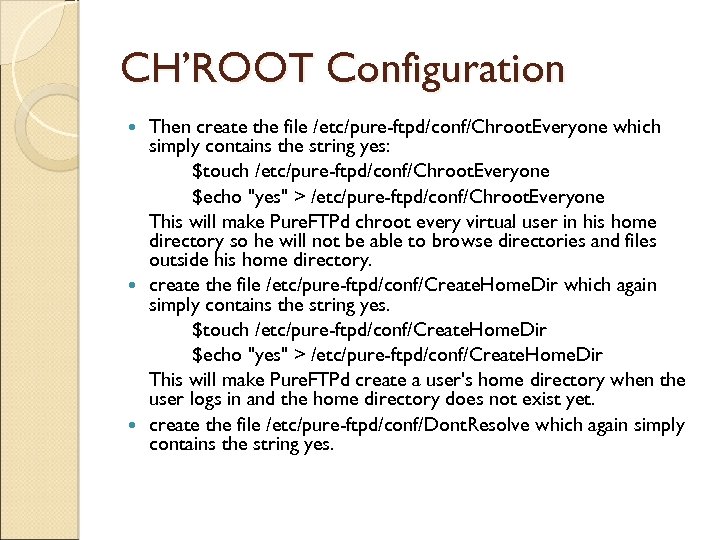 CH’ROOT Configuration Then create the file /etc/pure-ftpd/conf/Chroot. Everyone which simply contains the string yes: $touch /etc/pure-ftpd/conf/Chroot. Everyone $echo "yes" > /etc/pure-ftpd/conf/Chroot. Everyone This will make Pure. FTPd chroot every virtual user in his home directory so he will not be able to browse directories and files outside his home directory. create the file /etc/pure-ftpd/conf/Create. Home. Dir which again simply contains the string yes. $touch /etc/pure-ftpd/conf/Create. Home. Dir $echo "yes" > /etc/pure-ftpd/conf/Create. Home. Dir This will make Pure. FTPd create a user's home directory when the user logs in and the home directory does not exist yet. create the file /etc/pure-ftpd/conf/Dont. Resolve which again simply contains the string yes.
/etc/pureftpd/conf/Dont. Resolve This will make that" src="https://present5.com/presentation/dfc47f55c154e819c1c3e3860335a288/image-16.jpg" alt="Cont. . $touch /etc/pureftpd/conf/Dont. Resolve $echo "yes" > /etc/pureftpd/conf/Dont. Resolve This will make that" />
Cont. . $touch /etc/pureftpd/conf/Dont. Resolve $echo "yes" > /etc/pureftpd/conf/Dont. Resolve This will make that Pure. FTPd reduce bandwidth usage. We have to restart the pureftpd server $ /etc/init. d/pure-ftpd-mysql restart
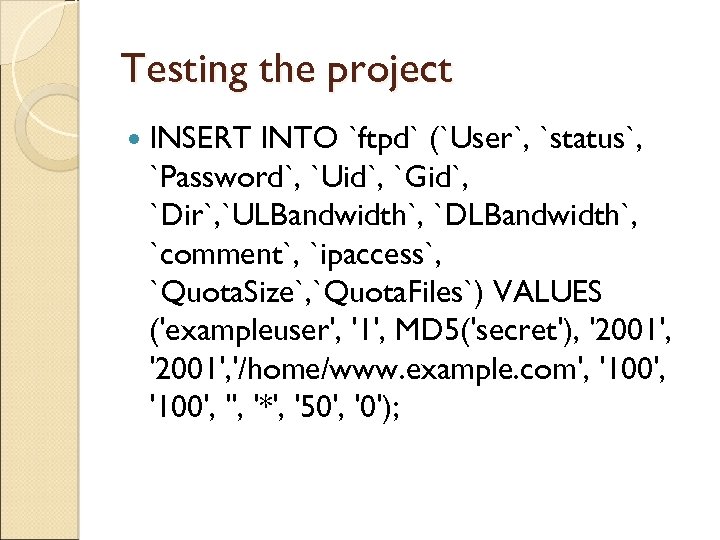 Testing the project INSERT INTO `ftpd` (`User`, `status`, `Password`, `Uid`, `Gid`, `Dir`, `ULBandwidth`, `DLBandwidth`, `comment`, `ipaccess`, `Quota. Size`, `Quota. Files`) VALUES ('exampleuser', '1', MD 5('secret'), '2001', '/home/www. example. com', '100', '*', '50', '0');
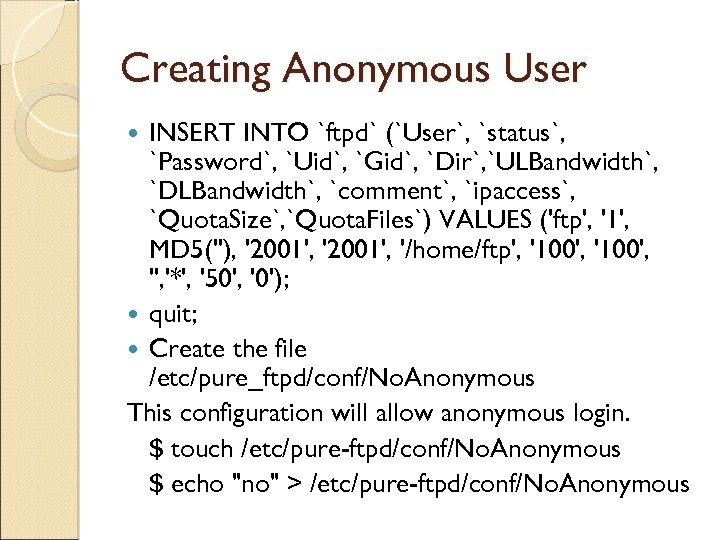 Creating Anonymous User INSERT INTO `ftpd` (`User`, `status`, `Password`, `Uid`, `Gid`, `Dir`, `ULBandwidth`, `DLBandwidth`, `comment`, `ipaccess`, `Quota. Size`, `Quota. Files`) VALUES ('ftp', '1', MD 5(''), '2001', '/home/ftp', '100', '*', '50', '0'); quit; Create the file /etc/pure_ftpd/conf/No. Anonymous This configuration will allow anonymous login. $ touch /etc/pure-ftpd/conf/No. Anonymous $ echo "no" > /etc/pure-ftpd/conf/No. Anonymous
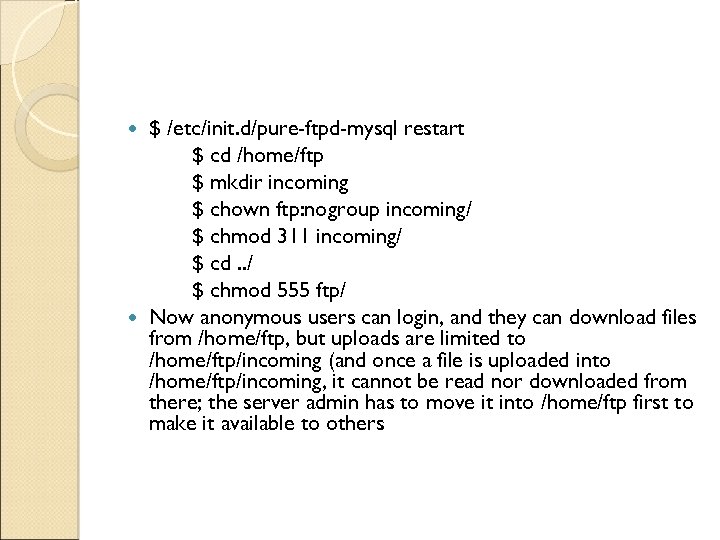 $ /etc/init. d/pure-ftpd-mysql restart $ cd /home/ftp $ mkdir incoming $ chown ftp: nogroup incoming/ $ chmod 311 incoming/ $ cd. . / $ chmod 555 ftp/ Now anonymous users can login, and they can download files from /home/ftp, but uploads are limited to /home/ftp/incoming (and once a file is uploaded into /home/ftp/incoming, it cannot be read nor downloaded from there; the server admin has to move it into /home/ftp first to make it available to others
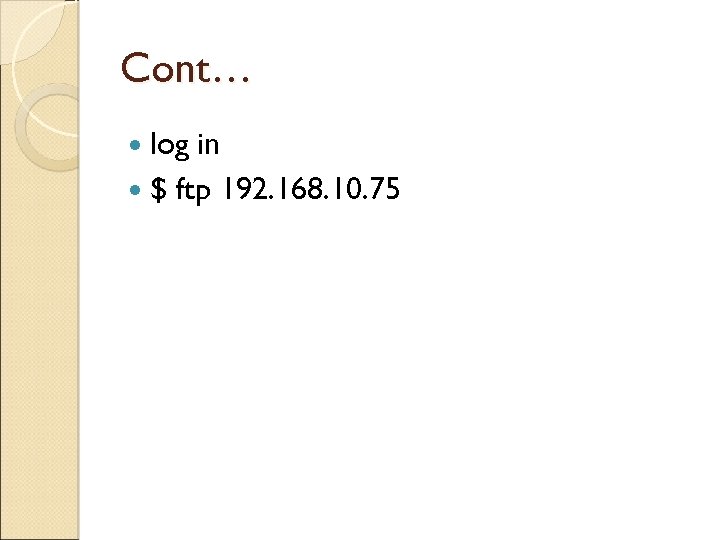 Cont… log in $ ftp 192. 168. 10. 75
 References http: //www. chinalinuxpub. com/doc/www. silic onvalleyccie. com/index. htm http: //www. linuxhomenetworking. com/ http: //linuxservertutorials. blogspot. com/200 8/11/configure-ftp-server-onubuntu. html http: //en. wikipedia. org/wiki/Pure-FTPd http: //www. howtoforge. com/virtual-hostingwith-pureftpd-and-mysql-incl-quotaand bandwidth-management-on-ubuntu-9. 10 -p 2
 END THANKS