


 Скачать презентацию Version LH 19 11 04 KONICA MINOLTA PRINTING SOLUTIONS EUROPE
97ad205ceca8a5d7be60083167e93a6c.ppt
- Количество слайдов: 40
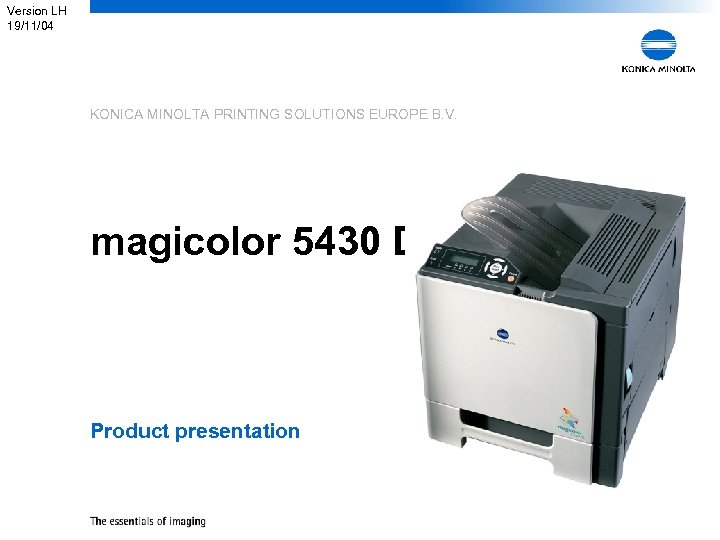 Version LH 19/11/04 KONICA MINOLTA PRINTING SOLUTIONS EUROPE B. V. magicolor 5430 Desk. Laser Product presentation
 Introduction § Thijs van Thienen § Product manager single-pass colour – magicolor 3100 – magicolor 3300 – magicolor 5400 series § Product Marketing – Manager: Hiroyuki Masuda KONICA MINOLTA PRINTING SOLUTIONS EUROPE B. V. 2
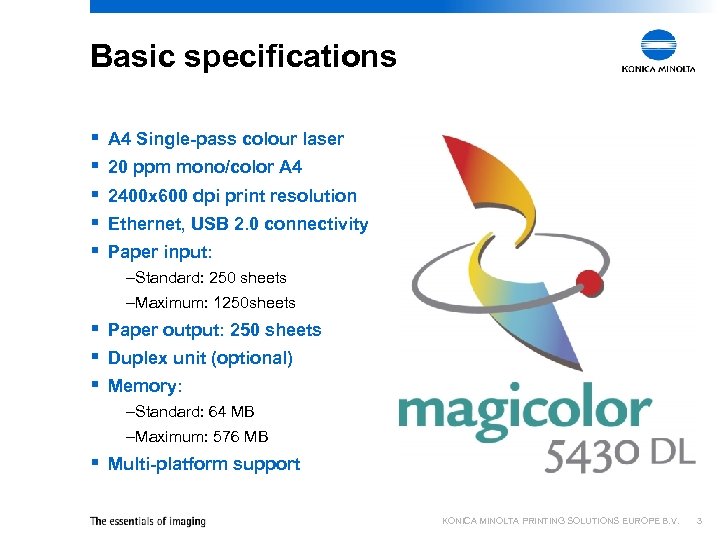 Basic specifications § § § A 4 Single-pass colour laser 20 ppm mono/color A 4 2400 x 600 dpi print resolution Ethernet, USB 2. 0 connectivity Paper input: –Standard: 250 sheets –Maximum: 1250 sheets § Paper output: 250 sheets § Duplex unit (optional) § Memory: –Standard: 64 MB –Maximum: 576 MB § Multi-platform support KONICA MINOLTA PRINTING SOLUTIONS EUROPE B. V. 3
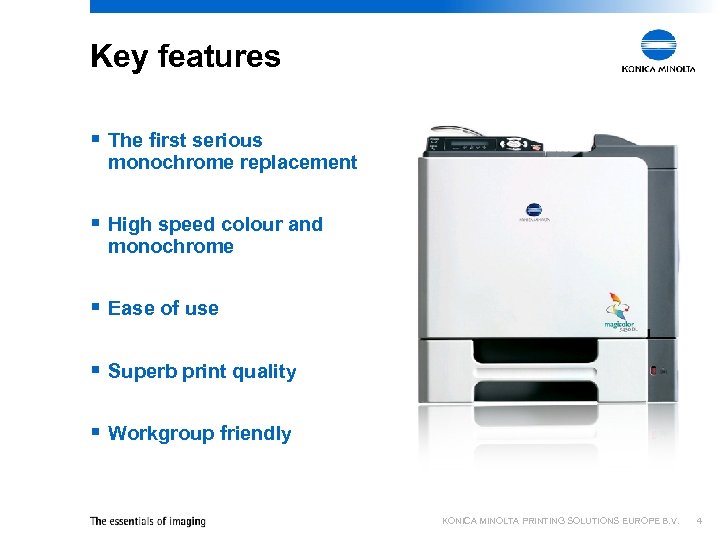 Key features § The first serious monochrome replacement § High speed colour and monochrome § Ease of use § Superb print quality § Workgroup friendly KONICA MINOLTA PRINTING SOLUTIONS EUROPE B. V. 4
 Key features: Mono replacement § The Konica Minolta magicolor 5430 Desk. Laser is the first colour laser printer that offers all the advantages of monochrome printers, with the benefit of high quality colour printing at the same speed – Purchase price below that of leading workgroup monochrome printers* – Running costs below that of leading workgroup monochrome printers* – Warm-up time comparable to monochrome printers* – First page comparable to that of leading monochrome printers* – Low user interference • Only 5 consumables • High yields (6, 000 pages) * In the same speed range KONICA MINOLTA PRINTING SOLUTIONS EUROPE B. V. 5
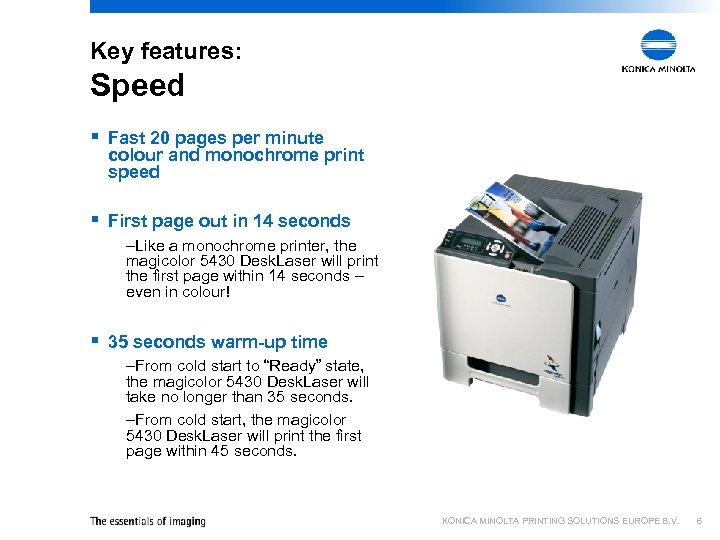 Key features: Speed § Fast 20 pages per minute colour and monochrome print speed § First page out in 14 seconds –Like a monochrome printer, the magicolor 5430 Desk. Laser will print the first page within 14 seconds – even in colour! § 35 seconds warm-up time –From cold start to “Ready” state, the magicolor 5430 Desk. Laser will take no longer than 35 seconds. –From cold start, the magicolor 5430 Desk. Laser will print the first page within 45 seconds. KONICA MINOLTA PRINTING SOLUTIONS EUROPE B. V. 6
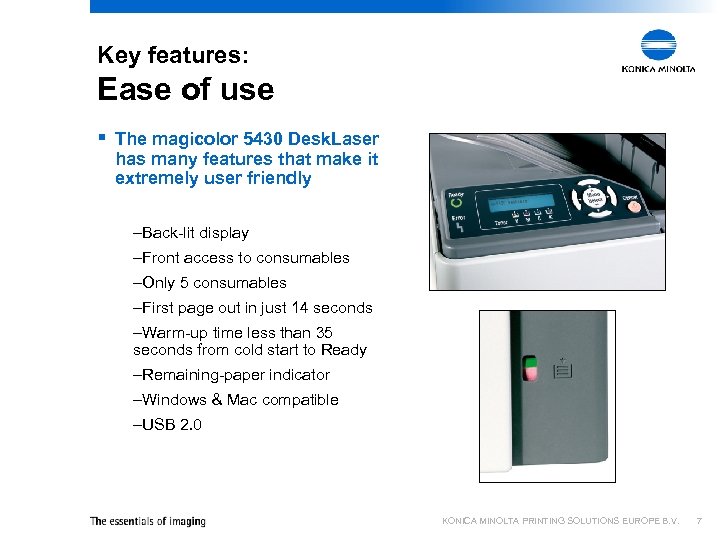 Key features: Ease of use § The magicolor 5430 Desk. Laser has many features that make it extremely user friendly –Back-lit display –Front access to consumables –Only 5 consumables –First page out in just 14 seconds –Warm-up time less than 35 seconds from cold start to Ready –Remaining-paper indicator –Windows & Mac compatible –USB 2. 0 KONICA MINOLTA PRINTING SOLUTIONS EUROPE B. V. 7
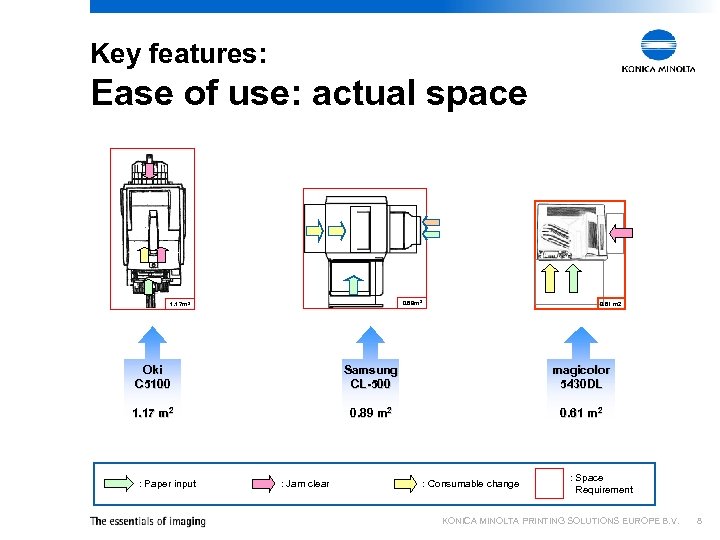 Key features: Ease of use: actual space 0. 89 m 2 1. 17 m 2 0. 61 m 2 Oki C 5100 Samsung CL-500 magicolor 5430 DL 1. 17 m 2 0. 89 m 2 0. 61 m 2 : Paper input : Jam clear : Consumable change : Space Requirement KONICA MINOLTA PRINTING SOLUTIONS EUROPE B. V. 8
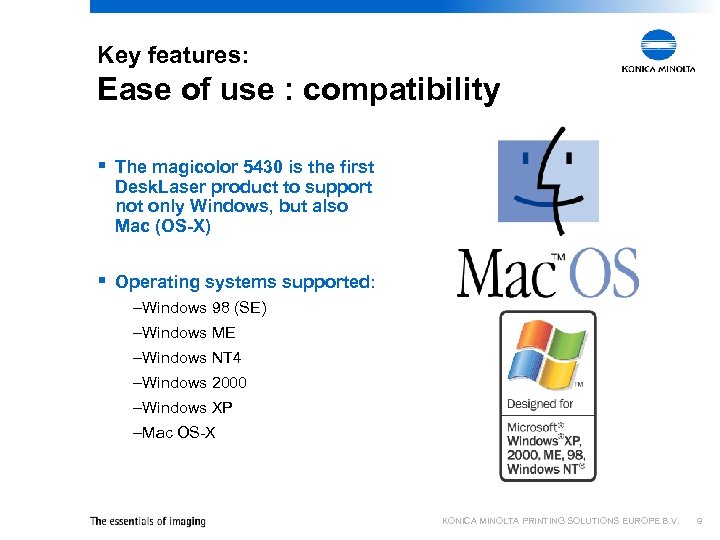 Key features: Ease of use : compatibility § The magicolor 5430 is the first Desk. Laser product to support not only Windows, but also Mac (OS-X) § Operating systems supported: –Windows 98 (SE) –Windows ME –Windows NT 4 –Windows 2000 –Windows XP –Mac OS-X KONICA MINOLTA PRINTING SOLUTIONS EUROPE B. V. 9
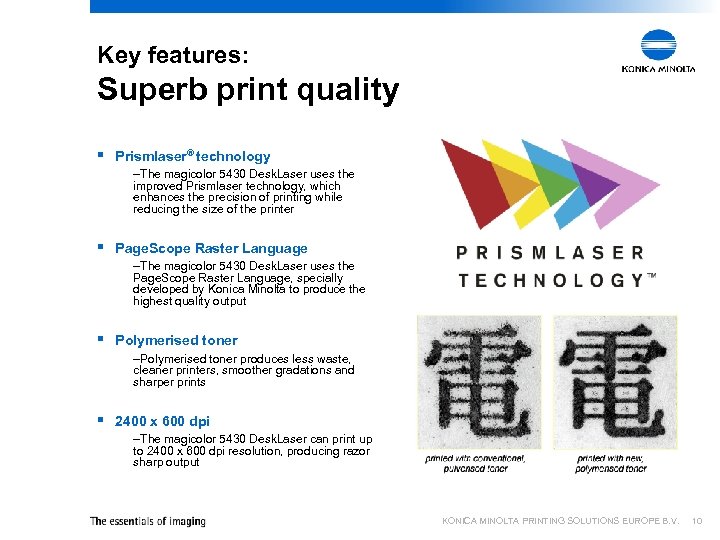 Key features: Superb print quality § Prismlaser® technology –The magicolor 5430 Desk. Laser uses the improved Prismlaser technology, which enhances the precision of printing while reducing the size of the printer § Page. Scope Raster Language –The magicolor 5430 Desk. Laser uses the Page. Scope Raster Language, specially developed by Konica Minolta to produce the highest quality output § Polymerised toner –Polymerised toner produces less waste, cleaner printers, smoother gradations and sharper prints § 2400 x 600 dpi –The magicolor 5430 Desk. Laser can print up to 2400 x 600 dpi resolution, producing razor sharp output KONICA MINOLTA PRINTING SOLUTIONS EUROPE B. V. 10
 Key features: Workgroup friendly § Standard network connection – Unlike many colour and monochrome workgroup printers, the magicolor 5430 Desk. Laser has a standard network connection – ready to be used by any network! § 250 -sheet multi-purpose feeder – The standard 250 -sheet multi-purpose feeder accepts many different media sizes, from small envelopes to Letter. – For even more convenience, the magicolor 5430 Desk. Laser’s paper capacity can be expanded to an amazing 1250 sheets by adding up to 2 feeders! § 64 MB memory – The standard memory is enough to handle even the most complex colour page in the highest resolution – For high resolution colour duplex printing, memory extension of 512 MB are available KONICA MINOLTA PRINTING SOLUTIONS EUROPE B. V. 11
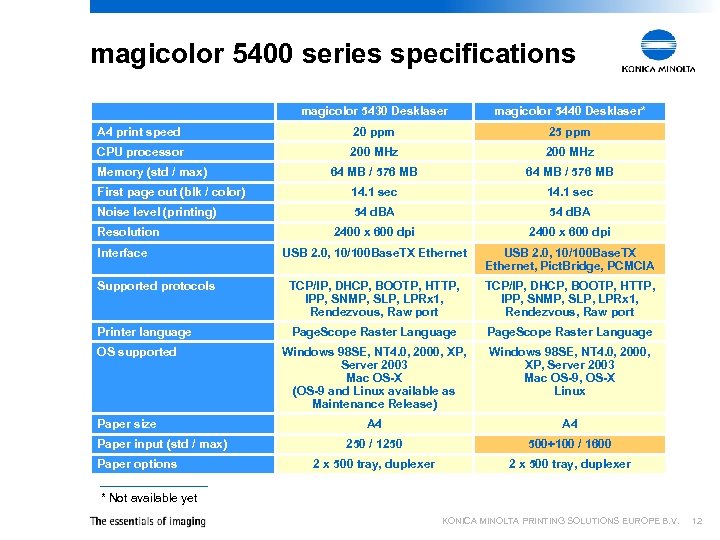 magicolor 5400 series specifications magicolor 5430 Desklaser magicolor 5440 Desklaser* A 4 print speed 20 ppm 25 ppm CPU processor 200 MHz 64 MB / 576 MB First page out (blk / color) 14. 1 sec Noise level (printing) 54 d. BA 2400 x 600 dpi USB 2. 0, 10/100 Base. TX Ethernet, Pict. Bridge, PCMCIA Supported protocols Supported TCP/IP, DHCP, BOOTP, HTTP, IPP, SNMP, SLP, LPRx 1, Rendezvous, Raw port Printer language Page. Scope Raster Language Windows 98 SE, NT 4. 0, 2000, XP, Server 2003 Mac OS-X (OS-9 and Linux available as Maintenance Release) Windows 98 SE, NT 4. 0, 2000, XP, Server 2003 Mac OS-9, OS-X Linux A 4 250 / 1250 500+100 / 1600 2 x 500 tray, duplexer Memory (std / max) Resolution Interface OS supported Paper size Paper input (std / max) Paper options * Not available yet KONICA MINOLTA PRINTING SOLUTIONS EUROPE B. V. 12
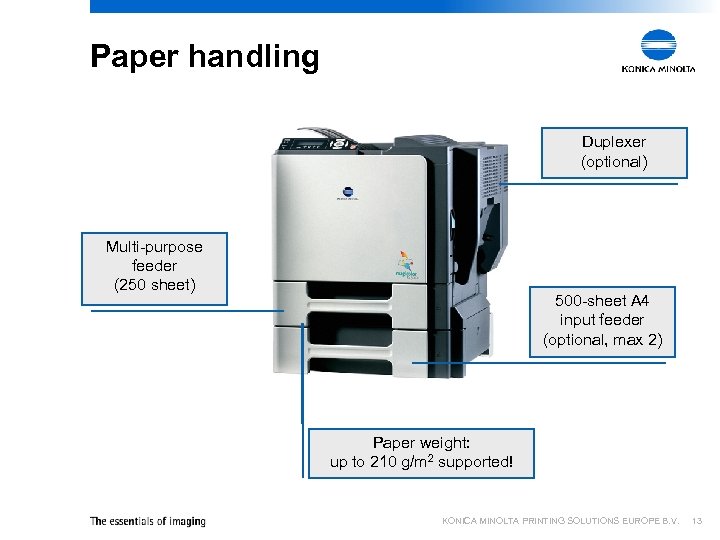 Paper handling Duplexer (optional) Multi-purpose feeder (250 sheet) 500 -sheet A 4 input feeder (optional, max 2) Paper weight: up to 210 g/m 2 supported! KONICA MINOLTA PRINTING SOLUTIONS EUROPE B. V. 13
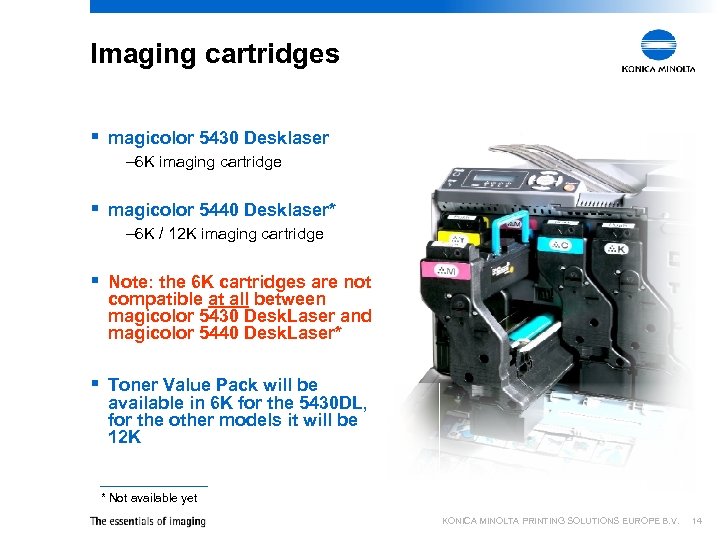 Imaging cartridges § magicolor 5430 Desklaser – 6 K imaging cartridge § magicolor 5440 Desklaser* – 6 K / 12 K imaging cartridge § Note: the 6 K cartridges are not compatible at all between magicolor 5430 Desk. Laser and magicolor 5440 Desk. Laser* § Toner Value Pack will be available in 6 K for the 5430 DL, for the other models it will be 12 K * Not available yet KONICA MINOLTA PRINTING SOLUTIONS EUROPE B. V. 14
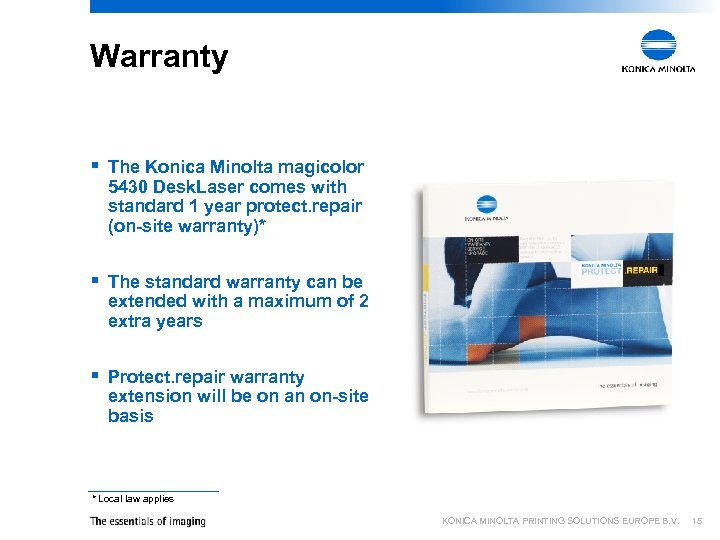 Warranty § The Konica Minolta magicolor 5430 Desk. Laser comes with standard 1 year protect. repair (on-site warranty)* § The standard warranty can be extended with a maximum of 2 extra years § Protect. repair warranty extension will be on an on-site basis * Local law applies KONICA MINOLTA PRINTING SOLUTIONS EUROPE B. V. 15
 KONICA MINOLTA PRINTING SOLUTIONS EUROPE B. V. magicolor 5430 Desklaser A closer look
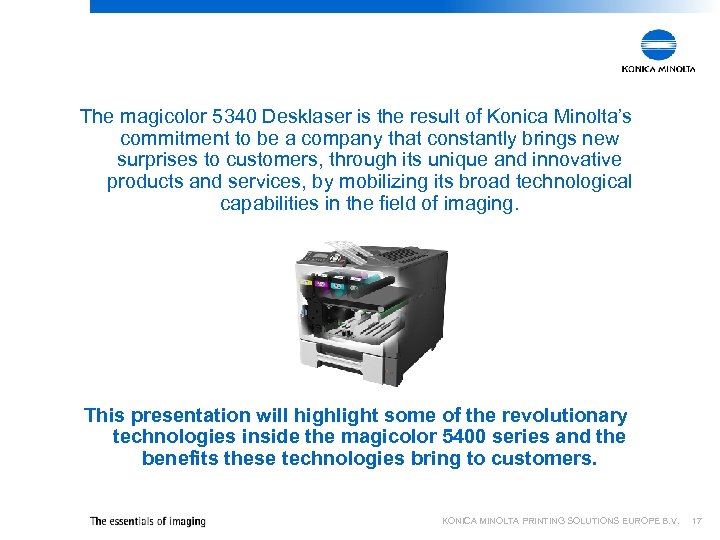 The magicolor 5340 Desklaser is the result of Konica Minolta’s commitment to be a company that constantly brings new surprises to customers, through its unique and innovative products and services, by mobilizing its broad technological capabilities in the field of imaging. This presentation will highlight some of the revolutionary technologies inside the magicolor 5400 series and the benefits these technologies bring to customers. KONICA MINOLTA PRINTING SOLUTIONS EUROPE B. V. 17
 KONICA MINOLTA PRINTING SOLUTIONS EUROPE B. V. Polymerised toner
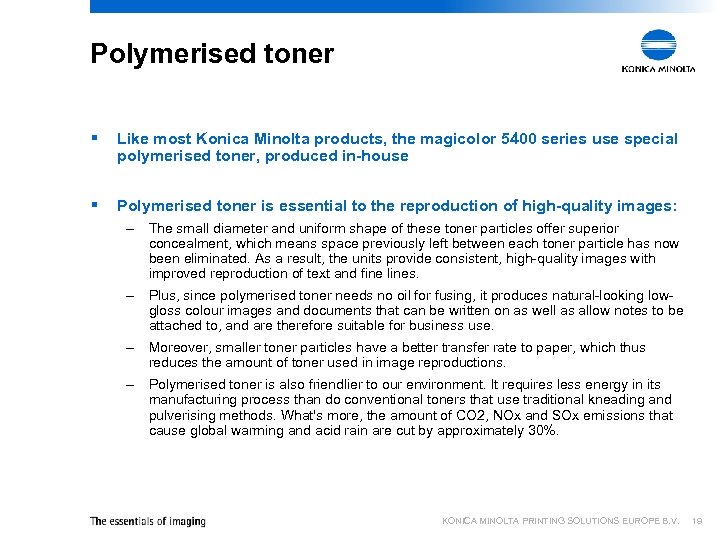 Polymerised toner § Like most Konica Minolta products, the magicolor 5400 series use special polymerised toner, produced in-house § Polymerised toner is essential to the reproduction of high-quality images: – The small diameter and uniform shape of these toner particles offer superior concealment, which means space previously left between each toner particle has now been eliminated. As a result, the units provide consistent, high-quality images with improved reproduction of text and fine lines. – Plus, since polymerised toner needs no oil for fusing, it produces natural-looking lowgloss colour images and documents that can be written on as well as allow notes to be attached to, and are therefore suitable for business use. – Moreover, smaller toner particles have a better transfer rate to paper, which thus reduces the amount of toner used in image reproductions. – Polymerised toner is also friendlier to our environment. It requires less energy in its manufacturing process than do conventional toners that use traditional kneading and pulverising methods. What's more, the amount of CO 2, NOx and SOx emissions that cause global warming and acid rain are cut by approximately 30%. KONICA MINOLTA PRINTING SOLUTIONS EUROPE B. V. 19
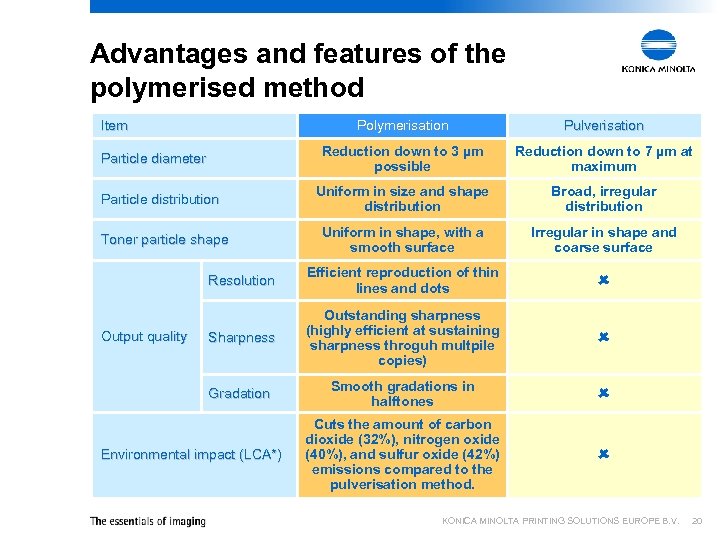 Advantages and features of the polymerised method Item Polymerisation Pulverisation Reduction down to 3 µm possible Reduction down to 7 µm at maximum Uniform in size and shape distribution Broad, irregular distribution Uniform in shape, with a smooth surface Irregular in shape and coarse surface Resolution Efficient reproduction of thin lines and dots Sharpness Outstanding sharpness (highly efficient at sustaining sharpness throguh multpile copies) Gradation Smooth gradations in halftones Cuts the amount of carbon dioxide (32%), nitrogen oxide (40%), and sulfur oxide (42%) emissions compared to the pulverisation method. Particle diameter Particle distribution Toner particle shape Output quality Environmental impact (LCA*) KONICA MINOLTA PRINTING SOLUTIONS EUROPE B. V. 20
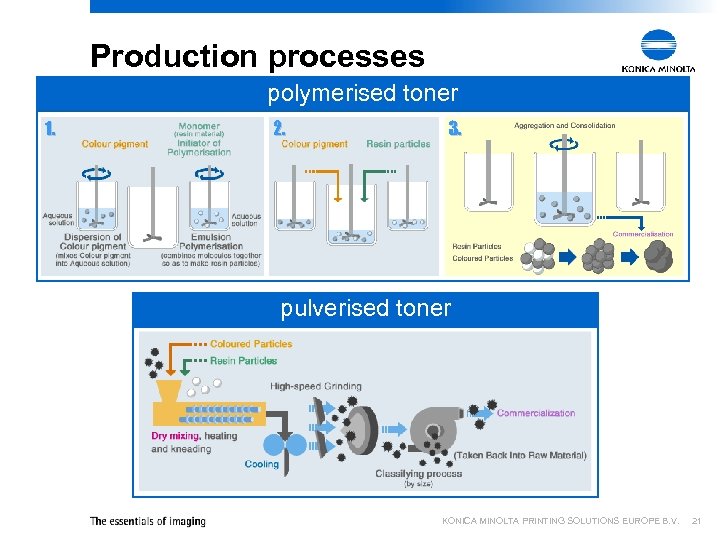 Production processes polymerised toner 1. 2. 3. pulverised toner KONICA MINOLTA PRINTING SOLUTIONS EUROPE B. V. 21
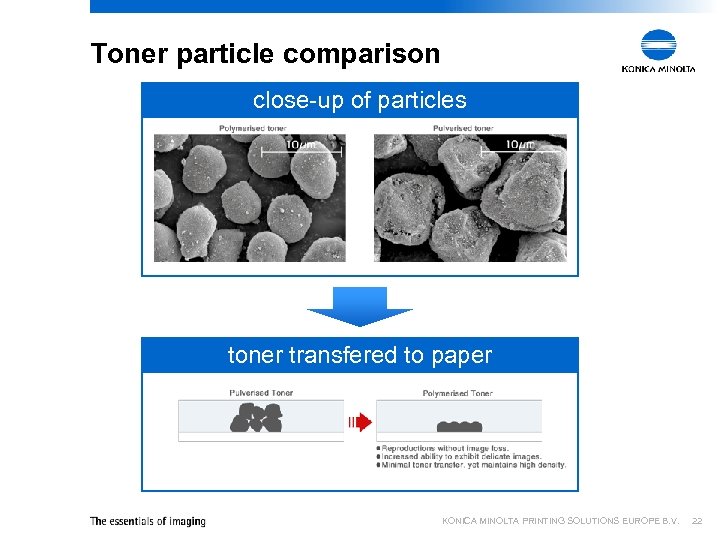 Toner particle comparison close-up of particles toner transfered to paper KONICA MINOLTA PRINTING SOLUTIONS EUROPE B. V. 22
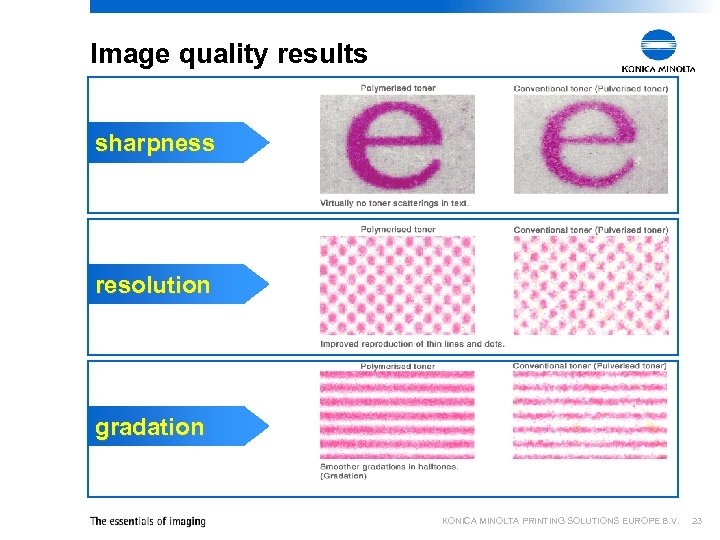 Image quality results sharpness resolution gradation KONICA MINOLTA PRINTING SOLUTIONS EUROPE B. V. 23
 KONICA MINOLTA PRINTING SOLUTIONS EUROPE B. V. Belt fusing system
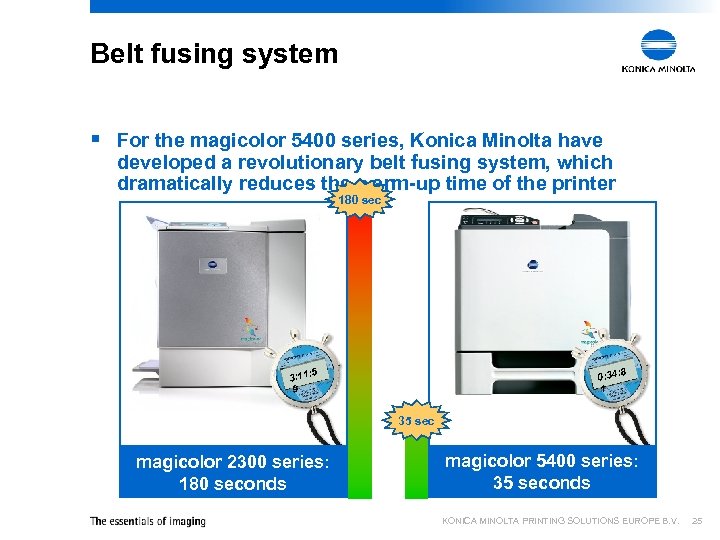 Belt fusing system § For the magicolor 5400 series, Konica Minolta have developed a revolutionary belt fusing system, which dramatically reduces the warm-up time of the printer 180 sec 8 0: 34: 1 5 3: 11: 9 35 sec magicolor 2300 series: 180 seconds magicolor 5400 series: 35 seconds KONICA MINOLTA PRINTING SOLUTIONS EUROPE B. V. 25
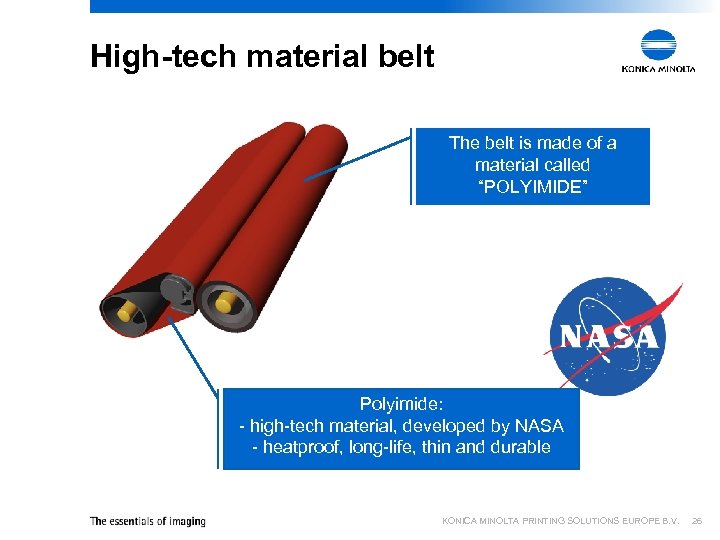 High-tech material belt The belt is made of a material called “POLYIMIDE” Polyimide: - high-tech material, developed by NASA - heatproof, long-life, thin and durable KONICA MINOLTA PRINTING SOLUTIONS EUROPE B. V. 26
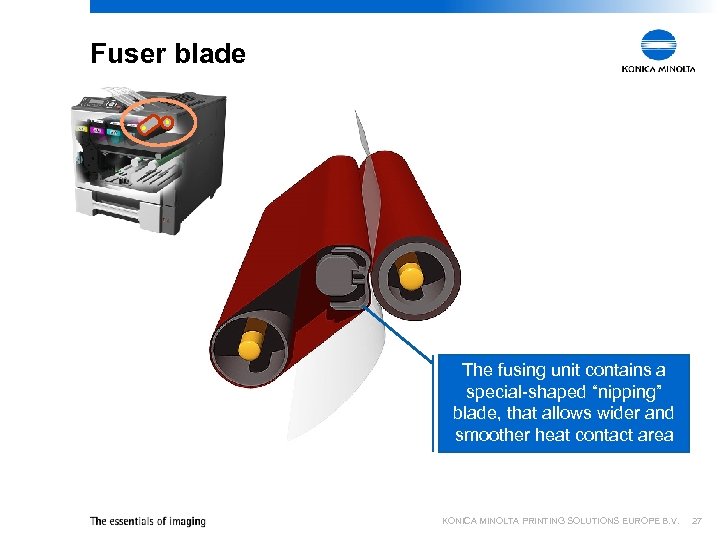 Fuser blade The fusing unit contains a special-shaped “nipping” blade, that allows wider and smoother heat contact area KONICA MINOLTA PRINTING SOLUTIONS EUROPE B. V. 27
 KONICA MINOLTA PRINTING SOLUTIONS EUROPE B. V. Prismlaser print head
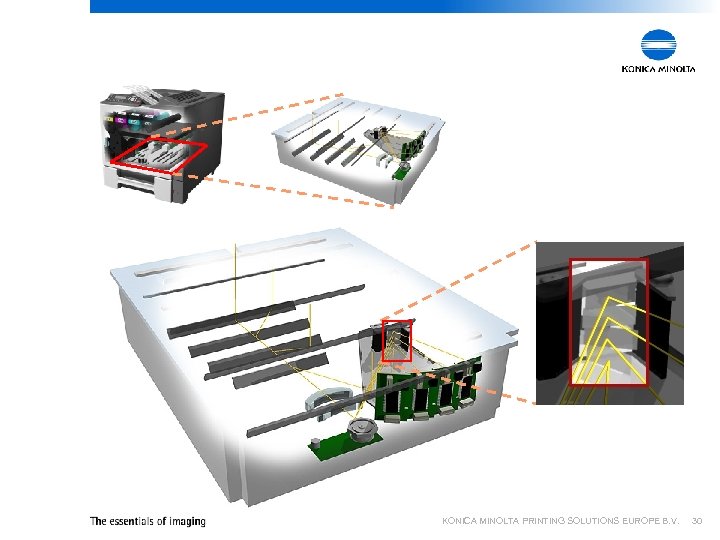
 Prismlaser print head § All models in the magicolor 5400 series contain a high-tech print head called Prismlaser § This Prismlaser is basically a mirror that combines 4 cylinder lenses into one element § As a result – the size of the printer can be reduced – Precision of printing is greatly enhnaced KONICA MINOLTA PRINTING SOLUTIONS EUROPE B. V. 29
 KONICA MINOLTA PRINTING SOLUTIONS EUROPE B. V. 30
 KONICA MINOLTA PRINTING SOLUTIONS EUROPE B. V. DL, DLD and DLX The magicolor 5430 in different configurations
 Why different configurations § All recent Konica Minolta printer models have been available in single configurations (base model) § In order to increase (indirect) option sales and offer a broader product portfolio, the magicolor 5430 DL will be available in 3 different configurations – magicolor 5430 DL • Base model (64 MB) – magicolor 5430 DLD • Base model + duplexer (128 MB) – magicolor 5430 DLX • Base model + duplexer + lower feeder (128 MB) KONICA MINOLTA PRINTING SOLUTIONS EUROPE B. V. 32
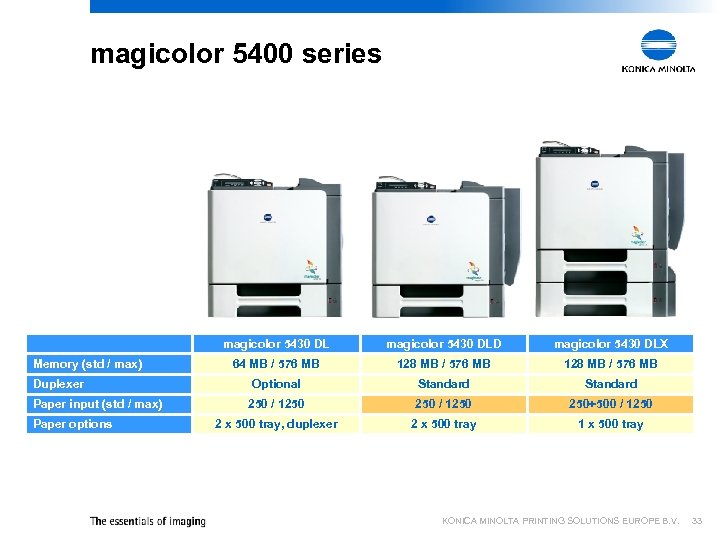 magicolor 5400 series magicolor 5430 DL Memory (std / max) Duplexer Paper input (std / max) Paper options magicolor 5430 DLD magicolor 5430 DLX 64 MB / 576 MB 128 MB / 576 MB Optional Standard 250 / 1250 250+500 / 1250 2 x 500 tray, duplexer 2 x 500 tray 1 x 500 tray KONICA MINOLTA PRINTING SOLUTIONS EUROPE B. V. 33
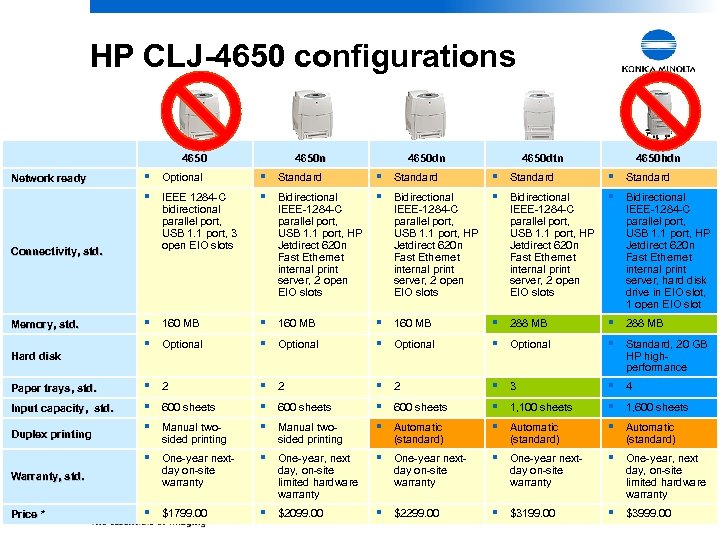 HP CLJ-4650 configurations 4650 n 4650 dtn 4650 hdn § Optional § Standard § IEEE 1284 -C § Bidirectional § 160 MB § 288 MB § Optional § Standard, 20 GB Paper trays, std. § 2 § 2 § 3 § 4 Input capacity, std. § 600 sheets § 1, 100 sheets § 1, 600 sheets § Manual two- § Automatic § One-year next- § One-year, next § $1799. 00 § $2099. 00 § $2299. 00 § $3199. 00 § $3999. 00 Network ready Connectivity, std. Memory, std. Hard disk Duplex printing Warranty, std. Price * bidirectional parallel port, USB 1. 1 port, 3 open EIO slots sided printing day on-site warranty IEEE-1284 -C parallel port, USB 1. 1 port, HP Jetdirect 620 n Fast Ethernet internal print server, 2 open EIO slots sided printing day, on-site limited hardware warranty IEEE-1284 -C parallel port, USB 1. 1 port, HP Jetdirect 620 n Fast Ethernet internal print server, 2 open EIO slots (standard) day on-site warranty IEEE-1284 -C parallel port, USB 1. 1 port, HP Jetdirect 620 n Fast Ethernet internal print server, hard disk drive in EIO slot, 1 open EIO slot HP highperformance (standard) day, on-site limited hardware warranty KONICA MINOLTA PRINTING SOLUTIONS EUROPE B. V. 34
 Sales details § Eventually, the split between DL and DLD sales is expected to be 60 / 40 § Kitting is done locally, can be done ad-hoc § The focus for sales of the DLX model is on the MFP channel § Conditions for MFP channel are similar to other models, ie magicolor 3300 KONICA MINOLTA PRINTING SOLUTIONS EUROPE B. V. 35
 KONICA MINOLTA PRINTING SOLUTIONS EUROPE B. V. The magicolor 5400 series in the market
 Positioning § The magicolor 5430 Desk. Laser and 5440 Desk. Laser* bring all the benefits and convenience of a monochrome laser, with the added value of colour § Due to its greater paper handling capabilities, the magicolor 5440 Desk. Laser* is better suited for heavy users § Medium users should opt for the magicolor 5430 Desk. Laser § If a medium user prints mainly mono, the magicolor 5440 Desk. Laser* could still be more attractive because of the higher yield cartridges (12 K) * Not available yet KONICA MINOLTA PRINTING SOLUTIONS EUROPE B. V. 37
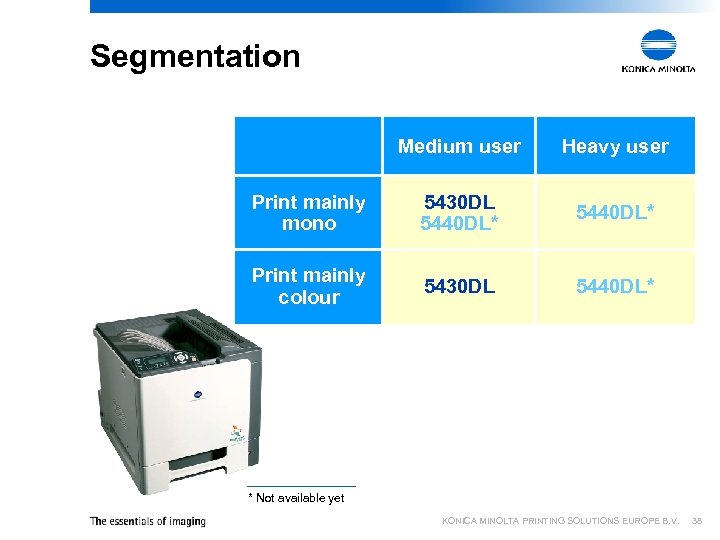 Segmentation Medium user Heavy user Print mainly mono 5430 DL 5440 DL* Print mainly colour 5430 DL 5440 DL* * Not available yet KONICA MINOLTA PRINTING SOLUTIONS EUROPE B. V. 38
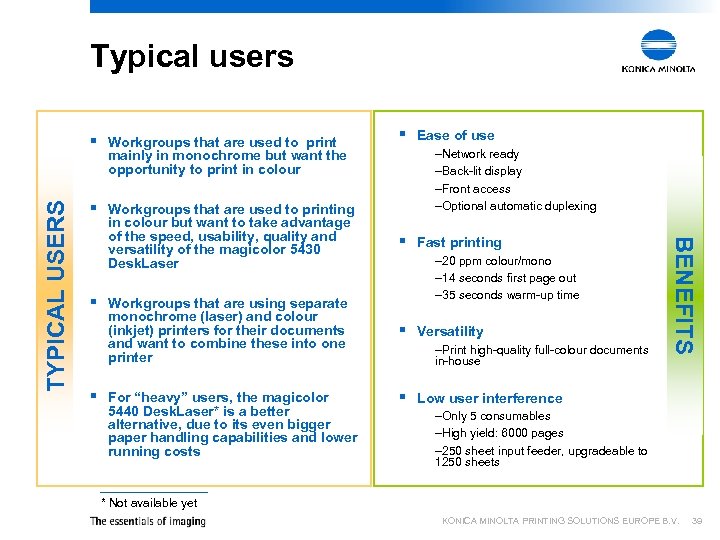 Typical users § Workgroups that are used to printing in colour but want to take advantage of the speed, usability, quality and versatility of the magicolor 5430 Desk. Laser § Workgroups that are using separate monochrome (laser) and colour (inkjet) printers for their documents and want to combine these into one printer § For “heavy” users, the magicolor 5440 Desk. Laser* is a better alternative, due to its even bigger paper handling capabilities and lower running costs –Network ready –Back-lit display –Front access –Optional automatic duplexing § Fast printing – 20 ppm colour/mono – 14 seconds first page out – 35 seconds warm-up time § Versatility –Print high-quality full-colour documents in-house BENEFITS TYPICAL USERS mainly in monochrome but want the opportunity to print in colour § Ease of use § Low user interference –Only 5 consumables –High yield: 6000 pages – 250 sheet input feeder, upgradeable to 1250 sheets * Not available yet KONICA MINOLTA PRINTING SOLUTIONS EUROPE B. V. 39
 KONICA MINOLTA PRINTING SOLUTIONS EUROPE B. V. 40